


Co-Parenting Expense Tracker Spreadsheet | Shared Child Expenses, Custody Log (Excel, Google Sheets)
NowPrice:$10.49
Original Price: $14.99
30% off
Sale ends in 11:22:39

You can only make an offer when buying a single item
Highlights
CO-PARENTING & BLENDED FAMILY SHARED EXPENSE TRACKER
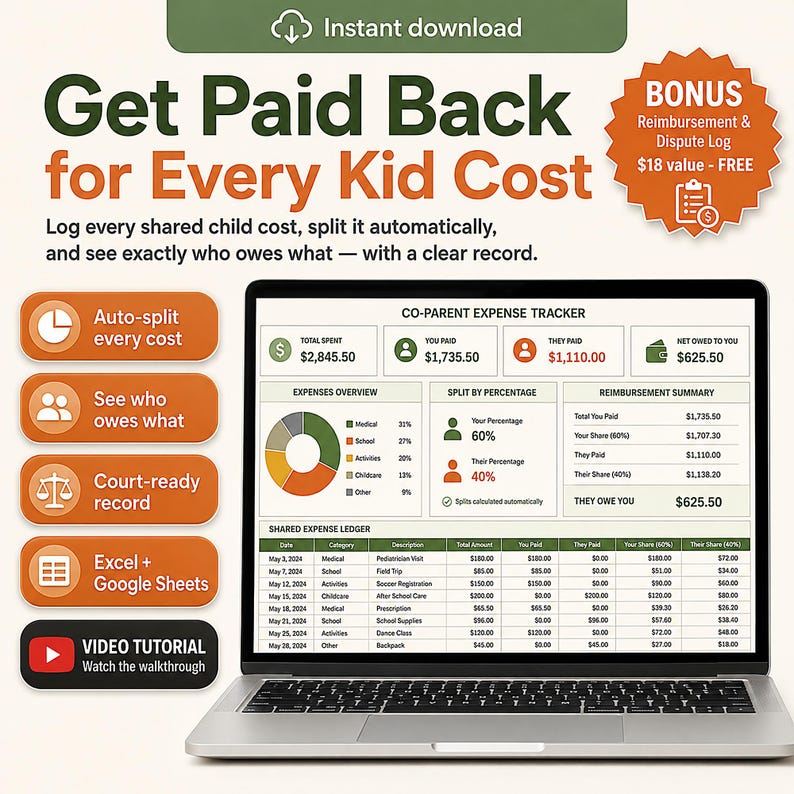
🎁 FREE BONUS INCLUDED — Reimbursement & Dispute Log (a $18 value): logs every shared cost and shows exactly who owes what, with a court-ready trail. Yours free with this template.
Most shared-expense arguments are not really about the money. They are about the fact that neither of you can prove the number.
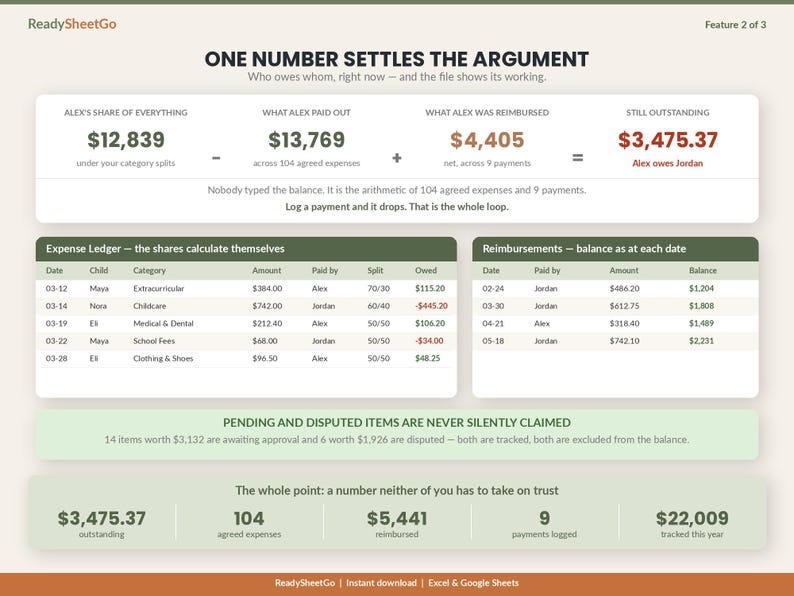
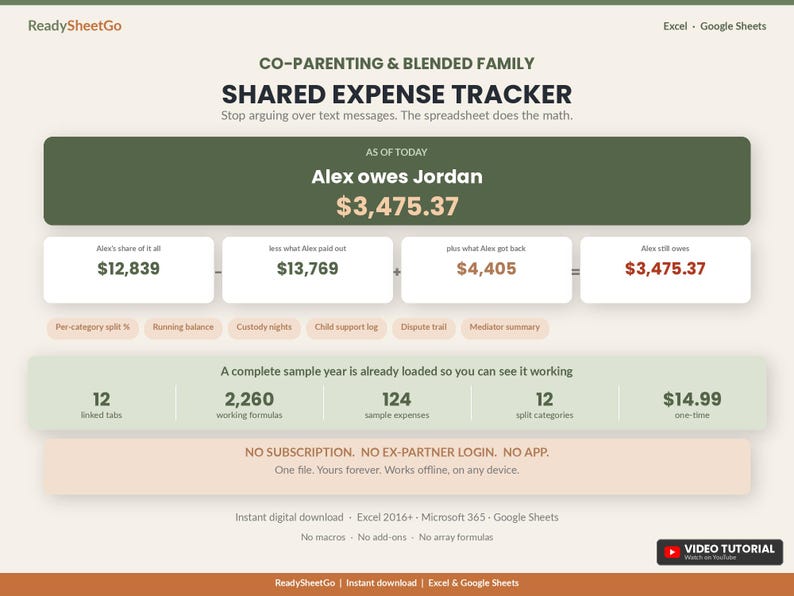
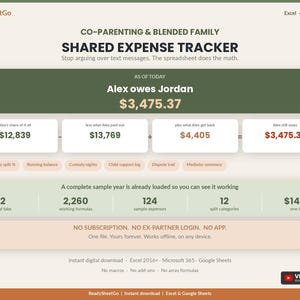
This file produces the number. Enter what you paid, and it splits every expense by the ratio your own agreement sets for that category, tracks what each of you has actually paid out against what each of you was actually responsible for, subtracts every reimbursement that has cleared, and writes the answer in a sentence at the top of the Dashboard.
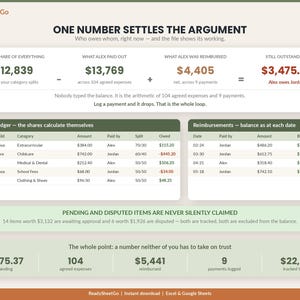
In the sample family loaded in the file, 104 agreed expenses across three children come to $22,009. Alex paid $13,769 of it out of pocket but was responsible for $12,839 under the agreed splits. $5,441 has moved between the two of them across 9 payments. The Dashboard reads: "Alex owes Jordan $3,475.37." Nobody typed that. The file worked it out.
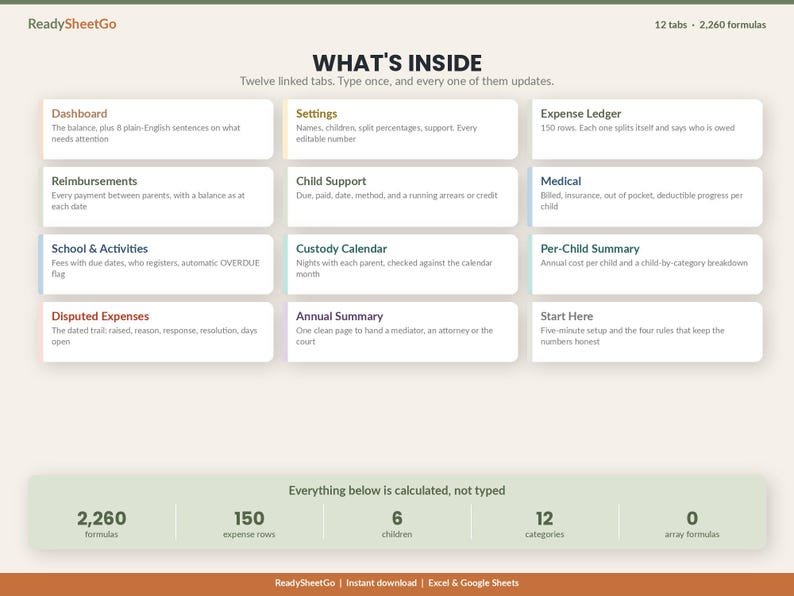
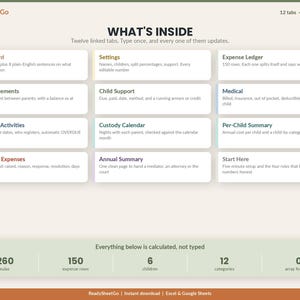
WHAT'S INCLUDED - 12 TABS, 2,260 WORKING FORMULAS
- Start Here - five-minute setup, plus the four rules that keep the numbers honest
- Dashboard - the balance in one sentence, 12 categories broken down, a month-by-month view, and eight plain-English lines telling you what needs attention this week
- Settings - both parents, up to six children, the split percentage for every category, child support, and every threshold. Every editable number in the workbook lives here
- Expense Ledger - 150 rows. Each one splits itself and says who is owed what
- Reimbursements - every payment between parents, with the balance as it stood on each date
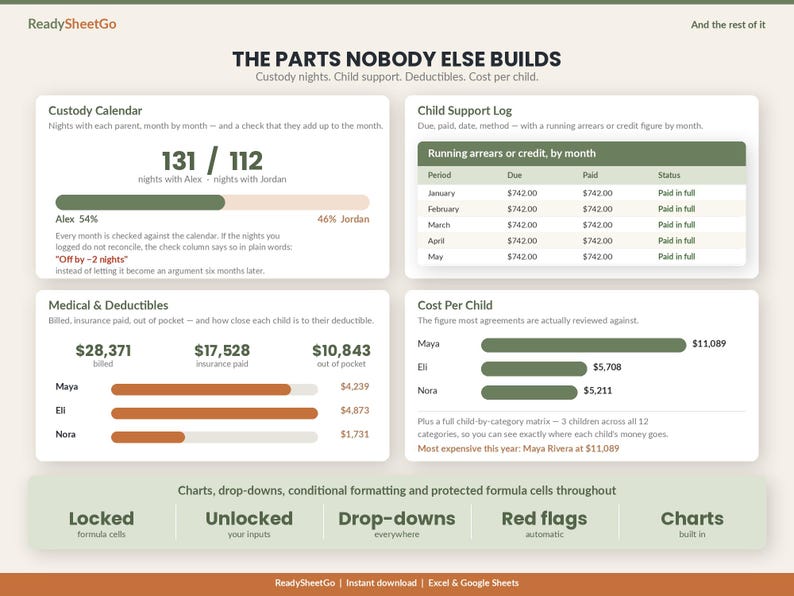
- Child Support - due, paid, date, method, and a running arrears or credit figure by month
- Medical - billed, insurance paid, out of pocket, and deductible progress for each child
- School & Activities - fees with due dates, which parent is registering, and an automatic OVERDUE flag
- Custody Calendar - nights with each parent by month, checked against the calendar
- Per-Child Summary - annual cost per child, plus a full child-by-category matrix
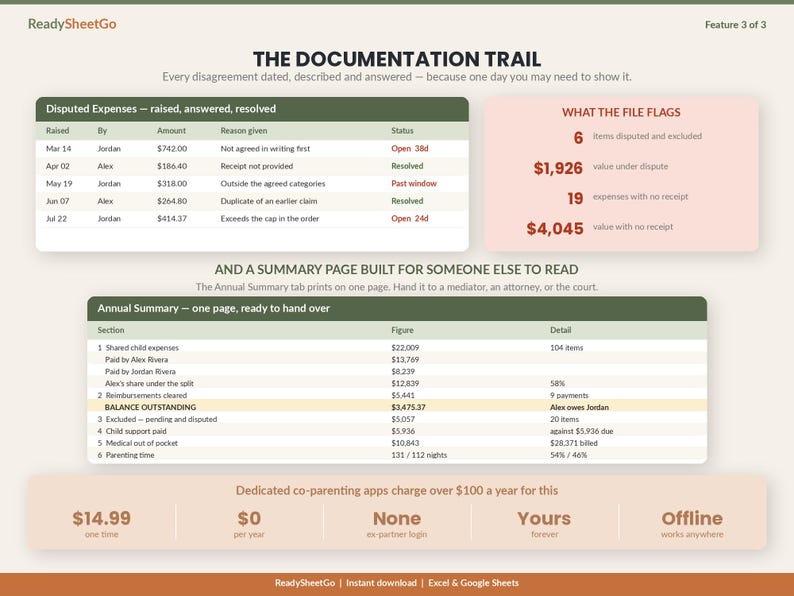
- Disputed Expenses - the dated trail: raised by, reason, response, resolution, days open
- Annual Summary - one printable page to hand a mediator, an attorney or the court
THE PART THAT MAKES IT A CO-PARENTING TOOL
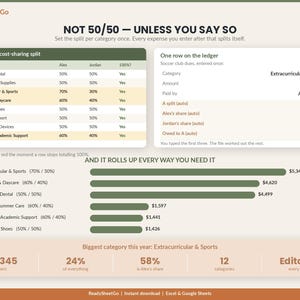
Household budget templates split everything down the middle. Real agreements do not.
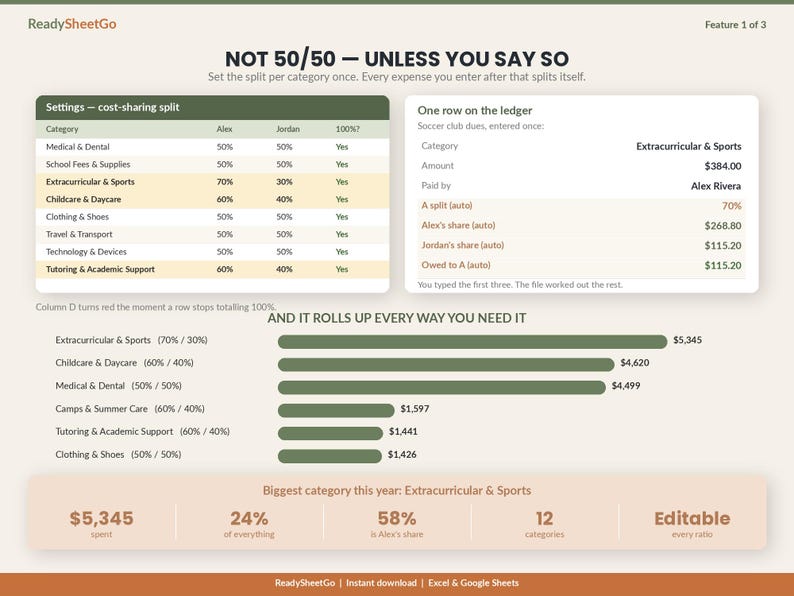
On the Settings tab you set the ratio per category. Medical evenly. Extracurriculars 70/30 because that is what you agreed. Childcare 60/40 because it was pro-rated to income. Type Parent A's percentage and Parent B's works itself out, with a check that turns red the moment a row stops totalling 100 percent.
After that you never think about it again. Enter a $384 soccer registration under Extracurriculars and the file writes $269 against one parent and $115 against the other, then adds the difference to the running balance in the correct direction.
NOTHING IS EVER SILENTLY CLAIMED
Every expense carries a status. Only items marked Agreed count toward the balance.
In the sample year 14 items worth $3,132 sit as Pending and 6 worth $1,926 are Disputed. Both are tracked, totalled and reported - and both are excluded from the figure either parent is asked to pay. The Dashboard also flags the 19 expenses over your receipt threshold that have no receipt attached, because those are the ones that get challenged.
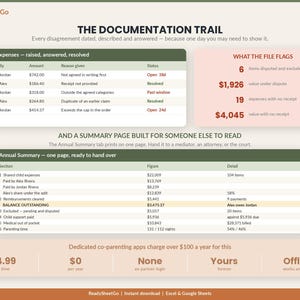
THE DOCUMENTATION TRAIL
The Disputed Expenses tab is a dated record: what was raised, when, by whom, the reason given, the other parent's response, the resolution, and how many days it has been open. Anything past the reply window you set flags itself.
The Annual Summary tab pulls all of it onto one printable page - total expenses, each parent's contribution and share, the outstanding balance, what was excluded and why, child support, medical out of pocket, and the parenting-time split - with signature lines at the bottom.
EVERYTHING ELSE IT TRACKS
- Custody nights by month, with a check that the nights logged actually add up to the days in that month
- Child support due against paid, with a running arrears or credit figure and an average days-late
- Medical billed against insurance paid, and how close each child is to their deductible
- School fees and activity registrations with due dates and which parent is signing them up
- Cost per child for the year, which is the figure most agreements are reviewed against
KEY FEATURES
- 12 linked tabs and 2,260 working formulas
- Category-by-category split percentages that you control, not a fixed 50/50
- A running reimbursement balance that clears as money actually moves
- Agreed, Pending and Disputed statuses so nothing is claimed without agreement
- Automatic OVERDUE and receipt-missing flags
- Charts, drop-down menus, conditional formatting and protected formula cells
- A complete fictional sample year already loaded so you can see all of it working
- Room for six children and 150 expenses
HOW IT WORKS
1. Download instantly after purchase - nothing is shipped
2. Open Settings, enter both names, list your children, and set the split for each category
3. Enter expenses on the ledger as they happen, and log payments on the Reimbursements tab
4. Read the Dashboard. It tells you who owes whom and what needs chasing
COMPATIBILITY
Works in Microsoft Excel (2016 and later, and Microsoft 365) and in Google Sheets. No macros, no add-ons, no subscription and no array formulas - which is exactly why it calculates identically in both. Desktop, laptop, tablet or phone. Yours forever.
WHO IT IS FOR
Separated, divorced or never-married parents tracking shared child costs against a custody or support agreement. Blended families running two sets of arrangements. Anyone who has ever scrolled back through eighteen months of text messages trying to work out whether a reimbursement was ever actually paid.
Dedicated co-parenting apps in this space charge over $100 a year and require your ex-partner to create an account. This is a one-time file that works offline and needs nobody's permission.
FREE CUSTOMIZATION
Need a category we have not included, a seventh child, or a different set of split rules? Message the shop and we will add it for you at no charge.
PLEASE NOTE
This file organises your own records so you can see the shared-expense position in one place. It is not legal, tax or accounting advice, it does not interpret your custody order, and it does not replace your attorney or mediator. The split percentages are whatever you enter. Every person, provider and figure in the sample data is fictional.
This is a digital download, not a physical product. Nothing will be shipped. Because it is an instant download, all sales are final - but any questions before or after you buy, just message us and we will help.
ReadySheetGo - spreadsheets that actually do the work.
📗 HOW TO OPEN IN GOOGLE SHEETS (free & easy):
This is one file that works in BOTH Excel and Google Sheets — there's no separate file to find, you just import the download once:
1. Go to sheets.google.com and open a blank spreadsheet
2. Click File ▸ Import ▸ Upload
3. Drag in the .xlsx file you downloaded from this order
4. Choose "Replace spreadsheet" and click Import data
All tabs load as a full Google Sheet saved in your Drive — edit it on any device. (Prefer Excel? Just double-click the file to open.)
———————————————
VIDEO TUTORIAL INCLUDED
This template comes with a step-by-step video walkthrough to help you get set up in minutes. Your tutorial link is included with the instant download.
Instant Download
Your files will be available to download once payment is confirmed. Here's how.
Instant download items don’t accept returns, exchanges or cancellations. Please contact the seller about any problems with your order.
Etsy Purchase Protection
Shop confidently on Etsy knowing if something goes wrong with an order, we've got your back for all eligible purchases —
see program terms

Be the first to review this item

More from this shop
Visit shop-

Digital download
Pet Expense Tracker Spreadsheet | Dog Cat Vet Bills, Vaccination & Medication Log | Multi Pet Budget Planner Insurance Excel Google Sheets
Sale Price $9.09
Original Price $12.99
-

Digital download
Medical Expense Tracker Spreadsheet Excel Google Sheets | HSA FSA Deductible & Insurance Claim Log | Healthcare Budget, Tax Deduction
Sale Price $10.49
Original Price $14.99
-
Digital download
Home Inventory Spreadsheet Excel Google Sheets | Insurance Claim, Estate & Household Inventory Tracker | Emergency Preparedness Checklist
Sale Price $10.49
Original Price $14.99
-

Digital download
Caregiver Planner Spreadsheet | Aging Parent Tracker, Medication Log, Cost Split (Excel, Google Sheets)
Sale Price $12.59
Original Price $17.99
-
Digital download
Co-Parenting Child Expense Log, Shared Child Expenses Log, Parenting Expenses Tracker, Split Child Expenses Spredsheet Template, Excel
Sale Price $4.17
Original Price $8.34
-
Digital download
Co Parenting Child Expense Log, Shared Child Costs Tracker, Custody Expenses Spreadsheet, Split Child Expenses Excel Template Google Sheets
Sale Price $7.15
Original Price $11.92
-
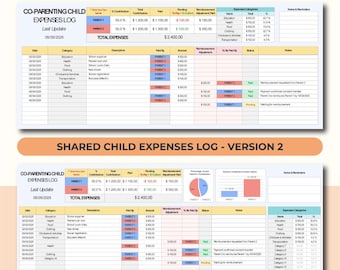
Digital download
Divorce Expense Tracker, Shared Expenses Log for Parents, Co Parenting Finance Spreadsheet, Child Custody Costs Tracker Excel Google Sheets
Sale Price $7.15
Original Price $11.92
-
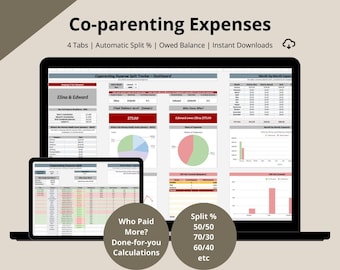
Digital download
Co-parenting Expenses Tracker: Shared Expense, Split calculator, Payment planner (Google Sheets Template)
$5.99
-

Digital download
Co-Parenting Expense Tracker | Shared Custody Budget Planner | Child Support & Parenting Expenses Organizer | Printable PDF
$2.99
-
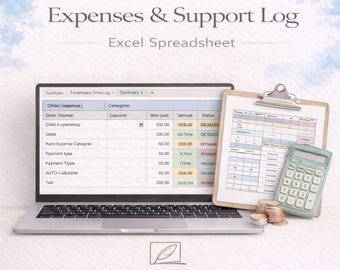
Digital download
Co Parenting Expense & Support Log Excel Spreadsheet | Child Expenses Tracker | Custody Documentation | Digital Download
$8.30
-
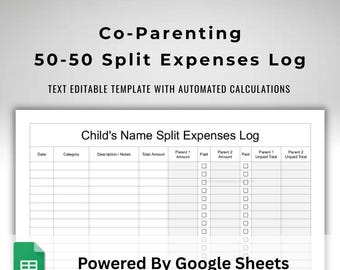
Digital download
Shared Child Expenses Tracker for Two Parents - 50/50 Split Spreadsheet - Co-Parenting Financial Planner -Google Sheets Co Parent Template
$5.00
-
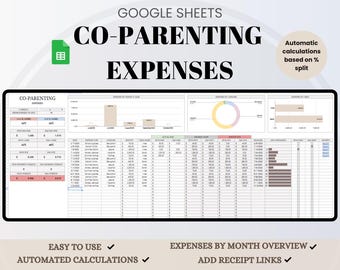
Digital download
Co-Parenting Expenses Tracker: Automated Google Sheets Spreadsheet
Sale Price $5.32
Original Price $9.68
-
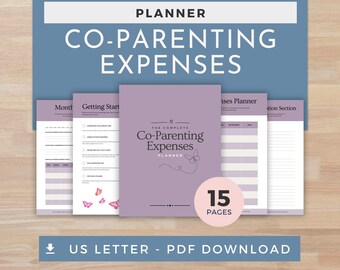
Digital download
Co-Parenting Finances Planner | Shared Expenses Tracker, Budget Sheets, Child Costs Organizer
$3.33
-
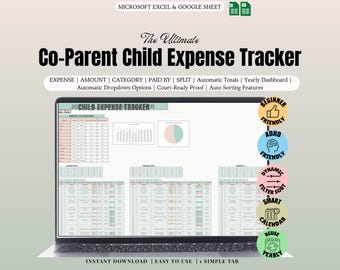
Digital download
Ultimate Co-Parenting Expense Tracker | Child Support & Shared Expenses Spreadsheet | Stress-Free Financial Clarity for Co-Parents
Sale Price $5.70
Original Price $18.99
-

Digital download
Co-Parenting Expense Planner| Child Custody Planner| Shared Expenses Tracker for Co-Parents & Blended Families| Child Custody Visitation Log
$9.99
-

Digital download
Co-Parenting Expense Planner| Child Custody Planner| Shared Expenses Tracker for Co-Parents & Blended Families| Child Custody Visitation Log
$9.99
Shoppers with similar taste loved these
-
Digital download
Weekly Planner Digital Download - Daily To Do List, Weekly Planner Printable, Undated Daily Planner, Minimalist To Do List, Desk Planner
$4.00
-
Digital download
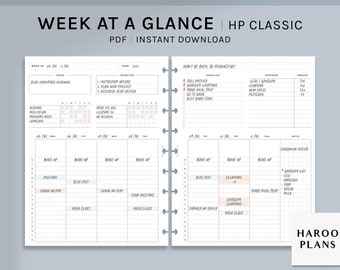
Week at a Glance | HP Classic Printable Happy Planner Inserts | Weekly Overview Organizer | WO2P Habit Chores Tracker PDF | Digital Download
$2.60
-

Digital download
Daily Planner, Weekly Planner, Monthly Planner, Printable planner, Planner set, Planner Inserts, Instant Download, A4/A5/Letter/Half Size
Sale Price $2.50
Original Price $3.58
-

Digital download
Weekly Planner Printable 4 in 1 | Printable Weekly Task List PDF, A5, Half Size, Letter, A4 | Digital Download, Minimalistt Design Templates
Sale Price $2.28
Original Price $3.80
-

Digital download
Digital Mega Planner ADHD Set for Adults,Printable Undated Planner Bundle, Best Digital Planner Sheets PDF, A4, A5, Letter & Half Letter
Sale Price $6.49
Original Price $12.98
-

Digital download
Daily Planner Printable, Daily To Do List, Daily Schedule, Instant Download, A5/A4/Letter/Half Letter
Sale Price $1.67
Original Price $2.38
-
Digital download
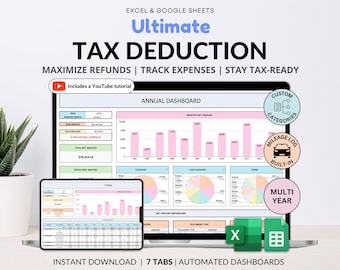
Tax Deduction Tracker Google Sheets Small Business Tax Prep Self-Employed Tax Tracker Spreadsheet Excel Tax Planner Tax Checklist 1099 Form
Sale Price $8.87
Original Price $17.74
-
Digital download
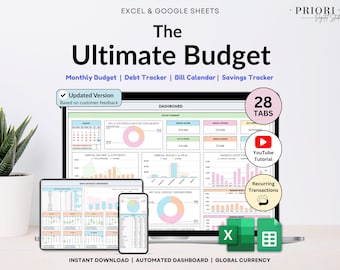
Ultimate Annual Budget Spreadsheet Monthly Budget Tracker Couple Financial Planner Bill Tracker Debt Tracker Savings Excel Google Sheets
Sale Price $10.35
Original Price $20.70
-
Digital download
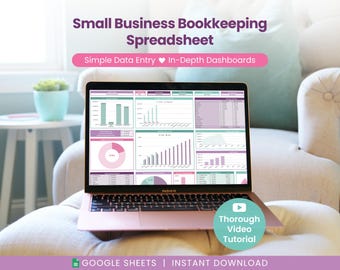
Small Business Bookkeeping Spreadsheet: Income & Expense Template for Google Sheets (Digital Download)
Sale Price $14.40
Original Price $24.00
-
Digital download
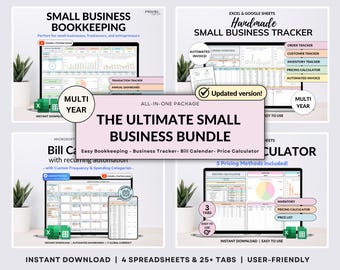
Small Business Bundle Bookkeeping Inventory Tracker Order Tracker Product Handmade Pricing Calculator Smart Bill Calendar Google Sheet Excel
Sale Price $14.78
Original Price $29.57
-

Digital download
Professional Planner Bundle Project Management Excel Template Task Tracker Google Sheets Work OneNote Planner Weekly Planner Budget Tracker
Sale Price $16.63
Original Price $33.26
-
Digital download
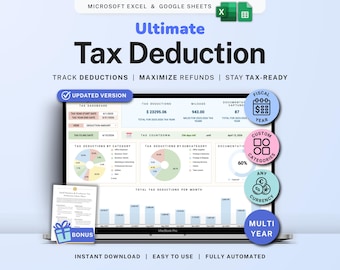
Tax Deduction Tracker Google Sheets Self-Employed Tax Spreadsheet Small Business Freelancer Tax Prep Template Itemized Expense Tracker 1099
Sale Price $8.99
Original Price $17.98


