

Subscription Tracker Spreadsheet, Bill Tracker, Subscription Audit, Monthly Annual Cost Calculator, Cancel List, Instant Download XLSX
Item highlights
Seller's description
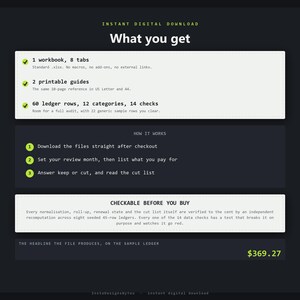
A subscription and bill tracker that does the one thing a list of subscriptions cannot:
it puts every row into the same units, and then makes you answer a question about each
one. A row that says 15.99 and a row that says 139.00 are not comparable until something
converts them, and this file converts them by a rule it prints on the face of the tab.
FOUR CLAIMS YOU CAN CHECK BEFORE YOU BUY
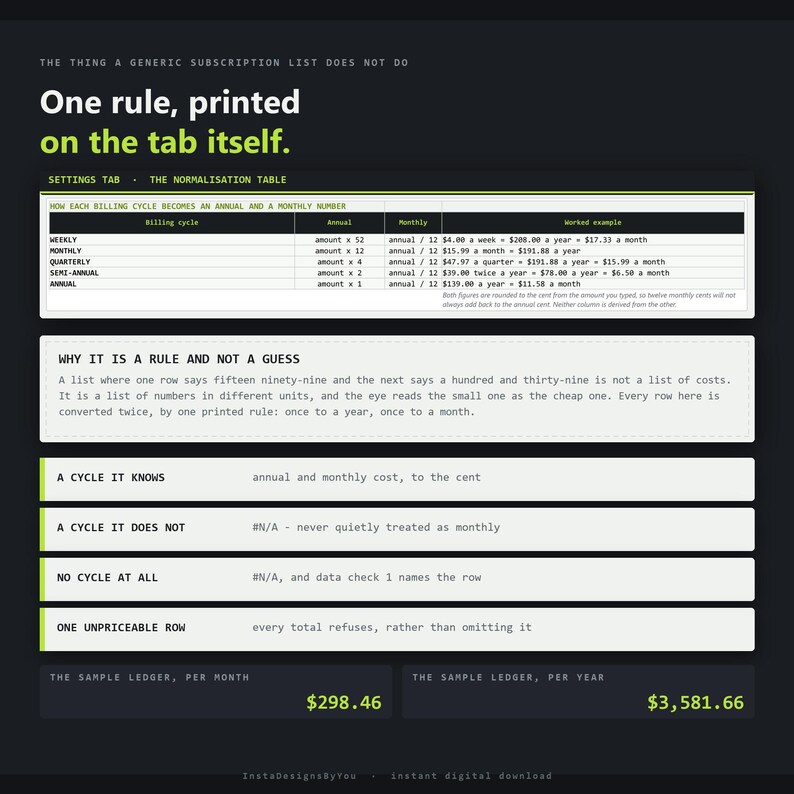
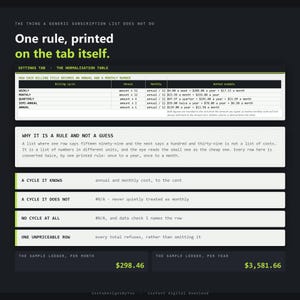
1. Every billing cycle is normalized by ONE printed rule. Annual cost is the amount
multiplied by 52, 12, 4, 2 or 1 - weekly, monthly, quarterly, semi-annual, annual -
rounded to the cent. Monthly cost is that annual figure over twelve, rounded again. The
rule sits on the face of the Subscriptions tab, not in a help file. On the 22 generic
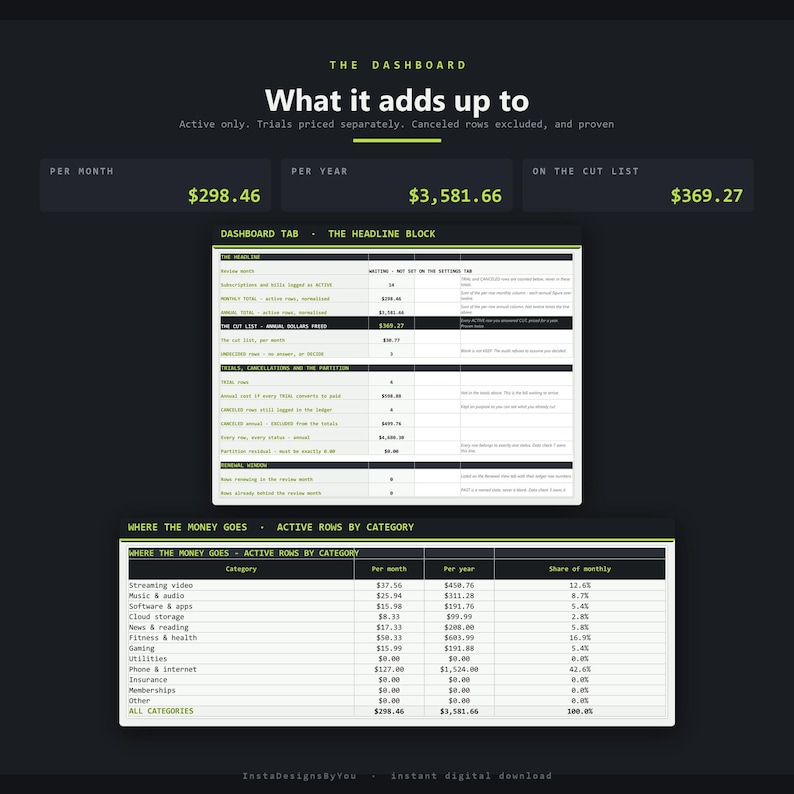
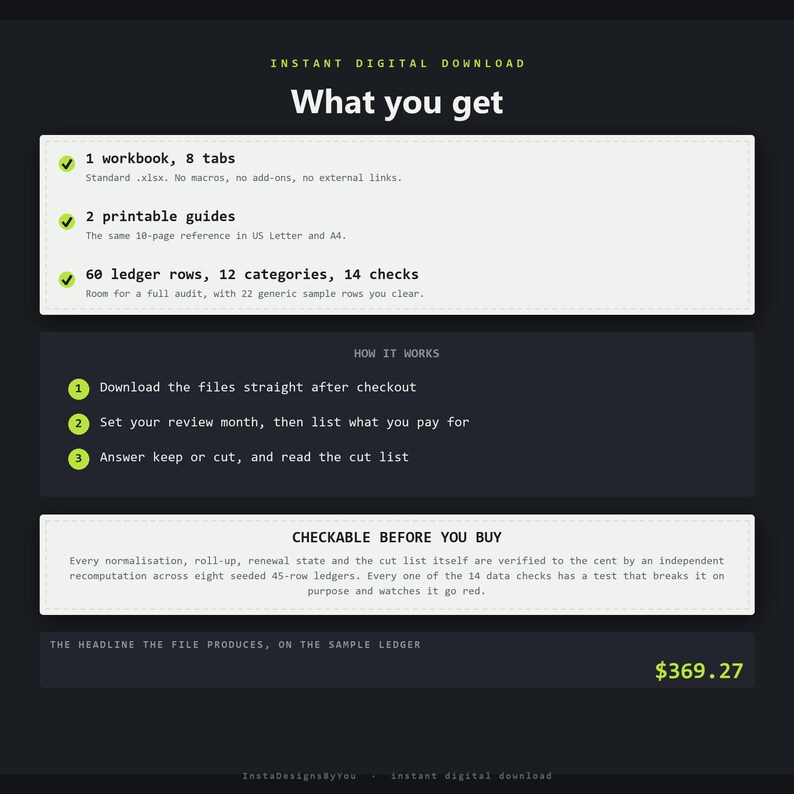
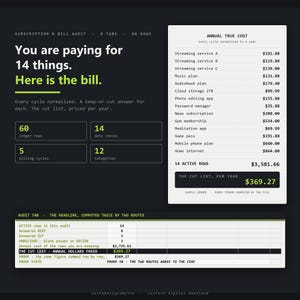
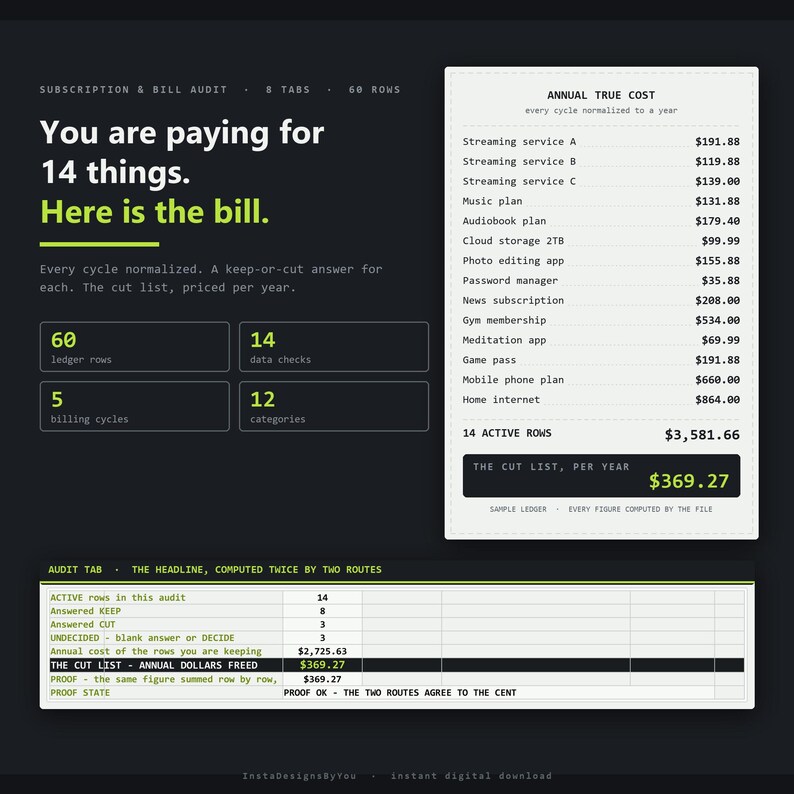
sample rows that ship in the workbook, the 14 marked ACTIVE come to $298.46 a month and
$3,581.66 a year. A second implementation of the whole model - written in plain Python
from the specification rather than read back out of the file - is driven against eight
seeded 45-row ledgers spanning all five cycles and has to agree on every normalization,
every roll-up, every renewal state and the cut list itself. 6,280 comparisons, zero
disagreements.
2. A cycle it does not recognize returns #N/A, and it is NEVER treated as monthly. That
is the whole point of having a rule. Filing an unlabelled 139.00 as a monthly charge
overstates the year by more than fifteen hundred dollars; filing an unlabelled 4.00 the
same way understates it badly. Neither guess is safe, so the file declines to make one -
and when any named row cannot be converted, every total that would have included it also
shows #N/A rather than quietly leaving the row out.
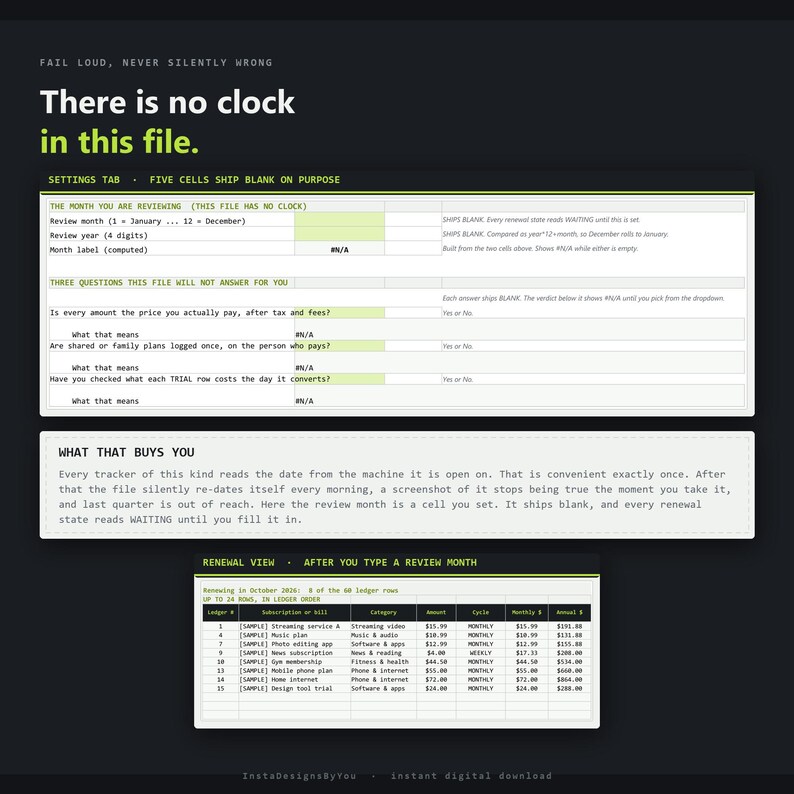
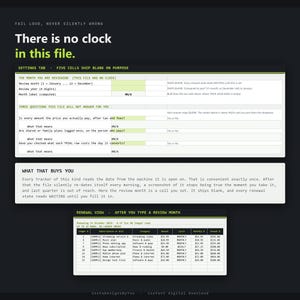
3. There is no clock in this file. Nothing in it reads the date from your machine. The
renewal window compares each row's renewal month and year against a REVIEW MONTH you set
yourself, as a plain year-times-twelve-plus-month comparison, so December rolling into
January works. Those two cells ship BLANK, so every renewal state reads WAITING until you
fill them in and data check 8 is red the moment you open the file. That is a deliberate
trade: a file that reads the clock silently re-dates itself every morning, and a
screenshot of it stops being true the moment you take it.
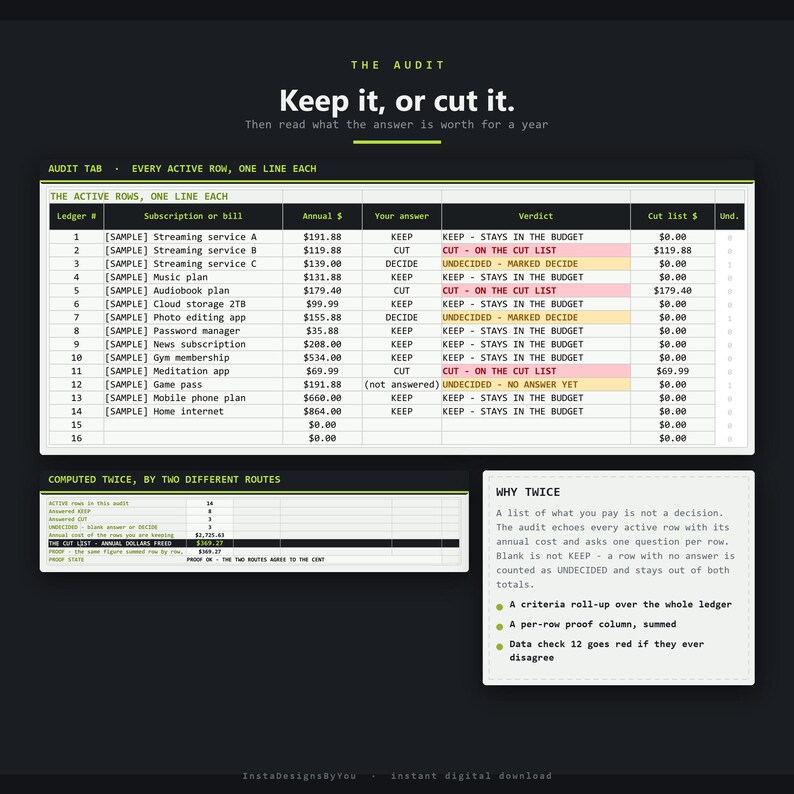
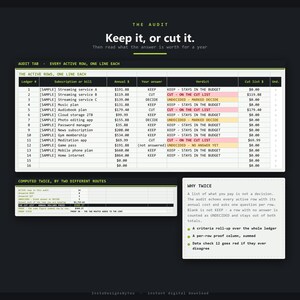
4. The cut list is computed TWICE, by two different routes. The headline is a criteria
roll-up over the whole ledger - the annual cost of every ACTIVE row you answered CUT. The
proof underneath is a plain sum of a per-row column built one row at a time. On the
sample data both come to $369.27 a year, and data check 12 refuses to go green unless
they agree to the cent. A headline number with no second route to it is a number you are
taking on trust.
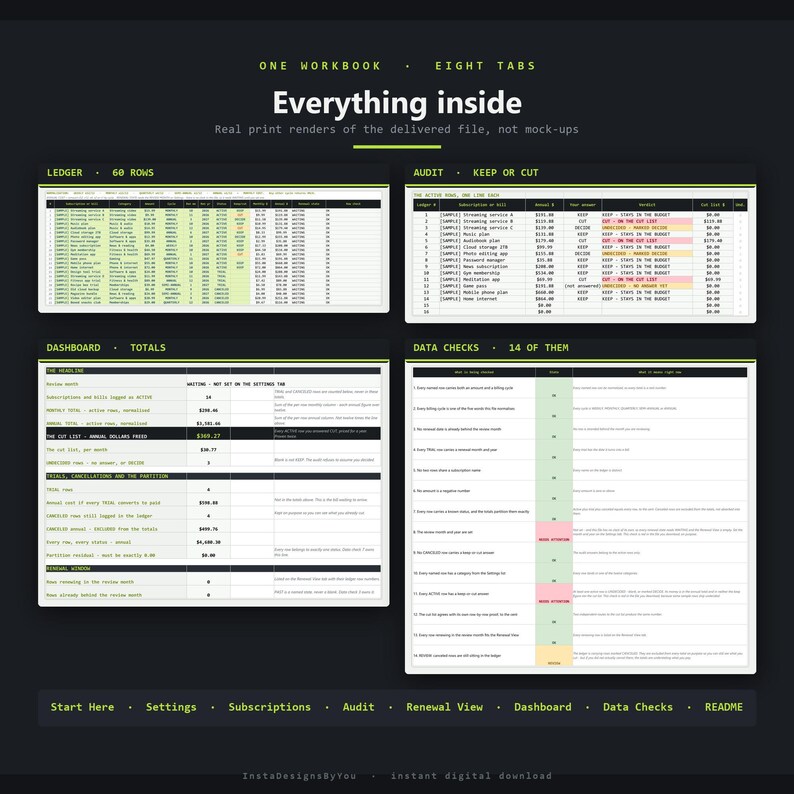
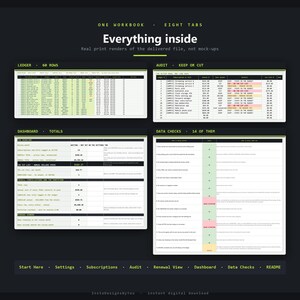
WHAT IS INSIDE - EIGHT TABS
Start Here - the five minutes that set it up, in order.
Settings - the review month and year, the three questions this file will not answer for
you, the normalization rule with a worked example for each of the five cycles, and twelve
category names you can rename.
Subscriptions - the 60-row ledger. Name, category, amount, billing cycle, next renewal
month and year, status and a keep-or-cut answer are yours to type. Monthly cost, annual
cost, renewal state and a plain-words row check compute themselves. This is the only tab
that ships unprotected, so you can sort it, filter it and insert rows.
Audit - every ACTIVE row echoed with its annual cost, its ledger row number and your
answer, then a verdict on each: KEEP, CUT, or UNDECIDED. Below it the counts, the annual
cost of what you are keeping, the cut list, and the cut list proved a second way.
Renewal View - the rows renewing in your review month, in ledger order with their ledger
row numbers, read rather than maintained. 24 slots, and data check 13 says so out loud
if more rows renew than the view can hold.
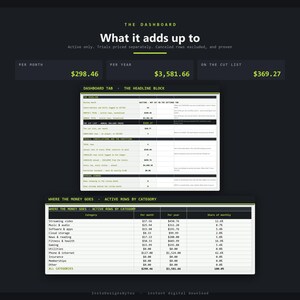
Dashboard - monthly and annual totals for the active rows, the cut list, the undecided
count, trials priced as the bill waiting to arrive, cancelled rows counted and excluded,
a partition residual that must be exactly zero, and the per-category split with a chart.
Data Checks - fourteen checks that read the live file, each with a plain-English line
saying what it means right now. Three of them are not green when you open it.
README - how it is built, what is locked, and what it will not do.
FIVE CELLS SHIP BLANK ON PURPOSE
Two of them are the review month and the review year, because this workbook has no clock
and will not invent one. The other three are questions only you can answer: whether every
amount is the price you actually pay after tax and fees, whether shared or family plans
are logged once on the person who pays, and whether you have checked what each TRIAL row
costs the day it converts. Each verdict cell shows #N/A until you pick Yes or No.
Every branching chain in the workbook ends in #N/A rather than a plausible-looking
default, because a wrong number that looks right is worse than no number. Those five
cells are the only input cells outside the ledger grid that ship empty.
THREE STATUSES, AND THE PROOF THEY DO NOT OVERLAP
Only ACTIVE rows count toward the totals. TRIAL rows are counted and priced separately,
as the annual bill waiting to arrive if every trial converts. CANCELED rows stay in the
ledger on purpose - so you can still see what you cut - and are excluded from every
total. Excluding something is easy to claim and easy to get wrong, so the Dashboard
prints one more line: every row's annual cost regardless of status, minus the active
total, minus the trial total, minus the cancelled total. That line must be exactly $0.00,
and data check 7 goes red the instant it moves.
FOURTEEN DATA CHECKS, EVERY ONE OF THEM PROVEN TO FIRE
A guard that has never been shown to fire is a comment, not a guard. Every one of the
fourteen checks has a scenario in the verify suite that pastes the exact bad data it
exists for - bypassing the dropdowns the way a real paste does - recalculates the whole
model and asserts the check goes red, and asserts it was green before the paste so the
paste is what moved it. Seventeen scenarios, 117 assertions, zero failures.
THE SAMPLE DATA NAMES NOTHING REAL
The 22 rows marked [SAMPLE] exist so you can watch the machinery work before you trust it
with your own numbers. The names are deliberately generic - Streaming service A, Music
plan, Gym membership - and no real service is named anywhere in the file. The prices are
made up. Nothing in this workbook is a claim about what anything costs.
WHAT IS LOCKED
Seven of the eight tabs carry passwordless sheet protection so a stray keystroke cannot
wipe a formula: Start Here, Settings, Audit, Renewal View, Dashboard, Data Checks and
README. Every lime input cell on those tabs is unlocked and typable, and no formula cell
on them is left unlocked. The Subscriptions ledger ships completely unprotected so you
can sort, filter and insert rows. There is no password anywhere.
WHAT IT DOES NOT DO
It does not connect to a bank or a card, import a statement, or detect a subscription you
forgot - every row in it is one you typed. It cannot cancel anything; the cut list is a
decision, not an action. It does not know what any service actually charges. It does not
handle currency conversion, per-seat pricing, usage-based bills, prorated part-months, or
splitting a shared plan across people. It tracks 60 rows and 24 renewal slots against one
review month, and both limits are checked rather than silently exceeded. It does not tell
you what to cancel: there is no recommended number of subscriptions anywhere in the file,
because there is no number that is right for everyone. It is not a shared or multi-user
tool.
FORMAT
A standard .xlsx workbook plus two PDFs. No macros, no add-ons, no external links, no
named ranges, no XLOOKUP, no dynamic arrays. Every range is explicitly bounded. This file
was built and recalculated in LibreOffice Calc; no claim is made here about how any other
application behaves, because a claim nobody has tested is a wish.
The two guides are the same ten pages in US Letter and A4, with the same section on the
same page number in both.
This workbook is a tracking and decision tool. It is not financial advice and it makes no
recommendation about what anyone should pay for or cancel. Figures you rely on should be
confirmed with the provider that bills you. This is an independent product and is not
affiliated with or endorsed by any subscription service, streaming provider, bank or card
issuer.
This template was created using AI tools that I directed and reviewed.
If something goes wrong with an order, we've got your back for all eligible purchases. View program terms
Price:$13.00
You can only make an offer when buying a single item
Delivery
Instant download
Your files will be available to download once payment is confirmed. Here's how.
Instant download items don't accept returns, exchanges or cancellations. Please contact the seller about any problems with your order.
Seller's description
Specifications
A subscription and bill tracker that does the one thing a list of subscriptions cannot:
it puts every row into the same units, and then makes you answer a question about each
one. A row that says 15.99 and a row that says 139.00 are not comparable until something
converts them, and this file converts them by a rule it prints on the face of the tab.
FOUR CLAIMS YOU CAN CHECK BEFORE YOU BUY
1. Every billing cycle is normalized by ONE printed rule. Annual cost is the amount
multiplied by 52, 12, 4, 2 or 1 - weekly, monthly, quarterly, semi-annual, annual -
rounded to the cent. Monthly cost is that annual figure over twelve, rounded again. The
rule sits on the face of the Subscriptions tab, not in a help file. On the 22 generic
sample rows that ship in the workbook, the 14 marked ACTIVE come to $298.46 a month and
$3,581.66 a year. A second implementation of the whole model - written in plain Python
from the specification rather than read back out of the file - is driven against eight
seeded 45-row ledgers spanning all five cycles and has to agree on every normalization,
every roll-up, every renewal state and the cut list itself. 6,280 comparisons, zero
disagreements.
2. A cycle it does not recognize returns #N/A, and it is NEVER treated as monthly. That
is the whole point of having a rule. Filing an unlabelled 139.00 as a monthly charge
overstates the year by more than fifteen hundred dollars; filing an unlabelled 4.00 the
same way understates it badly. Neither guess is safe, so the file declines to make one -
and when any named row cannot be converted, every total that would have included it also
shows #N/A rather than quietly leaving the row out.
3. There is no clock in this file. Nothing in it reads the date from your machine. The
renewal window compares each row's renewal month and year against a REVIEW MONTH you set
yourself, as a plain year-times-twelve-plus-month comparison, so December rolling into
January works. Those two cells ship BLANK, so every renewal state reads WAITING until you
fill them in and data check 8 is red the moment you open the file. That is a deliberate
trade: a file that reads the clock silently re-dates itself every morning, and a
screenshot of it stops being true the moment you take it.
4. The cut list is computed TWICE, by two different routes. The headline is a criteria
roll-up over the whole ledger - the annual cost of every ACTIVE row you answered CUT. The
proof underneath is a plain sum of a per-row column built one row at a time. On the
sample data both come to $369.27 a year, and data check 12 refuses to go green unless
they agree to the cent. A headline number with no second route to it is a number you are
taking on trust.
WHAT IS INSIDE - EIGHT TABS
Start Here - the five minutes that set it up, in order.
Settings - the review month and year, the three questions this file will not answer for
you, the normalization rule with a worked example for each of the five cycles, and twelve
category names you can rename.
Subscriptions - the 60-row ledger. Name, category, amount, billing cycle, next renewal
month and year, status and a keep-or-cut answer are yours to type. Monthly cost, annual
cost, renewal state and a plain-words row check compute themselves. This is the only tab
that ships unprotected, so you can sort it, filter it and insert rows.
Audit - every ACTIVE row echoed with its annual cost, its ledger row number and your
answer, then a verdict on each: KEEP, CUT, or UNDECIDED. Below it the counts, the annual
cost of what you are keeping, the cut list, and the cut list proved a second way.
Renewal View - the rows renewing in your review month, in ledger order with their ledger
row numbers, read rather than maintained. 24 slots, and data check 13 says so out loud
if more rows renew than the view can hold.
Dashboard - monthly and annual totals for the active rows, the cut list, the undecided
count, trials priced as the bill waiting to arrive, cancelled rows counted and excluded,
a partition residual that must be exactly zero, and the per-category split with a chart.
Data Checks - fourteen checks that read the live file, each with a plain-English line
saying what it means right now. Three of them are not green when you open it.
README - how it is built, what is locked, and what it will not do.
FIVE CELLS SHIP BLANK ON PURPOSE
Two of them are the review month and the review year, because this workbook has no clock
and will not invent one. The other three are questions only you can answer: whether every
amount is the price you actually pay after tax and fees, whether shared or family plans
are logged once on the person who pays, and whether you have checked what each TRIAL row
costs the day it converts. Each verdict cell shows #N/A until you pick Yes or No.
Every branching chain in the workbook ends in #N/A rather than a plausible-looking
default, because a wrong number that looks right is worse than no number. Those five
cells are the only input cells outside the ledger grid that ship empty.
THREE STATUSES, AND THE PROOF THEY DO NOT OVERLAP
Only ACTIVE rows count toward the totals. TRIAL rows are counted and priced separately,
as the annual bill waiting to arrive if every trial converts. CANCELED rows stay in the
ledger on purpose - so you can still see what you cut - and are excluded from every
total. Excluding something is easy to claim and easy to get wrong, so the Dashboard
prints one more line: every row's annual cost regardless of status, minus the active
total, minus the trial total, minus the cancelled total. That line must be exactly $0.00,
and data check 7 goes red the instant it moves.
FOURTEEN DATA CHECKS, EVERY ONE OF THEM PROVEN TO FIRE
A guard that has never been shown to fire is a comment, not a guard. Every one of the
fourteen checks has a scenario in the verify suite that pastes the exact bad data it
exists for - bypassing the dropdowns the way a real paste does - recalculates the whole
model and asserts the check goes red, and asserts it was green before the paste so the
paste is what moved it. Seventeen scenarios, 117 assertions, zero failures.
THE SAMPLE DATA NAMES NOTHING REAL
The 22 rows marked [SAMPLE] exist so you can watch the machinery work before you trust it
with your own numbers. The names are deliberately generic - Streaming service A, Music
plan, Gym membership - and no real service is named anywhere in the file. The prices are
made up. Nothing in this workbook is a claim about what anything costs.
WHAT IS LOCKED
Seven of the eight tabs carry passwordless sheet protection so a stray keystroke cannot
wipe a formula: Start Here, Settings, Audit, Renewal View, Dashboard, Data Checks and
README. Every lime input cell on those tabs is unlocked and typable, and no formula cell
on them is left unlocked. The Subscriptions ledger ships completely unprotected so you
can sort, filter and insert rows. There is no password anywhere.
WHAT IT DOES NOT DO
It does not connect to a bank or a card, import a statement, or detect a subscription you
forgot - every row in it is one you typed. It cannot cancel anything; the cut list is a
decision, not an action. It does not know what any service actually charges. It does not
handle currency conversion, per-seat pricing, usage-based bills, prorated part-months, or
splitting a shared plan across people. It tracks 60 rows and 24 renewal slots against one
review month, and both limits are checked rather than silently exceeded. It does not tell
you what to cancel: there is no recommended number of subscriptions anywhere in the file,
because there is no number that is right for everyone. It is not a shared or multi-user
tool.
FORMAT
A standard .xlsx workbook plus two PDFs. No macros, no add-ons, no external links, no
named ranges, no XLOOKUP, no dynamic arrays. Every range is explicitly bounded. This file
was built and recalculated in LibreOffice Calc; no claim is made here about how any other
application behaves, because a claim nobody has tested is a wish.
The two guides are the same ten pages in US Letter and A4, with the same section on the
same page number in both.
This workbook is a tracking and decision tool. It is not financial advice and it makes no
recommendation about what anyone should pay for or cancel. Figures you rely on should be
confirmed with the provider that bills you. This is an independent product and is not
affiliated with or endorsed by any subscription service, streaming provider, bank or card
issuer.
This template was created using AI tools that I directed and reviewed.
-
Designed by
-
Item typeDigital download
-
Digital file type(s)2 PDF, 1 other file
If something goes wrong with an order, we've got your back on all eligible purchases. View program terms
Meet your seller

More from this shop
-
Digital download
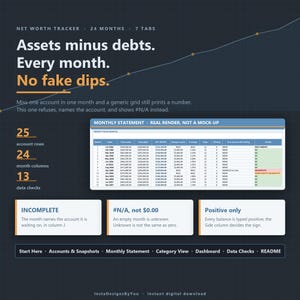
Net Worth Tracker Spreadsheet, Monthly Net Worth Statement, Asset Debt Tracker, Personal Finance Wealth Template, Instant Download XLSX
$14.00
-
Digital download
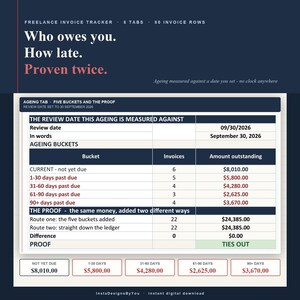
Invoice Tracker Spreadsheet, Freelance Payment Tracker, Invoice Aging Report, Small Business Billing Log, Instant Download XLSX Template
$14.00
-
Digital download
Fillable Nurse Brain Sheet, ICU Report Sheet, Med Surg Brain, SBAR Handoff, 1 2 4 6 Patient Layouts, Day and Night Shift, New Grad RN, A4
$7.00
-
Digital download
Wedding Budget Spreadsheet, Vendor Payment Tracker, Budget Planner with Payment Schedule, Guest Cost Calculator, Instant Download XLSX
$17.00
-
Digital download
Small Business Bookkeeping Bundle 2026, 3 Spreadsheets, Seller Fee Tracker, Freelancer Quarterly Tax, Inventory COGS, Instant Download XLSX
$34.00
-
Digital download
Sinking Funds Tracker Spreadsheet, Savings Goals Tracker, Savings Plan Calculator, Emergency Fund Savings Template, Instant Download XLSX
$14.00
-
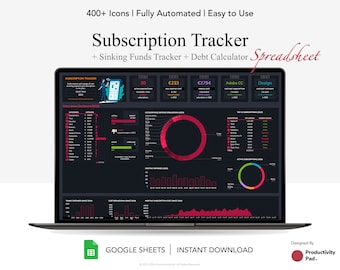
Digital download
Subscription Tracker Google Sheet: Sinking Funds & Debt Calculator (Digital Download)
$11.01
-
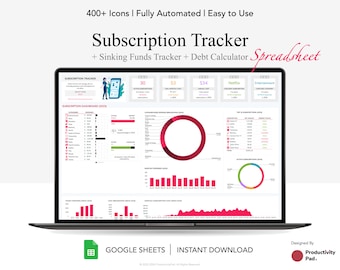
Digital download
Subscription Tracker Google Sheet: Debt, Sinking Funds (Digital Download)
$11.01
-
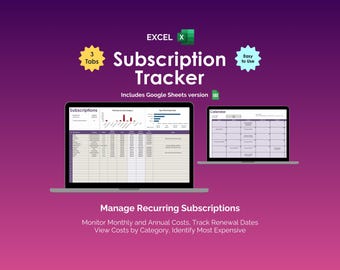
Digital download
Subscription Tracker Excel Spreadsheet Template Recurring Expense Tracker Bill Payment Calendar Streaming Subscription Membership Renewal
Sale Price $3.97
Original Price $7.95
-
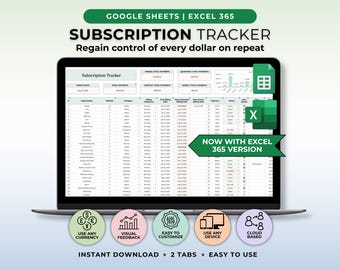
Digital download
Subscription Tracker Google Sheet Template Recurring Bills Tracker Subscription Savings Tracker Password Tracker Manage Subscription Log
Sale Price $2.41
Original Price $5.35
-
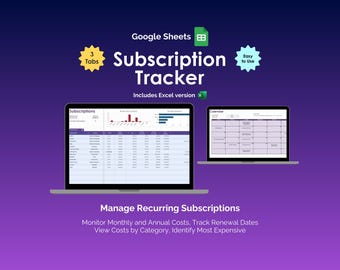
Digital download
Subscription Tracker Google Sheets Template Monthly Expense Budget Planner Recurring Payment Organizer Finance Membership Renewal Tool
Sale Price $3.97
Original Price $7.95
-
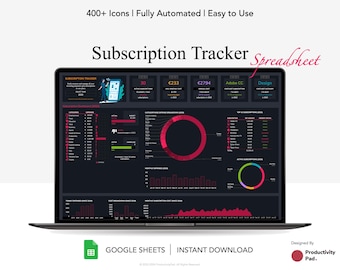
Digital download
Subscription Tracker Google Spreadsheet, Subscription Calendar, Membership Tracker, Financial Planner
$6.61
-
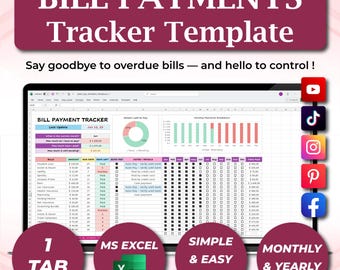
Digital download
Bill Tracker Spreadsheet, Monthly Payment, Budget Calendar | Excel & Google Sheets Template, Subscription, Household Organizer
Sale Price $7.02
Original Price $11.70
-
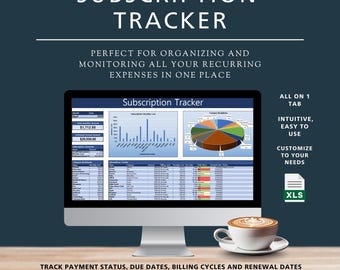
Digital download
Subscription Tracker Excel, Monthly Subscription Tracker Template, Simple Subscription Tracker Spreadsheet, Subscription Membership Tracker
Sale Price $4.17
Original Price $6.95
-
Digital download
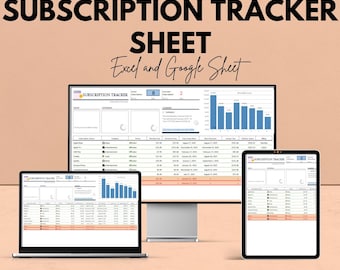
Subscription Tracker Sheet | Excel and Google Sheet | Subscription Management Template | Track Subscriptions & Costs | Budgeting Tool
Sale Price $5.81
Original Price $11.63
-
Digital download
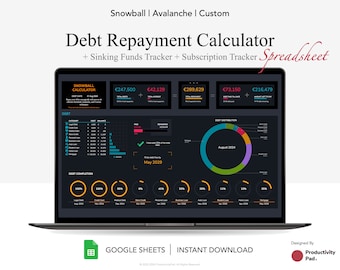
Debt Repayment Calculator Google Spreadsheet, Debt Payment Tracker, Snowball Calculator, Debt Payoff, Financial Planner, Dark Mode
$11.01
-

Digital download
Bill Payment Tracker – Web App to Organize Bills, Avoid Late Fees, Track Spending with Charts & Reminders
$15.00
-
Digital download
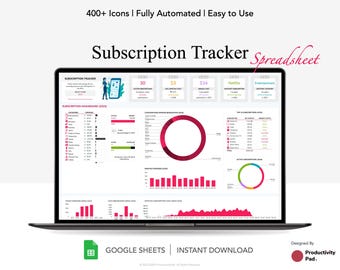
Subscription Tracker Google Spreadsheet, Subscription Calendar, Membership Tracker, Financial Planner
$6.61
Shoppers with similar taste loved these
-
Digital download
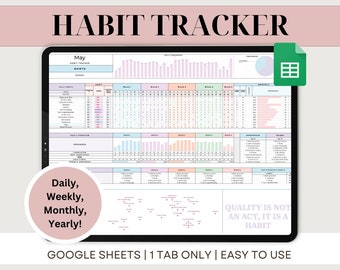
Habit Tracker Google Sheets Spreadsheet Daily Habit Planner Weekly Habits Goal Planner Dashboard Digital Daily To Do List Template
Sale Price $1.28
Original Price $2.57
-
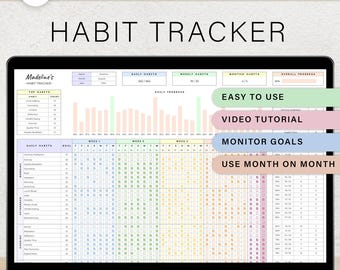
Digital download
Daily Habit Tracker Spreadsheet Weekly Habit Planner Monthly Habit Routine Tracker Digital Goal Time Management Google Sheets Template
Sale Price $0.99
Original Price $1.98
-
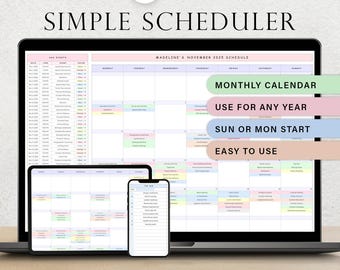
Digital download
Simple Scheduler Monthly Spreadsheet Digital Calendar Template Daily Planner For Events Business Meeting Tracker Schedule Google Sheets
Sale Price $0.99
Original Price $1.98
-
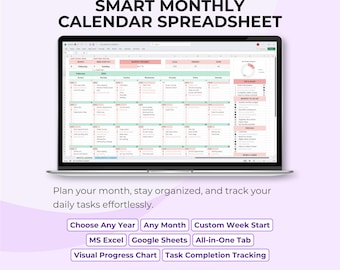
Digital download
Monthly Calendar Template | Excel & Google Sheets Planner
Sale Price $5.62
Original Price $9.36
-
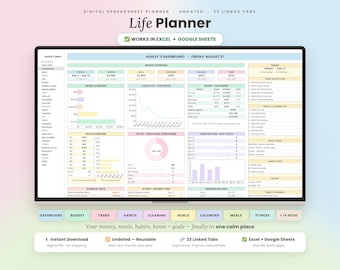
Digital download
Life Planner Spreadsheet | Google sheet | Budget Tracker Template Task To Do List Habit Productivity Goal Daily Planner Digital Calendar
Sale Price $1.99
Original Price $3.99
-
Digital download
Daily Planner Spreadsheet Google Sheets Time Blocking Monthly Calendar Template To Do List Weekly Schedule Routine Digital Task Tracker
Sale Price $1.28
Original Price $2.57
-
Digital download
Daily Planner Printable, Daily To Do List, Daily Schedule, Instant Download, A5/A4/Letter/Half Letter
$1.72
-

Digital download
Weekly Planner Printable 4 in 1 | Printable Weekly Task List PDF, A5, Half Size, Letter, A4 | Digital Download, Minimalistt Design Templates
$3.80
-
Digital download
Weekly Planner Digital Download - Daily To Do List, Weekly Planner Printable, Undated Daily Planner, Minimalist To Do List, Desk Planner
$4.00
-

Digital download
Daily Planner, Weekly Planner, Monthly Planner, Printable planner, Planner set, Planner Inserts, Instant Download, A4/A5/Letter/Half Size
$2.93
-
Digital download
Digital Mega Planner ADHD Set for Adults,Printable Undated Planner Bundle, Best Digital Planner Sheets PDF, A4, A5, Letter & Half Letter
Sale Price $6.49
Original Price $12.98
-
Digital download
Week at a Glance | HP Classic Printable Happy Planner Inserts | Weekly Overview Organizer | WO2P Habit Chores Tracker PDF | Digital Download
$2.60


