

NowPrice:$19.99
Original Price: $24.99
20% off
Sale ends on September 24
In Home Daycare Business Spreadsheet, Childcare Tuition & Attendance Tracker, Time Space Percentage Calculator, Excel Google Sheets
Here's what's eligible:
- Your order doesn't match the item description or photos
- Your item arrived damaged
- Your item arrived after the estimated arrival window
- Your item didn't arrive or was lost in the mail
You can only make an offer when buying a single item
Highlights
Every other daycare spreadsheet in these results is a logbook. This one is a calculator.
You are running two jobs. One of them is the children. The other one is a business — enrollments, hourly and weekly and monthly rates, sibling discounts, attendance, late pickups, invoices, who has not paid, groceries, toys, and the share of your electricity bill that belongs to the daycare. This workbook is the second job, done for you, in formulas, on every row.
★ IT WORKS OUT YOUR TIME-SPACE PERCENTAGE ★
This is the one nobody else on this page does, and it is the reason to buy this file rather than a printable form.
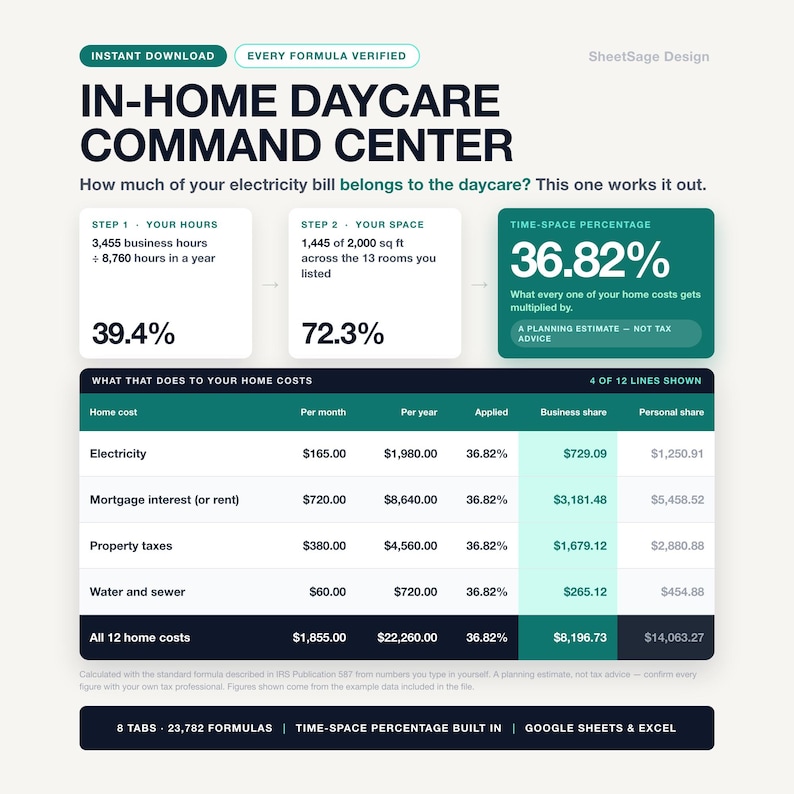
★ It uses the standard formula described in IRS Publication 587: the hours you use your home for the business, divided by the 8,760 hours in a year, multiplied by the share of your home's floor space the daycare uses.
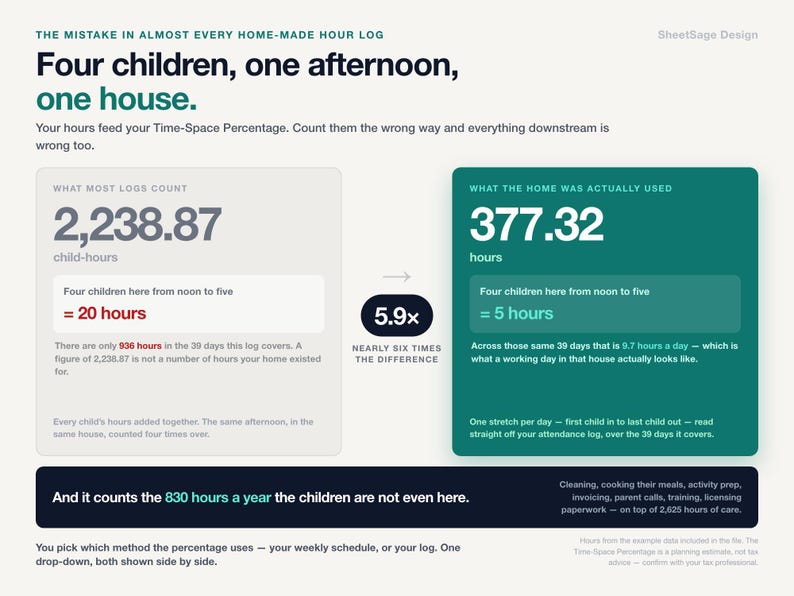
★ It counts the hours the children are NOT here. Cleaning up after them, cooking their meals, preparing activities, invoicing, parent calls, training. In the example file that is 830 hours a year on top of the 2,625 hours the children are actually present — close to a quarter of the total, and the part providers most often leave out.
★ It knows the difference between a room used only for the daycare and a room you share with your family. Daycare-only rooms are in business use all year; shared rooms get scaled by the time percentage. The workbook does both and shows you both numbers.
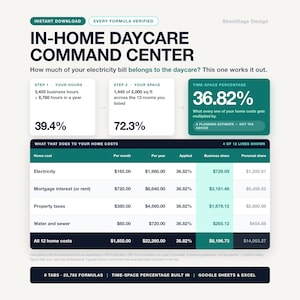
★ From the example data in this file: 3,455 business hours ÷ 8,760 = 39.4% time · 1,445 of 2,000 sq ft = 72.3% space · 28.5% the classic way · 36.82% with the daycare-only rooms counted in full.
★ Then it applies it. Twelve lines of home costs — electricity, gas, water, trash, property tax, mortgage interest or rent, insurance, internet, repairs, lawn, security, pest control — and it splits every one of them: $22,260.00 a year, of which $8,196.73 is the business share and $14,063.27 is personal.
It is a planning estimate, not tax advice. It does not file anything, it does not know your state or your licence, and it is not connected to the IRS in any way. Take it to your tax professional — that is exactly what it is built for.
★ AND IT COUNTS YOUR HOURS THE RIGHT WAY ★
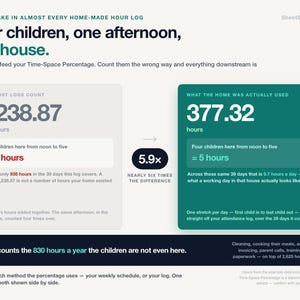
Here is the mistake that makes most home-made hour logs wrong. If four children are here from noon to five, that is five hours of your home being used for business — not twenty.
► The attendance log counts the day as one stretch — first child in, last child out — plus your before-and-after work.
► In the example file: 2,238.87 child-hours across the log, but 377.32 hours of actual home business use on the same 39 days. Nearly six times apart. A provider who logs child-hours as business hours is overstating time by that factor; one who logs only "open hours" and forgets prep and cleanup is understating it.
► You just type time in and time out. The counting is the workbook's problem.
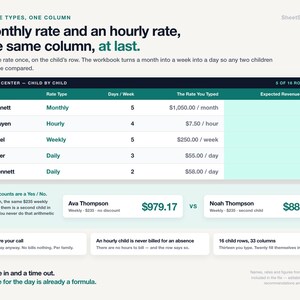
★ FOUR RATE TYPES, ONE TUITION COLUMN ★
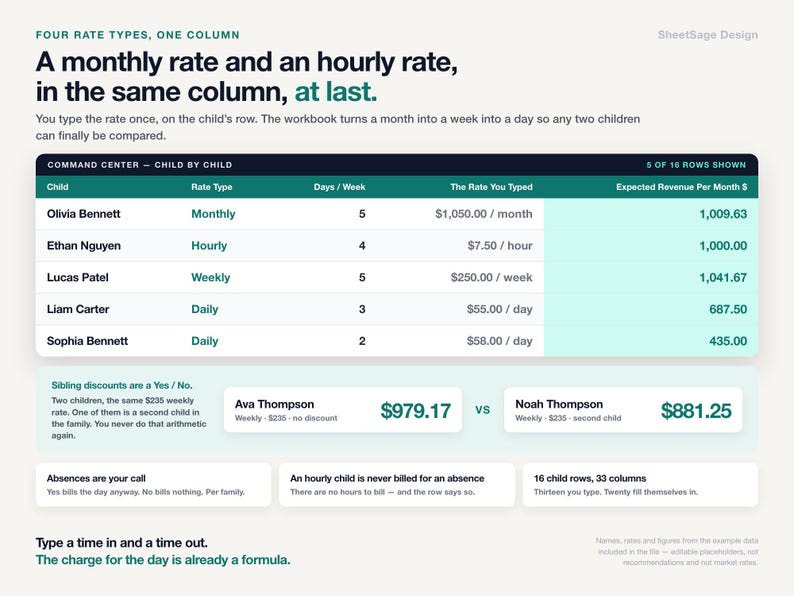
► Hourly, daily, weekly and monthly children on the same roster, each billed by their own rule — hourly from actual attendance, daily from days present, weekly and monthly from enrollment.
► Sibling discounts as a percentage per child.
► From the example data: a $1,050/month child bills $1,009.63 in a month with an absence adjustment · a $7.50/hour child bills exactly $1,000.00 · a $250/week child bills $1,041.67 · two siblings at $55/day show the discount working — $979.17 and $881.25.
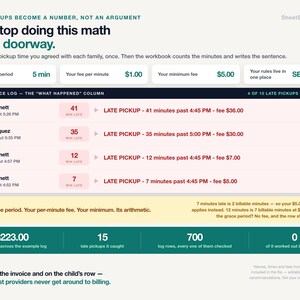
★ LATE PICKUPS BILL THEMSELVES ★
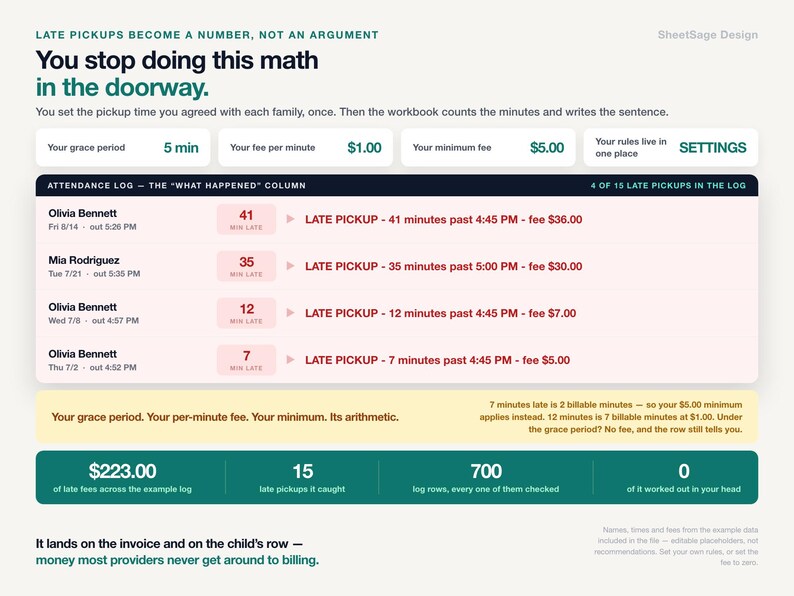
► You set three cells once: a grace period, a per-minute fee, and a minimum charge.
► Every attendance row then writes its own sentence: LATE PICKUP - picked up 22 min late (grace 5) - fee $17.00.
► In the example log: 15 late pickups, $223.00 in fees — charged consistently, with no awkward conversation, because the policy did the math.
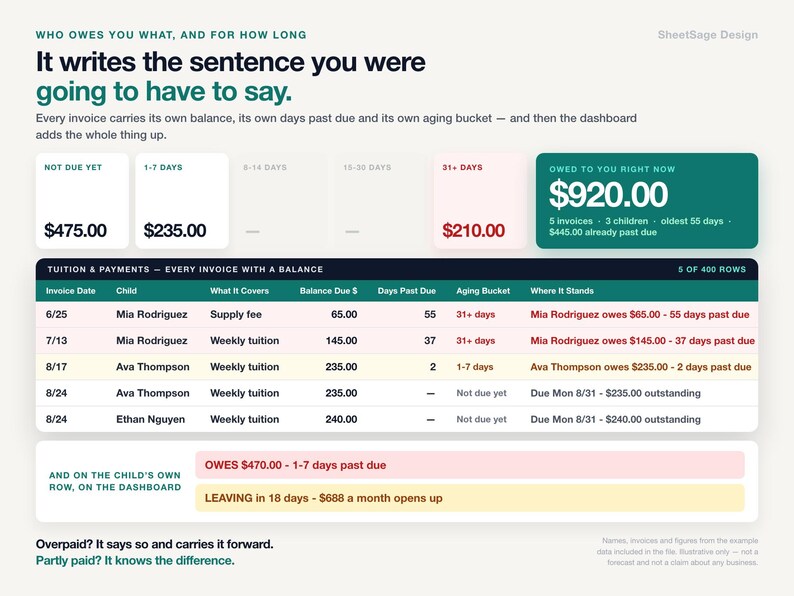
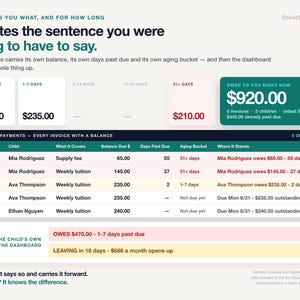
★ WHO OWES YOU, AND FOR HOW LONG ★
► Every invoice tracks what was billed, what was paid, and what is left.
► Open balances age into buckets — current, 1-7, 8-14, 15-30, over 30 — and each one carries a written status you can read out loud to yourself on Friday.
► From the example data: $920.00 open across 5 invoices for 3 children, $445.00 of it past due.
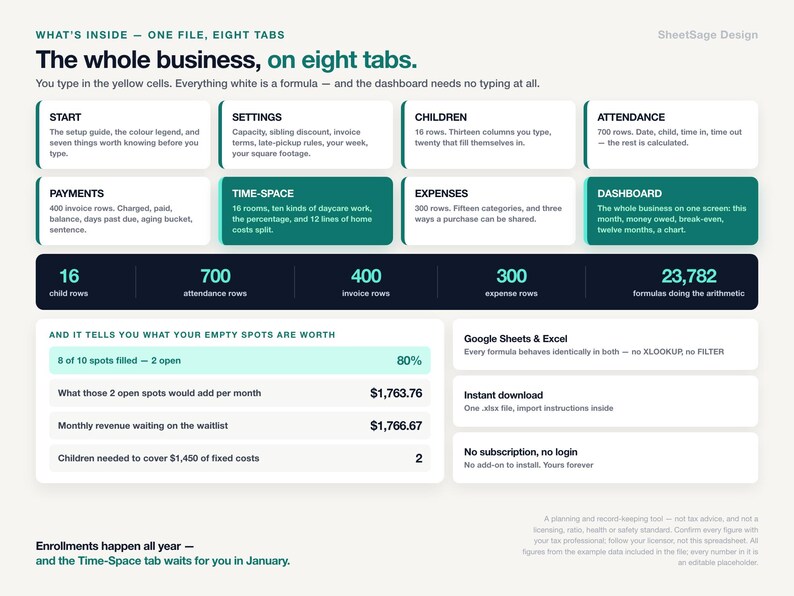
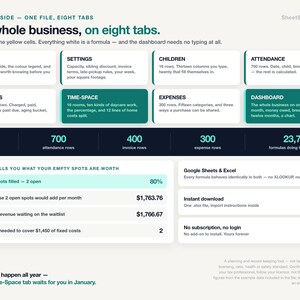
★ WHAT'S INSIDE (one file, 8 tabs) ★
► START — the setup guide, the color legend, and seven things worth knowing before you start.
► SETTINGS — your rates, your grace period, your rooms, your hours, your expense categories. Change a cell and the workbook re-does the math.
► CHILDREN — 16 child rows, 33 columns. Thirteen you type. Twenty fill themselves in: expected tuition, actual attendance, balance owed, days enrolled, a status sentence.
► ATTENDANCE — 700 ready rows. Date, child, time in, time out. The row calculates hours, the bill for that day, and the late-pickup fee, and writes what happened in words.
► PAYMENTS — 400 invoice rows with billed, paid, balance, aging bucket and a written status per invoice.
► TIME-SPACE — the calculator: your hours, your rooms, your twelve home-cost lines, and both percentages with every home cost split into business and personal.
► EXPENSES — 300 rows, 15 categories, each expense marked direct, shared via the time-space percentage, or personal — with the business share computed per line.
► DASHBOARD — the month you are in, twelve months around it with a chart, occupancy against capacity, open balances, and the alerts that need you this week.
★ WORKS WITH ★
Google Sheets (free) and Microsoft Excel. Every formula was chosen so it behaves identically in both — nothing that breaks on the way across. Instant digital download, one .xlsx file, import instructions inside. No subscription, no login, no add-on to install. Yours forever.
★ PLEASE NOTE ★
• Digital download — no physical item will be shipped.
• For use in your own daycare; please do not resell or share the file.
• This is a tracking and planning tool. It is not tax, accounting, legal or licensing advice, it does not file anything, and neither we nor this file have any connection to the IRS. The Time-Space figures are planning estimates using the standard formula described in IRS Publication 587 — confirm everything with your tax professional before relying on it.
• Nothing in this file is a licensing, ratio, health or safety standard, and it does not check your compliance with any of them. Follow your licensor, not this spreadsheet.
• Every rate, fee, hour, room size and cost in the file is an editable placeholder we put there so the examples add up — not a recommendation and not a market rate. Replace all of them with your own numbers.
• The dollar figures quoted above come from the example data included in the file. They illustrate how the math works. They are not a forecast, a benchmark, or a claim about your daycare. No income, enrollment or tax outcome is promised.
• Designed by us and built with the assistance of AI tools, then manually reviewed and verified — every formula was hand-checked against an independent calculation before release.
Microsoft Excel and Google Sheets are trademarks of their respective owners; this product is not affiliated with or endorsed by Microsoft or Google.
Questions before you buy? Message us — we answer fast, and we are happy to help you set it up.
Instant Download
Your files will be available to download once payment is confirmed. Here's how.
Instant download items don’t accept returns, exchanges or cancellations. Please contact the seller about any problems with your order.
Etsy Purchase Protection
Shop confidently on Etsy knowing if something goes wrong with an order, we've got your back for all eligible purchases —
see program terms

More from this shop
Visit shop-
Digital download
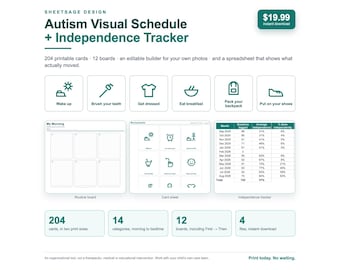
Autism Visual Schedule Printable, Daily Routine Cards for Kids, First Then Board & Editable Picture Schedule + Progress Tracker
Sale Price $16.99
Original Price $19.99
-
Digital download
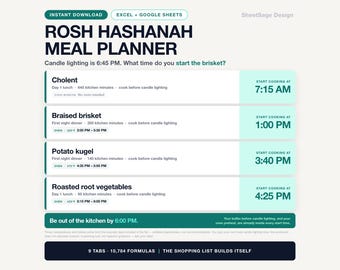
Rosh Hashanah Meal Planner Spreadsheet, Jewish Holiday & Shabbat Hosting Planner, Auto Grocery List and Cooking Timeline, Google Sheets
Sale Price $17.93
Original Price $22.99
-
Digital download
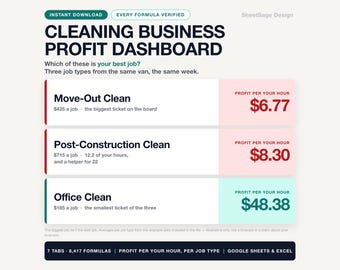
Cleaning Business Spreadsheet, Profit Per Hour & Job Tracker for House Cleaners, Client Rebooking Alerts, Google Sheets Excel Template
Sale Price $19.91
Original Price $23.99
-
Digital download
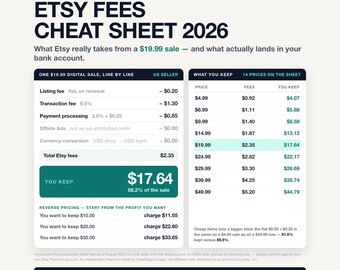
Etsy Fees Cheat Sheet 2026 Printable PDF, Etsy Seller Fee Calculator Spreadsheet, One Page Pricing Guide for Google Sheets and Excel
$6.99