


Year End Business Close Spreadsheet Template Excel Google Sheets | Small Business Tax Prep Checklist, CPA Handoff, Bookkeeping Close
Price:$19.99
Star Seller
Star Sellers have an outstanding track record for providing a great customer experience—they consistently earned 5-star reviews, shipped orders on time, and replied quickly to any messages they received.
You can only make an offer when buying a single item
Star Seller. This seller consistently earned 5-star reviews, shipped on time, and replied quickly to any messages they received.
Highlights
YEAR-END BUSINESS CLOSE AND CPA TAX-PREP HANDOFF WORKBOOK
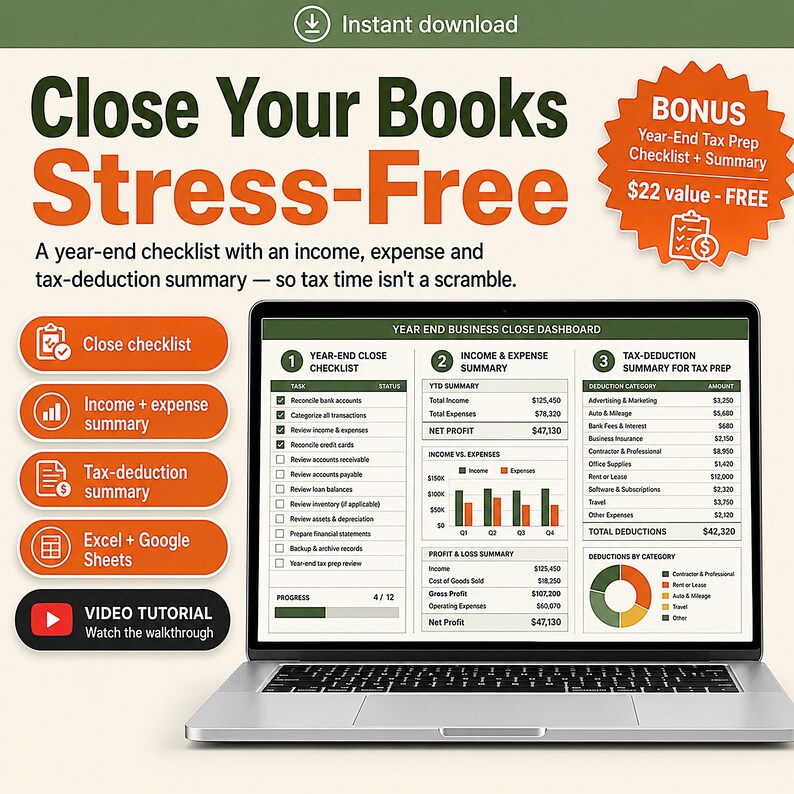
🎁 FREE BONUS INCLUDED — Year-End Tax Prep Checklist + Summary (a $22 value): walks you through every close step and totals your deductions for taxes. Yours free with this template.
Every January it goes the same way.
Your accountant asks for the year-end reports. You send what you have. Three days later a reply arrives: which of these two figures is the real bank balance, why does this account not reconcile, what is this four thousand dollar transfer, do you have a W-9 for this contractor, did you ever count the closing stock, and what happened to the receipt for the laptop.
Then it happens again the following week with a different list.
This workbook is the version where you send it once.
WHAT YOU GET
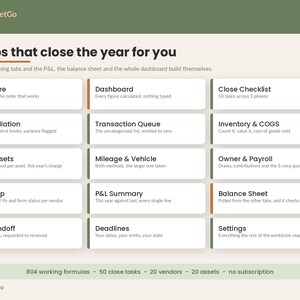
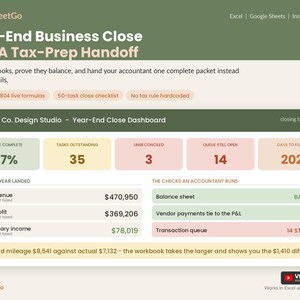
One .xlsx file. 15 tabs, 804 working formulas, a 50-task close checklist, room for 14 accounts, 20 fixed assets, 20 contractors and 45 queued transactions. No add-ons, no subscription, no monthly fee.
THIS IS NOT ANOTHER BOOKKEEPING TEMPLATE
A bookkeeping sheet records the year. This one closes it. Different job, different month, and you probably already own the first one.
It starts where your ledger stops: reconciling, clearing the queue, counting stock, posting depreciation, sorting the contractor forms, proving the balance sheet balances, and assembling the packet your accountant actually asked for.
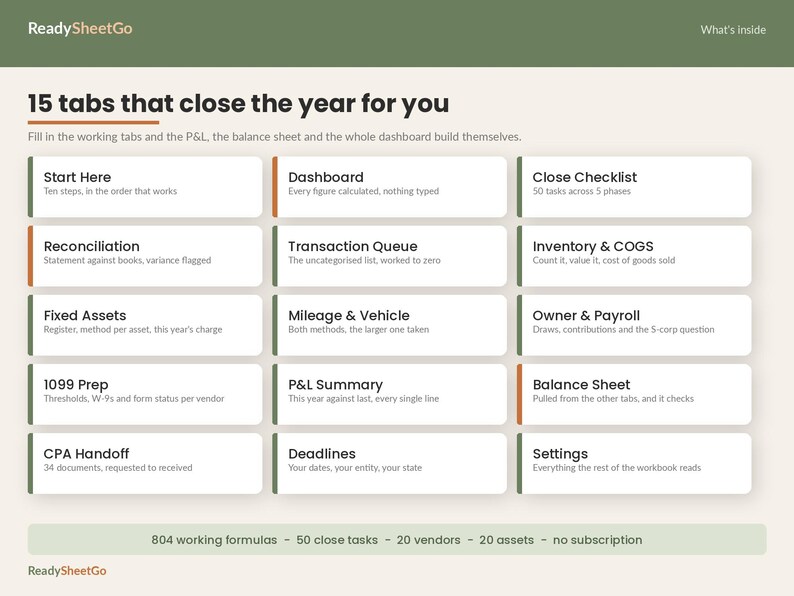
THE 15 TABS
- Start Here - ten steps in the order that works
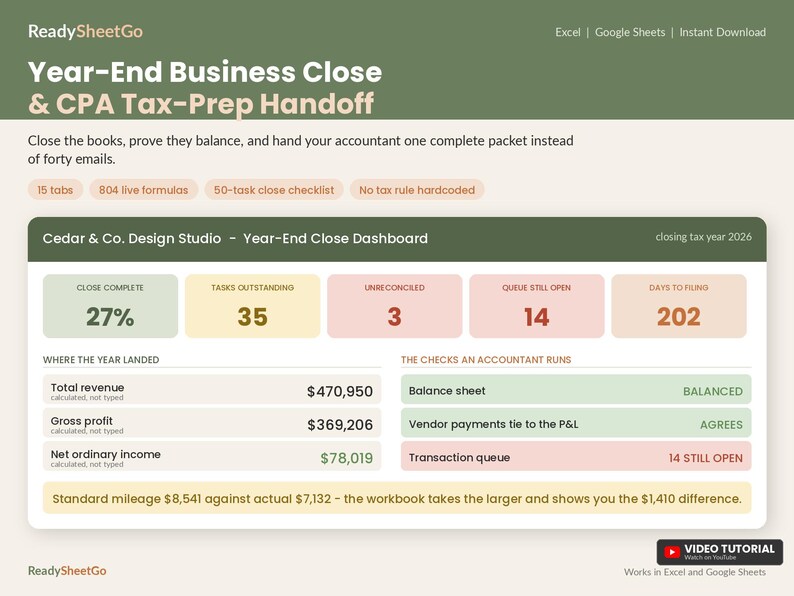
- Dashboard - every figure calculated, nothing typed
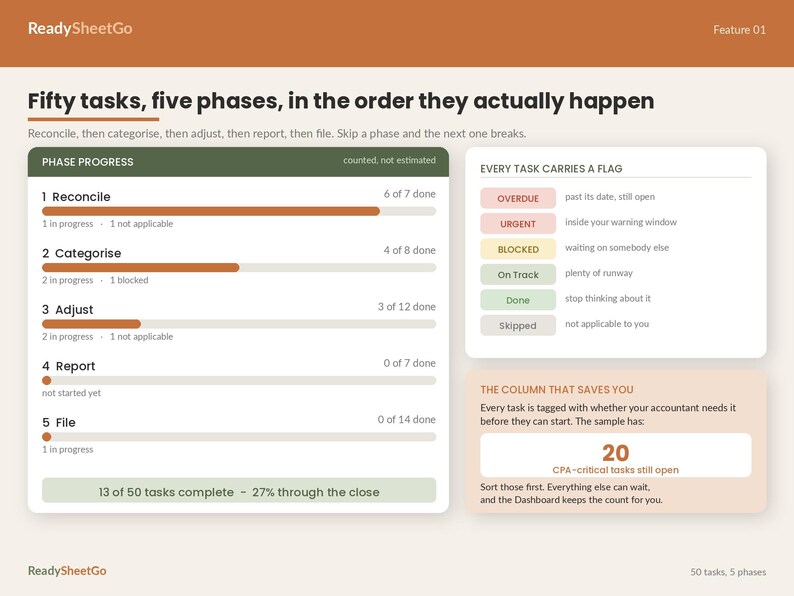
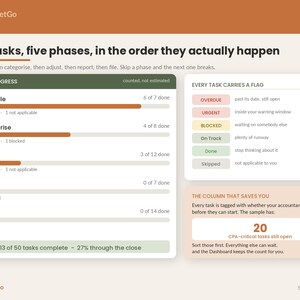
- Close Checklist - 50 tasks across 5 phases, each with an owner, a due date and a flag for whether your accountant needs it
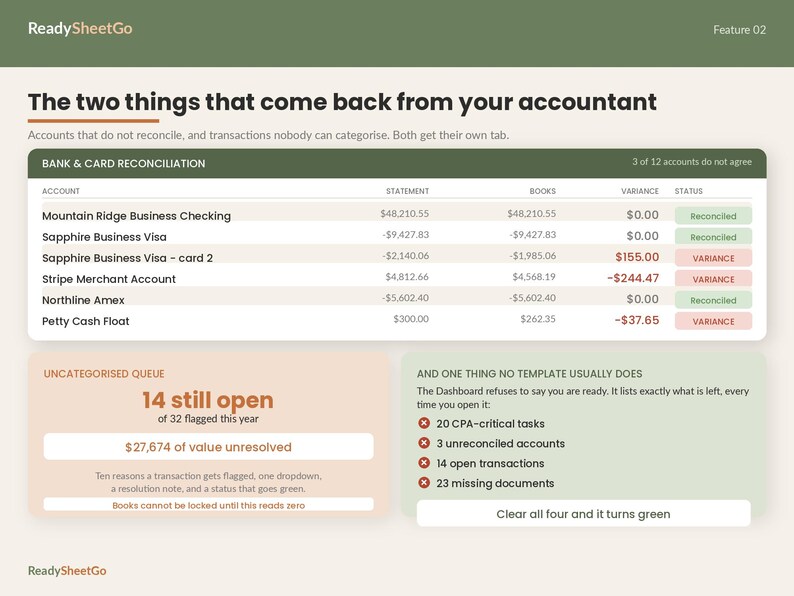
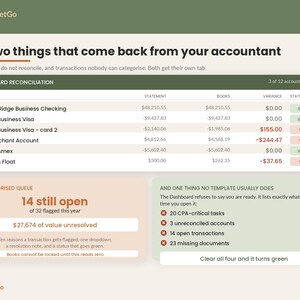
- Reconciliation - every account, statement against books, with any variance flagged in red
- Transaction Queue - the uncategorised and questionable list, with ten reasons to choose from and a resolution note, worked down to zero
- Inventory and COGS - a count worksheet that calculates cost of goods sold and feeds it into the profit and loss
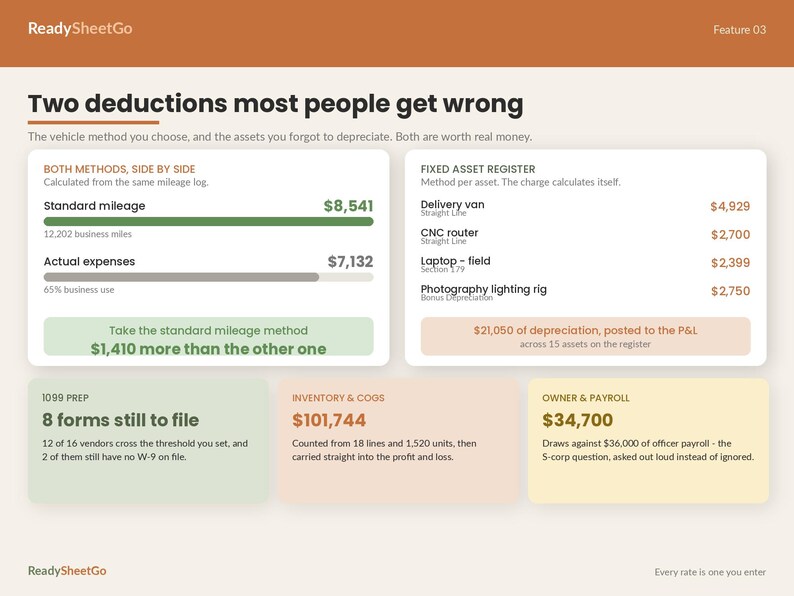
- Fixed Assets - the register, a method per asset, and this year's charge worked out for you
- Mileage and Vehicle - both methods calculated side by side so you take the larger one
- Owner and Payroll - draws, contributions, payroll runs, and the officer compensation question put in front of you instead of ignored
- 1099 Prep - who you paid, who crosses the threshold you set, whose W-9 is missing, and what still has to be filed
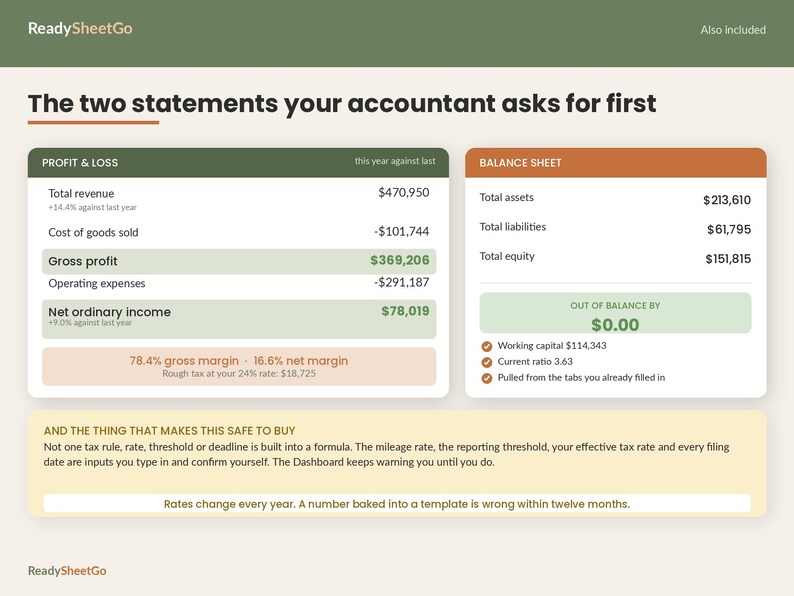
- P and L Summary - this year against last, every line, with the change and the percentage of revenue
- Balance Sheet - built from the tabs you already filled in, and it tells you when it does not balance
- CPA Handoff - 34 documents tracked from requested to received, with where each one is stored
- Deadlines - a calendar you fill in yourself, with live countdowns
- Settings - everything the rest of the workbook reads
THE PART THAT MAKES THIS WORTH BUYING
Three things in here are checks, not lists.
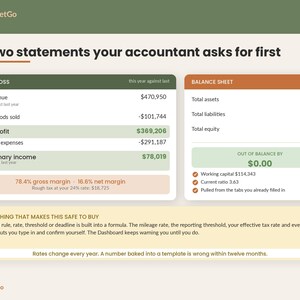
The balance sheet pulls cash from your reconciliation, inventory from your count, fixed assets from your register and net income from your profit and loss - then subtracts one side from the other and tells you in plain words whether it balances. If it does not, you find out now rather than from your accountant.
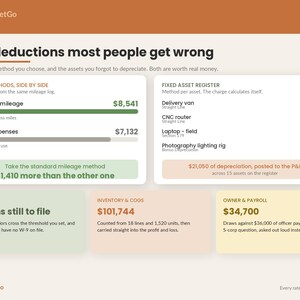
The vehicle tab calculates the standard mileage method and the actual expense method from the same log, side by side, takes the larger, and shows you what choosing correctly was worth. In the sample data that difference is 1,410 dollars. It does the arithmetic on both - it does not decide which method you are eligible to use, because some vehicles and ownership arrangements restrict that and switching between years has rules. Confirm with your accountant.
And the contractor tab ties out to your profit and loss. It works out how much of what you paid those vendors should be sitting in your contract labour line, compares it to what is actually there, and flags the gap.
DEADLINES AND COUNTDOWNS
Set your warning window once. Every countdown in the workbook - close tasks, document requests and the filing dates you enter - turns red the moment something moves inside it.
HOW IT WORKS
1. Open Settings. Business name, entity type, tax year, and the date you are working from.
2. Enter the rates and thresholds for your tax year, and confirm them. The Dashboard keeps warning you until you do.
3. Work the checklist in phase order. Reconcile, categorise, adjust, report, file.
4. Watch the Dashboard. It refuses to tell you that you are ready until the checklist, the reconciliations, the queue, the balance sheet and the document packet are all clear.
A NOTE ON ACCURACY - PLEASE READ THIS ONE
Not one tax rule, rate, threshold, limit or deadline is built into a formula anywhere in this workbook.
The standard mileage rate, the contractor reporting threshold, your estimated effective tax rate and every single filing date are inputs on the Settings and Deadlines tabs that you type in yourself and then confirm. Two of them have a confirmation cell, and the Dashboard displays a warning until you have set it.
That is deliberate, and it is the whole design. Rates change every year and have changed mid-year. Thresholds get revised. Deadlines shift for weekends and holidays, differ by entity type, and several states run their own calendar entirely. A figure baked into a spreadsheet template is wrong within twelve months and the buyer never finds out.
So this workbook does the arithmetic on your numbers, shows you both sides of the choices you have, and flags what is missing. It never asserts a rule on your behalf. Confirm every rate and date against current official guidance or your accountant before you file.
This is a bookkeeping and organisation tool. It is not tax advice, it does not compute your tax, and it is not a substitute for an accountant.
COMPATIBILITY
Works in Microsoft Excel 2016 and later, Microsoft 365, Google Sheets and Apple Numbers. For Google Sheets: File, then Import, then Upload, then Replace spreadsheet. There are no array formulas and no functions that break on import - it is built to survive the trip.
Formula cells are protected so you cannot overwrite the maths by accident. There is no password - unprotect any sheet if you want to change it yourself.
REUSABLE EVERY YEAR
Change the tax year and the dates in Settings, clear the working tabs, and it resets for next year. Buy once, use it every January.
INSTANT DOWNLOAD
Your file is available the moment your payment clears. Nothing is posted to you.
Sample data for a small design studio is included so you can see every formula working, every check passing, and every warning firing. Delete the sample rows and type over them - the formulas stay put.
Need a tab changed or a column added? Message the shop. Customisation help is free.
ReadySheetGo - templates that do the arithmetic so you can make the decision.
📗 HOW TO OPEN IN GOOGLE SHEETS (free & easy):
This is one file that works in BOTH Excel and Google Sheets — there's no separate file to find, you just import the download once:
1. Go to sheets.google.com and open a blank spreadsheet
2. Click File ▸ Import ▸ Upload
3. Drag in the .xlsx file you downloaded from this order
4. Choose "Replace spreadsheet" and click Import data
All tabs load as a full Google Sheet saved in your Drive — edit it on any device. (Prefer Excel? Just double-click the file to open.)
———————————————
VIDEO TUTORIAL INCLUDED
This template comes with a step-by-step video walkthrough to help you get set up in minutes. Your tutorial link is included with the instant download.
Instant Download
Your files will be available to download once payment is confirmed. Here's how.
Instant download items don’t accept returns, exchanges or cancellations. Please contact the seller about any problems with your order.
Etsy Purchase Protection
Shop confidently on Etsy knowing if something goes wrong with an order, we've got your back for all eligible purchases —
see program terms

Be the first to review this item


Speedy replies Has a history of replying to messages quickly.
Rave reviews Average review rating is 4.8 or higher.
More from this shop
Visit shop-
Digital download
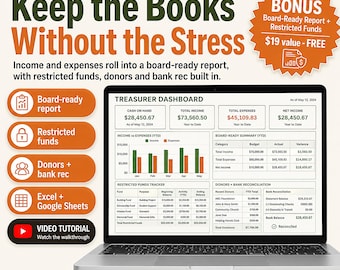
Nonprofit Church Treasurer Spreadsheet Template Excel Google Sheets | Donation Tracker, Restricted Fund and Budget Board Report Dashboard
$18.99
-
Digital download
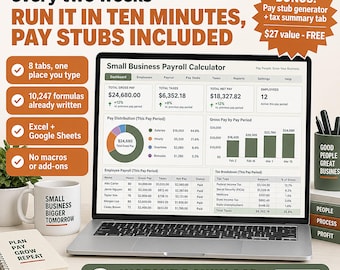
Small Business Payroll Calculator Spreadsheet Template Excel Google Sheets | Pay Stub Generator, Employee Paycheck and W-2 Tax Tracker
$19.99
-
Digital download
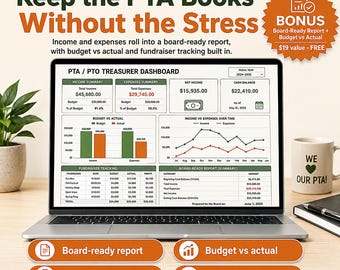
PTA Treasurer Spreadsheet | Budget, Bank Reconciliation, Fundraiser Tracker (Excel, Google Sheets)
$18.99
-
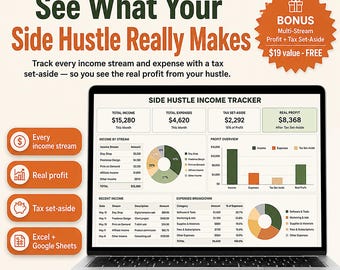
Digital download
Side Hustle Income Tracker Spreadsheet 2027, Multiple Income Streams & Expense Log | Freelance Profit Loss Tax Estimator, Google Sheets
$14.99
-
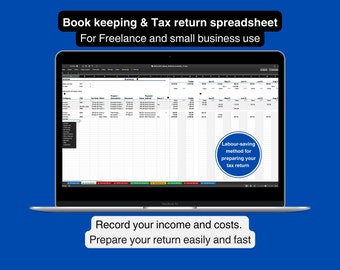
Digital download
Tax Return Spreadsheet: Income & Expenses Tracker for Freelancers (Excel)
$17.25
-
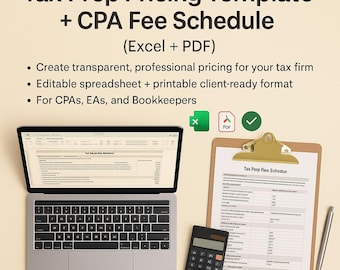
Digital download
Tax Prep Pricing Template CPA Fee Schedule Excel Tax Preparation Price List for Accountants Bookkeepers Editable Pricing Sheet Template PDF
$14.99
-
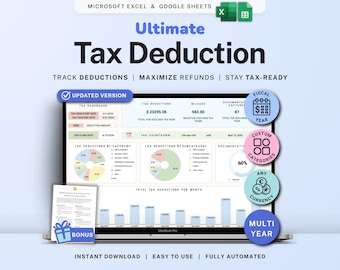
Digital download
Tax Deduction Tracker Google Sheets Self-Employed Tax Spreadsheet Small Business Freelancer Tax Prep Template Itemized Expense Tracker 1099
Sale Price $8.99
Original Price $17.98
-

Digital download
2025 Federal & State Income Tax Calculator | Income Tax Template | Excel Tax Spreadsheet Google Sheets |Small Business Tax Calc Personal Tax
$10.39
-
Digital download
Schedule C Bookkeeping Template for Tax Season (US) – Sage Green, with expense tracker and profit and loss report, for small business
$12.67
-
Digital download
Tax Deduction Tracker Google Sheets Small Business Tax Prep Self-Employed Tax Tracker Spreadsheet Excel Tax Planner Tax Checklist 1099 Form
Sale Price $8.78
Original Price $17.55
-

Digital download
Tax Preparation Checklist 1040 Form Tax Prep Checklist Excel Template For Tax Preparers Workflow Tracker Tax Return Checklist For Accountant
$14.99
-

Digital download
Tax Office Client Tracker: Excel & Google Sheets (Digital Download)
$19.99
-

Digital download
Tax Deduction Tracker spreadsheet, Google Sheets itemized expenses template for personal or small business tax prep, tax write-off planner
Sale Price $7.59
Original Price $9.49
-
Digital download
Tax and Bookkeeping Template | Profit & Loss Spreadsheet | Quarterly Estimate| Income Analysis | Receipt Tracking | CPA Approved
$15.99
-

Digital download
Notary Business Bookkeeping Spreadsheet for Non Accountant | Services Company Income Statement | Small Business Bookkeeping Spreadsheet
$19.00
-

Digital download
Tax Planner Template Bundle Google Sheets, Tax Planning Spreadsheet Tax Return, Tax Prep Checklist, Preparation Spreadsheet Excel Accounting
Sale Price $8.76
Original Price $17.52
Shoppers with similar taste loved these
-

Digital download
10 Valentines Tax Prep Bundle, February Tax Flyer, DIY Valentines flyer, Red Tax Preparer E-Flyer Template, Prep flyers, Tax Flyer
Sale Price $13.00
Original Price $20.00
-

Tax Season Survivor Waterproof Sticker, Tax Season Humor Sticker, Tax Preparer Sticker, Accountant Sticker, Funny Tax Office Sticker
Sale Price $3.52
Original Price $4.70
-

Digital download
Tax Prep Flyer • Editable Tax Instagram Template • DIY Tax Marketing • Accounting Promotion Canva Template
Sale Price $3.20
Original Price $5.82
-

Sales Candle, Gift for Friend, Smells Like Commission Checks, Sales Card, Sales Leader Gift, Funny Sales Gift, Sales Managers Gift F338B
Sale Price $7.95
Original Price $15.90
-
Digital download
Tax Prep Flyer Bundle Template, Editable Tax Specialist Flyer, Tax Class Flyers, Tax Prep Services, Credit Restoration, Diy Taxes Flyers
$4.00
-

Digital download
Tax Preparation Services Flyer, Tax prep, Tax Season Flyer, Canva template, Tax Flyer, Join Our Team, Tax template, Taxes 2025
Sale Price $6.50
Original Price $10.00
-

Digital download
Valentine's Day Tax Prep Flyer Bundle | Canva Template (Digital Download)
$7.99
-
Digital download
Holiday Client Appreciation Coffee Card Template, Thanks a Latte Canva Template, Free Starbucks Drink Gift, Small Business Holiday Thank You
$5.50
-

Digital download
Tax Website, Tax Season Website, Tax Preparation Website Design, Tax Banner Templates, Tax templates, Accounting Web Template, Shopify, Wix
Sale Price $32.50
Original Price $50.00
-

Digital download
Tax Professionals DIY Templates, Canva Template, Tax Preparers, Sale Templates, Template Bundle, Social Media Flyer, DIY Flyer, Tax Flyer
$7.70
-
Digital download
Tax Prep Instagram Carousel Templates: Black & Red Canva Flyers (25 Posts)
Sale Price $7.79
Original Price $15.59
-

Digital download
Bookkeeper VIBES - SVG
$1.74


