


Small Business Bookkeeping Spreadsheet Excel Google Sheets, Income Expense Tracker, Profit Loss Budget Dashboard, Sales Tax Tracker
Price:$23.31
Here's what's eligible:
- Your order doesn't match the item description or photos
- Your item arrived damaged
- Your item arrived after the estimated arrival window
- Your item didn't arrive or was lost in the mail
You can only make an offer when buying a single item
Highlights
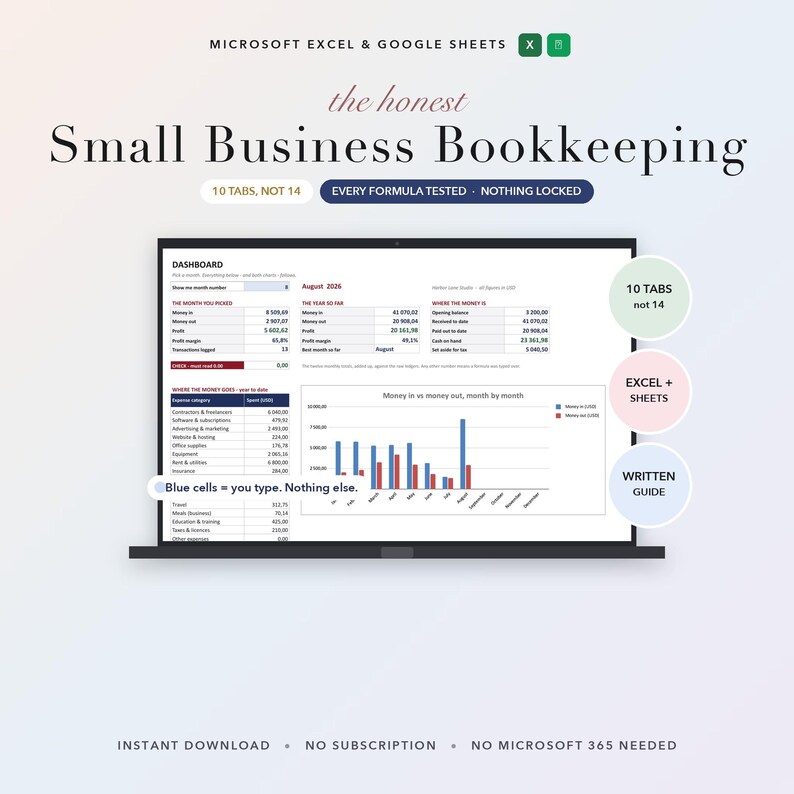
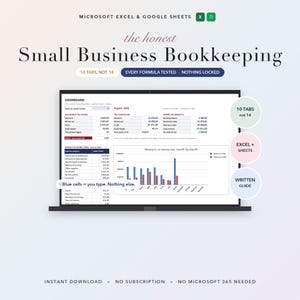
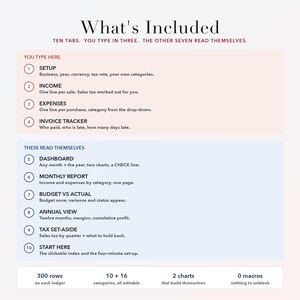
Small Business Bookkeeping + Budget Dashboard | Google Sheets and Excel | 10 tabs, and you only type in three of them.
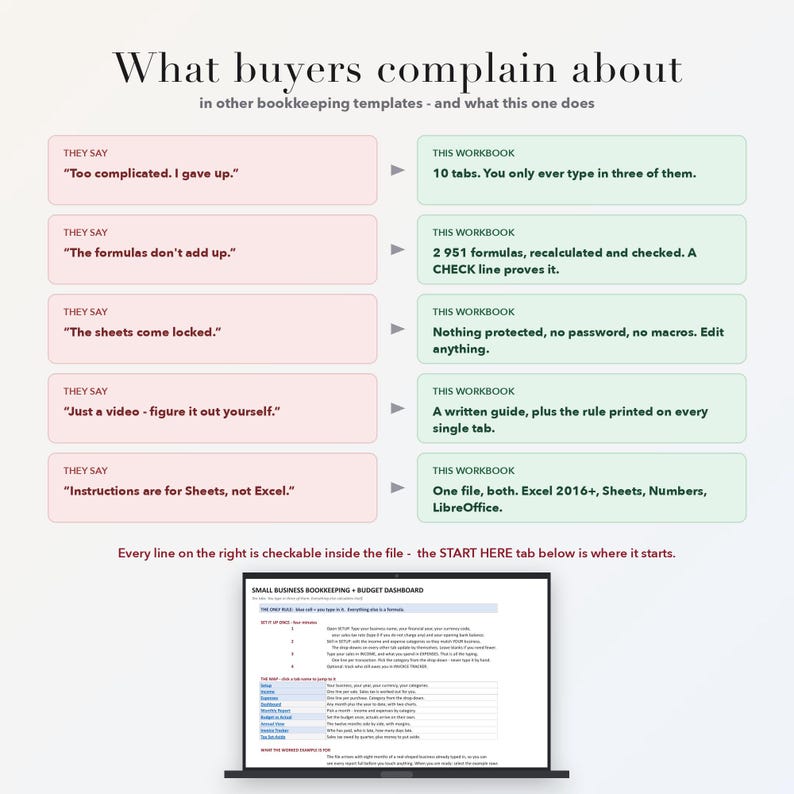
Most bookkeeping spreadsheets are abandoned in week two. Not because they lack features - because they have too many, the formulas quietly stop adding up, and the written help never arrives. This one was built the other way round: read what buyers of the big-selling templates actually complain about, then fix those five things and nothing else.
WHAT PEOPLE SAY ABOUT OTHER TEMPLATES - AND WHAT THIS ONE DOES ABOUT IT
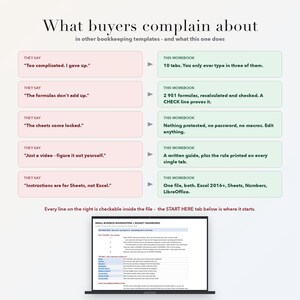
1. "Too complicated. I gave up." / "way too much going on"
-> TEN tabs, not fourteen. You ever only type in three of them: SETUP, INCOME, EXPENSES (plus INVOICE TRACKER if you want to chase who has not paid). The other six read themselves. The START HERE tab is a clickable index, so you never hunt for a page again.
2. "Not all the formulas work, so the totals don't add up."
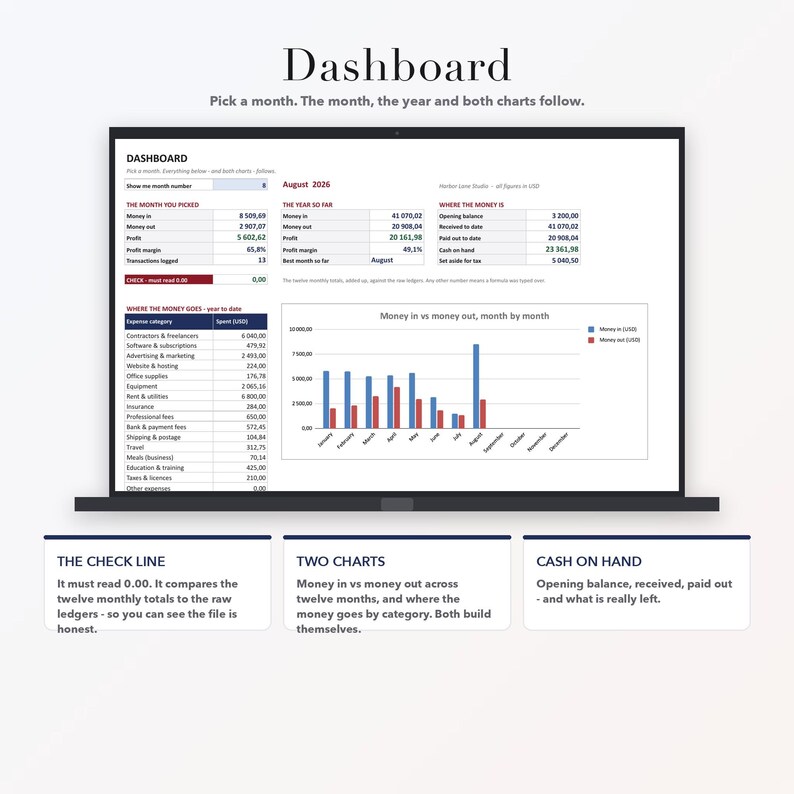
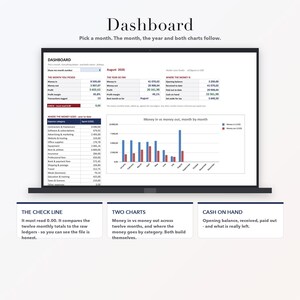
-> 2,951 formulas, every one of them recalculated and checked before this listing went up: 57/57 checks, to the cent, plus a full recalculation pass with zero formula errors. And the Dashboard carries a CHECK line that must read 0.00 - it adds up the twelve monthly totals and compares them to the raw ledgers, so a mistake shows up on the front page instead of in your tax return. No other listing I have seen gives you that line.
3. "The sheets all come locked, unable to unlock them."
-> Nothing is protected. No password, no locked tabs, no macros, no add-ons. You can change any cell, including the formulas. Nothing here can be blocked by your security settings.
4. "All of the instructions are for Google Sheets, not Microsoft."
-> One workbook, both programs, and the guide covers both. Excel 2016 and later - Microsoft 365 is NOT required. Apple Numbers and LibreOffice too. Every formula is from the subset that behaves identically in Excel and Sheets: no LET, no LAMBDA, no XLOOKUP, no array formulas.
5. "Just a YouTube video and you have to figure out mostly yourself."
-> A written START HERE guide as a PDF, with the copy link in plain text AND as a QR code, a page explaining what every tab is for, and a page answering the three things people actually get stuck on. Plus the one rule, printed at the top of every single tab: a blue cell is one you type in; everything else is a formula.
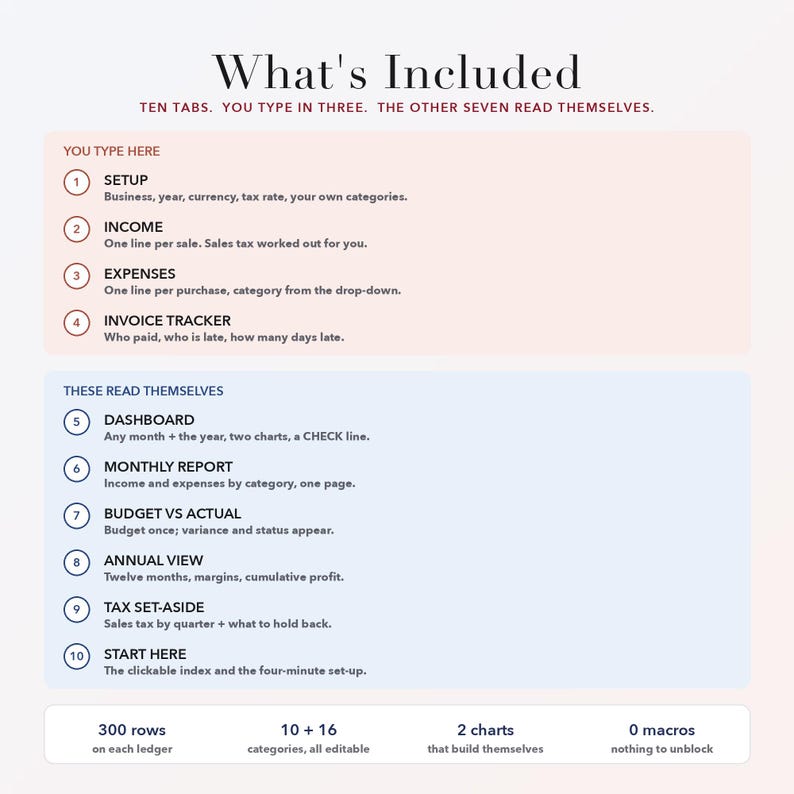
WHAT YOU GET - one workbook, 10 tabs
- START HERE - the clickable index and the four-minute set-up.
- SETUP - business name, financial year, currency code, sales-tax rate, income-tax set-aside rate, opening balance, and your own category lists (10 income slots, 16 expense slots). Type it once; every other tab follows.
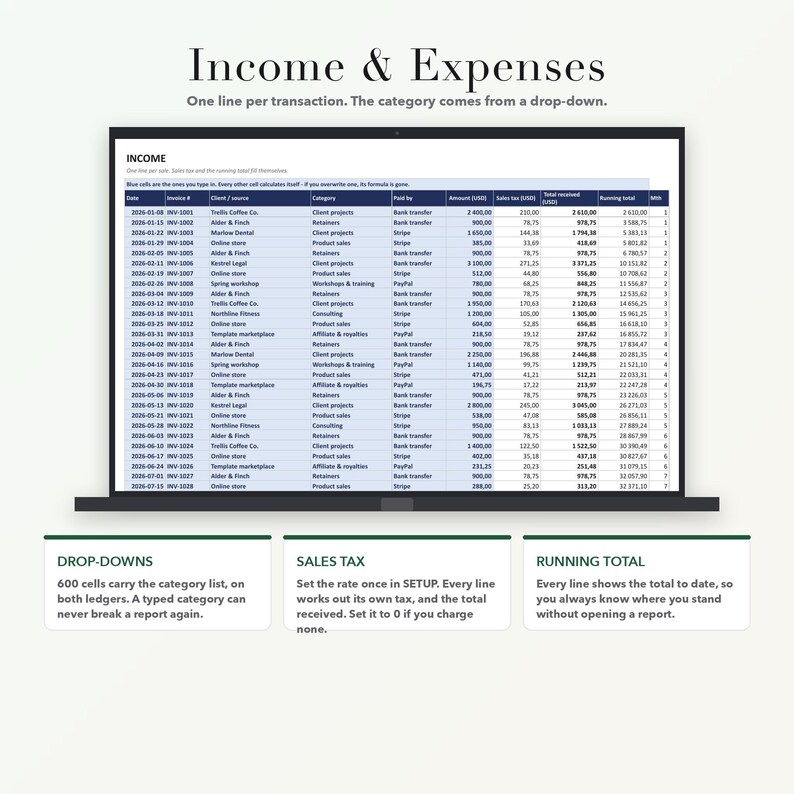
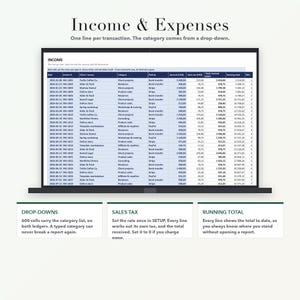
- INCOME - 300 lines. Date, invoice number, client, category from a drop-down, method, amount. Sales tax and the total received work themselves out from the rate you set.
- EXPENSES - 300 lines, same discipline, with sales tax paid tracked separately.
- DASHBOARD - pick a month: money in, money out, profit, margin and transaction count for that month; the same for the year to date; cash on hand; and two charts that build themselves - money in vs money out across twelve months, and where the money goes by category.
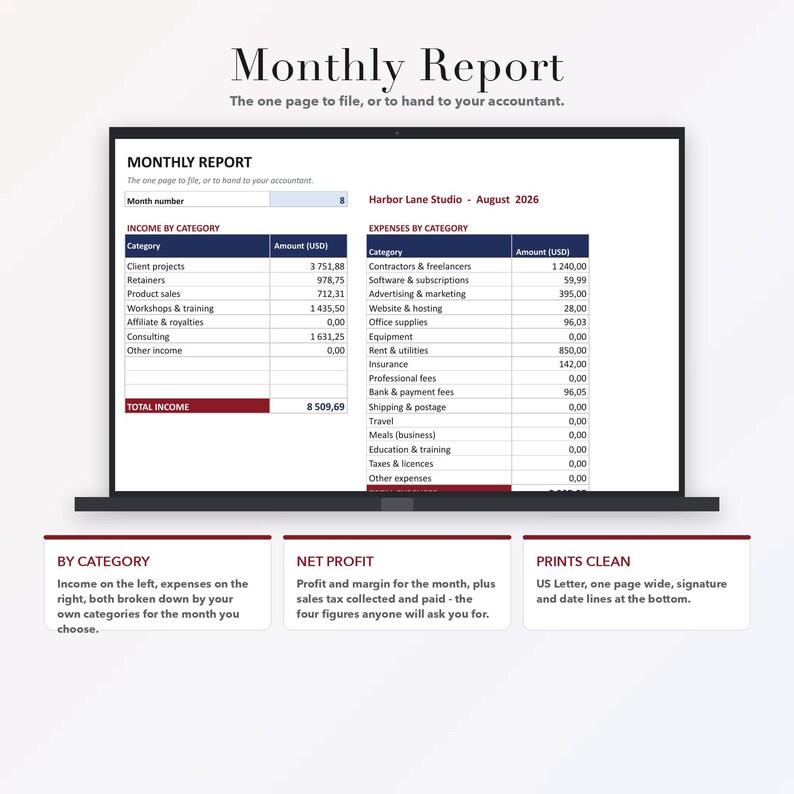
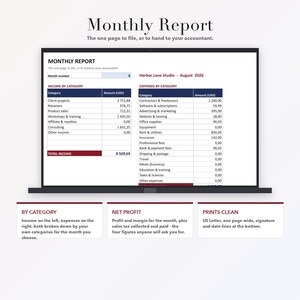
- MONTHLY REPORT - income and expenses broken down by your own categories for any month, with net profit, margin, and sales tax collected and paid. Prints on one page, with signature and date lines.
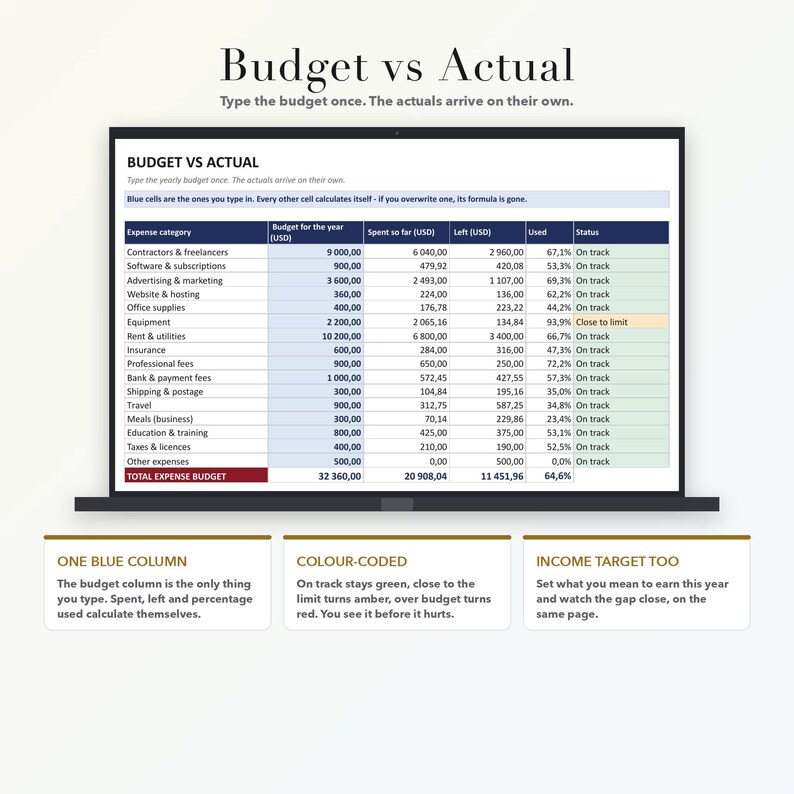
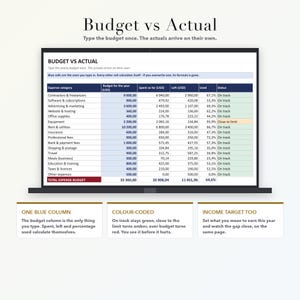
- BUDGET VS ACTUAL - type the yearly budget once. Spent, left, percentage used and a status of On track / Close to limit / OVER BUDGET fill in from your ledgers, colour-coded. An income target line too.
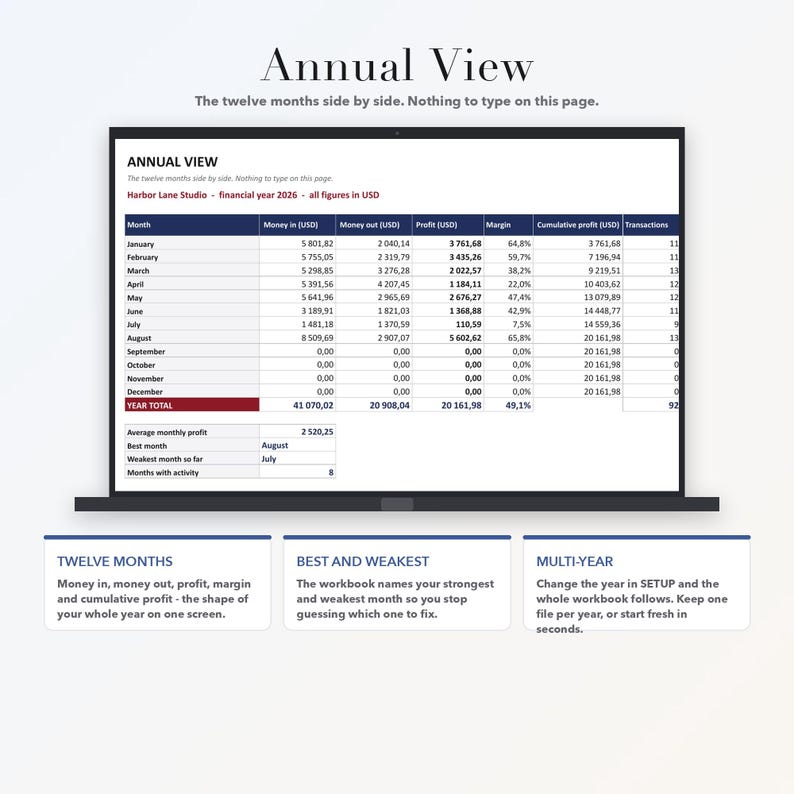
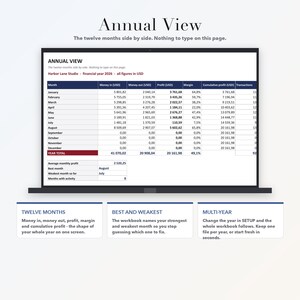
- ANNUAL VIEW - the twelve months side by side: in, out, profit, margin, cumulative profit, transaction count, plus your best and weakest month named for you.
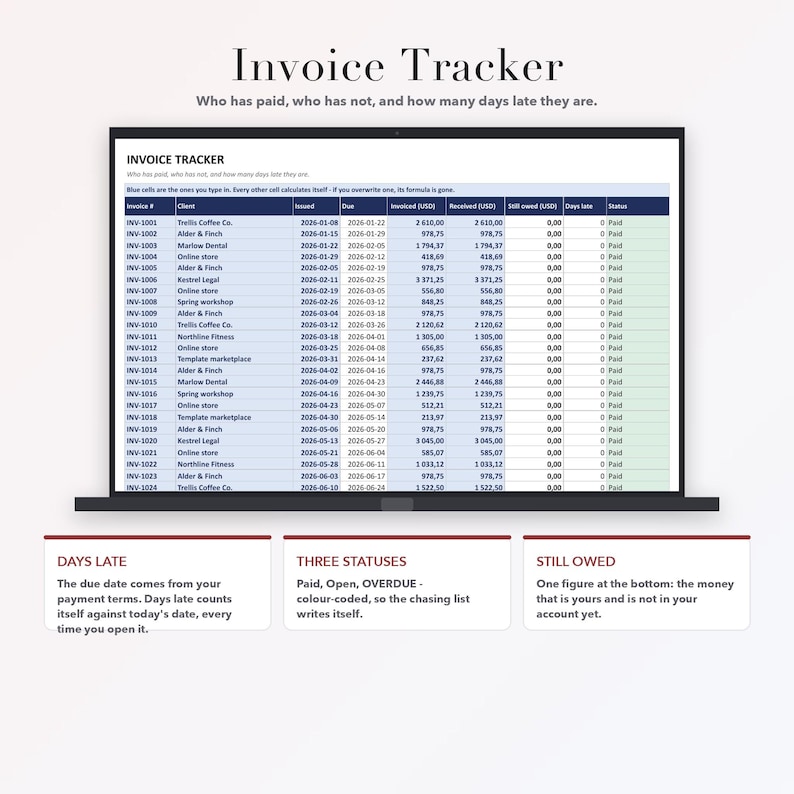
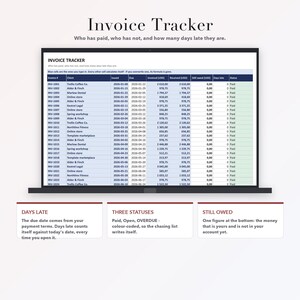
- INVOICE TRACKER - 120 lines. Invoice number, client, date issued, amount invoiced, amount received. The due date comes from your payment terms; balance, days late and Paid / Open / OVERDUE calculate themselves, colour-coded, with one figure at the bottom: the money that is yours and is not in your account yet.
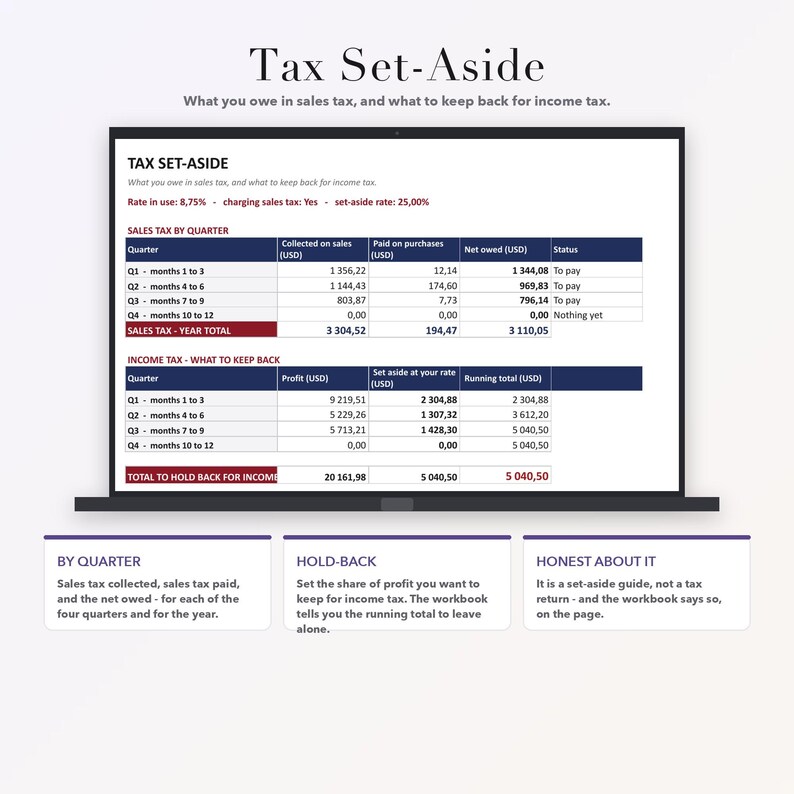
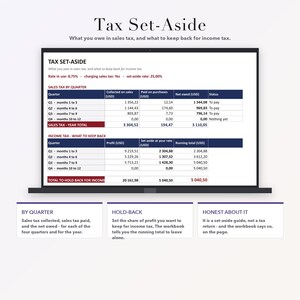
- TAX SET-ASIDE - sales tax collected, paid and net owed for each quarter and for the year, plus the share of profit to hold back for income tax at the rate you choose.
MULTI-CURRENCY, AND NO TAX IF YOU DO NOT CHARGE IT
Type your currency code once in SETUP and every heading on every report updates. Your own number formatting follows your Google or Excel locale, as it should. If you do not charge sales tax, set the rate to 0 and the switch to No: the tax columns stay at zero and the Tax Set-Aside page shows nothing to pay.
A WORKED EXAMPLE THAT ACTUALLY BALANCES
Eight months of a small studio are already typed in, so every report is full before you touch anything: USD 41,070.02 received, 20,908.04 paid out, 20,161.98 profit (49.1% margin), 23,361.98 cash on hand, 3,110.05 of sales tax net owed, 5,040.50 to hold back for income tax, and 3,029.06 still owed to you across three open invoices - one of them overdue, so you can see the chasing list work. Every one of those figures was recalculated and checked before this listing went up. Select the example rows, delete them, and the whole workbook empties itself. Nothing breaks.
WHO IT IS FOR
Freelancers and sole traders. Etsy, Shopify and online sellers. Consultants, coaches and service businesses. Anyone with a shoebox of receipts and a tax deadline. Anyone who found QuickBooks more software than their business needs. Anyone whose last spreadsheet template broke.
WHY IT COSTS WHAT IT COSTS
The best-selling bookkeeping spreadsheets in this category sit between 15 and 34 dollars, and the ones with the most traffic are at the top of that range. This one is priced in the middle of it. What you are paying for is not more tabs - it is the ones that are here being tested, unlocked, and explained in writing.
DETAILS
- Instant download: a one-click Google Sheets copy link (it creates YOUR own private copy in your own Drive - nobody sees what you type) plus the same workbook as an .xlsx file, plus the START HERE guide as a PDF.
- Works in Google Sheets, Microsoft Excel 2016+, Apple Numbers and LibreOffice. Nothing to install. No subscription. No Microsoft 365 required.
- 300 rows on each ledger, 10 + 16 editable categories, 600 drop-down cells, US Letter print set-up on every page.
HOW IT WAS MADE
This workbook was designed and built with the help of AI, then every formula in it was recalculated and checked by machine before it was listed. The example data is invented; the figures it produces are real calculations.
PLEASE NOTE
- This is a record-keeping tool, not accounting, tax or legal advice. The Tax Set-Aside page is a guide to putting money aside, not a tax return. Rules differ by country, by state and by legal form - show your figures to a qualified accountant.
- Digital download. Nothing will be shipped.
- The Google Sheets link needs a free Google account; the .xlsx file does not.
- For one business's own use. Please do not resell or redistribute the file.
If a formula ever misbehaves, message me before you leave a review - I will fix it the same day and send you the corrected file.
Instant Download
Your files will be available to download once payment is confirmed. Here's how.
Instant download items don’t accept returns, exchanges or cancellations. Please contact the seller about any problems with your order.
Etsy Purchase Protection
Shop confidently on Etsy knowing if something goes wrong with an order, we've got your back for all eligible purchases —
see program terms

More from this shop
Visit shop-
Digital download
PTA Treasurer Report Bundle Printable, Booster Club Budget, PTO Monthly Report, Bank Reconciliation Form, Annual Financial Review Audit Kit
$23.41
-
Digital download
PTA PTSA Secretary Meeting Minutes Template, Google Sheets Excel, Auto Quorum Motion Tracker
$17.00
-
Digital download
Dementia Caregiver Daily Log Book Printable | Medication Tracker Emergency Info Elderly Care Binder | Digital Download PDF
$15.22
-
Digital download
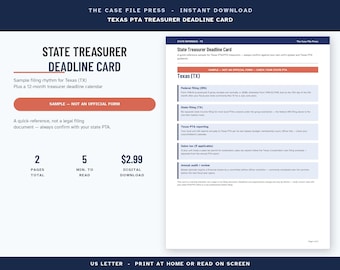
Texas PTA Treasurer Deadline Card, Sample Filing Calendar
$3.08
Be the first to leave a review
-

Digital download
Small Business Bookkeeping Spreadsheet, Profit And Loss Excel, Google Sheets Sales Tax Tracker, Accounting Template, Profit Tracker, Invoice
$50.51
-
Digital download
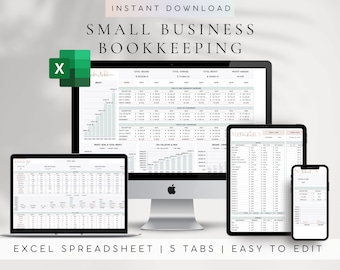
Small Business Bookkeeping Spreadsheet for Excel—Budget, Sales and Tax Tracker Template
Sale Price $5.27
Original Price $21.08
-

Digital download
Small Business Bookkeeping Template Excel Bookkeeping Spreadsheet Sales Tracker Accounting Template Income Expense Tracker Self Employed
Sale Price $9.12
Original Price $22.80
-

Digital download
Easy Bookkeeping Spreadsheet Small Business Finance Income & Expense Tracker Google Sheets Excel Accounting Sales
Sale Price $13.20
Original Price $22.01
-

Digital download
Easy Bookkeeping Template Google Sheets Excel Small Business Accounting Spreadsheet Profit Loss Income Expense Tracker Sales Tax Plan
Sale Price $11.07
Original Price $22.14
-
Digital download
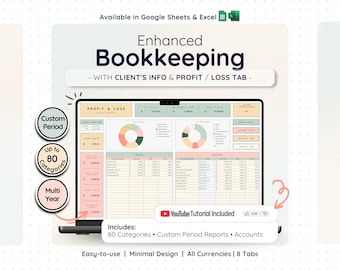
Profit Loss Bookkeeping Spreadsheet Google Sheets Excel Small Business Budget Template Client Tracker Tax Planner Income Expense Accounting
Sale Price $14.58
Original Price $29.17
-
Digital download
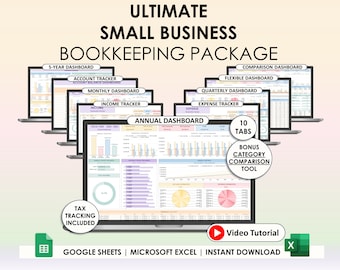
Small Business Easy Bookkeeping Spreadsheet Profit And Loss Excel Google Sheets Sales Tax Tracker Accounting Template Profit Tracker Invoice
Sale Price $8.45
Original Price $21.13
-

Digital download
Business Bookkeeping Template Google Sheets Excel Sales Tracker Tax Planner Profit Loss Revenue Expense Income Spreadsheet Accounting
Sale Price $11.07
Original Price $22.14
-
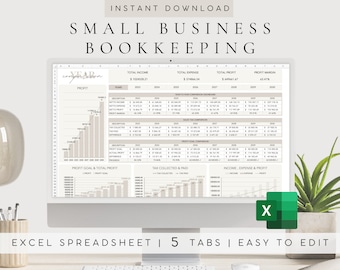
Digital download
Small Business Bookkeeping Excel Template, Income Expense Tracker (Digital Download)
Sale Price $5.27
Original Price $21.08
-
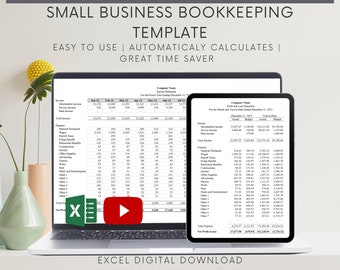
Digital download
Small Business Bookkeeping Excel Template: Profit and Loss, Income Tracker
$24.50
-
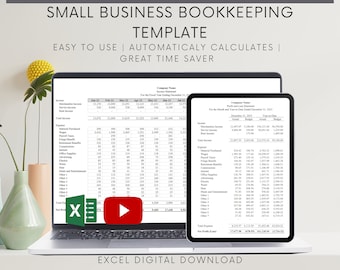
Digital download
Small Business Bookkeeping Excel Template: Profit and Loss, Budget (Digital Download)
$22.50
-

Digital download
Excel Bookkeeping Spreadsheet Small Business Google Sheets Simple Accounting Template Daily Sales Log Expense Income Tracker Profit
Sale Price $11.07
Original Price $22.14
Shoppers with similar taste loved these
-
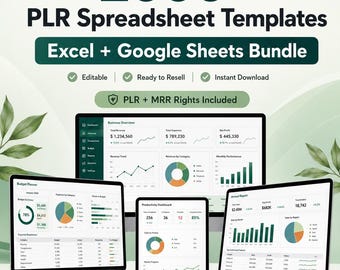
Digital download
PLR Spreadsheet Template Bundle | 2000+ Finance, Business & Budget Trackers | Excel, Google Sheets | MRR
Sale Price $1.92
Original Price $3.20
-

Digital download
500+ Notion Templates Bundle PLR & Master Resell Rights MRR - Editable Planners (Digital Download)
$5.27
-

Digital download
190 Notion PLR Templates & Planners Bundle | PLR Products, Plr Mrr, Master Resell Rights, Passive Income, Lead Magnet, Notion Template
$5.58
-

Digital download
200+ Notion Templates Bundle | Life Planner, Finance, Productivity (PLR & MRR Rights)
$5.10
-
Digital download
Notion Templates Bundle: 500+ Editable Business & Content Planner (PLR/MRR Digital Download
$5.32
-

Digital download
500+ Notion Templates Bundle | PLR, MRR | Editable Digital Planners, Journals & Business Tools
$4.99
-
Digital download
500+ Editable Excel Spreadsheet Templates Bundle – MRR & PLR Resell Rights Included
$5.20
-

Digital download
500+ Notion Templates Bundle – Editable Planners, PLR & MRR (Digital Download)
$1.95
-
Digital download
Etsy Seller Bookkeeping Spreadsheet Small Business Planner Income Expense Profit Tracker Google Sheets Excel Accounting Template Tax Tracker
Sale Price $8.23
Original Price $16.46
-

Digital download
Small Business Finance Tracker Notion Template, Income and Expense, Bookkeeping, Notion Financial Planner
Sale Price $5.27
Original Price $10.54
-
Digital download
PLR Small Business Digital Product Bookkeeping Tracker Task & Invoice Tracker Financial Planner Client Tracker Digital Download
Sale Price $6.90
Original Price $13.80
-
Digital download
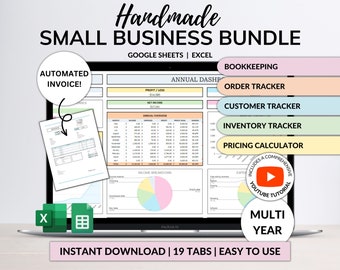
Small Business Bookkeeping Spreadsheet Inventory Tracker Order Tracker Product Handmade Pricing Calculator Client Tracker Google Sheet Excel
Sale Price $12.34
Original Price $24.69


