




NowPrice:$5.99
Original Price: $9.99
40% off
Sale ends in 5 days
Debt Payoff Tracker Spreadsheet, Debt Snowball and Avalanche Calculator, Debt Tracker (Google Sheets, Excel)
Here's what's eligible:
- Your order doesn't match the item description or photos
- Your item arrived damaged
- Your item arrived after the estimated arrival window
- Your item didn't arrive or was lost in the mail
You can only make an offer when buying a single item
Highlights
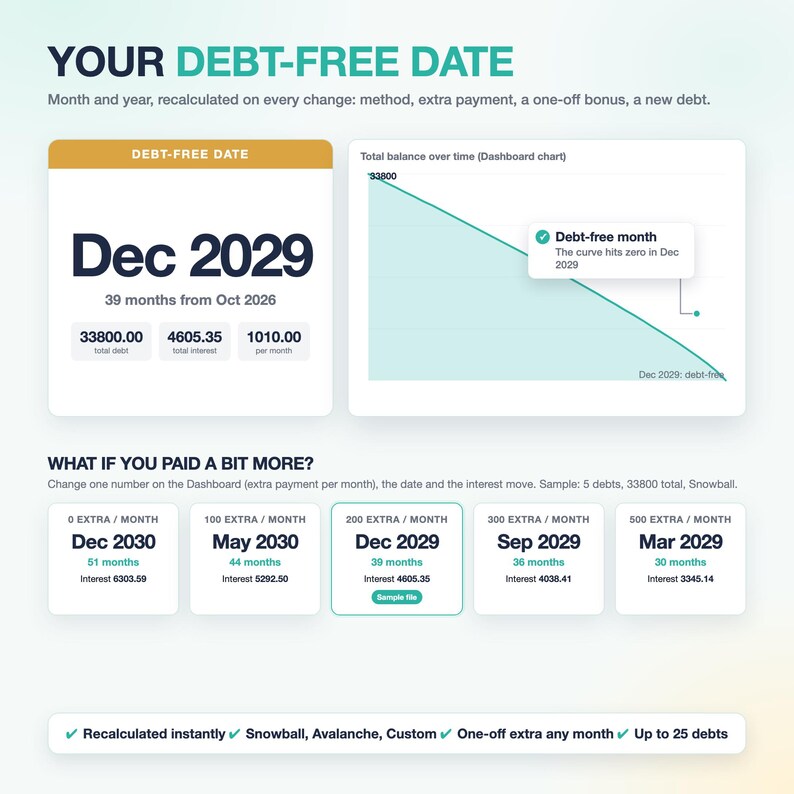
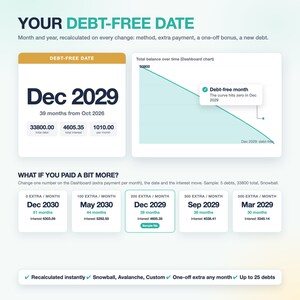
See exactly when you'll be debt-free.
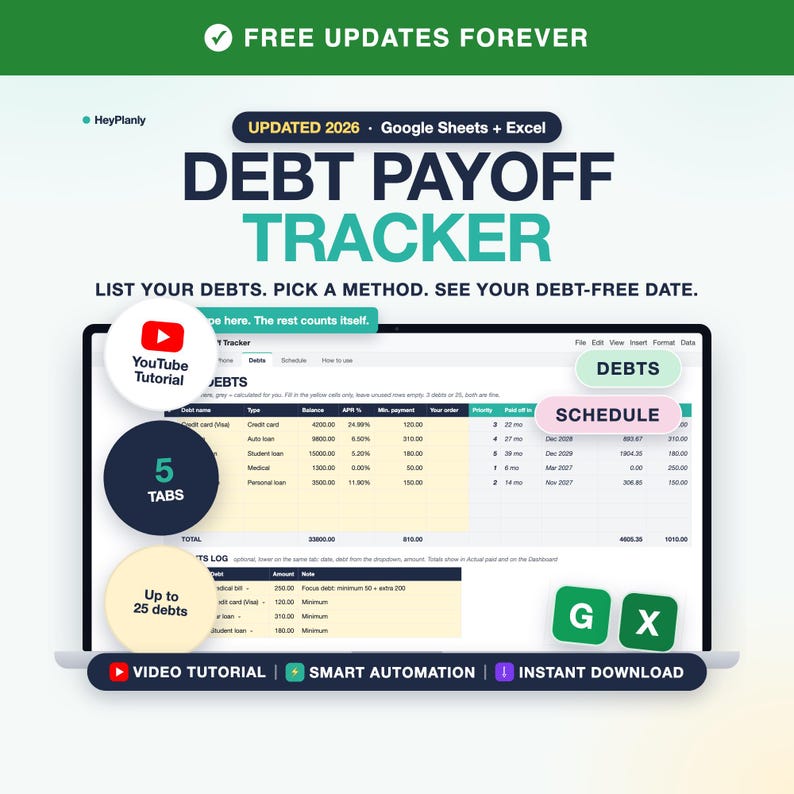
Debt Payoff Tracker Spreadsheet for Google Sheets and Excel: debt snowball spreadsheet and avalanche calculator, debt payoff spreadsheet with debt tracker and payments log.
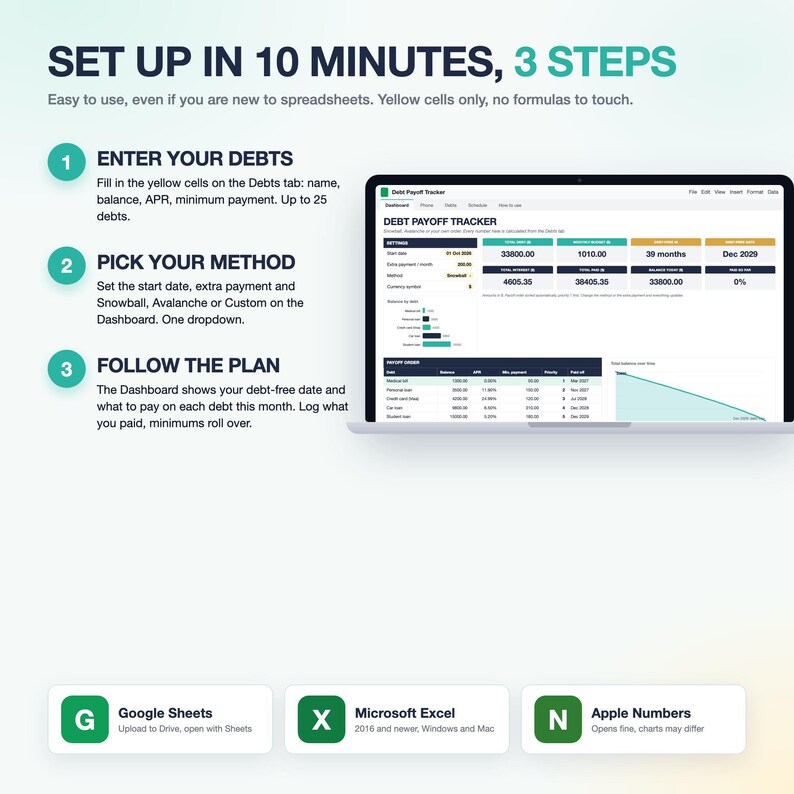
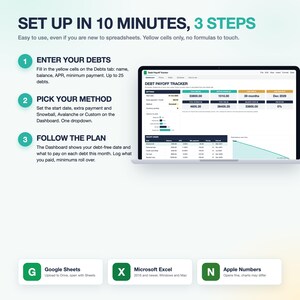
⏱ SET UP IN 10 MINUTES: 3 STEPS
1. Debts tab: name, balance, APR and minimum payment (yellow cells only, no formulas to touch)
2. Dashboard: start date, extra payment per month, method (Snowball, Avalanche or Custom), currency symbol
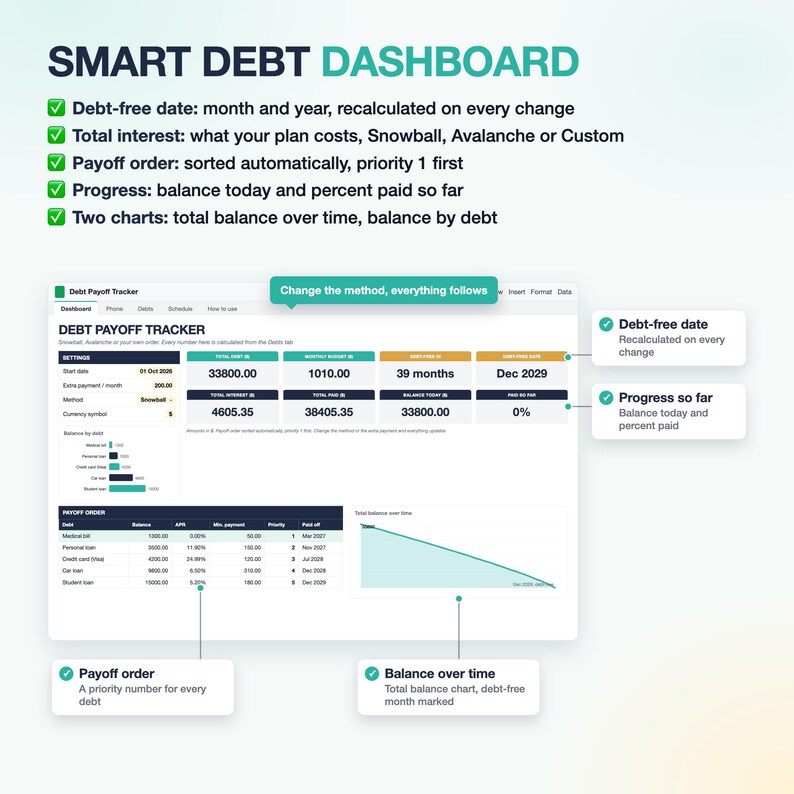
3. Read your plan: debt-free date, payoff order and what to pay on each debt this month, all on the Dashboard
Done. 5 tabs in total and you only need to type in 2 of them (Debts and the Dashboard settings). Schedule shows every month for 10 years, Phone is optional, How to use is the guide inside the file. 3 debts or 25: unused rows stay empty, unused blocks stay grey, nothing to scroll through unless you want to.
Easy to use, even if you're new to spreadsheets or new to budgeting. Type your debts in the yellow cells, pick Snowball, Avalanche or your own Custom order, and the tracker builds a month-by-month payoff plan with your debt-free date, total interest and the order to attack your debts. Up to 25 debts, any currency, a one-off bonus in any month, and a Payments log for what you actually paid. A clear plan instead of a pile of statements: less overwhelming, easier to stay motivated on your debt-free journey.
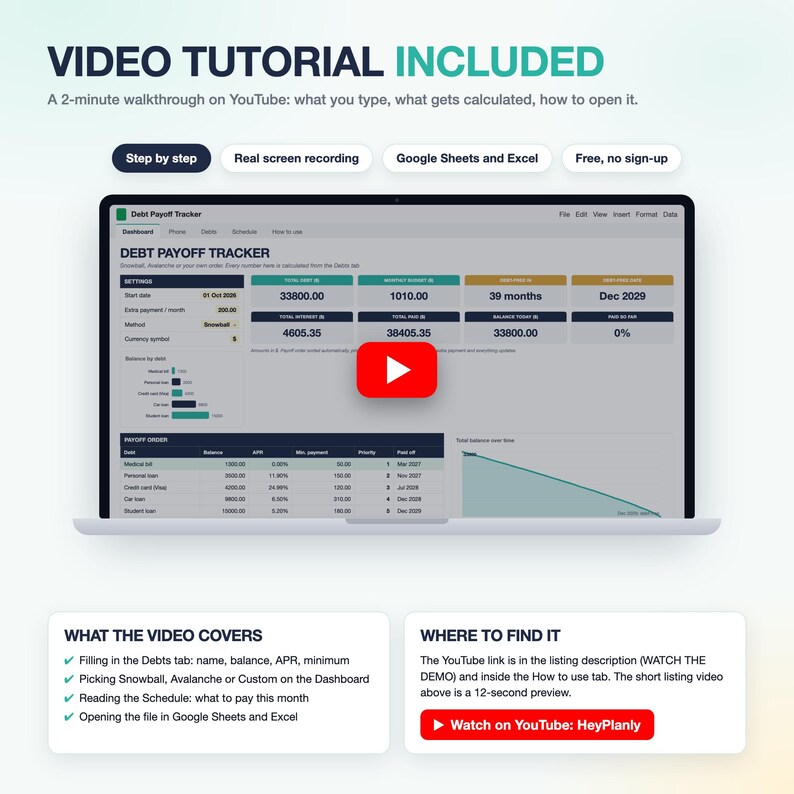
▶ WATCH THE DEMO
Full 2-minute walkthrough on YouTube: https://youtu.be/gMCDW6sAsCo (what you type, what gets calculated, how to open it). Short preview: the listing video above.
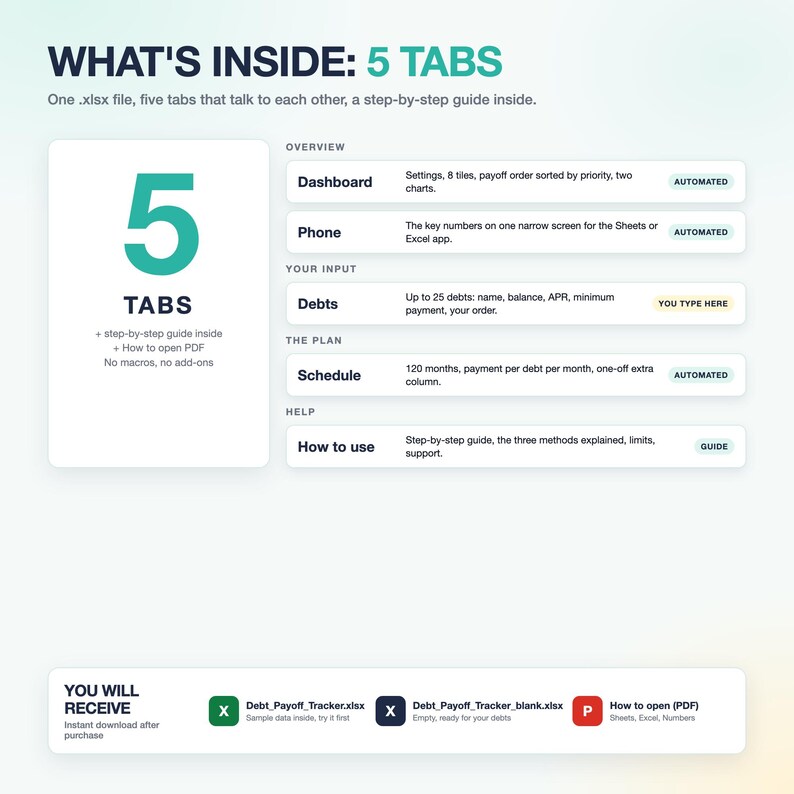
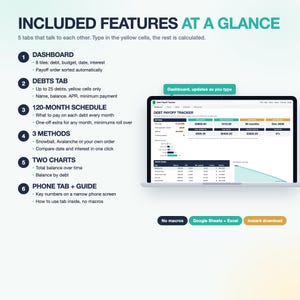
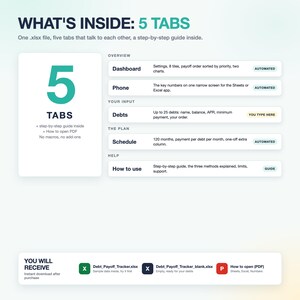
5 TABS + INSTRUCTIONS
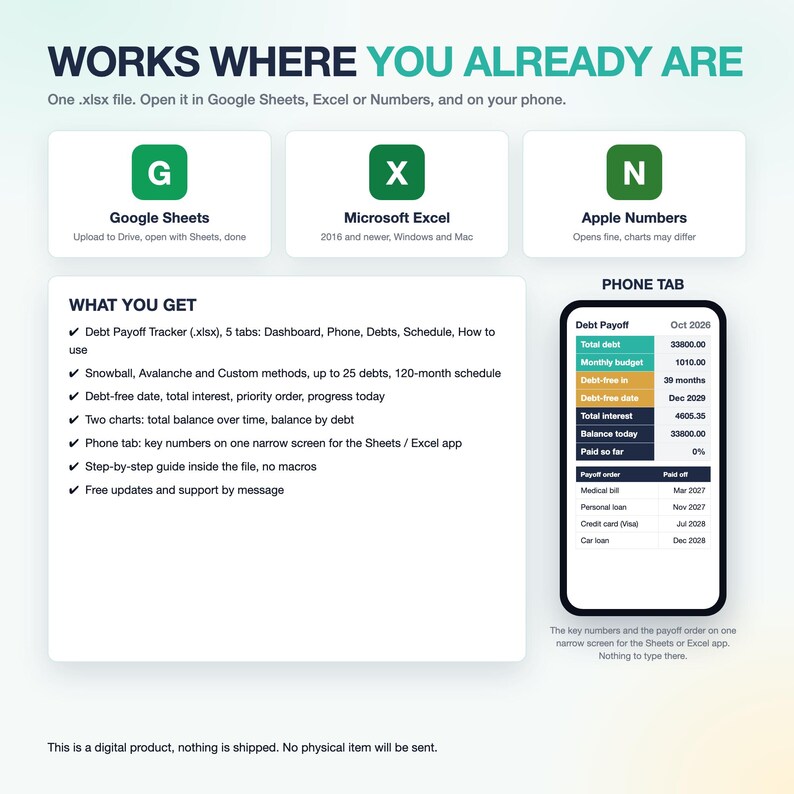
Dashboard, Phone, Debts, Schedule, How to use. Everything is calculated from one input tab.
⭐ FEATURES
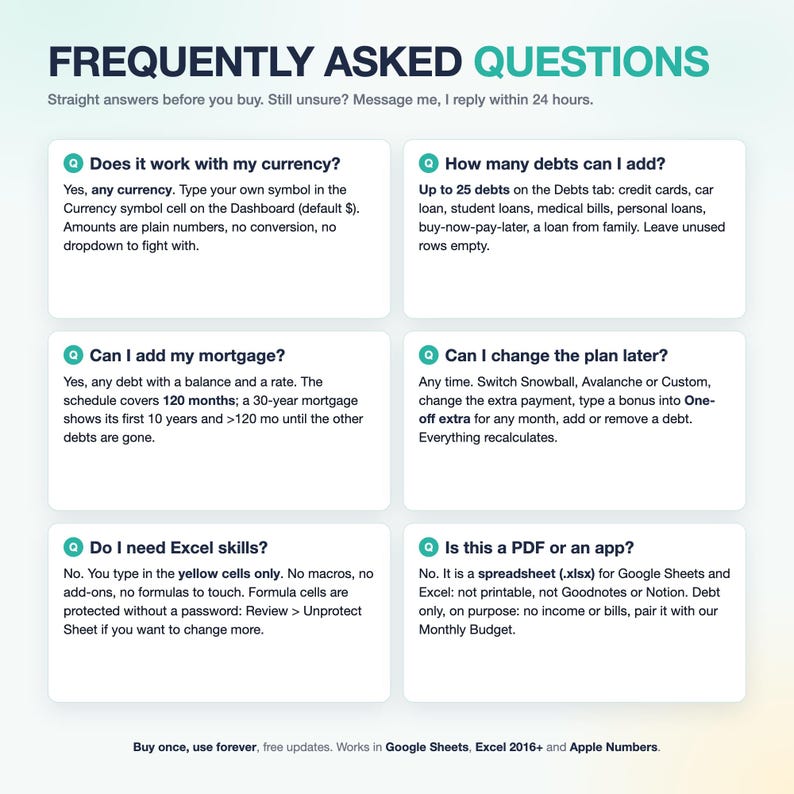
✓ Space for up to 25 debts: credit card debt, car loans, student loans, medical bills, personal loans, BNPL, mortgage
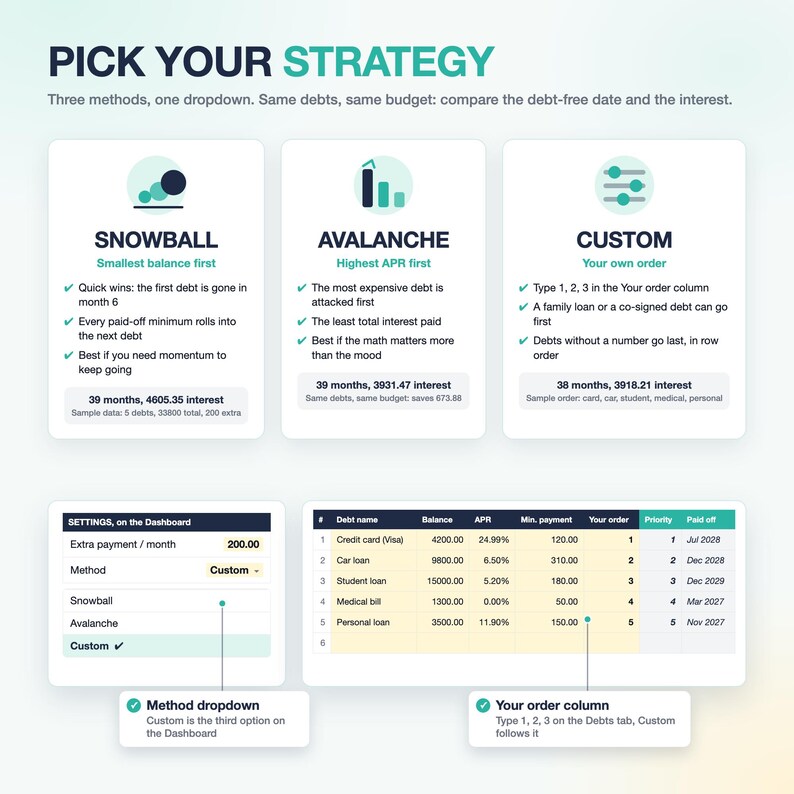
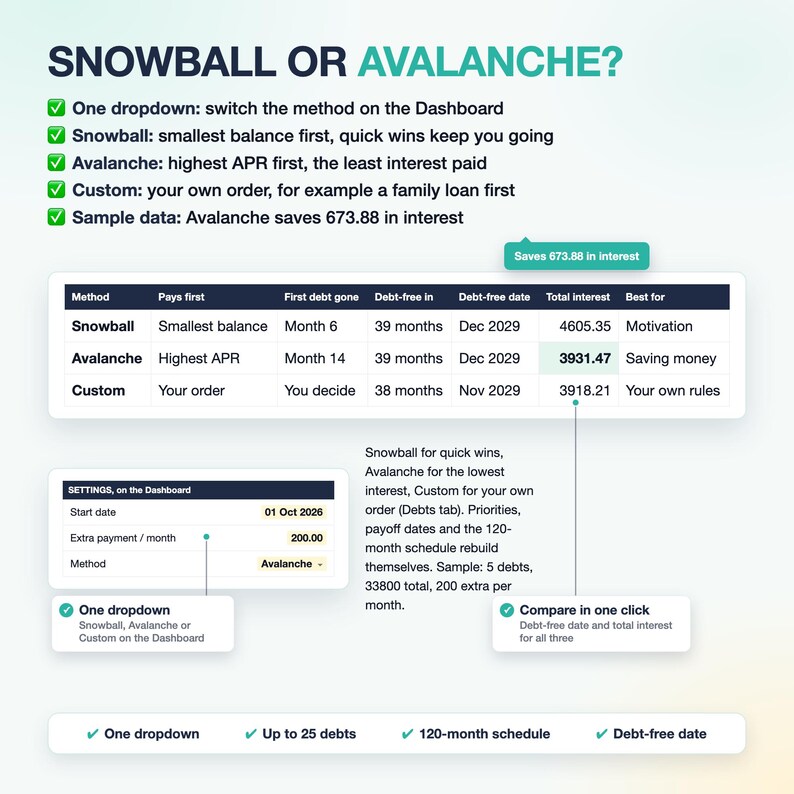
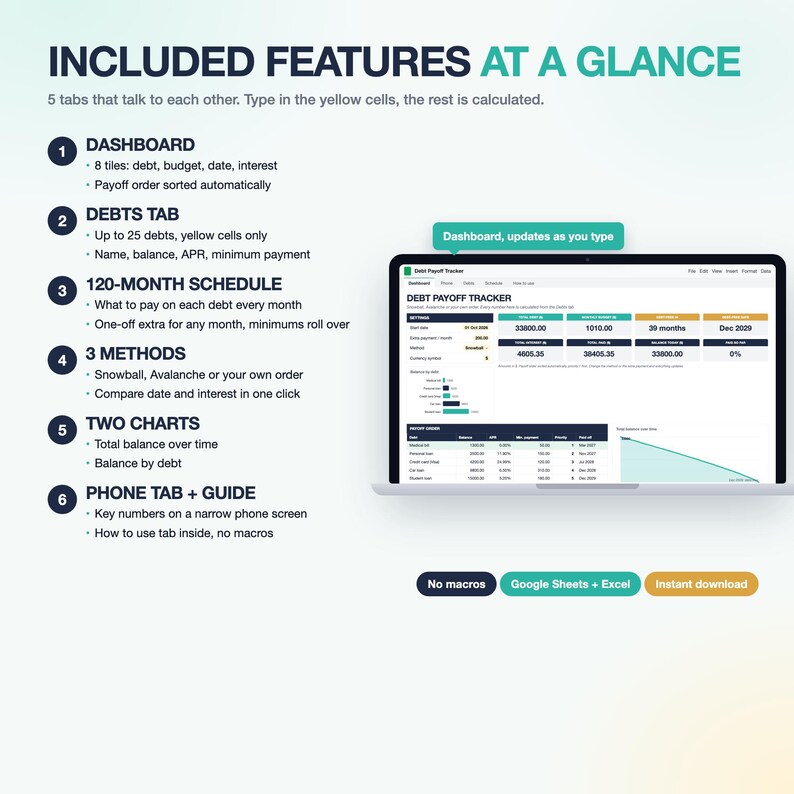
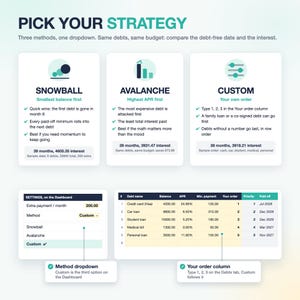
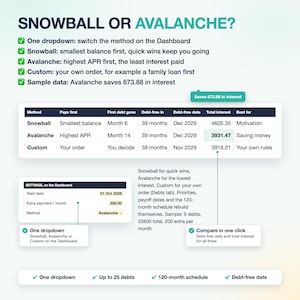
✓ 3 payoff methods: Snowball, Avalanche, Custom (want to attack one card first? Custom)
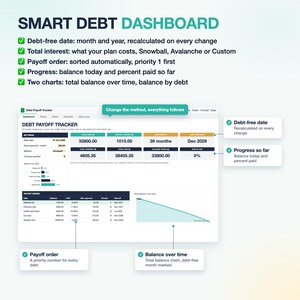
✓ Debt-free date and months to go, recalculated on every change
✓ Total interest for the plan, so you can compare methods in one click
✓ Payoff order sorted automatically, priority 1 first, with what to pay on each debt this month
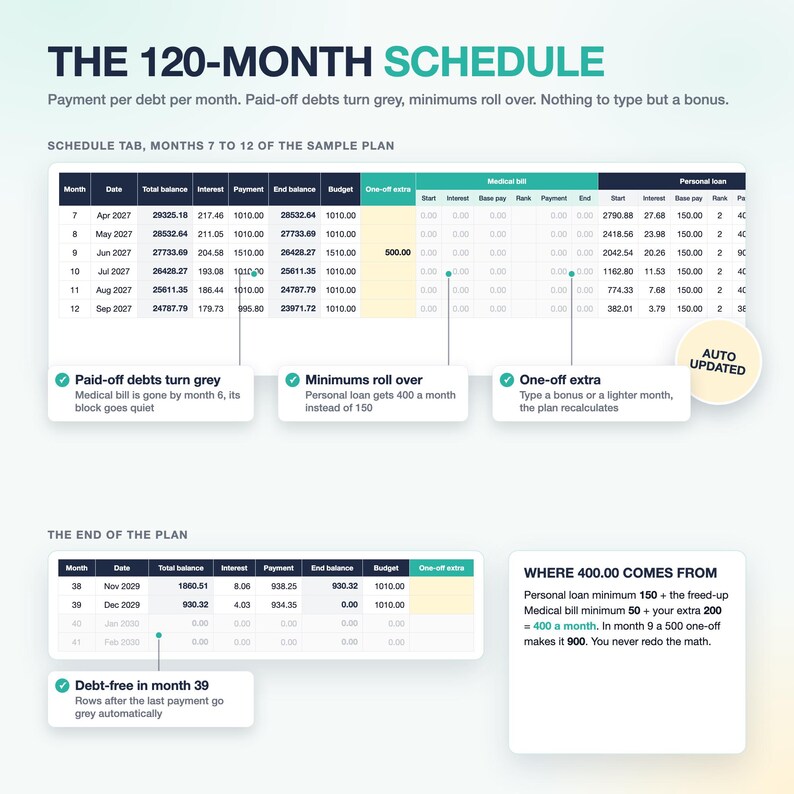
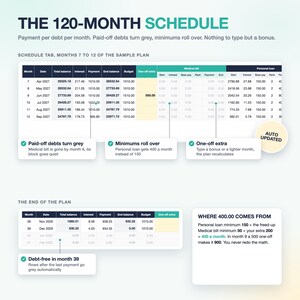
✓ 120-month schedule: what to pay on each debt every month
✓ One-off extra for any month: a bonus, a tax refund, or a lighter month (negative numbers allowed)
✓ Payments log: write down what you actually paid (date, debt, amount), totals per debt and on the Dashboard
✓ Paid-off debts turn grey, their minimums roll into the next debt automatically
✓ Future start date and 0% APR balances supported
✓ Balance today and percent paid so far, based on today's date
✓ Typo check: an APR over 100% or a minimum payment bigger than the balance turns red
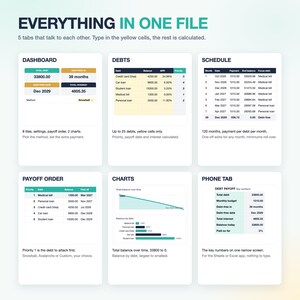
✓ Two charts: total balance over time, balance by debt
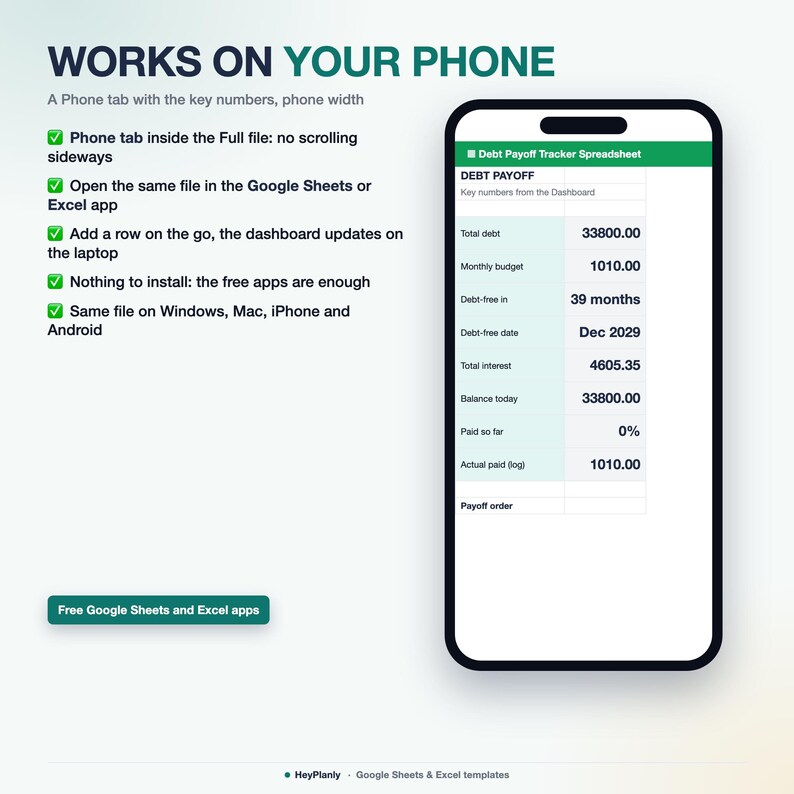
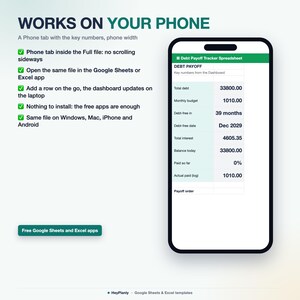
✓ Phone tab: the key numbers on one narrow screen
✓ Any currency: no dropdown needed, type your own symbol
✨ WHAT'S INSIDE
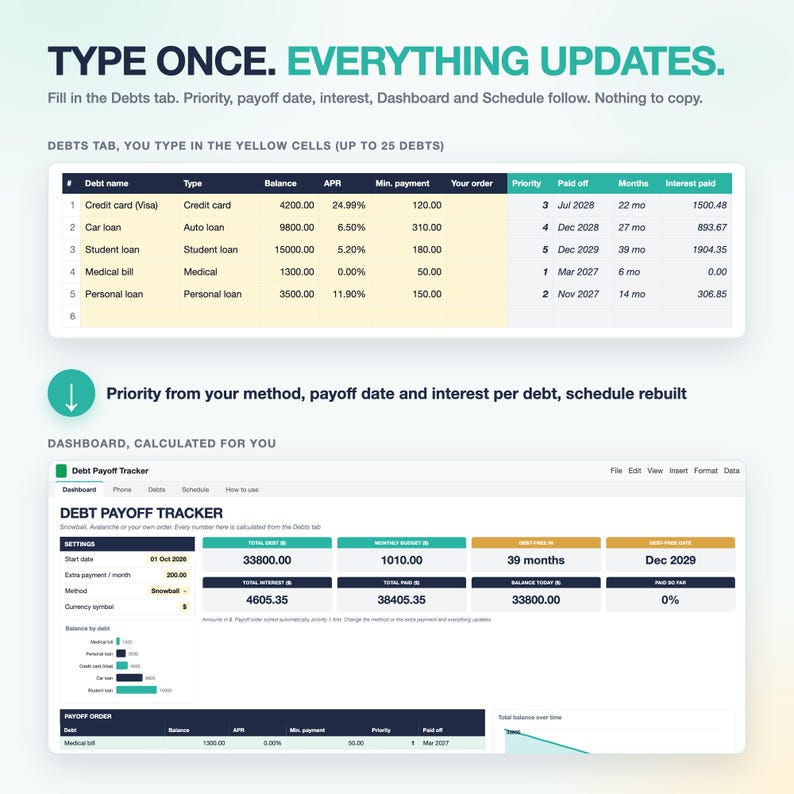
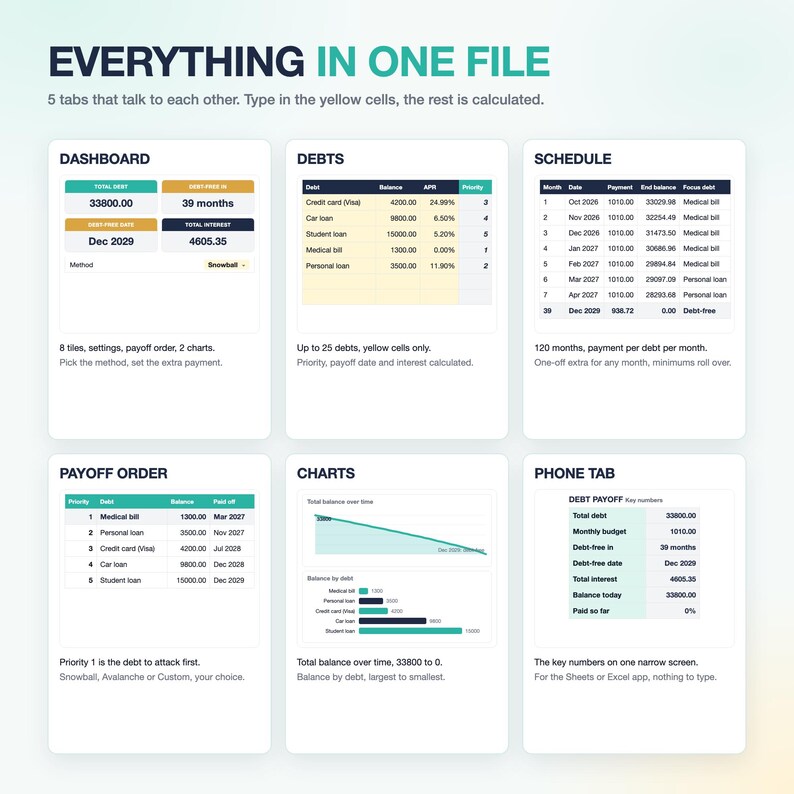
✓ Dashboard: Start here line, settings, 12 tiles (total debt, monthly budget, debt-free date, total interest, balance today, progress %, actual paid, last payment), payoff order table sorted by priority with a Pay this month column, two charts
✓ Phone: the key numbers and the payoff order for the Sheets / Excel app
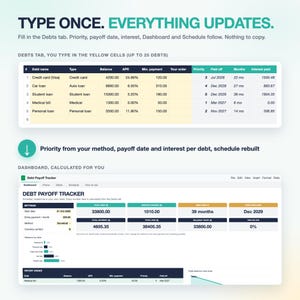
✓ Debts: up to 25 debts, name, balance, APR, minimum payment, your order. Priority, payoff date, interest and actual paid per debt are calculated. Payments log (200 rows) below the debts
✓ Schedule: 120 months, payment per debt per month, One-off extra column. Minimum payments roll over automatically when a debt is paid off
✓ How to use: Setup in 10 minutes checklist, the optional parts, the three methods explained, credit cards, 0% APR, protected cells, Google Sheets, limits, support
✓ Sample data inside: 5 sample debts and 5 sample payments so you see it working. Delete them and type yours, or use the blank copy
💡 WHY IT WORKS
✓ One dropdown switches the method, the whole plan rebuilds itself
✓ You see the price of each choice: Avalanche vs Snowball in interest and months
✓ Minimums roll over, so every paid-off debt speeds up the next one
✓ The Dashboard tells you what to pay this month, no math
✓ Yellow cells only: no formulas to touch, no macros, no add-ons, beginner friendly
✓ Clean, minimal design: big numbers, two charts, no clutter
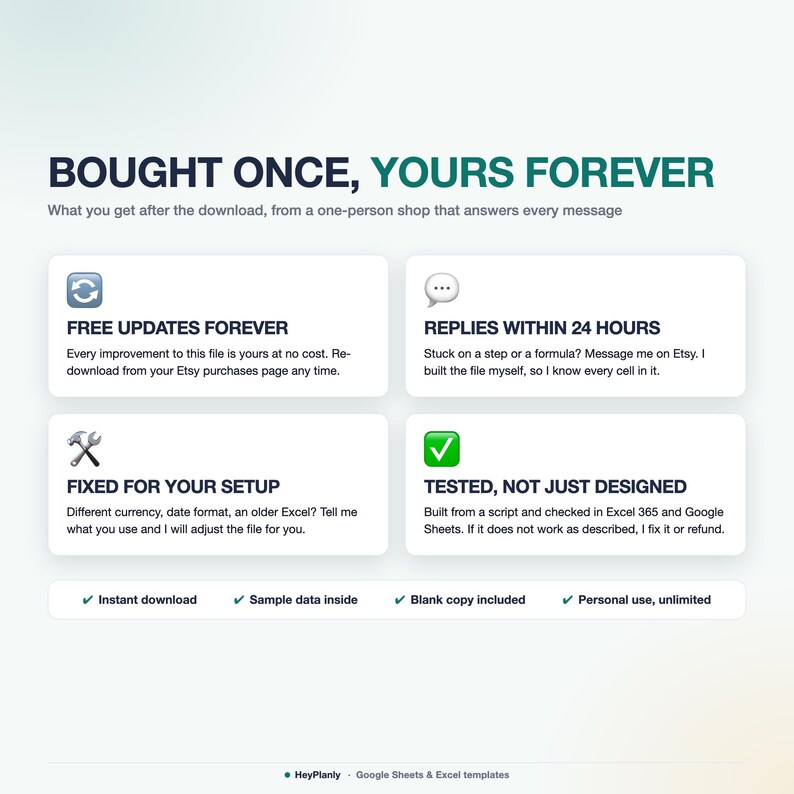
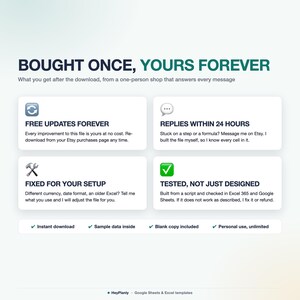
✓ Buy once, use forever, year after year, free updates
👤 WHO IT'S FOR
Anyone who wants to get out of debt with a plan: credit cards, car loans, student loans, medical bills, personal loans, buy-now-pay-later, mortgage, a loan from family, any debt with a balance and an interest rate. Couples paying down debt together, a parent helping a grown-up child with credit card debt, beginners who have never used a spreadsheet. Amounts are in your own currency, no conversion applied.
🚫 WHAT THIS IS NOT
✓ Not a PDF, not printable, not a Goodnotes or Notion planner, not an app. It is a spreadsheet (.xlsx) for Google Sheets and Excel
✓ Debt only, on purpose: no income, bills or spending here, so it stays simple. Need a budget too? Pair it with the Monthly Budget or Paycheck Budget below
✓ No bank connection: you type your balances, nothing syncs on its own
📱 WORKS IN
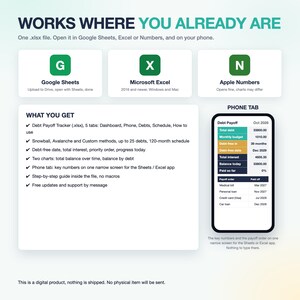
✓ Google Sheets (free Google account, after File > Save as Google Sheets)
✓ Microsoft Excel 2016 and newer, Microsoft 365 (Windows and Mac)
✓ Apple Numbers: opens, charts may look different
✓ Phone tab for the free Sheets / Excel mobile app
✓ No macros, no add-ons, no LET or XLOOKUP, so it opens everywhere
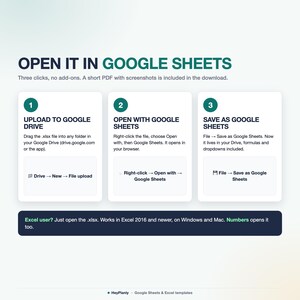
📂 HOW TO OPEN IN GOOGLE SHEETS
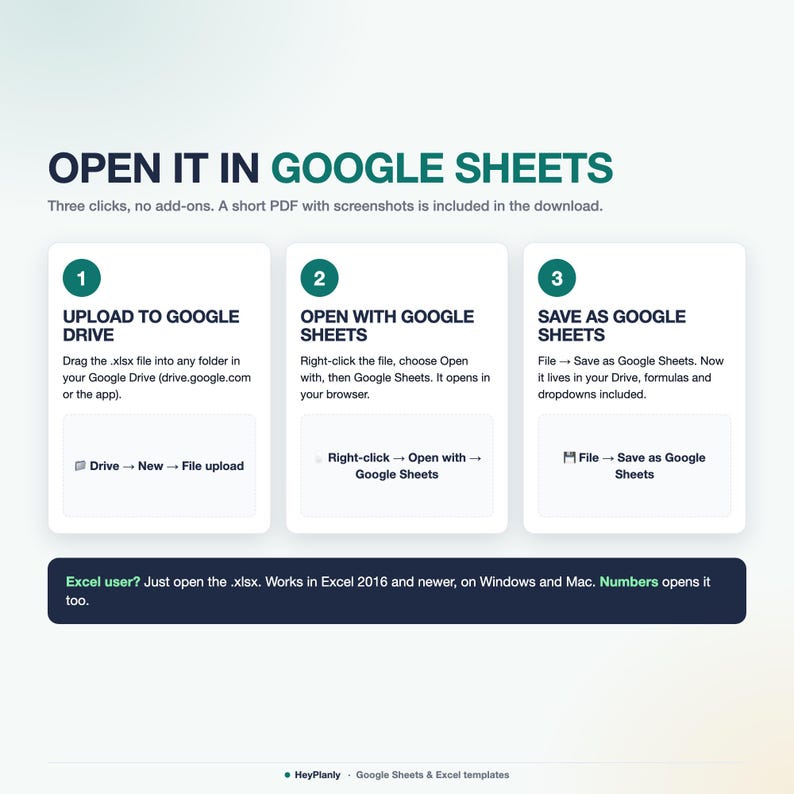
Upload the file to Google Drive, right-click > Open with > Google Sheets, then File > Save as Google Sheets. All formulas work. Step by step in the included PDF (about a minute).
📦 YOU WILL RECEIVE
✓ Debt_Payoff_Tracker_v1.xlsx: the tracker with sample data inside, try it, then delete the samples
✓ Debt_Payoff_Tracker_blank.xlsx: the same file, empty and ready for your debts
✓ How to open in Google Sheets and Excel (PDF)
Start with the file that has sample data (the one without "blank" in the name) and its How to use tab.
🛍️ ALSO IN THE SHOP
✓ Annual Budget Spreadsheet: https://www.etsy.com/listing/4573820292/annual-budget-spreadsheet-for-google
✓ Paycheck Budget Spreadsheet: https://www.etsy.com/listing/4574373352/paycheck-budget-spreadsheet-biweekly
✓ Simple Monthly Budget Spreadsheet: https://www.etsy.com/listing/4573801413/simple-monthly-budget-spreadsheet-for
⬇️ INSTANT DOWNLOAD
This is a digital product. Nothing will be shipped. After purchase, download the .xlsx files from your Etsy purchases page or the email Etsy sends you.
⚠️ PLEASE NOTE
Formula cells are protected so nothing breaks by accident. No password: Review > Unprotect Sheet (Excel) or the protected-range message (Google Sheets) if you want to change anything, add rows or colours.
Built and tested in Excel 365 desktop and Google Sheets. Excel Online and the free mobile apps open the file for viewing and light editing, but protected sheets and charts render best on desktop. Colours may look slightly different between apps.
Instant download, so no refunds for change of mind. If something doesn't work as described, message me and I'll fix it or refund. For personal use only, please do not resell or share the file.
❓ FAQ
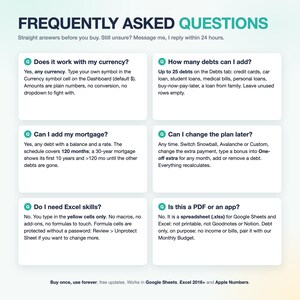
Q: I clicked a cell and got a "protected" message. Is the file locked?
A: No. That cell holds a formula. You type in the yellow cells. Want to edit more? Review > Unprotect Sheet, there is no password.
Q: A number shows as ####. What now?
A: The column is too narrow. Drag the column edge to make it wider, no unprotecting needed.
Q: Can I write down what I actually paid?
A: Yes. Payments log on the Debts tab: date, debt, amount. Totals show per debt and on the Dashboard. The plan itself stays a projection: to update it, type your new balances.
Q: Can I choose which debt to pay first?
A: Yes. Method: Custom, then number your debts in the Your order column.
Q: My debts started at different times. Does that matter?
A: All debts start together on the Start date. Type today's balances and the plan runs from this month.
Q: Do I need a Google account?
A: Only for Google Sheets. Excel users open the file as it is.
Q: Is this a one-time purchase?
A: Yes. Buy once, use forever, no subscription. Free updates: message me on Etsy and I'll send the newest version.
💬 QUESTIONS?
Message me any time, I reply within 24 hours. If something doesn't work on your setup, I'll fix it for you.
HeyPlanly: spreadsheets that actually calculate.
Instant Download
Your files will be available to download once payment is confirmed. Here's how.
Instant download items don’t accept returns, exchanges or cancellations. Please contact the seller about any problems with your order.
Etsy Purchase Protection
Shop confidently on Etsy knowing if something goes wrong with an order, we've got your back for all eligible purchases —
see program terms


More from this shop
Visit shop-
Digital download
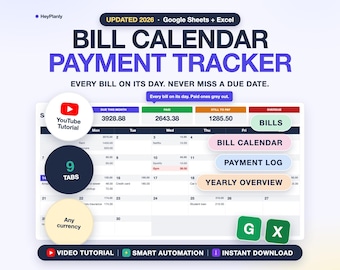
Bill Tracker Spreadsheet, Monthly Bill Calendar, Budget Calendar, Payment Checklist, Due Dates (Google Sheets, Excel)
Sale Price $5.99
Original Price $9.99
-
Digital download
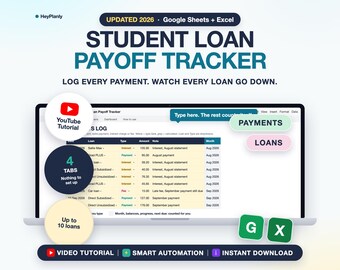
Student Loan Payoff Tracker Spreadsheet, Payment Log, Balances, Progress, Due Dates (Google Sheets, Excel)
Sale Price $3.59
Original Price $5.99
-
Digital download
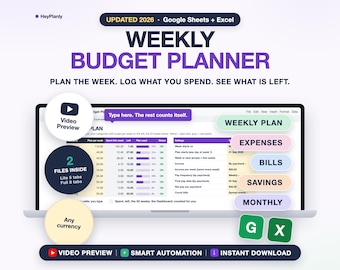
Weekly Budget Planner Spreadsheet, Weekly Budget Template, Expense Tracker, Paycheck Budget 2026 2027 (Google Sheets, Excel)
Sale Price $4.79
Original Price $7.99
-
Digital download
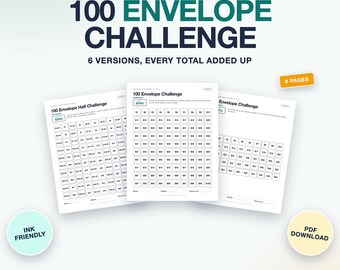
100 Envelope Challenge Printable, Savings Challenge Tracker, 6 Versions, A6 Cards (PDF, Letter, A4)
Sale Price $1.79
Original Price $2.99
Be the first to leave a review
Shoppers with similar taste loved these
-
Digital download
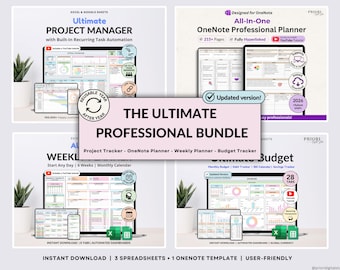
Professional Planner Bundle Project Management Excel Template Task Tracker Google Sheets Work OneNote Planner Weekly Planner Budget Tracker
Sale Price $16.81
Original Price $33.62
-
Digital download
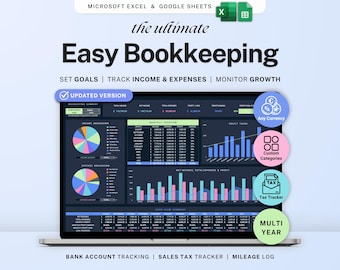
Small business bookkeeping Google Sheets Dark Mode Income Expense Tracker Freelancer Tax Planner Profit Loss Spreadsheet 1099 Mileage Log
Sale Price $6.99
Original Price $13.98
-
Digital download
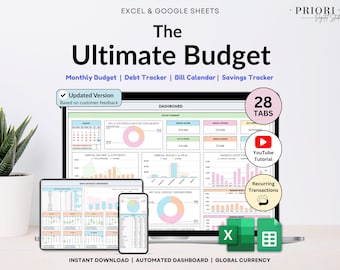
Ultimate Annual Budget Spreadsheet Monthly Budget Tracker Couple Financial Planner Bill Tracker Debt Tracker Savings Excel Google Sheets
Sale Price $10.46
Original Price $20.92
-
Digital download
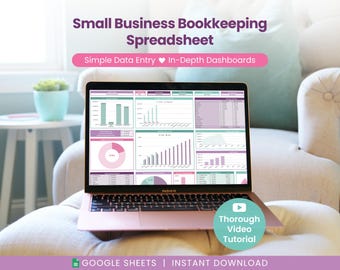
Small Business Bookkeeping Spreadsheet: Income & Expense Template for Google Sheets (Digital Download)
Sale Price $14.40
Original Price $24.00
-
Digital download
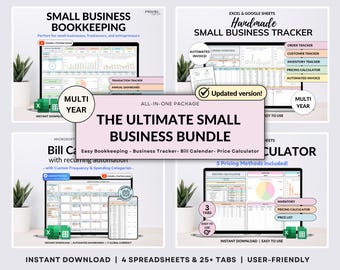
Small Business Bundle Bookkeeping Inventory Tracker Order Tracker Product Handmade Pricing Calculator Smart Bill Calendar Google Sheet Excel
Sale Price $14.94
Original Price $29.88
-
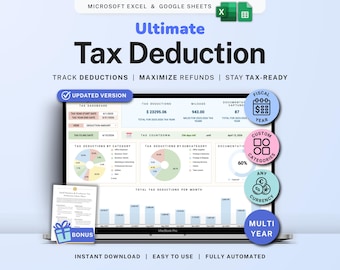
Digital download
Tax Deduction Tracker Google Sheets Self-Employed Tax Spreadsheet Small Business Freelancer Tax Prep Template Itemized Expense Tracker 1099
Sale Price $8.99
Original Price $17.98
-

Digital download
Ultimate Financial Planner Budget Spreadsheet Bundle Habit Task & Goal Tracker Productivity Planner Debt Tracker Dark Mode Digital Template
Sale Price $22.34
Original Price $37.23
-
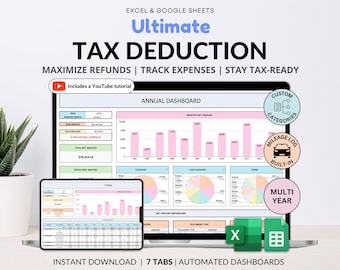
Digital download
Tax Deduction Tracker Google Sheets Small Business Tax Prep Self-Employed Tax Tracker Spreadsheet Excel Tax Planner Tax Checklist 1099 Form
Sale Price $8.96
Original Price $17.93
-
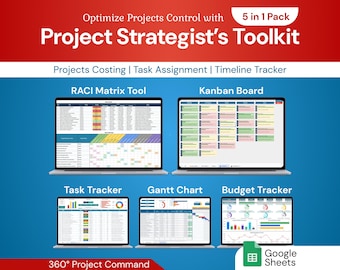
Digital download
Project Strategist's Toolkit 5in1 Pack | Google Sheet Template
Sale Price $12.60
Original Price $21.00
-
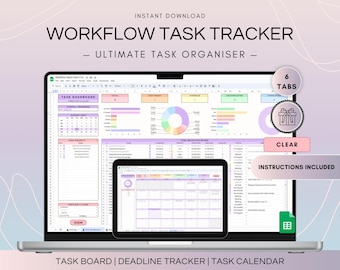
Digital download
Workflow Task Tracker Spreadsheet, Google Sheets To Do List and Deadlines Calendar, Digital Workflow with Project Management Dashboard
$14.35
-
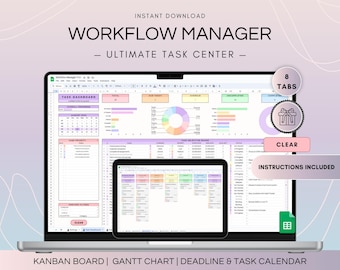
Digital download
Workflow Project Management Spreadsheet, Google Sheets Kanban Board and Gantt Chart, To Do List Template, Project Plan and Weekly Schedule
$18.90
-
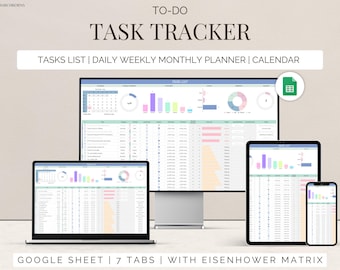
Digital download
Task Tracker Google Sheet To-Do List template daily routine planner to do checklist spreadsheet task management productivity tool
Sale Price $1.20
Original Price $3.00
