



Digital Seller Payout and Profit Tracker Google Sheets
Item highlights
Seller's description
Reconcile marketplace payouts, fees, refunds and profit in one Google Sheets dashboard built for digital sellers.
AT A GLANCE
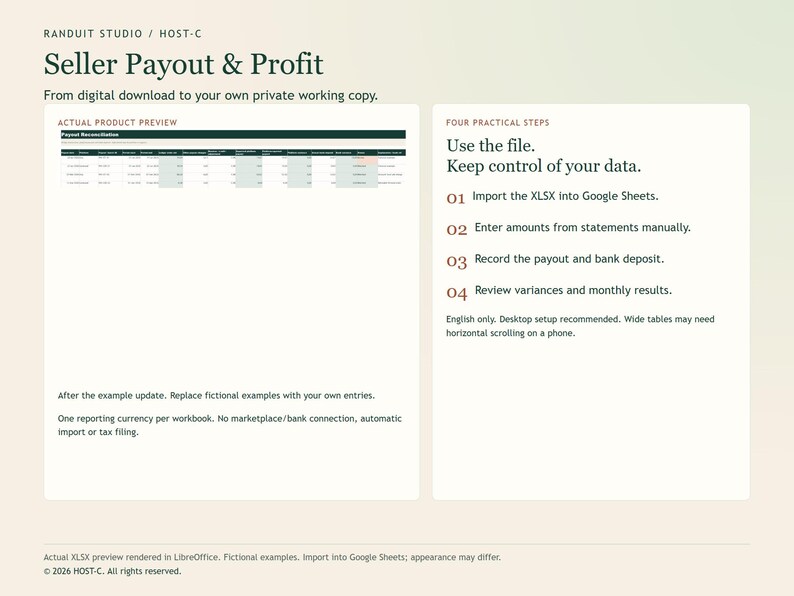
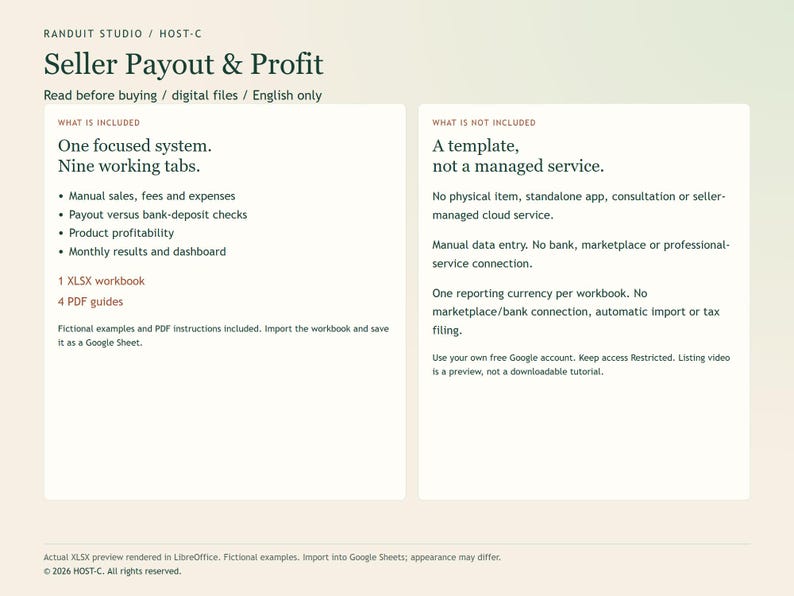
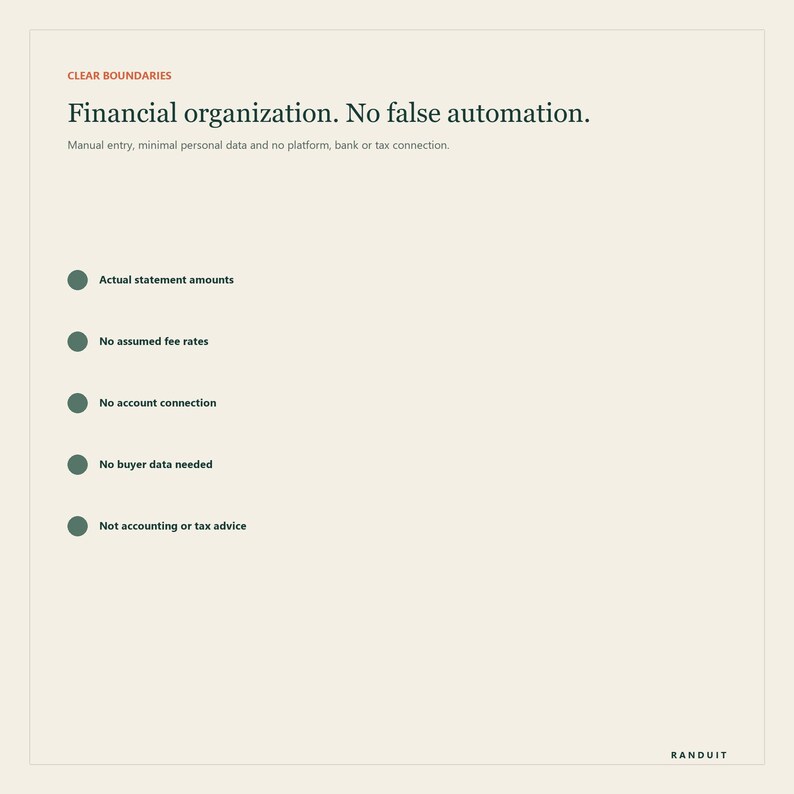
English only. Instant digital download: 1 Google Sheets-ready XLSX workbook with 9 tabs + 4 PDF guides. Import the XLSX into Google Sheets and save a private Google Sheets copy. A free Google account is recommended.
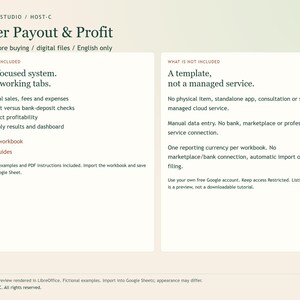
Digital files only: no physical item, standalone app, consultation or seller-managed cloud service.
One reporting currency per workbook. No marketplace/bank connection, automatic import or tax filing.
HOW TO START
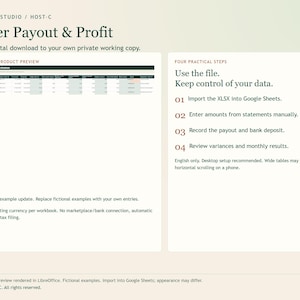
1. Import the XLSX into Google Sheets.
2. Enter amounts from statements manually.
3. Record the payout and bank deposit.
4. Review variances and monthly results.
Keep Google Drive General access set to Restricted and invite only authorized people. Desktop setup is recommended; wide tables can require horizontal scrolling on a phone.
WATCH THE PRODUCT PREVIEW
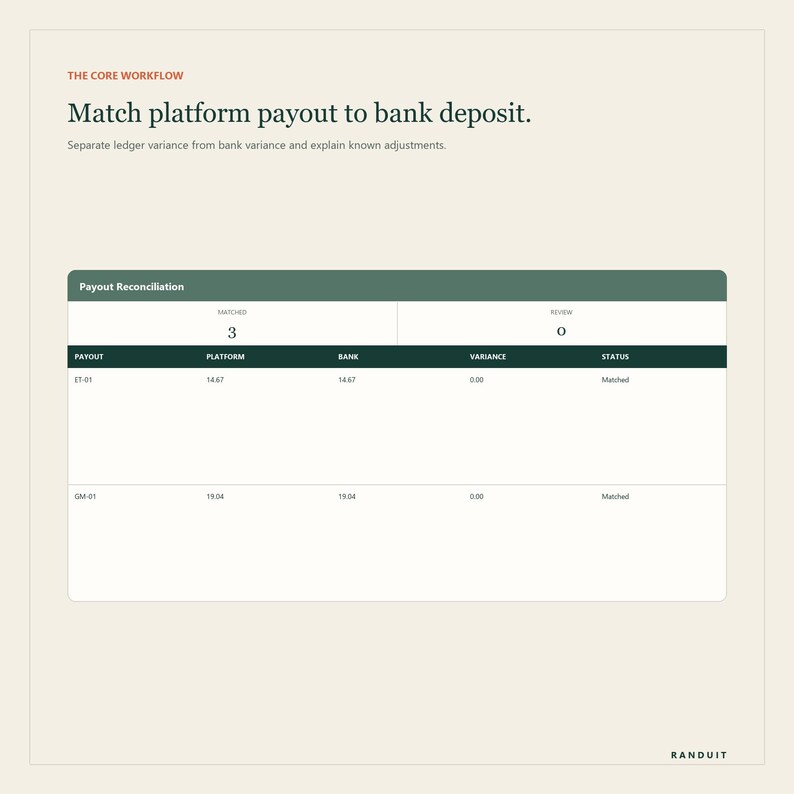
The listing video shows actual workbook previews with fictional data: Enter the actual bank deposit. A mismatch is flagged for review. Previews are rendered in LibreOffice from copies of the delivered XLSX, not recorded in Google Sheets. Appearance may differ after import.
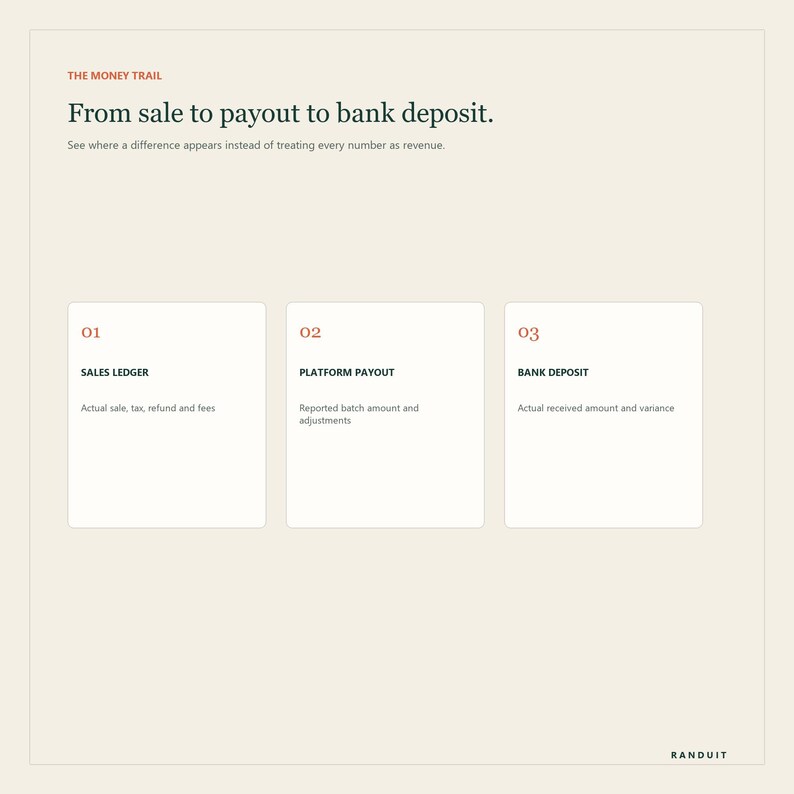
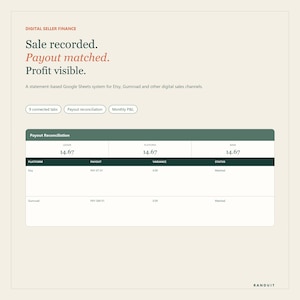
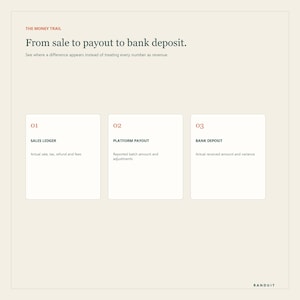
Your sales total, platform balance, payout and bank deposit are different numbers. Digital Seller Payout & Profit Tracker gives Etsy, Gumroad and multi-channel digital sellers one connected Google Sheets-ready system for following money from each transaction to the amount that actually reaches the bank.
This is not another generic income-and-expense list. It separates marketplace-remitted tax, refunds, order-level fees, account-level charges, reserves or credits, platform-reported payouts and bank deposits so you can see exactly where a difference appears. The same records also produce product contribution and a monthly management P&L.
WHAT YOU RECEIVE
- Google Sheets-ready XLSX workbook with 9 connected tabs
- Sales Ledger with 500 transaction rows
- Expense log with 300 rows
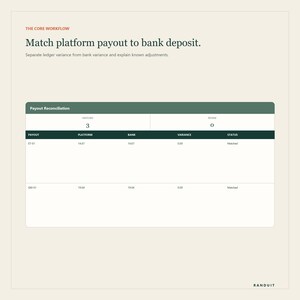
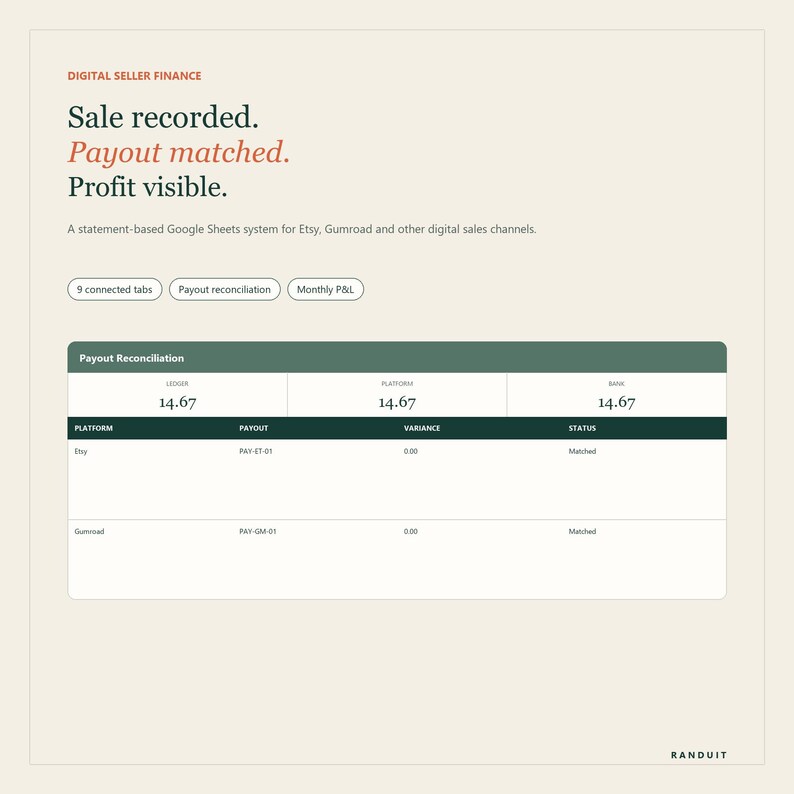
- Payout Reconciliation with 200 payout rows
- Product catalog and automatic product-name matching
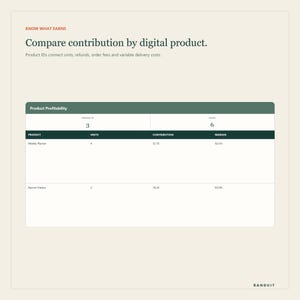
- Product profitability by units, net sales, refunds, fees and variable cost
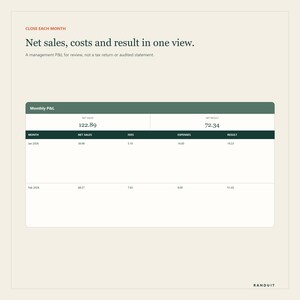
- Monthly P&L for the reporting year you select
- Dashboard with profit and reconciliation controls
- Editable platform and expense-category lists
- Fictional Etsy and Gumroad examples showing the complete workflow
- Four PDF guides: Quick Start, Monthly Reconciliation Checklist, Etsy & Gumroad Data Entry Map, and Privacy & Scope
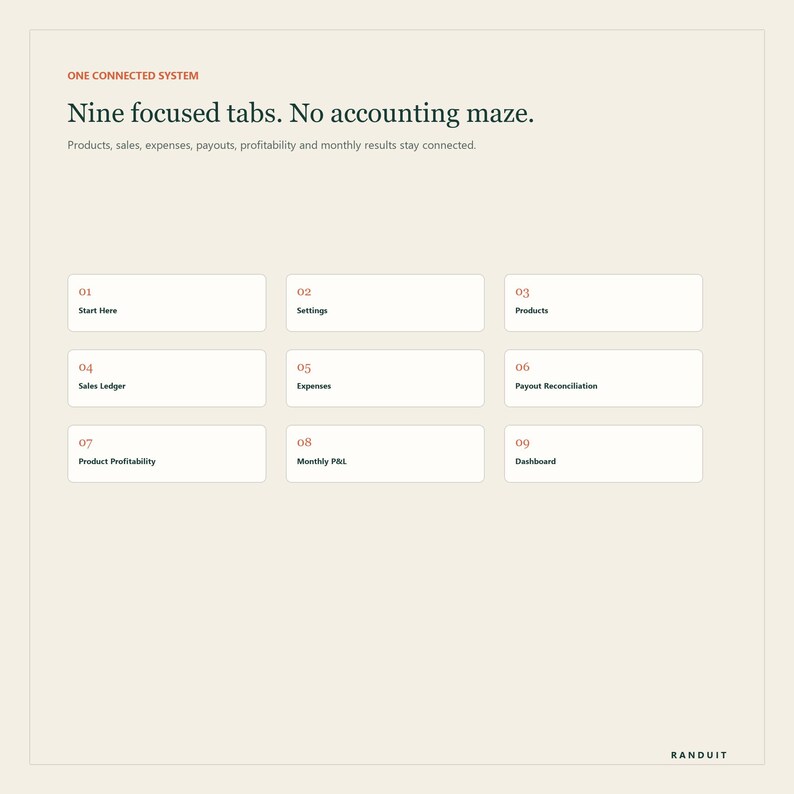
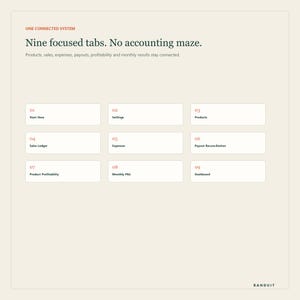
THE NINE TABS
1. Start Here - setup sequence, the three-number reconciliation method and boundaries.
2. Settings - reporting year, currency, shop label, platforms and expense categories.
3. Products - stable Product IDs, names, list prices and optional variable delivery cost.
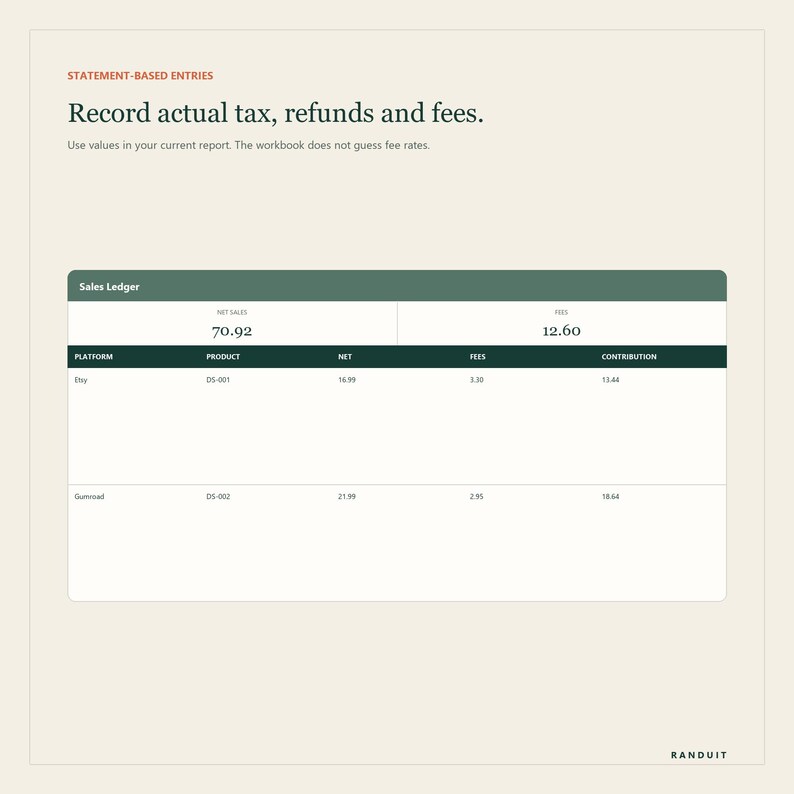
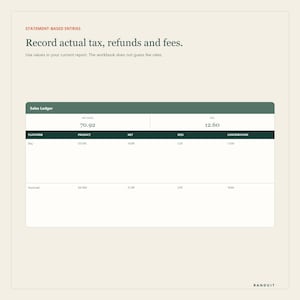
4. Sales Ledger - sale date, platform, reference, product, units, buyer total, remitted tax, refund and actual fees.
5. Expenses - operating costs not already recorded as order fees.
6. Payout Reconciliation - ledger order net, signed adjustments, reported payout, bank deposit and two variance checks.
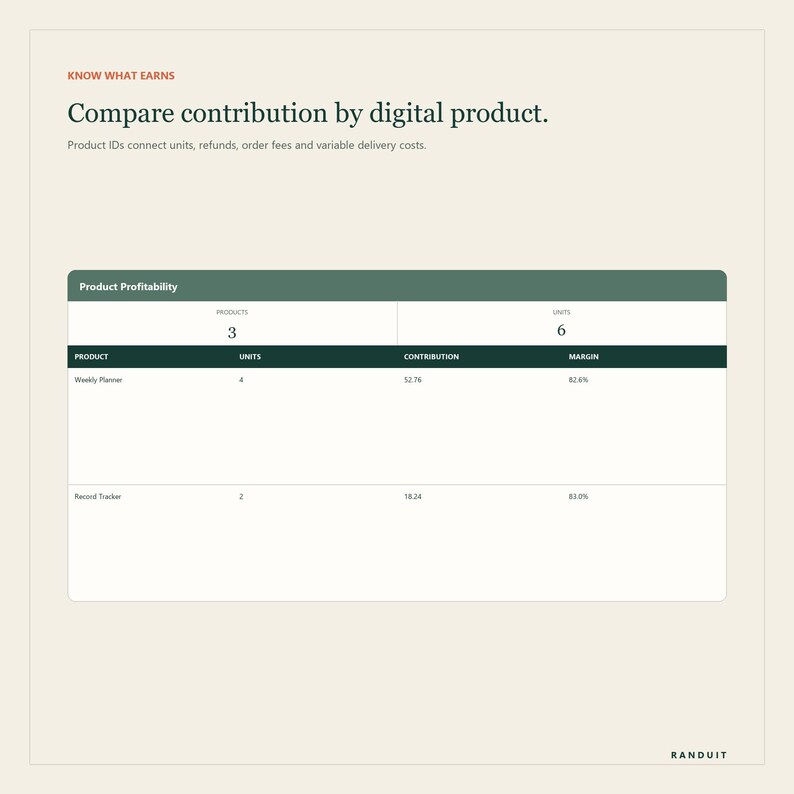
7. Product Profitability - automatic totals and contribution margin for every Product ID.
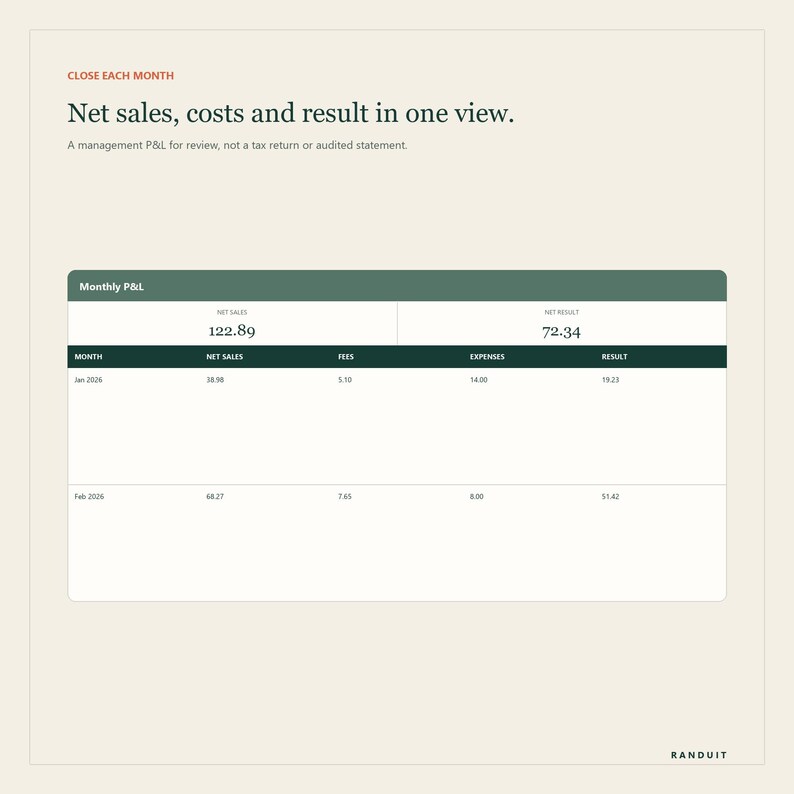
8. Monthly P&L - net sales, fees, variable costs, operating expenses, result, payouts and deposits.
9. Dashboard - year-to-date performance plus unreconciled sales, open payouts, variances and missing IDs.
THE THREE-NUMBER RECONCILIATION
The workbook deliberately keeps three figures separate:
1. Ledger order net: net sales minus actual order-level fees for the payout period.
2. Platform-reported payout: what Etsy, Gumroad or another channel says it sent after account-level charges, reserve movements or credits.
3. Actual bank deposit: what arrived in the bank or payment account.
The first variance shows whether the transaction ledger plus documented adjustments agrees with the platform payout. The second shows whether the reported payout agrees with the bank deposit. This helps locate the stage where a difference needs review.
WHY THERE ARE NO BUILT-IN FEE PERCENTAGES
Fee schedules vary by platform, country, payment method, currency, advertising source and account status, and can change. Instead of presenting a temporary estimate as accounting truth, this workbook asks you to enter actual transaction and payout values from your current reports. Historical records remain understandable after a platform changes pricing.
PRODUCT PROFITABILITY
Give every listing a short Product ID and use it in Sales Ledger. Product Profitability automatically shows:
- Units sold
- Buyer-paid total
- Platform-remitted tax
- Refunds
- Net sales
- Actual order fees
- Configured variable delivery cost
- Contribution and contribution margin
Shared operating expenses stay separate in Monthly P&L so they are not silently assigned to the wrong product.
WHAT YOU ENTER MANUALLY
- Product catalog and stable Product IDs
- Completed sales from current transaction records
- Tax collected and remitted by a marketplace, when shown
- Refunds and actual order-level fees
- Operating expenses not already captured in Sales Ledger
- Payout dates, IDs, covered periods and reported amounts
- Signed account-level charges, credits or reserve movements
- Actual bank deposits and explanatory references
WHAT IT DOES NOT DO
- It does not connect to Etsy, Gumroad, a bank or accounting software.
- It does not import CSV files or transactions automatically.
- It does not calculate or file taxes.
- It does not decide accounting or tax classifications.
- It does not replace source statements, receipts or professional advice.
- It does not guarantee every platform export uses the example labels.
PRIVACY BY DESIGN
Buyer names, email addresses, postal addresses and payment details are not needed. Use an order number, shortened reference or internal reference instead. Never store platform passwords, recovery codes, API keys, tax IDs, full bank account numbers or banking credentials in the file. Keep Google Drive General access set to Restricted.
COMPATIBILITY AND DELIVERY
- Instant digital download; no physical item is shipped
- Designed for Google Sheets; a free Google account is recommended
- Delivered as XLSX plus four PDF guides
- Modern Microsoft Excel can open the workbook, but chart styling and layout should be checked after import
- Desktop is recommended for initial setup and monthly reconciliation
- Dashboard and quick reviews can be used on a phone or tablet
- Workbook and guides are in English
IMPORTANT SCOPE
This is a manual recordkeeping, business-organization and reconciliation template. It is not accounting, tax, legal, financial or business advice. Monthly P&L is an internal management summary, not a tax return, statutory account, audited statement or platform report.
Platform interfaces, exports, tax handling, reserves, fees and payout timing can change. Verify each figure against current records and ask a qualified professional to review reporting, retention and classification requirements where appropriate.
SINGLE-BUSINESS LICENSE
One purchase is for use by one buyer in one business. Files may not be resold, redistributed, sublicensed, shared as a template or used to create a competing product.
FREQUENTLY ASKED QUESTIONS
Does it connect directly to Etsy or Gumroad?
No. It is intentionally manual. You enter relevant values from your current reports, so no password, API access or subscription is required.
Does it calculate platform fees automatically?
It totals the actual fees you enter. It does not assume a fee percentage because fees vary and change. This product is for reconciliation, not a pre-sale fee estimate.
Can I use another platform?
Yes. Shopify, Stripe, PayPal, Direct and Other are included as optional channels. Use the report concepts that apply and document any difference.
Can I use more than one currency?
Use one reporting currency per workbook. Convert foreign-currency values consistently and keep the exchange-rate source with separate records.
Is Monthly P&L ready to file with tax authorities?
No. It is an internal management summary. Verify figures and classifications under applicable rules with a qualified adviser.
Can I track physical products?
The rows can record them, but this version is designed for digital sellers. It does not include inventory, shipping labels, physical COGS batches or stock controls.
Can I use several shops?
Several channels can share one workbook when they belong to the same reporting setup and currency. Use separate copies when businesses, entities, currencies or obligations differ.
© 2026 HOST-C. All rights reserved. Etsy is a trademark of Etsy, Inc.; Gumroad is a trademark of Gumroad, Inc. This independent product is not affiliated with or endorsed by either platform.
If something goes wrong with an order, we've got your back for all eligible purchases. View program terms
Price:$15.24
You can only make an offer when buying a single item
Delivery
Instant download
Your files will be available to download once payment is confirmed. Here's how.
Instant download items don't accept returns, exchanges or cancellations. Please contact the seller about any problems with your order.
Seller's description
Specifications
Reconcile marketplace payouts, fees, refunds and profit in one Google Sheets dashboard built for digital sellers.
AT A GLANCE
English only. Instant digital download: 1 Google Sheets-ready XLSX workbook with 9 tabs + 4 PDF guides. Import the XLSX into Google Sheets and save a private Google Sheets copy. A free Google account is recommended.
Digital files only: no physical item, standalone app, consultation or seller-managed cloud service.
One reporting currency per workbook. No marketplace/bank connection, automatic import or tax filing.
HOW TO START
1. Import the XLSX into Google Sheets.
2. Enter amounts from statements manually.
3. Record the payout and bank deposit.
4. Review variances and monthly results.
Keep Google Drive General access set to Restricted and invite only authorized people. Desktop setup is recommended; wide tables can require horizontal scrolling on a phone.
WATCH THE PRODUCT PREVIEW
The listing video shows actual workbook previews with fictional data: Enter the actual bank deposit. A mismatch is flagged for review. Previews are rendered in LibreOffice from copies of the delivered XLSX, not recorded in Google Sheets. Appearance may differ after import.
Your sales total, platform balance, payout and bank deposit are different numbers. Digital Seller Payout & Profit Tracker gives Etsy, Gumroad and multi-channel digital sellers one connected Google Sheets-ready system for following money from each transaction to the amount that actually reaches the bank.
This is not another generic income-and-expense list. It separates marketplace-remitted tax, refunds, order-level fees, account-level charges, reserves or credits, platform-reported payouts and bank deposits so you can see exactly where a difference appears. The same records also produce product contribution and a monthly management P&L.
WHAT YOU RECEIVE
- Google Sheets-ready XLSX workbook with 9 connected tabs
- Sales Ledger with 500 transaction rows
- Expense log with 300 rows
- Payout Reconciliation with 200 payout rows
- Product catalog and automatic product-name matching
- Product profitability by units, net sales, refunds, fees and variable cost
- Monthly P&L for the reporting year you select
- Dashboard with profit and reconciliation controls
- Editable platform and expense-category lists
- Fictional Etsy and Gumroad examples showing the complete workflow
- Four PDF guides: Quick Start, Monthly Reconciliation Checklist, Etsy & Gumroad Data Entry Map, and Privacy & Scope
THE NINE TABS
1. Start Here - setup sequence, the three-number reconciliation method and boundaries.
2. Settings - reporting year, currency, shop label, platforms and expense categories.
3. Products - stable Product IDs, names, list prices and optional variable delivery cost.
4. Sales Ledger - sale date, platform, reference, product, units, buyer total, remitted tax, refund and actual fees.
5. Expenses - operating costs not already recorded as order fees.
6. Payout Reconciliation - ledger order net, signed adjustments, reported payout, bank deposit and two variance checks.
7. Product Profitability - automatic totals and contribution margin for every Product ID.
8. Monthly P&L - net sales, fees, variable costs, operating expenses, result, payouts and deposits.
9. Dashboard - year-to-date performance plus unreconciled sales, open payouts, variances and missing IDs.
THE THREE-NUMBER RECONCILIATION
The workbook deliberately keeps three figures separate:
1. Ledger order net: net sales minus actual order-level fees for the payout period.
2. Platform-reported payout: what Etsy, Gumroad or another channel says it sent after account-level charges, reserve movements or credits.
3. Actual bank deposit: what arrived in the bank or payment account.
The first variance shows whether the transaction ledger plus documented adjustments agrees with the platform payout. The second shows whether the reported payout agrees with the bank deposit. This helps locate the stage where a difference needs review.
WHY THERE ARE NO BUILT-IN FEE PERCENTAGES
Fee schedules vary by platform, country, payment method, currency, advertising source and account status, and can change. Instead of presenting a temporary estimate as accounting truth, this workbook asks you to enter actual transaction and payout values from your current reports. Historical records remain understandable after a platform changes pricing.
PRODUCT PROFITABILITY
Give every listing a short Product ID and use it in Sales Ledger. Product Profitability automatically shows:
- Units sold
- Buyer-paid total
- Platform-remitted tax
- Refunds
- Net sales
- Actual order fees
- Configured variable delivery cost
- Contribution and contribution margin
Shared operating expenses stay separate in Monthly P&L so they are not silently assigned to the wrong product.
WHAT YOU ENTER MANUALLY
- Product catalog and stable Product IDs
- Completed sales from current transaction records
- Tax collected and remitted by a marketplace, when shown
- Refunds and actual order-level fees
- Operating expenses not already captured in Sales Ledger
- Payout dates, IDs, covered periods and reported amounts
- Signed account-level charges, credits or reserve movements
- Actual bank deposits and explanatory references
WHAT IT DOES NOT DO
- It does not connect to Etsy, Gumroad, a bank or accounting software.
- It does not import CSV files or transactions automatically.
- It does not calculate or file taxes.
- It does not decide accounting or tax classifications.
- It does not replace source statements, receipts or professional advice.
- It does not guarantee every platform export uses the example labels.
PRIVACY BY DESIGN
Buyer names, email addresses, postal addresses and payment details are not needed. Use an order number, shortened reference or internal reference instead. Never store platform passwords, recovery codes, API keys, tax IDs, full bank account numbers or banking credentials in the file. Keep Google Drive General access set to Restricted.
COMPATIBILITY AND DELIVERY
- Instant digital download; no physical item is shipped
- Designed for Google Sheets; a free Google account is recommended
- Delivered as XLSX plus four PDF guides
- Modern Microsoft Excel can open the workbook, but chart styling and layout should be checked after import
- Desktop is recommended for initial setup and monthly reconciliation
- Dashboard and quick reviews can be used on a phone or tablet
- Workbook and guides are in English
IMPORTANT SCOPE
This is a manual recordkeeping, business-organization and reconciliation template. It is not accounting, tax, legal, financial or business advice. Monthly P&L is an internal management summary, not a tax return, statutory account, audited statement or platform report.
Platform interfaces, exports, tax handling, reserves, fees and payout timing can change. Verify each figure against current records and ask a qualified professional to review reporting, retention and classification requirements where appropriate.
SINGLE-BUSINESS LICENSE
One purchase is for use by one buyer in one business. Files may not be resold, redistributed, sublicensed, shared as a template or used to create a competing product.
FREQUENTLY ASKED QUESTIONS
Does it connect directly to Etsy or Gumroad?
No. It is intentionally manual. You enter relevant values from your current reports, so no password, API access or subscription is required.
Does it calculate platform fees automatically?
It totals the actual fees you enter. It does not assume a fee percentage because fees vary and change. This product is for reconciliation, not a pre-sale fee estimate.
Can I use another platform?
Yes. Shopify, Stripe, PayPal, Direct and Other are included as optional channels. Use the report concepts that apply and document any difference.
Can I use more than one currency?
Use one reporting currency per workbook. Convert foreign-currency values consistently and keep the exchange-rate source with separate records.
Is Monthly P&L ready to file with tax authorities?
No. It is an internal management summary. Verify figures and classifications under applicable rules with a qualified adviser.
Can I track physical products?
The rows can record them, but this version is designed for digital sellers. It does not include inventory, shipping labels, physical COGS batches or stock controls.
Can I use several shops?
Several channels can share one workbook when they belong to the same reporting setup and currency. Use separate copies when businesses, entities, currencies or obligations differ.
© 2026 HOST-C. All rights reserved. Etsy is a trademark of Etsy, Inc.; Gumroad is a trademark of Gumroad, Inc. This independent product is not affiliated with or endorsed by either platform.
-
Designed by
-
Item typeDigital download
-
Digital file type(s)4 PDF, 1 other file
If something goes wrong with an order, we've got your back on all eligible purchases. View program terms
Meet your seller

More from this shop
-
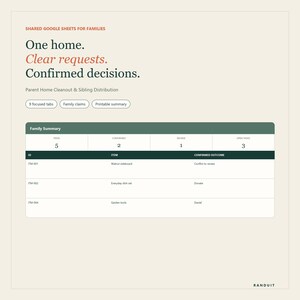
Digital download
Parent Home Cleanout and Sibling Organizer Google Sheets
$11.72
-
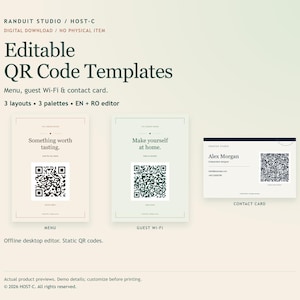
Digital download
Editable QR Code Templates: Menu, Wi-Fi Sign & Business Card (EN/RO)
$8.10
-
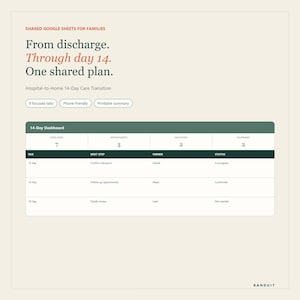
Digital download
Hospital Discharge and Family Care Planner Google Sheets
$11.72
-
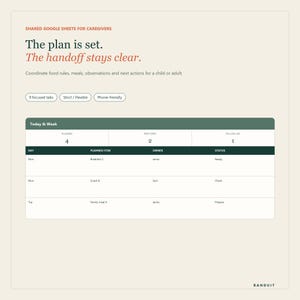
Digital download
Caregiver Meal and Symptom Tracker Google Sheets
$10.55
-

Digital download
Menopause Symptom Tracker and HRT Journal Google Sheets
$10.55
-
Digital download
Aging Parent Caregiver and Sibling Planner Google Sheets
$11.72
-

Digital download
Etsy Bookkeeping Spreadsheet, Monthly Statement Import, Revenue Fee and Profit Tracker for Sellers, Excel Google Sheets
Sale Price $10.97
Original Price $21.95
-

Digital download
Sales Tracker Spreadsheet | Excel & Google sheets Sales and Gross Profit Tracker for Businesses | Automative Product Sales with MRR and PLR
$15.46
-

Digital download
Easy Bookkeeping Spreadsheet | Small Business Finance Tracker (Digital Download)
Sale Price $6.22
Original Price $12.44
-
Digital download
Small Business Profit and Loss Tracker, Easy to Use Excel Tool for Side Hustles, Startup Financial Management, Small Business Bookkeeping
$14.46
-

Digital download
Easy Bookkeeping Template: Excel and Google Sheets Small Business Financial Planner Profit & Loss (Digital Download)
Sale Price $6.22
Original Price $12.44
-

Digital download
Google Sheets Profit & Loss / Income Tracker for Small Businesses and Agencies
$39.00
-
Digital download
Simple Bookkeeping Excel Spreadsheet for Individual and Small Business, Monthly Annual Profit and Loss Trackers, Profit Margin Tracker Excel
$11.67
-
Digital download
Automated Profit and Loss Statement: Small Business Excel Template
$5.00
-
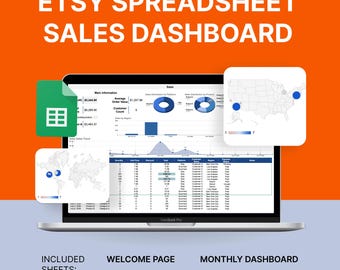
Digital download
Etsy Sales Tracker Spreadsheet: Finance Dashboard (Google Sheets)
$10.00
-

Digital download
Bookkeeping Template Sales Tracker For Small Business Google Sheets and Microsoft Excel (Instant Download)
Sale Price $10.07
Original Price $13.43
-
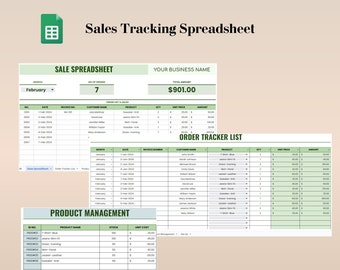
Digital download
Sales Tracker Google Sheet, Order Tracking Spreadsheet, Small Business Spreadsheets, Monthly Order Tracker, Sales Dashboard Spreadsheet
Sale Price $3.50
Original Price $10.00
-

Digital download
Profit and Loss Statement Excel Template – P&L Spreadsheet for Small Business, Monthly Quarterly Annual Tracker
$11.90
Shoppers with similar taste loved these
-

Digital download
Modern Editable Printable Blush INVOICE Form Template, Billing Form
Sale Price $2.89
Original Price $7.24
-
Digital download
Minimalist Invoice Template, Digital, Business Invoice, Simple, Modern, New Opening, Boho, Canva, Editable, Online Invoice, Small Business
$5.99
-

Digital download
Invoice Template, Editable Invoice for Clients, Printable Billing Form, Professional Services Invoice, Canva Template for Small Businesses
Sale Price $2.05
Original Price $4.11
-

Digital download
Makeup Artist Invoice Template | Salon Printable Invoice | Custom Order Forms | Invoice Canva Template | Editable Billing Form | Order Form
$2.00
-

Digital download
Minimalist Invoice Template, Boho Small Business, Modern Client Invoice, Editable Template, Services Invoice, Business Invoice, M9
Sale Price $6.99
Original Price $9.99
-

Digital download
Small Business Receipt Template, INSTANT DOWNLOAD, Business Invoice, Canva Template, Editable Receipt Form, Printable Receipt, Minimalist
$1.39
-
Digital download
Invoice Template Bundle, Editable on Canva, Customizable, Small Business Custom Order Form Printable, Invoice Form, Modern, Instant Download
$3.70
-
Digital download
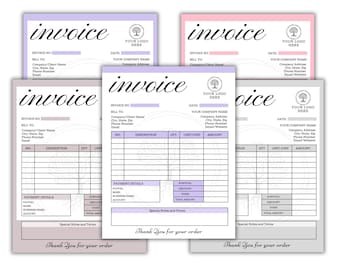
Editable Invoice Template, Order Form Template, Printable Small Business Invoice Template, Custom Order Form, Modern Invoice in 5 Colors
$2.13
-
Digital download
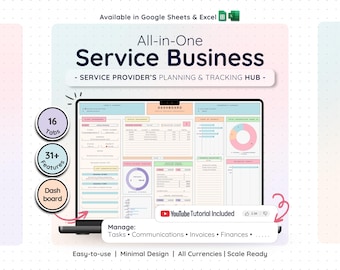
Service Business CRM Dashboard: Bookkeeping, Tasks & Invoice Tracker — Google Sheets, Excel
Sale Price $15.19
Original Price $30.39
-

Tax preparer I'm Not Arguing I'm Just Explaining Why I'm Right Tax preparer Gift Funny Shirt Novelty Gag Gift Office Desk Boss Gift
$17.95
-
Digital download
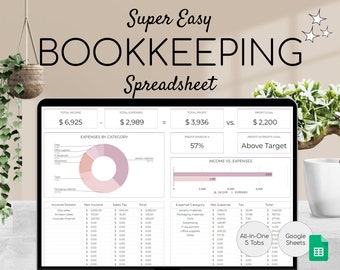
Easy Bookkeeping Template | Small Business Finance Spreadsheet | Income and Expense Tracker | Profit and Loss | Accounting Google Sheets
Sale Price $1.00
Original Price $2.50
-
Digital download
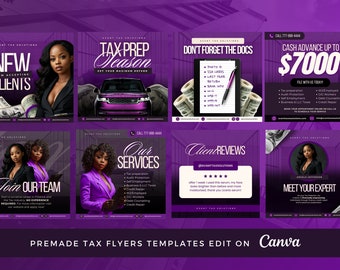
Tax Prep Flyer Template Bundle | DIY Tax Business Branding (Canva Editable, Digital Download)
$7.99


