


NowPrice:$2.39
Original Price: $3.99
40% off
Sale ends in 6 days
Simple Paycheck Budget Spreadsheet, Budget by Paycheck, Bill Tracker, Biweekly and Monthly (Google Sheets, Excel)
Here's what's eligible:
- Your order doesn't match the item description or photos
- Your item arrived damaged
- Your item arrived after the estimated arrival window
- Your item didn't arrive or was lost in the mail
You can only make an offer when buying a single item
Highlights
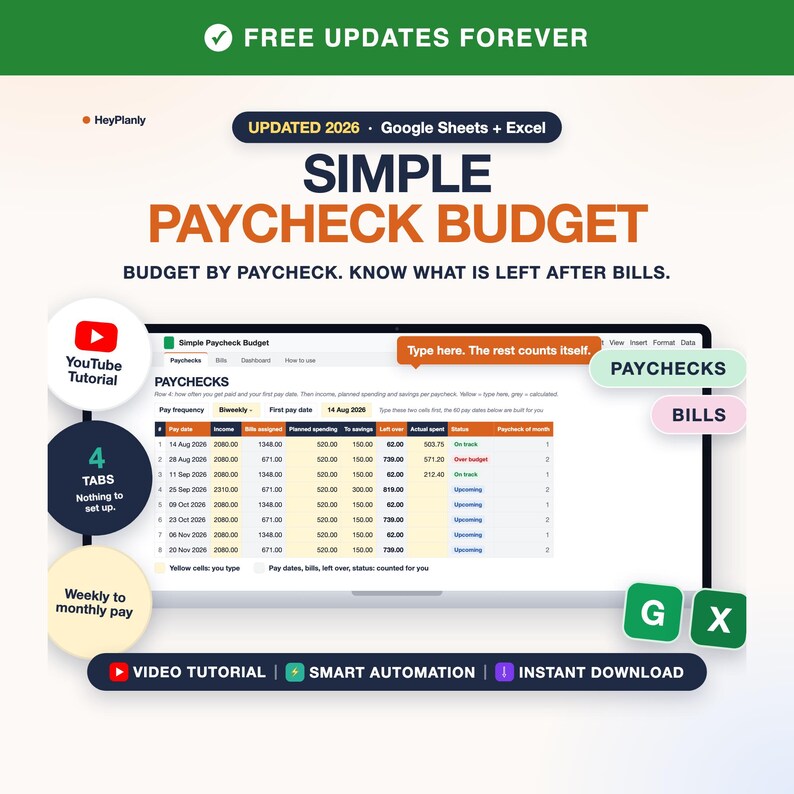
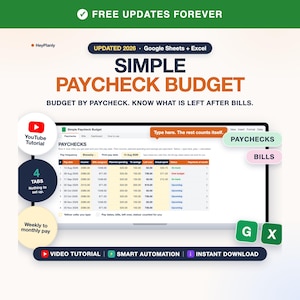
Something simple: what comes in, what goes out and what is left, paycheck by paycheck. No 10-tab system, no setup. Four tabs: type your bills once, type each paycheck, and the file tells you what is left after bills. A quick and easy sheet to track your bills and your paychecks, for anyone who has said "sometimes just basic would be good".
Simple Paycheck Budget Spreadsheet for Google Sheets and Excel: budget by paycheck, weekly, biweekly, semi-monthly or monthly.
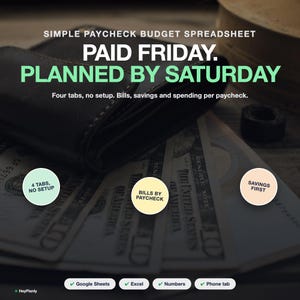
⚡ START SIMPLE: 4 TABS, NOTHING TO SET UP
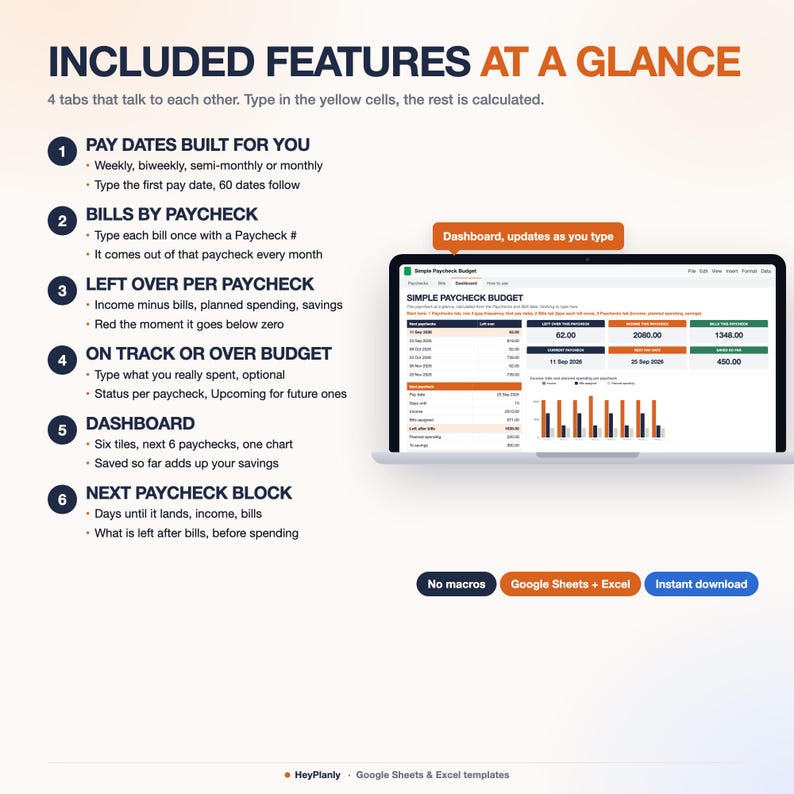
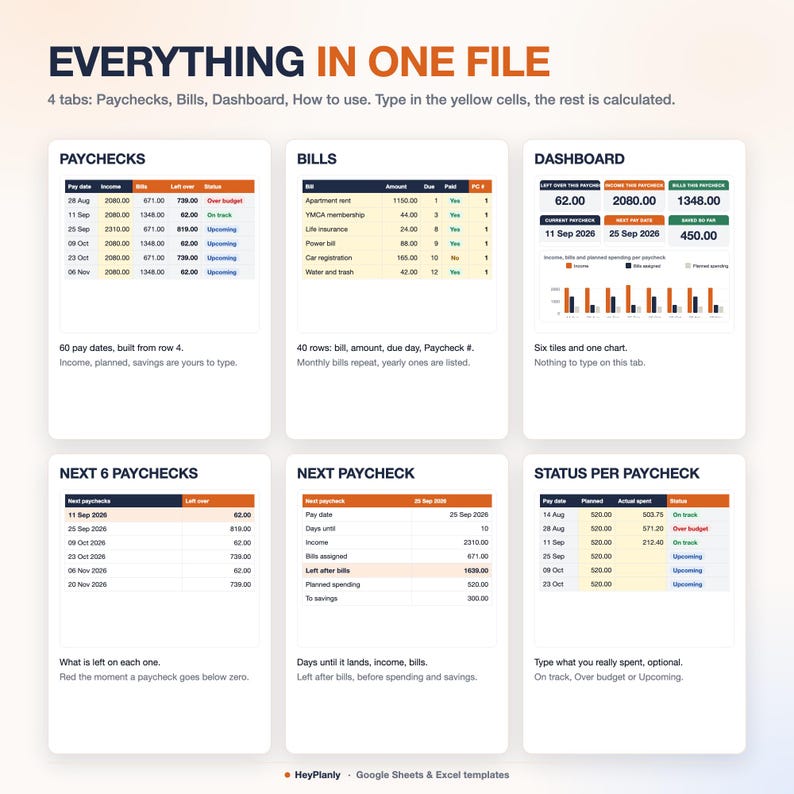
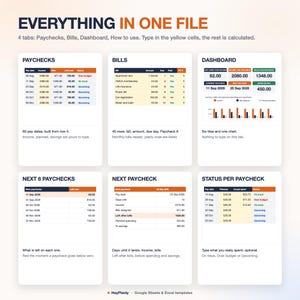
Paychecks, Bills, Dashboard, How to use. That is the whole file. The Paychecks tab opens first: row 4 asks how often you get paid and your first pay date, and 60 pay dates are built for you. Everything else is yellow cells you type and grey cells that count themselves.
Want more later? The Paycheck Budget Spreadsheet in this shop (10 tabs) adds a Bill Calendar, an expense log with auto categories and Sinking Funds. Same Paychecks and Bills columns, so your rows paste straight across. This listing is the simple one on purpose.
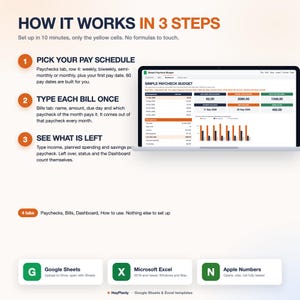
⏱ SET UP IN 10 MINUTES
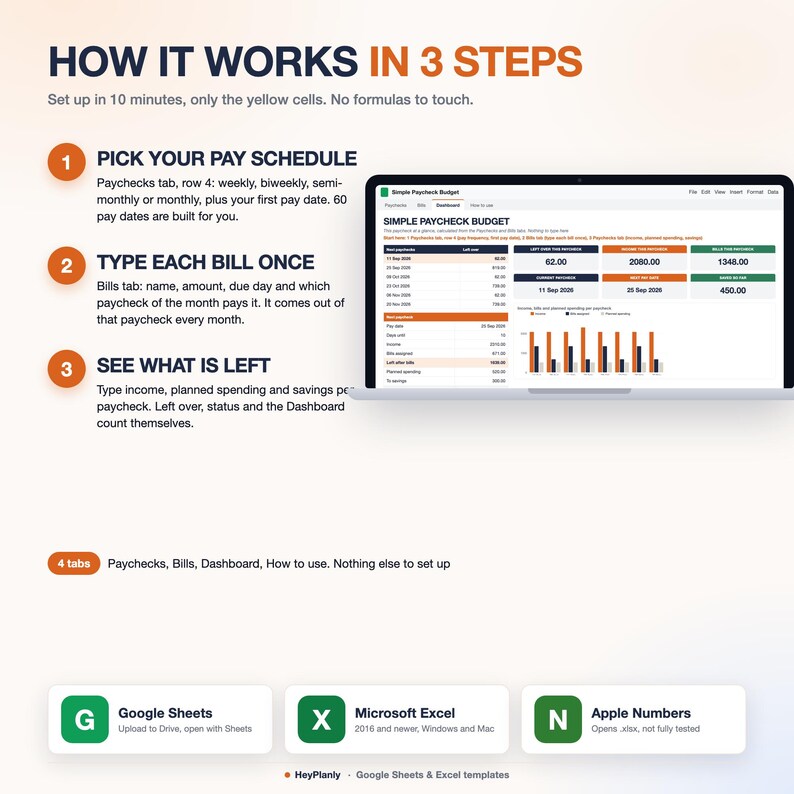
1. Paychecks tab, row 4: pick weekly, biweekly, semi-monthly or monthly and type your first pay date. Two yellow cells, 60 pay dates appear. 1 minute
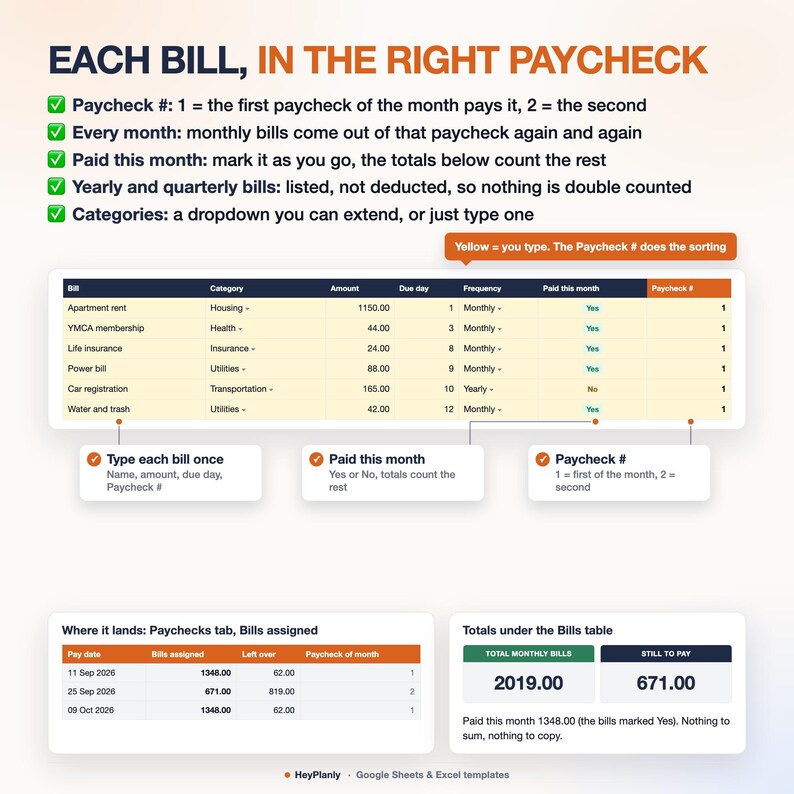
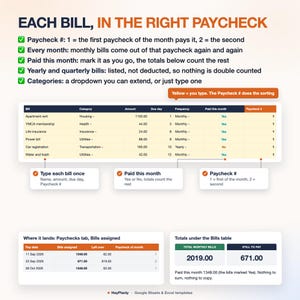
2. Bills tab: type each bill once: name, amount, due day, frequency and which paycheck of the month pays it (1 = first, 2 = second). Monthly bills come out of that paycheck every month. 5 minutes
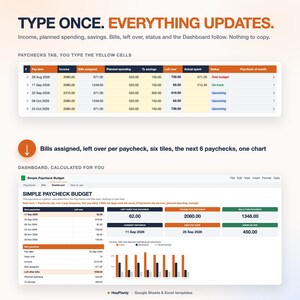
3. Paychecks tab: type your income and what you plan to spend and put into savings for each paycheck. Bills assigned, left over and the status fill themselves. Delete the sample rows or use the blank copy. Done
Not a system to learn: a list of paychecks with what is left on each one. Left over per paycheck (red the moment it goes below zero), On track or Over budget once you type what you really spent, the next 6 paychecks on the Dashboard, and a Next paycheck block that says how many days until it lands and what is left after bills. Pay once, keep the file for years.
▶ WATCH THE DEMO
Short preview: the listing video above. Step-by-step guide in the How to use tab.
✅ FEATURES
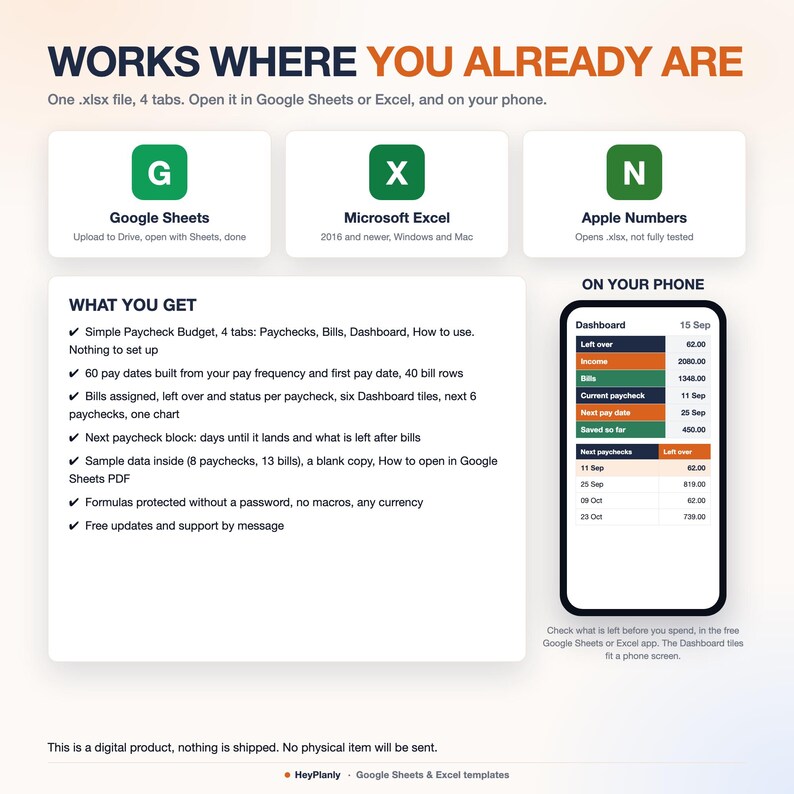
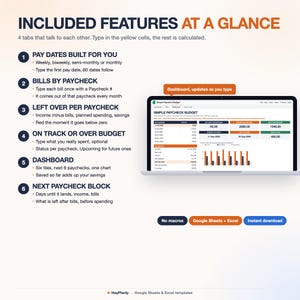
✓ 4 tabs: Paychecks, Bills, Dashboard, How to use. Nothing optional, nothing to configure
✓ Pay dates built for you: weekly, biweekly, semi-monthly or monthly, 60 pay periods from your first pay date
✓ Bills by paycheck: type each bill once with a Paycheck #, it comes out of that paycheck every month
✓ Left over per paycheck = income minus bills, planned spending and savings, red below zero
✓ Status per paycheck: type what you actually spent (optional) and see On track or Over budget; future paychecks say Upcoming
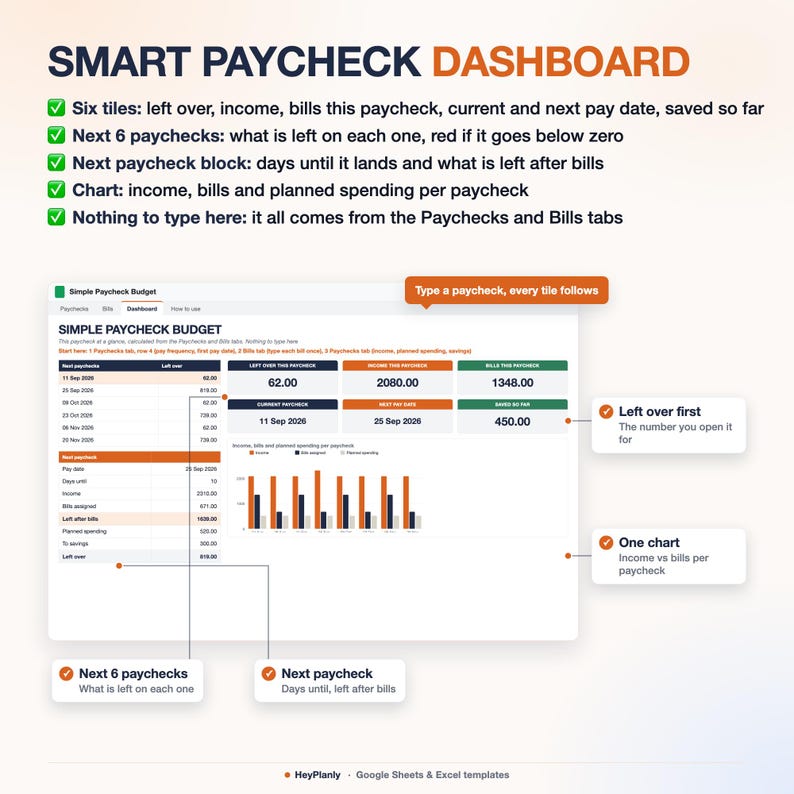
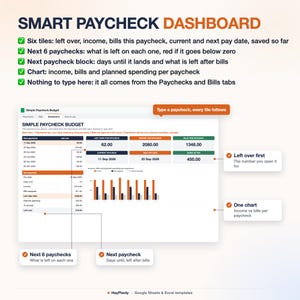
✓ Dashboard: left over, income, bills this paycheck, current and next pay date, saved so far, the next 6 paychecks, one chart
✓ Next paycheck block: pay date, days until it lands, income, bills assigned and what is left after bills before spending and savings
✓ Bills tab totals: total monthly bills, paid this month, still to pay
✓ Yearly and quarterly bills are listed, not deducted, so nothing is double counted
✓ Categories from a dropdown you can extend (yellow list on the Bills tab), or just type one
✓ Formulas protected without a password, unlock any time
✓ Sample data inside, blank copy included
✨ WHAT'S INSIDE
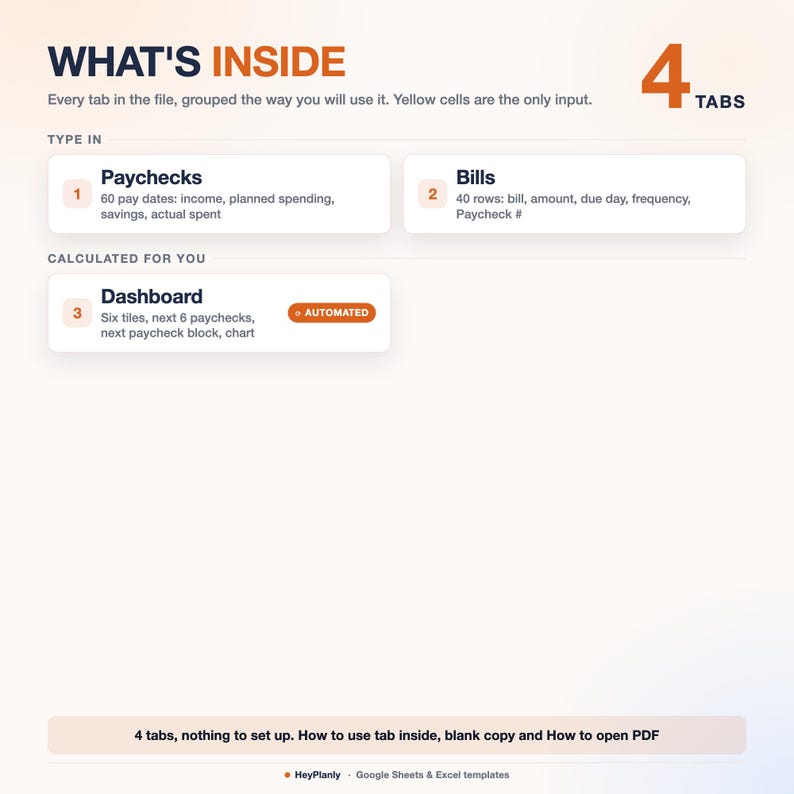
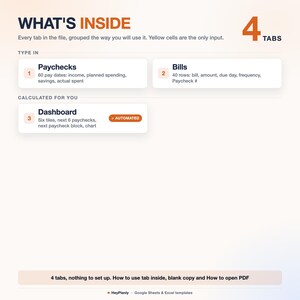
4 TABS + step-by-step guide
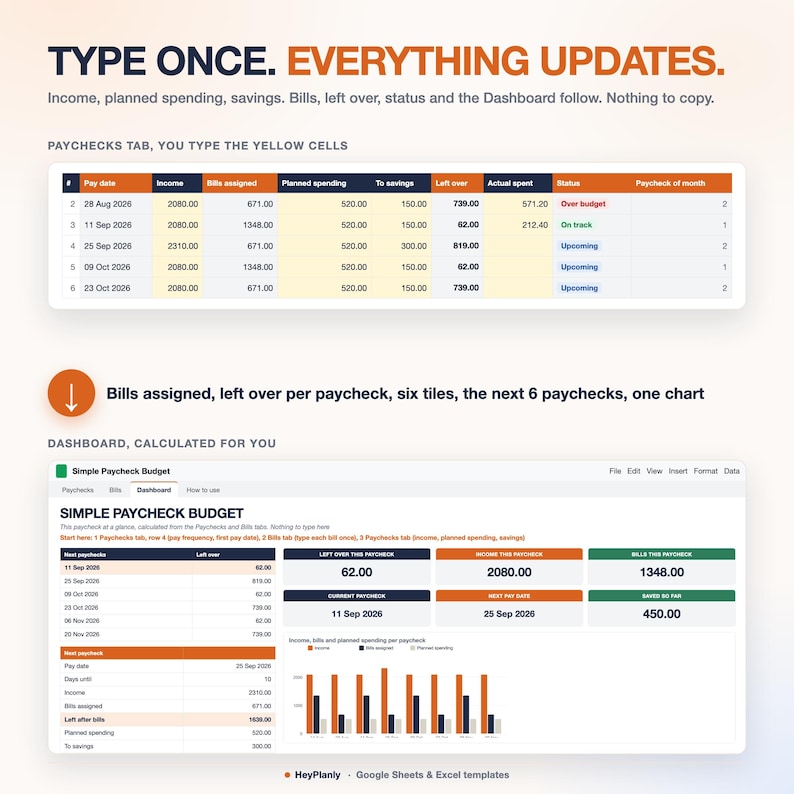
✓ Paychecks (first tab): row 4 with pay frequency and first pay date, then 60 rows with pay date (built), income, bills assigned (from the Bills tab), planned spending, to savings, left over, actual spent, status and paycheck of month. Yellow: income, planned spending, to savings, actual spent
✓ Bills: 40 rows with bill, category, amount, due day, frequency (Monthly, Quarterly, Yearly, One-time), auto-pay, paid this month, Paycheck # and notes. Totals under the table. Category list in a yellow column you can extend
✓ Dashboard: six tiles (left over this paycheck, income, bills, current paycheck, next pay date, saved so far), next 6 paychecks with what is left, the Next paycheck block (days until, income, bills, left after bills, planned, savings, left over) and a chart of income, bills and planned spending per paycheck. Nothing to type there
✓ How to use: 3 steps, Good to know, Opening the file. 13 short lines, not a manual
📦 YOU WILL RECEIVE
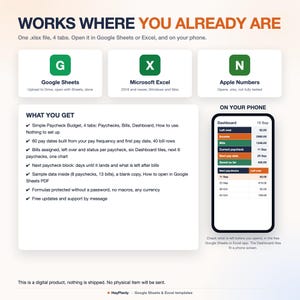
✓ Simple_Paycheck_Budget_v1.xlsx (4 tabs, sample data inside: 8 paychecks, 13 bills)
✓ Simple_Paycheck_Budget_blank.xlsx (blank copy, pay frequency and categories kept)
✓ How to open in Google Sheets (PDF)
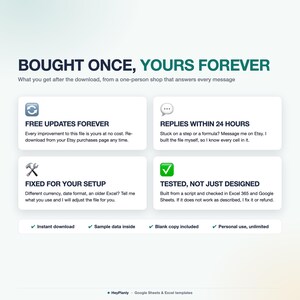
Reuse year after year: pay once, free updates
💵 WHAT THE NUMBERS MEAN
Bills assigned = the monthly bills whose Paycheck # matches this paycheck's place in the month (1st, 2nd, 3rd). Left over = income minus bills assigned, planned spending and to savings. Status = Upcoming for a future pay date, then Over budget if actual spent is more than planned, else On track. Saved so far = the To savings cells up to the current paycheck. Left after bills = next paycheck's income minus its bills, before spending and savings. A month with three paychecks: the third one has no bills unless you give a bill the number 3.
🔓 FULLY EDITABLE, NOTHING LOCKED AWAY
Formula cells are protected so nothing breaks by accident. No password: Review > Unprotect Sheet (Excel) or the protected-range message (Google Sheets) if you want to change anything, add rows or colours. A number shows as ####? Drag the column wider, that works without unprotecting. Need a column added? Message me, small tweaks are free.
👤 WHO IT'S FOR
Anyone paid weekly, biweekly, twice a month or monthly who wants to see what is left after bills on each paycheck without learning a system: a first budget, a single income, a couple who types both incomes into one paycheck, someone who bought a 10-tab budget and used two tabs. If your last budget had too much going on, this one is four tabs. Any currency, any date format.
📱 WORKS IN
✓ Microsoft Excel 2016+ and Microsoft 365 (Windows and Mac), works offline
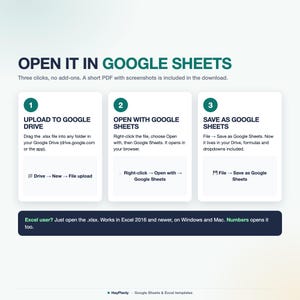
✓ Google Sheets (free Google account, after File > Save as Google Sheets)
✓ Google Sheets and Excel mobile apps: check what is left before you spend; the Dashboard reads best on a laptop
✓ Apple Numbers: opens, chart and colours may differ; use Excel or Google Sheets for the best result
✓ No macros, no add-ons, no LET or XLOOKUP, so it opens everywhere
🚫 WHAT THIS IS NOT
Not a bank sync: nothing downloads from your bank, you type your bills and paychecks. Not an expense log with categories, not a bill calendar, not sinking funds (that is the Paycheck Budget Spreadsheet in the same shop, 10 tabs, same columns). Not a printable or a PDF planner, not a Goodnotes or Notion template, not an app or a subscription. It is one .xlsx spreadsheet (plus a blank copy and a short PDF guide on opening it in Google Sheets) that you open in Excel or Google Sheets and keep for years. Not financial advice: it counts what you type.
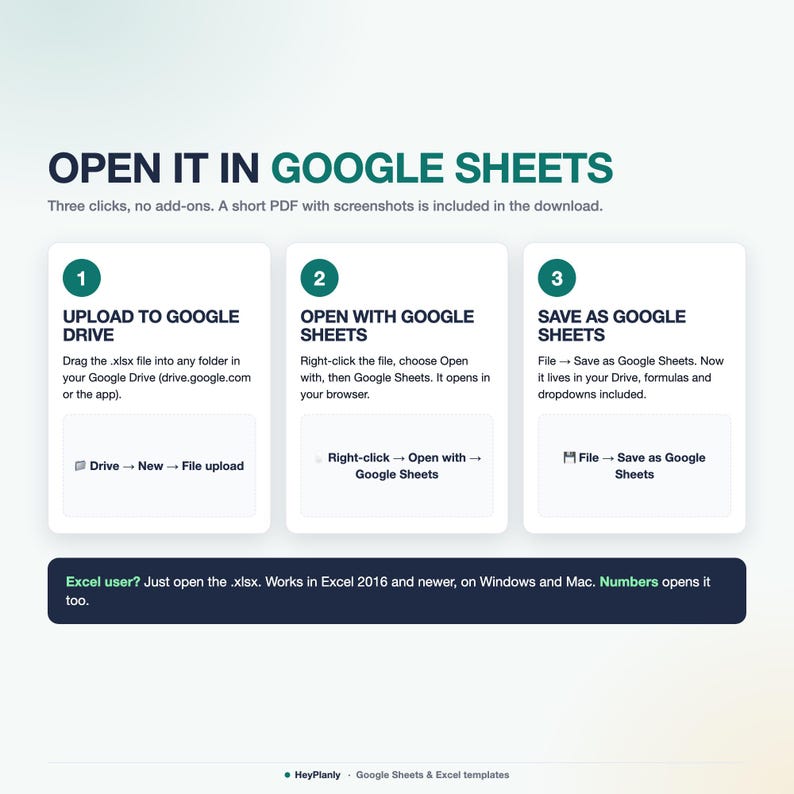
📂 HOW TO OPEN IN GOOGLE SHEETS
Upload the file to Google Drive, right-click → Open with → Google Sheets, then File → Save as Google Sheets. All formulas and the chart work (Google Sheets may drop some dropdown arrows after conversion: the PDF shows how to restore them in 10 seconds).
❓ FAQ
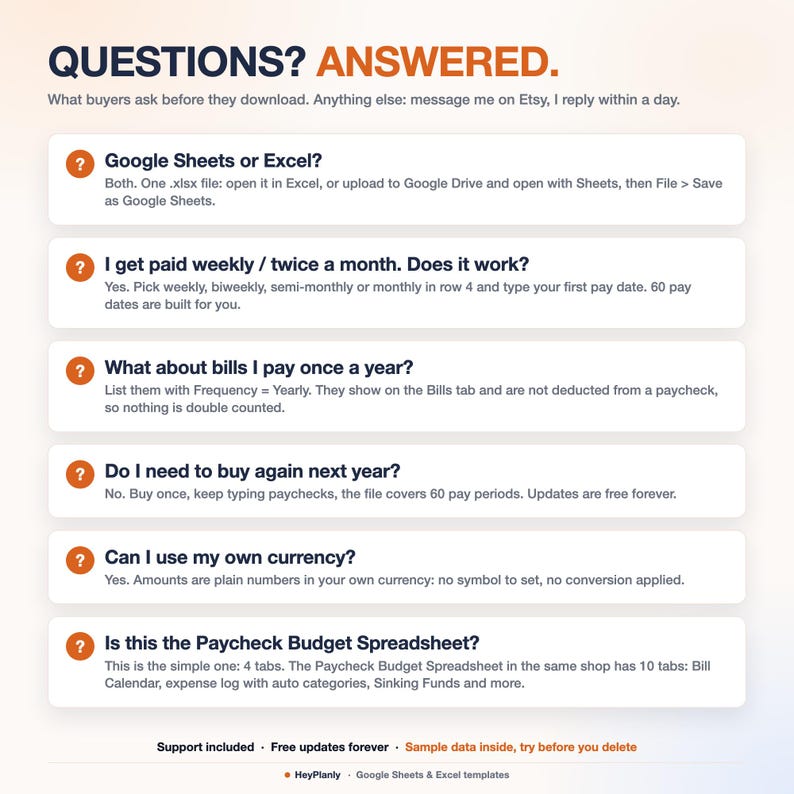
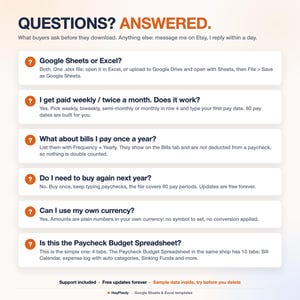
Google Sheets or Excel? Both, it is an .xlsx file. Excel opens it directly, Google Sheets after File > Save as Google Sheets.
I get paid weekly / twice a month. Does it work? Yes. Pick weekly, biweekly, semi-monthly or monthly in row 4 and type your first pay date. Semi-monthly means your first pay date and 15 days later, then the same days next month.
What about bills I pay once a year? List them with Frequency = Yearly (or Quarterly, One-time). They show on the Bills tab and are not deducted from a paycheck. Put money aside for them in To savings.
Two incomes? Type both into the Income cell of the paycheck they arrive with. A partner paid monthly: add that salary to the paycheck closest to its date.
A month with three paychecks? The third paycheck has no bills assigned unless you give a bill the number 3, so it is all left over.
Is this the Paycheck Budget Spreadsheet? No. This is the simple one: 4 tabs. That one has 10 tabs (Bill Calendar, expense log with auto categories, Sinking Funds, Phone tab). Same Paychecks and Bills columns, so you can move up any time.
Do I need to buy again next year? No. Keep typing paychecks, the file covers 60 pay periods. Free updates.
🛍️ ALSO IN THE SHOP
✓ Paycheck Budget Spreadsheet (10 tabs: Bill Calendar, expense log, Sinking Funds): https://www.etsy.com/shop/HeyPlanly
✓ Simple Monthly Budget Spreadsheet: https://www.etsy.com/shop/HeyPlanly
✓ Bill Calendar Spreadsheet: https://www.etsy.com/shop/HeyPlanly
⬇️ INSTANT DOWNLOAD
This is a digital product. Nothing will be shipped. After purchase, download the .xlsx file from your Etsy purchases page or the email Etsy sends you. The file comes with sample data (8 biweekly paychecks from August 2026, 13 bills) so you can see how it works, delete it and add yours, or start from the blank copy.
⚠️ PLEASE NOTE
Built and tested in Excel 365 desktop and Google Sheets. Excel Online and the free mobile apps open the file for viewing and light editing, but protected sheets and the chart render best on desktop. Colours may look slightly different between apps. Formula cells are protected so nothing breaks by accident, no password: Review > Unprotect Sheet (Excel) or the protected-range message (Google Sheets) if you want to change anything, add rows or colours.
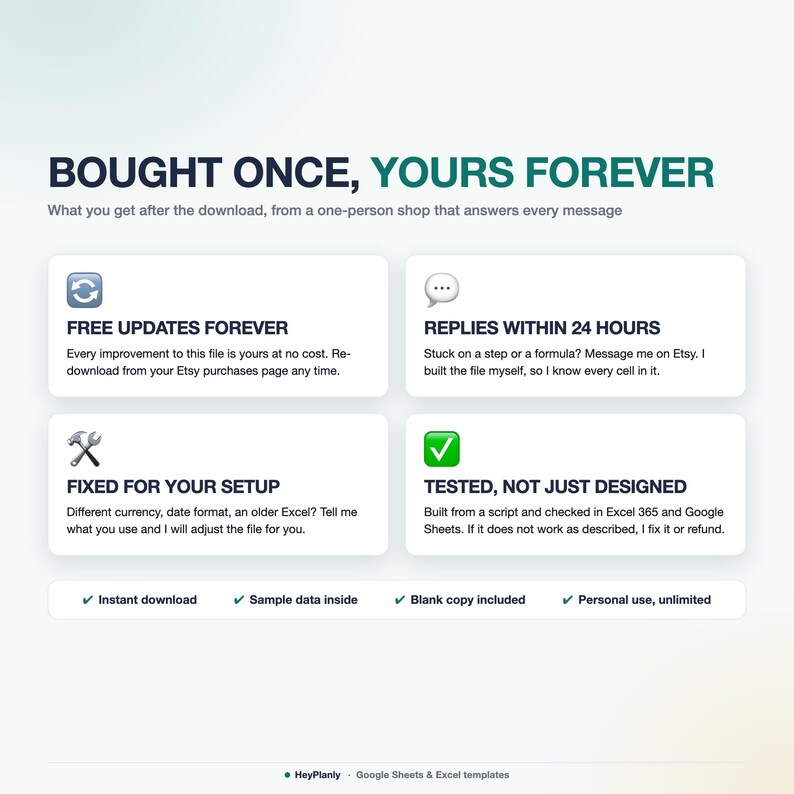
This is a budgeting tool, not financial advice. Instant download, so no refunds for change of mind. If something doesn't work as described, message me and I'll fix it or refund. For personal use only, please do not resell or share the file.
💬 QUESTIONS?
Message me any time, I reply within 24 hours. If something doesn't work on your setup, I'll fix it for you. Need a column added? Small tweaks are free.
HeyPlanly: spreadsheets that actually calculate.
Instant Download
Your files will be available to download once payment is confirmed. Here's how.
Instant download items don’t accept returns, exchanges or cancellations. Please contact the seller about any problems with your order.
Etsy Purchase Protection
Shop confidently on Etsy knowing if something goes wrong with an order, we've got your back for all eligible purchases —
see program terms


More from this shop
Visit shop-
Digital download
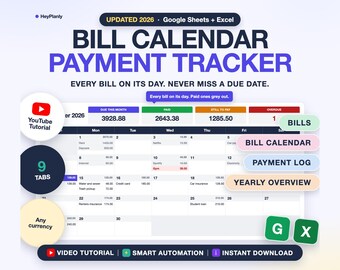
Bill Tracker Spreadsheet, Monthly Bill Calendar, Budget Calendar, Payment Checklist, Due Dates (Google Sheets, Excel)
Sale Price $5.99
Original Price $9.99
-
Digital download
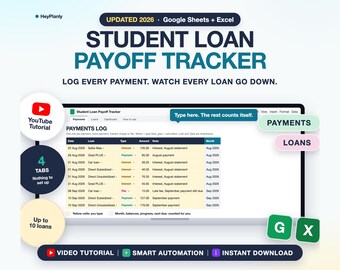
Student Loan Payoff Tracker Spreadsheet, Payment Log, Balances, Progress, Due Dates (Google Sheets, Excel)
Sale Price $3.59
Original Price $5.99
-
Digital download
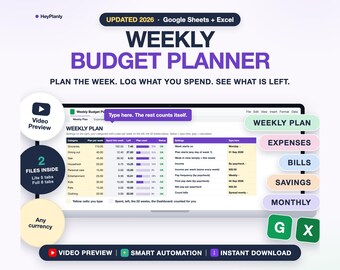
Weekly Budget Planner Spreadsheet, Weekly Budget Template, Expense Tracker, Paycheck Budget 2026 2027 (Google Sheets, Excel)
Sale Price $4.79
Original Price $7.99
-
Digital download
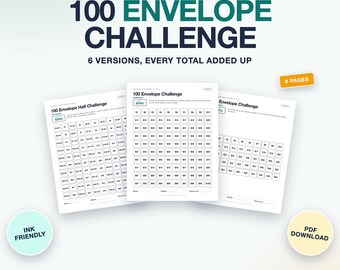
100 Envelope Challenge Printable, Savings Challenge Tracker, 6 Versions, A6 Cards (PDF, Letter, A4)
Sale Price $1.79
Original Price $2.99
Be the first to leave a review
Shoppers with similar taste loved these
-
Digital download
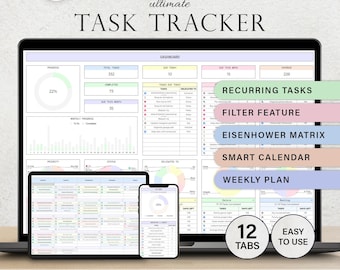
Task Tracker To Do List Template Daily Tasks Spreadsheet Recurring Tasks Productivity Planner To-Do List Project Management Google Sheets
Sale Price $2.49
Original Price $4.98
-
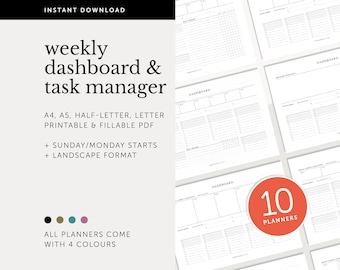
Digital download
Dashboard Bundle, Project Overview, Productivity Planner, Task Manager, To do List, Weekly Fillable & Printable Planner, A4/A5/Letter/Half
$20.48
-

Digital download
Adhd Planner Adult, Adhd Planner Printable, ADHD Cleaning Planner, adhd digital download, adhd daily planner editable, adhd life planner PDF
Sale Price $2.68
Original Price $8.93
-
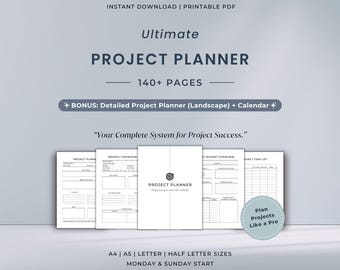
Digital download
Ultimate Project Planner Printable Bundle | All-In-One Project Management System | Work Plan for Businesses
$8.25
-
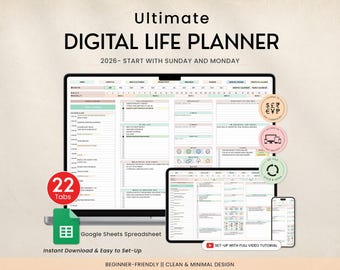
Digital download
Digital Life Planner Spreadsheet Budget Tracker Template Task To Do List Habit Productivity Goal Daily Planner Digital Calendar 2025, 2026
Sale Price $2.68
Original Price $8.93
-
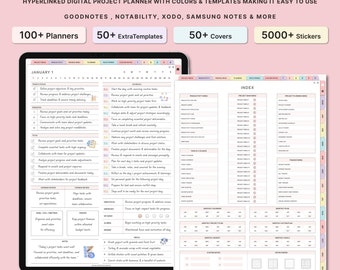
Digital download
Digital Productivity Planner, Project Planner, GoodNotes ipad, Project Tracker, Project Management, Work Schedule, Business, Student Project
Sale Price $0.99
Original Price $3.96
-
Digital download
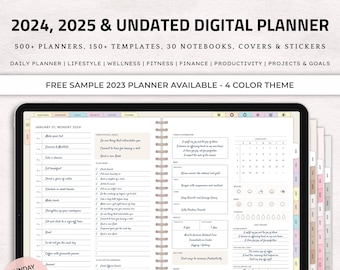
Digital Planner | GoodNotes, iPad, Notability | Daily, Weekly, Monthly | 2025, 2025 & Undated | iPad Digital Planner 2025, 2025, Undated
Sale Price $0.99
Original Price $3.96
-
Digital download
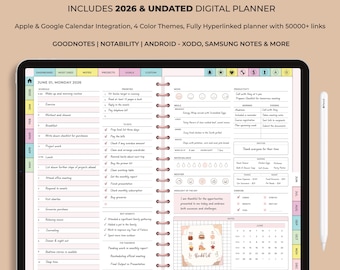
All-in-One 2026 Digital Planner | Hyperlinked GoodNotes iPad Daily Weekly Monthly | ADHD Life Ultimate Bundle
Sale Price $0.99
Original Price $3.96
-
Digital download
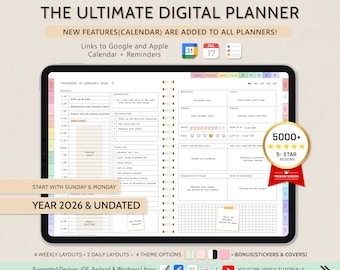
Digital Planner for GoodNotes, 2026 Undated, iPad Notability Planner (Digital Download)
Sale Price $4.00
Original Price $10.00
-
Digital download
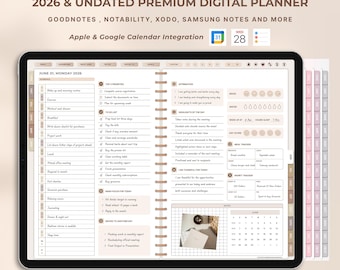
All-in-One Digital Planner 2026 | Undated Daily Weekly Monthly | GoodNotes iPad Planner
Sale Price $0.99
Original Price $3.96
-
Digital download
All-in-One Digital Planner 2024, 2025, 2026, Undated Digital Planner, Digital Journal, Digital Goodnotes Template, Notability, Daily Planner
Sale Price $0.99
Original Price $3.96
-
Digital download
Digital planner, ipad planner, goodnotes planner, daily, weekly, monthly planner, notability planner, digital planner 2024 2025 undated ipad
Sale Price $0.99
Original Price $3.96