


NowPrice:$5.99
Original Price: $9.99
40% off
Sale ends in 6 days
Teacher Planner Spreadsheet 2026 2027, Lesson Plan Template, Gradebook, Attendance, Class Schedule, Academic Calendar (Google Sheets, Excel)
Here's what's eligible:
- Your order doesn't match the item description or photos
- Your item arrived damaged
- Your item arrived after the estimated arrival window
- Your item didn't arrive or was lost in the mail
You can only make an offer when buying a single item
Highlights
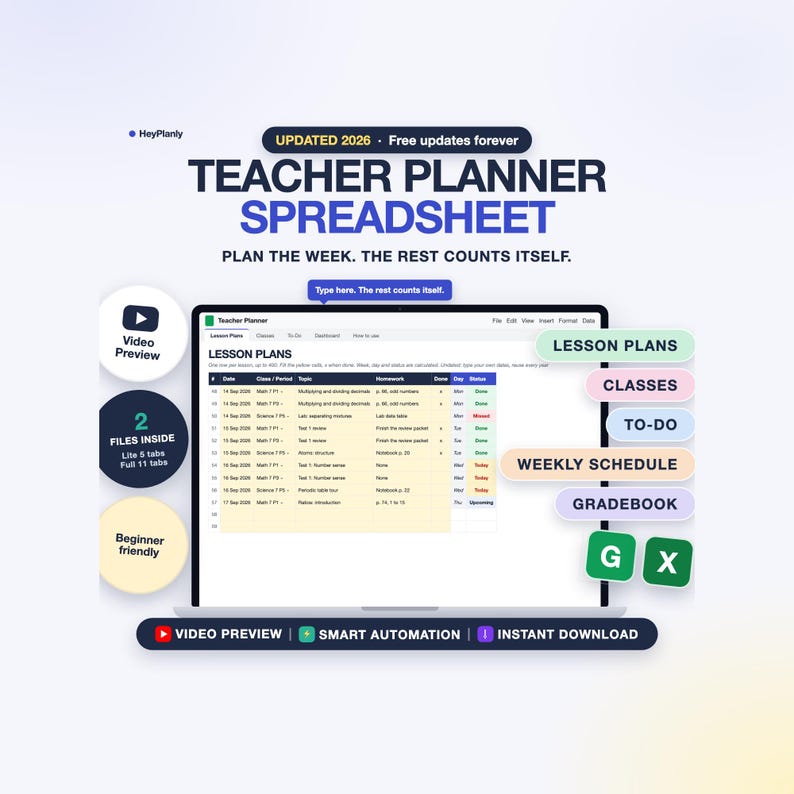
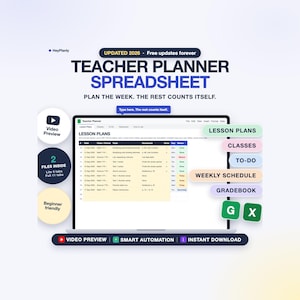
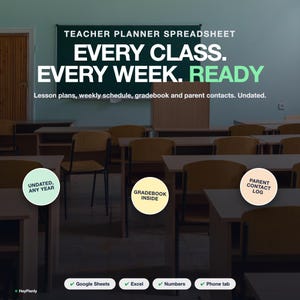
Teacher Planner Spreadsheet for Google Sheets and Excel: lesson plans, classes, to-do list, gradebook, attendance and a parent contact log in one undated file that counts the week for you.
A teacher planner that starts with the lesson plan, not with 20 tabs to learn: two files inside, start with the Lite one, grow into the Full one. Type your own dates and reuse it every school year.
⚡ START SIMPLE: SET UP IN 10 MINUTES
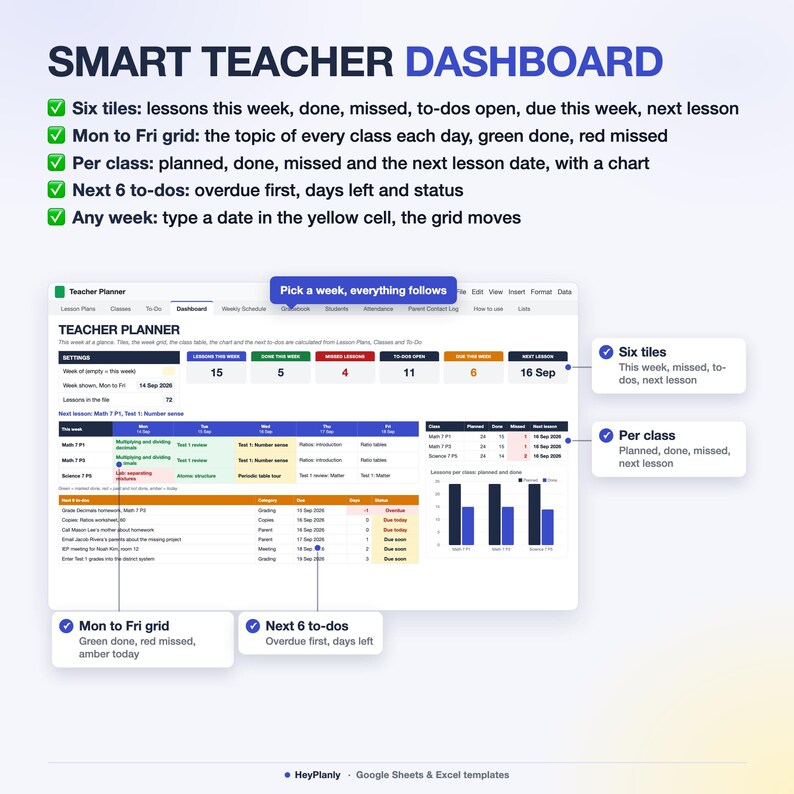
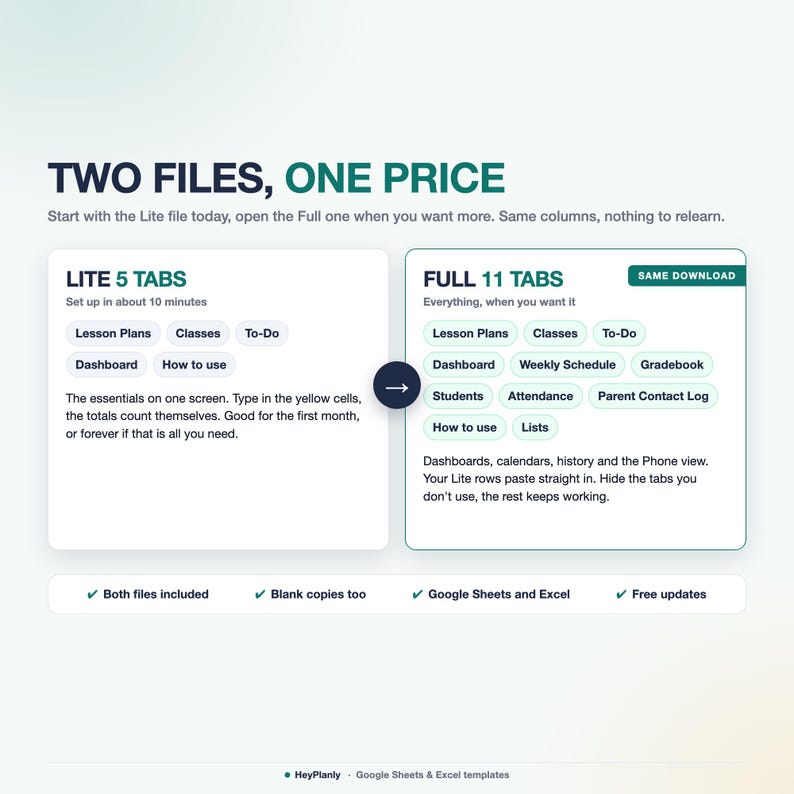
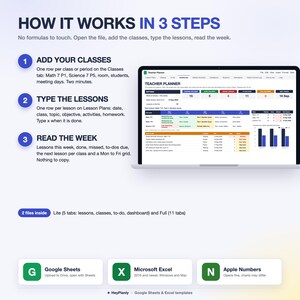
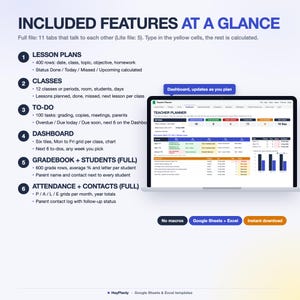
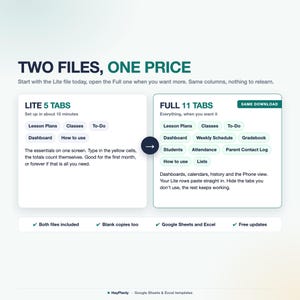
Start with the Lite file (5 tabs): Lesson Plans, Classes, To-Do and a small Dashboard with lessons this week, done, missed, to-dos due, the next lesson per class and a Mon to Fri grid.
Open the Full file (11 tabs) when you want a Gradebook with Students, Attendance grids per month, a Weekly Schedule for printing and a Parent Contact Log with follow-ups. Same Lesson Plans, Classes and To-Do columns, same yellow cells, so you can move up any time.
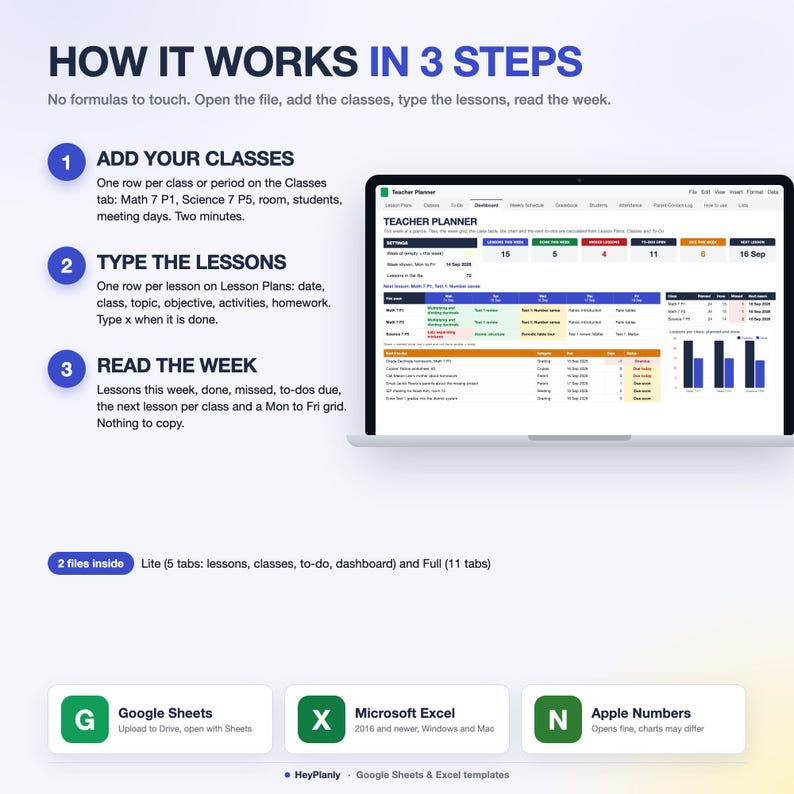
1. Classes: one row per class or period (Math 7 P1, Science 7 P5), room, students, meeting days. 2 minutes
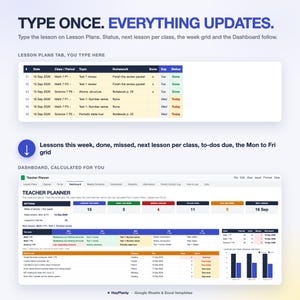
2. Lesson Plans: one row per lesson, date, class from a dropdown, topic, objective, activities, materials, homework. Type x when it is done. Delete the sample rows or use the blank copy. 5 minutes
3. To-Do: copies, grading, meetings, parent calls, admin, each with a due date. 2 minutes
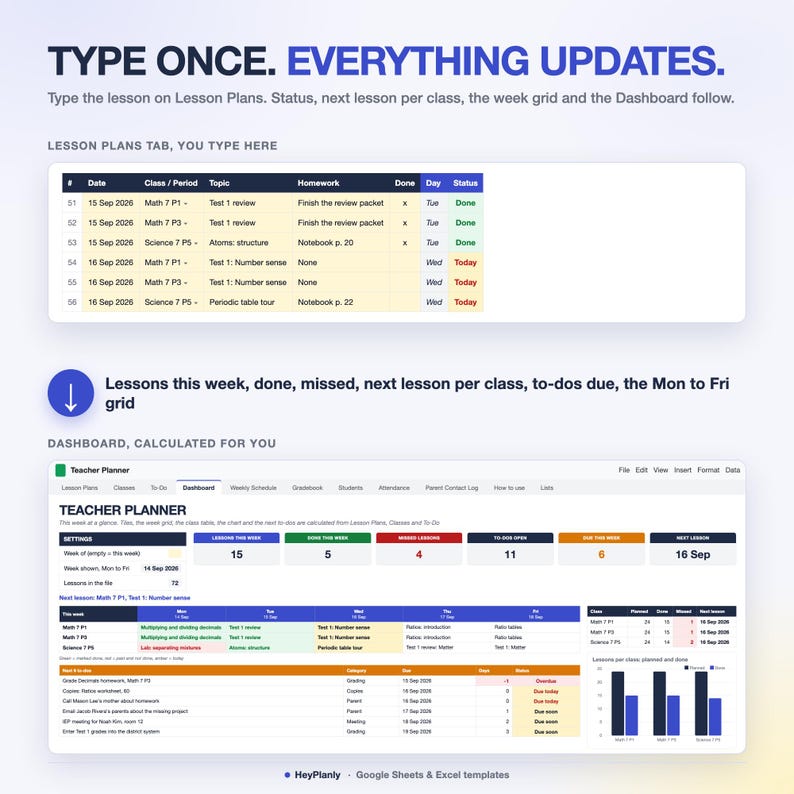
Done. Week, day and status per lesson (Done / Today / Missed / Upcoming), lessons planned, done, missed and the next lesson per class, days left and status per to-do, and the Dashboard update on their own. No formulas to touch, nothing else to set up.
Most people only ever use 3 tabs: Lesson Plans, To-Do and Dashboard, and that is exactly the Lite file.
Undated, in words: there is no printed calendar. You type the date of each lesson (the sample uses August and September 2026), the file works out the week and the weekday, and next year you clear the rows and type new dates. Any school year, any semester system, any country.
▶ WATCH THE DEMO
Short preview: the listing video above. Step-by-step guide in the How to use tab of each file.
✅ FEATURES
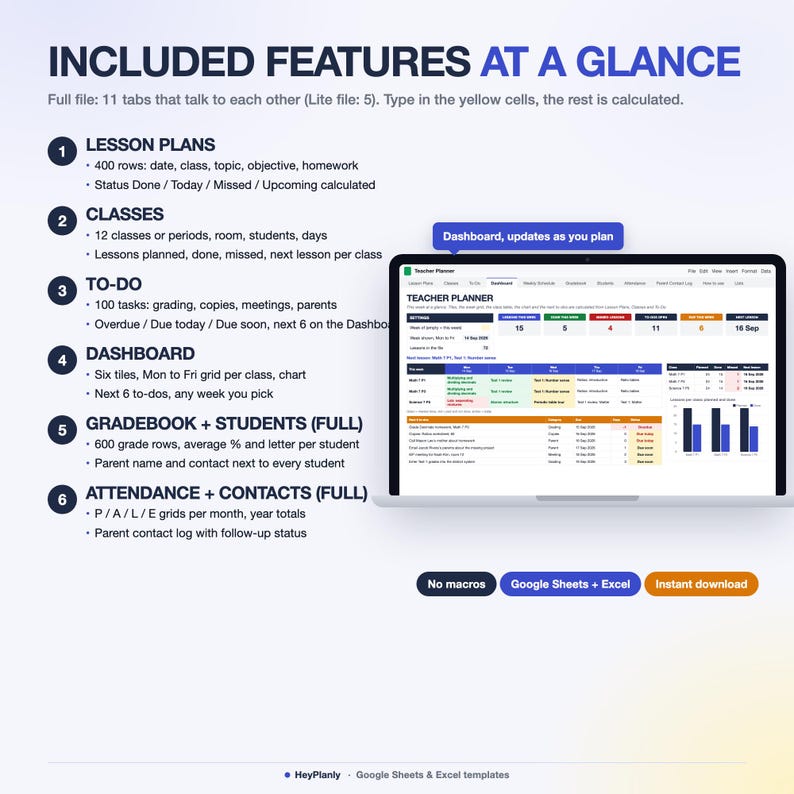
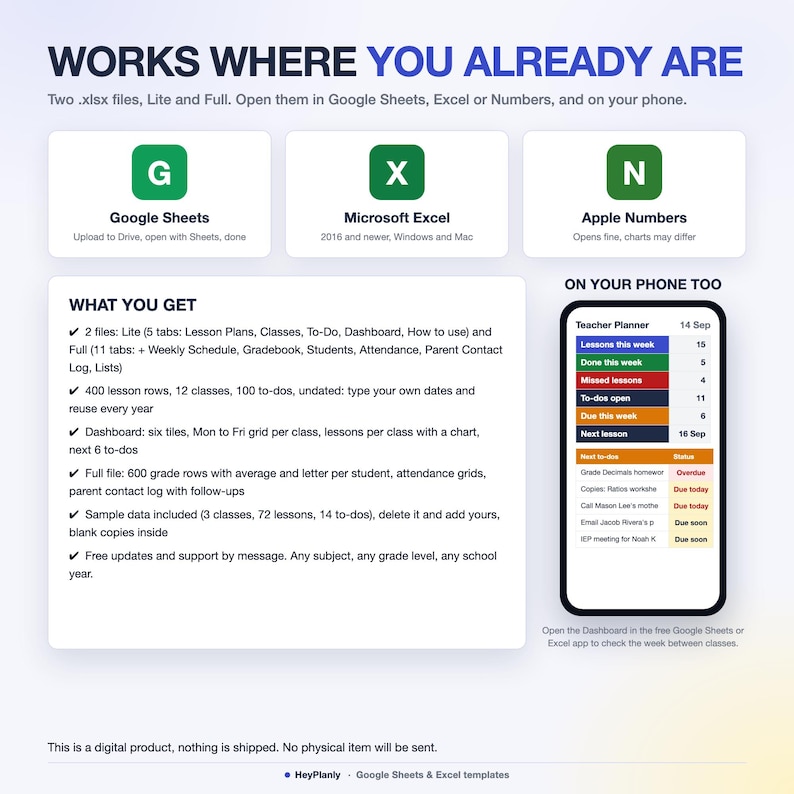
✓ 2 files: Lite (5 tabs) and Full (11 tabs), same columns and yellow cells
✓ Lesson Plans: 400 rows, one per lesson: date, class, topic, objective, activities, materials, homework, notes, x when done. Week, weekday and status calculated, missed lessons in red
✓ Classes: 12 classes or periods with subject, room, students and meeting days. Lessons planned, done, missed and the next lesson with its topic per class
✓ To-Do: 100 tasks with a category (Grading, Copies, Meeting, Parent, Admin, Other) and a due date. Days left and status: Overdue, Due today, Due soon, Upcoming, Done
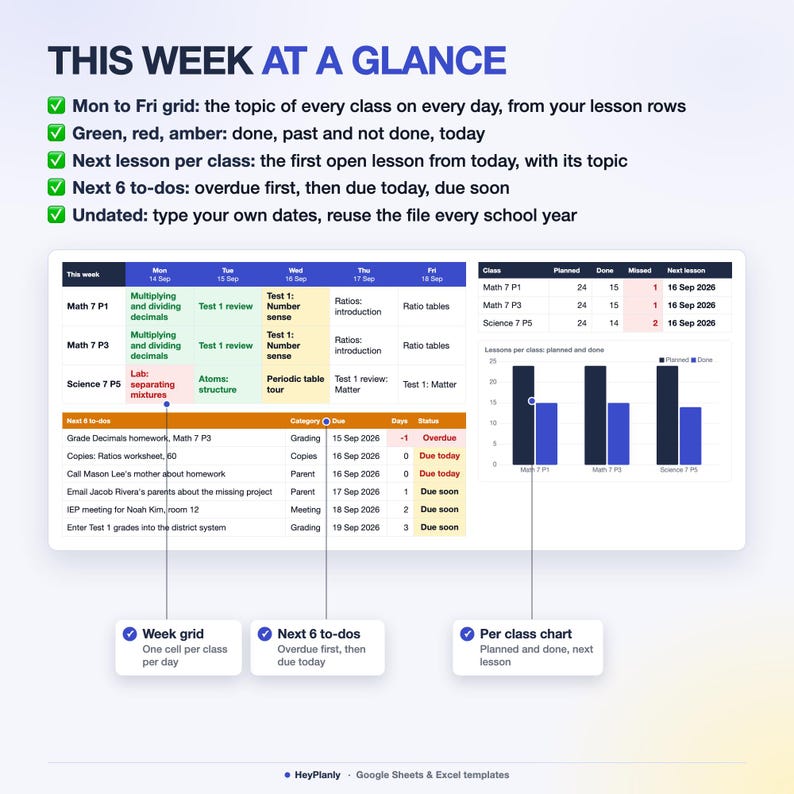
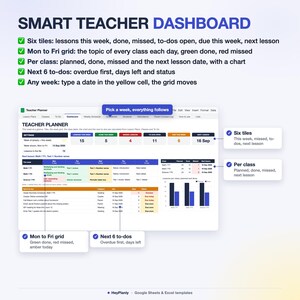
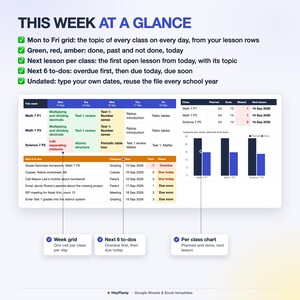
✓ Dashboard: six tiles (lessons this week, done this week, missed, to-dos open, due this week, next lesson), a Mon to Fri grid with the topic of every class each day, lessons per class with a chart, the next 6 to-dos. Type any date to see another week
✓ Weekly Schedule (Full): your timetable, 8 periods with start and end time, Mon to Fri, prints on one page
✓ Gradebook (Full): 600 rows, one per student per assignment, points earned and possible, score % calculated, missing work flagged. Students: 40 rows with average %, letter and a progress bar, parent name and contact next to every student
✓ Attendance (Full): one grid per month for 10 months, P / A / L / E per day, weekends grey, year totals and attendance % per student
✓ Parent Contact Log (Full): 100 rows, date, student, parent, method, reason, follow-up date, status Open / Overdue / Done, follow-ups open on the Dashboard
✓ Lists (Full): to-do categories, grade categories, letter scale, contact methods, school year start
✓ Formulas protected without a password, unlock any time
✓ How-to-use tab in each file: a Setup in 10 minutes checklist, then every tab explained
✨ WHAT'S INSIDE
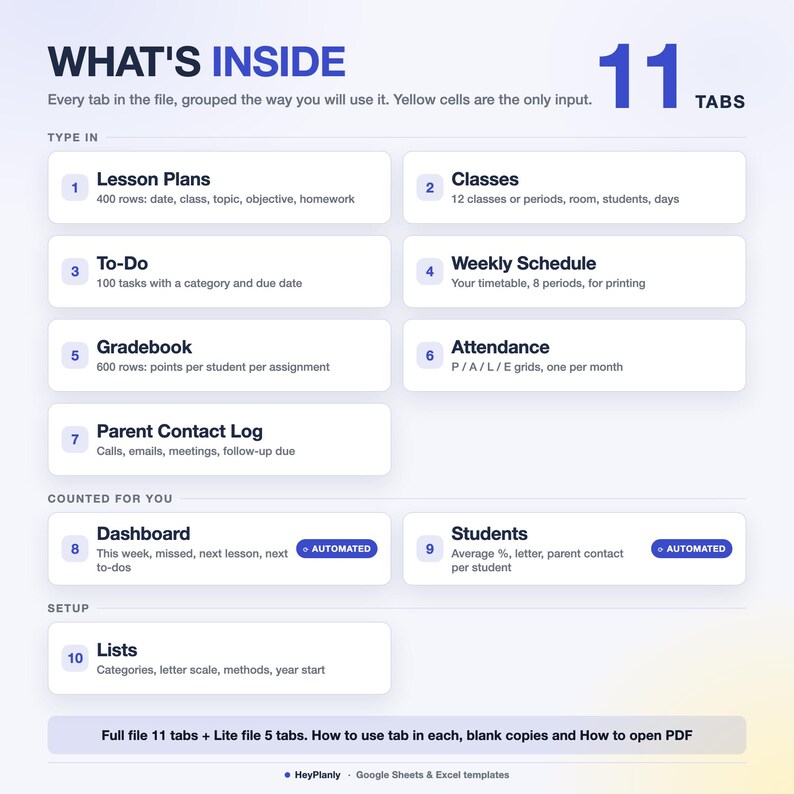
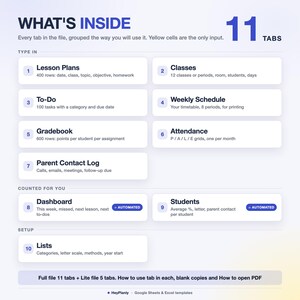
11 TABS + step-by-step guide (Full file, plus a 5-tab Lite file)
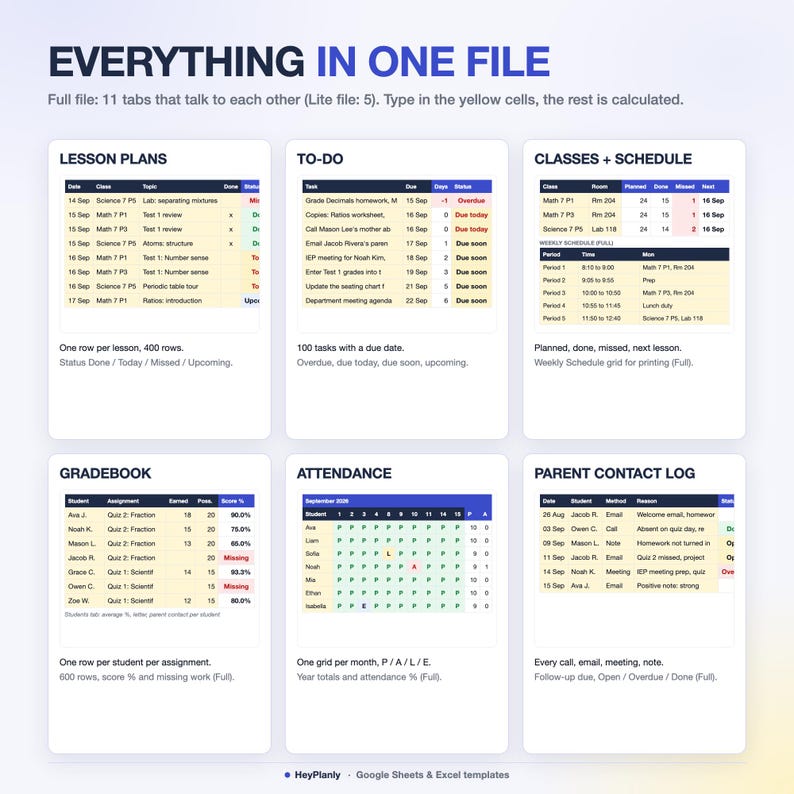
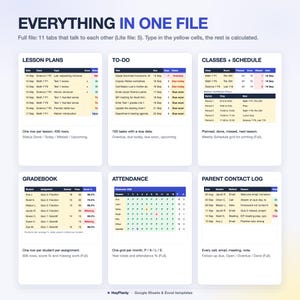
✓ Full file, 11 tabs: Lesson Plans, Classes, To-Do, Dashboard, Weekly Schedule, Gradebook, Students, Attendance, Parent Contact Log, How to use, Lists
✓ Lite file, 5 tabs: Lesson Plans (first tab), Classes, To-Do, Dashboard (6 tiles, week grid, class table with chart, next 6 to-dos), How to use with the to-do categories. Same columns and yellow cells as the Full file
✓ Lesson Plans: 400 rows with date, class from a dropdown, topic, objective, activities, materials, homework, done, notes. Week of, weekday and status are calculated. This is the lesson plan template you fill every week, one row per lesson, no boxes to resize
✓ Classes: 12 rows, class or period name, subject, room, number of students, meeting days, notes. Lessons planned, done, missed, next lesson date and topic are counted from Lesson Plans
✓ To-Do: 100 rows, task, category, due date, done, notes. Days left and status calculated, a summary line at the top (open, overdue, due today, due soon, done)
✓ Dashboard: an optional Week of date (empty = this week), six tiles, the next lesson with its class and topic, a Mon to Fri grid per class (green done, red past and not done, amber today), lessons per class with a planned and done chart, the next 6 open to-dos sorted by due date
✓ Weekly Schedule (Full): 8 periods, start, end, Mon to Fri cells for the class and room, print area set
✓ Gradebook (Full): 600 rows with date, student and class from dropdowns, assignment, category, points earned, points possible, note. Score % calculated, an empty Points earned shows Missing
✓ Students (Full): 40 rows, one per student per class, parent or guardian and email or phone. Graded, missing, average % (points earned over points possible), letter from the scale on Lists, progress bar
✓ Attendance (Full): 10 month grids from the school year start on Lists, students in the order of the Students tab, P / A / L / E per day, absent per day under each grid, year totals and attendance % at the top
✓ Parent Contact Log (Full): 100 rows, date, student from a dropdown, parent, method (Email, Call, Meeting, Note), reason, follow-up due, done, notes. Status and a summary line at the top
✓ Lists (Full): to-do categories, grade categories, letter scale (highest first), contact methods, school year start, teacher, school year. In the Lite file the to-do categories sit at the bottom of How to use
✓ How-to-use tab inside each file
📦 YOU WILL RECEIVE
✓ Teacher_Planner_v1.xlsx (Full, 11 tabs, sample data inside)
✓ Teacher_Planner_Lite_v1.xlsx (Lite, 5 tabs, sample data inside)
✓ Teacher_Planner_blank.xlsx and Teacher_Planner_Lite_blank.xlsx (blank copies, lists and schedule periods kept)
✓ How to open in Google Sheets (PDF)
Sample data inside: see how it works, then clear it or use the blank copy
Reuse year after year: pay once, free updates
🏫 MIDDLE SCHOOL, HIGH SCHOOL OR ONE ELEMENTARY CLASS
Several sections: one row per period on Classes (Math 7 P1, Math 7 P3, Science 7 P5), the same lesson typed once per section or copied down. One elementary class: name the rows on Classes by subject (Reading, Math, Science) and plan each subject as its own lesson row per day. Homeschool parents: the Homeschool Planner in the shop is built for that. Any subject, any grade level, not tied to a curriculum.
🔓 FULLY EDITABLE, NOTHING LOCKED AWAY
Formula cells are protected so nothing breaks by accident. No password: Review > Unprotect Sheet (Excel) or the protected-range message (Google Sheets) if you want to change anything, add rows or colours. Categories, the letter scale and the contact methods are yours to rename on the Lists tab. Need a column added (standards, unit, period number)? Message me, small tweaks are free.
👤 WHO IT'S FOR
Classroom teachers with one to twelve classes or periods, elementary teachers with one class and several subjects, student teachers and long-term substitutes, tutors and co-op teachers, anyone who wants lesson plans, a to-do list and a gradebook in one file instead of three. If a teacher planner with 20 tabs scares you, this one asks for three things per lesson: the date, the class, the topic.
📱 WORKS IN
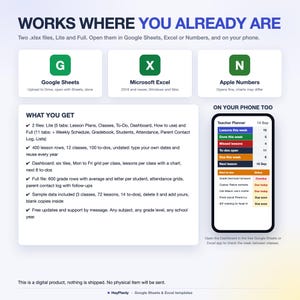
✓ Microsoft Excel 2016+ and Microsoft 365 (Windows and Mac), works offline
✓ Google Sheets (free Google account, after File > Save as Google Sheets): a teacher planner google sheets users can share with a co-teacher
✓ Phone: open the Dashboard in the free Google Sheets or Excel app to check the week between classes
✓ Apple Numbers: opens the file, drops the sheet protection and some colours, use Excel or Google Sheets for the best result
✓ No macros, no add-ons, no LET or XLOOKUP, so it opens everywhere
🚫 WHAT THIS IS NOT
Not a printable or a PDF planner, not a GoodNotes or Notion template, not an app or a subscription, not dated for one school year. It is two .xlsx spreadsheets, Lite and Full (plus blank copies and a short PDF guide on opening them in Google Sheets), that you open in Excel or Google Sheets and keep for years. No seating chart, no field trip planner, no substitute plans: those would only add tabs. The gradebook inside uses a points average per student; if you need category weights and a printable report card, the Gradebook Spreadsheet in the shop does that.
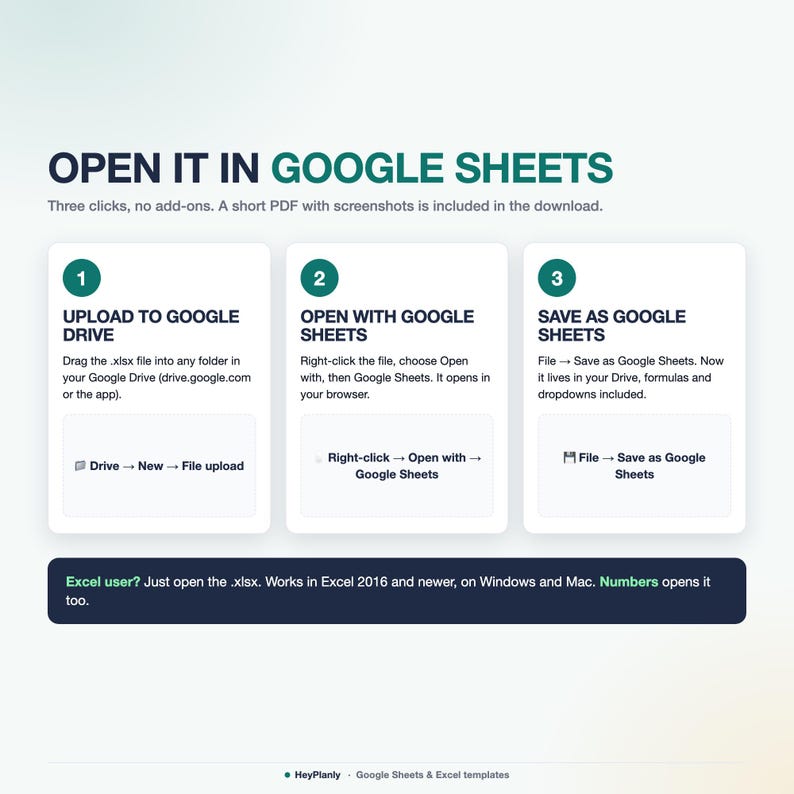
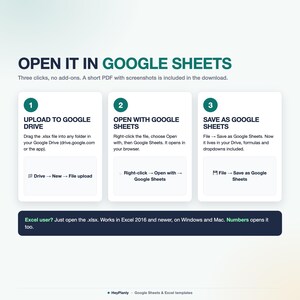
📂 HOW TO OPEN IN GOOGLE SHEETS
Upload the file to Google Drive, right-click → Open with → Google Sheets, then File → Save as Google Sheets. All formulas, the chart and the print areas work (Google Sheets may drop some dropdown arrows after conversion: the PDF shows how to restore them in 10 seconds).
❓ FAQ
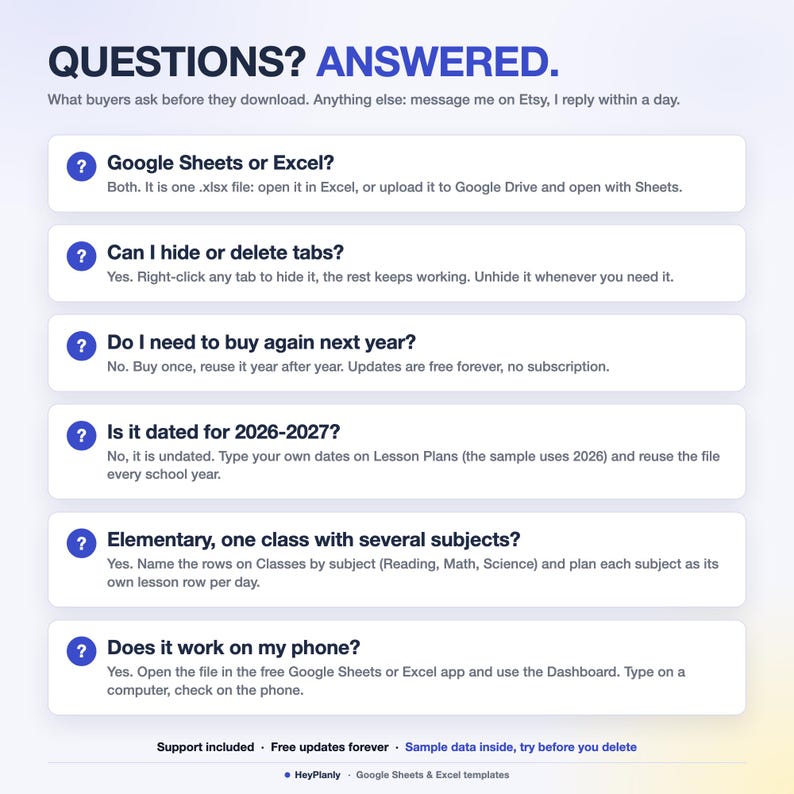
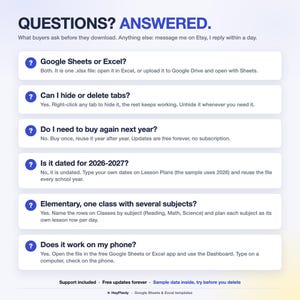
Google Sheets or Excel? Both, they are .xlsx files. Excel opens them directly, Google Sheets after File > Save as Google Sheets.
Is it dated? No, undated. Type your own dates on Lesson Plans, the week and the weekday are worked out for you. The sample uses August to September 2026; clear it and type yours.
Can I plan the same lesson for two sections? Yes, one row per section (Math 7 P1, Math 7 P3), or type it once and copy the row. Each class keeps its own done, missed and next lesson counts.
What counts as missed? A lesson dated before today without an x in Done. Type the x (or move the date) and it turns green.
Two lessons in one class on the same day? Both rows count, the Dashboard grid shows the first one.
Elementary, one class with several subjects? Name the rows on Classes by subject and plan each subject as its own lesson row per day.
Too many tabs? Open the Lite file: Lesson Plans, Classes, To-Do, Dashboard and nothing else. In the Full file you can hide any tab, nothing breaks.
Do I need to buy again next year? No. Save a copy, clear the rows, type the new dates. Free updates.
🛍️ ALSO IN THE SHOP
✓ Gradebook Spreadsheet with weighted grades and a printable Report Card, if you only need the grade book: https://www.etsy.com/listing/4575665926/gradebook-spreadsheet-weighted-grades
✓ Homeschool Planner Spreadsheet, lessons, attendance and grades for several kids: https://www.etsy.com/listing/4576398684/homeschool-planner-spreadsheet-lesson
✓ IEP Progress Tracker Spreadsheet (in the shop: https://www.etsy.com/shop/HeyPlanly)
⬇️ INSTANT DOWNLOAD
This is a digital product. Nothing will be shipped. After purchase, download the .xlsx files from your Etsy purchases page or the email Etsy sends you. Both files come with sample data for a teacher with three classes (Math 7 P1, Math 7 P3, Science 7 P5): 72 lessons from 24 August to 25 September 2026 with 4 missed, 14 to-dos; the Full file adds 20 students, 74 grade rows with 3 missing, attendance for August and September, 6 parent contacts and an 8-period schedule, so you can see how it works, delete it and add yours, or start from the blank copies.
⚠️ PLEASE NOTE
Built and tested in Excel 365 desktop and Google Sheets. Excel Online and the free mobile apps open the file for viewing and light editing, but protected sheets and the chart render best on desktop. Colours may look slightly different between apps. Formula cells are protected so nothing breaks by accident, no password: Review > Unprotect Sheet (Excel) or the protected-range message (Google Sheets) if you want to change anything, add rows or colours.
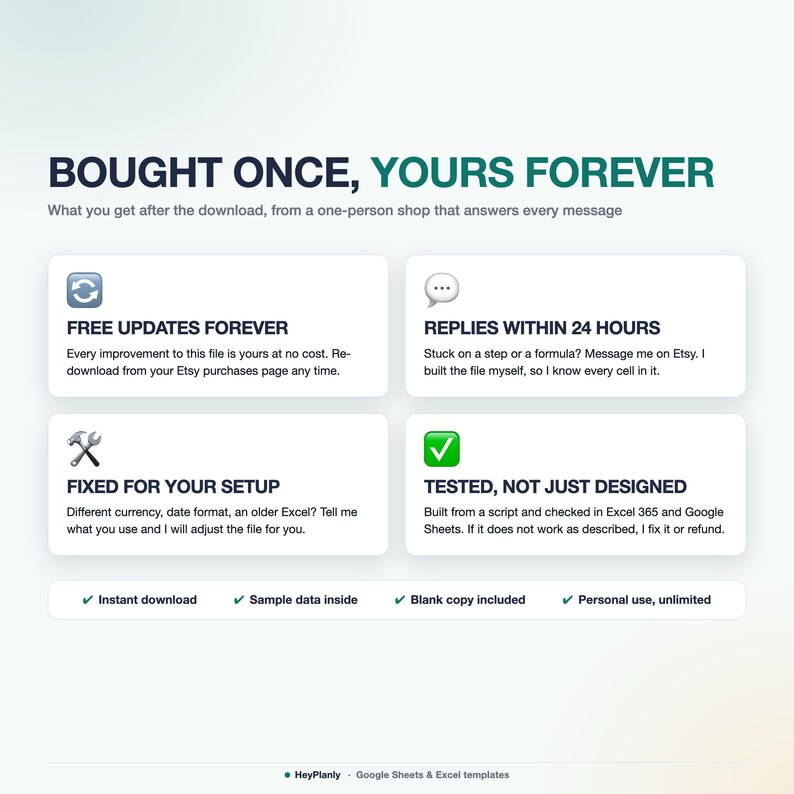
Instant download, so no refunds for change of mind. If something doesn't work as described, message me and I'll fix it or refund. For personal use only, please do not resell or share the file.
💬 QUESTIONS?
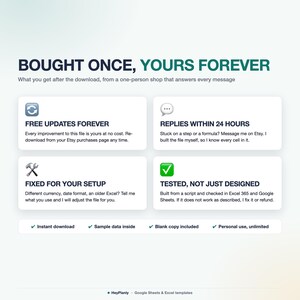
Message me any time, I reply within 24 hours. If something doesn't work on your setup, I'll fix it for you. Need a column or a category added? Small tweaks are free.
HeyPlanly: spreadsheets that actually calculate.
Instant Download
Your files will be available to download once payment is confirmed. Here's how.
Instant download items don’t accept returns, exchanges or cancellations. Please contact the seller about any problems with your order.
Etsy Purchase Protection
Shop confidently on Etsy knowing if something goes wrong with an order, we've got your back for all eligible purchases —
see program terms


More from this shop
Visit shop-
Digital download
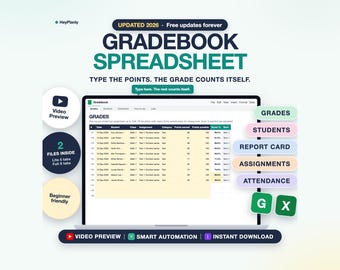
Teacher Gradebook Spreadsheet, Weighted Grades, Report Card, Homeschool Grade Tracker (Google Sheets, Excel)
Sale Price $4.19
Original Price $6.99
-
Digital download
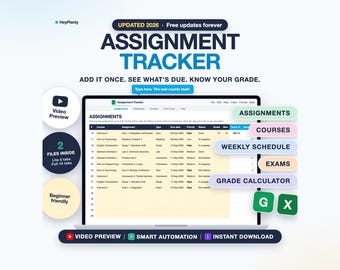
Assignment Tracker Spreadsheet, Student Planner, Grade Calculator, Due Dates (Google Sheets, Excel)
Sale Price $4.79
Original Price $7.99
-
Digital download
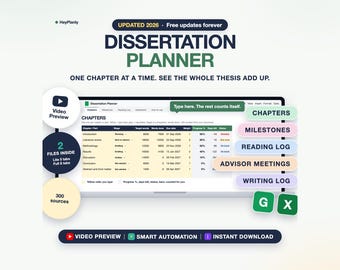
Dissertation and Thesis Planner Spreadsheet, Chapter Progress, Milestones, Reading Log (Google Sheets, Excel)
Sale Price $6.59
Original Price $10.99
-
Digital download
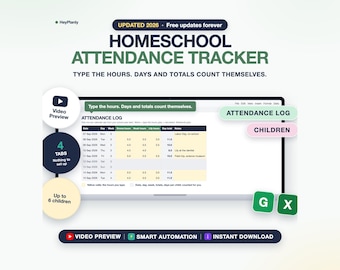
Homeschool Attendance Tracker Spreadsheet, Hours Log, Days Counter, Record Keeping (Google Sheets, Excel)
Sale Price $4.19
Original Price $6.99
Be the first to leave a review
Shoppers with similar taste loved these
-
Digital download
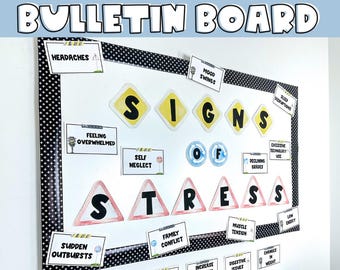
Stress & Mental Health Bulletin Board Printable DIY kit to print, cut, and hang
$5.00
-
Digital download
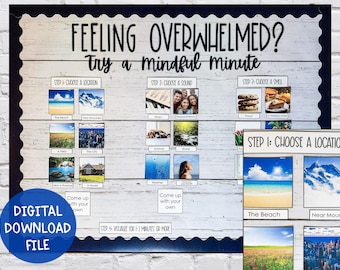
Mindfulness Bulletin Board School Social Work or School Counseling Office Decor
$4.00
-
Digital download
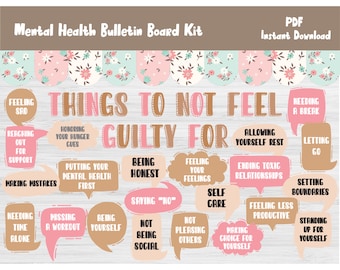
Mental Health Bulletin Board Kit/School Counselor/Counseling/Classroom Wall Door Decor/Self Care/Self Love Printable/Social Worker Print/522
$6.00
-
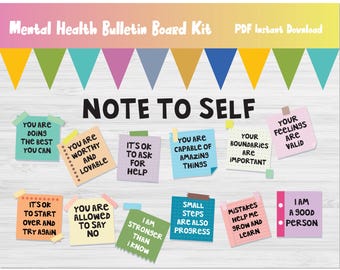
Digital download
Mental Health Bulletin Board Kits/Positive Affirmation Printable/School Counseling/Psychology/Therapist Wall Decor/Display/Decoration/L275
$6.00
-
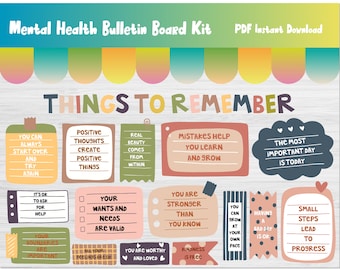
Digital download
Mental Health Bulletin Board Kit/School Counseling Wall Decor/Counselor/Psychology/Therapy/Calming/Calm Down Corner/Things To Remember/L329
$6.00
-
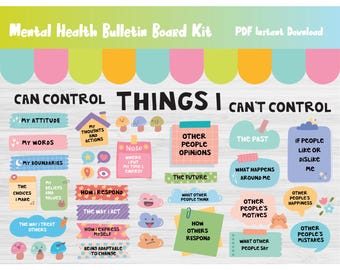
Digital download
Mental Health Bulletin Board Kit/SEL/Social Emotional Learning/School Counseling/Psychology/Psychologist/Therapist Wall Decor/Display/277
$6.00
-

Digital download
Build a Breakfast Activity | Printable Activity | Fine Motor | Following Directions | Preschool & Special Education
Sale Price $5.00
Original Price $10.00
-

Digital download
Decorate A Christmas Tree | Printable Activity | Fine Motor | Following Directions | Preschool & Special Education
Sale Price $5.00
Original Price $10.00
-
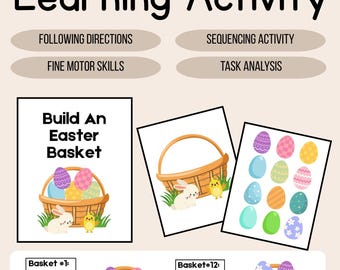
Digital download
Build an Easter Basket | Printable Sequencing & Fine Motor Activity
Sale Price $5.00
Original Price $10.00
-
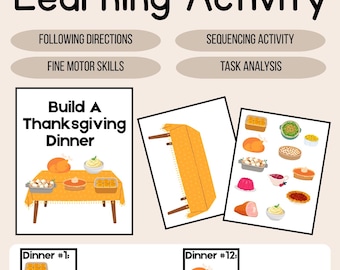
Digital download
Build A Thanksgiving Dinner| Printable Activity | Fine Motor | Following Directions | Preschool & Special Education
Sale Price $5.00
Original Price $10.00
-
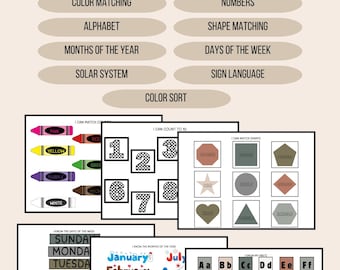
Digital download
Busy Book Printable | Preschool Learning Binder | Colors, ABCs, Numbers, Shapes, Sign Language | Digital Download
Sale Price $12.00
Original Price $24.00
-
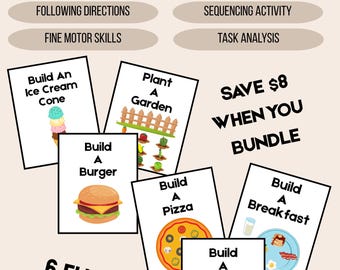
Digital download
Build A Mega Bundle #1 | 6 Hands On Printable Learning Activities for Kids
Sale Price $22.00
Original Price $44.00