



NowPrice:$8.39
Original Price: $13.99
40% off
Sale ends on September 26
Salon Appointment Book & Client Record Book Spreadsheet, Client Tracker, Hairstylist Appointment Book, Income Log (Google Sheets, Excel)
Here's what's eligible:
- Your order doesn't match the item description or photos
- Your item arrived damaged
- Your item arrived after the estimated arrival window
- Your item didn't arrive or was lost in the mail
You can only make an offer when buying a single item
Highlights
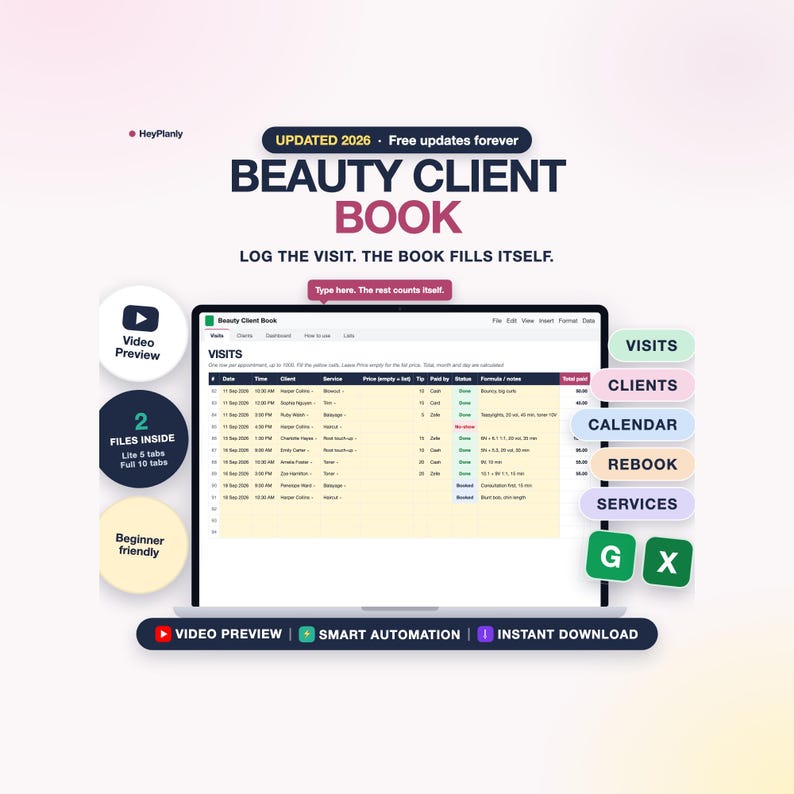
Beauty Client Book Spreadsheet for hair stylists, nail techs, lash techs and estheticians: client records, an appointment book and your income in one file that calculates, in Google Sheets or Excel. Type the visit once. The client card shows the formula you used last time and when they are due back, the Dashboard shows what you earned this month, who no-showed and who to text for a rebook. No app, no subscription, no paper book.
⚡ START SIMPLE: SET UP IN 10 MINUTES
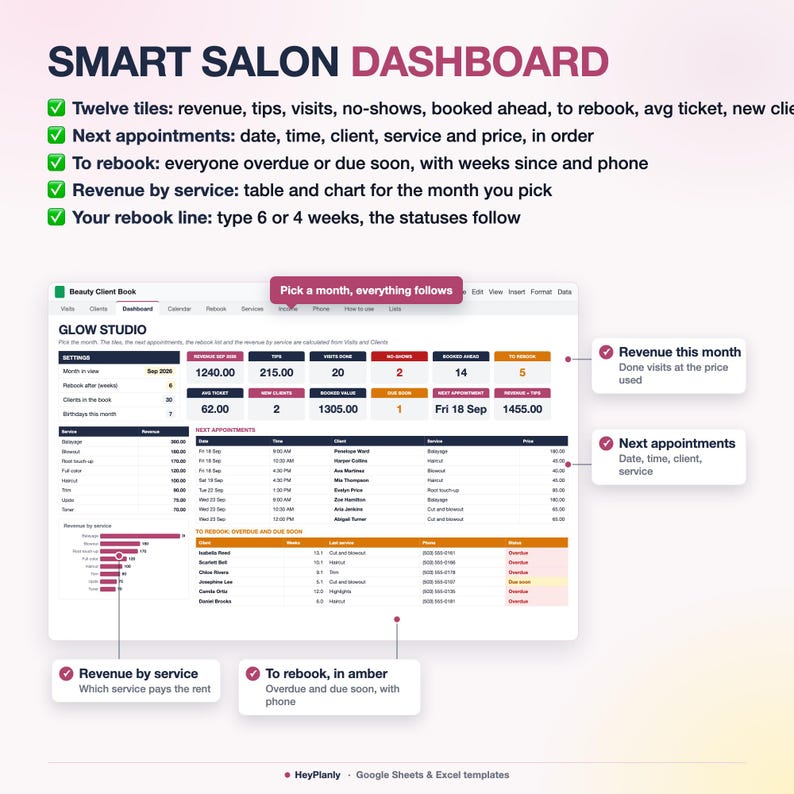
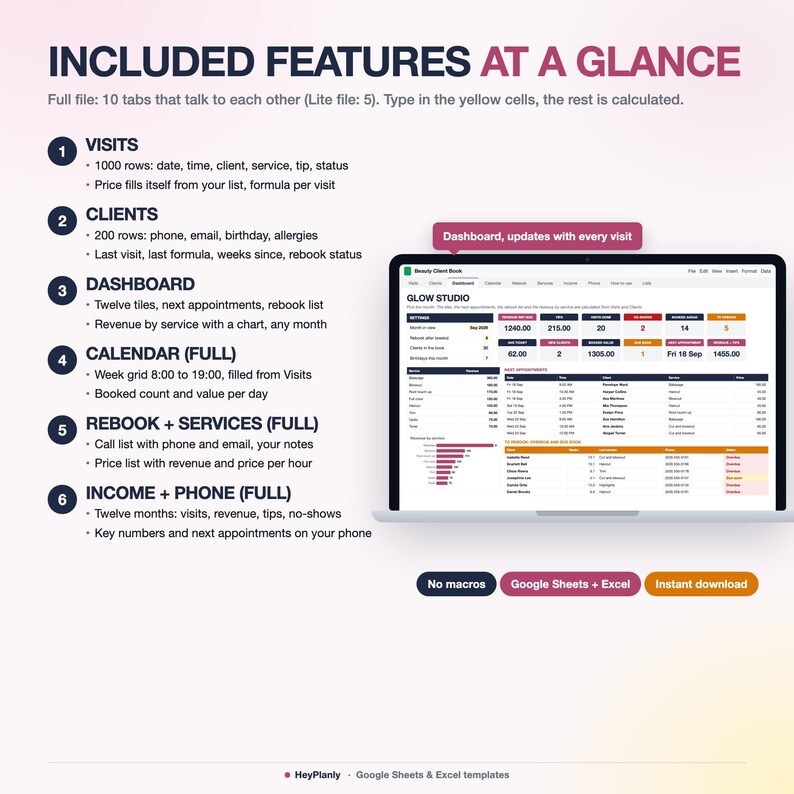
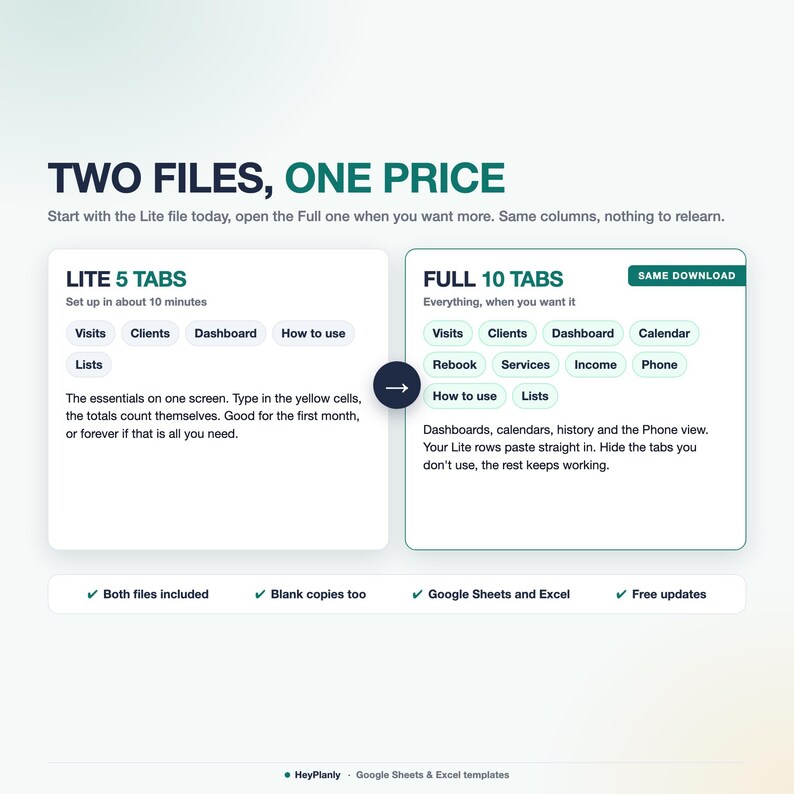
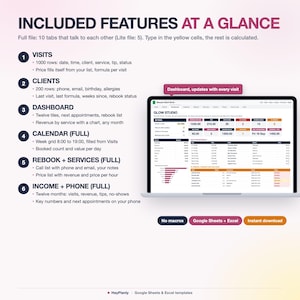
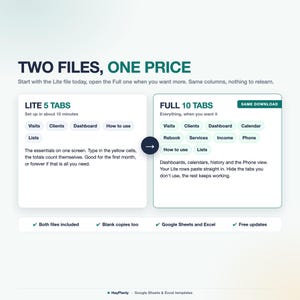
Start with the Lite file (5 tabs): Visits, Clients and a Dashboard with revenue, tips, no-shows, what is booked ahead, the next appointments and the rebook list.
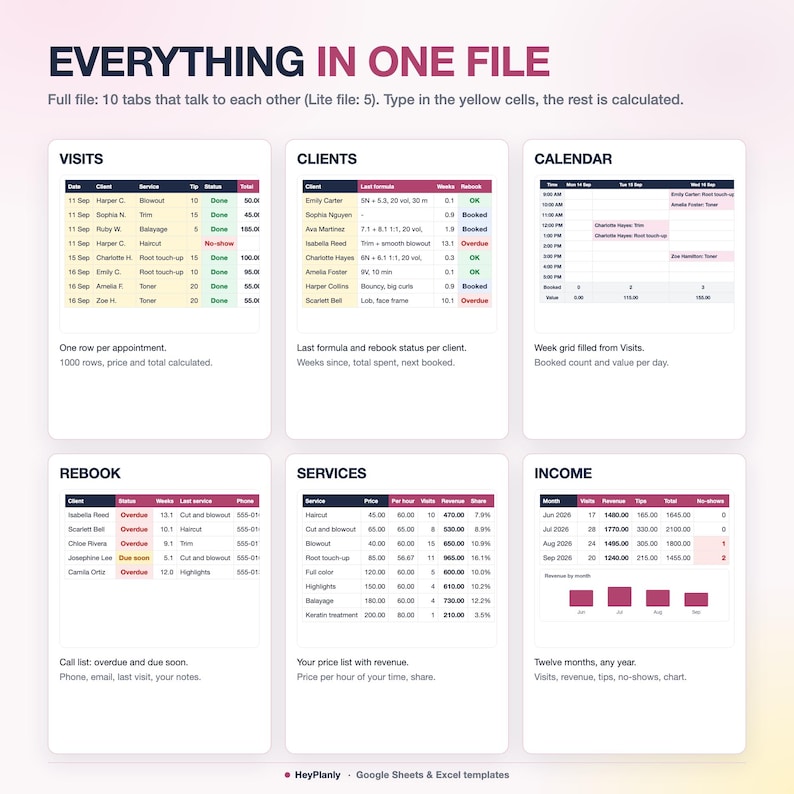
Open the Full file (10 tabs) when you want a weekly Calendar filled from your visits, a Rebook call list with phone and email, a Services tab with revenue and price per hour, twelve months of Income with a chart and a Phone tab. Same Visits and Clients columns, same yellow cells, so you can move up any time.
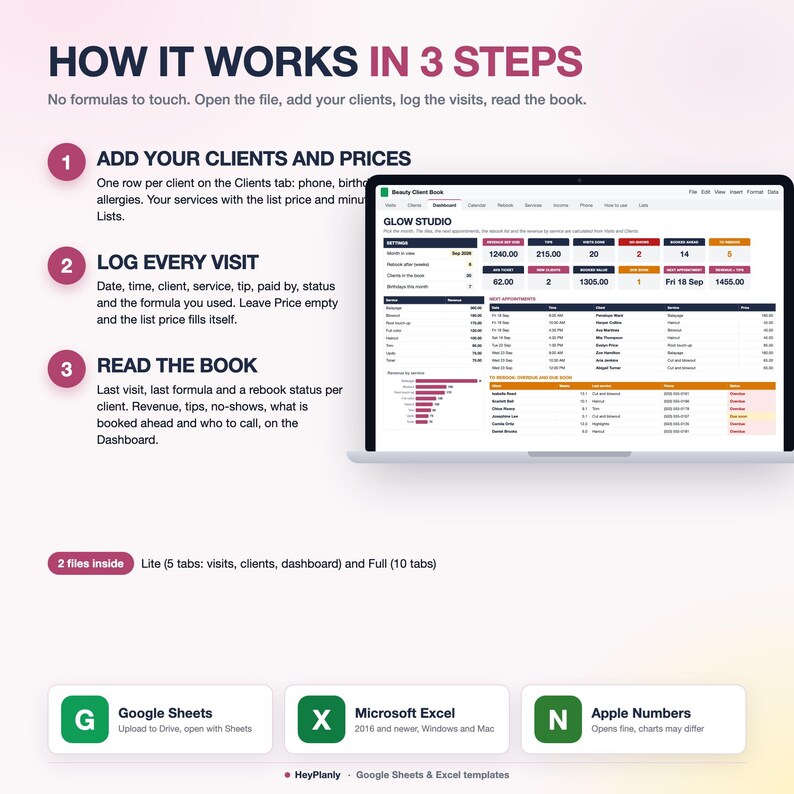
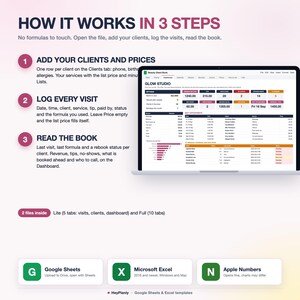
1. Lists: your services with the list price and minutes, payment methods, where clients find you. 3 minutes
2. Clients: one row per client, phone, birthday, allergies and preferences. 3 minutes
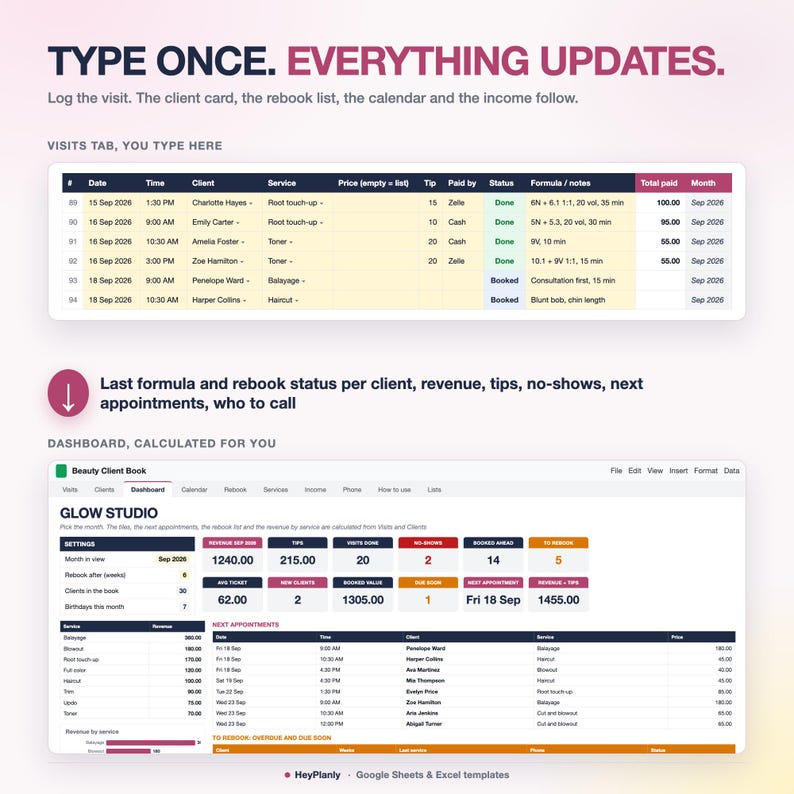
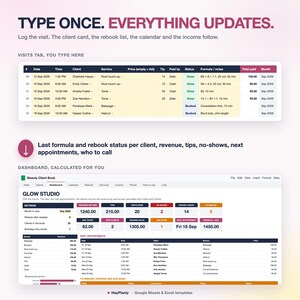
3. Visits: one row per appointment. Date, time, client and service from dropdowns, tip, paid by, status and the formula or notes. Leave Price empty and the list price fills itself. 2 minutes
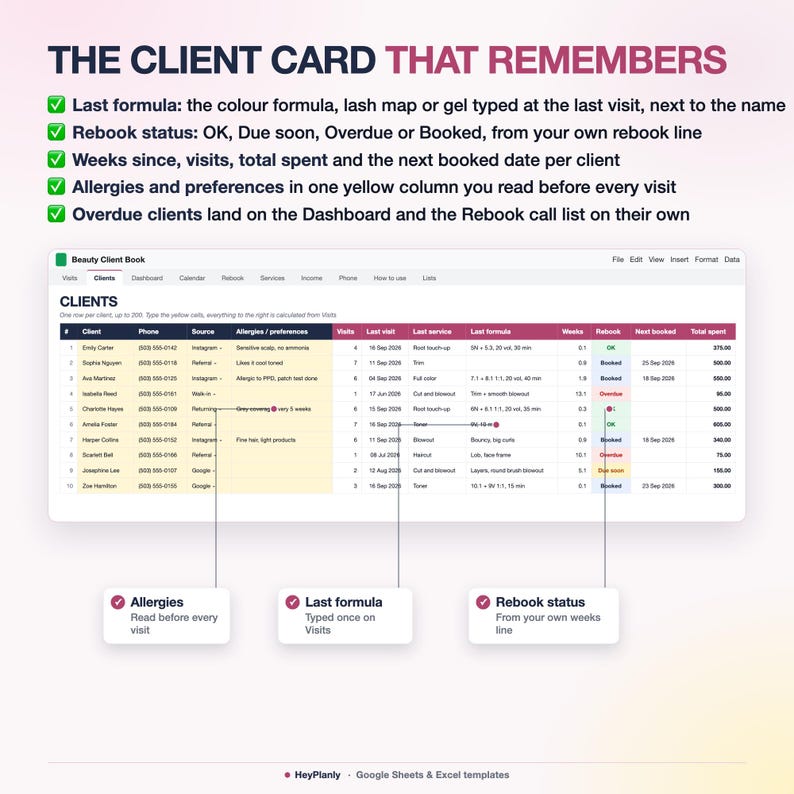
Done. Every client gets a last visit, last service, last formula, weeks since, a rebook status and total spent. The Dashboard, the Calendar, the Rebook list, Services and Income update on their own. No formulas to touch.
Most people only ever use 3 tabs: Visits, Clients and Dashboard, and that is exactly the Lite file.
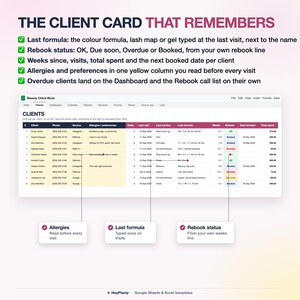
Rebook, in words: you set one line (6 weeks by default). A client seen within it is OK, one week before the line is Due soon, past it is Overdue, with a future appointment on Visits is Booked. Overdue and Due soon clients land on the Dashboard and the Rebook tab with phone and email, until a Booked row with their name appears.
▶ WATCH THE DEMO
Short tour of every tab: the listing video above. Step-by-step guide in the How to use tab of each file.
✅ FEATURES
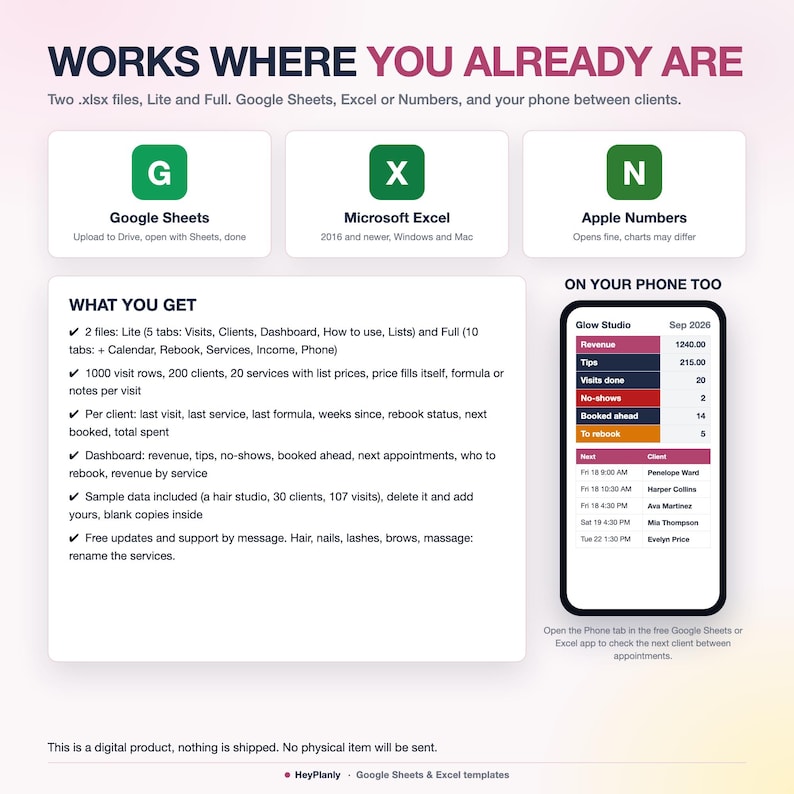
✓ 2 files: Lite (5 tabs) and Full (10 tabs), same columns and yellow cells
✓ Visits: 1000 rows, one per appointment. Date, time, client, service, price (empty = list price), tip, paid by, status (Booked, Done, No-show, Cancelled) and the formula or notes. Total, month and day calculated, a Booked row with a past date turns amber
✓ Clients: 200 rows. Phone, email, birthday, source, allergies and preferences. Visits, last visit, last service, last formula, weeks since, rebook status, next booked, total spent and average ticket per client
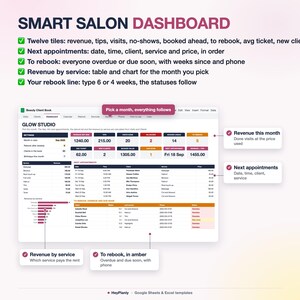
✓ Dashboard: revenue, tips, visits done, no-shows, booked ahead, to rebook, average ticket, new clients, booked value, due soon, next appointment, revenue plus tips; the next 10 appointments; the rebook list with weeks since and phone; revenue by service with a chart; birthdays this month
✓ Calendar (Full): type the Monday, the week grid 8:00 to 19:00 fills itself from Visits, booked count and value per day
✓ Rebook (Full): everyone overdue or due soon with phone, email, last visit and last service, a yellow column for what you did
✓ Services (Full): your price list with price per hour of your time, visits and revenue per service all time and this month, with a chart
✓ Income (Full): twelve months of any year: visits, revenue, tips, average ticket, no-shows, rows still marked Booked, with a chart
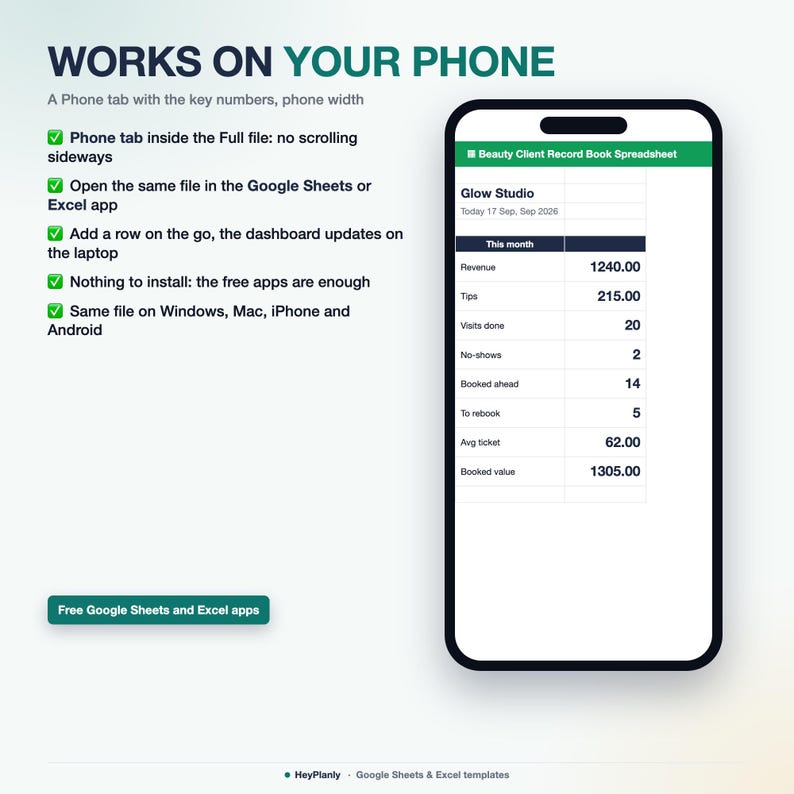
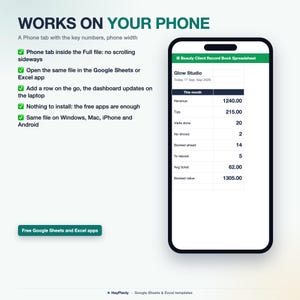
✓ Phone (Full): the key numbers and the next six appointments on one narrow screen for the Sheets or Excel app
✓ Lists: 20 services with price and minutes, payment methods, sources, statuses, your business name
✓ Formulas protected without a password, unlock any time
✓ How-to-use tab in each file: a Setup in 10 minutes checklist, then every tab explained
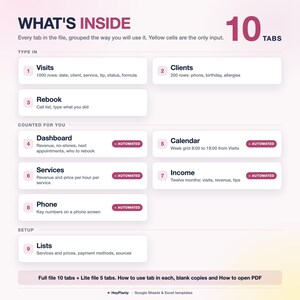
✨ WHAT'S INSIDE
10 TABS + step-by-step guide (Full file, plus a 5-tab Lite file)
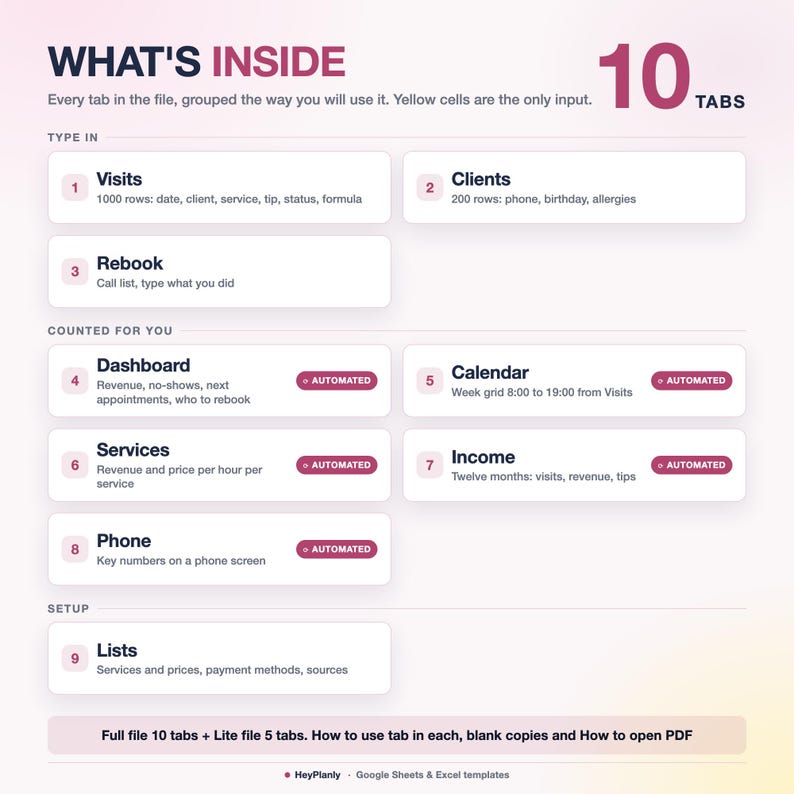
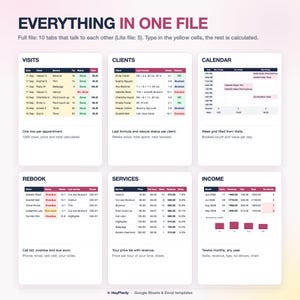
✓ Full file, 10 tabs: Visits, Clients, Dashboard, Calendar, Rebook, Services, Income, Phone, How to use, Lists
✓ Lite file, 5 tabs: Visits (first tab), Clients, Dashboard, How to use, Lists. Same columns and yellow cells as the Full file
✓ Visits: date, time, client and service from dropdowns, price only when it differs from your list, tip, paid by, status, formula or notes. Total paid, month and day are calculated
✓ Clients: the yellow cells are yours (name, phone, email, birthday, source, allergies and preferences). Everything to the right is calculated: visits, last visit, last service, last formula, weeks since, rebook status, next booked, total spent, average ticket
✓ Dashboard: pick the month and your rebook line. Twelve tiles, the next appointments in order, the rebook list, revenue by service with a bar chart, clients in the book and birthdays this month
✓ Calendar (Full): one row per hour, one column per day, the client and service in every booked slot, past days grey, two bookings in one hour shown as +1
✓ Rebook (Full): the call list in the order of your Clients tab, drops a client the moment a Booked row appears
✓ Services (Full): list price, minutes, price per hour, visits and revenue all time and for the month in view, share of revenue
✓ Income (Full): Jan to Dec of the year you type, year totals, revenue by month chart
✓ Phone (Full): revenue, tips, visits, no-shows, booked ahead, to rebook, average ticket, booked value, next six appointments
✓ Lists: services and prices, payment methods, sources, the four statuses, business name
✓ How-to-use tab inside each file
📦 YOU WILL RECEIVE
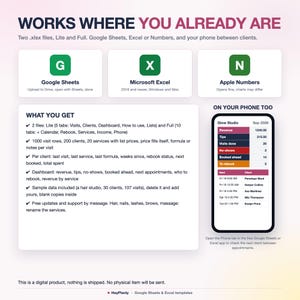
✓ Beauty_Client_Book_v1.xlsx (Full, 10 tabs, sample data inside)
✓ Beauty_Client_Book_Lite_v1.xlsx (Lite, 5 tabs, sample data inside)
✓ Beauty_Client_Book_blank.xlsx and Beauty_Client_Book_Lite_blank.xlsx (blank copies, price list and settings kept)
✓ How to open in Google Sheets (PDF)
Sample data inside: see how it works, then clear it or use the blank copy
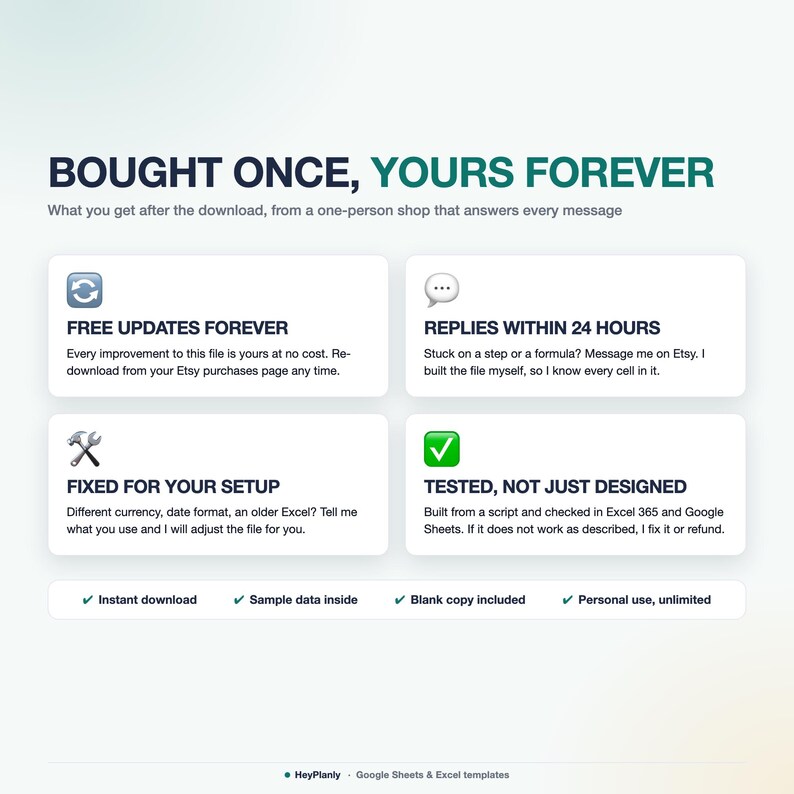
Reuse year after year: pay once, free updates
💇 HAIR, NAILS, LASHES, BROWS, MASSAGE, SAME FILE
The sample is a hair studio (root touch-ups, balayage, colour formulas). Rename the services on Lists (Gel manicure, Full set, Fill, Lash lift, Brow lamination, Facial, Massage 60) and use the Formula / notes column for the lash map, the gel brand and shade, the wax or the skin notes. Prices, minutes and the rebook line are yours. Booth renters, mobile stylists, home salons, one chair or three.
🔓 FULLY EDITABLE, NOTHING LOCKED AWAY
Formula cells are protected so nothing breaks by accident. No password: Review > Unprotect Sheet (Excel) or the protected-range message (Google Sheets) if you want to change anything, add rows or colours. Services, payment methods and sources are yours to rename or extend on the Lists tab. Need a column added? Message me, small tweaks are free.
👤 WHO IT'S FOR
Independent hair stylists, nail techs, lash and brow artists, estheticians, massage therapists and small salons who keep clients in a paper book, a notes app or their head. If you have ever asked "what formula did I use on her last time" or "who have I not seen in two months", this file answers both without typing anything twice. Not for booking online: your clients still book by text, DM or phone, you log it here.
📱 WORKS IN
✓ Microsoft Excel 2016+ and Microsoft 365 (Windows and Mac), works offline
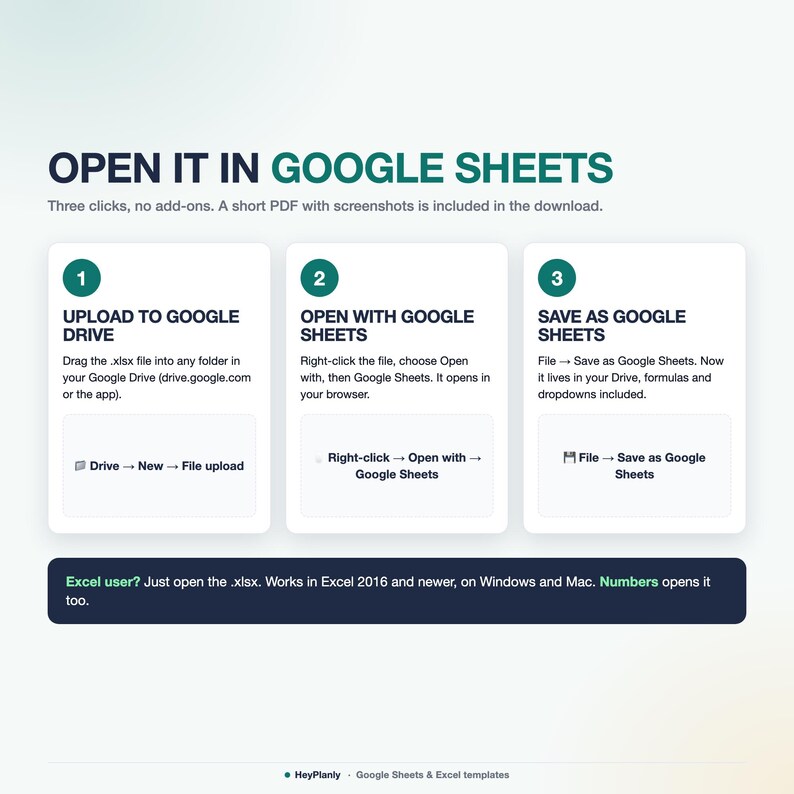
✓ Google Sheets (free Google account, after File > Save as Google Sheets)
✓ Phone: open the Phone tab in the free Google Sheets or Excel app between clients
✓ Apple Numbers: opens the file, drops the sheet protection and some colours, use Excel or Google Sheets for the best result
✓ No macros, no add-ons, no LET or XLOOKUP, so it opens everywhere
🚫 WHAT THIS IS NOT
Not a printable or a PDF client book, not a Goodnotes or Notion template, not a booking app or a subscription, not an intake or consent form and not an invoice template (that is a separate listing in the shop). It is two .xlsx spreadsheets, Lite and Full (plus blank copies and a short PDF guide on opening them in Google Sheets), that you open in Excel or Google Sheets and keep for years.
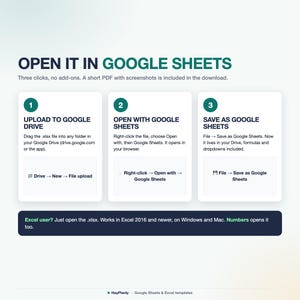
📂 HOW TO OPEN IN GOOGLE SHEETS
Upload the file to Google Drive, right-click → Open with → Google Sheets, then File → Save as Google Sheets. All formulas and the charts work (Google Sheets may drop some dropdown arrows after conversion: the PDF shows how to restore them in 10 seconds).
❓ FAQ
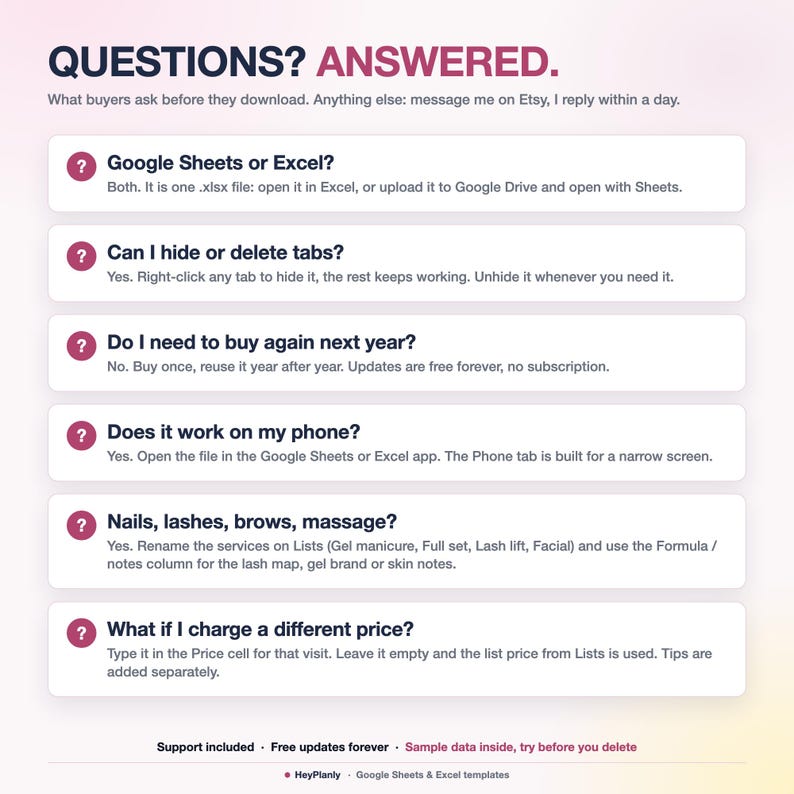
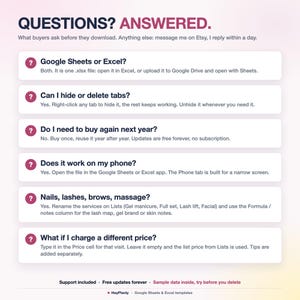
Google Sheets or Excel? Both, they are .xlsx files. Excel opens them directly, Google Sheets after File > Save as Google Sheets.
Nails, lashes, brows? Yes. Rename the services on Lists and use the Formula / notes column for the lash map or the gel shade. The rest works the same.
What if I charge a different price? Type it in the Price cell for that visit. Leave it empty and the list price is used. Tips are added separately.
How does the rebook list work? One yellow cell: rebook after N weeks. Overdue and Due soon clients appear on the Dashboard and the Rebook tab until you add a Booked row for them.
Two clients with the same name? Add an initial or the phone number to the name (Emily C., Emily R.), the dropdown and the counts use the exact name.
Too many tabs? Open the Lite file: Visits, Clients, Dashboard and nothing else. In the Full file you can hide any tab, nothing breaks.
Do I need to buy again next year? No. Keep going in the same file, the Income tab reads any year you type. Free updates.
🛍️ ALSO IN THE SHOP
✓ Invoice Template and Client Tracker Spreadsheet, small business CRM: https://www.etsy.com/listing/4576972947/invoice-template-and-client-tracker
✓ Small Business Bookkeeping Spreadsheet, income and expenses, profit and loss: https://www.etsy.com/listing/4575034780/small-business-bookkeeping-spreadsheet
✓ Pricing Calculator Spreadsheet: https://www.etsy.com/listing/4577357554/pricing-calculator-spreadsheet-product
⬇️ INSTANT DOWNLOAD
This is a digital product. Nothing will be shipped. After purchase, download the .xlsx files from your Etsy purchases page or the email Etsy sends you. Both files come with sample data for a hair studio (30 clients, 107 appointments from June to September 2026 with tips, colour formulas, 3 no-shows, 1 cancellation and 14 appointments booked ahead) so you can see how it works, delete it and add yours, or start from the blank copies.
⚠️ PLEASE NOTE
Built and tested in Excel 365 desktop and Google Sheets. Excel Online and the free mobile apps open the file for viewing and light editing, but protected sheets and the charts render best on desktop. Colours may look slightly different between apps. Formula cells are protected so nothing breaks by accident, no password: Review > Unprotect Sheet (Excel) or the protected-range message (Google Sheets) if you want to change anything, add rows or colours.
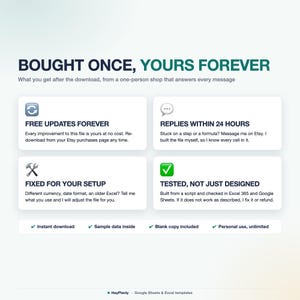
Instant download, so no refunds for change of mind. If something doesn't work as described, message me and I'll fix it or refund. For personal use only, please do not resell or share the file.
💬 QUESTIONS?
Message me any time, I reply within 24 hours. If something doesn't work on your setup, I'll fix it for you. Need a column or a service added? Small tweaks are free.
HeyPlanly: spreadsheets that actually calculate.
Instant Download
Your files will be available to download once payment is confirmed. Here's how.
Instant download items don’t accept returns, exchanges or cancellations. Please contact the seller about any problems with your order.
Etsy Purchase Protection
Shop confidently on Etsy knowing if something goes wrong with an order, we've got your back for all eligible purchases —
see program terms


More from this shop
Visit shop-
Digital download
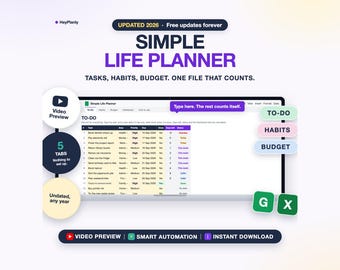
Simple Life Planner Spreadsheet, To Do List, Habit Tracker, Budget, Daily Dashboard (Google Sheets, Excel)
Sale Price $2.39
Original Price $3.99
-
Digital download
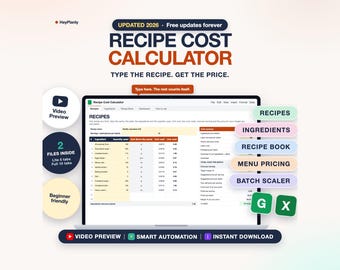
Recipe Cost Calculator Spreadsheet, Food Cost and Menu Pricing, Bakery and Cottage Food (Google Sheets, Excel)
Sale Price $5.99
Original Price $9.99
-
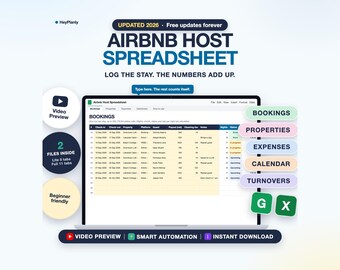
Digital download
Airbnb Host Spreadsheet, Vacation Rental Bookings, Income and Expense Tracker, Occupancy (Google Sheets, Excel)
Sale Price $7.79
Original Price $12.99
-
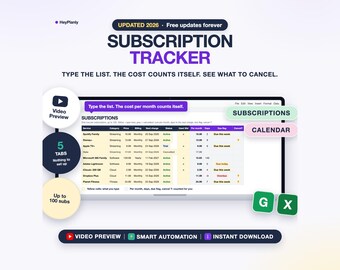
Digital download
Subscription Tracker Spreadsheet, Recurring Bills, Monthly and Yearly Cost, Cancel List (Google Sheets, Excel)
Sale Price $2.99
Original Price $4.99