









Debt Payoff Spreadsheet | Snowball, Avalanche, Windfall Simulator | Excel + Google Sheets
Item highlights
Seller's description
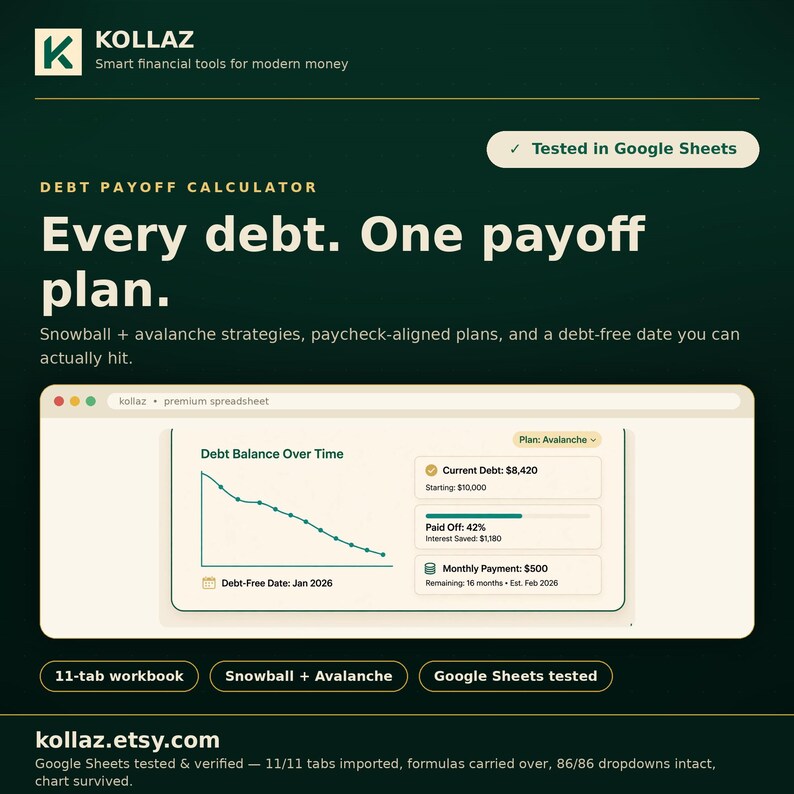
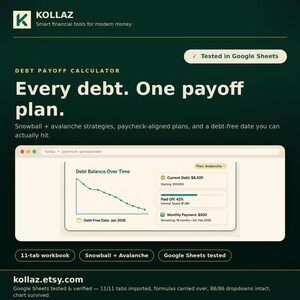
Minimum payments are the most expensive way out of debt. The Kollaz Debt Payoff Calculator is an 11-tab Excel spreadsheet that builds snowball, avalanche, and custom payoff plans for up to 12 debts (with per-debt extra payments, paycheck-aligned plans, a 0% balance transfer simulator, and a windfall simulator). It shows your exact debt-free date and the interest you save.
Picture a woman at midnight with three card apps open, moving money around and hoping she is paying the right one. She is not lazy and she is not bad with money. She is trying to hold a dozen balances, rates, and due dates in her head at once. What beats her, night after night, is the Midnight Shuffle: minimums everywhere, extra money spread by gut feeling, and no date when it ends. Leave it in charge and the balances outlast her motivation: interest keeps its cut every month, and the finish line never gets close enough to see. So she lays the debts out in one plan: one order to pay them in, built around how she is actually paid, with the exact date the last balance reaches zero. Payday stops being a guessing game. She already knows which debt this cheque hits, and she can watch the end date hold. She learned she never needed more willpower. She needed the order.
This is for someone with multiple debts who needs a snowball-vs-avalanche payoff plan with their exact debt-free date and interest saved.
This spreadsheet shows you the cheapest way out, and exactly what it saves you.
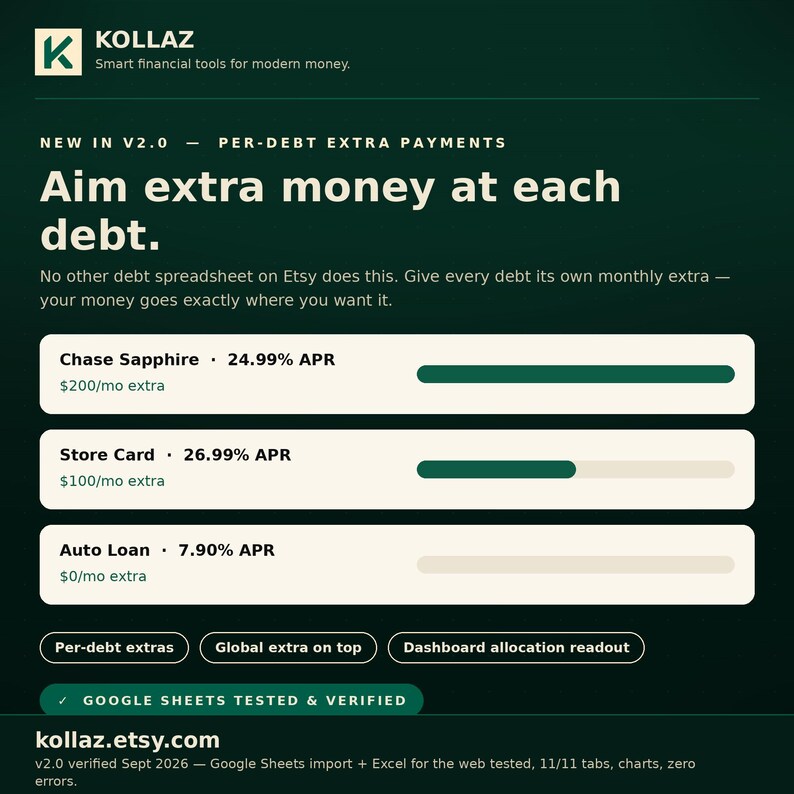
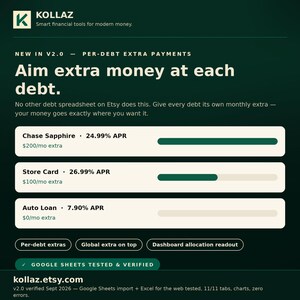
**NEW IN v2.0: allocate extra payments to specific debts.** Every other debt calculator gives you one extra-payment box and calls it a day. This one lets you aim extra money at *each* debt individually ($200 at the high-APR card, $100 at the store card), while a global extra still attacks your focus debt. It's the #1 thing debt-planner buyers ask for, and no other spreadsheet on Etsy does it.
Get on top of your debt with a clear view of your payoff effort: every debt, every payment, your exact debt-free date.
Most debt calculators assume one payment a month and call it a day. This one is built for how you actually get paid, and for the real decisions in between, like whether a 0% balance transfer is worth the fee, or where a tax refund makes the biggest dent.
8 THINGS THAT MAKE IT DIFFERENT
1. PER-DEBT EXTRA PAYMENTS (NEW). Give every debt its own monthly extra ($200 to the 24% card, $50 to the store card), on top of one global extra that follows your payoff order. Your money goes exactly where you want it.
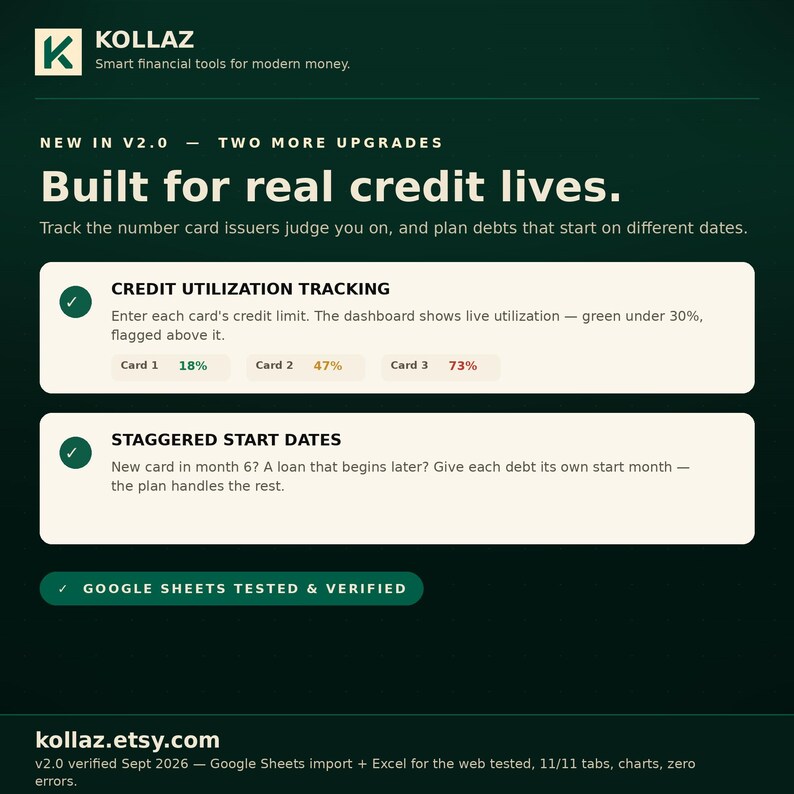
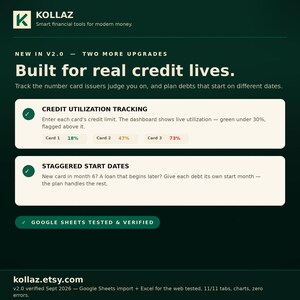
2. CREDIT UTILIZATION TRACKING (NEW). Enter each card's credit limit and watch your utilization live on the dashboard (green under 30%, flagged above it). The number card issuers actually judge you on.
3. STAGGERED START DATES (NEW). Debts don't all start on day one (a new card in month 6, a loan that begins later). Give each debt its own start month and the plan handles the rest.
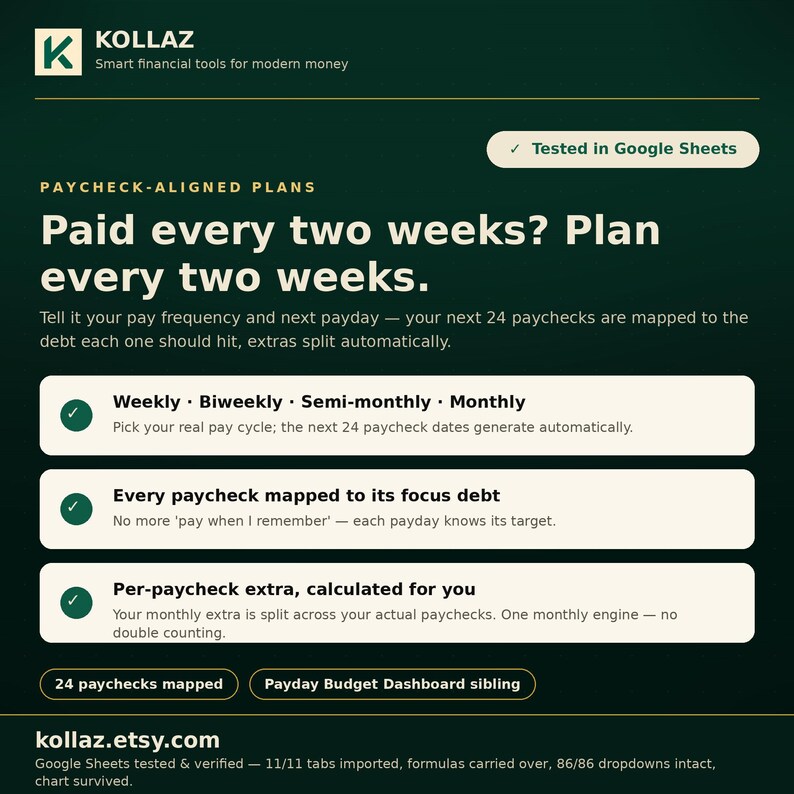
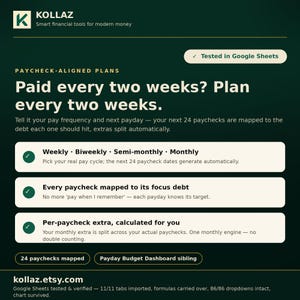
4. PAYCHECK-ALIGNED PLANS. Tell it how often you're paid (weekly, biweekly, semi-monthly, or monthly), and your next payday, and it maps your next 24 paychecks to the debt each one should hit. Built by the makers of the Payday Budget Dashboard, for real pay cycles, not textbook months.
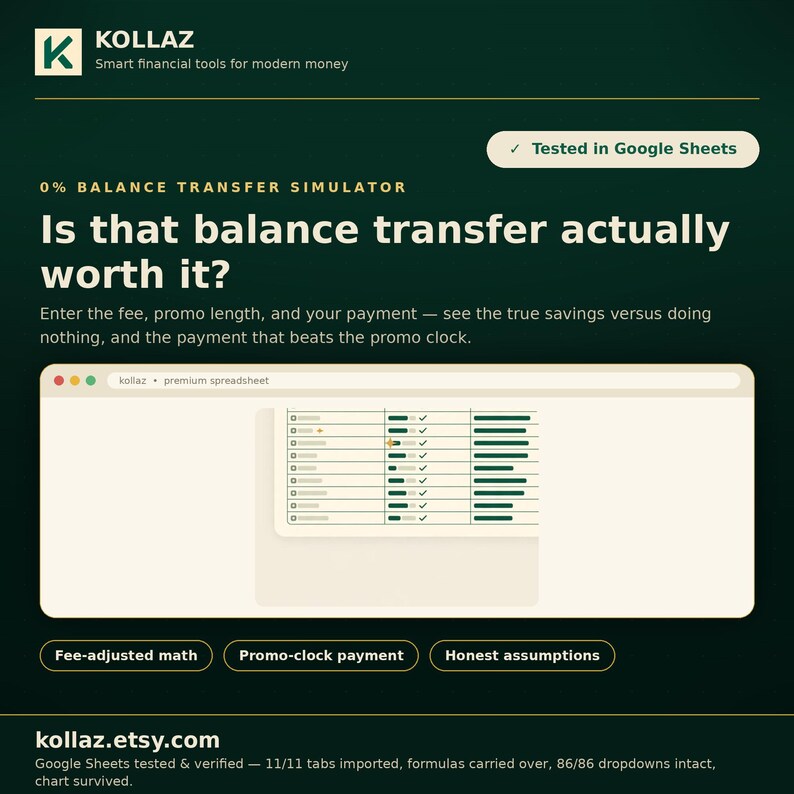
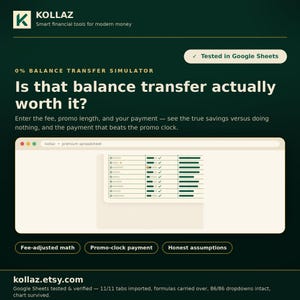
5. 0% BALANCE TRANSFER SIMULATOR. Enter the transfer fee, promo length, and your payment. It tells you the true savings versus doing nothing, the exact payment needed to kill the balance before the promo ends, and warns you if your payment won't make it.
6. WINDFALL SIMULATOR. Tax refund? Bonus? Side-hustle payout? Drop a lump sum in at any month and instantly see your new debt-free date, months saved, and interest saved.
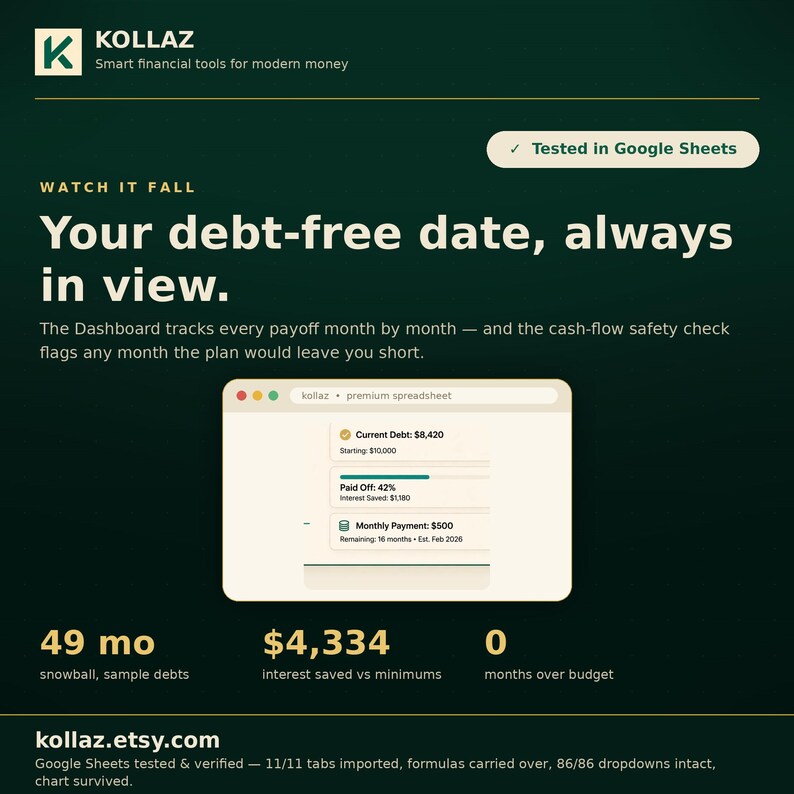
7. CASH-FLOW SAFETY CHECK. Enter your monthly bills and take-home pay. Any month the accelerated plan would leave you short is flagged red, so the plan you follow is one you can actually afford.
8. CUSTOM PAYOFF ORDER. Beyond snowball and avalanche: rank up to 12 debts in whatever order fits your life and get a full payoff plan built from it.
PLUS EVERYTHING YOU'D EXPECT, DONE PROPERLY
- Snowball, avalanche, and custom plans: automatic payoff order, per-debt interest, payoff dates, and your debt-free date (up to 12 debts)
- Per-debt extra payments with an allocation readout on the dashboard
- Credit utilization per card + overall, with 30%/50% flags
- 120-month payment schedule: month-by-month balances, focus debt, and the cash-flow safety check
- Extra Payments Lab: compare minimums-only vs snowball vs avalanche vs custom side by side; change one cell and watch every plan update
- Dashboard: headline numbers plus a balance-over-time chart
- Sample debts pre-filled so you can see it working instantly (overwrite with your own)
One real example, with the pre-loaded sample debts ($25,450 across 4 debts, $150 extra a month): snowball finishes in 49 months at $5,420 total interest, versus 121 months and $9,754 interest on minimums alone. Your numbers will be different. This calculator finds yours in seconds.
WHAT'S INSIDE (11 TABS)
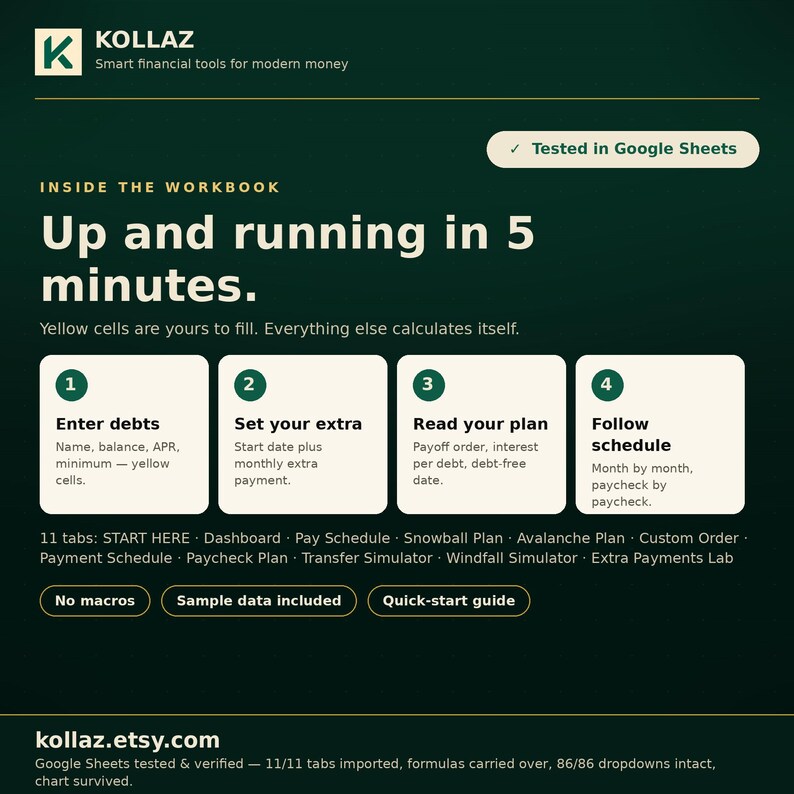
START HERE: how to use the calculator
Dashboard: headline numbers, utilization, and the balance chart
Pay Schedule: your pay frequency and next 24 paychecks
Snowball Plan: smallest balance first
Avalanche Plan: highest APR first
Custom Order: your own payoff order, ranked 1-12
Payment Schedule: 120 months of balances and focus debts
Paycheck Plan: every paycheck mapped to its debt
Transfer Simulator: the 0% balance transfer math
Windfall Simulator: lump-sum what-ifs
Extra Payments Lab: all four strategies compared side by side
TESTED WHERE IT COUNTS
COMPATIBILITY (verified Sept 2026, v2.0): Google Sheets import test: all 11 tabs, charts, dropdowns, zero error tokens, live recalculation verified. Excel for the web: opens with no repair warning, all tabs and charts intact, recalculation verified. LibreOffice full-recalculation verified, zero formula errors. Every headline number cross-checked against an independent calculation engine (226 checks, all passing).
**EASY TO START: NO SPREADSHEET EXPERTISE NEEDED**
Everything you touch is a cream-colored cell. Type over the sample debts, follow the Start-Here tab, and your plan builds itself in about 5 minutes. If you can use email, you can use this.
**YOUR FIRST 60 SECONDS**
• Google Sheets: File → Make a copy, then enter your debts into the cream cells.
• Excel: click Enable Editing, then enter your debts into the cream cells.
HOW IT WORKS (5 MINUTES)
1. Enter your debts: name, balance, APR, minimum payment, plus each debt's own extra payment, credit limit, and start month (cream cells).
2. Set your start date and monthly extra payment.
3. Read your plan: payoff order, interest per debt, utilization, debt-free date.
4. Follow the Payment Schedule month by month.
DETAILS
- Instant download: Excel .xlsx spreadsheet (no macros, no add-ins) plus a quick-start guide
- Works in Excel, Google Sheets & LibreOffice: all verified Sept 2026 (see above)
- Sample data pre-loaded; just overwrite it with your own numbers
PLEASE NOTE
- This is a planning tool, not financial advice.
- For debts with a future start month, enter the balance as of that start month. The plan treats the debt as dormant before then (no interest, no payments).
- A debt's own extra payment stops when that debt is paid off; freed minimums roll to the next debt per your payoff order.
- Final payments are usually slightly smaller than shown (the plan rounds up to whole months).
- The windfall simulator shows interest saved on the windfall debt itself; if your lump sum exceeds that debt's balance, the overflow is not modeled.
- The transfer simulator assumes your post-promo APR equals your old APR and no new spending on the card.
- Due to the nature of digital downloads, all sales are final: no refunds or exchanges. But you're not on your own: if a number looks wrong or you need help setting it up, message me and I'll help you get it working.
*Built by the Kollaz studio. Smart financial tools for modern money.*
Try the live demo (view-only sample): https://docs.google.com/spreadsheets/d/1wUf6clxr4TwHY__yS3d2M_weDD4-naD5OifVZY9NlYE/edit?usp=sharing
Should I use the avalanche or snowball method?
Use both, or your own order. The calculator builds snowball, avalanche, and custom payoff plans for up to 12 debts and compares them side by side in the Extra Payments Lab, so you see which strategy gets you debt-free cheapest.
Is there a spreadsheet that does the math for me?
Yes. Enter each debt's name, balance, APR, and minimum payment in the cream cells, and the 11-tab workbook builds your payoff order, per-debt interest, payoff dates, and your exact debt-free date in about 5 minutes.
Does it handle how I actually get paid?
Yes: tell it how often you're paid (weekly, biweekly, semi-monthly, monthly) and your next payday, and it maps your next 24 paychecks to the debt each one should hit. Built for real pay cycles, not textbook months.
Is a 0% balance transfer worth the fee?
The built-in simulator tells you the true savings versus doing nothing, the exact monthly payment needed to kill the balance before the promo ends, and warns you if your payment won't make it.
Q: What's new in v2.0?
A: Per-debt extra payments (aim extra money at each debt individually: e.g. $200 at the 24% card, $50 at the store card), credit utilization tracking, and staggered start dates. No other debt spreadsheet on Etsy does per-debt extras.
Q: What if my debts start at different times?
A: Give each debt its own start month (a new card in month 6, a loan that begins later), and the plan handles the rest. Enter the balance as of that start month.
Q: Is there a cash-flow risk?
A: The cash-flow safety check flags any month the accelerated plan would leave you short, so the plan you follow is one you can actually afford.
Q: Is this financial advice?
A: No: a planning tool. If a number looks wrong or you need setup help, message the shop and you'll get help getting it working.
Format: Excel .xlsx spreadsheet (no macros, no add-ins) + quick-start guide
Tabs: 11: START HERE, Dashboard, Pay Schedule, Snowball Plan, Avalanche Plan, Custom Order, Payment Schedule (120 months), Paycheck Plan, Transfer Simulator, Windfall Simulator, Extra Payments Lab
Capacity: up to 12 debts, each with its own monthly extra payment, credit limit, and start month
Differentiators: per-debt extra payments, live credit-utilization tracking (30%/50% flags), staggered start dates
Compatibility: verified Sept 2026: Google Sheets import (11/11 tabs, charts, dropdowns, zero error tokens), Excel for the web (no repair warning), LibreOffice full recalculation; 226 independent calculation checks, all passing
Region/currency: any debts, any currency
Maker: Kollaz: Smart financial tools for modern money
Delivery: instant digital download
If something goes wrong with an order, we've got your back for all eligible purchases. View program terms
NowPrice:$20.72
Original Price: $41.44
50% off
Sale ends on December 6
You can only make an offer when buying a single item
Delivery
Instant download
Your files will be available to download once payment is confirmed. Here's how.
Instant download items don't accept returns, exchanges or cancellations. Please contact the seller about any problems with your order.
Seller's description
Specifications

Minimum payments are the most expensive way out of debt. The Kollaz Debt Payoff Calculator is an 11-tab Excel spreadsheet that builds snowball, avalanche, and custom payoff plans for up to 12 debts (with per-debt extra payments, paycheck-aligned plans, a 0% balance transfer simulator, and a windfall simulator). It shows your exact debt-free date and the interest you save.
Picture a woman at midnight with three card apps open, moving money around and hoping she is paying the right one. She is not lazy and she is not bad with money. She is trying to hold a dozen balances, rates, and due dates in her head at once. What beats her, night after night, is the Midnight Shuffle: minimums everywhere, extra money spread by gut feeling, and no date when it ends. Leave it in charge and the balances outlast her motivation: interest keeps its cut every month, and the finish line never gets close enough to see. So she lays the debts out in one plan: one order to pay them in, built around how she is actually paid, with the exact date the last balance reaches zero. Payday stops being a guessing game. She already knows which debt this cheque hits, and she can watch the end date hold. She learned she never needed more willpower. She needed the order.
This is for someone with multiple debts who needs a snowball-vs-avalanche payoff plan with their exact debt-free date and interest saved.
This spreadsheet shows you the cheapest way out, and exactly what it saves you.
**NEW IN v2.0: allocate extra payments to specific debts.** Every other debt calculator gives you one extra-payment box and calls it a day. This one lets you aim extra money at *each* debt individually ($200 at the high-APR card, $100 at the store card), while a global extra still attacks your focus debt. It's the #1 thing debt-planner buyers ask for, and no other spreadsheet on Etsy does it.
Get on top of your debt with a clear view of your payoff effort: every debt, every payment, your exact debt-free date.
Most debt calculators assume one payment a month and call it a day. This one is built for how you actually get paid, and for the real decisions in between, like whether a 0% balance transfer is worth the fee, or where a tax refund makes the biggest dent.
8 THINGS THAT MAKE IT DIFFERENT
1. PER-DEBT EXTRA PAYMENTS (NEW). Give every debt its own monthly extra ($200 to the 24% card, $50 to the store card), on top of one global extra that follows your payoff order. Your money goes exactly where you want it.
2. CREDIT UTILIZATION TRACKING (NEW). Enter each card's credit limit and watch your utilization live on the dashboard (green under 30%, flagged above it). The number card issuers actually judge you on.
3. STAGGERED START DATES (NEW). Debts don't all start on day one (a new card in month 6, a loan that begins later). Give each debt its own start month and the plan handles the rest.
4. PAYCHECK-ALIGNED PLANS. Tell it how often you're paid (weekly, biweekly, semi-monthly, or monthly), and your next payday, and it maps your next 24 paychecks to the debt each one should hit. Built by the makers of the Payday Budget Dashboard, for real pay cycles, not textbook months.
5. 0% BALANCE TRANSFER SIMULATOR. Enter the transfer fee, promo length, and your payment. It tells you the true savings versus doing nothing, the exact payment needed to kill the balance before the promo ends, and warns you if your payment won't make it.
6. WINDFALL SIMULATOR. Tax refund? Bonus? Side-hustle payout? Drop a lump sum in at any month and instantly see your new debt-free date, months saved, and interest saved.
7. CASH-FLOW SAFETY CHECK. Enter your monthly bills and take-home pay. Any month the accelerated plan would leave you short is flagged red, so the plan you follow is one you can actually afford.
8. CUSTOM PAYOFF ORDER. Beyond snowball and avalanche: rank up to 12 debts in whatever order fits your life and get a full payoff plan built from it.
PLUS EVERYTHING YOU'D EXPECT, DONE PROPERLY
- Snowball, avalanche, and custom plans: automatic payoff order, per-debt interest, payoff dates, and your debt-free date (up to 12 debts)
- Per-debt extra payments with an allocation readout on the dashboard
- Credit utilization per card + overall, with 30%/50% flags
- 120-month payment schedule: month-by-month balances, focus debt, and the cash-flow safety check
- Extra Payments Lab: compare minimums-only vs snowball vs avalanche vs custom side by side; change one cell and watch every plan update
- Dashboard: headline numbers plus a balance-over-time chart
- Sample debts pre-filled so you can see it working instantly (overwrite with your own)
One real example, with the pre-loaded sample debts ($25,450 across 4 debts, $150 extra a month): snowball finishes in 49 months at $5,420 total interest, versus 121 months and $9,754 interest on minimums alone. Your numbers will be different. This calculator finds yours in seconds.
WHAT'S INSIDE (11 TABS)
START HERE: how to use the calculator
Dashboard: headline numbers, utilization, and the balance chart
Pay Schedule: your pay frequency and next 24 paychecks
Snowball Plan: smallest balance first
Avalanche Plan: highest APR first
Custom Order: your own payoff order, ranked 1-12
Payment Schedule: 120 months of balances and focus debts
Paycheck Plan: every paycheck mapped to its debt
Transfer Simulator: the 0% balance transfer math
Windfall Simulator: lump-sum what-ifs
Extra Payments Lab: all four strategies compared side by side
TESTED WHERE IT COUNTS
COMPATIBILITY (verified Sept 2026, v2.0): Google Sheets import test: all 11 tabs, charts, dropdowns, zero error tokens, live recalculation verified. Excel for the web: opens with no repair warning, all tabs and charts intact, recalculation verified. LibreOffice full-recalculation verified, zero formula errors. Every headline number cross-checked against an independent calculation engine (226 checks, all passing).
**EASY TO START: NO SPREADSHEET EXPERTISE NEEDED**
Everything you touch is a cream-colored cell. Type over the sample debts, follow the Start-Here tab, and your plan builds itself in about 5 minutes. If you can use email, you can use this.
**YOUR FIRST 60 SECONDS**
• Google Sheets: File → Make a copy, then enter your debts into the cream cells.
• Excel: click Enable Editing, then enter your debts into the cream cells.
HOW IT WORKS (5 MINUTES)
1. Enter your debts: name, balance, APR, minimum payment, plus each debt's own extra payment, credit limit, and start month (cream cells).
2. Set your start date and monthly extra payment.
3. Read your plan: payoff order, interest per debt, utilization, debt-free date.
4. Follow the Payment Schedule month by month.
DETAILS
- Instant download: Excel .xlsx spreadsheet (no macros, no add-ins) plus a quick-start guide
- Works in Excel, Google Sheets & LibreOffice: all verified Sept 2026 (see above)
- Sample data pre-loaded; just overwrite it with your own numbers
PLEASE NOTE
- This is a planning tool, not financial advice.
- For debts with a future start month, enter the balance as of that start month. The plan treats the debt as dormant before then (no interest, no payments).
- A debt's own extra payment stops when that debt is paid off; freed minimums roll to the next debt per your payoff order.
- Final payments are usually slightly smaller than shown (the plan rounds up to whole months).
- The windfall simulator shows interest saved on the windfall debt itself; if your lump sum exceeds that debt's balance, the overflow is not modeled.
- The transfer simulator assumes your post-promo APR equals your old APR and no new spending on the card.
- Due to the nature of digital downloads, all sales are final: no refunds or exchanges. But you're not on your own: if a number looks wrong or you need help setting it up, message me and I'll help you get it working.
*Built by the Kollaz studio. Smart financial tools for modern money.*
Try the live demo (view-only sample): https://docs.google.com/spreadsheets/d/1wUf6clxr4TwHY__yS3d2M_weDD4-naD5OifVZY9NlYE/edit?usp=sharing
Should I use the avalanche or snowball method?
Use both, or your own order. The calculator builds snowball, avalanche, and custom payoff plans for up to 12 debts and compares them side by side in the Extra Payments Lab, so you see which strategy gets you debt-free cheapest.
Is there a spreadsheet that does the math for me?
Yes. Enter each debt's name, balance, APR, and minimum payment in the cream cells, and the 11-tab workbook builds your payoff order, per-debt interest, payoff dates, and your exact debt-free date in about 5 minutes.
Does it handle how I actually get paid?
Yes: tell it how often you're paid (weekly, biweekly, semi-monthly, monthly) and your next payday, and it maps your next 24 paychecks to the debt each one should hit. Built for real pay cycles, not textbook months.
Is a 0% balance transfer worth the fee?
The built-in simulator tells you the true savings versus doing nothing, the exact monthly payment needed to kill the balance before the promo ends, and warns you if your payment won't make it.
Q: What's new in v2.0?
A: Per-debt extra payments (aim extra money at each debt individually: e.g. $200 at the 24% card, $50 at the store card), credit utilization tracking, and staggered start dates. No other debt spreadsheet on Etsy does per-debt extras.
Q: What if my debts start at different times?
A: Give each debt its own start month (a new card in month 6, a loan that begins later), and the plan handles the rest. Enter the balance as of that start month.
Q: Is there a cash-flow risk?
A: The cash-flow safety check flags any month the accelerated plan would leave you short, so the plan you follow is one you can actually afford.
Q: Is this financial advice?
A: No: a planning tool. If a number looks wrong or you need setup help, message the shop and you'll get help getting it working.
Format: Excel .xlsx spreadsheet (no macros, no add-ins) + quick-start guide
Tabs: 11: START HERE, Dashboard, Pay Schedule, Snowball Plan, Avalanche Plan, Custom Order, Payment Schedule (120 months), Paycheck Plan, Transfer Simulator, Windfall Simulator, Extra Payments Lab
Capacity: up to 12 debts, each with its own monthly extra payment, credit limit, and start month
Differentiators: per-debt extra payments, live credit-utilization tracking (30%/50% flags), staggered start dates
Compatibility: verified Sept 2026: Google Sheets import (11/11 tabs, charts, dropdowns, zero error tokens), Excel for the web (no repair warning), LibreOffice full recalculation; 226 independent calculation checks, all passing
Region/currency: any debts, any currency
Maker: Kollaz: Smart financial tools for modern money
Delivery: instant digital download
-
Designed by
-
Item typeDigital download
-
Digital file type(s)1 ZIP
If something goes wrong with an order, we've got your back on all eligible purchases. View program terms
Meet your seller
More from this shop
-

Digital download
Debt vs Invest Calculator Excel | Pay Off Debt or Invest Decision Tool | 5-Year Net Worth Comparison Spreadsheet with Break-Even Rate
Sale Price $7.25
Original Price $14.49
-

Digital download
Student Loan Repayment Plan Comparison Spreadsheet 2026: RAP vs IBR vs Standard, Amortization & Forgiveness Tax Calculator
Sale Price $17.76
Original Price $35.52
-

Digital download
Calculateur Tarif Horaire Freelance Canada 2026 | Travailleur Autonome — Impôt Réel 13 Provinces, Québec RRQ RQAP, Tableur Excel
Sale Price $14.80
Original Price $29.60
-

Digital download
Irregular Income Budget Spreadsheet | Freelancer Paycheck Planner (Google Sheets + Excel)
Sale Price $11.10
Original Price $22.19
-

Digital download
Planificateur fiscal 2026 travailleur autonome Québec | TP-80 + T2125, acomptes provisionnels, dossier comptable | PDF remplissable
Sale Price $20.72
Original Price $41.44
-

Digital download
Tableur Impôt Travailleur Autonome Canada 2026 | Calculateur Acomptes Provisionnels Toutes Provinces | Suivi TPS TVQ T4A Excel
Sale Price $18.50
Original Price $37.00
-

Digital download
Debt Payoff Tracker: Snowball & Avalanche Spreadsheet (Google Sheets)
$21.00
-

Digital download
Debt Payoff Tracker Spreadsheet: Snowball and Avalanche Google Sheets (Digital Download)
$21.00
-

Digital download
Ultimate Debt Payoff Tracker: Avalanche and Snowball Google Sheets (Digital Download)
$21.00
-
Digital download
Debt Payoff Tracker for Google Sheets: Debt Snowball Spreadsheet with Avalanche & Custom Methods, Credit Card and Loan Payoff Calculator
Sale Price $9.41
Original Price $12.55
-

Digital download
Debt Payoff Tracker Excel Template | Debt Dashboard, Snowball & Avalanche Plan, Credit Overview, Payment Log + Bonus Freebie
$29.90
-
Digital download
Ultimate Debt Snowball and Avalanche Calculator Spreadsheet for Microsoft Excel
$21.06
-

Digital download
Debt Tracker Bundle: Excel Snowball & Avalanche Debt Payoff Spreadsheet (Digital Download)
$35.18
-
Digital download
Debt Snowball Spreadsheet for Google Sheets: Snowball and Avalanche Debt Payoff Tracker, Credit Card and Loan Payoff Calculator
Sale Price $8.30
Original Price $11.07
-
Digital download
Ultimate Debt Snowball and Avalanche Calculator Spreadsheet for Google Sheets
$21.06
-

Digital download
Debt Payoff Tracker Spreadsheet Google Sheets Debt Snowball Avalanche Calculator Debt Free Planner Student Loan Credit Card Payoff Template
Sale Price $5.62
Original Price $11.24
-
Digital download
Debt Snowball Tracker – Google Sheets Payoff Planner
$27.00
-
Digital download
debt tracker, snowball, avalanche, debt spreadsheet
$30.97
Shoppers with similar taste loved these
-

Digital download
Budget Planner Printable PDF Premium version
Sale Price $5.88
Original Price $6.92
-

Digital download
Complete Family Budget Pack (Excel, Google Sheets, 4 Family Budget Tables: Birth, Back to School, and Christmas)
$22.17
-

Digital download
Monthly Budget Planner for Remarkable Paper Pure, Budget Tracker Template, Finance Overview, Instant Download
$1.47
-

Digital download
Calendrier de suivi factures 2026 Budget & Calendrier Google Sheets Planificateur Excel Suivi Dépenses Calendrier facture et Paiement Budget
Sale Price $2.96
Original Price $5.92
-

Digital download
Budget mensuel PRINTABLE, Budget en Français, Suivi des dépenses quotidiennes hebdomadaires et mensuelles, Suivi budgétaire mensuel, PDF A4
Sale Price $3.17
Original Price $5.28
-

Digital download
Printable budget planner, simple PDF budget planner, financial management, monthly budget
$2.93
-

Digital download
My FIRST BUDGET l Printable French Budget Planner | Undated | Monthly Budget & Trackers | Zero-Based Budget & Budget Envelopes
$14.08
-

Digital download
Zero Base Budget EXCEL PREMIUM version – Complete budget planner
$14.43
-

Digital download
Digital Cash Envelopes Tracker Apple Numbers, Template Expense, iPad Budget Planner, Mac Budget MS Excel and Google Sheets
$5.85
-
Digital download
French Budget Planner Excel 2026, Budget Français Google Sheets, Monthly Expense Tracker, Debt Payoff Net Worth Tracker, Digital Download
Sale Price $0.90
Original Price $1.20
-
Digital download
Minimalist Paycheck Budget Planner | Printable Budget Sheet | Aesthetic Money Tracker
$3.00
-
Digital download
French Monthly Budget Planner | Monthly Financial Tracker | Printable A4/A5 or GoodNotes Compatible - Les Petits PDF
$2.35


