




Price:$20.58
Animated Halloween Cauldron Goal Widget for Twitch Streams (Digital Download)

Designed by Nymbra
You can only make an offer when buying a single item
Highlights
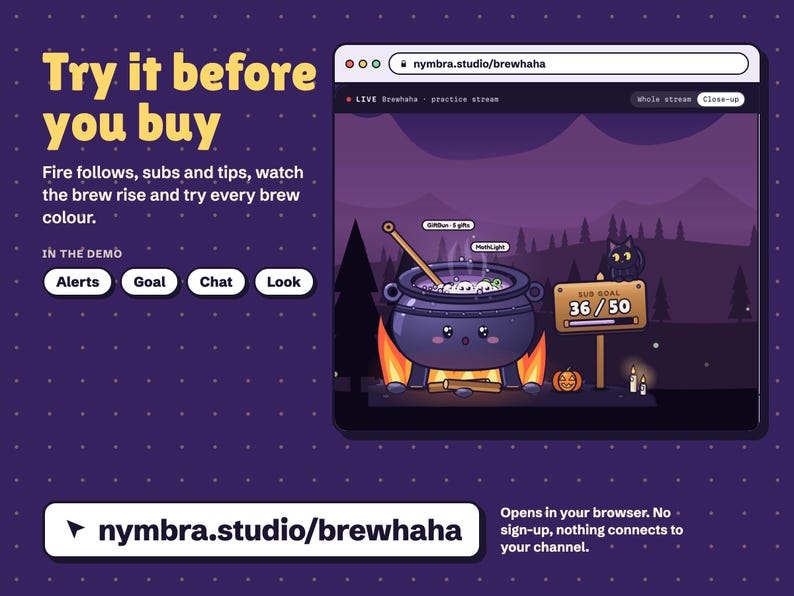
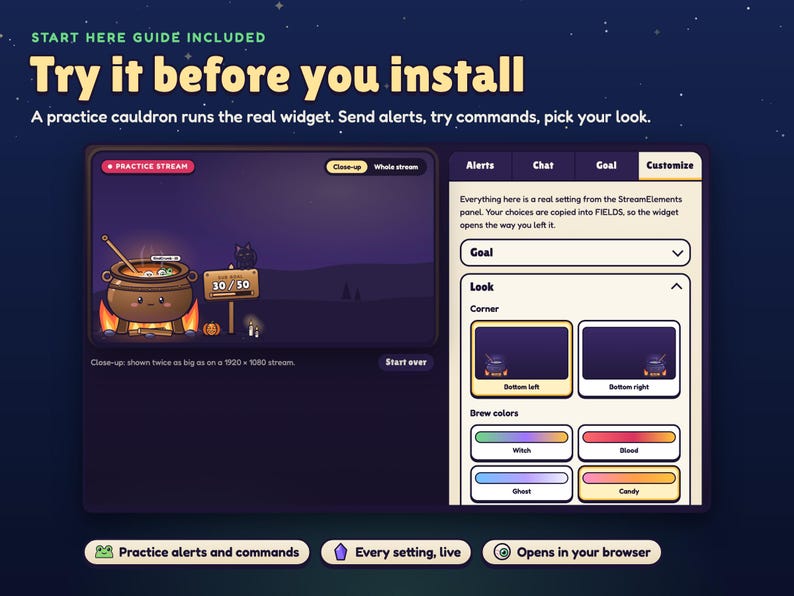
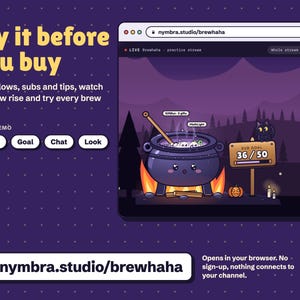
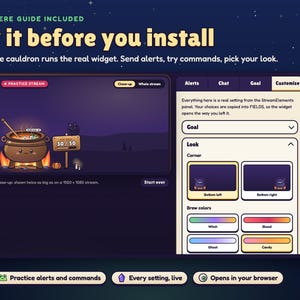
TRY IT FIRST: play with the live demo at nymbra.studio/brewhaha. Fire follows, subs and tips, watch the brew rise and bubble over, and try every brew colour, right in your browser. No sign-up, nothing connects to your channel.
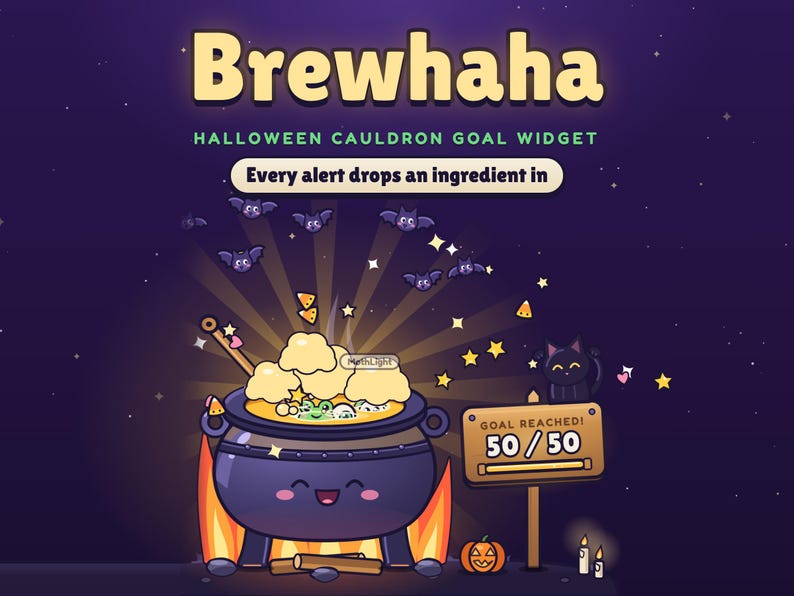
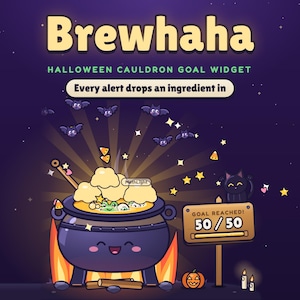
A Halloween goal widget for the corner of your stream: a cute cauldron that fills as your sub, follower, tip or bits goal climbs. Every alert drops an ingredient with the viewer's name, and at the goal the brew bursts into bats, stars and golden light. Spooky but cute, easy to set up: open the START HERE guide, try it, copy four files into StreamElements. About five minutes, no coding.
🧪 THE CAULDRON
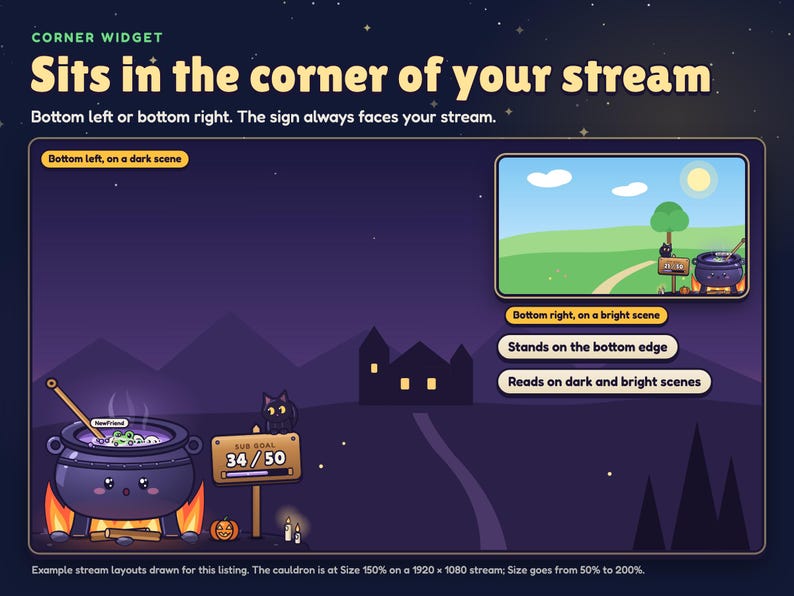
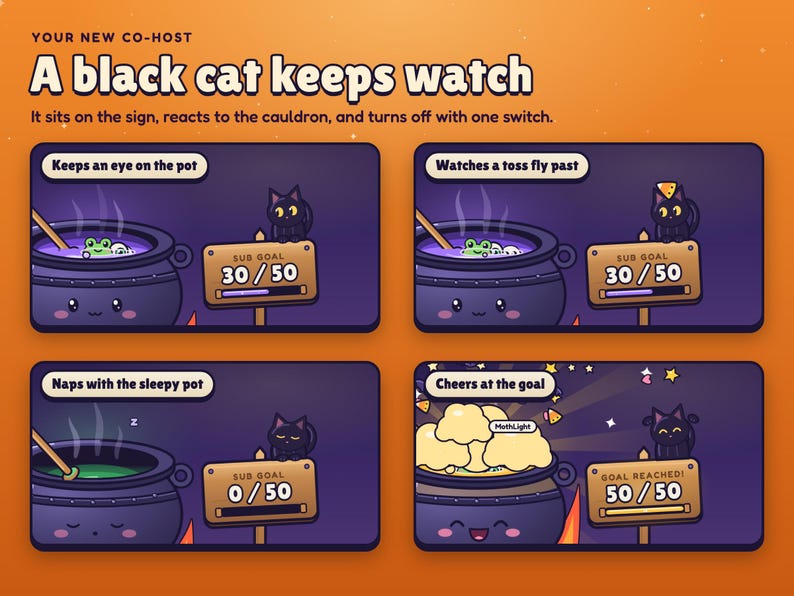
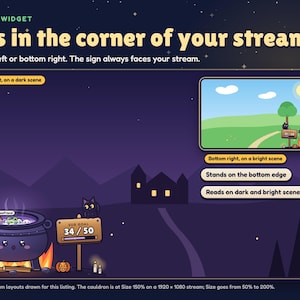
A little iron cauldron on its own campfire, with a wooden sign that shows your goal and a black cat sitting on top. It stands on the bottom edge of your stream, in the bottom-left or bottom-right corner, and it is never still.
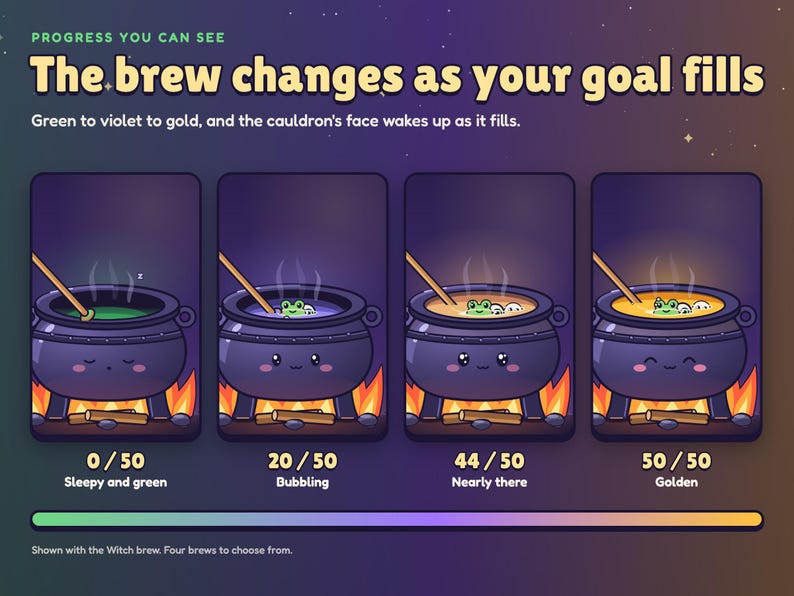
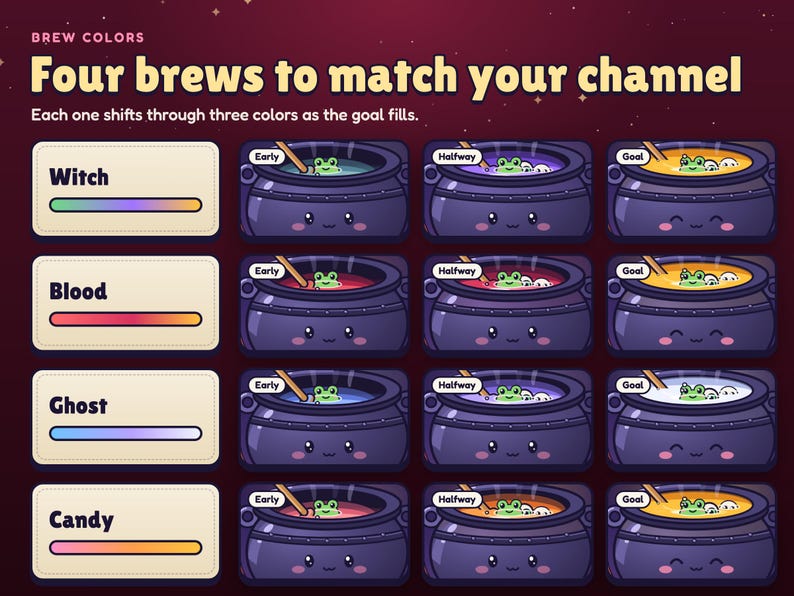
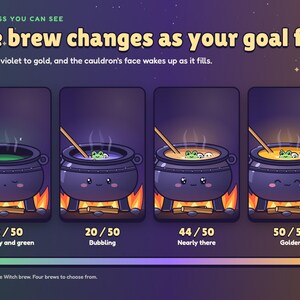
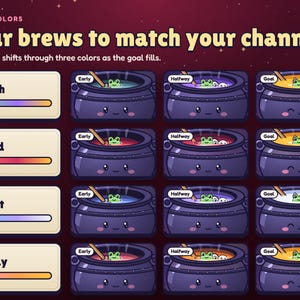
• The brew rises with your count and shifts color: green, then violet, then gold at the goal
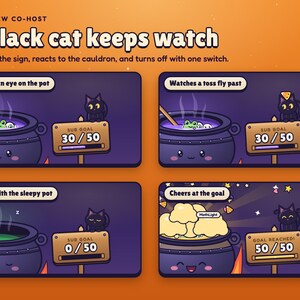
• The cauldron has a face: sleepy when the goal is empty, smiling as it fills, wide-eyed near the end, cheering at the goal
• Fire, embers, bubbles, steam, flickering candles and a glowing pumpkin keep it alive between alerts
• The ladle stirs on its own every few seconds (you choose how often, or turn it off)
• The black cat watches the pot, flicks its ears, swishes its tail, naps while the empty pot sleeps and cheers at the goal
• Up to five ingredients float in the brew at once; leave a frog in long enough and it turns into a little skull
• Transparent background, hand-coded SVG, no image or video files
🐸 EVERY ALERT DROPS AN INGREDIENT IN
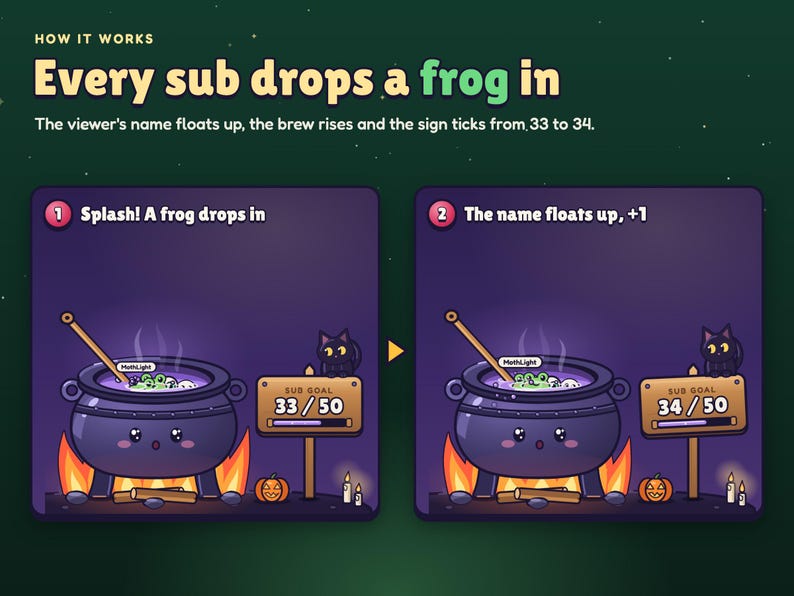
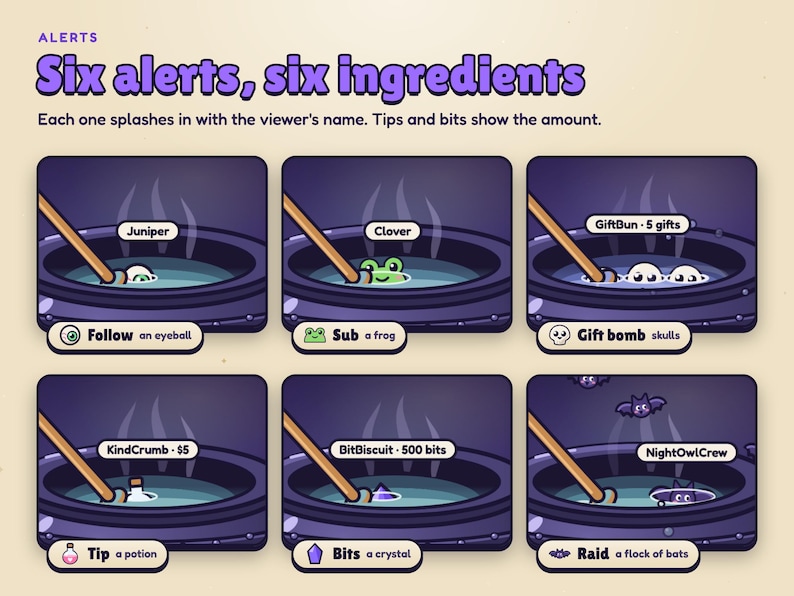
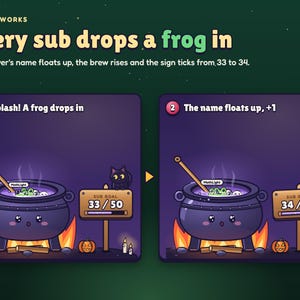
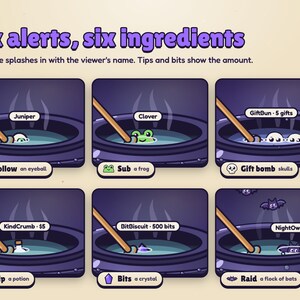
Each alert gets its own ingredient, a splash, and the viewer's name floating up from it:
• Follow: an eyeball
• Sub or resub: a frog
• Gift bomb: skulls, and the name shows how many gifts
• Tip: a potion, with the amount
• Bits: a crystal, with the amount
• Raid: a flock of bats sweeps in and one dives into the pot
Alerts that don't count toward your goal still drop their ingredient in, so every alert gets a moment.
🎯 WHAT IT COUNTS
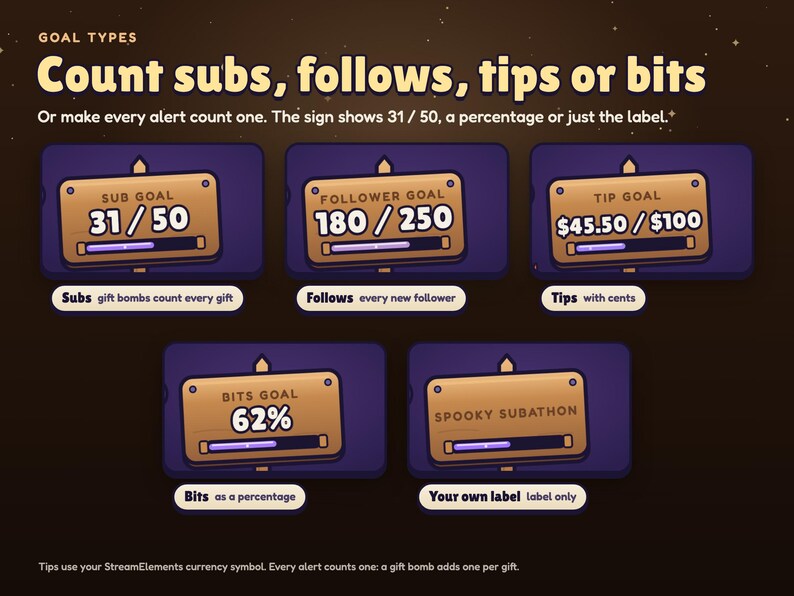
Pick one goal per widget and set any target:
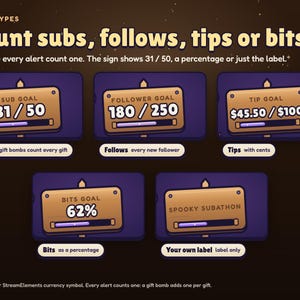
• Subs: every sub and resub; a gift bomb counts every gifted sub once
• Follows: every new follower
• Tips: the amount, with your currency symbol and cents
• Bits: the amount cheered
• Every alert counts one: follows, subs, tips, bits and raids each add one, and a gift bomb adds one per gift
The sign shows 31 / 50, a percentage, or just your label. Leave the label empty for an automatic one (SUB GOAL, TIP GOAL…) or type your own.
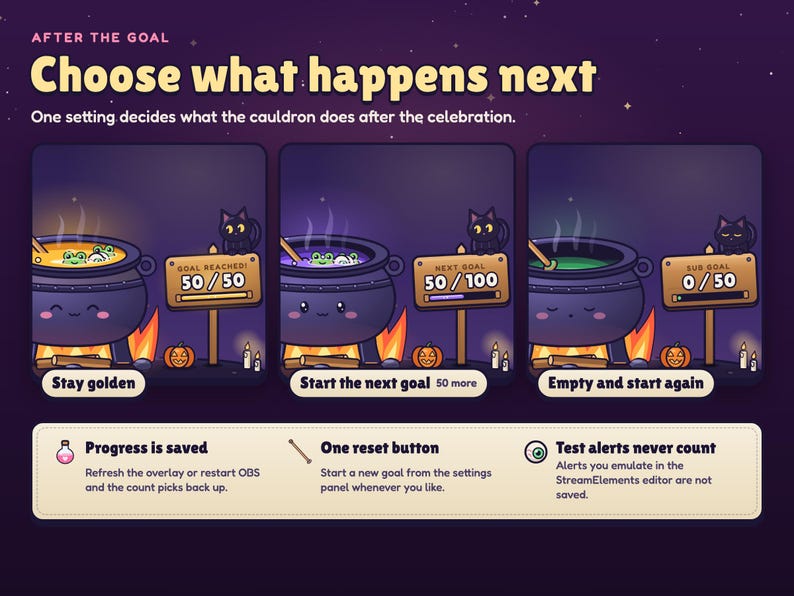
Progress is saved in your StreamElements account, so refreshing the overlay or restarting OBS picks the count back up. Set "Start from" if you're already partway there.
✨ WHEN YOU HIT THE GOAL
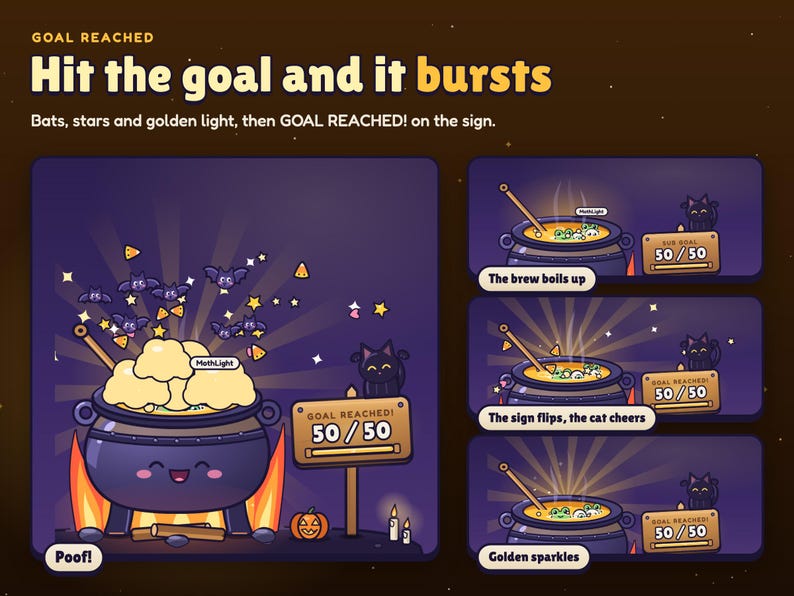
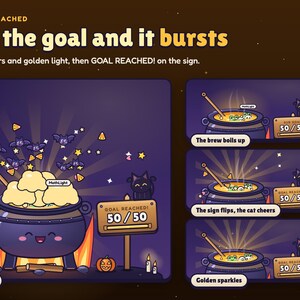
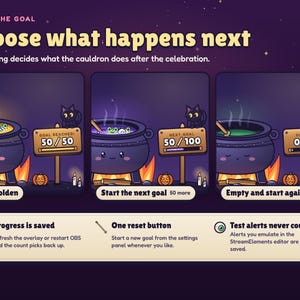
The brew boils up, the cauldron hops, and POOF: puffs of steam, a fountain of stars, hearts and candy corn, a flock of bats and golden rays. The sign flips to GOAL REACHED! and the cat jumps up cheering. Then pick what happens next:
• Stay golden
• Start the next goal (the target goes up by the same amount again)
• Empty and start again
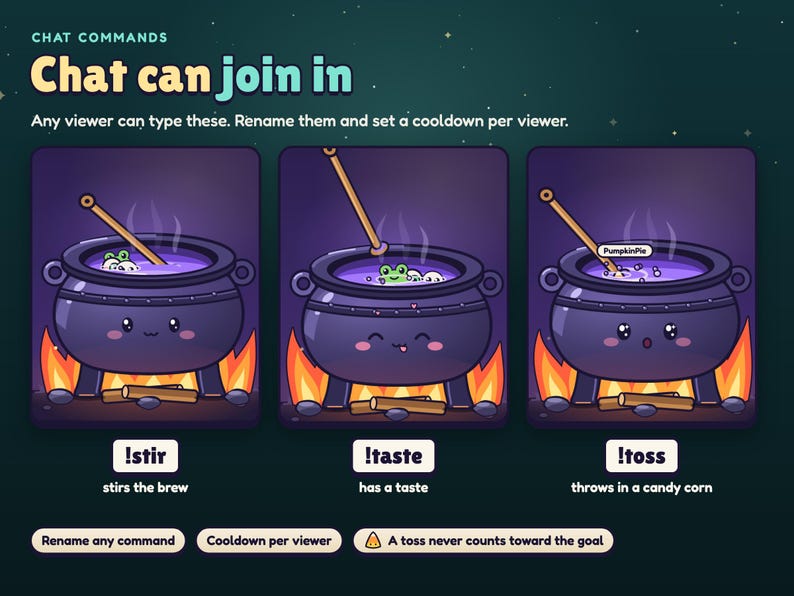
💬 CHAT COMMANDS
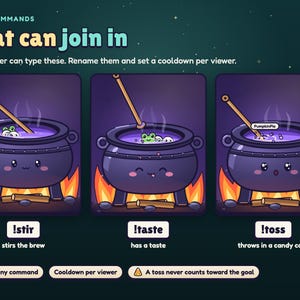
• !stir: the ladle stirs the brew twice round
• !taste: the cauldron has a taste, with hearts
• !toss: a viewer throws a candy corn in from the side of the stream, with their name (just for fun, it never counts toward the goal)
Rename any command and set a cooldown per viewer.
🎨 MAKE IT YOURS
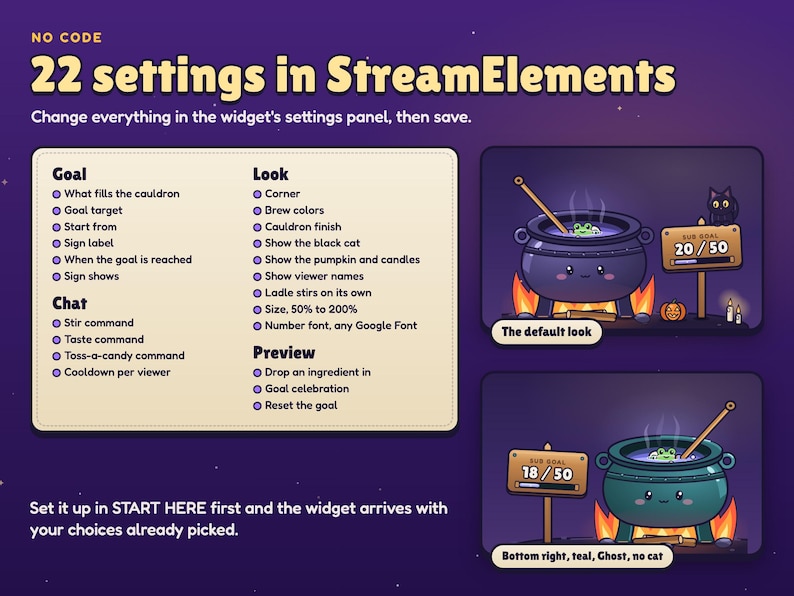
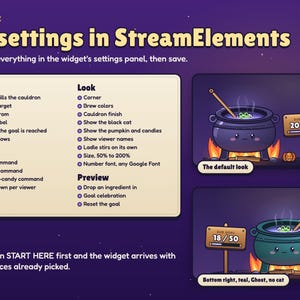
22 settings in the StreamElements panel, no code:
• What fills the cauldron, goal target, start from, sign label
• When the goal is reached: stay golden, next goal, or start again
• Sign shows numbers, a percentage, or the label only
• Corner: bottom left or bottom right (the scene turns around so the sign always faces your stream)
• 4 brews, each shifting through three colors: Witch (green, violet, gold), Blood, Ghost, Candy
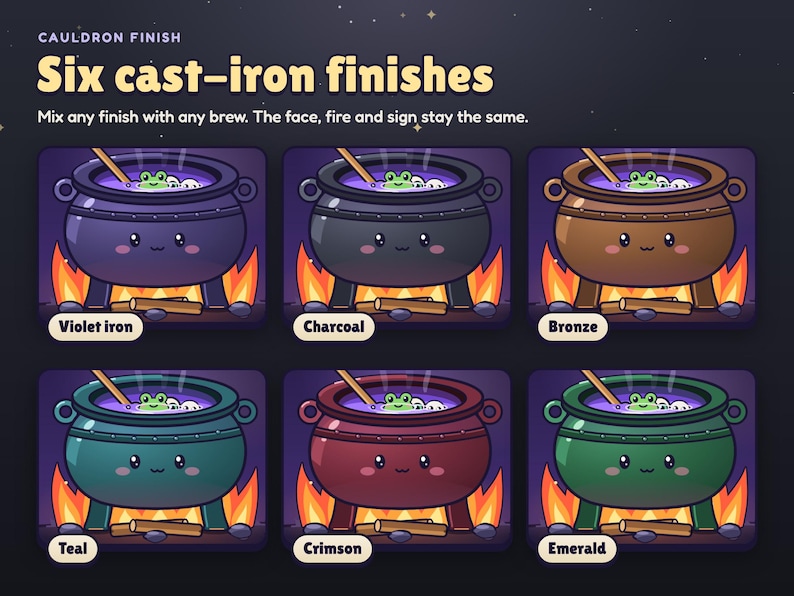
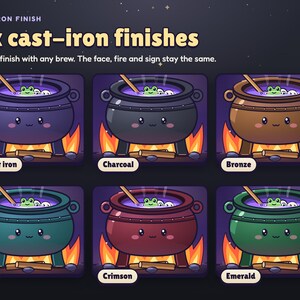
• 6 cauldron finishes: violet iron, charcoal, bronze, teal, crimson, emerald
• Show or hide the black cat, the pumpkin and candles, and viewer names
• How often the ladle stirs on its own
• Size from 50% to 200%
• Any Google Font for the number on the sign
• Three renameable chat commands and a cooldown per viewer
• Three buttons: preview a drop, preview the celebration, reset the goal
📦 WHAT YOU GET
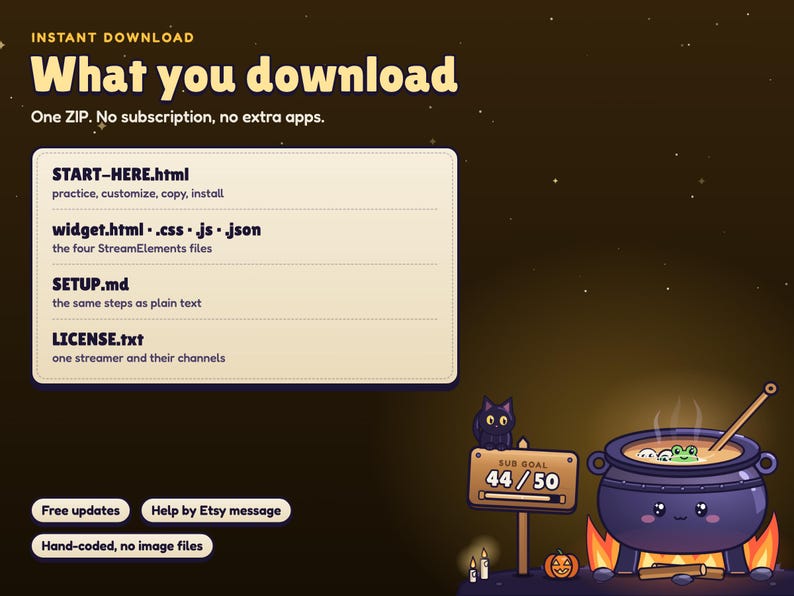
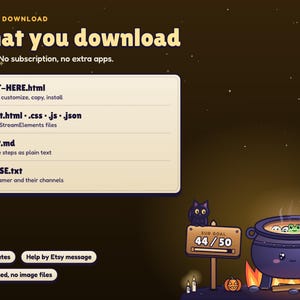
Instant download, one ZIP:
• The 4 widget files (HTML, CSS, JS, FIELDS) to paste into a StreamElements custom widget
• START HERE guide: opens in your browser with a practice cauldron running the real widget. Send practice alerts and commands, try the celebration, change every setting and watch it live, then copy the four files with one button each (your choices come along in FIELDS)
• SETUP guide with the same steps in plain text
• LICENSE: one streamer and their channels
• Free updates: re-download from your Etsy purchases any time
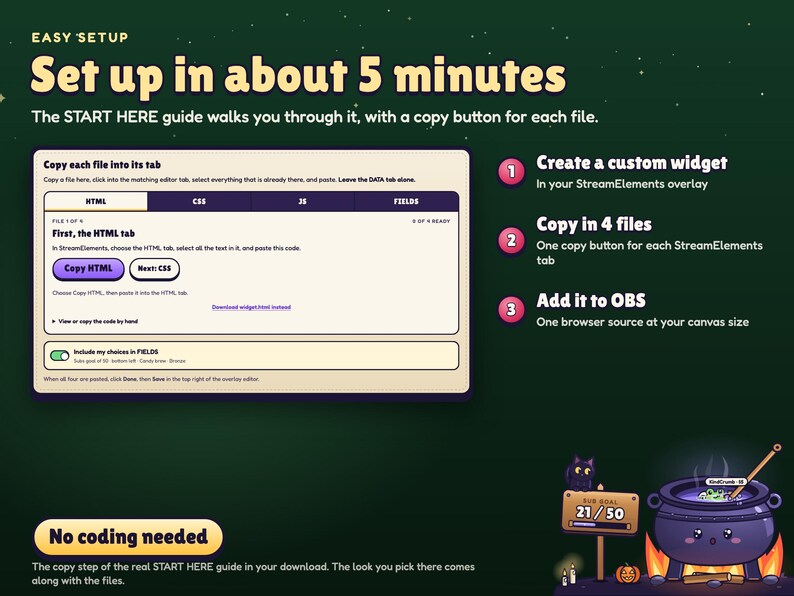
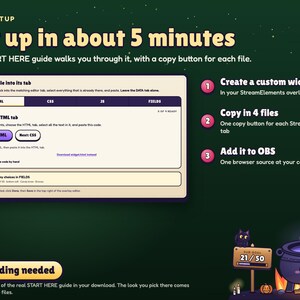
⚙️ SETUP (about 5 minutes)
1. In StreamElements, create a custom widget and paste the four files into the HTML, CSS, JS and FIELDS tabs.
2. Make the widget box fill your overlay (1920 × 1080) and save.
3. Add the overlay URL to OBS or Streamlabs as a browser source at your canvas size. Done.
💻 COMPATIBILITY
• A free StreamElements account, for your alerts and the saved count
• Twitch alerts through StreamElements. With a YouTube account connected to StreamElements, Super Chats count as tips and memberships as subs
• OBS Studio, Streamlabs Desktop, or any streaming software with browser sources
• Windows, Mac and Linux
• Designed for 1920 × 1080 streams
❓ FAQ
• Is this a video file? No. It is a working animated widget that reacts to your real alerts. The listing video shows it running.
• Does it import my current sub or follower total? No. It counts the alerts that arrive while your overlay is running. Set "Start from" to where you already are.
• Will test alerts mess up my count? No. Alerts you emulate in the StreamElements editor play but are never saved, and the two preview buttons never change the count.
• Can it show subs and follows at once? Choose "Every alert counts one", or run two widgets with different goal types.
• Can I change the goal later? Yes. Changing the goal type, target, starting value or sign label starts a fresh goal; the Reset button starts one too.
• Does it work on Kick or TikTok? It is made for Twitch alerts through StreamElements, and also counts YouTube Super Chats and memberships. Kick and TikTok are not supported.
• Does it include sound? No. No audio and no jump scares.
• Can I change the art? You can pick the brew, the finish, the corner, the size, the number font and what's shown. The cauldron and its cast are part of this pack.
• Do I need to know how to code? No. The START HERE guide has a copy button for each file.
📌 IMPORTANT
This is a digital product. Because files are delivered instantly, all sales are final and no refunds or cancellations can be issued once the ZIP is downloaded. Please read the description and message me before buying if anything is unclear; I reply within a day.
For your own streams and channels only. Please do not resell, share or redistribute the files or the artwork.
The listing photos show the real widget. The stream scenes, night skies and frames around it are drawn for the listing and are not part of the overlay. Colors can vary slightly between monitors.
💌 SUPPORT
Stuck on a step? Message me with your StreamElements username and a screenshot of the widget's settings and I'll help you get it running, usually the same day.
Instant Download
Your files will be available to download once payment is confirmed. Here's how.
Instant download items don’t accept returns, exchanges or cancellations. Please contact the seller about any problems with your order.
Etsy Purchase Protection
Shop confidently on Etsy knowing if something goes wrong with an order, we've got your back for all eligible purchases —
see program terms

Be the first to review this item
More from this shop
Visit shop-
Digital download
Haunted House Goal Widget | Animated 3D Stream Overlay (Digital Download)
$11.03
-
Digital download
Pixel Cookie Jar Goal Widget | Animated Stream Overlay (Digital Download)
$14.70
-
Digital download
Interactive Pixel Pet Cat Stream Widget | Multistream Chat Overlay (Digital Download)
$18.37
-
Digital download
Interactive Fish Tank Twitch Widget | StreamElements OBS Aquarium (Instant Download)
$18.37
-
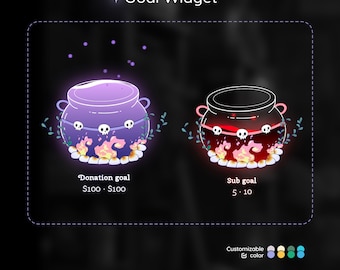
Digital download
Spooky Halloween Cauldron Goal Widget: Customizable Stream Overlay (Digital Download)
Sale Price $17.16
Original Price $28.60
-
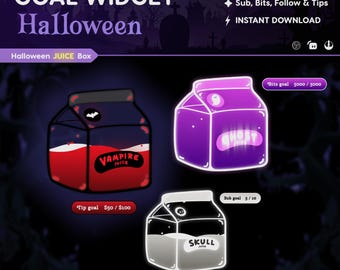
Digital download
Halloween Juice Box Stream Widget: Spooky Twitch Goal (StreamElements, Streamlabs, OBS)
Sale Price $8.39
Original Price $13.99
-
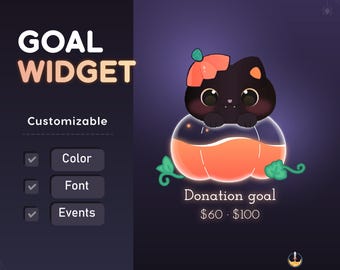
Digital download
Black Cat Pumpkin Goal Widget for Twitch - Streamlabs & Streamelements
Sale Price $6.60
Original Price $11.00
-
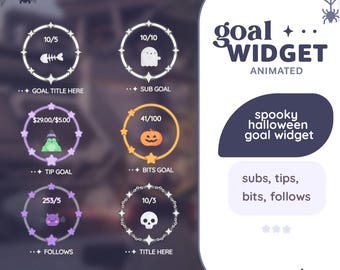
Digital download
Spooky Halloween Goal Widget for StreamElements & Twitch (Digital Download)
$17.64
-
Digital download
Cute Cat Pumpkin Goal Widget | Streamlabs, Streamelements
Sale Price $7.20
Original Price $12.00
-
Digital download
Customizable Potion Bottle Twitch Goal Widget: Animated Stream Overlay (Digital Download)
Sale Price $11.51
Original Price $19.19
-
Digital download
Halloween Ghost Drink Goal Widget: Twitch Stream Overlay (Streamlabs/Streamelements)
Sale Price $6.72
Original Price $11.20
-
Digital download
Halloween Ghost Goal Widget: StreamElements OBS Themes
Sale Price $7.50
Original Price $12.50
-
Digital download
Halloween Ghost Goal Widget: StreamElements OBS
Sale Price $7.20
Original Price $12.00
-
Digital download
Cute Skull Goal Widget - Customizable Stream Overlay (Streamlabs/Streamelements)
Sale Price $7.80
Original Price $13.00
-
Digital download
Halloween Ghost Stream Goal Widget: Customizable Streamelements Only
Sale Price $8.70
Original Price $14.50
-
Digital download
Spooky Ghost Goal Widget for StreamElements, Twitch (Digital Download)
$10.58
Shoppers with similar taste loved these
-
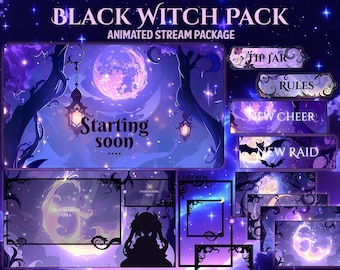
Digital download
Black Witch Stream Package / Moon / Night / Dark / Cute / Overlay / Bats / Halloween / Twitch screen / Twitch Overlay Dark Night Animated
Sale Price $8.00
Original Price $31.99
-
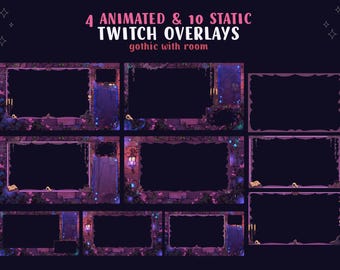
Digital download
Animated Twitch Stream, Vtuber Overlays, Halloween Spooky Stream, Witch Room Aesthetic, Gothic Stream Theme / Overlay Pack
$9.38
-
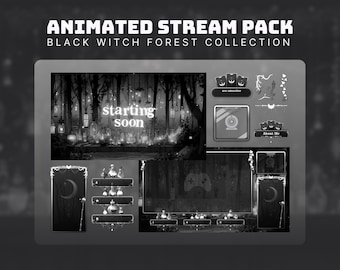
Digital download
witch stream pack black twitch vtuber goth twitch overlay black stream pack dark forest animated background halloween twitch overlay dark
Sale Price $8.24
Original Price $14.98
-
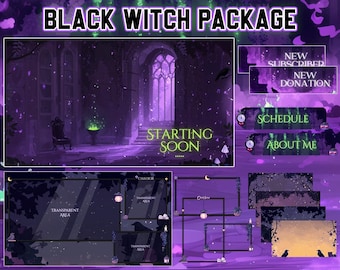
Digital download
Black Witch Stream Package / Maleficent / Crow / Purple / Books / Overlay / Raven / Twitch Overlay / Witch | Animated | Dark | Twitch Pack
Sale Price $9.74
Original Price $38.96
-
Digital download
Dark Fantasy Stream Overlay Pack | Midnight Spires Gothic Animated Twitch Alerts, Screens (Digital Download)
Sale Price $4.50
Original Price $9.00
-
Digital download
Animated Gothic Witch Twitch Overlay Pack – Purple Tarot Stream Theme
Sale Price $16.56
Original Price $33.12
-
Digital download
Animated Pink Halloween Stream Overlay Pack | Spooky Cute Pumpkin Theme | Twitch Kick YouTube / Streamlabs OBS Overlay
Sale Price $9.09
Original Price $12.99
-
Digital download
Halloween Stream Overlay Package: Spooky Cozy Room, Twitch Overlay (Digital Download)
Sale Price $6.90
Original Price $11.50
-
Digital download
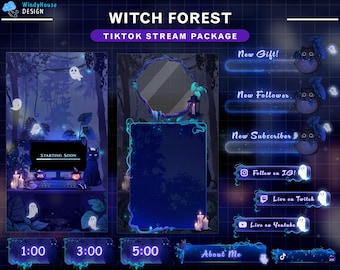
Animated Witch Forest TikTok Stream Package – Spooky Overlay with Ghosts, Black Cat, Enchanted Forest Overlay for Streamer
$19.00
-
Digital download
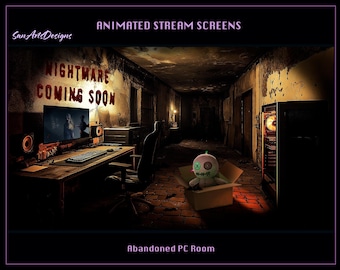
Abandoned PC Room Animated Stream Overlays, Abandoned Game Room Animated Twitch Overlays for Streamers, OBS, StreamLabs
$6.84
-
Digital download
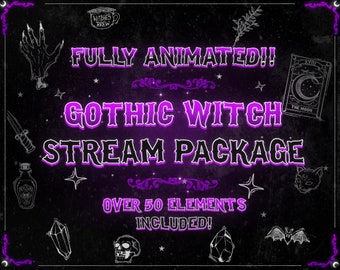
Animated Gothic Witch Twitch Stream Package - Overlay, Alerts & Screens Bundle for Streamers
Sale Price $26.91
Original Price $41.39
-
Digital download
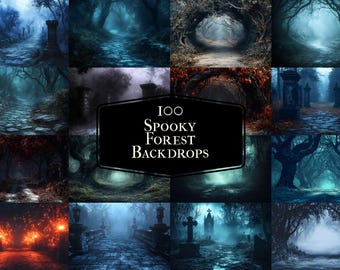
100 Spooky Forest Photography Backdrops, Halloween Digital Scenes (JPGs)
Sale Price $3.10
Original Price $4.14


