




Price:$14.69
Pixel Cookie Jar Goal Widget | Animated Stream Overlay (Digital Download)

Designed by Nymbra
You can only make an offer when buying a single item
Buy together, get 25% off
 This listing
Pixel Cookie Jar Goal Widget | Animated Stream Overlay (Digital Download)
Sale Price $11.02
Original Price $14.69
Digital Download
Original value: $33.06
New total: $24.79
Highlights
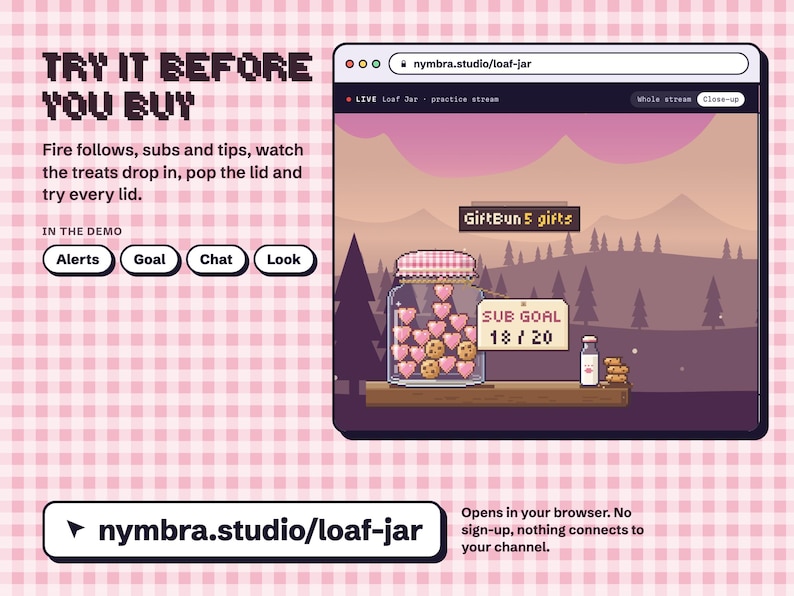
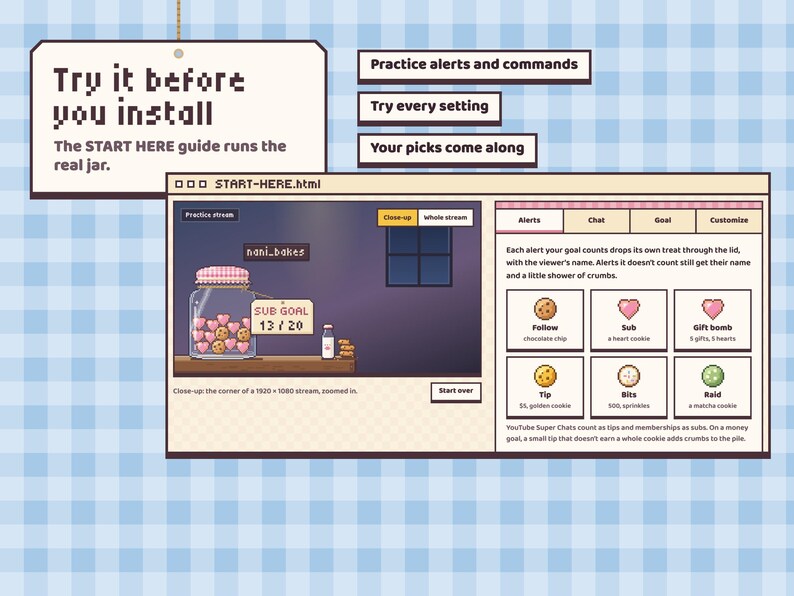
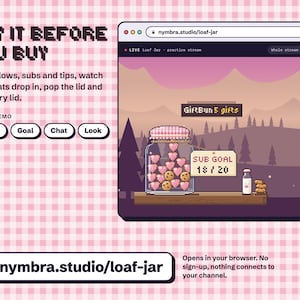
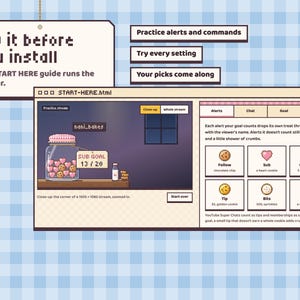
TRY IT FIRST: play with the live demo at nymbra.studio/loaf-jar. Fire follows, subs and tips, watch the treats drop in and the lid pop, and try every lid, right in your browser. No sign-up, nothing connects to your channel.
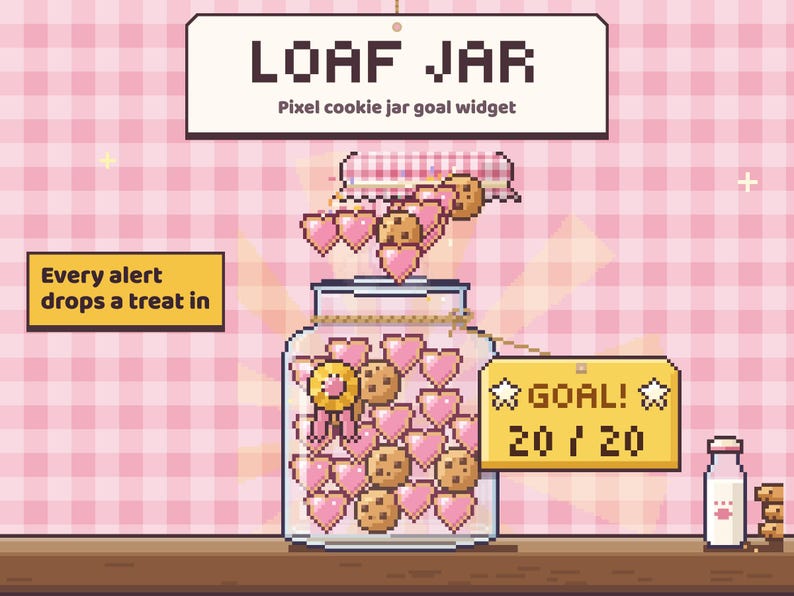
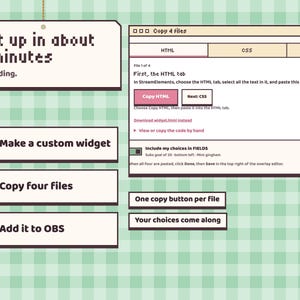
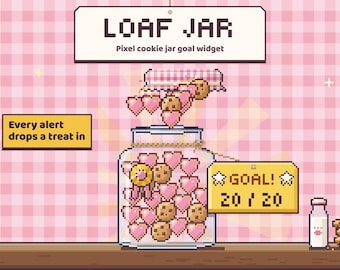
A cute pixel cookie jar goal widget for the corner of your stream. Every follow, sub, tip or bits alert drops its own treat in with the viewer's name, the pile fills up with your goal, and when you get there the lid pops off in a fountain of cookies and confetti. Easy to set up: open the START HERE guide, try it, copy four files into StreamElements. About five minutes, no coding.
🍪 THE JAR
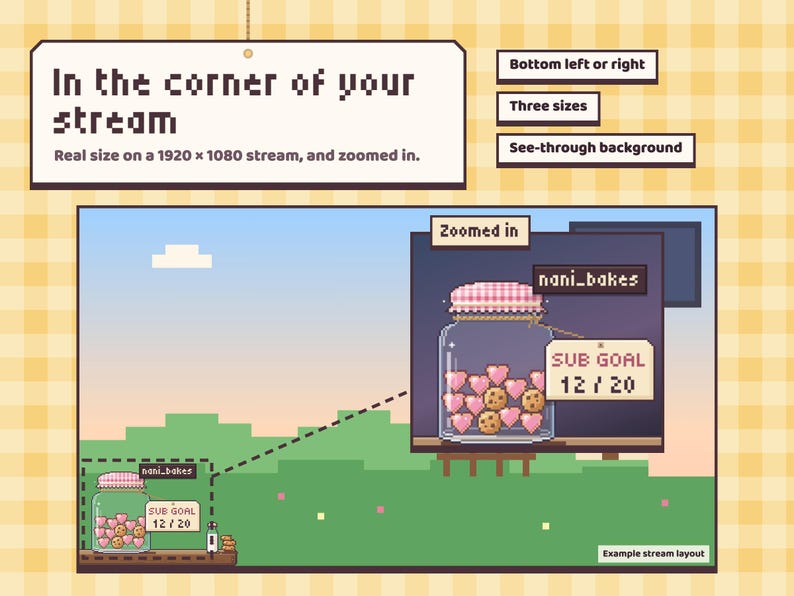
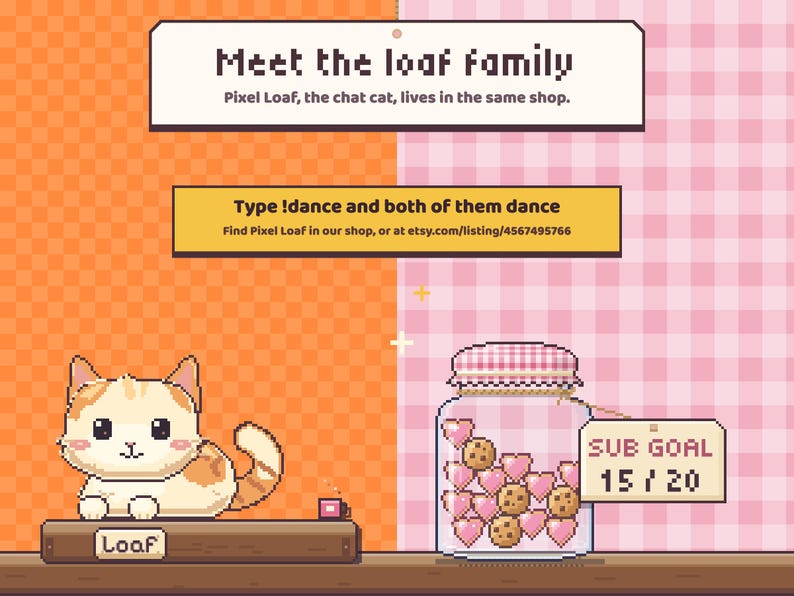
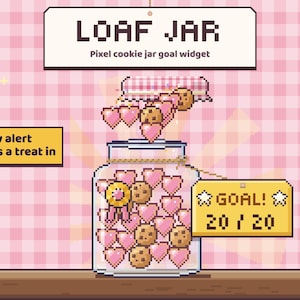
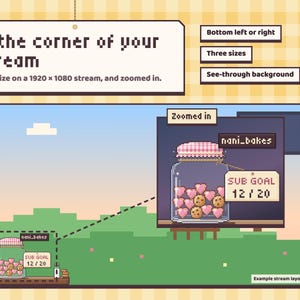
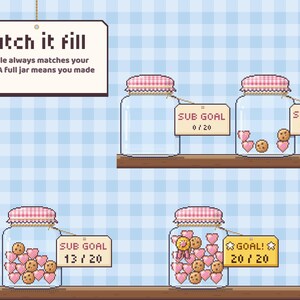
A glass cookie jar on a little wooden ledge, with a gingham cloth over the lid, a paper tag on twine that shows your goal, and a milk bottle and a stack of cookies beside it. It sits in the bottom-left or bottom-right corner of your stream (or anywhere, with "just the jar").
• Hand-coded pixel art on a transparent background, no image or video files
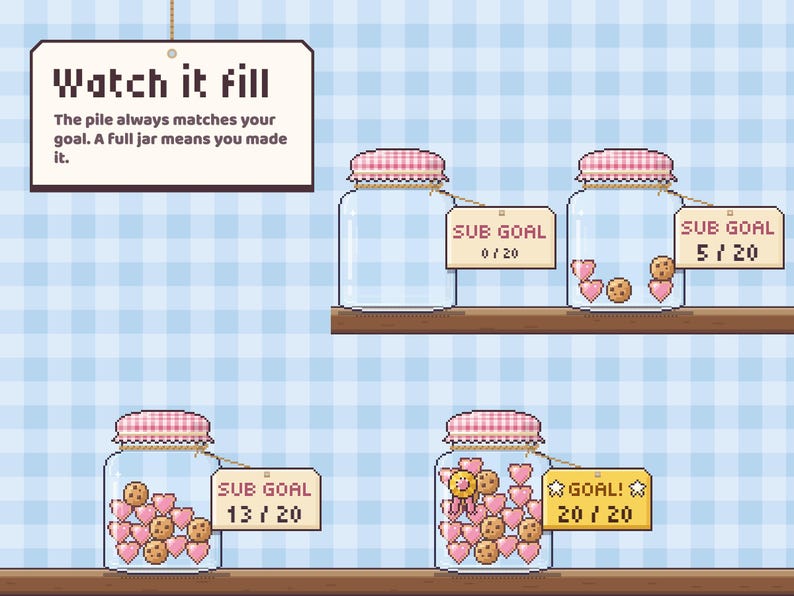
• The pile always matches your goal: a full jar means you made it
• The glass catches a soft glint, the tag sways on its string, golden cookies twinkle
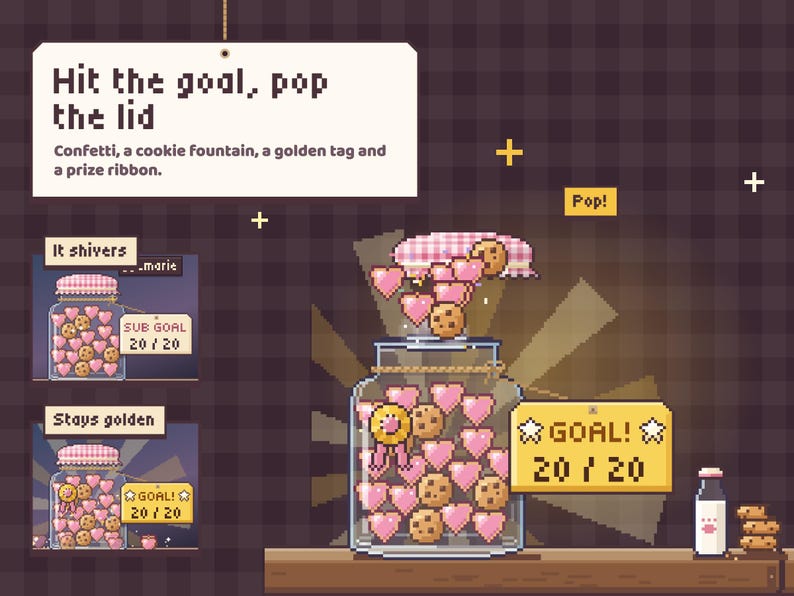
• Close to the goal, the jar gives a little eager shiver
• Viewer names rise from the jar on a small name tag
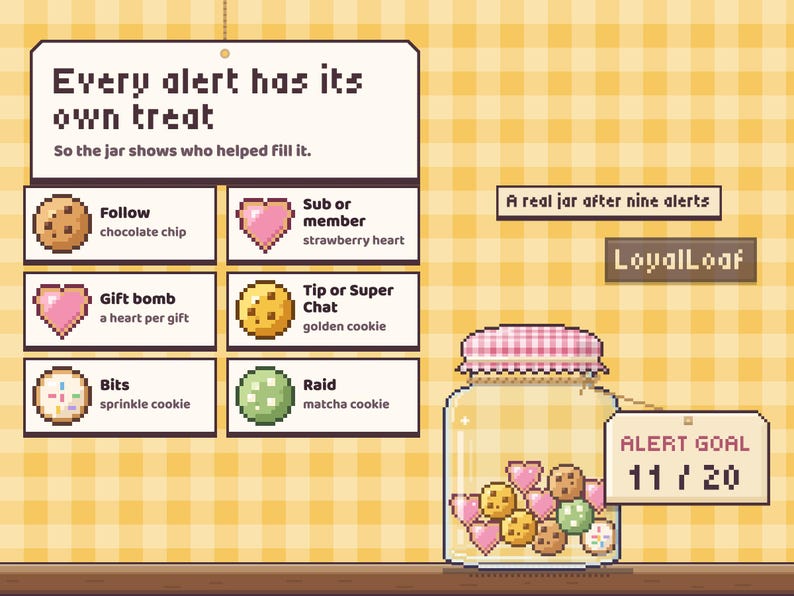
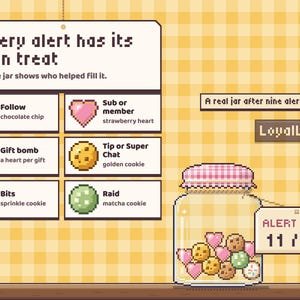
💗 EVERY ALERT DROPS A TREAT IN
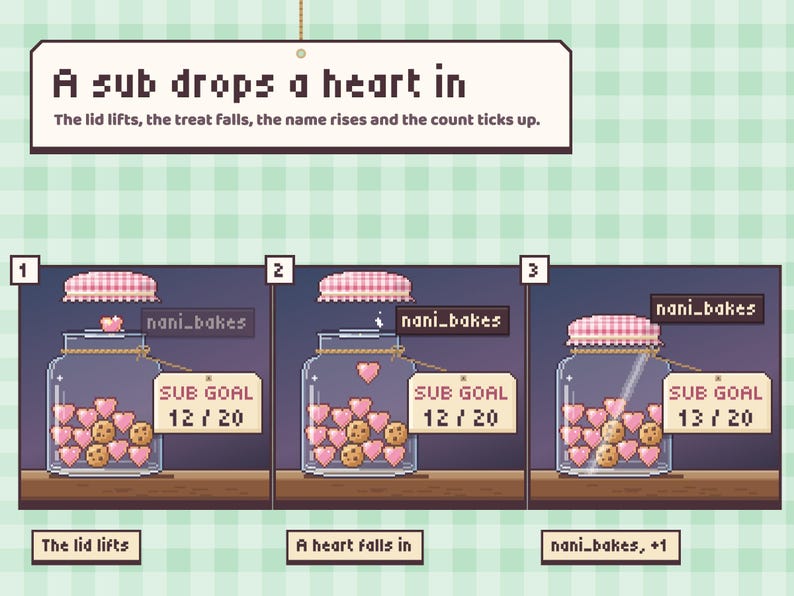
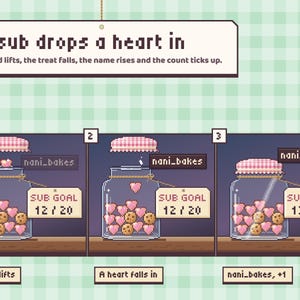
The lid lifts, the treat falls in and bounces into the pile, and the count on the tag ticks up:
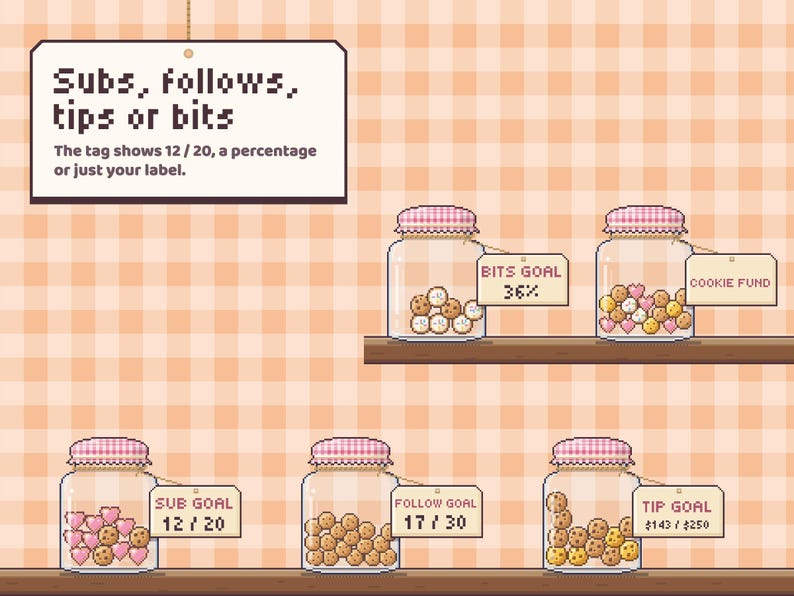
• Follow: a chocolate-chip cookie
• Sub or YouTube membership: a strawberry heart cookie
• Gift bomb: a heart for every gift, and the name shows how many
• Tip or Super Chat: a golden cookie, with the amount
• Bits: a sprinkle cookie, with the amount
• Raid: a matcha cookie
Small goals get one treat per sub or follow. Bigger goals and money goals share out 22 treats, and a small tip that doesn't earn a whole cookie adds crumbs to the pile until the next one drops in. The number on the tag is always exact.
🎯 WHAT IT COUNTS
Pick one goal per widget and set any target:
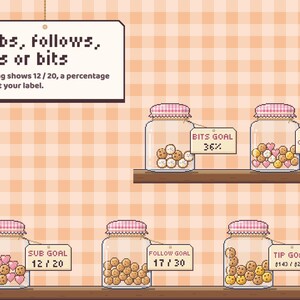
• Subs: every sub and resub; a gift bomb counts every gifted sub once
• Follows: every new follower
• Tips: the amount, with your currency symbol
• Bits: the amount cheered
• Every alert counts one: follows, subs, tips, bits and raids each add one, and a gift bomb adds one per gift
The tag shows 12 / 20, a percentage, or just your label. Leave the label empty for an automatic one (SUB GOAL, TIP GOAL…) or type your own, like COOKIE FUND.
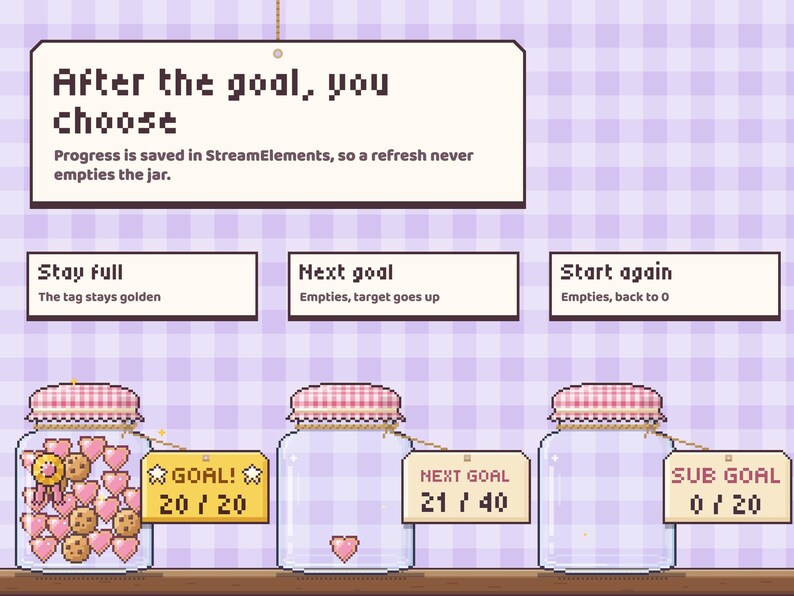
Progress is saved in your StreamElements account, treats and all, so refreshing the overlay or restarting OBS picks the jar back up. Set "Start from" if you're already partway there.
✨ WHEN YOU HIT THE GOAL
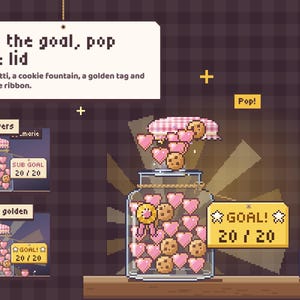
The jar shivers, then the lid pops off: confetti, a fountain of cookies that bounce onto the ledge, a golden sunburst, the tag turns gold with star stickers and a prize ribbon gets pinned to the glass. Then pick what happens next:
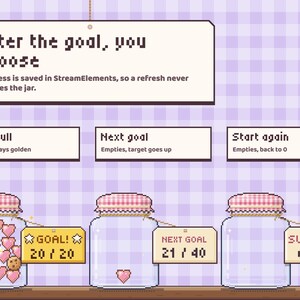
• Stay full with the golden tag
• Empty the jar and start the next goal (the target goes up by the same amount)
• Empty it and start again from 0
💬 CHAT COMMANDS
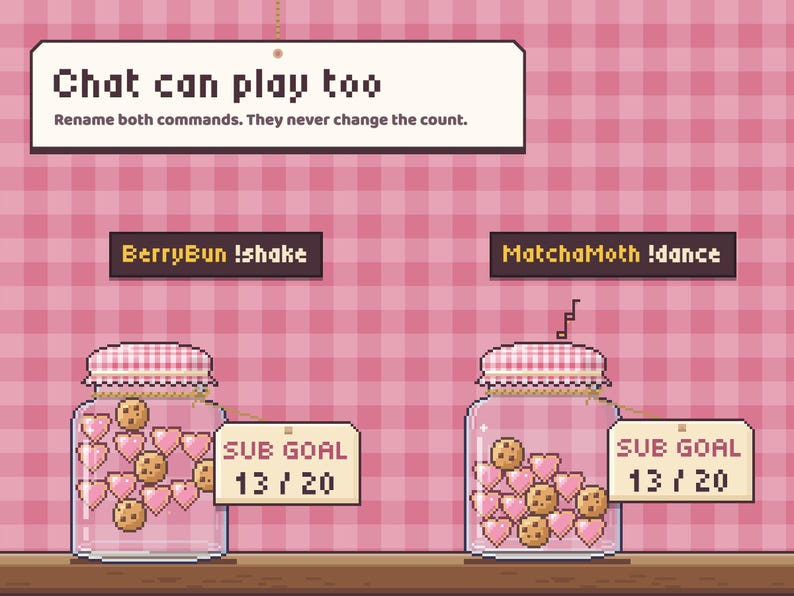
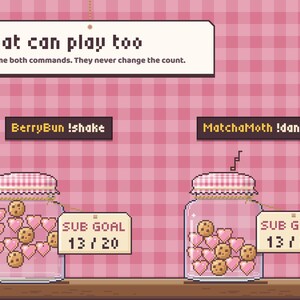
• !shake: the jar rattles and the treats jump and settle again
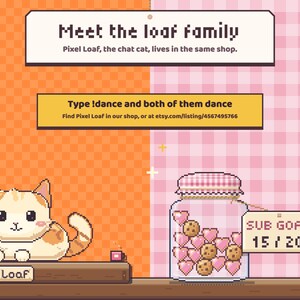
• !dance: the jar hops side to side with little music notes
Rename both and set a cooldown per viewer. Commands are just for fun and never change the count.
🎨 MAKE IT YOURS
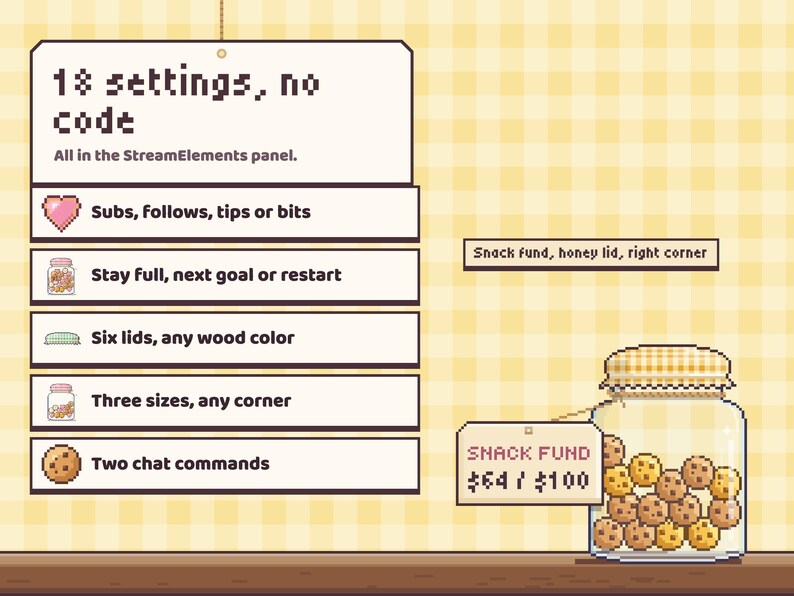
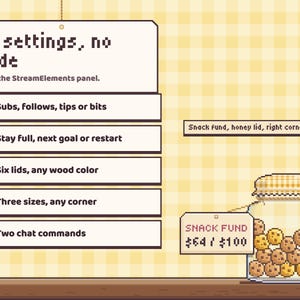
18 settings in the StreamElements panel, no code:
• What fills the jar, goal target, start from, tag label
• When the goal is reached: stay full, next goal, or start again
• Tag shows numbers, a percentage, or the label only
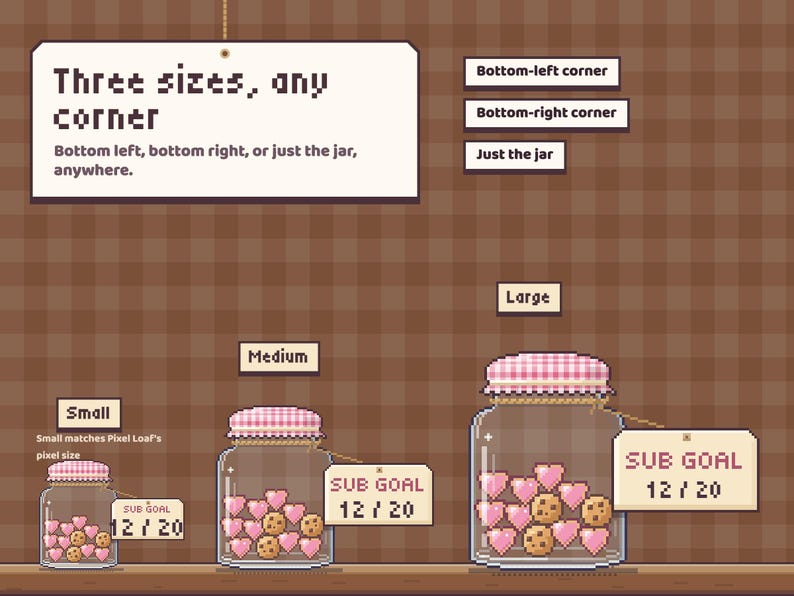
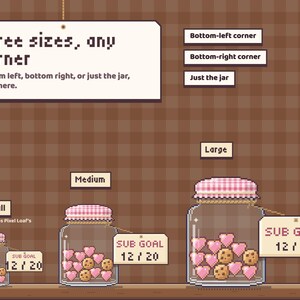
• Where it sits: bottom-left corner, bottom-right corner, or just the jar
• Size: Small (the same pixel size as Pixel Loaf), Medium or Large
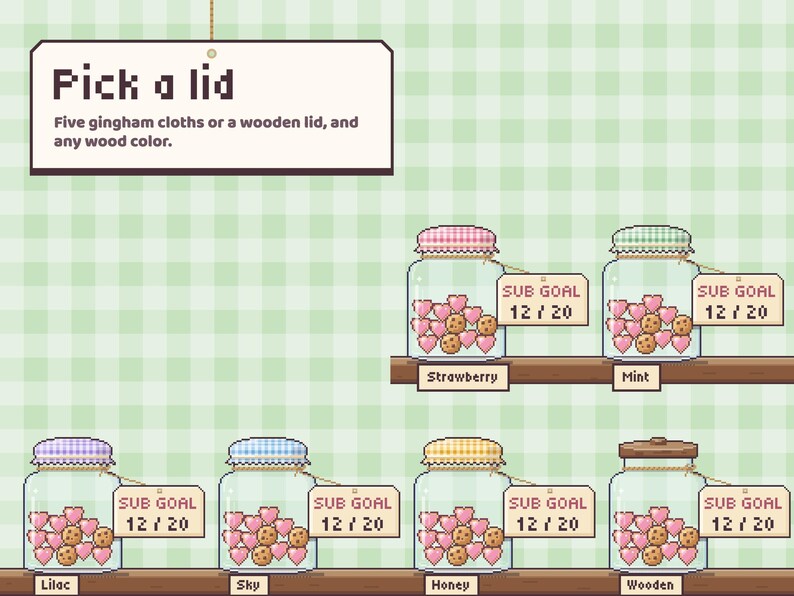
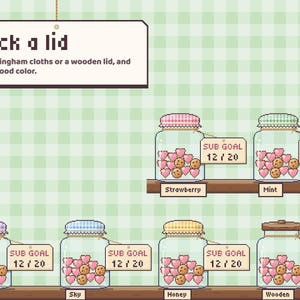
• 6 lids: strawberry, mint, lilac, sky or honey gingham, or a wooden lid
• Any wood color for the ledge and the wooden lid
• Show or hide the milk bottle and cookie stack, and viewer names
• Two renameable chat commands and a cooldown per viewer
• Three buttons: preview a drop, preview the celebration, reset the goal
📦 WHAT YOU GET
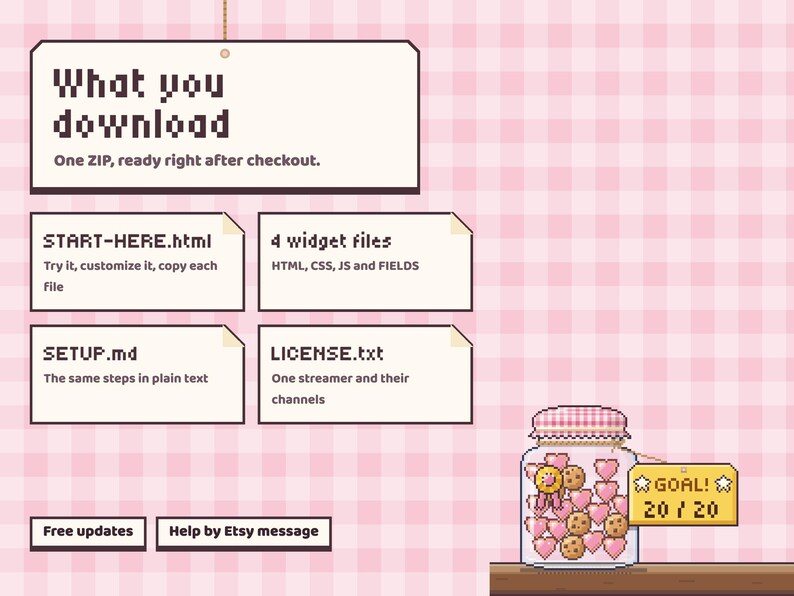
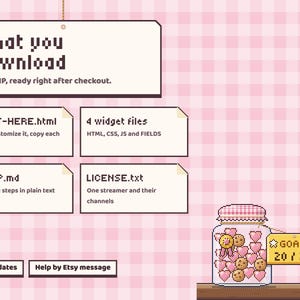
Instant download, one ZIP:
• The 4 widget files (HTML, CSS, JS, FIELDS) to paste into a StreamElements custom widget
• START HERE guide: opens in your browser with a practice jar running the real widget. Send practice alerts and commands, try the celebration, change every setting and watch it live, then copy the four files with one button each (your choices come along in FIELDS)
• SETUP guide with the same steps in plain text
• LICENSE: one streamer and their channels
• Free updates: re-download from your Etsy purchases any time
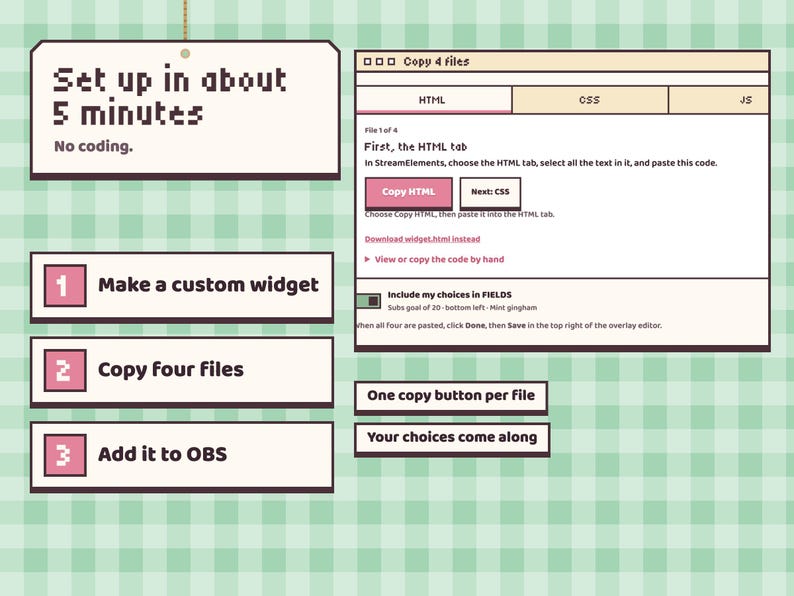
⚙️ SETUP (about 5 minutes)
1. In StreamElements, create a custom widget and paste the four files into the HTML, CSS, JS and FIELDS tabs.
2. Make the widget box fill your overlay (1920 × 1080) and save.
3. Add the overlay URL to OBS or Streamlabs as a browser source at your canvas size. Done.
💻 COMPATIBILITY
• A free StreamElements account, for your alerts and the saved count
• Twitch alerts through StreamElements. With a YouTube account connected to StreamElements, Super Chats count as tips and memberships as subs
• OBS Studio, Streamlabs Desktop, or any streaming software with browser sources
• Windows, Mac and Linux
• Designed for 1920 × 1080 streams
🐱 THE LOAF FAMILY
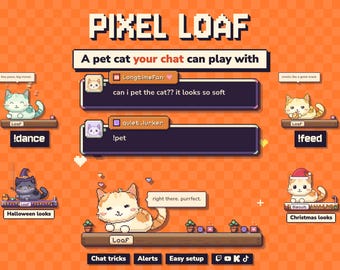
Loaf Jar has a sister widget in this shop: Pixel Loaf, a pixel cat that lives in your chat and plays when viewers type !pet, !feed or !dance. It answers !dance too, so one command gets the cat and the jar dancing together. Same pixel style, made to sit side by side:
https://www.etsy.com/listing/4567495766/interactive-pixel-cat-stream-pet-chat
❓ FAQ
• Is this a video file? No. It is a working animated widget that reacts to your real alerts. The listing video shows it running.
• Does it import my current sub or follower total? No. It counts the alerts that arrive while your overlay is running. Set "Start from" to where you already are.
• Will test alerts mess up my count? No. Alerts you emulate in the StreamElements editor play but are never saved, and the two preview buttons never change the count.
• Why crumbs instead of a cookie? On a money goal or a big goal, each cookie is a share of the target. A smaller alert adds crumbs until the next cookie drops in.
• Can it show subs and follows at once? Choose "Every alert counts one", or run two widgets with different goal types.
• Can I change the goal later? Yes. Changing the goal type, target, starting value or tag label starts a fresh goal; the Reset button starts one too.
• Does it work on Kick or TikTok? It is made for Twitch alerts through StreamElements, and also counts YouTube Super Chats and memberships. Kick and TikTok are not supported.
• Does it include sound? No.
• Do I need to know how to code? No. The START HERE guide has a copy button for each file.
📌 IMPORTANT
This is a digital product. Because files are delivered instantly, all sales are final and no refunds or cancellations can be issued once the ZIP is downloaded. Please read the description and message me before buying if anything is unclear; I reply within a day.
For your own streams and channels only. Please do not resell, share or redistribute the files or the artwork.
The listing photos show the real widget. The tablecloths, counters and the example stream around it are drawn for the listing and are not part of the overlay. Colors can vary slightly between monitors.
💌 SUPPORT
Stuck on a step? Message me with your StreamElements username and a screenshot of the widget's settings and I'll help you get it running, usually the same day.
Instant Download
Your files will be available to download once payment is confirmed. Here's how.
Instant download items don’t accept returns, exchanges or cancellations. Please contact the seller about any problems with your order.
Etsy Purchase Protection
Shop confidently on Etsy knowing if something goes wrong with an order, we've got your back for all eligible purchases —
see program terms

Be the first to review this item
More from this shop
Visit shop-
Digital download
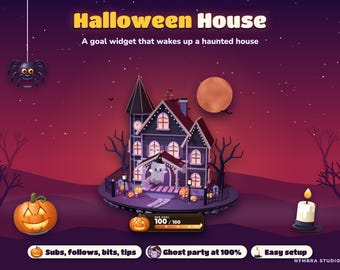
Haunted House Goal Widget | Animated 3D Stream Overlay (Digital Download)
$11.02
-
Digital download
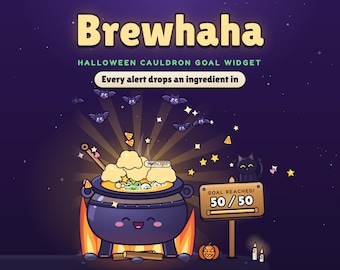
Animated Halloween Cauldron Goal Widget for Twitch Streams (Digital Download)
$20.57
-
Digital download
Interactive Pixel Pet Cat Stream Widget | Multistream Chat Overlay (Digital Download)
$18.37
-
Digital download
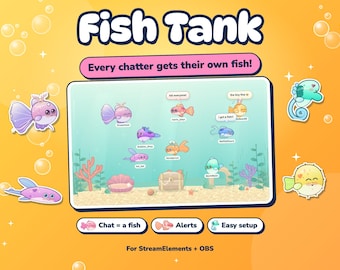
Interactive Fish Tank Twitch Widget | StreamElements OBS Aquarium (Instant Download)
$18.37
-
Digital download
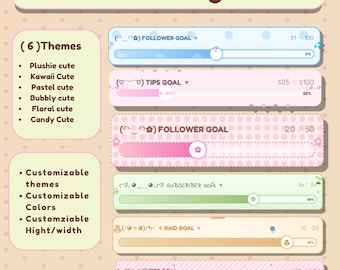
Cute Twitch Goal Widget – Customizable Stream Overlay (Digital Download)
Sale Price $7.49
Original Price $9.36
-
Digital download
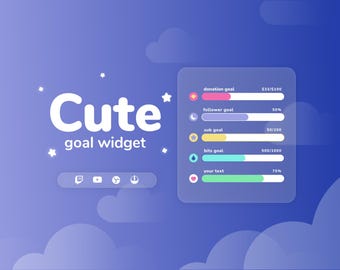
Cute Stream Goal Widget • StreamElements, Twitch, YouTube (Digital Download)
$12.00
-
Digital download
Twitch Goal Widget Overlay - Flow Theme for Donations and Subathons
$10.00
-
Digital download
Soda Can Goal Widget for Twitch - Streamlabs & Streamelements
Sale Price $7.20
Original Price $12.00
-
Digital download
Gamer Console Goal Widget: Customizable Stream Overlay (Digital Download)
Sale Price $6.72
Original Price $11.20
-
Digital download
Twitch | Youtube Milkbox goal widget | Streamlabs + Streamelements
$15.50
-
Digital download
Cute Potato Goal Widget | Twitch Stream Overlay, Streamlabs & Streamelements
Sale Price $6.90
Original Price $11.50
-
Digital download
Cute Teapot Goal Widget | Customizable Stream Overlay
Sale Price $7.38
Original Price $12.30
-
Digital download
Multistyle goal widget Twitch/YT
$15.00
-
Digital download
Round goal widget | Twitch
$15.00
-
Digital download
Twitch|Youtube Goal widget for Stream
$12.00
-
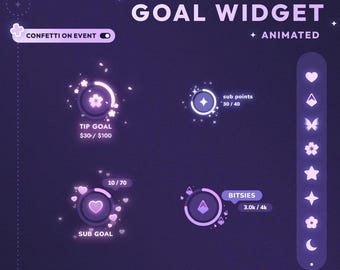
Digital download
Round goal widget | Twitch | Multiple styles
$15.00
Disclaimer: Sellers are responsible for following applicable laws and regulations and disclosing what is in their products. Etsy assumes no responsibility for the accuracy, labeling, or content of sellers' listings and products. Always read labels, warnings, directions and other information provided with the product before using or consuming it. If you have any questions, message the seller. See Etsy's Terms of Use for more information.
Shoppers with similar taste loved these
-
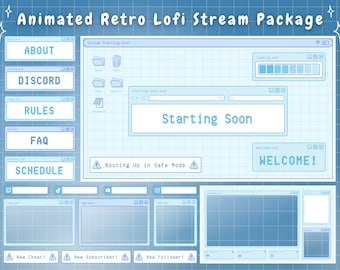
Digital download
Twitch Overlay Stream Package - Blue Retro Lofi Pastel Blue Aesthetic - Animated Twitch Overlay Lofi Twitch Overlay Windows Alerts Panels
$22.00
-
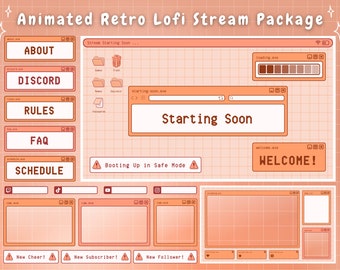
Digital download
Twitch Overlay Stream Package Orange Retro Lofi Kawaii - Animated Live Peach Orange Windows Alerts
$22.00
-
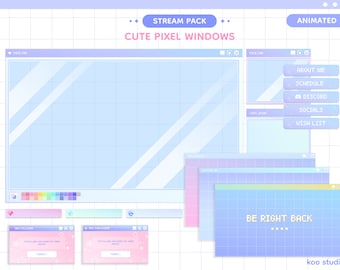
Digital download
Blue Animated Stream Pack | Cute Twitch Overlay | Pastel 80s Y2K Pixel Kawaii Windows (Animated Overlays, Alerts, Customizable Template)
$7.71
-
Digital download
Stream Pack Pink and Blue Pastel | Animated Twitch Overlay Package Soft Vaporwave | Vtuber Streaming
$16.50
-
Digital download
Twitch Overlay Stream Package Yellow Retro Lofi Kawaii - Live Pastel Windows Alerts y2k
$22.00
-
Digital download
Pastel Windows UI Twitch Stream Package | Retro Computer | Twitch Bundle
$3.67
-
Digital download
Animated Cat Twitch Overlay Stream Pack Blue Lofi Aesthetic Cute Kitty OBS Streamlabs
$14.00
-
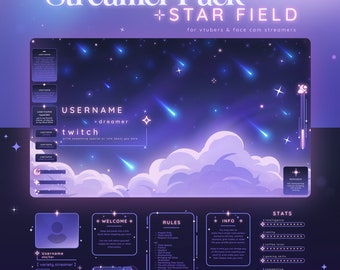
Digital download
Star Field Stream Pack - Cosmic Themed Twitch Overlay | Celestial | Space | Blue Pink | Animated | Sky | Vtuber | Chat Widget | Sub Goal
$45.00
-
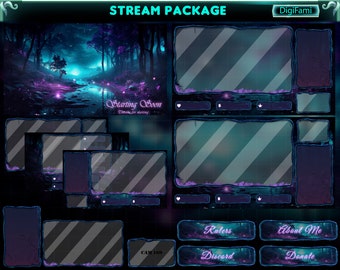
Digital download
ANIMATED Twitch Stream Overlay Package Magic Forest, Witchy Forest Animated Stream Bundle, Witchy Forest Twitch Overlay Package for Streamer
$12.07
-
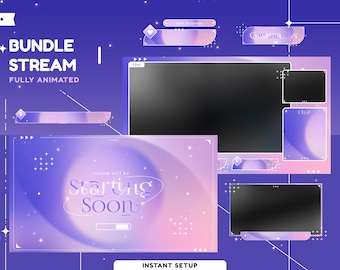
Digital download
Cosmic Lovely Animated Stream Overlay Package for Twitch, Youtube, Kick, Kawaii Overlay Animated, Aesthetic Theme Twitch, Panel Cute Overlay
$14.57
-
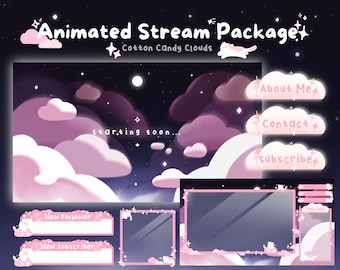
Digital download
Animated Pink Stream Overlay: Cotton Candy Clouds Twitch Package
$40.00
-
Digital download
Cosmic Aesthetic Animated Stream Overlay Package for Twitch, Youtube, Kick, Kawaii Overlay Animated, Aesthetic Theme Twitch, Cute Overlay
$14.57


