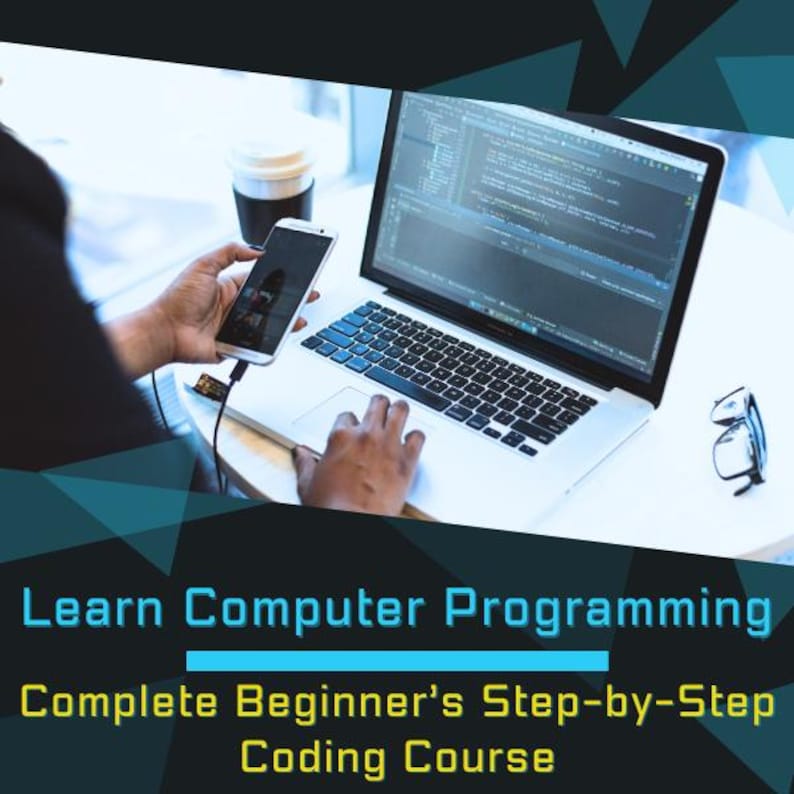


Learn Computer Programming Complete Beginner’s Step-by-Step Coding Course
Price:$3.68

Designed by Flavio
You can only make an offer when buying a single item
Highlights
Complete Beginner’s Step-by-Step Coding Course
Learn Computer Programming
Introduction
You do not need a computer science degree to learn how to code. You do not need to be “good at math.” You do not need to have started programming as a kid. What you need is a clear path, honest explanations, and enough real practice that the ideas stop feeling abstract and start feeling like tools in your hands.
That is what this book is. Ten chapters, each one building directly on the last, using Python as the teaching language because it reads almost like plain English and gets out of your way while you learn the concepts that matter in every language: variables, logic, loops, functions, data structures, and how real programs are put together.
A few ground rules before you start:
Type the code yourself. Copying and pasting teaches your eyes. Typing teaches your hands and your brain. When you type for i in range(10): fifty times, it stops being syntax and starts being reflex.
Break things on purpose. Every chapter includes examples. After you get one working, change a number, delete a colon, misspell a variable name. See what error you get. Programmers are not people who never see errors — they are people who are no longer afraid of them.
Finish the takeaway task at the end of each chapter. Reading about code and writing code are different skills. The takeaway tasks are short, deliberately, so you actually do them instead of skimming past.
By the end of this book you will have written dozens of small programs and one complete project from scratch. More importantly, you will have the mental model to keep learning on your own — to read documentation, to search for errors intelligently, and to look at a blank screen without panicking.
Let’s begin.
Table of Contents
1. Why Learn to Code? Understanding the Programmer’s Mindset
2. Setting Up Your Coding Environment
3. Programming Fundamentals — Variables, Data Types, and Operators
4. Control Flow — Making Decisions with Conditionals
5. Loops — Automating Repetitive Work
6. Functions — Writing Reusable, Organized Code
7. Data Structures — Lists, Dictionaries, Tuples, and Sets
8. Working with Files, Errors, and Exceptions
9. Introduction to Object-Oriented Programming
10. Building a Real Project and What Comes Next
Chapter 1: Why Learn to Code? Understanding the Programmer’s Mindset
What programming actually is
Strip away the jargon and programming is one thing: giving a computer precise, unambiguous instructions to solve a problem. That’s it. A recipe is a program for a human cook. A tax form’s instructions are a program for a taxpayer. Code is just a program written in a language a computer can execute exactly, without interpretation, without “I think you meant.”
That last part — “without interpretation” — is the single biggest adjustment for beginners. Humans fill in gaps constantly. If you tell a friend “grab milk from the store,” they know which store, they know you mean dairy milk, they know approximately how much. A computer knows none of that. It will do precisely what you typed, not what you meant, and it will do it every single time without judgment.
This is why your first weeks of coding will feel like arguing with a machine that keeps misunderstanding you. You are not bad at this. You are learning to think in a new register of precision, and that takes practice like any other skill.
Why Python, and why this matters for you
There are hundreds of programming languages. This book teaches Python for a specific set of reasons, not because it’s the “best” language — there’s no such thing — but because it is the best first language for building the mental models that transfer everywhere else.
Python code reads close to English. Compare printing “Hello” in Python versus Java:
print("Hello, world")
public class Hello {
public static void main(String[] args) {
System.out.println("Hello, world");
}
}
Both do the same thing. The Python version lets you focus on the idea — print this text — without wading through boilerplate about classes and public static void main that means nothing to you yet. Once you understand loops, conditionals, and functions in Python, you can pick up JavaScript, Java, C#, or Go in weeks, because the underlying concepts are identical. Only the punctuation changes.
Python also happens to be genuinely useful, not just a teaching toy. It powers web backends (Instagram, Spotify’s internals), most professional data analysis and machine learning, automation scripts that run inside major companies, and a large share of the tools scientists use to do research. Learning it is not a detour before “real” programming — it is real programming, used at serious scale.
The four skills that make someone a programmer
New coders often think the goal is to memorize syntax — to know by heart how to write a loop, how to define a function. Syntax matters, but it is the smallest part of what makes someone effective. Four skills matter far more:
1. Decomposition. Taking a big, vague problem (“build a budgeting app”) and breaking it into small, concrete steps (“ask the user for an amount,” “ask for a category,” “add the amount to a running total for that category,” “print the totals”). Every experienced programmer does this automatically. Beginners have to do it deliberately, on paper, before touching the keyboard.
2. Pattern recognition. After you’ve written a handful of programs, you notice that “go through a list and do something to each item” shows up constantly — in a video game, in a shopping cart, in a spreadsheet tool. You start recognizing the shape of a problem and reaching for the right tool (a loop, in this case) instead of reinventing it from scratch.
3. Reading error messages. This is the skill nobody teaches explicitly and it separates frustrated beginners from confident ones. An error message is not an insult. It is the computer telling you, usually quite specifically, what went wrong and where. Chapter 8 covers this in depth, but from day one: read the last line of an error first, then work upward.
4. Comfort with not knowing. No programmer, however senior, has the whole language memorized. Professionals look things up constantly. The skill is not “know everything” — it’s “know how to find the answer quickly and verify it’s correct.” You will be doing this from your very first program, and that is completely normal.
A worked example: thinking like a programmer before writing code
Say you want to write a program that tells you whether a year is a leap year. Before opening an editor, decompose the problem in plain English:
• A year is a leap year if it’s divisible by 4.
• Except if it’s also divisible by 100 — then it’s not a leap year.
• Except-except if it’s divisible by 400 — then it is a leap year after all.
Notice you did real thinking there with zero code. That’s the actual skill. The Python translation is almost mechanical once the logic is clear:
def is_leap_year(year):
if year % 400 == 0:
return True
if year % 100 == 0:
return False
if year % 4 == 0:
return True
return False
print(is_leap_year(2024)) # True
print(is_leap_year(1900)) # False
print(is_leap_year(2000)) # True
You’ll learn exactly what def, %, and return mean over the next few chapters. For now, notice the shape: plain-English rules translated almost line-for-line into code. That translation skill is what this entire book is training.
Setting realistic expectations
You will not feel “fluent” after this book, and that’s fine — fluency in programming, like fluency in a spoken language, comes from months and years of use, not from any single course. What you will have after these ten chapters is the ability to write real, working programs that do useful things: process data, automate boring tasks, build small tools, and — critically — the vocabulary and confidence to keep learning from documentation, tutorials, and other people’s code without feeling lost.
Expect frustration in roughly week two or three. This is universal and it is not a sign you’re bad at this. It’s the point where the initial excitement of new syntax wears off and you’re wrestling with your first genuinely tricky bug. Every working programmer has been exactly where you’ll be. Push through that week and the rest gets dramatically easier.
Chapter takeaway
Actionable takeaway: Before reading Chapter 2, write down — on paper, not in code — the step-by-step logic (in plain English, numbered steps) for one everyday task, such as making a cup of coffee or deciding what to wear based on the weather. Be so precise a robot with no common sense could follow it exactly. This single exercise is the real foundation of programming, and you’ll come back to this coffee/weather example later in the book once you know how to actually code it.
Chapter 2: Setting Up Your Coding Environment
Why setup deserves its own chapter
Most coding tutorials rush past setup in a paragraph, and it’s the single most common place beginners get stuck before writing a line of real code. A broken setup produces confusing errors that have nothing to do with your logic and everything to do with your computer not knowing where to find Python. This chapter walks through it carefully, once, so you never have to think about it again.
Installing Python
Windows: 1. Go to python.org/downloads and download the latest stable release (any 3.11 or newer is fine). 2. Run the installer. On the very first screen, check the box that says “Add python.exe to PATH” — this is the step almost everyone misses, and skipping it causes the most common beginner setup error. 3. Click “Install Now” and let it finish. 4. Open Command Prompt (search “cmd” in the Start menu) and type python --version. You should see something like Python 3.12.1.
macOS: 1. macOS ships with an old version of Python 2, which you should ignore entirely. 2. Go to python.org/downloads, download the macOS installer, and run it. 3. Open Terminal (Cmd+Space, type “Terminal”) and type python3 --version. 4. On macOS you’ll typically type python3 instead of python for the rest of this book — Python 2’s python command may still exist on your system.
Linux: Most distributions ship with Python 3 pre-installed. Open a terminal and run python3 --version. If it’s missing, install it with your package manager, e.g. sudo apt install python3 on Ubuntu/Debian.
Choosing and installing an editor
A code editor is just a text editor with superpowers for programmers: syntax highlighting, error detection, and built-in ways to run your code. This book recommends Visual Studio Code (VS Code) — free, actively maintained, and the most widely used editor in the industry, which means endless tutorials and extensions exist for it.
1. Download it from code.visualstudio.com and install it like any other application.
2. Open VS Code, click the Extensions icon in the left sidebar (it looks like four squares), search “Python,” and install the official Microsoft Python extension. This gives you error highlighting, autocomplete, and a one-click “Run” button.
Your first real program, run three ways
Create a folder on your Desktop called coding-course. Inside VS Code, open that folder (File → Open Folder), then create a new file called hello.py. Type:
name = "your name here"
print("Hello, " + name + "! Let's start coding.")
Method 1 — the Run button. With hello.py open, click the triangular Run button in the top right of VS Code. A terminal panel opens at the bottom showing your output.
Method 2 — the integrated terminal. Open VS Code’s terminal (Terminal → New Terminal) and type python hello.py (or python3 hello.py on macOS/Linux). This is the method you’ll use constantly once you’re comfortable, because it works identically outside VS Code.
Method 3 — the interactive shell (REPL). Type just python (or python3) with no filename into a terminal. You get a >>> prompt where you can type single lines of Python and see results immediately — no file needed. Type 2 + 2 and press Enter; you’ll see 4. This is invaluable for quickly testing a small idea. Type exit() to leave it.
Get comfortable switching between all three. Professional programmers use the terminal constantly, so building that habit early pays off.
Understanding the file, the folder, and the terminal as one system
A common beginner confusion: “I ran my file but it says file not found.” This almost always means your terminal’s current directory doesn’t match where your file actually lives. The terminal always operates “inside” some folder, shown by the command pwd (macOS/Linux, “print working directory”) or cd with no arguments won’t show it on Windows — instead type cd alone to see it, or just look at the path shown in your prompt.
To move into a folder: cd coding-course (short for “change directory”). To move up one level: cd ... To list what’s inside the current folder: ls (macOS/Linux) or dir (Windows). These four commands — pwd, cd, cd .., ls/dir — will get you through the vast majority of terminal navigation you’ll ever need as a beginner.
Installing packages with pip
Python’s real power comes from its ecosystem of packages — pre-written code other people have published that you can use for free. pip is the tool that installs them. Test it now:
pip install requests
This installs requests, a package for talking to websites and APIs, which you’ll use in a later chapter. If pip isn’t recognized, it usually means the PATH step from installation was missed — reinstall Python and make sure that box is checked (Windows) or try pip3 instead of pip (macOS/Linux).
A note on virtual environments
As you progress past this book, you’ll hear about “virtual environments” — isolated Python setups per project, so one project’s packages don’t conflict with another’s. You don’t need this yet, and introducing it now would add friction without benefit. When you start your second or third real project, come back to this note and search “python venv tutorial” — by then the concept will make immediate sense because you’ll have felt the problem it solves.
Troubleshooting checklist
If something isn’t working, walk through this list before panicking:
• Did you save the file before running it? VS Code shows a white dot on the tab name if there are unsaved changes.
• Are you running the command from the correct folder? Use pwd/cd to check.
• Did you type python when your system needs python3, or vice versa?
• Is there a typo in the filename you’re running versus the filename you saved?
• Copy the exact error message into a search engine. This is not cheating — it is how every professional programmer debugs unfamiliar errors, all day, every day.
Chapter takeaway
Actionable takeaway: Get all three run methods (Run button, terminal command, REPL) working on your machine today, using the hello.py example above, and successfully install the requests package with pip. Do not move on to Chapter 3 until python hello.py (or python3 hello.py) runs without errors from your terminal — this is the foundation every later chapter depends on.
Production partners
getgiftideas makes this item with help fromInstant Download
Your files will be available to download once payment is confirmed. Here's how.
Instant download items don’t accept returns, exchanges or cancellations. Please contact the seller about any problems with your order.
Etsy Purchase Protection
Shop confidently on Etsy knowing if something goes wrong with an order, we've got your back for all eligible purchases —
see program terms

Be the first to review this item
More from this shop
Visit shop-
Digital download
500 plus work sheet for kids with learning activities ebook ages 3 to 5.
$2.75
-

Digital download
100,000+ Digital Product Ideas 2026 | Passive Income & Gumroad Seller Guide
$3.07
-
Digital download
AI Prompt Engineering for Beginners: A practical guide.
$3.68
-
Digital download
PONY BEAD PATTERNS Easy, Step-by-Step Designs for Beginners 30 Charming Charts to String, Stitch, and Share
$3.62
Shoppers with similar taste loved these
-
Digital download
Digital Notebook, Student Notebook, Ipad Notebook, GoodNotes Notebook, GoodNotes Template, Notebook Journal, Lined, Grid, Dotted, Cornell
$6.99
-
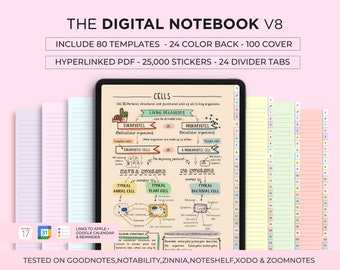
Digital download
Digital Notebook with Tabs, 25000 Stickers, Goodnotes Template (Digital Download)
Sale Price $1.49
Original Price $5.96
-
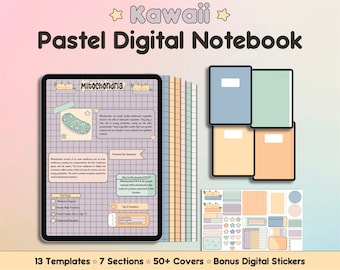
Digital download
Kawaii Pastel Digital Notebook|Multi Subject|Student Journal|Lined,Grid,Dot,Cornell Templates|Customizable|Portrait Note Paper|Free Stickers
$4.28
-
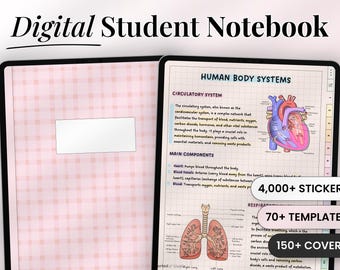
Digital download
Digital Student Notebook | Goodnotes Notebook | Student Planner for Note Taking | Notebook Template
Sale Price $4.13
Original Price $8.28
-
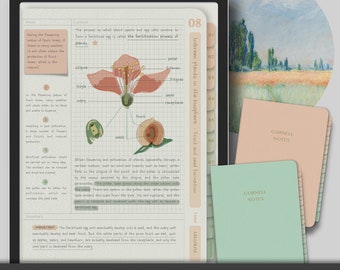
Digital download
Digital Cornell Notebook, Digital Notes, Cornell journal, Goodnotes Cornell notes, Notability template, goodnotes template, iPad Notebook
$3.99
-
Digital download
Digital Notebook: Minimalist Portrait Journal with Tabs (PDF)
$5.21
-
Digital download
Notebook Lined Paper, School Digital Paper (Digital Download)
Sale Price $1.76
Original Price $3.20
-
Digital download
Grid, Line, Dot Paper Printables, Note-Taking Templates, Graph Paper Notebook, Dot Journal Dotted, Cornell Notes, Student Digital Notetaking
Sale Price $2.48
Original Price $4.13
-

Digital download
A5, Half Page Bundle | Printable Essential kit, Line Notes, Dot Grid Paper Set, Daily, Weekly To do List | Checklist, Half hourly Scheudle
$4.00
-
Digital download
Printable Graph Paper, Grid paper, Graph paper download, Sizes-0.5 inch, 0.25 inch, 5 mm, 1 cm & 1 inch, Color graph papers, A4 , Letter
$2.06
-
Digital download
Lined Notebook SVG , Line Paper PNG , School Paper , Line paper , School Svg , Cricut Cut file
$1.20
-

A5 A6 Journal Notebook Planner Inserts: Lined, Grid, Dot, Blank Refill Paper (90 Sheets)
$3.50


