

IEP Caseload Tracker Google Sheets, IEP Due Dates & Re-Evaluation Countdown, Service Minutes, Accommodations, Special Education Case Manager
Item highlights
Seller's description
WHAT'S INCLUDED
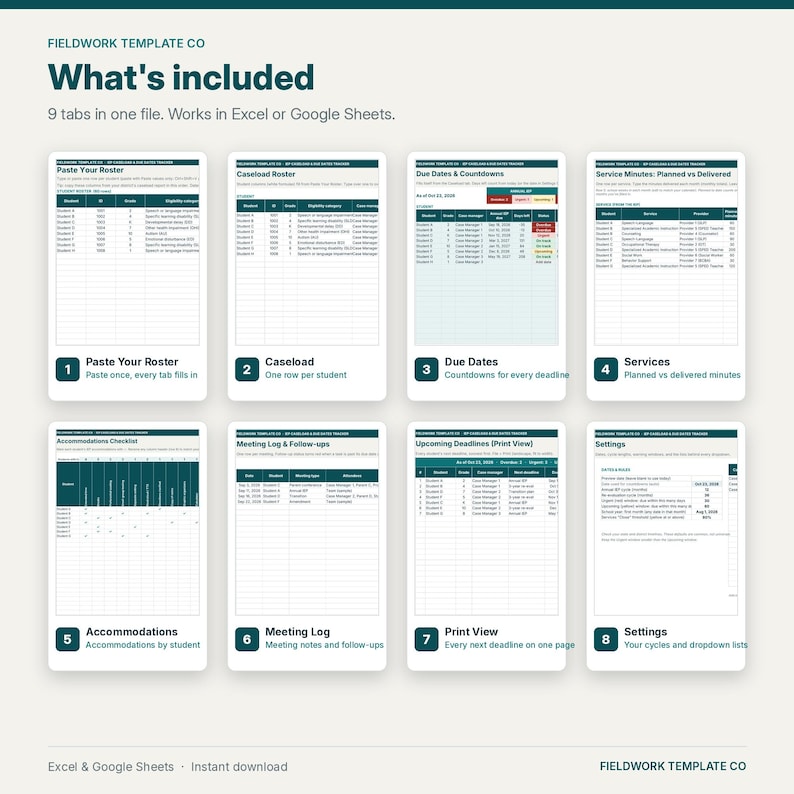
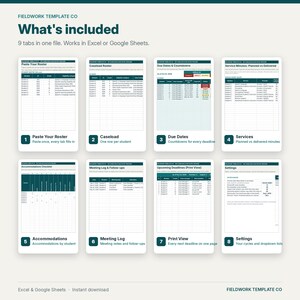
• IEP-Caseload-Due-Dates-Tracker.xlsx: 1 spreadsheet with 9 tabs. Works in Microsoft Excel or Google Sheets
• A 1-page Start Here PDF with your "Make a copy" link and step-by-step import instructions
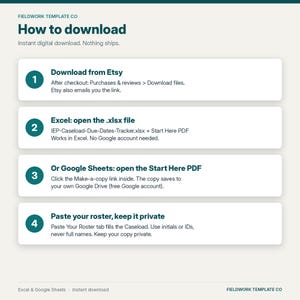
• Works in Excel. No Google account needed (Google Sheets works too).
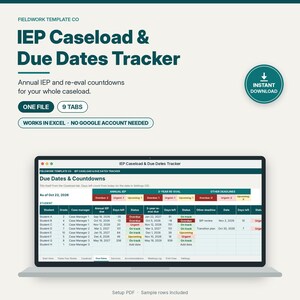
See every annual IEP and 3-year re-evaluation due date on your caseload, counted down automatically. This Google Sheets tracker colors each deadline Overdue, Urgent, Upcoming, or On track, and keeps service minutes, accommodations, and meetings in the same file.
Built for U.S. special education case managers and teachers of record. Calm, professional design with a deep teal accent. No clipart.
THE 9 TABS
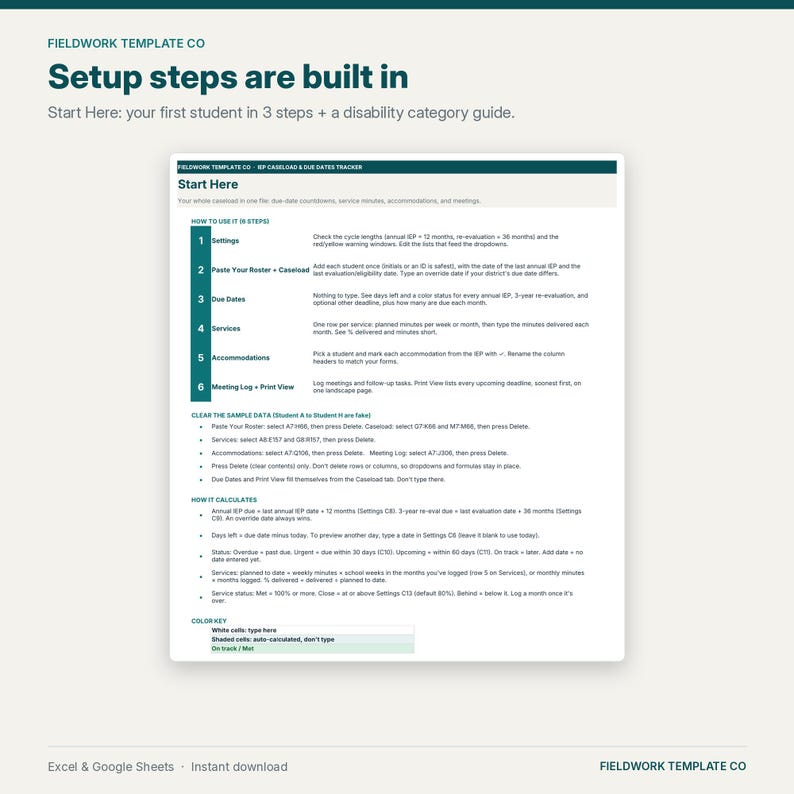
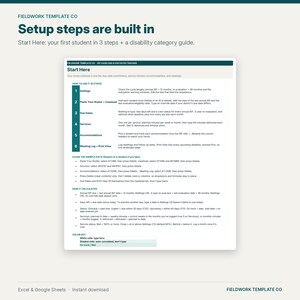
1. Start Here: 6-step how-to, color key, and how every number is calculated
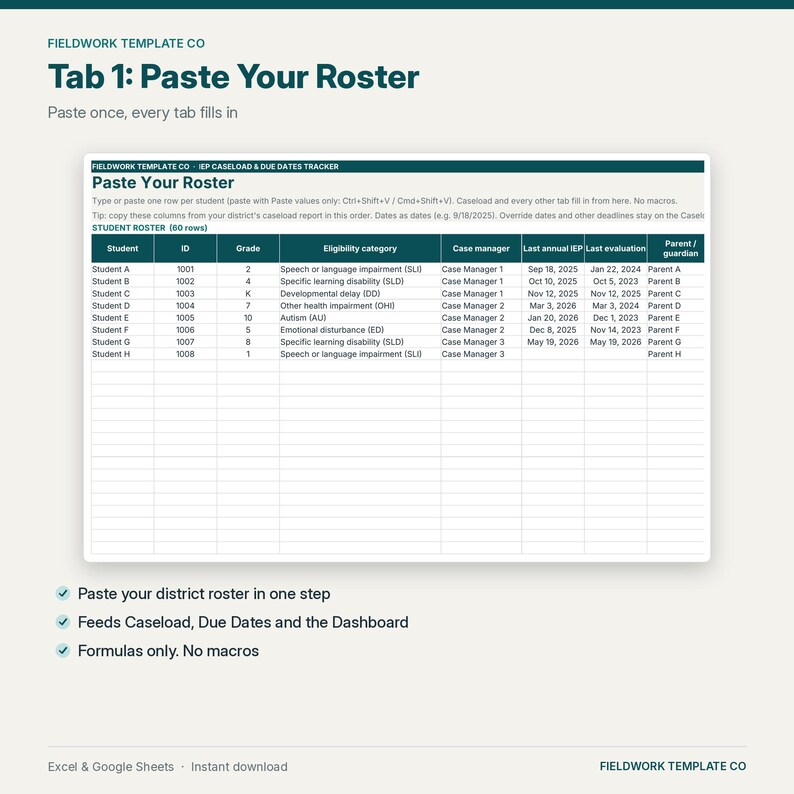
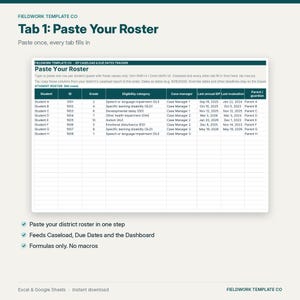
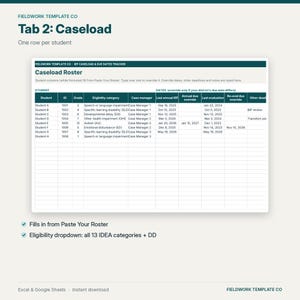
2. Paste Your Roster: paste your student list once (no macros). Caseload, Due Dates and every other tab fill in from it
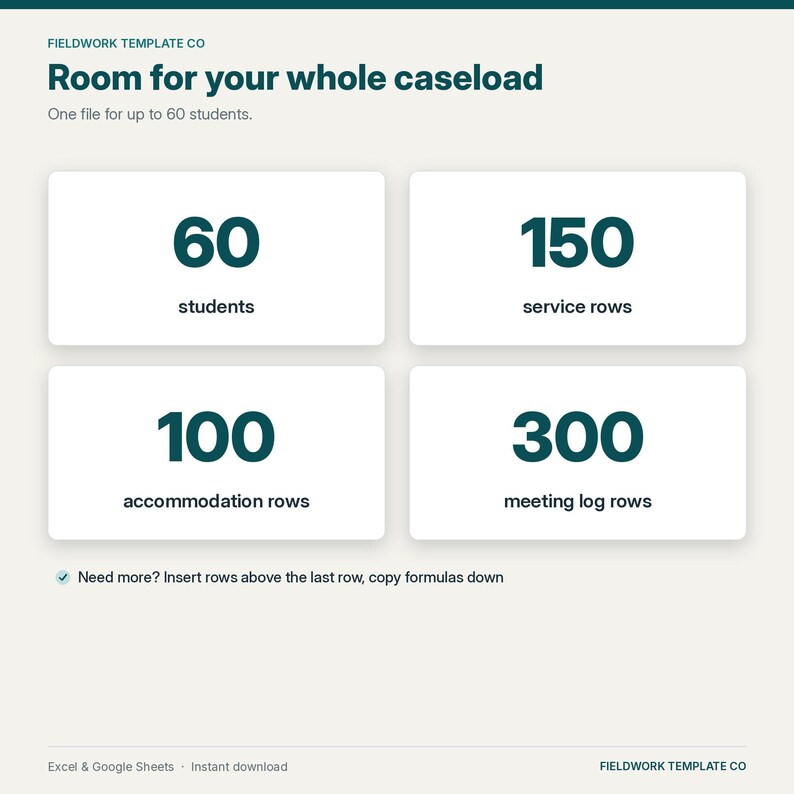
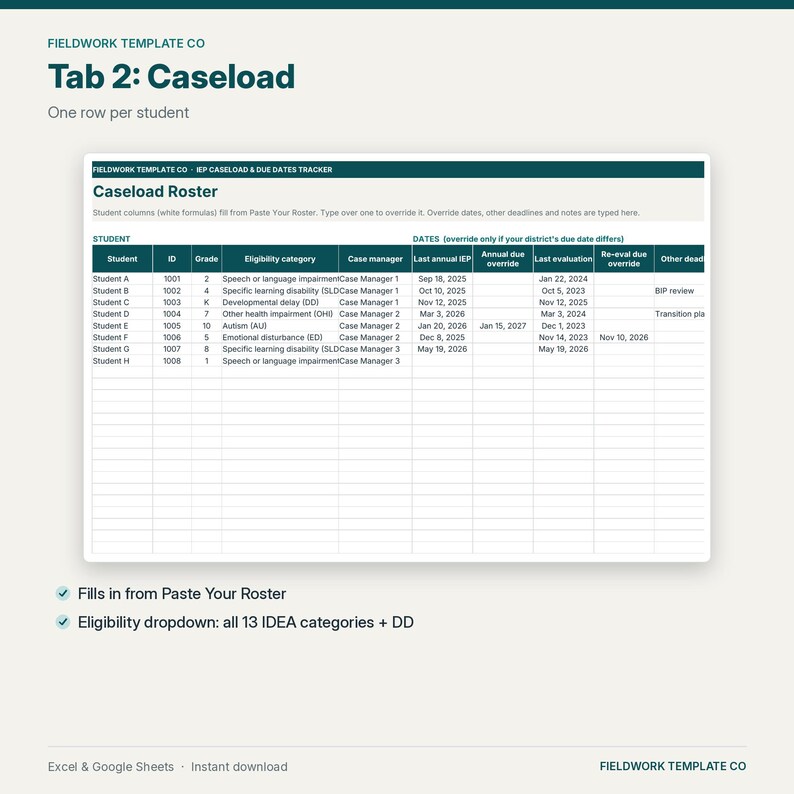
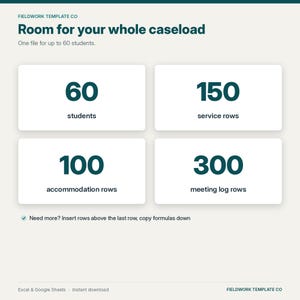
3. Caseload: student, ID, grade, eligibility category (all 13 IDEA categories plus Developmental delay, with acronyms), case manager, last annual IEP date, last evaluation date, optional override dates, an optional "other deadline" (for example a BIP review or transition plan), parent/guardian, and notes. Room for 60 students
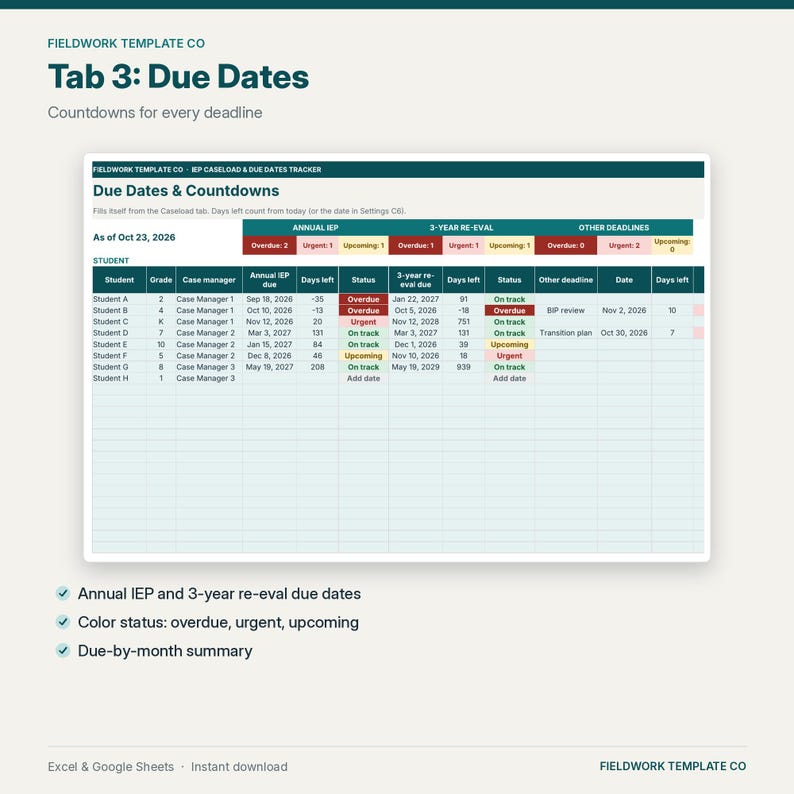
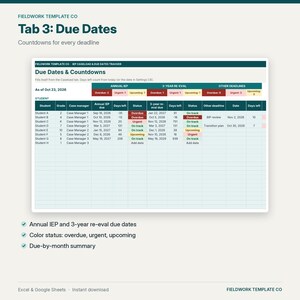
4. Due Dates: annual IEP due and 3-year re-evaluation due dates with days left and a color status, each student's next deadline, overdue/urgent/upcoming counts, and a "due by month" table for the next 12 months
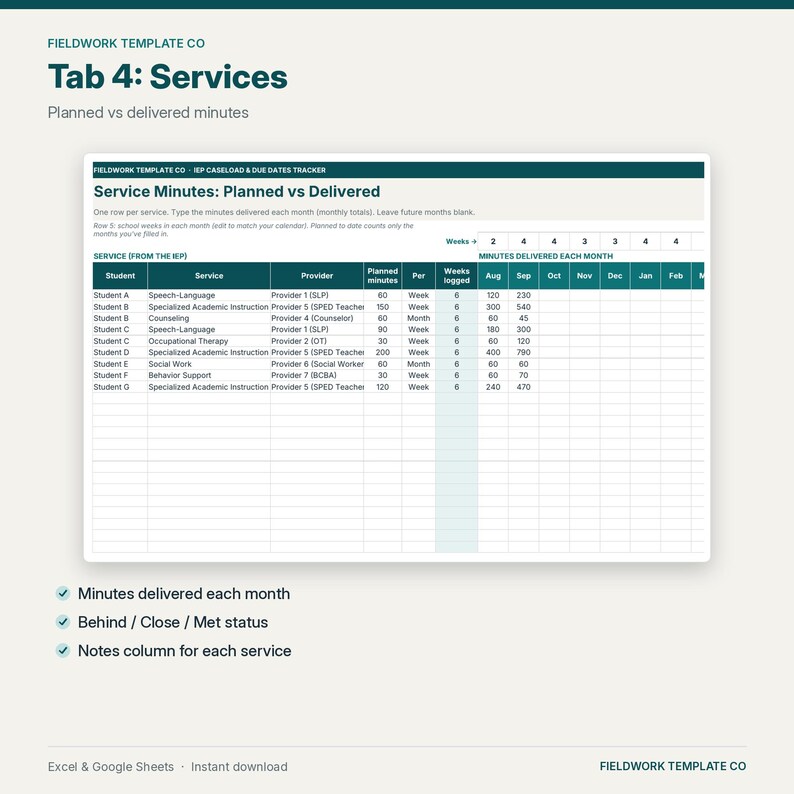
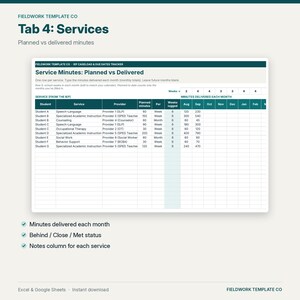
5. Services: one row per service with planned minutes per week or month and the minutes delivered each month. Shows planned vs delivered to date, % delivered, minutes short, and Met / Close / Behind
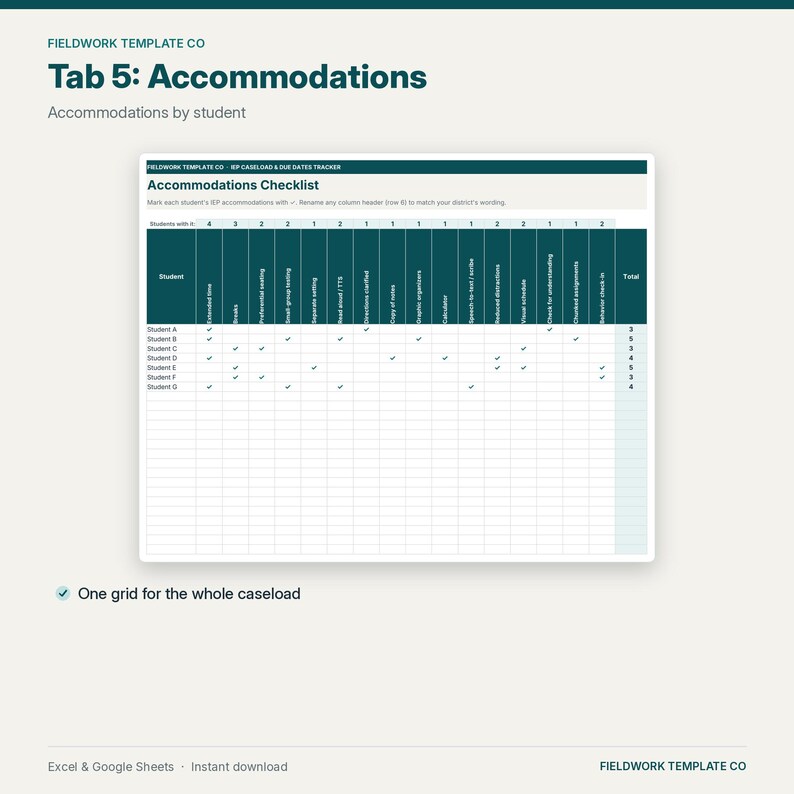
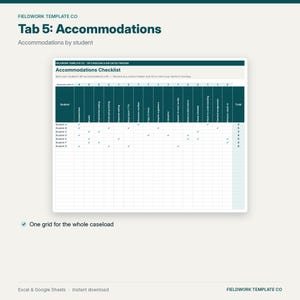
6. Accommodations: a checklist grid of 16 common accommodations (rename any of them) with counts per student and per accommodation
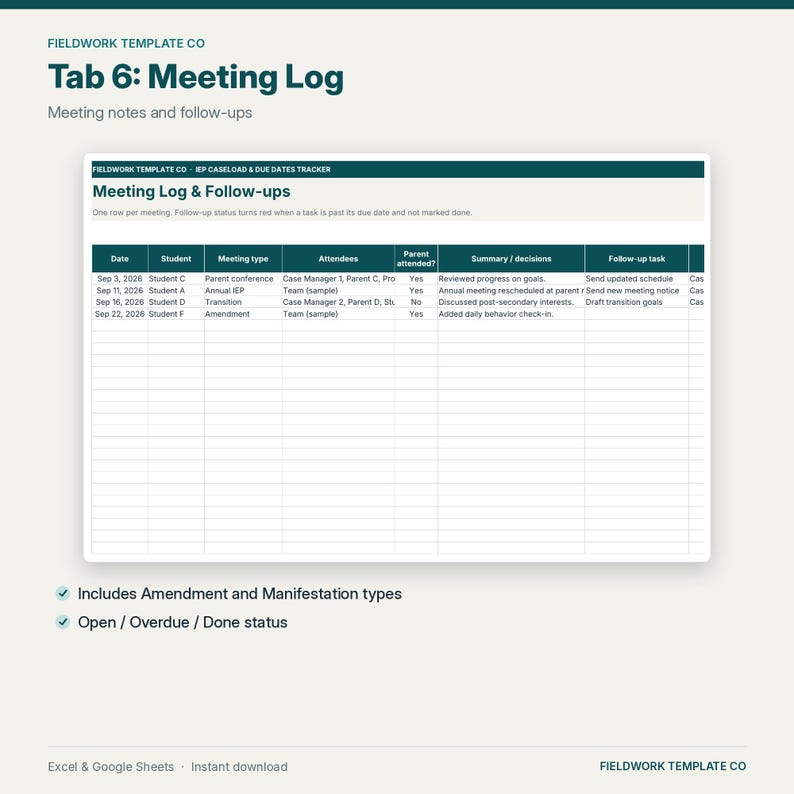
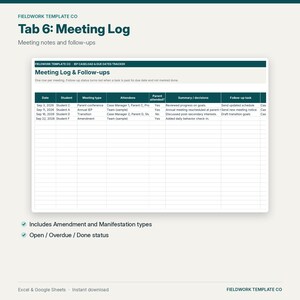
7. Meeting Log: date, student, meeting type, attendees, parent attendance, decisions, follow-up task, owner, and due date. Follow-ups turn red when overdue
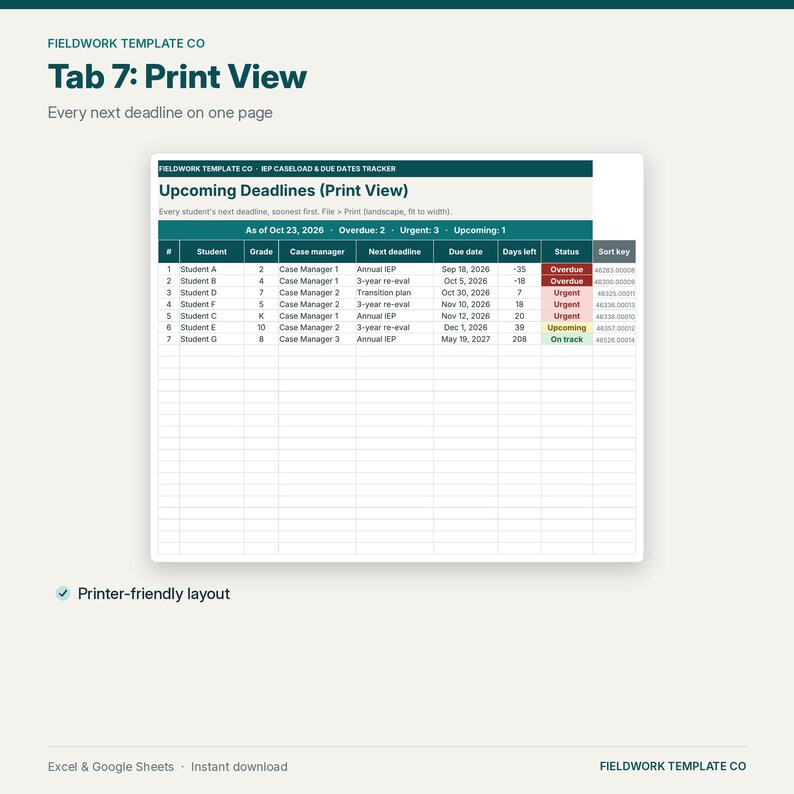
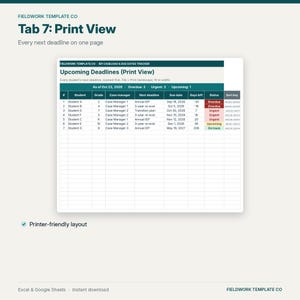
8. Print View: every student's next deadline, soonest first, on one landscape page
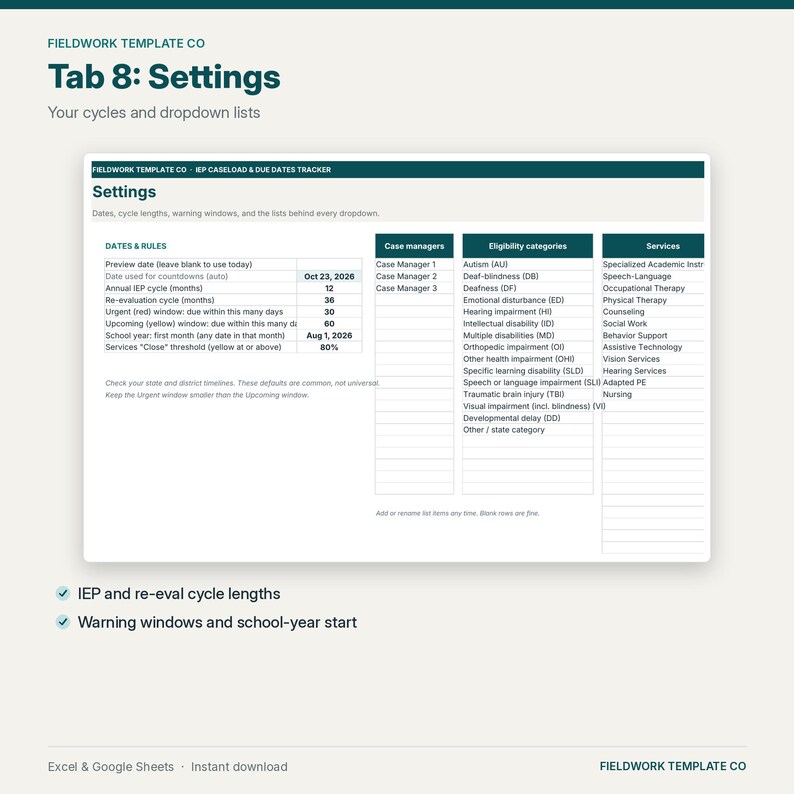
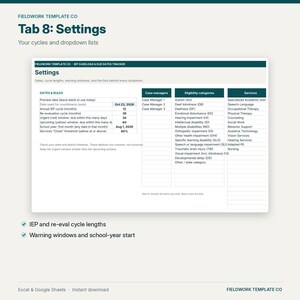
9. Settings: cycle lengths (default 12 and 36 months), warning windows (default 30 and 60 days), an optional preview date, and the lists behind every dropdown
HOW IT WORKS
1. Add your caseload with the last annual IEP and last evaluation dates
2. The countdowns and colors update every day on their own
3. Print the deadline list or check the Due Dates tab before planning meetings
GOOD TO KNOW
• Sample students (Student A to Student H) are fake and take about a minute to clear. The Start Here tab lists the exact cells.
• Timelines vary by state and district. Cycle lengths and warning windows are editable, and you can type an override date for any student.
• Type in the white cells. Shaded cells calculate automatically.
• Requires a free Google account (Google Sheets) or Microsoft Excel. Works best in a desktop browser.
HOW TO ACCESS
• Instant digital download. No physical item will be shipped.
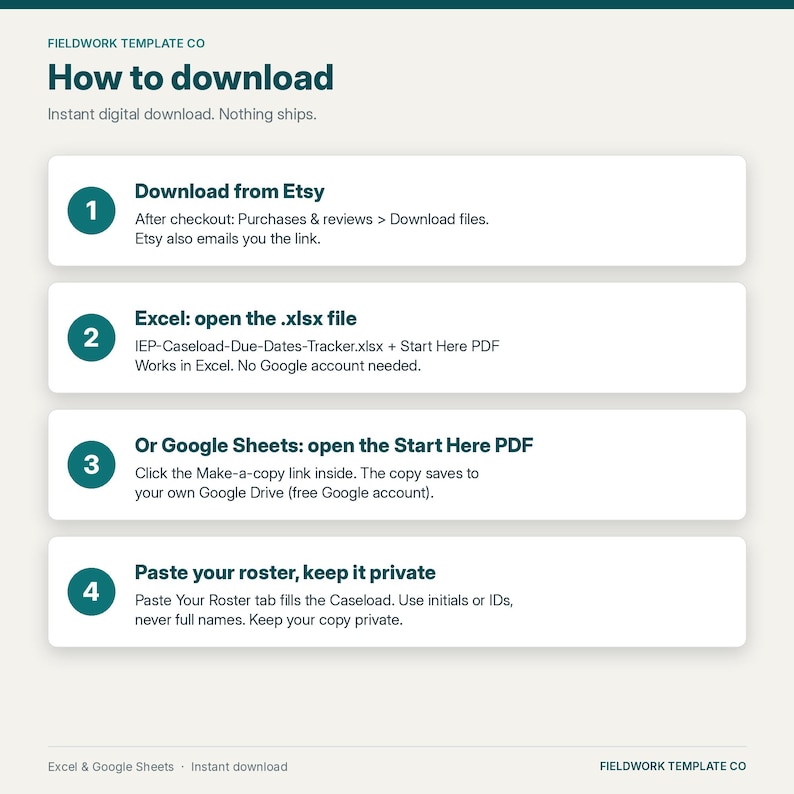
• After purchase, go to Purchases and reviews > Download files (or use the link in your order email).
• Open the Start Here PDF and click the "Make a copy" link to get your own editable Google Sheets copy. Or import the .xlsx: in Google Sheets, File > Import > Upload.
IMPORTANT
This is a planning and organizing aid. It is not affiliated with any school district and is not legal or compliance advice. It does not replace the IEP, your state's timelines, or district systems, so always confirm due dates in your district's IEP system. Protect student privacy (initials or IDs recommended) according to district procedures. Not affiliated with Google or Microsoft.
PAIRS WITH
• Complete IEP Case Manager Binder (printable, sold separately): https://www.etsy.com/listing/4582488931/iep-binder-bundle-complete-iep-case
• IEP Accommodations & Modifications Log (printable): https://www.etsy.com/listing/4580021285/iep-accommodations-modifications-log-for
REFUNDS
Digital downloads are delivered instantly and are generally non-refundable once files are accessed, except when a file is defective or doesn't match the listing. Message us and we'll fix or refund fairly.
LICENSE (Fieldwork Template Co)
Personal license for the original purchaser's own caseload use. You may NOT resell, redistribute, or share the blank spreadsheet, the .xlsx file, or the "Make a copy" link; upload the blank file to shared drives for school- or district-wide use; or use it in competing digital listings.
© Fieldwork Template Co. All rights reserved.
If something goes wrong with an order, we've got your back for all eligible purchases. View program terms
Price:$9.99
You can only make an offer when buying a single item
Delivery
Instant download
Your files will be available to download once payment is confirmed. Here's how.
Instant download items don't accept returns, exchanges or cancellations. Please contact the seller about any problems with your order.
Seller's description
Specifications
WHAT'S INCLUDED
• IEP-Caseload-Due-Dates-Tracker.xlsx: 1 spreadsheet with 9 tabs. Works in Microsoft Excel or Google Sheets
• A 1-page Start Here PDF with your "Make a copy" link and step-by-step import instructions
• Works in Excel. No Google account needed (Google Sheets works too).
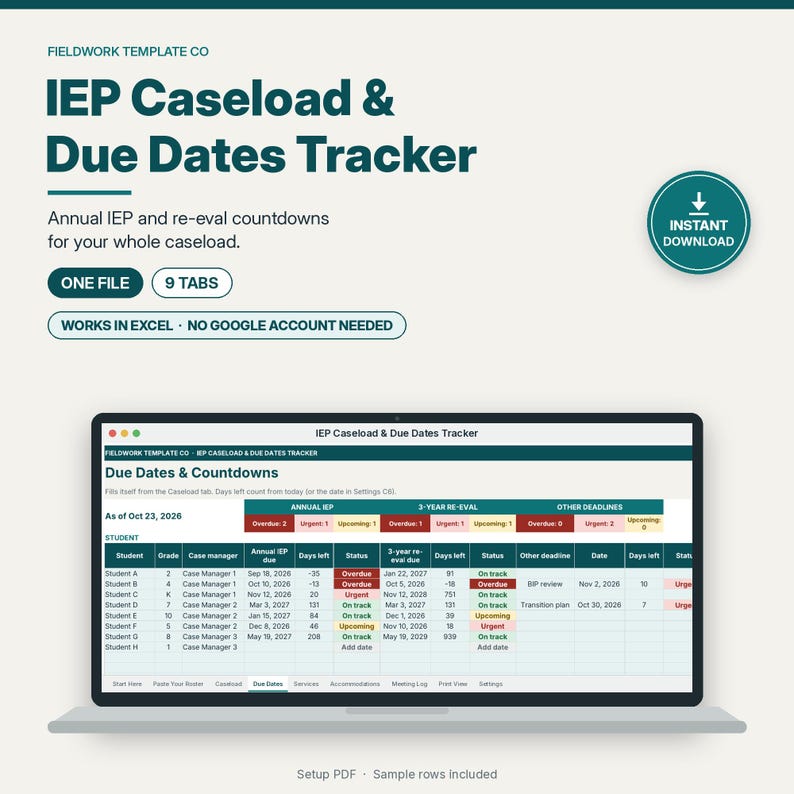
See every annual IEP and 3-year re-evaluation due date on your caseload, counted down automatically. This Google Sheets tracker colors each deadline Overdue, Urgent, Upcoming, or On track, and keeps service minutes, accommodations, and meetings in the same file.
Built for U.S. special education case managers and teachers of record. Calm, professional design with a deep teal accent. No clipart.
THE 9 TABS
1. Start Here: 6-step how-to, color key, and how every number is calculated
2. Paste Your Roster: paste your student list once (no macros). Caseload, Due Dates and every other tab fill in from it
3. Caseload: student, ID, grade, eligibility category (all 13 IDEA categories plus Developmental delay, with acronyms), case manager, last annual IEP date, last evaluation date, optional override dates, an optional "other deadline" (for example a BIP review or transition plan), parent/guardian, and notes. Room for 60 students
4. Due Dates: annual IEP due and 3-year re-evaluation due dates with days left and a color status, each student's next deadline, overdue/urgent/upcoming counts, and a "due by month" table for the next 12 months
5. Services: one row per service with planned minutes per week or month and the minutes delivered each month. Shows planned vs delivered to date, % delivered, minutes short, and Met / Close / Behind
6. Accommodations: a checklist grid of 16 common accommodations (rename any of them) with counts per student and per accommodation
7. Meeting Log: date, student, meeting type, attendees, parent attendance, decisions, follow-up task, owner, and due date. Follow-ups turn red when overdue
8. Print View: every student's next deadline, soonest first, on one landscape page
9. Settings: cycle lengths (default 12 and 36 months), warning windows (default 30 and 60 days), an optional preview date, and the lists behind every dropdown
HOW IT WORKS
1. Add your caseload with the last annual IEP and last evaluation dates
2. The countdowns and colors update every day on their own
3. Print the deadline list or check the Due Dates tab before planning meetings
GOOD TO KNOW
• Sample students (Student A to Student H) are fake and take about a minute to clear. The Start Here tab lists the exact cells.
• Timelines vary by state and district. Cycle lengths and warning windows are editable, and you can type an override date for any student.
• Type in the white cells. Shaded cells calculate automatically.
• Requires a free Google account (Google Sheets) or Microsoft Excel. Works best in a desktop browser.
HOW TO ACCESS
• Instant digital download. No physical item will be shipped.
• After purchase, go to Purchases and reviews > Download files (or use the link in your order email).
• Open the Start Here PDF and click the "Make a copy" link to get your own editable Google Sheets copy. Or import the .xlsx: in Google Sheets, File > Import > Upload.
IMPORTANT
This is a planning and organizing aid. It is not affiliated with any school district and is not legal or compliance advice. It does not replace the IEP, your state's timelines, or district systems, so always confirm due dates in your district's IEP system. Protect student privacy (initials or IDs recommended) according to district procedures. Not affiliated with Google or Microsoft.
PAIRS WITH
• Complete IEP Case Manager Binder (printable, sold separately): https://www.etsy.com/listing/4582488931/iep-binder-bundle-complete-iep-case
• IEP Accommodations & Modifications Log (printable): https://www.etsy.com/listing/4580021285/iep-accommodations-modifications-log-for
REFUNDS
Digital downloads are delivered instantly and are generally non-refundable once files are accessed, except when a file is defective or doesn't match the listing. Message us and we'll fix or refund fairly.
LICENSE (Fieldwork Template Co)
Personal license for the original purchaser's own caseload use. You may NOT resell, redistribute, or share the blank spreadsheet, the .xlsx file, or the "Make a copy" link; upload the blank file to shared drives for school- or district-wide use; or use it in competing digital listings.
© Fieldwork Template Co. All rights reserved.
-
Designed by
-
Item typeDigital download
-
Digital file type(s)1 PDF, 1 other file
If something goes wrong with an order, we've got your back on all eligible purchases. View program terms
Meet your seller

More from this shop
-
Digital download
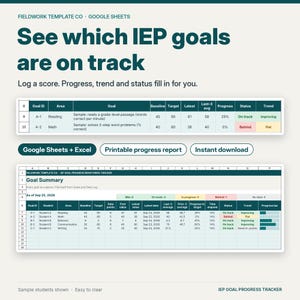
IEP Goal Tracker Google Sheets, IEP Progress Monitoring Spreadsheet, IEP Data Tracking and Goal Data Sheets, Special Education
$6.99
-
Digital download
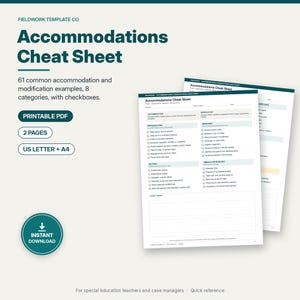
Accommodations and Modifications Cheat Sheet, Special Education Quick Reference, IEP Accommodation Checklist, Printable Letter A4 PDF
$2.99
-

Digital download
Creepmas Coloring Pages Printable, Spooky Christmas Coloring Sheets for Adults, Bold and Easy Kawaii Goth Holiday PDF
$4.50
-
Digital download
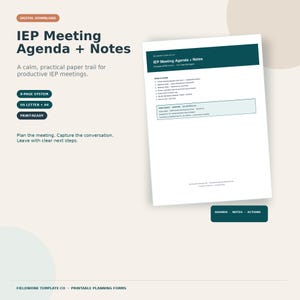
IEP Meeting Agenda + Notes for Case Managers — Timed SPED Forms PDF + Canva
$5.99
-
Digital download
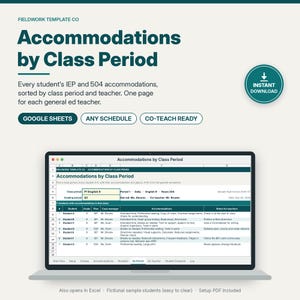
IEP Accommodations Tracker Google Sheets, 504 Accommodations by Class Period, Accommodation Tracker for Teachers, Co-Teaching
$7.99
-
Digital download
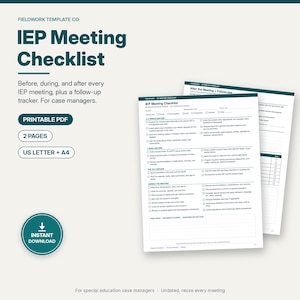
IEP Meeting Checklist for Case Managers, Special Education Meeting Prep, During and Follow Up Checklist, Printable Letter and A4 PDF
$2.99
-
Digital download
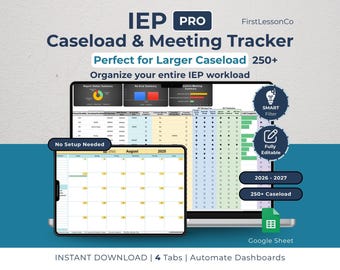
IEP Caseload Tracker PRO for Special Education | Google Sheets SPED Tracker | Re-Eval & Transition | Large Caseload updated(250+ Students)
$9.99
-
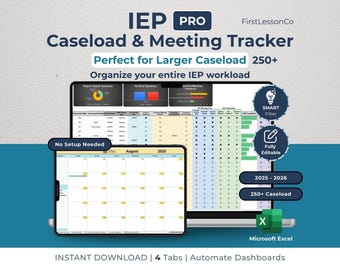
Digital download
IEP Caseload Tracker PRO: Excel Calendar for SPED Teachers, Re-Eval, Transition (250+ Students) [2025-2026]
$9.99
-
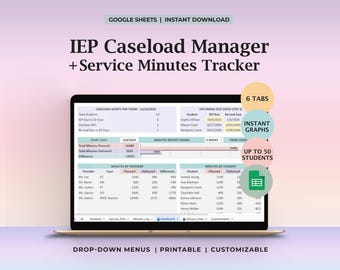
Digital download
IEP Caseload Tracker Service Minutes Dashboard Special Education Compliance Due Dates Reeval Dates Weekly Service Log Planned vs Delivered
Sale Price $12.60
Original Price $18.00
-
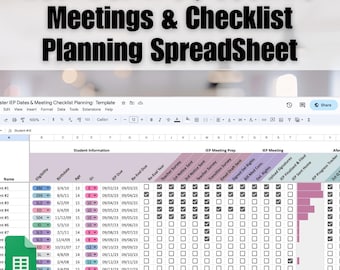
Digital download
IEP Caseload Tracker Google Sheets | Special Education Meeting Planner Checklist | SPED Progress Monitoring | Editable Teacher Spreadsheet
$6.99
-
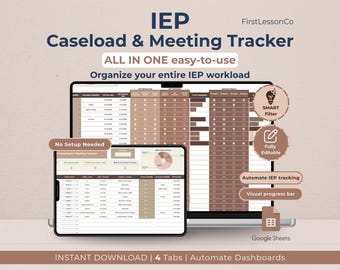
Digital download
IEP Caseload Tracker: SPED Teacher Meeting Log Google Sheets, Visual Student Checklist (Digital Download)
$7.99
-
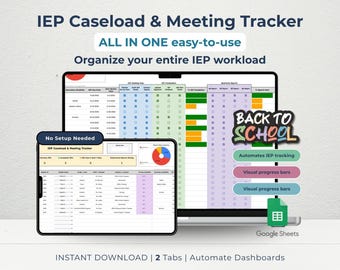
Digital download
IEP Caseload Tracker & Meeting Log for SPED Teachers | Visual Student Checklist Dashboard | Google Sheets
$7.99
-
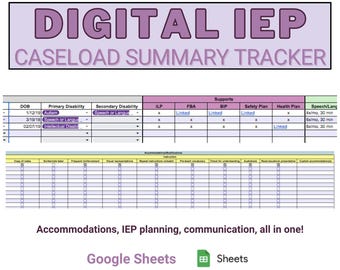
Digital download
Special Education Digital IEP Caseload Summary Tracker: Grades PreK-12
$5.00
-
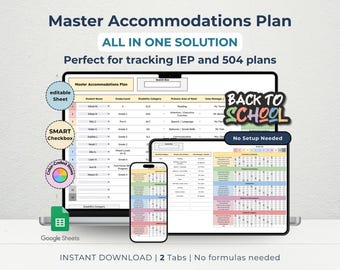
Digital download
IEP 504 Accommodation Tracker: Special Education Plan Log (Google Sheets, Digital Download)
$5.99
-
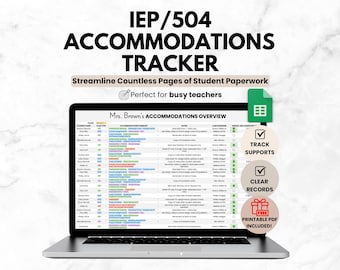
Digital download
Student IEP/504 Accommodation Tracker Spreadsheet for Teacher | Google Sheets IEP Caseload Organization | Special Education Planner Template
Sale Price $4.19
Original Price $5.99
-
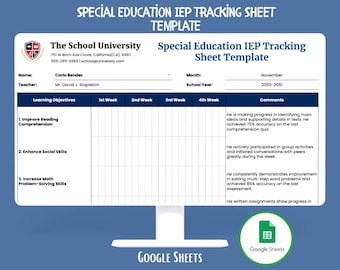
Digital download
Special Education IEP Tracking Google Sheets Individualized Education Plan Student Goals Progress Monitoring Accommodation Services Tracker
$9.20
-
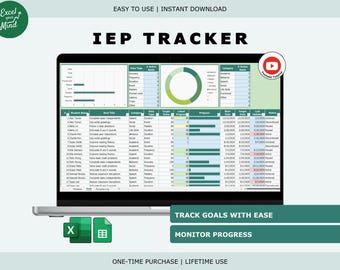
Digital download
IEP Goal Tracker | IEP Progress Monitoring Student Data Tracker (Excel & Google Sheets)
Sale Price $6.09
Original Price $9.37
-
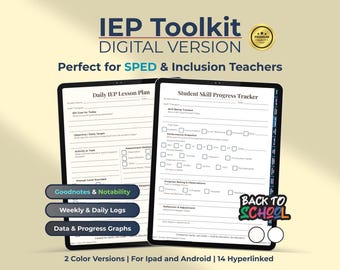
Digital download
IEP Toolkit Digital Planner for SPED Teachers: Goals, Behavior Logs (PDF Download iPad/Tablets)
$9.90
Shoppers with similar taste loved these
-

Digital download
Child Psychology Mega Bundle with CBT Therapy Worksheets for Kids (PDF Digital Download)
Sale Price $12.34
Original Price $17.63
-

Digital download
Kid's Autism Mega Bundle Workbook, For Therapist, Parents, School Counselors and Social Workers, Play Therapy, Neurodivergent Kids Workbook
Sale Price $4.87
Original Price $9.74
-

Digital download
Kids Therapy Printable Bundle | Emotional Regulation, Feelings, Coping Skills & Social Skills Worksheets
Sale Price $6.98
Original Price $13.97
-

Digital download
Kids social skills bundle, social skills bingo, pdf social skills game, conversation skills, workbook social skills activity for children
Sale Price $13.75
Original Price $25.00
-

Digital download
Social Skills Flashcards for Kids Worksheets Coping Strategies Workbook, Team Building Activities, Printable Cards
Sale Price $1.69
Original Price $2.11
-
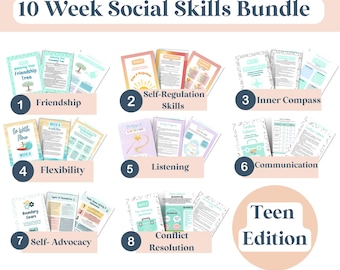
Digital download
10-Week Social Skills activities and Curriculum Bundle| Friendship, Emotions, Cooperation, Conflict Resolution activities bundle, ACT
Sale Price $4.44
Original Price $8.88
-

Digital download
Kids Therapy Bundle. Life skills. Emotional resilience. Therapy Resources. Self care. ADHD planner, impulse control. CBT tools. psychology
Sale Price $4.73
Original Price $18.93
-

Digital download
Social Skills, Friendship Kids PRINTABLE Worksheets | SEL | Assertive Communication | Apologising | Inclusion | Making Friends Workbook
Sale Price $3.36
Original Price $13.44
-
Digital download
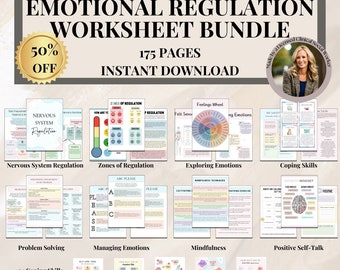
Emotional Regulation Bundle,Zones of Regulation, Self Regulation Kids, School Counseling Resources,Social Emotional Learning, Emotions Wheel
Sale Price $9.07
Original Price $18.14
-
Digital download
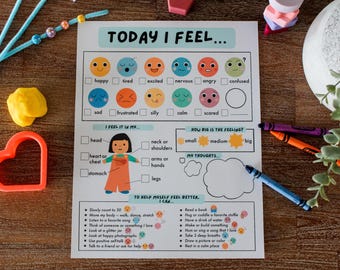
Feelings Check-In Printable for Kids, Self Regulation, Emotional Regulation, Social Emotional Learning, Calm Corner, School Counselling
$2.17
-

Digital download
Coping Skills Workbook for Kids PRINTABLE | Emotional Regulation Mindfulness Activities | Calm Down Strategies DBT Cards, SEL Worksheets pdf
Sale Price $7.50
Original Price $25.00
-
Digital download
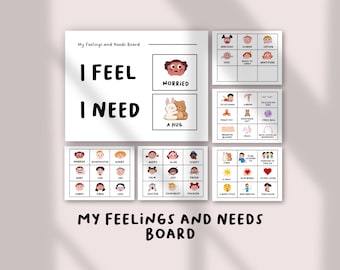
I Feel I Need Board | Feelings Check-In Chart for Kids | Emotional Regulation & Social Emotional Learning Activity, Toddlers and Preschool
Sale Price $1.75
Original Price $3.50
