

Home Renovation Planner Excel & Google Sheets | Remodel Budget Spreadsheet | Bid Comparison And Change Orders
Price:$7.00
Here's what's eligible:
- Your order doesn't match the item description or photos
- Your item arrived damaged
- Your item arrived after the estimated arrival window
- Your item didn't arrive or was lost in the mail
You can only make an offer when buying a single item
Highlights
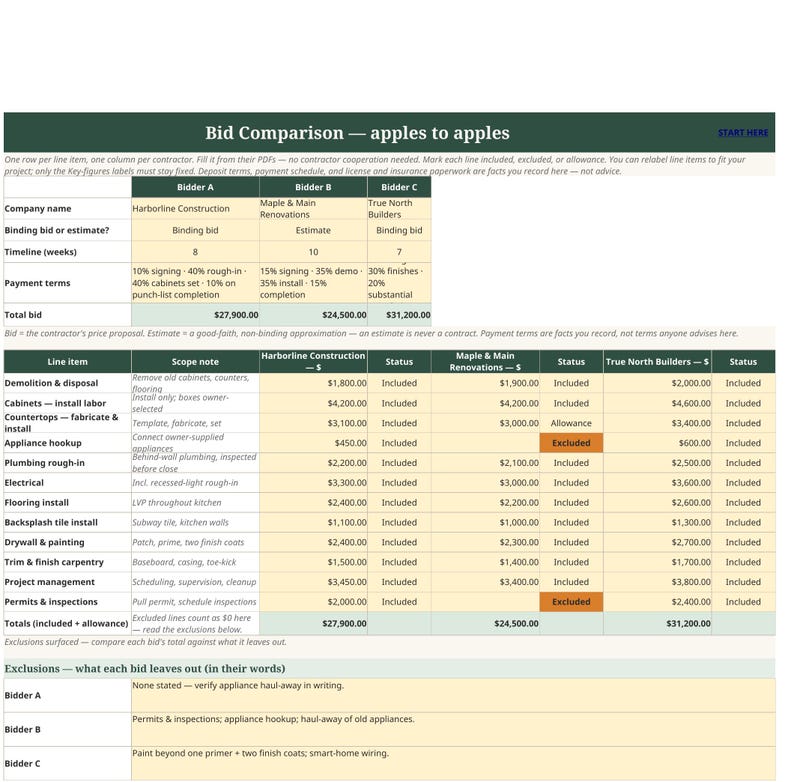
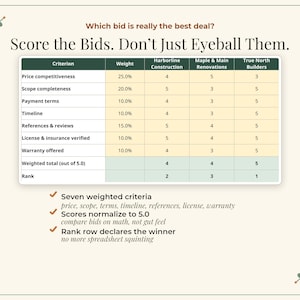
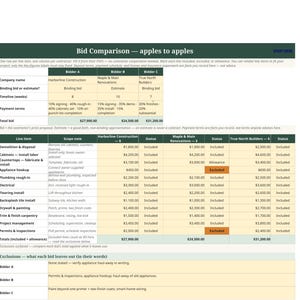
Three bids on the kitchen table, and they disagree by thousands. Now what?
Home renovation planner for homeowners and renovating couples planning a kitchen remodel, bath,
or whole-home remodel — 21 tabs, two workbooks — a sample version and a blank version — $7.00
instant digital download.
For Microsoft Excel 2007 or later / Microsoft 365 and Google Sheets · no macros · digital
download only.
Every spreadsheet screenshot is a genuine render of the actual workbook.
This workbook is your neutral money referee for the whole renovation — the one place where both
partners can see where every dollar goes, from the first bid to the final punch-list sign-off.
In Clever Real Estate's Home Renovation Trends report, 70% of homeowners who renovated in the
past five years went over budget. This planner exists so the numbers live in the workbook, not
in an argument — it is your project budget tracker from the first bid to the final sign-off.
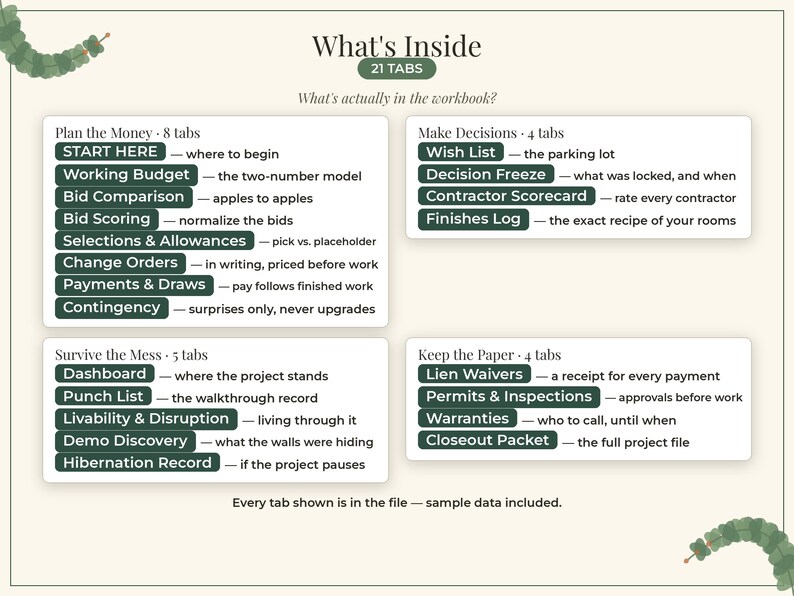
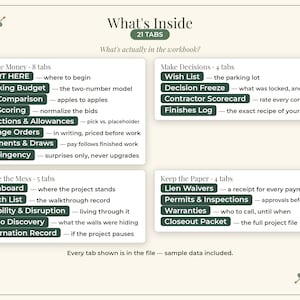
WHAT'S INSIDE — 21 tabs built from real renovation workflows:
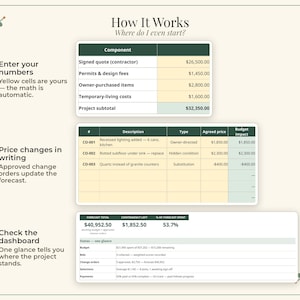
START HERE — a 5-minute cold start, so the file is working before your coffee cools
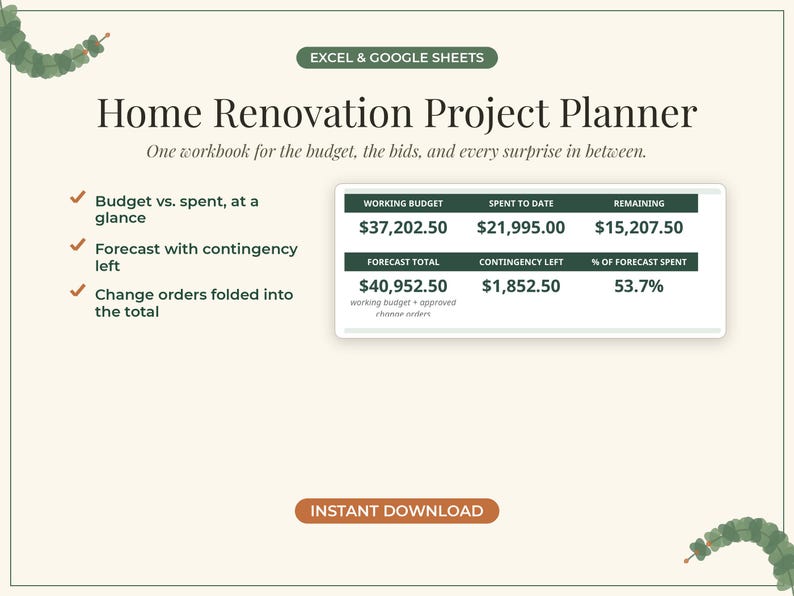
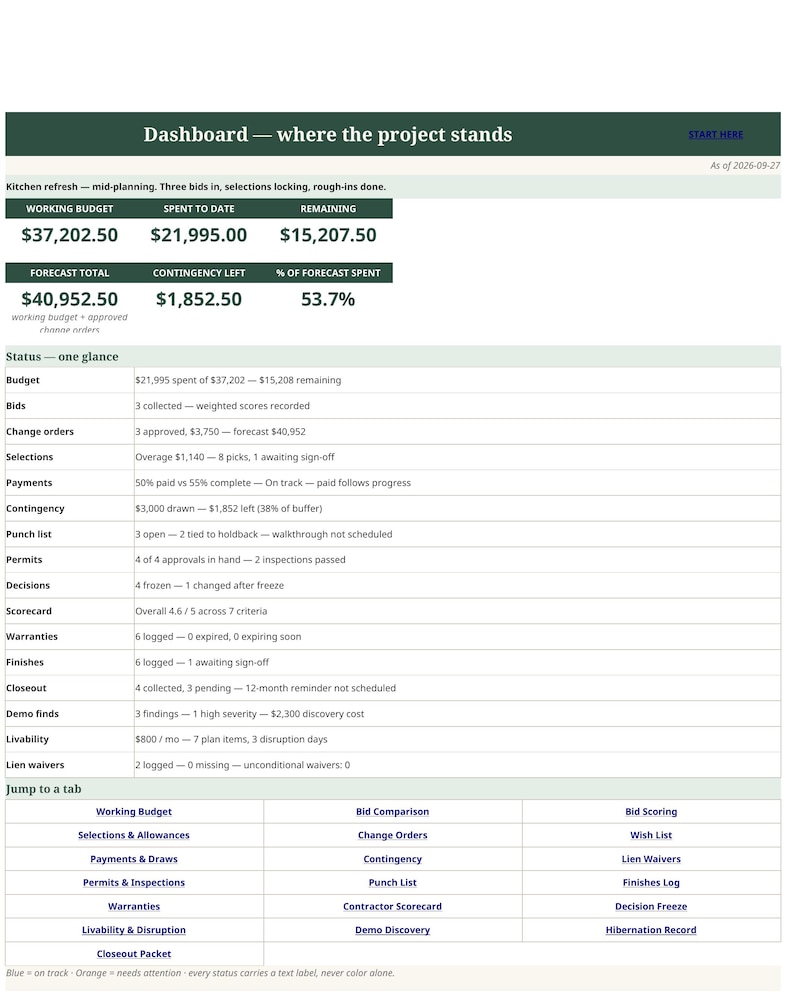
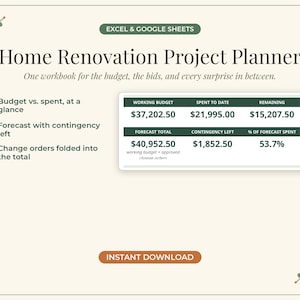
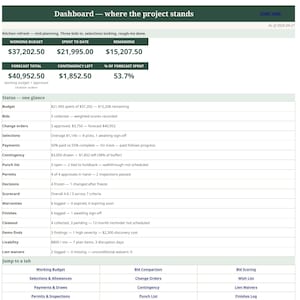
Dashboard — "where are we?" answered at a glance, in plain language for both partners
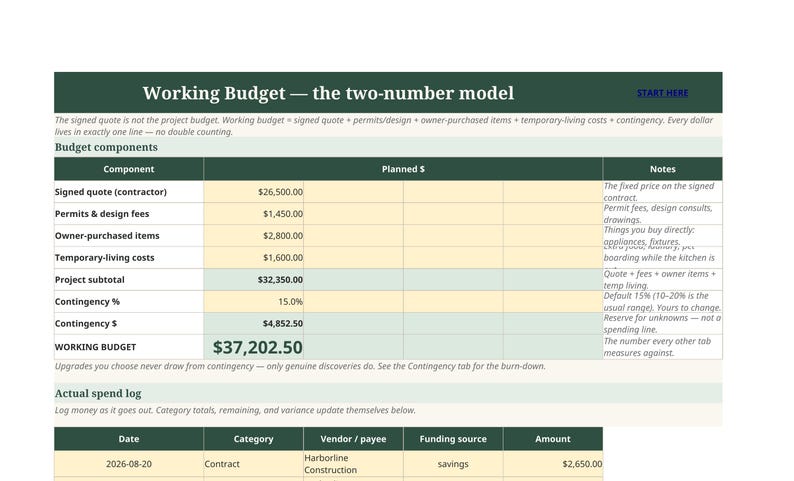
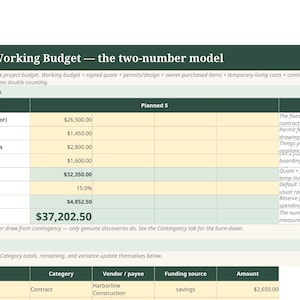
Working Budget — the two-number remodel budget: what you signed up for vs. what it's really costing
Bid Comparison — normalize contractor bids line by line (included / excluded / allowance /
timeline), so different formats compare apples-to-apples
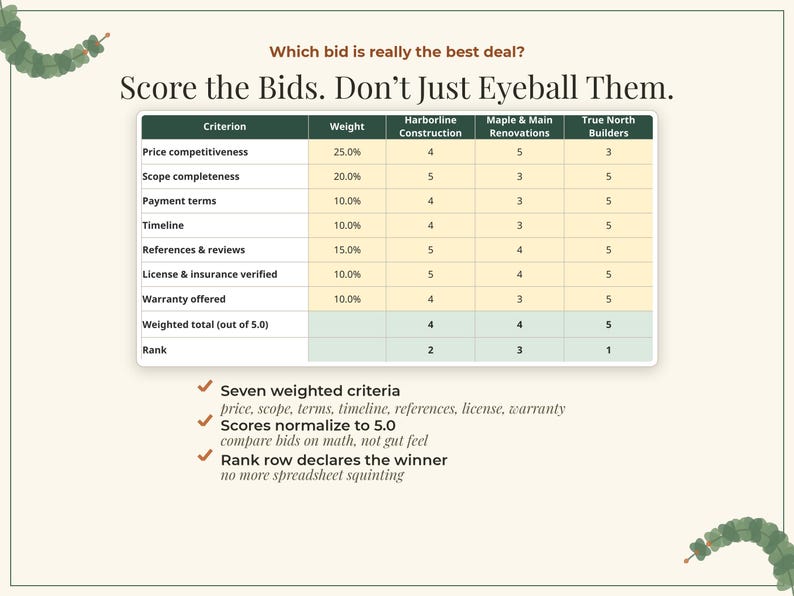
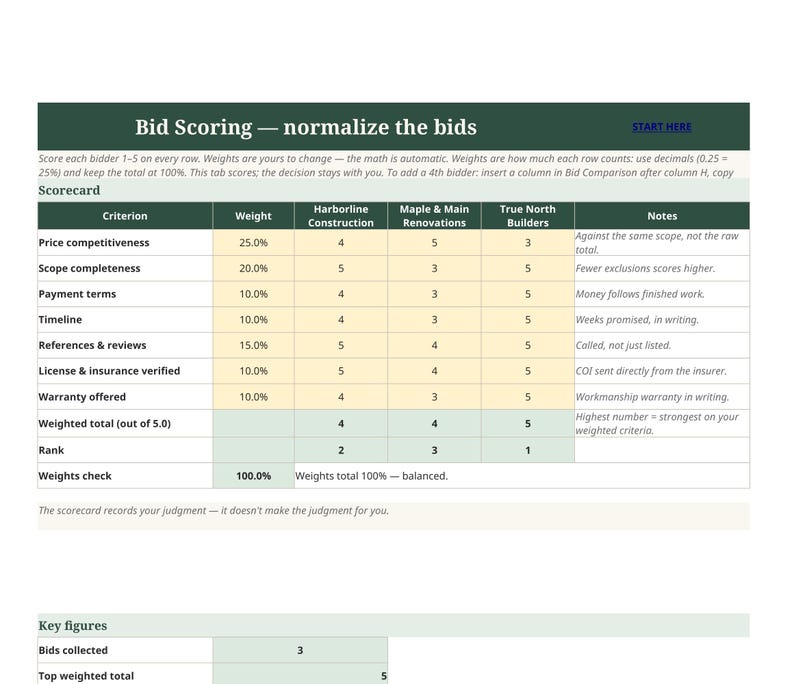
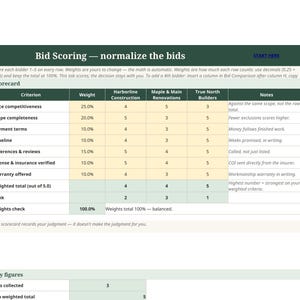
Bid Scoring — score each bid on price, timeline, and fit, so the choice stays numbers-driven
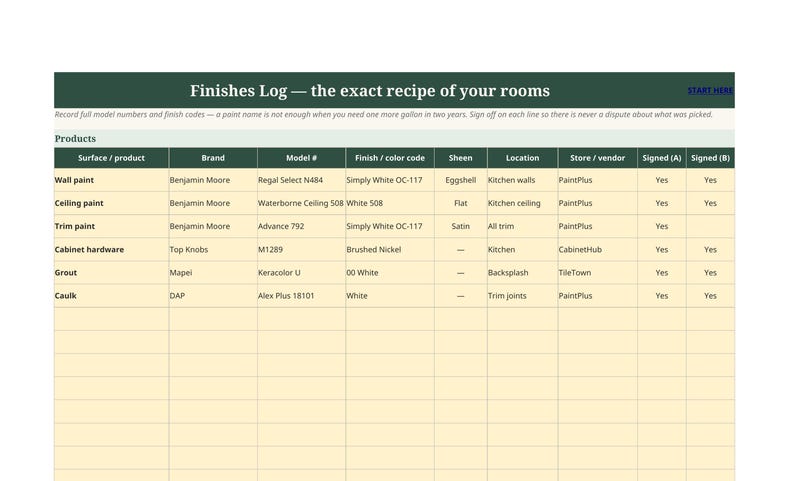
Selections & Allowances — every pick with brand, model and finish codes, price vs. allowance,
and a sign-off field for both of you
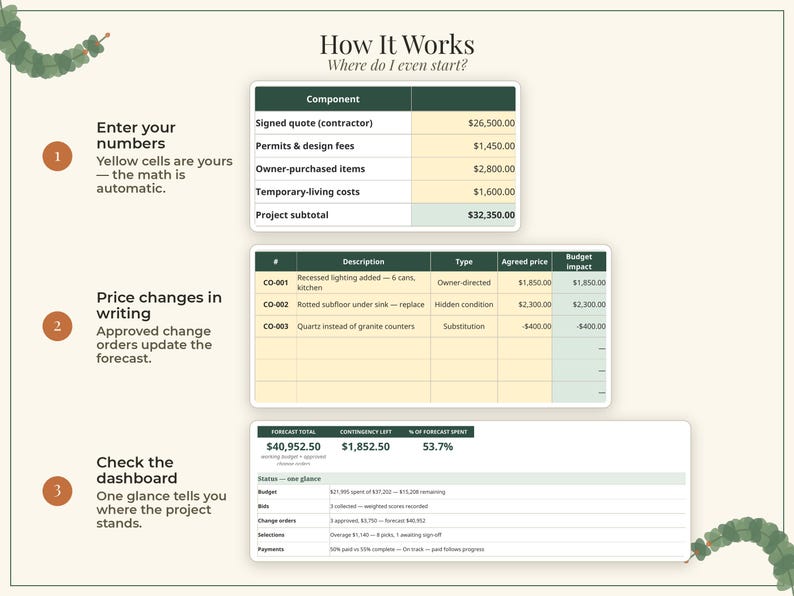
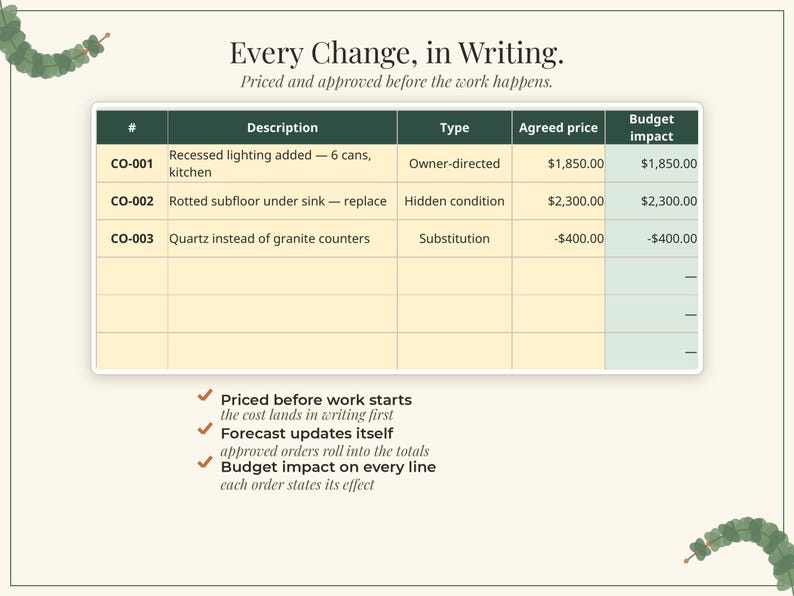
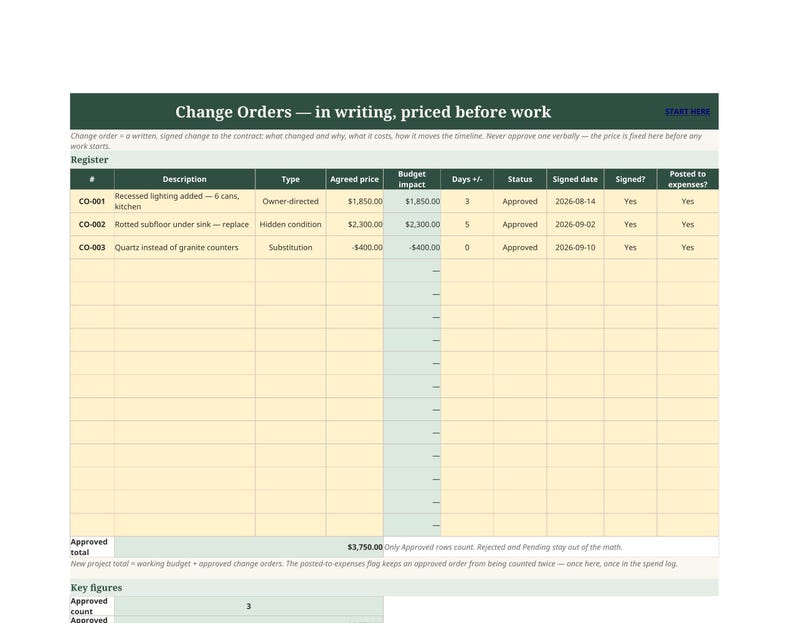
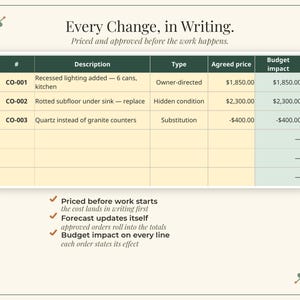
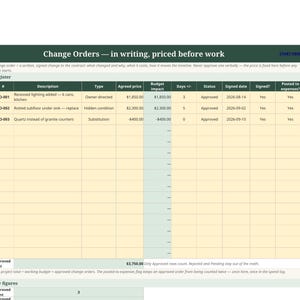
Change Orders — your change order tracker: written, signed, priced before work; the new project
total updates as they're approved
Wish List — "while you're at it" ideas, parked where they can't become silent scope creep
Payments & Draws — every payment tied to a completed milestone, with % paid vs. % complete and
overpayment flags
Contingency — your 15% cushion (adjustable), locked away from upgrades, with a visible burn-down
Lien Waivers — per-sub, per-draw checklist: conditional before you pay, unconditional after
funds clear
Permits & Inspections — permit log, inspection results, expiry dates, HOA approvals
Punch List — open items tied to the retained holdback, so they actually get finished
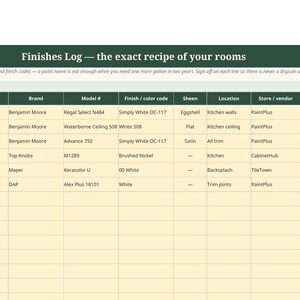
Finishes Log — the paint codes and model numbers you'll need in five years
Warranties — coverage, claim procedures, and a 12-month walkthrough reminder
Contractor Scorecard — license checks, insurance COI, references-called checklist
Decision Freeze — every selection locked and couple-signed before demo day
Livability & Disruption — temporary kitchen, daily-living costs, pet and kid plans
Demo Discovery — what the walls reveal, tied to contingency spending
Hibernation Record — if the project pauses, the record survives intact
Closeout Packet — the final archive: permits, waivers, warranties, manuals
BUILT FOR REAL RENOVATIONS:
- Plain-language one-line hints on every jargon field (allowance, draw, retainage, punch list,
lien waiver) — no separate glossary to hunt through
- Neutral, judgment-free variance wording — the workbook reports the numbers; it never scolds
and never advises
- Blue-and-orange status labels with text (never red/green grades)
- Works from your contractors' PDFs — no contractor cooperation needed
- Print-clean layouts on the budget, permits, finishes, and closeout tabs
- Body type 11pt and up, so both partners can actually read it
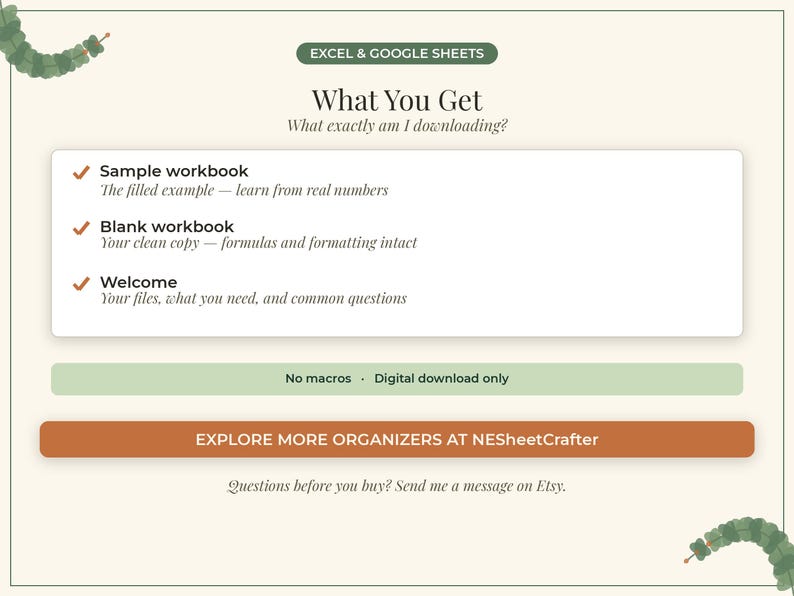
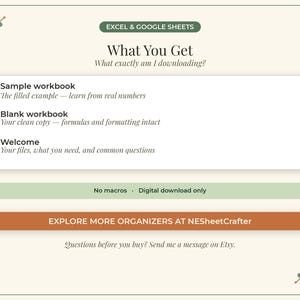
WHAT YOU GET — three files, plus the Google Sheets version:
- Sample workbook — a complete lived-in example (a $32–41k kitchen refresh) showing how every
tab works
- Blank workbook — the same workbook with inputs cleared: all formulas, styling, guidance, and
dropdowns intact
- Google Sheets version — sample and blank copies of the same planner; the Welcome has the copy
links (free Google account, nothing to install)
- Welcome.pdf — your files, what you need, requirements, FAQ, and support
FAQ:
- What version of Excel do I need? Microsoft Excel 2007 or later / Microsoft 365 — or use the
included Google Sheets version with a free Google account. Macro-free — no add-ins, no special
setup.
- Can I use it in Google Sheets? Yes — a Google Sheets version is included (sample and blank).
The Welcome has the copy links; every tool and total is included and produces the same results,
and the dropdown lists are the same. In Sheets, validations and prompts guide entry rather than
strictly rejecting it. Printing in Sheets is per-sheet — the Welcome shows the two settings to
pick.
- My project isn't a kitchen — will this still work? Yes. The sample walk-through is a kitchen
refresh, but the bid, change-order, payment, permit, and closeout tabs are project-neutral and
adapt to any home improvement project — baths, whole-home remodels, and additions.
- How do I start? Open the BLANK file, read START HERE (about 5 minutes), and log your first
bid. The SAMPLE file shows every tab filled in, so you can see what "done" looks like.
- Will the workbook be updated? Future updates are free — re-download the updated files any time
from your Etsy Purchases & Reviews.
EU BUYERS:
- This is a digital file delivered immediately after purchase. By buying, you agree to immediate
delivery, and your 14-day right of withdrawal ends once the download begins.
REQUIREMENTS & DISCLOSURES:
- Requires Microsoft Excel 2007 or later / Microsoft 365, or Google Sheets with a free Google
account — no macros. One honest difference: the Excel files print each sheet ready-set (print
areas and repeated header rows); in Google Sheets those print settings don't carry over, so
print one sheet at a time with Fit to page and Repeat frozen rows — the Welcome shows how.
- Digital download only — no physical item will be shipped. Instant download from your Etsy
Purchases page (works in a browser; the Etsy app doesn't support downloads).
- Funding sources in the workbook are savings / credit card / other.
- Please read: this workbook is an organizer — it records your bids, budget, selections, and
decisions and presents the numbers. It does not provide financial, legal, construction,
engineering / code-compliance, or safety advice, and it does not replace a licensed
professional's judgment. For questions in those areas, consult a licensed contractor (an
attorney or accountant for legal or financial questions) and verify permits / local code before
signing or buying materials.
- Personal use only. You may not redistribute, resell, share, or upload this file (or any part
of it) anywhere, free or paid. You may not claim it as your own work.
- Support: message me anytime through Etsy messages — I answer personally.
For Microsoft Excel and Google Sheets — no macros — digital download only.
Questions? Message the shop through Etsy Messages — happy to help.
Instant Download
Your files will be available to download once payment is confirmed. Here's how.
Instant download items don’t accept returns, exchanges or cancellations. Please contact the seller about any problems with your order.
Etsy Purchase Protection
Shop confidently on Etsy knowing if something goes wrong with an order, we've got your back for all eligible purchases —
see program terms

More from this shop
Visit shop-
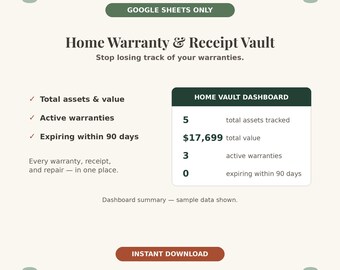
Digital download
Home Warranty Tracker Spreadsheet | Appliance Receipt Log & Maintenance Planner
$7.00
-
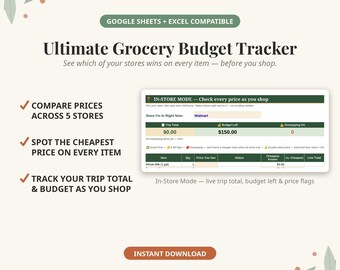
Digital download
Food Budget Tracker + Grocery Shopping List Spreadsheet for Google Sheets and Excel
$7.00
-
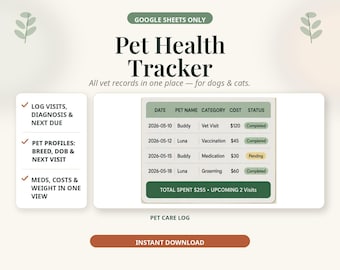
Digital download
Pet Health Tracker Google Sheets | Dog and Cat Planner, Vet Visit Log, Expense & Weight Tracker
$5.00
-
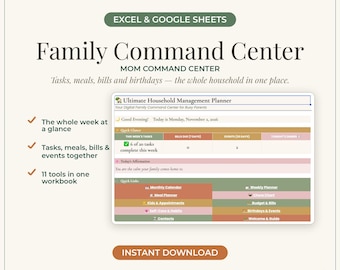
Digital download
Family Command Center Spreadsheet | Chore Chart, Meal Planner & Household Organizer for Moms
$7.00
Be the first to leave a review
-
Digital download
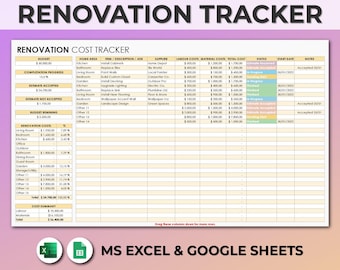
Simple Renovation Tracker | Google Sheets & Excel Budget Spreadsheet Template | Renovation Tracker | House Home Costs Renovation Schedule
Sale Price $4.59
Original Price $9.18
-
Digital download
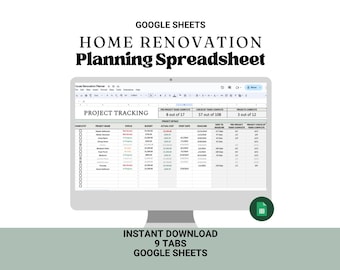
Home Renovation Tracker: Google Sheets Budget Template (Digital Download)
Sale Price $5.20
Original Price $8.00
-
Digital download
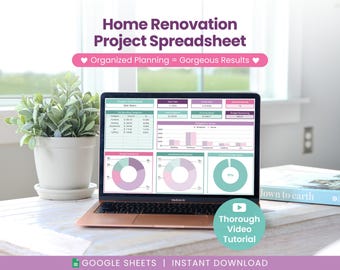
Home Renovation Project Planner: Google Sheets Template (Digital Download)
Sale Price $5.40
Original Price $9.00
-
Digital download
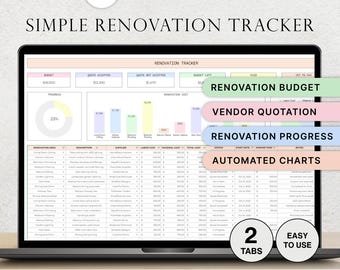
Renovation Tracker Spreadsheet House Renovation Cost Home Renovation Schedule Remodel Budget Planner Template Project Estimate Google Sheets
Sale Price $3.49
Original Price $6.98
-
Digital download
Excel & Google Sheets Renovation Planner Template, Property Renovation Log, New Home Expense Tracker, Interior Design Cost Spreadsheet
Sale Price $5.51
Original Price $9.18
-
Digital download
Home Renovation Planner | Google Sheets Template
$5.95
-
Digital download
Renovation Budget | Home Renovation Project Budget Template | Remodel Budget Google Sheets Spreadsheet
$8.00
-

Digital download
Home Renovation Budget Template: Excel & Google Sheets Tracker
$5.25
-
Digital download
Renovation Planner and Home Renovation Budget Planner: Google Sheets Template & Excel Spreadsheet
Sale Price $9.99
Original Price $13.32
-
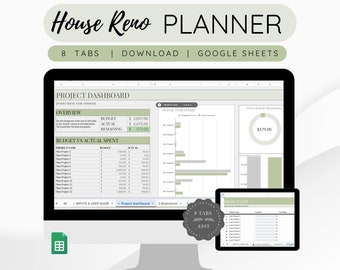
Digital download
Home Renovation Planner: Google Sheets Budget Tracker (Digital Download)
Sale Price $5.10
Original Price $10.21
-
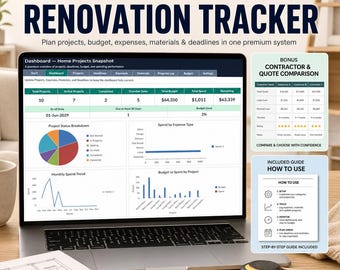
Digital download
Home Renovation Planner Excel | Renovation Tracker with Budget, Expenses, Deadlines & Dashboard | House Remodel Project Planner
$19.90
-
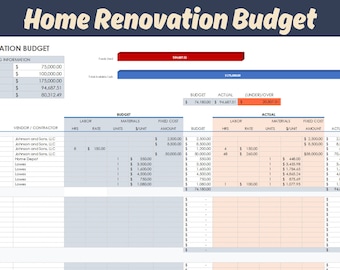
Digital download
Home Renovation Budget Template: Excel & Google Sheets
$5.75
Shoppers with similar taste loved these
-

Personalized Round Family Wall Sign, Personalized 3D Wood Sign, Farmhouse Style Family Wall Sign, Personal Wall Decoration, 3D Wall Decor
$59.99
-
Family Established Sign, Last Name Sign, Wedding Gift, Family Name Sign, Housewarming Gift, Anniversary Gift, Mothers Day, Newlywed Gift
Sale Price $42.00
Original Price $60.00
-

Personalized Family Name Sign | Custom Metal Last Name Wall Decor | Wedding & Housewarming Gift
$43.75
-

Personalized Printed Framed Family Name Sign With Monogram Initial
Sale Price $33.43
Original Price $43.99
-

Individual Modern Metal House Numbers & Letters
Sale Price $8.95
Original Price $19.89
-

Handmade Solid Wood Drop-Leaf Console Table: Expanding Mid-Century Modern Sofa & Dining Table, Space-Saving Entryway Furniture, USA Made
$1,400.00
-

Personalized Metal Sign, Custom Metal Sign, Metal Signs Personalized, Outdoor Signs, Family Name Sign Metal, Last Name Metal Sign, Est Sign
Sale Price $53.98
Original Price $71.98
-
Family Name Sign - Personalized Established Signs Modern Farmhouse Name Sign, Rustic Canvas or Outdoor Metal Print
Sale Price $99.75
Original Price $133.00
-

Personalized family name metal monogram sign, last name sign, metal initial, personalized wedding monogram, custom anniversary gift
Sale Price $16.80
Original Price $42.00
-

Personalized Last Name Sign | Modern Farmhouse Wedding Date Gift | Family Name Sign
$35.00
-

Personalized Family Name Metal Sign, Christmas Gift, Last Name Sign, Initial, Metal Door Hanger, Housewarming Gift, Family Christmas Gifts
Sale Price $29.99
Original Price $35.28
-
Personalised New Home Card, Custom Housewarming Gift
$4.45


