









Subscription Tracker Spreadsheet | Cancel Unused Subscriptions with Waste Score Ranking & Annual Savings Calculator | Excel
Item highlights
Seller's description
The Subscription Tracker Spreadsheet by Kollaz finds the subscriptions you forgot. It tells you which to cancel first.
Picture a man scrolling his bank statement on a Sunday, nodding at most of it, then stopping at a charge he cannot place. Then another. The feeling under it is embarrassment, then annoyance: he is paying for a life he is not even living. Behind most of those charges hides the same quiet thief: the Silent Renewal, the free trial that turned into a year of payments, the service used twice last spring, still billing every month in the dark. Leave it in charge and next year looks like this year: small charges, stacked up, quietly taking money that had a better job to do. So he lists every subscription in one place and lets each one answer for itself: what it costs over a year, how much he uses it, and what cancelling it saves. The worst offenders line up first, and he keeps only what he truly uses, on purpose. He learned the leak was never one big charge. It was the ones too small to notice.
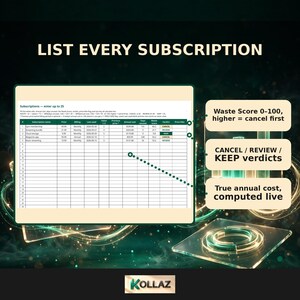
Enter up to 25 subscriptions. Each gets a 0-100 Waste Score based on its yearly cost, the value you get, and how long it has sat unused. They are ranked worst offenders first, with two savings totals. Includes a cancel-tips playbook. Instant download.
This is for someone who suspects subscriptions are quietly draining their budget. You want a ranked cancel list with exact annual savings.
You are probably paying for subscriptions you forgot you had. This spreadsheet finds them. It tells you exactly which ones to cancel first.
THE WASTE SCORE (0-100)
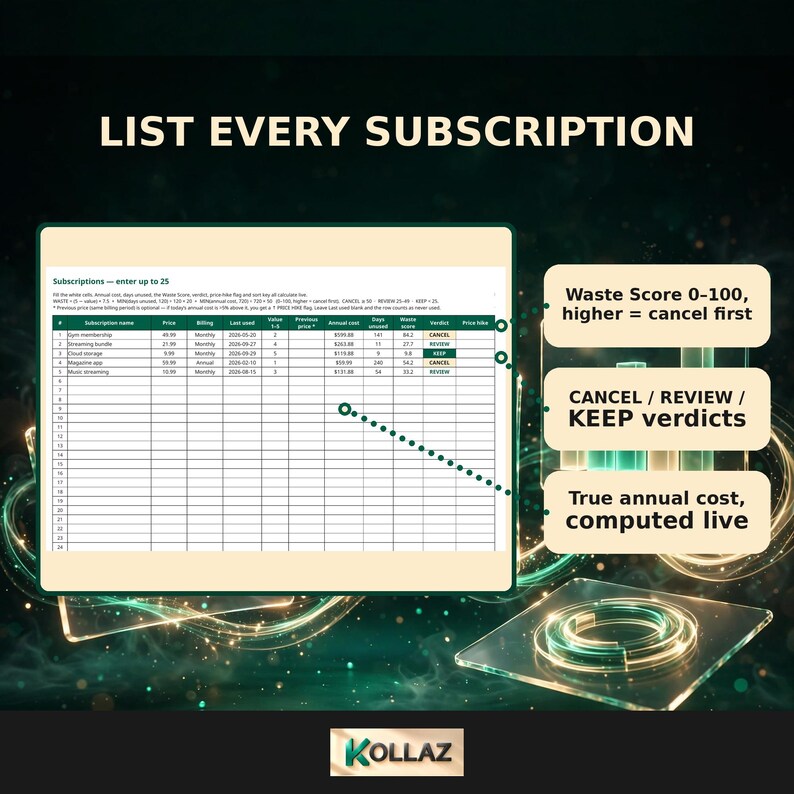
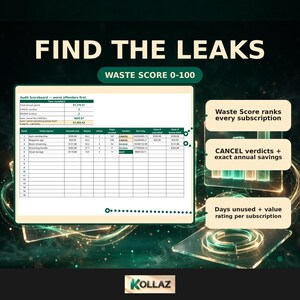
Every subscription you enter gets scored on three things. How much it costs per year (50 pts). How much value you actually get from it (30 pts). How long it has sat unused (20 pts). The higher the score, the faster you should cancel it. No gut feelings, no guilt. Just a ranked hit list.
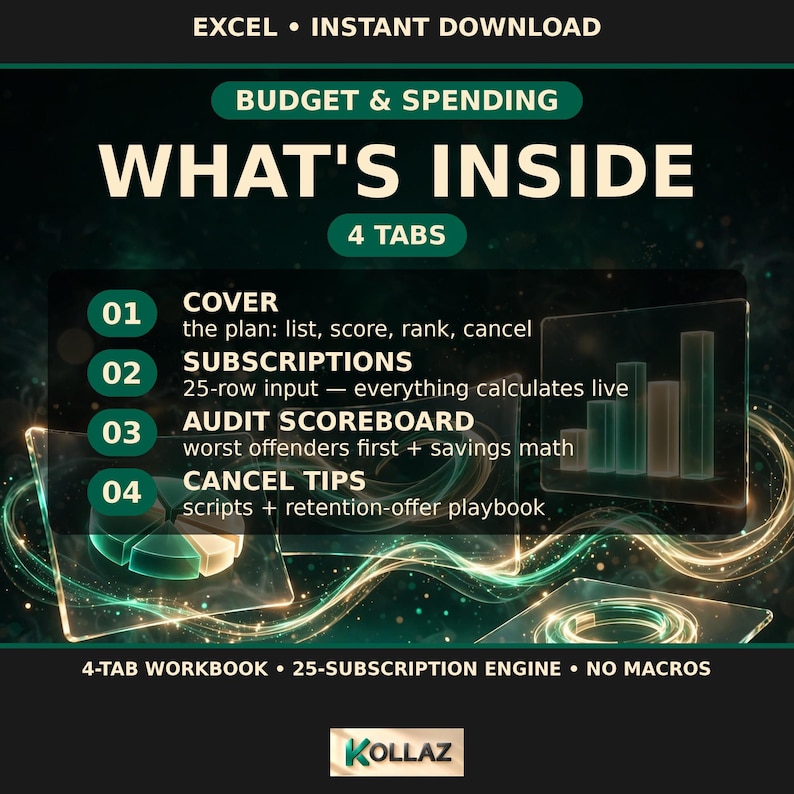
WHAT IS INSIDE (4 tabs)
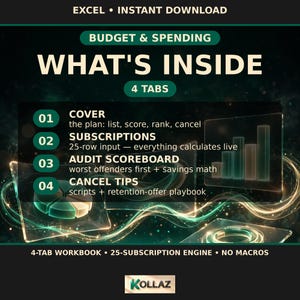
1. Subscriptions. Enter up to 25: name, price, billing frequency (weekly, monthly, quarterly, annual), last-used date, and a 1-5 value score. Annual cost, days unused, Waste Score, verdict, and price-hike flag all calculate live.
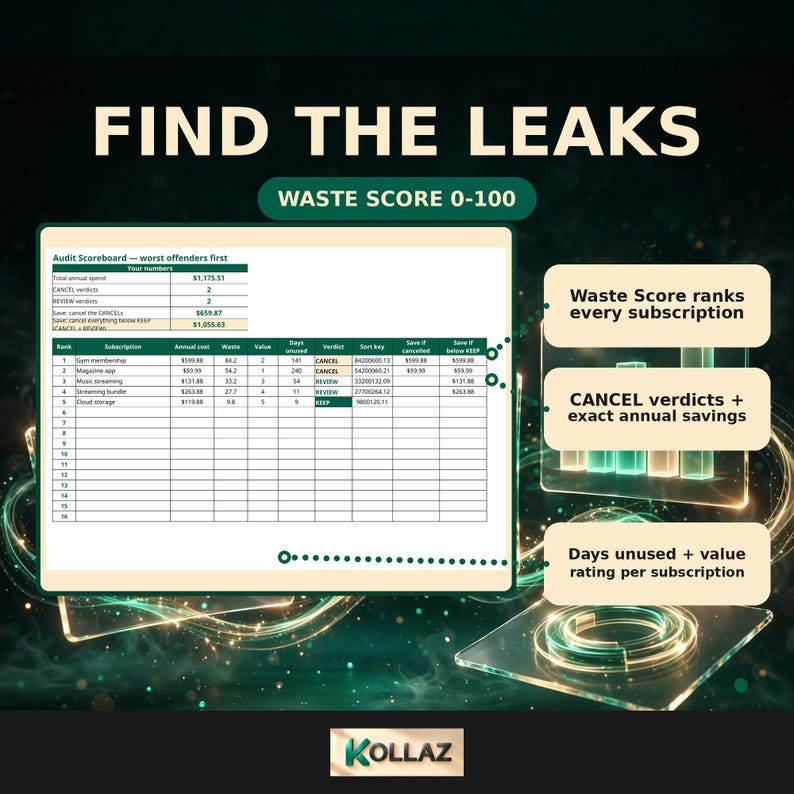
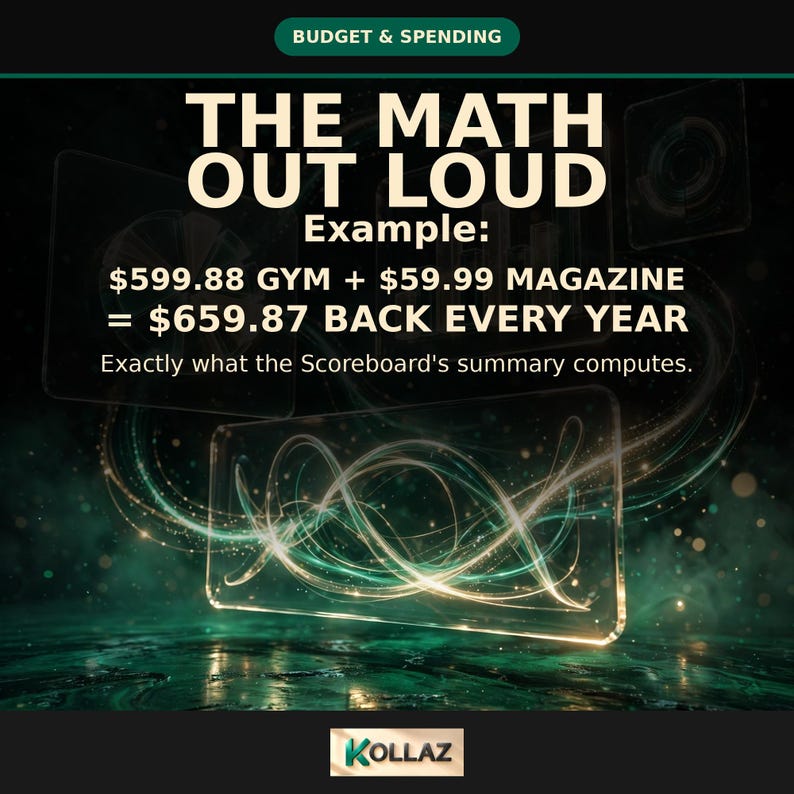
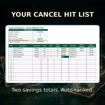
2. Audit Scoreboard. Your subscriptions ranked worst-offenders-first. See two savings totals: what you would save cancelling the CANCELs, and what you would save cancelling everything below KEEP. Includes an annual-cost bar chart that updates as you type.
3. Cancel Tips. A one-page playbook. Exactly what to say (phone or chat). How retention offers work and when to walk away. Annual-plan refund asks. Dark patterns to watch. An after-cancelling checklist.
4. Cover. Branded start page with a 4-step walkthrough.
ALSO INCLUDED
Price-hike flags. Enter what you used to pay. Get flagged when a subscription quietly costs more than 5% above it.
Sample data pre-loaded. 5 subscriptions scored and ranked so you can see the engine work before you type a thing. Overwrite with your own.
COMPATIBILITY
Microsoft Excel (.xlsx, no macros). Tested working in Excel for Windows/Mac, Excel for the web, AND Google Sheets.
Try the live demo (view-only sample):
https://docs.google.com/spreadsheets/d/1XeUC8f_Su3Ftdy0Eeeg73eWworZd3WG6FMwcIw8A-r4/edit?usp=sharing
PLEASE NOTE
This is a digital download. No physical product ships.
Scores are a decision aid, not financial advice. Verify a subscription's current terms before you cancel.
Prices change. The price-hike flag compares against the previous price you enter.
Created with AI assistance. From Kollaz. Smart financial tools for modern money.
How do I find and cancel all my unused subscriptions?
List every subscription: name, price, billing frequency, last-used date, and a 1-to-5 value score. The Audit Scoreboard ranks them worst-offenders-first. It shows exactly what you save cancelling the CANCELs, and what you save cancelling everything below KEEP.
What is the Waste Score?
A 0-to-100 score per subscription. Yearly cost (50 points), value you actually get (30 points), and days sitting unused (20 points). The higher the score, the faster you should cancel it. No gut feelings, no guilt. Just a ranked hit list.
Does it catch price hikes?
Enter what you used to pay. Get flagged when a subscription quietly costs more than 5% above it. Prices change. The flag compares against the previous price you enter.
What does the cancel-tips playbook cover?
Exactly what to say on the phone or in chat. How retention offers work and when to walk away. Annual-plan refund asks. Dark patterns to watch. An after-cancelling checklist.
Does it work in Google Sheets?
Google Sheets is tested and working. Excel is recommended. The file works in Microsoft Excel (.xlsx, no macros) for Windows, Mac, and Excel for the web.
Is the Waste Score financial advice?
No. Scores are a decision aid, not financial advice. Verify a subscription's current terms before you cancel.
What billing frequencies does it handle?
Weekly, monthly, quarterly, and annual. Each with annual cost, days unused, Waste Score, verdict, and price-hike flag calculated live.
What do I get on download day?
The spreadsheet plus a watermarked sample scoreboard preview file. Sample data is pre-loaded so the engine works the moment you open it.
SPECS
Format: Excel .xlsx spreadsheet, no macros
Tabs: 4. Subscriptions (up to 25: name, price, billing frequency, last-used date, 1-5 value score). Audit Scoreboard (ranked worst-offenders-first, two savings totals, annual-cost bar chart). Cancel Tips (one-page playbook). Cover (branded start page, 4-step walkthrough).
Waste Score: 0-100. Yearly cost (50 pts) + value received (30 pts) + days unused (20 pts). Annual cost, days unused, verdict, and price-hike flag all calculate live.
Price-hike flag: alerts when a subscription costs more than 5% above the previous price you entered.
Sample data: 5 subscriptions pre-loaded, scored and ranked. Overwrite with your own.
Compatibility: Microsoft Excel (.xlsx, no macros). Windows, Mac, Excel for the web. Google Sheets tested and working. Excel recommended.
Maker: Kollaz. Smart financial tools for modern money.
Scope: scores are a decision aid, not financial advice. Verify a subscription's current terms before you cancel.
If something goes wrong with an order, we've got your back for all eligible purchases. View program terms
NowPrice:$8.25
Original Price: $16.49
50% off
Sale ends on December 6
You can only make an offer when buying a single item
Delivery
Instant download
Your files will be available to download once payment is confirmed. Here's how.
Instant download items don't accept returns, exchanges or cancellations. Please contact the seller about any problems with your order.
Seller's description
Specifications

The Subscription Tracker Spreadsheet by Kollaz finds the subscriptions you forgot. It tells you which to cancel first.
Picture a man scrolling his bank statement on a Sunday, nodding at most of it, then stopping at a charge he cannot place. Then another. The feeling under it is embarrassment, then annoyance: he is paying for a life he is not even living. Behind most of those charges hides the same quiet thief: the Silent Renewal, the free trial that turned into a year of payments, the service used twice last spring, still billing every month in the dark. Leave it in charge and next year looks like this year: small charges, stacked up, quietly taking money that had a better job to do. So he lists every subscription in one place and lets each one answer for itself: what it costs over a year, how much he uses it, and what cancelling it saves. The worst offenders line up first, and he keeps only what he truly uses, on purpose. He learned the leak was never one big charge. It was the ones too small to notice.
Enter up to 25 subscriptions. Each gets a 0-100 Waste Score based on its yearly cost, the value you get, and how long it has sat unused. They are ranked worst offenders first, with two savings totals. Includes a cancel-tips playbook. Instant download.
This is for someone who suspects subscriptions are quietly draining their budget. You want a ranked cancel list with exact annual savings.
You are probably paying for subscriptions you forgot you had. This spreadsheet finds them. It tells you exactly which ones to cancel first.
THE WASTE SCORE (0-100)
Every subscription you enter gets scored on three things. How much it costs per year (50 pts). How much value you actually get from it (30 pts). How long it has sat unused (20 pts). The higher the score, the faster you should cancel it. No gut feelings, no guilt. Just a ranked hit list.
WHAT IS INSIDE (4 tabs)
1. Subscriptions. Enter up to 25: name, price, billing frequency (weekly, monthly, quarterly, annual), last-used date, and a 1-5 value score. Annual cost, days unused, Waste Score, verdict, and price-hike flag all calculate live.
2. Audit Scoreboard. Your subscriptions ranked worst-offenders-first. See two savings totals: what you would save cancelling the CANCELs, and what you would save cancelling everything below KEEP. Includes an annual-cost bar chart that updates as you type.
3. Cancel Tips. A one-page playbook. Exactly what to say (phone or chat). How retention offers work and when to walk away. Annual-plan refund asks. Dark patterns to watch. An after-cancelling checklist.
4. Cover. Branded start page with a 4-step walkthrough.
ALSO INCLUDED
Price-hike flags. Enter what you used to pay. Get flagged when a subscription quietly costs more than 5% above it.
Sample data pre-loaded. 5 subscriptions scored and ranked so you can see the engine work before you type a thing. Overwrite with your own.
COMPATIBILITY
Microsoft Excel (.xlsx, no macros). Tested working in Excel for Windows/Mac, Excel for the web, AND Google Sheets.
Try the live demo (view-only sample):
https://docs.google.com/spreadsheets/d/1XeUC8f_Su3Ftdy0Eeeg73eWworZd3WG6FMwcIw8A-r4/edit?usp=sharing
PLEASE NOTE
This is a digital download. No physical product ships.
Scores are a decision aid, not financial advice. Verify a subscription's current terms before you cancel.
Prices change. The price-hike flag compares against the previous price you enter.
Created with AI assistance. From Kollaz. Smart financial tools for modern money.
How do I find and cancel all my unused subscriptions?
List every subscription: name, price, billing frequency, last-used date, and a 1-to-5 value score. The Audit Scoreboard ranks them worst-offenders-first. It shows exactly what you save cancelling the CANCELs, and what you save cancelling everything below KEEP.
What is the Waste Score?
A 0-to-100 score per subscription. Yearly cost (50 points), value you actually get (30 points), and days sitting unused (20 points). The higher the score, the faster you should cancel it. No gut feelings, no guilt. Just a ranked hit list.
Does it catch price hikes?
Enter what you used to pay. Get flagged when a subscription quietly costs more than 5% above it. Prices change. The flag compares against the previous price you enter.
What does the cancel-tips playbook cover?
Exactly what to say on the phone or in chat. How retention offers work and when to walk away. Annual-plan refund asks. Dark patterns to watch. An after-cancelling checklist.
Does it work in Google Sheets?
Google Sheets is tested and working. Excel is recommended. The file works in Microsoft Excel (.xlsx, no macros) for Windows, Mac, and Excel for the web.
Is the Waste Score financial advice?
No. Scores are a decision aid, not financial advice. Verify a subscription's current terms before you cancel.
What billing frequencies does it handle?
Weekly, monthly, quarterly, and annual. Each with annual cost, days unused, Waste Score, verdict, and price-hike flag calculated live.
What do I get on download day?
The spreadsheet plus a watermarked sample scoreboard preview file. Sample data is pre-loaded so the engine works the moment you open it.
SPECS
Format: Excel .xlsx spreadsheet, no macros
Tabs: 4. Subscriptions (up to 25: name, price, billing frequency, last-used date, 1-5 value score). Audit Scoreboard (ranked worst-offenders-first, two savings totals, annual-cost bar chart). Cancel Tips (one-page playbook). Cover (branded start page, 4-step walkthrough).
Waste Score: 0-100. Yearly cost (50 pts) + value received (30 pts) + days unused (20 pts). Annual cost, days unused, verdict, and price-hike flag all calculate live.
Price-hike flag: alerts when a subscription costs more than 5% above the previous price you entered.
Sample data: 5 subscriptions pre-loaded, scored and ranked. Overwrite with your own.
Compatibility: Microsoft Excel (.xlsx, no macros). Windows, Mac, Excel for the web. Google Sheets tested and working. Excel recommended.
Maker: Kollaz. Smart financial tools for modern money.
Scope: scores are a decision aid, not financial advice. Verify a subscription's current terms before you cancel.
-
Designed by
-
Item typeDigital download
-
Digital file type(s)1 File
If something goes wrong with an order, we've got your back on all eligible purchases. View program terms
Meet your seller
More from this shop
-
Digital download
Irregular Income Budget Spreadsheet | Freelancer Paycheck Planner (Google Sheets + Excel)
Sale Price $11.04
Original Price $22.09
-

Digital download
Job Offer Comparison Spreadsheet | Salary Negotiation Calculator, Total Comp & RSU Vesting Comparison Tool — Excel + Google Sheets
Sale Price $13.26
Original Price $26.51
-

Digital download
Layoff Survival Budget Planner Spreadsheet | Runway Calculator, Severance & Unemployment Tracker, Excel + Google Sheets
Sale Price $10.31
Original Price $20.62
-

Digital download
Safe to Spend Calculator Paycheck Budget Spreadsheet — Daily Spending Planner Until Payday, Excel Budget Tool
Sale Price $7.21
Original Price $14.43
-

Digital download
Second Income Reality Check Calculator — Is Going Back to Work Worth It? Daycare & True Net Pay Spreadsheet, Excel Google Sheets
Sale Price $15.47
Original Price $30.93
-
Digital download
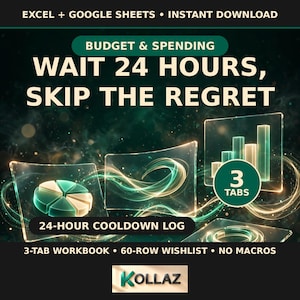
Impulse Buying Tracker Spreadsheet — 24-Hour No-Spend Cooldown Wishlist Log, Spending Habit Planner, Excel Download
Sale Price $6.18
Original Price $12.36
-
Digital download
Subscription Killer Tracker | Excel Budget Template | Cancel Toggle + Renewal Alerts | Personal Finance Spreadsheet
$11.15
-

Digital download
Subscription Tracker Excel Subscription Tracker Google Sheets Subscription Tracker Spreadsheet Simple Subscription Tracker Template Excel
$11.97
-
Digital download
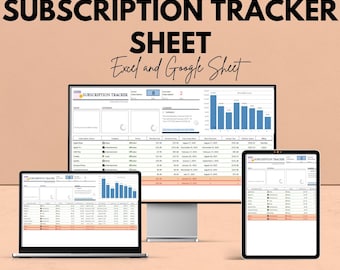
Subscription Tracker Sheet | Excel and Google Sheet | Subscription Management Template | Track Subscriptions & Costs | Budgeting Tool
Sale Price $5.81
Original Price $11.61
-
Digital download
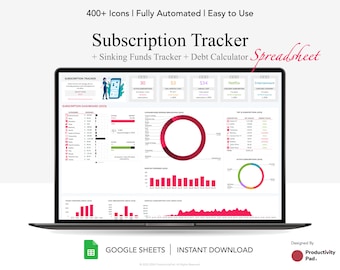
Subscription Tracker Google Sheet: Debt, Sinking Funds (Digital Download)
$11.16
-
Digital download
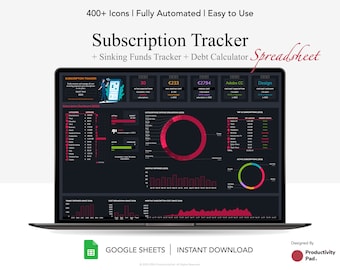
Subscription Tracker Google Sheet: Sinking Funds & Debt Calculator (Digital Download)
$11.16
-

Digital download
Subscription Tracker Membership Tracker Easy Budgeting Subscription Track Subscription Excel Subscription Membership Tracker Subscription
$10.00
-
Digital download
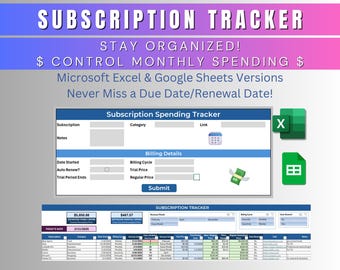
Monthly Subscription Tracker Template | Excel & Google Sheets | Track Your Spending | Manage Subscriptions | Never Miss a Due Date
$10.00
-

Digital download
Subscription Tracker Spreadsheet | digital subscription manager | google sheets template with dashboard & renewal reminders
$11.67
-
Digital download
Media Spend ROI Forecast Sheet | Excel & Google Sheets | Advertising ROI Calculator | Campaign Budget Tracker | Marketing Spend Planner
Sale Price $5.81
Original Price $11.61
-
Digital download
Advertising Budget Burn Rate Worksheet – Excel & Google Sheets – Track and Manage Advertising Spend Efficiently – 50% OFF
Sale Price $5.81
Original Price $11.61
-
Digital download
Debt Snowball and Avalanche Calculator Spreadsheet for Microsoft Excel
$11.61
-
Digital download
Fresh Start Money Bundle | Budget + Bills + Debt + Savings Tracker | Excel & Google Sheets | Busy-Brain Friendly
$12.55
Shoppers with similar taste loved these
-

Bee Themed Laminated Savings Challenge Trackers, Save Money
$20.00
-

A6 Binder Dashboards | Budgeting Planner Accessories
$7.00
-

Black and White A6 Laminated Budget Binder Dashboard
$6.00
-
Monthly Savings Challenge, Laminated Trackers, Savings Binder, Save Money, How to Save Money, A6 Savings Challenge Trackers, low income
$25.00
-

One Month Ahead Savings Challenge, Low Income Savings, Money Challenge, Monthly Bills, Laminated Savings Challenge Trackers
$22.00
-

Paint Splat Laminated Savings Challenge Trackers, Savings, Save Money
$20.00
-

Digital download
6,500 Savings Challenge | Fun Money-Saving Printable | High Goal Savings Chart | Savings Tracker for Big Goals | Budget Planner Printable
$2.99
-

Digital download
Summer Mini Savings Challenge Tracker Printable
$0.75
-
Monthly Savings Challenge Tracker Bundle // Budget
$24.00
-

Digital download
Jar Savings Challenge Printable Bundle, A6 Mini Mason Jar Saving Challenges, Jar Coloring Money Saving Tracker, Cash Envelope, Budget Binder
Sale Price $1.35
Original Price $2.99
-
Digital download
Editable Euro Savings Challenge Printable (Digital Download)
Sale Price $1.40
Original Price $2.33
-
Digital download
Printable Savings Chart - Digital Download to Track Your Goals
$3.99


