


ADHD Life Planner App | Daily Planner, Task and Habit Tracker, Brain Dump, Focus Timer, Routine Planner | Phone & Computer
20+ views in the last 24 hours
NowPrice:$8.24
Original Price: $10.99
25% off
Sale ends in 1:17:55
You can only make an offer when buying a single item
Highlights
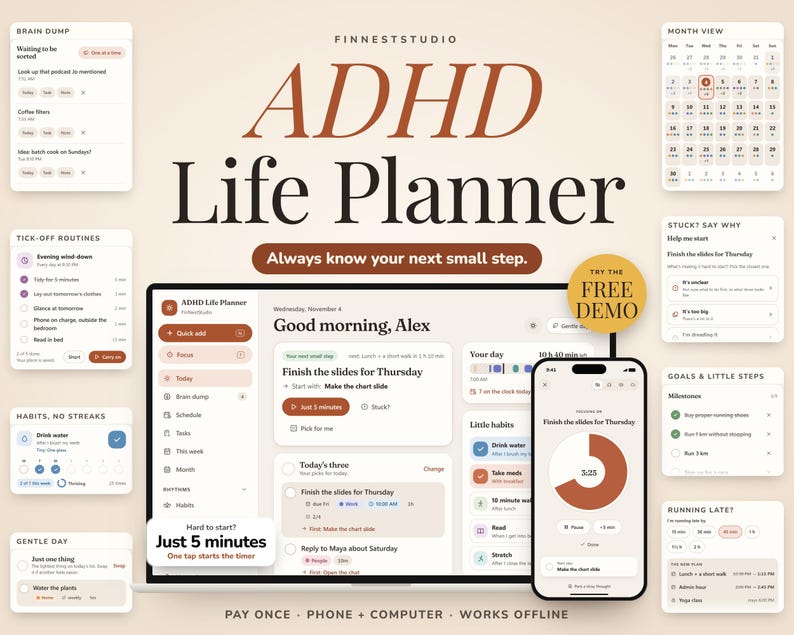
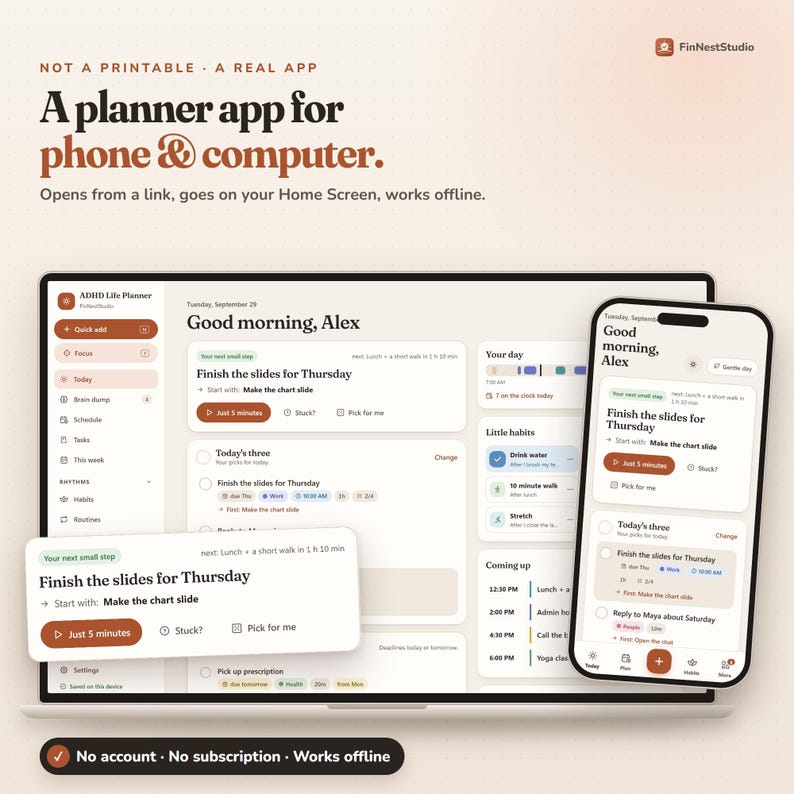
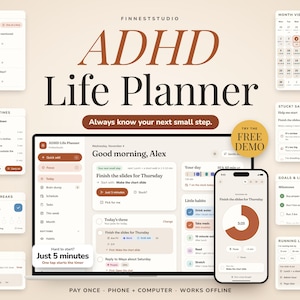
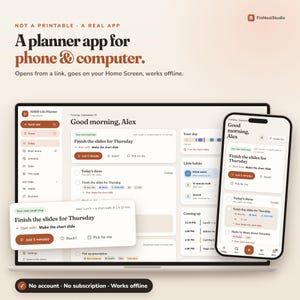
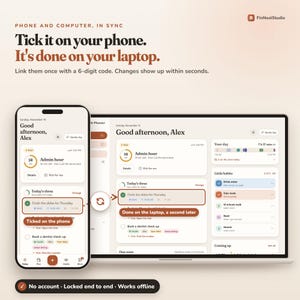
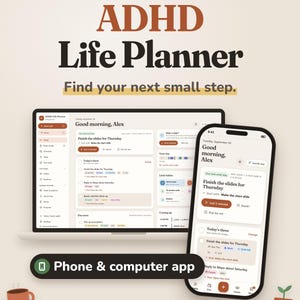
ADHD Life Planner: a browser-based planner app for phone, tablet and computer 🌿 Nothing to download from an app store. It opens in your web browser (Safari, Chrome or Edge) from your own private link. A calm daily planner that helps you find your next small step, get started when starting is hard, and adjust when the day doesn’t go to plan.
✔ No account or email
✔ No monthly subscription
✔ Works offline once installed
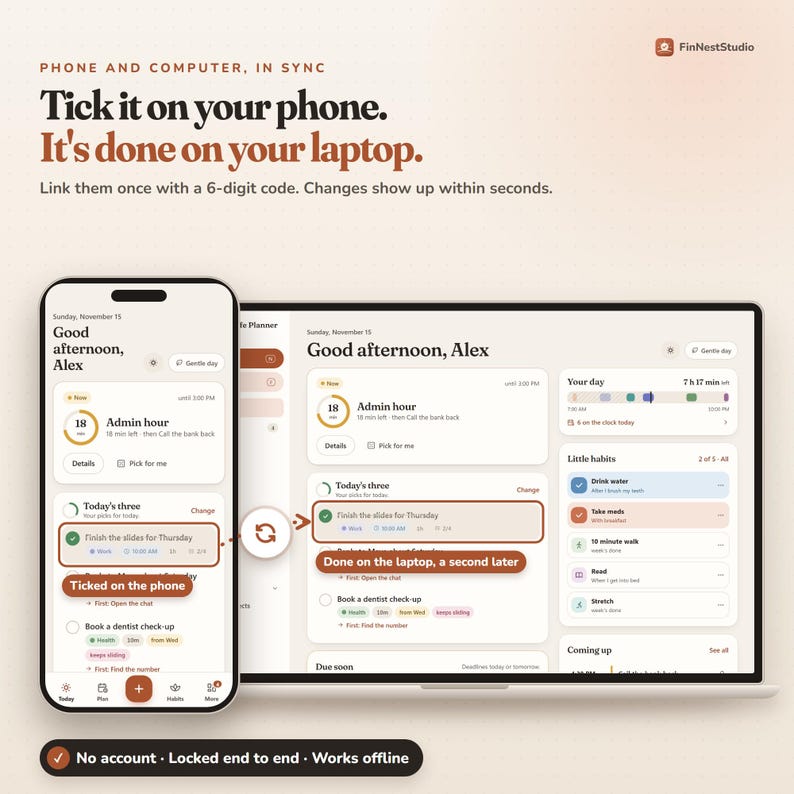
✔ Phone, tablet + computer syncs
✔ Backup + restore included
✔ No streaks to break
🆓 TRY IT FREE FIRST
Try the real app in your browser before you buy. No download, no sign-up, no email:
https://adhdlifedemo.finneststudio.app/
• It opens on an example week, so there’s something to explore straight away. Tap anything
• Add up to 30 things of your own: tasks, events, habits, notes, a brain dump
• Save a backup, and the full app opens it with everything in place
• The demo lives in that one browser. The full app adds phone and computer sync and goes on your Home Screen
━━━━━━━━━━━━━━━━━━
🌿 A LITTLE STRUCTURE FOR DAYS THAT DON’T GO TO PLAN
━━━━━━━━━━━━━━━━━━
Some days you know exactly what needs doing, but starting is the hard part. Other days the plan looked fine in the morning and fell apart by lunch.
Instead of handing you another huge list to maintain, the planner keeps bringing your day back to three questions:
• What is happening now?
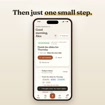
• What is my next small step?
• What actually matters today?
━━━━━━━━━━━━━━━━━━
☀️ YOUR DAY AT A GLANCE
━━━━━━━━━━━━━━━━━━
TODAY
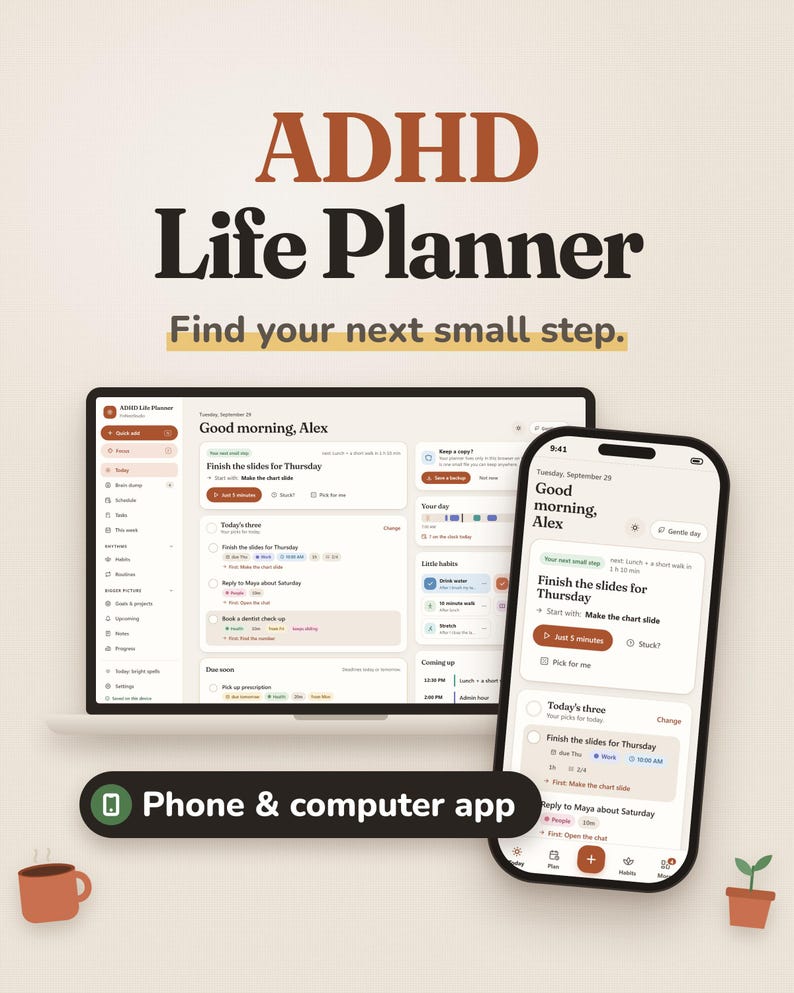
Most days, the Today screen is all you need: what’s happening now, your next small step, Today’s Three, tasks due soon, the rest of your schedule, small habits and what’s coming up. It shows what’s useful right now, not everything you haven’t done.
TODAY’S THREE
A maximum of three priorities, on purpose. Due-soon tasks come first until you pick your own. Finishing one doesn’t pull in another. Three means three.
A SCHEDULE THAT CAN CHANGE
See your day as a visual timeline with a line showing where you are now. Add appointments, focus sessions, chores and other time blocks. Fixed things stay fixed; flexible blocks are allowed to move. On a computer you can drag blocks to a new time.
FIND A SLOT
Tasks without a time wait beside your schedule. Find a Slot looks for a free gap and places the task there with some breathing room, because things usually take longer than we think.
━━━━━━━━━━━━━━━━━━
⏱️ WHEN STARTING IS THE HARD PART
━━━━━━━━━━━━━━━━━━
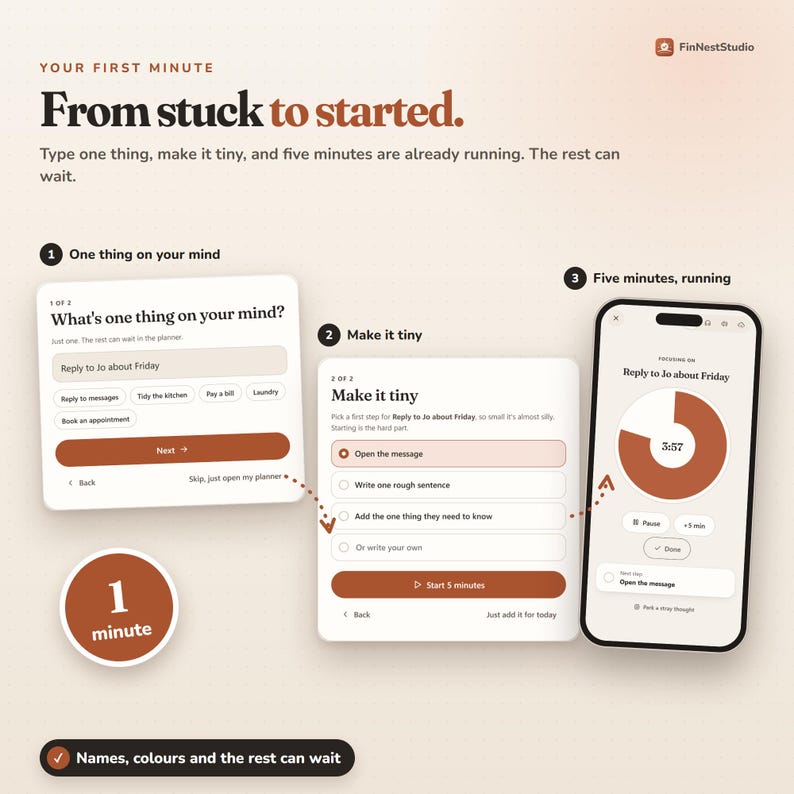
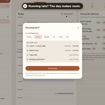
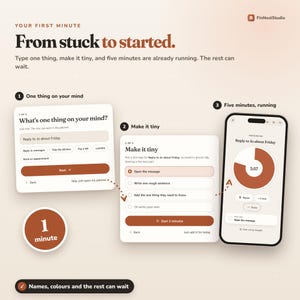
JUST 5 MINUTES
Tap it under your next small step and a focus timer starts straight away. You don’t have to promise an hour, only five minutes. When the timer ends, stopping is allowed.
STUCK? SAY WHAT’S IN THE WAY
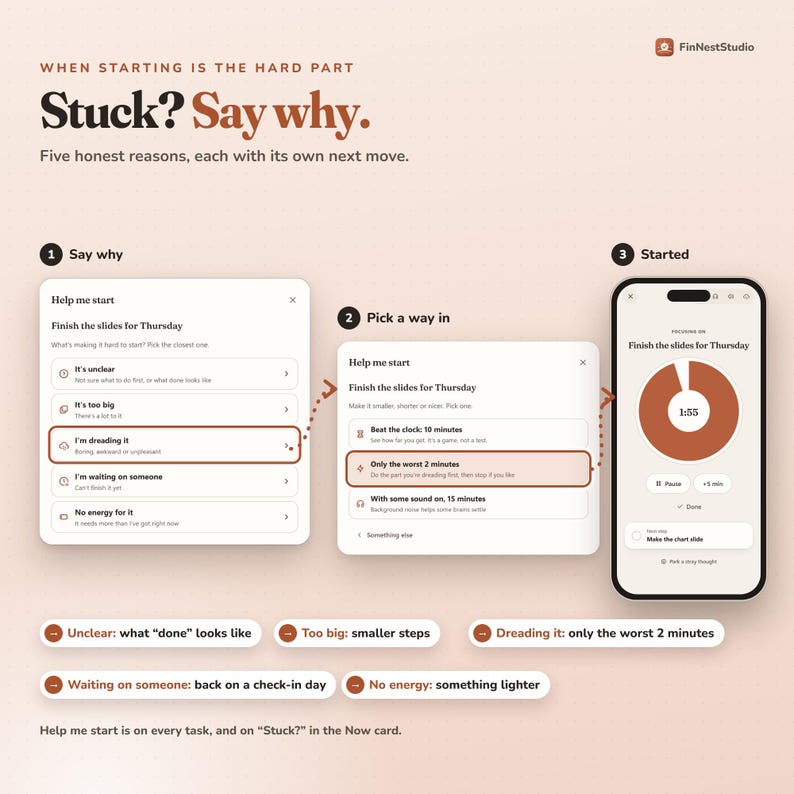
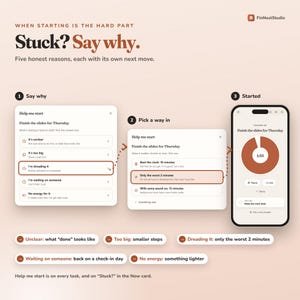
“Just do it” isn’t always useful advice. Tap Stuck? and pick what’s making it hard. Each answer gets its own next move:
• It’s unclear → turn it into a clear first action
• It’s too big → break it into smaller steps
• I’m dreading it → a short timed attempt, like only the worst 2 minutes
• I’m waiting on someone → park it until a check-back day
• No energy → swap for something lighter, or move it
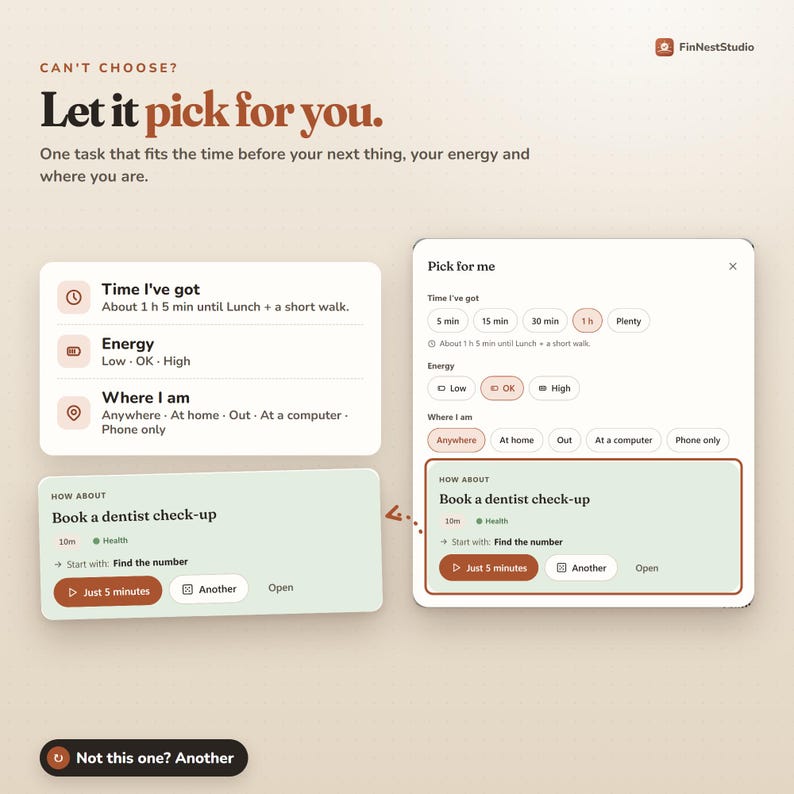
PICK FOR ME
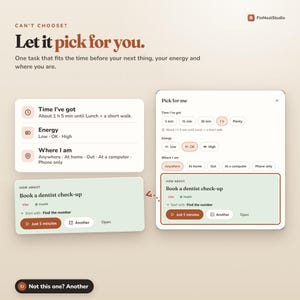
When choosing becomes its own task, Pick for Me chooses one task that fits the time before your next commitment, your energy and where you are. Not the right one? Ask for another.
FOCUS MODE
A timer you can see shrinking, with your next step in view. A stray thought? Park it in your Brain Dump without leaving the session. Optional brown noise, pink noise or rain, and the screen can stay awake while it runs (where supported). The planner records real time spent, so you can see how long tasks actually take compared with your guess.
━━━━━━━━━━━━━━━━━━
🌧️ WHEN THE DAY CHANGES
━━━━━━━━━━━━━━━━━━
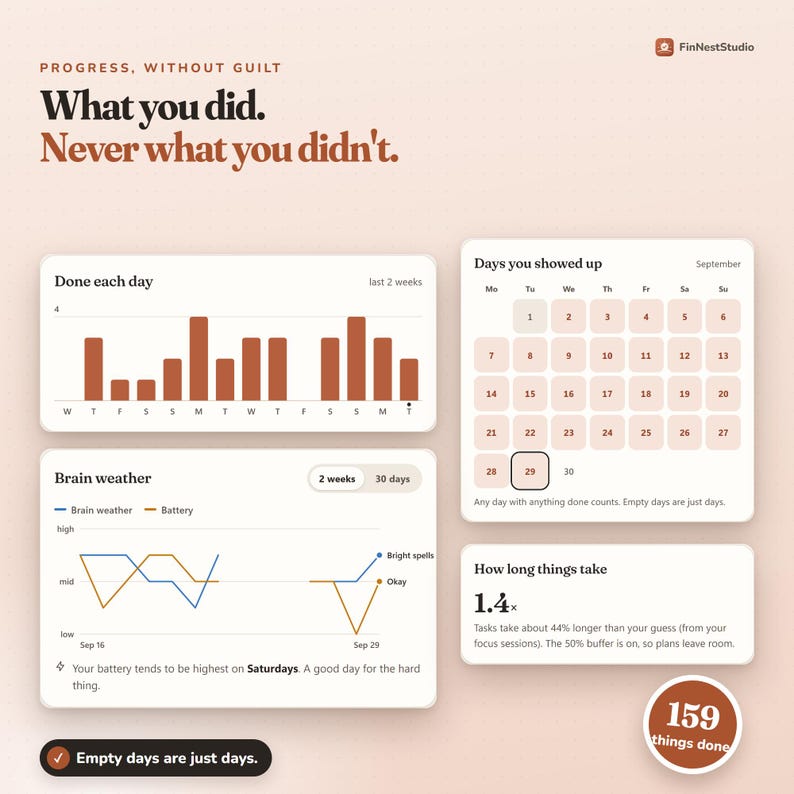
BRAIN WEATHER
A two-tap check-in: how your head feels and how much energy you have. On a clearly low day, the planner offers Gentle Day. You can skip the check-in for the day.
GENTLE DAY
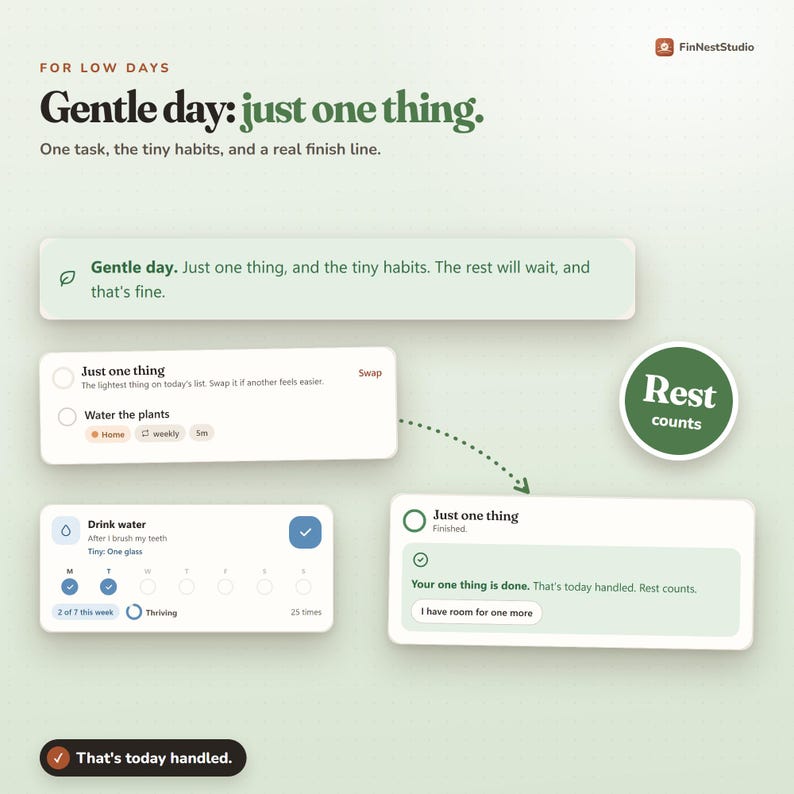
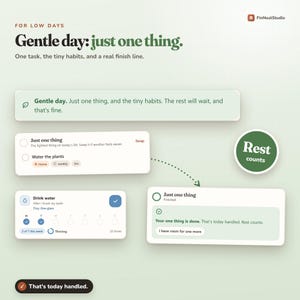
Some days need a smaller plan: one task (your lightest useful option, or something due today), your tiny habits and a clear finish line. Finish it and you’re allowed to be finished. Still have room? Choose one more.
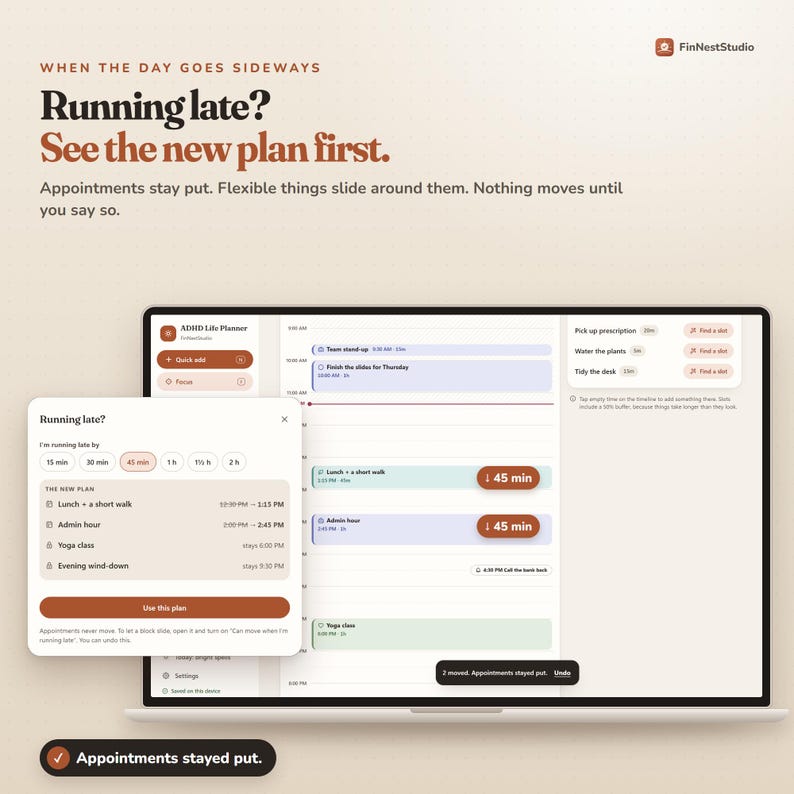
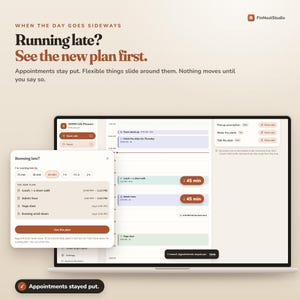
RUNNING LATE?
Tell the planner roughly how late you are and it shows a revised plan before changing anything. Appointments stay where they are, flexible things move around them, and anything that no longer fits moves to tomorrow. Review it first, then choose whether to use it.
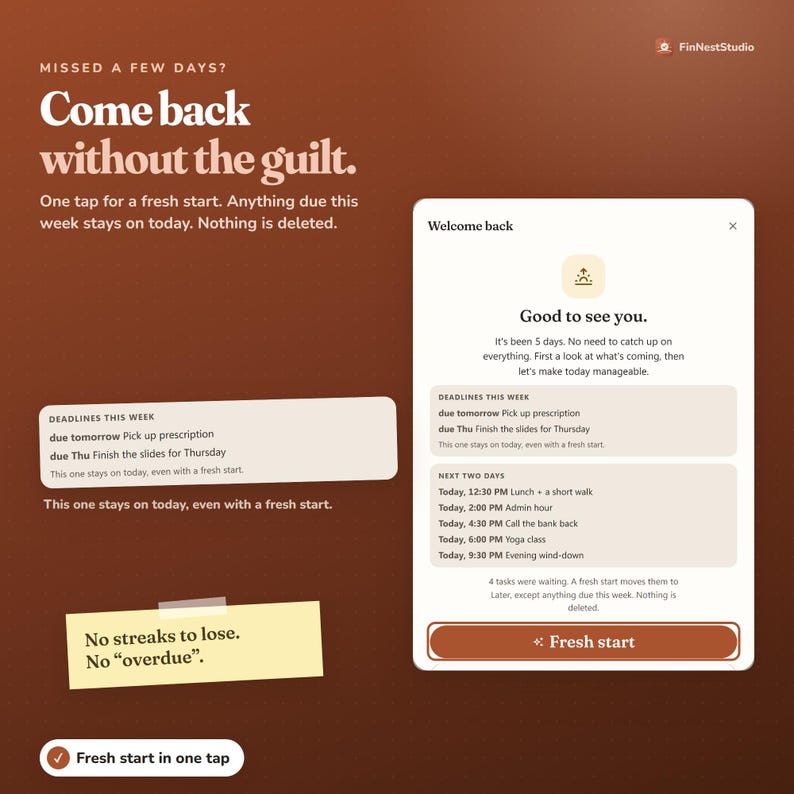
CLOSE THE DAY + WELCOME BACK
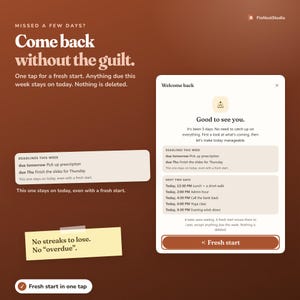
At the end of the day, move unfinished things forward in one step. Away for a few days? Welcome Back offers a clean restart: waiting tasks move to Later, anything due this week stays visible, and nothing is deleted. No catching up on every missed day first.
━━━━━━━━━━━━━━━━━━
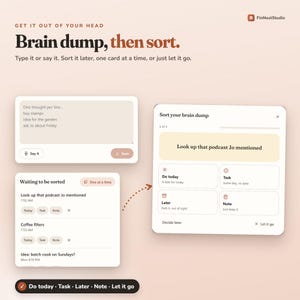
✍️ GET IT OUT OF YOUR HEAD
━━━━━━━━━━━━━━━━━━
QUICK ADD
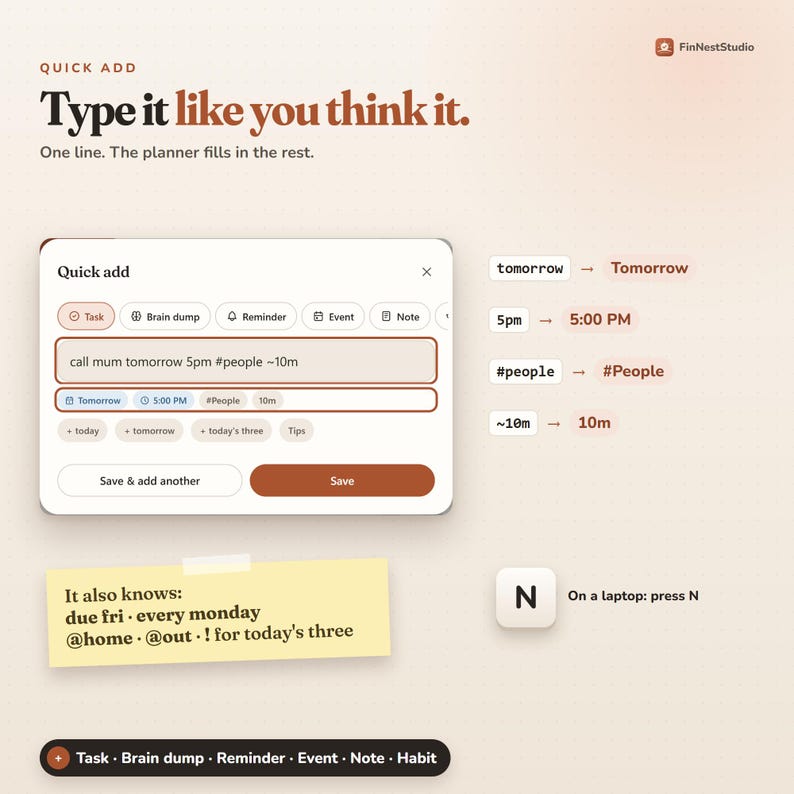
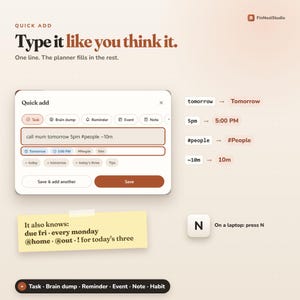
Tap + (or press N on a computer) and type the task in one line. Quick Add understands a day, a time, an area of your life, how long it takes, a deadline, a repeat, where it can be done and whether it belongs in Today’s Three. For example:
• call mum tomorrow 5pm #people ~10m
• pay rent due fri
• water the plants every monday @home
BRAIN DUMP
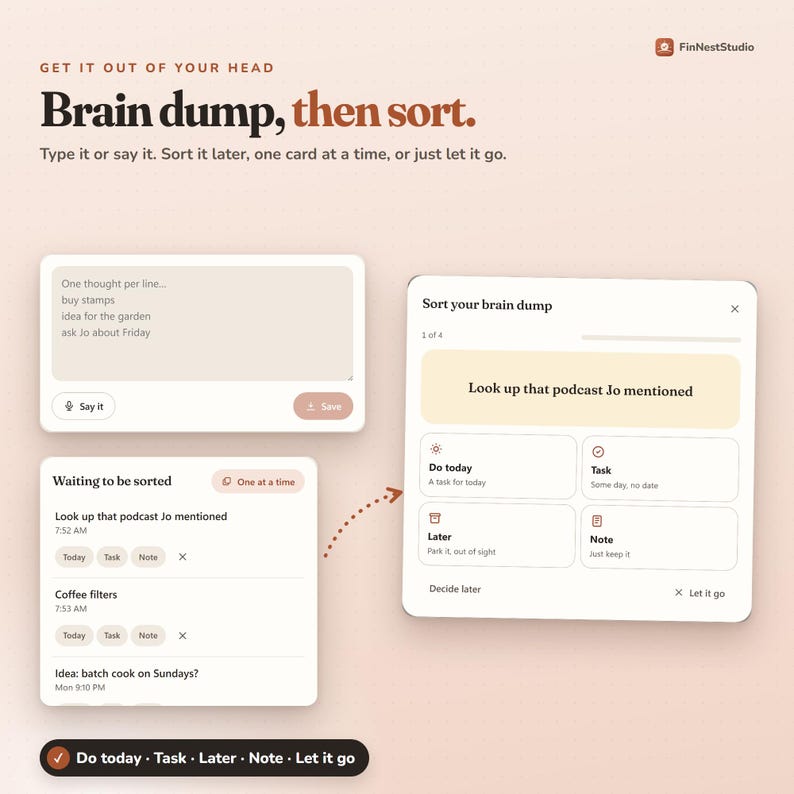
Add one thought per line, or speak it where supported. No need to organise anything yet. Later, sort the thoughts one at a time into Do today, Task, Later, Note or Let it go, without staring at the whole list.
LATER MEANS LATER
Move something to tomorrow with Not Today, or park it in Later, out of sight on purpose. If a task keeps getting moved, the planner gently suggests making it smaller, giving it a time, or deciding whether it still needs doing.
━━━━━━━━━━━━━━━━━━
📝 TASKS THAT STAY MANAGEABLE
━━━━━━━━━━━━━━━━━━
SMALLER STEPS
Open any task to add a tiny first step, checklist steps, when you want to work on it, a separate deadline, estimated time, priority, energy level, location, area, goal and notes. The planner can suggest smaller steps without deleting the ones you wrote yourself.
DEADLINES ≠ PLANNED DAYS
The day you plan to work on something isn’t always the day it’s due, so the planner keeps them separate. Plan to start on Tuesday while the real Friday deadline stays visible, even on a Gentle Day or after a fresh start.
REPEATING TASKS WITHOUT A PILE-UP
Finish a repeating task and the next one appears on its next day with a fresh checklist. Skip one when you don’t need it. Missed repeats don’t stack into a backlog.
━━━━━━━━━━━━━━━━━━
🌿 HABITS + ROUTINES
━━━━━━━━━━━━━━━━━━
HABITS WITHOUT BROKEN STREAKS
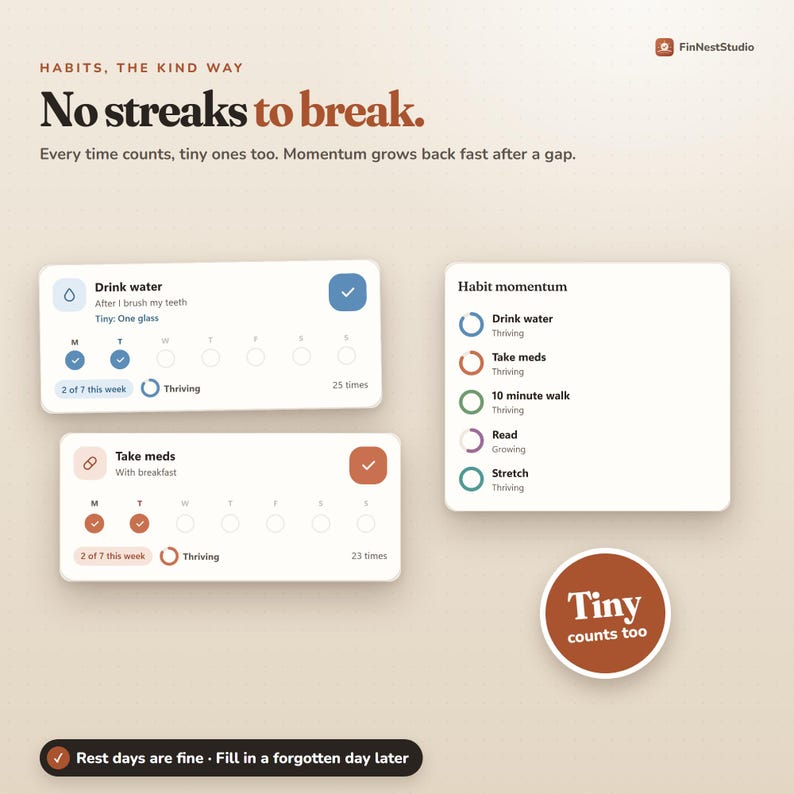
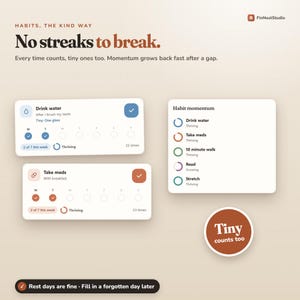
Nothing resets because you missed a day; momentum looks back across recent weeks instead. Each habit can have a tiny version (read one page, drink one glass), and the tiny version still counts. Rest days are allowed, and you can fill in a forgotten day later.
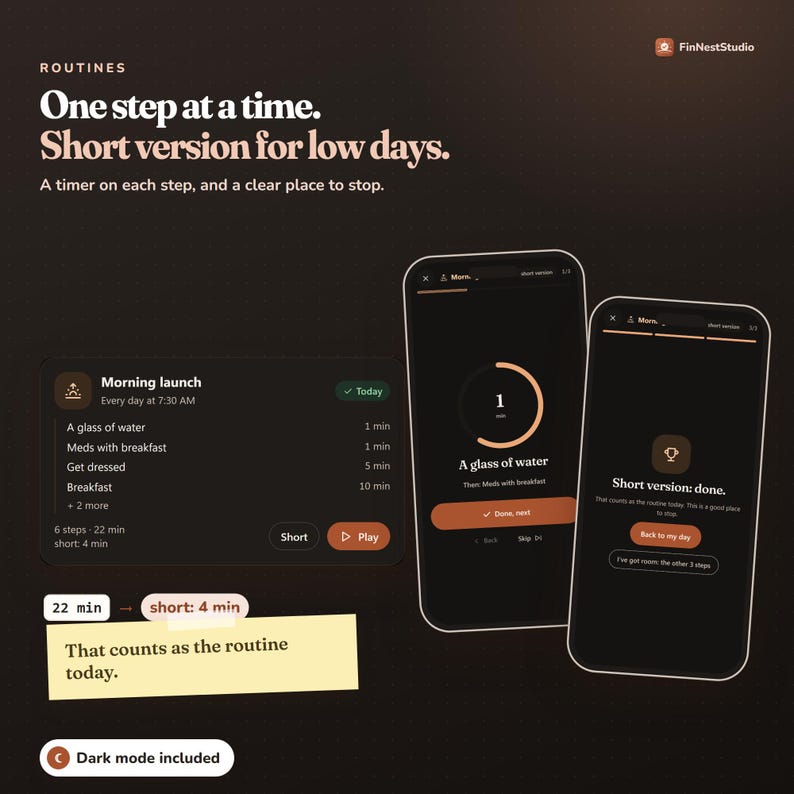
ROUTINES, ONE STEP AT A TIME
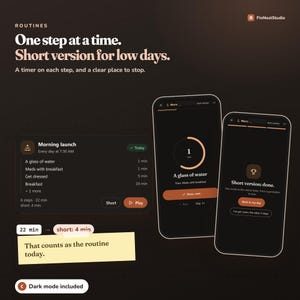
Routine Play shows one step at a time, with a timer, instead of a long checklist. Each routine can have a Short version: mark the essential steps and, on a hard day, run only those. The short version ends there; the other steps are optional, not waiting to make you feel behind.
Starter routines: Morning Launch, Leaving the House, Close the Workday, Evening Wind-Down, Room Reset.
━━━━━━━━━━━━━━━━━━
📆 WEEKLY RESET + GOALS
━━━━━━━━━━━━━━━━━━
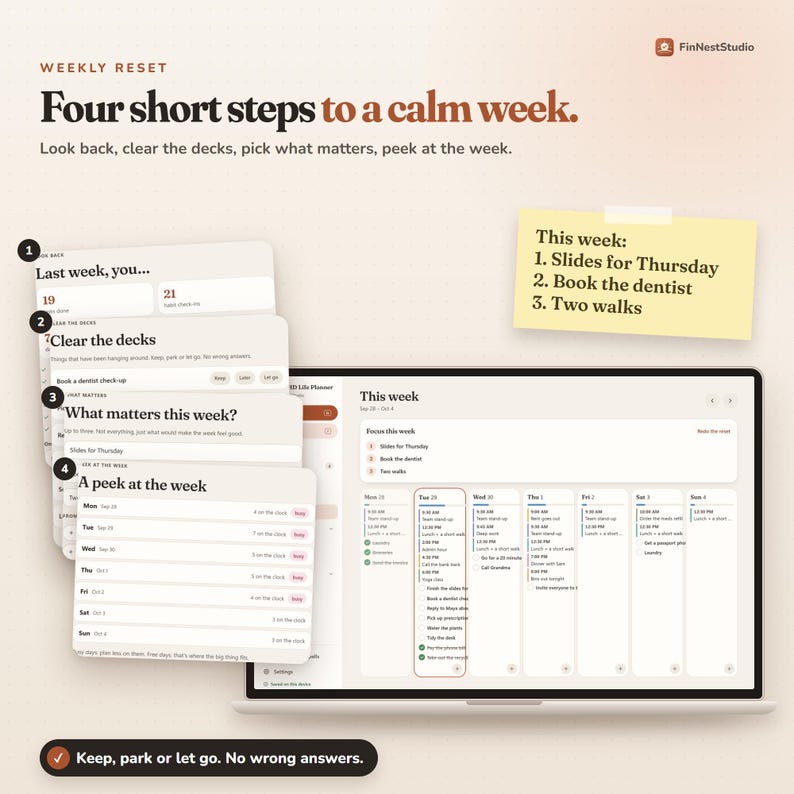
WEEKLY RESET
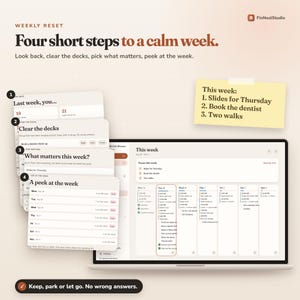
The This Week screen shows how full each day looks. The Weekly Reset walks you through four short steps: look back at last week, clear the decks (keep, move to Later or let go), choose up to three things that matter, and look ahead at the busy days. Reset the week without rebuilding your whole planner.
GOALS + PROJECTS
Keep why a goal matters, its milestones, related tasks and one clear next step together, so today’s tasks connect to the bigger things you’re moving forward.
━━━━━━━━━━━━━━━━━━
📈 PROGRESS THAT SHOWS WHAT YOU DID
━━━━━━━━━━━━━━━━━━
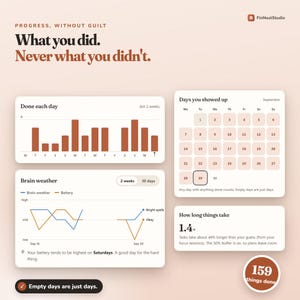
See the days you showed up, completed tasks, your Wins Jar, Brain Weather over time, habit momentum, and how long tasks really took compared with your estimates. What you did, never what you didn’t. Progress doesn’t disappear because of an imperfect week.
━━━━━━━━━━━━━━━━━━
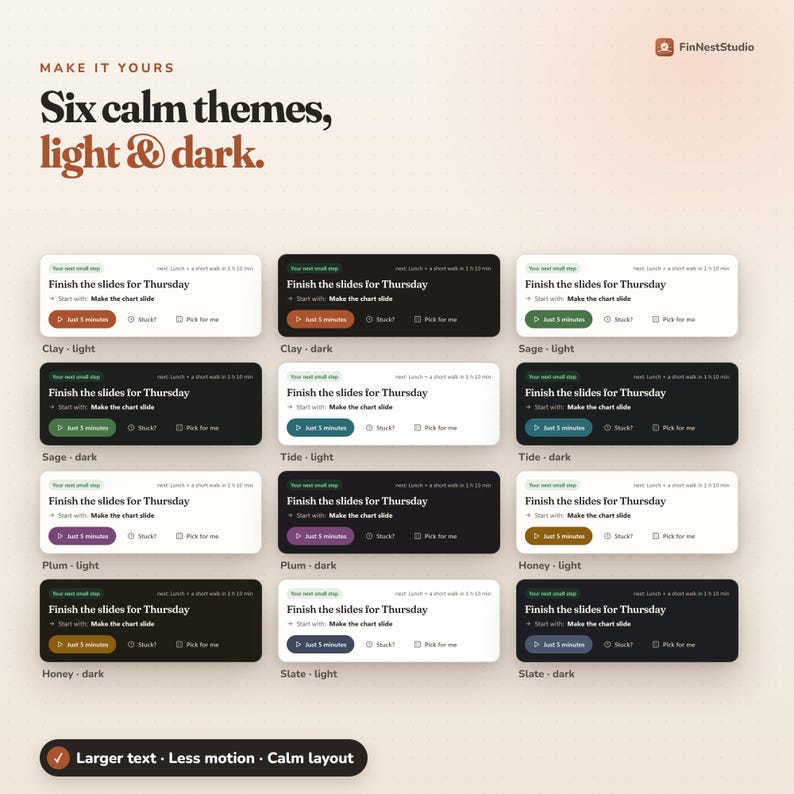
🎨 MAKE IT YOURS
━━━━━━━━━━━━━━━━━━
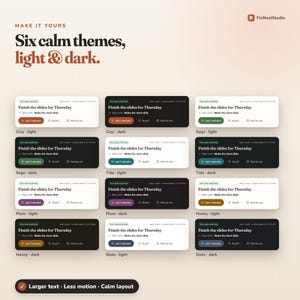
• Six themes: Clay, Sage, Tide, Plum, Honey, Slate
• Light or dark mode
• Larger text and reduced motion
• Calm view (extra lists folded away) or Everything view
━━━━━━━━━━━━━━━━━━
🔔 REMINDERS, WITHOUT OVERPROMISING
━━━━━━━━━━━━━━━━━━
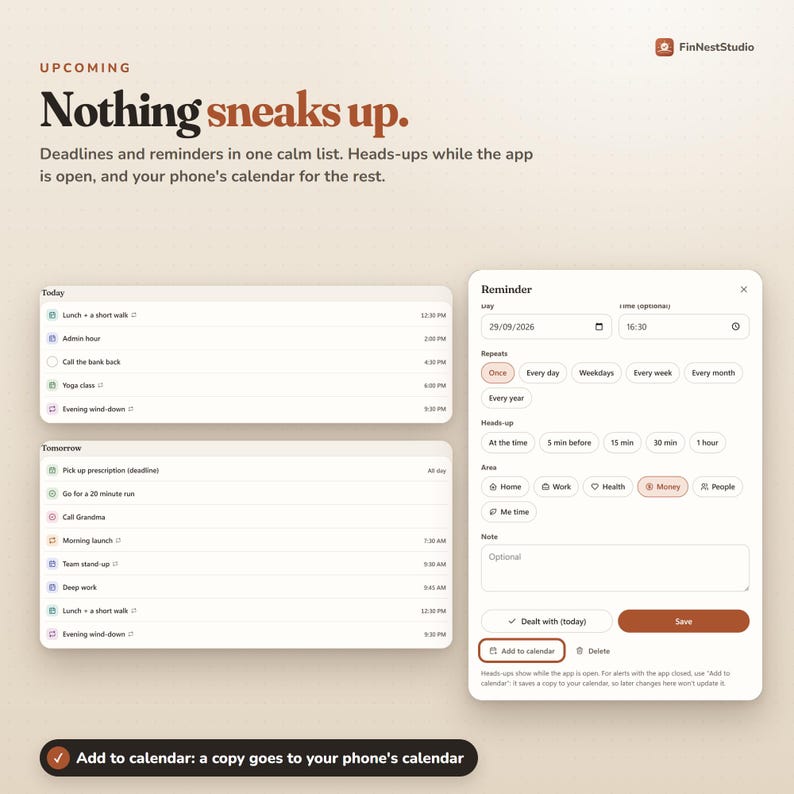
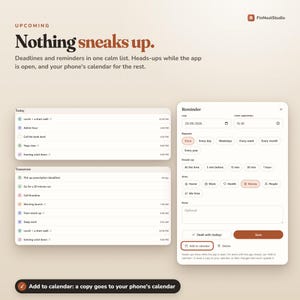
While the planner is open, it shows reminder heads-ups and a nudge before your next scheduled item. For alerts when it’s closed, tap Add to Calendar on a reminder and your phone’s calendar handles the notification. This is a copy: if you change the reminder in the planner later, the calendar event doesn’t update.
━━━━━━━━━━━━━━━━━━
📱 DEVICES, PRIVACY + BACKUP
━━━━━━━━━━━━━━━━━━
WORKS ON
iPhone, iPad, Android, Windows and Mac. Open your private link, add it to your Home Screen (or install it on your computer), and it opens full screen and works without internet.
PRIVATE BY DESIGN
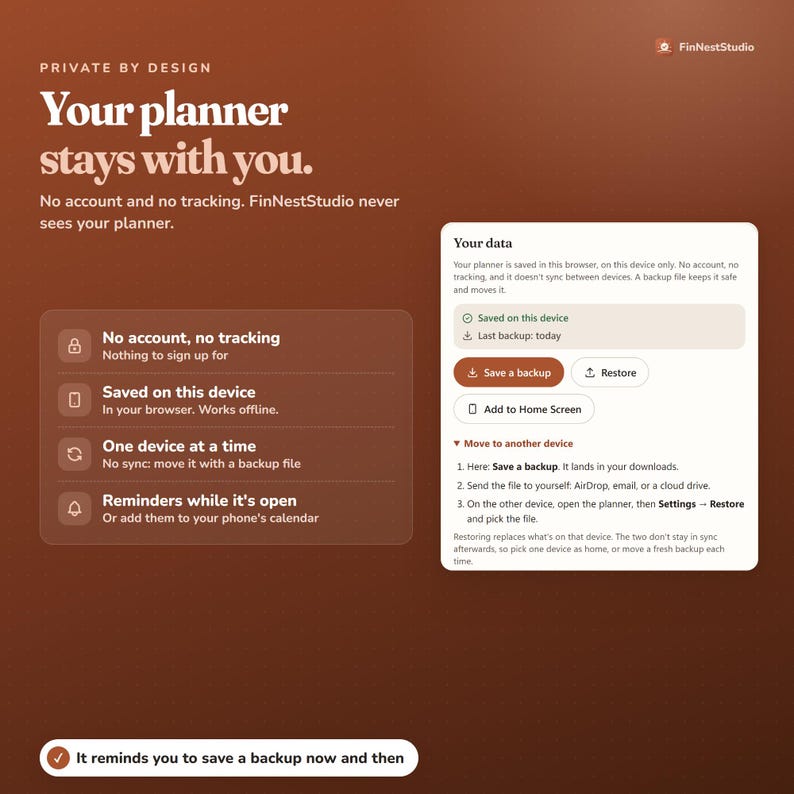
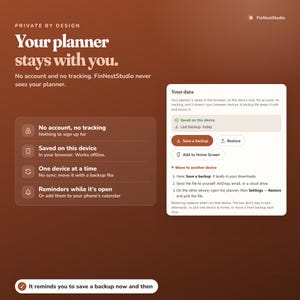
No FinNestStudio account, no email login, no subscription, no ads, no analytics tracking. Your planner is saved in the browser on the device you use it on.
BACKUP + MOVING DEVICES
To keep a safe copy or move your planner: Settings → Your Data → Save a Backup, send the file to the other device, and choose Restore there. Pick one main device, or move a fresh backup each time you switch.
━━━━━━━━━━━━━━━━━━
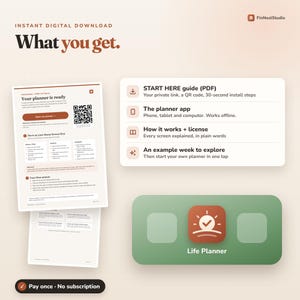
📦 WHAT YOU RECEIVE
━━━━━━━━━━━━━━━━━━
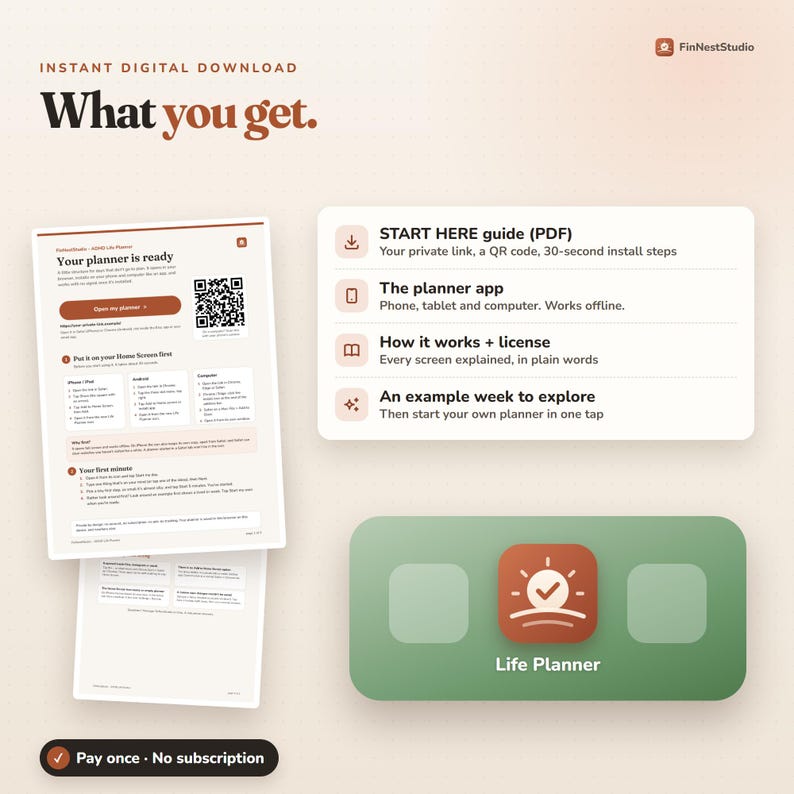
• START HERE PDF with your private planner link
• QR code for quick opening
• Phone + computer installation steps
• How to Open guide
• Full How It Works guide
• Personal-use license
This is a digital product. Nothing will be shipped.
━━━━━━━━━━━━━━━━━━
🚀 GETTING STARTED
━━━━━━━━━━━━━━━━━━
1. Download and open your START HERE PDF.
2. Tap your private link or scan the QR code.
3. Add the planner to your Home Screen or install it on your computer.
4. Open it from the new Life Planner icon.
5. Tap Start My Day.
6. Add one thing that’s on your mind.
7. Choose a tiny first step.
8. Start with five minutes.
Prefer to explore first? Open the example planner and look around a lived-in week before starting your own.
━━━━━━━━━━━━━━━━━━
🌱 WHO IT’S FOR
━━━━━━━━━━━━━━━━━━
This planner may suit you if:
• Starting is often harder than knowing what needs doing
• Long task lists quickly feel overwhelming
• Your energy changes from day to day
• Your schedule often needs adjusting
• You need somewhere to unload your thoughts fast
• You want routines without all-or-nothing
• You forget to log habits and hate broken streaks
• You need help choosing what to do next
• You want a planner that still works after missing a few days
• You prefer an interactive planner over another printable
It’s built with ADHD-friendly tools, but you don’t need an ADHD diagnosis to use it. It’s an organising tool, not a medical device or treatment.
━━━━━━━━━━━━━━━━━━
PLEASE READ BEFORE BUYING
━━━━━━━━━━━━━━━━━━
• This is a DIGITAL product. No physical item is shipped.
• It’s an interactive planner that runs in your browser and installs from a link.
• You open it with the private link inside your START HERE PDF.
• Personal license for one buyer. Please keep your link just for you.
Questions? Send FinNestStudio a message on Etsy. A real person answers 🌿
🌿 FinNestStudio · A little structure for the days when the original plan didn’t survive.
Instant Download
Your files will be available to download once payment is confirmed. Here's how.
Instant download items don’t accept returns, exchanges or cancellations. Please contact the seller about any problems with your order.
Etsy Purchase Protection
Shop confidently on Etsy knowing if something goes wrong with an order, we've got your back for all eligible purchases —
see program terms

Reviews for this item
I loveeee their plan products. Very useful plan tracker that now I’m getting addicted to using it because of how easy and convenient it is, also help me a lot with daily tasks. Had to come back to leave review and now browsing more on their products to see what more I can get :) highly recommend. Thank you
Response from MoneyNest
Thank you so much for your lovely review! I'm so happy the planner is helping you stay organized. Your support means a lot!

It’s actually very nice and user friendly. My suggestion would be to allow customization for repeated tasks. For example, you only have the option to do everyday, every week, etc., but you don’t have the option to do every other day or every 2 days, etc. It would also be nice to have a monthly view to kind of plan your month in advance. I would still say this is a good planner for basic planning and find it very useful otherwise. UPDATE: My requests were added to the planner. I wasn't expecting it at all lol. Customer service was so quick to respond! Thank you again. I'm very happy with my purchase!
Response from MoneyNest
Thank you so much for your lovely review! I'm really glad I could add the features you needed. Your feedback and support mean a lot!

I had no idea something like this even existed. This Planner is already the best thing to happen to an ADHD girl! It is very, very user friendly and straightforward. It is easy to input anything you need, and helps you get organized AND stay on track! Highly recommend.
Response from MoneyNest
Thank you so much for this wonderful review! I'm so happy the planner is helping you stay organized and on track. It truly means a lot!

The customer service was excellent and the seller very helpful. The planner is extremely useful with a fantastic UI. I highly recommend it.
Response from MoneyNest
Thank you for your lovely review! I’m so glad you enjoyed it!

Rave reviews Average review rating is 4.8 or higher.
More from this shop
Visit shop-
Digital download
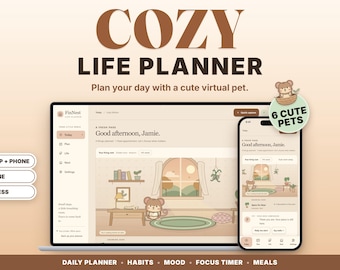
Cozy Life Planner for Phone & Computer, Pip the Dormouse Companion, ADHD Friendly (Digital Download)
Sale Price $8.24
Original Price $10.99
-
Digital download
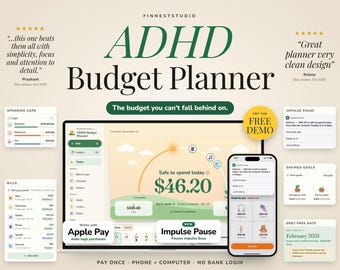
ADHD Budget Planner App | Stop Impulse Buys, Safe to Spend Tracker, Paycheck Budget, Bills & Spending Caps, Phone + Computer
Sale Price $10.49
Original Price $13.99
-
Digital download
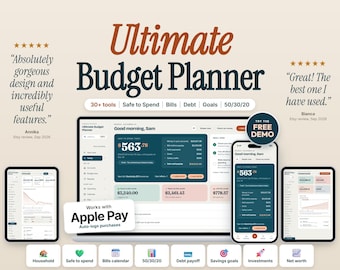
Ultimate Budget Planner 2027: Annual Finance Dashboard, Expense Tracker, Savings, Debt Payoff, Net Worth (Browser App)
Sale Price $17.24
Original Price $22.99
-
Digital download
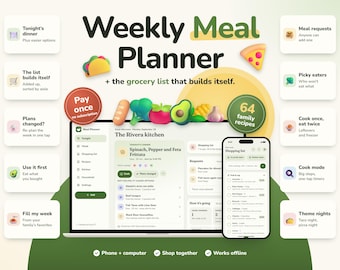
Meal Planner App, Weekly Meal Planning & Grocery List, Recipe Organizer, Shopping List, Digital Meal Planner
Sale Price $9.74
Original Price $12.99
-
Digital download
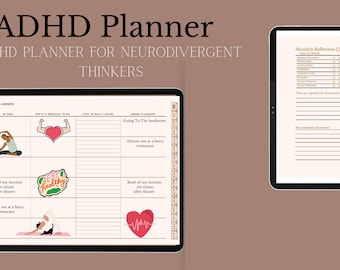
ADHD Planner | Digital Planner | Good Notes | Daily Planner | Minimalist Planner | Mindfulness Healing Anxiety
$12.97
-

Digital download
ADHD Planner | Notion Template | ADHD Planner Adult | ADHD Digital Planner | Digital Planner | 2026 Calendar | Life Planner | Notion Planner
Sale Price $3.46
Original Price $13.84
-

Digital download
Notion ADHD Life Planner Template 2025, All In One Digital iPad Organizer Dashboard For Neurodivergent, Daily Mood Tracker Task Brain Dump
$13.84
-

Digital download
Notion ADHD Life Planner Template 2025, All In One Digital iPad Organizer Dashboard For Neurodivergent Personal Daily Habit Tracker Calendar
$13.84
-

Digital download
Adhd Digital Planner Notion Template, Adhd Journal, Adhd Daily Planner, Adhd Planner Adult, Self-Care Planner, Life Planner (Science Based)
$20.76
-

Digital download
ADHD Digital Planner 2026, ADHD Planner Adult, iPad ADHD Planner, Goodnotes Android Planner, Daily Planner, Science based, Digital Planner
Sale Price $5.19
Original Price $20.76
-
Digital download
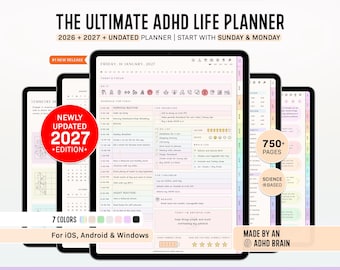
ADHD Digital Planner (made by an ADHD Coach) for Goodnotes, iPad & Android. Adhd Digital Planner, Planner Adhd, Adult ADHD daily planner
Sale Price $3.99
Original Price $13.31
-
Digital download
ADHD Productivity Planner Digital Download, Printable Daily Weekly Monthly Planner, Undated, GoodNotes Planner, Neurodivergent Organization
$12.99
-
Digital download
Digital Planner for ADHD to Optimize Your Life with the Notion ADHD Life Planner | Boost Productivity & Focus
$15.00
-
Digital download
ADHD Planner UNDATED | Dopamine Support, Google Calendar Integrated (Digital Download)
$20.00
-

Digital download
ADHD Life Planner Spreadsheet ADHD Digital Organizer Planner Budget Tracker Habit Template Productivity To Do Google Sheets 2026 Calendar
$16.96
-

Digital download
ADHD Life Reset Planner, Finance, Wellness, Organization (Digital Printable)
$12.97
Shoppers with similar taste loved these
-

Skin Picking Fidget
$12.50
-

The Donut Roller, Stainless Steel Fidget Ring, Sensory Stim Toy
$16.99
-
3D Fidget Ring, Stim Ring for Kids, Worry ring, Anxiety Ring, Fidget Spinner Ring, 3D Printed
$2.75
-

6 Pack Fidget Bundle | Sensory Toy | Sensory Fidget | 3d Printed Desk Toy | Fidget Toy
$19.83
-

Chain Link Fidget Spinner, Stress Relief, Fidget Toy, ADHD
$2.06
-
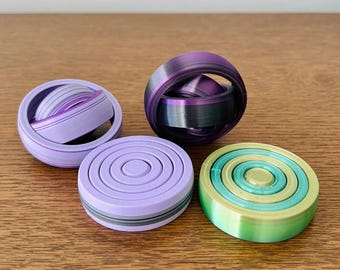
Round Fidget | Sensory Toy | Sensory Fidget | 3d Printed Desk Toy | Fidget Toy
$4.24
-

Custom Squishable D20 - Fidget Dice | Squishy Dice | Dice for D&D | Fidget Toy | Desk toy | 3D Printing | 3D Gift | Sensory Toy
Sale Price $28.07
Original Price $46.79
-

Heart Macaron Clicker Keychain | Pastel Sensory Fidget Toy, Stress Relief Tool
$4.82
-

REUSABLE Picky Pad, Fidget Toy, sensory Christmas gift, holiday stocking stuffer for kids, Dermatillomania, ADHD, Autism, Skin Picking
Sale Price $16.46
Original Price $21.95
-

Book Fidget Clicker: Customizable Mechanical ASMR Stim Toy
Sale Price $5.28
Original Price $6.00
-

3D Printed Mushroom Fidget Friend – Tactile Clicky Sensory Toy
$6.99
-

Custom 9-Key Mechanical Keyboard Fidget | Stress Relief Desk Toy
$14.95


