



TFSA Contribution Room Tracker Spreadsheet — RRSP + FHSA Ledger, Canadian Penalty Watch | 2026 Excel
NowPrice:$15.47
Original Price: $30.93
50% off
Sale ends on December 6
Here's what's eligible:
- Your order doesn't match the item description or photos
- Your item arrived damaged
- Your item arrived after the estimated arrival window
- Your item didn't arrive or was lost in the mail
You can only make an offer when buying a single item
Highlights
The TFSA Contribution Room Tracker is an Excel workbook. It keeps one ledger for TFSA, RRSP, and FHSA.
Every 2026 limit is pre-loaded and verified. TFSA limits back to 2009. The RRSP max of $33,810. The FHSA $8,000 yearly and $40,000 lifetime caps.
Log contributions with dates. Formulas compute your room. The Penalty Watch tab flags over-contributions monthly.
This is for a Canadian investor who needs to track TFSA, RRSP, and FHSA contribution room across years. Avoid CRA over-contribution penalties.
Canada's registered accounts are generous. They are also unforgiving.
Over-contribute to your TFSA and the CRA charges 1% per month on the excess. Re-contribute a withdrawal in the same year and it counts as a brand-new contribution.
Most of us keep this "room" in our heads, in a notes app, or not at all. That is how penalty letters happen.
This 2026-edition workbook gives you one honest ledger for all three accounts: TFSA, RRSP, and FHSA.
Every 2026 limit is pre-loaded and verified. TFSA limits back to 2009. RRSP max $33,810. FHSA $8,000 per year with the $40,000 lifetime cap.
You log your contributions with dates. The formulas do the math. The Penalty Watch tab flags over-contributions month by month, before they become CRA letters.
**What you get**
- 1 Excel workbook (.xlsx), 6 tabs, no macros. Works in Excel and Google Sheets.
- 1 branded 2-page PDF setup guide. Includes the 5-step setup, "the three rules that cost people money," and where to find your numbers on CRA My Account and your NOA.
- Pre-filled demo data (fictional "Alex M."). See exactly how it works. Clear it and enter your own numbers.
**What's inside (the 6 tabs)**
1. **Cover**. How to use, what to have in front of you, disclaimer, and the verification sources for every figure.
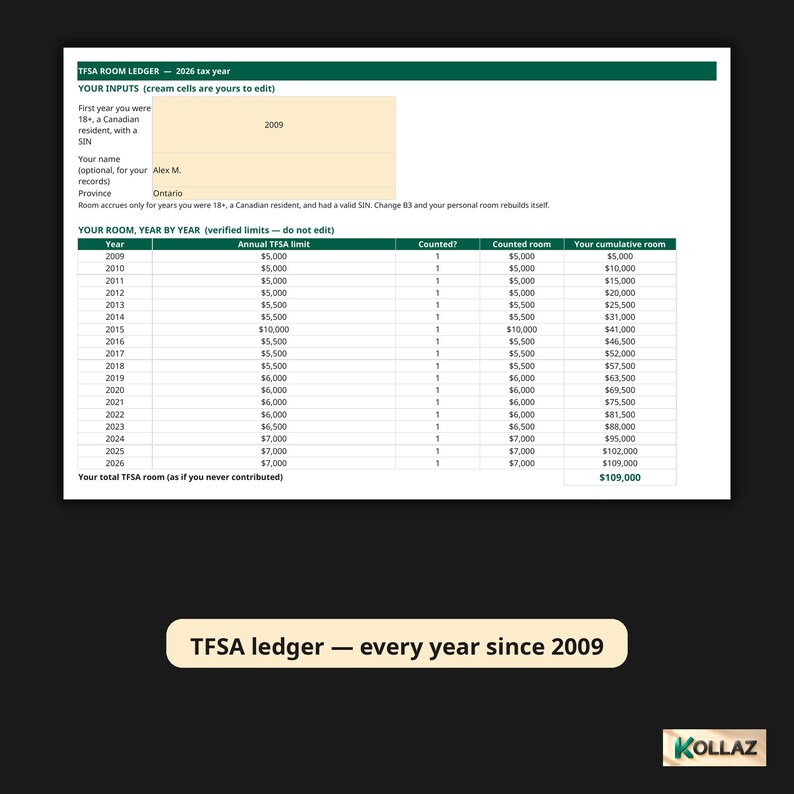
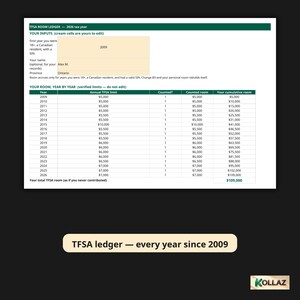
2. **TFSA Room Ledger**. Set your first eligible year. Every year's limit (2009-2026) feeds a running total. Dated contribution and withdrawal logs turn into one number: your available room today.
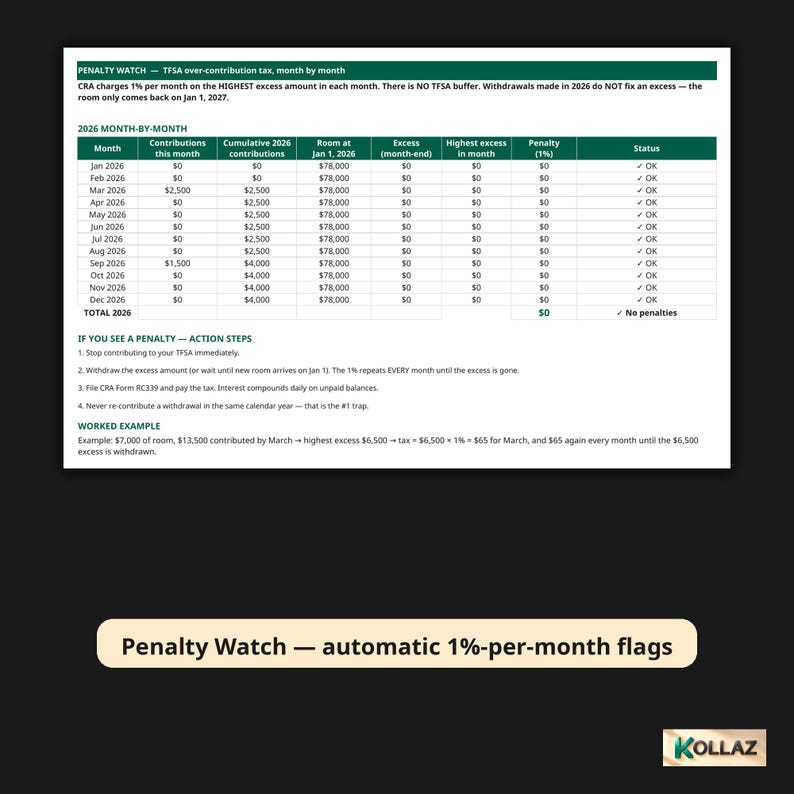
3. **Penalty Watch**. Month-by-month 2026 table. Contributions per month, room at Jan 1, excess, and the 1% per month penalty. Includes automatic warning flags, conditional formatting, action steps, and a worked example. It uses month-end excess as the basis. The sheet itself tells you to check any mid-month peaks manually, the way the CRA actually taxes it.
4. **RRSP Room**. 18% rule vs. the $33,810 cap, minus your pension adjustment, plus unused carryforward. Contributions are auto-flagged when they fall in the first-60-days window. The $2,000 lifetime buffer is tracked with its own excess and penalty status.
5. **FHSA Tracker**. Yearly $8,000 room with the automatic $8,000 carry-forward cap. Lifetime contributions against the $40,000 cap. Room counted only from the year you opened the account.
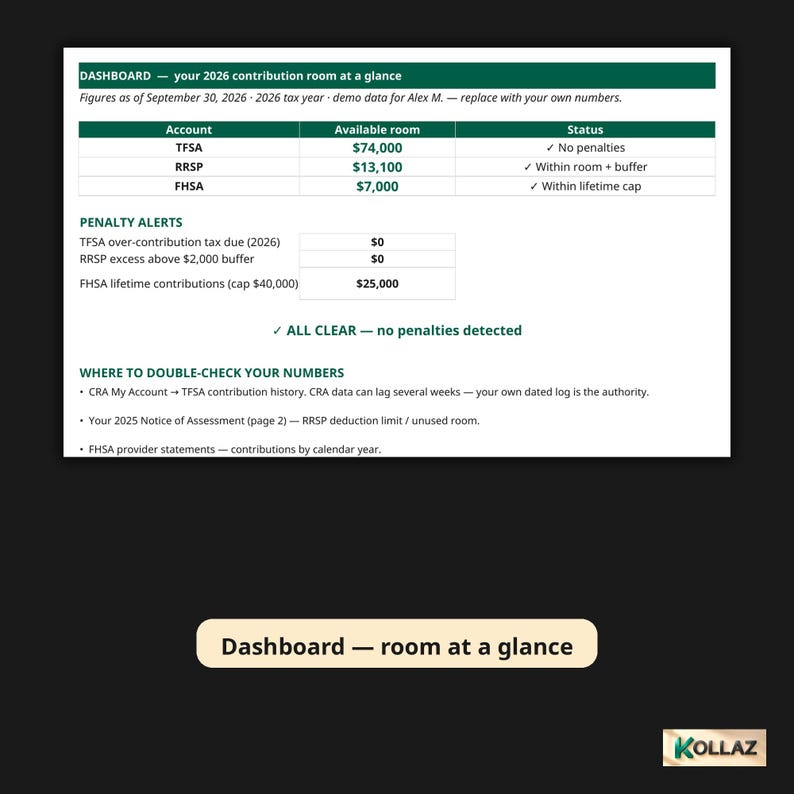
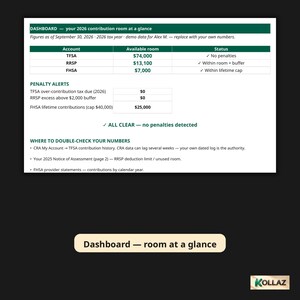
6. **Dashboard**. All three accounts' available room at a glance. Penalty alerts. One ALL CLEAR or ACTION NEEDED status. A bar chart of room by account.
**Who it is for**
Canadians contributing to a TFSA, RRSP, or FHSA who want one trustworthy ledger.
Especially newcomers stacking up room. First-home savers juggling the FHSA caps. Anyone who has ever been unsure whether a contribution is safe this month.
**What is NOT included (honest scope)**
This is a tracking tool, not tax advice. The workbook itself says so on the Cover tab, and the guide says it too.
It tracks room and flags potential penalties. It does not calculate your actual tax bill. It does not file anything with the CRA. It does not replace checking your own CRA My Account history (which can lag weeks behind). Your own dated log is the authority, and the sheet tells you that.
Room depends on your age, residency, and SIN status. Verify the eligibility inputs against your own records.
Try the live view-only demo:
https://docs.google.com/spreadsheets/d/15k5H_2ybEukJhq6S6RlowcU0Seu7i61oBvQnru7dg9U/view
Works in Excel and Google Sheets. Compatibility verified 2026-10-01: live Google Sheets import test and real Excel review both passed. No macros, no VBA. Just formulas, so it opens cleanly everywhere.
How much TFSA room do I have left in 2026?
Set your first eligible year. Every year's limit (2009-2026) feeds a running total. Dated contribution and withdrawal logs turn into one number: your available room today. See it on the Dashboard at a glance, with an ALL CLEAR or ACTION NEEDED status.
What happens if I over-contribute to my TFSA?
The CRA charges 1% per month on the excess. The Penalty Watch tab is a month-by-month 2026 table. Contributions per month, room at January 1, excess, and the 1% per month penalty. Automatic warning flags and action steps, before they become CRA letters.
Can I re-contribute a TFSA withdrawal this year?
No. Re-contributing a withdrawal in the same year counts as a brand-new contribution. The ledger tracks withdrawals by date so you can see exactly when that room comes back.
Can this replace checking CRA My Account?
No. CRA My Account can lag weeks behind. Your own dated log is the authority, and the sheet tells you that. Verify your eligibility inputs against your own records.
Is this tax advice?
No. It is a tracking tool. It tracks room and flags potential penalties. It does not calculate your tax bill, file anything with the CRA, or replace your own records. Room depends on your age, residency, and SIN status.
How much time does it take?
Five-step setup, then log contributions with dates as you make them. The formulas do the math.
Format: Excel .xlsx workbook, 6 tabs. Cover, TFSA Room Ledger, Penalty Watch, RRSP Room, FHSA Tracker, Dashboard. No macros.
Limits pre-loaded: TFSA yearly limits 2009-2026. RRSP max $33,810 (18% rule, pension adjustment, carryforward, $2,000 lifetime buffer). FHSA $8,000 per year with $40,000 lifetime cap and $8,000 carry-forward cap.
Works in: Microsoft Excel and Google Sheets. Compatibility verified 2026-10-01 (live Google Sheets import test and real Excel review, both passed). No macros, no VBA.
You get: workbook (.xlsx) + branded 2-page PDF setup guide (5-step setup, the three rules that cost people money, where to find your numbers on CRA My Account and your NOA) + pre-filled demo data (fictional "Alex M.").
Instant Download
Your files will be available to download once payment is confirmed. Here's how.
Instant download items don’t accept returns, exchanges or cancellations. Please contact the seller about any problems with your order.
Etsy Purchase Protection
Shop confidently on Etsy knowing if something goes wrong with an order, we've got your back for all eligible purchases —
see program terms

More from this shop
Visit shop-

Digital download
Emergency Fund Calculator Excel | How Many Months Could You Survive? | Savings Runway Planner, Budget Spreadsheet
Sale Price $8.24
Original Price $16.49
-

Digital download
Debt Payoff Spreadsheet | Snowball, Avalanche, Windfall Simulator | Excel + Google Sheets
Sale Price $20.62
Original Price $41.25
-

Digital download
Calculateur Tarif Horaire Freelance Canada 2026 | Travailleur Autonome — Impôt Réel 13 Provinces, Québec RRQ RQAP, Tableur Excel
Sale Price $14.73
Original Price $29.46
-
Digital download
Irregular Income Budget Spreadsheet | Freelancer Paycheck Planner (Google Sheets + Excel)
Sale Price $11.04
Original Price $22.09
Be the first to leave a review
-

Digital download
Stock & Crypto Investment Tracker | Portfolio Tracker (Digital)
$25.50
-
Digital download
Investment tracker with real time data - Google Sheets - Instant Download Digital Planner - Spreadsheet Template - Budget
$12.99
-
Digital download
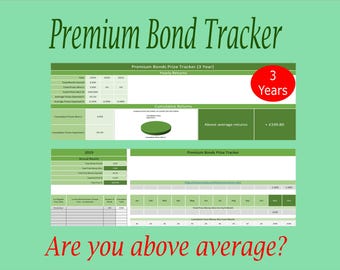
Investment Tracker (3yr), track your Premium Bonds investment against expected returns for 3 years - Excel investment tracker.
$20.93
-
Digital download
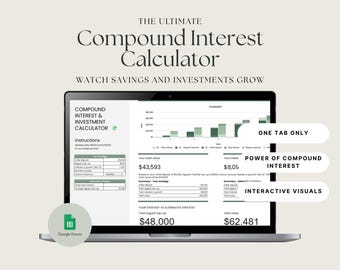
Compound Interest Calculator: Investment Growth Tracker (Google Sheets)
$21.00
-

Digital download
Scholarship Tracker Spreadsheet Template, with Proven Application Strategies Google Sheets
$29.97
-
Digital download
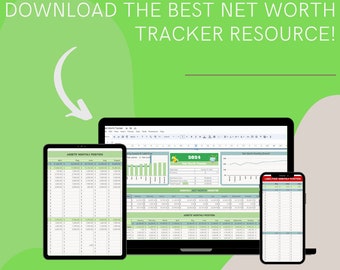
Budget Master Excel Sheets: The Best Monthly, Weekly, Biweekly Tracker with Bill Calendar, Savings & Debt Tracker - 50/30/20 Ultimate Budget
$20.00
-
Digital download
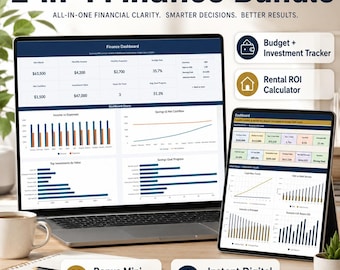
Excel Budget Planner & Investment Tracker Bundle | Finance Dashboard + Rental ROI Calculator | 2-in-1 Finance Template
$29.90
-

Digital download
Investment Tracker
$26.53
-

Digital download
Investment Tracker (5yr), track your Premium Bonds investment against expected returns for 5 years - Excel investment tracker.
$27.91
-
Digital download
Budget Tracker And Goal Tracker | Lifetime Access Finance App | Digital Planner
$35.00
-

Digital download
Investment Tracker Excel Spreadsheet: Dividend Growth Portfolio and Reinvesting Forecast (Digital Download)
$24.73
-

Digital download
Ultimate Stock Research Tracker
$12.99
Shoppers with similar taste loved these
-

Digital download
Annual Budget Google Sheets Excel Spreadsheet Monthly Biweekly Budget Tracker Bill Calendar Debt Tracker 50/30/20 Budget Spreadsheet Tracker
Sale Price $11.14
Original Price $22.29
-
Digital download
Paycheck Budget Spreadsheet Planner, Weekly, Monthly, Biweekly Bill, Debt Tracker (Excel & Google Sheets Template)
Sale Price $12.95
Original Price $21.59
-
Digital download
Bi-Weekly & Weekly Budget Spreadsheet , Google Sheets Planner 2027 planner
Sale Price $3.15
Original Price $10.51
-

Digital download
Google Sheets Budget Planner , Annual Monthly Income Expense Tracker 2027 planner
Sale Price $3.85
Original Price $12.84
-

Digital download
Annual Paycheck Budget Spreadsheet, Weekly Budget Excel Google Sheets Biweekly Budget Planner by Paycheck Yearly Finances Budgeting Template
Sale Price $16.95
Original Price $24.21
-
Digital download
Paycheck Budget Planner , Google Sheets Template 2027 planner
Sale Price $2.80
Original Price $9.34
-
Digital download
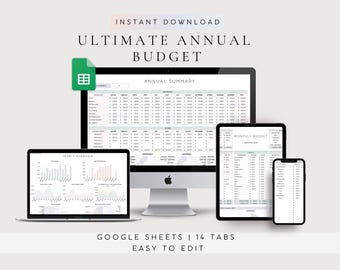
2027 Budgeting Template Annual Budget Spreadsheet, Google Sheets Finance Tracker, Personal Expense Yearly Planner
Sale Price $6.66
Original Price $22.19
-

Digital download
Annual Budget Spreadsheet | Google Sheets Budget Template, Yearly and Monthly Budget, Finance Planner, Net Worth Tracker, Bill Tracker, Debt
Sale Price $15.47
Original Price $30.95
-

Digital download
Monthly Budget Spreadsheet by Paycheck Template, Biweekly Weekly Budget Planner, Transaction Tracker, Personal Finance, Google Sheets, Excel
Sale Price $3.85
Original Price $7.70
-
Digital download
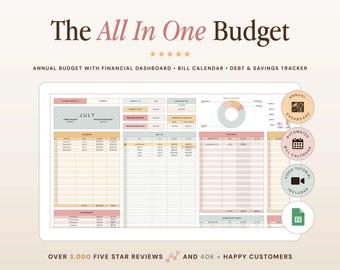
All In One Budget Spreadsheet | Google Sheets Budget Template Spreadsheet | Debt Payoff Planner | Savings Planner | Finance Planner
$17.50
-

Digital download
Biweekly Bimonthly Budget Planner Google Sheets Spreadsheet, Semi Monthly, Fortnightly Budget Template | Green
Sale Price $7.99
Original Price $13.31
-

Digital download
Monthly Budget Spreadsheet | Google Sheets Budget Template | Excel Monthly Budget Planner | Beginner Budget Expense Tracker
$8.50


