

Biweekly Budget Spreadsheet, Budget by Paycheck Planner, Debt Snowball Tracker, Excel and Google Sheets
Item highlights
Seller's description
Instant digital download: biweekly budget spreadsheet for Excel and Google Sheets. You get 1 .xlsx file with sample data. Nothing physical ships.
Biweekly budget spreadsheet for anyone paid every two weeks who still feels broke by the next payday. This spreadsheet helps you plan one paycheck at a time, track what you actually spend, and pay down debt with the snowball method: smallest balance first, so you see progress sooner.
It's meant to be simple, with no finance lecture. Sample numbers are already filled in so you can see how it works the moment you open it. Then swap the yellow cells for your numbers.
━━━━━━━━━━━━━━━━━━━━
WHAT YOU GET
━━━━━━━━━━━━━━━━━━━━
One Excel workbook (.xlsx) that also opens in Google Sheets:
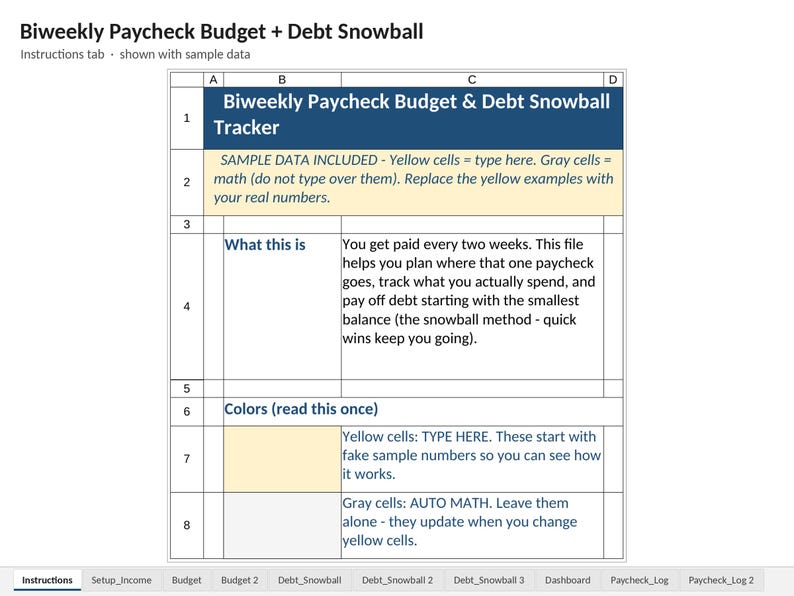
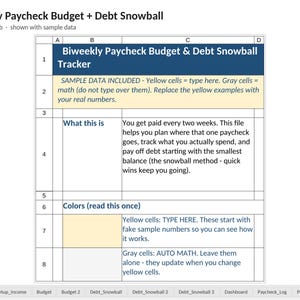
• Instructions: ultra-plain English, color legend, 5 simple steps
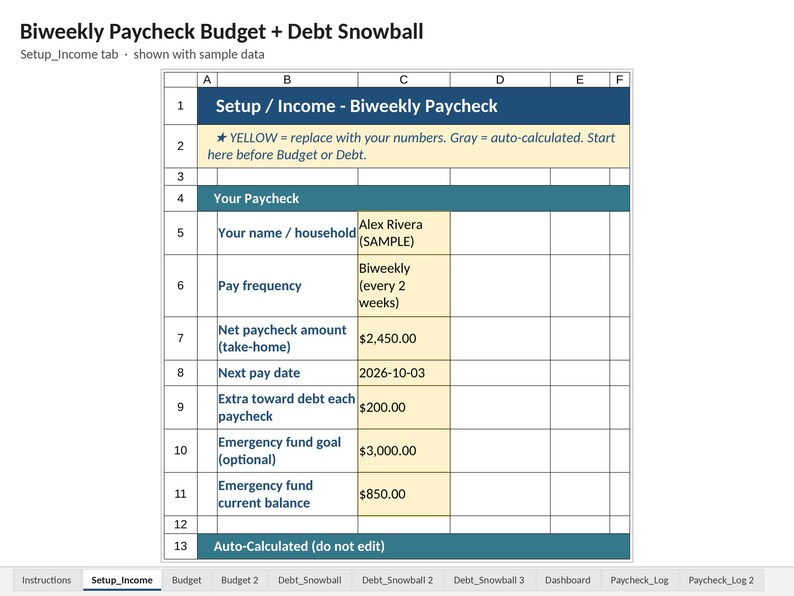
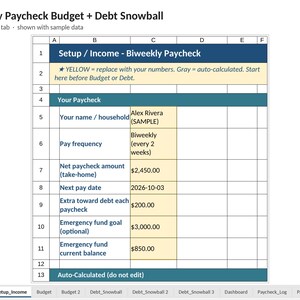
• Setup_Income: net biweekly paycheck, next pay date, extra-to-debt, emergency fund, upcoming pay dates
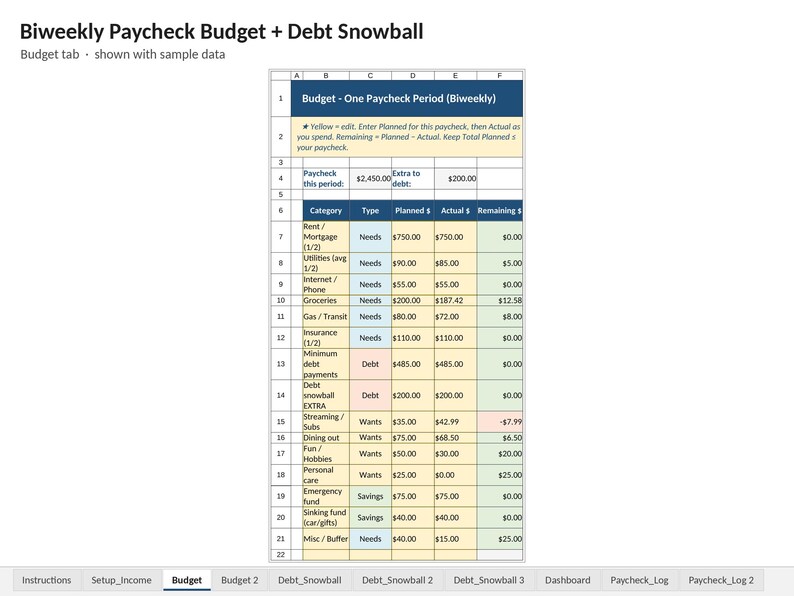
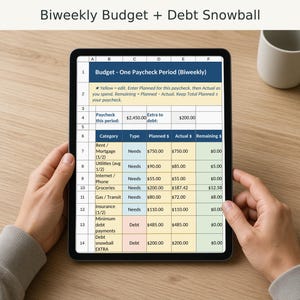
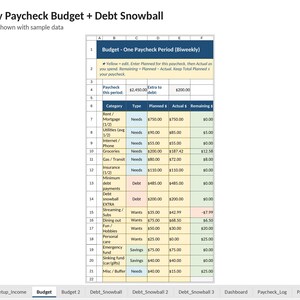
• Budget: categories for ONE paycheck (Planned vs Actual vs Remaining) with Needs / Wants / Savings / Debt types (continues on the Budget 2 tab)
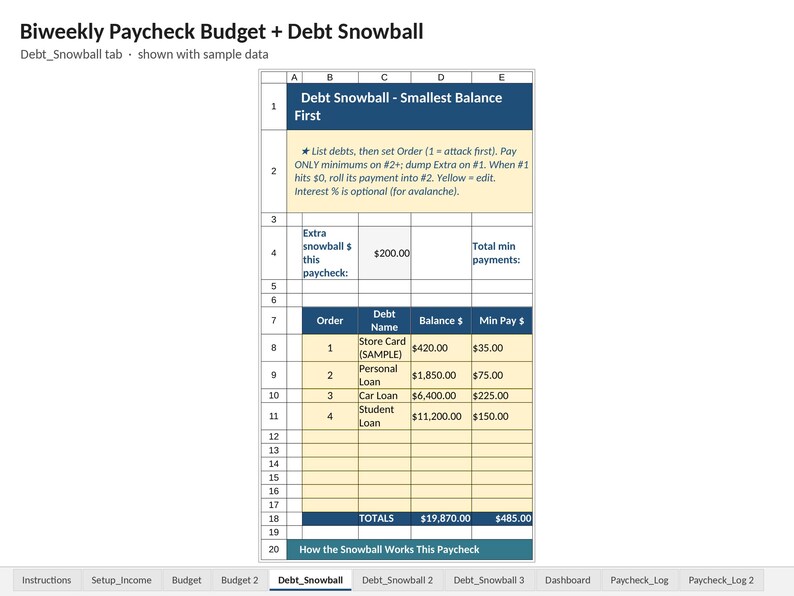
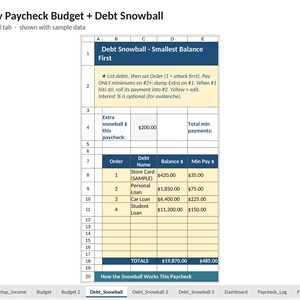
• Debt_Snowball: list debts, Order 1 gets min + extra, the rest get minimums only (continues on the Debt_Snowball 2 and Debt_Snowball 3 tabs)
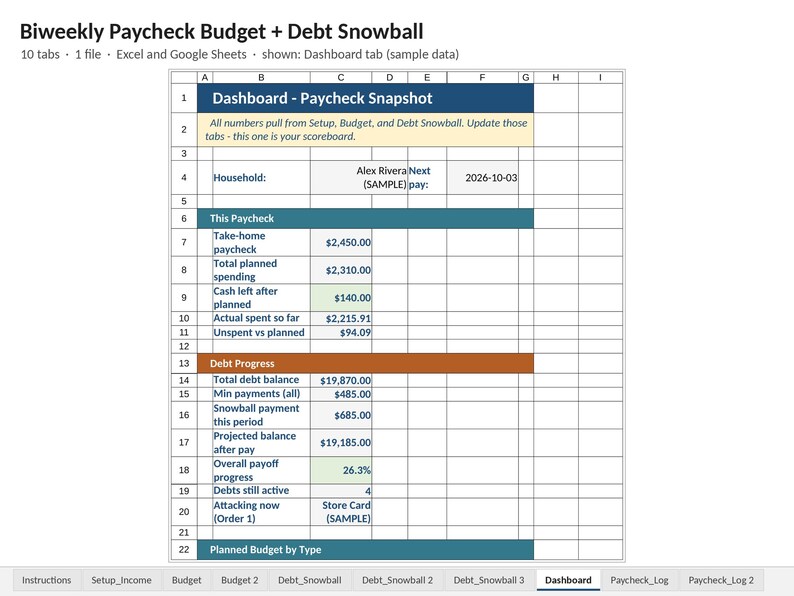
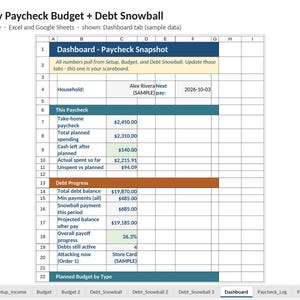
• Dashboard: cash left, debt progress, emergency fund %, status line, pie chart
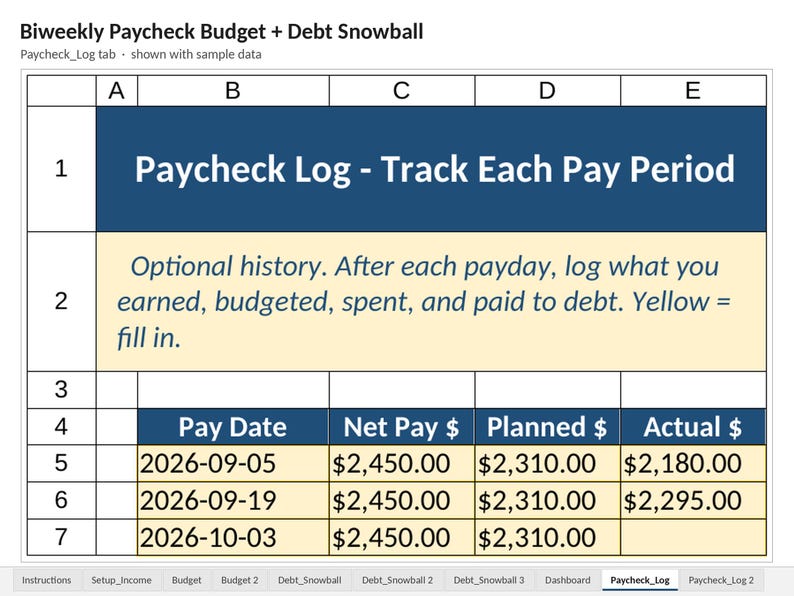
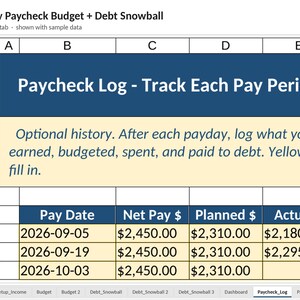
• Paycheck_Log: optional history of each payday (continues on the Paycheck_Log 2 tab)
Sample data included (example paycheck, debts, and spending) so you can see how it works when you first open it.
━━━━━━━━━━━━━━━━━━━━
YELLOW VS GRAY CELLS
━━━━━━━━━━━━━━━━━━━━
• YELLOW cells = type here (your paycheck, categories, debt balances, actual spending)
• GRAY cells = auto math (do not type over them: they update when yellow cells change)
If a number on the Dashboard looks wrong, fix it on Setup, Budget, or Debt. The Dashboard is a scoreboard only.
━━━━━━━━━━━━━━━━━━━━
HOW TO OPEN
━━━━━━━━━━━━━━━━━━━━
Excel:
1. Download the .xlsx after purchase
2. Open it in Microsoft Excel (desktop or compatible)
Google Sheets:
1. Upload the .xlsx to Google Drive
2. Right-click → Open with → Google Sheets
(or open a blank Sheet → File → Import → Upload → Replace spreadsheet)
Formulas use everyday functions (SUM, IF, SUMIF, etc.) so they work in both Excel and Sheets. If the pie chart is missing after a Sheets import, select the Needs / Wants / Savings / Debt numbers on the Dashboard → Insert → Chart → Pie.
━━━━━━━━━━━━━━━━━━━━
HOW THE SNOWBALL WORKS (SHORT VERSION)
━━━━━━━━━━━━━━━━━━━━
1. List every debt with balance and minimum payment
2. Put Order 1 on the smallest balance
3. Pay minimums on everything else
4. Dump your extra on Order 1 until it is gone, then roll that payment to the next one
Want avalanche instead (highest interest first)? Renumber Order so 1 = highest interest rate.
━━━━━━━━━━━━━━━━━━━━
DIGITAL DOWNLOAD
━━━━━━━━━━━━━━━━━━━━
This is a digital product. After purchase you get an instant download of the .xlsx file. No physical item will be shipped.
Colors and fonts may look slightly different between Excel and Google Sheets. That is normal.
━━━━━━━━━━━━━━━━━━━━
WHAT THIS IS NOT
━━━━━━━━━━━━━━━━━━━━
• Not financial, tax, or legal advice
• Not a bank connection, app, or subscription: it is a spreadsheet you own and edit
• Not a guarantee you will become debt-free by a certain date (your numbers drive the results)
• Not a monthly planner for the whole year in one tab: it is built around one biweekly paycheck at a time (with an optional paycheck log for history)
• Not locked or password-protected: you can edit everything (that is the point)
━━━━━━━━━━━━━━━━━━━━
GOOD FIT IF YOU…
━━━━━━━━━━━━━━━━━━━━
• Get paid every two weeks
• Want Planned vs Actual on one paycheck
• Are using (or want to try) debt snowball
• Prefer Excel or Google Sheets over another monthly subscription
━━━━━━━━━━━━━━━━━━
GOOD TO KNOW
━━━━━━━━━━━━━━━━━━
• Photos: the listing photos are screenshots of the actual file with a short caption, not mockups.
• Digital download: nothing physical ships. You get .xlsx file(s) for Microsoft Excel 2016 or newer, or free Google Sheets.
• Not financial advice. It helps you organize your own numbers.
• Results depend on the numbers you enter. Treat any estimates as rough guides.
• License: personal use in one household (or inside your own single business for business templates). Please don't share, resell, or upload the file.
• Problem with your file? Message me on Etsy and I'll fix it within 2 business days or refund you through Etsy.
Questions before or after purchase? Send a message. I'm happy to help you get the file open and the yellow cells filled in.
Designed with the help of AI tools, then reviewed and tested by me.
If something goes wrong with an order, we've got your back for all eligible purchases. View program terms
Price:$9.99
You can only make an offer when buying a single item
Delivery
Instant download
Your files will be available to download once payment is confirmed. Here's how.
Instant download items don't accept returns, exchanges or cancellations. Please contact the seller about any problems with your order.
Seller's description
Specifications
Instant digital download: biweekly budget spreadsheet for Excel and Google Sheets. You get 1 .xlsx file with sample data. Nothing physical ships.
Biweekly budget spreadsheet for anyone paid every two weeks who still feels broke by the next payday. This spreadsheet helps you plan one paycheck at a time, track what you actually spend, and pay down debt with the snowball method: smallest balance first, so you see progress sooner.
It's meant to be simple, with no finance lecture. Sample numbers are already filled in so you can see how it works the moment you open it. Then swap the yellow cells for your numbers.
━━━━━━━━━━━━━━━━━━━━
WHAT YOU GET
━━━━━━━━━━━━━━━━━━━━
One Excel workbook (.xlsx) that also opens in Google Sheets:
• Instructions: ultra-plain English, color legend, 5 simple steps
• Setup_Income: net biweekly paycheck, next pay date, extra-to-debt, emergency fund, upcoming pay dates
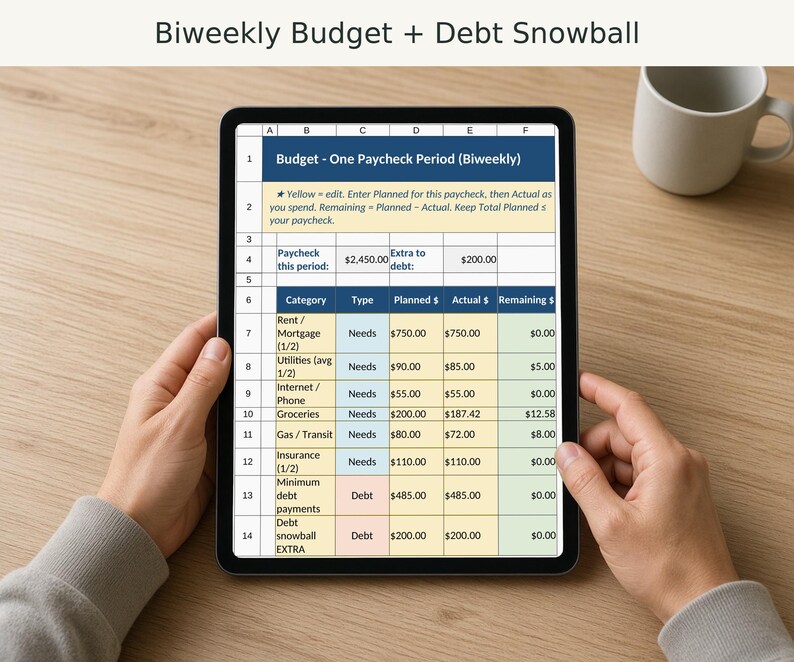
• Budget: categories for ONE paycheck (Planned vs Actual vs Remaining) with Needs / Wants / Savings / Debt types (continues on the Budget 2 tab)
• Debt_Snowball: list debts, Order 1 gets min + extra, the rest get minimums only (continues on the Debt_Snowball 2 and Debt_Snowball 3 tabs)
• Dashboard: cash left, debt progress, emergency fund %, status line, pie chart
• Paycheck_Log: optional history of each payday (continues on the Paycheck_Log 2 tab)
Sample data included (example paycheck, debts, and spending) so you can see how it works when you first open it.
━━━━━━━━━━━━━━━━━━━━
YELLOW VS GRAY CELLS
━━━━━━━━━━━━━━━━━━━━
• YELLOW cells = type here (your paycheck, categories, debt balances, actual spending)
• GRAY cells = auto math (do not type over them: they update when yellow cells change)
If a number on the Dashboard looks wrong, fix it on Setup, Budget, or Debt. The Dashboard is a scoreboard only.
━━━━━━━━━━━━━━━━━━━━
HOW TO OPEN
━━━━━━━━━━━━━━━━━━━━
Excel:
1. Download the .xlsx after purchase
2. Open it in Microsoft Excel (desktop or compatible)
Google Sheets:
1. Upload the .xlsx to Google Drive
2. Right-click → Open with → Google Sheets
(or open a blank Sheet → File → Import → Upload → Replace spreadsheet)
Formulas use everyday functions (SUM, IF, SUMIF, etc.) so they work in both Excel and Sheets. If the pie chart is missing after a Sheets import, select the Needs / Wants / Savings / Debt numbers on the Dashboard → Insert → Chart → Pie.
━━━━━━━━━━━━━━━━━━━━
HOW THE SNOWBALL WORKS (SHORT VERSION)
━━━━━━━━━━━━━━━━━━━━
1. List every debt with balance and minimum payment
2. Put Order 1 on the smallest balance
3. Pay minimums on everything else
4. Dump your extra on Order 1 until it is gone, then roll that payment to the next one
Want avalanche instead (highest interest first)? Renumber Order so 1 = highest interest rate.
━━━━━━━━━━━━━━━━━━━━
DIGITAL DOWNLOAD
━━━━━━━━━━━━━━━━━━━━
This is a digital product. After purchase you get an instant download of the .xlsx file. No physical item will be shipped.
Colors and fonts may look slightly different between Excel and Google Sheets. That is normal.
━━━━━━━━━━━━━━━━━━━━
WHAT THIS IS NOT
━━━━━━━━━━━━━━━━━━━━
• Not financial, tax, or legal advice
• Not a bank connection, app, or subscription: it is a spreadsheet you own and edit
• Not a guarantee you will become debt-free by a certain date (your numbers drive the results)
• Not a monthly planner for the whole year in one tab: it is built around one biweekly paycheck at a time (with an optional paycheck log for history)
• Not locked or password-protected: you can edit everything (that is the point)
━━━━━━━━━━━━━━━━━━━━
GOOD FIT IF YOU…
━━━━━━━━━━━━━━━━━━━━
• Get paid every two weeks
• Want Planned vs Actual on one paycheck
• Are using (or want to try) debt snowball
• Prefer Excel or Google Sheets over another monthly subscription
━━━━━━━━━━━━━━━━━━
GOOD TO KNOW
━━━━━━━━━━━━━━━━━━
• Photos: the listing photos are screenshots of the actual file with a short caption, not mockups.
• Digital download: nothing physical ships. You get .xlsx file(s) for Microsoft Excel 2016 or newer, or free Google Sheets.
• Not financial advice. It helps you organize your own numbers.
• Results depend on the numbers you enter. Treat any estimates as rough guides.
• License: personal use in one household (or inside your own single business for business templates). Please don't share, resell, or upload the file.
• Problem with your file? Message me on Etsy and I'll fix it within 2 business days or refund you through Etsy.
Questions before or after purchase? Send a message. I'm happy to help you get the file open and the yellow cells filled in.
Designed with the help of AI tools, then reviewed and tested by me.
-
Designed by
-
Item typeDigital download
-
Digital file type(s)1 File
If something goes wrong with an order, we've got your back on all eligible purchases. View program terms
Meet your seller

More from this shop
-
Digital download
Zero Based Budget Spreadsheet, Monthly Budget Planner, Expense Tracker and Sinking Funds, Excel and Google Sheets
$8.99
-
Digital download
Couples Budget Spreadsheet, Shared Expenses Split by Income or 50/50, Excel and Google Sheets
$12.99
-
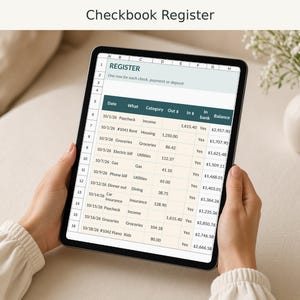
Digital download
Checkbook Register Spreadsheet with Running Balance, Bank Reconciliation and Printable Check Log
$4.99
-

Digital download
Medical Records Organizer Spreadsheet, Family Health Records, Doctor Visit Log, Checkup Dates, Allergies
$6.99
-

Digital download
Mortgage Payoff Calculator Spreadsheet, Extra Payment Amortization Schedule, Interest Saved, Excel and Google Sheets
$8.99
-
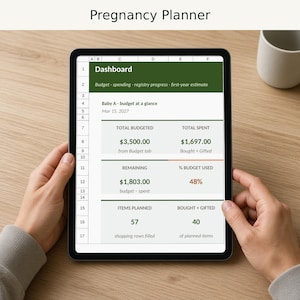
Digital download
Pregnancy Planner Spreadsheet, Baby Budget Tracker, Registry List, Trimester Checklist, Excel and Google Sheets
$7.99
-

Digital download
Paycheck Budget Planner Excel & Google Sheets Template Weekly Paycheck Budget Biweekly Paycheck Spreadsheet Bill Tracker Custom Budgeting
Sale Price $5.13
Original Price $10.26
-

Digital download
Budget by Paycheck Template - Excel Spreadsheet, Personal Finance Planner, College Budget, Expense Income Tracker, Paycheck to paycheck
$5.50
-
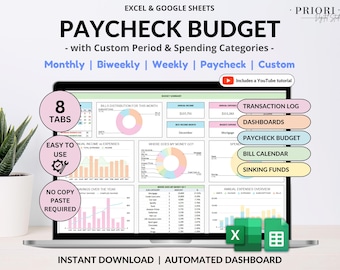
Digital download
Paycheck Budget Spreadsheet Google Sheets & Excel Template Weekly Paycheck Budget Biweekly Paycheck Planner Bill Tracker Custom Budgeting
Sale Price $4.40
Original Price $8.80
-

Digital download
Ultimate Budget By Paycheck Google Sheets Spreadsheet Excel Monthly Budget Paycheck Budgeting Paycheck Expense Tracker Financial Planner
$6.67
-

Digital download
Paycheck Budget Planner Excel & Google Sheets Template Weekly Paycheck Budget Biweekly Paycheck Spreadsheet Bill Tracker Custom Budgeting
Sale Price $5.13
Original Price $10.26
-
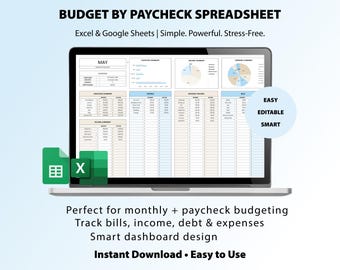
Digital download
Budget by Paycheck Spreadsheet | Excel & Google Sheets Budget Template | Monthly Budget Planner | Smart Calendar | Transaction Log
Sale Price $4.15
Original Price $5.53
-

Digital download
Ultimate Budget By Paycheck Google Sheets Spreadsheet Excel Monthly Budget Paycheck Budgeting Paycheck Expense Tracker Financial Planner
$6.67
-
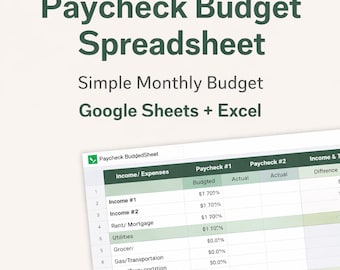
Digital download
Bi-Weekly Paycheck Budget Spreadsheet | Google Sheets Monthly Planner (Digital Download)
$9.99
-

Digital download
Ultimate Paycheck Budget Spreadsheet Google Sheets Biweekly Budget Template Weekly Paycheck Budgeting Debt Snowball Planner Savings Tracker
$8.40
-

Digital download
Paycheck Budget Spreadsheet, Budget by Paycheck Excel, Monthly Budget Spreadsheet, Paycheck Expense Tracker, Financial Planner
Sale Price $2.10
Original Price $6.00
-

Digital download
Excel Paycheck Budget Spreadsheet Google Sheets Budget Template, Paycheck by Paycheck Budget Planner Excel, Personal Budget Finance Tracker
Sale Price $6.30
Original Price $9.00
-
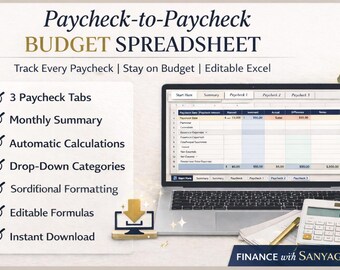
Digital download
Paycheck to Paycheck Budget Spreadsheet | 3 Paycheck Budget | Planner | Monthly Budget & Expense Tracker | Instant Download
$8.90
Shoppers with similar taste loved these
-

Digital download
Habit Tracker Spreadsheet Google Sheets Excel Daily Habit Planner Weekly Goal Planner Digital Routine Dashboard Habit To Do List Template
Sale Price $0.92
Original Price $1.83
-

Digital download
Christmas Gift Tracker Spreadsheet Google Sheet Excel Christmas Budget Tracker Holiday Gift List Spending Tracker Holiday Planning Checklist
Sale Price $1.10
Original Price $2.20
-

Digital download
Budget Planner Monthly Budget Spreadsheet Google Sheets Excel Weekly Paycheck Budget Template Biweekly Budgeting by Paycheck Expense Tracker
Sale Price $1.76
Original Price $3.52
-
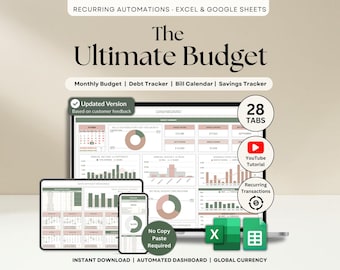
Digital download
Ultimate Annual Budget Spreadsheet Excel Google Sheets Budget Template Monthly Budget Tracker Financial Planner Bill Tracker Debt Tracker
Sale Price $10.26
Original Price $20.53
-

Digital download
Goal Planner Google Sheets Dark Mode Goal Tracker Excel Spreadsheet Goal Setting Planner Visual Board 2026 New Year’s Resolution Tracker
Sale Price $0.92
Original Price $1.83
-

Digital download
Event Planner Spreadsheet Party Planning Spreadsheet Google Sheets Excel Budget Tracker Bridal Shower Organizer Baby Shower Planner Template
Sale Price $5.87
Original Price $11.73
-
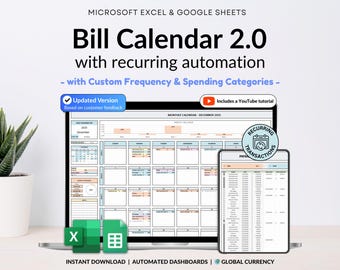
Digital download
Bill Tracker Spreadsheet Google Sheets Excel Bill Calendar Monthly Smart Bill Planner Editable 2026 Calendar Budget Calendar Budget Tracker
Sale Price $2.57
Original Price $5.13
-

Digital download
Honeymoon Travel Planner Google Sheets Excel Holiday Organizer Travel Budget Spreadsheet Travel Itinerary Vacation Planner Packing List
Sale Price $8.34
Original Price $16.68
-

Digital download
Life Planner Template Google Sheets Budget Tracker Excel ADHD Daily Planner Habit Tracker Digital Monthly Calendar 2026 Weekly Time Blocking
Sale Price $7.33
Original Price $14.66
-

Digital download
Digital iPad Planner 2025 2026 ADHD Daily Planner Weekly Planner for Android Goodnotes Notability Notebook Apple Google Calendar Integration
Sale Price $3.67
Original Price $7.33
-

Digital download
Task Tracker Spreadsheet Template Task Management Google Sheets To-Do List Productivity Organizer Work Organization ADHD Daily Task Manager
Sale Price $7.33
Original Price $14.66
-

Digital download
Bill Tracker Spreadsheet Dark Mode Google Sheets Excel Bill Calendar Monthly Smart Bill Planner Editable Calendar Personal Finance Budget
Sale Price $2.57
Original Price $5.13


