


Preventive Maintenance Excel Planner, PM Schedule Template, Annual Plan, Overdue Alerts, Technician Workload Dashboard
Item highlights
Seller's description
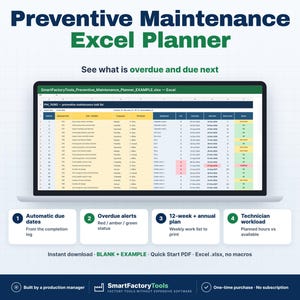
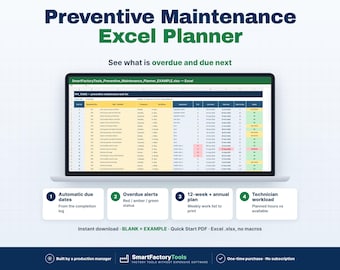
Log what was done — Excel calculates every next due date and shows what is overdue, what is due this week, who has too much work and your PM compliance %.
✔ Next due dates calculated from the completion log
✔ Overdue alerts with red / amber / green status
✔ 12-week and annual plan, weekly work list to print
✔ Instant download: BLANK + EXAMPLE · Quick Start PDF
✔ Built by a production manager · one-time purchase, no subscription, no macros
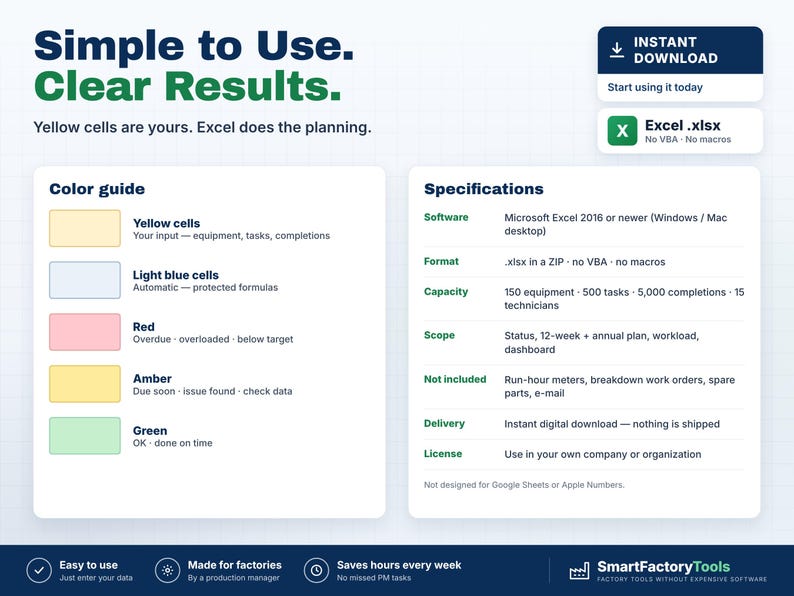
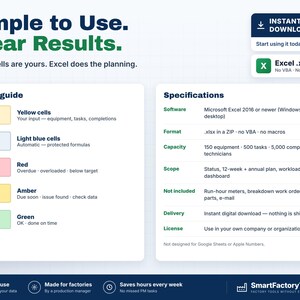
▶ REQUIRES MICROSOFT EXCEL (DESKTOP) 2016 OR NEWER — Windows or Mac.
Not for Google Sheets, Apple Numbers or mobile apps.
The SmartFactoryTools Preventive Maintenance Planner is made for small and mid-size plants that plan maintenance without a CMMS. Stop keeping PM in paper lists and calendars: list your equipment and tasks once, log each completion — and the plan, the overdue list and the audit records update themselves.
No macros. No subscription. Built by a production manager who works in an audited food plant.
━━━━━━━━━━━━━━━━━━
WHAT IT DOES
━━━━━━━━━━━━━━━━━━
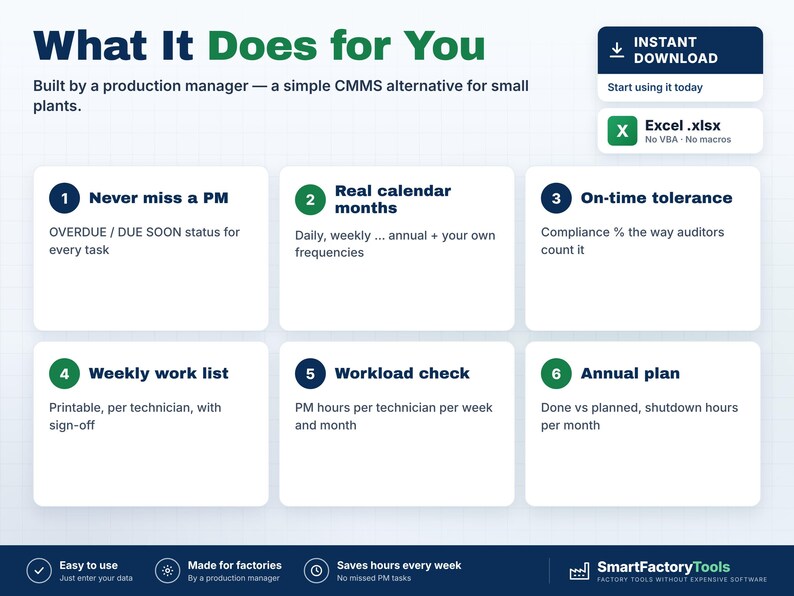
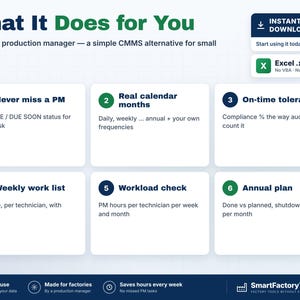
• Next due date for every task = last completion + frequency (calendar months for monthly, quarterly, annual)
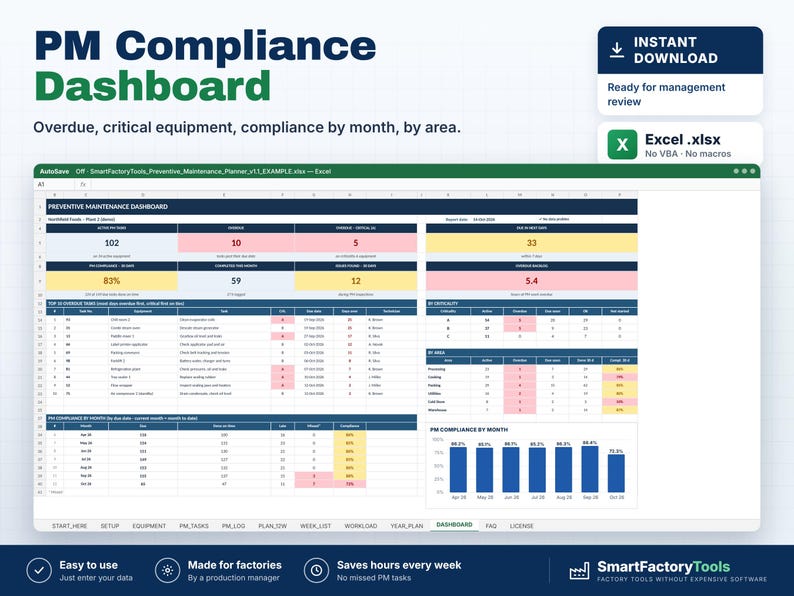
• Status for every task: OVERDUE · DUE SOON · OK — overdue tasks on critical (A) equipment counted separately
• Ready-made frequencies (Daily, Weekly, 2-Weekly, Monthly, 2-Monthly, Quarterly, 6-Monthly, Annual) + up to 15 of your own
• Tolerance days per frequency — completions inside the tolerance count as "on time"
• Equipment register with your own machine numbers (e.g. from your ERP), area, criticality A / B / C
• Automatic Task No. — technicians log completions by number
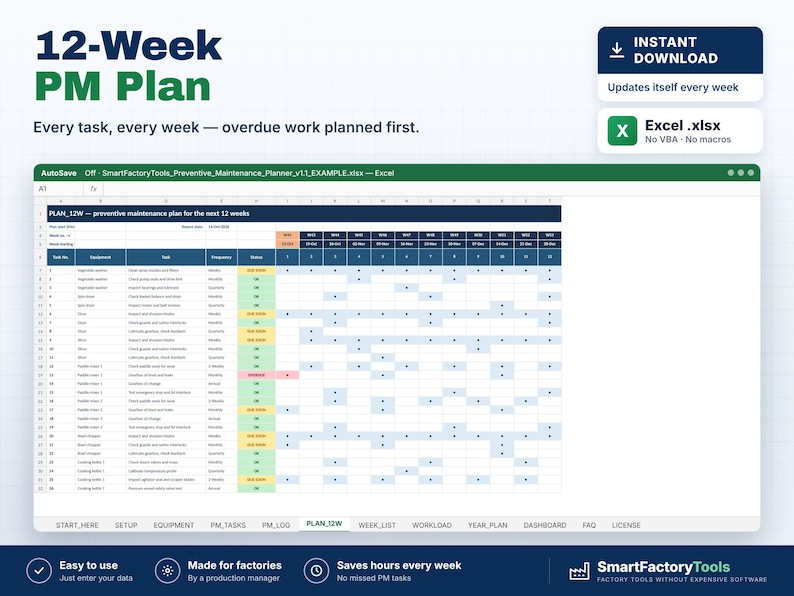
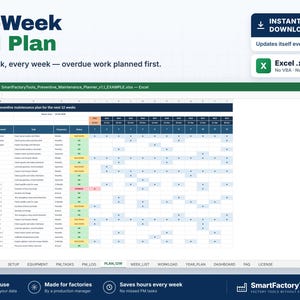
• PLAN_12W: every task over the next 12 weeks, overdue work planned first
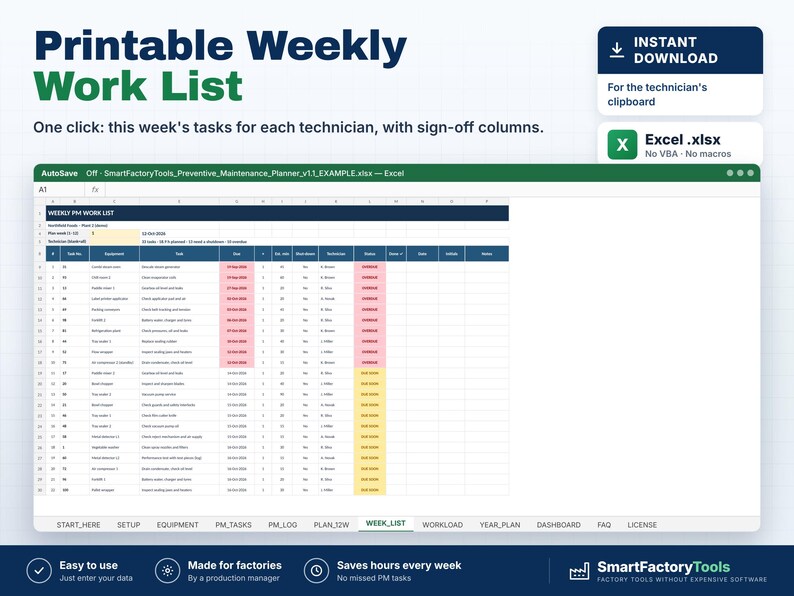
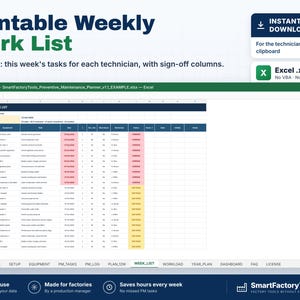
• WEEK_LIST: printable weekly work list per technician with Done / Date / Initials / Notes columns
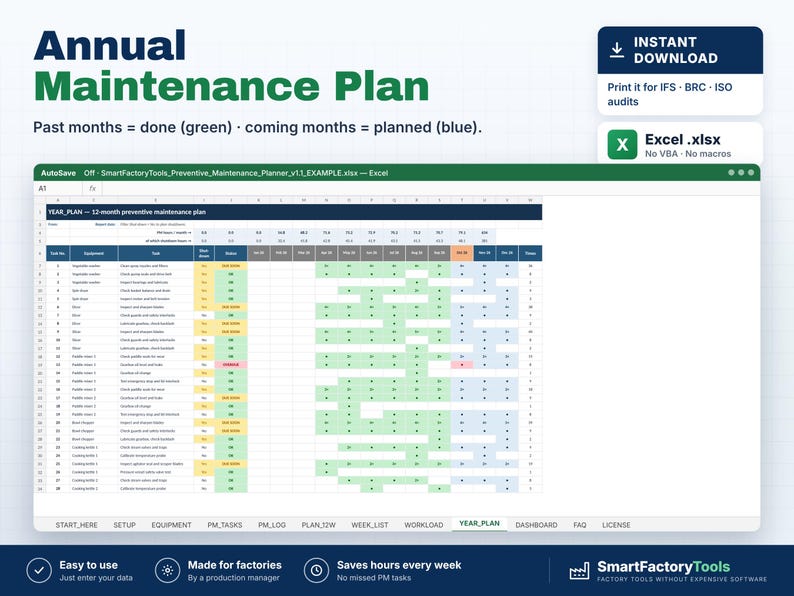
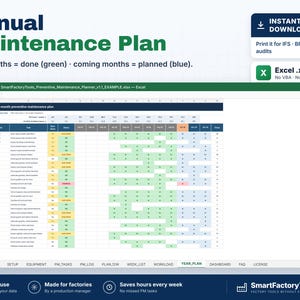
• YEAR_PLAN: annual maintenance plan — past months show what was done, coming months what is planned, PM hours and shutdown hours per month (filter tasks that need a shutdown)
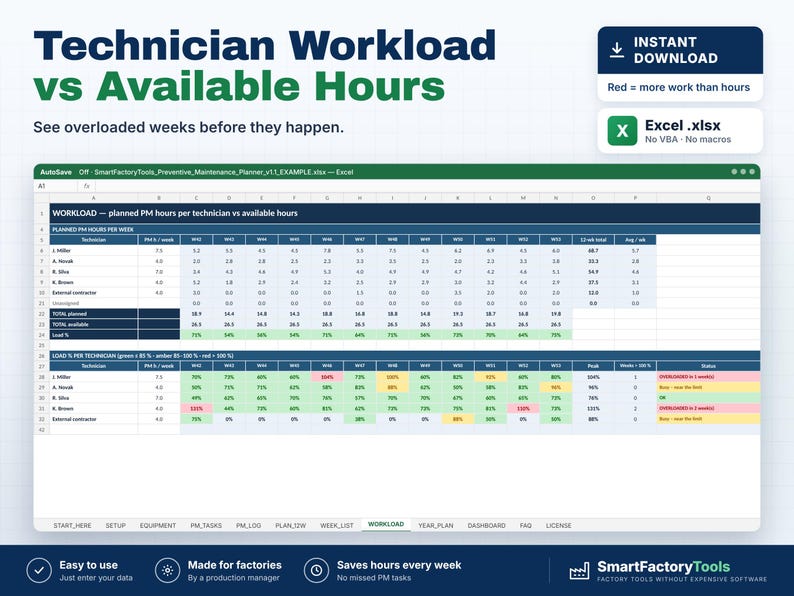
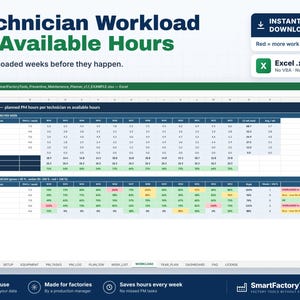
• WORKLOAD: planned PM hours per technician per week and per month vs available hours — overloaded weeks in red
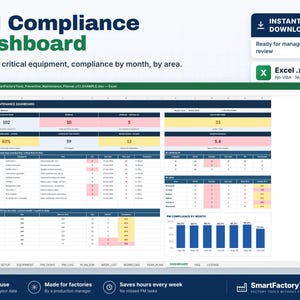
• DASHBOARD: overdue, due soon, PM compliance (30 days and by month), top 10 overdue tasks, by area and criticality, issues found
• "Not done" results with a reason (e.g. no shutdown window) — kept as a record, task stays overdue
• Data checks: unknown equipment, invalid frequency, missing first due date, unknown task numbers, future dates
━━━━━━━━━━━━━━━━━━
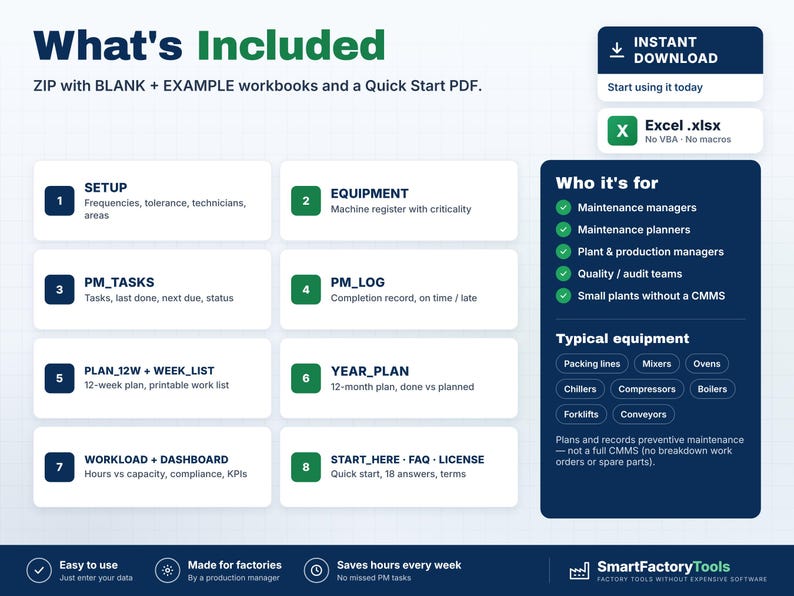
WHAT'S INCLUDED (ZIP)
━━━━━━━━━━━━━━━━━━
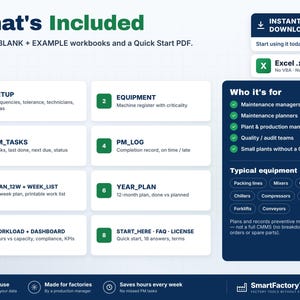
• BLANK workbook — ready for your plant
• EXAMPLE workbook — fictional food plant: 35 machines, 104 PM tasks, 6 months of completion history
• Quick Start Guide (PDF, 2 pages)
Sheets: START_HERE · SETUP · EQUIPMENT · PM_TASKS · PM_LOG · PLAN_12W · WEEK_LIST · WORKLOAD · YEAR_PLAN · DASHBOARD · FAQ · LICENSE
━━━━━━━━━━━━━━━━━━
HOW IT WORKS
━━━━━━━━━━━━━━━━━━
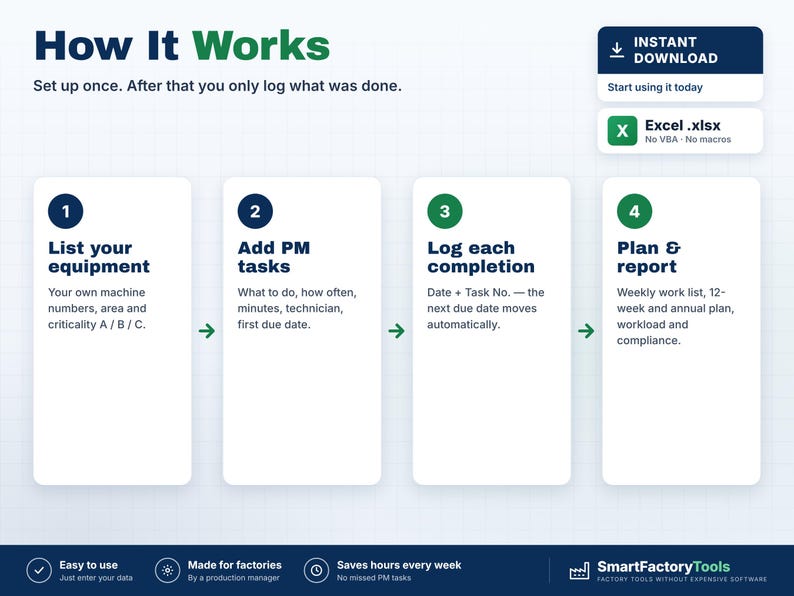
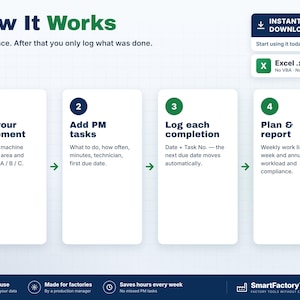
1. List your equipment and technicians (with their PM hours per week)
2. Add PM tasks: what to do, how often, minutes, technician, first due date
3. Print the weekly work list — technicians tick off the tasks
4. Log each completion (date + Task No.) — next due dates, plans and dashboard update instantly
Due dates are never typed by hand — so they can't drift or be forgotten.
━━━━━━━━━━━━━━━━━━
WHO IT'S FOR
━━━━━━━━━━━━━━━━━━
Maintenance managers and planners · Plant and production managers · Engineering teams · Quality and audit teams (IFS, BRC, FSSC, ISO — planned maintenance records) · Food, packaging, plastics, metal and assembly plants · Any site without a CMMS.
━━━━━━━━━━━━━━━━━━
LIMITS
━━━━━━━━━━━━━━━━━━
• Calendar-based preventive maintenance (days / months). Run-hour or meter-based triggers are not included (FAQ shows a workaround)
• Plans and records PM — it is not a full CMMS: no breakdown work orders, spare parts, costs or e-mail reminders
• Up to 150 equipment · 500 PM tasks · 5,000 completion records · 15 technicians
• Fully editable inputs. Need it set up with your data or adapted to your plant? See the Setup & Customization section in our shop.
━━━━━━━━━━━━━━━━━━
FAQ
━━━━━━━━━━━━━━━━━━
Q: Does it work in Google Sheets or on an iPad?
A: No. It is built and tested for Microsoft Excel 2016 or newer on Windows or Mac desktop.
Q: A task was done late — what happens?
A: The completion is marked "Late" and the next due date is counted from the day it was actually done.
Q: Do I need a new file every year?
A: No. One file runs continuously; the plans always look ahead from today. A yearly archive copy is optional (explained in the FAQ sheet).
Q: Can I use our own machine numbers?
A: Yes — numbers or text, e.g. the asset numbers from your ERP.
Q: Is the file locked?
A: Formulas are protected against accidental changes, without a password. Your input cells are always editable.
━━━━━━━━━━━━━━━━━━
DIGITAL DOWNLOAD
━━━━━━━━━━━━━━━━━━
This is a digital product. No physical item will be shipped. After purchase, download the ZIP from your Etsy account on a computer, unzip it and open the workbook in Excel.
━━━━━━━━━━━━━━━━━━
LICENSE
━━━━━━━━━━━━━━━━━━
For use within your own company or organisation. Resale, sharing or redistribution of the template is not permitted.
© SmartFactoryTools
If something goes wrong with an order, we've got your back for all eligible purchases. View program terms
Price:$23.44
You can only make an offer when buying a single item
Delivery
Instant download
Your files will be available to download once payment is confirmed. Here's how.
Instant download items don't accept returns, exchanges or cancellations. Please contact the seller about any problems with your order.
Seller's description
Specifications
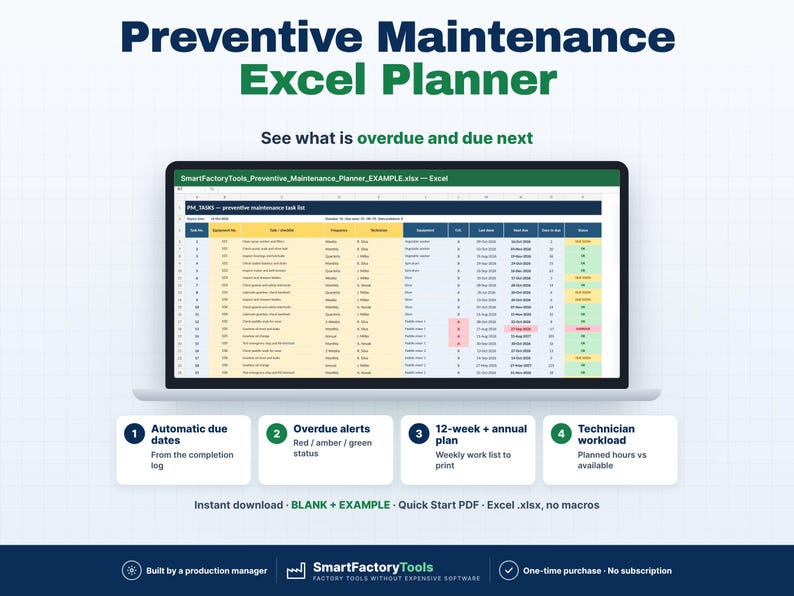
Log what was done — Excel calculates every next due date and shows what is overdue, what is due this week, who has too much work and your PM compliance %.
✔ Next due dates calculated from the completion log
✔ Overdue alerts with red / amber / green status
✔ 12-week and annual plan, weekly work list to print
✔ Instant download: BLANK + EXAMPLE · Quick Start PDF
✔ Built by a production manager · one-time purchase, no subscription, no macros
▶ REQUIRES MICROSOFT EXCEL (DESKTOP) 2016 OR NEWER — Windows or Mac.
Not for Google Sheets, Apple Numbers or mobile apps.
The SmartFactoryTools Preventive Maintenance Planner is made for small and mid-size plants that plan maintenance without a CMMS. Stop keeping PM in paper lists and calendars: list your equipment and tasks once, log each completion — and the plan, the overdue list and the audit records update themselves.
No macros. No subscription. Built by a production manager who works in an audited food plant.
━━━━━━━━━━━━━━━━━━
WHAT IT DOES
━━━━━━━━━━━━━━━━━━
• Next due date for every task = last completion + frequency (calendar months for monthly, quarterly, annual)
• Status for every task: OVERDUE · DUE SOON · OK — overdue tasks on critical (A) equipment counted separately
• Ready-made frequencies (Daily, Weekly, 2-Weekly, Monthly, 2-Monthly, Quarterly, 6-Monthly, Annual) + up to 15 of your own
• Tolerance days per frequency — completions inside the tolerance count as "on time"
• Equipment register with your own machine numbers (e.g. from your ERP), area, criticality A / B / C
• Automatic Task No. — technicians log completions by number
• PLAN_12W: every task over the next 12 weeks, overdue work planned first
• WEEK_LIST: printable weekly work list per technician with Done / Date / Initials / Notes columns
• YEAR_PLAN: annual maintenance plan — past months show what was done, coming months what is planned, PM hours and shutdown hours per month (filter tasks that need a shutdown)
• WORKLOAD: planned PM hours per technician per week and per month vs available hours — overloaded weeks in red
• DASHBOARD: overdue, due soon, PM compliance (30 days and by month), top 10 overdue tasks, by area and criticality, issues found
• "Not done" results with a reason (e.g. no shutdown window) — kept as a record, task stays overdue
• Data checks: unknown equipment, invalid frequency, missing first due date, unknown task numbers, future dates
━━━━━━━━━━━━━━━━━━
WHAT'S INCLUDED (ZIP)
━━━━━━━━━━━━━━━━━━
• BLANK workbook — ready for your plant
• EXAMPLE workbook — fictional food plant: 35 machines, 104 PM tasks, 6 months of completion history
• Quick Start Guide (PDF, 2 pages)
Sheets: START_HERE · SETUP · EQUIPMENT · PM_TASKS · PM_LOG · PLAN_12W · WEEK_LIST · WORKLOAD · YEAR_PLAN · DASHBOARD · FAQ · LICENSE
━━━━━━━━━━━━━━━━━━
HOW IT WORKS
━━━━━━━━━━━━━━━━━━
1. List your equipment and technicians (with their PM hours per week)
2. Add PM tasks: what to do, how often, minutes, technician, first due date
3. Print the weekly work list — technicians tick off the tasks
4. Log each completion (date + Task No.) — next due dates, plans and dashboard update instantly
Due dates are never typed by hand — so they can't drift or be forgotten.
━━━━━━━━━━━━━━━━━━
WHO IT'S FOR
━━━━━━━━━━━━━━━━━━
Maintenance managers and planners · Plant and production managers · Engineering teams · Quality and audit teams (IFS, BRC, FSSC, ISO — planned maintenance records) · Food, packaging, plastics, metal and assembly plants · Any site without a CMMS.
━━━━━━━━━━━━━━━━━━
LIMITS
━━━━━━━━━━━━━━━━━━
• Calendar-based preventive maintenance (days / months). Run-hour or meter-based triggers are not included (FAQ shows a workaround)
• Plans and records PM — it is not a full CMMS: no breakdown work orders, spare parts, costs or e-mail reminders
• Up to 150 equipment · 500 PM tasks · 5,000 completion records · 15 technicians
• Fully editable inputs. Need it set up with your data or adapted to your plant? See the Setup & Customization section in our shop.
━━━━━━━━━━━━━━━━━━
FAQ
━━━━━━━━━━━━━━━━━━
Q: Does it work in Google Sheets or on an iPad?
A: No. It is built and tested for Microsoft Excel 2016 or newer on Windows or Mac desktop.
Q: A task was done late — what happens?
A: The completion is marked "Late" and the next due date is counted from the day it was actually done.
Q: Do I need a new file every year?
A: No. One file runs continuously; the plans always look ahead from today. A yearly archive copy is optional (explained in the FAQ sheet).
Q: Can I use our own machine numbers?
A: Yes — numbers or text, e.g. the asset numbers from your ERP.
Q: Is the file locked?
A: Formulas are protected against accidental changes, without a password. Your input cells are always editable.
━━━━━━━━━━━━━━━━━━
DIGITAL DOWNLOAD
━━━━━━━━━━━━━━━━━━
This is a digital product. No physical item will be shipped. After purchase, download the ZIP from your Etsy account on a computer, unzip it and open the workbook in Excel.
━━━━━━━━━━━━━━━━━━
LICENSE
━━━━━━━━━━━━━━━━━━
For use within your own company or organisation. Resale, sharing or redistribution of the template is not permitted.
© SmartFactoryTools
-
Designed by
-
Item typeDigital download
-
Digital file type(s)1 ZIP
If something goes wrong with an order, we've got your back on all eligible purchases. View program terms
Meet your seller

More from this shop
-
Digital download
Production KPI Dashboard Excel Template, Monthly SQDCP Scorecard, Plant Performance Report, Line Heat Map
$17.58
-
Digital download
Root Cause Analysis Excel, 5 Why, Fishbone Diagram, Ishikawa 6M, RCA Problem Solving Tracker
$15.23
-
Digital download
Takt Time Calculator Excel, Line Balancing Template, Yamazumi Chart, Bottleneck & Operator Planning, Lean Tool
$9.37
-
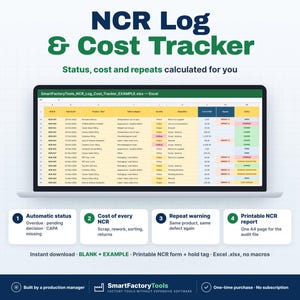
Digital download
Non Conformance Report Excel Template, NCR Log, Defect Tracker, Scrap Rework Cost, Printable Form
$11.72
-
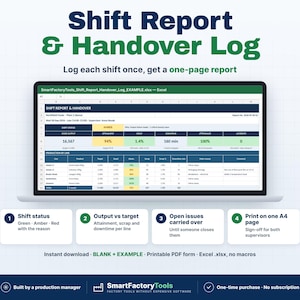
Digital download
Shift Report Template Excel, Production Handover Log, Supervisor Daily Summary, Issue Tracker, Printable PDF
$11.72
-
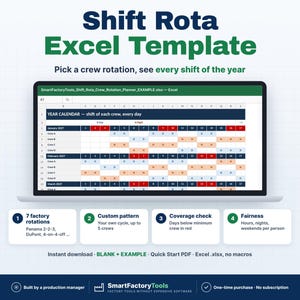
Digital download
Shift Schedule Excel Template, 12 Hour Crew Rotation Planner, Panama DuPont Rota, Coverage Check
$23.44
 This listing
Preventive Maintenance Excel Planner, PM Schedule Template, Annual Plan, Overdue Alerts, Technician Workload Dashboard
Sale Price $17.58
Original Price $23.44
25% off "buy together" offer
Digital Download
-
Digital download
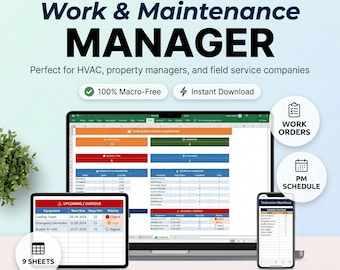
Maintenance Work Order Manager | Preventive Schedule, Equipment Log and Service Dashboard | Excel Spreadsheet
Sale Price $14.99
Original Price $29.99
-
Digital download
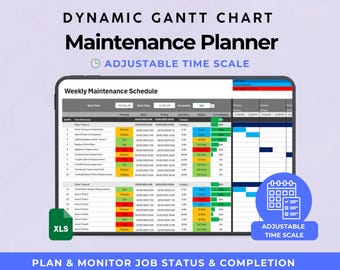
Maintenance Schedule | Track Progress and Completion via Dynamic Gantt Chart
Sale Price $9.55
Original Price $14.70
-
Digital download
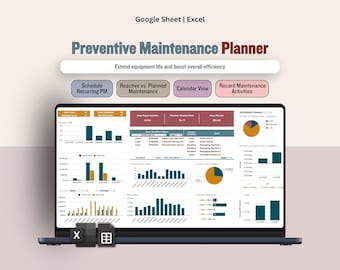
Maintenance Planner, Recurring Task Scheduling Planner, Maintenance Cost Tracker, Maintenance Management Dashboard (Excel & Google Sheets)
Sale Price $11.43
Original Price $17.58
-
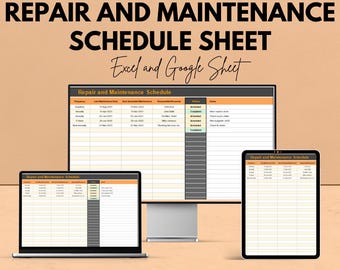
Digital download
Repair and Maintenance Schedule Sheet | Excel and Google Sheets Template | Task Planning, Equipment Maintenance & Resource Allocation |
Sale Price $5.82
Original Price $11.64
-
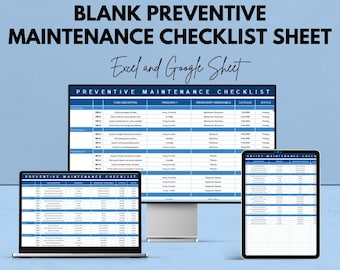
Digital download
Blank Preventive Maintenance Checklist Sheet for Excel & Google Sheets | Task Management Template | Preventive Maintenance Planner |
Sale Price $5.82
Original Price $11.64
-
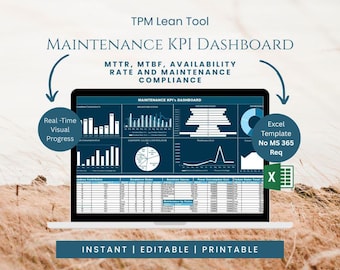
Digital download
Maintenance KPI Dashboard Excel | Preventive Maintenance Metrics and Breakdown Analysis Tool
Sale Price $14.00
Original Price $20.00
-
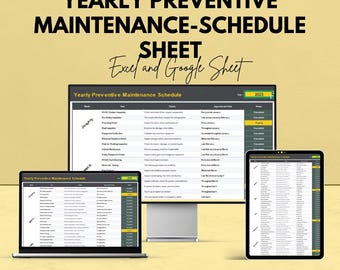
Digital download
Yearly Preventive Maintenance Schedule | Excel & Google Sheets Template | Equipment Maintenance Log | Printable Planner
Sale Price $5.82
Original Price $11.64
-
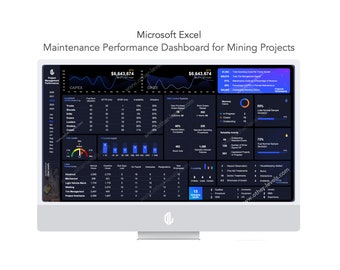
Digital download
Maintenance Dashboard Excel Template | Equipment Maintenance Tracker, Downtime and KPI Report for Mining
Sale Price $17.49
Original Price $24.99
-
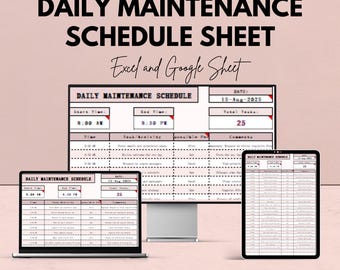
Digital download
Daily Maintenance Schedule Template | Excel & Google Sheets | 50% OFF
Sale Price $5.82
Original Price $11.64
-
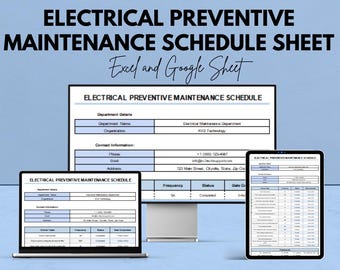
Digital download
Electrical Preventive Maintenance Schedule Sheet | Excel & Google Sheet Template for Equipment Maintenance
Sale Price $5.82
Original Price $11.64
-
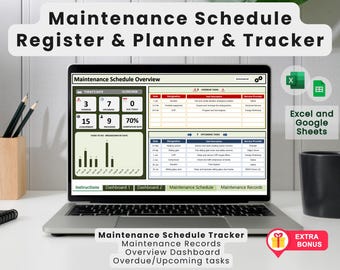
Digital download
Maintenance Schedule Register Excel Template: Maintenance Planner, Maintenance Tracker, Maintenance Cost. Bonus calibration register
Sale Price $13.13
Original Price $18.76
-
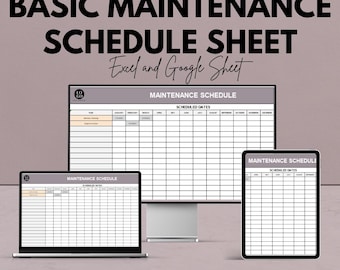
Digital download
Basic Maintenance Schedule Template | Excel and Google Sheets | Task Scheduling & Efficiency Improvement
Sale Price $5.82
Original Price $11.64
Shoppers with similar taste loved these
-
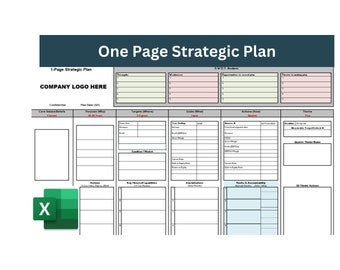
Digital download
One Page Strategic Plan, Strategic Plan, Business Plan, One page business plan, Business strategy template, strategic plan template
$5.04
-
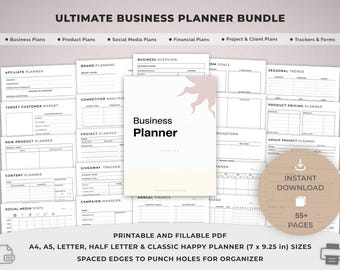
Digital download
Printable Business Planner Bundle, Small Business, Product and Social media Templates, Finance, Client, Project, Affiliate, Trackers.
Sale Price $2.70
Original Price $5.99
-
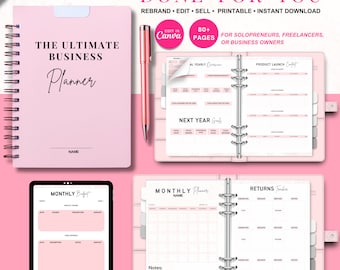
Digital download
Ultimate Business Planner Bundle | Small Business Planner, Canva Templates & Resell Rights, Passive Income, Printable Planner, Business Plan
Sale Price $5.50
Original Price $11.02
-

Digital download
Small Business Goal Planning Workbook: Canva Templates + PDF Guide
$11.02
-

Digital download
Small Business Planner Printable | Business Planner PDF | Entrepreneur Planner | Business Binder | Business Bundle | Home Business Planner
$28.00
-

Digital download
Digital Business Planner, Small Business Planner, Content Planner, Social Media Planner, Business Template, Side Hustle Planner, Goodnotes
Sale Price $0.99
Original Price $3.96
-
Digital download
Digital Business Planner, Business Template, Small Business Planner, Content Planner, Social Media Planner, Side Hustle Planner, Goodnotes
Sale Price $0.99
Original Price $3.96
-
Digital download
Multiple Meeting Notes Tracker Template for Google Sheets & Excel | Meeting Minutes | Meeting Agendas | 1-on-1 Reviews | Project Meeting
Sale Price $4.97
Original Price $9.94
-
Digital download
Recurring Meeting Template | Minutes, Agenda & Action Itemlist Tracker | Google Sheets
Sale Price $13.47
Original Price $24.50
-
Digital download
Team Meeting Toolkit | Agenda, Action Tracker, Alignment Planner (10 Templates)
Sale Price $7.49
Original Price $14.99
-
Digital download
Sales Manager Toolkit | 1:1 Meeting Templates | Coaching Framework | Performance Review | Team Meeting Agenda | GROW Model
Sale Price $9.37
Original Price $12.49
-
Digital download
1:1 Meeting Template Bundle | First Time Manager Toolkit | Employee Development Planner | Coaching & Performance Review Templates | Editable
$13.98
