


Zero Based Budget Spreadsheet, Monthly Budget Planner, Expense Tracker and Sinking Funds, Excel and Google Sheets
Item highlights
Seller's description
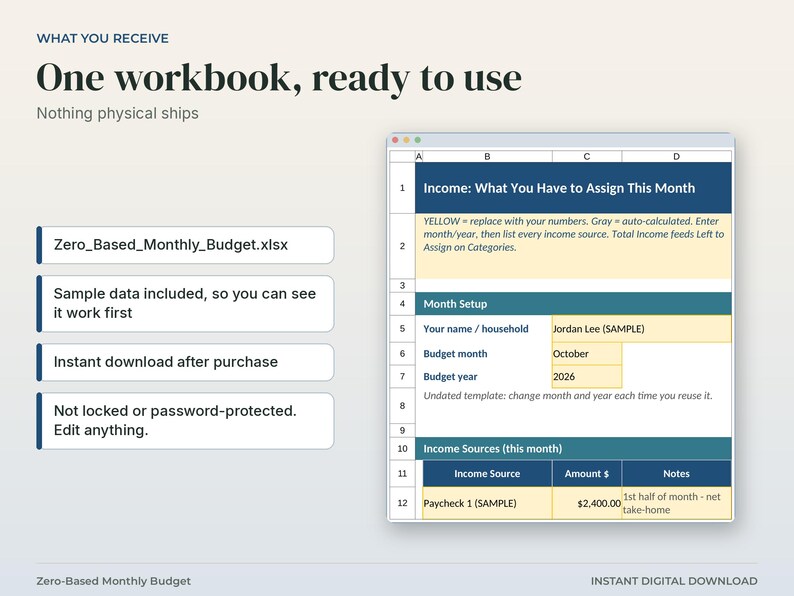
Instant digital download: zero based budget spreadsheet. You get 1 .xlsx file with sample data. Nothing physical ships.
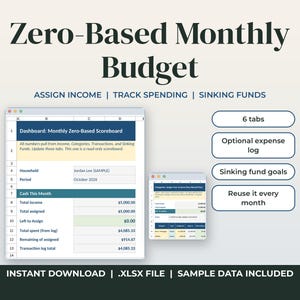
Plan your whole paycheck before the month starts. This zero-based monthly budget spreadsheet helps you assign your whole month's income to categories until Left to Assign hits $0, then track what you actually spend.
It's meant to be a simple monthly system, with no finance lecture. Sample numbers are already filled in (including a fully assigned $0 Left to Assign demo) so you can see how it works the moment you open it. Then swap the yellow cells for your numbers. Reuse it every month. Just change the month and year.
WHAT YOU GET
One Excel workbook (.xlsx) that also opens in Google Sheets:
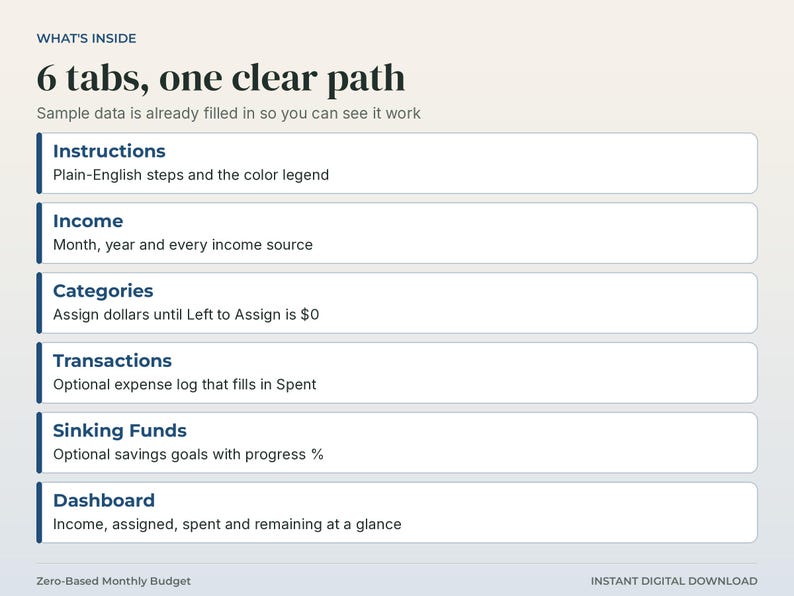
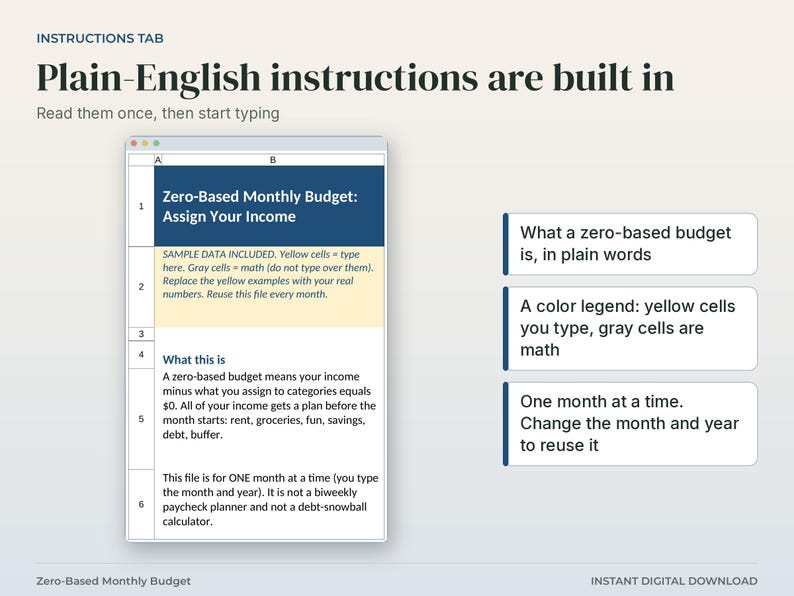
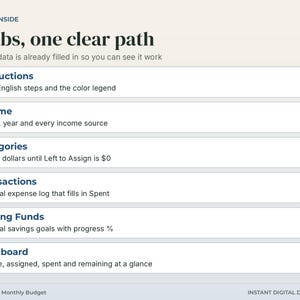
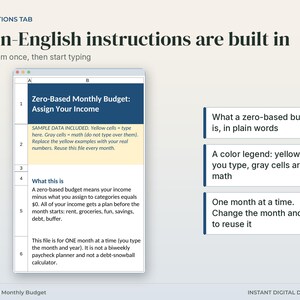
- Instructions: plain English, color legend, 5 simple steps
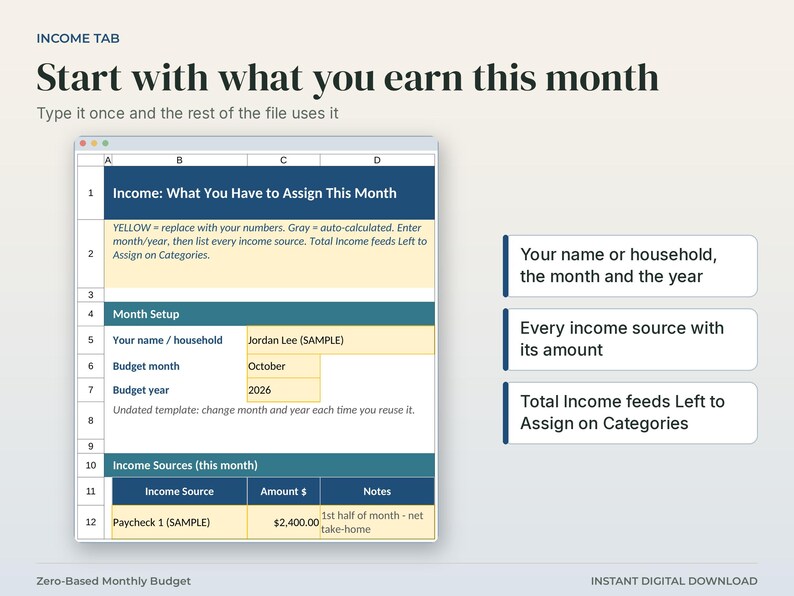
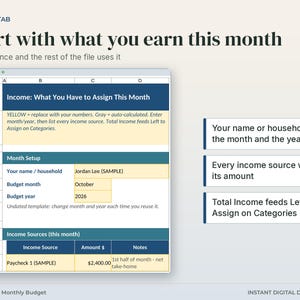
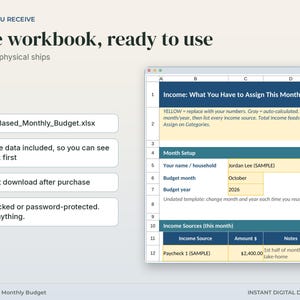
- Income: month/year, multiple income sources, Total Income
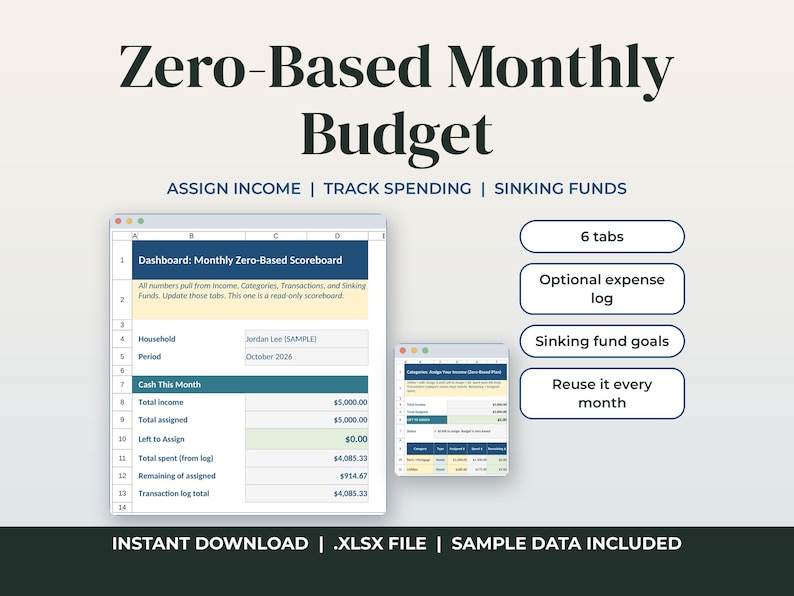
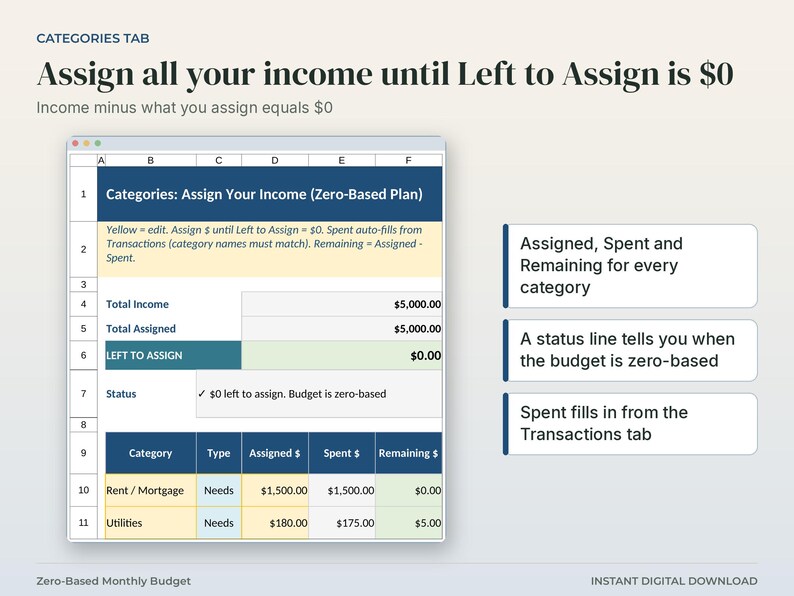
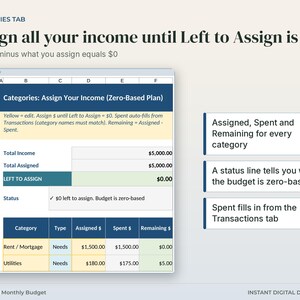
- Categories: Assigned / Spent / Remaining with Left to Assign (the core zero-based number)
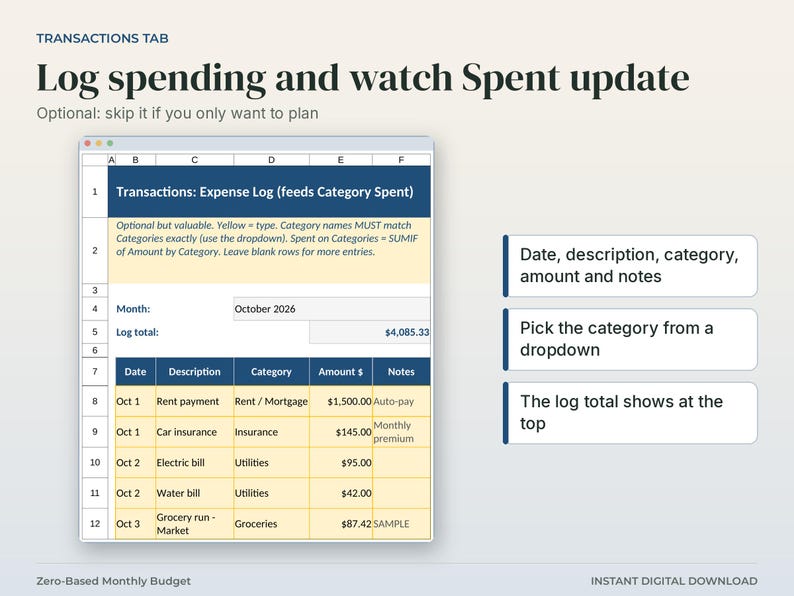
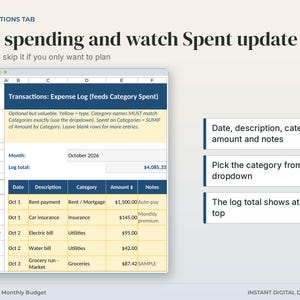
- Transactions: optional expense log that auto-fills Category Spent
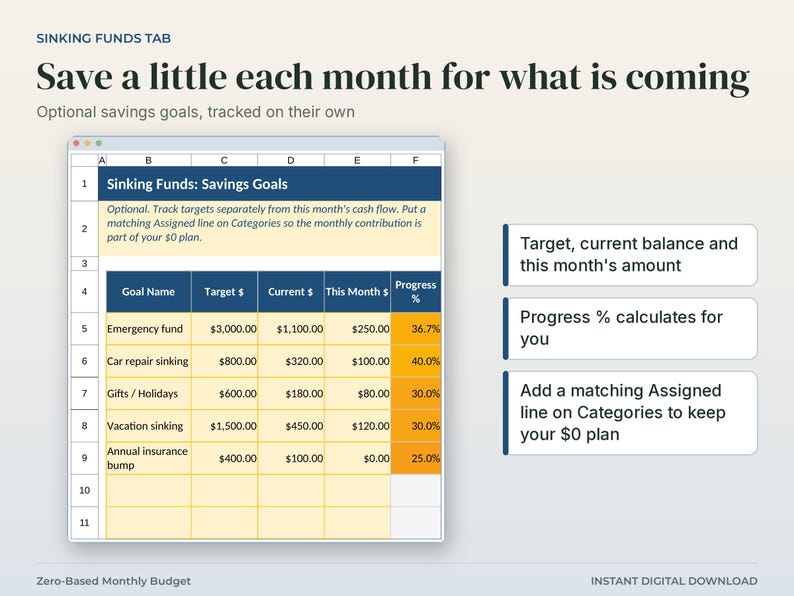
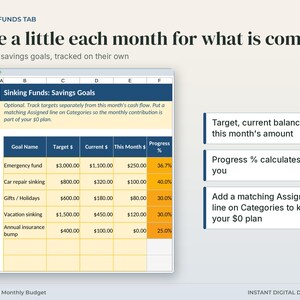
- Sinking Funds: optional savings goals (target, current, progress)
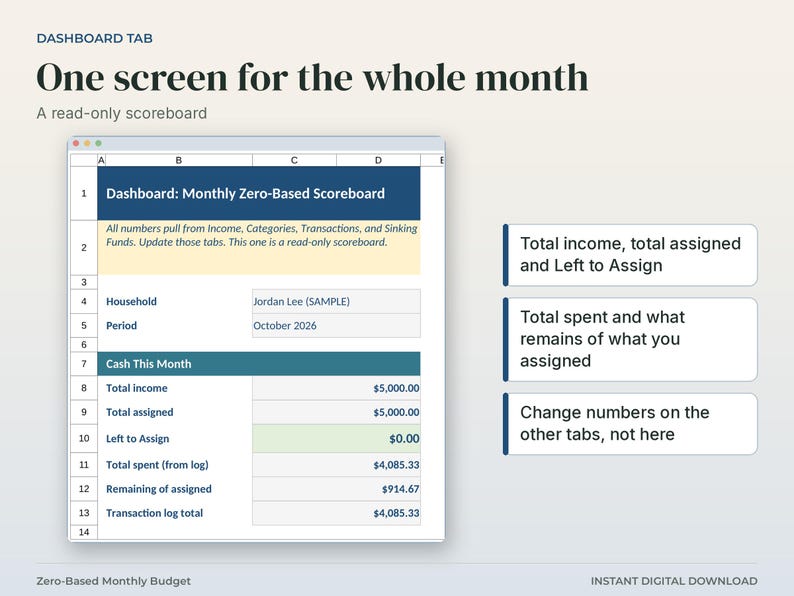
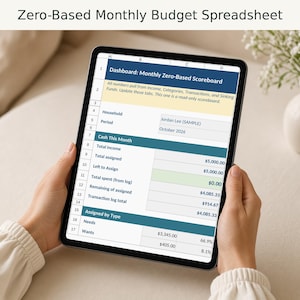
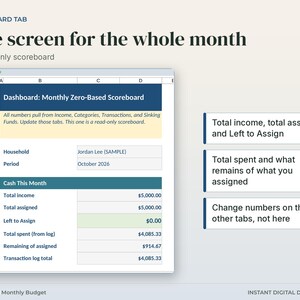
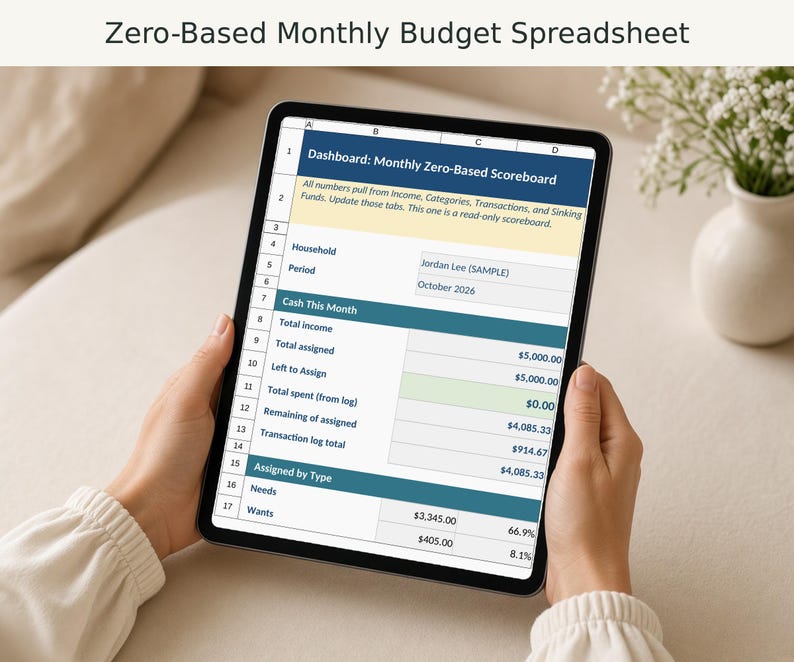
- Dashboard: income, assigned, Left to Assign, spent, remaining, status line, pie chart
Sample data included so you can see how it works the moment you open it.
YELLOW VS GRAY CELLS
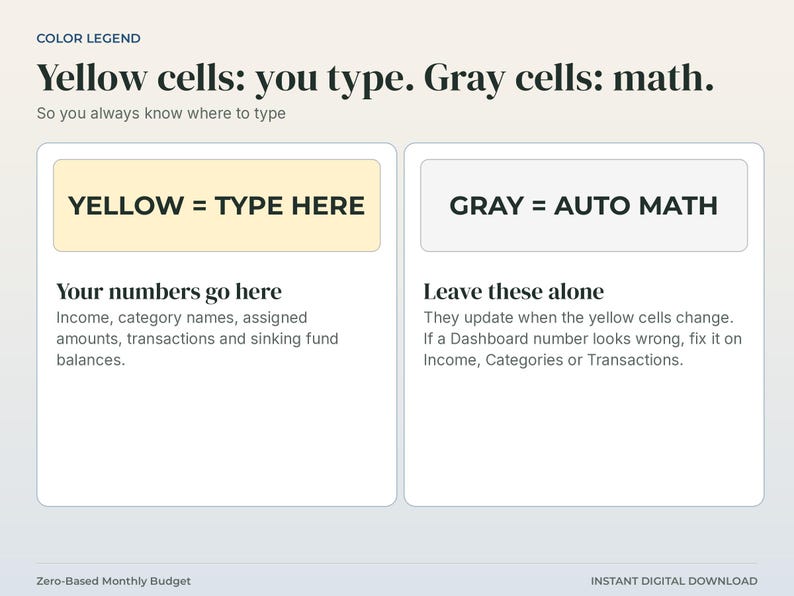
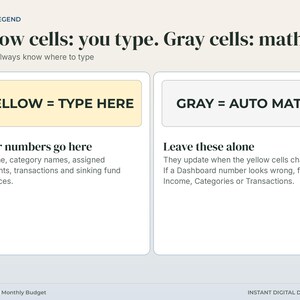
- YELLOW cells = type here (income, category names, Assigned amounts, transactions, sinking balances)
- GRAY cells = auto math (do not type over them. They update when yellow cells change)
If a number on the Dashboard looks wrong, fix it on Income, Categories, or Transactions. The Dashboard is a scoreboard only.
HOW ZERO-BASED WORKS
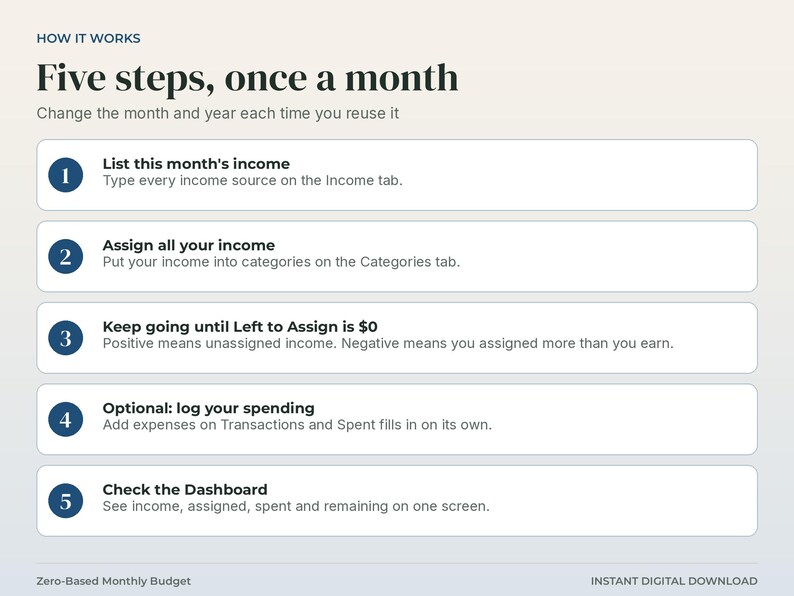
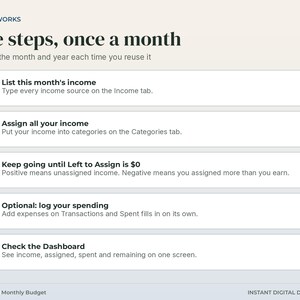
1. List this month's income
2. Assign all of your income to a category (Needs, Wants, Savings, Debt, buffer)
3. Keep going until Left to Assign = $0
4. Optional: log spending on Transactions. Spent updates automatically
5. Check Dashboard for status
Positive Left to Assign means some income is still unassigned. Negative means you assigned more than you earn. Trim categories.
HOW TO OPEN
Excel:
1. Download the .xlsx after purchase
2. Open it in Microsoft Excel
Google Sheets:
1. Upload the .xlsx to Google Drive
2. Right-click, Open with, Google Sheets
Formulas use everyday functions so they work in both Excel and Sheets. If the pie chart is missing after a Sheets import, select the Needs, Wants, Savings, and Debt numbers on the Dashboard, then Insert, Chart, Pie.
DIGITAL DOWNLOAD
This is a digital product. After purchase you get an instant download of the .xlsx file. No physical item will be shipped.
Colors and fonts may look slightly different between Excel and Google Sheets. That is normal.
WHAT THIS IS NOT
- Not financial, tax, or legal advice
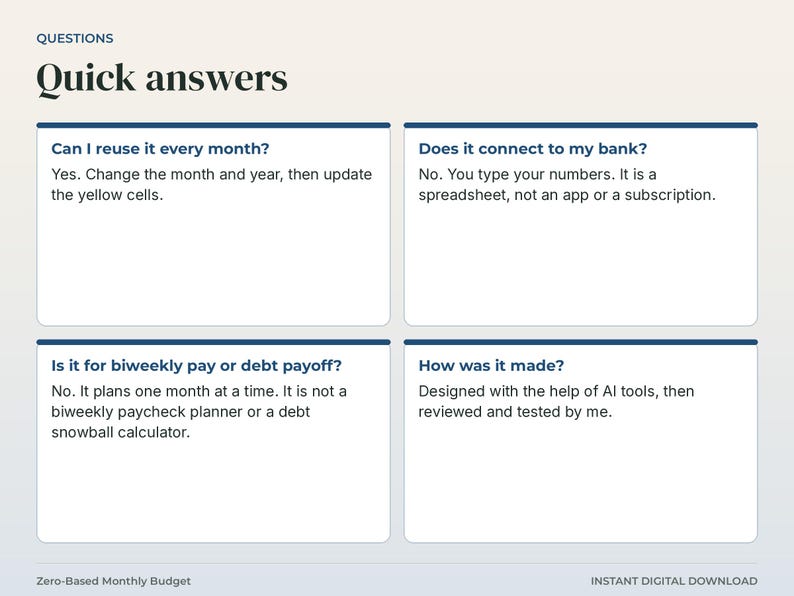
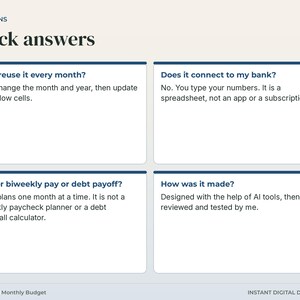
- Not a bank connection, app, or subscription. It is a spreadsheet you own and edit
- Not a guarantee you will save money or hit every goal. Your numbers drive the results
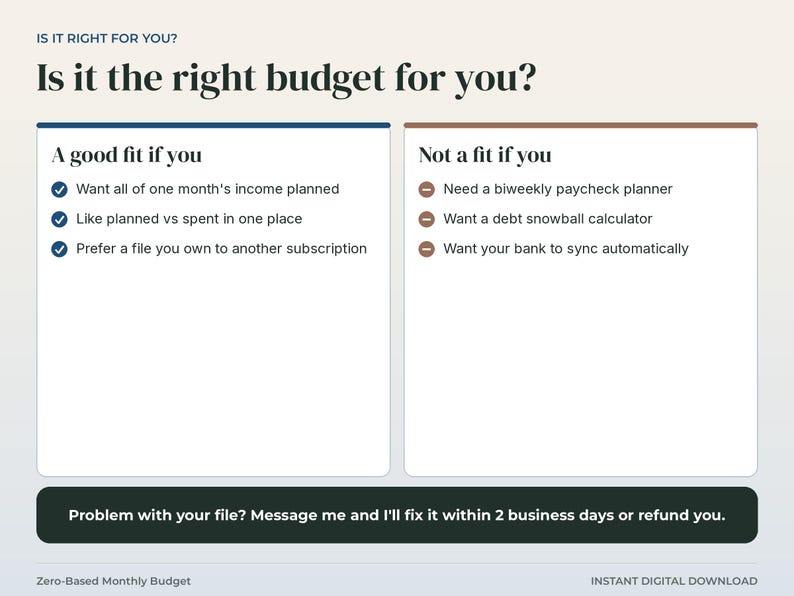
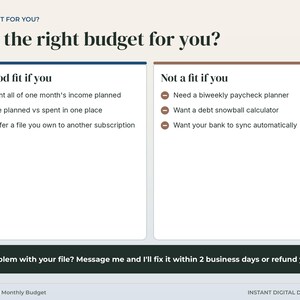
- Not a biweekly paycheck planner or full debt snowball calculator. This is a monthly zero-based assign system you can reuse any month
- Not locked or password-protected. You can edit everything
GOOD FIT IF YOU
- Want a monthly zero-based budget (all income assigned)
- Like Planned vs Spent in one place
- Prefer Excel or Google Sheets over another monthly subscription
- Want an optional expense log and sinking-fund tracker included
━━━━━━━━━━━━━━━━━━
ABOUT THE PHOTOS AND FILE
━━━━━━━━━━━━━━━━━━
PHOTOS: The listing photos are screenshots of the actual file's tabs (Instructions, Income, Categories, Transactions, Sinking Funds and Dashboard), placed in a simple layout with short captions. They are not mockups. The sample data in the photos is what you get in the file.
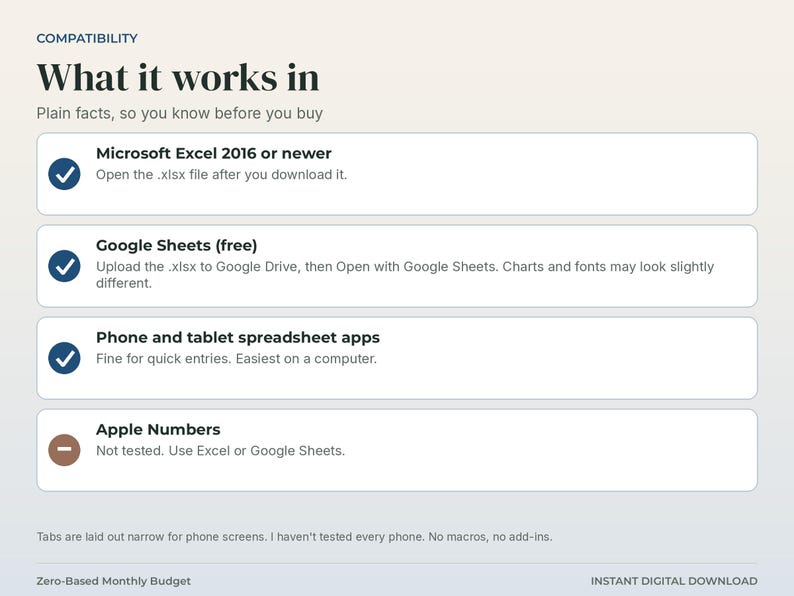
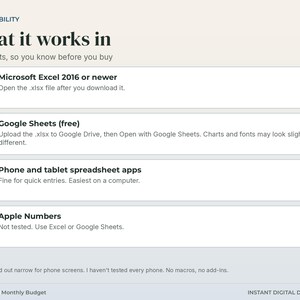
WORKS IN: Microsoft Excel 2016 or newer, and Google Sheets (upload the .xlsx to Google Drive, then Open with Google Sheets; charts and fonts may look slightly different). Apple Numbers: not tested. I laid the tabs out narrow for phone screens but have not tested every phone, so a computer is easiest.
NOT FOR biweekly paycheck planning, debt snowball payoff or automatic bank sync. It plans one month at a time and you type your own numbers.
━━━━━━━━━━━━━━━━━━
GOOD TO KNOW
━━━━━━━━━━━━━━━━━━
• Digital download: nothing physical ships. You get .xlsx file(s) for Microsoft Excel 2016 or newer, or free Google Sheets.
• Not financial advice. It helps you organize your own numbers.
• Results depend on the numbers you enter. Estimates are estimates.
• License: personal use in one household (or inside your own single business for business templates). Please don't share, resell, or upload the file.
• Problem with your file? Message me on Etsy and I'll fix it within 2 business days or refund you through Etsy.
Questions before or after purchase? Send a message. Happy to help you get the file open and the yellow cells filled in.
Designed with the help of AI tools, then reviewed and tested by me.
If something goes wrong with an order, we've got your back for all eligible purchases. View program terms
Price:$8.99
You can only make an offer when buying a single item
Delivery
Instant download
Your files will be available to download once payment is confirmed. Here's how.
Instant download items don't accept returns, exchanges or cancellations. Please contact the seller about any problems with your order.
Seller's description
Specifications
Instant digital download: zero based budget spreadsheet. You get 1 .xlsx file with sample data. Nothing physical ships.
Plan your whole paycheck before the month starts. This zero-based monthly budget spreadsheet helps you assign your whole month's income to categories until Left to Assign hits $0, then track what you actually spend.
It's meant to be a simple monthly system, with no finance lecture. Sample numbers are already filled in (including a fully assigned $0 Left to Assign demo) so you can see how it works the moment you open it. Then swap the yellow cells for your numbers. Reuse it every month. Just change the month and year.
WHAT YOU GET
One Excel workbook (.xlsx) that also opens in Google Sheets:
- Instructions: plain English, color legend, 5 simple steps
- Income: month/year, multiple income sources, Total Income
- Categories: Assigned / Spent / Remaining with Left to Assign (the core zero-based number)
- Transactions: optional expense log that auto-fills Category Spent
- Sinking Funds: optional savings goals (target, current, progress)
- Dashboard: income, assigned, Left to Assign, spent, remaining, status line, pie chart
Sample data included so you can see how it works the moment you open it.
YELLOW VS GRAY CELLS
- YELLOW cells = type here (income, category names, Assigned amounts, transactions, sinking balances)
- GRAY cells = auto math (do not type over them. They update when yellow cells change)
If a number on the Dashboard looks wrong, fix it on Income, Categories, or Transactions. The Dashboard is a scoreboard only.
HOW ZERO-BASED WORKS
1. List this month's income
2. Assign all of your income to a category (Needs, Wants, Savings, Debt, buffer)
3. Keep going until Left to Assign = $0
4. Optional: log spending on Transactions. Spent updates automatically
5. Check Dashboard for status
Positive Left to Assign means some income is still unassigned. Negative means you assigned more than you earn. Trim categories.
HOW TO OPEN
Excel:
1. Download the .xlsx after purchase
2. Open it in Microsoft Excel
Google Sheets:
1. Upload the .xlsx to Google Drive
2. Right-click, Open with, Google Sheets
Formulas use everyday functions so they work in both Excel and Sheets. If the pie chart is missing after a Sheets import, select the Needs, Wants, Savings, and Debt numbers on the Dashboard, then Insert, Chart, Pie.
DIGITAL DOWNLOAD
This is a digital product. After purchase you get an instant download of the .xlsx file. No physical item will be shipped.
Colors and fonts may look slightly different between Excel and Google Sheets. That is normal.
WHAT THIS IS NOT
- Not financial, tax, or legal advice
- Not a bank connection, app, or subscription. It is a spreadsheet you own and edit
- Not a guarantee you will save money or hit every goal. Your numbers drive the results
- Not a biweekly paycheck planner or full debt snowball calculator. This is a monthly zero-based assign system you can reuse any month
- Not locked or password-protected. You can edit everything
GOOD FIT IF YOU
- Want a monthly zero-based budget (all income assigned)
- Like Planned vs Spent in one place
- Prefer Excel or Google Sheets over another monthly subscription
- Want an optional expense log and sinking-fund tracker included
━━━━━━━━━━━━━━━━━━
ABOUT THE PHOTOS AND FILE
━━━━━━━━━━━━━━━━━━
PHOTOS: The listing photos are screenshots of the actual file's tabs (Instructions, Income, Categories, Transactions, Sinking Funds and Dashboard), placed in a simple layout with short captions. They are not mockups. The sample data in the photos is what you get in the file.
WORKS IN: Microsoft Excel 2016 or newer, and Google Sheets (upload the .xlsx to Google Drive, then Open with Google Sheets; charts and fonts may look slightly different). Apple Numbers: not tested. I laid the tabs out narrow for phone screens but have not tested every phone, so a computer is easiest.
NOT FOR biweekly paycheck planning, debt snowball payoff or automatic bank sync. It plans one month at a time and you type your own numbers.
━━━━━━━━━━━━━━━━━━
GOOD TO KNOW
━━━━━━━━━━━━━━━━━━
• Digital download: nothing physical ships. You get .xlsx file(s) for Microsoft Excel 2016 or newer, or free Google Sheets.
• Not financial advice. It helps you organize your own numbers.
• Results depend on the numbers you enter. Estimates are estimates.
• License: personal use in one household (or inside your own single business for business templates). Please don't share, resell, or upload the file.
• Problem with your file? Message me on Etsy and I'll fix it within 2 business days or refund you through Etsy.
Questions before or after purchase? Send a message. Happy to help you get the file open and the yellow cells filled in.
Designed with the help of AI tools, then reviewed and tested by me.
-
Designed by
-
Item typeDigital download
-
Digital file type(s)1 File
If something goes wrong with an order, we've got your back on all eligible purchases. View program terms
Meet your seller

More from this shop
-
Digital download
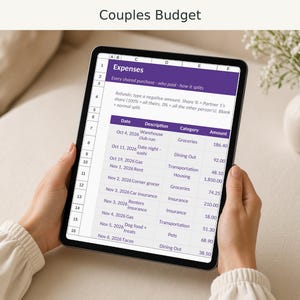
Couples Budget Spreadsheet, Shared Expenses Split by Income or 50/50, Excel and Google Sheets
$12.99
-
Digital download
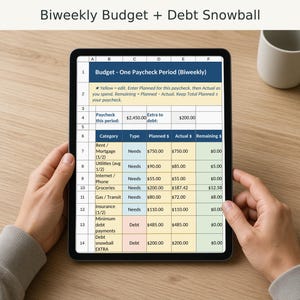
Biweekly Budget Spreadsheet, Budget by Paycheck Planner, Debt Snowball Tracker, Excel and Google Sheets
$9.99
-
Digital download
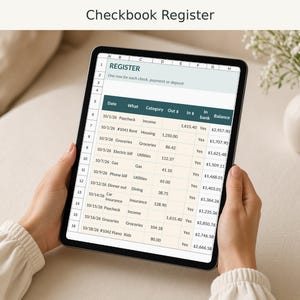
Checkbook Register Spreadsheet with Running Balance, Bank Reconciliation and Printable Check Log
$4.99
-

Digital download
Medical Records Organizer Spreadsheet, Family Health Records, Doctor Visit Log, Checkup Dates, Allergies
$6.99
-

Digital download
Mortgage Payoff Calculator Spreadsheet, Extra Payment Amortization Schedule, Interest Saved, Excel and Google Sheets
$8.99
-
Digital download
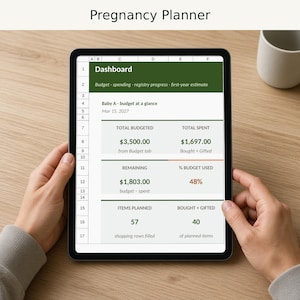
Pregnancy Planner Spreadsheet, Baby Budget Tracker, Registry List, Trimester Checklist, Excel and Google Sheets
$7.99
-

Digital download
Simple Personal Finance Google Sheets Tracker / Google Sheets Expenses Planner / Zero-Based Budget Planner
$6.93
-
Digital download
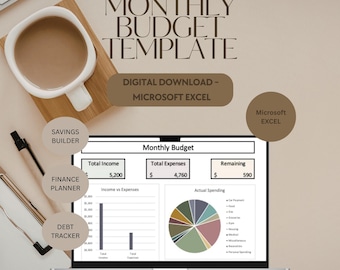
Excel Budget Dashboard Spreadsheet | Monthly Budget Planner | Money Tracker Template | Finance Spreadsheet | Google Sheets Budget
$6.99
-

Digital download
Monthly Finance Organizer | Expense & Savings Spreadsheet | Excel Financial Planner | Budget Tracker | Digital Download
$7.00
-

Digital download
Budget Spreadsheet, Google Sheets Budget, Monthly Budget Planner, Paycheck Budget, Expense Tracker, Savings, Debt Tracker, Financial Planner
$5.78
-

Digital download
Budget Snapshot+ | Monthly Finance Tracker Spreadsheet | Personal & Household Budget Template
$7.99
-

Digital download
Budget Planner Google Sheets | 50/30/20 Monthly Spreadsheet | Expense Bill Tracker | Finance Template
$9.16
-

Digital download
Google Sheets Monthly Budget Planner: Automated Finance Spreadsheet with Expense & Income Tracker, Bill Calendar
Sale Price $5.92
Original Price $7.90
-

Digital download
Simple Monthly Budget Excel, Digital Budget, Personal Finance Tracker, Finance Planner, Budget Calculator Spreadsheet, Template Download
Sale Price $3.49
Original Price $6.99
-

Digital download
Complete Budget & Expense Tracker | Personal Finance Spreadsheet | Google Sheets Template
$8.74
-
Digital download
Monthly Budget Dashboard | Expense & Savings Tracker (Digital Download)
$5.99
-
Digital download
Excel Template Personal Budget Tracker, Monthly Finance Planner Dashboard, Income & Expense Spreadsheet Digital Download
$9.99
-
Digital download
Ultimate Monthly Budget, Expense Tracker | Excel & Google Sheets | Printable Finance Planner
$9.00
Shoppers with similar taste loved these
-
Digital download
Budget by Paycheck Budget Spreadsheet Template Monthly Weekly Biweekly Financial Planner Bill Expense Tracker 50/30/20 Simple Budget Debt
Sale Price $4.90
Original Price $9.80
-

Road To Retirement Savings Challenge Book || Roth IRA || Save 3,660+
$60.00
-

Digital download
Bill Calendar Bills Planner Expense Tracker Bill Organizer Budget Spreadsheet Monthly Bill Tracker Financial Planner Google Sheets Excel
$3.29
-

Student Loan Bill Due Planner Stickers | Colorful or Neutral | A5, 7x9, and 8.5x11 Sizes
$1.75
-
Digital download
Paycheck Budget Spreadsheet Weekly Budget Monthly Budget Biweekly Bill Tracker Debt Tracker Financial Planner Google Sheets Excel Template
Sale Price $10.26
Original Price $20.53
-

Digital download
Biweekly & Weekly Paycheck Budget Google Sheets Spreadsheet | Fornightly Monthly Finance Template | Expense Tracker | Bill Calendar
Sale Price $14.94
Original Price $24.90
-
Digital download
Debt Snowball Spreadsheet Excel Debt Payoff Planner Debt Snowball Calculator Google Sheets Mortgage Payoff Student Loan Payment Tracker
Sale Price $2.67
Original Price $5.33
-

Digital download
Debt Avalanche Spreadsheet, Debt Avalanche Excel, Debt Spreadsheet, Debt Tracker, Debt Planner, Debt Payoff Spreadsheet, Debt Payoff Tracker
Sale Price $1.95
Original Price $3.90
-

Digital download
Moving Planner Google Sheets First House Moving Excel Spreadsheet Packing Box Inventory New Apartment Template Task Checklist for Relocation
Sale Price $5.87
Original Price $11.73
-
Digital download
Ultimate Ongoing All-in-One Budget Spreadsheet • ADHD-friendly Google Sheets and Excel Template • Bills, Savings, Debt and Loan Tracker
Sale Price $16.18
Original Price $23.11
-
Digital download
Ultimate Paycheck Budget Spreadsheet • Ongoing All-in-One Google Sheets and Excel Template • Paycheck, Bills, Savings, Debt and Loan Tracker
Sale Price $17.80
Original Price $25.42
-
Digital download
360 Paycheck Ultimate Budget App | Paycheck & Monthly Budget Planner, Expense Tracker, Savings, Debt, Investments and Net Worth
Sale Price $32.36
Original Price $46.22


