

Paycheck Budget Planner Google Sheets | Biweekly Budget Spreadsheet to See What Is Safe to Spend Before Payday
Item highlights
Seller's description
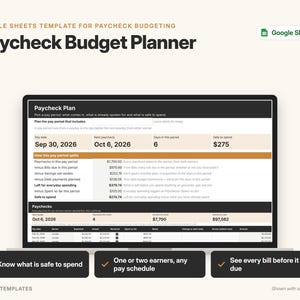
Budget by paycheck. This Google Sheets paycheck budget planner shows which bills each paycheck must cover, what to set aside for savings and debts, and how much is safe to spend before the next payday. Works for one or two earners on different pay schedules.
━━━ WHAT YOU GET ━━━
• A START-HERE PDF with two "Make a copy" buttons:
– Ready-to-use copy for your own household
– Sample copy filled with a made-up household (the Reeds), so you can see how it works
• A step-by-step PDF guide (setup, every tab, FAQ, troubleshooting)
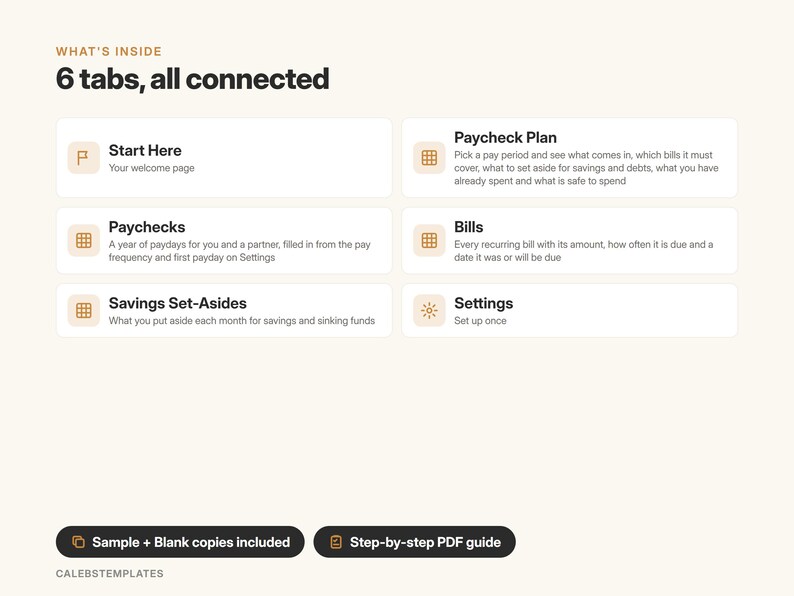
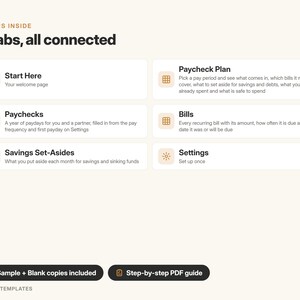
━━━ WHAT'S INSIDE (6 TABS) ━━━
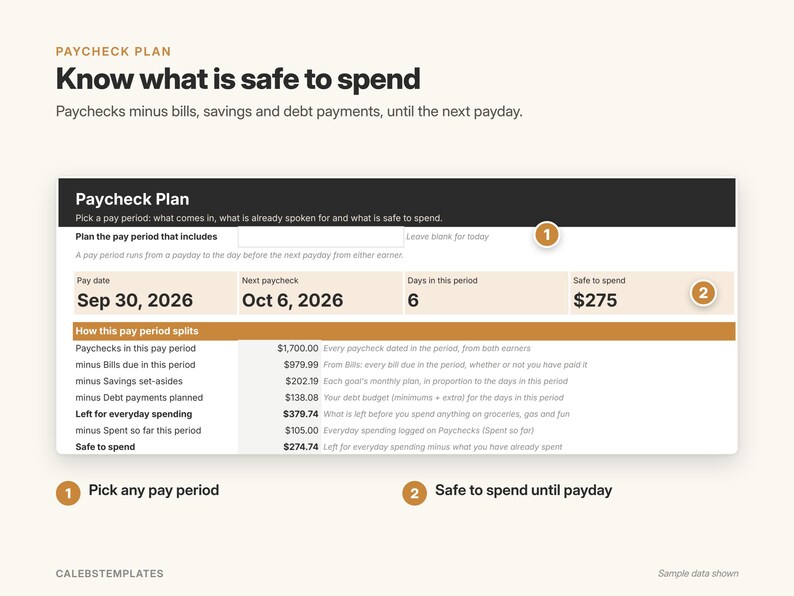
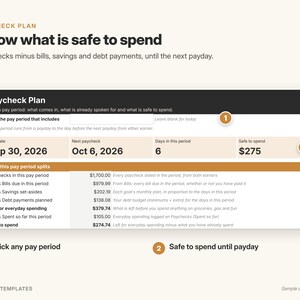
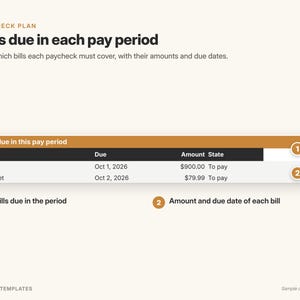
PAYCHECK PLAN – pick a pay period
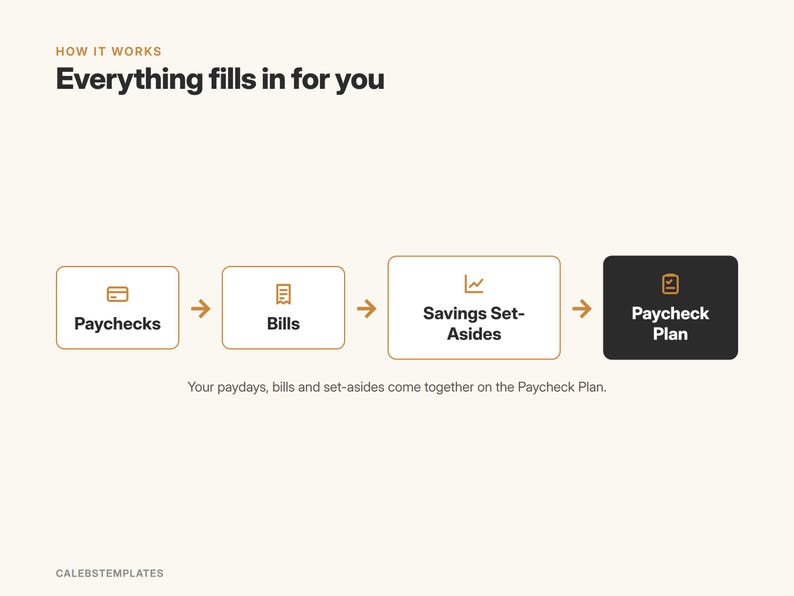
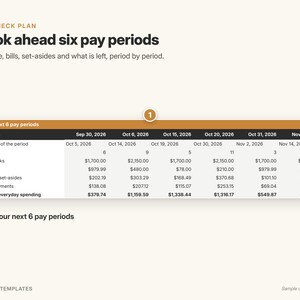
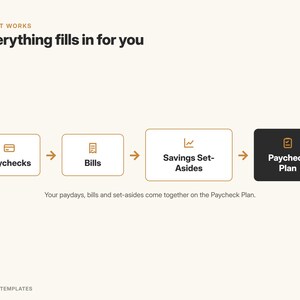
• Paychecks minus bills due, savings set-asides and debt payments, minus what you have already spent = safe to spend
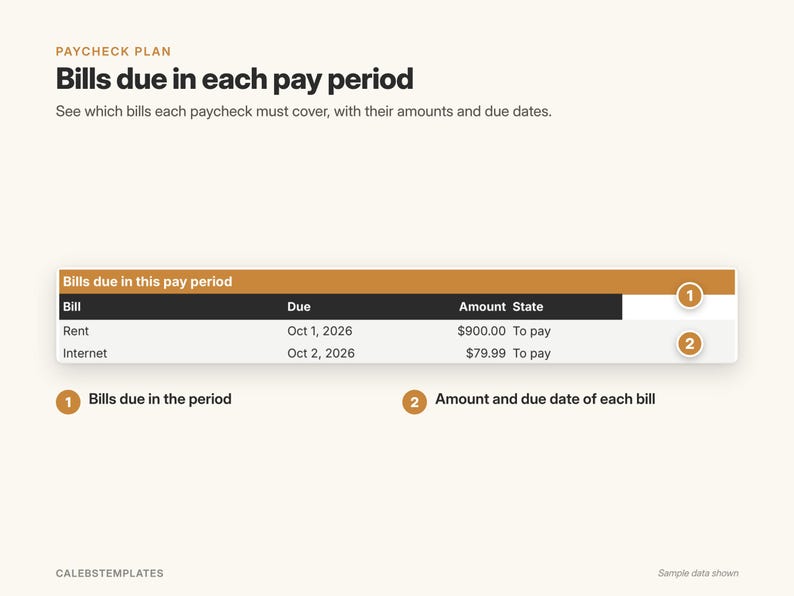
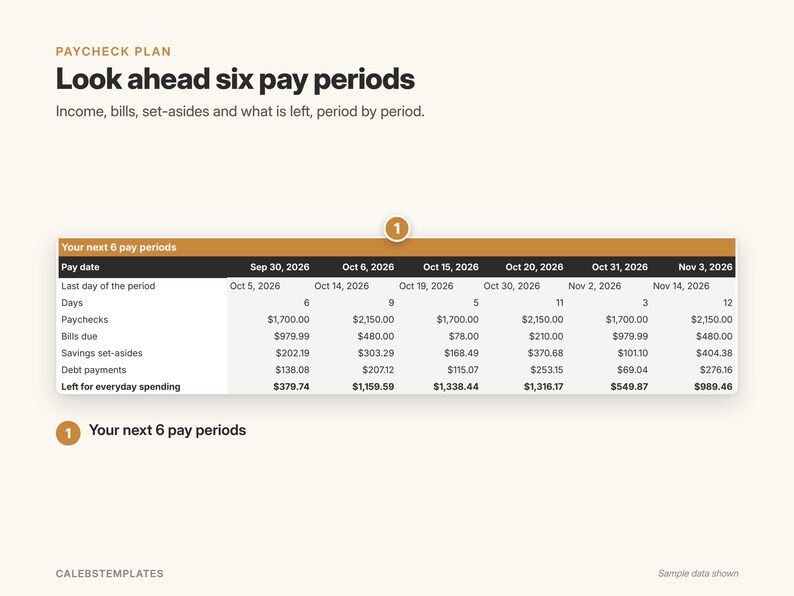
• A list of the bills due in the period and a strip of your next 6 pay periods
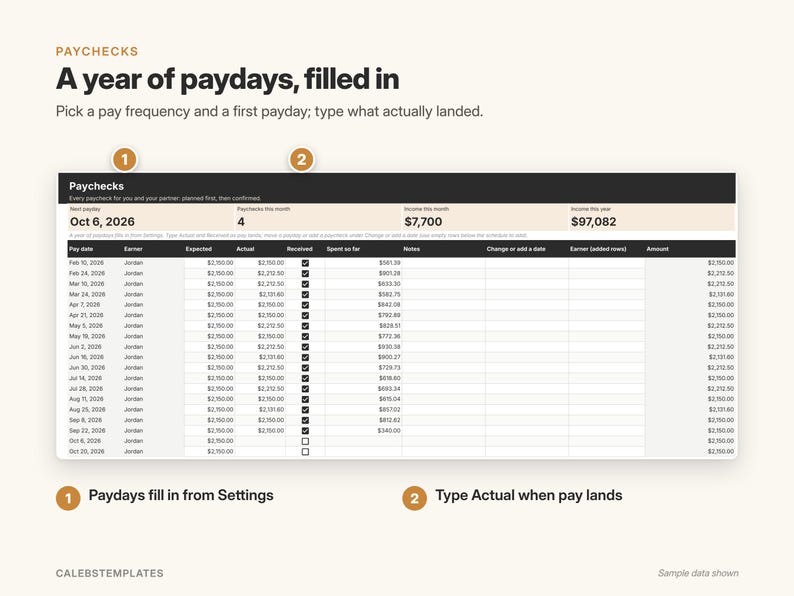
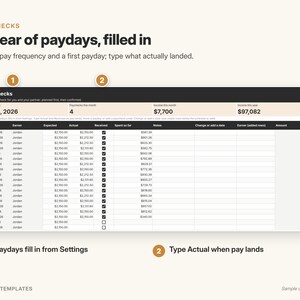
PAYCHECKS – a year of paydays, filled in
• Pick each earner's pay frequency (weekly, every 2 weeks, twice a month, monthly) and first payday on Settings: the dates appear by themselves
• One or two earners; type Actual and Received as pay lands; type what you have spent so far from each paycheck
• Move a payday or add a paycheck any time
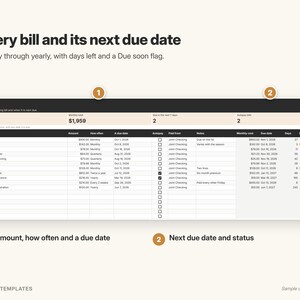
BILLS – up to 200 recurring bills
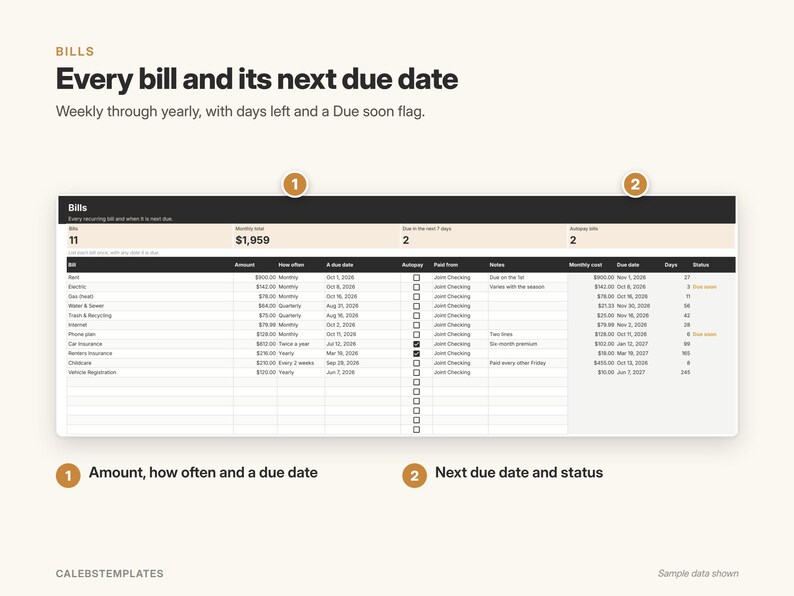
• Weekly through yearly, with next due date, days left and a Due soon flag; mark autopay bills
SAVINGS SET-ASIDES – what you put aside each month; the plan sets aside a share in every pay period
SETTINGS – each earner's pay frequency, first payday and typical pay, your monthly debt payments and how early to flag a bill
START HERE – a 5-step setup checklist and a color guide
━━━ PERFECT FOR ━━━
Individuals, couples and families paid weekly, biweekly, twice a month or monthly who want to plan every paycheck.
━━━ HOW IT WORKS ━━━
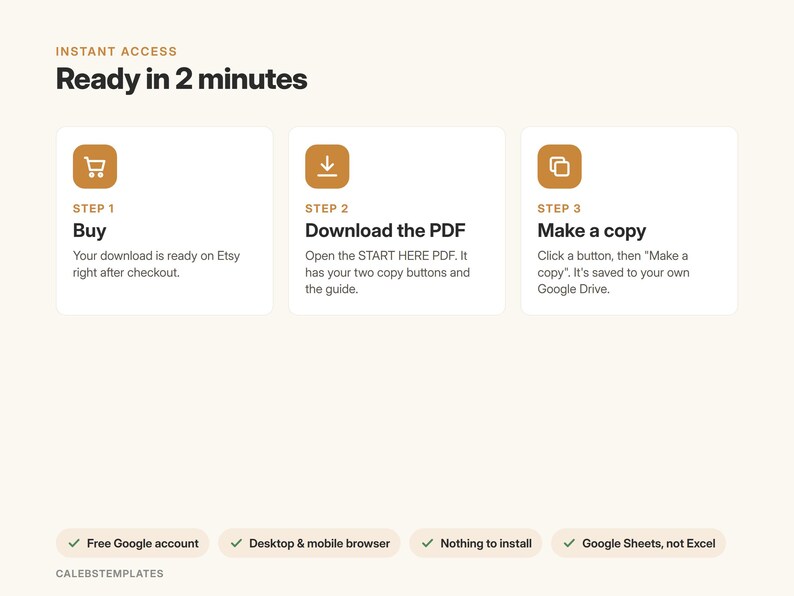
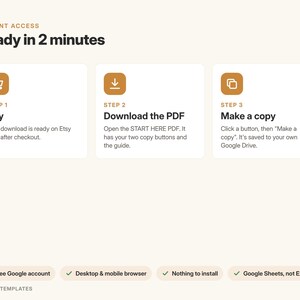
1. Buy and download the START-HERE PDF
2. Click a button while signed in to Google, then "Make a copy"
3. Open your copy and follow the 5 setup steps on the Start Here tab
━━━ GOOD TO KNOW ━━━
• Google Sheets only: you need a free Google account. This is not an Excel file.
• Works in any browser on a computer, tablet or phone. Setup is easiest on a computer.
• Nothing to install, no add-ons, no scripts, no bank connections: you type your own numbers.
• This planner does not track every transaction: you type what you have spent so far from each paycheck.
• The year of paydays covers 52, 26, 24 or 12 paychecks per earner; add more on the empty rows, or start a fresh copy.
• A planning tool. This is not financial, tax or legal advice.
• Screenshots show the sample copy with made-up data.
━━━ LICENSE ━━━
For use by one person or one household. Please don't resell, share or redistribute the template or its links. Digital download: no physical item will be shipped. Because it's a digital file, returns aren't accepted, but if something isn't working, message me and I'll help.
Shop review
All reviews are from verified buyers. This review is shown automatically based on factors like recency, whether it includes comments, your chosen language, and whether the rating reflects the typical experience with the shop.
“This template fits all of my needs my monthly budgeting! Very easy to purchase, download and use!”
Alex
28 days ago
NowPrice:$6.74
Original Price: $8.99
25% off
Sale ends on November 30
You can only make an offer when buying a single item
Delivery
Instant download
Your files will be available to download once payment is confirmed. Here's how.
Instant download items don't accept returns, exchanges or cancellations. Please contact the seller about any problems with your order.
Seller's description
Specifications
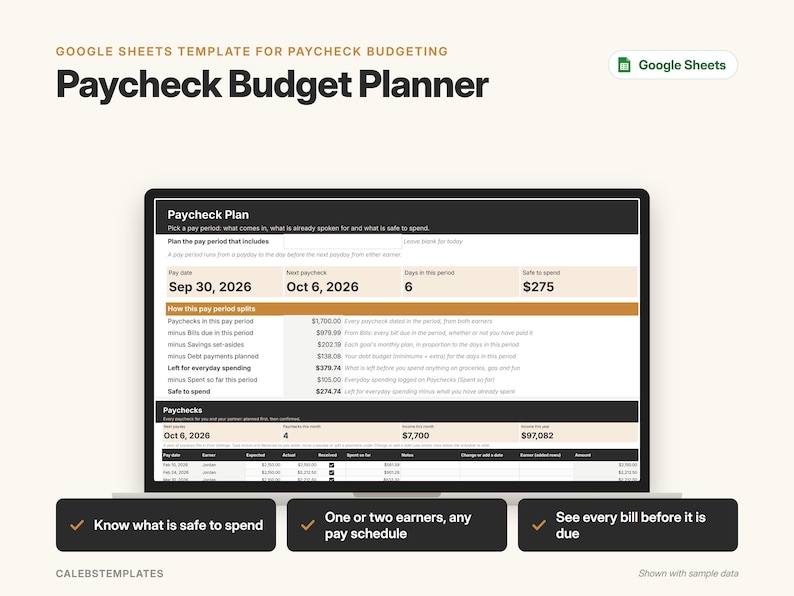
Budget by paycheck. This Google Sheets paycheck budget planner shows which bills each paycheck must cover, what to set aside for savings and debts, and how much is safe to spend before the next payday. Works for one or two earners on different pay schedules.
━━━ WHAT YOU GET ━━━
• A START-HERE PDF with two "Make a copy" buttons:
– Ready-to-use copy for your own household
– Sample copy filled with a made-up household (the Reeds), so you can see how it works
• A step-by-step PDF guide (setup, every tab, FAQ, troubleshooting)
━━━ WHAT'S INSIDE (6 TABS) ━━━
PAYCHECK PLAN – pick a pay period
• Paychecks minus bills due, savings set-asides and debt payments, minus what you have already spent = safe to spend
• A list of the bills due in the period and a strip of your next 6 pay periods
PAYCHECKS – a year of paydays, filled in
• Pick each earner's pay frequency (weekly, every 2 weeks, twice a month, monthly) and first payday on Settings: the dates appear by themselves
• One or two earners; type Actual and Received as pay lands; type what you have spent so far from each paycheck
• Move a payday or add a paycheck any time
BILLS – up to 200 recurring bills
• Weekly through yearly, with next due date, days left and a Due soon flag; mark autopay bills
SAVINGS SET-ASIDES – what you put aside each month; the plan sets aside a share in every pay period
SETTINGS – each earner's pay frequency, first payday and typical pay, your monthly debt payments and how early to flag a bill
START HERE – a 5-step setup checklist and a color guide
━━━ PERFECT FOR ━━━
Individuals, couples and families paid weekly, biweekly, twice a month or monthly who want to plan every paycheck.
━━━ HOW IT WORKS ━━━
1. Buy and download the START-HERE PDF
2. Click a button while signed in to Google, then "Make a copy"
3. Open your copy and follow the 5 setup steps on the Start Here tab
━━━ GOOD TO KNOW ━━━
• Google Sheets only: you need a free Google account. This is not an Excel file.
• Works in any browser on a computer, tablet or phone. Setup is easiest on a computer.
• Nothing to install, no add-ons, no scripts, no bank connections: you type your own numbers.
• This planner does not track every transaction: you type what you have spent so far from each paycheck.
• The year of paydays covers 52, 26, 24 or 12 paychecks per earner; add more on the empty rows, or start a fresh copy.
• A planning tool. This is not financial, tax or legal advice.
• Screenshots show the sample copy with made-up data.
━━━ LICENSE ━━━
For use by one person or one household. Please don't resell, share or redistribute the template or its links. Digital download: no physical item will be shipped. Because it's a digital file, returns aren't accepted, but if something isn't working, message me and I'll help.
-
Designed by
-
Item typeDigital download
-
Digital file type(s)2 PDF
If something goes wrong with an order, we've got your back on all eligible purchases. View program terms
Meet your seller


More from this shop
-
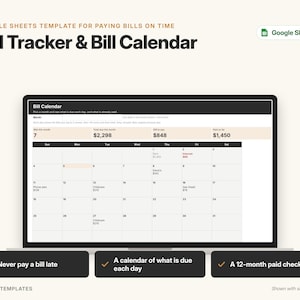
Digital download
Bill Tracker Google Sheets | Bill Calendar and Paid Checklist Template to Track Due Dates and Never Pay Late
Sale Price $4.49
Original Price $5.99
-
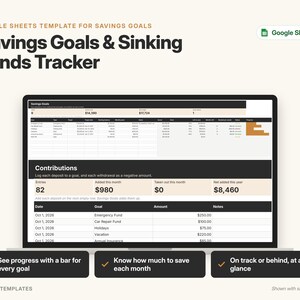
Digital download
Savings Tracker Google Sheets | Savings Goals and Sinking Funds Tracker with Progress Bars and Emergency Fund
Sale Price $4.49
Original Price $5.99
-
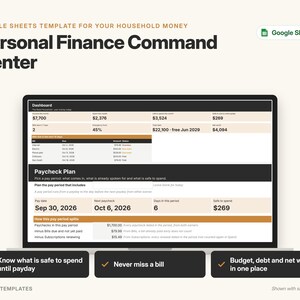
Digital download
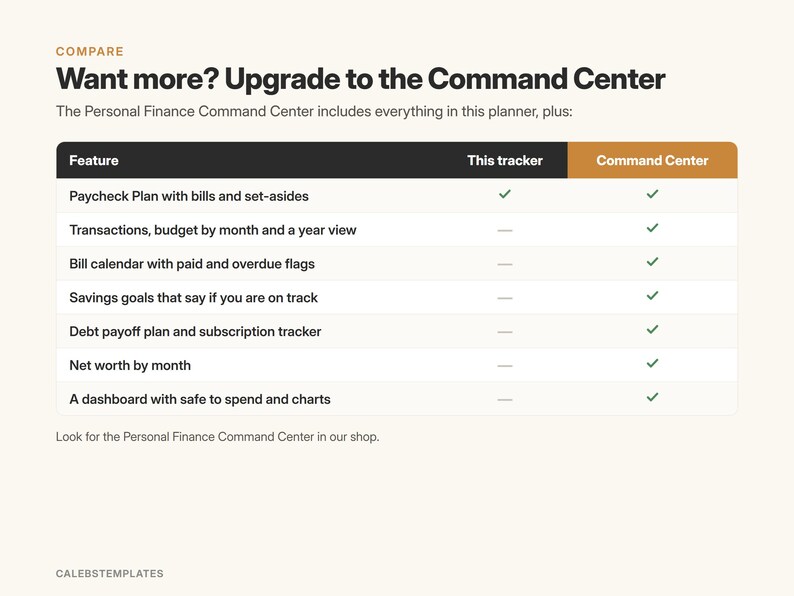
Budget Spreadsheet Google Sheets | Paycheck Budget, Bill Tracker, Debt Payoff and Net Worth Command Center for Couples
Sale Price $23.24
Original Price $30.99
-
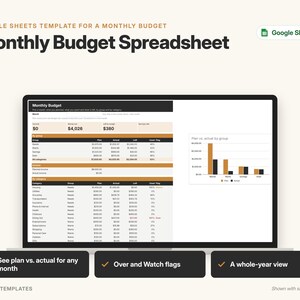
Digital download
Monthly Budget Spreadsheet Google Sheets | Budget Planner with Plan vs Actual, Year View and Over Budget Flags
Sale Price $5.99
Original Price $7.99
-
Digital download
Spending Tracker Google Sheets | Expense Tracker by Category and Month with Top 5 Categories, No Bank Login
Sale Price $3.37
Original Price $4.50
-
Digital download
Net Worth Tracker, Google Sheets Template, Assets and Liabilities Spreadsheet, Monthly Net Worth Calculator, Financial Planner
Sale Price $5.62
Original Price $7.50
-

Digital download
Ultimate Paycheck Budget Spreadsheet Google Sheets Biweekly Budget Template Weekly Paycheck Budgeting Debt Snowball Planner Savings Tracker
$8.40
-

Digital download
Paycheck Budget Planner Excel & Google Sheets Template Weekly Paycheck Budget Biweekly Paycheck Spreadsheet Bill Tracker Custom Budgeting
Sale Price $5.13
Original Price $10.25
-
Digital download
Paycheck Budget Spreadsheet Biweekly Bill Tracker Savings Goals Personal Budget Google Sheets Financial Planner Weekly Budget Template
Sale Price $2.62
Original Price $8.73
-

Digital download
Paycheck Budget Planner Excel & Google Sheets Template Weekly Paycheck Budget Biweekly Paycheck Spreadsheet Bill Tracker Custom Budgeting
Sale Price $5.13
Original Price $10.25
-

Digital download
Paycheck Budget Spreadsheet for Google Sheets, Budget by Paycheck, Biweekly Budget, Monthly Budget Planner
Sale Price $9.31
Original Price $12.42
-
Digital download
Paycheck Budget Spreadsheet , Google Sheets Bill Debt Tracker 2027 planner
Sale Price $2.77
Original Price $9.22
-

Digital download
Paycheck Planner Template for Google Sheets, Budget by Paycheck Spreadsheet, Biweekly Budget Tracker, Annual Paycheck Budget
Sale Price $9.31
Original Price $12.42
-
Digital download
Budget by Paycheck Spreadsheet 2027, Biweekly Budget Planner, Excel & Google Sheets, Zero Based Budget Template, Budget Tracker
$5.99
-

Digital download
Ultimate Budget by Paycheck Spreadsheet Google Sheets Excel Template, Weekly Biweekly Monthly Planner, Debt Snowball, Subscription Tracker
Sale Price $3.20
Original Price $8.00
-
Digital download
Ultimate Paycheck Budget Template Excel and Google Sheets Biweekly Budget Simple Budget Planner Income Expense Savings Tracker Debt Tracker
Sale Price $5.27
Original Price $13.18
-
Digital download
Paycheck Budget Spreadsheet Google Sheets & Excel Template Weekly Paycheck Budget Biweekly Paycheck Planner Bill Tracker Custom Budgeting
Sale Price $4.39
Original Price $8.79
-
Digital download
Budget By Paycheck Spreadsheet for Google Sheets Budget Planner Weekly Biweekly Budgeting Paycheck Expense Tracker Debt Snowball Calculator
$5.00
Shoppers with similar taste loved these
-

Digital download
Annual & Monthly Budget Spreadsheet | Google Sheets and Excel Financial Planner Template | Monthly Income, Expense and Bill Tracker
Sale Price $12.56
Original Price $25.12
-

Digital download
Ultimate Budget for Couples Spreadsheet Google Sheets & Excel | Dual Income Planner, Shared Bills, Savings and Debt Tracker
Sale Price $10.47
Original Price $20.95
-

Digital download
Monthly Budget Plus Spreadsheet | Simple Annual Budget | Personal Finances Excel | Easy Google Sheets | Financial Planner | All-In-One
Sale Price $1.00
Original Price $2.50
-

Digital download
AIRBNB Comparison Chart | Fillable PDF Form | Travel Planning Printable | Digital Download | Vacation Rental | Holiday Travel Planning
$2.50
-

Digital download
Couples Budget Spreadsheet, Google Sheets Template, Weekly Monthly Budget, budgeting, personal finance, budget template, joint finances
Sale Price $2.57
Original Price $4.28
-
Digital download
Budget Planner Google Sheets: Monthly, Weekly & Biweekly Budget Spreadsheet with Expense Tracker
Sale Price $1.66
Original Price $2.77
-
Digital download
Ultimate Couple Budget Planner, Budget Planner for Couples, Savings Tracker, Calendar, Subscription Tracker - Google Sheets Only
Sale Price $1.80
Original Price $7.21
-

Digital download
Couples Budget Spreadsheet Monthly Couple Budget Template Google Sheets Annual Couples Budget Planner Shared Budget Expense Tracker Excel
Sale Price $4.11
Original Price $10.26
-

Digital download
Budget Spreadsheet Bundle Google Sheets Annual Budget Monthly Biweekly Family Budget Tracker Financial Planner Bill Calendar Budget Planner
$16.95
-

Digital download
Annual Family Budget Spreadsheet for Household Expenses, Joint Finances, 12 Monthly Tabs, Bills, Debt Tracker, Excel Google Sheets Planner
Sale Price $16.14
Original Price $26.90
-

Digital download
Google Sheets Budget Planner Template, Budgetting Spreadsheet Templates Bundle, Budget Binder
Sale Price $8.30
Original Price $27.66
-

Digital download
Credit Card Tracker | Personal Finance Organizer | Credit Card Tracker | Record up to 10 Credit Card | Instant Download
Sale Price $4.64
Original Price $9.29


