




Christmas Snow Globe Sub Goal Widget for Twitch, Kick, YouTube | Chat Shakes the Globe | StreamElements | Snowkin (Digital Download)
Item highlights
Seller's description
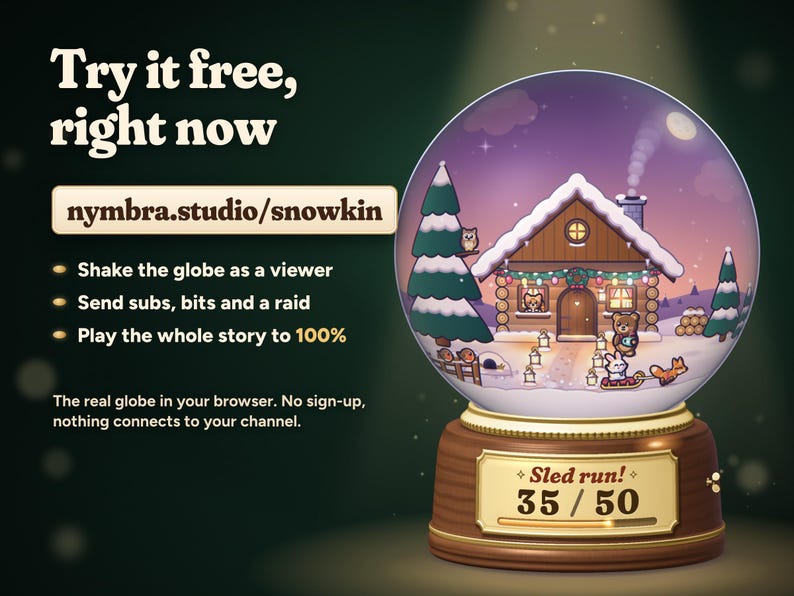
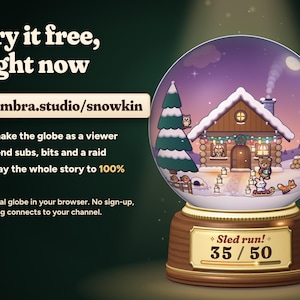
TRY IT FIRST: play with the live demo at nymbra.studio/snowkin. Shake the globe as a viewer, send alerts and play the whole story to the finale, right in your browser. No sign-up, nothing connects to your channel.
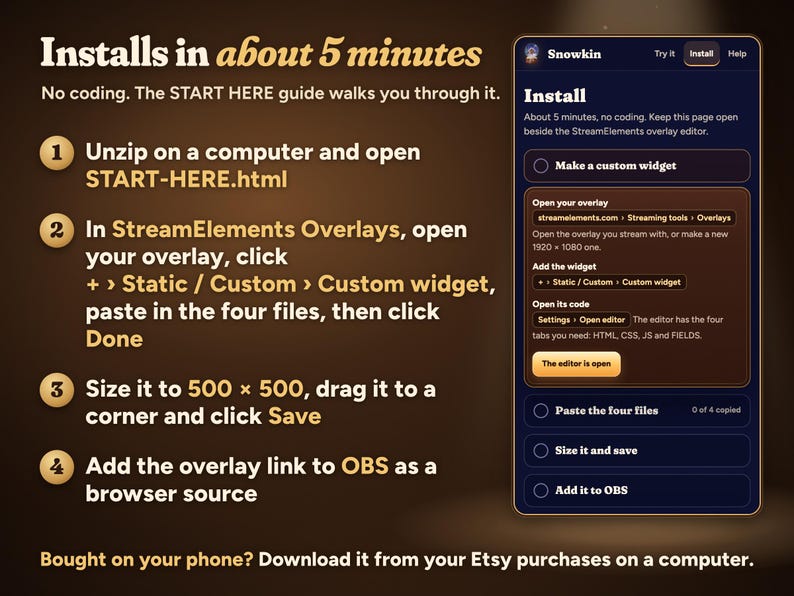
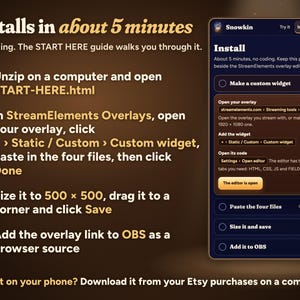
Installs in about 5 minutes with the START HERE guide, no coding. Bought on your phone? Download from your Etsy purchases on a computer; installing needs one.
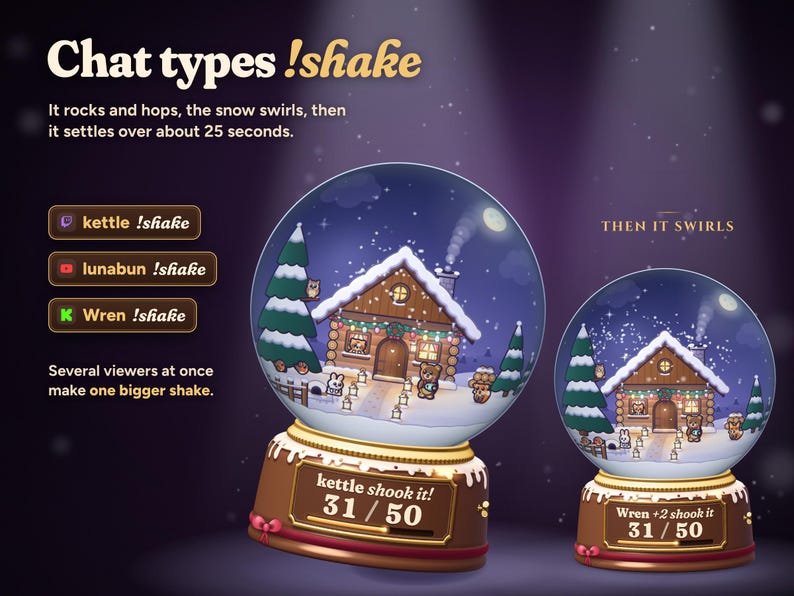
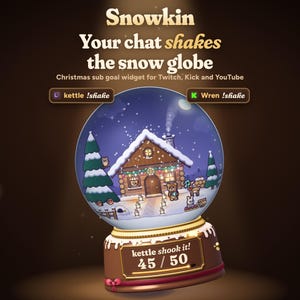
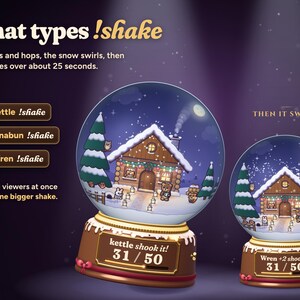
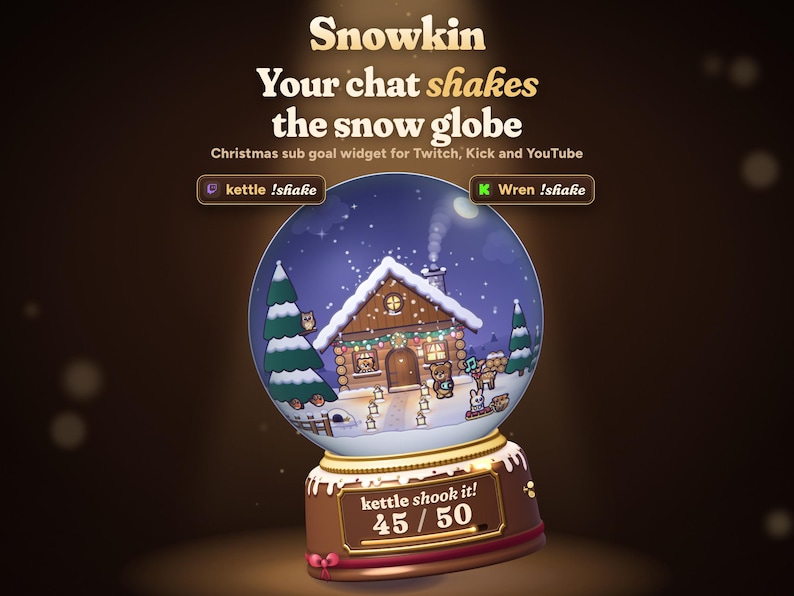
A Christmas snow globe for the corner of your stream that your chat can shake. Viewers type !shake and the globe rocks on its little pedestal while the snow swirls through the water and slowly settles. Several viewers shaking at once make one bigger shake.
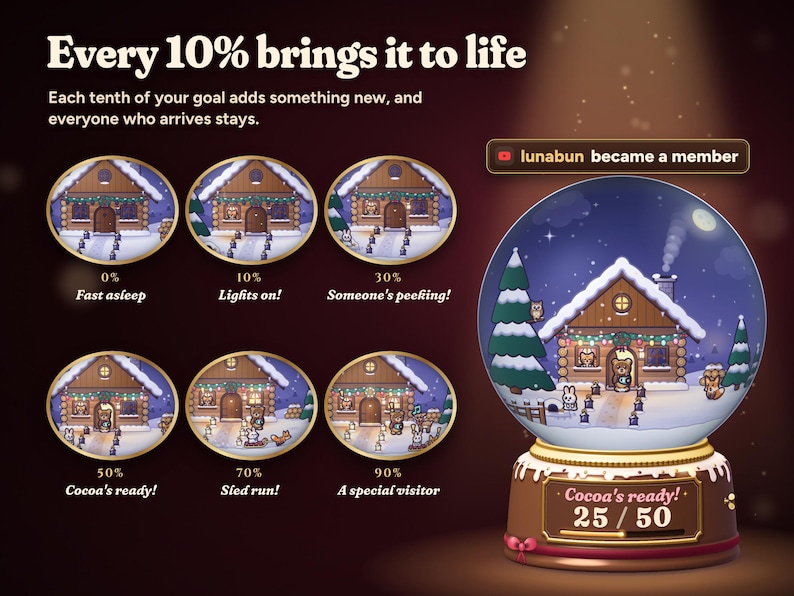
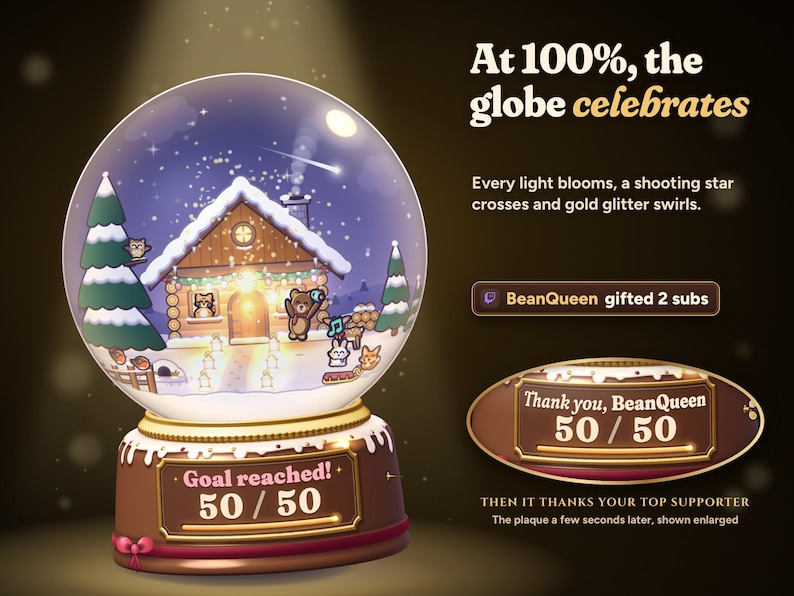
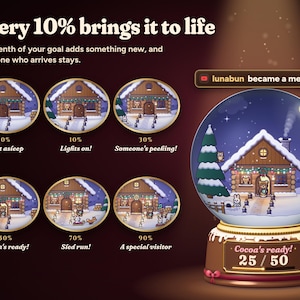
And your goal is a story. Every 10% brings the tiny cabin world inside the globe a little more to life: the lights come on, a cat peeks out of the window, a bunny pops out of its burrow, a bear brings cocoa, the fox pulls the bunny on a sled, and a deer visits. At 100% the whole globe celebrates and the plaque thanks your top supporter by name.
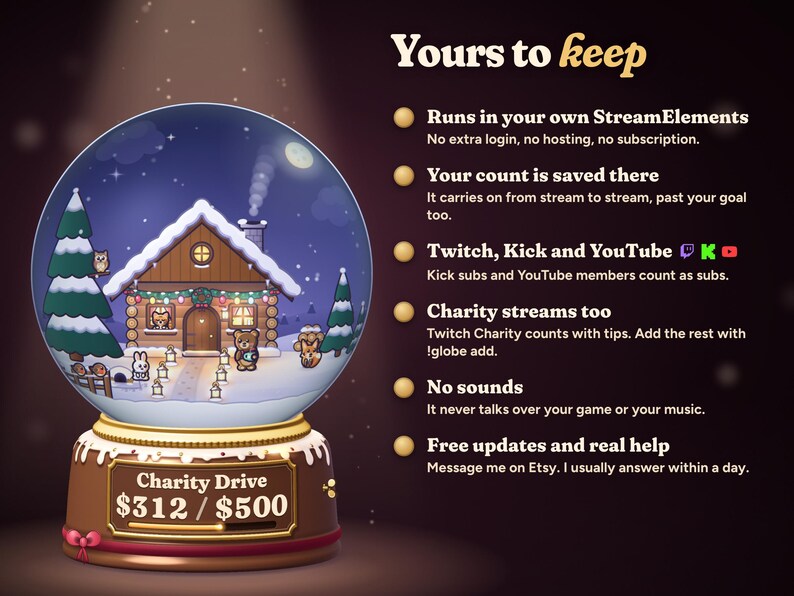
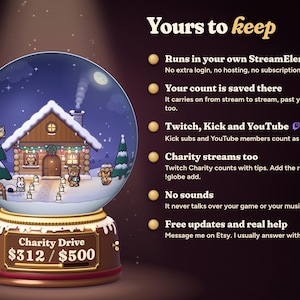
No extra login, no hosting, no subscription. It runs in your own StreamElements account and keeps your count there from stream to stream.
THE STORY, ONE MOMENT EVERY 10%
• 0%: a moonlit cabin with every light off. The fox sleeps by the woodpile and the owl dozes in the pine.
• 10%, Lights on!: the first window glows and a cat pops up in it.
• 20%, Warm and toasty: chimney smoke and the porch lantern, and the fox wakes up.
• 30%, Someone's peeking!: a bunny pops out of its burrow.
• 40%, Twinkle time: the garland on the eaves lights up bulb by bulb, and the owl wakes.
• 50%, Cocoa's ready!: the door opens and a little bear steps out with cocoa.
• 60%, The lantern path: paper lanterns light the path and two robins land on the fence.
• 70%, Sled run!: the fox pulls the bunny on a red sled.
• 80%, Carol time: everyone sings, music notes drift up and the wreath lights.
• 90%, A special visitor: a deer with a red bow walks onto the hill.
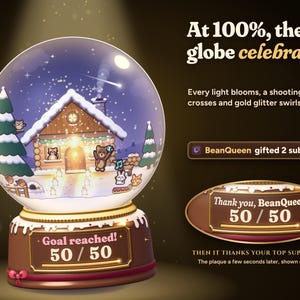
• 100%, Goal reached!: gold glitter, every light blooms, a shooting star, everyone cheers, the music-box key winds, and the plaque thanks your top supporter.
Each moment gives the globe a happy little hop, warms the glass and pops a burst of stars where the new thing happens, so it reads at stream size. Moments play a few seconds apart, so a gift bomb tells the story quickly but in order. Everyone who arrives stays and lives there.
WHAT YOUR CHAT AND ALERTS DO
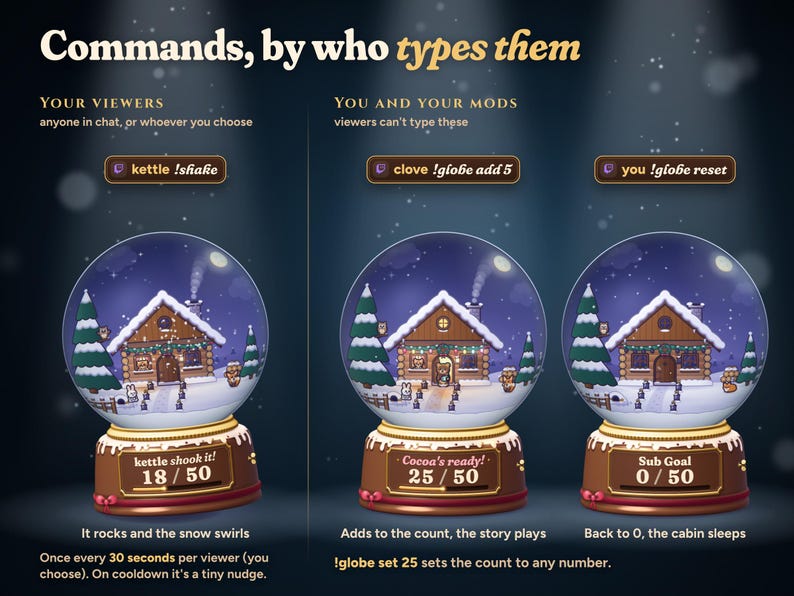
• !shake: the globe rocks on its base, hops, and the snow swirls and settles over about 25 seconds. Every resident reacts: they brace, the bunny tumbles and the owl's head spins.
• Shakes from several viewers at once join into one bigger shake. Each viewer can shake once every 30 seconds (you choose), and a shake on cooldown is a tiny nudge.
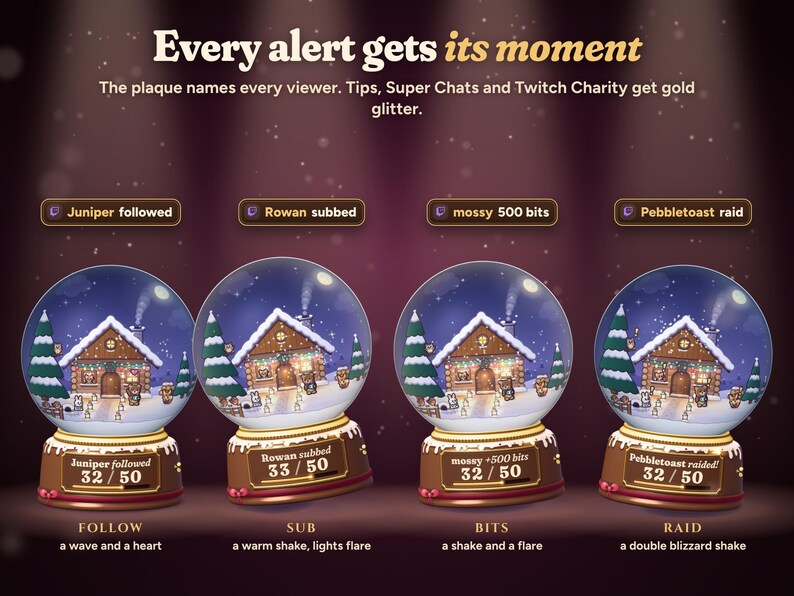
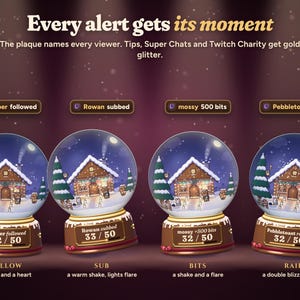
• Follows: a resident waves and a heart floats up.
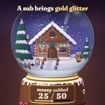
• Subs, resubs, gift subs and YouTube memberships: a warm shake, every light flares and gold glitter swirls.
• Bits: a shake, a light flare and coloured glitter. Tips, Super Chats and Twitch Charity: a shake, a flare and gold glitter.
• Raids: a double blizzard shake.
• The plaque shows each supporter's name for a moment: "Wren shook it!", "lunabun subbed", "BeanQueen gifted 5".
COMMANDS, BY WHO TYPES THEM
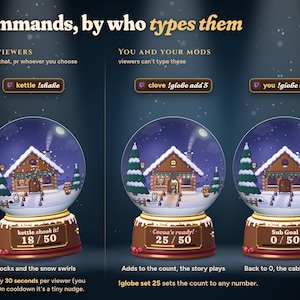
Your viewers: !shake (rename it, or limit it to subs and VIPs, mods, or only you).
You and your mods: !globe add 5, !globe set 25 and !globe reset, for totals that don't arrive as alerts, like a charity drive.
THE GOAL
• Pick what fills the globe: subs (gift subs count too), follows, bits, tips and donations, or Christmas points (subs, bits, tips and raids together), with any goal you like.
• The plaque shows your goal's name and the count (23 / 50) with a little progress bar. Leave Plaque text blank and it names itself (Sub Goal, Bits Goal) or type your own.
• A gift of five subs adds five, once. Kick subs and YouTube memberships count as subs, a YouTube subscribe counts as a follow, and Super Chats and Twitch Charity donations count with tips, in your own currency.
• The count is saved in your StreamElements account, so it carries on next stream. Started a goal somewhere else? Type it in Already counted.
• Reset the goal to 0, or !globe reset, starts a new goal. Test alerts in the StreamElements editor play on the globe but never count.
MAKE IT YOURS
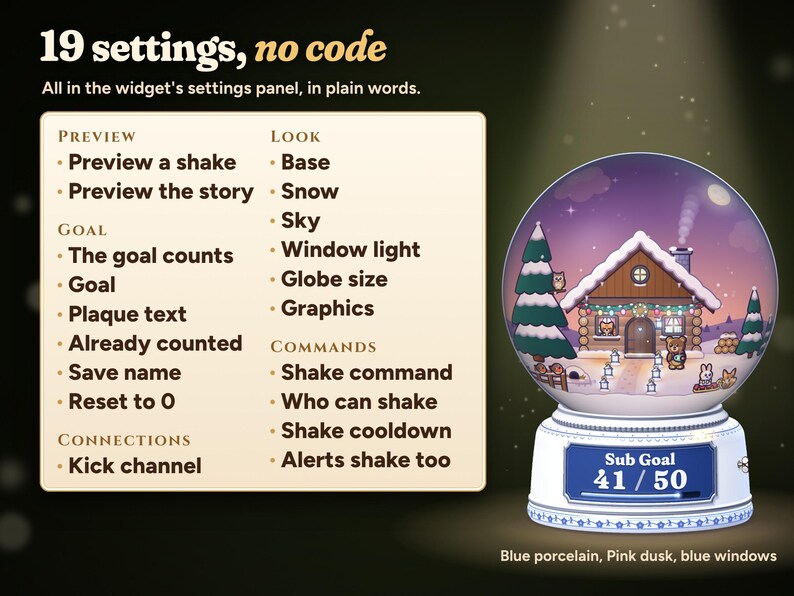
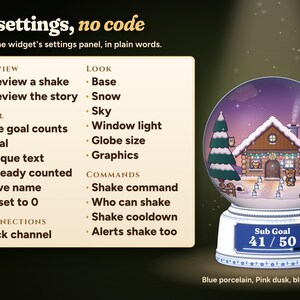
19 settings, in plain words, in the widget's settings panel:
• Preview a shake and Preview the whole story buttons, to see it all before you go live
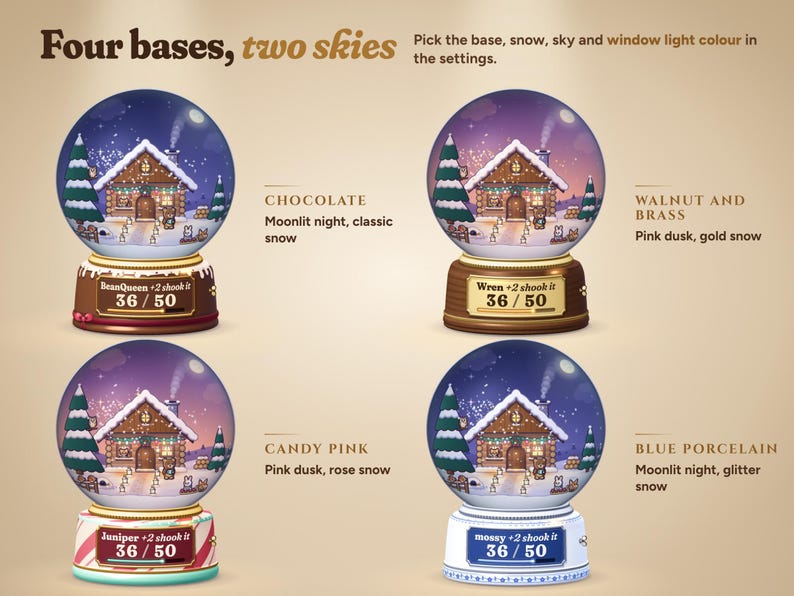
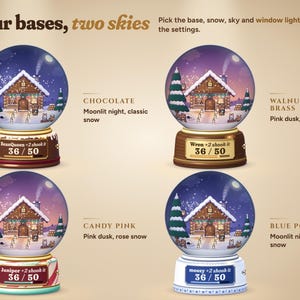
• Base: chocolate with icing, walnut and brass, candy pink, or blue porcelain
• Snow: classic, glitter, gold or rose
• Sky inside the globe: moonlit night or pink dusk
• Window light colour, for the cabin's windows and lanterns
• Globe size, and Graphics: Full, or Light for an older PC
• What the goal counts, the goal, the plaque text, Already counted, a save name and a reset button
• Shake command, who can shake, the cooldown per viewer, and whether alerts shake the globe too
• Kick channel
SETUP AND DOWNLOAD
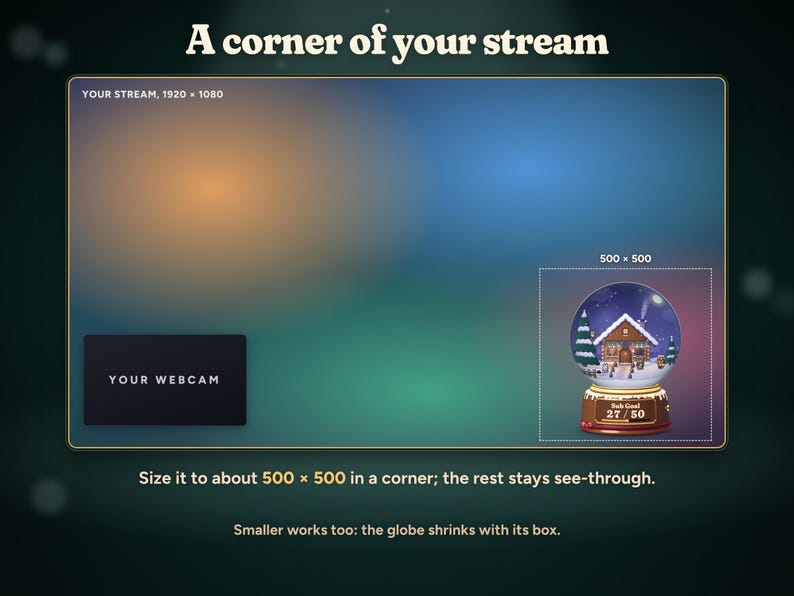
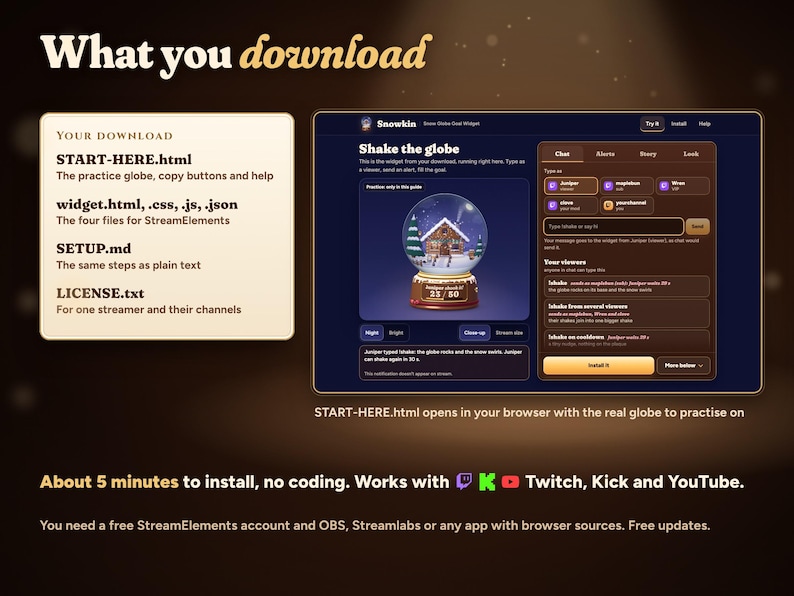
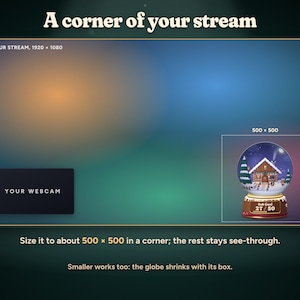
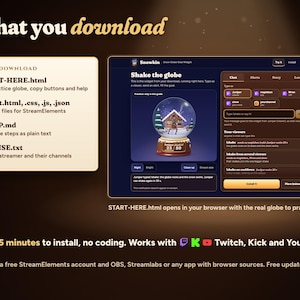
Unzip the download on your computer and open START-HERE.html first. Its practice globe runs right in your browser: type as a viewer, send alerts, play the story and pick your base, snow and sky, which carry into your settings. Then use its copy buttons to paste HTML, CSS, JS and FIELDS into a StreamElements custom widget, size it to about 500 × 500 in a corner and add the overlay link to OBS or Streamlabs as a browser source. About 5 minutes in all, and no coding needed.
Your ZIP includes START-HERE.html, widget.html, widget.css, widget.js, widget.json, SETUP.md and LICENSE.txt. The guide holds the working practice globe, the copy buttons and help. One-time purchase, no subscription, free updates.
WHAT YOU NEED
A free StreamElements account and OBS Studio, Streamlabs Desktop or any streaming software with browser sources.
• Twitch: works as soon as the files are pasted.
• Kick: type your channel name in the Kick channel setting, or leave it blank if you signed in to StreamElements with Kick.
• YouTube: use StreamElements signed in with your YouTube channel. Memberships count as subs, Super Chats as tips and a YouTube subscribe as a follow.
GOOD TO KNOW
• The glass is drawn by your graphics card, so keep browser source hardware acceleration on in OBS (it is on by default). Without it the globe still works with simpler glass.
• It makes no sounds, so it never talks over your game or music.
• Donations from other sites (Tiltify, a bank transfer) don't arrive as alerts: add them with !globe add.
• Colours can look a little different from monitor to monitor.
FAQ
Will it slow down my PC?
Graphics Full is the default. Light halves the snow and the glows for an older PC. In OBS you can also set the browser source to 30 fps.
Can viewers spam !shake?
Each viewer can shake once per cooldown (30 seconds by default, up to 10 minutes), a shake on cooldown is only a tiny nudge, and common bots are ignored.
What happens after the goal is reached?
The globe stays complete and keeps thanking your top supporter on the plaque, and the count keeps going past your goal (52 / 50). Reset the goal to 0 when you start a new one.
Can I use it for a charity stream?
Yes. Twitch Charity donations count with tips, and you or your mods can add donations from anywhere else with !globe add.
The listing shows the real widget with example names. Abstract listing backgrounds are not part of the overlay. This is a digital download licensed to one streamer and their channels; please do not share or resell the files.
Also from Nymbra Studio: Starlings, where everyone who chats becomes a little star in your sky and the moon is your goal.
Need help? Message me through Etsy with your StreamElements username and a screenshot of the widget settings. I'll help you get it running and usually answer within a day.
Shop review
All reviews are from verified buyers. This review is shown automatically based on factors like recency, whether it includes comments, your chosen language, and whether the rating reflects the typical experience with the shop.
“IT'S SO CUTE I CAN'T WAIT TO USE IT ON STREAM THANK YOU. Just wish I could make the on screen chat messages a bit smaller, but that's a minor issue.”

Celestial
6 days ago
NowPrice:$14.79
Original Price: $18.49
20% off
Sale ends on November 16
You can only make an offer when buying a single item
Delivery
Instant download
Your files will be available to download once payment is confirmed. Here's how.
Instant download items don't accept returns, exchanges or cancellations. Please contact the seller about any problems with your order.
Seller's description
Specifications
TRY IT FIRST: play with the live demo at nymbra.studio/snowkin. Shake the globe as a viewer, send alerts and play the whole story to the finale, right in your browser. No sign-up, nothing connects to your channel.
Installs in about 5 minutes with the START HERE guide, no coding. Bought on your phone? Download from your Etsy purchases on a computer; installing needs one.
A Christmas snow globe for the corner of your stream that your chat can shake. Viewers type !shake and the globe rocks on its little pedestal while the snow swirls through the water and slowly settles. Several viewers shaking at once make one bigger shake.
And your goal is a story. Every 10% brings the tiny cabin world inside the globe a little more to life: the lights come on, a cat peeks out of the window, a bunny pops out of its burrow, a bear brings cocoa, the fox pulls the bunny on a sled, and a deer visits. At 100% the whole globe celebrates and the plaque thanks your top supporter by name.
No extra login, no hosting, no subscription. It runs in your own StreamElements account and keeps your count there from stream to stream.
THE STORY, ONE MOMENT EVERY 10%
• 0%: a moonlit cabin with every light off. The fox sleeps by the woodpile and the owl dozes in the pine.
• 10%, Lights on!: the first window glows and a cat pops up in it.
• 20%, Warm and toasty: chimney smoke and the porch lantern, and the fox wakes up.
• 30%, Someone's peeking!: a bunny pops out of its burrow.
• 40%, Twinkle time: the garland on the eaves lights up bulb by bulb, and the owl wakes.
• 50%, Cocoa's ready!: the door opens and a little bear steps out with cocoa.
• 60%, The lantern path: paper lanterns light the path and two robins land on the fence.
• 70%, Sled run!: the fox pulls the bunny on a red sled.
• 80%, Carol time: everyone sings, music notes drift up and the wreath lights.
• 90%, A special visitor: a deer with a red bow walks onto the hill.
• 100%, Goal reached!: gold glitter, every light blooms, a shooting star, everyone cheers, the music-box key winds, and the plaque thanks your top supporter.
Each moment gives the globe a happy little hop, warms the glass and pops a burst of stars where the new thing happens, so it reads at stream size. Moments play a few seconds apart, so a gift bomb tells the story quickly but in order. Everyone who arrives stays and lives there.
WHAT YOUR CHAT AND ALERTS DO
• !shake: the globe rocks on its base, hops, and the snow swirls and settles over about 25 seconds. Every resident reacts: they brace, the bunny tumbles and the owl's head spins.
• Shakes from several viewers at once join into one bigger shake. Each viewer can shake once every 30 seconds (you choose), and a shake on cooldown is a tiny nudge.
• Follows: a resident waves and a heart floats up.
• Subs, resubs, gift subs and YouTube memberships: a warm shake, every light flares and gold glitter swirls.
• Bits: a shake, a light flare and coloured glitter. Tips, Super Chats and Twitch Charity: a shake, a flare and gold glitter.
• Raids: a double blizzard shake.
• The plaque shows each supporter's name for a moment: "Wren shook it!", "lunabun subbed", "BeanQueen gifted 5".
COMMANDS, BY WHO TYPES THEM
Your viewers: !shake (rename it, or limit it to subs and VIPs, mods, or only you).
You and your mods: !globe add 5, !globe set 25 and !globe reset, for totals that don't arrive as alerts, like a charity drive.
THE GOAL
• Pick what fills the globe: subs (gift subs count too), follows, bits, tips and donations, or Christmas points (subs, bits, tips and raids together), with any goal you like.
• The plaque shows your goal's name and the count (23 / 50) with a little progress bar. Leave Plaque text blank and it names itself (Sub Goal, Bits Goal) or type your own.
• A gift of five subs adds five, once. Kick subs and YouTube memberships count as subs, a YouTube subscribe counts as a follow, and Super Chats and Twitch Charity donations count with tips, in your own currency.
• The count is saved in your StreamElements account, so it carries on next stream. Started a goal somewhere else? Type it in Already counted.
• Reset the goal to 0, or !globe reset, starts a new goal. Test alerts in the StreamElements editor play on the globe but never count.
MAKE IT YOURS
19 settings, in plain words, in the widget's settings panel:
• Preview a shake and Preview the whole story buttons, to see it all before you go live
• Base: chocolate with icing, walnut and brass, candy pink, or blue porcelain
• Snow: classic, glitter, gold or rose
• Sky inside the globe: moonlit night or pink dusk
• Window light colour, for the cabin's windows and lanterns
• Globe size, and Graphics: Full, or Light for an older PC
• What the goal counts, the goal, the plaque text, Already counted, a save name and a reset button
• Shake command, who can shake, the cooldown per viewer, and whether alerts shake the globe too
• Kick channel
SETUP AND DOWNLOAD
Unzip the download on your computer and open START-HERE.html first. Its practice globe runs right in your browser: type as a viewer, send alerts, play the story and pick your base, snow and sky, which carry into your settings. Then use its copy buttons to paste HTML, CSS, JS and FIELDS into a StreamElements custom widget, size it to about 500 × 500 in a corner and add the overlay link to OBS or Streamlabs as a browser source. About 5 minutes in all, and no coding needed.
Your ZIP includes START-HERE.html, widget.html, widget.css, widget.js, widget.json, SETUP.md and LICENSE.txt. The guide holds the working practice globe, the copy buttons and help. One-time purchase, no subscription, free updates.
WHAT YOU NEED
A free StreamElements account and OBS Studio, Streamlabs Desktop or any streaming software with browser sources.
• Twitch: works as soon as the files are pasted.
• Kick: type your channel name in the Kick channel setting, or leave it blank if you signed in to StreamElements with Kick.
• YouTube: use StreamElements signed in with your YouTube channel. Memberships count as subs, Super Chats as tips and a YouTube subscribe as a follow.
GOOD TO KNOW
• The glass is drawn by your graphics card, so keep browser source hardware acceleration on in OBS (it is on by default). Without it the globe still works with simpler glass.
• It makes no sounds, so it never talks over your game or music.
• Donations from other sites (Tiltify, a bank transfer) don't arrive as alerts: add them with !globe add.
• Colours can look a little different from monitor to monitor.
FAQ
Will it slow down my PC?
Graphics Full is the default. Light halves the snow and the glows for an older PC. In OBS you can also set the browser source to 30 fps.
Can viewers spam !shake?
Each viewer can shake once per cooldown (30 seconds by default, up to 10 minutes), a shake on cooldown is only a tiny nudge, and common bots are ignored.
What happens after the goal is reached?
The globe stays complete and keeps thanking your top supporter on the plaque, and the count keeps going past your goal (52 / 50). Reset the goal to 0 when you start a new one.
Can I use it for a charity stream?
Yes. Twitch Charity donations count with tips, and you or your mods can add donations from anywhere else with !globe add.
The listing shows the real widget with example names. Abstract listing backgrounds are not part of the overlay. This is a digital download licensed to one streamer and their channels; please do not share or resell the files.
Also from Nymbra Studio: Starlings, where everyone who chats becomes a little star in your sky and the moon is your goal.
Need help? Message me through Etsy with your StreamElements username and a screenshot of the widget settings. I'll help you get it running and usually answer within a day.
-
Designed by
-
Item typeDigital download
-
Digital file type(s)1 ZIP
If something goes wrong with an order, we've got your back on all eligible purchases. View program terms
Meet your seller

Usually responds in a few hours
More from this shop
-
Digital download
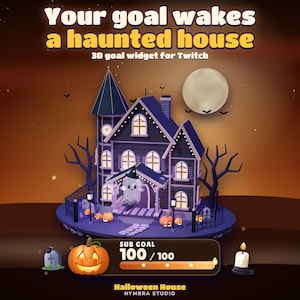
Haunted House Goal Widget | Animated 3D Stream Overlay | Twitch (Digital Download)
Sale Price $8.88
Original Price $11.10
-
Digital download
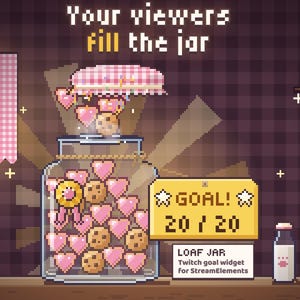
Pixel Cookie Jar Goal Widget for Twitch and StreamElements | Loaf Jar (Digital Download)
Sale Price $11.83
Original Price $14.79
-
Digital download
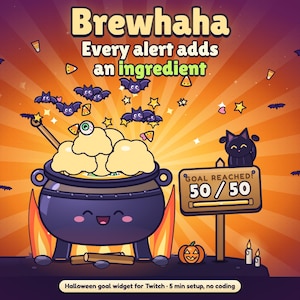
Halloween Cauldron Goal Widget for Twitch and StreamElements, Animated Alerts | Brewhaha (Digital Download)
Sale Price $16.56
Original Price $20.71
-
Digital download
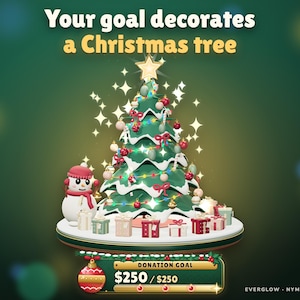
Christmas Tree Goal Widget for Twitch & StreamElements | Animated 3D Donation, Sub and Bits Goal Overlay for OBS (Digital Download)
Sale Price $14.79
Original Price $18.49
-
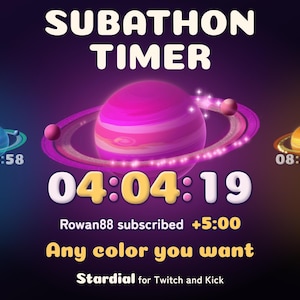
Digital download
Subathon Timer Widget for Twitch and Kick | Celestial StreamElements Countdown in Any Color with Milestones | Stardial (Digital Download)
Sale Price $11.83
Original Price $14.79
-
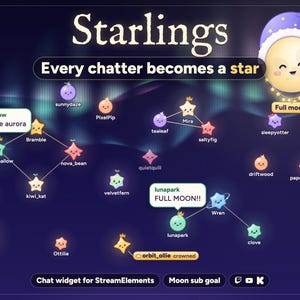
Digital download
Interactive Star Chat Overlay and Moon Goal Widget for Twitch, Kick and YouTube | StreamElements | Starlings (Digital Download)
Sale Price $15.97
Original Price $19.97
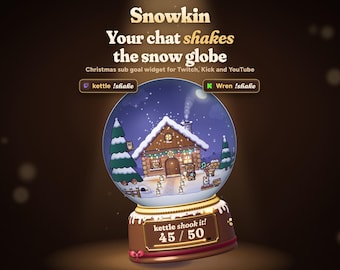 This listing
Christmas Snow Globe Sub Goal Widget for Twitch, Kick, YouTube | Chat Shakes the Globe | StreamElements | Snowkin (Digital Download)
Sale Price $13.86
Original Price $18.49
25% off "buy together" offer
Digital Download
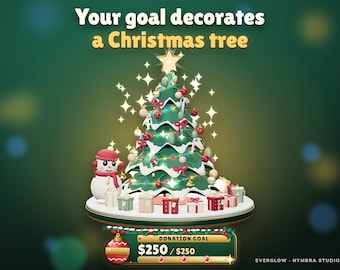
-
Digital download
Christmas Goal Widget: Twitch Stream Overlay (Streamlabs, Streamelements)
Sale Price $10.62
Original Price $17.70
-
Digital download
Twitch Christmas Goal Widget, Animated Snow Globe Holiday Tracker for YouTube, StreamElements, OBS
Sale Price $7.00
Original Price $14.00
-
Digital download
Christmas Combo Goal | Snow Globe | Hand Shock | Stream Widget | Festive Twitch Overlay
Sale Price $10.49
Original Price $13.99
-

Digital download
Interactive Christmas Tree Widget – Viewer Avatars, Chat, Subs, Tips, Bits | StreamElements & OBS / StreamLabs | Widgets for Streamers
$13.98
-

Digital download
Christmas Goal Twitch Widget • Festive Snowman, Snowflake, Christmas Tree Design • OBS & YouTube Overlay • StreamElements
Sale Price $8.00
Original Price $16.00
-

Digital download
Interactive Snowball Fight Twitch Widget | Christmas Winter Animated Overlay
$12.74
-

Digital download
Christmas Snowman Goal Widget - Event Tracker Overlay for Twitch & Streamelements
Sale Price $13.25
Original Price $20.38
-

Digital download
Christmas Reindeer Goal Widget - Event Tracker Overlay for Twitch & Streamelements
Sale Price $13.43
Original Price $20.66
-
Digital download
Snowy Snowman Chat Widget for StreamElements | Twitch (Customizable)
$10.00
-

Digital download
Christmas Potion Goal Widget for StreamElements | Holiday Twitch Goal | Festive subathon | OBS Overlay
Sale Price $7.50
Original Price $15.00
-

Digital download
Christmas Cozy Stream Overlay Pack with Chat and Goal Widgets
Sale Price $13.29
Original Price $18.99
-
Digital download
Christmas Tree Stream Goal Widget: Reactive Overlay (StreamElements)
$20.96
Shoppers with similar taste loved these
-
Digital download
Christmas Snowball Stinger Transition, Cute Winter Stream Transition for OBS/Twitch
Sale Price $3.61
Original Price $4.83
-

Digital download
Sparklers Stream Alert - Full Screen Raining Celebration Overlay with Transparent Background - Instant Download - 1920x1080 - Happy New Year
$4.20
-
Digital download
Lunar New Year Lantern Stream Lights | Animated Twitch Decoration (MOV)
$4.08
-
Digital download
Animated New Year Light String Stream Decor, Happy New Year Neon Twitch Overlay
Sale Price $3.20
Original Price $4.00
-
Digital download
Kawaii Yellow Crescent Twitch Animated Stinger Transition, Shining Sparkles Overlay, Moon Light Asset For Streaming, OBS Streamlabs, Vtuber
Sale Price $4.50
Original Price $6.00
-

Digital download
Winter Night Glow Chat & Goal Widget: Customizable Stream Overlay (Streamelements)
Sale Price $11.10
Original Price $18.50
-
Digital download
New Year Stream Stinger Transition • Fireworks (Digital Download)
Sale Price $4.00
Original Price $8.00
-
Digital download
Christmas Twitch Overlays, Animated Stream Scenes for Winter - Lofi Desk
$7.69
-

Digital download
ANIMATED Twitch Stream Screen Overlay / Christmas Night At The Town / Aesthetic Xmas Living Room / Cozy Noel City House / New Year Holiday
$7.33
-
Digital download
Christmas Cozy Stream Pack | Animated Overlays & Panels | Twitch, OBS, Streamlabs | Holiday Cozy Vibes
$10.59
-

Digital download
Cozy Christmas Stream Overlay Package: Animated Twitch Screens (Digital Download)
Sale Price $9.00
Original Price $15.00
-
Digital download
Cozy Winter Twitch Screen | Animated Stream Screens for OBS & Streamlabs | Cozy Room Overlay
$5.24


