



Etsy Seller Spreadsheet | Small Business Bookkeeping Spreadsheet, Income and Expense Tracker, Schedule C, Excel and Google Sheets
Item highlights
Seller's description
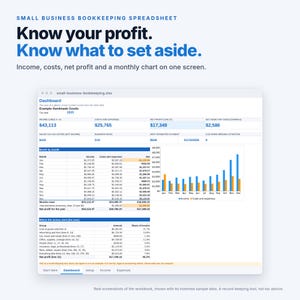
Know your profit, what to set aside for taxes, and where every payout went.
One spreadsheet for a small business. Log sales, bills, marketplace payouts and mileage as you go. Every bill lands on its IRS Schedule C line, a monthly profit and loss builds itself, and a one-page Schedule C summary is ready for your tax preparer. Works in Excel and Google Sheets.
THE PARTS MOST BOOKKEEPING SHEETS MISS
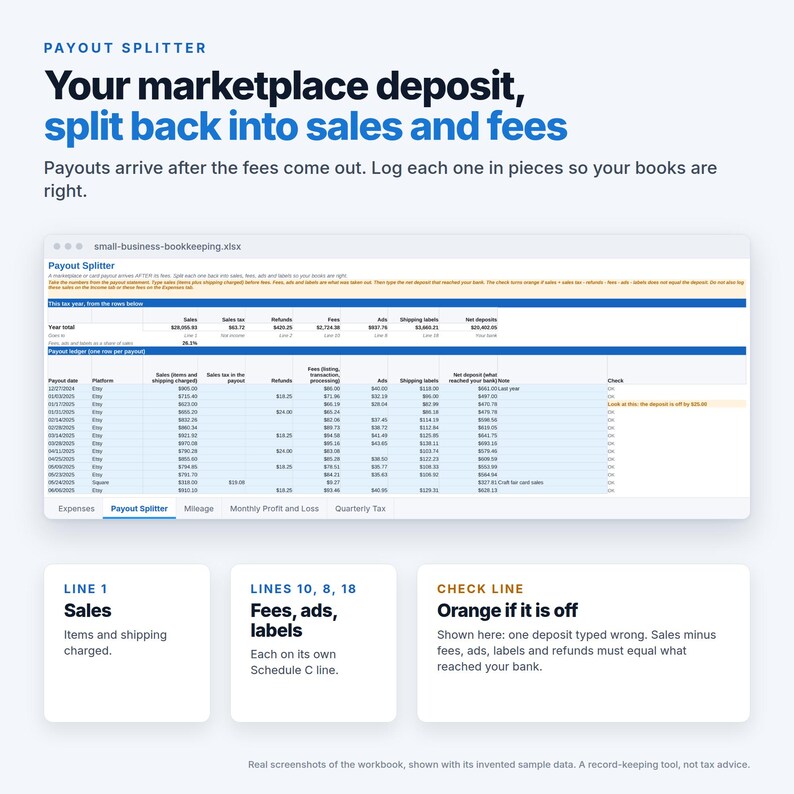
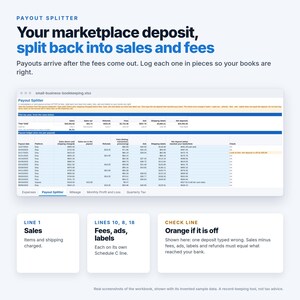
- Payout Splitter. Etsy and other marketplaces pay you AFTER taking their fees, and sometimes ads and shipping labels too. Log only the deposit and your sales look too small and your fees vanish. Type each payout from its statement (sales, refunds, fees, ads, labels and the deposit) and a check turns orange if the pieces do not add up. Sales go to line 1, fees to line 10, ads to line 8, labels to line 18.
- Sales tax stays out of income. Type the sales tax you collected in its own column. It is shown on its own line, not counted as income.
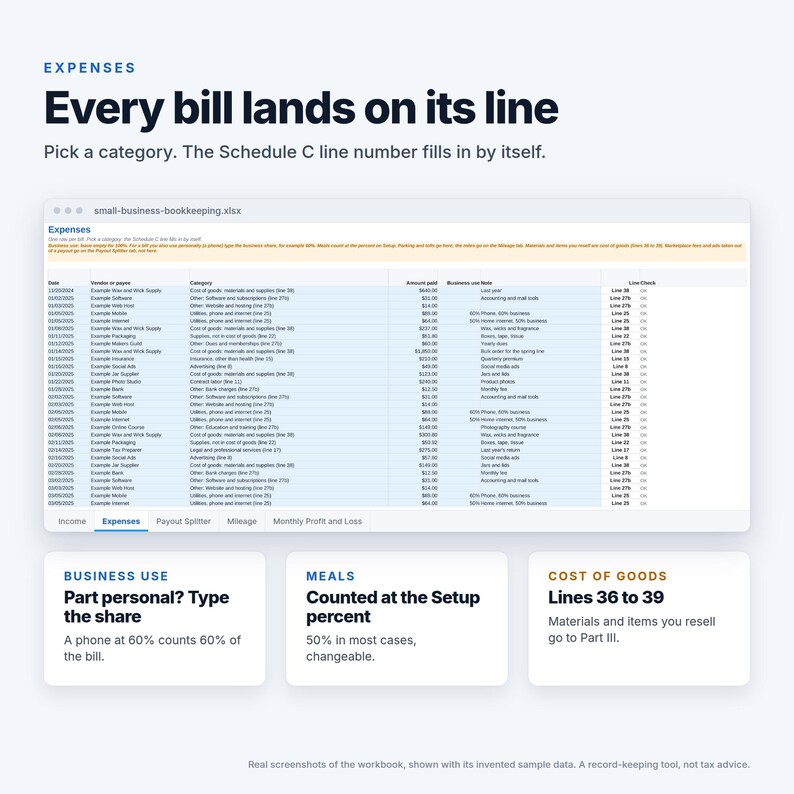
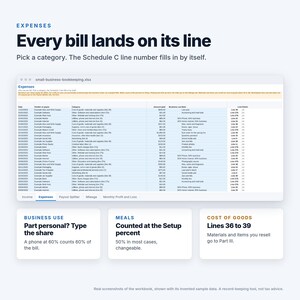
- Part personal, part business. Type the business share of a phone bill and only that share counts. Meals count at the percent you set (50% in most cases).
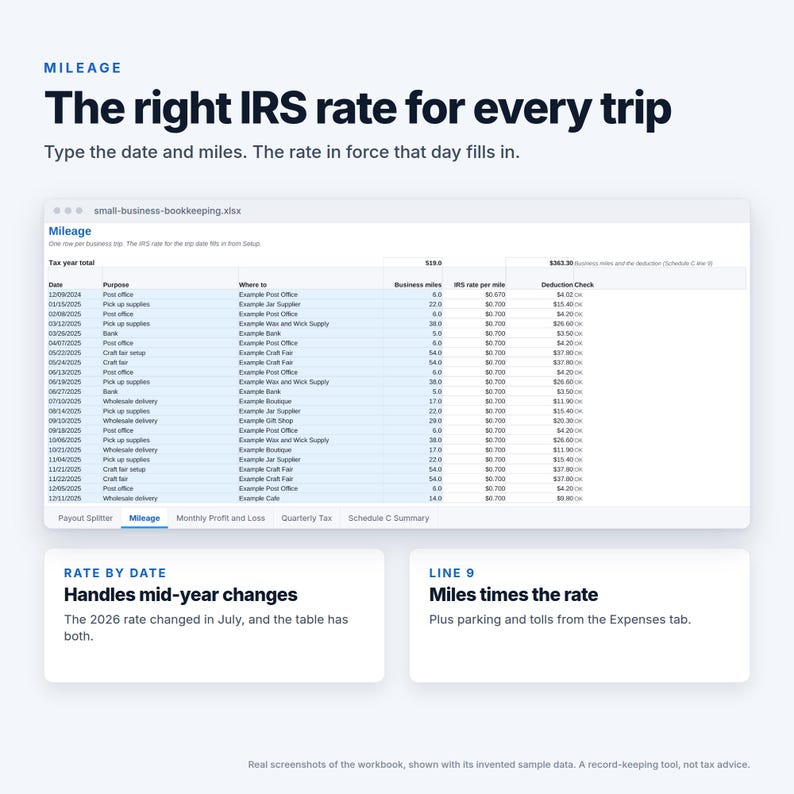
- Mileage with the right IRS rate for each trip date, including the 2026 rate change in July.
- Cost of goods. Materials, items you resell and labor go on Schedule C lines 36 to 39, with beginning and ending inventory, and flow to line 4.
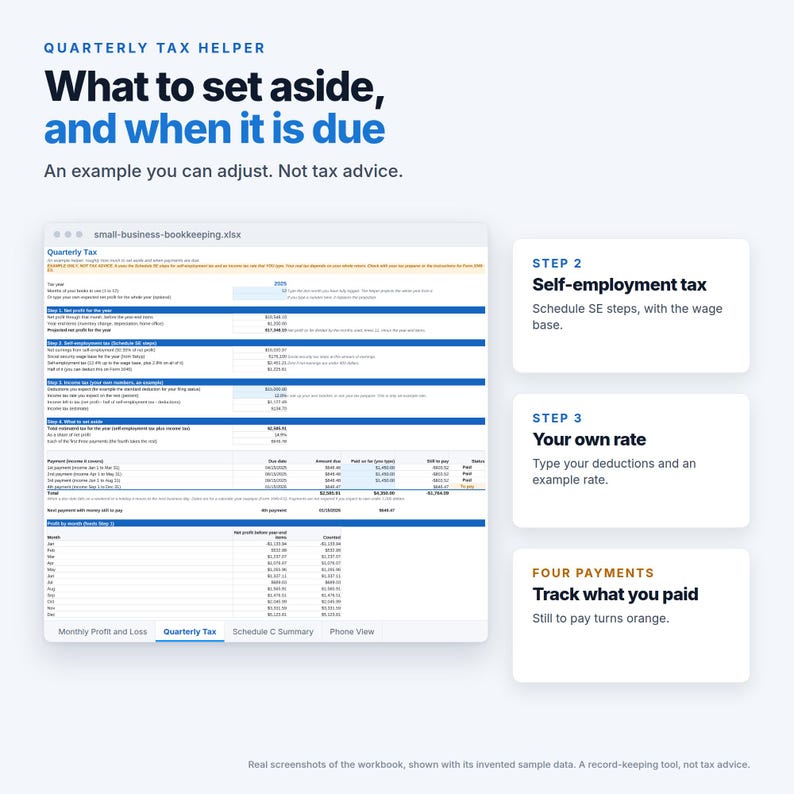
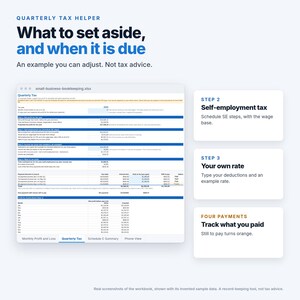
- A quarterly tax helper (an example, not advice): self-employment tax by the Schedule SE steps, an income tax estimate from a rate you type, four payments with due dates and what is still to pay.
WHAT YOU GET
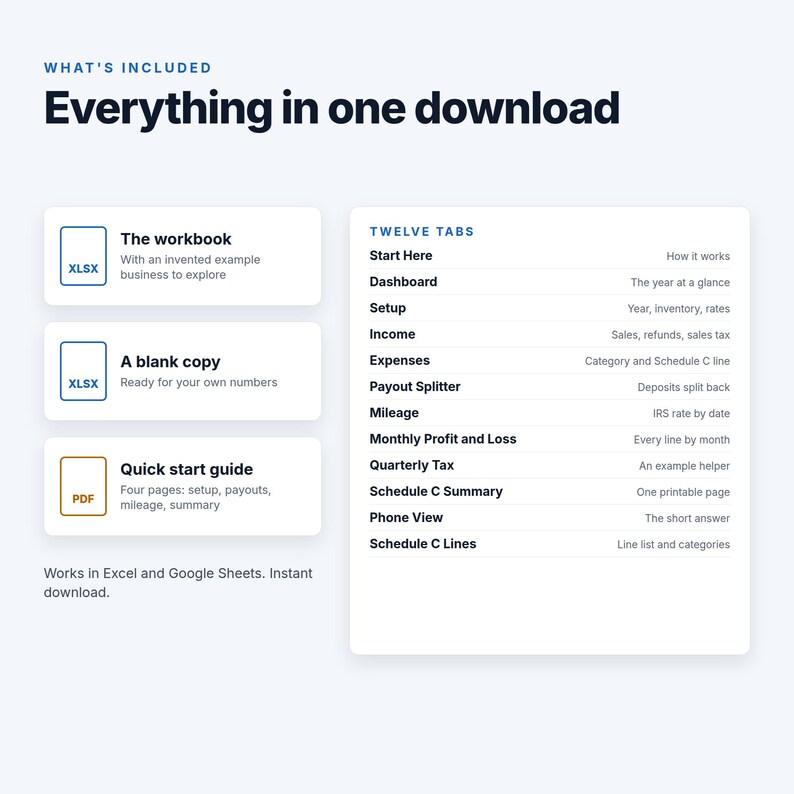
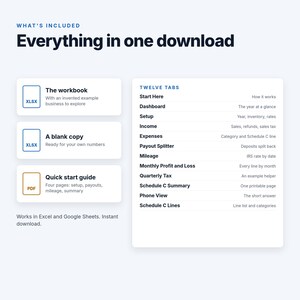
- Small Business Bookkeeping Spreadsheet (.xlsx) with an invented example business, so you can see every tab working before you type anything
- A blank copy, ready for your own numbers
- A 4-page quick start guide (PDF)
THE TABS
- Dashboard: income, costs, net profit, what to set aside, a month by month chart and where the money went
- Setup: tax year, inventory, mileage rates and a few typed lines
- Income: sales, refunds and other income, with sales tax collected (600 rows)
- Expenses: date, vendor, category with its Schedule C line, amount and business-use percent (800 rows)
- Payout Splitter: each marketplace or card payout split into sales, fees, ads and labels, with a check (300 rows)
- Mileage: trips, the IRS rate for the date and the deduction (400 rows)
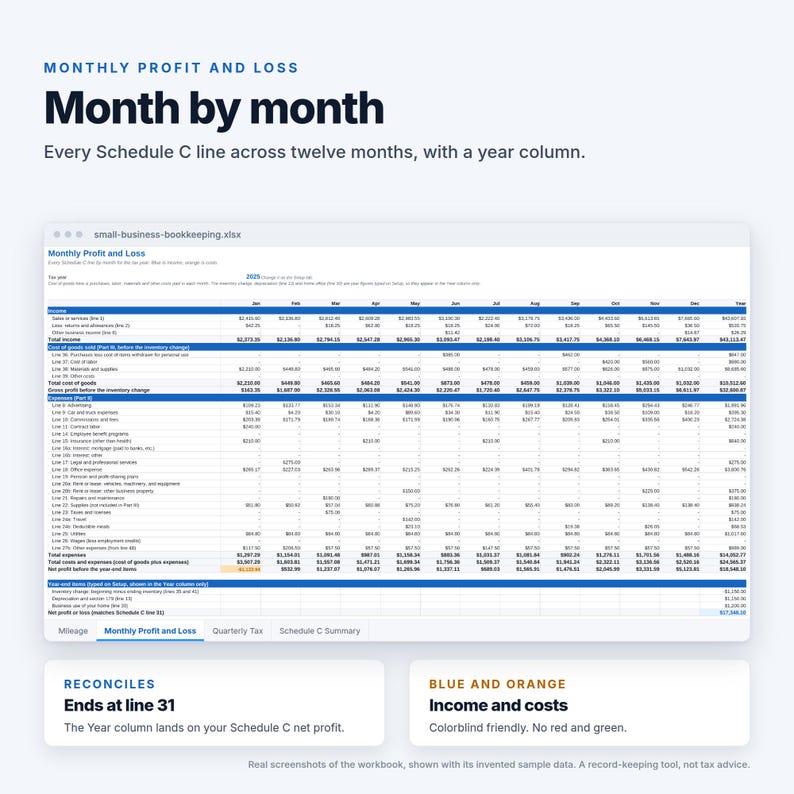
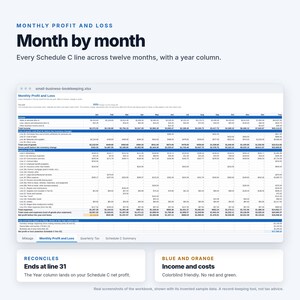
- Monthly Profit and Loss: every line by month with a Year column and a chart
- Quarterly Tax: the example helper
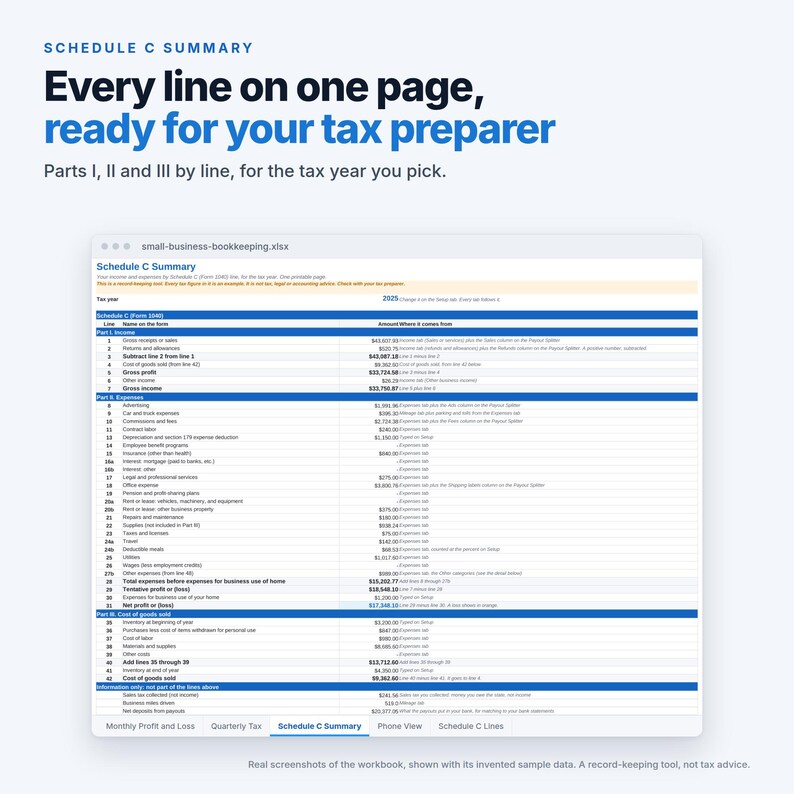
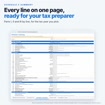
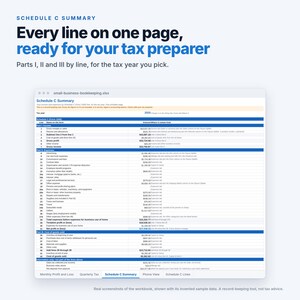
- Schedule C Summary: Parts I, II and III by line on one printable page, for the tax year you pick
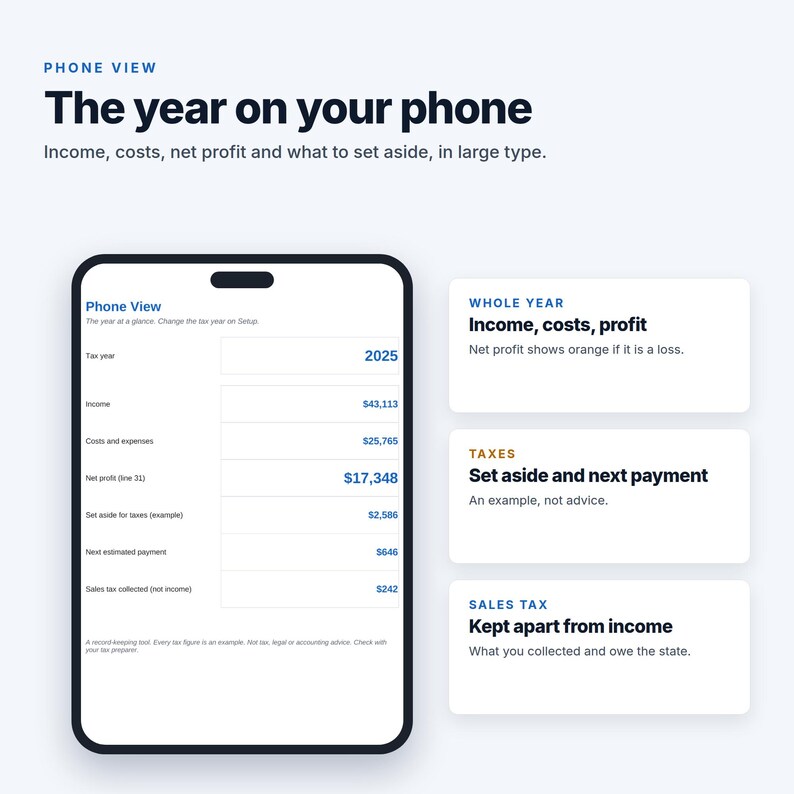
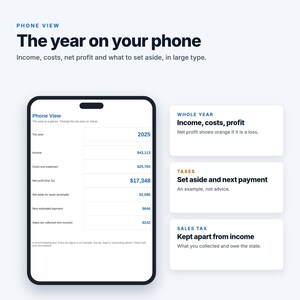
- Phone View: the year in large type
- Schedule C Lines: the line list and the category pick lists
HOW IT WORKS
1. Open Setup and pick the tax year.
2. Log income, bills, payouts and trips as they happen. Pick from the lists.
3. Read the Dashboard. Hand the Schedule C Summary to your tax preparer.
WORKS IN
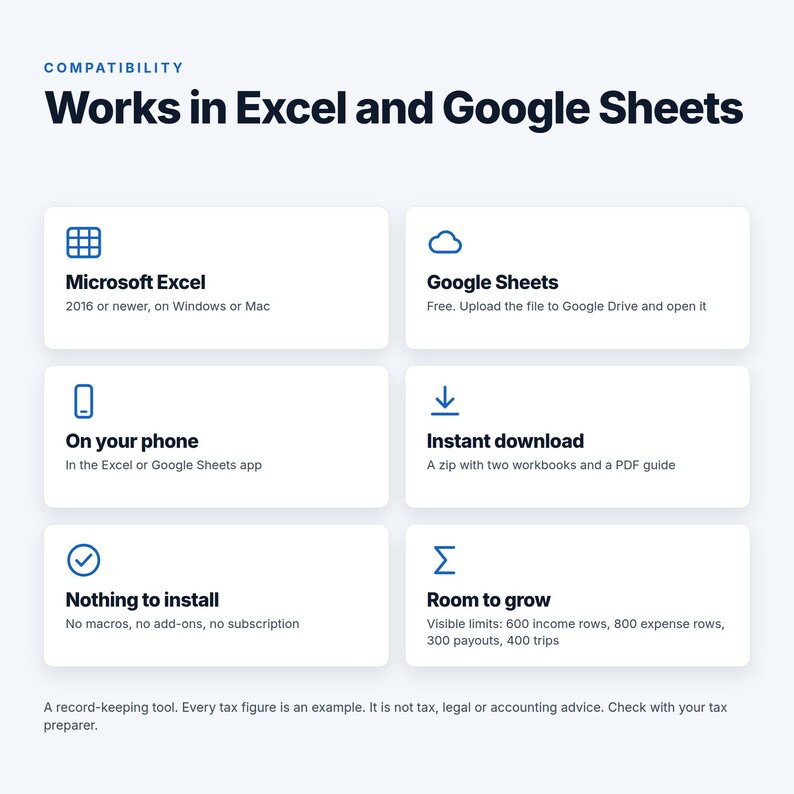
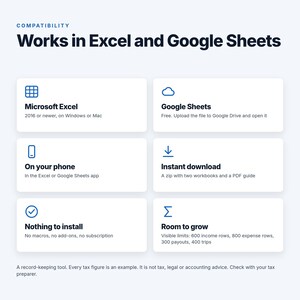
- Microsoft Excel 2016 or newer (2019, 2021 and Microsoft 365 too), on Windows or Mac
- Google Sheets (free): upload the file to Google Drive and open it with Google Sheets
- Your phone: the Excel or Google Sheets app
- No macros, no add-ons, no subscription. 9,397 live formulas using standard functions only.
GOOD TO KNOW
- This is a record-keeping tool. Every tax figure in it is an example. It is not tax, legal or accounting advice. Check with your tax preparer.
- Line numbers follow the IRS Schedule C (Form 1040) as laid out on the 2025 form, the latest final form. Layouts change from year to year (other expenses moved from line 27a to line 27b in 2025), so check the form for your year.
- This is a digital download. Nothing will be shipped.
- Colorblind friendly: blue marks inputs and good results, orange means look at this. No red and green.
- Example customers, vendors, payouts and amounts are invented.
- Mileage uses the standard mileage method. Depreciation (line 13) and the home office (line 30) are typed in from your own figures, not calculated.
- Not included: bank feeds, invoicing, payroll, inventory tracking, sales tax filing, 1099 forms.
- Questions: send a message through Etsy.
If something goes wrong with an order, we've got your back for all eligible purchases. View program terms
Price:$12.00
You can only make an offer when buying a single item
Delivery
Instant download
Your files will be available to download once payment is confirmed. Here's how.
Instant download items don't accept returns, exchanges or cancellations. Please contact the seller about any problems with your order.
Seller's description
Specifications
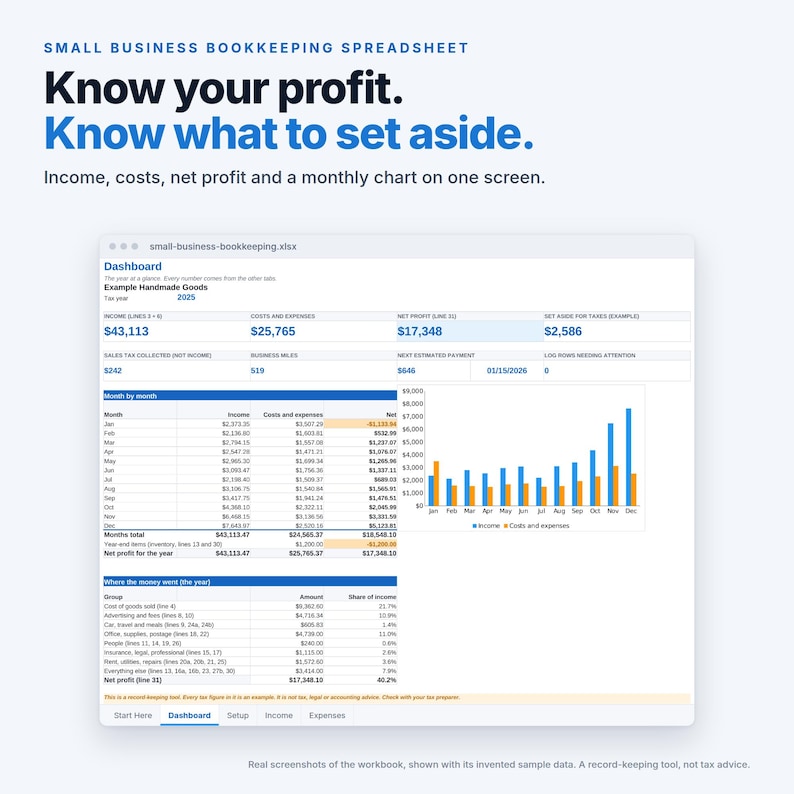
Know your profit, what to set aside for taxes, and where every payout went.
One spreadsheet for a small business. Log sales, bills, marketplace payouts and mileage as you go. Every bill lands on its IRS Schedule C line, a monthly profit and loss builds itself, and a one-page Schedule C summary is ready for your tax preparer. Works in Excel and Google Sheets.
THE PARTS MOST BOOKKEEPING SHEETS MISS
- Payout Splitter. Etsy and other marketplaces pay you AFTER taking their fees, and sometimes ads and shipping labels too. Log only the deposit and your sales look too small and your fees vanish. Type each payout from its statement (sales, refunds, fees, ads, labels and the deposit) and a check turns orange if the pieces do not add up. Sales go to line 1, fees to line 10, ads to line 8, labels to line 18.
- Sales tax stays out of income. Type the sales tax you collected in its own column. It is shown on its own line, not counted as income.
- Part personal, part business. Type the business share of a phone bill and only that share counts. Meals count at the percent you set (50% in most cases).
- Mileage with the right IRS rate for each trip date, including the 2026 rate change in July.
- Cost of goods. Materials, items you resell and labor go on Schedule C lines 36 to 39, with beginning and ending inventory, and flow to line 4.
- A quarterly tax helper (an example, not advice): self-employment tax by the Schedule SE steps, an income tax estimate from a rate you type, four payments with due dates and what is still to pay.
WHAT YOU GET
- Small Business Bookkeeping Spreadsheet (.xlsx) with an invented example business, so you can see every tab working before you type anything
- A blank copy, ready for your own numbers
- A 4-page quick start guide (PDF)
THE TABS
- Dashboard: income, costs, net profit, what to set aside, a month by month chart and where the money went
- Setup: tax year, inventory, mileage rates and a few typed lines
- Income: sales, refunds and other income, with sales tax collected (600 rows)
- Expenses: date, vendor, category with its Schedule C line, amount and business-use percent (800 rows)
- Payout Splitter: each marketplace or card payout split into sales, fees, ads and labels, with a check (300 rows)
- Mileage: trips, the IRS rate for the date and the deduction (400 rows)
- Monthly Profit and Loss: every line by month with a Year column and a chart
- Quarterly Tax: the example helper
- Schedule C Summary: Parts I, II and III by line on one printable page, for the tax year you pick
- Phone View: the year in large type
- Schedule C Lines: the line list and the category pick lists
HOW IT WORKS
1. Open Setup and pick the tax year.
2. Log income, bills, payouts and trips as they happen. Pick from the lists.
3. Read the Dashboard. Hand the Schedule C Summary to your tax preparer.
WORKS IN
- Microsoft Excel 2016 or newer (2019, 2021 and Microsoft 365 too), on Windows or Mac
- Google Sheets (free): upload the file to Google Drive and open it with Google Sheets
- Your phone: the Excel or Google Sheets app
- No macros, no add-ons, no subscription. 9,397 live formulas using standard functions only.
GOOD TO KNOW
- This is a record-keeping tool. Every tax figure in it is an example. It is not tax, legal or accounting advice. Check with your tax preparer.
- Line numbers follow the IRS Schedule C (Form 1040) as laid out on the 2025 form, the latest final form. Layouts change from year to year (other expenses moved from line 27a to line 27b in 2025), so check the form for your year.
- This is a digital download. Nothing will be shipped.
- Colorblind friendly: blue marks inputs and good results, orange means look at this. No red and green.
- Example customers, vendors, payouts and amounts are invented.
- Mileage uses the standard mileage method. Depreciation (line 13) and the home office (line 30) are typed in from your own figures, not calculated.
- Not included: bank feeds, invoicing, payroll, inventory tracking, sales tax filing, 1099 forms.
- Questions: send a message through Etsy.
-
Item typeDigital download
-
Digital file type(s)1 PDF, 1 ZIP, 1 other file
If something goes wrong with an order, we've got your back on all eligible purchases. View program terms
Meet your seller
More from this shop
-
Digital download
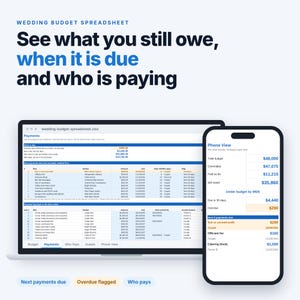
Wedding Budget Spreadsheet | See What You Still Owe, When It Is Due and Who Pays, Wedding Budget Tracker for Excel and Google Sheets
$8.00
-
Digital download
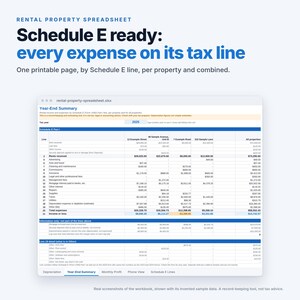
Rental Property Spreadsheet | Landlord Income and Expense Tracker with Schedule E Tax Lines, Excel and Google Sheets
$12.00
-
Digital download
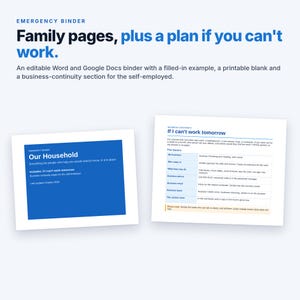
Emergency Binder Template | Editable Word and Google Docs, Printable PDF | Plus Business Continuity Pages for the Self-Employed
$9.00
-
Digital download
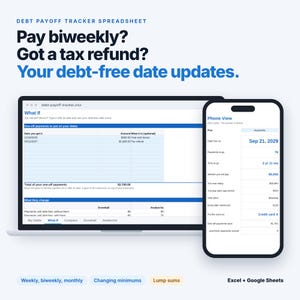
Debt Payoff Spreadsheet for Biweekly Pay | Debt Payoff Tracker with Snowball, Avalanche and Tax Refund What-If, Excel and Google Sheets
$10.00
-
Digital download
Airbnb Welcome Book Template | Editable Word and Google Docs, Printable PDF, House Manual, House Rules, Wi-Fi, Door Quick-Reference Card
$7.00
-
Digital download
Debt Snowball Spreadsheet | Single-Sheet Debt Tracker with Snowball or Avalanche Order and Progress Bars, Excel and Google Sheets
$6.00
-
Digital download
Bookkeeping Template Small Business Spreadsheet Income Expense Tracker Accounting Spreadsheet Google Sheets Excel Profit and Loss Dark Mode
Sale Price $9.95
Original Price $14.21
-
Digital download
Small Business Bookkeeping Spreadsheet, Annual Overview, Inventory Tracker, Income and Expense, Sales Tracker, Accounting Ledger, Google
$19.00
-

Digital download
Small Business Bookkeeping Template Income Expense Tracker Google Sheets Excel Profit & Loss Accounting Spreadsheet Self Employed Freelancer
Sale Price $6.99
Original Price $13.98
-
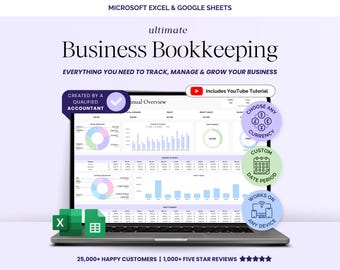
Digital download
Small Business Bookkeeping Template Spreadsheet Google Sheets Profit and Loss Bookkeeper Excel Sheet Accounting Income Expense Tracker
Sale Price $5.25
Original Price $13.12
-
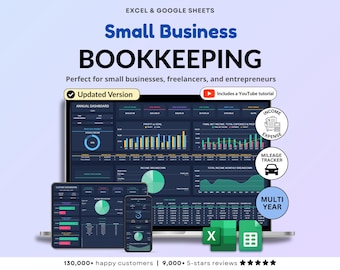
Digital download
Small Business Bookkeeping Spreadsheet Dark Mode Income Expense Tracker Tax Tracker Dark Accounting Template Business Planner Profit & Loss
Sale Price $9.73
Original Price $19.46
-

Digital download
Bookkeeping Spreadsheet Small Business Finance Tracker Excel Easy Income & Expense Template Google Sheets Profit and Loss Accounting Sales
Sale Price $6.41
Original Price $16.03
-

Digital download
Small Business Tools Spreadsheet Ultimate Bookkeeping Business Google Sheet Expense budget Sales Accounting Template Income Tracker
$14.99
-
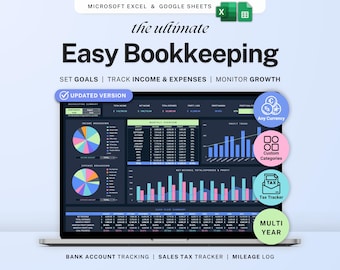
Digital download
Small business bookkeeping Google Sheets Dark Mode Income Expense Tracker Freelancer Tax Planner Profit Loss Spreadsheet 1099 Mileage Log
Sale Price $6.99
Original Price $13.98
-
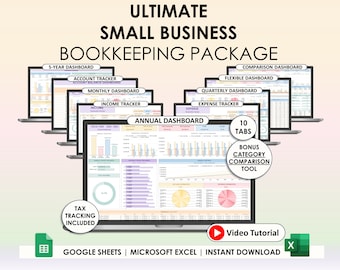
Digital download
Small Business Easy Bookkeeping Spreadsheet Profit And Loss Excel Google Sheets Sales Tax Tracker Accounting Template Profit Tracker Invoice
Sale Price $8.46
Original Price $21.14
-

Digital download
Small Business Bookkeeping Spreadsheet | Profit and Loss Template | Income and Expense Tracker | Excel Accounting Template | Finance Tracker
$11.25
-
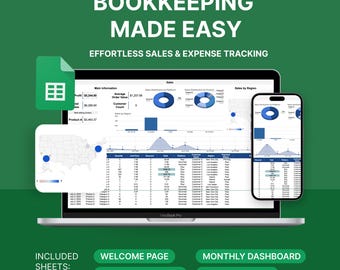
Digital download
Etsy Seller Bookkeeping Spreadsheet: Sales & Expense Tracker (Google Sheets Template)
$10.00
-

Digital download
Small Business Bookkeeping Spreadsheet | Easy Bookkeeping Template Accounting Google Sheets Profit and Loss Income and Expense Tracker Taxes
$14.80
Shoppers with similar taste loved these
-
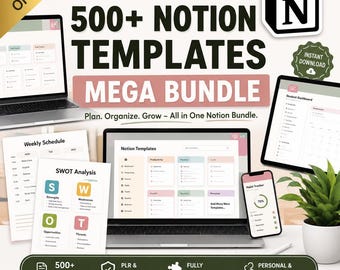
Digital download
Notion Templates Bundle: 500+ Editable Business & Content Planner (PLR/MRR Digital Download
$5.35
-

Digital download
500+ Notion Templates Bundle PLR & Master Resell Rights MRR - Editable Planners (Digital Download)
$5.28
-
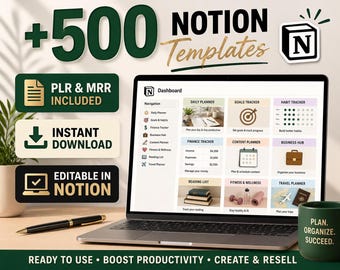
Digital download
500+ Notion Templates Bundle – Editable Planners, PLR & MRR (Digital Download)
$1.95
-

Digital download
190 Notion PLR Templates & Planners Bundle | PLR Products, Plr Mrr, Master Resell Rights, Passive Income, Lead Magnet, Notion Template
Sale Price $2.47
Original Price $5.49
-
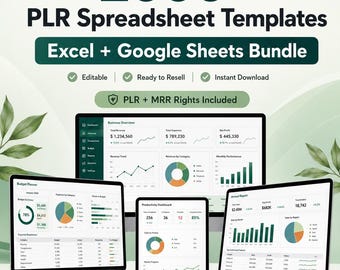
Digital download
PLR Spreadsheet Template Bundle | 2000+ Finance, Business & Budget Trackers | Excel, Google Sheets | MRR
Sale Price $1.92
Original Price $3.20
-
Digital download
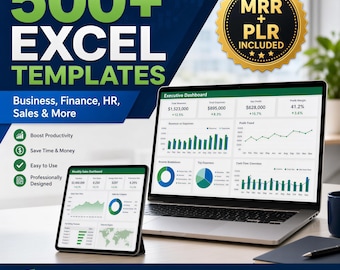
500+ Editable Excel Spreadsheet Templates Bundle – MRR & PLR Resell Rights Included
$5.21
-
Digital download
200+ Notion Templates Bundle | Life Planner, Finance, Productivity (PLR & MRR Rights)
Sale Price $1.27
Original Price $5.10
-
Digital download
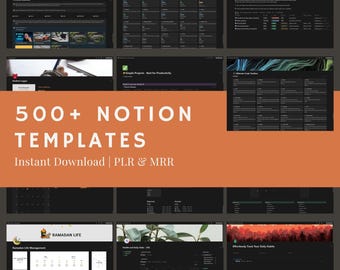
500+ Notion Templates Bundle | PLR, MRR | Editable Digital Planners, Journals & Business Tools
$4.99
-

Digital download
Notion Client Portal for Graphic Designers | Project and Client Tracker Template
Sale Price $6.00
Original Price $14.99
-

Digital download
Notion Client Portal Template: Time Tracker for Freelancers (Digital Download)
Sale Price $7.43
Original Price $8.07
-

Digital download
Digital Notion Templates Bundle PLR & MRR | 130+ Editable Templates for Business Creators
$5.00
-

Digital download
Notion Template Solopreneur Business Planner Project Management Dashboard for Business Owners Entrepreneurs Growth Knowledge Goals Tracker
Sale Price $8.99
Original Price $29.97


