


Calibration Tracker Excel, Instrument Log, Gauge Due Date Schedule, Out of Tolerance Impact Check
Item highlights
Seller's description
Keep every measuring instrument in calibration – and know exactly what to do when one is found out of tolerance. A calibration tracker in Excel for scales, thermometers, gauges, metal detectors, pH meters and every other instrument your quality system depends on.
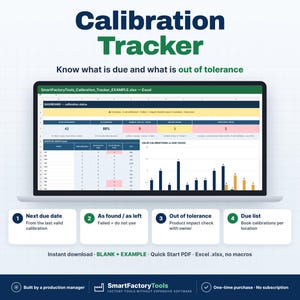
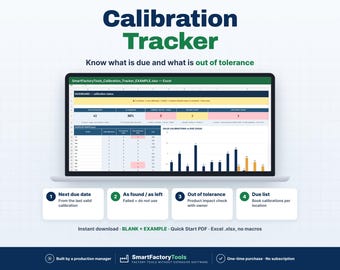
✔ Next due date from the last valid calibration
✔ As found / as left results – failed means do not use
✔ Out-of-tolerance product impact check with owner and due date
✔ Instant download: BLANK + EXAMPLE · Quick Start PDF
✔ Built by a production manager · one-time purchase, no subscription, no macros
▶ Requires Microsoft Excel 2016 or newer on a computer (Windows or Mac). Not for Google Sheets, Apple Numbers or mobile apps.
Calibration dates usually live in certificates and in a list nobody updates. Then an auditor finds an overdue scale – or a thermometer is found out of tolerance and nobody checks what was released with it. This tracker calculates the next due date from the last VALID calibration, shows the status of every instrument, opens a product impact check for every out-of-tolerance find and gives you a due list to book calibrations on time. Built by a production manager who keeps a food plant audit-ready.
━━━━━━━━━━━━━━━━━━━━
WHAT IT DOES
━━━━━━━━━━━━━━━━━━━━
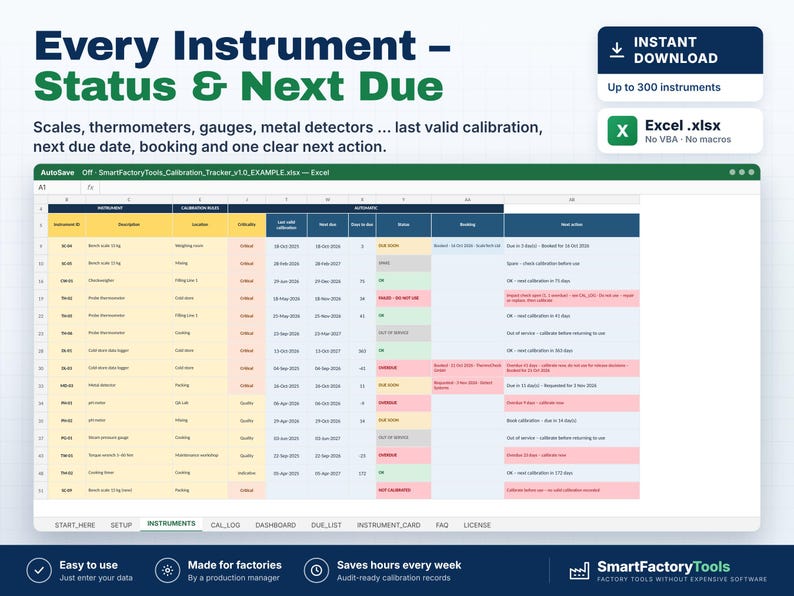
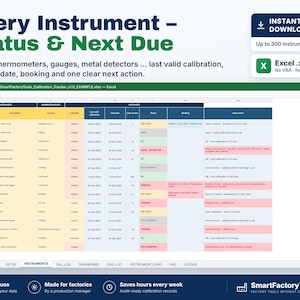
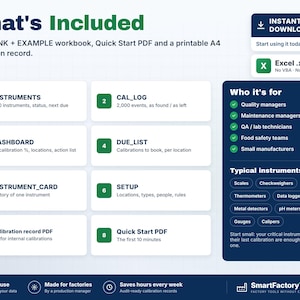
• INSTRUMENTS: up to 300 instruments – ID, description, type, location, serial no., range, tolerance, criticality (Critical / Quality / Indicative), interval in months, external or internal calibration, provider, responsible, instrument status
• NEXT DUE DATE from the last valid calibration (External or Internal calibration with As left = Pass) + interval – a failed calibration never moves the due date
• STATUS per instrument: OK, DUE SOON, OVERDUE, NOT CALIBRATED, FAILED – DO NOT USE, OUT OF SERVICE, SPARE, RETIRED – plus one clear next action
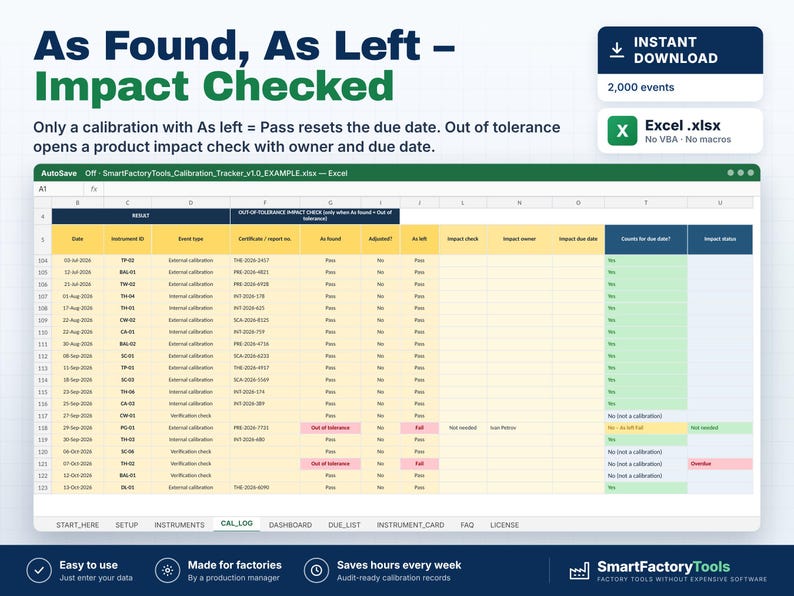
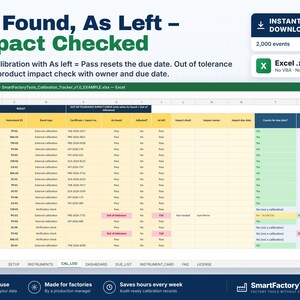
• CAL_LOG: up to 2,000 calibrations, verification checks, adjustments and repairs – certificate no., As found, adjusted, As left, cost
• "COUNTS FOR DUE DATE?" on every event: Yes – or why not (As left Fail, date missing or in the future, unknown instrument)
• OUT-OF-TOLERANCE IMPACT CHECK: every As found = Out of tolerance opens a check of the product made since the last good result – owner, due date, closed date, note, CAPA / 8D reference; open and overdue checks in red
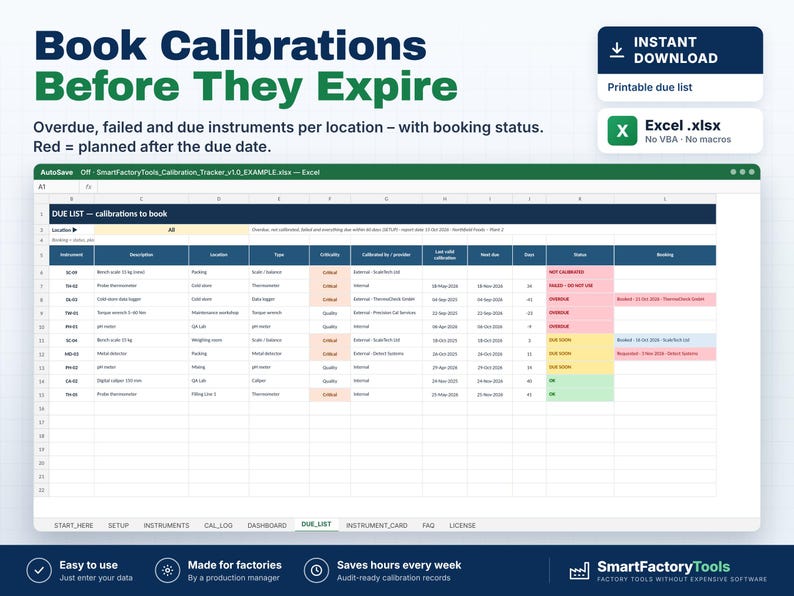
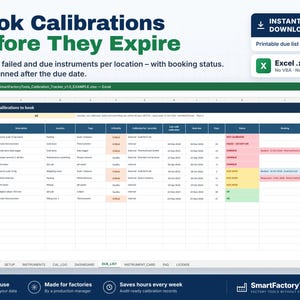
• BOOKINGS: booking status (Requested / Booked / Sent out), planned date and lab per instrument – red when planned after the due date
• DUE_LIST: printable list of overdue, failed and due instruments per location, sorted by urgency, with the booking
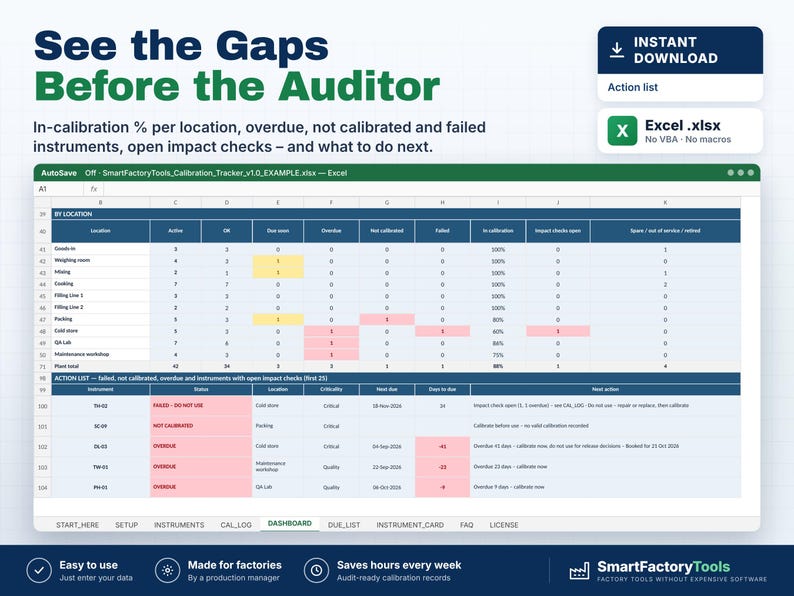
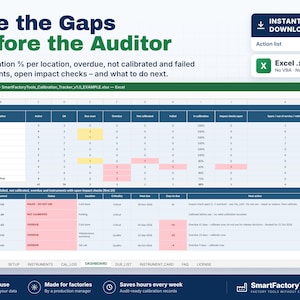
• DASHBOARD: in-calibration %, overdue / not calibrated / failed (critical separately), due in 30 / 60 / 90 days and how many are booked, open impact checks; status, criticality, location and instrument type tables; valid calibrations vs due per month with chart; action list
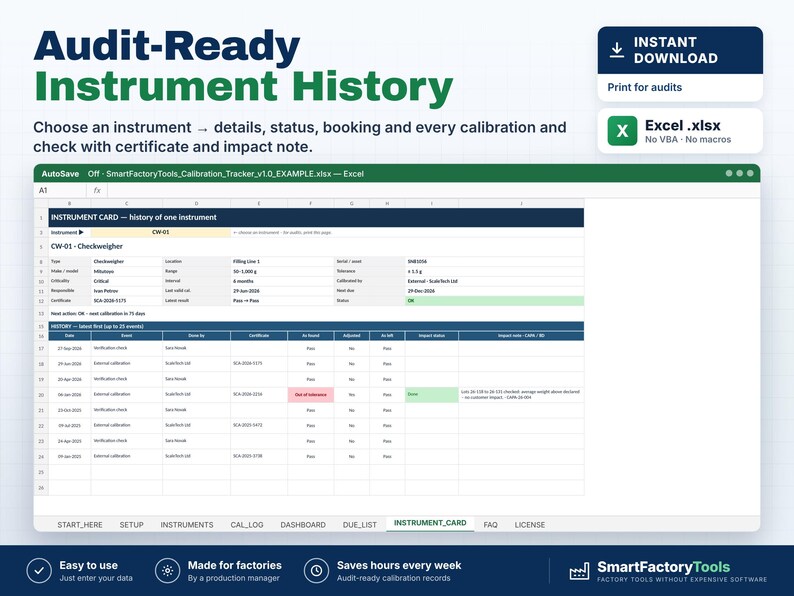
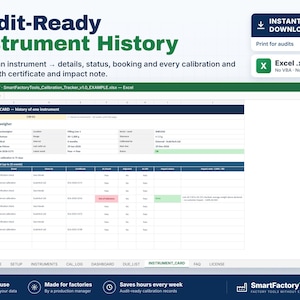
• INSTRUMENT_CARD: choose an instrument → details, status, booking and its latest 25 events with certificates and impact notes – print it for audits
• CHECK column on every row: duplicate IDs, missing interval or location, external calibration without certificate, booking without date, impact check closed without date …
━━━━━━━━━━━━━━━━━━━━
WHAT'S INCLUDED (ZIP)
━━━━━━━━━━━━━━━━━━━━
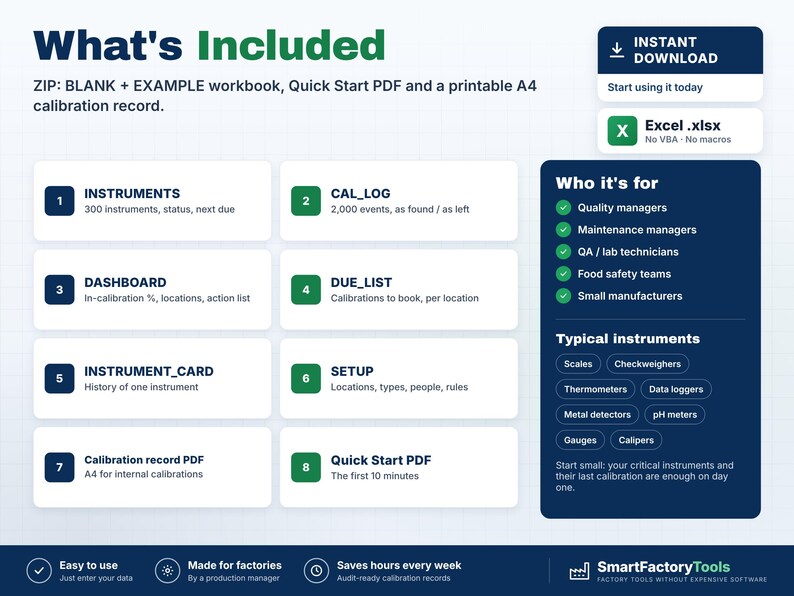
• SmartFactoryTools_Calibration_Tracker_v1.0_BLANK.xlsx – ready for your instruments
• SmartFactoryTools_Calibration_Tracker_v1.0_EXAMPLE.xlsx – a fictional food plant with 46 instruments and 2 years of calibrations
• Printable_Calibration_Record.pdf – A4 record for internal calibrations and checks (readings, as found / as left, impact check)
• Quick_Start_Guide.pdf – 2 pages, the first 10 minutes
Sheets: START_HERE, SETUP, INSTRUMENTS, CAL_LOG, DASHBOARD, DUE_LIST, INSTRUMENT_CARD, FAQ, LICENSE
━━━━━━━━━━━━━━━━━━━━
HOW IT WORKS
━━━━━━━━━━━━━━━━━━━━
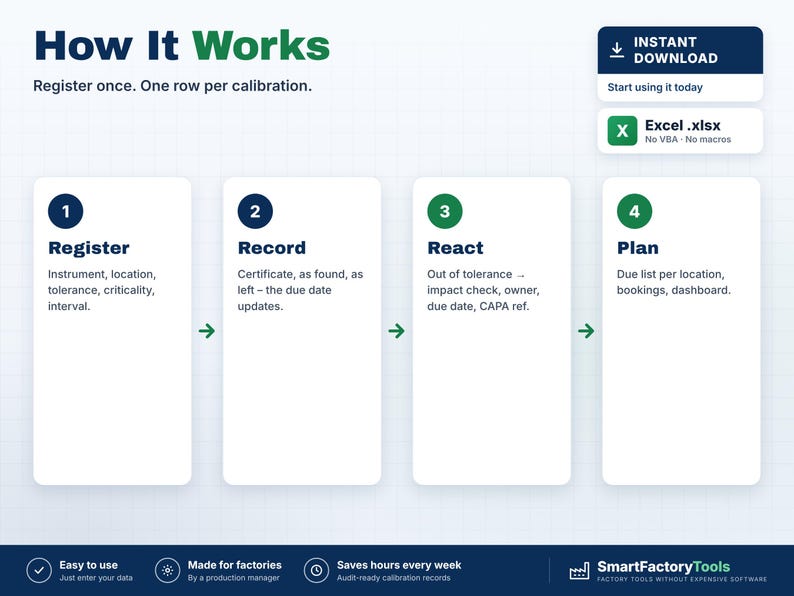
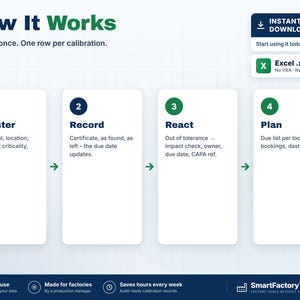
1. SETUP (about 10 minutes): locations, instrument types, people and providers, due-soon warning (30 days), due-list horizon (60 days), impact-check days (7).
2. REGISTER your instruments on INSTRUMENTS – start with the critical ones.
3. RECORD every calibration or check on CAL_LOG – the last valid calibration is enough to start.
4. OUT OF TOLERANCE? Assess the product, close the impact check with a note and date.
5. PLAN: print the due list per location and enter the bookings. Review the dashboard monthly.
━━━━━━━━━━━━━━━━━━━━
WHO IT'S FOR
━━━━━━━━━━━━━━━━━━━━
Quality managers, maintenance and engineering managers, QA and lab technicians and food safety teams in small and mid-size plants – food, packaging, metal, plastics, assembly – that need calibration records for ISO 9001, IFS, BRCGS, FSSC 22000 or customer audits without buying calibration software.
━━━━━━━━━━━━━━━━━━━━
LIMITS
━━━━━━━━━━━━━━━━━━━━
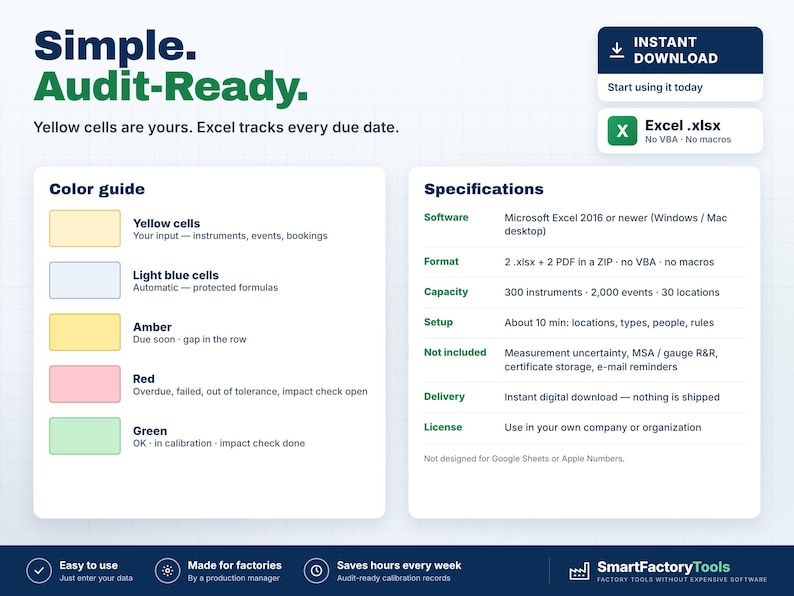
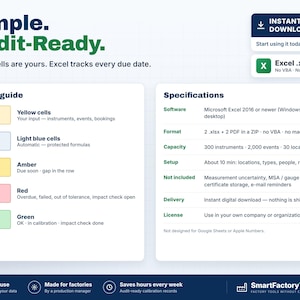
• 300 instruments, 2,000 events, 30 locations, 20 instrument types, 60 people / providers.
• The file tracks the dates and results you enter. It does not replace your calibration procedure, accredited certificates or the decisions of qualified staff.
• Not included: measurement uncertainty, MSA / gauge R&R, certificate file storage (enter the certificate number), e-mail reminders, daily check sheets, a full booking calendar (one booking per instrument).
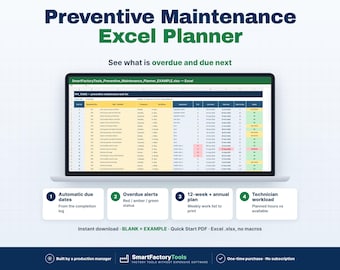
• For preventive maintenance of machines see the SmartFactoryTools Preventive Maintenance Planner.
━━━━━━━━━━━━━━━━━━━━
FAQ
━━━━━━━━━━━━━━━━━━━━
Q: Do verification checks reset the due date?
A: No. Only an External or Internal calibration with As left = Pass does. Checks are recorded, and a failed check marks the instrument FAILED – DO NOT USE.
Q: What is As found vs As left?
A: As found = before adjustment (was it right while you used it?). As left = after adjustment or repair (can you use it now?).
Q: Do I need to enter all old certificates?
A: No. The last valid calibration of each instrument is enough for the next due date.
Q: Can I use my own instrument IDs, locations and types?
A: Yes – any unique ID; locations, types, people and rules are on SETUP.
Q: Is the file protected?
A: Formulas are protected without a password to prevent accidental damage. Review › Unprotect Sheet removes it.
Related SmartFactoryTools templates: Preventive Maintenance Planner, CAPA Tracker, 8D Report Template & Tracker, Control Plan Template.
━━━━━━━━━━━━━━━━━━━━
DIGITAL DOWNLOAD
━━━━━━━━━━━━━━━━━━━━
This is a digital product – nothing is shipped. After payment, download the ZIP from your Etsy account (Purchases), unzip it on a computer and open the files in Microsoft Excel.
━━━━━━━━━━━━━━━━━━━━
LICENSE
━━━━━━━━━━━━━━━━━━━━
For use in the buyer's own company or organisation, at any number of sites. Reselling, sharing or uploading the template (original or modified) is not permitted. © SmartFactoryTools
If something goes wrong with an order, we've got your back for all eligible purchases. View program terms
Price:$15.18
You can only make an offer when buying a single item
Delivery
Instant download
Your files will be available to download once payment is confirmed. Here's how.
Instant download items don't accept returns, exchanges or cancellations. Please contact the seller about any problems with your order.
Seller's description
Specifications
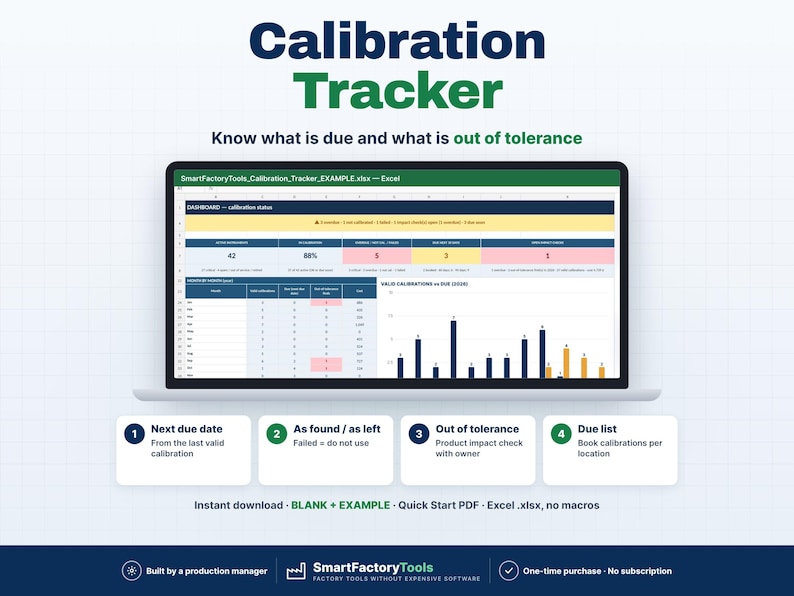
Keep every measuring instrument in calibration – and know exactly what to do when one is found out of tolerance. A calibration tracker in Excel for scales, thermometers, gauges, metal detectors, pH meters and every other instrument your quality system depends on.
✔ Next due date from the last valid calibration
✔ As found / as left results – failed means do not use
✔ Out-of-tolerance product impact check with owner and due date
✔ Instant download: BLANK + EXAMPLE · Quick Start PDF
✔ Built by a production manager · one-time purchase, no subscription, no macros
▶ Requires Microsoft Excel 2016 or newer on a computer (Windows or Mac). Not for Google Sheets, Apple Numbers or mobile apps.
Calibration dates usually live in certificates and in a list nobody updates. Then an auditor finds an overdue scale – or a thermometer is found out of tolerance and nobody checks what was released with it. This tracker calculates the next due date from the last VALID calibration, shows the status of every instrument, opens a product impact check for every out-of-tolerance find and gives you a due list to book calibrations on time. Built by a production manager who keeps a food plant audit-ready.
━━━━━━━━━━━━━━━━━━━━
WHAT IT DOES
━━━━━━━━━━━━━━━━━━━━
• INSTRUMENTS: up to 300 instruments – ID, description, type, location, serial no., range, tolerance, criticality (Critical / Quality / Indicative), interval in months, external or internal calibration, provider, responsible, instrument status
• NEXT DUE DATE from the last valid calibration (External or Internal calibration with As left = Pass) + interval – a failed calibration never moves the due date
• STATUS per instrument: OK, DUE SOON, OVERDUE, NOT CALIBRATED, FAILED – DO NOT USE, OUT OF SERVICE, SPARE, RETIRED – plus one clear next action
• CAL_LOG: up to 2,000 calibrations, verification checks, adjustments and repairs – certificate no., As found, adjusted, As left, cost
• "COUNTS FOR DUE DATE?" on every event: Yes – or why not (As left Fail, date missing or in the future, unknown instrument)
• OUT-OF-TOLERANCE IMPACT CHECK: every As found = Out of tolerance opens a check of the product made since the last good result – owner, due date, closed date, note, CAPA / 8D reference; open and overdue checks in red
• BOOKINGS: booking status (Requested / Booked / Sent out), planned date and lab per instrument – red when planned after the due date
• DUE_LIST: printable list of overdue, failed and due instruments per location, sorted by urgency, with the booking
• DASHBOARD: in-calibration %, overdue / not calibrated / failed (critical separately), due in 30 / 60 / 90 days and how many are booked, open impact checks; status, criticality, location and instrument type tables; valid calibrations vs due per month with chart; action list
• INSTRUMENT_CARD: choose an instrument → details, status, booking and its latest 25 events with certificates and impact notes – print it for audits
• CHECK column on every row: duplicate IDs, missing interval or location, external calibration without certificate, booking without date, impact check closed without date …
━━━━━━━━━━━━━━━━━━━━
WHAT'S INCLUDED (ZIP)
━━━━━━━━━━━━━━━━━━━━
• SmartFactoryTools_Calibration_Tracker_v1.0_BLANK.xlsx – ready for your instruments
• SmartFactoryTools_Calibration_Tracker_v1.0_EXAMPLE.xlsx – a fictional food plant with 46 instruments and 2 years of calibrations
• Printable_Calibration_Record.pdf – A4 record for internal calibrations and checks (readings, as found / as left, impact check)
• Quick_Start_Guide.pdf – 2 pages, the first 10 minutes
Sheets: START_HERE, SETUP, INSTRUMENTS, CAL_LOG, DASHBOARD, DUE_LIST, INSTRUMENT_CARD, FAQ, LICENSE
━━━━━━━━━━━━━━━━━━━━
HOW IT WORKS
━━━━━━━━━━━━━━━━━━━━
1. SETUP (about 10 minutes): locations, instrument types, people and providers, due-soon warning (30 days), due-list horizon (60 days), impact-check days (7).
2. REGISTER your instruments on INSTRUMENTS – start with the critical ones.
3. RECORD every calibration or check on CAL_LOG – the last valid calibration is enough to start.
4. OUT OF TOLERANCE? Assess the product, close the impact check with a note and date.
5. PLAN: print the due list per location and enter the bookings. Review the dashboard monthly.
━━━━━━━━━━━━━━━━━━━━
WHO IT'S FOR
━━━━━━━━━━━━━━━━━━━━
Quality managers, maintenance and engineering managers, QA and lab technicians and food safety teams in small and mid-size plants – food, packaging, metal, plastics, assembly – that need calibration records for ISO 9001, IFS, BRCGS, FSSC 22000 or customer audits without buying calibration software.
━━━━━━━━━━━━━━━━━━━━
LIMITS
━━━━━━━━━━━━━━━━━━━━
• 300 instruments, 2,000 events, 30 locations, 20 instrument types, 60 people / providers.
• The file tracks the dates and results you enter. It does not replace your calibration procedure, accredited certificates or the decisions of qualified staff.
• Not included: measurement uncertainty, MSA / gauge R&R, certificate file storage (enter the certificate number), e-mail reminders, daily check sheets, a full booking calendar (one booking per instrument).
• For preventive maintenance of machines see the SmartFactoryTools Preventive Maintenance Planner.
━━━━━━━━━━━━━━━━━━━━
FAQ
━━━━━━━━━━━━━━━━━━━━
Q: Do verification checks reset the due date?
A: No. Only an External or Internal calibration with As left = Pass does. Checks are recorded, and a failed check marks the instrument FAILED – DO NOT USE.
Q: What is As found vs As left?
A: As found = before adjustment (was it right while you used it?). As left = after adjustment or repair (can you use it now?).
Q: Do I need to enter all old certificates?
A: No. The last valid calibration of each instrument is enough for the next due date.
Q: Can I use my own instrument IDs, locations and types?
A: Yes – any unique ID; locations, types, people and rules are on SETUP.
Q: Is the file protected?
A: Formulas are protected without a password to prevent accidental damage. Review › Unprotect Sheet removes it.
Related SmartFactoryTools templates: Preventive Maintenance Planner, CAPA Tracker, 8D Report Template & Tracker, Control Plan Template.
━━━━━━━━━━━━━━━━━━━━
DIGITAL DOWNLOAD
━━━━━━━━━━━━━━━━━━━━
This is a digital product – nothing is shipped. After payment, download the ZIP from your Etsy account (Purchases), unzip it on a computer and open the files in Microsoft Excel.
━━━━━━━━━━━━━━━━━━━━
LICENSE
━━━━━━━━━━━━━━━━━━━━
For use in the buyer's own company or organisation, at any number of sites. Reselling, sharing or uploading the template (original or modified) is not permitted. © SmartFactoryTools
-
Designed by
-
Item typeDigital download
-
Digital file type(s)1 ZIP
If something goes wrong with an order, we've got your back on all eligible purchases. View program terms
Meet your seller

More from this shop
-
Digital download
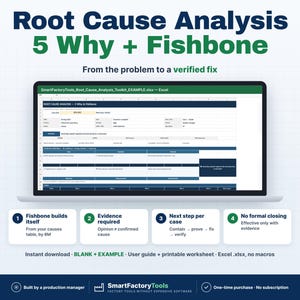
Root Cause Analysis Excel, 5 Why, Fishbone Diagram, Ishikawa 6M, RCA Problem Solving Tracker
$15.18
-
Digital download
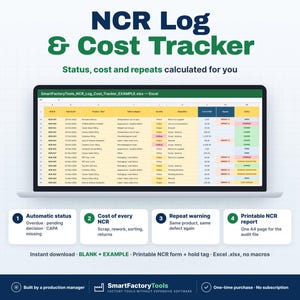
Non Conformance Report Excel Template, NCR Log, Defect Tracker, Scrap Rework Cost, Printable Form
$11.67
-
Digital download
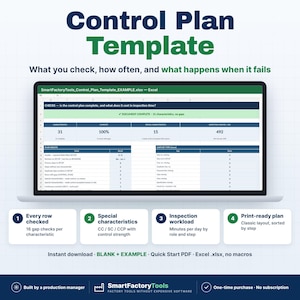
Control Plan Template Excel, Quality Inspection Frequency, Special Characteristics, Reaction Rules, APQP Process Checks
$15.18
-
Digital download
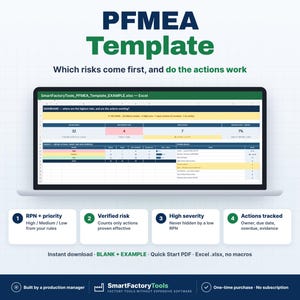
PFMEA Template Excel, Process FMEA, RPN Priority Rules, Risk Matrix, Verified Corrective Action Tracker
$15.18
-
Digital download
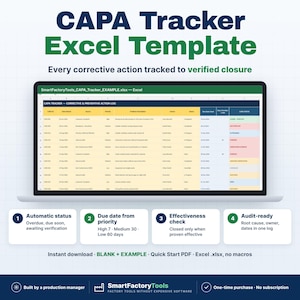
CAPA Tracker Excel Template, Corrective Action Log, Root Cause & Effectiveness Check
$11.67
-
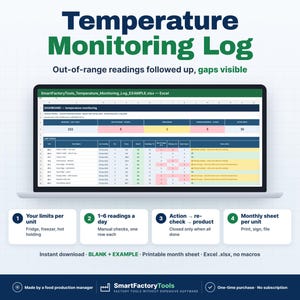
Digital download
Temperature Log Excel, Fridge Freezer Cold Room Record, Monthly Sheet, Out of Range Alerts
$15.18
 This listing
Calibration Tracker Excel, Instrument Log, Gauge Due Date Schedule, Out of Tolerance Impact Check
Sale Price $11.38
Original Price $15.18
25% off "buy together" offer
Digital Download
-
Digital download
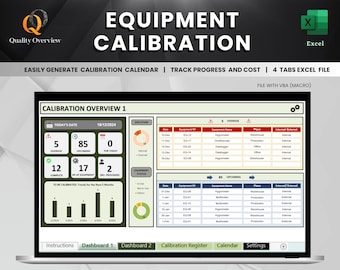
Equipment Calibration Schedule and Tracking Tool | Automated Calibration Calendar | Calibration Cost | Excel spreadsheet template, dashboard
Sale Price $8.18
Original Price $11.68
-
Digital download
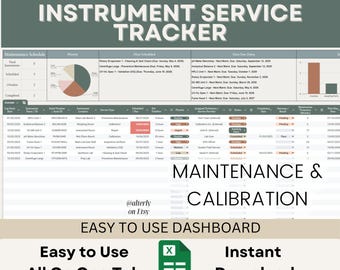
Pro Instrument Service Log & Calibration Tracker | Google Sheets Dashboard for Equipment Maintenance
Sale Price $7.51
Original Price $12.53
-
Digital download
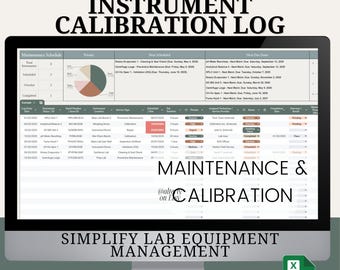
Instrument Maintenance & Calibration Log | Google Sheets Template | Equipment Service Schedule Tracker | Lab Tools
Sale Price $7.51
Original Price $12.53
-
Digital download
Test Case Register Template | IT Project Management | Microsoft Excel (Macro-Enabled) | User Guide, Dashboard & Completed Example Included
$11.59
-
Digital download
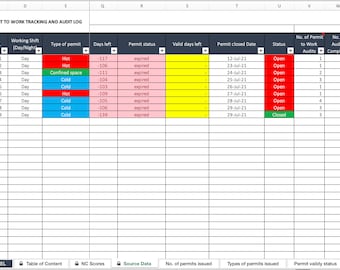
Permit to Work Tracking & Audit Log: Excel Template
$19.97
-
Digital download
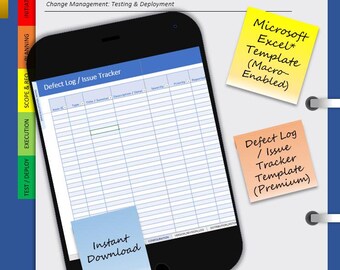
Defect Log / Issue Tracker Template | IT Project Management | QA Testing | Excel (Macro-Enabled) | User Guide, Completed Example & Dashboard
$11.59
-
Digital download
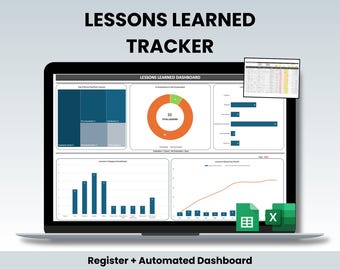
Lessons Learned Tracker Excel Template | Construction Register / Log & After Action Review
Sale Price $7.03
Original Price $11.72
-
Digital download
OEE Tracker Excel | Overall Equipment Effectiveness | Manufacturing KPI | Availability Performance Quality | TPM | Lean
$11.85
-
Digital download
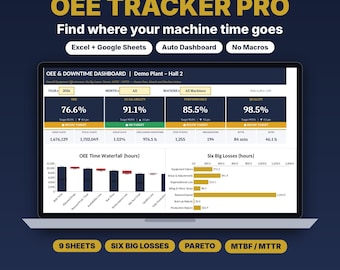
OEE Tracker Excel | Downtime Log KPI Dashboard
Sale Price $13.13
Original Price $17.51
-
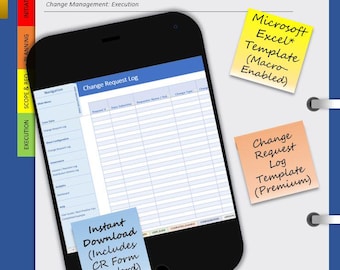
Digital download
Change Request Log Template | IT Project Management | Microsoft Excel (Macro-Enabled) | User Guide, Dashboard & Completed Example Included
$11.59
-
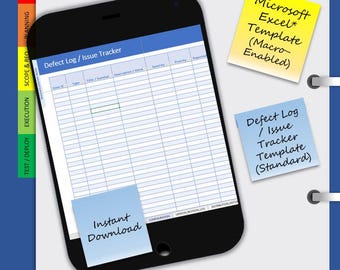
Digital download
Defect / Issue Tracker Template | I.T Project Management | QA Testing | SIT | UAT | Microsoft Excel (Macro-Enabled)
$6.68
-
Digital download
Change Log Tracker Template
$13.92
Shoppers with similar taste loved these
-
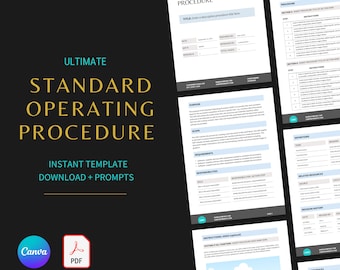
Digital download
SOP Template: Editable Standard Operating Procedure with Prompts (Canva & PDF)
$7.99
-
Digital download
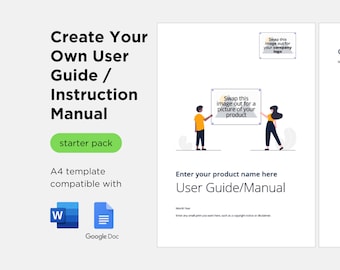
Simple A4 User Guide / Instruction Manual Template in Microsoft Word and Google Docs
$5.80
-
Digital download
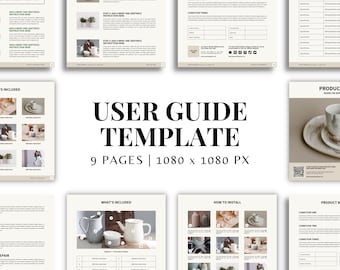
User Manual Template | Product Instruction Manual Template | User Guide Template | Installation Manual Template | Editable Canva Template
Sale Price $11.50
Original Price $23.00
-
Digital download
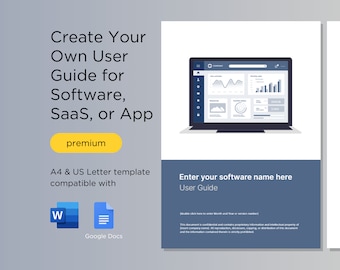
Software User Guide Template | A4 & US Letter | compatible with Microsoft Word and Google Docs
$29.03
-
Digital download
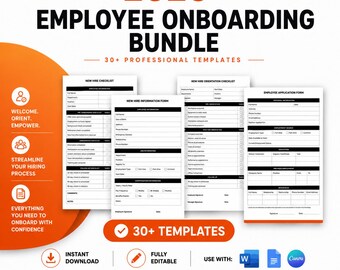
Employee Onboarding Template Bundle: New Hire Checklist (Canva, Word, Google Docs)
$19.99
-
Digital download
Standard Operating Procedure Template: SOP Template, Project Details, Work Instruction, Business SOP (A4 & US Letter)
$5.00
-
Digital download
Editable SOP Template: Standard Operating Procedure, A4 & US Letter
$5.00
-
Digital download
Standard Operating Procedure Template | SOP Template | Customizable Canva Template
$12.00
-
Digital download
Operation and Maintenance Manual Template for Equipment and Machinery | A4 & US Letter | compatible with Microsoft Word and Google Docs
$29.03
-
Digital download
EMPLOYEE HANDBOOK TEMPLATE Human Resources Templates Human Resources Documents Entrepreneurial Small Business Employee Handbook Hr Manual
$11.00
-
Digital download
Project Management Kick-off Template | Professional PowerPoint Presentation for Team Collaboration & Planning
$16.36
-
Digital download
SMART goal setting template, Objectives tracking spreadsheet, Excel digital planner, HR small business, New year's resolution, google sheets
Sale Price $4.19
Original Price $5.98


