




Wedding Guest List Spreadsheet, RSVP Tracker, Table Seating Plan, Meals, Hotels (Excel, Google Sheets, LibreOffice Calc Digital Download)
NowPrice:$4.19
Original Price: $6.99
40% off
Sale ends on November 19
Here's what's eligible:
- Your order doesn't match the item description or photos
- Your item arrived damaged
- Your item arrived after the estimated arrival window
- Your item didn't arrive or was lost in the mail
You can only make an offer when buying a single item
Highlights
WHAT IT IS
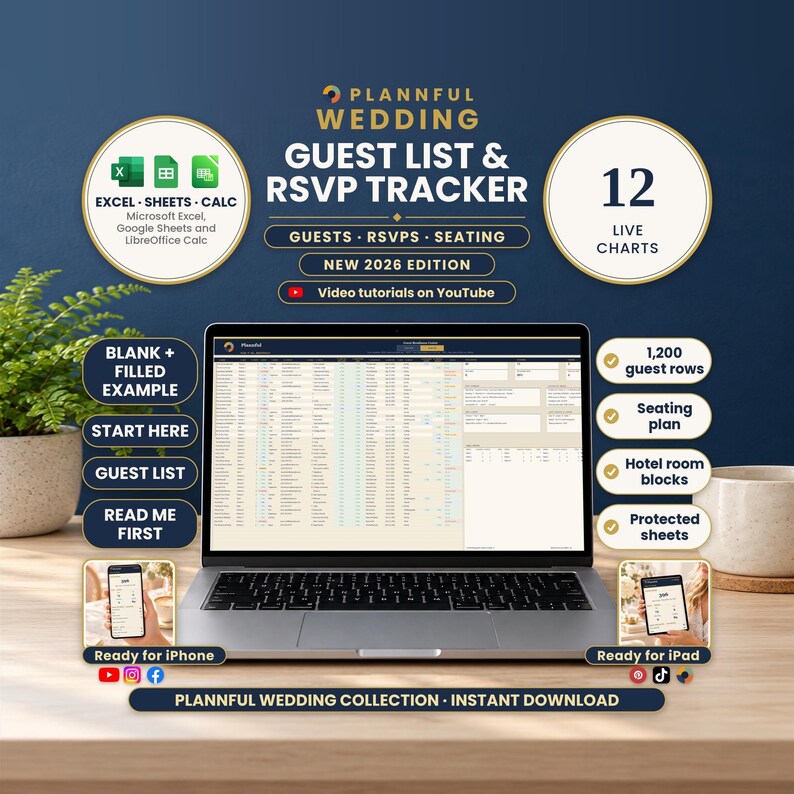
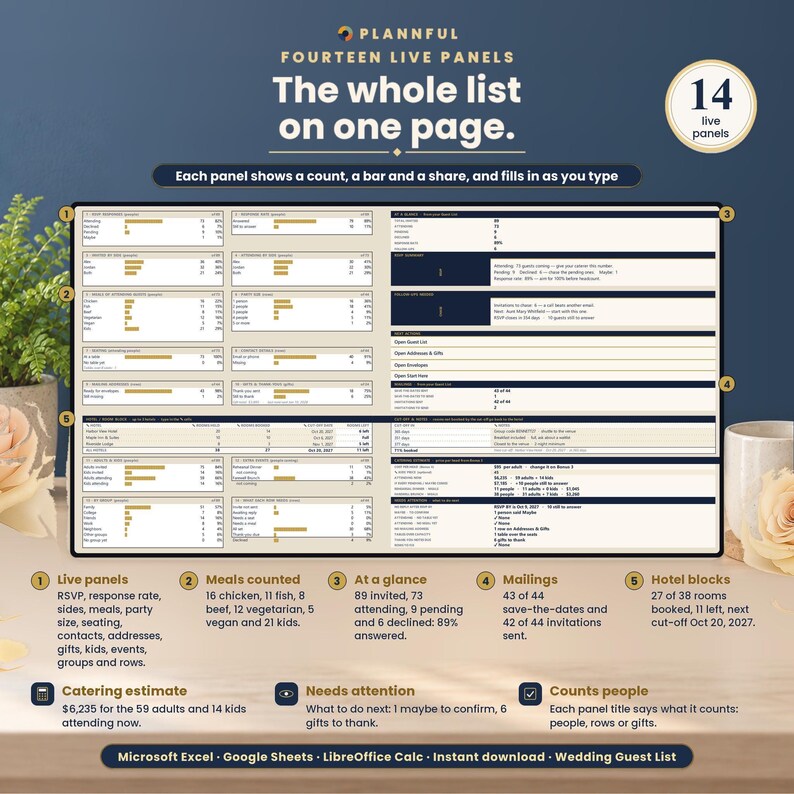
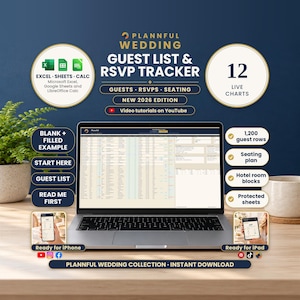
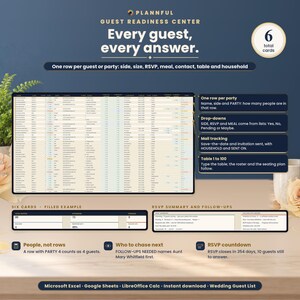
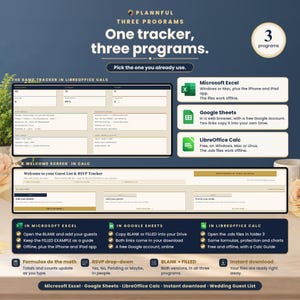
Wedding Guest List & RSVP Tracker is a wedding guest list spreadsheet for Microsoft Excel, Google Sheets and LibreOffice Calc. Its 11 tabs keep every guest, RSVP, meal, food need, table, hotel, address, gift and thank-you note in one place. Type each guest once on the Guest List; the counts, 12 charts, seating plan, hotel lists, address labels, a catering estimate and a to-do list of what needs attention work themselves out. Headcounts are in people, not rows: a row with a party of 4 counts as 4.
BY THE FIGURES
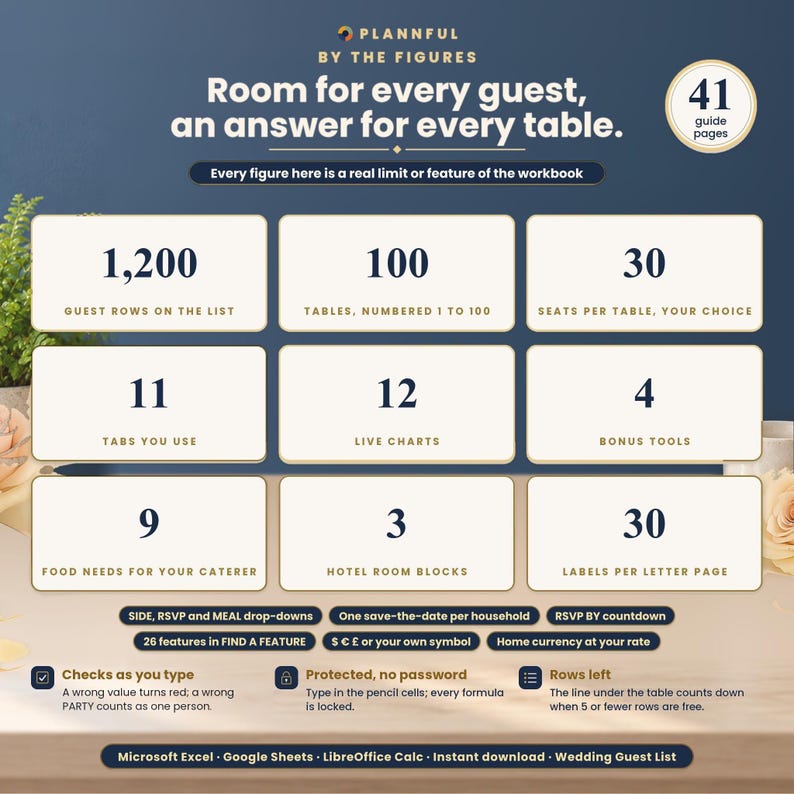
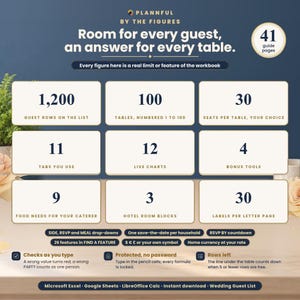
- 1,200 guest rows (a row can be one guest or a whole party)
- 100 tables, with 1 to 30 seats per table (8 to start)
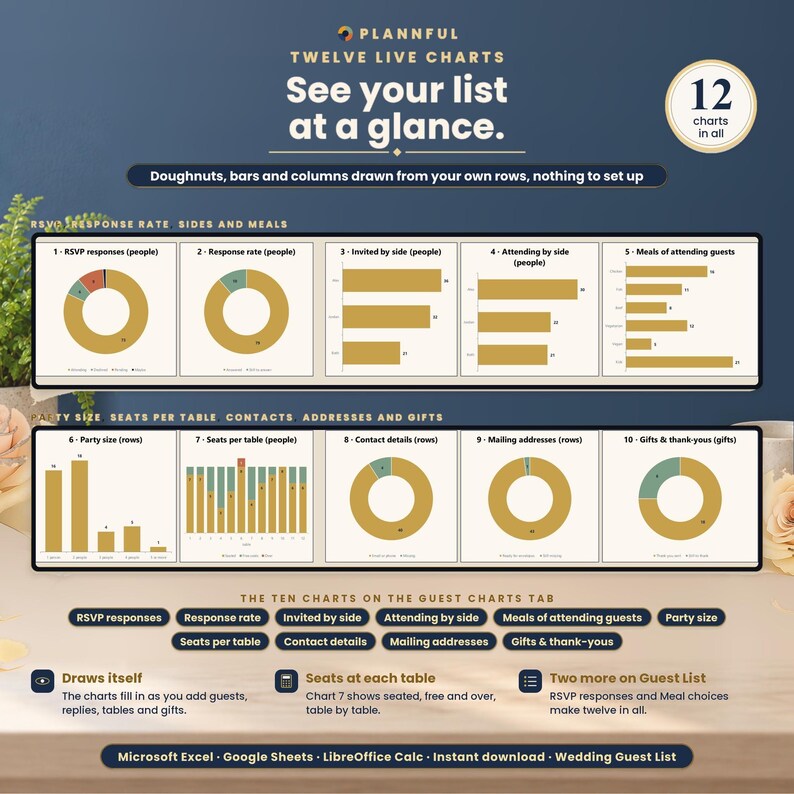
- 12 live charts and 14 live panels
- 8 NEEDS ATTENTION checks and a STATUS for every guest row
- 2 extra events (a rehearsal dinner, a brunch…) with their own counts
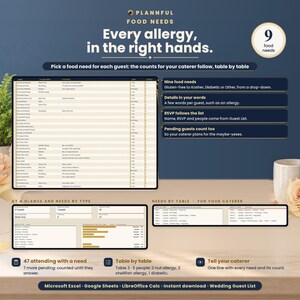
- 9 food needs for your caterer
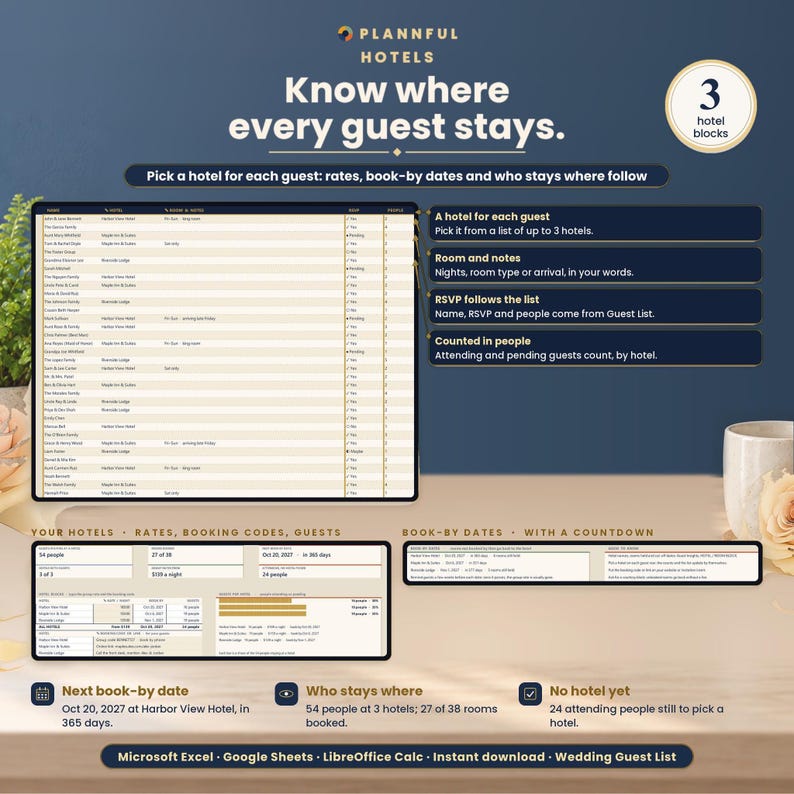
- 3 hotel room blocks
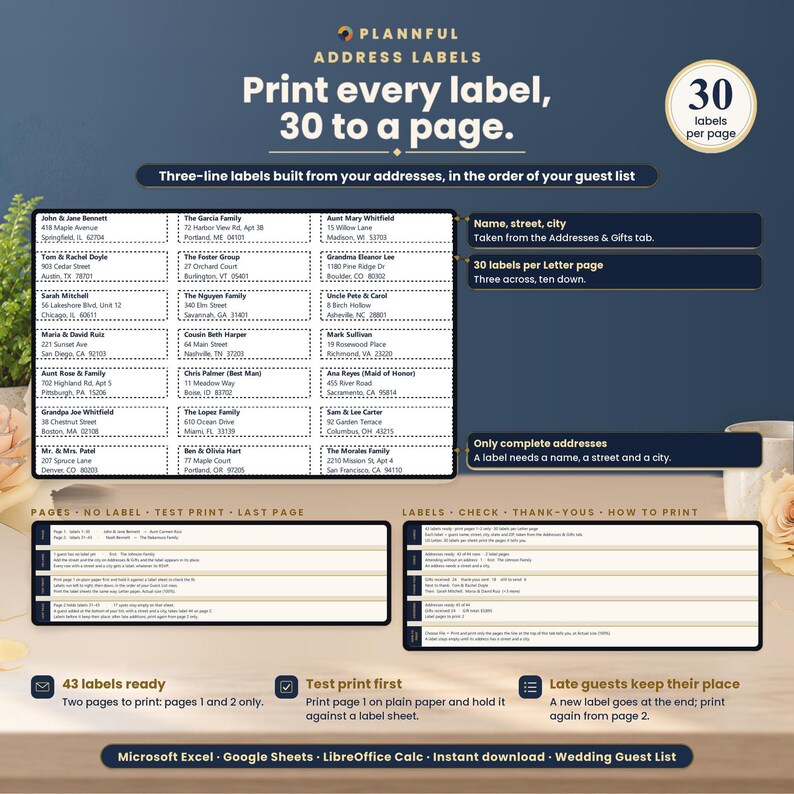
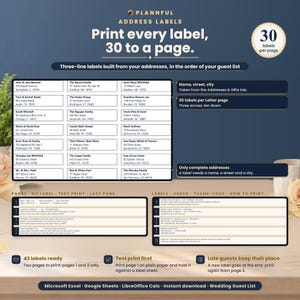
- 30 address labels per US Letter page
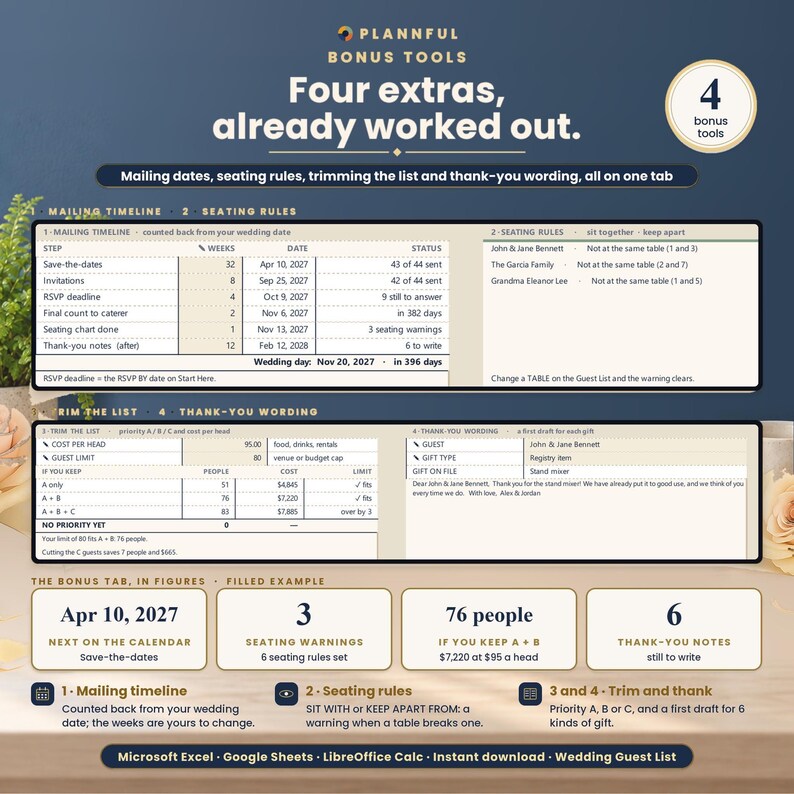
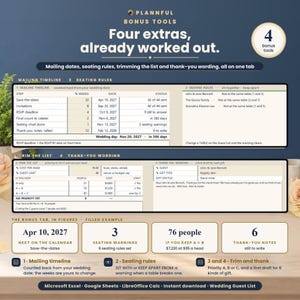
- 4 bonus tools: a mailing timeline, seating rules, trimming the list by priority A/B/C and thank-you wording for 6 kinds of gift
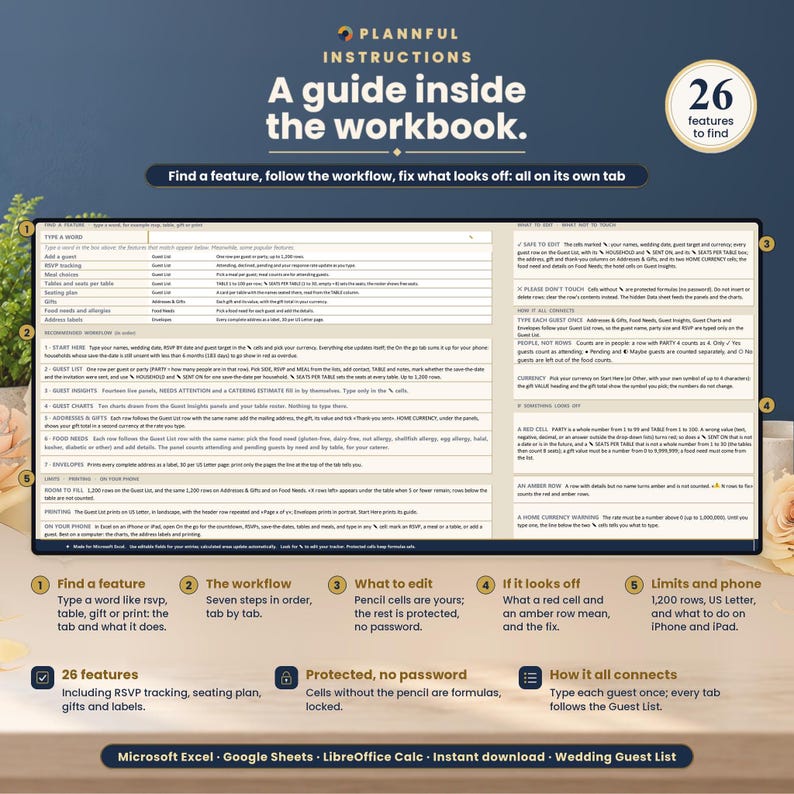
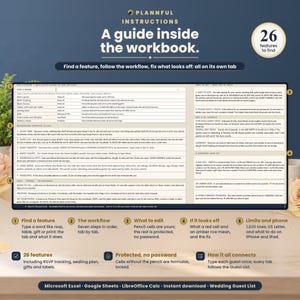
- 26 features in FIND A FEATURE
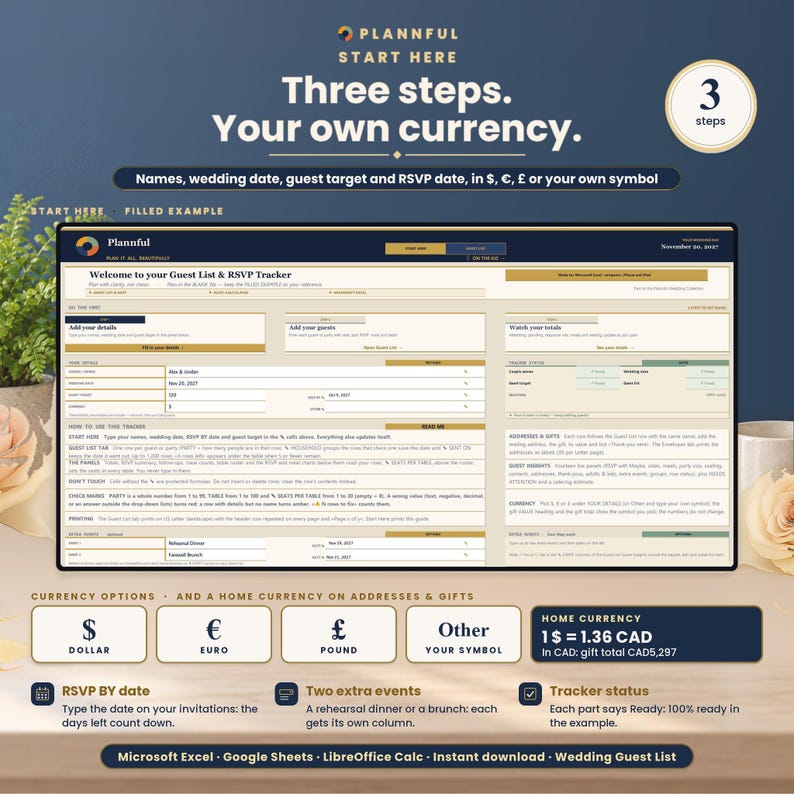
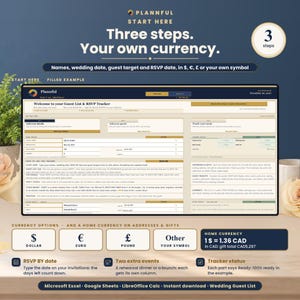
- $, €, £ or your own symbol, plus a home currency at your own rate
WHAT'S INCLUDED
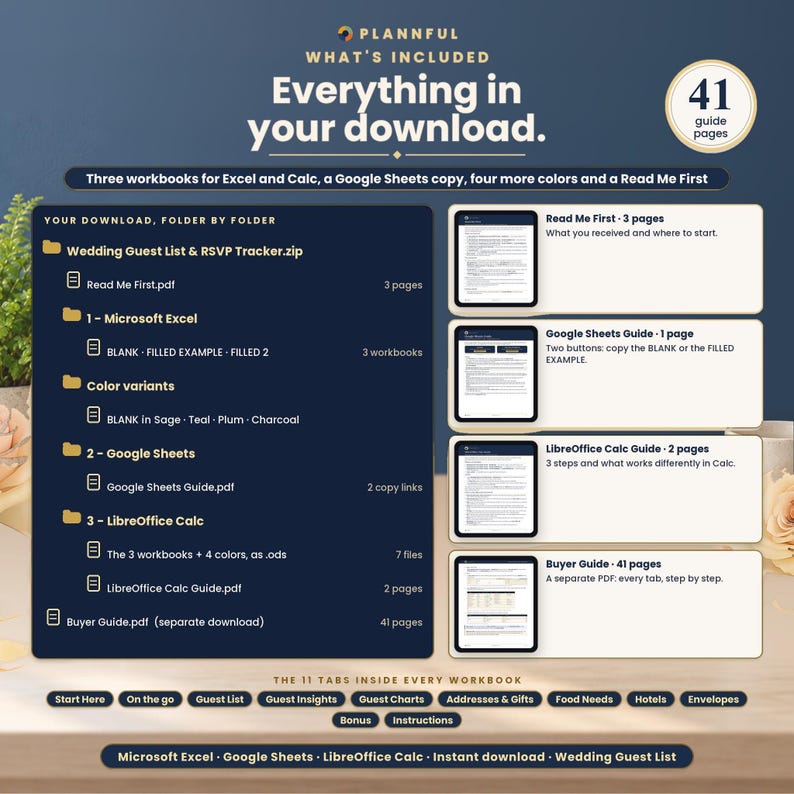
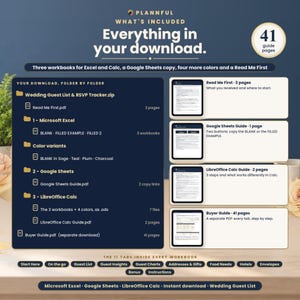
One ZIP file:
- Read Me First (PDF, 3 pages): where to start.
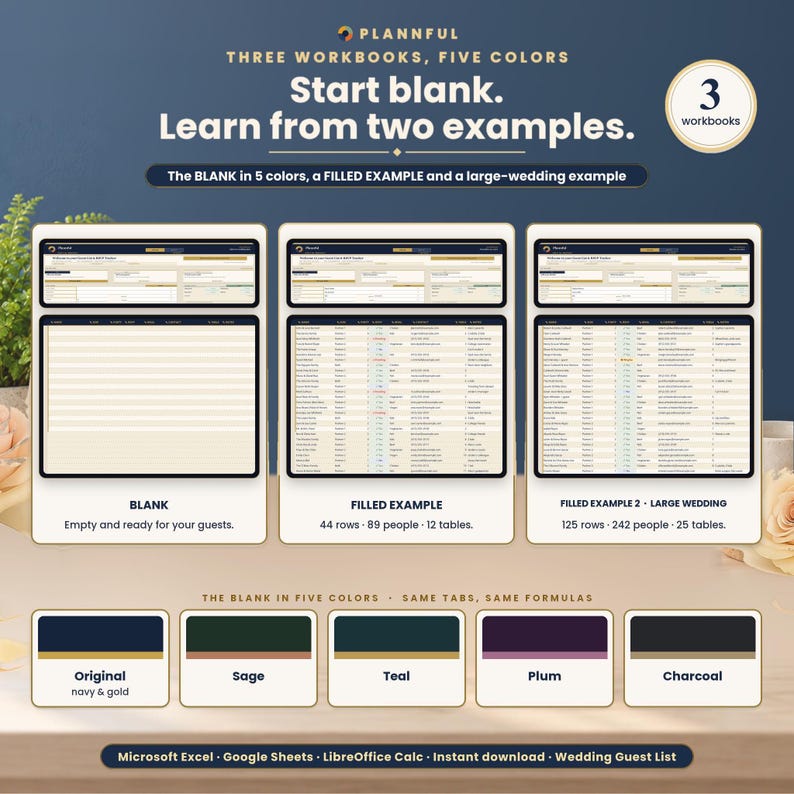
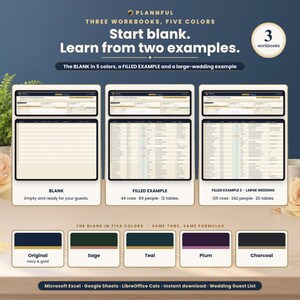
- Folder "1 - Microsoft Excel": BLANK (your tracker, empty), FILLED EXAMPLE (a sample wedding with 44 rows and 89 guests) and FILLED EXAMPLE 2 - Large Wedding (125 rows and 242 guests).
- Folder "Color variants": the BLANK in Sage, Teal, Plum and Charcoal (the main BLANK is navy and gold).
- Folder "2 - Google Sheets": a one-page PDF with two links that copy the BLANK and the FILLED EXAMPLE into your own Google Drive.
- Folder "3 - LibreOffice Calc": the same tracker as .ods files (BLANK, FILLED EXAMPLE, FILLED EXAMPLE 2 and the 4 color variants) with a short LibreOffice Calc Guide.
Plus a step-by-step Buyer Guide (PDF, 41 pages) as a separate download.
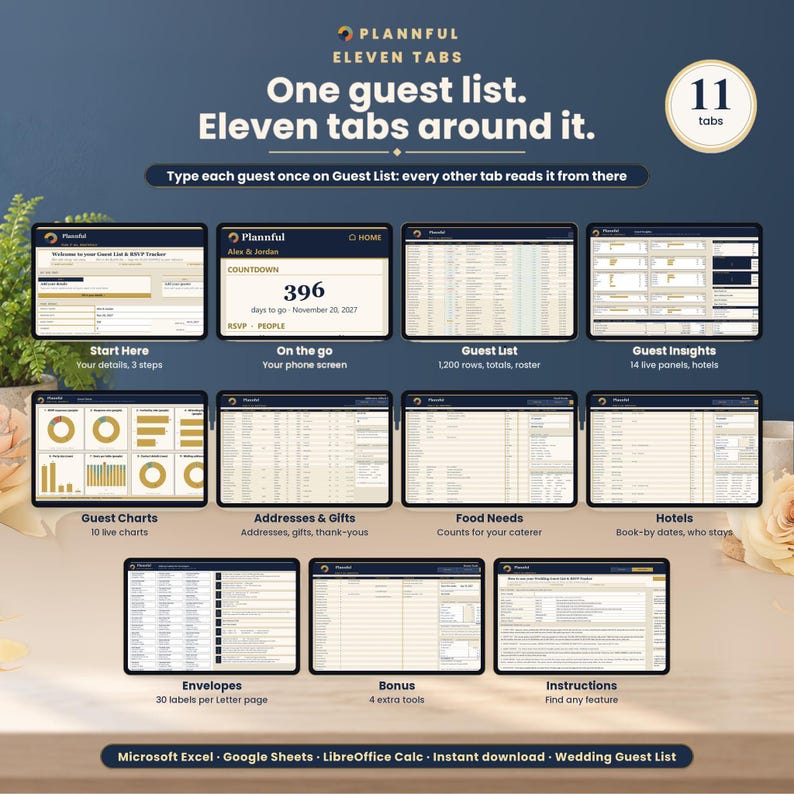
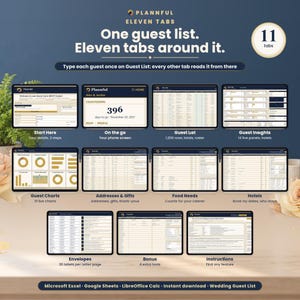
YOUR 11 TABS
Start Here, On the go, Guest List, Guest Insights, Guest Charts, Addresses & Gifts, Food Needs, Hotels, Envelopes, Bonus, Instructions.
11 tabs, all about your guests, and nothing you have to fill twice. A GO TO list on Start Here opens each one in one click.
FEATURES
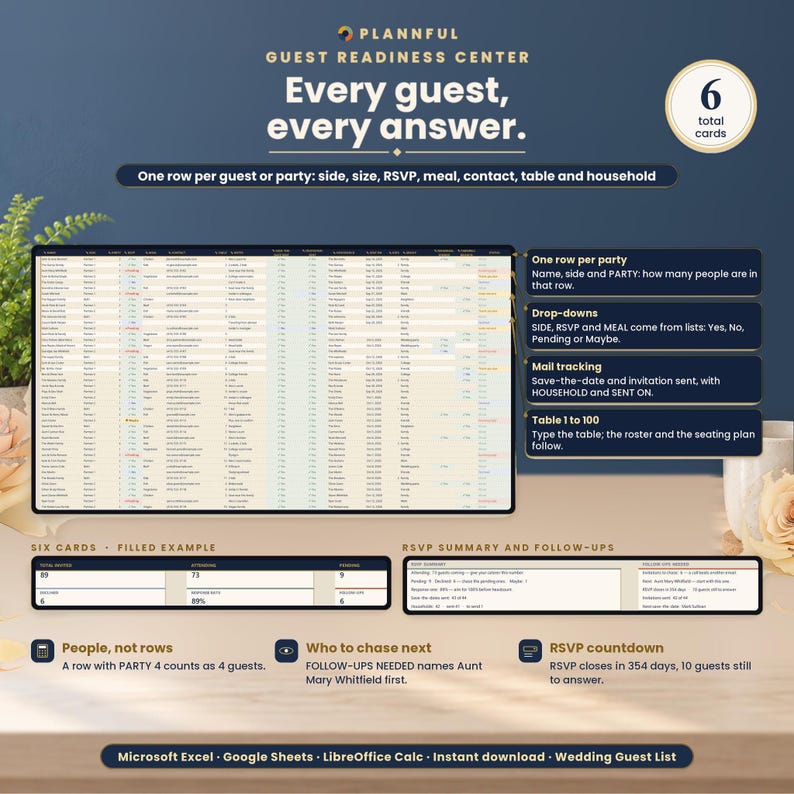
- Guest List: 1,200 rows with name, side, party size, RSVP (Yes, No, Pending or Maybe), meal, contact, table, notes, save-the-date sent, invitation sent, HOUSEHOLD, SENT ON, KIDS, GROUP and two extra-event columns. Side, RSVP, meal and the events are drop-downs. A STATUS on every row tells you what it needs next: Invite not sent, Awaiting reply, Needs a seat, Needs a meal, Thank-you due, All set or Declined.
- Plus-ones and kids: put a whole party on one row with PARTY (1-99); every count is in people, so a +1 never needs a second invitation. Type how many of them are children in KIDS and you see adults and kids invited and attending.
- Extra events: name up to two more events on Start Here (a rehearsal dinner, welcome drinks, a farewell brunch) and mark Yes or No for each party: you get the people, kids and meals for each event.
- Groups: an optional GROUP for each row (Family, Work, College…) and the people in each group on Guest Insights.
- Totals that update as you type: total invited, attending, pending, declined, response rate and follow-ups, an RSVP summary, who to chase next and meal counts.
- RSVP BY countdown: type your RSVP deadline on Start Here and the follow-ups panel tells you how many days are left and how many guests still have to answer.
- Save-the-dates by household: give the rows that share one save-the-date the same HOUSEHOLD and type the date it went out in SENT ON.
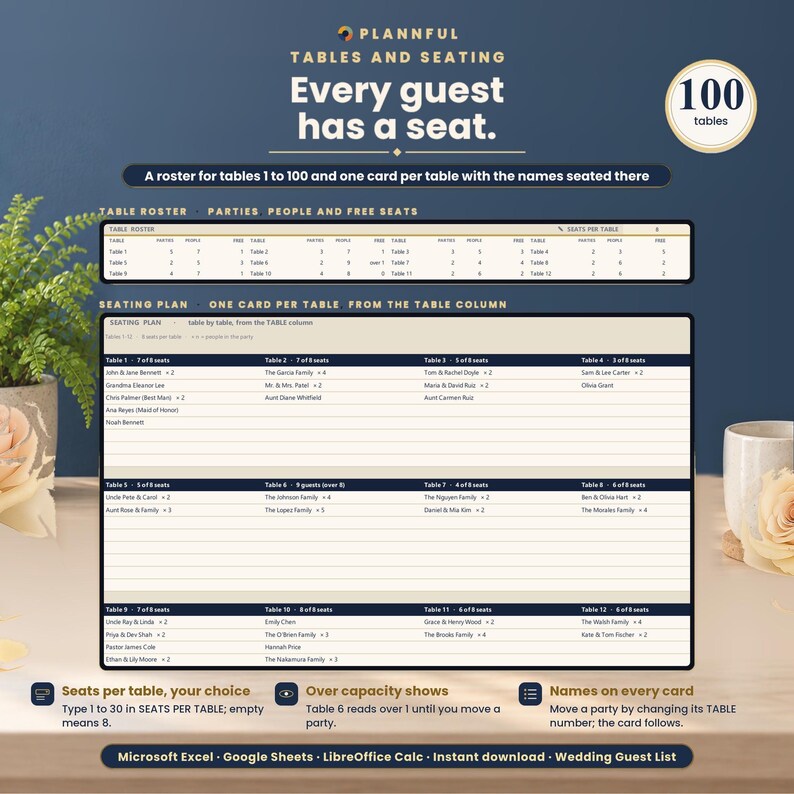
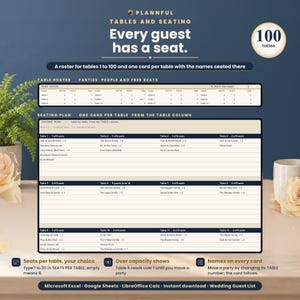
- Seating: a TABLE from 1 to 100 for each row and SEATS PER TABLE from 1 to 30. The table roster shows parties, people and free seats at each table, or "over" when a table has too many, and a table-by-table seating plan with guest names builds itself from the TABLE column. Print the seating plan and the caterer list on US Letter.
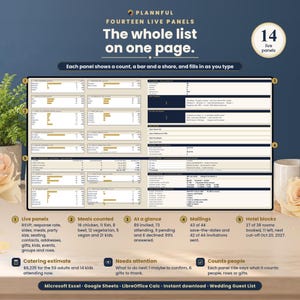
- Guest Insights: 14 live panels (RSVP with Maybe, response rate, invited and attending by side, meals, party size, seating, contact details, addresses, gifts and thank-yous, adults and kids, extra events, groups and what each row needs), NEEDS ATTENTION with 8 checks (no reply after the RSVP BY date, Maybe to confirm, no table, no meal, no address, tables over capacity, thank-you notes due, rows to fix), a CATERING ESTIMATE (attending adults and kids times your cost per head, and what it would be if every pending guest came), mailings sent and still to send, and a room block for up to 3 hotels with rooms held, rooms booked, rooms left and cut-off dates.
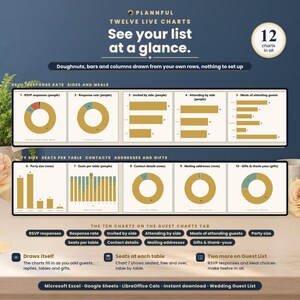
- 12 live charts: RSVP responses and meal choices on the Guest List, and the 10 panels drawn as charts on Guest Charts.
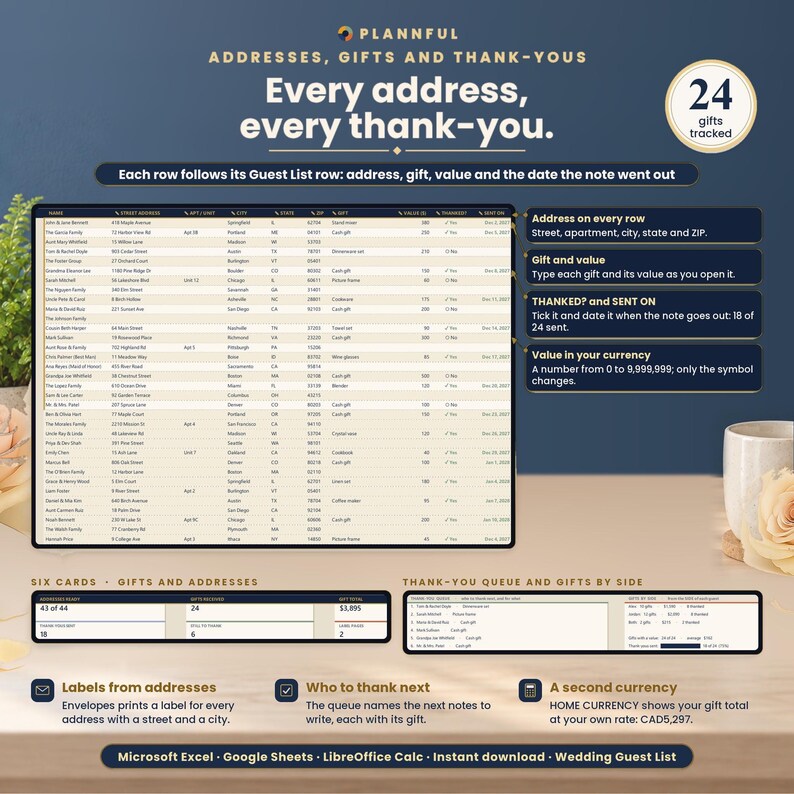
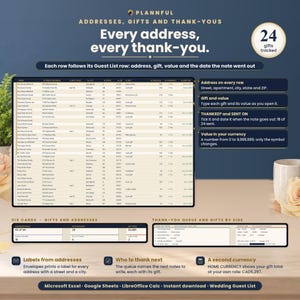
- Addresses & Gifts: mailing address, gift, gift value, a THANKED? check mark and the date each thank-you note went out (SENT ON), row by row with your guest list. A thank-you queue shows who to thank next and for what, gifts by side shows gifts, value and thank-yous per side, and Guest Insights shows the date of your last note.
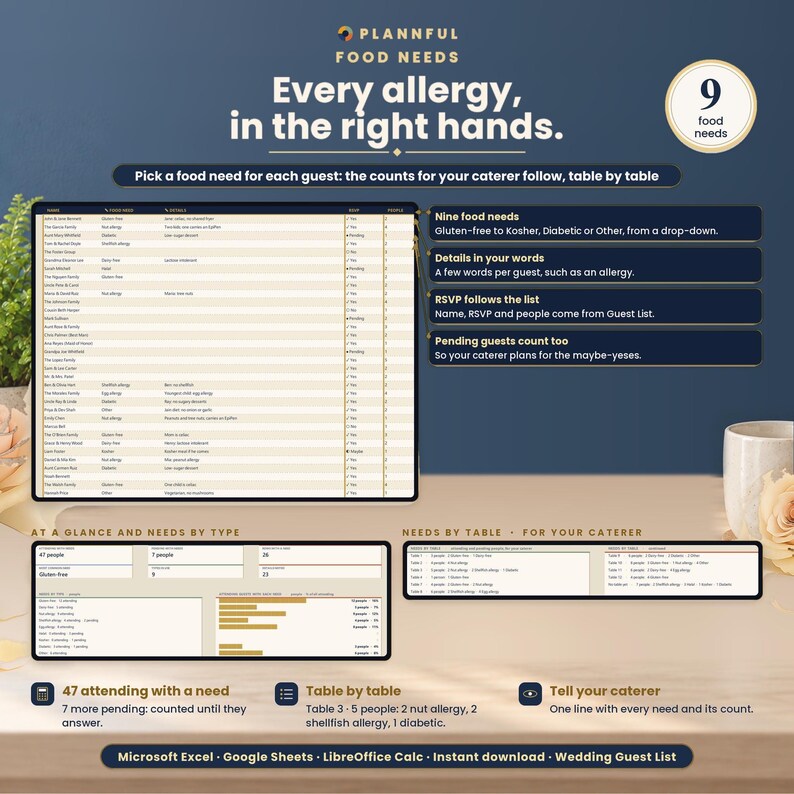
- Food Needs: pick a need for each guest (gluten-free, dairy-free, nut allergy, shellfish allergy, egg allergy, halal, kosher, diabetic or other) and add details. You get one line to give your caterer, each guest with a need and their table, and the needs at each table. Only attending and pending guests count.
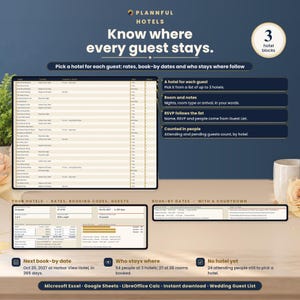
- Hotels: pick the hotel each guest stays at and add room notes. Type each hotel's group rate per night and booking code or link; you see the book-by date of each hotel with a countdown, guests per hotel with bars, who stays where, rooms booked, the next book-by date and the attending guests with no hotel yet.
- Envelopes: every complete address as a 3-line label, 30 per US Letter page, with the pages to print, who has no label yet and how to test the fit on plain paper first.
- Bonus, 4 tools in one tab:
1. Mailing timeline: dates for save-the-dates, invitations, the RSVP deadline, the final count to your caterer, the seating chart and thank-you notes, counted back from your wedding date (weeks are yours to change), each with its status, such as "43 of 44 sent".
2. Seating rules: pick who should SIT WITH or be KEPT APART FROM each guest and get a warning when the tables on your Guest List break a rule.
3. Trim the list: give each row priority A, B or C, type your cost per head and guest limit, and see the people and cost for A, A + B and everyone, which one fits and what cutting C saves. Nothing is deleted.
4. Thank-you wording: a first draft for 6 kinds of gift (cash or check, registry item, gift card, honeymoon fund, handmade gift, helped with the day), and a ready draft for any guest with their gift and your names.
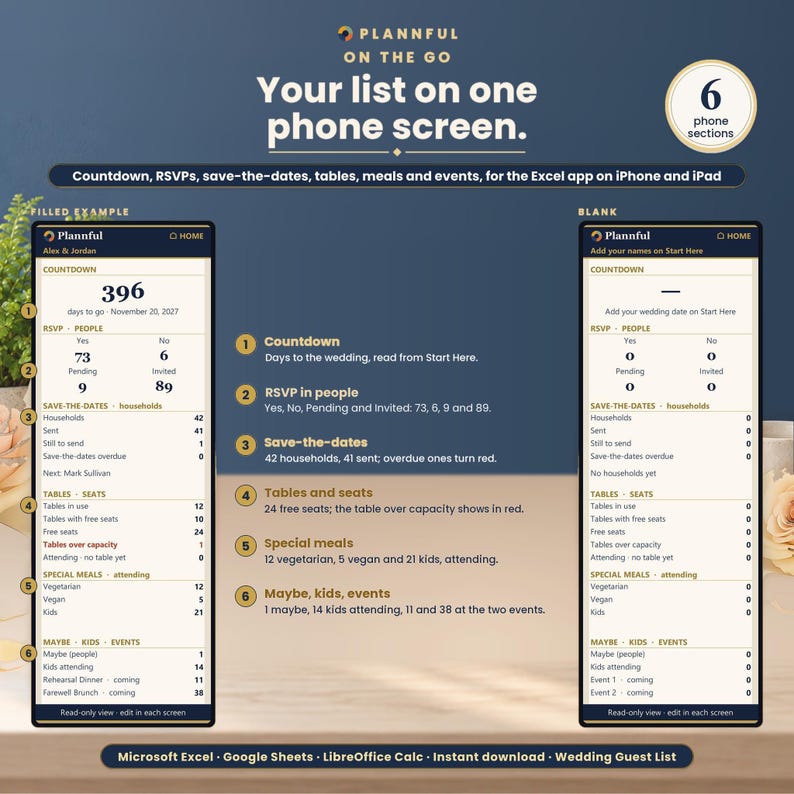
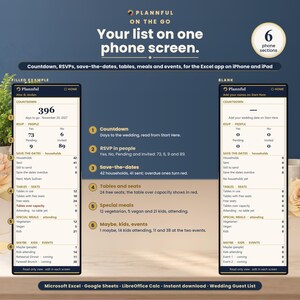
- On the go: a one-column tab for your phone with the countdown, RSVPs in people, save-the-dates by household, tables and free seats, special meals, and Maybe, kids and extra-event counts.
- Instructions: FIND A FEATURE (type a word such as rsvp, table, gift or print and see where it lives), a 7-step workflow and what to do if something looks off.
- Currency: any currency: pick $, €, £ or type your own symbol (up to 4 characters) for gift values and the catering estimate. HOME CURRENCY shows your gift total in a second currency at the rate you type.
- Invalid entries turn red so you can fix them; a wrong PARTY still counts as one person until corrected. A row with details but no NAME turns amber and is not counted anywhere until you name it.
COMPATIBILITY
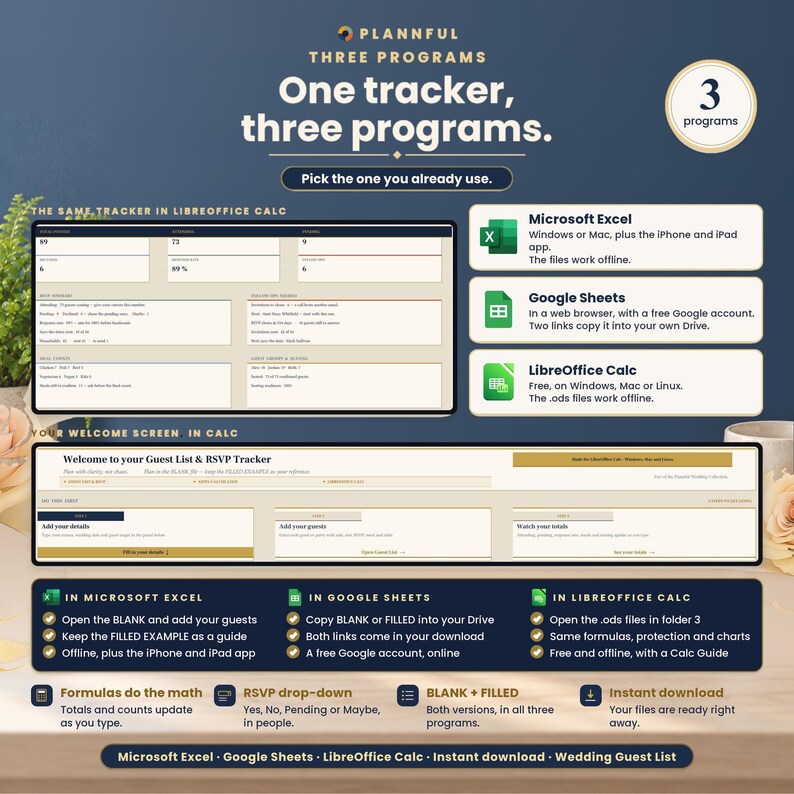
- Microsoft Excel on Windows or Mac.
- The Excel app on iPhone and iPad: use On the go to view your counts on your phone; mark an RSVP, a meal or a table, or add a guest, on the Guest List tab. The charts, address labels and printing are easier on a computer.
- Google Sheets, in a web browser, with a free Google account. The Google Sheets links copy the BLANK and the FILLED EXAMPLE; FILLED EXAMPLE 2 and the color variants are Excel and LibreOffice Calc files.
- LibreOffice Calc (free) on Windows, Mac or Linux, offline: open the .ods files in the folder 3 - LibreOffice Calc.
- No macros. The Excel and LibreOffice Calc files work offline; Google Sheets needs an internet connection.
- Apple Numbers is not supported.
IN GOOGLE SHEETS
The same 11 tabs, formulas, drop-downs, links and 12 charts as in Excel. What is different: protected cells show a warning instead of blocking you, fonts differ slightly, the file uses New York time (the countdowns can be one day off for part of the day), print settings (paper, print area, repeated header row) are chosen when you print, and Google Sheets opens every tab at 100% and does not save a zoom for each tab: on the wide tabs (Start Here, Guest List, Addresses & Gifts), zoom out in your browser or scroll to the right.
IN LIBREOFFICE CALC
The same 11 tabs, formulas, drop-downs, protection and 12 charts as in Excel (every calculated cell checked against Excel). What is different: links between tabs open with Ctrl+click (Cmd+click on Mac), the bars drawn with blocks can look slightly thicker or thinner, and there is no Calc app for iPhone or iPad.
HOW YOU GET IT
This is an instant digital download. After purchase, go to your Etsy Purchases page and download the files. Unzip the ZIP and start with Read Me First. For Excel, your trackers are in the folder 1 - Microsoft Excel and the 4 extra colors in Color variants. For Google Sheets, open the PDF in 2 - Google Sheets and use its two links. For LibreOffice Calc, open the folder 3 - LibreOffice Calc. The Buyer Guide is a separate file in the same download. Updated versions are free: download the files again from your Etsy Purchases page. Nothing is shipped.
FAQ
How do I add a plus-one?
Keep them on one row and set PARTY to 2: every count is in people, so the plus-one is in the headcount, the meals and the table without a second row. For children, type how many in KIDS.
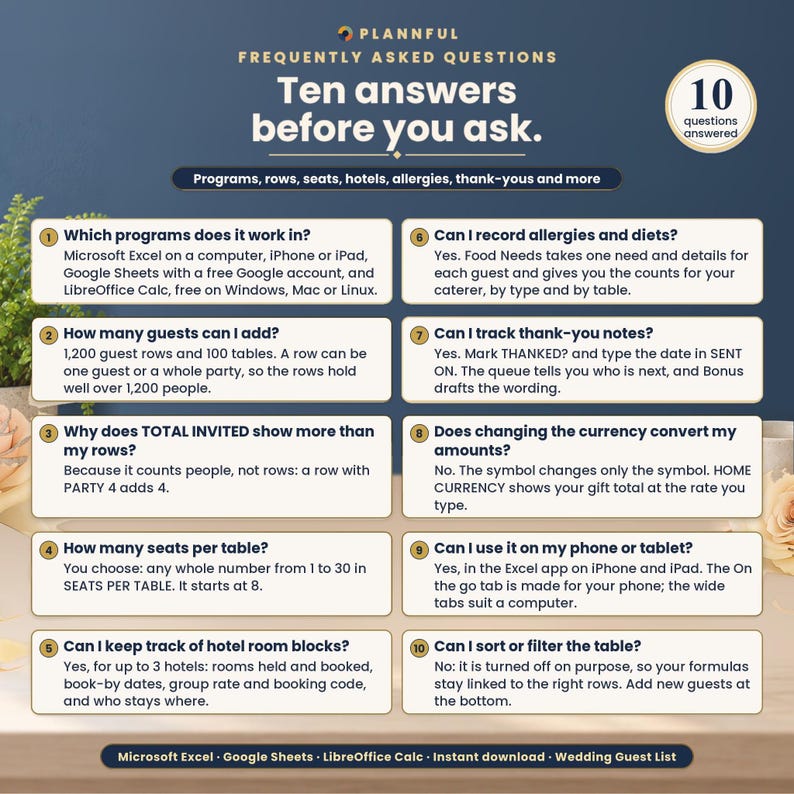
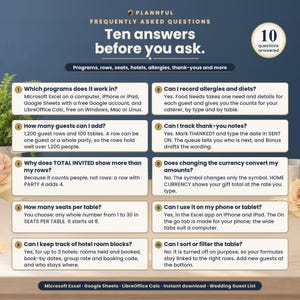
Which programs does it work in?
Microsoft Excel on a computer, the Excel app on iPhone and iPad, Google Sheets (with a free Google account) and LibreOffice Calc (free, on Windows, Mac or Linux). Apple Numbers is not supported.
How many guests can I add?
1,200 guest rows and 100 tables. A row can be one guest or a whole party, so 1,200 rows hold well over 1,200 people (the large sample wedding has 125 rows and 242 guests).
How many seats per table?
You choose: any whole number from 1 to 30 in SEATS PER TABLE. It starts at 8.
Does the seating plan let me drag guests around?
No. You type a table number for each guest and the plan builds itself, table by table, with the names at each table. It is a list per table, not a drawing of the room.
Can I keep track of hotel room blocks?
Yes, for up to 3 hotels: rooms held, rooms booked, cut-off date, group rate and booking code, plus which guest stays where and how many people stay at each hotel.
Can I record allergies and diets?
Yes. Food Needs takes one need and details for each guest and gives you the counts for your caterer, by type and by table.
Can I track thank-you notes?
Yes. Mark THANKED? and type the date in SENT ON on Addresses & Gifts. The thank-you queue tells you who is next, and the Bonus tab gives you a first draft for each kind of gift.
Can I use it on my phone or tablet?
Yes, in the Excel app on iPhone and iPad. The On the go tab is made for an iPhone held upright; the wide tabs are easier on a computer or iPad.
Does changing the currency convert my amounts?
No. The currency symbol changes only the symbol. HOME CURRENCY shows your gift total in a second currency, using the rate you type.
Can I edit it?
Yes. You type in the cells marked with a pencil. Calculated cells are protected with no password, and sorting and filtering are turned off on purpose so your formulas stay linked to the right rows.
Does it print?
Yes. In Excel and LibreOffice Calc it is set up for US Letter: the guest list, then the seating plan table by table, the caterer list on Food Needs, Guest Insights and the address labels; in Google Sheets you choose the print settings when you print. Dates are in English (month/day/year).
How do I get help?
We usually reply within a few hours, 7 days a week. Message us on Etsy or email hello [!at] plannful.com.
VIDEO TUTORIALS · One full walkthrough plus short how-to videos on YouTube @Plannful.
PLANNFUL
Explore the Plannful Wedding Collection in our Etsy shop.
Follow us: YouTube @Plannful · Instagram @plannful · Pinterest Plannful · TikTok @plannful
SUPPORT
We usually reply within a few hours, 7 days a week. Message us on Etsy or email hello [!at] plannful.com.
Because this is a digital download, returns and cancellations are not accepted. If there is a problem with your order, message us on Etsy and we will help.
Instant Download
Your files will be available to download once payment is confirmed. Here's how.
Instant download items don’t accept returns, exchanges or cancellations. Please contact the seller about any problems with your order.
Etsy Purchase Protection
Shop confidently on Etsy knowing if something goes wrong with an order, we've got your back for all eligible purchases —
see program terms


More from this shop
Visit shop-
Digital download
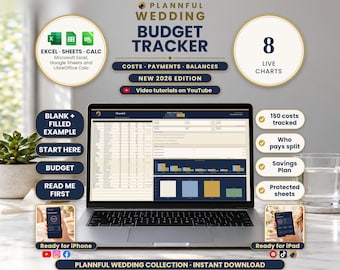
Wedding Budget Spreadsheet, Expense Tracker, 8 Live Charts, Payment Plan (Excel, Google Sheets, LibreOffice Calc Digital Download)
Sale Price $4.19
Original Price $6.99
-
Digital download
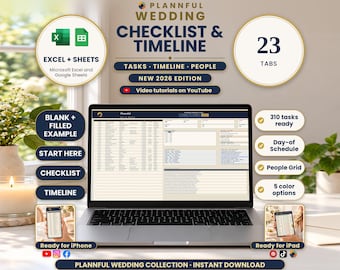
Wedding Checklist Spreadsheet, Day-of Timeline, 23 Tabs, 310 Tasks (Excel, Google Sheets Digital Download)
Sale Price $8.99
Original Price $14.99
-
Digital download
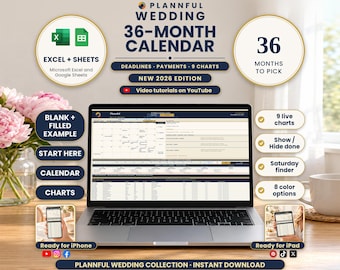
Wedding Calendar Spreadsheet, 36-Month Timeline, Deadlines and Payments (Excel, Google Sheets Digital Download)
Sale Price $4.19
Original Price $6.99
-
Digital download
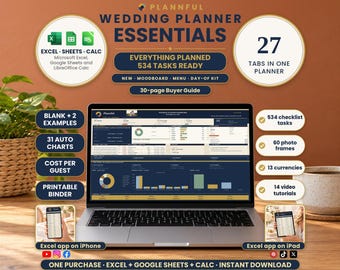
Wedding Planner Spreadsheet, 27 Tabs, Budget, Guests, Vendors, Timeline (Excel, Google Sheets, LibreOffice Calc Digital Download)
Sale Price $10.79
Original Price $17.99
Be the first to leave a review
-
Digital download
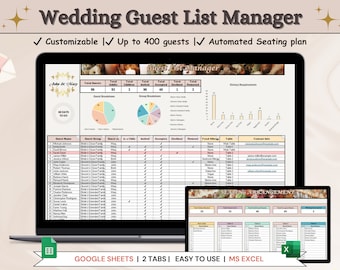
Wedding Guest List Template with Automated Seating Chart (Google Sheets & Excel 365)
Sale Price $5.24
Original Price $6.99
-
Digital download
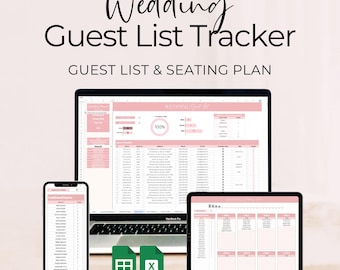
Wedding Guest List Tracker Google Sheets & Excel Spreadsheet, RSVP Tracker, Invitation Tracker, Digital Seating Plan, Instant Download
$9.74
-
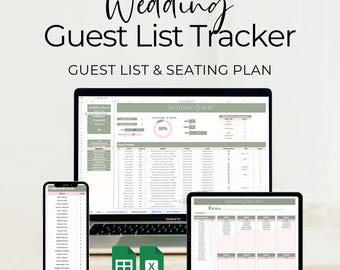
Digital download
Wedding Guest List Tracker Spreadsheet for Excel and Google Sheets with Integrated Seating Plan, RSVP & Invitation Tracker, Instant Download
$9.74
-
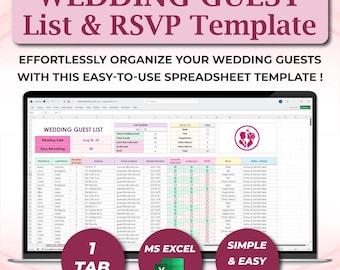
Digital download
Wedding Guest List & RSVP Spreadsheet Template for Excel 365, Wedding Rsvp Excel, Wedding Guest Tracker, Wedding Guest Checklist Template
Sale Price $5.59
Original Price $9.32
-
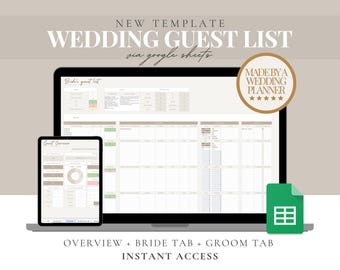
Digital download
Wedding Guest List Google Sheets Template: RSVP Tracker (Digital Download)
Sale Price $4.00
Original Price $8.00
-
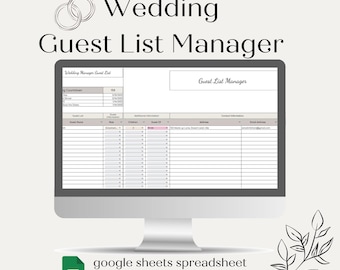
Digital download
Wedding Guest List Template Guest List Wedding Planner Spreadsheet Wedding Guest List Google Sheets Wedding Checklist Wedding Spreadsheet
$7.47
-
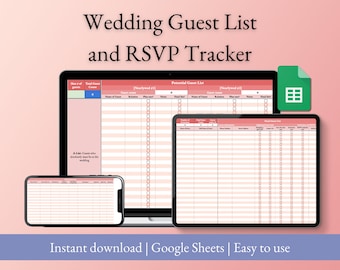
Digital download
Wedding Guest List and RSVP Tracker for Google Sheets, Easy-To-Use Wedding Guest List Spreadsheet (Pink)
$5.00
-
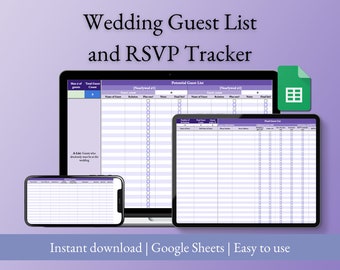
Digital download
Wedding Guest List and RSVP Tracker for Google Sheets, Easy-To-Use Wedding Guest List Spreadsheet (Purple)
$5.00
-
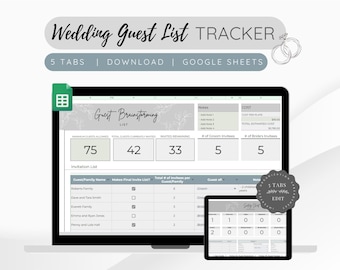
Digital download
Wedding Guest List Tracker: Google Sheets Planner (Digital Download)
Sale Price $2.69
Original Price $6.73
-
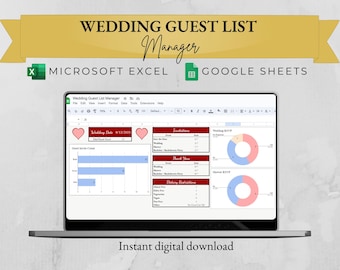
Digital download
Wedding Guest List Manager - Google Sheets and Microsoft Excel Template
$5.99
-
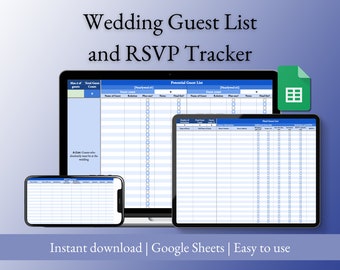
Digital download
Wedding Guest List and RSVP Tracker for Google Sheets, Easy-To-Use Wedding Guest List Spreadsheet (Blue)
$5.00
-
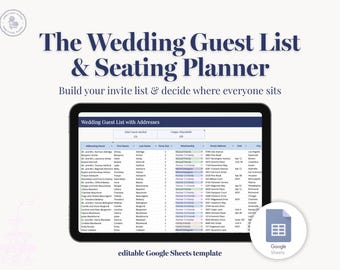
Digital download
Wedding Guest List & Seating Chart Planner | RSVP Tracker, Table Assignments | Google Sheets Template
$12.00
Shoppers with similar taste loved these
-
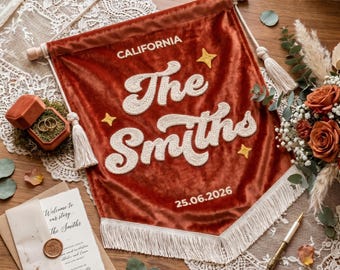
Custom Embroidered Last Name Flag, Velvet Wedding Decor Banner, Personalized Family Name Hanging, Reception Backdrop Sign, Anniversary Gift
Sale Price $18.59
Original Price $33.80
-

Personalized Wedding Banner, Custom Linen Welcome Sign, Romantic Ceremony Decor,Sweetheart Table Banner,Wedding Gift,Reception Entrance Sign
Sale Price $19.32
Original Price $38.64
-
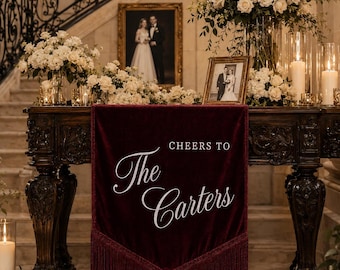
Custom Velvet Wedding sign,Velvet Fringe Banner,Classic wedding sign,Estate Wedding sign,Rustic wedding sign
Sale Price $33.68
Original Price $67.37
-

And They Lived Happily Ever After Neon Sign,Wedding Neon Sign,Anniversary Gift Sign,Wedding Neon Sign,Personalized Wedding Gifts for Couple
Sale Price $12.99
Original Price $19.99
-
Fabric Lace Wedding Welcome Sign,Custom Romantice Ceremony Reception Embroidered Banner,Linen Garden Sign,Wedding Sweetheart Table Sign
Sale Price $12.28
Original Price $24.56
-
Custom Velvet Wedding Banner, Personalized Velvet Wall Hanging, Tufted Couple Name Decor
Sale Price $18.73
Original Price $36.02
-

Personalized Ruffled Chiffon Bar Banner, Fabric Drink Menu, Signature Cocktail Wedding Decor
Sale Price $4.50
Original Price $10.00
-

Personalized Emboriderd Wedding Banner, Custom Vintage Welcome Sign, Mordern Wedding Decor, Last Name Banner Flag
Sale Price $20.28
Original Price $33.80
-
Custom Wedding Bar Sign, Happily Ever After Linen Champagne Banner, Garden Reception Decor
Sale Price $22.25
Original Price $41.99
-
Custom Embroidered Lace Wedding Welcome Sign,Romantice Ceremony Reception Banner,Linen Garden Signage,Sweetheart Table Decor,Entrance Banner
Sale Price $9.82
Original Price $19.65
-
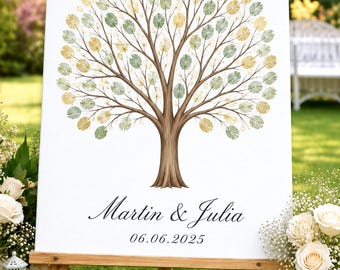
Fingerprint Tree for Wedding | Personalized Wedding Guest Book | Custom Wedding Sign | Printed Canvas Guestbook Alternative
Sale Price $29.59
Original Price $34.82
-

Digital download
Wedding Fingerprint Tree Guest Book | Custom Wedding Guest Book | Fingerprint Tree Canvas | Wedding Gift | Wedding Keepsake | Wedding Decor
Sale Price $21.24
Original Price $32.67



 Bridesmaid gifts
 Groomsmen gifts
 Wedding gifts
 Engagement gifts


