






Wedding Vendor Tracker Spreadsheet, Payments, Compare Quotes, 15 Tabs (Excel, Google Sheets Digital Download)
NowPrice:$4.19
Original Price: $6.99
40% off
Sale ends on November 17
Here's what's eligible:
- Your order doesn't match the item description or photos
- Your item arrived damaged
- Your item arrived after the estimated arrival window
- Your item didn't arrive or was lost in the mail
You can only make an offer when buying a single item
Highlights
WHAT IT IS
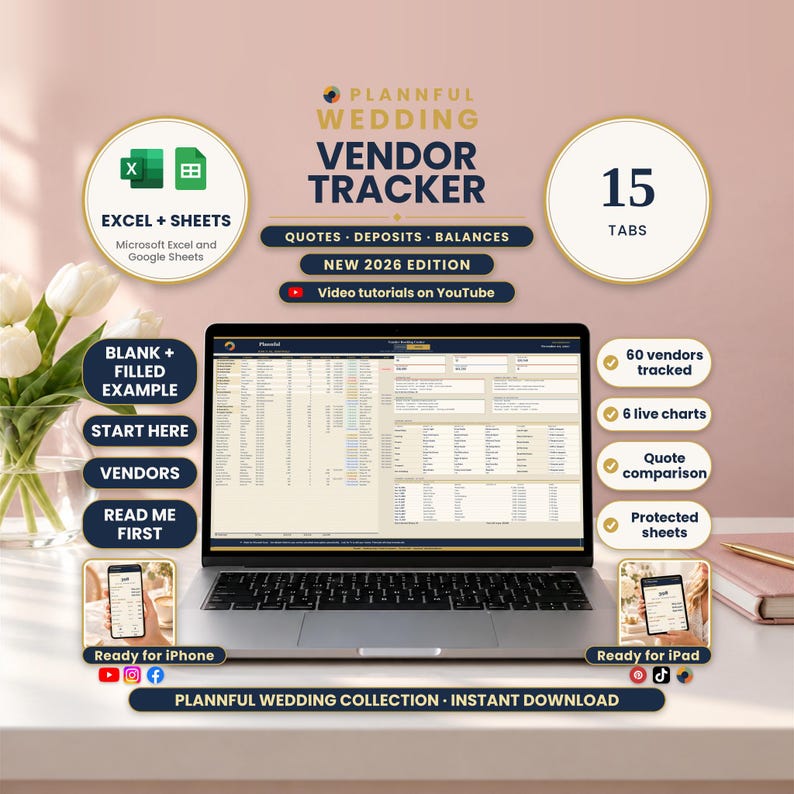
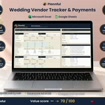
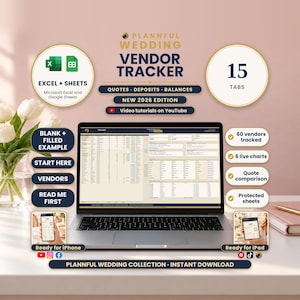
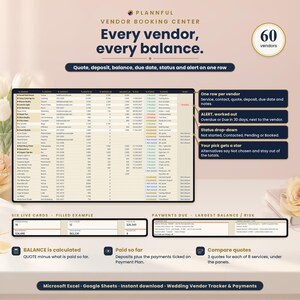
Wedding Vendor Tracker & Payments is a wedding vendor spreadsheet for Microsoft Excel and Google Sheets. Its 15 tabs keep every vendor, quote, deposit, payment plan, balance and due date in one place, flag payments that are overdue or due soon, and give you a one-column view for your iPhone.
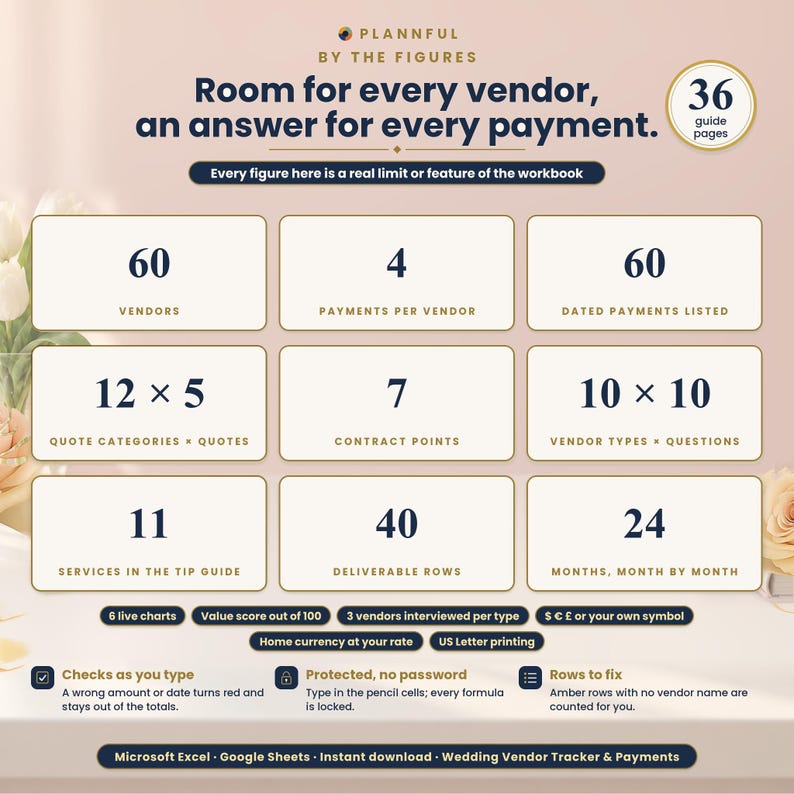
BY THE FIGURES
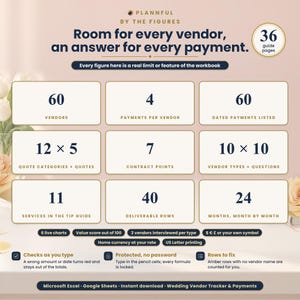
- 60 vendors
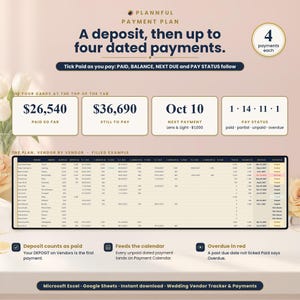
- 4 dated payments per vendor, on top of the deposit
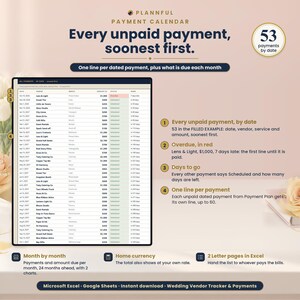
- 60 dated payments listed by date, and a month-by-month view of 24 months
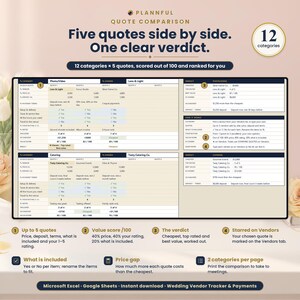
- 12 quote categories x 5 quotes, with a value score out of 100
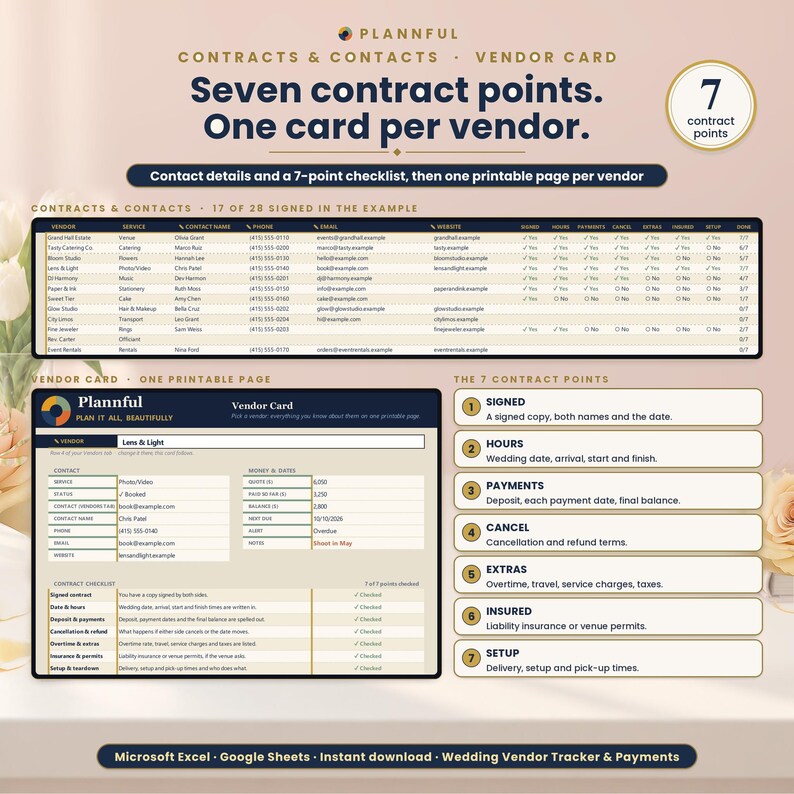
- 7 contract points per vendor
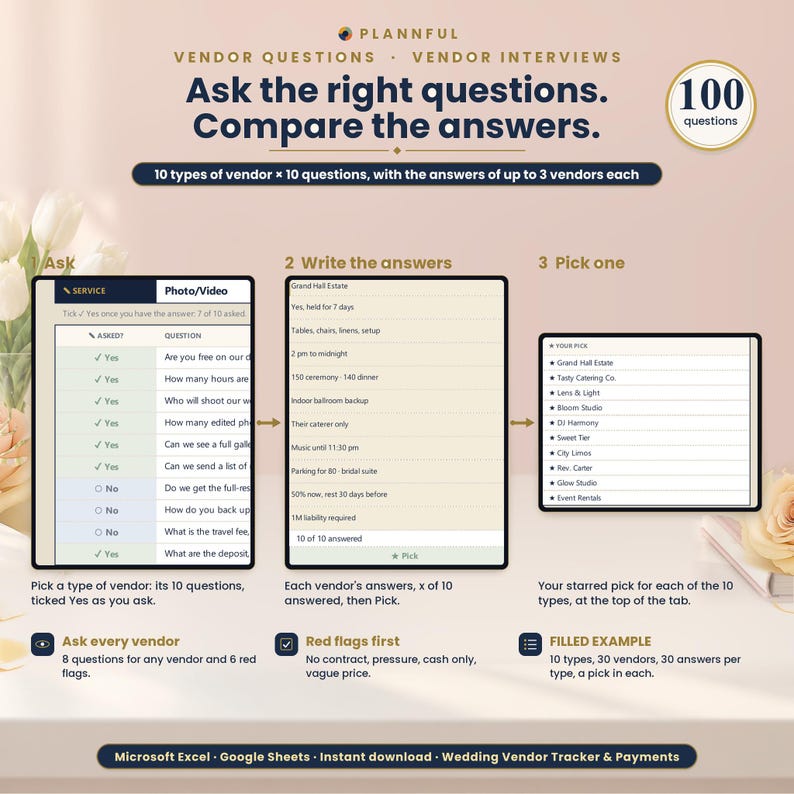
- 10 vendor types x 10 questions, and the answers of 3 vendors per type
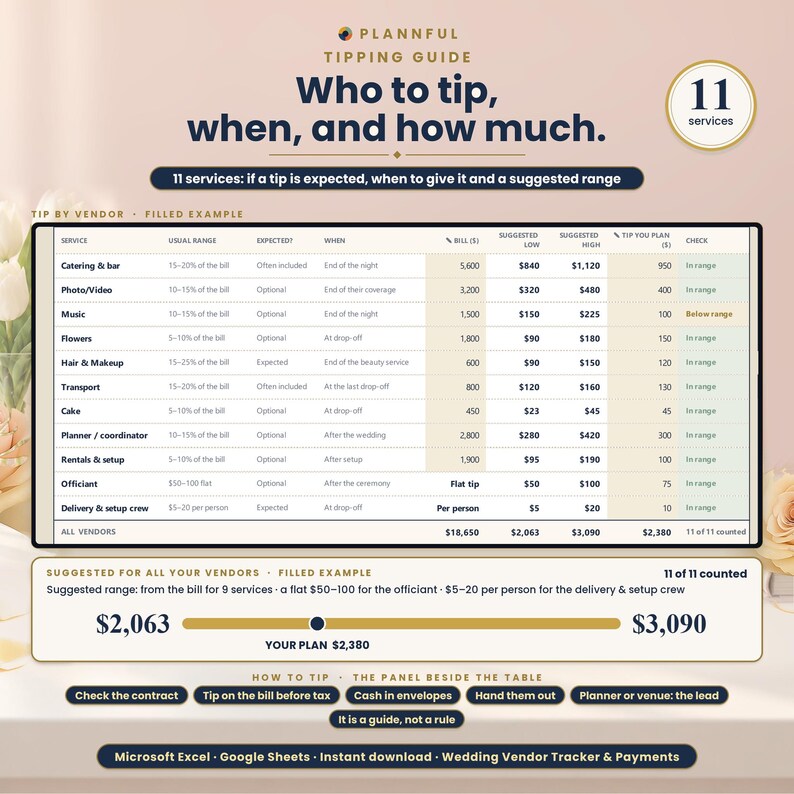
- 11 services in the tipping guide
- 40 deliverable rows
- 6 live charts
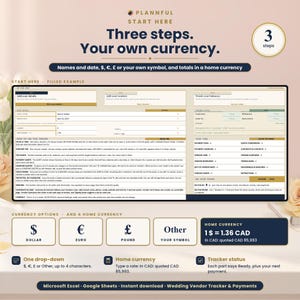
- $, €, £ or your own symbol, plus a home currency at your own rate
WHAT'S INCLUDED
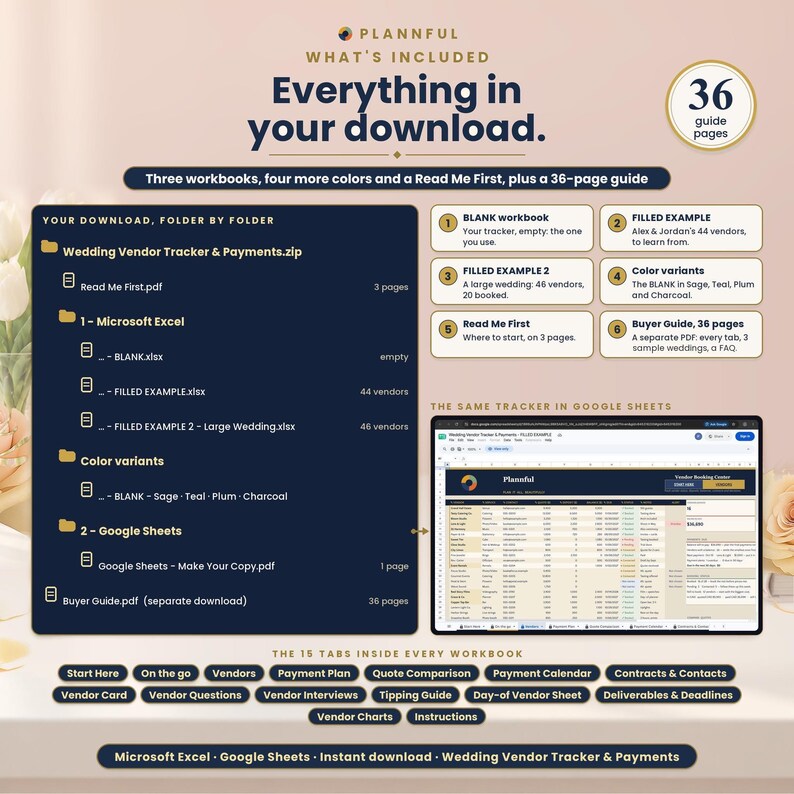
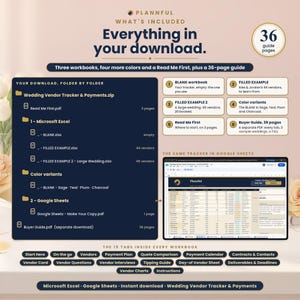
One ZIP file:
- Read Me First (PDF, 3 pages): where to start.
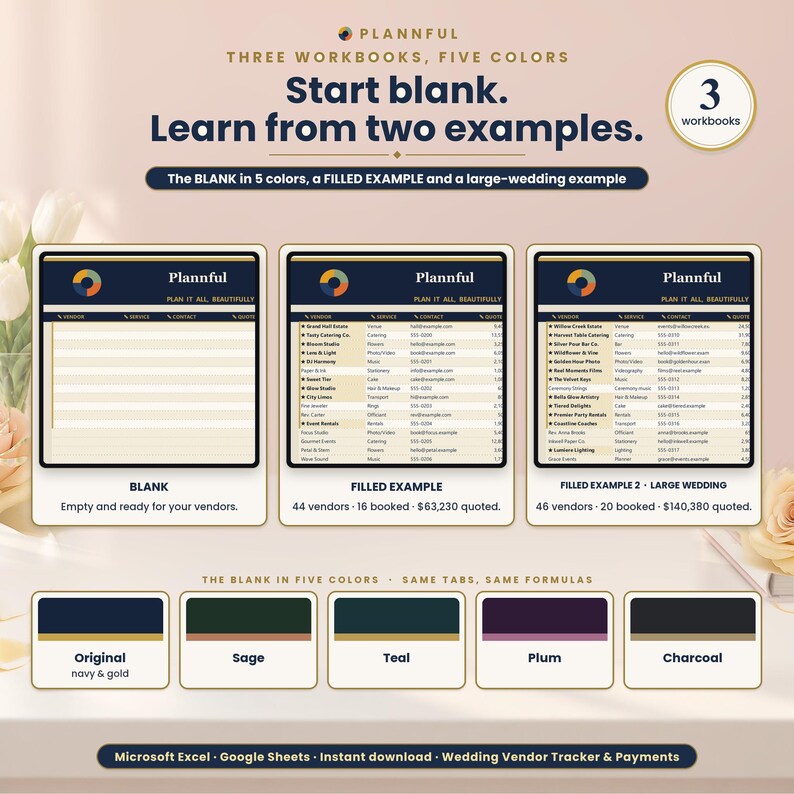
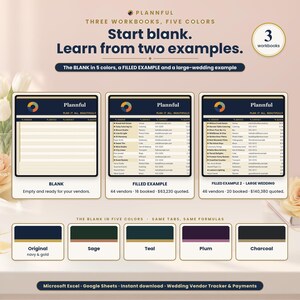
- Folder "1 - Microsoft Excel": BLANK (your tracker, empty), FILLED EXAMPLE (a sample wedding with 44 vendors, 16 booked) and FILLED EXAMPLE 2 - Large Wedding (46 vendors, 20 booked).
- Folder "Color variants": the BLANK in Sage, Teal, Plum and Charcoal (the main BLANK is navy and gold).
- Folder "2 - Google Sheets": a one-page PDF with two links that copy the BLANK and the FILLED EXAMPLE into your own Google Drive.
Plus the Buyer Guide (PDF, 36 pages) as a separate download: every tab, 3 sample weddings and a FAQ.
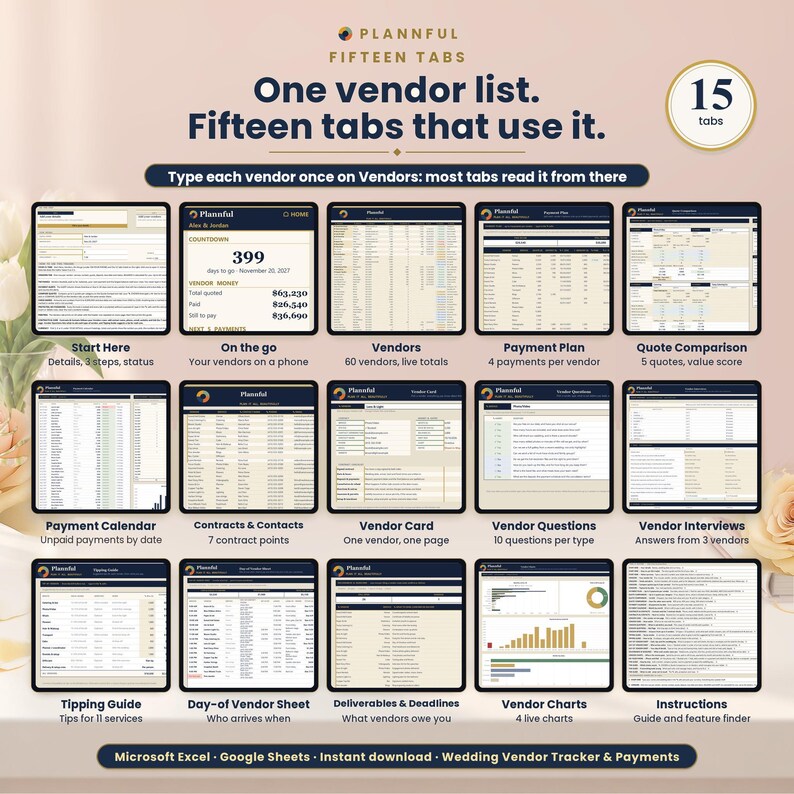
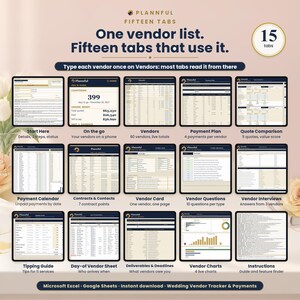
YOUR 15 TABS
Start Here, On the go, Vendors, Payment Plan, Quote Comparison, Payment Calendar, Contracts & Contacts, Vendor Card, Vendor Questions, Vendor Interviews, Tipping Guide, Day-of Vendor Sheet, Deliverables & Deadlines, Vendor Charts, Instructions.
FEATURES
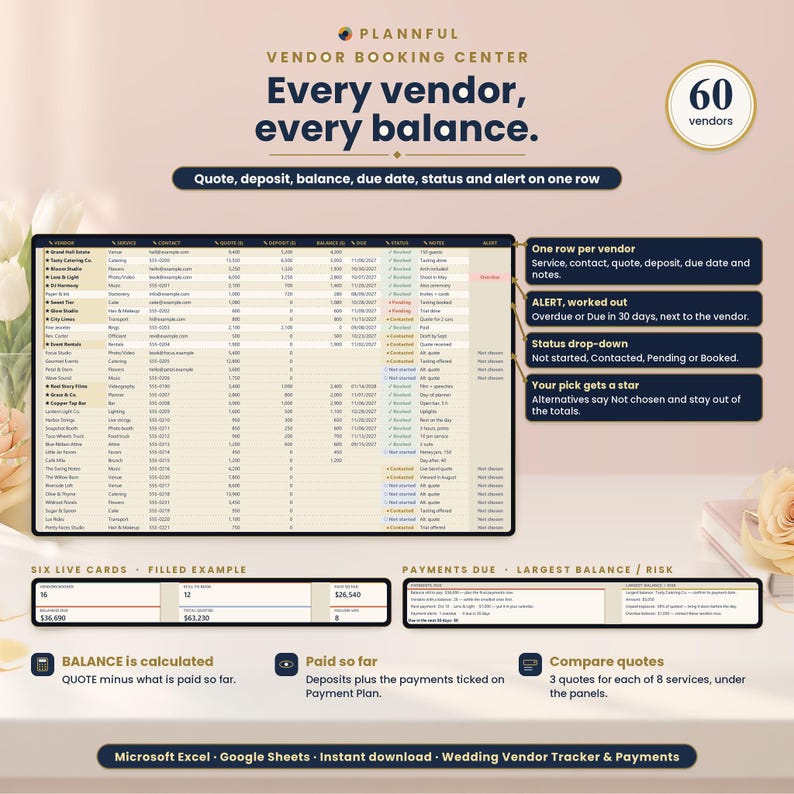
- Vendors: up to 60 vendors with service, contact, quote, deposit, balance (worked out for you), due date, status and notes. An ALERT column flags Overdue, Due in 30 days, Not chosen and Pick a quote. Live panels: booked, still to book, total quoted, paid so far, balances due, follow-ups, next payment, largest balance and how much is at risk.
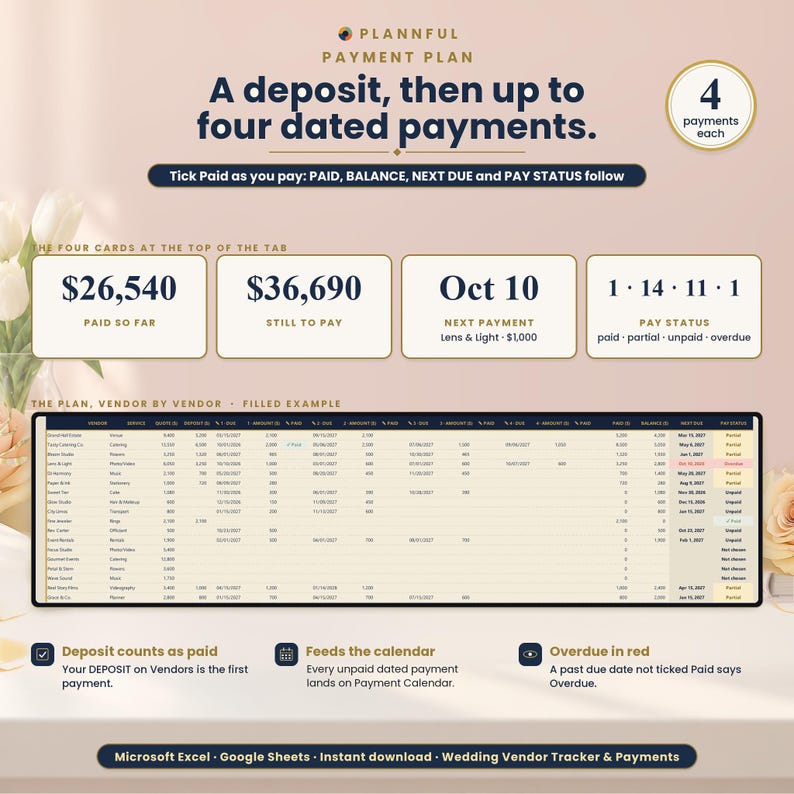
- Payment Plan: split each vendor's balance into up to 4 dated payments on top of the deposit and tick each one as paid. PAY STATUS shows Paid, Partial, Unpaid or Overdue for every vendor, with counters.
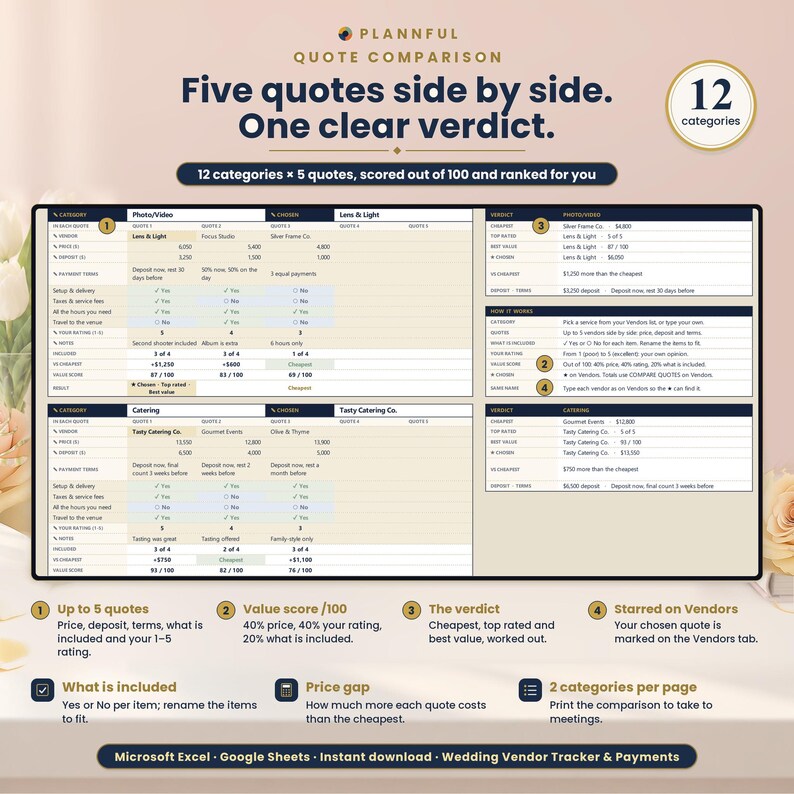
- Quote Comparison: 12 categories with up to 5 quotes each: price, deposit, terms, what is included and your 1-5 rating. A VALUE SCORE out of 100 and a verdict: cheapest, best rated, best value and your ★ chosen vendor.
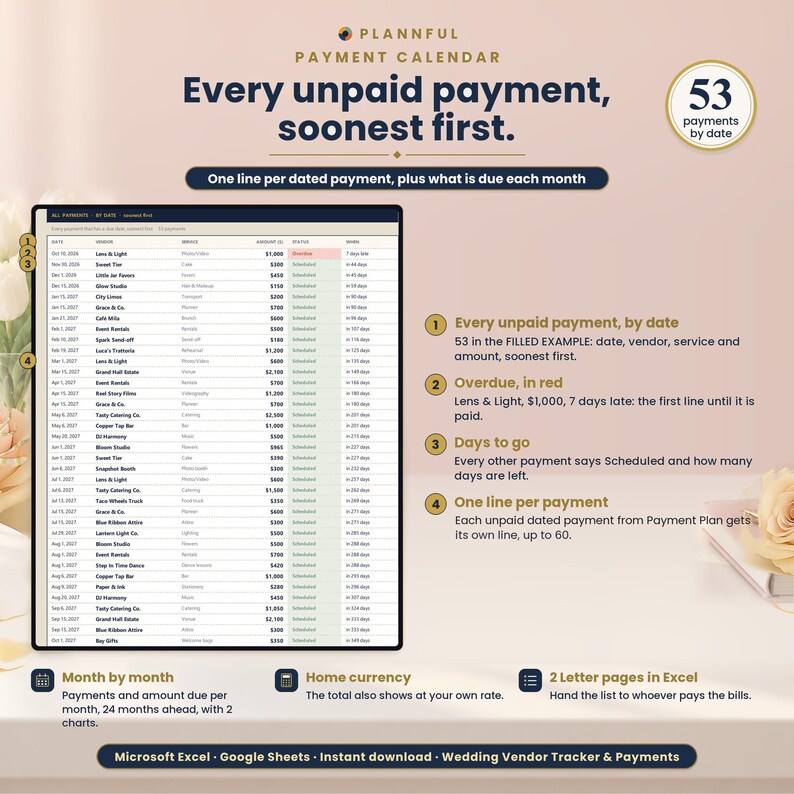
- Payment Calendar: every unpaid payment by date (up to 60), with status and days left, a month-by-month view and 2 charts.
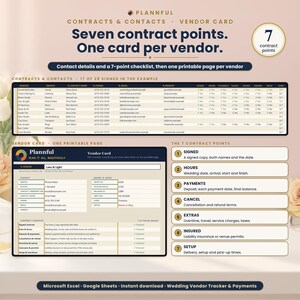
- Contracts & Contacts: phone, email and website for each vendor and a 7-point contract checklist (signed, hours, payments, cancellation, extras, insurance, setup) with a DONE x/7 count.
- Vendor Card: pick a vendor and print a one-page summary with contact, money, next due date and contract checklist.
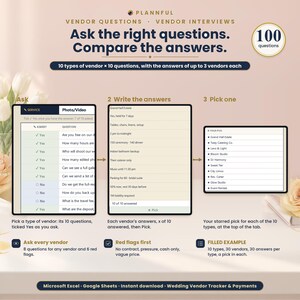
- Vendor Questions: 10 vendor types with 10 questions each, ✓ Yes / ○ No boxes and an "x of 10 asked" count, plus 8 questions to ask every vendor and 6 red flags.
- Vendor Interviews: for each of the 10 vendor types, write the answers of up to 3 vendors side by side, see "x of 10 answered" for each one and mark your ★ pick. JUMP TO A TYPE at the top shows, for all 10 types, who you wrote down, how many answers you have and your ★ pick.
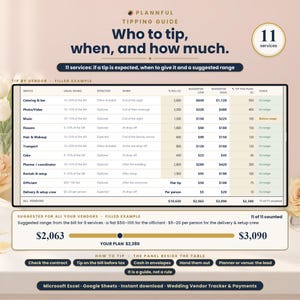
- Tipping Guide: 11 services (including Officiant and Delivery & setup crew) with the usual range, whether a tip is EXPECTED, WHEN to give it, and suggested low and high amounts: from your bill for 9 services, a flat $50-100 for the Officiant and $5-20 per person for the Delivery & setup crew. It also tells you whether your tip is below, in or above range.
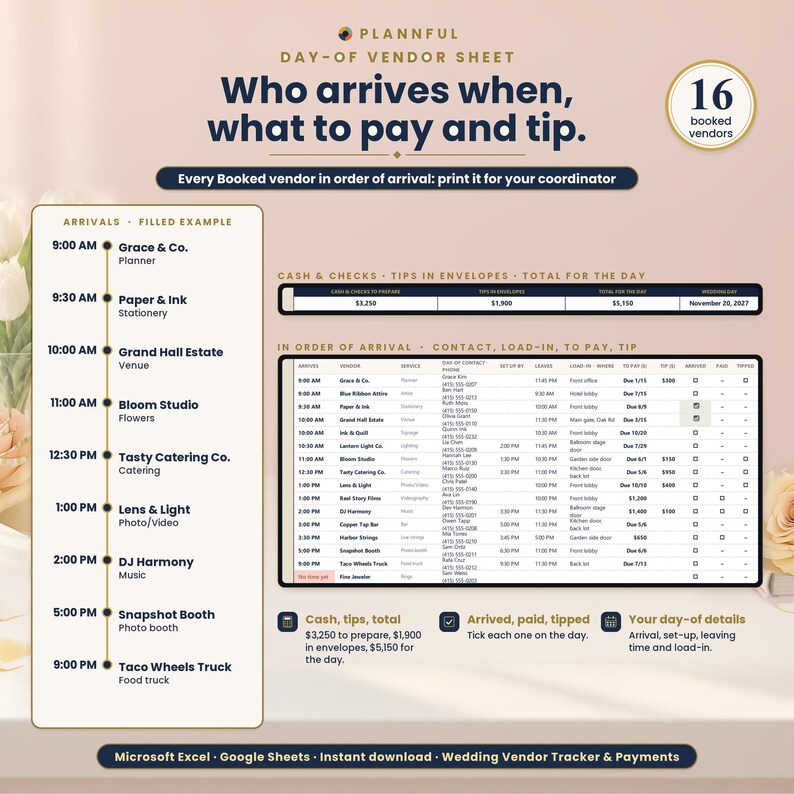
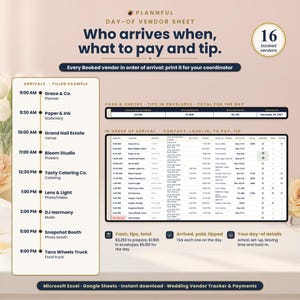
- Day-of Vendor Sheet: your booked vendors in order of arrival, with day-of contact, setup, what to pay and the tip, cash totals and ARRIVED / PAID / TIPPED boxes. Prints on 2 pages.
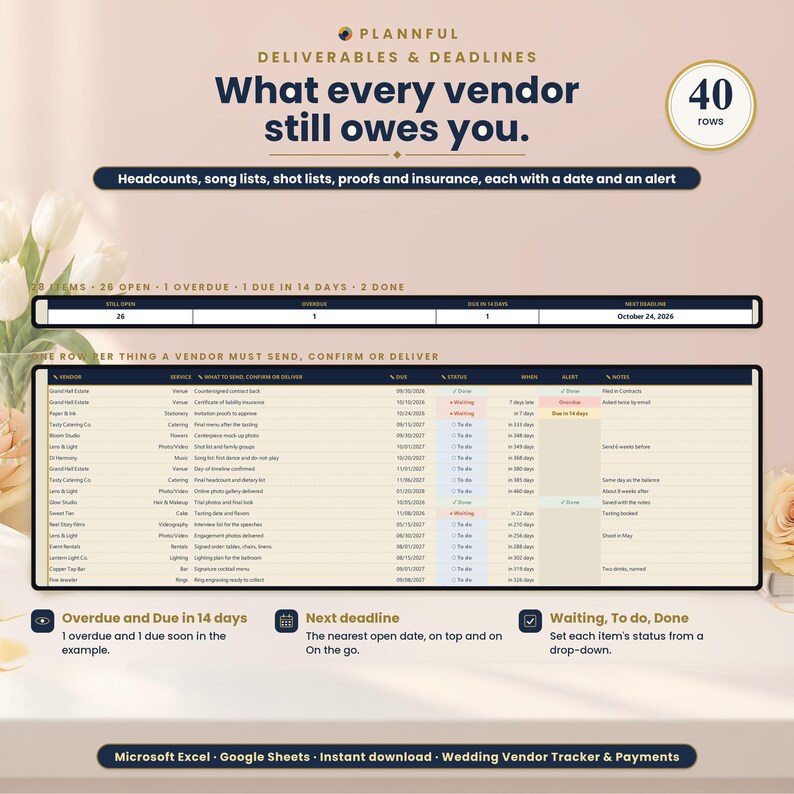
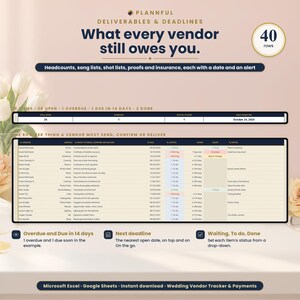
- Deliverables & Deadlines: 40 rows for what each vendor must send or confirm, with date, status and Overdue / Due in 14 days alerts.
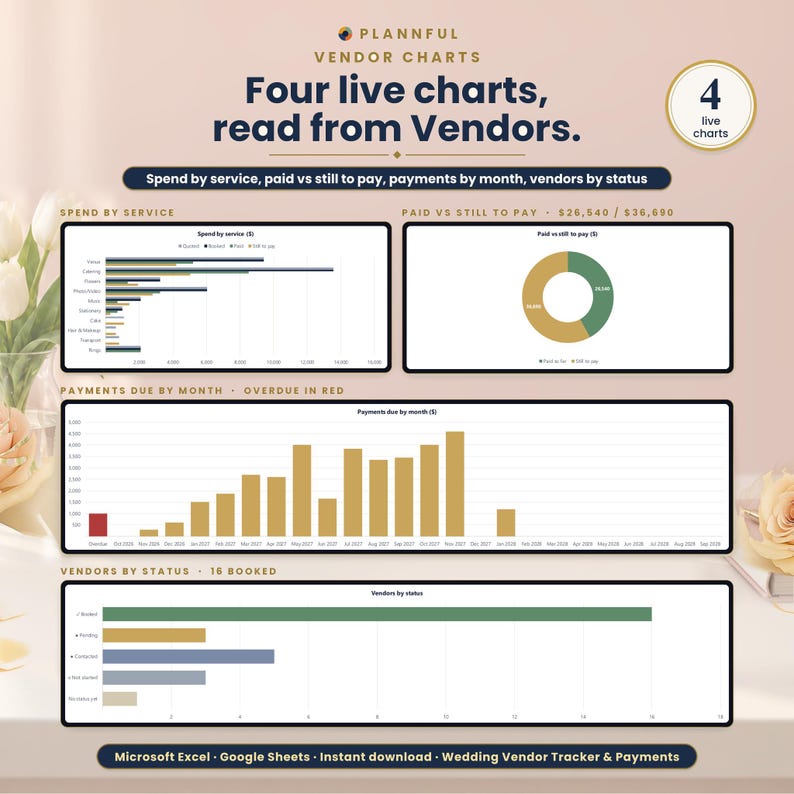
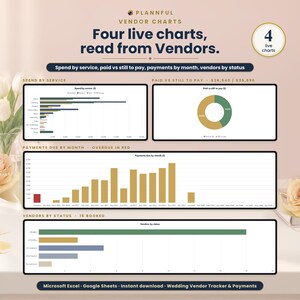
- Vendor Charts: 4 live charts (spend by service, paid vs still to pay, payments due by month, vendors by status). With the 2 on Payment Calendar, 6 charts in all.
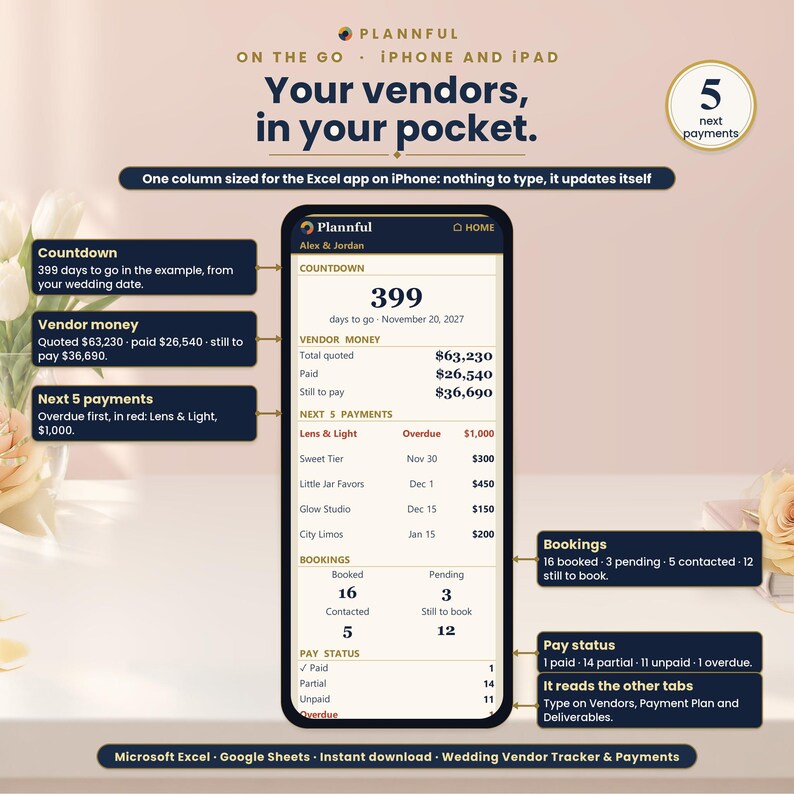
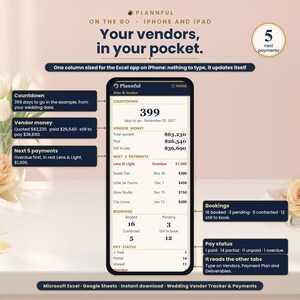
- On the go: a one-column view that fills the width of an iPhone held upright: countdown, total quoted, paid and still to pay, your next 5 payments (overdue first), bookings, pay status and the next 5 deliverables.
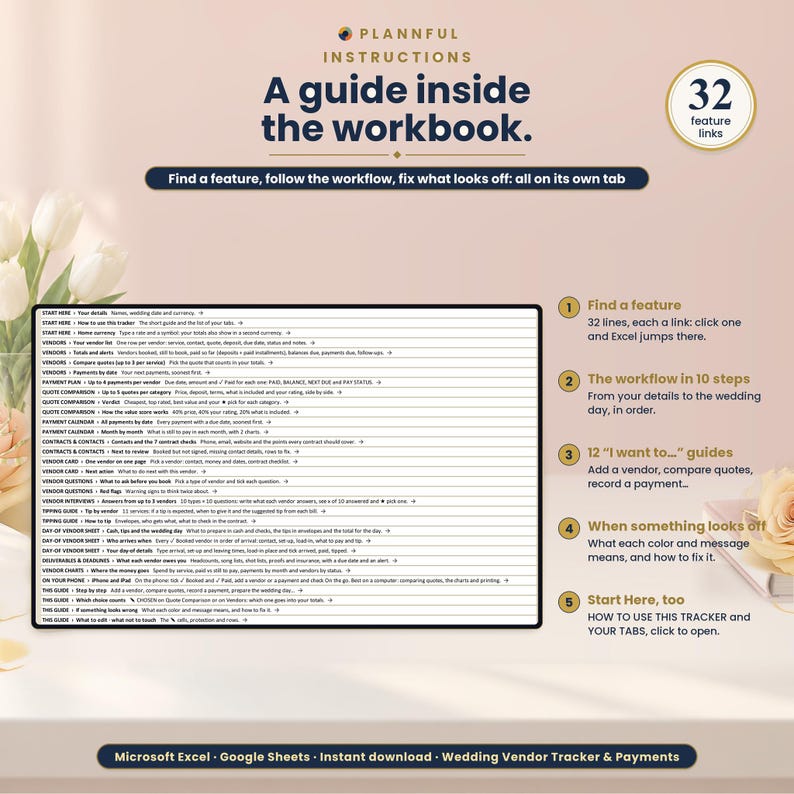
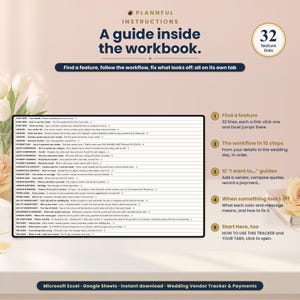
- Instructions: a feature finder with links to every part of the tracker, a 10-step workflow and 12 "I want to..." guides.
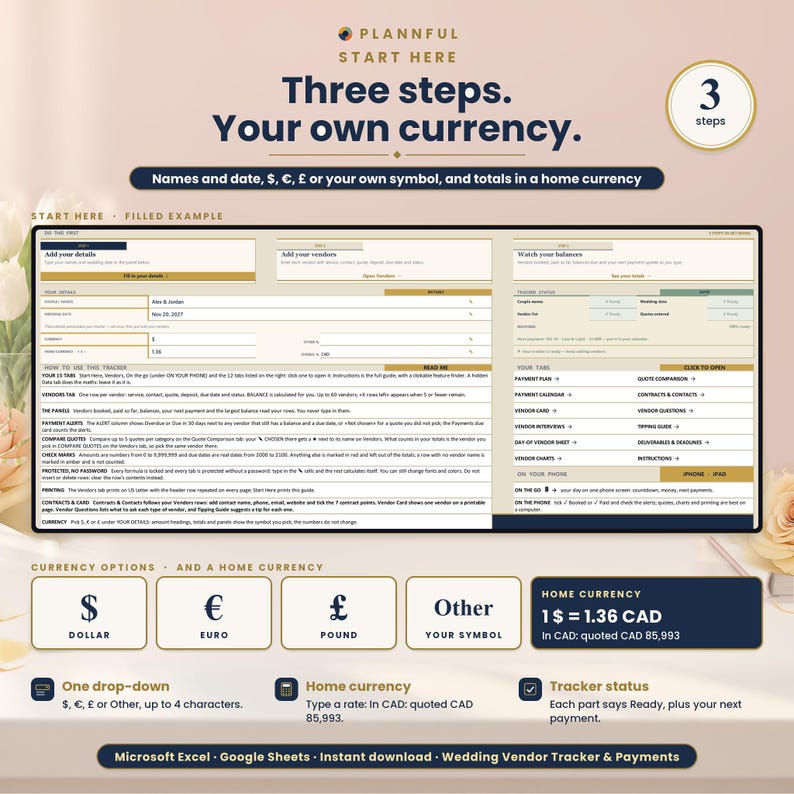
- Currency: pick $, €, £ or type your own symbol (up to 4 characters). HOME CURRENCY: add a second currency with your own rate and see your totals converted.
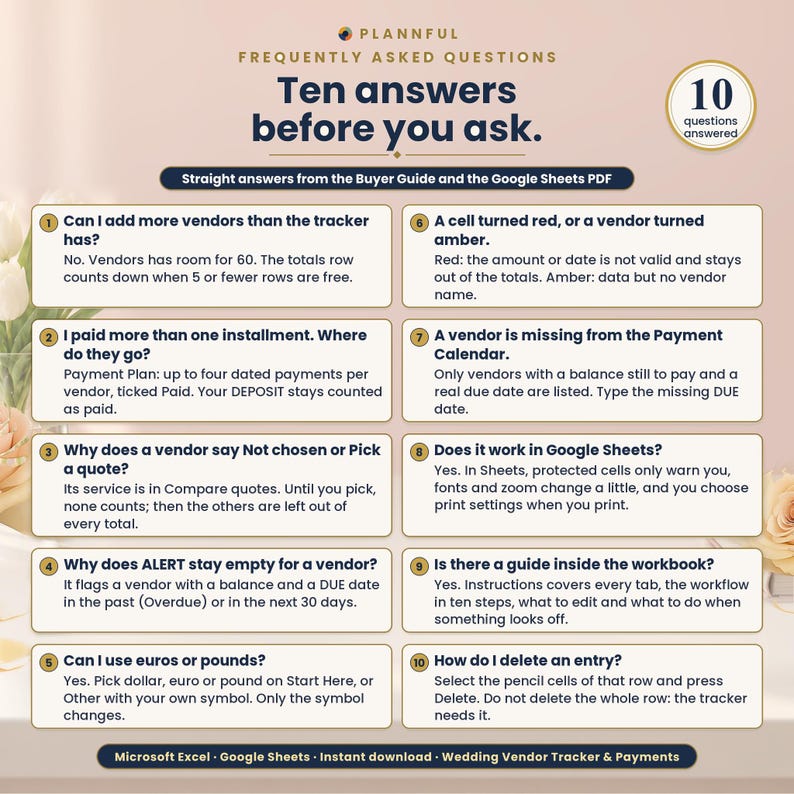
- Checks as you type: an amount, date or rating outside its range turns red and stays out of the totals; a row with no vendor name turns amber.
COMPATIBILITY
- Microsoft Excel on Windows or Mac. Read Me First gives the minimum version.
- The Excel app on iPhone and iPad: the tracker opens and you can edit it. Use the On the go tab on your phone; the wide tabs are easier on a computer or iPad.
- Google Sheets, in a web browser, with a free Google account. The Google Sheets links copy the BLANK and the FILLED EXAMPLE; FILLED EXAMPLE 2 and the color variants are Excel files.
- No macros. The Excel files work offline; Google Sheets needs an internet connection.
IN GOOGLE SHEETS
The formulas, drop-downs and alerts are the same as in Excel. What is different: protected cells show a warning instead of blocking you, fonts and the zoom of each tab differ slightly, and print settings (paper, print area, repeated headers) are chosen when you print.
HOW YOU GET IT
This is an instant digital download. After purchase, go to your Etsy Purchases page and download the files. Unzip the ZIP and start with Read Me First. For Excel, your trackers are in the folder 1 - Microsoft Excel and the 4 extra colors in Color variants. For Google Sheets, open the PDF in 2 - Google Sheets and use its two links. Nothing is shipped.
FAQ
Which programs does it work in?
Microsoft Excel on a computer, the Excel app on iPhone and iPad, and Google Sheets (with a free Google account).
Can I use it on my phone or tablet?
Yes, in the Excel app on iPhone and iPad. The On the go tab is made for an iPhone held upright; the wide tabs are easier on a computer or iPad.
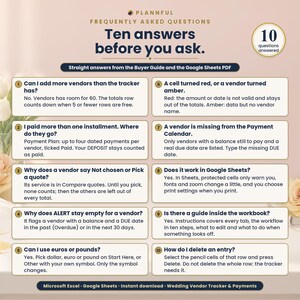
How many vendors can I track?
Up to 60 (the large sample wedding has 46).
Can I split a balance into several payments?
Yes. Payment Plan takes up to 4 dated payments per vendor on top of the deposit.
How many quotes can I compare?
Up to 5 per category in Quote Comparison, across 12 categories.
Does changing the currency convert my amounts?
No. The currency symbol changes only the symbol. HOME CURRENCY shows your totals in a second currency, using the rate you type.
Can I edit it?
Yes. You type in the cells marked with a pencil. Calculated cells are protected with no password, and sorting and filtering are turned off on purpose so your formulas stay linked to the right rows.
Does it print?
Yes. In Excel it is set up for US Letter; in Google Sheets you choose the print settings when you print. Dates are in English.
How do I get help?
We usually reply within a few hours, 7 days a week. Message us on Etsy or email hello [!at] plannful.com.
PART OF THE PLANNFUL WEDDING COLLECTION
This tracker is part of the Plannful Wedding Collection. It goes deeper on vendors and payments, with its own 15 tabs, and works on its own.
PLANNFUL
Explore the Plannful Wedding Collection in our Etsy shop.
Follow us: YouTube @Plannful · Instagram @plannful · Pinterest Plannful · TikTok @plannful
SUPPORT
We usually reply within a few hours, 7 days a week. Message us on Etsy or email hello [!at] plannful.com.
Step-by-step video tutorials on YouTube: the full walkthrough and a short video for every tab. Link: https://www.youtube.com/playlist?list=PLUfzOAChLMf0
Because this is a digital download, returns and cancellations are not accepted. If there is a problem with your order, message us on Etsy and we will help.
Instant Download
Your files will be available to download once payment is confirmed. Here's how.
Instant download items don’t accept returns, exchanges or cancellations. Please contact the seller about any problems with your order.
Etsy Purchase Protection
Shop confidently on Etsy knowing if something goes wrong with an order, we've got your back for all eligible purchases —
see program terms


More from this shop
Visit shop-
Digital download
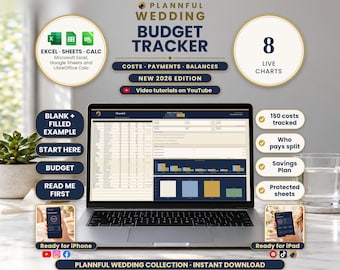
Wedding Budget Spreadsheet, Expense Tracker, 8 Live Charts, Payment Plan (Excel, Google Sheets, LibreOffice Calc Digital Download)
Sale Price $4.19
Original Price $6.99
-
Digital download
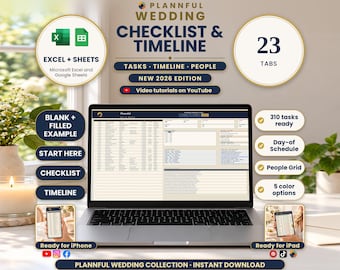
Wedding Checklist Spreadsheet, Day-of Timeline, 23 Tabs, 310 Tasks (Excel, Google Sheets Digital Download)
Sale Price $8.99
Original Price $14.99
-
Digital download
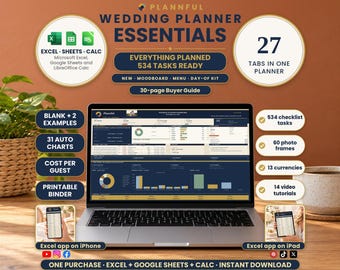
Wedding Planner Spreadsheet, 27 Tabs, Budget, Guests, Vendors, Timeline (Excel, Google Sheets, LibreOffice Calc Digital Download)
Sale Price $10.79
Original Price $17.99
-
Digital download
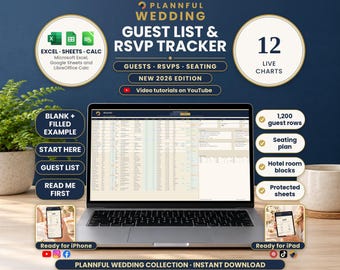
Wedding Guest List Spreadsheet, RSVP Tracker, Table Seating Plan, Meals, Hotels (Excel, Google Sheets, LibreOffice Calc Digital Download)
Sale Price $4.19
Original Price $6.99
Be the first to leave a review
-
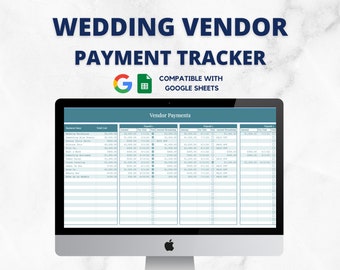
Digital download
Wedding Vendor Payment Tracker, Wedding Spreadsheets, Wedding Planning Template, Google Sheets, Wedding Tracker, Vendor Deposit Schedule
$8.00
-
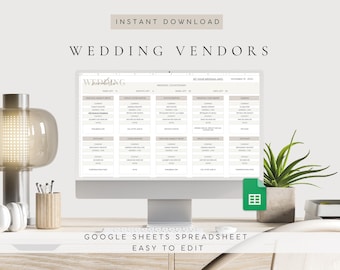
Digital download
Editable Wedding Vendor Tracker Spreadsheet Google Sheets, Service Provider Comparison, Digital Budget Planner Template
Sale Price $2.93
Original Price $11.71
-
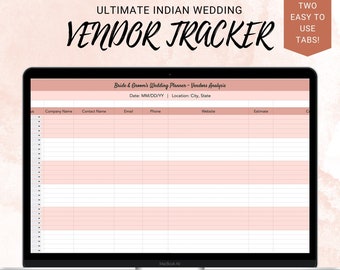
Digital download
Wedding Planning Spreadsheet: Vendor Tracker (Google Sheets & Excel)
$14.00
-
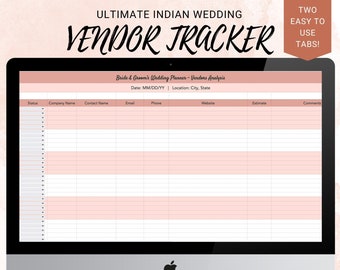
Digital download
Wedding Planning Spreadsheet: Vendor Event Tracker (Google Sheets & Excel)
$14.00
-
Digital download
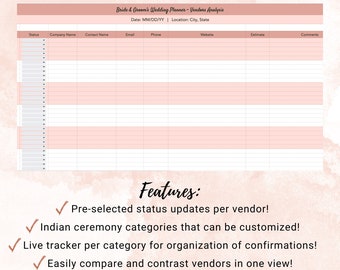
Hindu Wedding Planner Spreadsheet: Vendor Tracker (Google Sheets)
$14.00
-
Digital download
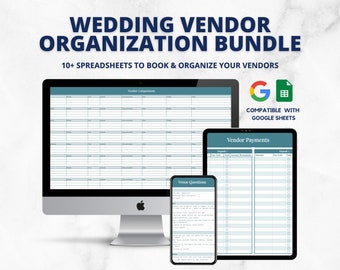
Wedding Vendor Tracker, Wedding Spreadsheets, Wedding Planning Template, Google Sheets, Wedding Tracker, Vendor Comparison, Vendor Payments
$24.00
-
Digital download
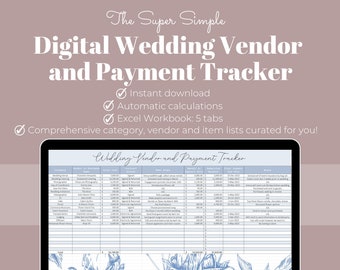
Wedding Vendor and Payment Tracker, Digital Wedding Vendor and Payment Tracker, Wedding Vendor Contact List, Excel Spreadsheets
$16.99
-
Digital download
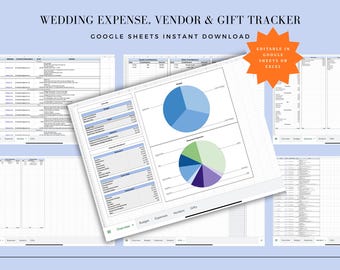
Wedding Vendor Payment Tracker | Micro-Wedding Budget Spreadsheet | Google Sheets Download
$10.00
-
Digital download
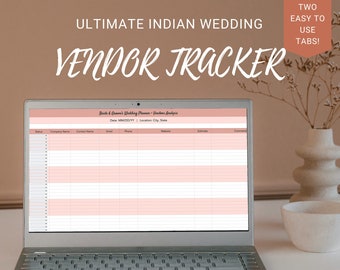
Wedding Planning Spreadsheet, Event Planning Spreadsheet, Vendor Event Tracker, Excel Wedding Tracker, Hindu Wedding, Gujarati Wedding
$14.00
-
Digital download
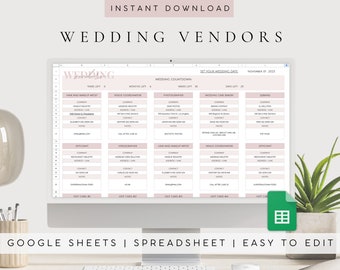
Editable Wedding Vendor Tracker Spreadsheet Google Sheets, Service Comparison Planner, Digital Provider Booking Template
Sale Price $2.93
Original Price $11.71
-
Digital download
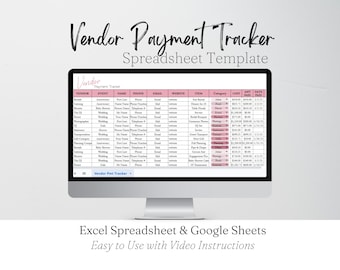
Vendor Payment Tracker Template Google Sheets, Wedding Vendor Payment Tracking Sheet Excel Spreadsheet, Vendor Payment Log Event Planning
Sale Price $3.29
Original Price $6.59
-
Digital download
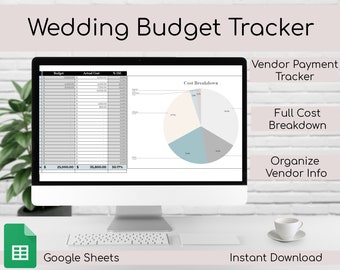
Wedding Budget Tracker | Wedding Spreadsheet | Vendor Tracker, Google Sheets | Wedding Budget
$8.00
Shoppers with similar taste loved these
-
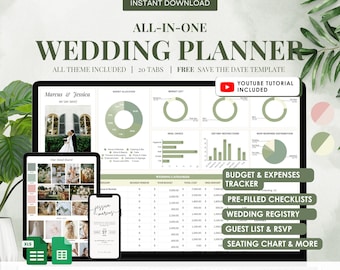
Digital download
Digital Wedding Planner | Google Sheets Spreadsheet Tool (Instant Download)
Sale Price $4.80
Original Price $12.00
-
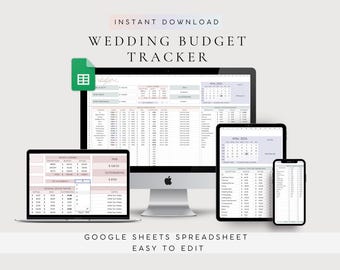
Digital download
Wedding Budget Tracker Spreadsheet Google Sheets, Expense Planner Template, Savings Finance Checklist Guide
Sale Price $3.51
Original Price $14.05
-
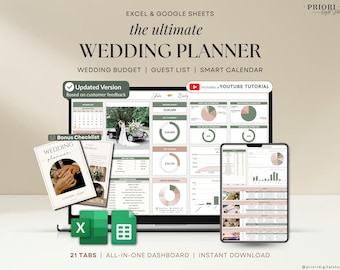
Digital download
Wedding Planner Spreadsheet Wedding Budget Tracker Wedding Timeline Checklist Guest List Tracker Wedding Itinerary Seating Plan Wedding Gift
Sale Price $9.72
Original Price $19.45
-

Digital download
Wedding Planner Spreadsheet Google Sheets Digital Wedding Planner Wedding Budget Spreadsheet Wedding Planning Template Wedding Planner
$50.42
-
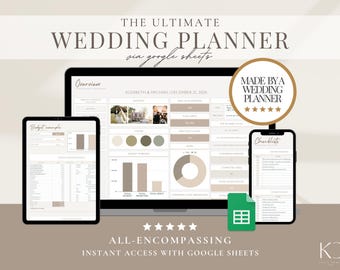
Digital download
Digital Wedding Planner Spreadsheet: Budget, Timeline, Guest List (Google Sheets)
Sale Price $17.50
Original Price $35.00
-
Digital download
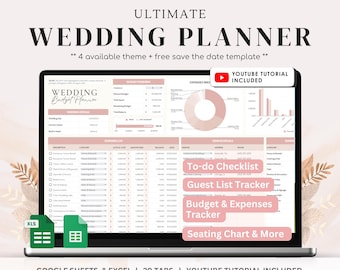
Wedding Planner Spreadsheet | Digital Wedding Budget Planner | Wedding Checklist Google Sheets | Wedding Budget | Wedding Planner
Sale Price $4.00
Original Price $10.00
-

Always Wedding Cake Topper: Custom Initials, Personalized Anniversary Decor
$18.73
-

Heart Wedding Cake Topper, Anniversary sign
Sale Price $15.25
Original Price $21.79
-

Rustic Personalized Cake Topper, Custom Script Wedding Cake Topper, Mr and Mrs Cake Topper for weddings, Last Name Cake Topper
Sale Price $23.99
Original Price $47.98
-

Personalized Wedding Cake Topper, Custom Rustic Bride and Groom
Sale Price $8.85
Original Price $15.00
-

Wedding Cake Topper Rustic Wedding Cake Topper Mr & Mrs Cake Topper Personalized Wedding Cake Topper Wood Cake Topper Surname Cake Topper
$18.65
-

Custom Initial Wedding Cake Topper: Gold Anniversary Decor made of wood or acrylic
Sale Price $14.25
Original Price $19.00



 Bridesmaid gifts
 Groomsmen gifts
 Wedding gifts
 Engagement gifts


