




Animated Chat Box Widget for Twitch and Kick | Cute Celestial StreamElements Chat Overlay with Alerts | Moonglass (Digital Download)
In 5 carts
Price:$14.90
You can only make an offer when buying a single item
Buy together, get 0% off
 This listing
Animated Chat Box Widget for Twitch and Kick | Cute Celestial StreamElements Chat Overlay with Alerts | Moonglass (Digital Download)
$14.90
Digital Download
Original value: $35.02
New total: $35.02
Highlights
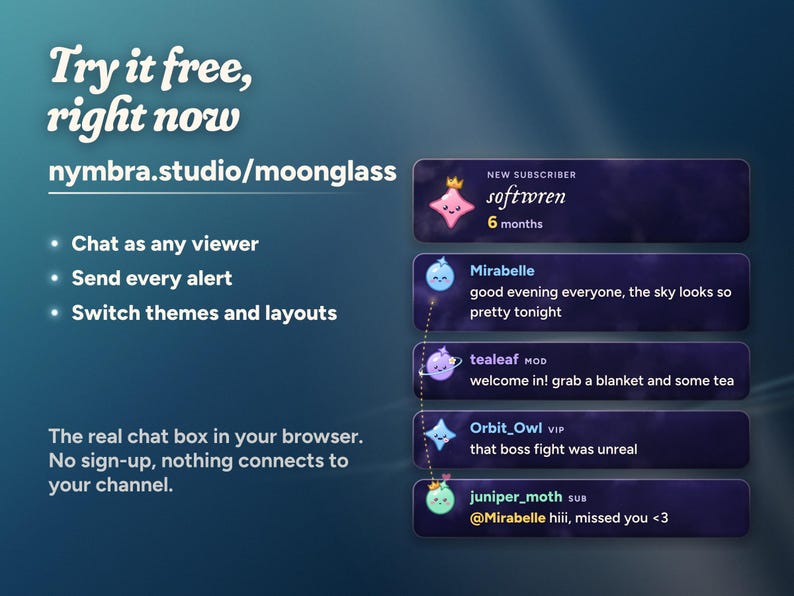
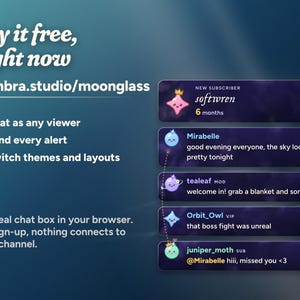
TRY IT FIRST: play with the live demo at nymbra.studio/moonglass. Chat as any viewer, send every alert and switch themes and layouts, right in your browser. No sign-up, nothing connects to your channel.
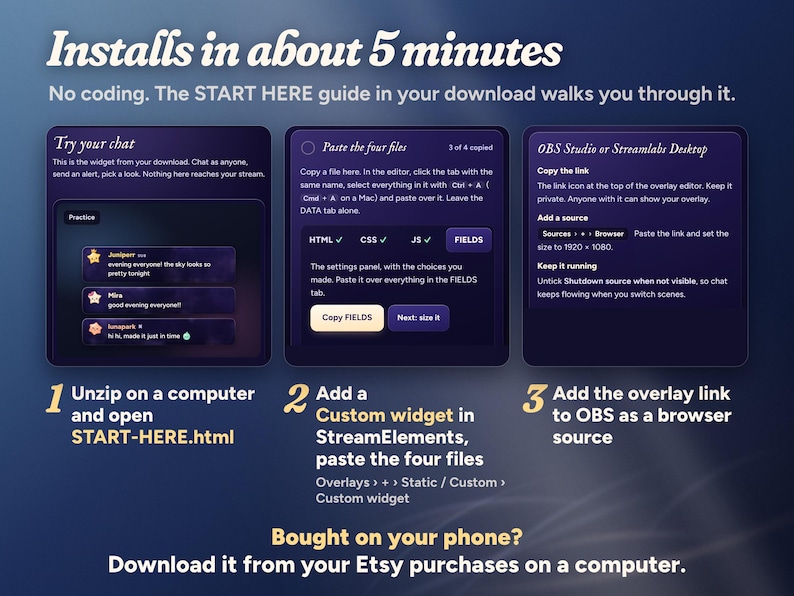
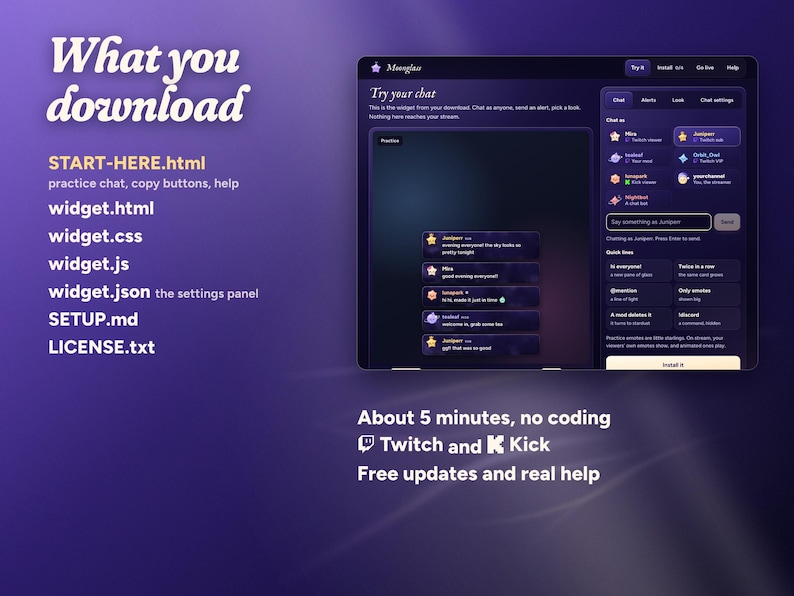
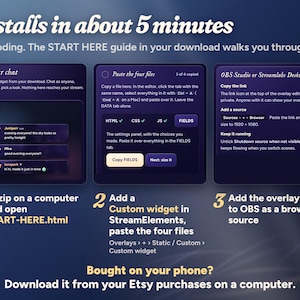
Installs in about 5 minutes with the START HERE guide, no coding. Bought on your phone? Download from your Etsy purchases on a computer; installing needs one.
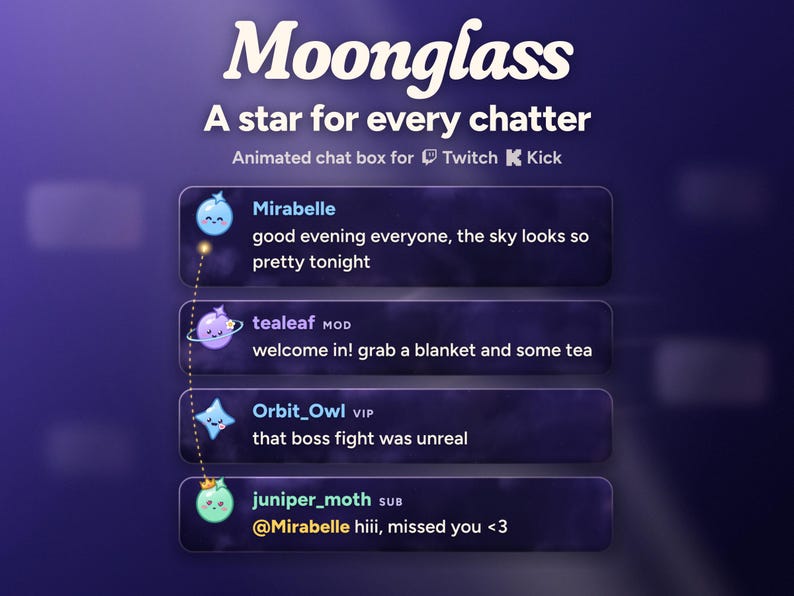
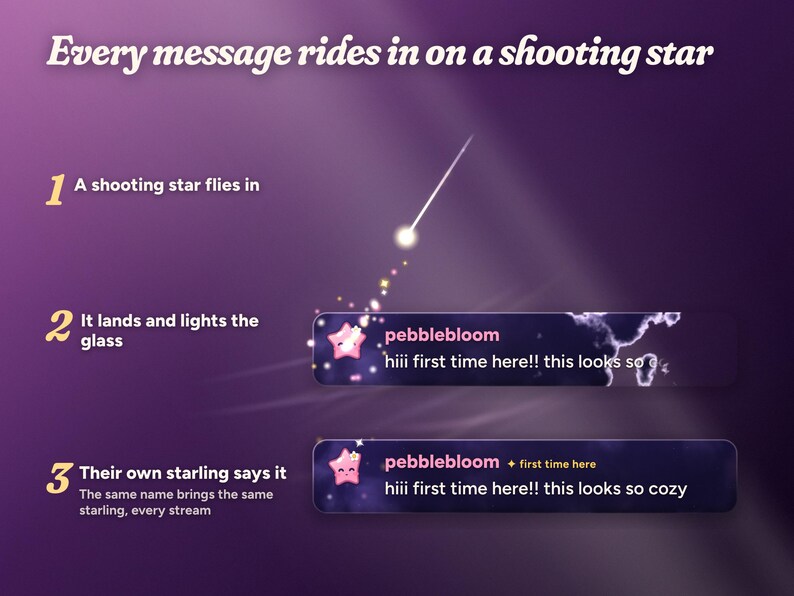
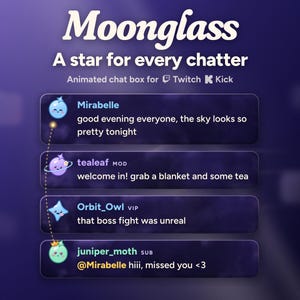
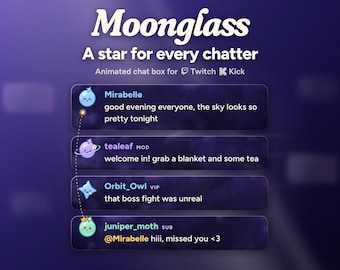
Your chat on panes of night glass, and a little star for every chatter. Each message rides in on a shooting star, lights up its own pane of glass and lands signed by that chatter's starling: a tiny star with a face that blinks, breathes, giggles at a lol and gets heart eyes at a <3. The same name always brings the same starling, so your regulars are easy to spot. It comes as a column or a strip, in three themes, with alerts that each get their own little scene.
WHAT HAPPENS IN YOUR CHAT
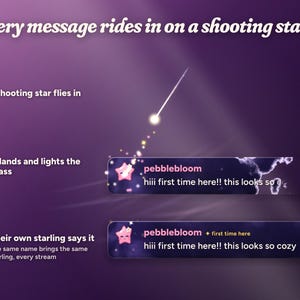
• A message: a shooting star flies in and lights up a new pane of glass with the chatter's starling on it. A first-time chatter's star leaves a trail of sparkles.
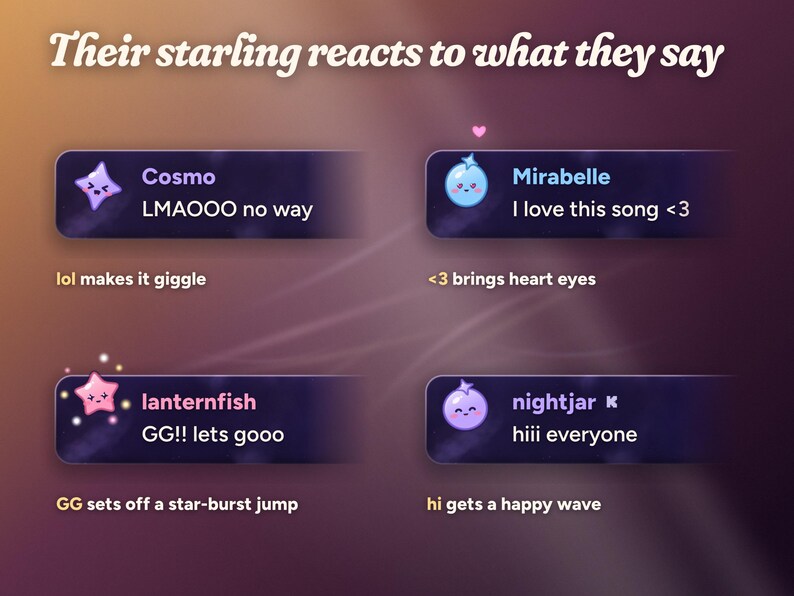
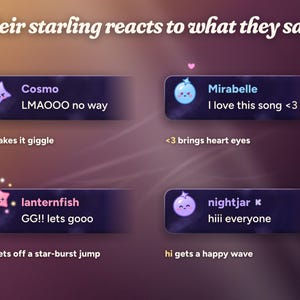
• Their starling reacts to what they say: lol, lmao and haha make it giggle; <3 and love bring heart eyes and a floating heart; gg, pog and hype set off a star-burst jump; hi, hey and gm get a happy wave.
• Starlings are alive between messages: they blink, breathe, look at the newest message, doze off when their card gets old and wake with a hop when their chatter speaks again.
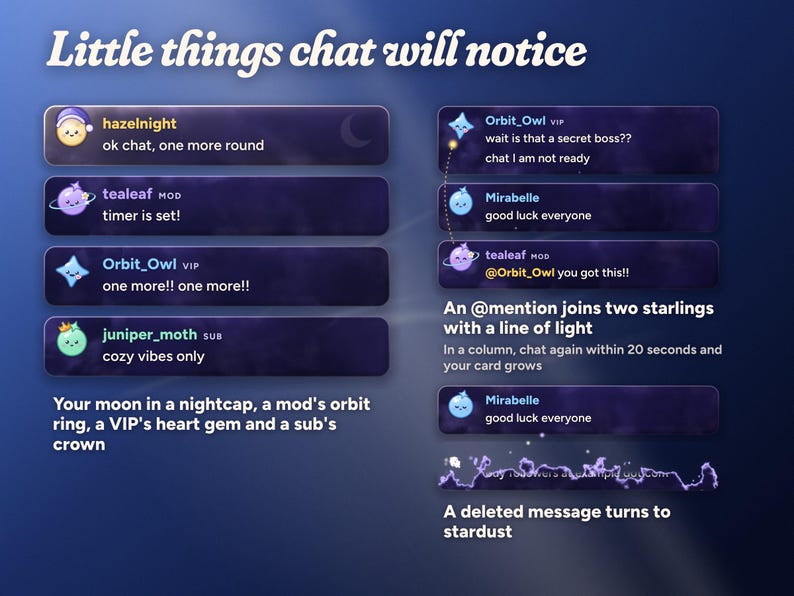
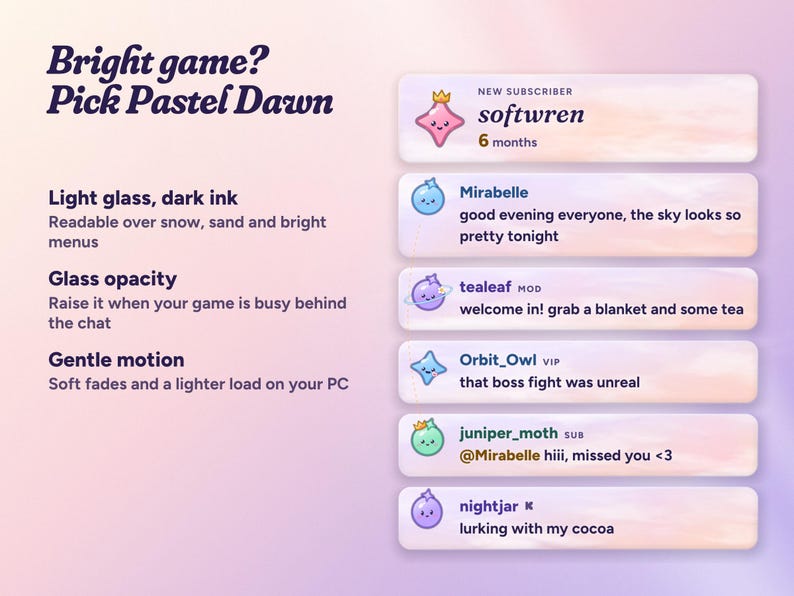
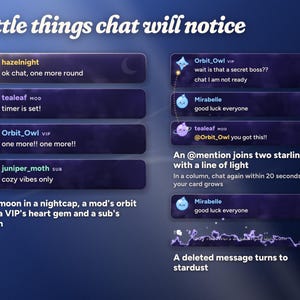
• Roles: subs wear a crown, VIPs a heart gem, mods an orbit ring, and you get a small moon in a nightcap.
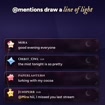
• @mentions: a line of light joins the two starlings while both are on screen.
• The same chatter again within 20 seconds: their card grows a line instead of adding a new one (in the column).
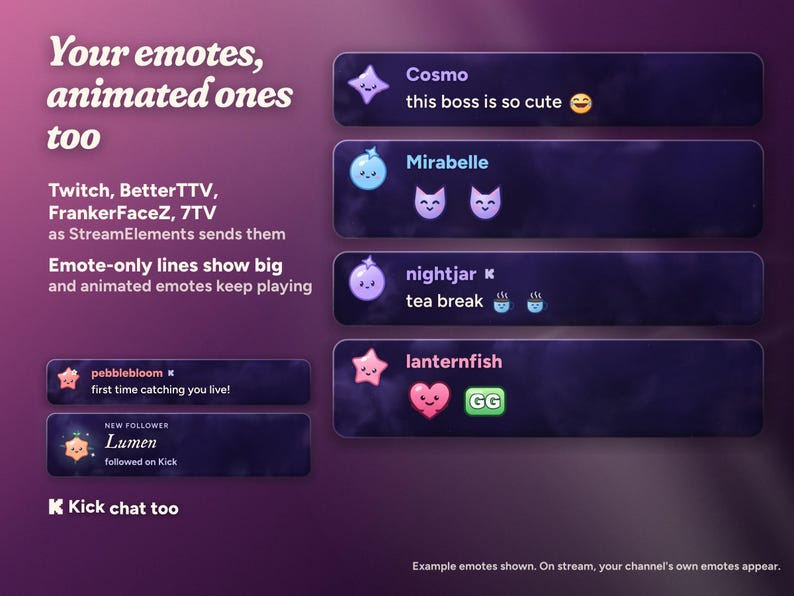
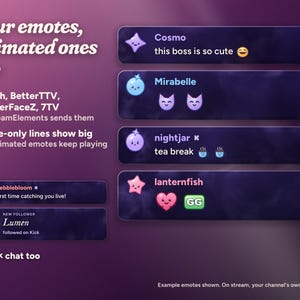
• Emotes: Twitch emotes, and BetterTTV, FrankerFaceZ and 7TV when they're turned on in your StreamElements dashboard. Animated emotes keep playing, and a message of only emotes shows them big. Kick emotes show in Kick chat.
• A message a mod deletes turns to stardust. Older messages dissolve upward as new ones arrive.
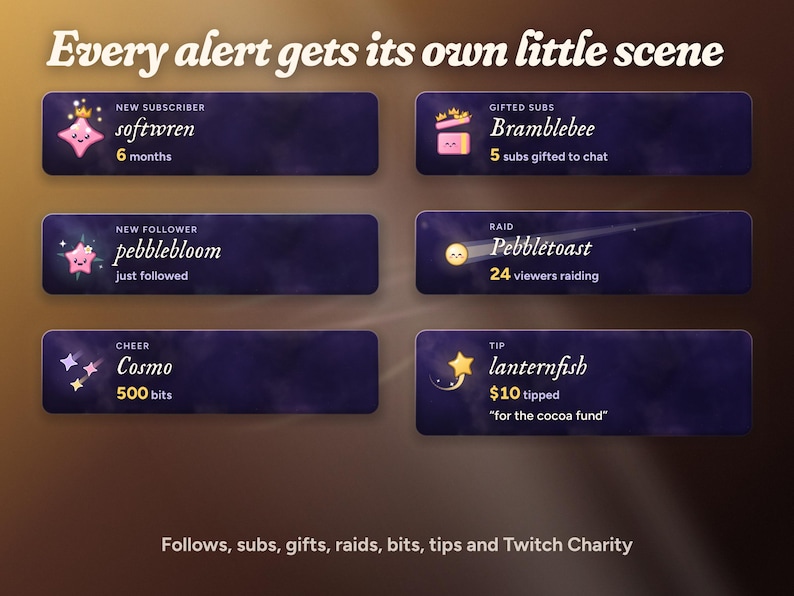
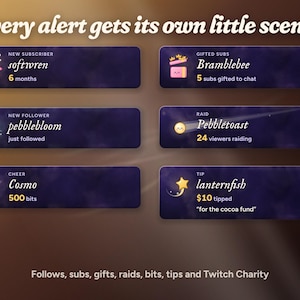
ALERTS, EACH WITH ITS OWN LITTLE SCENE
• Follow: a newborn starling blooms out of a mint sparkle.
• Sub and resub: the subscriber's own starling is crowned, with their months.
• Gift subs: a gift box pops crowns, with how many were gifted.
• Raid: a smiling comet flies across the card, with the viewer count.
• Bits: three shooting stars fall in, with the amount.
• Tips and Twitch Charity: a wishing star on a curling trail, the amount and the viewer's message.
MAKE IT YOURS
17 settings in the widget's settings panel, no code:
• Preview a chat message and Preview a demo buttons
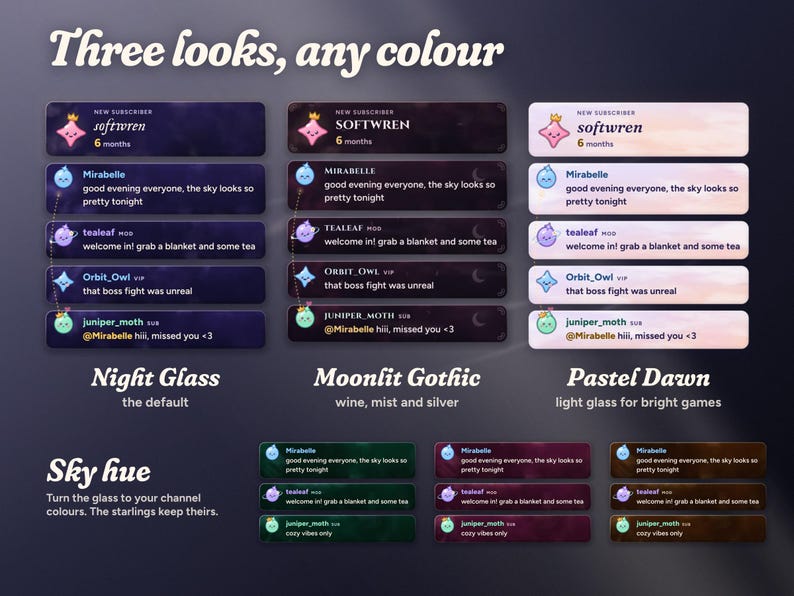
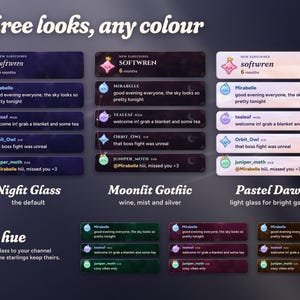
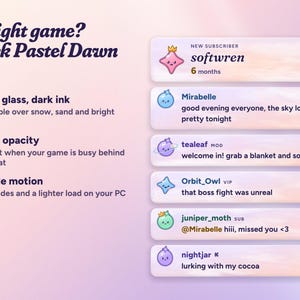
• Theme: Night Glass, Moonlit Gothic or Pastel Dawn (light glass for bright games)
• Sky hue: turn the glass to your channel colours (the starlings keep theirs)
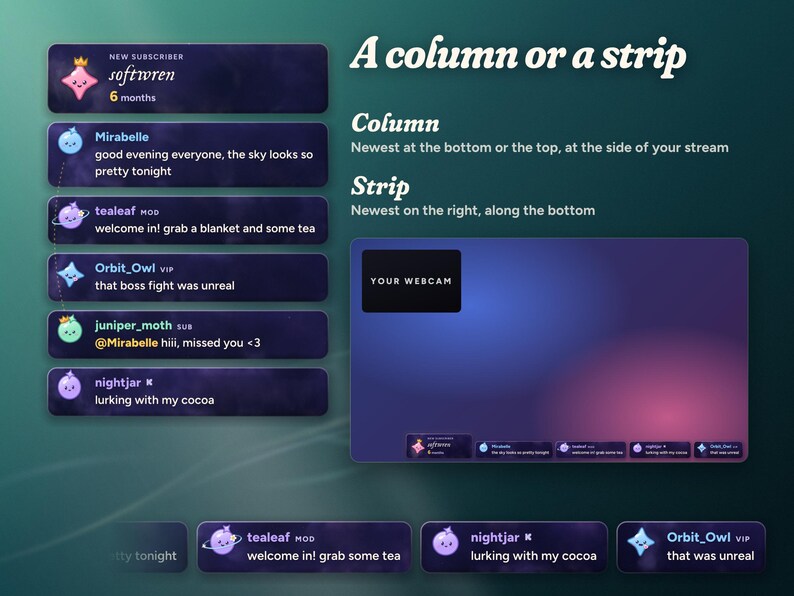
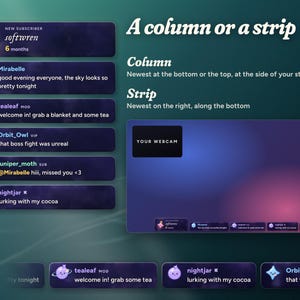
• Layout: a column with the newest at the bottom or the top, or a strip with the newest on the right
• Widget size, message font (any Google Font) and glass opacity
• Show each chatter's starling on or off
• Motion: Full, or Gentle for a lighter load on your PC
• Messages on screen, hide messages after a number of seconds, hide !commands, ignored users (common bots already in) and pronouns on Twitch
• Alerts on or off, and your Kick channel
SETUP AND DOWNLOAD
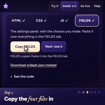
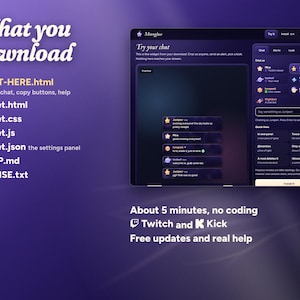
Unzip the download on your computer and open START-HERE.html first. Its practice chat runs the real widget, so you can chat as anyone, send alerts and pick your theme before you install. Then use its copy buttons to paste HTML, CSS, JS and FIELDS into a StreamElements custom widget, size it (about 520 × 900 for a column, 1920 × 260 for a strip) and add the overlay link to OBS or Streamlabs as a browser source. About 5 minutes in all, and no coding needed.
Your ZIP includes START-HERE.html, widget.html, widget.css, widget.js, widget.json, SETUP.md and LICENSE.txt. One-time purchase, no subscription, free updates.
WHAT YOU NEED
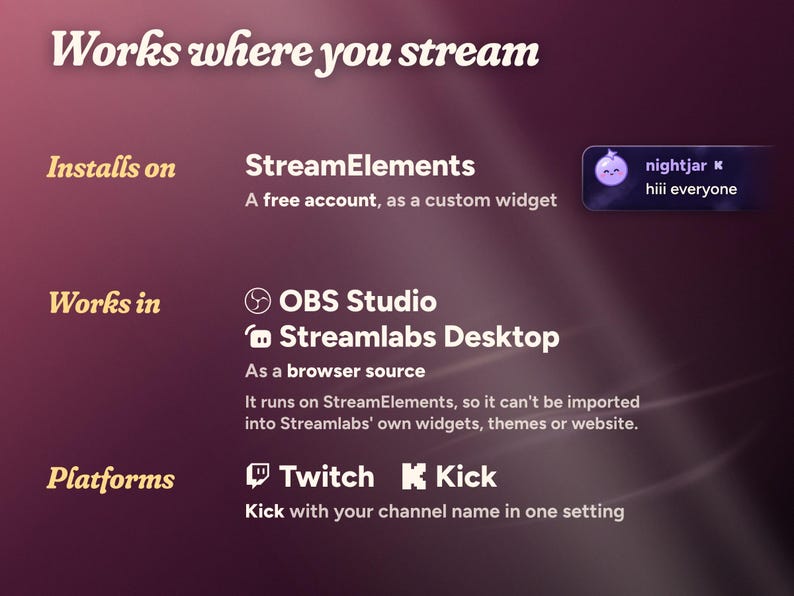
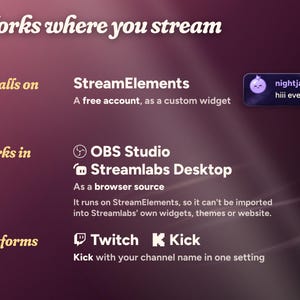
A free StreamElements account and OBS Studio, Streamlabs Desktop or any streaming software with browser sources.
• Twitch: works as soon as the files are pasted.
• Kick: type your channel name in the Kick channel setting, or leave it blank if you signed in to StreamElements with Kick. Twitch and Kick chat show together. Kick alerts need your Kick account linked in StreamElements.
WITH STARLINGS
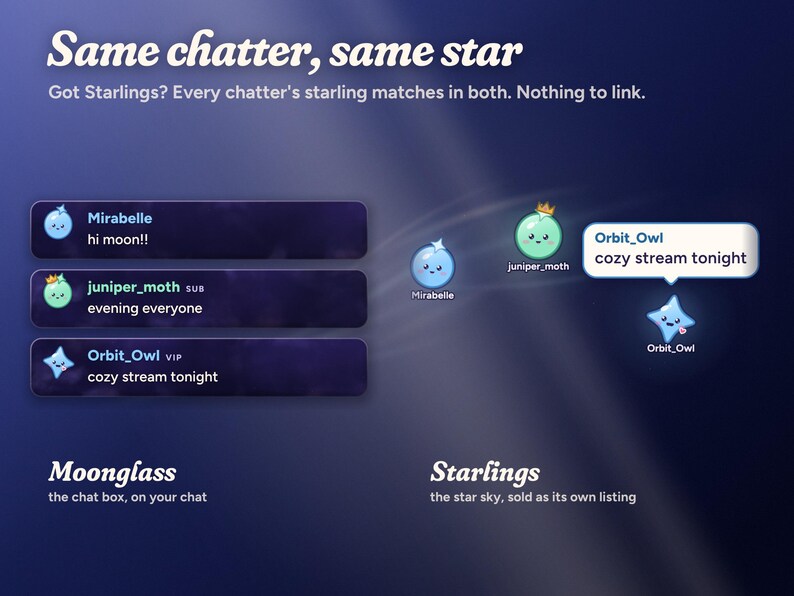
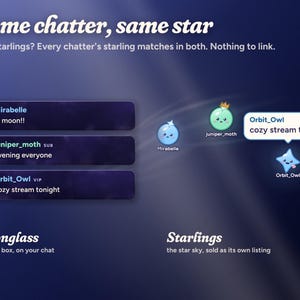
Have Starlings, the star sky from this shop? Each chatter gets the same starling in both widgets, picked from their platform and username, so there is nothing to link. They are two separate widgets, each sold on its own listing, and they look great on one stream.
GOOD TO KNOW
• No sound: Moonglass is silent, so it never talks over your game or music.
• Example names and example emotes are shown in the photos. On stream, your viewers' names and your channel's emotes appear. Abstract listing backgrounds are not part of the overlay.
• Colours can look slightly different between screens.
• Bright game? Pick Pastel Dawn or raise Glass opacity.
This is a digital download licensed to one streamer and their channels; please do not share or resell the files.
Need help? Message me through Etsy with your StreamElements username and a screenshot of the widget settings. I'll help you get it running and usually answer within a day.
Instant Download
Your files will be available to download once payment is confirmed. Here's how.
Instant download items don’t accept returns, exchanges or cancellations. Please contact the seller about any problems with your order.
Etsy Purchase Protection
Shop confidently on Etsy knowing if something goes wrong with an order, we've got your back for all eligible purchases —
see program terms

Be the first to review this item

More from this shop
Visit shop-
Digital download
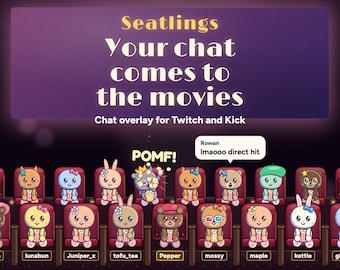
Interactive Twitch Overlay | Movie Theater Chat Audience for StreamElements & Kick | Cute Critters, Popcorn Fights, Sub Goal | Seatlings
$22.35
-
Digital download
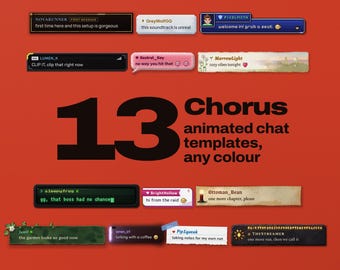
Animated Chat Widget for Twitch & Kick | 13 Templates, 3D Tilt (Digital Download)
$22.35
-
Digital download
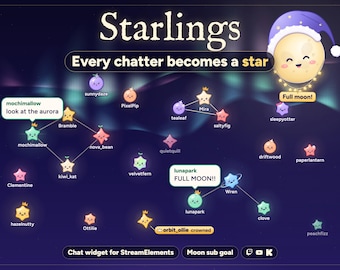
Interactive Star Chat Overlay and Moon Goal Widget for Twitch, Kick and YouTube | StreamElements | Starlings (Digital Download)
$20.12
-
Digital download
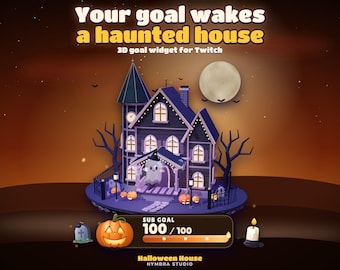
Haunted House Goal Widget | Animated 3D Stream Overlay | Twitch (Digital Download)
$11.18
-
Digital download
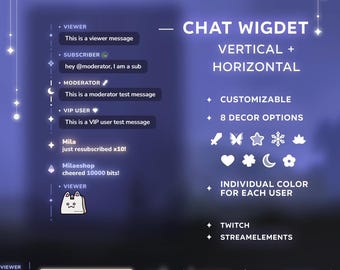
Chat widget for Twitch Streamelements | Different roles styling + Events in chat
$15.00
-
Digital download
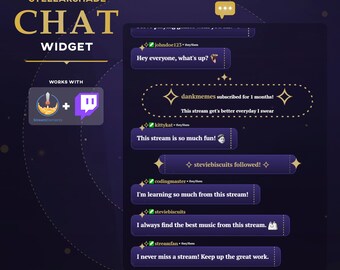
Celestial Twitch Chat Widget: Customizable Stream Alerts (Digital Download)
$14.02
-
Digital download
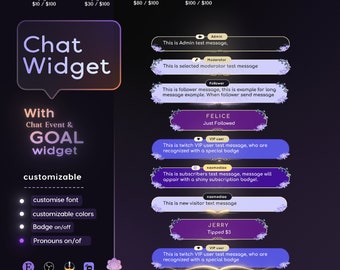
Floral Purple Chat Widget | Twitch StreamElements Animated Overlay (Digital Download)
$14.99
-
Digital download
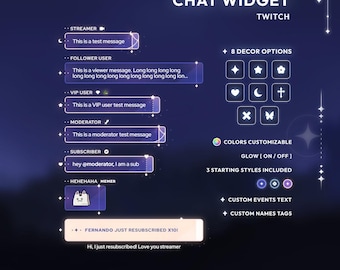
Multistyle chat widget | Twitch StreamElements
$14.00
-
Digital download
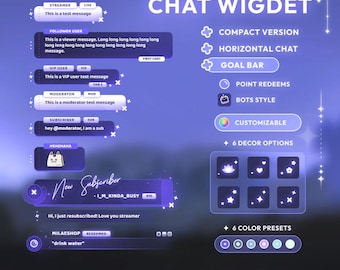
Multistyle widget bundle | Chat widget + goal | StreamElements
$16.00
-
Digital download
Elegant Floral Chat Widget: Purple Nature Theme (StreamElements)
Sale Price $7.32
Original Price $12.20
-
Digital download
Multistyle chat widget | Twitch StreamElements
$14.00
-
Digital download
Minimal Chat widget | StreamElements
$12.00
-
Digital download
Minimal Glow Chat Widget | Twitch & Youtube | Chat Box with Alerts | Customizable | StreamElements OBS Streamlabs
Sale Price $11.29
Original Price $14.12
-
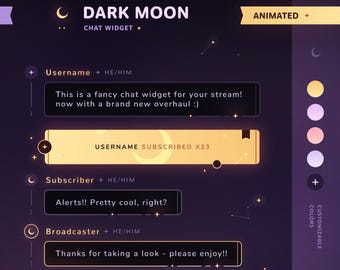
Digital download
Dark Moon: Chat Widget • Minimal, Starry, Celestial Theme • Chat Box with Pronouns & Alerts for Twitch Streams (StreamElements)
$16.82
-
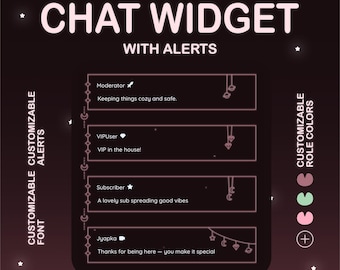
Digital download
Gothic Animated Twitch Chat Widget, StreamElements Overlay, Custom Roles
Sale Price $9.10
Original Price $14.00
-
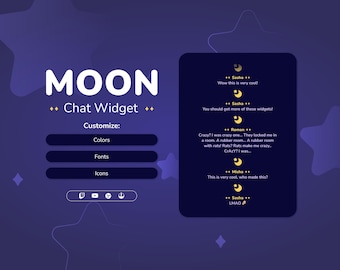
Digital download
Moon Twitch Chat Widget • Minimal Customizable Chat Box for Twitch and YouTube Streamers (StreamElements)
Sale Price $6.00
Original Price $12.00
Shoppers with similar taste loved these
-
Digital download
Anime Hyperspace Seamless Loop Neon Purple Blue Light Space Speed Futuristic Sci-Fi Animated Background for Streamers Vtuber Twitch
Sale Price $3.88
Original Price $6.47
-
Digital download
Cyberpunk Ramen Shop Animated Background Neon Japanese Tokyo Street Vaporwave 90s Anime CRT Screen Vtuber Overlay Twitch Stream Noodle Bar
Sale Price $3.88
Original Price $6.47
-
Digital download
Cyberpunk Server Room Animated Background 60FPS HD Neon Purple Cyber Underground for Streamers YouTube Twitch Techno Vtuber Background
Sale Price $3.88
Original Price $6.47
-
Digital download
Cyberpunk Building Corridor Animated Background Techno Neon Cyber City Dark Futuristic Scifi VTuber Stream Overlay Twitch Desktop Wallpaper
Sale Price $3.88
Original Price $6.47
-
Digital download
Wormhole Cosmic Space Animated Background Hyperspace Neon Tunnel Loop Video Live Wallpaper Sci-Fi Light Speed for Streamers Vtubers Twitch
Sale Price $3.88
Original Price $6.47
-
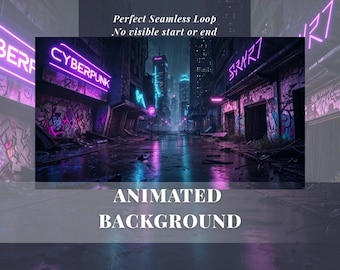
Digital download
Cyberpunk Rainy Street Animated Background 60FPS HD Neon Lights Futuristic Cyber City for Stream YouTube Twitch Techno Vtuber Background
Sale Price $3.88
Original Price $6.47
-
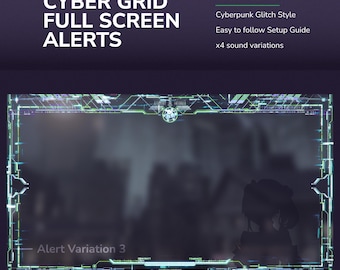
Digital download
Full Screen Cyber Grid Stream Alerts – Blue Green Animated Twitch Event Notifications
$7.06
-
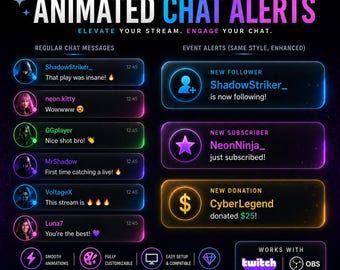
Digital download
Fully customizable Neon theme Chat & Alerts System | Twitch Widget | Streamelements
Sale Price $7.31
Original Price $12.18
-
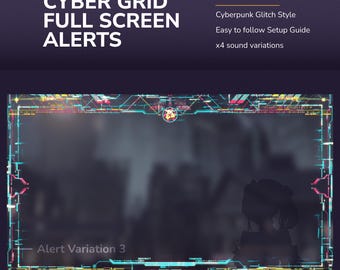
Digital download
Cyber Grid Animated Stream Alerts: Neon Glitch Twitch Full Screen Alerts
$7.06
-
Digital download
Full Screen Cyber Grid Twitch Alerts – Red Orange Animated Neon Sci Fi Stream Notifications
$7.06
-
Digital download
Cyber Grid Purple Pink Animated Twitch Alerts – Full Screen Sci-Fi Neon Glitch Stream Alerts
$7.06
-
Digital download
Shout Out Widget for Twitch, Cute Animated cat paw customizable overlay. Avatar + Name + game Custom Message Streaming Asset. chat command
$12.00


