




Interactive Twitch Overlay | Movie Theater Chat Audience for StreamElements & Kick | Cute Critters, Popcorn Fights, Sub Goal | Seatlings
Item highlights
Seller's description
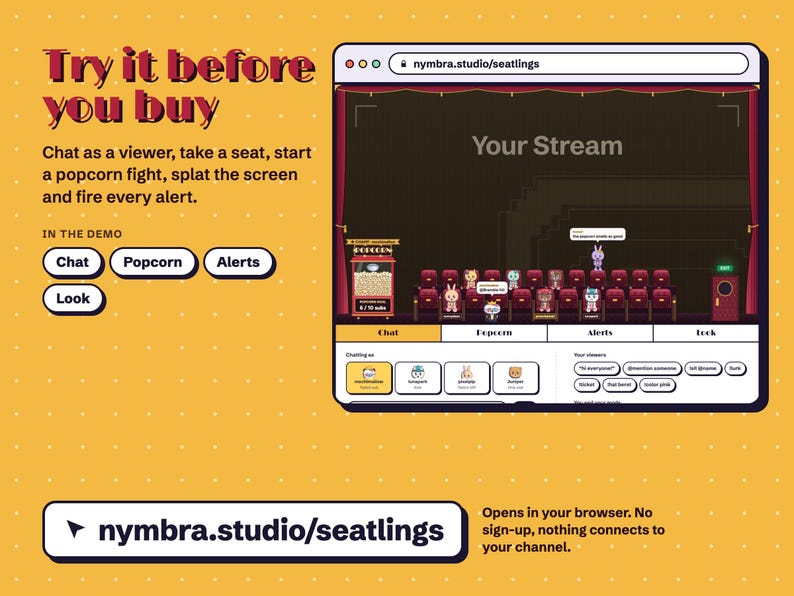
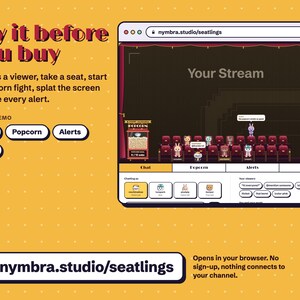
TRY IT FIRST: play with the live demo at nymbra.studio/seatlings. Chat as a viewer, throw popcorn, splat the screen with a tomato and fire alerts, right in your browser. No sign-up, nothing connects to your channel.
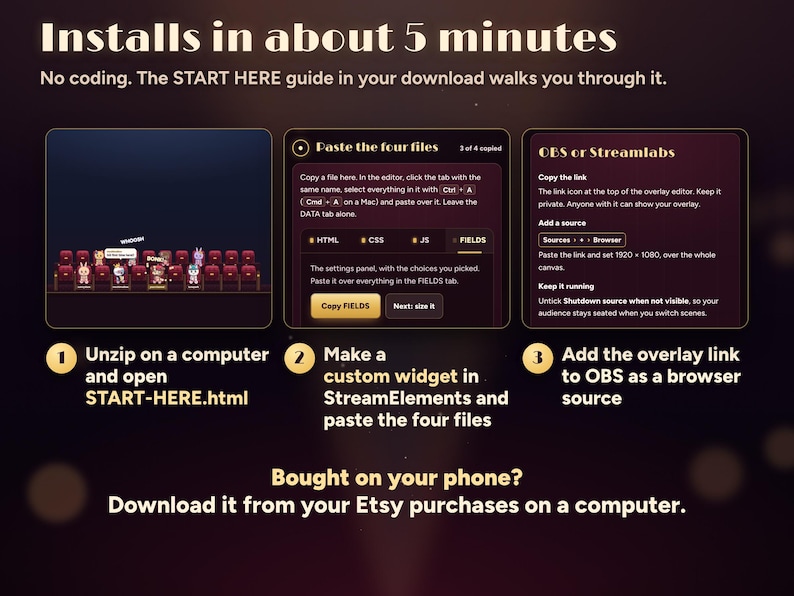
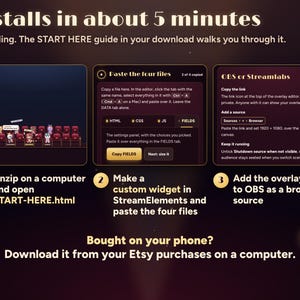
Installs in about 5 minutes with the START HERE guide, no coding. Bought on your phone? Download from your Etsy purchases on a computer; installing needs one.
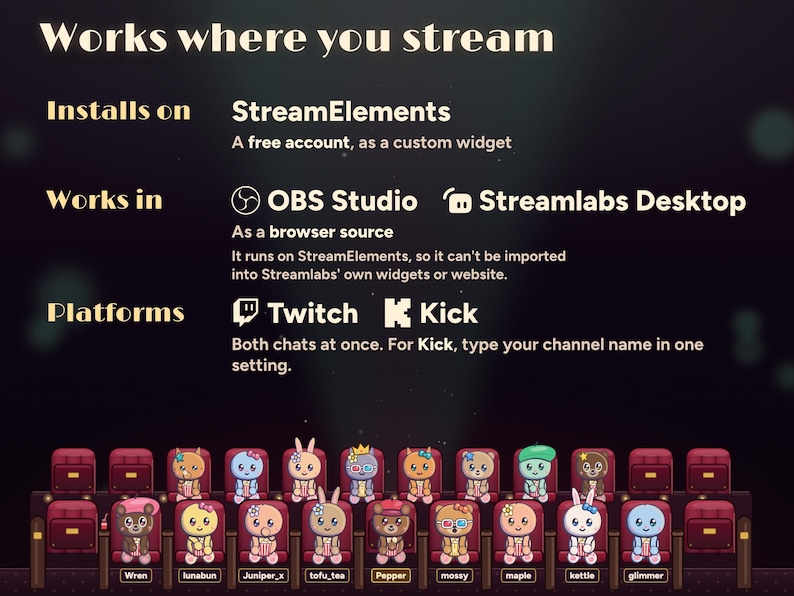
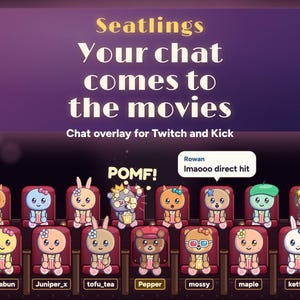
Your chat goes to the movies. Everyone who chats walks in through the EXIT door as a cute little critter in a bow, a cap, a flower, a beret, a heart or a star, leaps into a velvet seat along the bottom of your stream and watches you with a bucket of popcorn. !popcorn starts a popcorn fight, !tomato splats your stream, and when someone throws too much, the security bear carries them out.
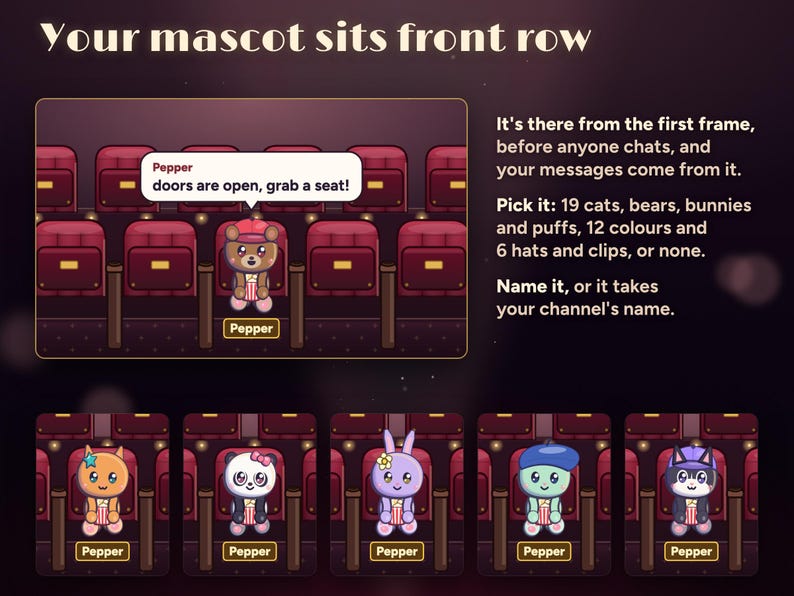
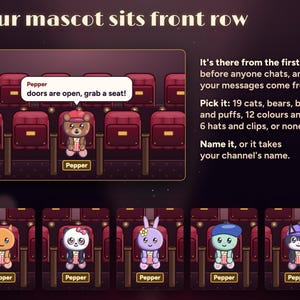
Your own mascot sits front row, middle, from the very first frame, so the cinema is never empty, even before anyone chats. Pick its critter (19 of them: cats, bears, a panda, bunnies and round puffs), its colour, its hat and its name.
No extra login, no separate hosting to arrange, no subscription. It runs in your own StreamElements account and remembers your regulars and their seats there.
WHAT HAPPENS IN YOUR CINEMA
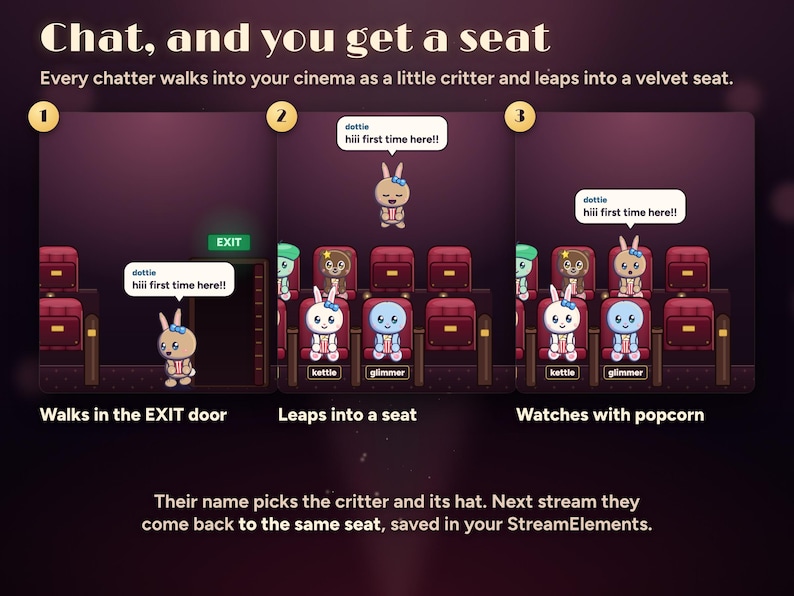
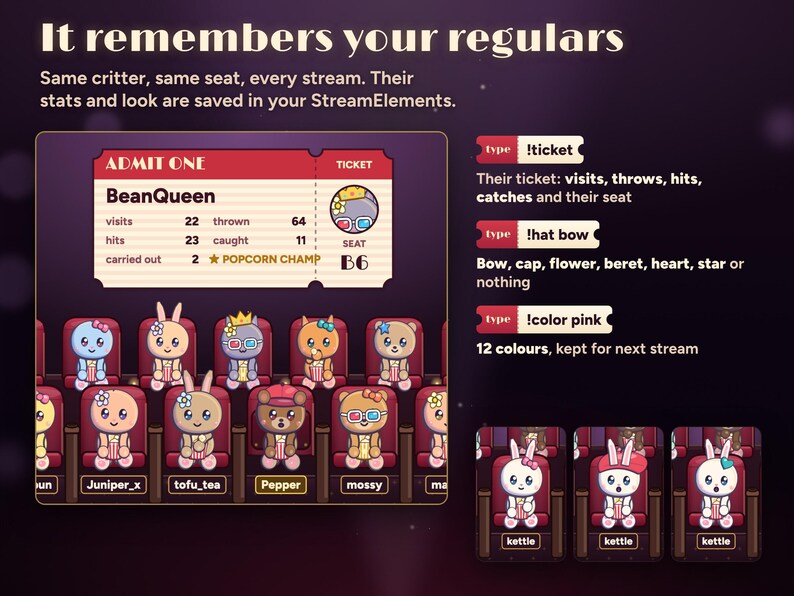
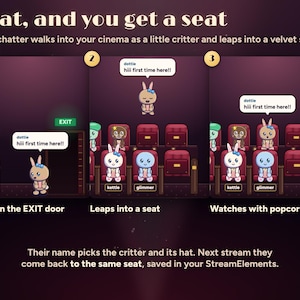
• Chat: a first message walks a critter in through the EXIT door and it leaps into a free seat, with the message in a bubble. Their name picks the critter and hat, so they look the same and keep their seat every stream.
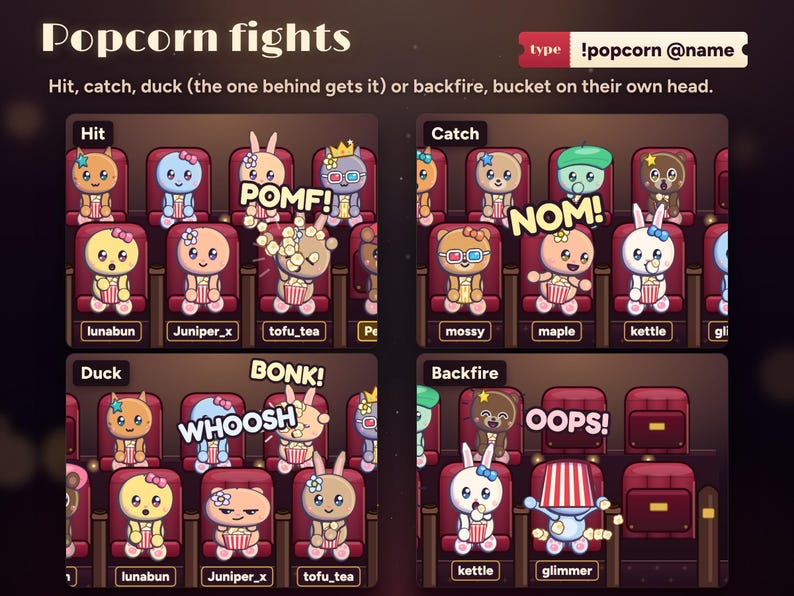
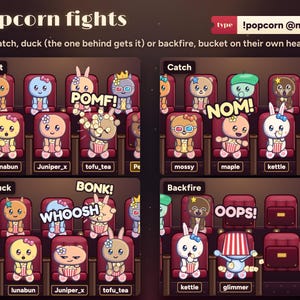
• Popcorn fights: !popcorn @name throws a handful. It's a hit (POMF!), a catch (NOM!), a duck that hits whoever sits behind, or a backfire with the popcorn bucket stuck on their own head. Plain !popcorn picks someone nearby.
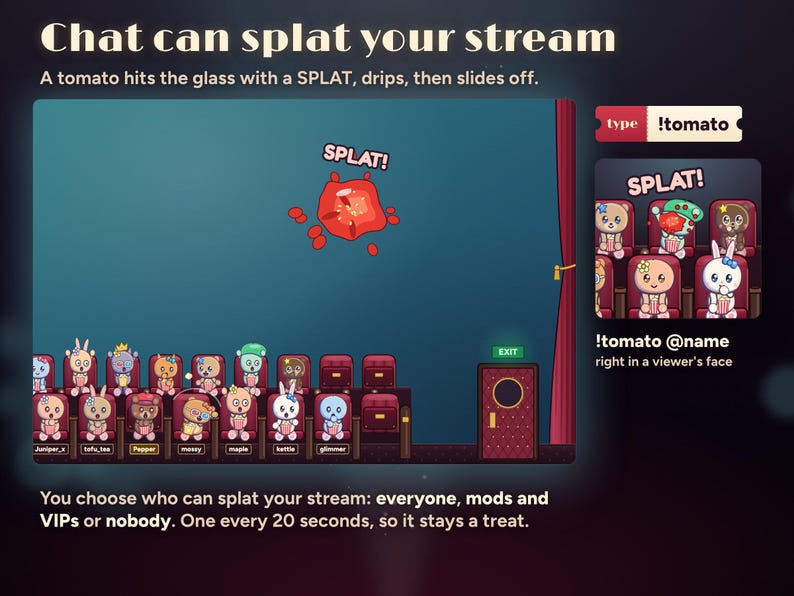
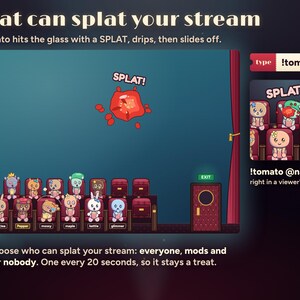
• Your screen: !tomato throws a tomato at your stream. SPLAT on the glass, drips, then it slides off. One every 20 seconds for the whole chat, and you choose who can: everyone, mods and VIPs, or nobody. !tomato @name goes in a viewer's face instead.
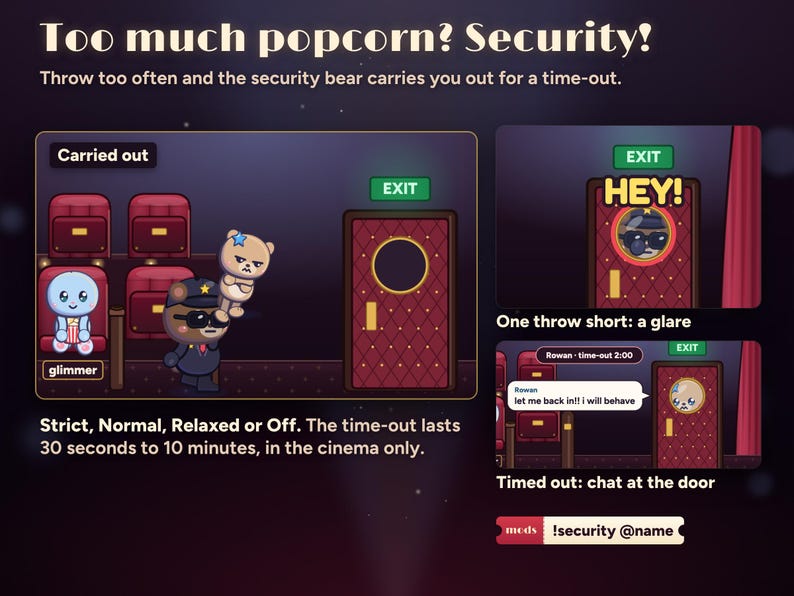
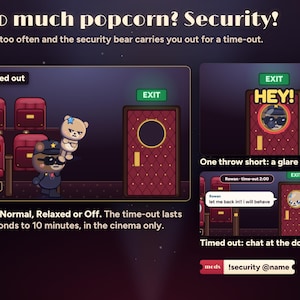
• Popcorn security: one throw short of the limit, the guard glares through the door's porthole. At the limit he walks in, shines his torch and carries them out for a time-out (2 minutes by default). Their chat shows at the porthole meanwhile, and they walk back in when it ends. You and your mascot are never carried out.
• Friends: !sit @name hops them into a free seat beside a friend. An @mention of someone in the cinema gets a wave across the rows.
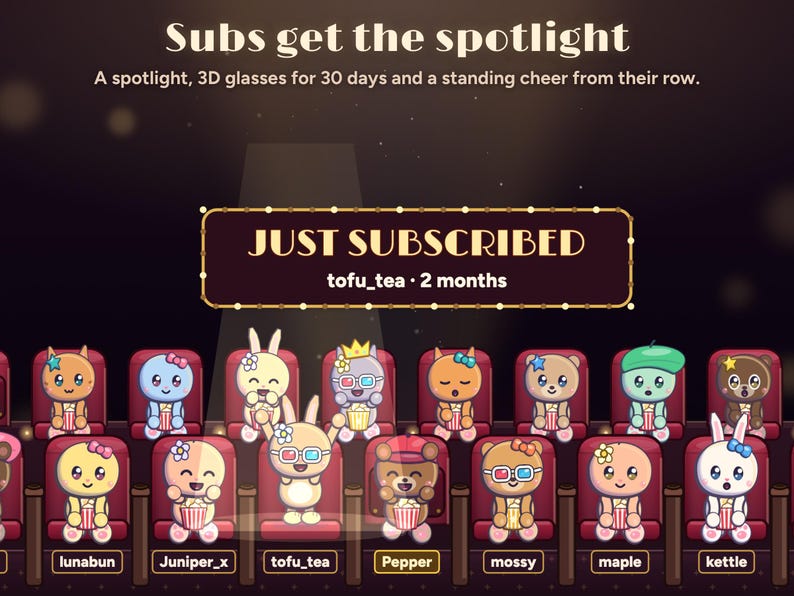
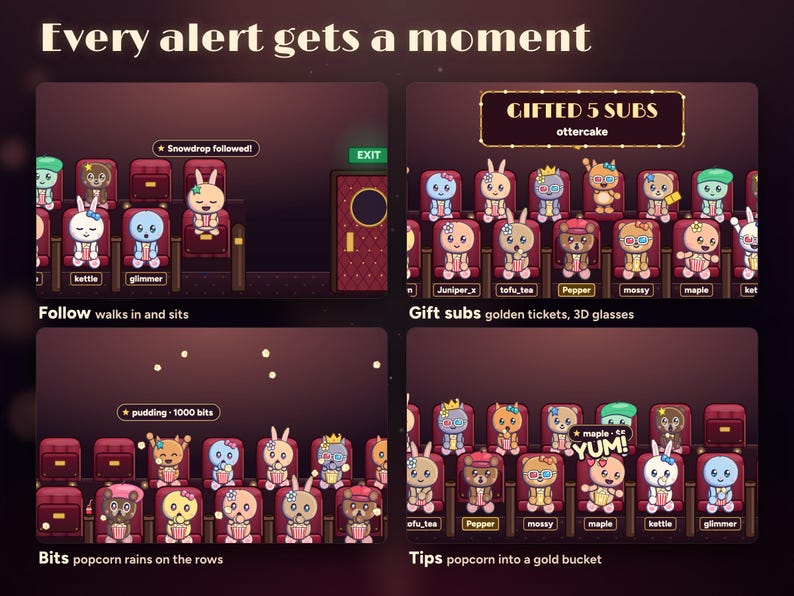
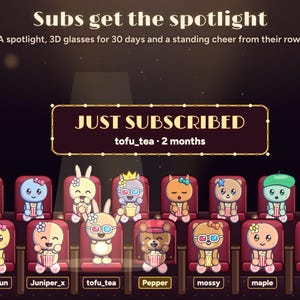
• Subs and resubs: JUST SUBSCRIBED on the marquee, a spotlight, 3D glasses for 30 days and a standing cheer.
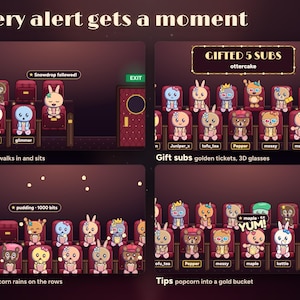
• Gift subs: golden tickets tossed to the rows, and 3D glasses for each viewer who catches one.
• Bits: popcorn rains on the rows. Tips and Twitch Charity: the popcorn machine fires a buttery arc into their gold bucket.
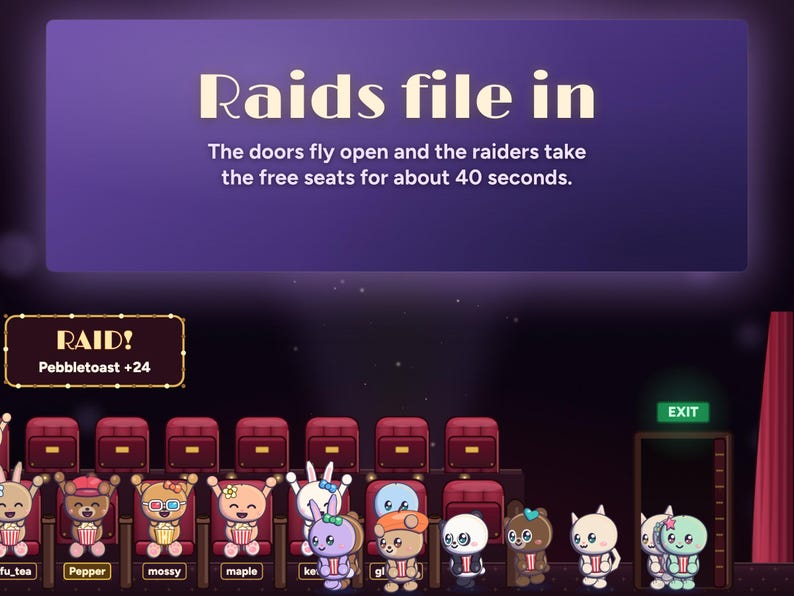
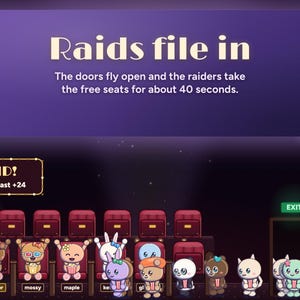
• Raids: RAID! on the marquee, and the raiders file in to the free seats.
• Follows: they walk in and take a seat.
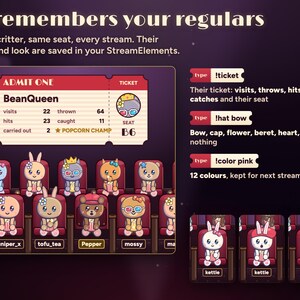
• Ticket: !ticket shows a viewer's cinema ticket with their visits, popcorn thrown, hits, catches and seat.
• Popcorn Champ: this month's most popcorn hits wears a gold crown, with their name over the popcorn machine. About 1 in 200 new viewers is golden.
• Lurkers: !lurk is a blanket and a nap in their seat. Chatting again wakes them.
• Busy chat: when every seat is taken, a few newcomers stand along the front and the rest wait for a seat. Whoever has been quiet for a minute gives theirs up.
THE POPCORN MACHINE GOAL
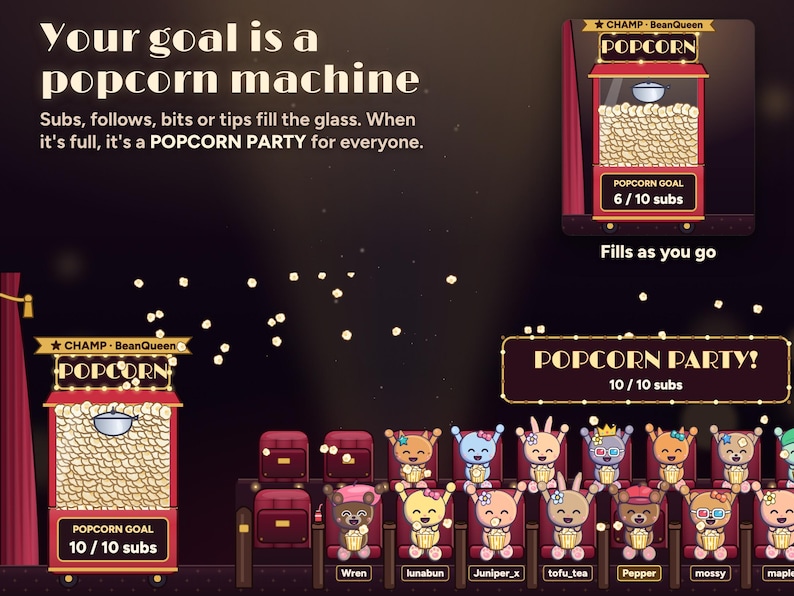
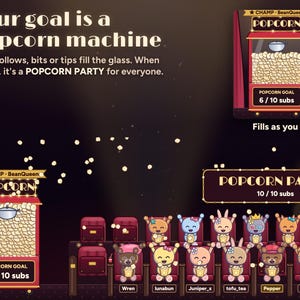
• Pick what fills it: subs, follows, bits or tips, with your own target (10 subs to start). Or pick Nothing.
• The glass fills with popcorn as the count goes up. At your target it overflows over everyone: POPCORN PARTY!
• A gift of five subs adds five, Kick subs count too, and Twitch Charity donations count with tips.
• The count is saved in your StreamElements account, so it carries on next stream. Start a new goal empties the machine. Test alerts in the editor never count.
BREAK SCREENS
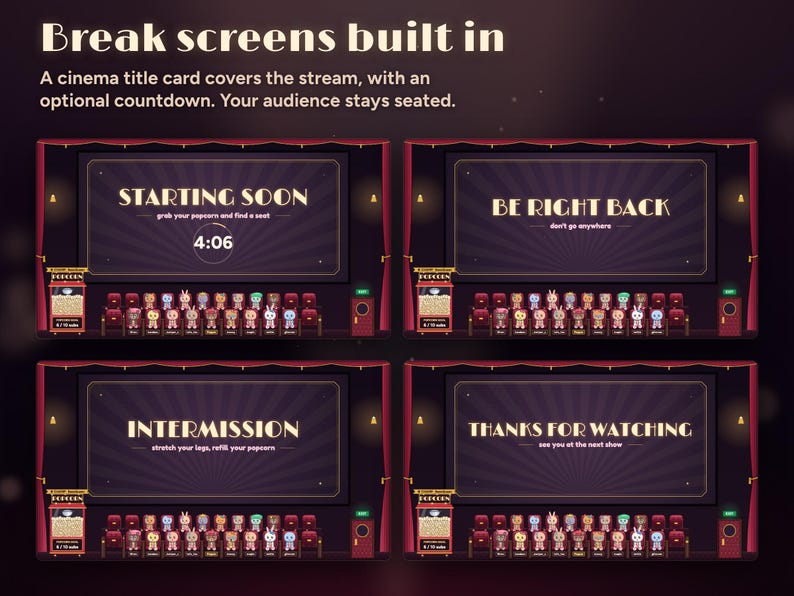
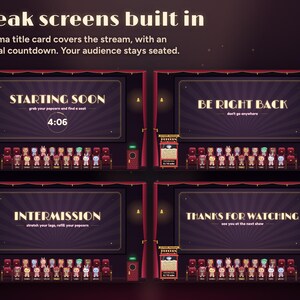
Add a second copy to your starting, BRB and ending scenes and the stream area becomes a cinema screen with a title card, while your audience stays seated below: Starting soon, Be right back, Intermission or Thanks for watching, with your own title and an optional countdown.
COMMANDS, BY WHO TYPES THEM
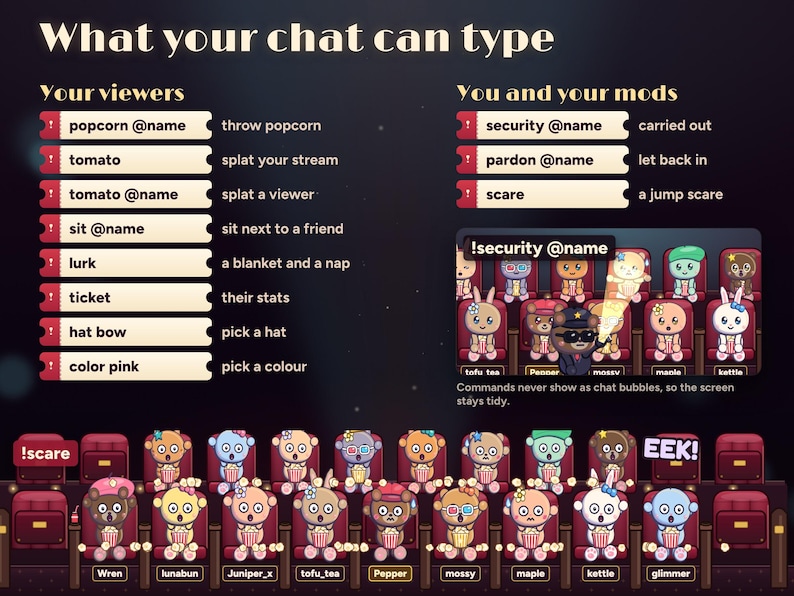
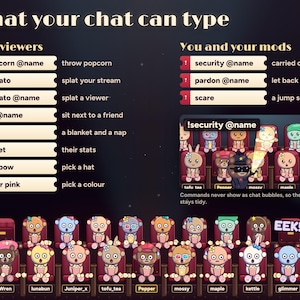
Your viewers: !popcorn @name, !tomato, !tomato @name, !sit @name, !lurk, !ticket, !hat bow (bow, cap, flower, beret, heart, star or none) and !color pink (12 colours).
You and your mods: !security @name, !pardon @name and !scare (a jump scare in the film, and the whole audience gasps). When you type, your mascot says it.
MAKE IT YOURS
21 settings, in plain words, in the widget's settings panel:
• A Preview a movie night button, to see it all before you go live
• Your mascot: its critter (or No mascot), colour, hat and name
• Break screens: the screen, its title and a countdown
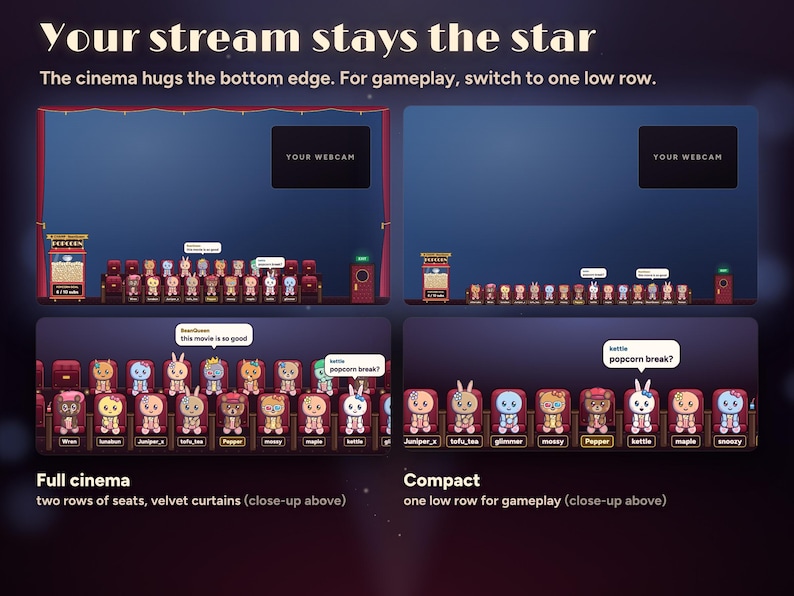
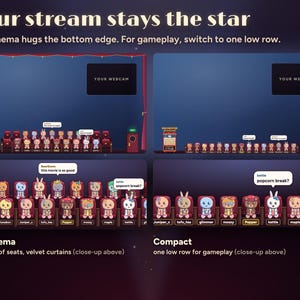
• Layout: the full cinema (two rows of seats, 23 in all) or Compact (one low row of 15 for gameplay)
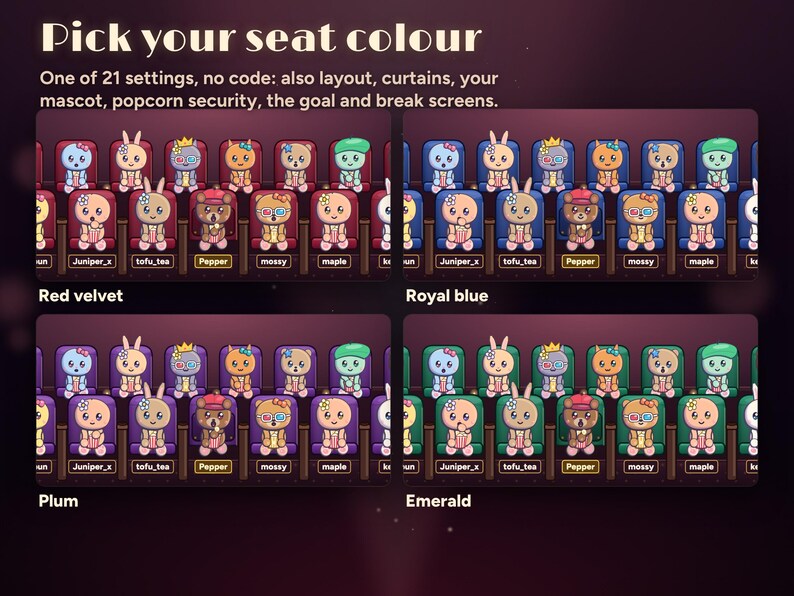
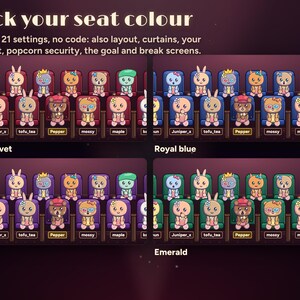
• Velvet curtains round the stream, seat colour (red velvet, royal blue, plum or emerald) and chat bubbles
• Graphics: Full, or Light for a weaker PC
• Popcorn security (strict, normal, relaxed or off), the time-out length and who can splat your stream
• What fills the popcorn machine, its target, and a button to start a new goal
• Save slot and Kick channel
SETUP AND DOWNLOAD
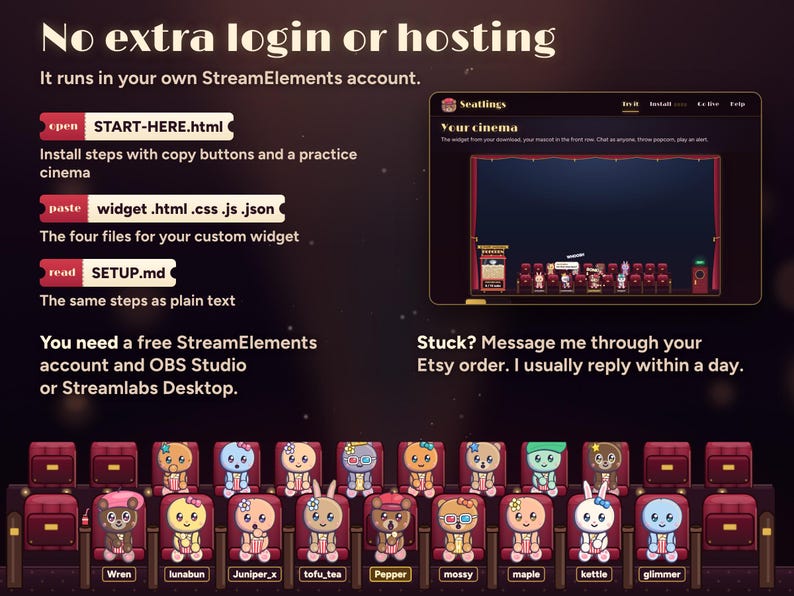
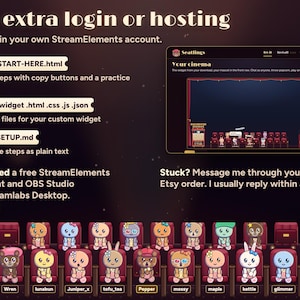
Unzip the download on your computer and open START-HERE.html first. Its practice cinema shows your whole 1080p stream with your mascot already seated, so you see where the seats sit before you install, and you can pick your mascot and settings there. Then use its copy buttons to paste HTML, CSS, JS and FIELDS into a StreamElements custom widget, size it to the whole 1920 × 1080 screen and add the overlay link to OBS or Streamlabs as a browser source. About 5 minutes in all, and no coding needed.
Your ZIP includes START-HERE.html, widget.html, widget.css, widget.js, widget.json, SETUP.md and LICENSE.txt. One-time purchase, no subscription, free updates.
WHAT YOU NEED
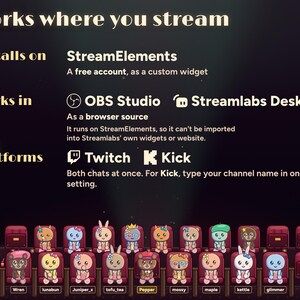
A free StreamElements account and OBS Studio, Streamlabs Desktop or any streaming software with browser sources. A 1920 × 1080 overlay: the seats sit along the bottom and the rest stays see-through.
• Twitch: works as soon as the files are pasted.
• Kick: type your channel name in the Kick channel setting, or leave it blank if you signed in to StreamElements with Kick. Twitch and Kick chat sit in one cinema.
GOOD TO KNOW
• Critters come in as people chat; silent viewers don't appear until they type or use !lurk.
• The security guard is part of the show: a time-out in the cinema, not a time-out on your channel.
• No sound. Seatlings is silent, so it never talks over your game or music.
• It doesn't play films or include any movie content. Your stream is the movie.
• Colours vary a little between monitors.
FAQ
Does it remember regulars?
Yes. Your save slot keeps about 500 recent viewers in your own StreamElements account: their look, their seat, visits, popcorn stats, 3D glasses and any running time-out.
What if more people chat than there are seats?
A few newcomers stand along the front and the rest wait for a seat. Whoever has been quiet for a minute gives theirs up, so the people talking are the ones on screen.
Will it cover my game?
Pick Compact for gameplay: one low row of seats along the bottom. The full cinema with curtains suits just chatting and break scenes.
Will it slow down my PC?
Graphics Full is the default. Light runs at about 30 frames a second and drops the spotlight, the torch beam and the glows.
The listing shows the real widget with example names. Abstract listing backgrounds are not part of the overlay. This is a digital download licensed to one streamer and their channels; please do not share or resell the files.
Also from Nymbra Studio: Starlings, where everyone who chats becomes a little star in your sky and the moon is your goal.
Need help? Message me through Etsy with your StreamElements username and a screenshot of the widget settings. I'll help you get it running and usually answer within a day.
Shop review
All reviews are from verified buyers. This review is shown automatically based on factors like recency, whether it includes comments, your chosen language, and whether the rating reflects the typical experience with the shop.
“10/10 SUPPORT ON THIS BUY FIRST and what a great add on to my stream for spooky season! My caht loved it”

Etsy buyer
18 days ago
5 views in the last 24 hours
Price:$22.36
You can only make an offer when buying a single item
Delivery
Instant download
Your files will be available to download once payment is confirmed. Here's how.
Instant download items don't accept returns, exchanges or cancellations. Please contact the seller about any problems with your order.
Seller's description
Specifications
TRY IT FIRST: play with the live demo at nymbra.studio/seatlings. Chat as a viewer, throw popcorn, splat the screen with a tomato and fire alerts, right in your browser. No sign-up, nothing connects to your channel.
Installs in about 5 minutes with the START HERE guide, no coding. Bought on your phone? Download from your Etsy purchases on a computer; installing needs one.
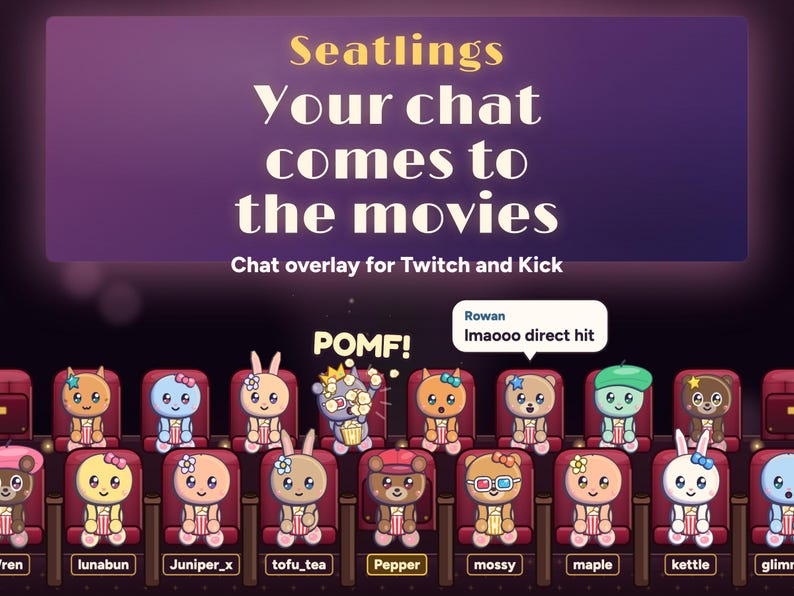
Your chat goes to the movies. Everyone who chats walks in through the EXIT door as a cute little critter in a bow, a cap, a flower, a beret, a heart or a star, leaps into a velvet seat along the bottom of your stream and watches you with a bucket of popcorn. !popcorn starts a popcorn fight, !tomato splats your stream, and when someone throws too much, the security bear carries them out.
Your own mascot sits front row, middle, from the very first frame, so the cinema is never empty, even before anyone chats. Pick its critter (19 of them: cats, bears, a panda, bunnies and round puffs), its colour, its hat and its name.
No extra login, no separate hosting to arrange, no subscription. It runs in your own StreamElements account and remembers your regulars and their seats there.
WHAT HAPPENS IN YOUR CINEMA
• Chat: a first message walks a critter in through the EXIT door and it leaps into a free seat, with the message in a bubble. Their name picks the critter and hat, so they look the same and keep their seat every stream.
• Popcorn fights: !popcorn @name throws a handful. It's a hit (POMF!), a catch (NOM!), a duck that hits whoever sits behind, or a backfire with the popcorn bucket stuck on their own head. Plain !popcorn picks someone nearby.
• Your screen: !tomato throws a tomato at your stream. SPLAT on the glass, drips, then it slides off. One every 20 seconds for the whole chat, and you choose who can: everyone, mods and VIPs, or nobody. !tomato @name goes in a viewer's face instead.
• Popcorn security: one throw short of the limit, the guard glares through the door's porthole. At the limit he walks in, shines his torch and carries them out for a time-out (2 minutes by default). Their chat shows at the porthole meanwhile, and they walk back in when it ends. You and your mascot are never carried out.
• Friends: !sit @name hops them into a free seat beside a friend. An @mention of someone in the cinema gets a wave across the rows.
• Subs and resubs: JUST SUBSCRIBED on the marquee, a spotlight, 3D glasses for 30 days and a standing cheer.
• Gift subs: golden tickets tossed to the rows, and 3D glasses for each viewer who catches one.
• Bits: popcorn rains on the rows. Tips and Twitch Charity: the popcorn machine fires a buttery arc into their gold bucket.
• Raids: RAID! on the marquee, and the raiders file in to the free seats.
• Follows: they walk in and take a seat.
• Ticket: !ticket shows a viewer's cinema ticket with their visits, popcorn thrown, hits, catches and seat.
• Popcorn Champ: this month's most popcorn hits wears a gold crown, with their name over the popcorn machine. About 1 in 200 new viewers is golden.
• Lurkers: !lurk is a blanket and a nap in their seat. Chatting again wakes them.
• Busy chat: when every seat is taken, a few newcomers stand along the front and the rest wait for a seat. Whoever has been quiet for a minute gives theirs up.
THE POPCORN MACHINE GOAL
• Pick what fills it: subs, follows, bits or tips, with your own target (10 subs to start). Or pick Nothing.
• The glass fills with popcorn as the count goes up. At your target it overflows over everyone: POPCORN PARTY!
• A gift of five subs adds five, Kick subs count too, and Twitch Charity donations count with tips.
• The count is saved in your StreamElements account, so it carries on next stream. Start a new goal empties the machine. Test alerts in the editor never count.
BREAK SCREENS
Add a second copy to your starting, BRB and ending scenes and the stream area becomes a cinema screen with a title card, while your audience stays seated below: Starting soon, Be right back, Intermission or Thanks for watching, with your own title and an optional countdown.
COMMANDS, BY WHO TYPES THEM
Your viewers: !popcorn @name, !tomato, !tomato @name, !sit @name, !lurk, !ticket, !hat bow (bow, cap, flower, beret, heart, star or none) and !color pink (12 colours).
You and your mods: !security @name, !pardon @name and !scare (a jump scare in the film, and the whole audience gasps). When you type, your mascot says it.
MAKE IT YOURS
21 settings, in plain words, in the widget's settings panel:
• A Preview a movie night button, to see it all before you go live
• Your mascot: its critter (or No mascot), colour, hat and name
• Break screens: the screen, its title and a countdown
• Layout: the full cinema (two rows of seats, 23 in all) or Compact (one low row of 15 for gameplay)
• Velvet curtains round the stream, seat colour (red velvet, royal blue, plum or emerald) and chat bubbles
• Graphics: Full, or Light for a weaker PC
• Popcorn security (strict, normal, relaxed or off), the time-out length and who can splat your stream
• What fills the popcorn machine, its target, and a button to start a new goal
• Save slot and Kick channel
SETUP AND DOWNLOAD
Unzip the download on your computer and open START-HERE.html first. Its practice cinema shows your whole 1080p stream with your mascot already seated, so you see where the seats sit before you install, and you can pick your mascot and settings there. Then use its copy buttons to paste HTML, CSS, JS and FIELDS into a StreamElements custom widget, size it to the whole 1920 × 1080 screen and add the overlay link to OBS or Streamlabs as a browser source. About 5 minutes in all, and no coding needed.
Your ZIP includes START-HERE.html, widget.html, widget.css, widget.js, widget.json, SETUP.md and LICENSE.txt. One-time purchase, no subscription, free updates.
WHAT YOU NEED
A free StreamElements account and OBS Studio, Streamlabs Desktop or any streaming software with browser sources. A 1920 × 1080 overlay: the seats sit along the bottom and the rest stays see-through.
• Twitch: works as soon as the files are pasted.
• Kick: type your channel name in the Kick channel setting, or leave it blank if you signed in to StreamElements with Kick. Twitch and Kick chat sit in one cinema.
GOOD TO KNOW
• Critters come in as people chat; silent viewers don't appear until they type or use !lurk.
• The security guard is part of the show: a time-out in the cinema, not a time-out on your channel.
• No sound. Seatlings is silent, so it never talks over your game or music.
• It doesn't play films or include any movie content. Your stream is the movie.
• Colours vary a little between monitors.
FAQ
Does it remember regulars?
Yes. Your save slot keeps about 500 recent viewers in your own StreamElements account: their look, their seat, visits, popcorn stats, 3D glasses and any running time-out.
What if more people chat than there are seats?
A few newcomers stand along the front and the rest wait for a seat. Whoever has been quiet for a minute gives theirs up, so the people talking are the ones on screen.
Will it cover my game?
Pick Compact for gameplay: one low row of seats along the bottom. The full cinema with curtains suits just chatting and break scenes.
Will it slow down my PC?
Graphics Full is the default. Light runs at about 30 frames a second and drops the spotlight, the torch beam and the glows.
The listing shows the real widget with example names. Abstract listing backgrounds are not part of the overlay. This is a digital download licensed to one streamer and their channels; please do not share or resell the files.
Also from Nymbra Studio: Starlings, where everyone who chats becomes a little star in your sky and the moon is your goal.
Need help? Message me through Etsy with your StreamElements username and a screenshot of the widget settings. I'll help you get it running and usually answer within a day.
-
Designed by
-
Item typeDigital download
-
Digital file type(s)1 ZIP
If something goes wrong with an order, we've got your back on all eligible purchases. View program terms
Meet your seller

More from this shop
-
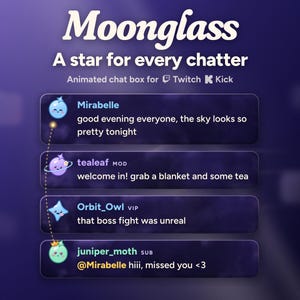
Digital download
Animated Chat Box Widget for Twitch and Kick | Cute Celestial StreamElements Chat Overlay with Alerts | Moonglass (Digital Download)
$14.91
-
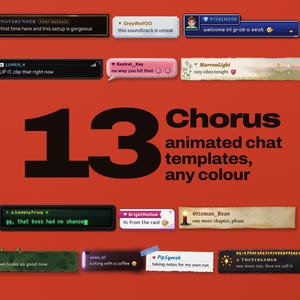
Digital download
Animated Chat Widget for Twitch & Kick | 13 Templates, 3D Tilt (Digital Download)
$22.36
-
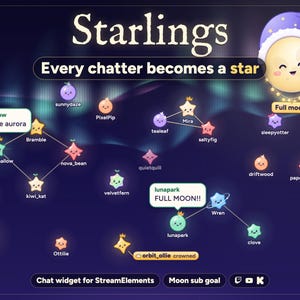
Digital download
Interactive Star Chat Overlay and Moon Goal Widget for Twitch, Kick and YouTube | StreamElements | Starlings (Digital Download)
$20.13
-
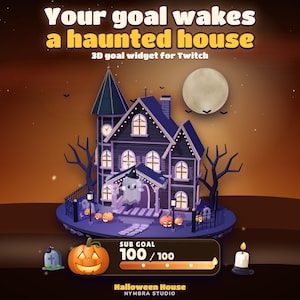
Digital download
Haunted House Goal Widget | Animated 3D Stream Overlay | Twitch (Digital Download)
$11.19
-
Digital download
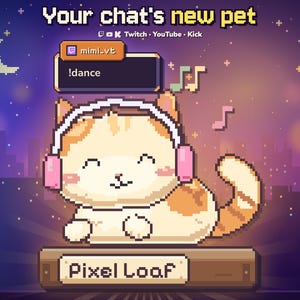
Pixel Cat Stream Pet and Chat Overlay for Twitch, Kick and YouTube | OBS & StreamElements | Pixel Loaf (Digital Download)
$18.64
-
Digital download
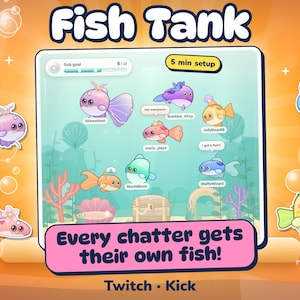
Interactive Fish Tank Chat Overlay for Twitch & Kick | Aquarium Stream Widget with Sub Goal, Alerts and BRB Scene | OBS StreamElements
$18.64
-
Digital download
Chat Roulette Wheel – Neon Giveaway Interactive Widget for Twitch & StreamElements
Sale Price $14.72
Original Price $22.64
-
Digital download
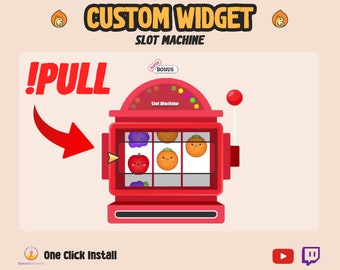
Twitch Slot Machine Chat Widget: Animated StreamElements Overlay
Sale Price $15.00
Original Price $20.00
-
Digital download
Halloween Custom Chat Widget Claw Game / Twitch Chat Widget / Animated Spider Cute Kawaii / Cute Chat Crane Game / Customize Stream Widget
Sale Price $15.00
Original Price $20.00
-
Digital download
Twitch Plinko Game Widget: StreamElements Loyalty Points
Sale Price $15.00
Original Price $20.00
-
Digital download
Stream Buddies Twitch Widget - Stream Avatars like Custom Widget - Twitch Chat Animation - Cute Kawaii Stream Overlay StreamElements
Sale Price $15.00
Original Price $20.00
-
Digital download
Halloween Twitch Chat Widget_ Spooky Vibe Stream Overlay (Digital Download)
Sale Price $13.82
Original Price $21.26
-
Digital download
Halloween Pixel Chat Widget | Twitch StreamElements OBS Spooky Stream Overlay | Horror VTuber Streamer
$20.99
-
Digital download
Animated Popcorn Twitch Chat Widget: StreamElements Overlay
$13.00
-
Digital download
Chat Punishment Widget for Twitch. Animated customizable overlay. chat commands, channel points, syncs avatar, username. Streamelements obs
$18.00
-
Digital download
Animated Twitch Chat Widget: Popcorn Stream Overlay (StreamElements)
$13.00
-
Digital download
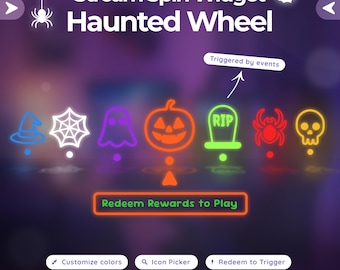
Halloween Spinning Wheel Widget – Spooky Interactive Twitch Overlay, Customizable for Streamelements
Sale Price $14.84
Original Price $22.85
-
Digital download
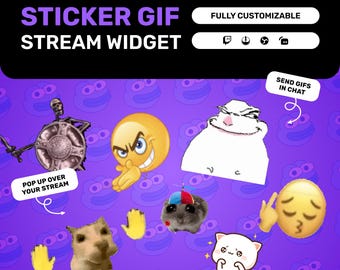
Twitch GIF Widget, Chat Triggered Animated Sticker Overlay for YouTube, StreamElements, OBS
Sale Price $7.00
Original Price $14.00
Shoppers with similar taste loved these
-
Digital download
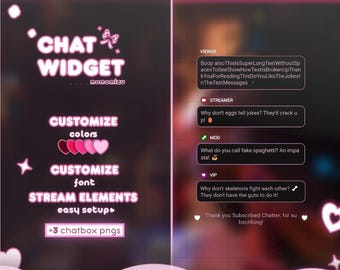
Pink Kawaii Chat Widget | Stream Overlay for StreamElements (Digital Download)
$5.88
-
Digital download
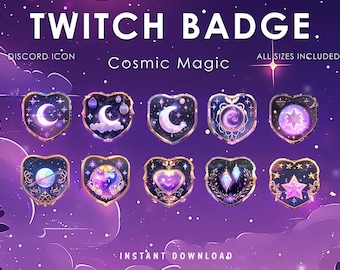
Cosmic Night Twitch Badge | Moon Crystal | Subs | Stars | Channel Points | Space | Sub point | Twitch Reward | Discord Icon
Sale Price $8.50
Original Price $34.00
-
Digital download
Bat Hype Train Alerts: Twitch Stream Overlay (7x .WEBM Files)(PDF Guide Included)
Sale Price $6.58
Original Price $10.12
-
Digital download
Minimal Glow Chat Widget | Twitch & Youtube | Chat Box with Alerts | Customizable | StreamElements OBS Streamlabs
Sale Price $11.29
Original Price $14.11
-
Digital download
Purple Cosmic Twitch Panels: Celestial Stream Overlay (PSD & Canva)
Sale Price $11.19
Original Price $14.91
-
Digital download
Twitch Shoutout Widget, Animated Streamer Highlight Overlay for YouTube, StreamElements, OBS
Sale Price $11.00
Original Price $22.00
-
Digital download
Multistream Gradient Chat Widget for StreamElements | OBS • Twitch • YouTube • Kick | Horizontal & Vertical Chats
Sale Price $9.90
Original Price $18.00
-
Digital download
SCHILDS Metallic App Icon Set: iOS & Android Theme (Digital Download)
$9.39
-
Digital download
Mentalist iOS/Android Theme: Blue App Icons, Wallpaper & Widgets
$8.22
-
Digital download
Neon App Icons Theme, iOS + Android
$5.87
-
Digital download
Neutral iPad Theme, iOS26 Minimalist iPad, App Icon Neutral, iOS18 Icon Minimal, Boho iPad Homescreen
$11.33
-
Digital download
Black iOS App Icon Set, Silver Metallic Theme, Android Icon Pack
$7.04


