

Christmas Gift Tracker Spreadsheet, Holiday Gift List and Budget per Person, Return-By Dates, Google Sheets Excel Template, Light + Dark
Price:$3.99
By Aaron
Here's what's eligible:
- Your order doesn't match the item description or photos
- Your item arrived damaged
- Your item arrived after the estimated arrival window
- Your item didn't arrive or was lost in the mail
You can only make an offer when buying a single item
Highlights
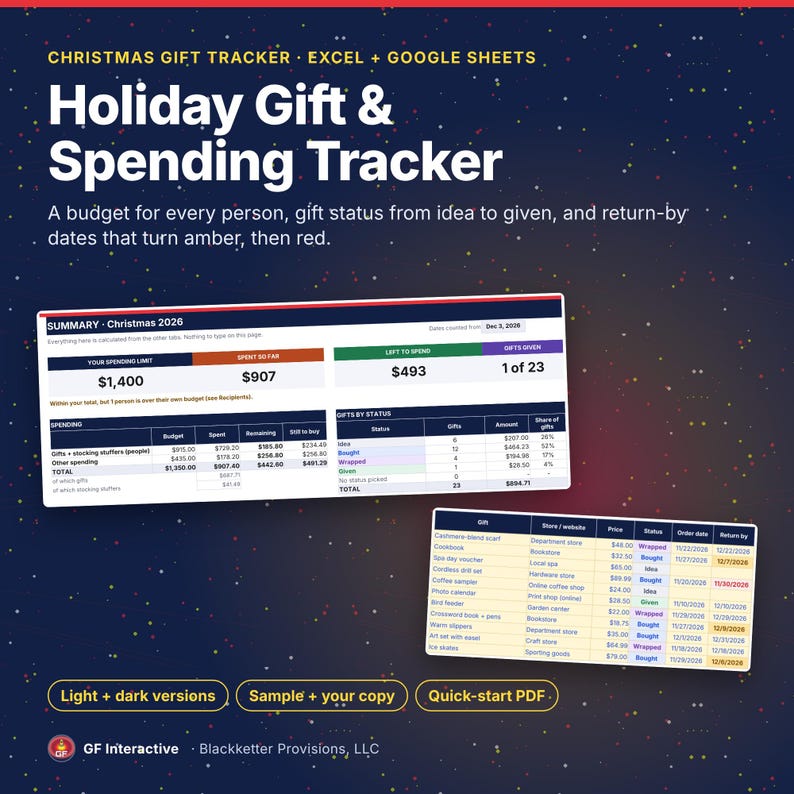
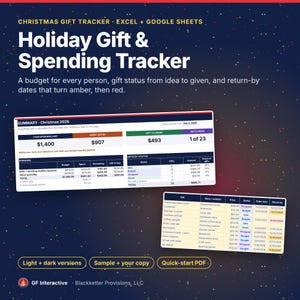
Track every gift, budget and return-by date for the season in one spreadsheet you own. A budget for each person, gift status from idea to given, and return-by dates that turn amber before the window closes and red once it has passed.
Christmas first, but it works for any gift-giving holiday: name your occasion on the Start Here tab.
WHAT'S INCLUDED
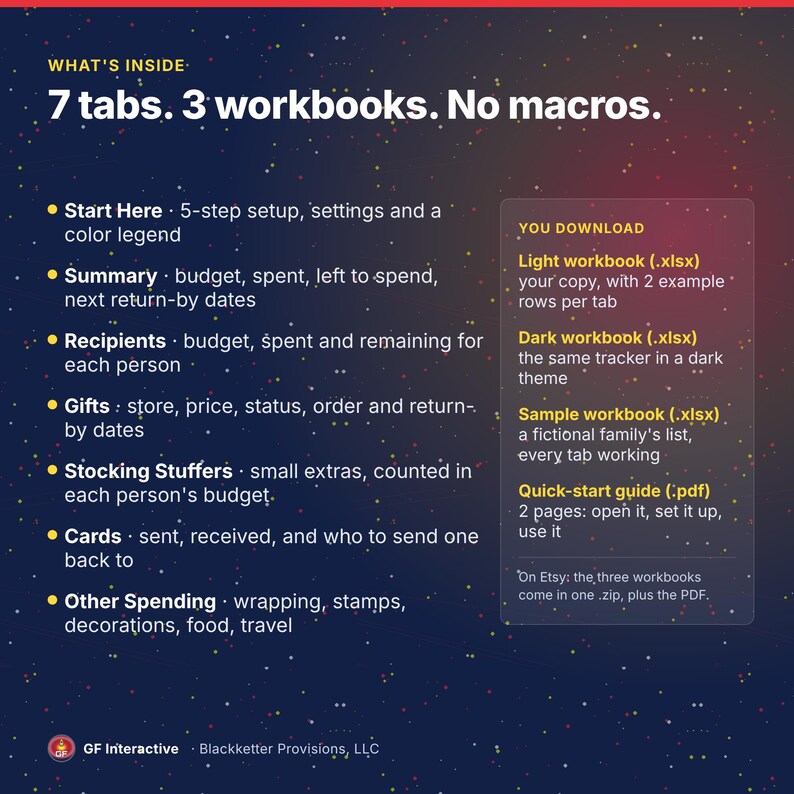
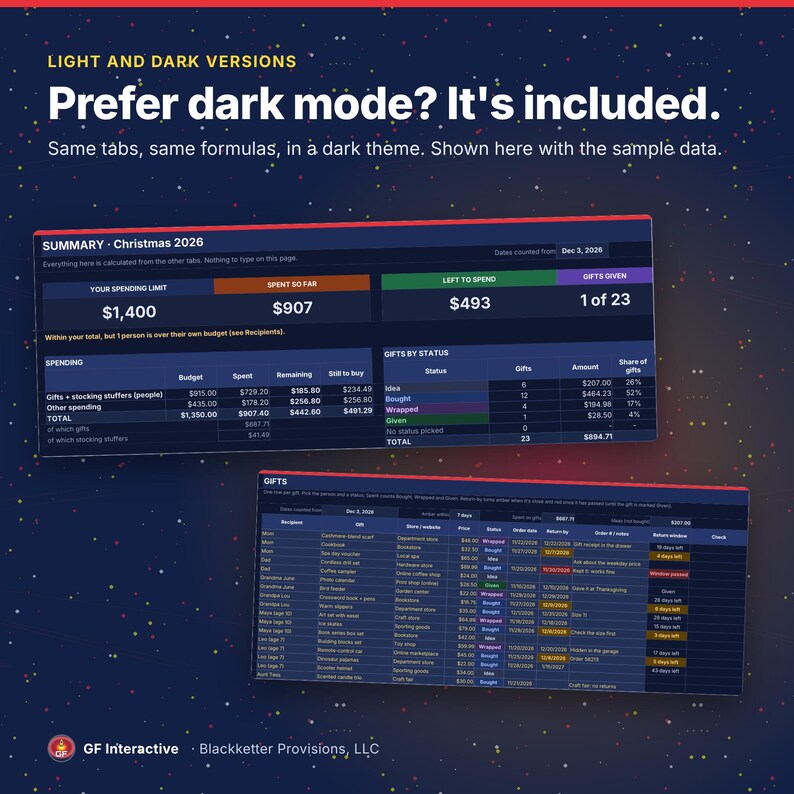
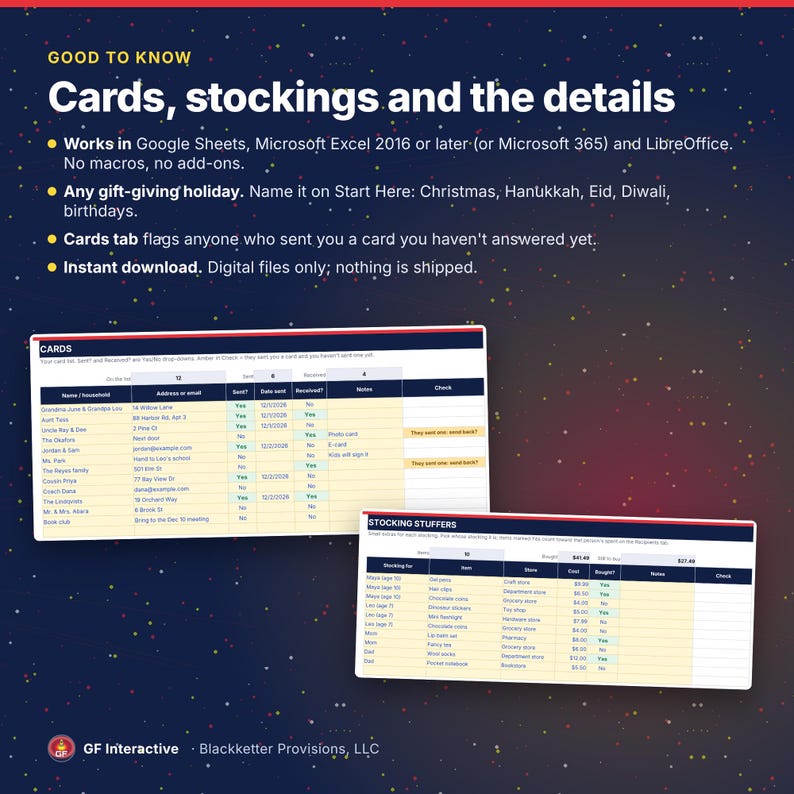
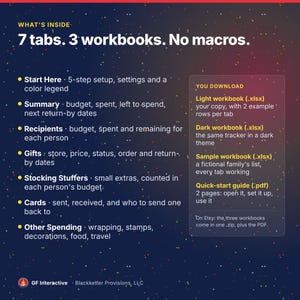
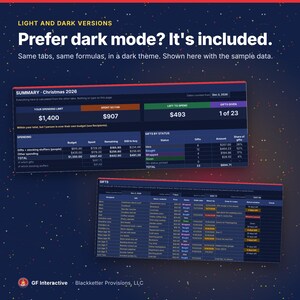
• Holiday Gift & Spending Tracker workbook (.xlsx) in three copies: light, dark, and a fictional filled-in sample so you can see every tab working. Works in Google Sheets, Microsoft Excel 2016 or later (or Microsoft 365) and LibreOffice
• 2-page quick-start guide (PDF)
• Delivered as one .zip file (the three workbooks) plus the PDF. Unzip the download before you open the workbooks
INSIDE THE WORKBOOK (7 tabs)
• Start Here: 5-step setup, settings and a legend of which cells to edit. Two grey rows on each tab start with "Example:" to show the format
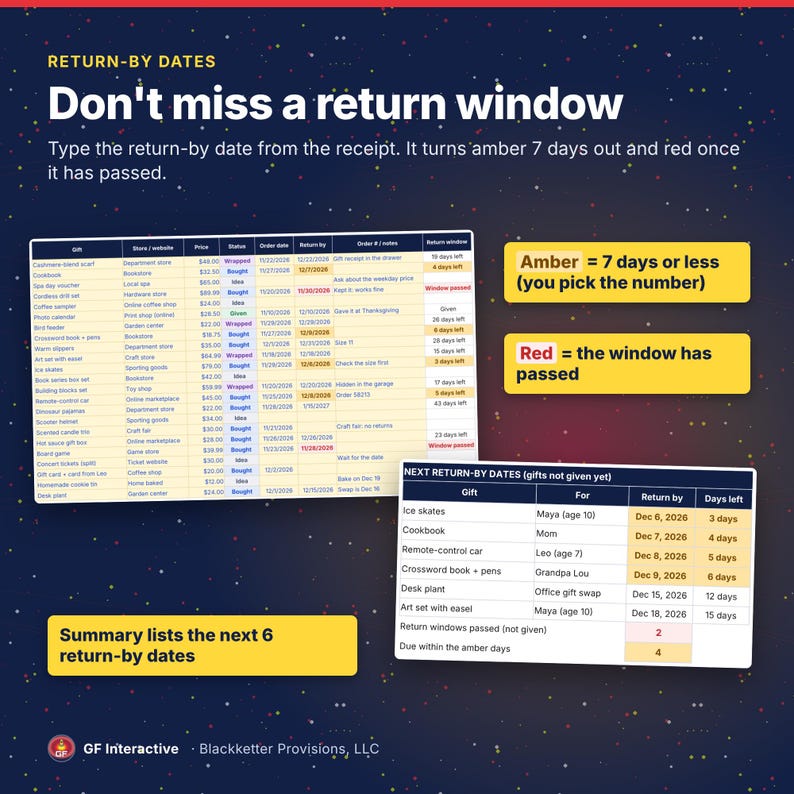
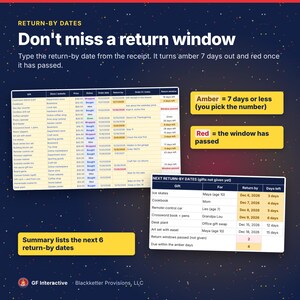
• Summary: your budget (a spending limit you set, or the total of your budgets), spent so far, left to spend, spending by group, gifts by status, the next 6 return-by dates, cards and stocking stuffers. It also warns you when someone is over their own budget, or when buying everything still on your list would go over
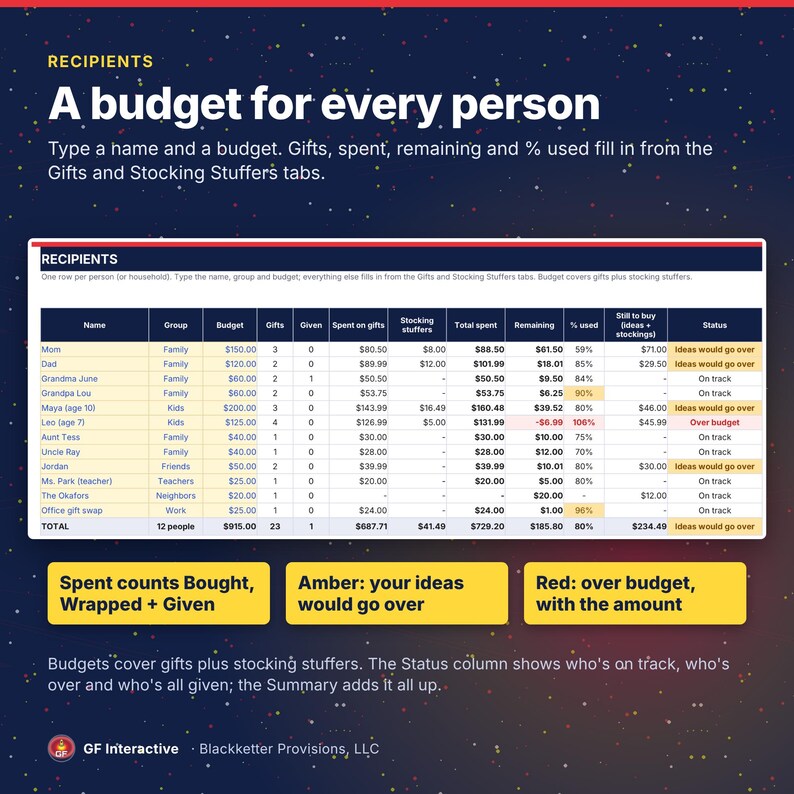
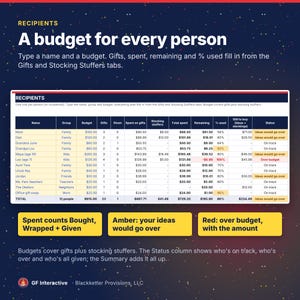
• Recipients: budget, gifts, spent, remaining and % used for each person (up to 50), with a status: on track, ideas would go over, over budget, or all given. A row with a budget but no name is flagged instead of counted
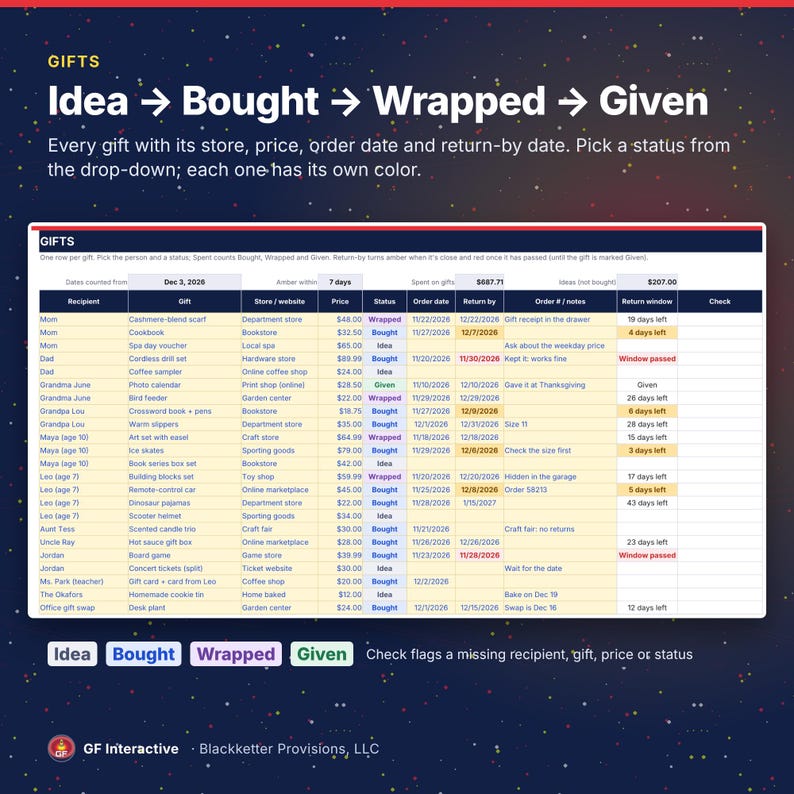
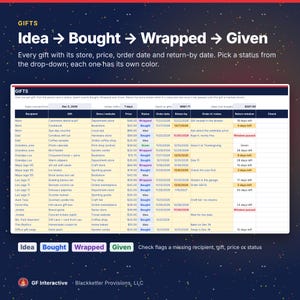
• Gifts: up to 300 gifts with recipient, store or website, price, status (Idea, Bought, Wrapped, Given), order date, return-by date and notes. A Check column flags a missing recipient, gift, price or status
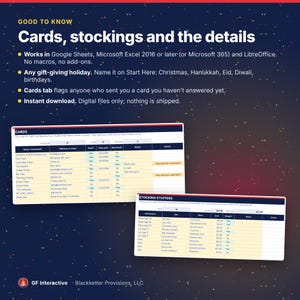
• Stocking Stuffers: small extras for each stocking; the ones you've bought count toward that person's budget
• Cards: who you sent cards to and who sent you one, with a flag for any card you haven't answered yet
• Other Spending: holiday costs that aren't gifts, such as wrapping, stamps, decorations, food and travel, with a budget and spent for each
HOW IT WORKS
1. Download and unzip the files. Open the light or dark workbook in Google Sheets (upload the .xlsx to Google Drive, then File > Save as Google Sheets), in Excel 2016 or later, or in LibreOffice.
2. Follow the 5 steps on the Start Here tab: name your holiday, clear the example rows, then add your people and their budgets.
3. Add gifts as you think of them and change the status as you shop, wrap and give. Check the Summary once a week.
GOOD TO KNOW
• Spent counts gifts marked Bought, Wrapped or Given, plus stocking stuffers you've bought and your Other Spending. Ideas count as still to buy
• Return-by dates turn amber 7 days before they pass (you can change the 7) and red once they have; once a gift is marked Given its date stops being highlighted. The workbook only shows the dates you type, so check each store's own return policy
• Formulas are locked (no password) in Excel and LibreOffice, and filters still work. Google Sheets doesn't keep those locks when it converts the file; to protect them there, use Data > Protect sheets and ranges
• Amounts show in US dollars and dates as month/day/year
• No macros, no add-ons, no subscription
• Digital download only; nothing is shipped
Made by GF Interactive with AI assistance. The formulas were checked by full recalculation and against an independent calculation of the sample numbers, and every screen in the photos is a render of the real workbook.
Refund on request within 30 days, no proof required.
Sample data is fictional. Not affiliated with, endorsed by or sponsored by Google, Microsoft or The Document Foundation; the names only identify the apps it opens in.
FAQ
Does it work in Google Sheets?
Yes. Unzip the download, upload the .xlsx to Google Drive, open it with Google Sheets, then choose File > Save as Google Sheets.
Which versions of Excel?
Microsoft Excel 2016 or later, or Microsoft 365. It uses no functions newer than Excel 2016 and no macros. It also opens in LibreOffice.
Is it only for Christmas?
No. Type any occasion on the Start Here tab (Hanukkah, Kwanzaa, Eid, Diwali, birthdays) and it shows in the Summary title. Stocking Stuffers and Cards are there if you use them.
What's the difference between the light, dark and sample files?
Light and dark are the same workbook in two color themes; use whichever you like. The sample is a fictional family's filled-in list, with its date fixed to Dec 3, 2026, so you can see how every tab looks in use.
Do I have to delete the example rows?
Clear them or type over them. Until you do, they count in the totals, and the Summary tells you how many are left. On Recipients, a budget left without a name doesn't count and its Status says Add a name.
Can I set one budget for the whole season?
Yes. Type a spending limit on Start Here. Leave it empty and the Summary uses the total of your per-person and Other Spending budgets.
How many people and gifts does it hold?
50 recipients, 300 gifts, 150 stocking stuffers, 200 cards and 35 other costs.
Can I sort the gift list?
In Google Sheets, yes. In Excel or LibreOffice, filters work as they are; to sort, unprotect the sheet first (Review > Unprotect Sheet in Excel; no password).
Does it work on my phone?
It's made for a computer. The tabs are wide, so a bigger screen works best.
Can I get a refund?
Refund on request within 30 days, no proof required.
Instant Download
Your files will be available to download once payment is confirmed. Here's how.
Instant download items don’t accept returns, exchanges or cancellations. Please contact the seller about any problems with your order.
Etsy Purchase Protection
Shop confidently on Etsy knowing if something goes wrong with an order, we've got your back for all eligible purchases —
see program terms

More from this shop
Visit shop-
Digital download
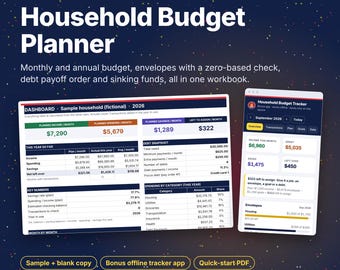
Household Budget Spreadsheet, Monthly + Annual Budget, Envelope & Zero Based, Debt Snowball, Sinking Funds, Google Sheets Excel Template
$9.99
-
Digital download
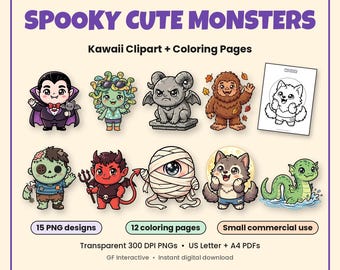
Halloween Clipart, Spooky Cute Monsters + Coloring Pages, Kawaii Monster PNG Bundle, Monster Birthday, Transparent PNG, Small Commercial Use
Sale Price $4.19
Original Price $5.99
-
Digital download
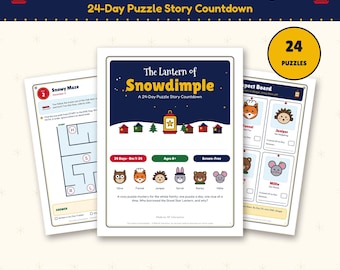
Family Puzzle Advent Calendar Printable, 24 Day Mystery Countdown for Kids 8+, Christmas Puzzle Story, Code Breaking, Screen Free December
$9.99
-
Digital download
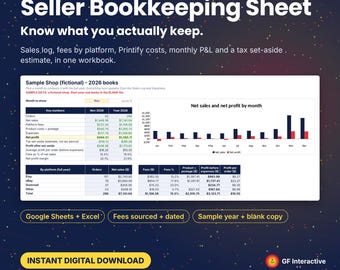
Etsy eBay Seller Bookkeeping Spreadsheet, Fees by Platform, Printify Costs, Monthly P&L, Tax Set Aside, Google Sheets Excel Template
$9.99
Be the first to leave a review
Disclaimer: Button/coin batteries may cause serious injury and even death if swallowed. Items containing button/coin batteries should not be easily accessible without the use of a tool. Sellers are responsible for complying with all applicable labeling, design, testing, packaging, and other safety requirements. Etsy assumes no responsibility for the accuracy or contents of a seller’s listing. If you have questions about button/coin batteries, contact the seller by sending a Message. See Etsy's Terms of Use for more information.