


Canadian Self-Employed Bookkeeping Tracker 2026, GST/HST, T2125 Expenses (Google Sheets)
Price:$18.20
Here's what's eligible:
- Your order doesn't match the item description or photos
- Your item arrived damaged
- Your item arrived after the estimated arrival window
- Your item didn't arrive or was lost in the mail
You can only make an offer when buying a single item
Highlights
Canadian bookkeeping made simple: a Google Sheets tracker for self-employed Canadians that sorts income, expenses and GST/HST into T2125-ready totals.
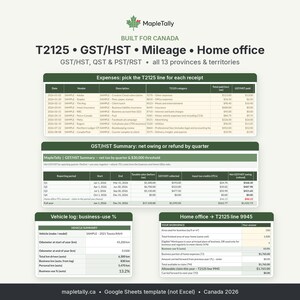
Built in Canada, for Canada. It follows Form T2125 expense lines, GST/HST, QST and PST/RST, and covers all 13 provinces and territories. It's made for freelancers, consultants, creatives, trades, Etsy sellers and side businesses, and you don't need to be an accountant to use it.
★ NEW IN VERSION 1.1 ★
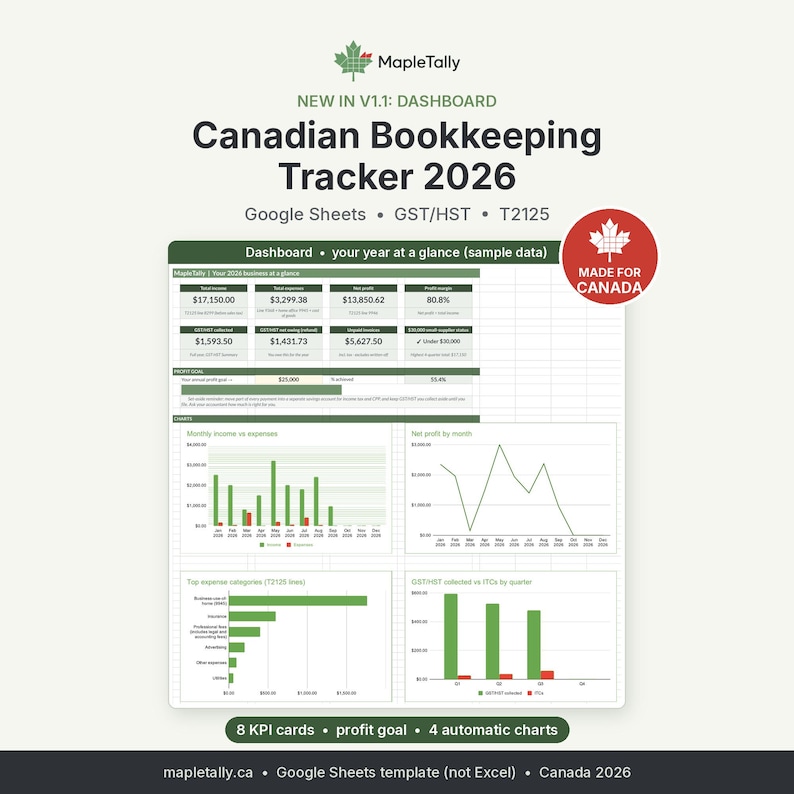
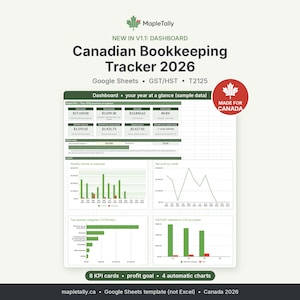
• Dashboard: your year at a glance on KPI cards (income, expenses, net profit, profit margin, GST/HST collected and owing, unpaid invoices, small-supplier status).
• Profit goal: type your yearly goal in one cell and watch the progress bar fill up.
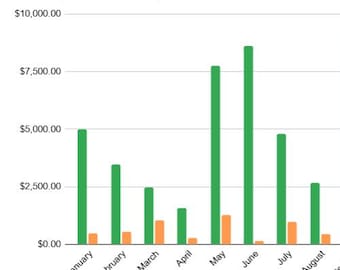
• 4 automatic charts: monthly income vs expenses, net profit by month, top expense categories by T2125 line, and GST/HST collected vs ITCs by quarter.
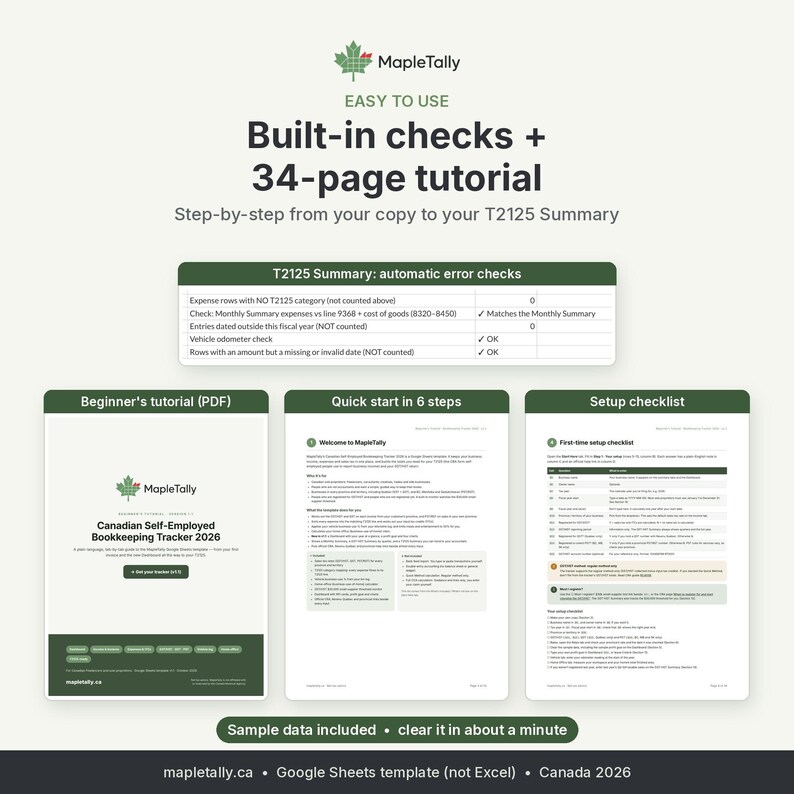
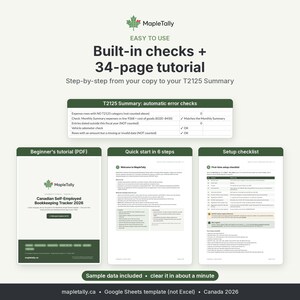
• Built-in error checks that flag expenses with no T2125 category, entries dated outside your fiscal year, rows with a missing or invalid date, odometer readings that don't add up, and a totals cross-check between the Monthly Summary and the T2125 Summary.
★ FEATURES ★
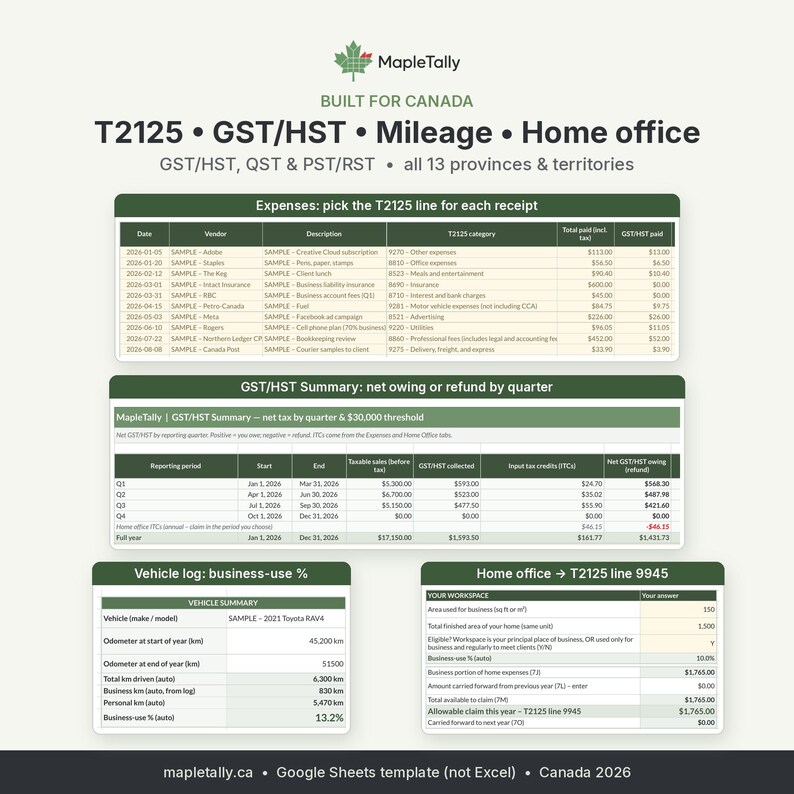
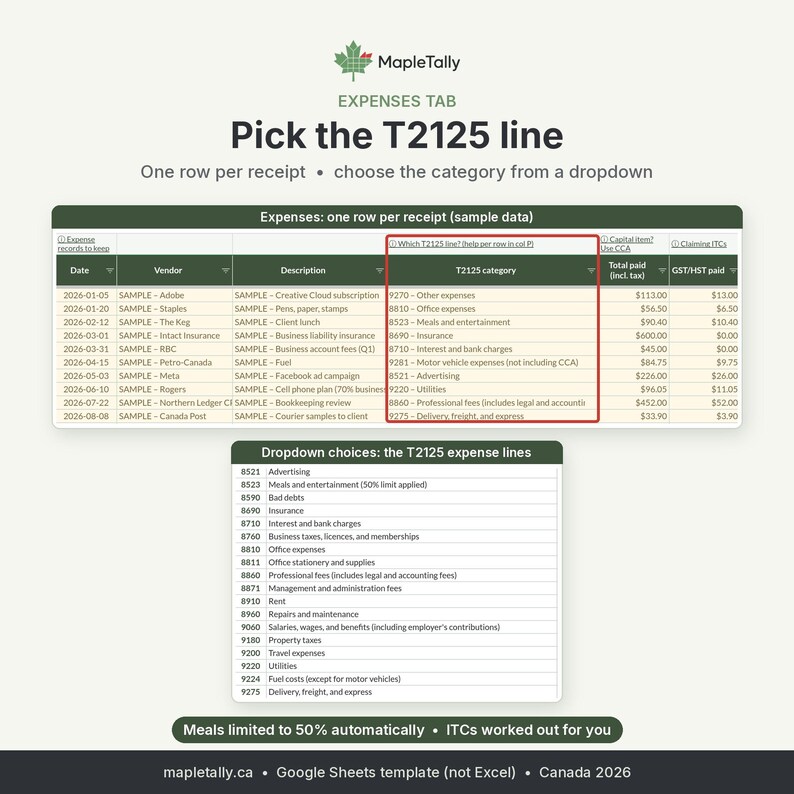
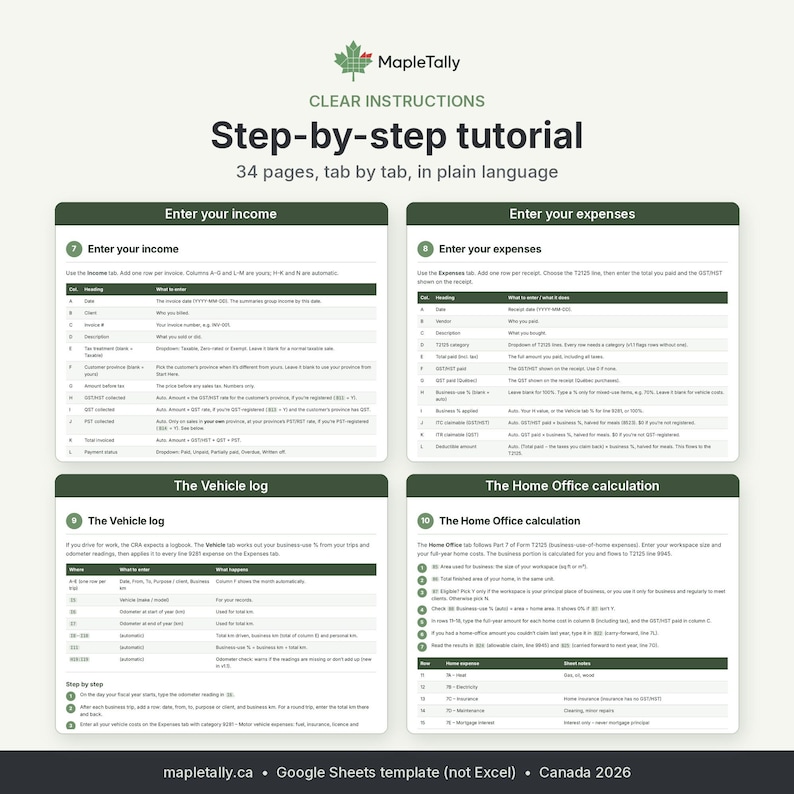
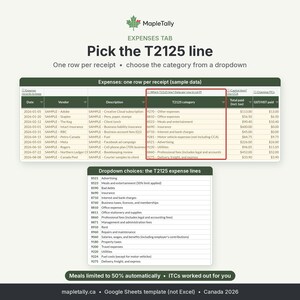
• T2125-ready totals: choose the T2125 line for each expense from a dropdown, and the T2125 Summary uses the same line numbers as the form, so you or your accountant can copy the figures straight across.
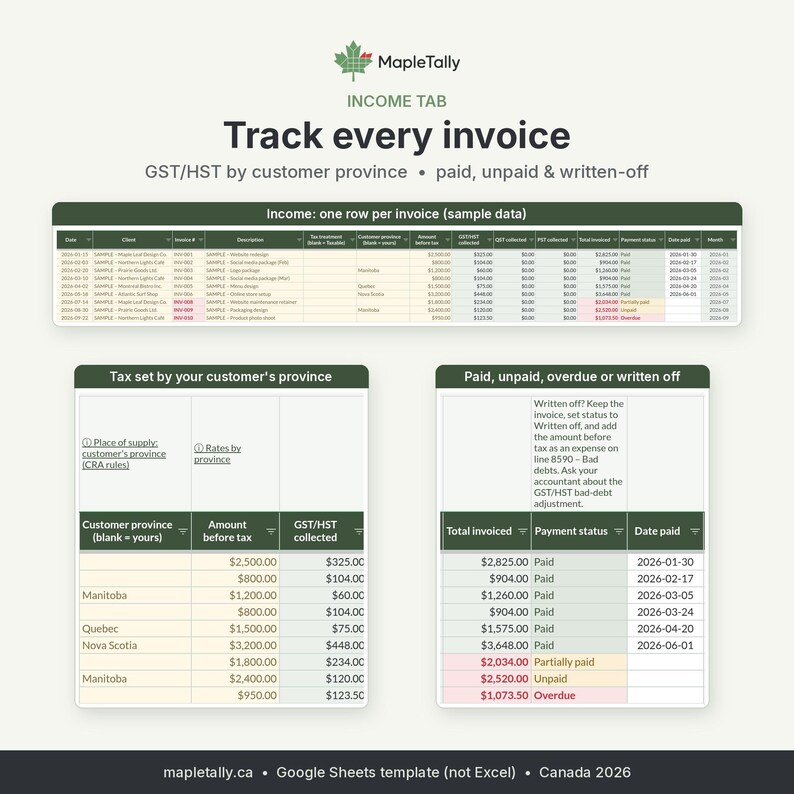
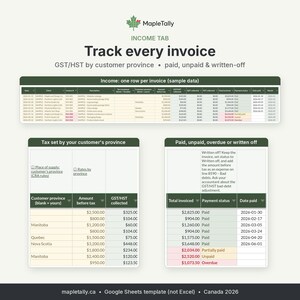
• GST/HST and QST by customer province: sales tax on each invoice is based on your customer's province. Leave it blank to use your own.
• PST/RST only for your own province: if you hold a PST/RST number, PST is added only to sales in your own province. Customers in other provinces aren't charged your PST (fixed in v1.1).
• Input tax credits (ITCs), and QST input tax refunds (ITRs) for Québec, are worked out from your receipts.
• GST-HST Summary: net owing or refund for each quarter and for the full year, plus a small-supplier threshold monitor if you're not registered yet.
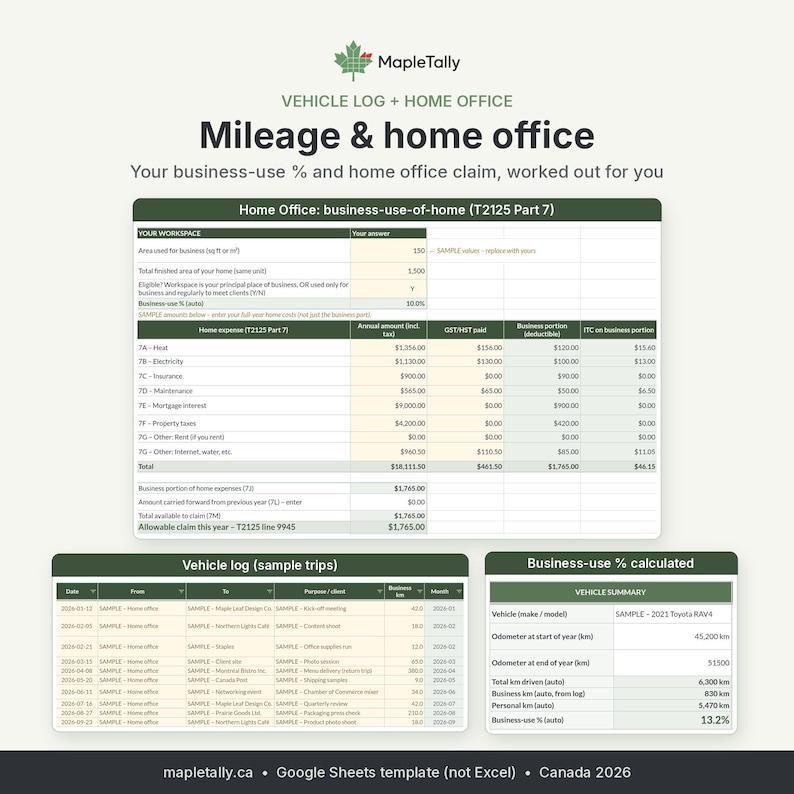
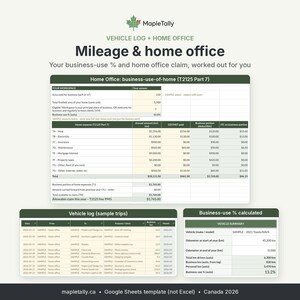
• Vehicle and mileage log: log business trips and odometer readings. Your business-use % is calculated and applied to vehicle expenses automatically.
• Home office: a business-use-of-home calculator that sends the business portion to its T2125 line.
• The meals and entertainment limit is applied automatically.
• Fiscal-year support: enter your fiscal year start date and the months, quarters and totals follow it. Entries outside the year are flagged and left out of the totals.
• Monthly Summary with a chart, and unpaid invoices turn red after 30 days.
• Rates tab listing the sources and the date each rate was checked, plus a Changelog tab.
• Official CRA, Revenu Québec and provincial help links beside the inputs, so you can check the rules yourself.
• Customizable and safe to use: white cells are yours to fill in, and green cells calculate automatically. Formula cells use warning-only protection, so you won't overwrite one by accident.
★ WHAT YOU GET ★
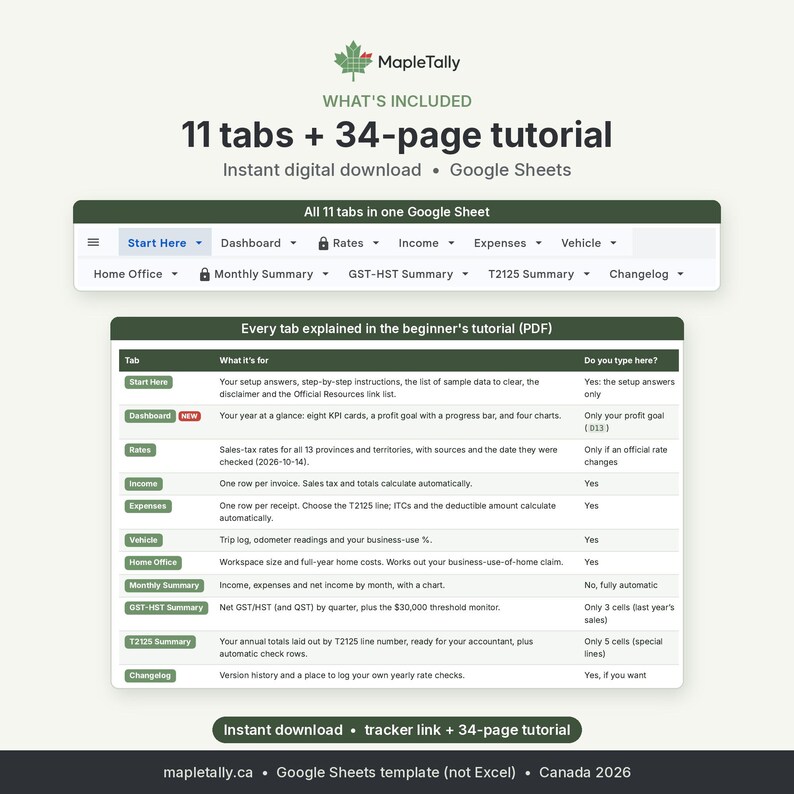
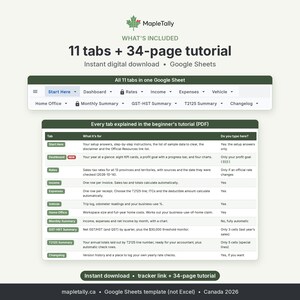
• The Canadian Self-Employed Bookkeeping Tracker 2026 (v1.1) Google Sheets template, with 11 tabs: Start Here, Dashboard, Rates, Income, Expenses, Vehicle, Home Office, Monthly Summary, GST-HST Summary, T2125 Summary and Changelog.
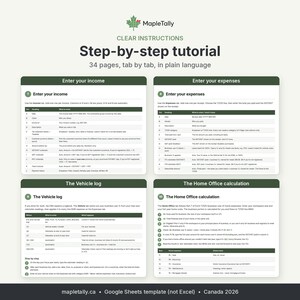
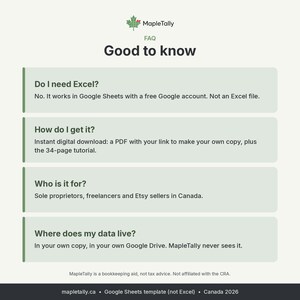
• A 34-page beginner's tutorial (PDF) that walks you step by step from making your copy to your year-end T2125 Summary, with a setup checklist, FAQ, troubleshooting and glossary.
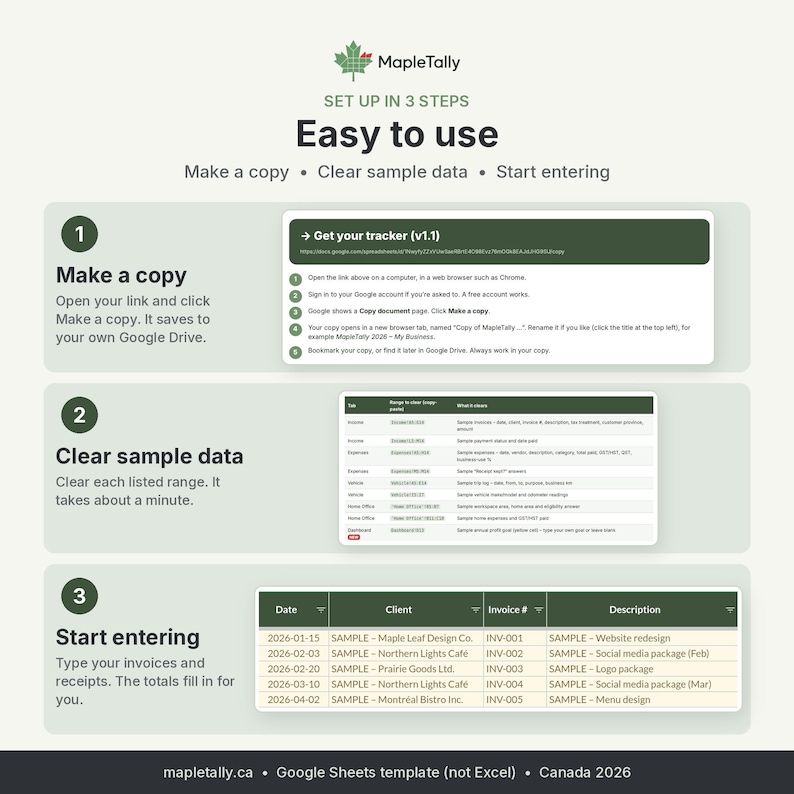
• Sample data, so you can see how everything works before you add your own. A clear list shows you how to remove it in about a minute.
This is a digital download. Nothing will be shipped to you.
★ HOW IT WORKS ★
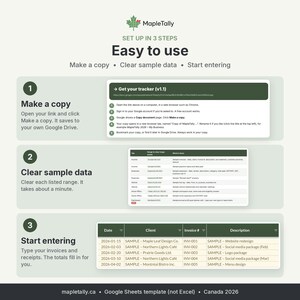
After you buy, open your download and click the link to make your own copy of the template in Google Sheets.
Fill in the Start Here tab: tax year, fiscal year start, province or territory, and your GST/HST, QST and PST registration.
Clear the sample data.
Add one row per invoice on the Income tab and one row per receipt on the Expenses tab. Log your business trips on the Vehicle tab and your home costs on the Home Office tab.
The Dashboard, Monthly Summary, GST-HST Summary and T2125 Summary all update by themselves. At tax time, share your copy with your accountant or download the summaries as PDFs.
You need a free Google account and a web browser. This is a Google Sheets template. It is not built for Excel.
★ FAQ ★
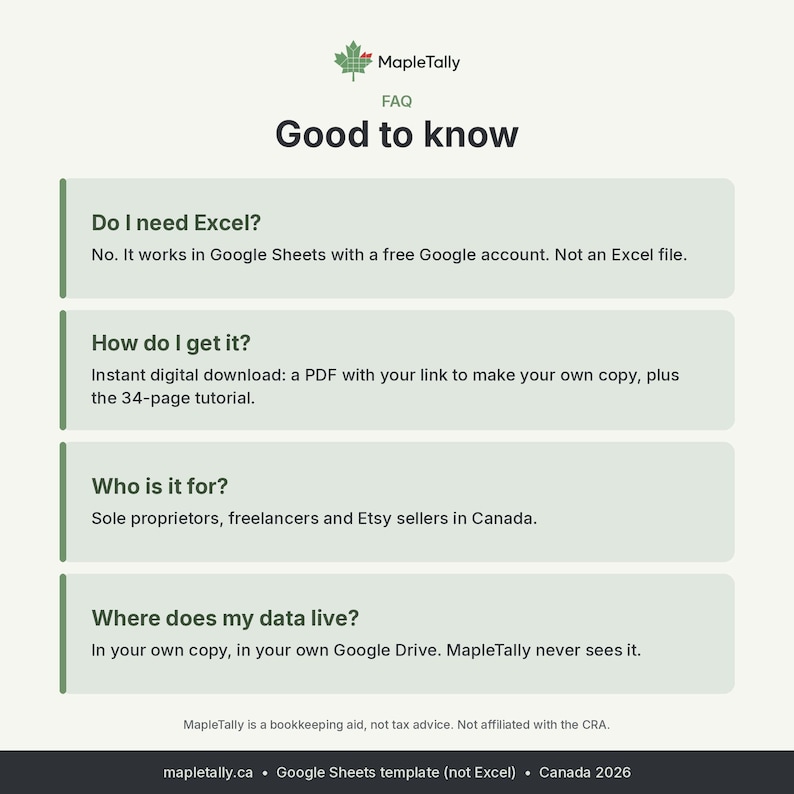
Q: Do I need Excel? A: No. It runs in Google Sheets, which is free with a Google account. It's built for Google Sheets only, so features such as dropdowns, formulas and charts may not work properly if you download it to Excel.
Q: Where is my data stored? A: In your own copy, in your own Google Drive. MapleTally never sees it.
Q: I'm not registered for GST/HST yet. Can I use it? A: Yes. Answer N to the GST/HST question. No sales tax is calculated, and the threshold monitor tells you when you're getting close to the small-supplier limit.
Q: Does it work in Québec? A: Yes. Answer Y to QST. QST is calculated on your invoices, ITRs on your expenses, and net QST is shown on the GST-HST Summary.
Q: What about PST in BC, Manitoba or Saskatchewan? A: If you hold a PST/RST number, answer Y and PST is added to sales in your own province. PST rules for services vary, so check with your province.
Q: My fiscal year isn't January to December. A: Enter your fiscal year start date and the tracker follows it. Most sole proprietors must use the calendar year, so check the CRA rules first.
Q: Does it do the Quick Method, CCA or bank imports? A: No. GST/HST uses the regular method only. CCA comes with guidance and links, and you enter your claim yourself. You type or paste your transactions; there's no bank feed.
Q: I have two businesses, or a partnership. A: Use a separate copy for each business. The partnership parts of the T2125 aren't included.
Q: Is this tax advice? Does it file my taxes? A: No. It's a bookkeeping aid that organizes your numbers. You or your accountant file your returns.
Q: I have a question after buying. A: Message us through Etsy. We're happy to help.
★ PLEASE NOTE ★
MapleTally is a bookkeeping aid only. It is not tax, legal or accounting advice. Tax rules change and every situation is different, so confirm your figures with the CRA, Revenu Québec or a qualified accountant before you file. Personal use by the purchaser only; please don't resell or share the template.
MapleTally is not affiliated with or endorsed by the Canada Revenue Agency.
Instant Download
Your files will be available to download once payment is confirmed. Here's how.
Instant download items don’t accept returns, exchanges or cancellations. Please contact the seller about any problems with your order.
Etsy Purchase Protection
Shop confidently on Etsy knowing if something goes wrong with an order, we've got your back for all eligible purchases —
see program terms


Be the first to leave a review
-
Digital download
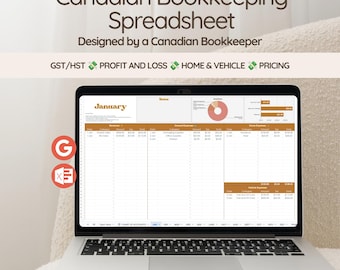
Canadian Small Business Spreadsheet | GST/HST | Expense Tracker, Profit & Loss
$25.49
-

Digital download
Canadian Bookkeeping Spreadsheet for Small Business Income Expense Tracker Tax Tracker Accounting Template Mileage Business Profit & Loss
Sale Price $9.47
Original Price $18.94
-
Digital download
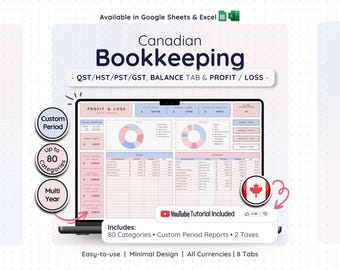
Canadian Small Business Bookkeeping Google Sheets Excel Tax Accounting Template Profit Loss Income Expense Tracker Financial Planner
Sale Price $14.28
Original Price $28.55
-
Digital download
Alberta Edition - Income & Expense Tracker for Canadian Sole Proprietorship
$14.57
-
Digital download
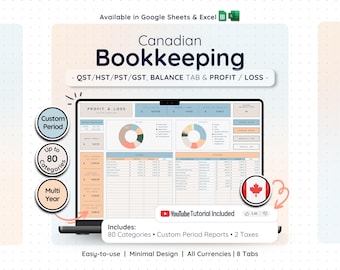
Canadian Tax Bookkeeping Spreadsheet Google Sheets Excel Small Business Accounting Income Expense Client Tracker Profit Loss Budget Plan
Sale Price $14.28
Original Price $28.55
-
Digital download
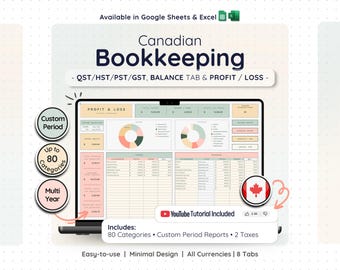
Canadian Bookkeeping Spreadsheet Template for Small Businesses | Profit and Loss | Income & Expense Tracker | Budget Spreadsheet
Sale Price $14.28
Original Price $28.55
-
Digital download
Saskatchewan Edition - Income & Expense Tracker for Canadian Sole Proprietorship
$14.57
-
Digital download
BC Edition - Income & Expense Tracker for Canadian Sole Proprietorship
$14.57
-
Digital download
Newfoundland and Labrador Edition - Income & Expense Tracker for Canadian Sole Proprietorship
$14.57
-
Digital download
Ontario Edition - Income & Expense Tracker for Canadian Sole Proprietorship
$14.57
-
Digital download
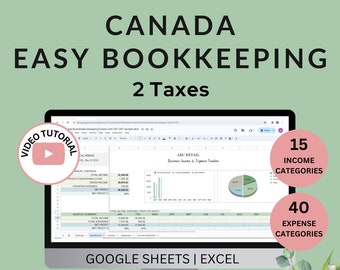
Canada Business Bookkeeping Template: Excel & Google Sheets (GST, PST, QST)
$19.99
-
Digital download
Northwest Territories Edition - Income & Expense Tracker for Canadian Sole Proprietorship
$14.57
Shoppers with similar taste loved these
-

Digital download
Tax Prep Flyer Template Bundle, Tax Flyer Template, Tax Preparation Flyers, Tax Prep Template, 15 Flyer Bundle, Social Media Post Tax Flyers
$12.30
-

Digital download
300 Tax Prep Instagram Templates | Tax Prep Flyers & Social Media Posts | Editable Tax Prep Flyer Bundle | Tax Preparation Templates 2026
Sale Price $10.83
Original Price $27.07
-

Digital download
Tax Email Signature Template, Editable Tax Specialist Email Signature Template, Tax Prep Services, Credit Restoration, DIY Tax Flyers
Sale Price $3.25
Original Price $5.00
-
Digital download
Tax Acuity Scheduling template | Tax Prep Acuity Website | Acuity scheduling | Tax Preparation | Tax Prep Branding | Custom Acuity | Credit
Sale Price $9.75
Original Price $15.00
-

Digital download
Tax Prep Service Flyer, Tax Credit Repair Template (DIY Canva)
$10.10
-
Digital download
Animated Tax Preparation Flyer, Tax Flyer, Tax Season, Tax Prep Season Flyer,Accountant Flyer,Tax Prep Instagram Template,Animated Tax Flyer
Sale Price $2.50
Original Price $5.00
-

Digital download
Tax Acuity Scheduling template | Tax Prep Acuity Website | Acuity scheduling | Tax Preparation | Tax Prep Branding | Custom Acuity | Credit
Sale Price $9.75
Original Price $15.00
-

Digital download
Tax Prep Service Flyer, Tax Preparation Flyer, Accounting Flyer, Tax Consultant Marketing Template, Tax Flyer for Tax Season, DIY in Canva
Sale Price $1.00
Original Price $2.00
-

Digital download
Tax Season Retractable Banner, Tax Services Retractable Banner, Tax Refund Banner, Tax Preparation, Tax and Credit Repair Banner, Finance
Sale Price $9.75
Original Price $15.00
-
Digital download
Tax Preparation Flyer, Tax Prep Flyer, Income Tax Preparer Flyer, DIY Flyer Template Design, Premade Tax Season Accounting Services Flyer
Sale Price $1.09
Original Price $3.62
-
Digital download
Tax Prep Checklist Template, Pink Canva Tax Preparer Social Media Flyer
Sale Price $2.70
Original Price $6.00
-

Digital download
Tax Website, Tax Season Website, Tax Preparation Website Design, Tax Banner Templates, Tax templates, Accounting Web Template, Shopify, Wix
Sale Price $32.50
Original Price $50.00


