




Meal Planner App, Grocery List, Recipe Organizer, Pantry, Food Budget
NowPrice:$25.99
Original Price: $39.99
35% off
Sale ends on November 17
You can only make an offer when buying a single item
Highlights
Meal Planner App, Grocery List, Recipe Organizer, Pantry, Food Budget — SIMMER: SUPPER, SORTED
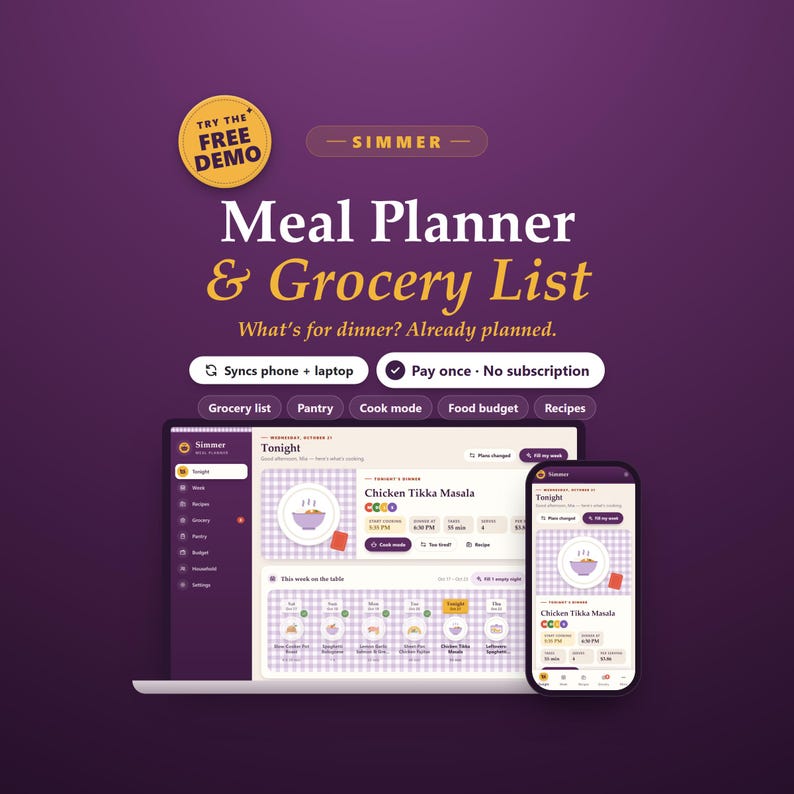
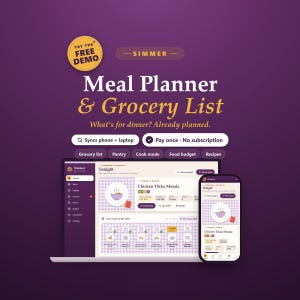
Simmer is a digital meal planner for your phone and computer that answers "what's for dinner?" before anyone asks. Plan a weekly meal plan from the recipes your family already loves, and the grocery list writes itself — amounts added up, sorted by aisle, with what each item costs. Your recipe organizer shows the cost per serving of every meal, the pantry tells you what to use first, and the food budget keeps groceries and takeout in check. A family meal plan, recipe book, shopping list, menu planner and meal prep planner in one private place — no account, no ads, no subscription.
★ TRY THE FREE DEMO FIRST: https://simmer-demo.vaultly.workers.dev
(A sample family kitchen, opens in your browser. Like it? The full app has no limits.)
━━━━━━━━━━━━━━━━━━
AT A GLANCE
━━━━━━━━━━━━━━━━━━
• Product type: meal planner app (opens from a private link in your browser, installs like an app) + Start Here PDF + bonus printables ZIP. Not a spreadsheet, Notion, Goodnotes or Excel template.
• Features: Tonight page with start-cooking time, weekly meal plan that starts on your shopping day, Fill My Week suggestions with reasons, Plans Changed preview, Menu Board and Meal Jar, recipe box with cost per serving and scaling, paste-a-recipe, cook mode with timers, grocery list built from the plan, kitchen check, store mode, pantry inventory with use-by dates, food budget tracker, household diets and dislikes, printable menu, grocery list and recipe cards, CSV export.
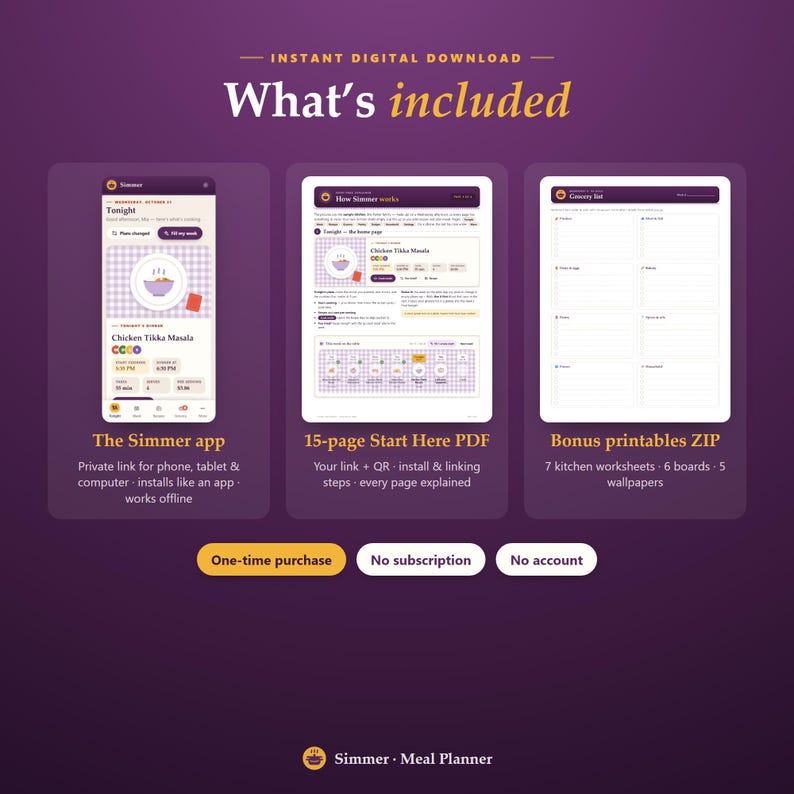
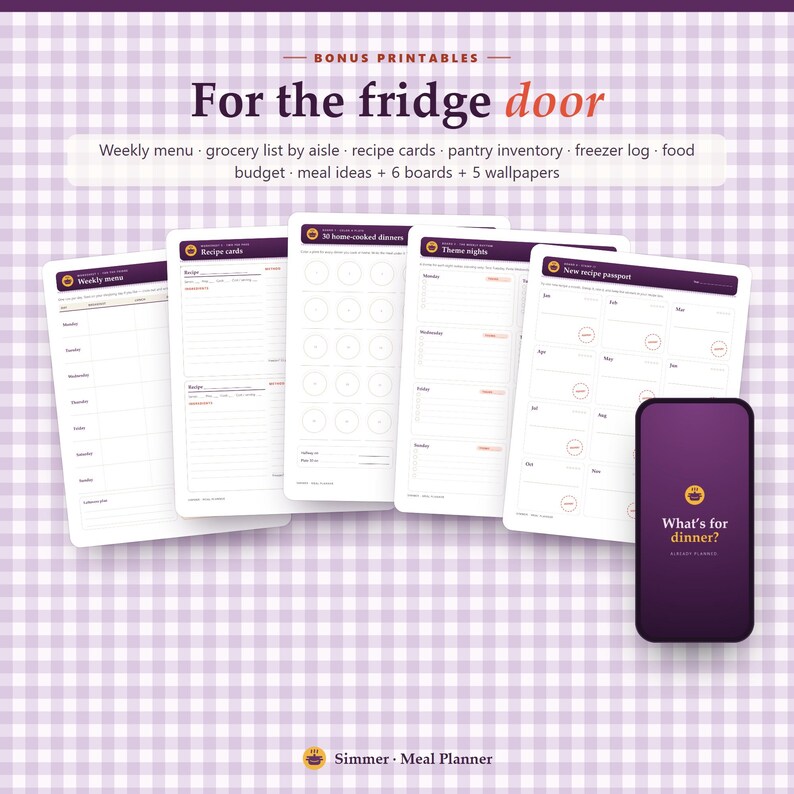
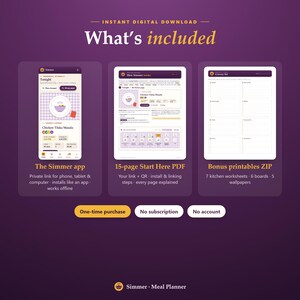
• Included: the Simmer app (private link + QR), a 15-page Start Here PDF, a bonus ZIP with 7 kitchen worksheets, 6 boards and 5 wallpapers.
• Intended audience: busy families, couples, single cooks and meal preppers — anyone tired of asking what's for dinner, writing grocery lists by hand and throwing out forgotten food.
• Planning frequency: daily (tonight's dinner and when to start cooking) and weekly (menu, groceries and food budget).
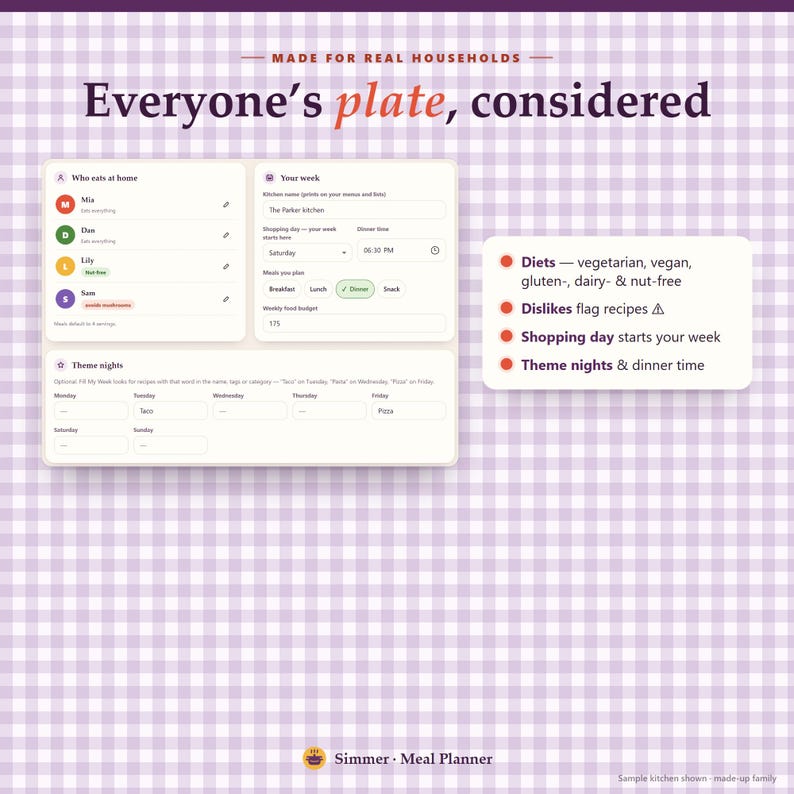
• Customizability: your own recipes, shopping day, dinner time, meals you plan (breakfast, lunch, dinner, snack), theme nights, weekly budget, currency and US or metric units, 3 themes.
• Personalization: your kitchen name on every printed menu and list, your household's diets and foods they skip, your own staples.
• Mechanism: add a few recipes once, then plan the week — Simmer adds up the ingredients into a grocery list, checks your pantry, works out costs and suggests meals for empty nights. Works offline; link phone + computer with a 6-digit code.
• Reusability: use it every week, all year — your recipe box grows with you. Worksheets print as often as you like.
• Size: works on any phone, tablet or computer screen (iPhone, iPad, Android, Chromebook, Windows, Mac). Printables are US Letter and print fine on A4; wallpapers 1170×2532 (phone) and 2560×1440 (desktop).
• Material: digital download — nothing is shipped.
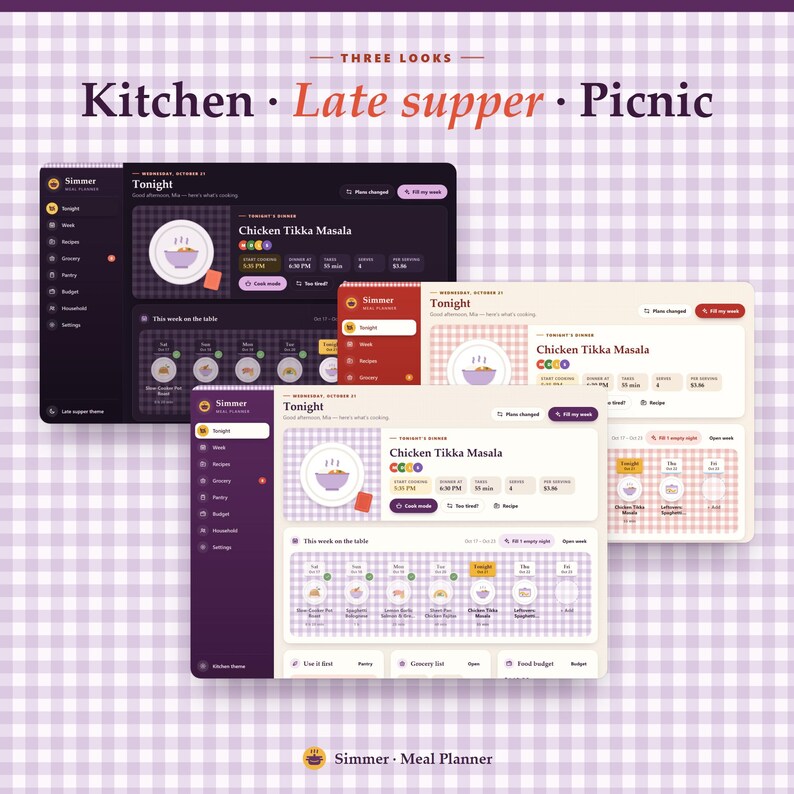
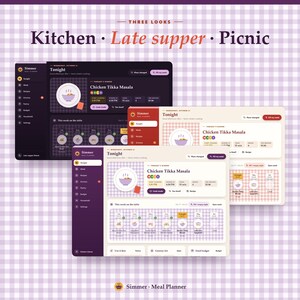
• Theme: the supper table — ceramic plates on a lilac gingham tablecloth, recipe-tin cards, pantry jars, aubergine, tomato and egg-yolk; themes Kitchen, Late supper (dark) and Picnic.
• Care: your recipes and plans stay private on your devices; export a backup now and then (one tap in Settings).
━━━━━━━━━━━━━━━━━━
WHY SIMMER
━━━━━━━━━━━━━━━━━━
Most meal planners are lists you still fill in by hand. Simmer does the thinking with you:
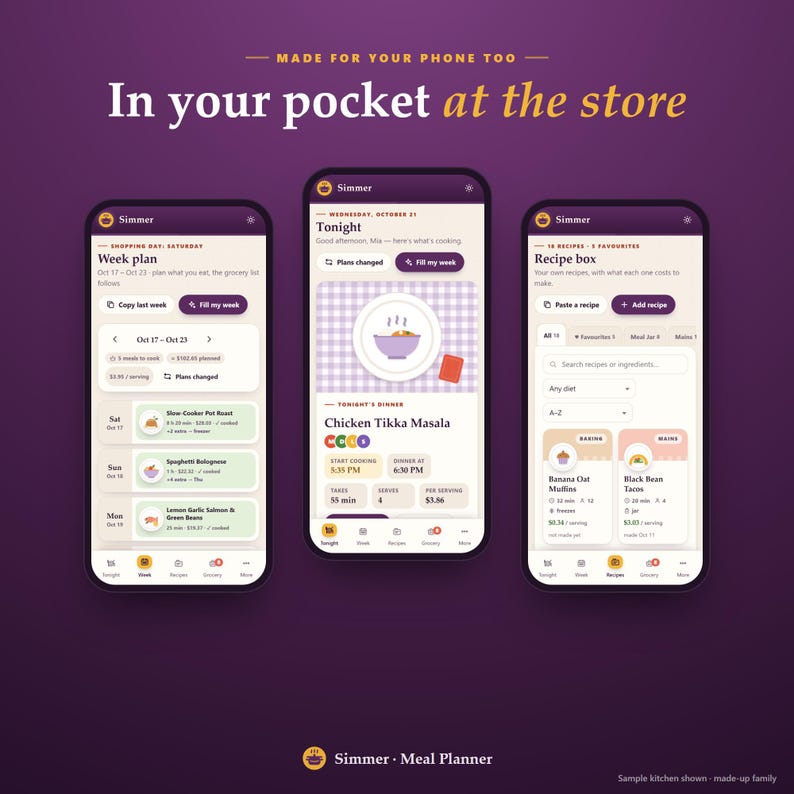
• It knows tonight: the dinner on the plate, who it suits, and when to start cooking so it's ready on time.
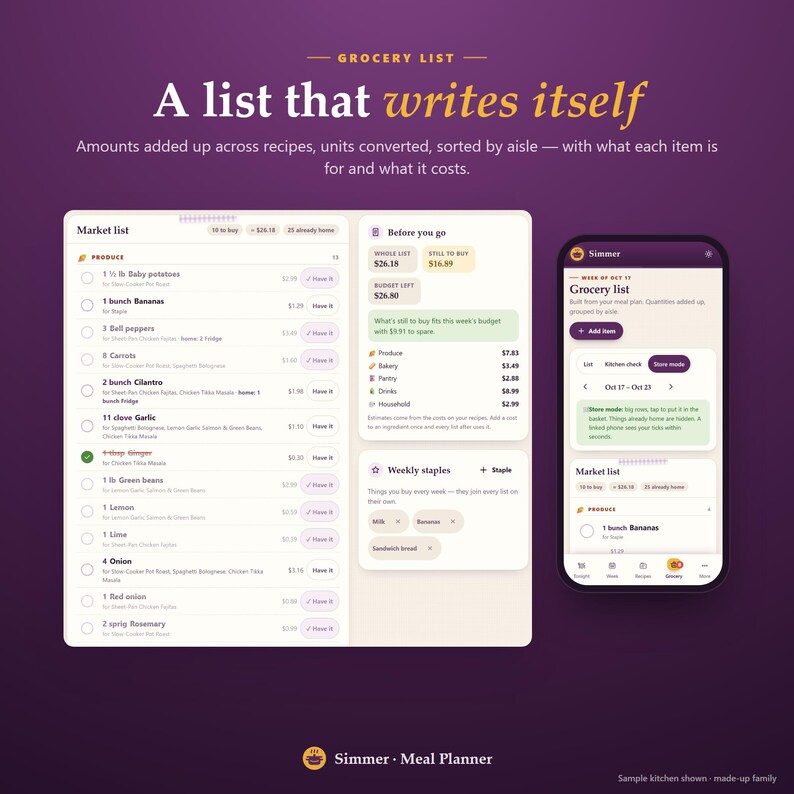
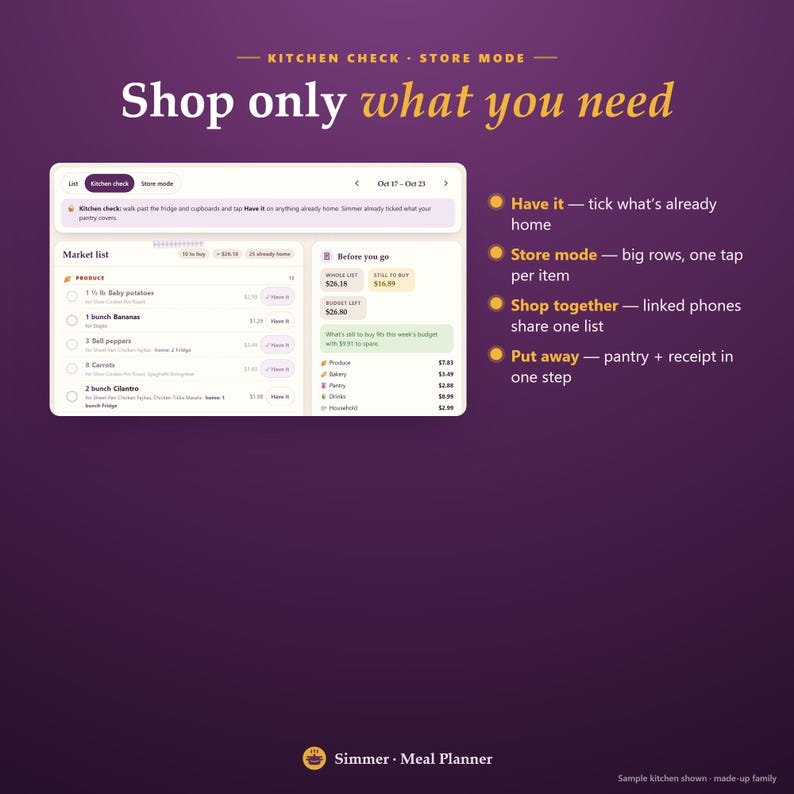
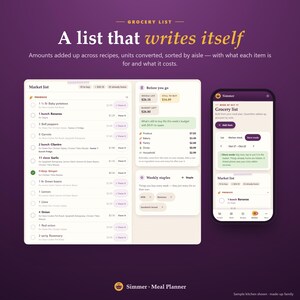
• The grocery list writes itself: 3 + 4 + 4 cloves of garlic become 11, cups and tablespoons are combined, and what's already home is ticked.
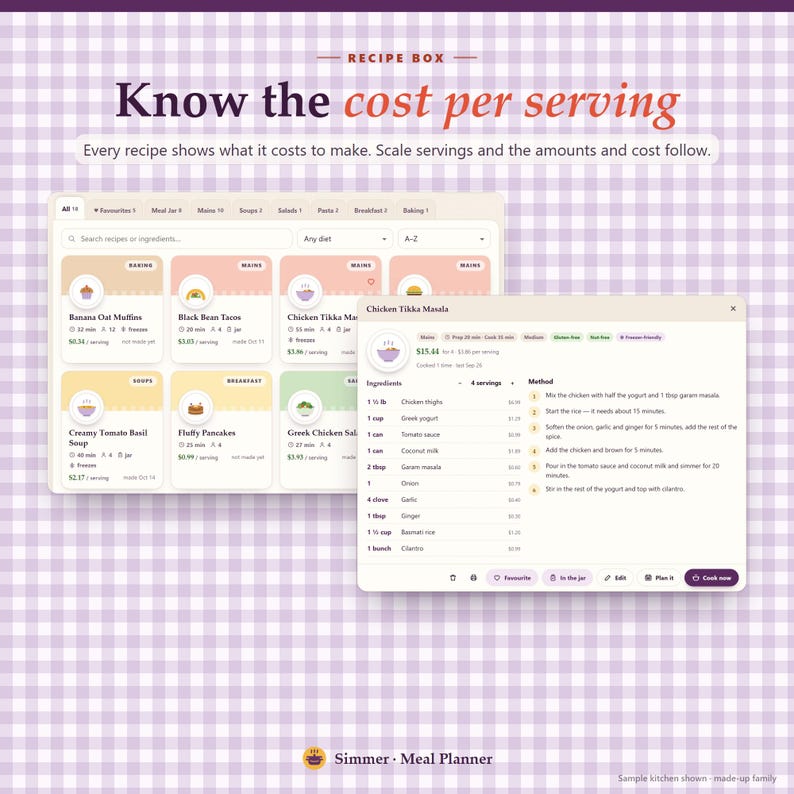
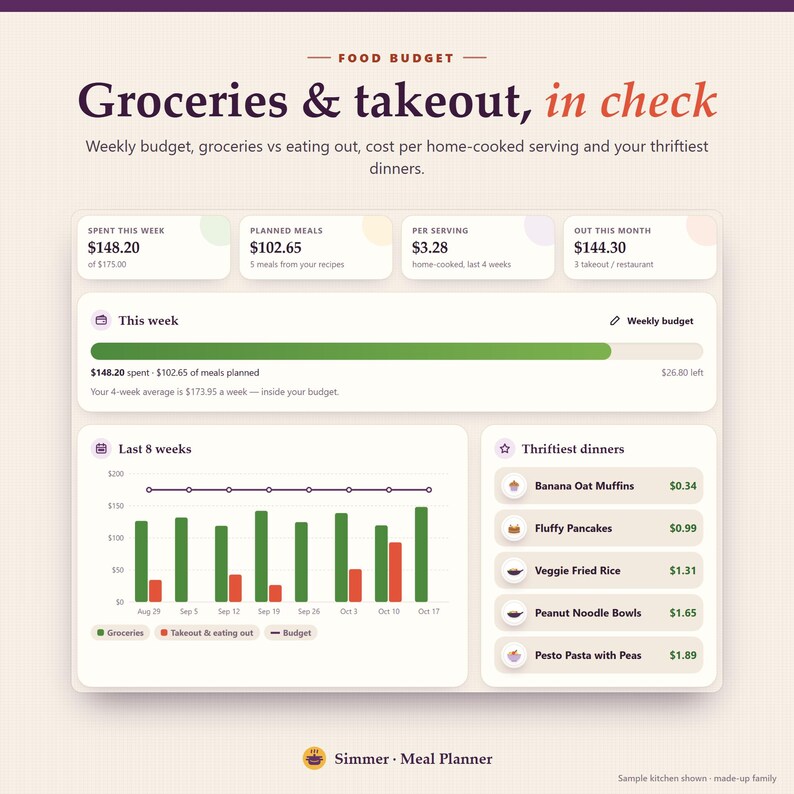
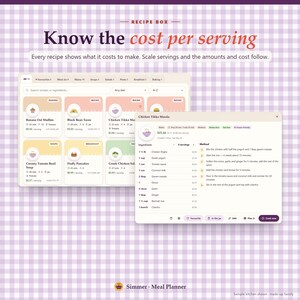
• You know what meals cost: every recipe shows its cost per serving, and the week shows what the plan will cost.
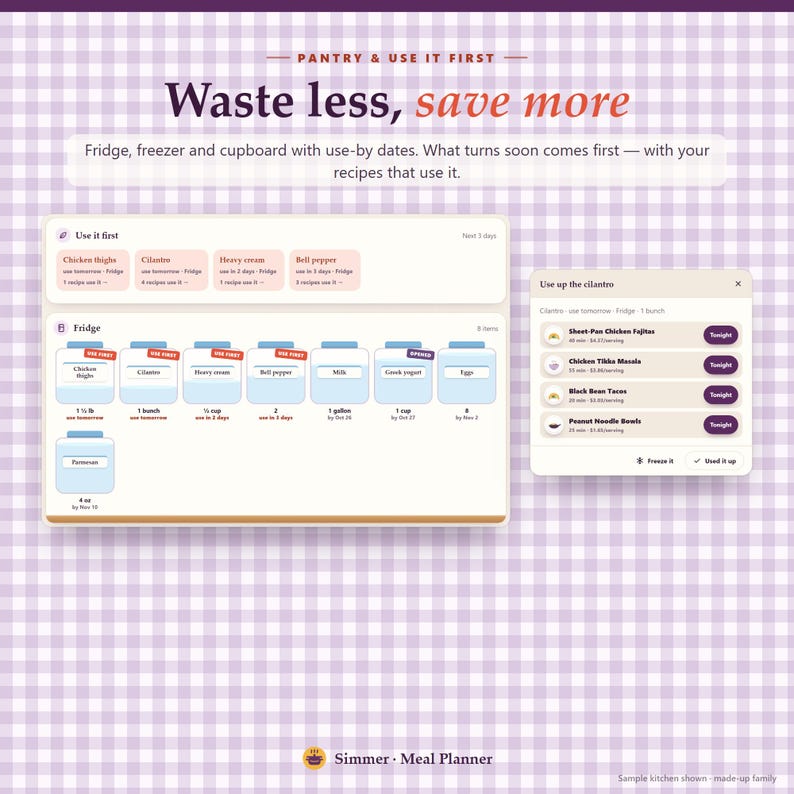
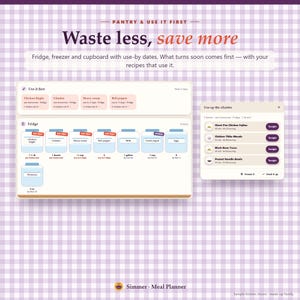
• Less food in the bin: use-by dates turn into "use it first" nudges with your own recipes that use it.
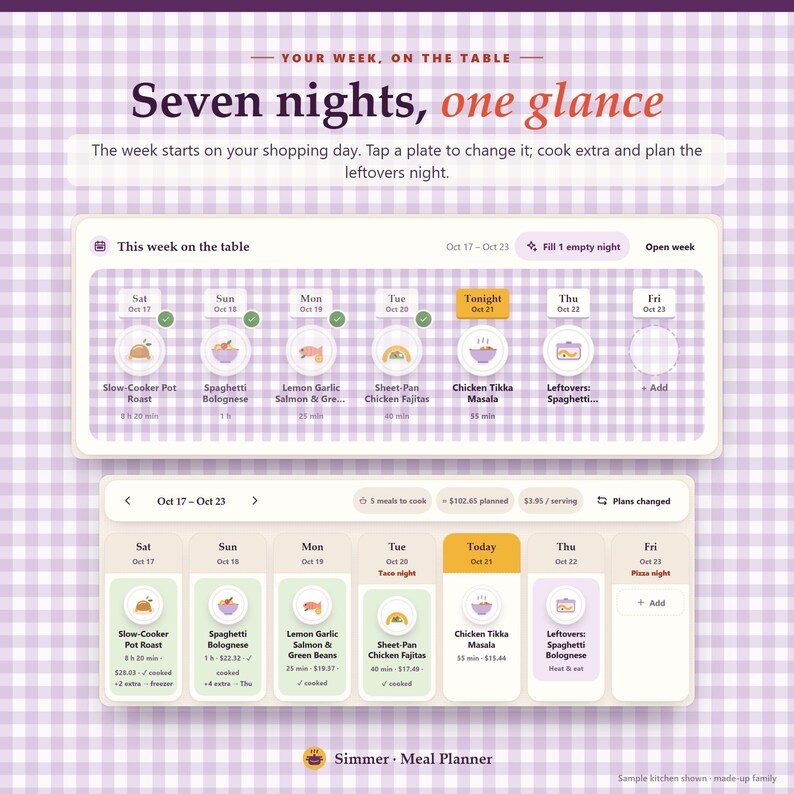
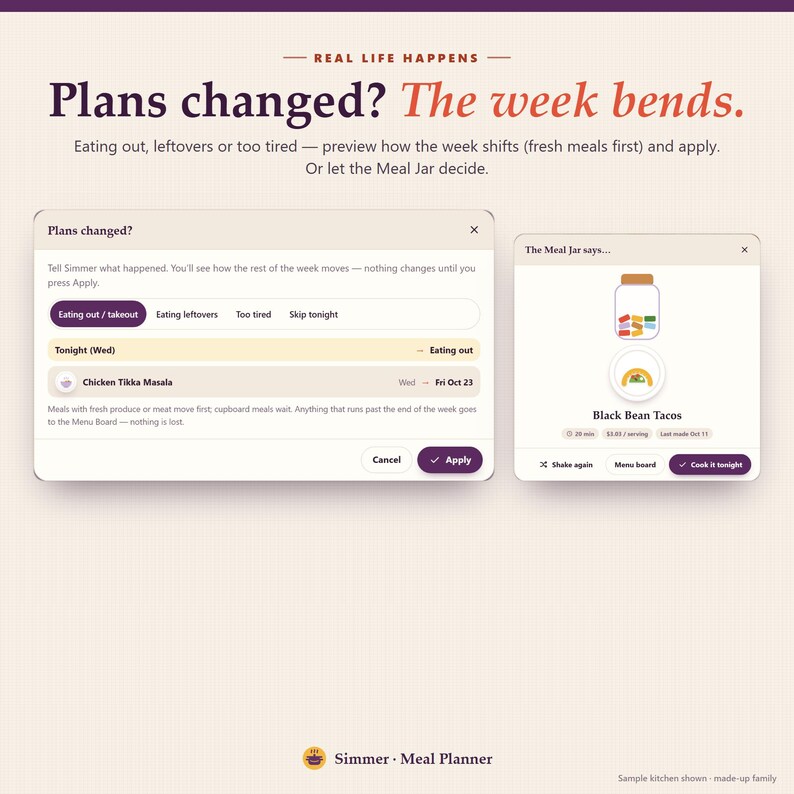
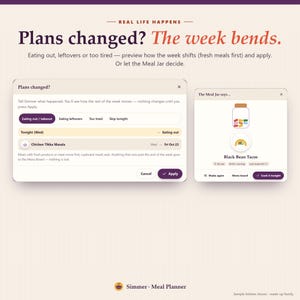
• Real life is allowed: eating out, leftovers or too tired? The week bends — fresh meals move first, nothing is lost.
━━━━━━━━━━━━━━━━━━
FEATURES
━━━━━━━━━━━━━━━━━━
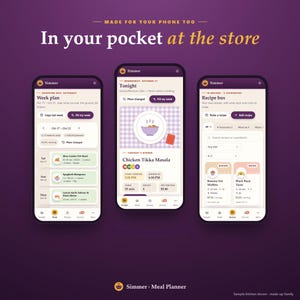
✓ Tonight — tonight's plate, start-cooking time, cost per serving, "Too tired?" swap, the week on the table, use it first, grocery list and food budget at a glance
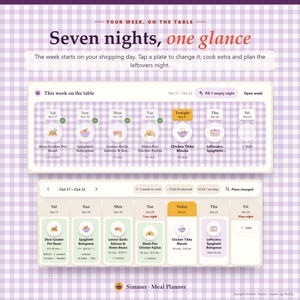
✓ Weekly meal plan — starts on your shopping day; breakfast, lunch, dinner and snacks; recipe, leftovers, eating out or a note; servings per meal; cook extra portions for a leftovers night or the freezer; copy last week; print a menu for the fridge
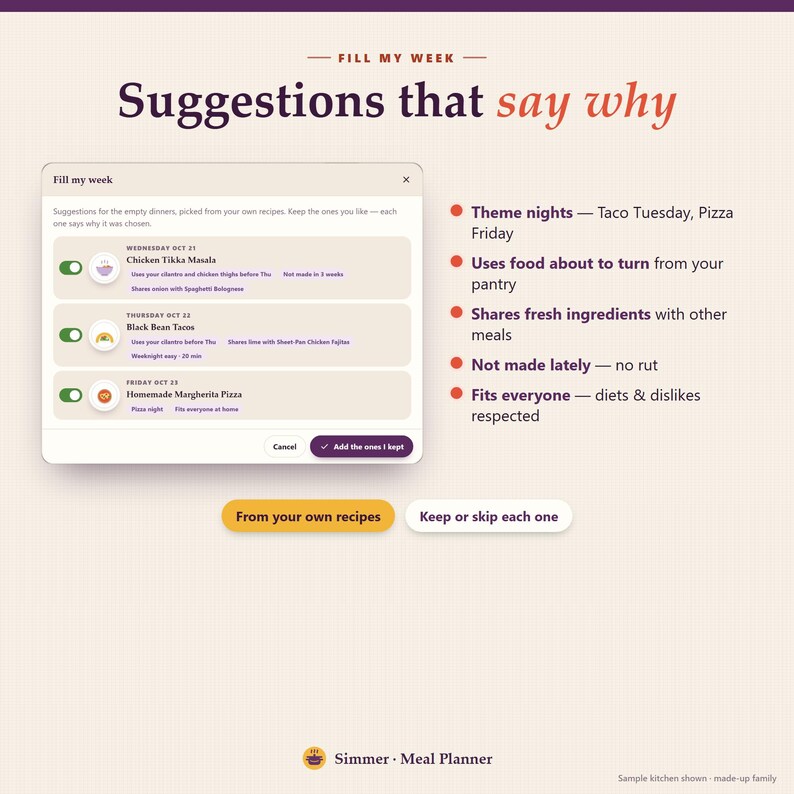
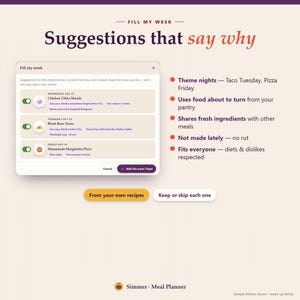
✓ Fill My Week — suggestions from your own recipes, each with the reason: theme night, uses food about to turn, shares a fresh ingredient, not made lately, fits everyone at home
✓ Plans Changed — preview how the week shifts, then apply; leftover meals go to the Menu Board
✓ Menu Board + Meal Jar — "sometime this week" meals, and a jar to shake when nobody can decide
✓ Recipe organizer — tabbed recipe box with cost per recipe and per serving, scaling, diet tags, favourites, search by ingredient, "last made", CSV export
✓ Paste a recipe — copy one from a website or a note; Simmer splits it into ingredients and steps
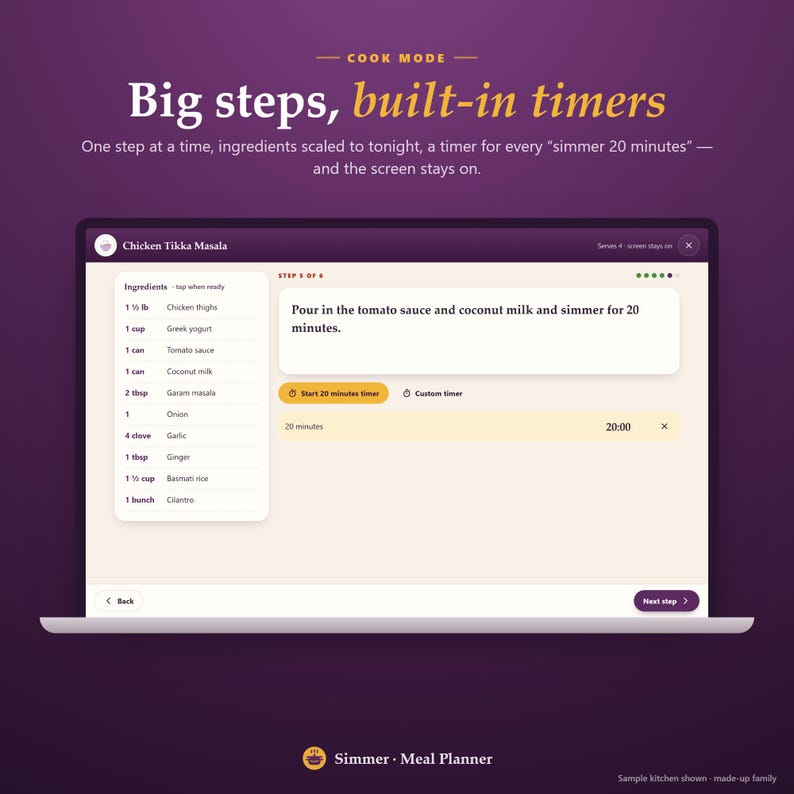
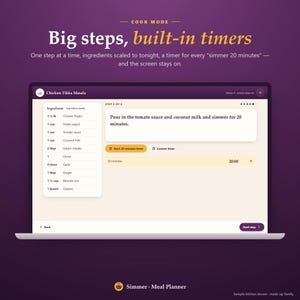
✓ Cook mode — one big step at a time, scaled ingredients, a timer for every time in the steps, screen stays on
✓ Grocery list — built from the plan, sorted by aisle, what each item is for, estimated cost, weekly staples and your own items
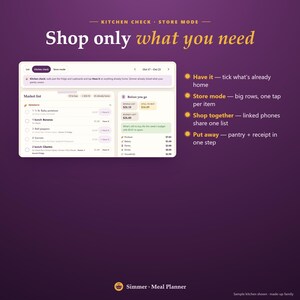
✓ Kitchen check + store mode — tick what's home, then shop with big rows; two phones can shop one list
✓ Put away — fresh food into the pantry with use-by dates and the receipt into your budget, in one step
✓ Pantry inventory — fridge, freezer and cupboard jars, use it first, recipes that use it, freeze it
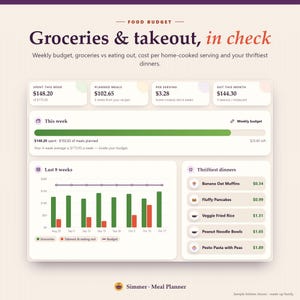
✓ Food budget — weekly budget, groceries vs takeout and eating out, cost per home-cooked serving, thriftiest dinners, 8-week chart
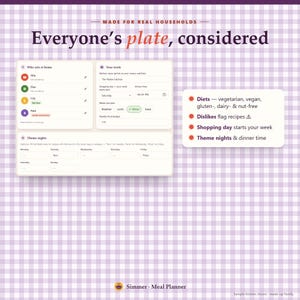
✓ Household — people, diets (vegetarian, vegan, gluten-free, dairy-free, nut-free) and foods they skip; recipes that clash are flagged
✓ Guided tour · backup & restore · 3 themes · print styles for every page
━━━━━━━━━━━━━━━━━━
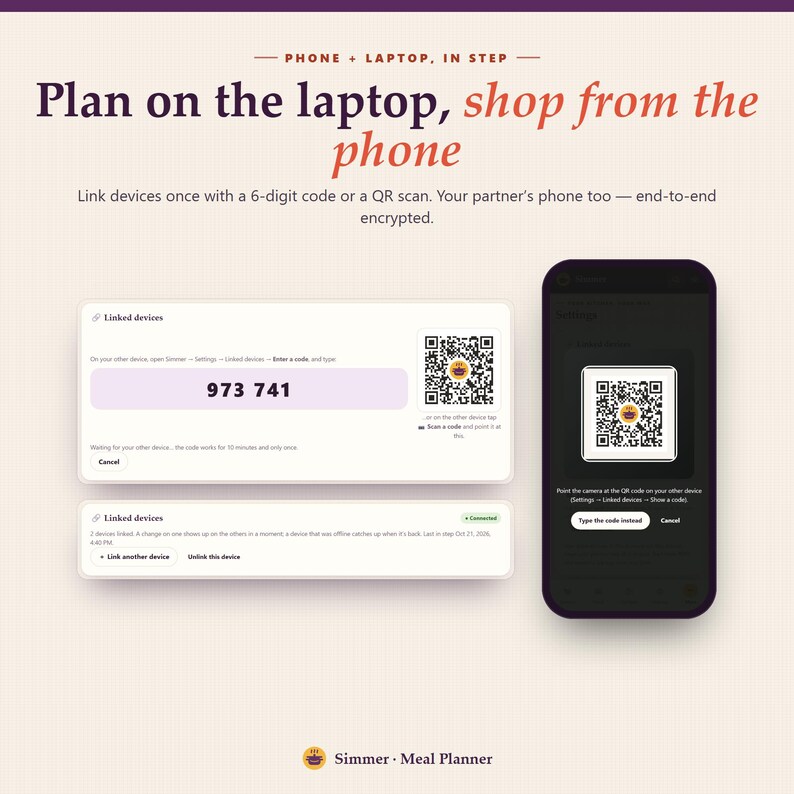
PHONE + COMPUTER, IN STEP
━━━━━━━━━━━━━━━━━━
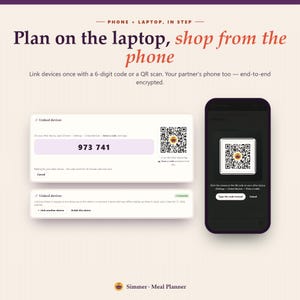
Link your devices once with a 6-digit code or a QR scan. Plan the week on your laptop, then tick off the grocery list on your phone in the store — your partner's phone too. End-to-end encrypted. Installs like an app and works offline. On a computer everything sits in a sidebar; on a phone, in a bottom bar.
━━━━━━━━━━━━━━━━━━
WHAT'S INCLUDED
━━━━━━━━━━━━━━━━━━
1. THE SIMMER APP — your private link (phone, tablet and computer), no limits
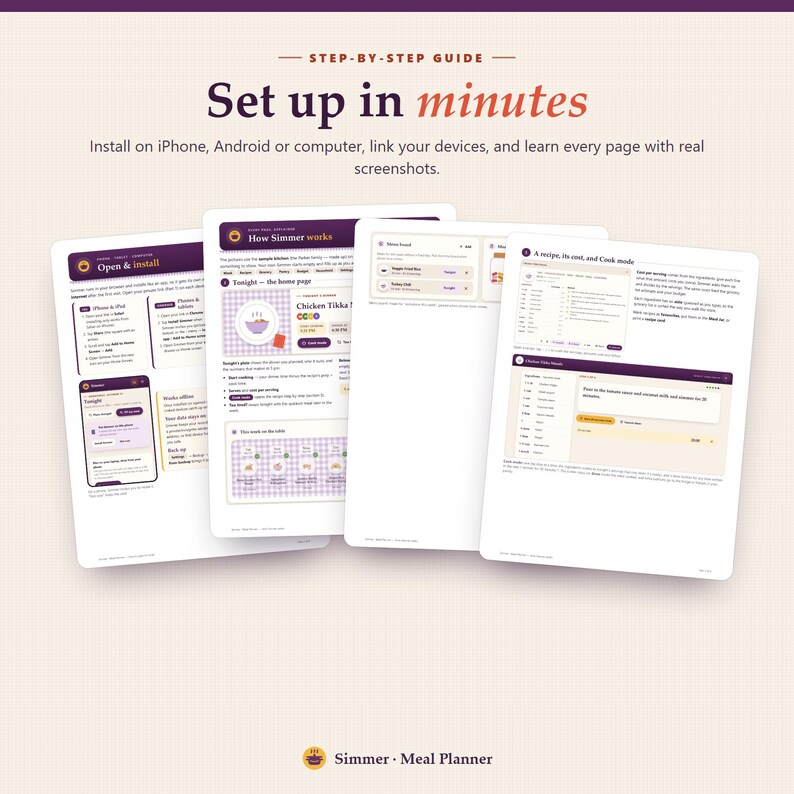
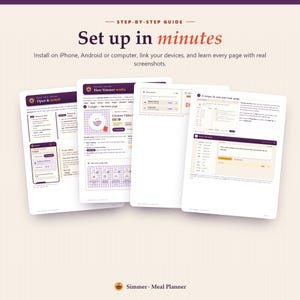
2. START HERE PDF (15 pages) — your private app link + QR code, install steps for every device, how to link devices, every page explained with screenshots
3. BONUS PRINTABLES ZIP —
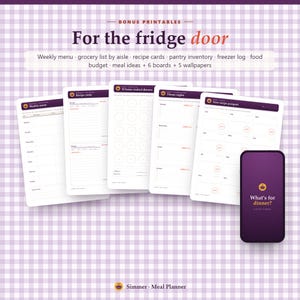
• 7 kitchen worksheets: weekly menu, grocery list by aisle, recipe cards, pantry inventory, freezer log, food budget tracker, meal ideas bank
• 6 boards: 30 home-cooked dinners, theme nights, family favourites, meal-prep Sunday, pantry-challenge week, new recipe passport
• 5 wallpapers (3 phone, 2 desktop)
━━━━━━━━━━━━━━━━━━
HOW IT WORKS
━━━━━━━━━━━━━━━━━━
1. Download the PDF after purchase and open your private link (or scan the QR)
2. Install it on your phone and/or computer
3. Add who eats at home and your shopping day, then a few recipes (or 8 starter recipes in one tap)
4. Tap Fill My Week — your grocery list is ready
━━━━━━━━━━━━━━━━━━
GOOD TO KNOW
━━━━━━━━━━━━━━━━━━
• Works in any modern browser: Safari, Chrome, Edge, Firefox. No Excel, Notion, Goodnotes or Google Sheets needed.
• Ingredient costs are optional — add them once and every list after uses them.
• Simmer doesn't read recipe websites for you: copy the recipe text and paste it in. That keeps it private and working offline.
• A planning tool, not nutrition or medical advice. Diet tags are labels you set; always check food labels for allergies.
• For personal use: one household per purchase.
• Pairs well with our budget planner, savings tracker and cozy life planner apps in the shop.
Questions? Send a message — happy to help.
Instant Download
Your files will be available to download once payment is confirmed. Here's how.
Instant download items don’t accept returns, exchanges or cancellations. Please contact the seller about any problems with your order.
Etsy Purchase Protection
Shop confidently on Etsy knowing if something goes wrong with an order, we've got your back for all eligible purchases —
see program terms

Be the first to review this item

More from this shop
Visit shop-
Digital download
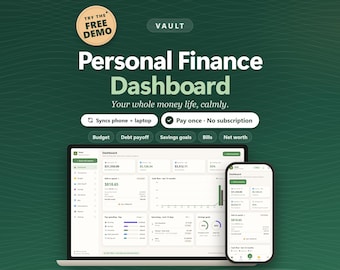
Interactive Budget Dashboard App — Offline Personal Finance Planner
Sale Price $25.99
Original Price $39.99
-
Digital download
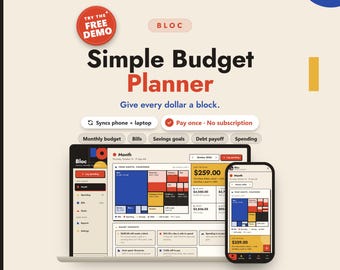
Simple Budget Planner App, Zero Based Monthly Expense & Bill Tracker
Sale Price $25.99
Original Price $39.99
-
Digital download
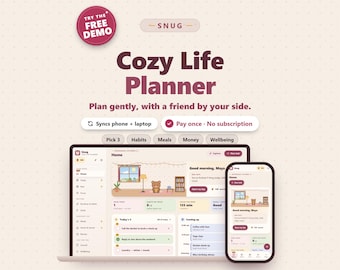
Cozy Life Planner App, ADHD Daily Organizer, Companion Bear (Digital Download)
Sale Price $25.99
Original Price $39.99
-
Digital download
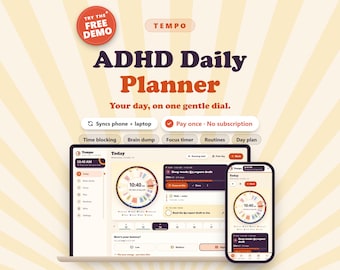
ADHD Daily Planner App, Time Blocking Schedule, Brain Dump & Focus Timer
Sale Price $25.99
Original Price $39.99
-
Digital download
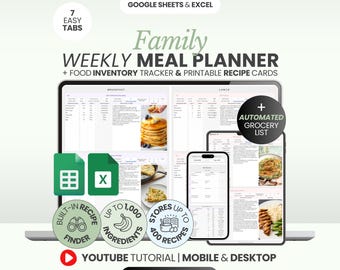
Weekly Meal Planner Spreadsheet Family Meal Planner Food Inventory Tracking System Recipe Organizer Excel Google Sheets Cooking Helper Meal
Sale Price $7.99
Original Price $26.63
-
Digital download
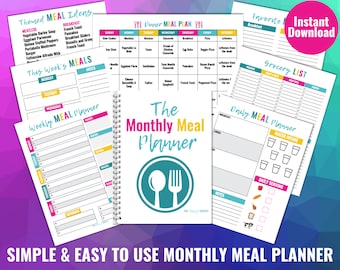
Monthly Meal Planner, Printable Meal Planner, Digital Meal Planner, Weekly Meal Planner, Daily Meal Planner, Freezer Meals, Grocery List
$47.00
-
Digital download
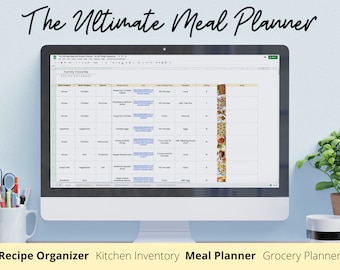
Meal Planner, Recipe Organizer, Kitchen Inventory, Grocery Planner, Grocery Calculator, Meal Prep, Meal Planner Spreadsheet
$10.00
-
Digital download
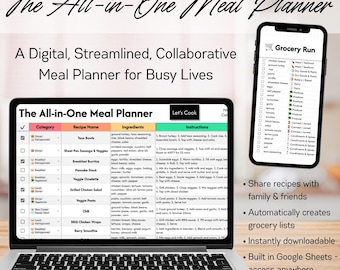
The All-in-One Meal Planner | Digital Recipe Book, Meal Plan, Grocery List, & Collaboration Tool for Busy Lives
$15.00
-

Digital download
Monthly Meal Planner: 250+ Recipes, Family-Friendly Budget Meals (Digital Download)
$20.00
-
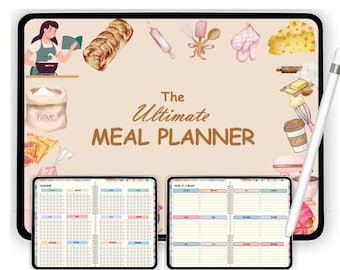
Digital download
Ultimate Digital Editable Meal Planner, Fitness, GoodNotes iPad Planner, Kitchen Inventory, Meal Plan template, Grocery List, Food Journal
$12.00
-
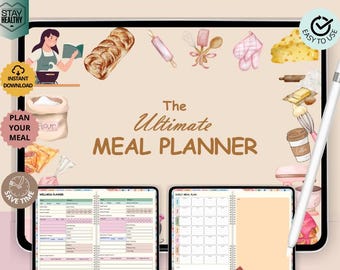
Digital download
Ultimate Digital Editable Meal Planner, Fitness, GoodNotes iPad Planner, Kitchen Inventory, Meal Plan template, Grocery List, Food Journal
$12.00
-
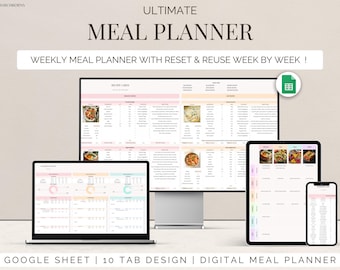
Digital download
Meal Planner Google Sheets Template Weekly Meal Planning Family Menu tracker Recipe Organizer, digital Grocery Lists Food Inventory Tracker
Sale Price $5.00
Original Price $10.00
-
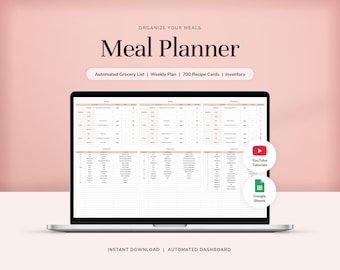
Digital download
Weekly Meal Planner and Automated Grocery List for Google Sheets Meal Plan Template Digital Meal Planner Meal Planning Spreadsheet
Sale Price $13.90
Original Price $27.80
-
Digital download
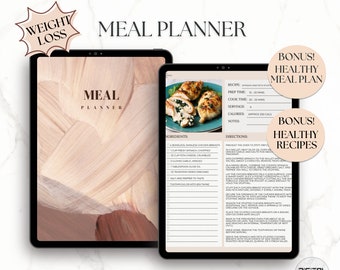
Meal Planning Template, Meal Planner, Meal Plan, Goodnotes Template, Recipe Book, Grocery List, Food Log
$24.18
-

Digital download
Weekly Meal Planner, Digital Meal Planner, GoodNotes iPad Planner, Meal Prep, Meal Plan Template, Grocery List, Food Journal
Sale Price $4.11
Original Price $14.67
-

Digital download
Weekly Meal Planner Digital Template All-in-One with Smart Grocery List, Cookbook Database, Food Inventory Tracker, Import Recipe From URL
$11.19
Shoppers with similar taste loved these
-

Digital download
Breakfast Freezer Stock Guide
$12.99
-
Digital download
High Protein Budget Freedom Meal Plan
$12.99
-
Digital download
Lunch & Snack Guide
$10.99
-

Digital download
Cheap & Easy Snack Guide
$12.99
-
Digital download
30 Minute Dinner Meal Plan
$12.99
-

Digital download
Plandy Mandy’s Broke as a Joke Meal Plan (Original Meal Plan)
$12.99
-
Digital download
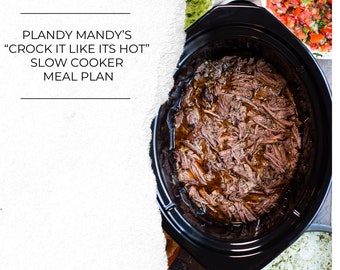
Crockpot / Instant pot Meal Plan (1st edition)
$12.99
-
Digital download
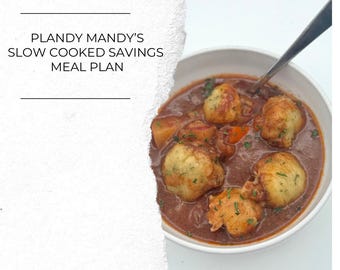
Crockpot/ Instant Pot Meal Plan (2nd Edition)
$12.99
-
Digital download
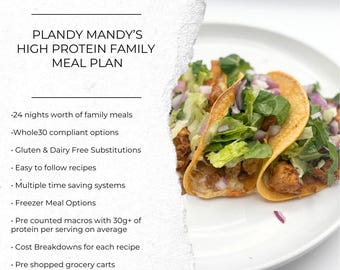
High Protein Family Meal Plan
$12.99
-

Digital download
Sourdough Bread and Beyond Course
$10.99
-
Digital download
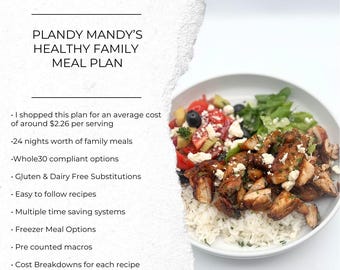
Healthy Family Meal Plan *whole30 substitutions available
$12.99
-
Digital download
Weekly Meal Planner with Grocery List Printable Template, 7 Day Menu Plan, Food Planner, Health & Fitness, A4/A5/Letter/Half
Sale Price $1.83
Original Price $6.53


