


UK Sole Trader Tax Spreadsheet 2026-27, Self Employed Self Assessment Tax Tracker, Income Expenses Mileage, Class 4 NI, Payments on Account
Price:$5.28
Here's what's eligible:
- Your order doesn't match the item description or photos
- Your item arrived damaged
- Your item arrived after the estimated arrival window
- Your item didn't arrive or was lost in the mail
Save 25% when you buy 2 items at this shop
You can only make an offer when buying a single item
Highlights
You do some work for yourself, maybe on top of a job, and money lands from a client or an online shop payout. You think, how much of this is actually mine after tax?
Launch price until 30 November 2026.
Buy any 2 or more and save 25% at checkout.
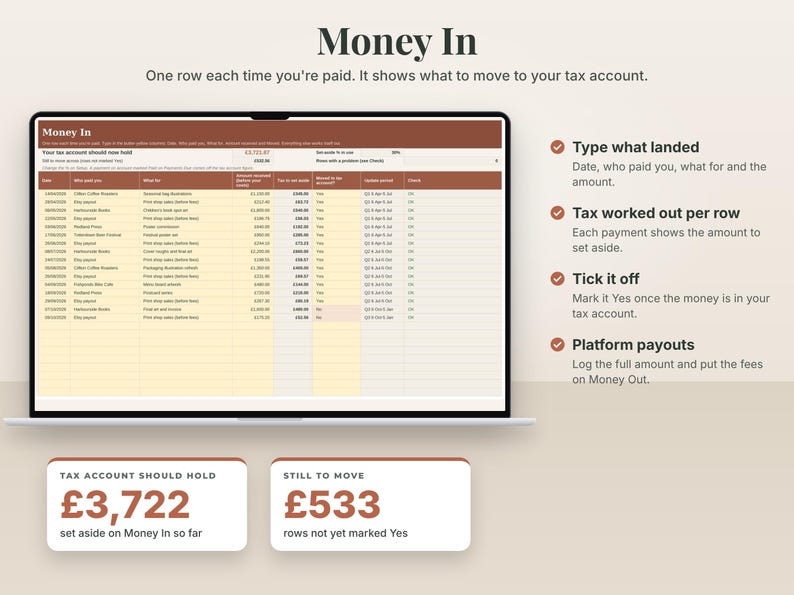
This sheet tells you, every time you're paid. Type in what landed. It shows how much to move to a separate tax account and what's left to keep. It adds up the Income Tax your self-employed profit adds on top of your wages, plus Class 4 National Insurance, plus the extra student loan repayment if you have a plan.
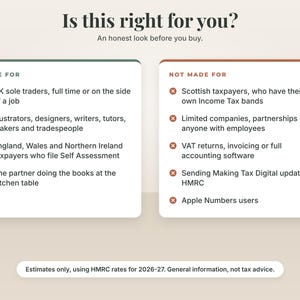
Who it's for
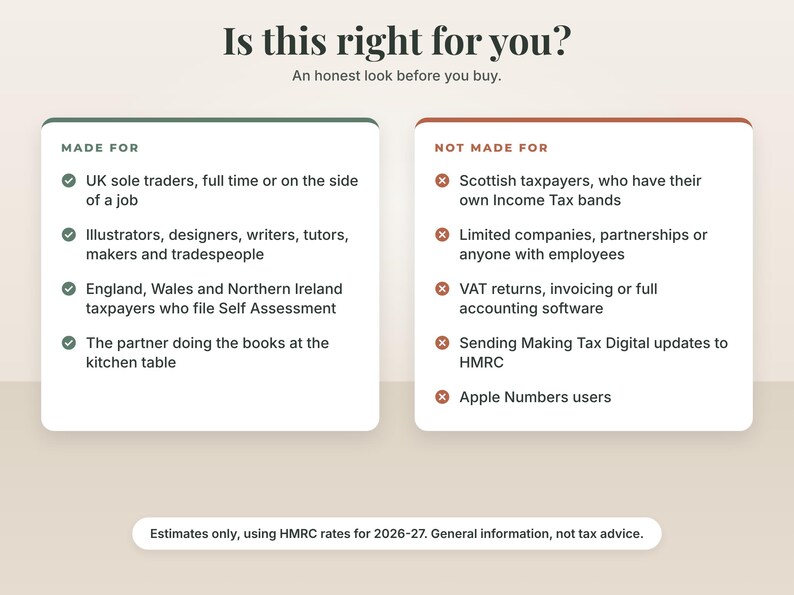
- UK sole traders, full time or on the side of a job: illustrators, designers, writers, tutors, photographers, makers, online sellers and tradespeople.
- People in England, Wales or Northern Ireland who file a Self Assessment return.
- The partner who has ended up doing the books at the kitchen table.
Who it's not for
- Scottish taxpayers. Scotland has its own Income Tax bands and this sheet doesn't use them. It uses the rates for England, Wales and Northern Ireland only.
- Limited companies, partnerships, or anyone with employees on payroll.
- Anyone who needs VAT returns, invoicing or full accounting software. The sheet only warns you as you near the £90,000 VAT threshold.
- Anyone who needs software that sends Making Tax Digital updates to HMRC. This sheet isn't that. It shows the dates and keeps the running totals, but it can't send anything.
- Apple Numbers users.
About the example inside
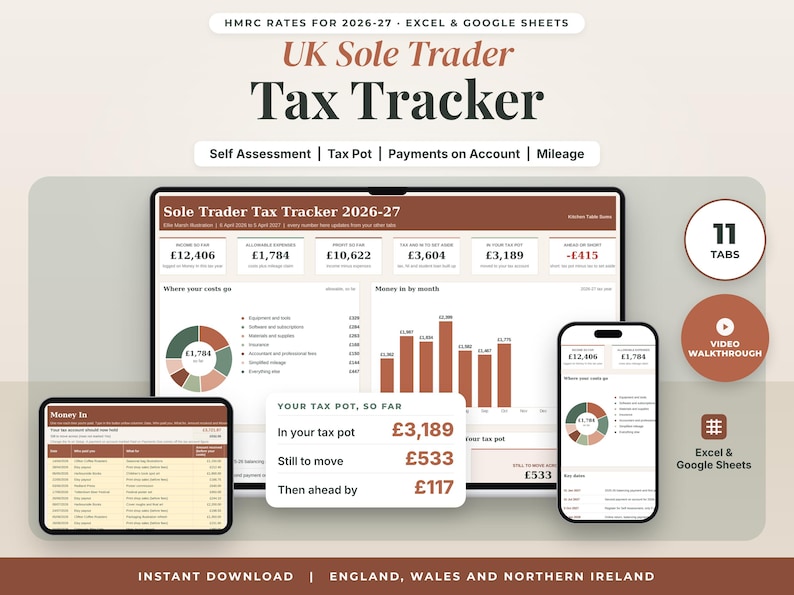
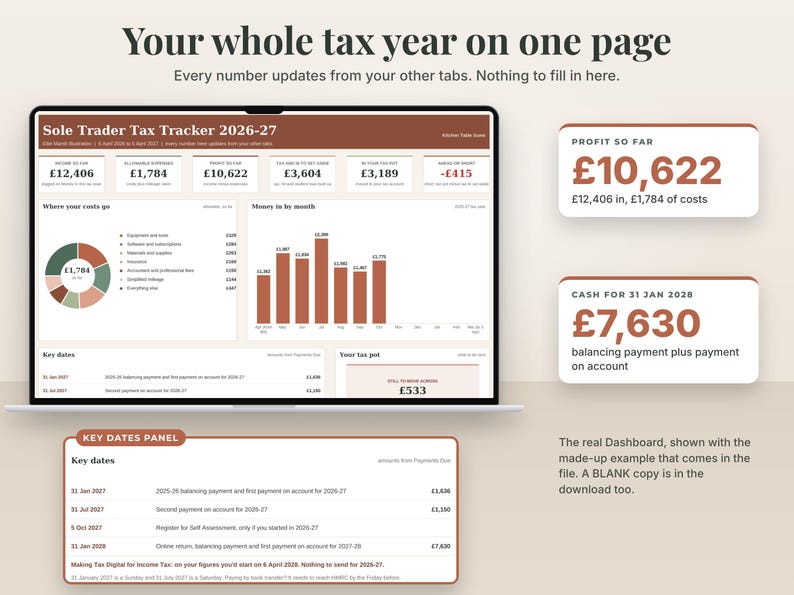
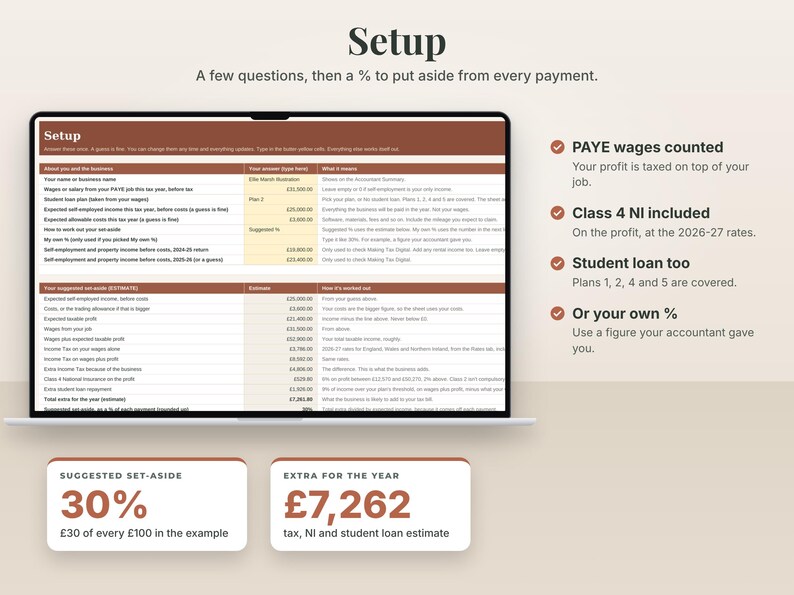
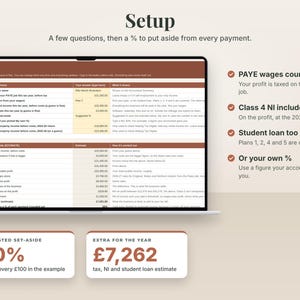
The example is made up. Ellie is a freelance illustrator in Bristol with a part-time job paying £31,500 a year and a Plan 2 student loan. She expects about £25,000 of illustration income and £3,600 of costs this tax year. The sheet suggests she puts aside 30% of each payment, which is about 34% of her expected profit, because the % comes off each payment before costs. Her example data runs from April to early October 2026, so you can see a part-year.
What you get
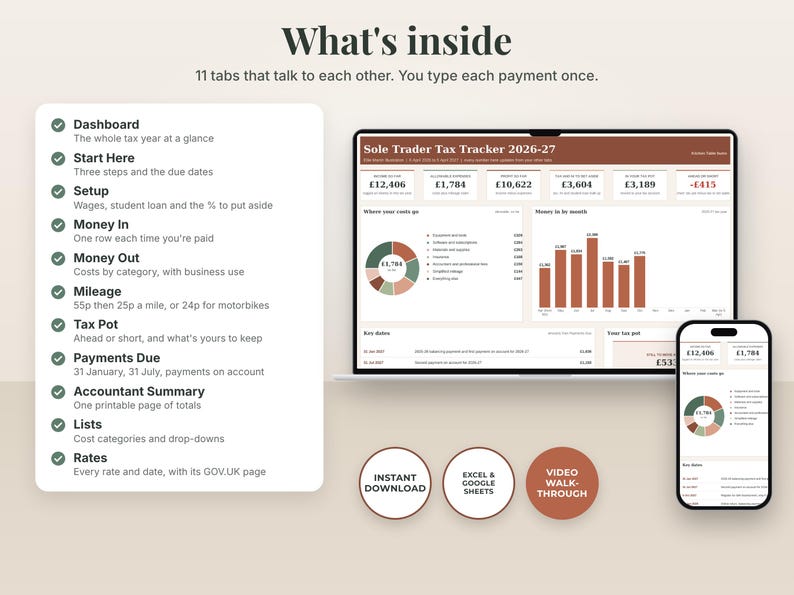
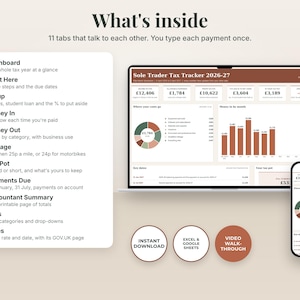
Eleven tabs, starting with the Dashboard:
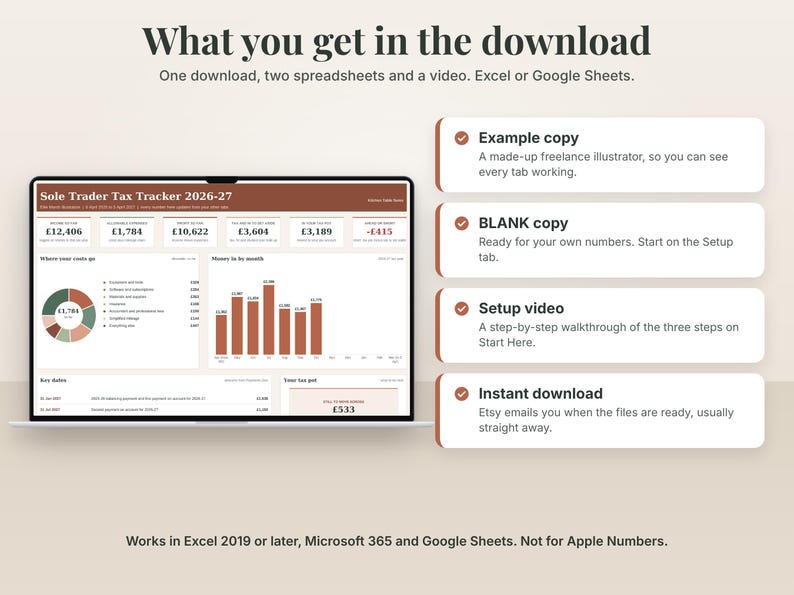
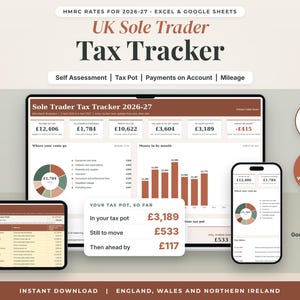
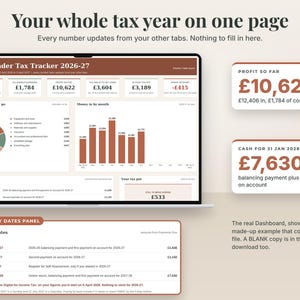
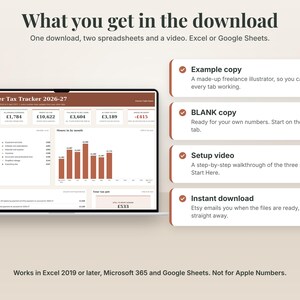
1. Dashboard. The first thing you see when you open the file. The tax year at a glance: income so far, allowable expenses, profit so far, tax and NI to set aside, what's in your tax pot and whether you're ahead or short. Below that, where your costs go, money in by month, key dates with the amounts due, and what to do next.
2. Start Here. Three steps to get going, the 2026-27 due dates, what the colours mean, then the detail.
3. Setup. A few questions: your PAYE wages, your student loan plan, a guess at this year's income and costs. It suggests what % of each payment to put aside.
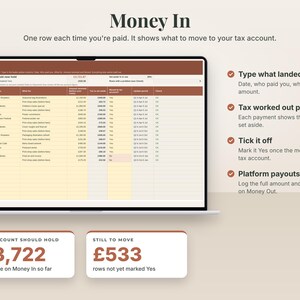
4. Money In. One row each time you're paid. Shows the tax to set aside and what your tax account should hold.
5. Money Out. Business costs, with a business-use % for things like your phone. Works out the allowable amount.
6. Mileage. Your business miles. Estimates simplified mileage at the 2026-27 rates, 55p a mile for the first 10,000 miles and 25p after that for cars and vans, or 24p for motorcycles.
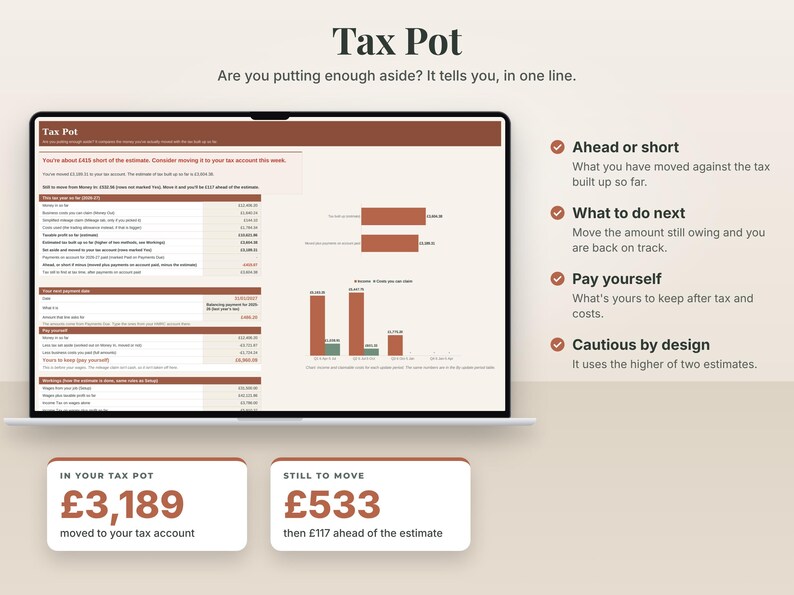
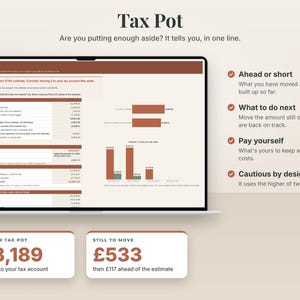
7. Tax Pot. Compares the money you've actually moved with an estimate of the tax built up so far, and shows what's yours to keep.
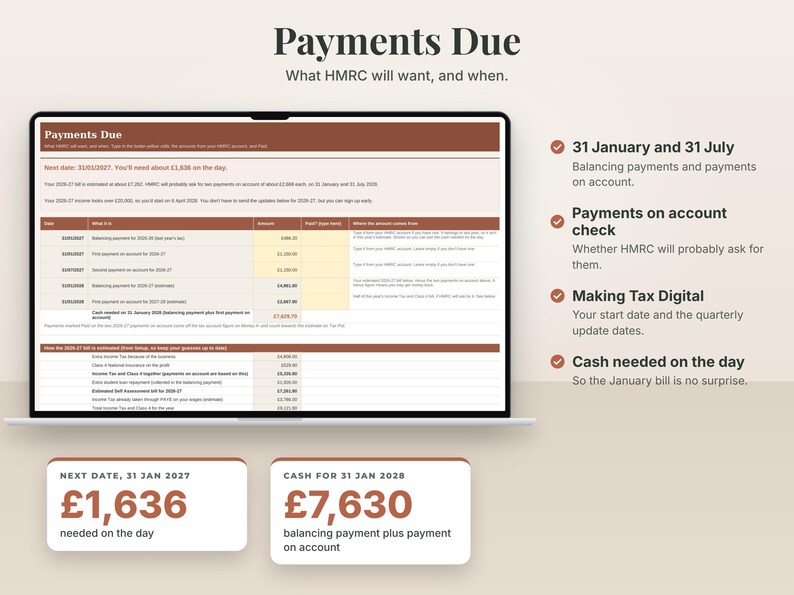
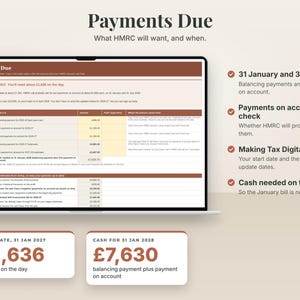
8. Payments Due. The 31 January and 31 July dates, your payments on account, an estimate of the balancing payment, and the Making Tax Digital quarterly update dates.
9. Accountant Summary. One printable page for tax time, with running totals for each quarterly update.
10. Lists. Your cost categories. Rename them if ours don't fit.
11. Rates. Every rate and date the sheet uses, with the GOV.UK page it came from and the date it was checked.
Also in the download
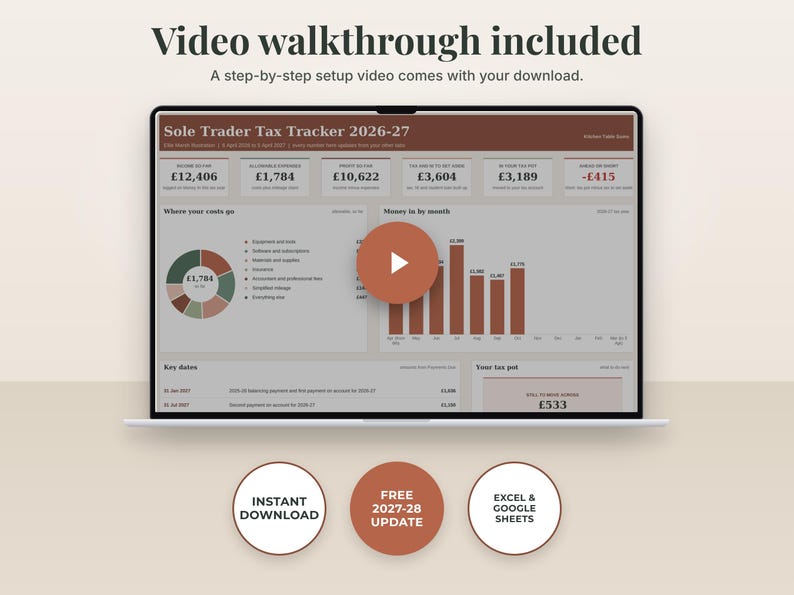
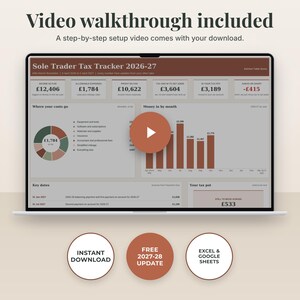
- A step-by-step setup video that walks through the three steps.
- An example copy with made-up data to learn on, and a BLANK copy to fill in.
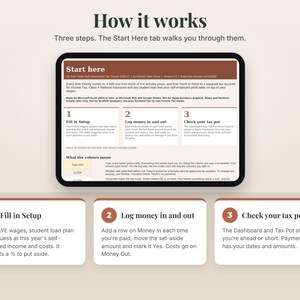
How it works
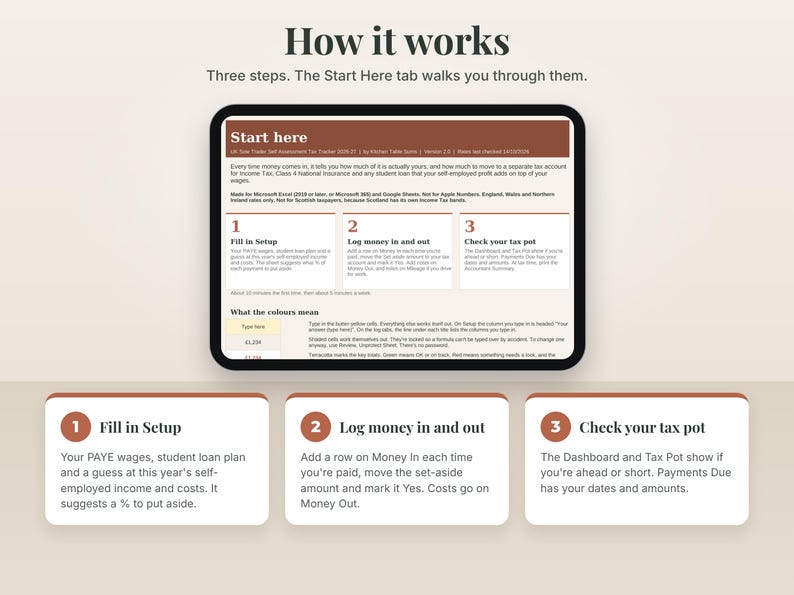
1. Fill in Setup: your PAYE wages, your student loan plan and a guess at this year's self-employed income and costs. Guesses are fine. The sheet suggests what % of each payment to put aside.
2. Each time money lands, add a row on Money In, move the Set aside amount to your tax account and mark it Yes. Add costs on Money Out, and miles on Mileage if you drive for work.
3. Check your tax pot. The Dashboard and Tax Pot show if you're ahead or short, and Payments Due has your dates and amounts. At tax time, print the Accountant Summary.
What it works out for 2026-27
- Income Tax at 20%, 40% and 45% with the £12,570 Personal Allowance and its taper above £100,000.
- Class 4 National Insurance at 6% and 2%. Class 2 isn't compulsory so it isn't added.
- The extra student loan repayment for Plans 1, 2, 4 and 5.
- The £1,000 trading allowance. It uses whichever is bigger, your real costs or the allowance, and tells you which.
- Whether HMRC will probably ask for payments on account, and how much.
- Whether Making Tax Digital for Income Tax looks likely to apply to you, from the figures you type in.
Works in
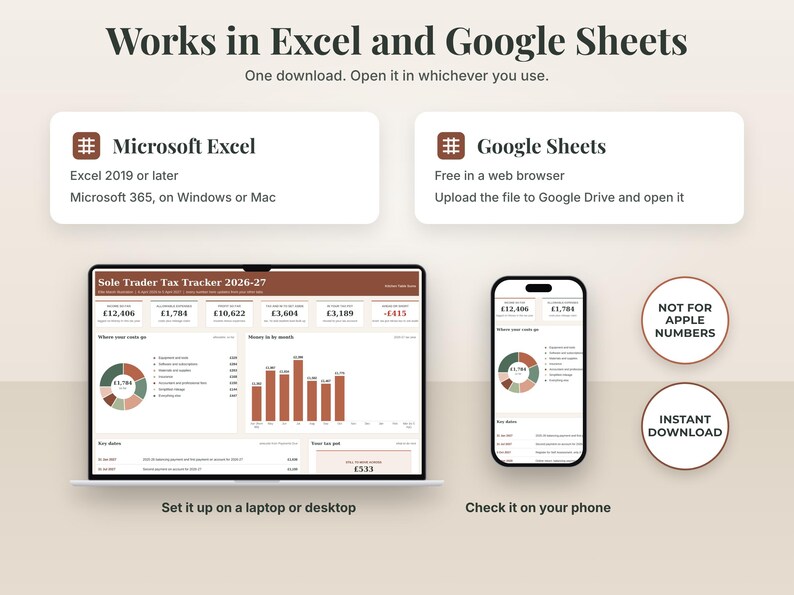
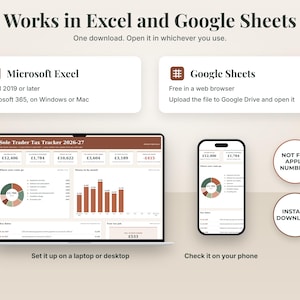
- Made for Microsoft Excel (2019 or later, or Microsoft 365) and Google Sheets. Not for Apple Numbers.
- To use Google Sheets (free), upload the .xlsx to your Google Drive and open it with Google Sheets.
- No macros, no add-ons, no bank login. Your numbers stay on your computer or in your own Google Drive.
- A computer or laptop is best. A phone is fine for a quick look, not for setting up.
After you buy
1. Etsy emails you when the files are ready, usually straight away. You can also find them under You, then Purchases and reviews.
2. Download them in a web browser (Chrome, Safari or Edge) on a computer. The Etsy app can't open digital downloads.
3. Watch the step-by-step setup video first. If Excel shows a yellow Protected View bar at the top, click Enable Editing.
4. Open the example copy and have a look around, starting on the Dashboard. When you're ready, open the BLANK copy and start on Setup.
5. Stuck? Message me through Etsy (open your order and tap Message seller). I'll help with how the sheet works. I usually reply within a day or two.
Updates
I'll make the 2027-28 version available to you free once the 2027-28 rates are published on GOV.UK. I'll aim to have it ready around 6 April 2027.
Questions people ask
Q: I live in Scotland. Can I use it?
A: No, sorry. Scotland has its own Income Tax bands and this sheet uses the England, Wales and Northern Ireland ones.
Q: Does it send my figures to HMRC or file my return?
A: No. It's a spreadsheet for keeping track and estimating. It doesn't connect to HMRC, file a return or send Making Tax Digital updates.
Q: Do I need to be VAT registered?
A: No. The sheet is for people who aren't. It only shows a warning line as your sales near £90,000.
Q: Does the estimate include my wages?
A: Yes. You type your PAYE wages on Setup. The sheet works out the extra tax your self-employed profit adds on top, which is what you need to put aside.
Q: Can you tell me if I can claim something?
A: I can't, sorry. I'm not an accountant or a tax adviser, so I can't give advice on your own tax. I can help with how the sheet works. For what you can claim, check GOV.UK or ask a qualified accountant.
Q: Is there a video to help me set it up?
A: Yes. A step-by-step setup video is in the download. It walks through the three steps on Start Here, using the example copy.
The small print
This sheet gives estimates only. It uses HMRC rates for 2026-27 as published on GOV.UK and checked on 14/10/2026, and the numbers you type in. It's general information, not tax, financial or legal advice, and it doesn't look at your personal situation. I'm not an accountant or a tax adviser. Check your actual figures with HMRC, or a qualified accountant or tax adviser, before you make decisions or file anything. England, Wales and Northern Ireland rates only. Not for Scottish taxpayers.
Not affiliated with or endorsed by HMRC.
Personal use licence for the buyer. Please don't share or resell the files.
Kind regards,
Kitchen Table Sums
Instant Download
Your files will be available to download once payment is confirmed. Here's how.
Instant download items don’t accept returns, exchanges or cancellations. Please contact the seller about any problems with your order.
Etsy Purchase Protection
Shop confidently on Etsy knowing if something goes wrong with an order, we've got your back for all eligible purchases —
see program terms

More from this shop
Visit shop-
Digital download
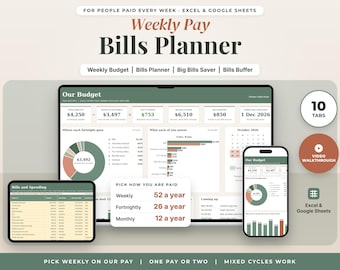
Weekly Pay Budget Spreadsheet Australia, Paid Weekly Budget Planner for One or Couples, Bills Account, Payday Plan, Excel Google Sheets
$5.28
-
Digital download
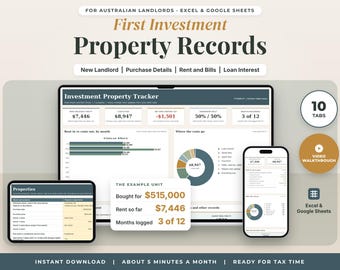
First Investment Property Spreadsheet Australia FY2026-27, Rental Records for New Landlords, Rent and Costs Log, Excel Google Sheets
$5.28
-
Digital download
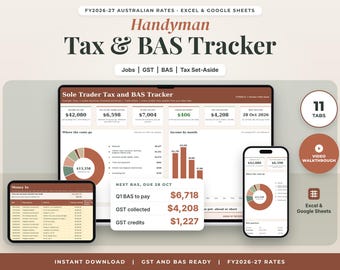
Handyman Tax and BAS Spreadsheet Australia FY2026-27, Sole Trader Tax Spreadsheet, Odd Jobs GST Tracker, Tax Set Aside, Excel Google Sheets
$5.28
-
Digital download
Shift Work Budget Spreadsheet Australia, Irregular Pay Budget, Fortnightly Budget Planner, Bills Buffer, Payday Plan, Excel Google Sheets
$5.28