

Subscription and Recurring Bills Tracker Spreadsheet with Renewal Dates
Price:$5.99
Here's what's eligible:
- Your order doesn't match the item description or photos
- Your item arrived damaged
- Your item arrived after the estimated arrival window
- Your item didn't arrive or was lost in the mail
You can only make an offer when buying a single item
Highlights
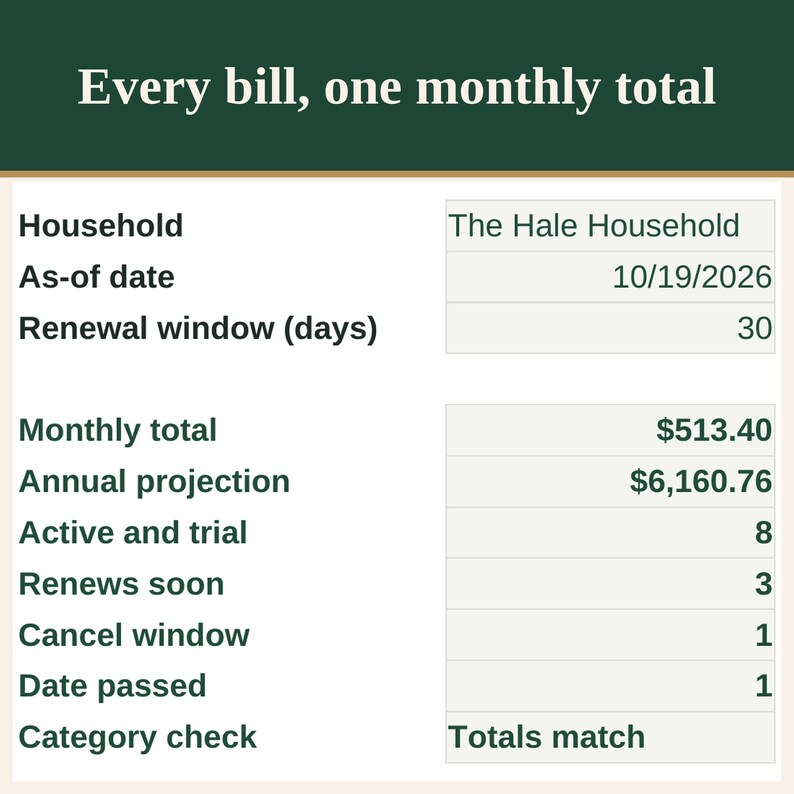
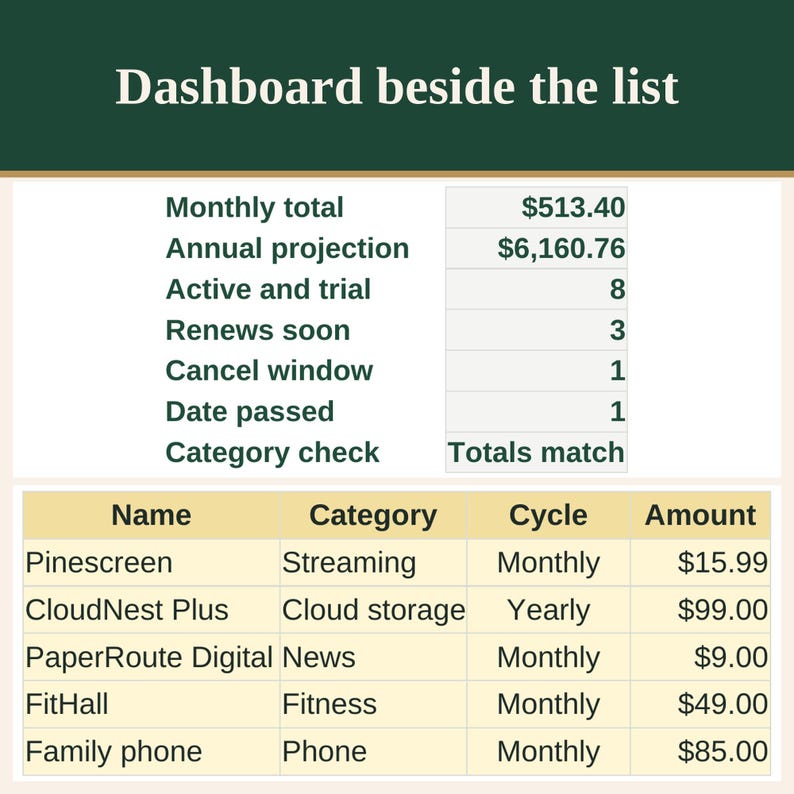
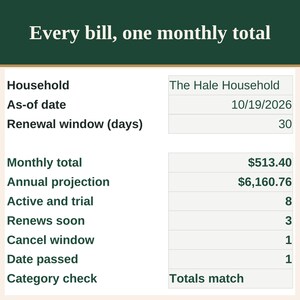
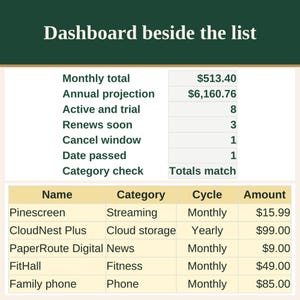
Keep every recurring bill in one household workbook: the amount, the cycle, the next renew date, and the date you would need to cancel. The dashboard adds the monthly total, an annual projection, and a flag when a renew date or a cancel-by date is coming up.
WHAT YOU GET
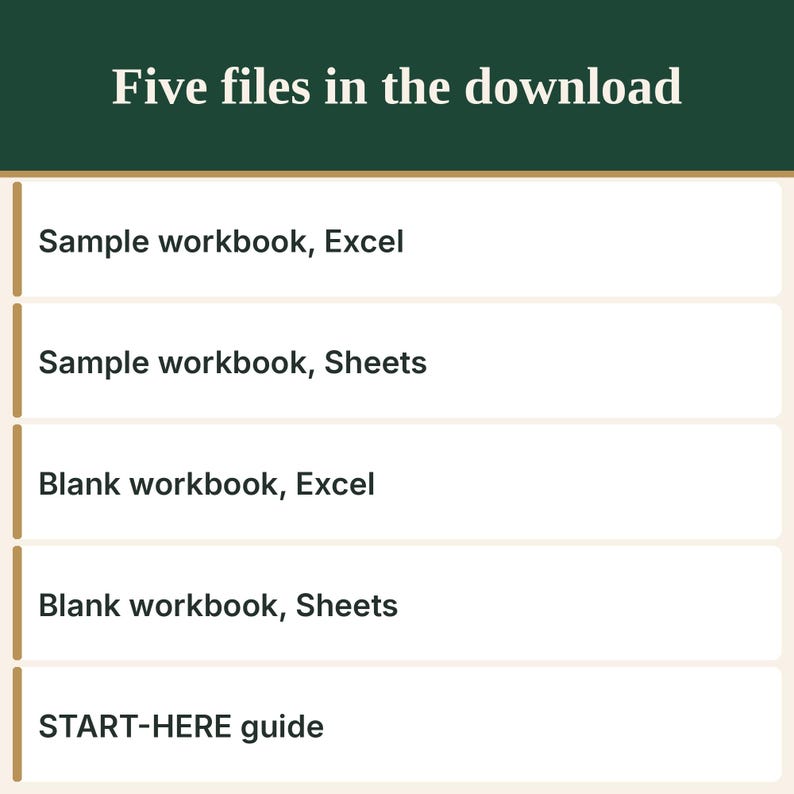
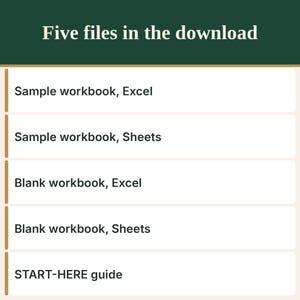
- HM-SUBS_SAMPLE_Excel.xlsx, a completed sample workbook made for Excel.
- HM-SUBS_SAMPLE_GoogleSheets-import.xlsx, the same sample for Google Sheets.
- HM-SUBS_BLANK_Excel.xlsx, an empty workbook made for Excel.
- HM-SUBS_BLANK_GoogleSheets-import.xlsx, the same empty workbook for Google Sheets.
- HM-SUBS_START-HERE.pdf, step-by-step instructions, including how to open the files in Google Sheets and in Excel.
INSIDE THE WORKBOOK
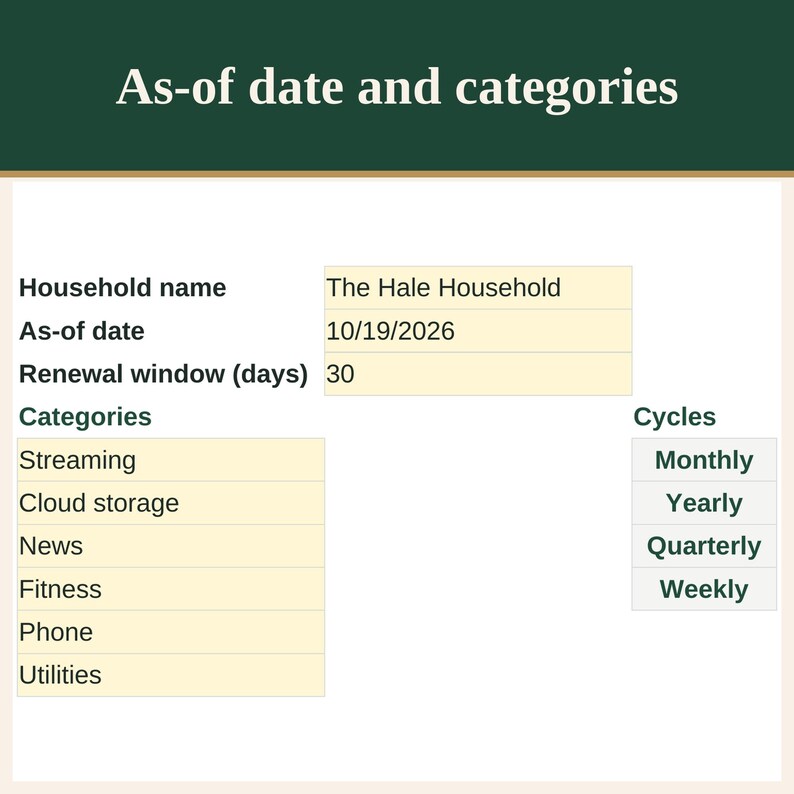
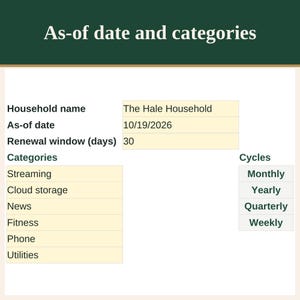
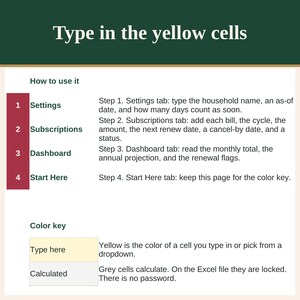
- Settings: household name, an as-of date, a renewal window in days, and the category list.
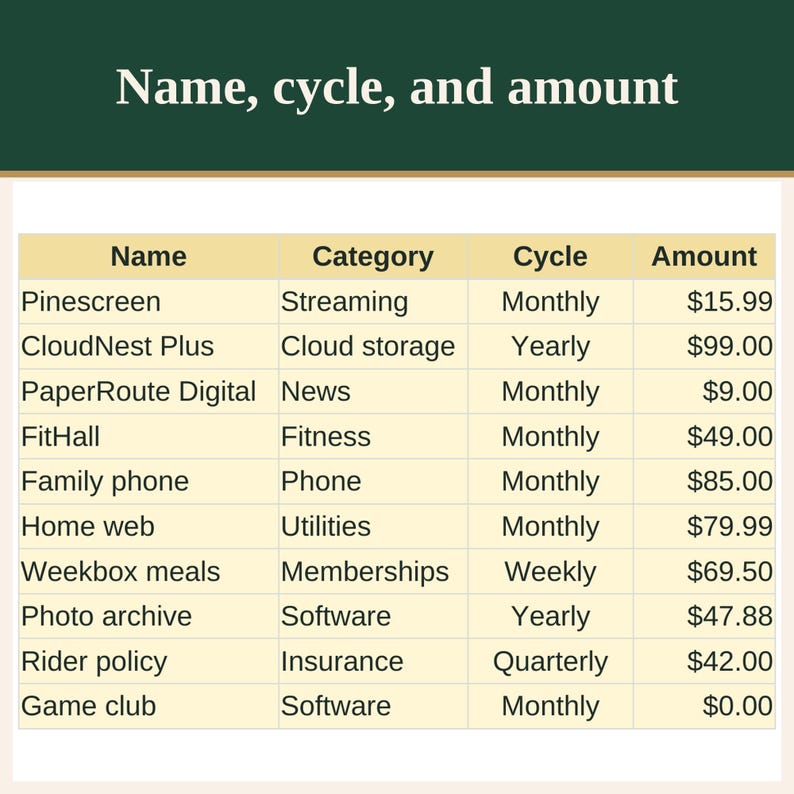
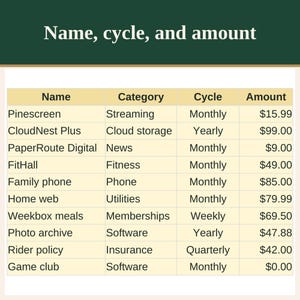
- Subscriptions: name, category, cycle (monthly, yearly, quarterly, or weekly), amount, next renew date, cancel-by date, status, notes, monthly amount, annual projection, and a flag.
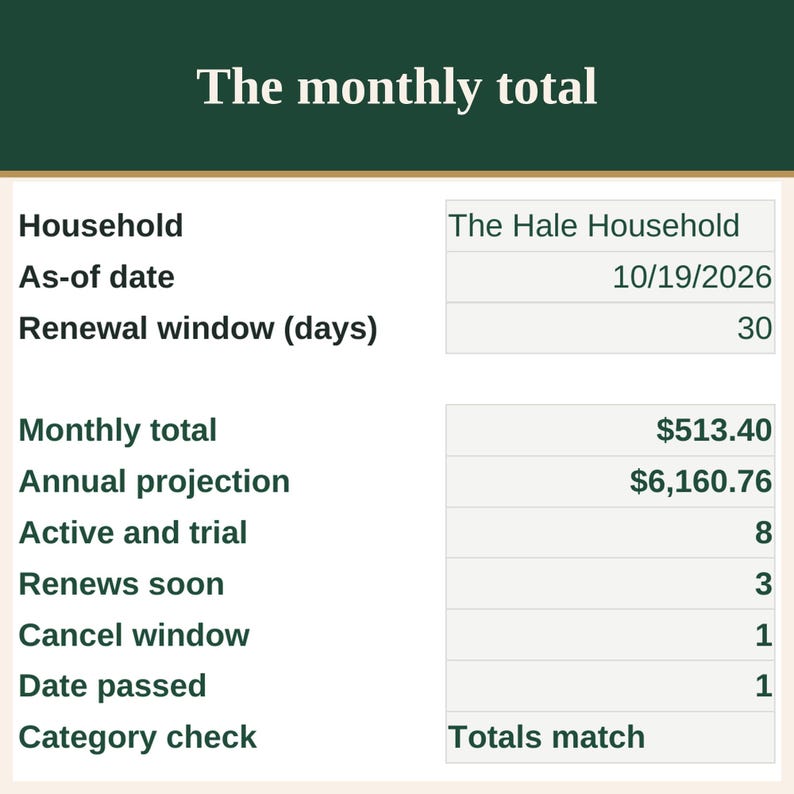
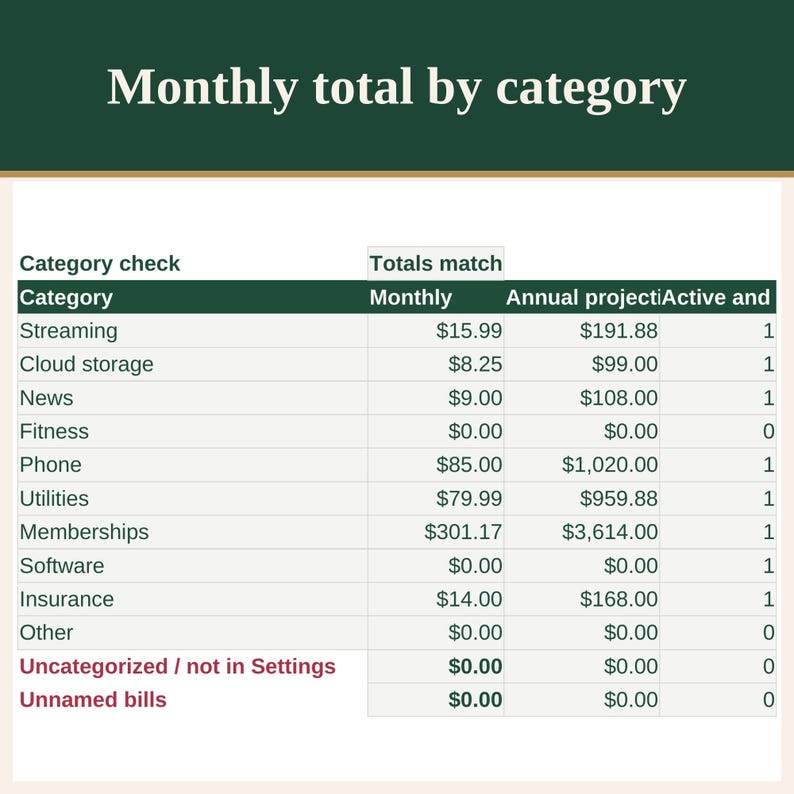
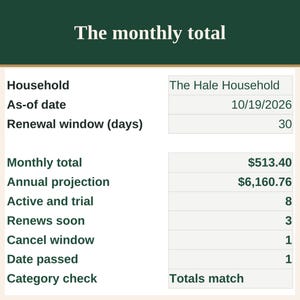
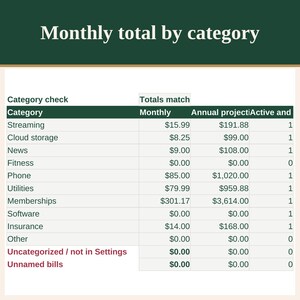
- Dashboard: monthly total, annual projection, active and trial count, renews-soon count, cancel-window count, date-passed count, and a category breakdown. Uncategorized / not in Settings catches a blank, renamed, or unlisted category. Unnamed bills catches a row that has an amount and no name, and that money stays in the monthly total. Category check says Totals match, or Category mismatch. A blank renewal window says Type a renewal window on Settings.
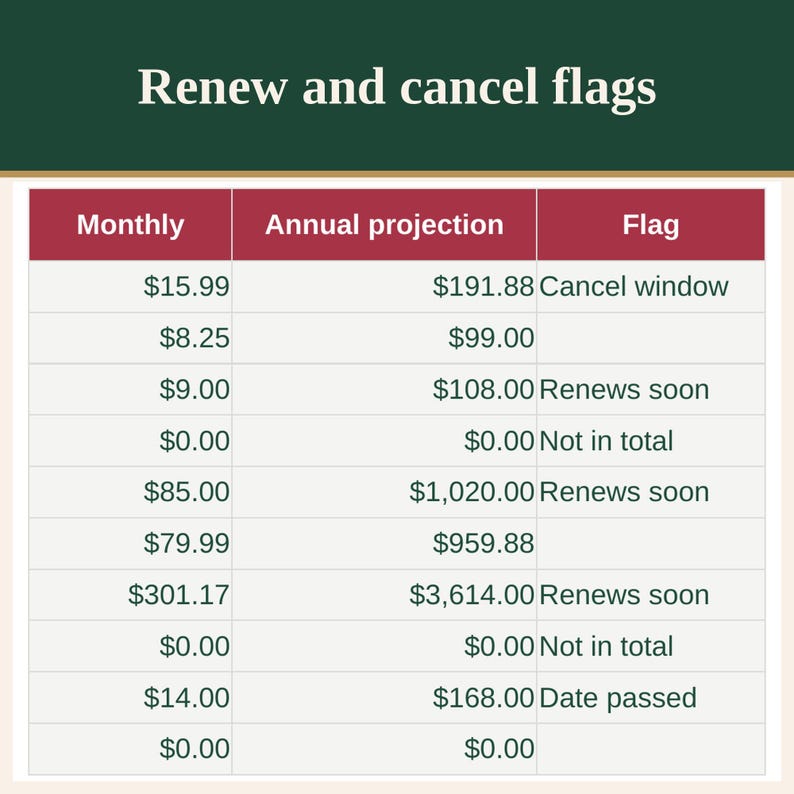
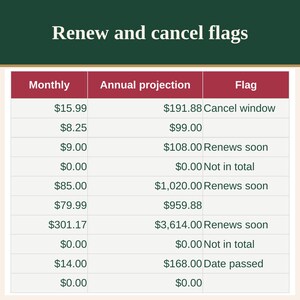
- Flags: Renews soon, Cancel window, Date passed, Not in total, Check Settings, Negative window, Add a name, and a text date. Pause and Cancel stay out of the money totals. A blank row adds nothing. A zero amount stays as zero. A negative amount is flagged and left out.
- The annual projection repeats the amount you typed across a year at the same cycle. It is planning math, not a forecast, and not financial or tax advice.
- Dates and amounts assume US settings: month/day/year, and currency with a dollar sign.
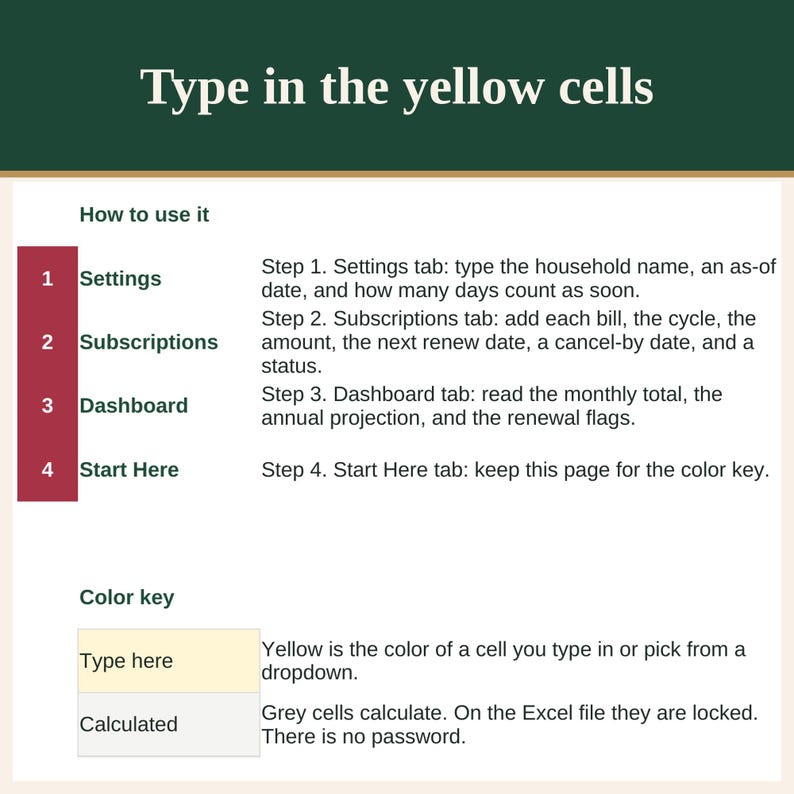
- The sample is a fictional household so you can see the totals. Use the blank copy for your own bills. Yellow is the color of a cell you type in.
HOW IT WORKS
1. Download and unzip the file.
2. For Excel, open an _Excel.xlsx file. If a bar asks you to enable editing, choose Enable Editing.
3. Google Sheets on a computer: open drive.google.com, choose New, then File upload, and upload an _GoogleSheets-import.xlsx file. Open the uploaded file and it opens in Google Sheets. To bring the file into a spreadsheet you already have open, choose File, then Import, then Upload, and choose Replace spreadsheet. The Sheets home page has no File menu, so Import is only inside an open spreadsheet.
4. On Settings, type the as-of date. On Subscriptions, add each bill. Read the Dashboard.
GOOD TO KNOW
- Made for Excel and Google Sheets.
- Original spreadsheet. No clip art and no stock images.
- This is a digital download. Nothing will be shipped.
- Figures are for your own planning. This is not financial or tax advice.
PROBLEMS, WRONG VERSION OR DUPLICATE ORDERS
Something not working? If a file does not open or work as described, message me through the shop and I will fix it, and if I cannot, I will refund your order in full. Bought the wrong version or the same item twice? Tell me within 14 days and I will fix, swap, or refund it. I reply to first messages within 24 hours.
LICENSE
For your own personal use. Please do not resell, share, or redistribute the files.
Questions? Send me a message. I reply to first messages within 24 hours.
Created with AI tools.
Instant Download
Your files will be available to download once payment is confirmed. Here's how.
Instant download items don’t accept returns, exchanges or cancellations. Please contact the seller about any problems with your order.
Etsy Purchase Protection
Shop confidently on Etsy knowing if something goes wrong with an order, we've got your back for all eligible purchases —
see program terms

More from this shop
Visit shop-
Digital download
Recipe Cost and Batch Costing Calculator for Home Kitchens
$8.99
-

Digital download
Hearthslip Gift Card Ornament Print Files, Three Holiday Shapes, STL STEP and 3MF
$5.99
-
Digital download
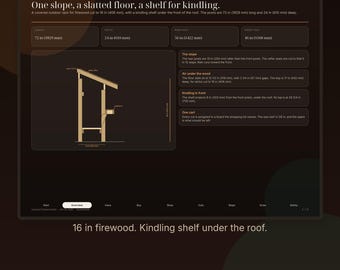
Covered Firewood Rack | PDF Build Plan with Kindling Shelf and Cut List
$7.99
-

Digital download
Pylonwell Trio Geometric Self-Watering Planter Set STEP, STL and 3MF Files
$8.99