


Cake Pricing Calculator Spreadsheet, Home Bakery Recipe Cost Calculator, Excel and Google Sheets, Price Per Serving
Item highlights
Seller's description
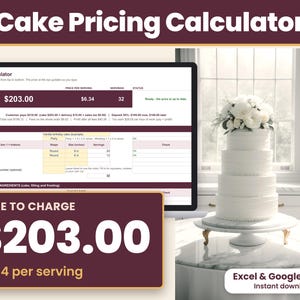
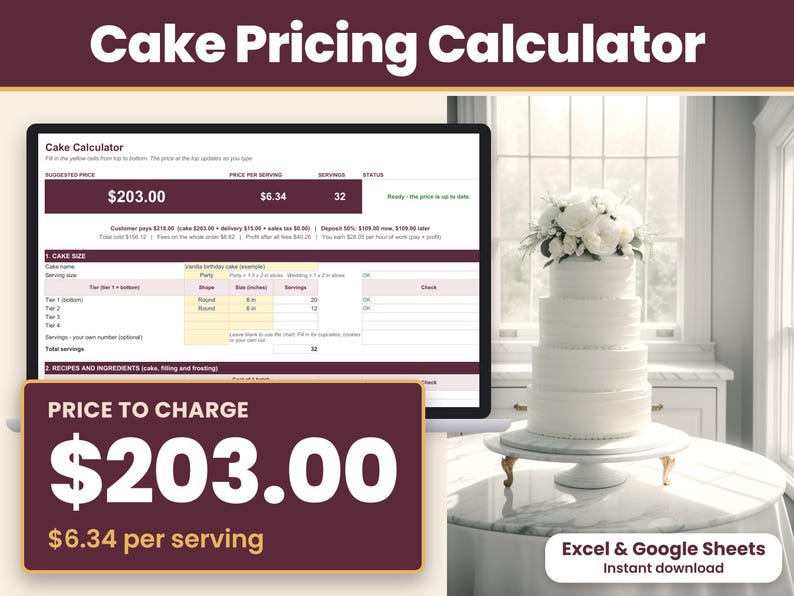
Cake Pricing Calculator for Microsoft Excel and Google Sheets: an instant-download spreadsheet that shows your suggested cake price and price per serving at the top of the sheet, ready to quote. It adds up your ingredients, boxes and boards, your time at the hourly pay you choose, overhead, card fees and a profit margin.
Made for home bakers and cottage food sellers in the US. Works in Microsoft Excel and Google Sheets on a computer.
WHAT YOU CAN DO
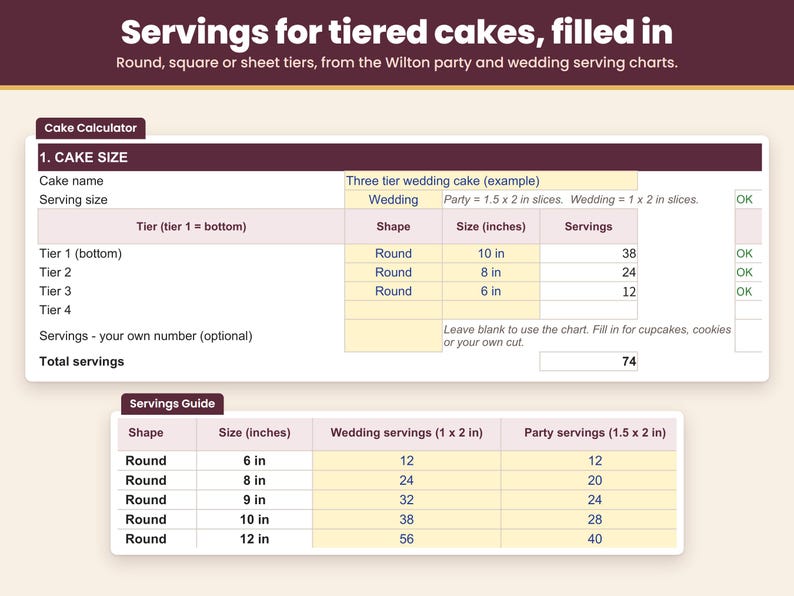
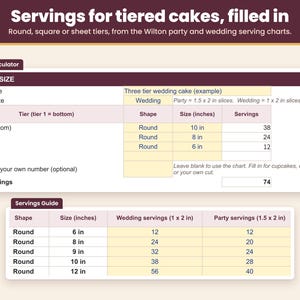
- Price one cake: round, square or sheet, one to four tiers. Servings fill in from the Wilton party and wedding serving charts, or type your own count for cupcakes, cookies or your own cut.
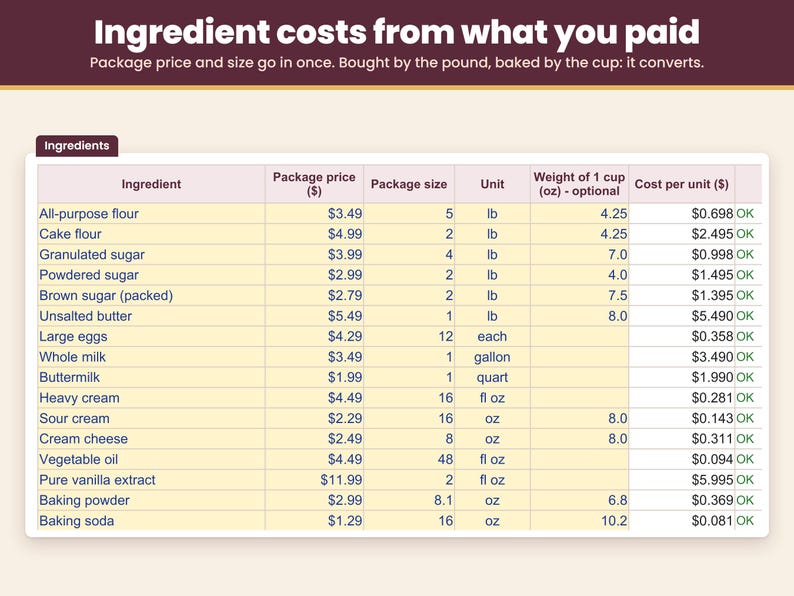
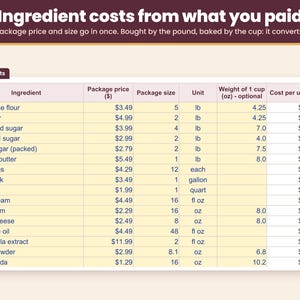
- Cost ingredients the way you shop: enter what you paid and the package size once. Buy flour by the pound, bake by the cup - the calculator converts it.
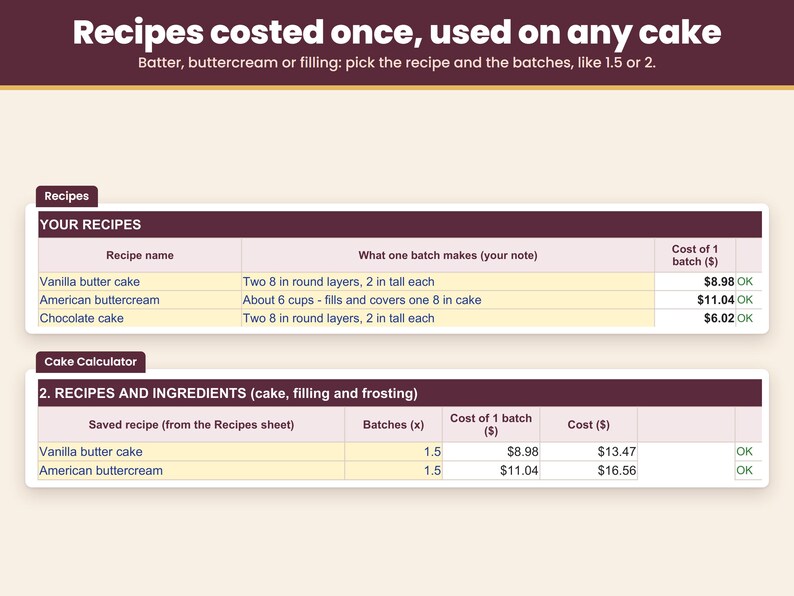
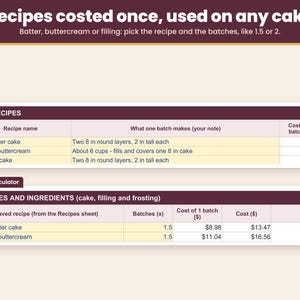
- Save your recipes: cost your cake batter, buttercream or filling once, then use it on any cake at 0.5, 1.5 or 2 batches.
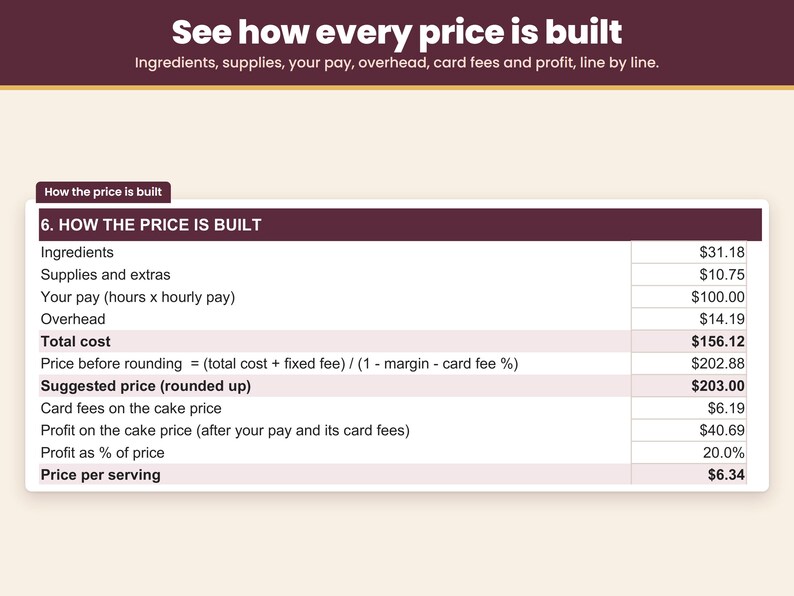
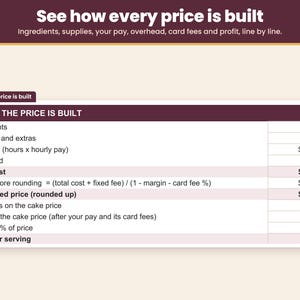
- See how the price is built: ingredients, supplies, your pay, overhead, card fees and profit, line by line.
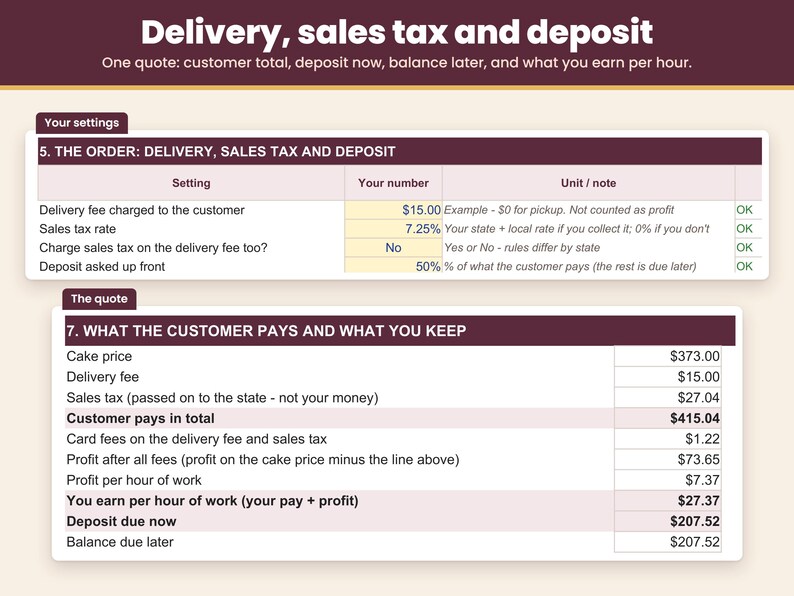
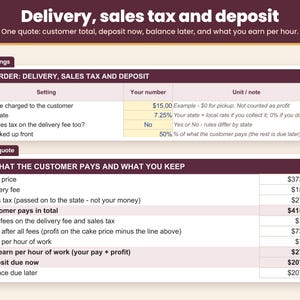
- Quote the whole order: delivery fee, sales tax, deposit now and balance later.
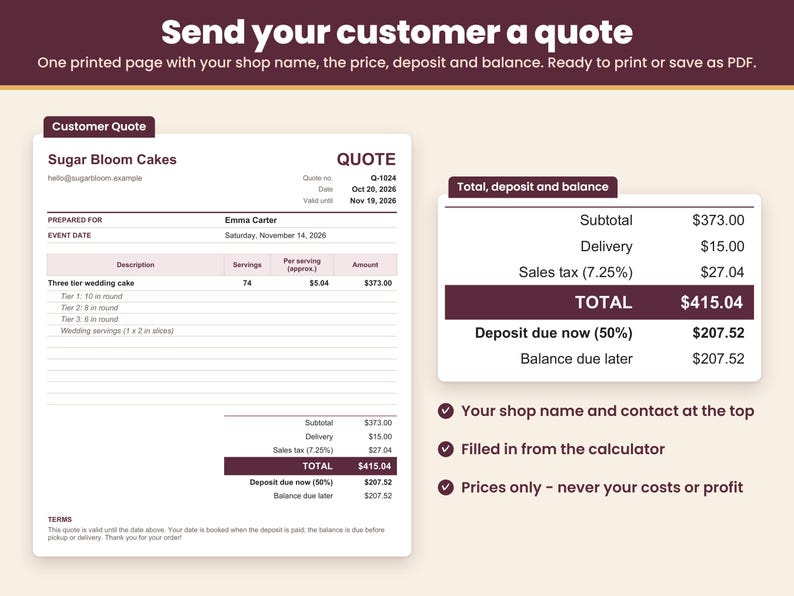
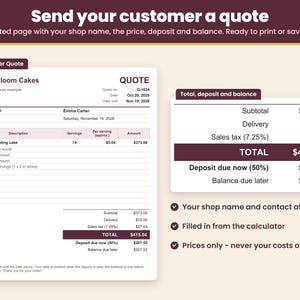
- Send a customer quote: a one-page quote with your shop name, the price, deposit and balance, ready to print or save as PDF.
- See what you really earn: your pay plus profit per hour of work.
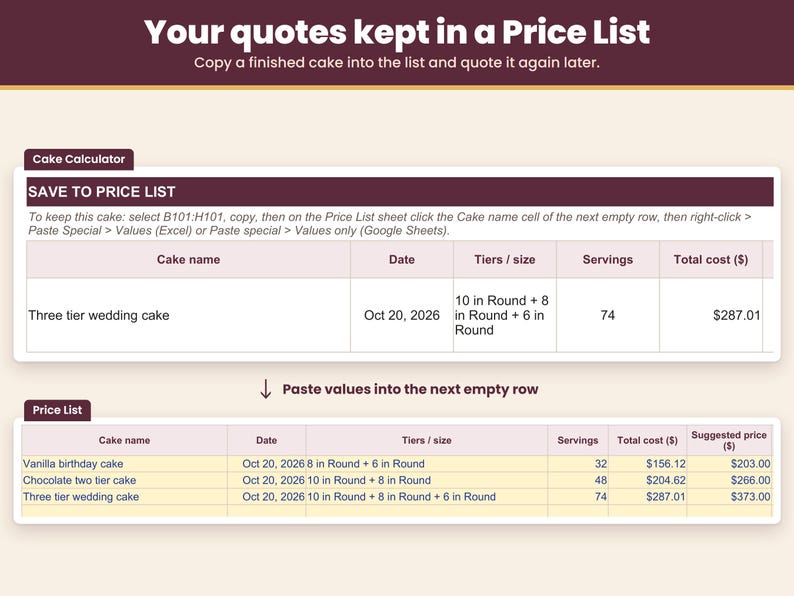
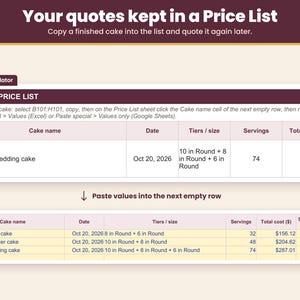
- Keep your quotes: copy each cake into the Price List to quote it again later.
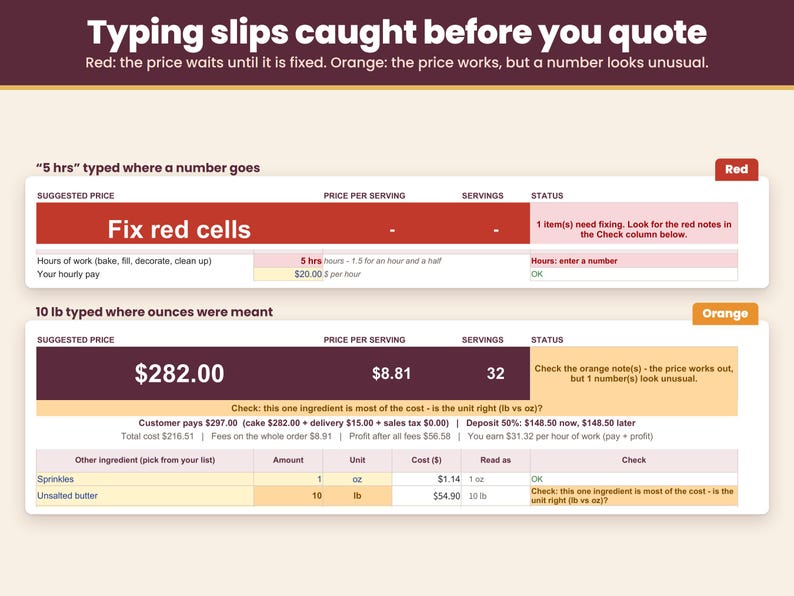
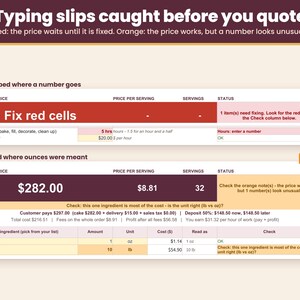
- Catch typing slips before you quote: a missing number, a letter, a zero or an amount far too large turns red, and the price appears once it is fixed. Hours typed as a time (1:30 or 12:00) or a fraction (1/2), or an hourly pay under $1, also turn red and ask for a plain number. A pound typed where you meant ounces or a very high hourly rate turns orange so you can double-check.
WHAT'S INCLUDED
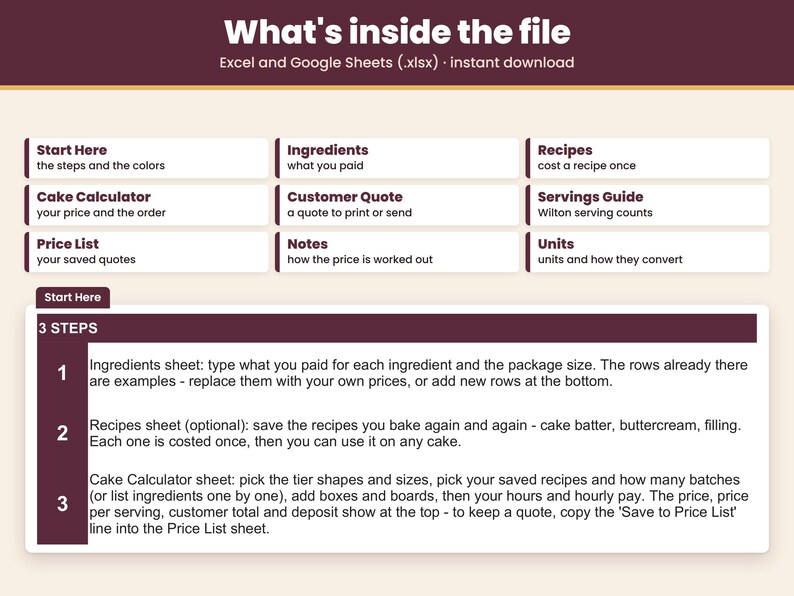
- One spreadsheet file (.xlsx) for Excel, plus a PDF with your link to make your own copy in Google Sheets. Tabs: Start Here, Ingredients, Recipes, Cake Calculator, Customer Quote, Servings Guide, Price List, Notes, Units.
- Example ingredients and recipes already filled in, so you see a finished price before you type anything. Replace the example prices with your own.
- Yellow cells are the only cells you fill in. In Excel, formula cells are locked to keep them safe from accidental edits; in your Google Sheets copy, typing over a formula shows a warning first.
HOW TO USE IT
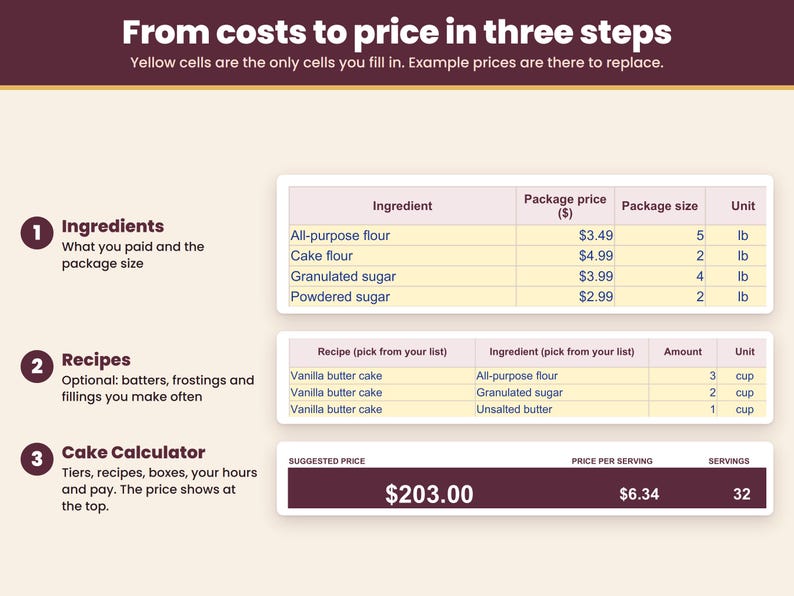
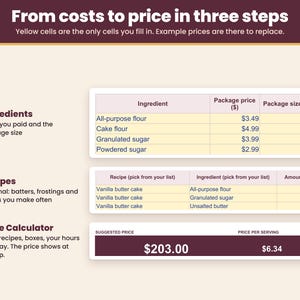
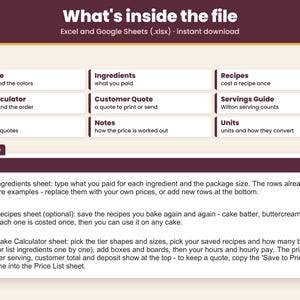
1. Ingredients: type what you paid for each ingredient and the package size.
2. Recipes (optional): save the batters, frostings and fillings you make often.
3. Cake Calculator: choose tier shapes and sizes, your recipes and batches, boxes and boards, your hours and hourly pay. Your price, price per serving, customer total and deposit appear at the top.
FAQ
How much should I charge for a homemade cake?
Enough to cover ingredients, supplies, your hours at a fair hourly rate, overhead and card fees, plus a profit margin. Enter those here and you get the suggested price and the price per serving.
How do I price a tiered cake?
Pick the shape and size of each tier for the servings, then add the batches of batter, filling and frosting the cake needs. You see the total servings, the cake price and the price per serving for the whole cake.
Does it include my time and overhead?
Yes. Your hours times your hourly pay is part of the cost, and overhead is added on top. The profit margin comes after that, so the business earns money even after you are paid.
Can I set my own card fee, sales tax and deposit?
Yes. The card fee, sales tax rate, deposit percent and rounding are all yours to set, and you choose whether sales tax applies to the delivery fee.
Can I send my customer a quote?
Yes. The Customer Quote tab turns the cake you priced into a one-page quote: type your shop name and the customer's name once, and it lists the cake, its tiers, the servings, delivery, sales tax, the total, the deposit due now and the balance, with the event date, a valid-until date and your terms. It shows your customer's prices only, never your costs or profit. Print it or save it as PDF (in Google Sheets, select the quote first, then File > Print > Selected cells).
How do I enter a quarter cup or one and a half batches?
Type decimals: 0.25 for 1/4 cup, 0.5 for half, 1.5 for one and a half batches. The 'Read as' column next to each ingredient shows what was understood. A fraction typed as 1/4 can turn into a date, so that cell turns red and asks for 0.25 instead of giving a wrong price.
Does it work in Google Sheets?
Yes. Your download includes a PDF with a link: click it and Google Sheets makes your own copy, no upload needed. In my checks, with the same numbers typed in, every price and check gave the same result in Google Sheets as in Excel, and the dropdown lists and the red and orange checks carry over. In Google Sheets, fill only the yellow cells and type hours as decimals, such as 1.5 for 1 hour 30 minutes.
HOW TO DOWNLOAD
After you buy, open etsy.com in a web browser (computer recommended), go to Purchases and reviews, and click Download Files. Digital files cannot be downloaded in the Etsy app.
- Microsoft Excel: open the .xlsx file in Excel on a computer.
- Google Sheets: open the PDF in your download, click Make my copy in Google Sheets, then click Make a copy. The copy is saved in your Google Drive. A free Google account is enough. (You can also upload the .xlsx at drive.google.com: New > File upload, then right-click it > Open with > Google Sheets.)
LIMITATIONS
- Instant digital download. Nothing is shipped.
- Needs Microsoft Excel or Google Sheets on a computer.
- US units and dollars: ounces, pounds, cups, inches and $.
- Prices one cake at a time, up to four tiers. It is a pricing tool, not an order tracker or bookkeeping file.
- Servings come from the round, square and sheet charts. For other shapes or sizes, type your own serving count.
- To measure in cups an ingredient you buy by weight, the Ingredients sheet needs the weight of one cup (common baking weights are filled in for the examples).
- Made in Microsoft Excel and checked in Google Sheets.
- Not tested in Excel on the web, Excel for Mac, Numbers or the Google Sheets phone app.
- In Google Sheets, formula cells are not locked as they are in Excel. The copy from your link warns you before you type over a formula; an uploaded .xlsx does not, so fill only the yellow cells.
- In Google Sheets, today's date follows the spreadsheet's time zone.
- Card fee and tax rates in the file are examples. Check your payment app and your local sales tax rate.
- For use in your own business. Please do not resell or share the file.
- Serving counts follow the published Wilton serving charts. This product is not affiliated with or endorsed by Wilton.
- Because this is a digital download, returns and exchanges are not accepted. If anything does not work as described, send me a message on Etsy and I will help.
This spreadsheet was designed by CraftCostSheets and built with the help of AI tools, then checked in Microsoft Excel and Google Sheets.
If something goes wrong with an order, we've got your back for all eligible purchases. View program terms
Price:$12.99
You can only make an offer when buying a single item
Delivery
Instant download
Your files will be available to download once payment is confirmed. Here's how.
Instant download items don't accept returns, exchanges or cancellations. Please contact the seller about any problems with your order.
Seller's description
Specifications
Cake Pricing Calculator for Microsoft Excel and Google Sheets: an instant-download spreadsheet that shows your suggested cake price and price per serving at the top of the sheet, ready to quote. It adds up your ingredients, boxes and boards, your time at the hourly pay you choose, overhead, card fees and a profit margin.
Made for home bakers and cottage food sellers in the US. Works in Microsoft Excel and Google Sheets on a computer.
WHAT YOU CAN DO
- Price one cake: round, square or sheet, one to four tiers. Servings fill in from the Wilton party and wedding serving charts, or type your own count for cupcakes, cookies or your own cut.
- Cost ingredients the way you shop: enter what you paid and the package size once. Buy flour by the pound, bake by the cup - the calculator converts it.
- Save your recipes: cost your cake batter, buttercream or filling once, then use it on any cake at 0.5, 1.5 or 2 batches.
- See how the price is built: ingredients, supplies, your pay, overhead, card fees and profit, line by line.
- Quote the whole order: delivery fee, sales tax, deposit now and balance later.
- Send a customer quote: a one-page quote with your shop name, the price, deposit and balance, ready to print or save as PDF.
- See what you really earn: your pay plus profit per hour of work.
- Keep your quotes: copy each cake into the Price List to quote it again later.
- Catch typing slips before you quote: a missing number, a letter, a zero or an amount far too large turns red, and the price appears once it is fixed. Hours typed as a time (1:30 or 12:00) or a fraction (1/2), or an hourly pay under $1, also turn red and ask for a plain number. A pound typed where you meant ounces or a very high hourly rate turns orange so you can double-check.
WHAT'S INCLUDED
- One spreadsheet file (.xlsx) for Excel, plus a PDF with your link to make your own copy in Google Sheets. Tabs: Start Here, Ingredients, Recipes, Cake Calculator, Customer Quote, Servings Guide, Price List, Notes, Units.
- Example ingredients and recipes already filled in, so you see a finished price before you type anything. Replace the example prices with your own.
- Yellow cells are the only cells you fill in. In Excel, formula cells are locked to keep them safe from accidental edits; in your Google Sheets copy, typing over a formula shows a warning first.
HOW TO USE IT
1. Ingredients: type what you paid for each ingredient and the package size.
2. Recipes (optional): save the batters, frostings and fillings you make often.
3. Cake Calculator: choose tier shapes and sizes, your recipes and batches, boxes and boards, your hours and hourly pay. Your price, price per serving, customer total and deposit appear at the top.
FAQ
How much should I charge for a homemade cake?
Enough to cover ingredients, supplies, your hours at a fair hourly rate, overhead and card fees, plus a profit margin. Enter those here and you get the suggested price and the price per serving.
How do I price a tiered cake?
Pick the shape and size of each tier for the servings, then add the batches of batter, filling and frosting the cake needs. You see the total servings, the cake price and the price per serving for the whole cake.
Does it include my time and overhead?
Yes. Your hours times your hourly pay is part of the cost, and overhead is added on top. The profit margin comes after that, so the business earns money even after you are paid.
Can I set my own card fee, sales tax and deposit?
Yes. The card fee, sales tax rate, deposit percent and rounding are all yours to set, and you choose whether sales tax applies to the delivery fee.
Can I send my customer a quote?
Yes. The Customer Quote tab turns the cake you priced into a one-page quote: type your shop name and the customer's name once, and it lists the cake, its tiers, the servings, delivery, sales tax, the total, the deposit due now and the balance, with the event date, a valid-until date and your terms. It shows your customer's prices only, never your costs or profit. Print it or save it as PDF (in Google Sheets, select the quote first, then File > Print > Selected cells).
How do I enter a quarter cup or one and a half batches?
Type decimals: 0.25 for 1/4 cup, 0.5 for half, 1.5 for one and a half batches. The 'Read as' column next to each ingredient shows what was understood. A fraction typed as 1/4 can turn into a date, so that cell turns red and asks for 0.25 instead of giving a wrong price.
Does it work in Google Sheets?
Yes. Your download includes a PDF with a link: click it and Google Sheets makes your own copy, no upload needed. In my checks, with the same numbers typed in, every price and check gave the same result in Google Sheets as in Excel, and the dropdown lists and the red and orange checks carry over. In Google Sheets, fill only the yellow cells and type hours as decimals, such as 1.5 for 1 hour 30 minutes.
HOW TO DOWNLOAD
After you buy, open etsy.com in a web browser (computer recommended), go to Purchases and reviews, and click Download Files. Digital files cannot be downloaded in the Etsy app.
- Microsoft Excel: open the .xlsx file in Excel on a computer.
- Google Sheets: open the PDF in your download, click Make my copy in Google Sheets, then click Make a copy. The copy is saved in your Google Drive. A free Google account is enough. (You can also upload the .xlsx at drive.google.com: New > File upload, then right-click it > Open with > Google Sheets.)
LIMITATIONS
- Instant digital download. Nothing is shipped.
- Needs Microsoft Excel or Google Sheets on a computer.
- US units and dollars: ounces, pounds, cups, inches and $.
- Prices one cake at a time, up to four tiers. It is a pricing tool, not an order tracker or bookkeeping file.
- Servings come from the round, square and sheet charts. For other shapes or sizes, type your own serving count.
- To measure in cups an ingredient you buy by weight, the Ingredients sheet needs the weight of one cup (common baking weights are filled in for the examples).
- Made in Microsoft Excel and checked in Google Sheets.
- Not tested in Excel on the web, Excel for Mac, Numbers or the Google Sheets phone app.
- In Google Sheets, formula cells are not locked as they are in Excel. The copy from your link warns you before you type over a formula; an uploaded .xlsx does not, so fill only the yellow cells.
- In Google Sheets, today's date follows the spreadsheet's time zone.
- Card fee and tax rates in the file are examples. Check your payment app and your local sales tax rate.
- For use in your own business. Please do not resell or share the file.
- Serving counts follow the published Wilton serving charts. This product is not affiliated with or endorsed by Wilton.
- Because this is a digital download, returns and exchanges are not accepted. If anything does not work as described, send me a message on Etsy and I will help.
This spreadsheet was designed by CraftCostSheets and built with the help of AI tools, then checked in Microsoft Excel and Google Sheets.
-
Item typeDigital download
-
Digital file type(s)1 PDF, 1 other file
If something goes wrong with an order, we've got your back on all eligible purchases. View program terms
Meet your seller
More from this shop
-
Digital download
Handmade Pricing Calculator Spreadsheet, Product Cost and Profit Margin, Wholesale Retail Pricing, Excel and Google Sheets
$11.99
-
Digital download
Machine Embroidery Pricing Calculator, Price by Stitch Count, Embroidery Business Spreadsheet, Excel and Google Sheets
$15.99
-
Digital download
Crochet Pricing Calculator Spreadsheet, Yarn Cost Calculator, Craft Fair Pricing, Excel and Google Sheets
$14.99
-
Digital download
Tumbler Pricing Calculator Spreadsheet, Sublimation Epoxy Vinyl Tumbler Price Sheet, Excel and Google Sheets
$13.99
-
Digital download
Jewelry Pricing Calculator Spreadsheet, Jewelry Price Sheet, Wholesale Retail Price, Etsy Fees, Excel and Google Sheets
$12.49
-
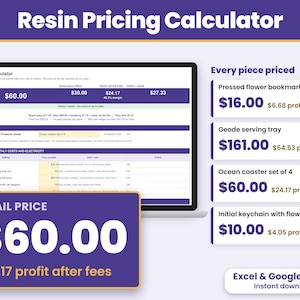
Digital download
Resin Pricing Calculator Spreadsheet, Resin Art Cost Calculator, Epoxy Resin Business, Excel and Google Sheets
$13.49
Shoppers with similar taste loved these
-
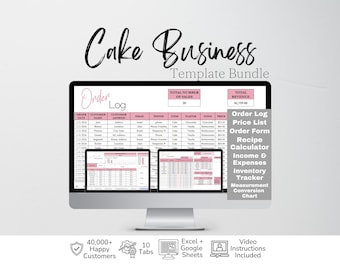
Digital download
Cake Business Templates Bundle Google Sheets, Cake Shop Business Planner Excel Spreadsheet, Cake Recipe Pricing Template Order Form Template
Sale Price $8.76
Original Price $17.52
-
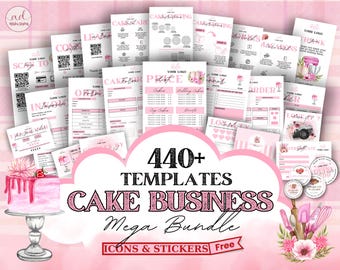
Digital download
Editable Cake Business Templates Bundle, Home Bakery Business Templates Bundle, Cake Care Cards, Cake Cutting Guide, Cake Care Instruction
Sale Price $2.49
Original Price $8.30
-
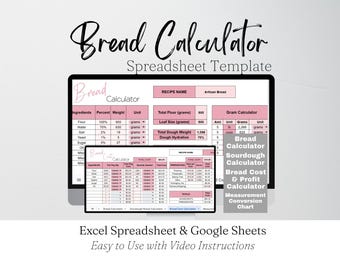
Digital download
Bread Calculator, Sourdough Bread Tools, Bakers Percentage Calculator, Recipe Calculator, Digital Calculator Baking Spreadsheet Google Sheet
Sale Price $3.29
Original Price $6.59
-
Digital download
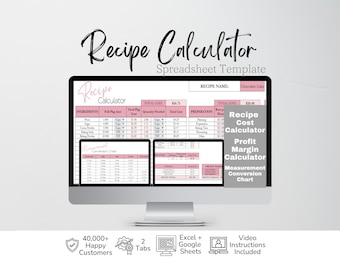
Recipe Calculator, Recipe Cost Calculator Google Sheets, Recipe Template, Bakery Business Template, Profit Calculator Excel Spreadsheet
Sale Price $3.29
Original Price $6.59
-
Digital download
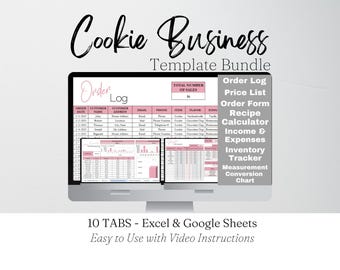
Cookie Business Template Bundle Google Sheets, Cookies Business Planner Excel Spreadsheet, Baking Recipe Cost Template, Bakery Planner
Sale Price $8.76
Original Price $17.52
-
Digital download
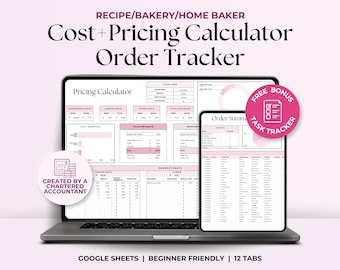
Recipe Cost and Pricing Calculator, Order Tracker Home Baker Business Cake Costing Template, Bakery Pricing Google Sheets, Ingredients Track
Sale Price $10.27
Original Price $20.54
-
Digital download
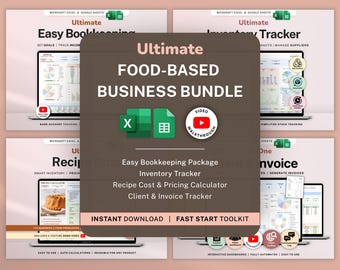
Home Bakery Business Bundle Food Recipe Cost Calculator Spreadsheet Bookkeeping Google Sheets Inventory Tracker Excel Invoice Generator
Sale Price $17.99
Original Price $35.98
-
Digital download
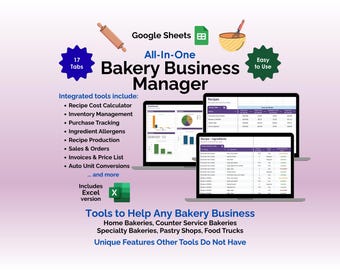
Bakery Business Manager Google Sheets Template, Home Bakery Recipe Costing, Ingredient Inventory, Allergen List, Order & Price List Tracker
Sale Price $9.97
Original Price $19.95
-
Digital download
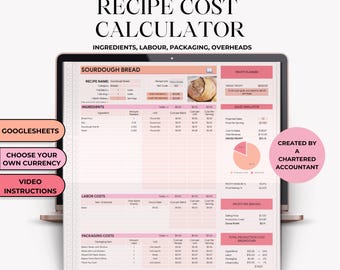
Recipe Cost Calculator, Profit Calculator Spreadsheet, Bakery Pricing Tool, Ingredient Cost Tracker, Google Sheets Template, Cake Pricing
$12.61
-
Digital download
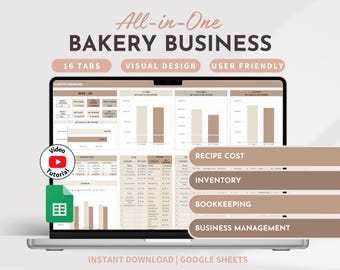
Bakery Planner Recipe Cost Calculator Bakery Spreadsheet Inventory Tracker Bookkeeping Order Tracker Home Baker Business Business Planner
$52.90
-
Digital download
Cake Planner Template Printable, Cake Form Organizer, Bakery, Home bakers, Printable Productivity Template, PDF, Digital Download
$1.53
-
Digital download
Price & Profit Calculator for Small Businesses with 5 Pricing Strategies and up to 2 Taxes | Price Guide | Price List Spreadsheet Template
Sale Price $4.64
Original Price $9.29