

Bar Inventory Spreadsheet, Fridge Par Levels & Stock Count Excel Template | Bar Stock Control + Fill List, HTML Tool Works Offline
Item highlights
Seller's description
STOP GUESSING WHAT TO PUT BACK IN THE FRIDGES.
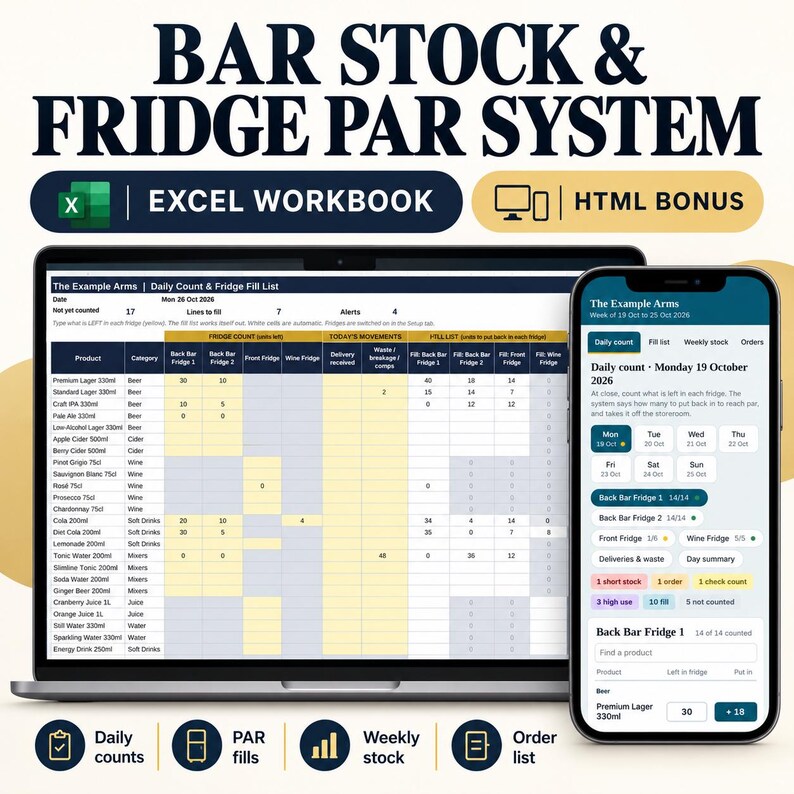
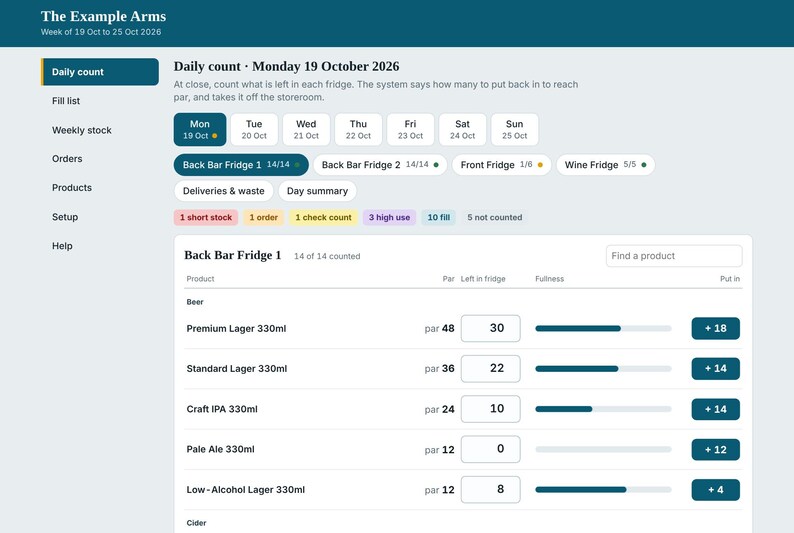
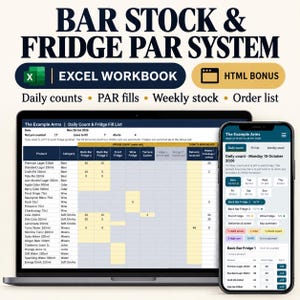
Count what is left in each fridge at the end of the night. The spreadsheet tells you exactly how many to put back to reach par, takes it off your storeroom, and flags anything that does not add up.
Built by a hotel assistant manager who counts bar stock for a living. It works for bars, pubs, restaurants, hotel bars, cafes, clubs and event bars.
WHAT YOU GET (2 files)
1. The Excel workbook: Bar Stock & Fridge Par System (main product)
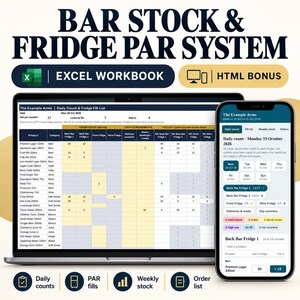
2. BONUS: a single-file HTML version that opens in any web browser. No install, no internet needed. It has a button to add as many fridges as you like.
HOW IT WORKS
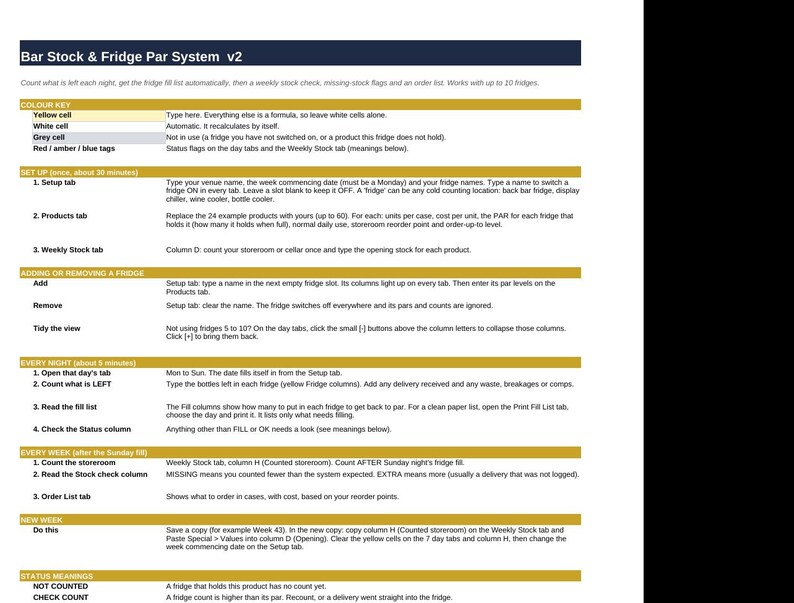
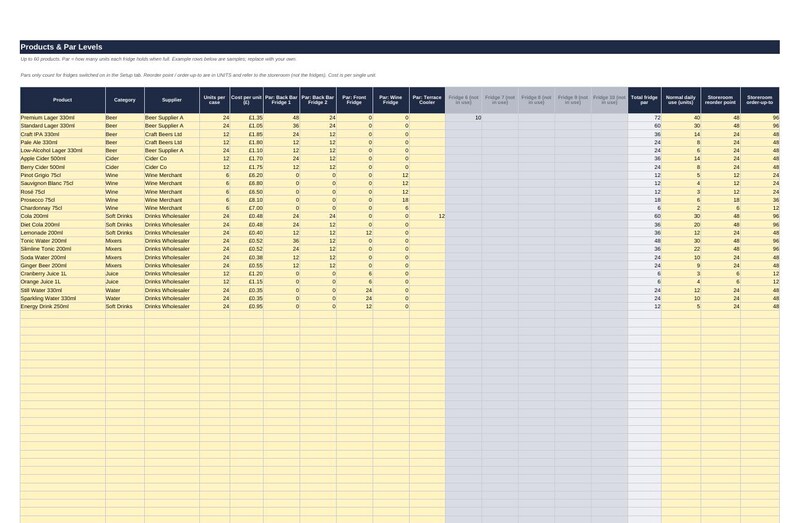
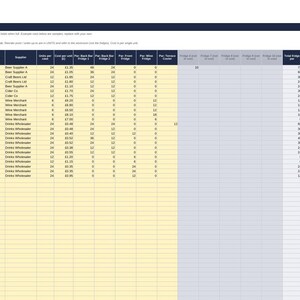
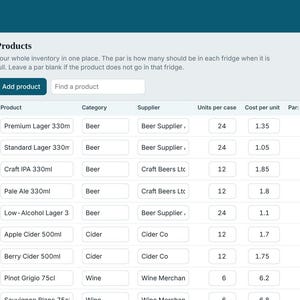
- Set up your fridges and products once, with the par level (how many each fridge holds when full).
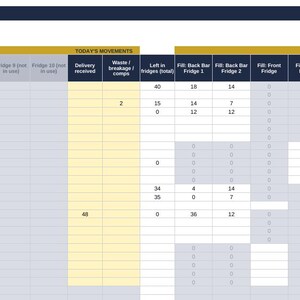
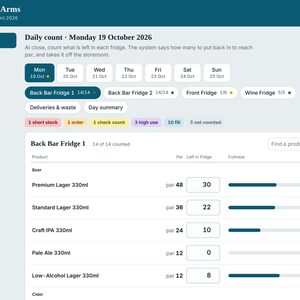
- Each night, type what is left in each fridge.
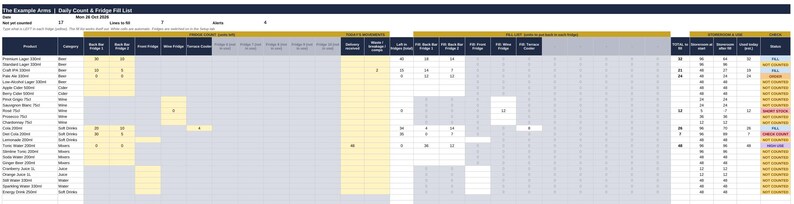
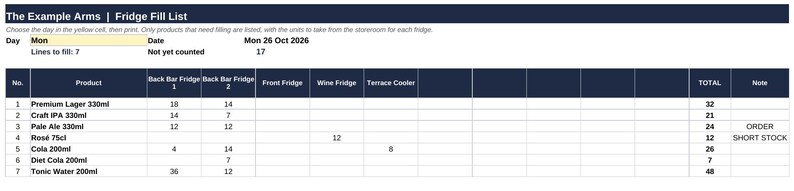
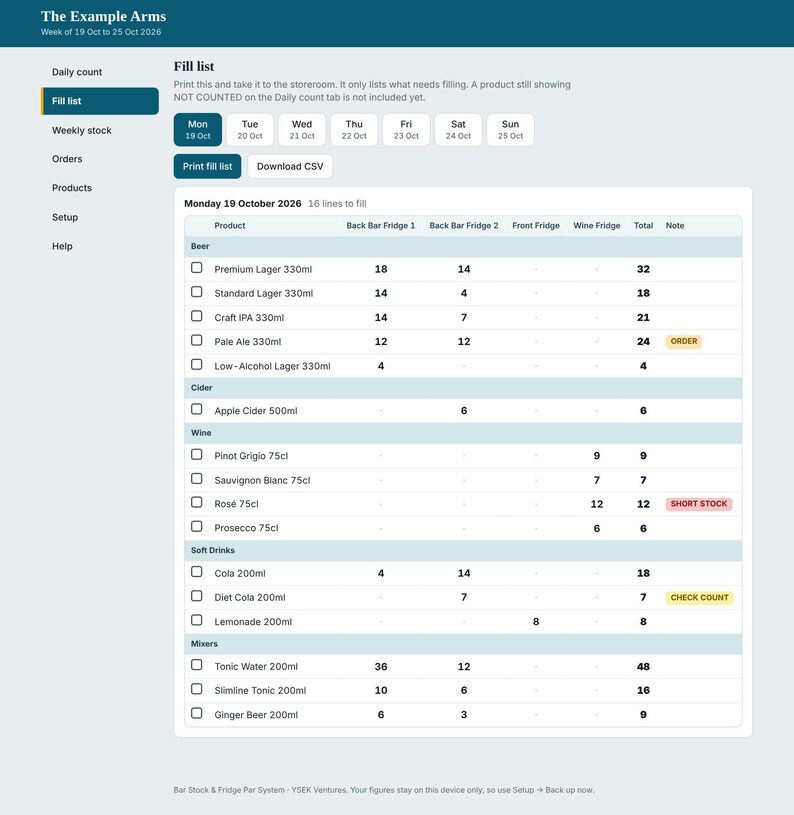
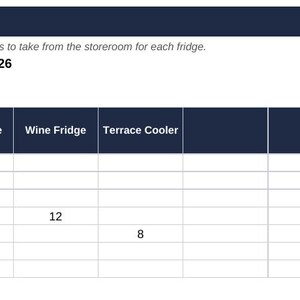
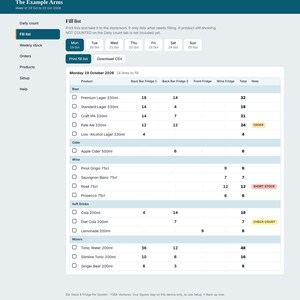
- The fill list tells you what to take from the storeroom, per fridge.
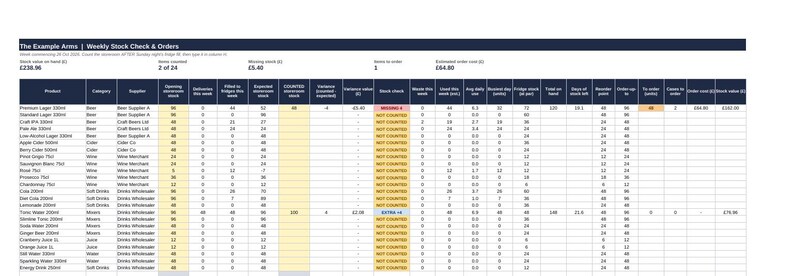
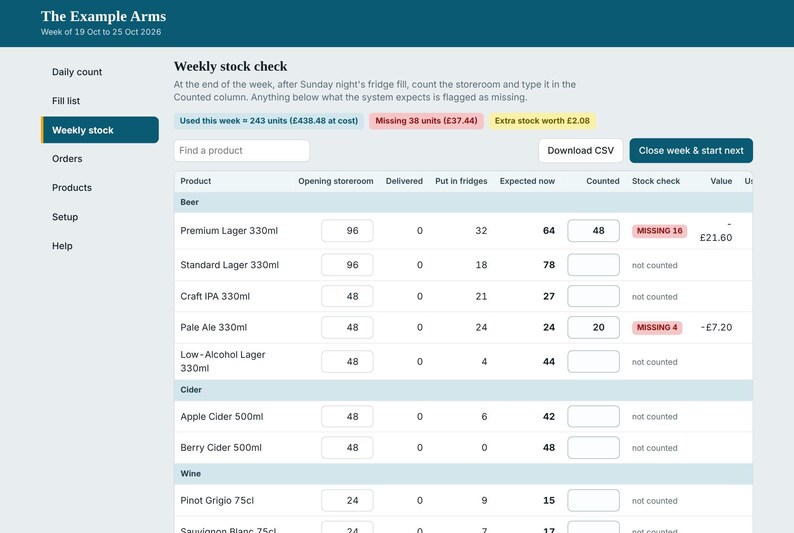
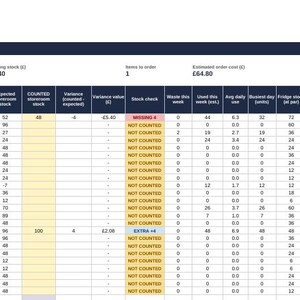
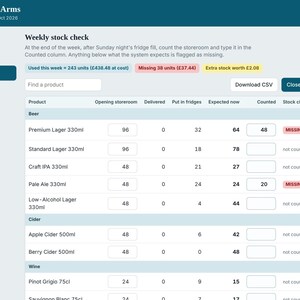
- At the end of the week, count the storeroom. The sheet compares it with what it expected and flags what is MISSING or EXTRA, with the £ value.
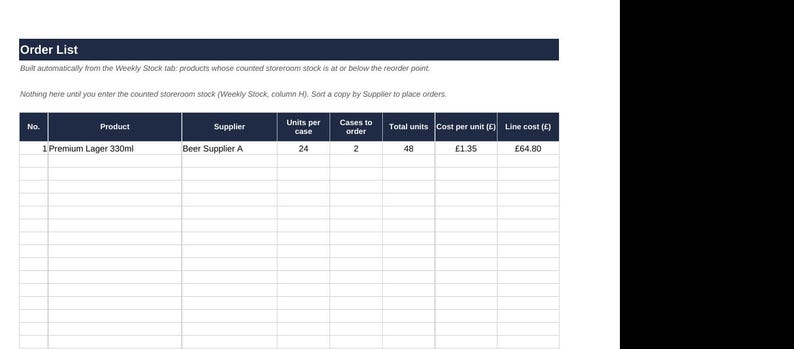
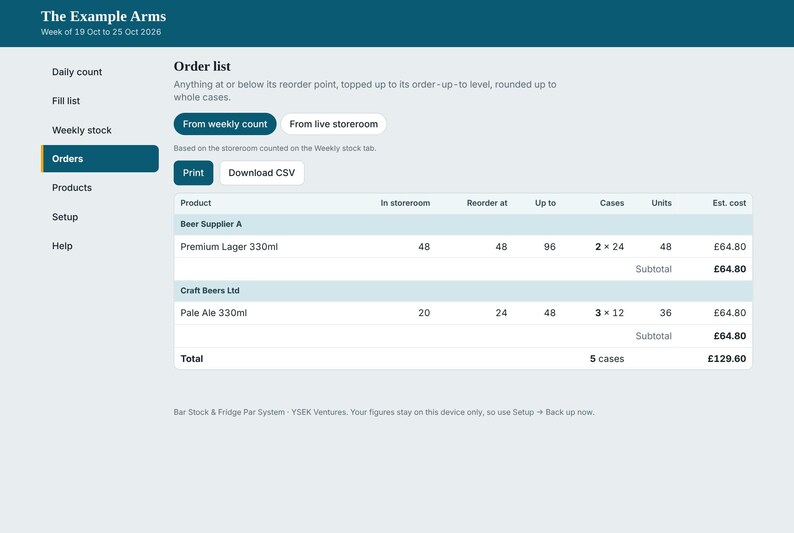
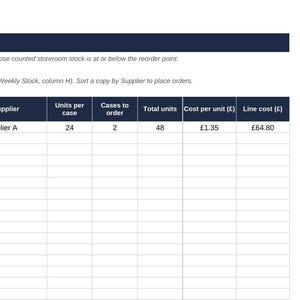
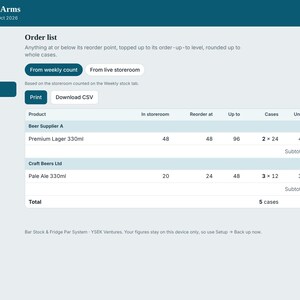
- An order list builds itself in whole cases, with the cost, once stock is at or below your reorder point.
INSIDE THE EXCEL WORKBOOK
- Start Here: simple instructions and a colour key
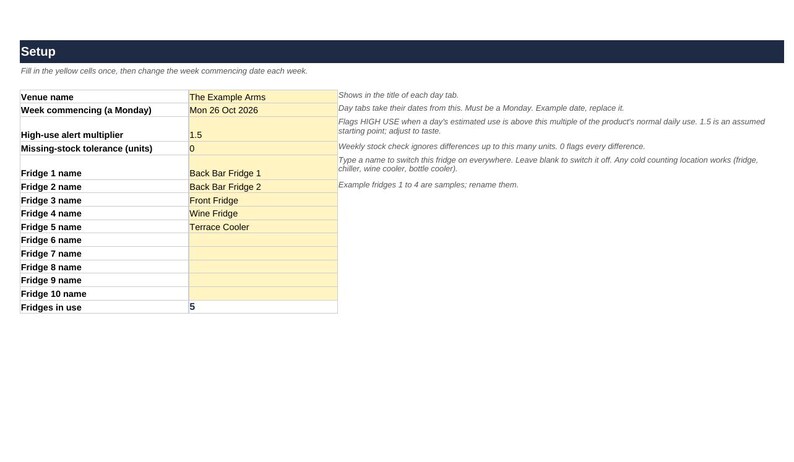
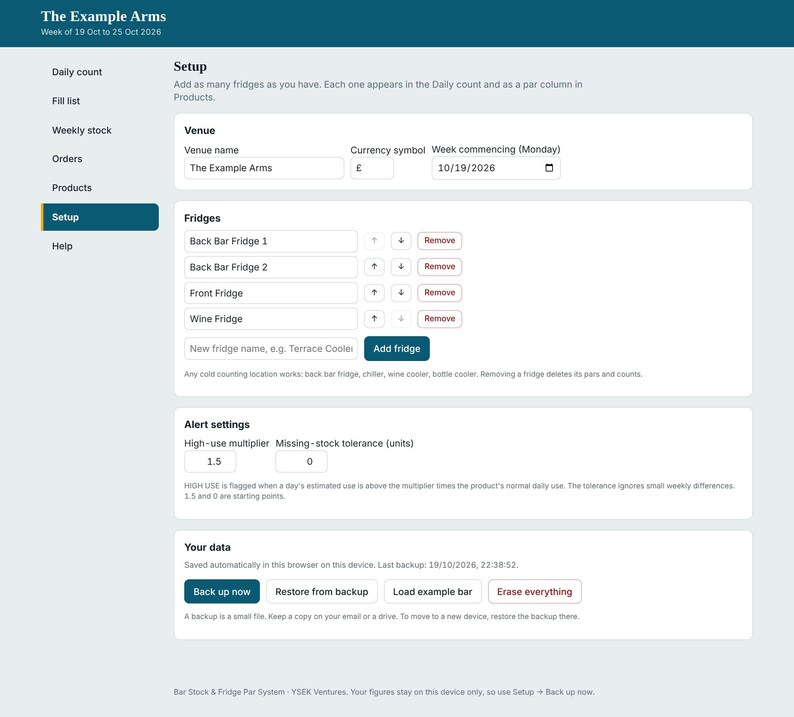
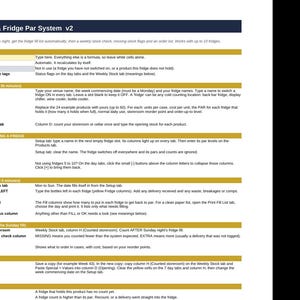
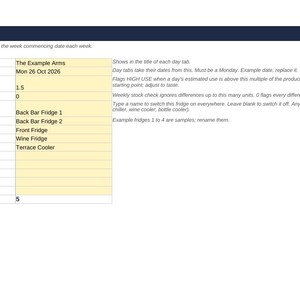
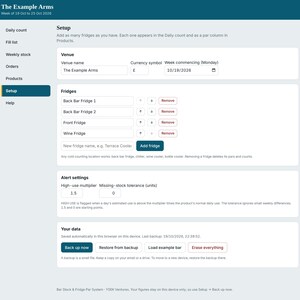
- Setup: venue name, week date, and your fridge names
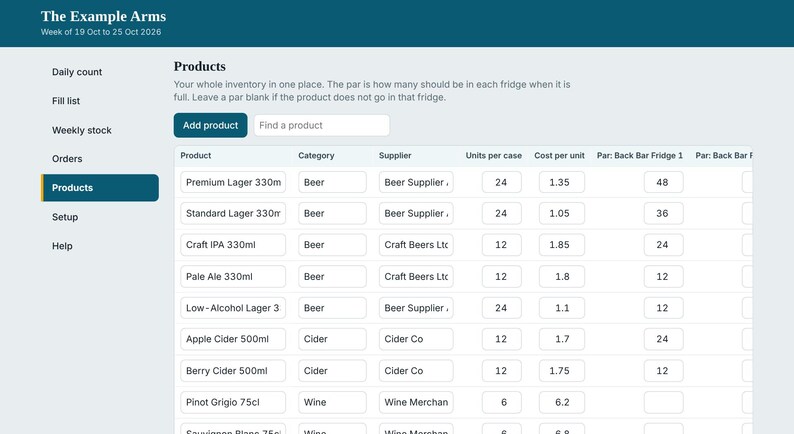
- Products: up to 60 products with category, supplier, case size, cost, par for each fridge, normal daily use, reorder point and order-up-to level
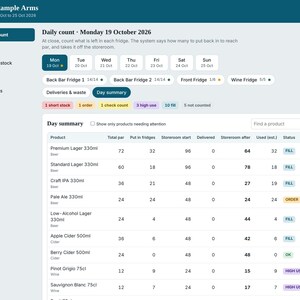
- Mon to Sun day tabs: nightly count, fill list, deliveries, waste, storeroom running total
- Print Fill List: pick a day and print a clean list of only what needs filling
- Weekly Stock: expected vs counted storeroom, missing stock value, usage, days of stock left
- Order List: what to order, by case, with estimated cost
UP TO 10 FRIDGES, SWITCHED ON BY TYPING A NAME
Got more than one fridge? Type a name in the next empty slot on the Setup tab and that fridge appears on every tab. Back bar fridge, bottle cooler, wine cooler, terrace chiller: anything cold that you count.
(Need more than 10? The bonus HTML version has no limit.)
STATUS FLAGS THAT TELL YOU WHAT NEEDS ATTENTION
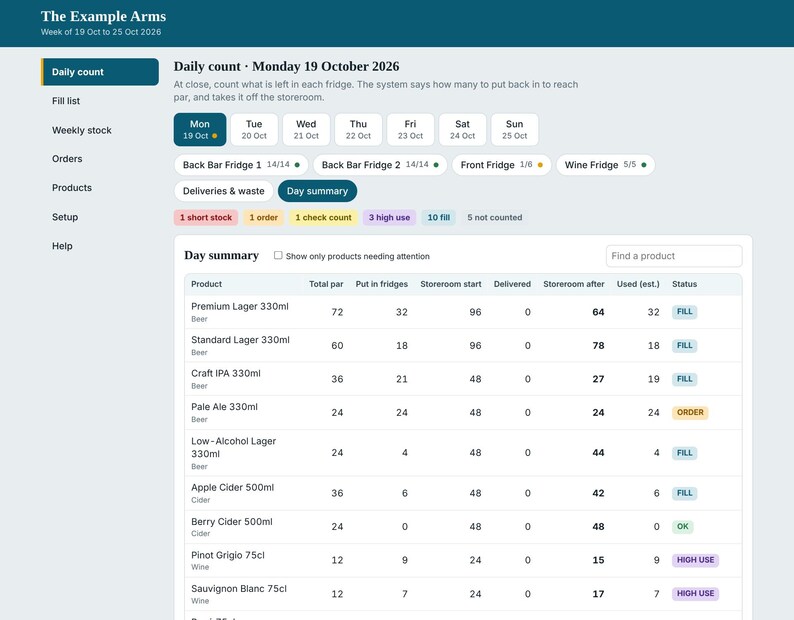
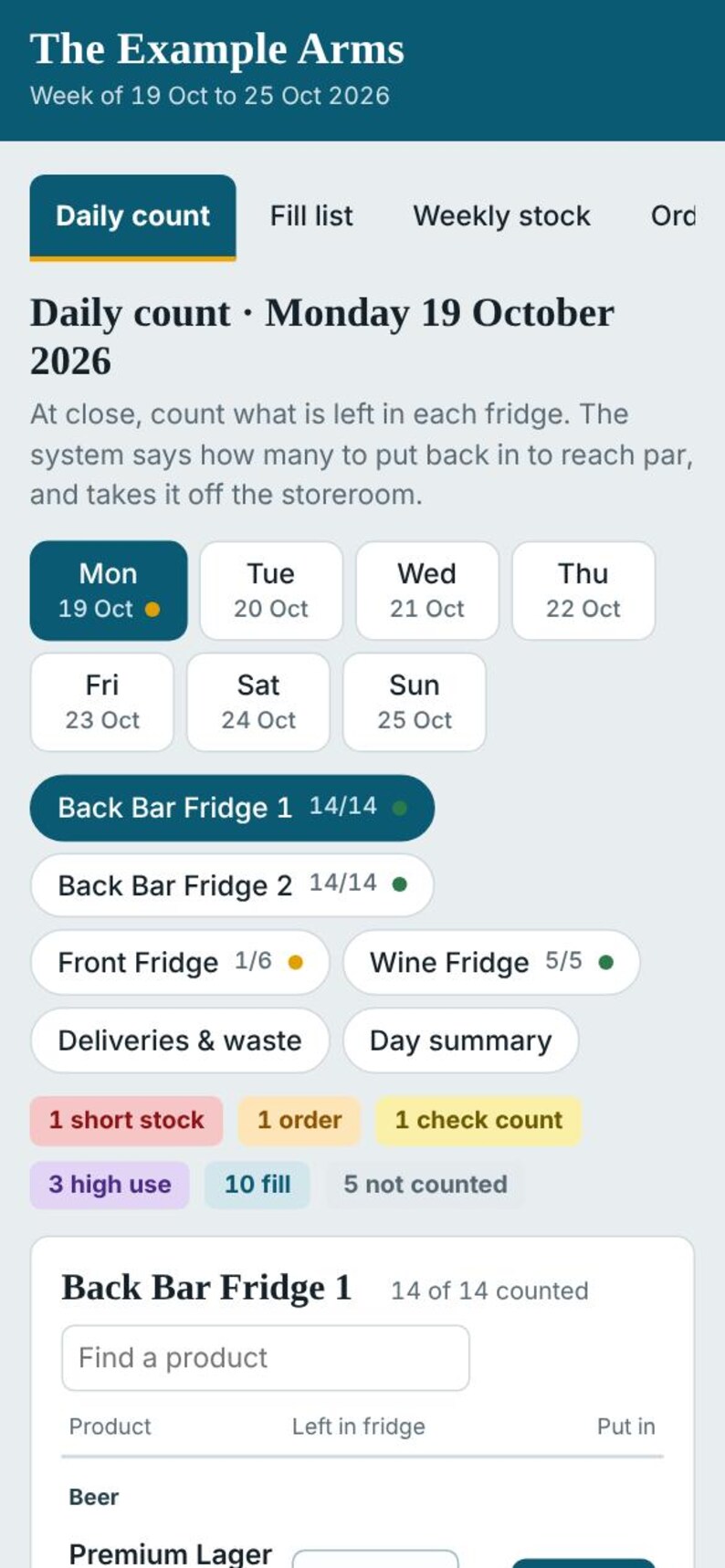
FILL: top up from the storeroom
OK: fridge is at par
ORDER: storeroom is at or below the reorder point
SHORT STOCK: the storeroom cannot fill the fridges back to par
CHECK COUNT: a count is higher than par, so recount
HIGH USE: much higher than normal use today
NOT COUNTED: a fridge has not been counted yet
THE BONUS HTML TOOL
- Opens by double-clicking the file. Works offline on a computer, tablet or phone.
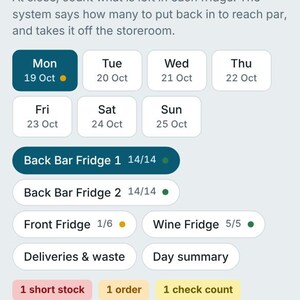
- Count fridge by fridge, with a fullness bar and the number to put back
- Add, rename, reorder and remove fridges yourself, no limit
- Printable fill list, weekly stock check and order list (with CSV download)
- "Close week" button rolls your counted storeroom into next week's opening stock
- Back up and restore with a small file
Your figures are saved in the browser on the device you use, so use the Back up button now and then.
EXAMPLE DATA INCLUDED
24 sample products and 4 sample fridges are included so you can see how it works. Replace them with your own.
GOOD TO KNOW
- Please open the Excel file in Microsoft Excel (2007 or newer) for the best result. Google Sheets and Numbers can open it, but some colour highlighting may not carry over.
- "Used" figures are estimates (put in fridges minus waste). The workbook is not linked to your tills.
- Starting a new week in the Excel version is a manual copy-and-paste. The steps are on the Start Here tab. The HTML bonus does it with one button.
- This is a digital download. Nothing will be posted to you. You will receive the files straight after purchase.
- Colours and layout can be edited to suit your own venue. Personal and business use for your own venue is fine. Please do not resell or share the files.
QUESTIONS
Not sure it will suit your venue? Message me before buying and I will help.
Price:$10.50
You can only make an offer when buying a single item
Delivery
Instant download
Your files will be available to download once payment is confirmed. Here's how.
Instant download items don't accept returns, exchanges or cancellations. Please contact the seller about any problems with your order.
Seller's description
Specifications
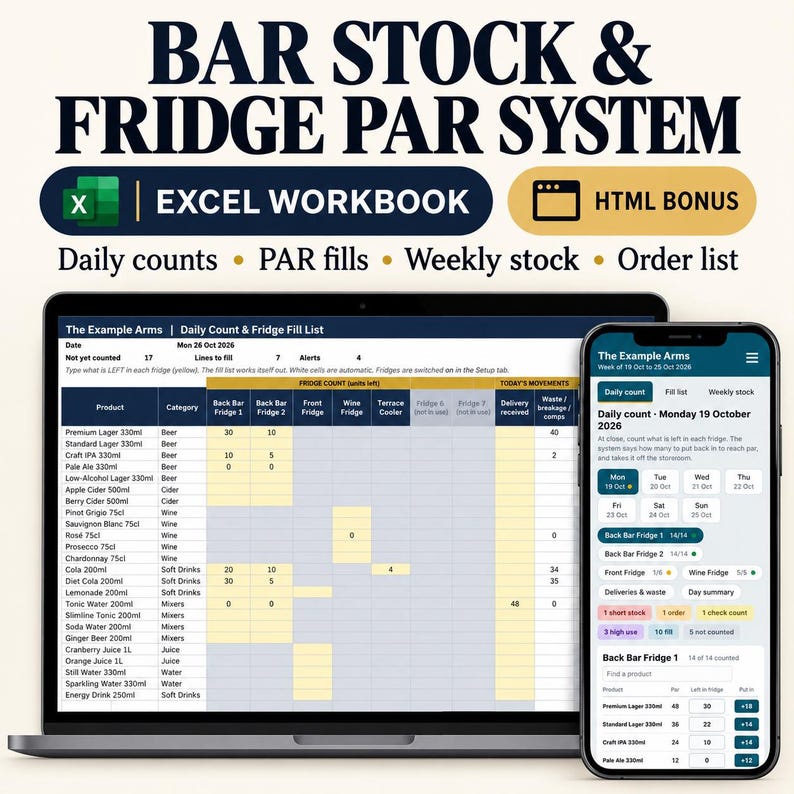
STOP GUESSING WHAT TO PUT BACK IN THE FRIDGES.
Count what is left in each fridge at the end of the night. The spreadsheet tells you exactly how many to put back to reach par, takes it off your storeroom, and flags anything that does not add up.
Built by a hotel assistant manager who counts bar stock for a living. It works for bars, pubs, restaurants, hotel bars, cafes, clubs and event bars.
WHAT YOU GET (2 files)
1. The Excel workbook: Bar Stock & Fridge Par System (main product)
2. BONUS: a single-file HTML version that opens in any web browser. No install, no internet needed. It has a button to add as many fridges as you like.
HOW IT WORKS
- Set up your fridges and products once, with the par level (how many each fridge holds when full).
- Each night, type what is left in each fridge.
- The fill list tells you what to take from the storeroom, per fridge.
- At the end of the week, count the storeroom. The sheet compares it with what it expected and flags what is MISSING or EXTRA, with the £ value.
- An order list builds itself in whole cases, with the cost, once stock is at or below your reorder point.
INSIDE THE EXCEL WORKBOOK
- Start Here: simple instructions and a colour key
- Setup: venue name, week date, and your fridge names
- Products: up to 60 products with category, supplier, case size, cost, par for each fridge, normal daily use, reorder point and order-up-to level
- Mon to Sun day tabs: nightly count, fill list, deliveries, waste, storeroom running total
- Print Fill List: pick a day and print a clean list of only what needs filling
- Weekly Stock: expected vs counted storeroom, missing stock value, usage, days of stock left
- Order List: what to order, by case, with estimated cost
UP TO 10 FRIDGES, SWITCHED ON BY TYPING A NAME
Got more than one fridge? Type a name in the next empty slot on the Setup tab and that fridge appears on every tab. Back bar fridge, bottle cooler, wine cooler, terrace chiller: anything cold that you count.
(Need more than 10? The bonus HTML version has no limit.)
STATUS FLAGS THAT TELL YOU WHAT NEEDS ATTENTION
FILL: top up from the storeroom
OK: fridge is at par
ORDER: storeroom is at or below the reorder point
SHORT STOCK: the storeroom cannot fill the fridges back to par
CHECK COUNT: a count is higher than par, so recount
HIGH USE: much higher than normal use today
NOT COUNTED: a fridge has not been counted yet
THE BONUS HTML TOOL
- Opens by double-clicking the file. Works offline on a computer, tablet or phone.
- Count fridge by fridge, with a fullness bar and the number to put back
- Add, rename, reorder and remove fridges yourself, no limit
- Printable fill list, weekly stock check and order list (with CSV download)
- "Close week" button rolls your counted storeroom into next week's opening stock
- Back up and restore with a small file
Your figures are saved in the browser on the device you use, so use the Back up button now and then.
EXAMPLE DATA INCLUDED
24 sample products and 4 sample fridges are included so you can see how it works. Replace them with your own.
GOOD TO KNOW
- Please open the Excel file in Microsoft Excel (2007 or newer) for the best result. Google Sheets and Numbers can open it, but some colour highlighting may not carry over.
- "Used" figures are estimates (put in fridges minus waste). The workbook is not linked to your tills.
- Starting a new week in the Excel version is a manual copy-and-paste. The steps are on the Start Here tab. The HTML bonus does it with one button.
- This is a digital download. Nothing will be posted to you. You will receive the files straight after purchase.
- Colours and layout can be edited to suit your own venue. Personal and business use for your own venue is fine. Please do not resell or share the files.
QUESTIONS
Not sure it will suit your venue? Message me before buying and I will help.
-
Item typeDigital download
-
Digital file type(s)1 ZIP
If something goes wrong with an order, we've got your back on all eligible purchases. View program terms
Meet your seller
More from this shop
-
Digital download
UK Staff Training Records Pack | Employee Sign-Off, Competency Sheets, Reviews (Digital Download)
$14.01
-
Digital download
Editable Bar Spec Book | 50 Cocktail Recipes, Festive Serves (Word, PDF)
$9.80
-
Digital download
UK Restaurant Allergen Pack, Natasha's Law Policy, Matrix, Order Form (Digital Download)
$11.20
-
Digital download
UK Restaurant Staff Training Starter Pack | Front, Back, Management Manuals (Digital Download)
$29.43
-
Digital download
Event Order Builder, BEO Function Sheet Template, Hotel & Venue Event Forms, Banquet Event Order, HTML Word PDF Download
$10.50
-
Digital download
UK Restaurant Food Safety Records, HACCP Logs, Cleaning Schedule (Editable Word PDF Excel)
$14.01
-

Digital download
Bar & Restaurant Inventory Sheet: Beer, Liquor, Wine, Alcohol, Other Beverages Drinks. Inventory/Stock Tracker. Excel Spreadsheet - Google
Sale Price $6.44
Original Price $12.87
-

Digital download
Weekly Inventory Tracker: Purchased Consumed Wastage Stock in Hand - Excel & Google Sheets (200 Items)
$12.99
-
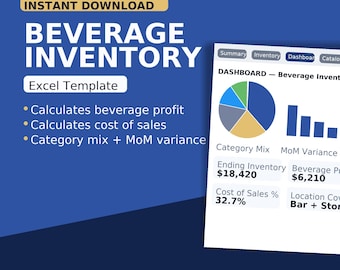
Digital download
Beverage Inventory Workbook (Excel Template)
$29.00
-
Digital download
Monthly Bar Inventory Excel Template | Beverage Cost Analysis | Beer, Wine, Liquor, Grocery | Customizable Spreadsheet | For Bar Managers
$30.00
-
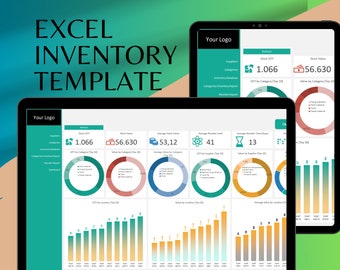
Digital download
Excel Inventory Template: Stock Management Spreadsheet
Sale Price $13.99
Original Price $19.99
-

Digital download
Stock Inventory Tracker: Excel Template for Inventory Management
Sale Price $14.96
Original Price $19.95
-
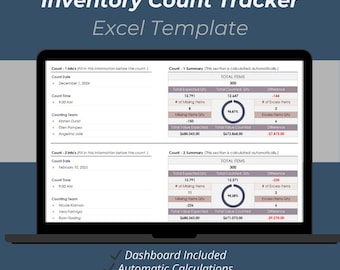
Digital download
Inventory Count Tracker Excel Template: Stock Control Spreadsheet
$11.90
-

Digital download
Bar Inventory and Ordering Template | Excel Spreadsheet for Restaurant or Bar Ordering & Inventory | Customize Bar or Restaurant Management
$20.00
-

Digital download
Efficient Inventory Management Sheet - Excel & Google Sheets Template for Inventory Tracking, Stock Control, and Product Analysis
Sale Price $5.83
Original Price $11.67
-
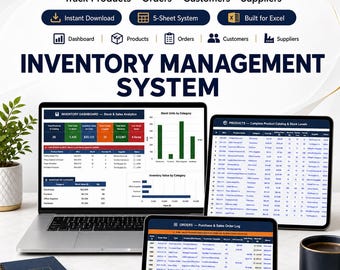
Digital download
Inventory Management System | Excel Google Sheets Stock Tracker (Digital Download)
Sale Price $9.99
Original Price $19.99
-
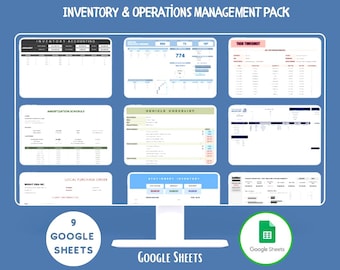
Digital download
Inventory Operations Bundle Google Sheets Stock Control Warehouse Management Purchase Order Tracking Templates
$10.99
-
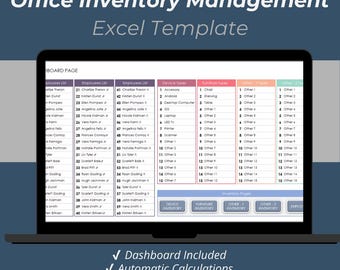
Digital download
Office Inventory Management Excel Template: Supplies & Equipment Tracker
$11.00
Shoppers with similar taste loved these
-

QR Code Cube, Wooden QR Code Block, Custom Logo Cube, Scan QR Menu for Restaurant, Multi qr Code Sign
Sale Price $29.68
Original Price $56.00
-

Wooden QR Code Sign for Businesses - Personalised with Your Logo, Ideal for Websites, Social Media, Menus etc, Eco-Friendly, 2 Sizes, Table
$20.29
-

QR Code Sign, Payment Sign, QR Code Menu Stand, Scan to Pay Sign, Bar Menu Display, Wooden QR Code Stand, Tabletop Menu Holder
Sale Price $6.30
Original Price $8.40
-

Personalized Wooden QR Code Menu Stand with Engraved Logo
Sale Price $12.60
Original Price $18.00
-

Wooden QR Code, QR Code Sign, QR Code Cube, Custom Logo Cube, Wood qr Menu for Restaurant, qr Sign for Wedding
Sale Price $29.68
Original Price $56.00
-

Custom Engraved Wooden QR Code Sign | Personalized Business Logo | Scan to Pay Table Top Display | Rustic Wood Marketing Sign | Social Media
$8.00
-
Personalized Wooden QR Menu Sign for Restaurants, Custom Logo Display
$38.00
-

Acrylic Business Sign with QR Code or NFC | Custom Social Media Display with Logo
Sale Price $24.71
Original Price $35.30
-
Logo Engraved NFC Tag Stand, Oak Tap to Pay Sign
$18.00
-
Customizable QR Code and/or NFC Stand for Shop Tables and Receptions - 3D Printed Support for Restaurants, Hotels and Businesses (8 x 5 cm)
$5.84
-

Modern Acrylic QR Code Sign - NFC Tappable, 3D Raised Effect
Sale Price $8.98
Original Price $11.98
-

Custom NFC QR Code Plywood Stand: Engraved Logo, Tap to Connect
Sale Price $11.20
Original Price $14.00


