




Habit Tracker App for iPhone, Android and PC, ADHD Habit Tracker and Daily Routine Planner
Item highlights
Seller's description
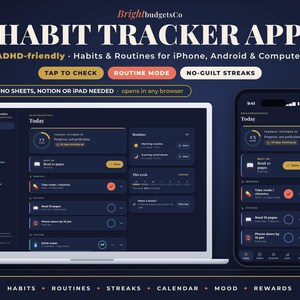
✦ No Google Sheets, Notion or iPad needed: your habit tracker app opens right in your phone or computer browser, nothing to install. ✦
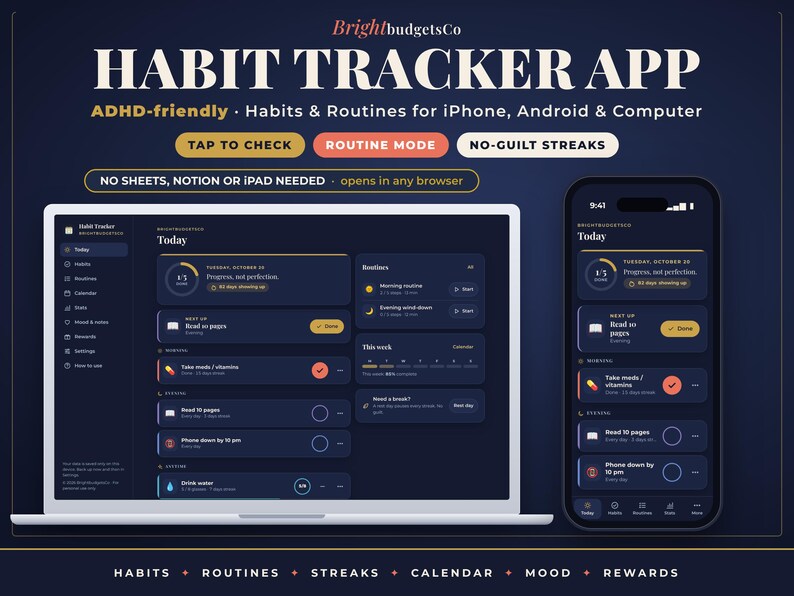
✦ A habit and routine tracker app made for ADHD brains: big tap-to-check buttons, one step at a time, and streaks that never make you feel guilty ✦
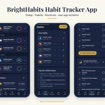
Most habit apps want a subscription, an account and a perfect streak. This one doesn't. BrightHabits is a calm navy-and-gold web app that you open from your private link and add to your home screen, where it opens full screen like any other app. Tap a habit to check it off, run your morning routine one step at a time with a simple timer, and watch your progress grow on a calendar heatmap. Missed a day? Make it a rest day or skip one habit and your streak stays safe. There's one main action on each screen, kind messages instead of red X's, and rewards to work towards. Your habits stay private on your own device. No account, no subscription.
━━━━━━━━━━━━━━━━━━
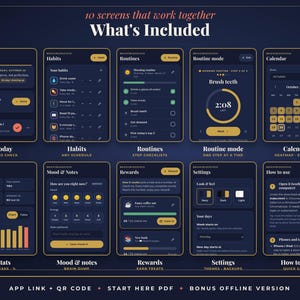
✦ WHAT'S INCLUDED (10 SCREENS)
━━━━━━━━━━━━━━━━━━
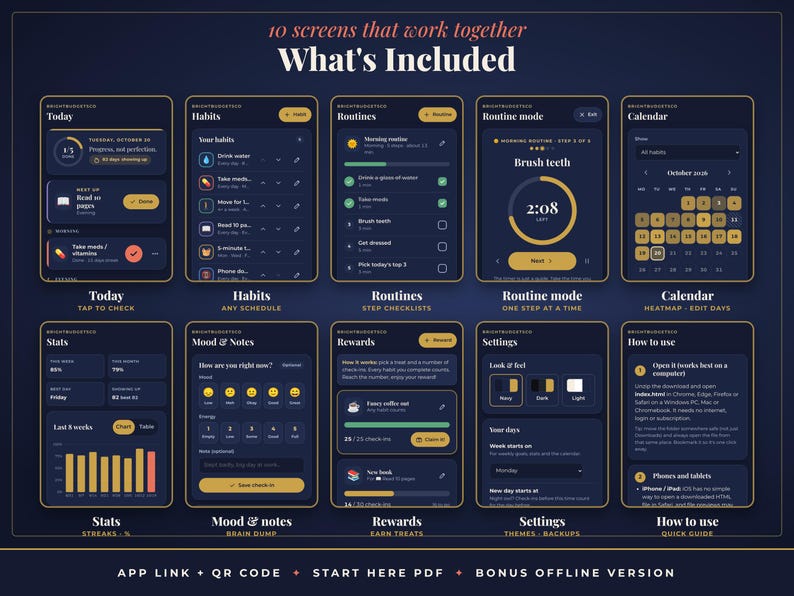
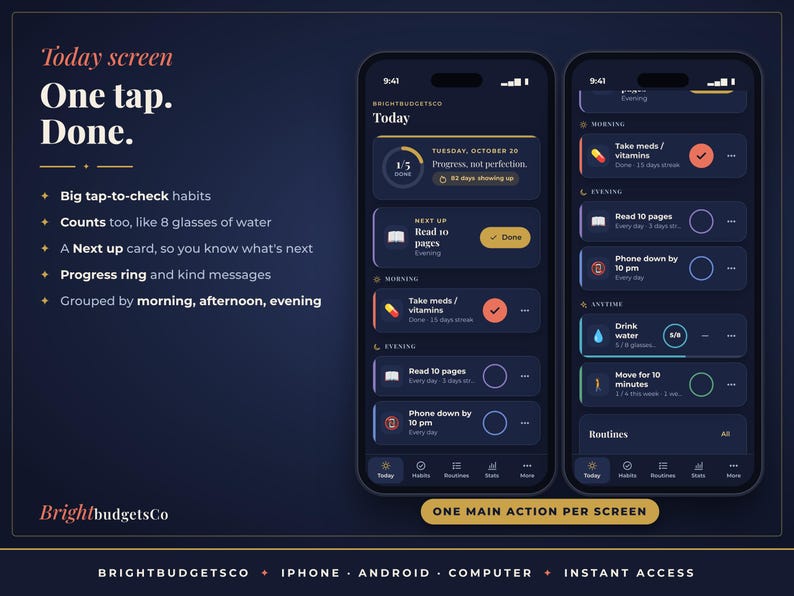
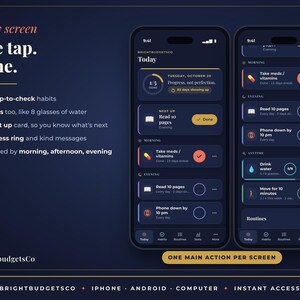
★ TODAY: today's habits as big tap-to-check cards grouped by morning, afternoon, evening and anytime, a progress ring, a "Next up" card, your show-up streak, kind messages and a one-tap rest day
★ HABITS: create and edit habits with a name, emoji icon and color. Schedule every day, certain weekdays or X times a week, set a count (like 8 glasses of water) and a time of day. Reorder and archive
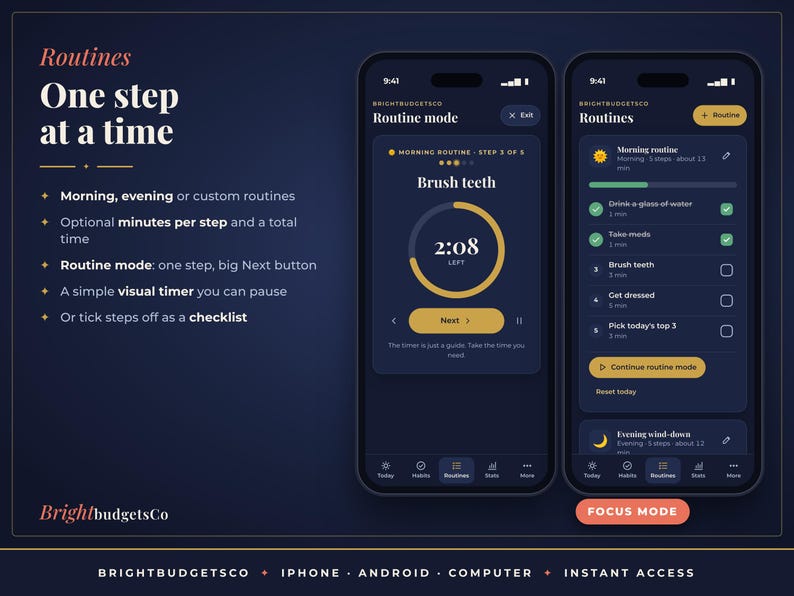
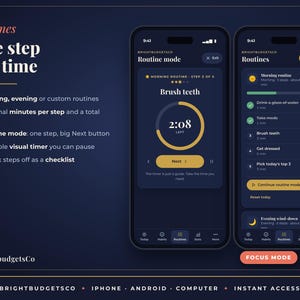
★ ROUTINES: morning, evening or custom routines as step checklists, with optional minutes per step and a total time estimate
★ ROUTINE MODE: one step at a time, a simple visual timer you can pause and a big Next button
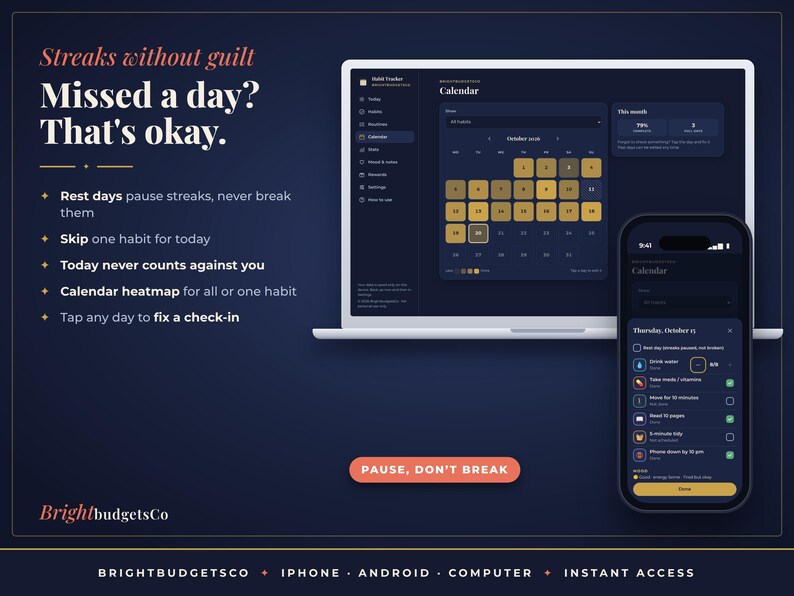
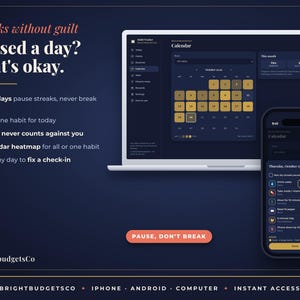
★ CALENDAR: a month heatmap for all habits or one habit. Tap any past day to fix a check-in or mark a rest day
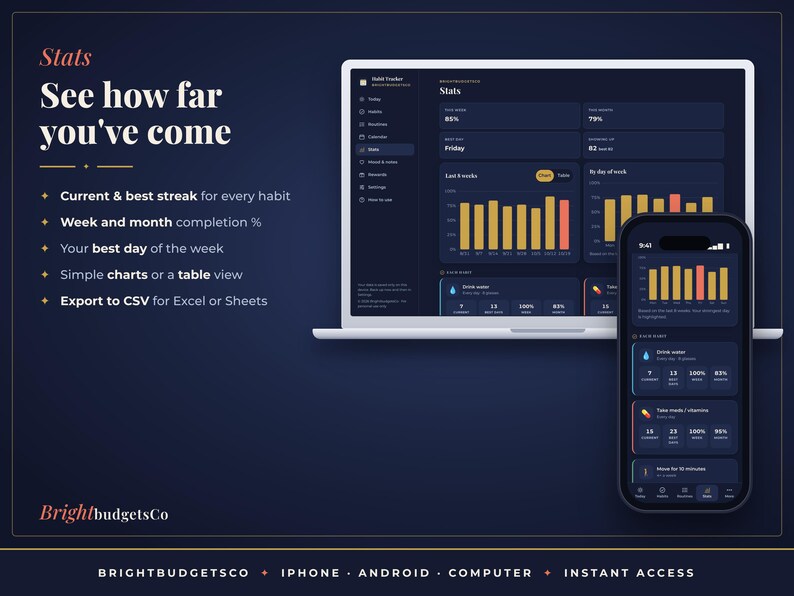
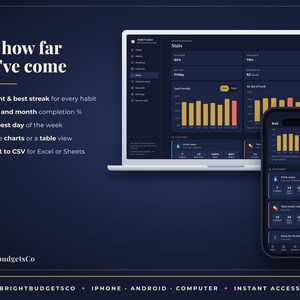
★ STATS: current and best streak for every habit, week and month completion %, your best day of the week, simple charts or a table view
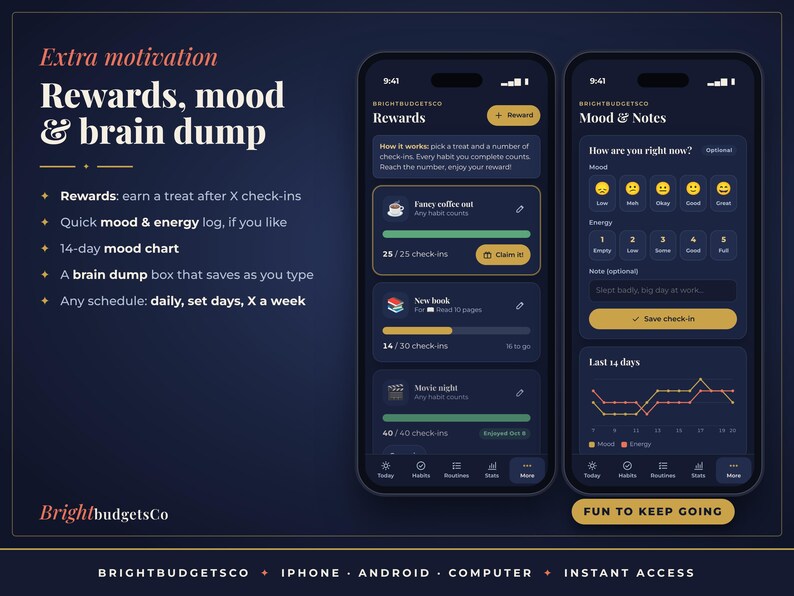
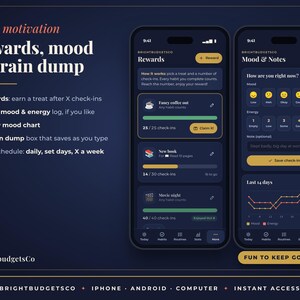
★ MOOD & NOTES: an optional quick mood and energy log with a note, a 14-day mood chart and a brain dump box that saves as you type
★ REWARDS: pick a treat and a number of check-ins, then claim it when you get there
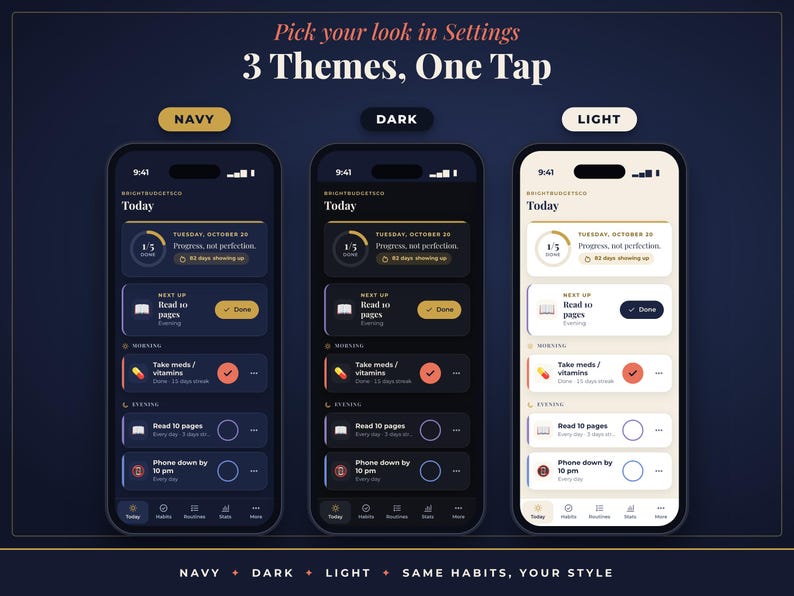
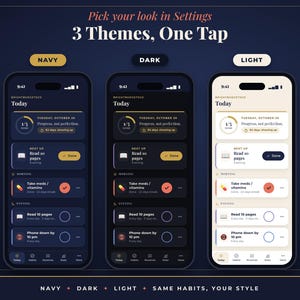
★ SETTINGS: theme (Navy, Dark or Light), first day of the week, "new day starts at" for night owls, backup and restore, CSV export, example data and Start fresh
★ HOW TO USE: a quick guide inside the app
━━━━━━━━━━━━━━━━━━
✦ FEATURES
━━━━━━━━━━━━━━━━━━
✓ ADHD-friendly: one main action per screen, big buttons, tiny starter habits and no guilt
✓ Streaks that forgive: rest days and skips pause a streak instead of breaking it, and today never counts against you until it's over
✓ Flexible schedules: daily, set weekdays or X times a week, with counts for things you do several times a day
✓ Night owl setting: choose when your day rolls over (up to 6 am)
✓ Starter habits and routines to begin in seconds, or load example data to explore first and clear it with one tap
✓ Add it to your home screen on iPhone, iPad or Android and it opens full screen like an app
✓ Works offline after the first time you open it
✓ Private: everything is saved only on your device. No account, no login
✓ Backup and restore (.json) to keep your data safe or move to a new device, plus CSV export for Excel or Google Sheets
✓ A reminder every 14 days to save a backup
✓ 3 themes: Navy, Dark and Light
✓ BONUS: an offline download version that runs straight from your computer
✓ No subscription. Pay once.
━━━━━━━━━━━━━━━━━━
✦ YOU WILL RECEIVE
━━━━━━━━━━━━━━━━━━
• Habit-App-Start-Here-and-Link.pdf: your private app link (tap it, or scan the QR code), install steps for iPhone, Android and computer, and tips for backups
• Habit-Tracker-App-BrightbudgetsCo.zip: a BONUS offline version of the same app for your computer (unzip and open index.html)
━━━━━━━━━━━━━━━━━━
✦ COMPATIBILITY
━━━━━━━━━━━━━━━━━━
• iPhone and iPad: Safari, or Chrome on iOS 16.4 or newer. Add to Home Screen.
• Android: Chrome. Install app or Add to Home screen.
• Computer: Chrome, Edge, Safari or Firefox on Windows, Mac or Chromebook. Bookmark it, or use the install icon in Chrome and Edge.
• Internet is needed only the first time you open the link. After that it works offline.
• This is a web app you open from a link. It is NOT an App Store or Google Play app, and it doesn't sync between devices (use backup and restore to move your data).
• It doesn't send notifications or reminders to your phone. Keep it on your home screen and open it when you check in.
━━━━━━━━━━━━━━━━━━
✦ HOW TO ACCESS
━━━━━━━━━━━━━━━━━━
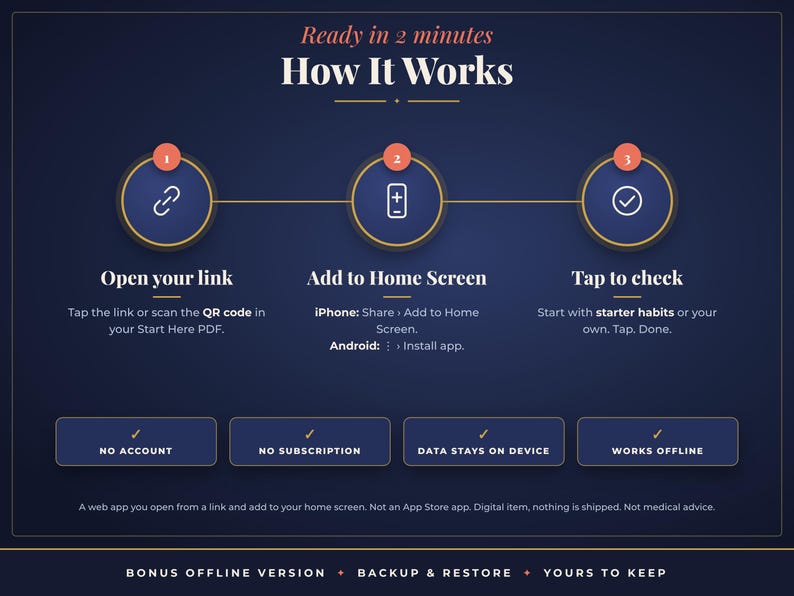
1. After purchase, go to You › Purchases and reviews › Download files. Etsy also emails you a download link.
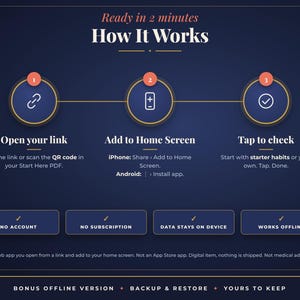
2. Open the Start Here PDF and tap the app link, or scan the QR code with your phone's camera.
3. iPhone/iPad: tap Share › Add to Home Screen. Android: tap ⋮ › Install app. Computer: bookmark it.
4. Open the app from your new home-screen icon and pick "Start with starter habits". Setup takes about 5 minutes.
━━━━━━━━━━━━━━━━━━
✦ FAQ
━━━━━━━━━━━━━━━━━━
Q: Is this an App Store app?
A: No. It's a web app: you open it from a link in Safari or Chrome and add it to your home screen. It then has its own icon and opens full screen like an app. There's nothing to download from the App Store or Google Play.
Q: Do I need an account or a subscription?
A: No. There's no sign-up, no login and no monthly fee. You pay once.
Q: What happens if I miss a day?
A: Nothing bad. Mark a rest day or skip just that habit and your streak is paused, not broken. You can also tap any past day in the Calendar to fix a check-in you forgot.
Q: Does it send reminders?
A: No, it doesn't send notifications. Many people keep it on their home screen next to the apps they open every morning and evening.
Q: Where is my data stored? Can anyone see it?
A: Only on your own device, in that browser or home-screen app. Your habits, moods and notes are never uploaded, so no one else can see them.
Q: I'm on iPhone. Anything I should know?
A: Add the app to your home screen first and enter your habits there. On iPhone and iPad the home-screen app keeps separate data from a browser tab.
Q: Can I use it on my phone and my computer?
A: Yes, the same link works on both. Each device keeps its own data and there's no automatic sync. To move your data, use Settings › Export backup on one device and Import backup on the other.
Q: I stay up late. Will my check-ins land on the wrong day?
A: In Settings, choose when your new day starts (up to 6 am). Anything you check before then counts for the day before.
Q: Does it work without internet?
A: Yes. After the first time you open it, it works offline.
Q: What's the bonus offline version?
A: A copy of the same app in a zip file that runs straight from your computer without the link. It works best on a computer, and its data is separate from the online app.
Q: Will I receive a physical product?
A: No. This is a digital item and nothing will be shipped.
Q: Can I share it?
A: It's for personal use only. Please don't share the link or files, or resell them.
━━━━━━━━━━━━━━━━━━
✦ PLEASE NOTE
━━━━━━━━━━━━━━━━━━
• Your data lives only on your device. Clearing your browser or site data, or deleting the home-screen app, erases it, so please export backups regularly (the app reminds you).
• This is a habit and routine tool, not medical advice or a treatment for ADHD.
• Because this is a digital item with instant access, returns, exchanges and refunds are not accepted. If something isn't working, please send us a message through Etsy and we'll help you sort it out.
• Colors may look slightly different depending on your screen.
© 2026 BrightbudgetsCo. For personal use only.
How it's made: I design every BrightbudgetsCo product myself and build it with digital tools, including AI-assisted writing and coding, then test and approve each file before it's listed. Listing images are previews made from the actual files; no AI image generators are used.
If something goes wrong with an order, we've got your back for all eligible purchases. View program terms
NowPrice:$6.60
Original Price: $12.00
45% off
Sale ends on November 19
You can only make an offer when buying a single item
Delivery
Instant download
Your files will be available to download once payment is confirmed. Here's how.
Instant download items don't accept returns, exchanges or cancellations. Please contact the seller about any problems with your order.
Seller's description
Specifications
✦ No Google Sheets, Notion or iPad needed: your habit tracker app opens right in your phone or computer browser, nothing to install. ✦
✦ A habit and routine tracker app made for ADHD brains: big tap-to-check buttons, one step at a time, and streaks that never make you feel guilty ✦
Most habit apps want a subscription, an account and a perfect streak. This one doesn't. BrightHabits is a calm navy-and-gold web app that you open from your private link and add to your home screen, where it opens full screen like any other app. Tap a habit to check it off, run your morning routine one step at a time with a simple timer, and watch your progress grow on a calendar heatmap. Missed a day? Make it a rest day or skip one habit and your streak stays safe. There's one main action on each screen, kind messages instead of red X's, and rewards to work towards. Your habits stay private on your own device. No account, no subscription.
━━━━━━━━━━━━━━━━━━
✦ WHAT'S INCLUDED (10 SCREENS)
━━━━━━━━━━━━━━━━━━
★ TODAY: today's habits as big tap-to-check cards grouped by morning, afternoon, evening and anytime, a progress ring, a "Next up" card, your show-up streak, kind messages and a one-tap rest day
★ HABITS: create and edit habits with a name, emoji icon and color. Schedule every day, certain weekdays or X times a week, set a count (like 8 glasses of water) and a time of day. Reorder and archive
★ ROUTINES: morning, evening or custom routines as step checklists, with optional minutes per step and a total time estimate
★ ROUTINE MODE: one step at a time, a simple visual timer you can pause and a big Next button
★ CALENDAR: a month heatmap for all habits or one habit. Tap any past day to fix a check-in or mark a rest day
★ STATS: current and best streak for every habit, week and month completion %, your best day of the week, simple charts or a table view
★ MOOD & NOTES: an optional quick mood and energy log with a note, a 14-day mood chart and a brain dump box that saves as you type
★ REWARDS: pick a treat and a number of check-ins, then claim it when you get there
★ SETTINGS: theme (Navy, Dark or Light), first day of the week, "new day starts at" for night owls, backup and restore, CSV export, example data and Start fresh
★ HOW TO USE: a quick guide inside the app
━━━━━━━━━━━━━━━━━━
✦ FEATURES
━━━━━━━━━━━━━━━━━━
✓ ADHD-friendly: one main action per screen, big buttons, tiny starter habits and no guilt
✓ Streaks that forgive: rest days and skips pause a streak instead of breaking it, and today never counts against you until it's over
✓ Flexible schedules: daily, set weekdays or X times a week, with counts for things you do several times a day
✓ Night owl setting: choose when your day rolls over (up to 6 am)
✓ Starter habits and routines to begin in seconds, or load example data to explore first and clear it with one tap
✓ Add it to your home screen on iPhone, iPad or Android and it opens full screen like an app
✓ Works offline after the first time you open it
✓ Private: everything is saved only on your device. No account, no login
✓ Backup and restore (.json) to keep your data safe or move to a new device, plus CSV export for Excel or Google Sheets
✓ A reminder every 14 days to save a backup
✓ 3 themes: Navy, Dark and Light
✓ BONUS: an offline download version that runs straight from your computer
✓ No subscription. Pay once.
━━━━━━━━━━━━━━━━━━
✦ YOU WILL RECEIVE
━━━━━━━━━━━━━━━━━━
• Habit-App-Start-Here-and-Link.pdf: your private app link (tap it, or scan the QR code), install steps for iPhone, Android and computer, and tips for backups
• Habit-Tracker-App-BrightbudgetsCo.zip: a BONUS offline version of the same app for your computer (unzip and open index.html)
━━━━━━━━━━━━━━━━━━
✦ COMPATIBILITY
━━━━━━━━━━━━━━━━━━
• iPhone and iPad: Safari, or Chrome on iOS 16.4 or newer. Add to Home Screen.
• Android: Chrome. Install app or Add to Home screen.
• Computer: Chrome, Edge, Safari or Firefox on Windows, Mac or Chromebook. Bookmark it, or use the install icon in Chrome and Edge.
• Internet is needed only the first time you open the link. After that it works offline.
• This is a web app you open from a link. It is NOT an App Store or Google Play app, and it doesn't sync between devices (use backup and restore to move your data).
• It doesn't send notifications or reminders to your phone. Keep it on your home screen and open it when you check in.
━━━━━━━━━━━━━━━━━━
✦ HOW TO ACCESS
━━━━━━━━━━━━━━━━━━
1. After purchase, go to You › Purchases and reviews › Download files. Etsy also emails you a download link.
2. Open the Start Here PDF and tap the app link, or scan the QR code with your phone's camera.
3. iPhone/iPad: tap Share › Add to Home Screen. Android: tap ⋮ › Install app. Computer: bookmark it.
4. Open the app from your new home-screen icon and pick "Start with starter habits". Setup takes about 5 minutes.
━━━━━━━━━━━━━━━━━━
✦ FAQ
━━━━━━━━━━━━━━━━━━
Q: Is this an App Store app?
A: No. It's a web app: you open it from a link in Safari or Chrome and add it to your home screen. It then has its own icon and opens full screen like an app. There's nothing to download from the App Store or Google Play.
Q: Do I need an account or a subscription?
A: No. There's no sign-up, no login and no monthly fee. You pay once.
Q: What happens if I miss a day?
A: Nothing bad. Mark a rest day or skip just that habit and your streak is paused, not broken. You can also tap any past day in the Calendar to fix a check-in you forgot.
Q: Does it send reminders?
A: No, it doesn't send notifications. Many people keep it on their home screen next to the apps they open every morning and evening.
Q: Where is my data stored? Can anyone see it?
A: Only on your own device, in that browser or home-screen app. Your habits, moods and notes are never uploaded, so no one else can see them.
Q: I'm on iPhone. Anything I should know?
A: Add the app to your home screen first and enter your habits there. On iPhone and iPad the home-screen app keeps separate data from a browser tab.
Q: Can I use it on my phone and my computer?
A: Yes, the same link works on both. Each device keeps its own data and there's no automatic sync. To move your data, use Settings › Export backup on one device and Import backup on the other.
Q: I stay up late. Will my check-ins land on the wrong day?
A: In Settings, choose when your new day starts (up to 6 am). Anything you check before then counts for the day before.
Q: Does it work without internet?
A: Yes. After the first time you open it, it works offline.
Q: What's the bonus offline version?
A: A copy of the same app in a zip file that runs straight from your computer without the link. It works best on a computer, and its data is separate from the online app.
Q: Will I receive a physical product?
A: No. This is a digital item and nothing will be shipped.
Q: Can I share it?
A: It's for personal use only. Please don't share the link or files, or resell them.
━━━━━━━━━━━━━━━━━━
✦ PLEASE NOTE
━━━━━━━━━━━━━━━━━━
• Your data lives only on your device. Clearing your browser or site data, or deleting the home-screen app, erases it, so please export backups regularly (the app reminds you).
• This is a habit and routine tool, not medical advice or a treatment for ADHD.
• Because this is a digital item with instant access, returns, exchanges and refunds are not accepted. If something isn't working, please send us a message through Etsy and we'll help you sort it out.
• Colors may look slightly different depending on your screen.
© 2026 BrightbudgetsCo. For personal use only.
How it's made: I design every BrightbudgetsCo product myself and build it with digital tools, including AI-assisted writing and coding, then test and approve each file before it's listed. Listing images are previews made from the actual files; no AI image generators are used.
-
Designed by
-
Item typeDigital download
-
Digital file type(s)1 PDF, 1 TXT, 1 other file
If something goes wrong with an order, we've got your back on all eligible purchases. View program terms
Meet your seller

More from this shop
-
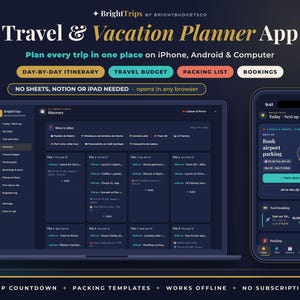
Digital download
Travel Planner App for iPhone, Android and PC, Vacation Itinerary, Packing List and Trip Budget
Sale Price $6.60
Original Price $12.00
-
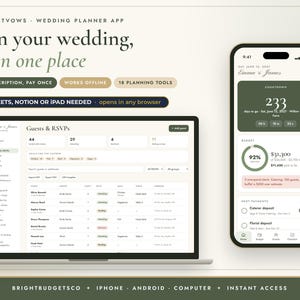
Digital download
Wedding Planner App for iPhone, Android and PC, Digital Wedding Binder with Budget and Guest List
Sale Price $6.60
Original Price $12.00
-
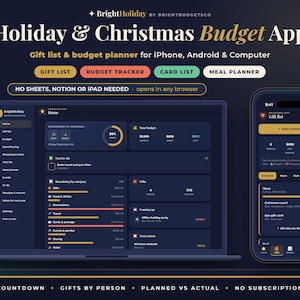
Digital download
Christmas Budget Planner App, Holiday Gift List and Gift Budget Tracker for iPhone, Android and PC
Sale Price $6.60
Original Price $12.00
-
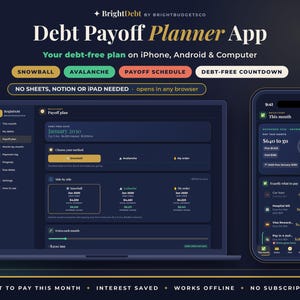
Digital download
Debt Payoff Planner App for iPhone, Android and PC, Debt Snowball and Avalanche Calculator
Sale Price $6.60
Original Price $12.00
-
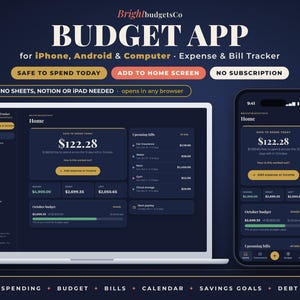
Digital download
Budget App for iPhone, Android and PC, Expense Tracker and Budget Planner, No Subscription
Sale Price $8.80
Original Price $16.00
-
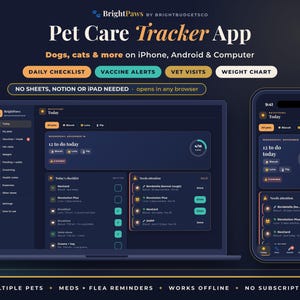
Digital download
Pet Care Planner App for iPhone, Android and PC, Dog Health Tracker and Vaccination Record
Sale Price $6.60
Original Price $12.00
Shoppers with similar taste loved these
-
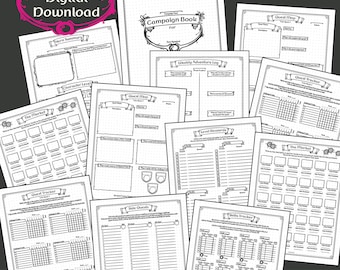
Digital download
RPG Planner for Real Life | 12-Week Gamified Goal Planning for ADHD, Habits & Productivity
$4.00
-

Digital download
D&D Workout Game | | DnD Ready To Print | Dungeons and Dragons | DND printable
$4.09
-
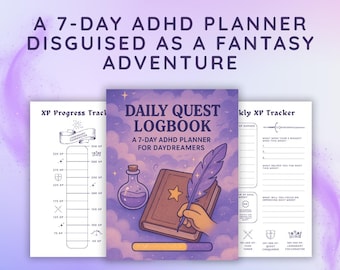
Digital download
Daily Quest Logbook | ADHD Fantasy Planner, XP Tracker (PDF)
$5.11
-
Digital download
4-Day Fantasy Fitness Plan
$10.50
-

Digital download
The High Lords & Ladies Fantasy Fitness Guide - By Dreams and Daggers
$20.97
-
Digital download
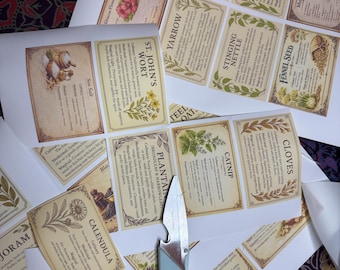
Apothecary Herb & Spice Labels: You Select Your Botanical Kitchen Stickers
$8.00
-

Digital download
ADHD Digital Planner & Gamified Habit Tracker | GoodNotes RPG Quest Board, Dopamine Menu, and Neurodivergent Side Quest Journal
$11.94
-
Digital download
RPG Workout Program | 10-Week Fitness Adventure | Gamified Workout | Gym Strength Hypertrophy Endurance Routine
$17.46
-

Digital download
Gamified ADHD Planner Bundle | RPG Fantasy Quest Log & Life Organizer | Neurodivergent Executive Function | Adult Chore Cards Budget Meals
$12.69
-
Digital download
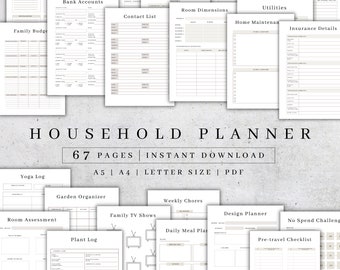
Printable Household Planner , Home Management Binder PDF, Budget Binder
Sale Price $2.46
Original Price $8.20
-

Digital download
Apothecary Herb Labels – 145 Unique Medicinal and Magical Stickers (PDF & PNG)
$8.08
-

Digital download
Brick stitch beaded earrings patterns SET of 6 Seed Bead Geometric earrings tribal native ethnic ornaments diy digital Beading Patterns
Sale Price $15.29
Original Price $27.80