


Contractor Bid Comparison Template, Construction Bid Leveling Spreadsheet, Quote Sheet
Item highlights
Seller's description
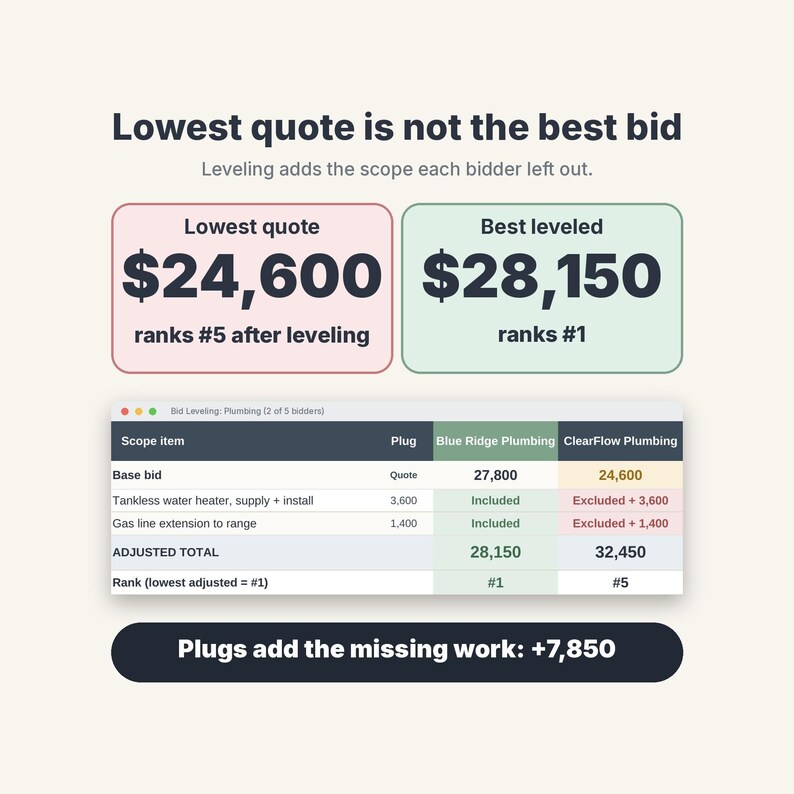
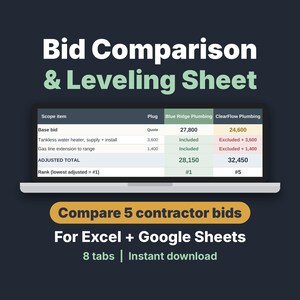
Compare contractor bids on the same scope, so the lowest quote does not fool you. This bid comparison and bid leveling spreadsheet (.xlsx, A4 + Letter print) adds the cost of work a bidder left out, so every quote is judged on equal terms. Instant download for Excel and Google Sheets. Perfect for homeowners, general contractors and remodelers. Clear the sample data and start blank in 2 minutes.
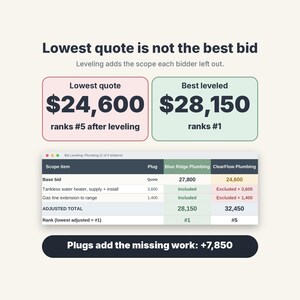
Bid leveling = adding the cost of work a bidder left out, so all quotes cover the same scope. Instant download of an .xlsx file plus a 2-page Start Here PDF (A4). No macros; the workbook prints on A4 or Letter.
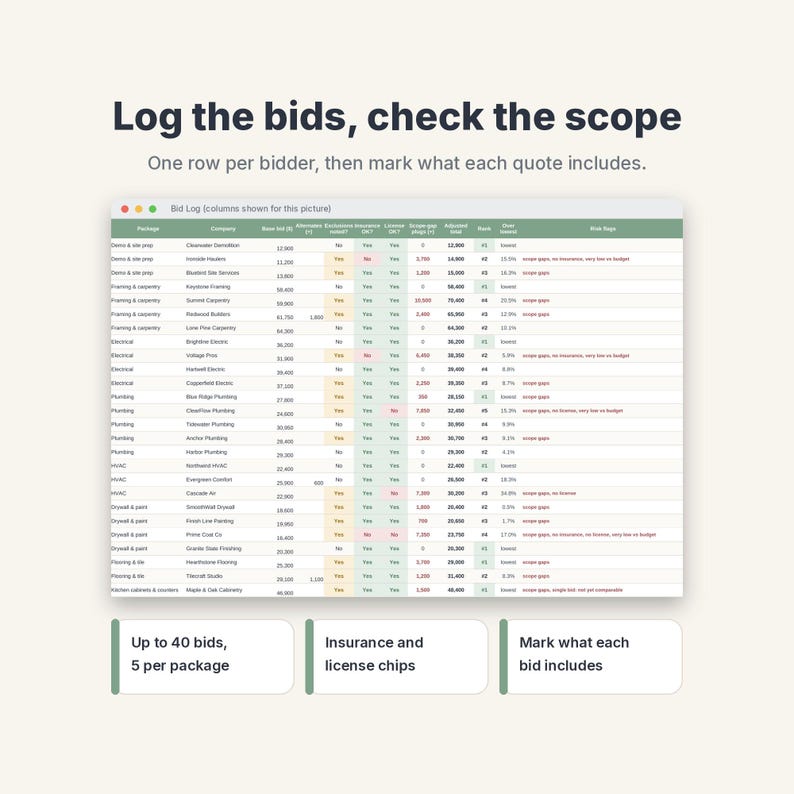
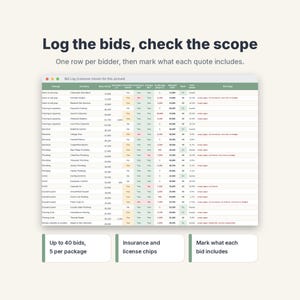
Log every bid, mark which scope lines each contractor included or left out, and let the sheet add a plug for the missing work so you compare real totals, not just the lowest quote. Then score bidders, award the work and track savings against your budget. Made for general contractors, remodelers, builders and homeowners comparing 3-5 construction bids per trade, including subcontractor quotes. Realistic sample data (a home remodel, October 2026, amounts in US dollars) is included; the shop price is shown in your local currency. Company names and phone numbers in the sample are fictional. Change the currency symbol on Settings.
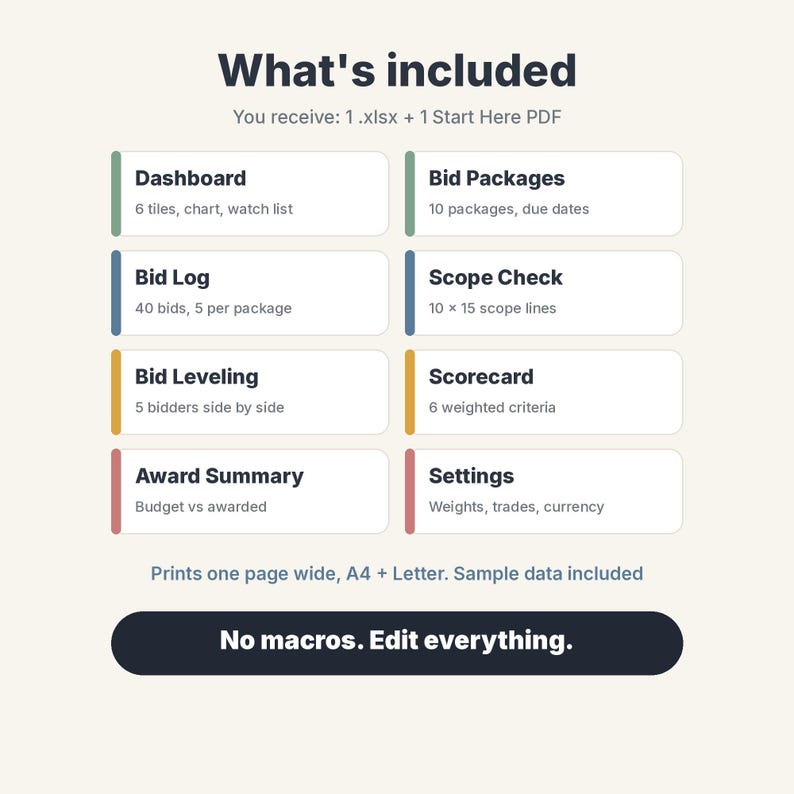
WHAT'S INSIDE (8 tabs)
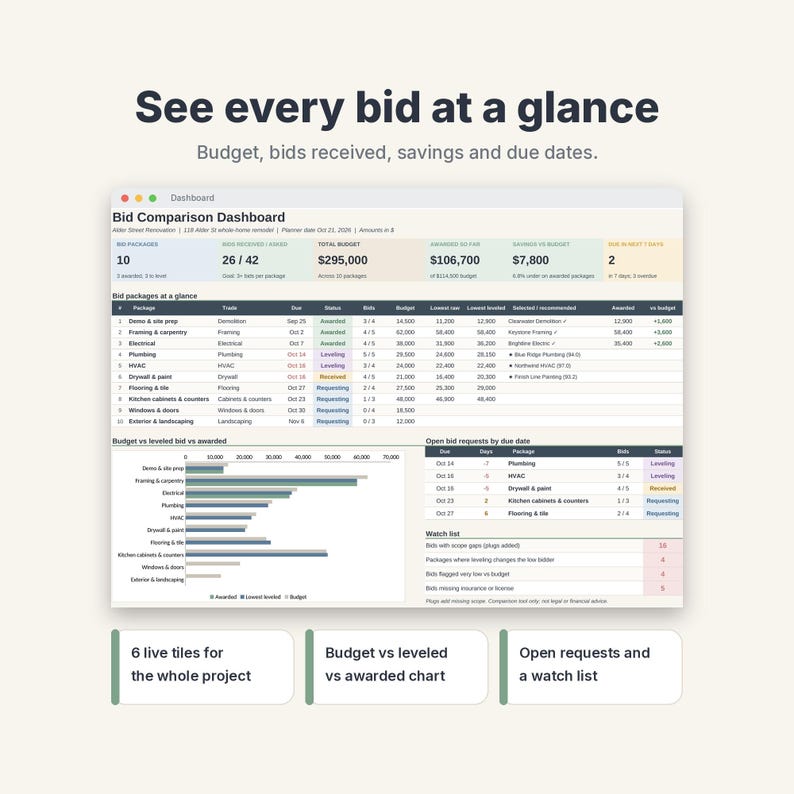
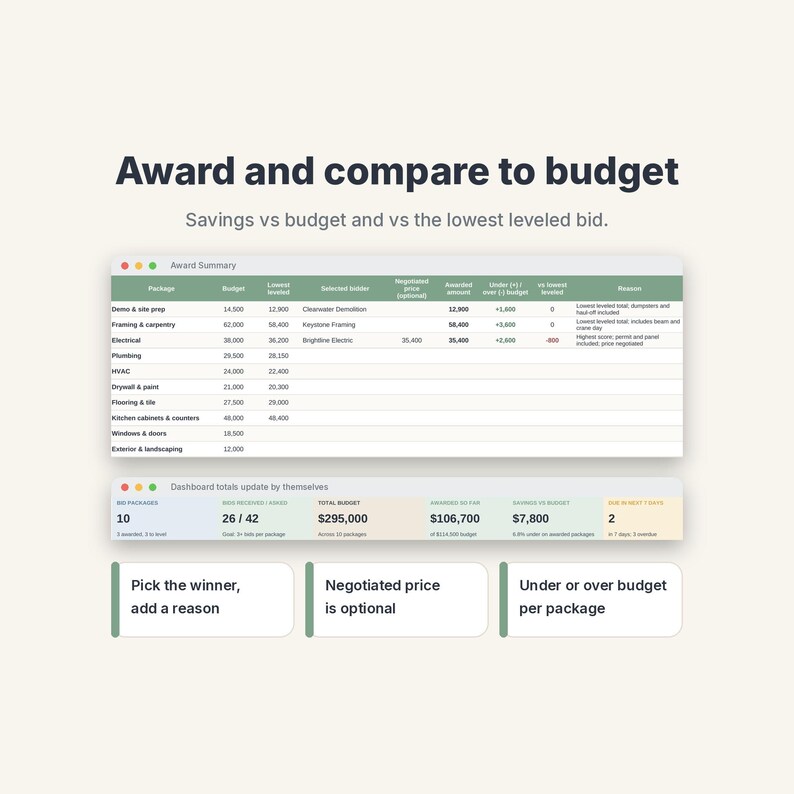
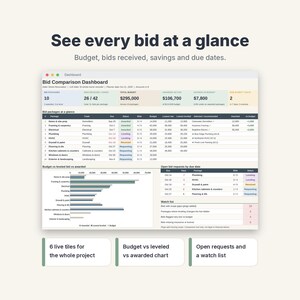
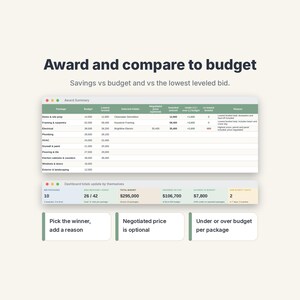
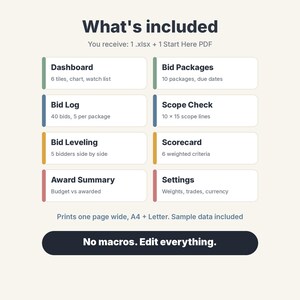
• Dashboard: 6 live tiles (packages, bids received vs asked, total budget, awarded so far, savings vs budget, requests due this week), a package table, a budget vs leveled bid vs awarded chart, open bid requests by due date and a watch list
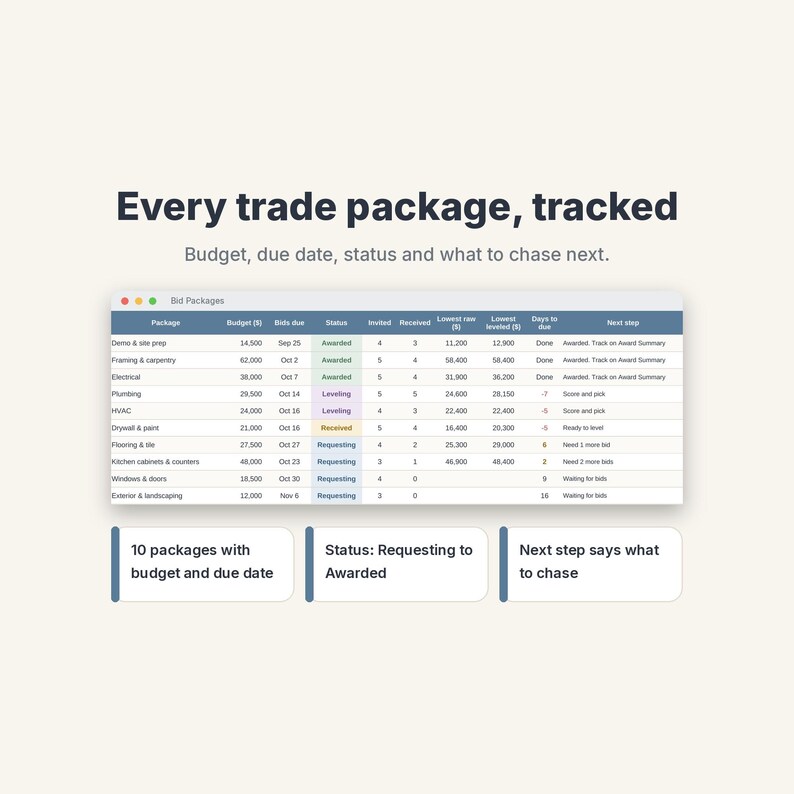
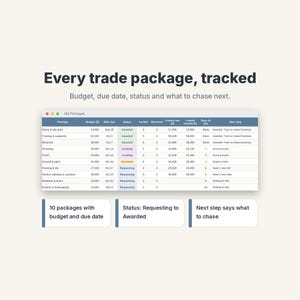
• Bid Packages: 10 trade packages with trade drop-down, scope summary, budget, due date and status (Requesting, Received, Leveling, Awarded). Bids received, lowest bid and next step fill themselves
• Bid Log: 40 rows, one per bidder, with company, contact, phone or email, date, base bid, alternates, exclusions, insurance, license, schedule in weeks, payment terms and notes. Adjusted total, rank, % over lowest and risk flags are calculated
• Scope Check: up to 15 scope lines for each of the 10 packages. Set a plug value, then mark each bidder Included, Excluded, Allowance or Unclear
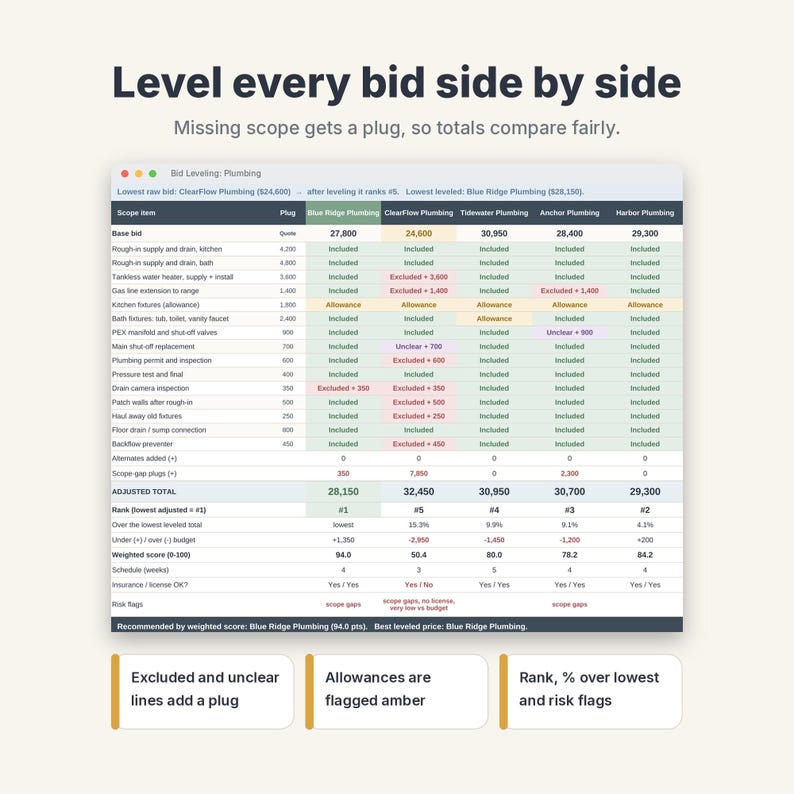
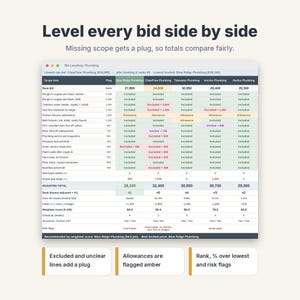
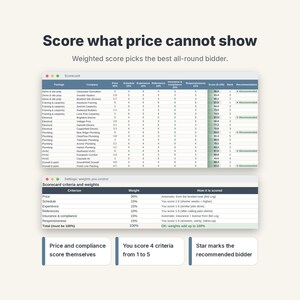
• Bid Leveling: pick a package and see up to 5 bidders side by side on the same scope, with colour chips, plugs for missing scope, adjusted total, rank, spread vs lowest, weighted score and risk flags
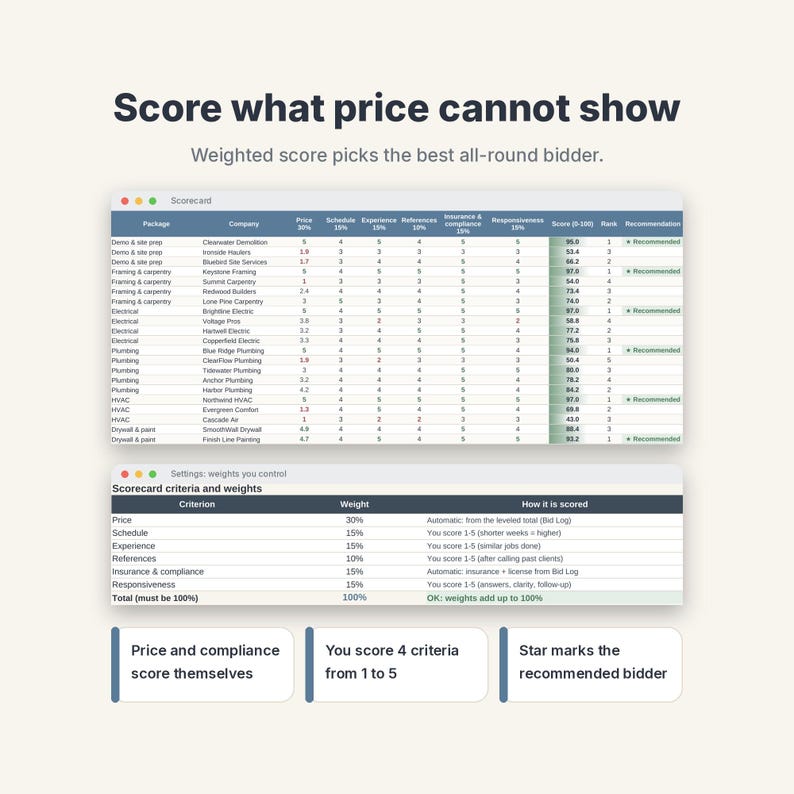
• Scorecard: 6 weighted criteria (price, schedule, experience, references, insurance & compliance, responsiveness). Price and compliance score themselves; you give 1-5 for the rest. Shows a score and a recommended bidder
• Award Summary: selected bidder per package, awarded amount, optional negotiated price, variance vs budget and vs the lowest leveled bid, and your reason
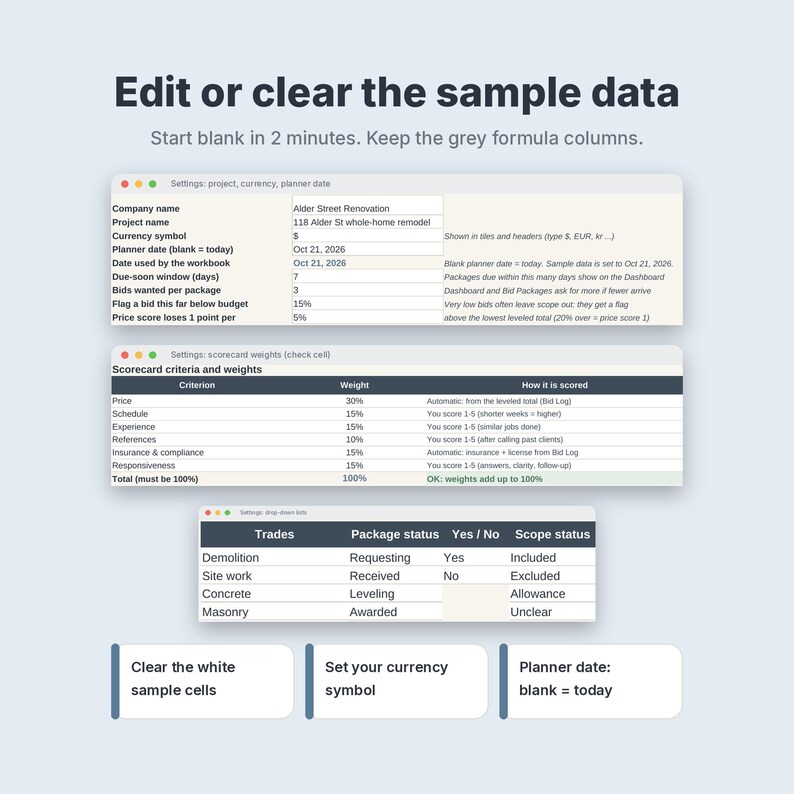
• Settings: company, project, currency symbol, planner date, flag rules, criteria weights with a 100% check, and editable lists (21 trades, statuses, scope marks)
HOW IT WORKS
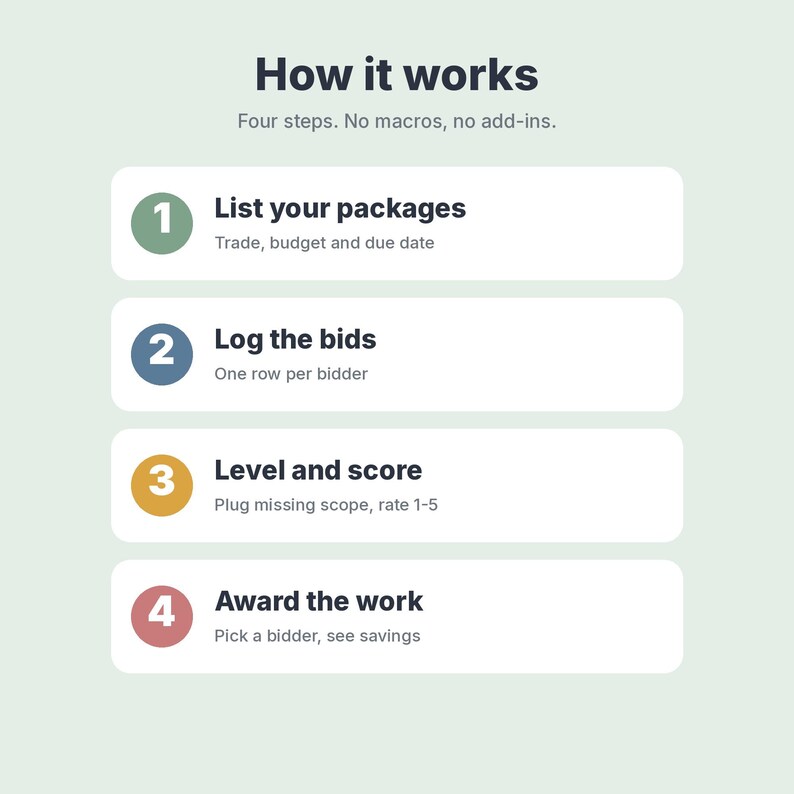
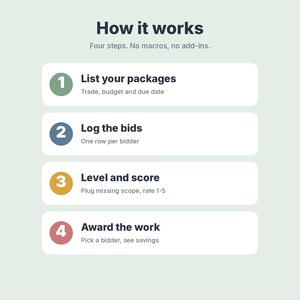
1. List your trade packages with a budget and due date.
2. Log each bid, one row per bidder.
3. Mark the scope on Scope Check, then open Bid Leveling and Scorecard.
4. Pick the winner on Award Summary and watch savings on the Dashboard.
YOU RECEIVE
• NordicPaperCo-Contractor-Bid-Comparison-Leveling.xlsx (1 Excel file, 8 tabs, formulas, drop-downs and conditional formatting, no macros)
• NordicPaperCo-Contractor-Bid-Comparison-Start-Here.pdf (2 pages, A4 size: what's inside, first steps, import steps for Excel, Google Sheets and LibreOffice)
Every tab is set to print one page wide (A4 or Letter). Tables print the sample rows plus a few blank ones, so there are no pages of empty rows.
WORKS IN
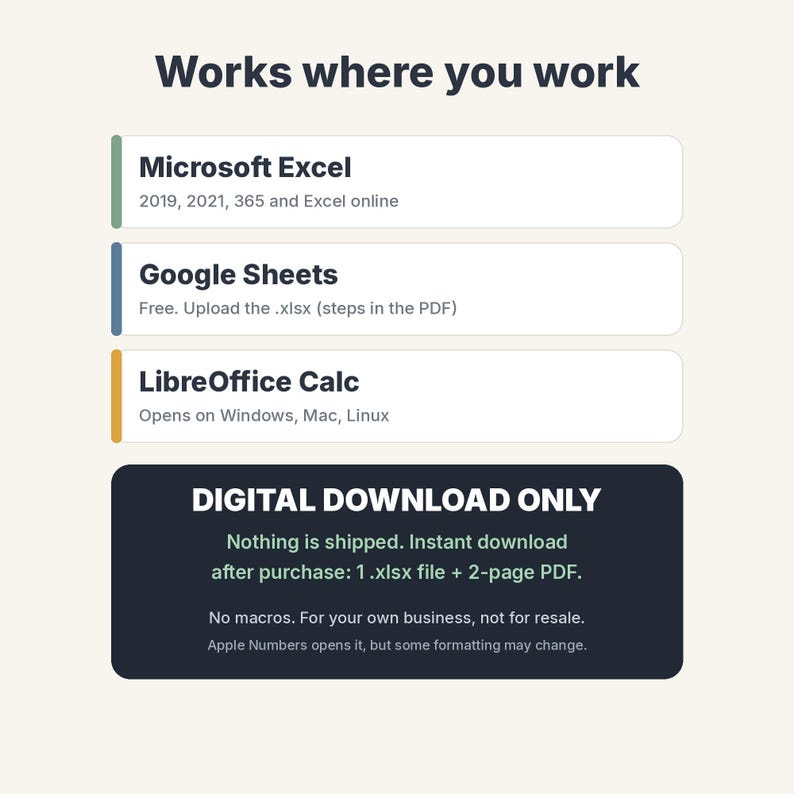
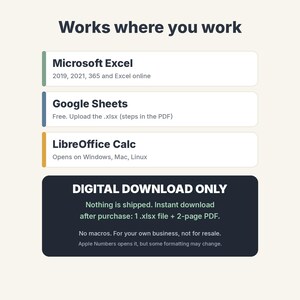
• Microsoft Excel 2019, 2021, 365 and Excel online
• Google Sheets (free): upload the .xlsx and Save as Google Sheets (steps in the PDF)
• LibreOffice Calc opens it; Apple Numbers may change some drop-downs, so Excel or Google Sheets is recommended
FAQ
Does it know today's date? The planner date on Settings is set to 21 Oct 2026 for the sample. Clear that cell and the Dashboard uses today.
Can I use my own currency? Yes; the sample shows $. Type your symbol on Settings ($, EUR, kr and so on).
How many bids can I level? 10 packages, 40 bids in total and up to 5 bidders per package.
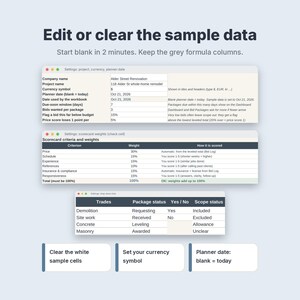
Can I start with a blank file? Yes. Clear the white sample cells (steps in the PDF) and keep the grey formula columns.
Does it work with my other contractor sheets? It is a standalone file. It also pairs well with the Nordic Paper Co Contractor Estimate & Invoice, Job Schedule, Timesheet, Punch List & Change Order, Bookkeeping and Construction Daily Log spreadsheets.
Is it legal or financial advice? No. It helps you compare quotes.
PLEASE NOTE
• This is a digital download only. Nothing is shipped. You get an instant download after purchase.
• For personal use or your own business. Please do not resell, share or redistribute the file.
• Mockup images show sample data. Colours may look slightly different on your screen.
• Disclaimer: a comparison tool only. It does not replace contracts, licensed advice or your own judgement, and it does not give legal or financial advice.
Designed by Nordic Paper Co. AI tools were used to help write the formulas, layout code and this text; every sheet was built, tested and checked by me.
If something goes wrong with an order, we've got your back for all eligible purchases. View program terms
NowPrice:$7.04
Original Price: $9.39
25% off
Sale ends on November 13
You can only make an offer when buying a single item
Delivery
Instant download
Your files will be available to download once payment is confirmed. Here's how.
Instant download items don't accept returns, exchanges or cancellations. Please contact the seller about any problems with your order.
Seller's description
Specifications
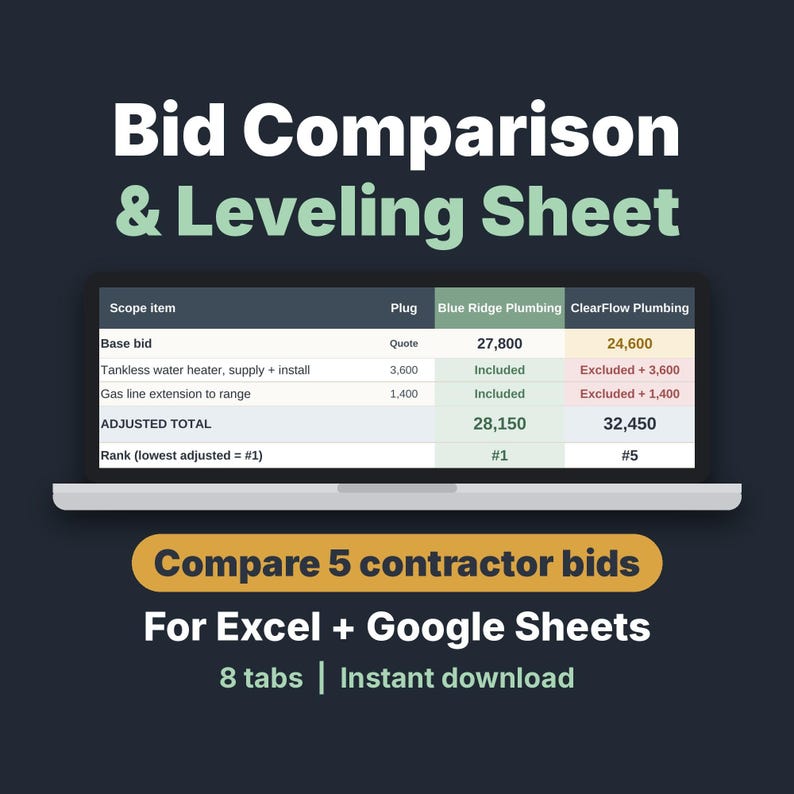
Compare contractor bids on the same scope, so the lowest quote does not fool you. This bid comparison and bid leveling spreadsheet (.xlsx, A4 + Letter print) adds the cost of work a bidder left out, so every quote is judged on equal terms. Instant download for Excel and Google Sheets. Perfect for homeowners, general contractors and remodelers. Clear the sample data and start blank in 2 minutes.
Bid leveling = adding the cost of work a bidder left out, so all quotes cover the same scope. Instant download of an .xlsx file plus a 2-page Start Here PDF (A4). No macros; the workbook prints on A4 or Letter.
Log every bid, mark which scope lines each contractor included or left out, and let the sheet add a plug for the missing work so you compare real totals, not just the lowest quote. Then score bidders, award the work and track savings against your budget. Made for general contractors, remodelers, builders and homeowners comparing 3-5 construction bids per trade, including subcontractor quotes. Realistic sample data (a home remodel, October 2026, amounts in US dollars) is included; the shop price is shown in your local currency. Company names and phone numbers in the sample are fictional. Change the currency symbol on Settings.
WHAT'S INSIDE (8 tabs)
• Dashboard: 6 live tiles (packages, bids received vs asked, total budget, awarded so far, savings vs budget, requests due this week), a package table, a budget vs leveled bid vs awarded chart, open bid requests by due date and a watch list
• Bid Packages: 10 trade packages with trade drop-down, scope summary, budget, due date and status (Requesting, Received, Leveling, Awarded). Bids received, lowest bid and next step fill themselves
• Bid Log: 40 rows, one per bidder, with company, contact, phone or email, date, base bid, alternates, exclusions, insurance, license, schedule in weeks, payment terms and notes. Adjusted total, rank, % over lowest and risk flags are calculated
• Scope Check: up to 15 scope lines for each of the 10 packages. Set a plug value, then mark each bidder Included, Excluded, Allowance or Unclear
• Bid Leveling: pick a package and see up to 5 bidders side by side on the same scope, with colour chips, plugs for missing scope, adjusted total, rank, spread vs lowest, weighted score and risk flags
• Scorecard: 6 weighted criteria (price, schedule, experience, references, insurance & compliance, responsiveness). Price and compliance score themselves; you give 1-5 for the rest. Shows a score and a recommended bidder
• Award Summary: selected bidder per package, awarded amount, optional negotiated price, variance vs budget and vs the lowest leveled bid, and your reason
• Settings: company, project, currency symbol, planner date, flag rules, criteria weights with a 100% check, and editable lists (21 trades, statuses, scope marks)
HOW IT WORKS
1. List your trade packages with a budget and due date.
2. Log each bid, one row per bidder.
3. Mark the scope on Scope Check, then open Bid Leveling and Scorecard.
4. Pick the winner on Award Summary and watch savings on the Dashboard.
YOU RECEIVE
• NordicPaperCo-Contractor-Bid-Comparison-Leveling.xlsx (1 Excel file, 8 tabs, formulas, drop-downs and conditional formatting, no macros)
• NordicPaperCo-Contractor-Bid-Comparison-Start-Here.pdf (2 pages, A4 size: what's inside, first steps, import steps for Excel, Google Sheets and LibreOffice)
Every tab is set to print one page wide (A4 or Letter). Tables print the sample rows plus a few blank ones, so there are no pages of empty rows.
WORKS IN
• Microsoft Excel 2019, 2021, 365 and Excel online
• Google Sheets (free): upload the .xlsx and Save as Google Sheets (steps in the PDF)
• LibreOffice Calc opens it; Apple Numbers may change some drop-downs, so Excel or Google Sheets is recommended
FAQ
Does it know today's date? The planner date on Settings is set to 21 Oct 2026 for the sample. Clear that cell and the Dashboard uses today.
Can I use my own currency? Yes; the sample shows $. Type your symbol on Settings ($, EUR, kr and so on).
How many bids can I level? 10 packages, 40 bids in total and up to 5 bidders per package.
Can I start with a blank file? Yes. Clear the white sample cells (steps in the PDF) and keep the grey formula columns.
Does it work with my other contractor sheets? It is a standalone file. It also pairs well with the Nordic Paper Co Contractor Estimate & Invoice, Job Schedule, Timesheet, Punch List & Change Order, Bookkeeping and Construction Daily Log spreadsheets.
Is it legal or financial advice? No. It helps you compare quotes.
PLEASE NOTE
• This is a digital download only. Nothing is shipped. You get an instant download after purchase.
• For personal use or your own business. Please do not resell, share or redistribute the file.
• Mockup images show sample data. Colours may look slightly different on your screen.
• Disclaimer: a comparison tool only. It does not replace contracts, licensed advice or your own judgement, and it does not give legal or financial advice.
Designed by Nordic Paper Co. AI tools were used to help write the formulas, layout code and this text; every sheet was built, tested and checked by me.
-
Item typeDigital download
-
Digital file type(s)1 PDF, 1 other file
If something goes wrong with an order, we've got your back on all eligible purchases. View program terms
Meet your seller
More from this shop
-
Digital download
Contractor Lead Tracker & Client CRM Spreadsheet, Excel and Google Sheets Quote Follow-Up Template
Sale Price $6.25
Original Price $8.33
-
Digital download
2027 Budget Planner Spreadsheet, Monthly Budget Template with Savings & Debt Tracker
Sale Price $6.25
Original Price $8.33
-
Digital download
Construction Change Order Form & Log Template for Contractors and Remodelers
Sale Price $7.04
Original Price $9.39
-
Digital download
Christmas Would You Rather Game, Printable PDF, 220 Cards for Kids, Family & Adults
Sale Price $2.29
Original Price $3.06
-
Digital download
Christmas Bingo Game Printable, 50 Unique Picture Cards for Kids, Family & Classroom Party
Sale Price $2.29
Original Price $3.06
-
Digital download
Letter to Santa Kit Printable, Letter From Santa Reply, Nice List Certificate & Envelope for Kids
Sale Price $3.09
Original Price $4.11