


Subcontractor Payment Tracker Spreadsheet, Retainage Log & Lien Waiver Tracker
Item highlights
Seller's description
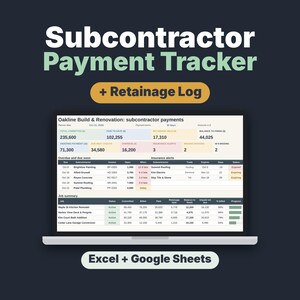
Know exactly what you owe every subcontractor, what you have paid and how much retainage you are holding. This is a digital Subcontractor Payment Tracker & Retainage Log spreadsheet for Excel and Google Sheets: instant download of an .xlsx file with a 2-page Start Here PDF.
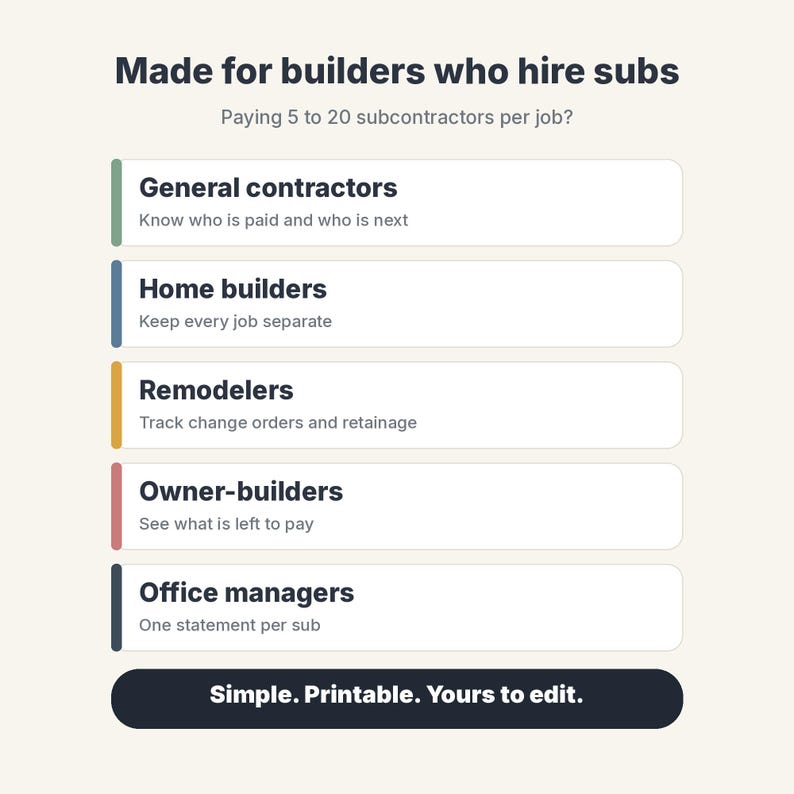
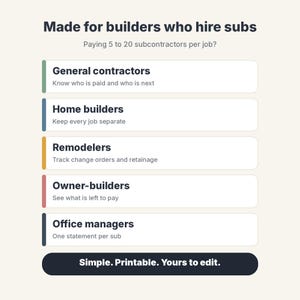
Track contracts, change orders, invoices and payments, retainage held and released, balance to finish, insurance expiry, W-9s and lien waivers for every sub on every job. Made for small general contractors, home builders, remodelers and owner-builders who pay 5 to 20 subs per job. Sample data (October 2026) is included. Nothing is shipped.
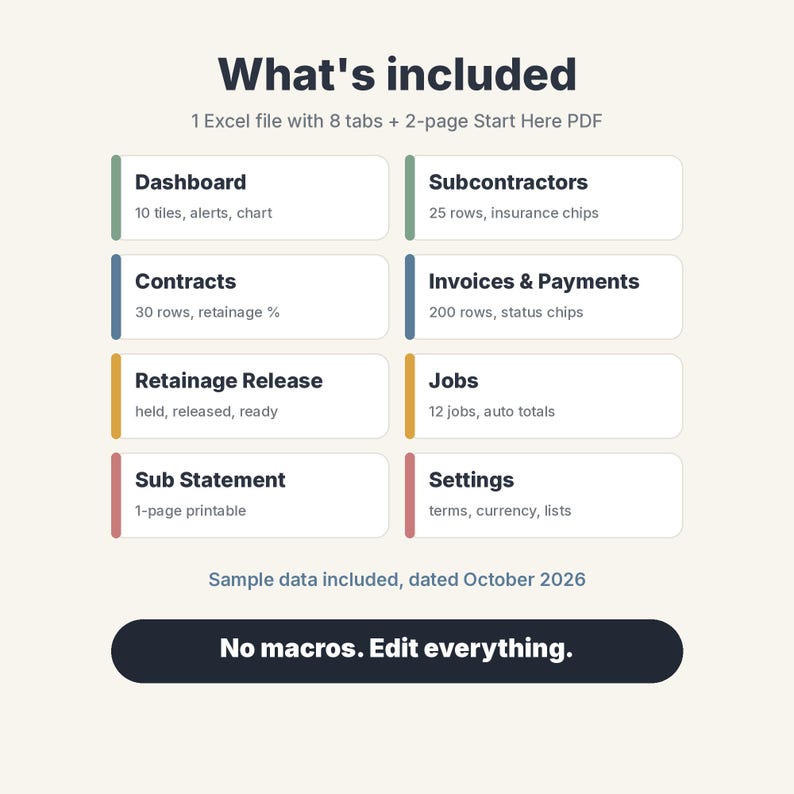
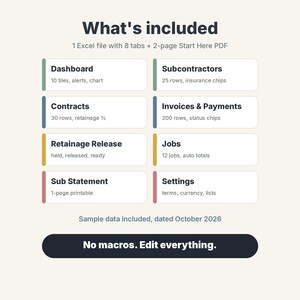
WHAT'S INSIDE (8 tabs)
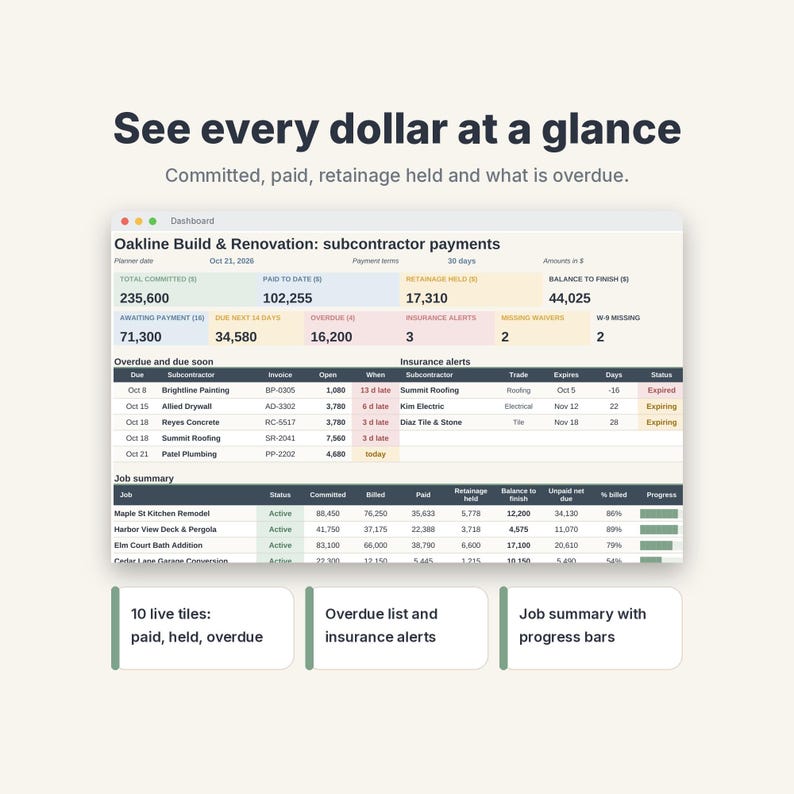
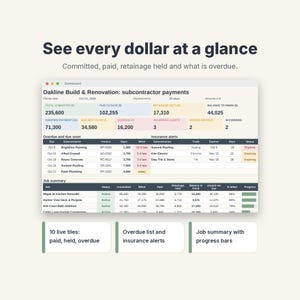
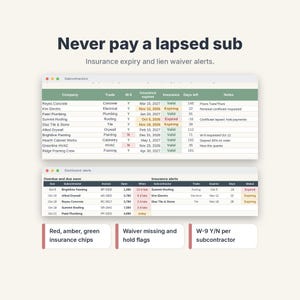
• Dashboard: 10 live tiles (total committed, paid to date, retainage held, balance to finish, awaiting payment, due in the next 14 days, overdue, insurance alerts, missing lien waivers, missing W-9s), an overdue and due-soon list, insurance alerts, a job summary with progress bars and a paid-vs-contract chart for your top 10 subs
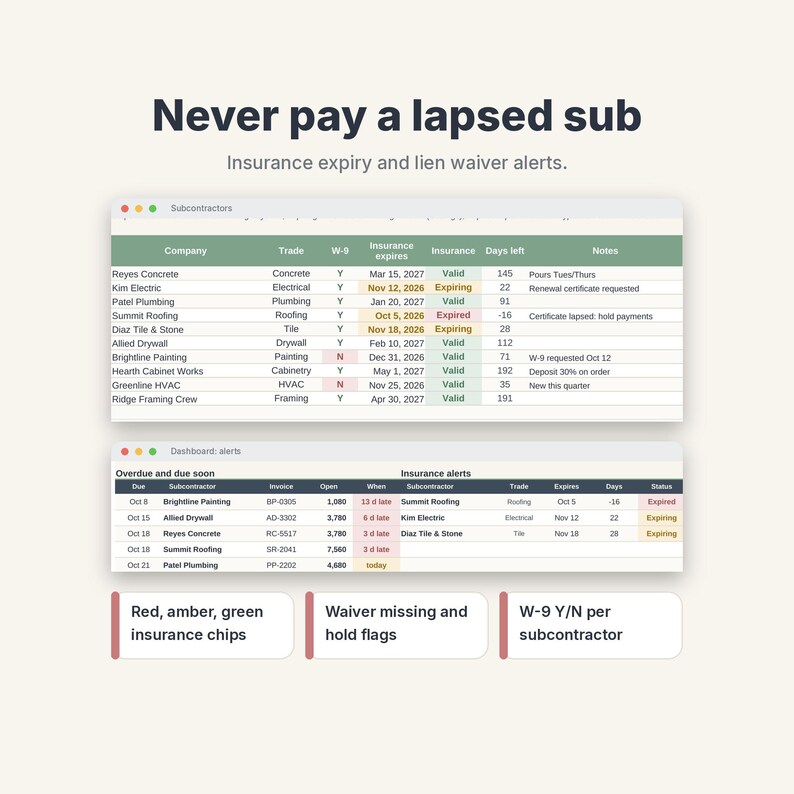
• Subcontractors: 25 rows with trade, contact, license number, W-9 Y/N and insurance expiry with Valid, Expiring and Expired colour chips
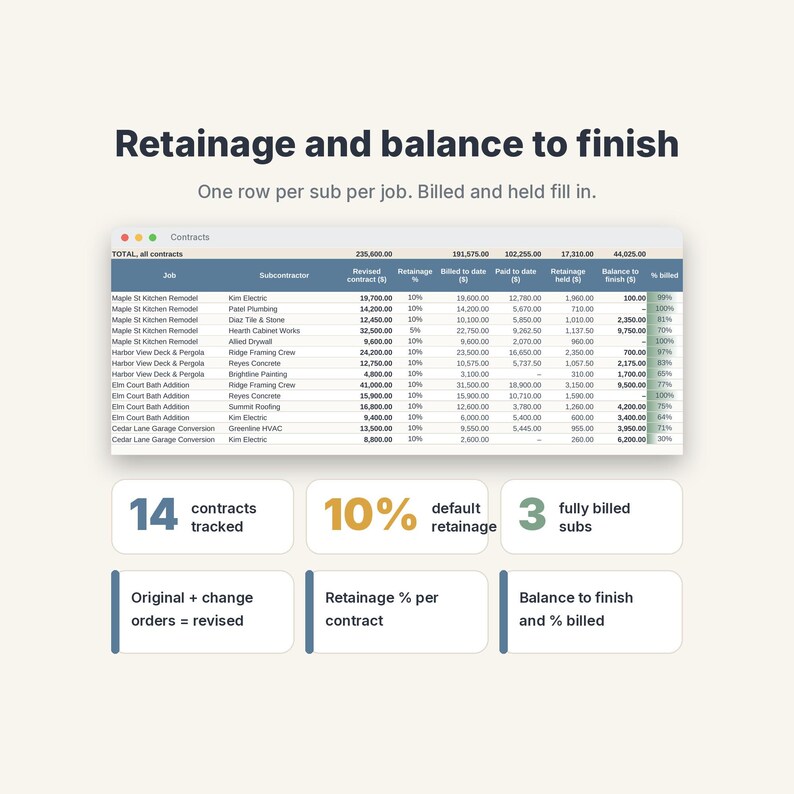
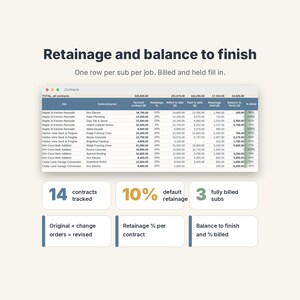
• Contracts: 30 rows, one per sub per job, with original contract, approved change orders, revised contract, retainage %, billed to date, paid to date, retainage held, balance to finish and % billed
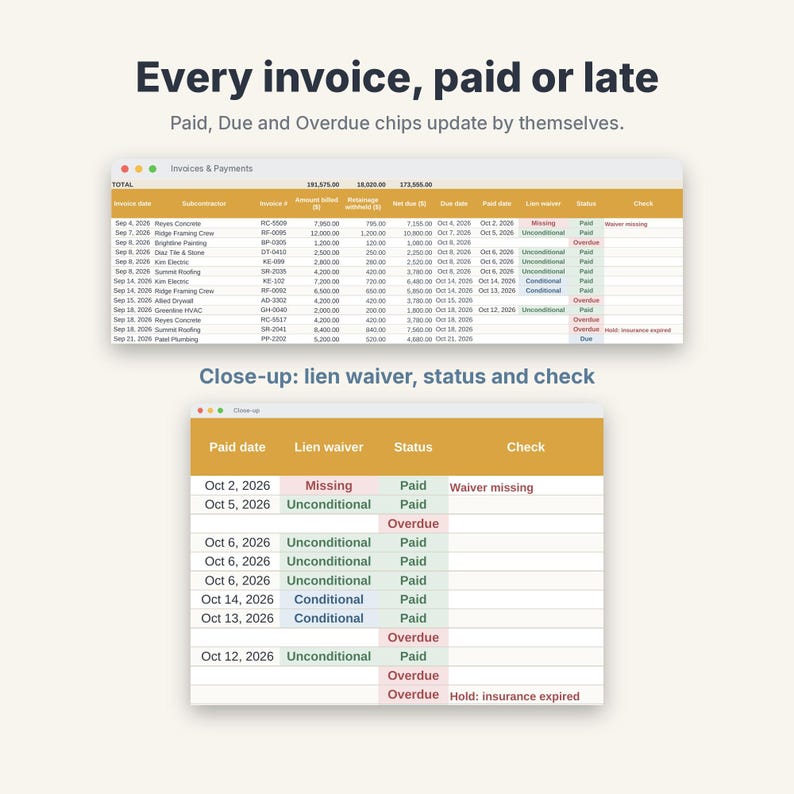
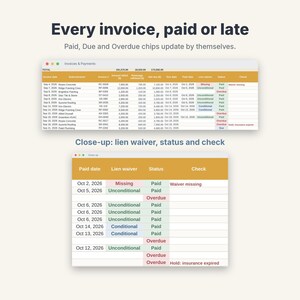
• Invoices & Payments: 200 rows for invoices and pay applications. Retainage withheld, net due and due date calculate (payment terms come from Settings). Add paid date, amount, check number and lien waiver (conditional or unconditional). Status chips show Paid, Due or Overdue, and a Check column flags missing waivers or a sub with expired insurance
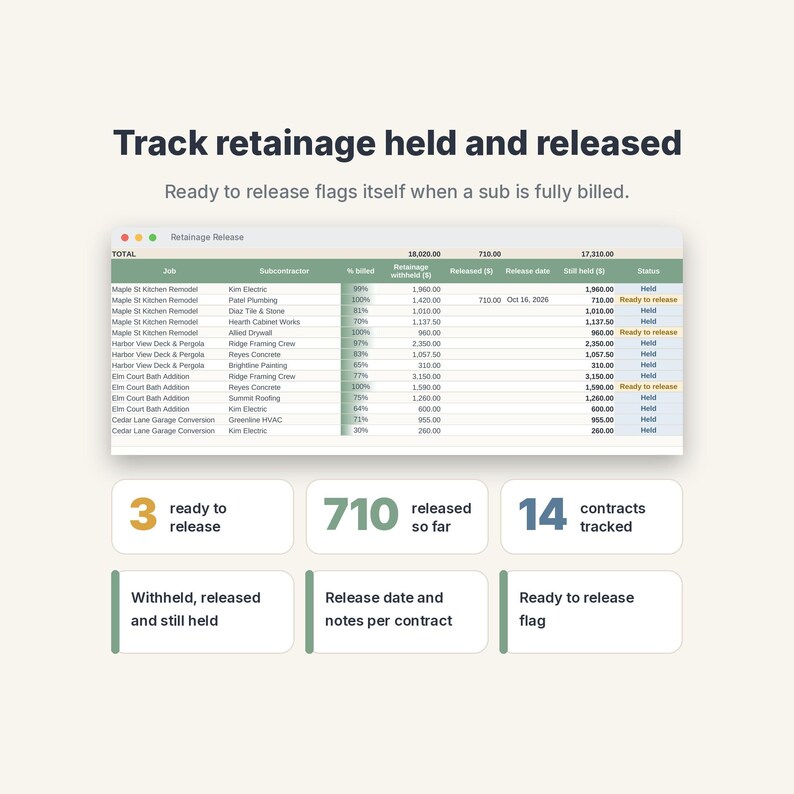
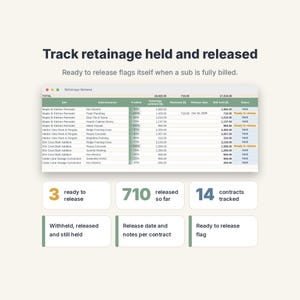
• Retainage Release: retainage withheld, released and still held per contract, with a Ready to release flag once a contract is fully billed
• Jobs: 12 jobs with committed, billed, paid, retainage and balance totals
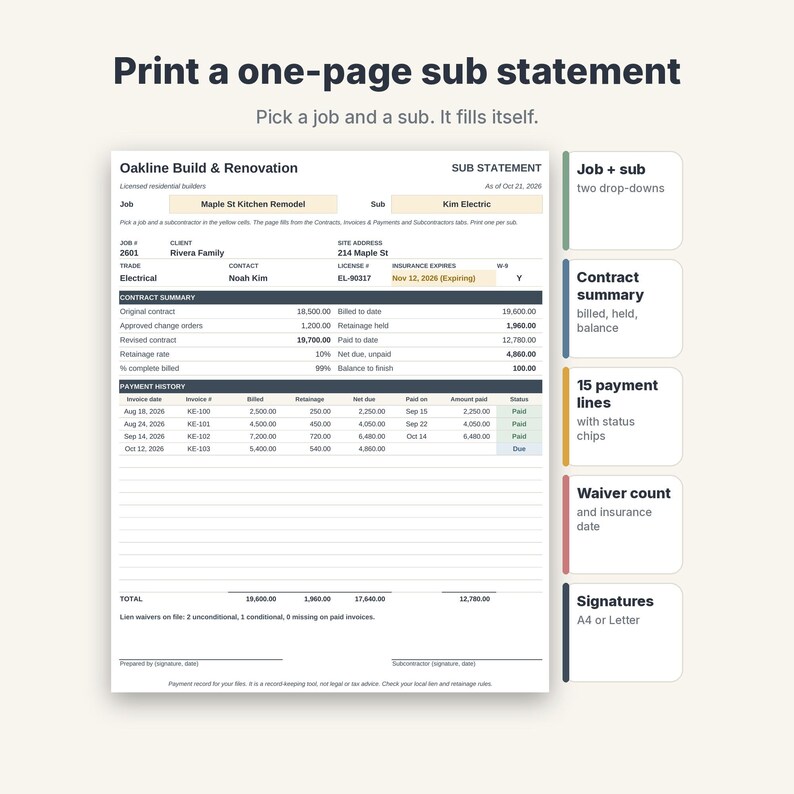
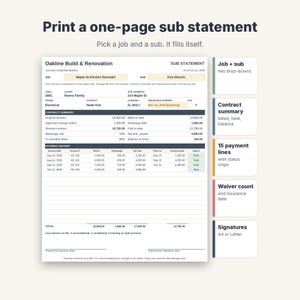
• Sub Statement: a one-page printable statement (portrait, A4 or US Letter). Pick a job and a sub: contract summary, 15 payment lines, lien waiver count and signature lines
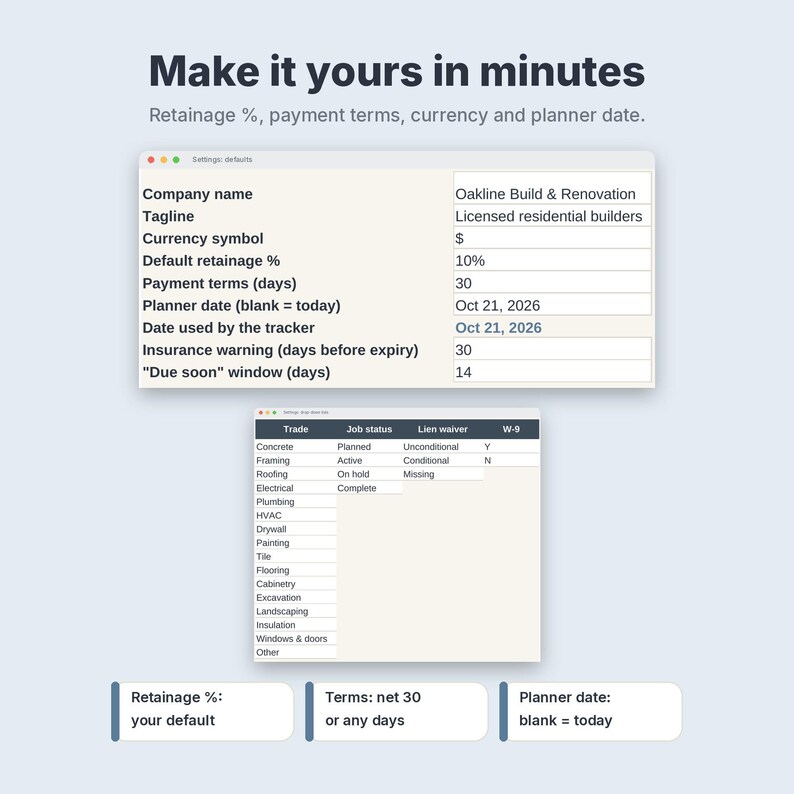
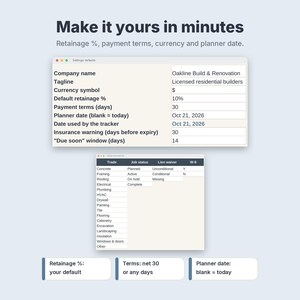
• Settings: company name, currency symbol, default retainage %, payment terms in days, planner date, alert windows and editable drop-down lists
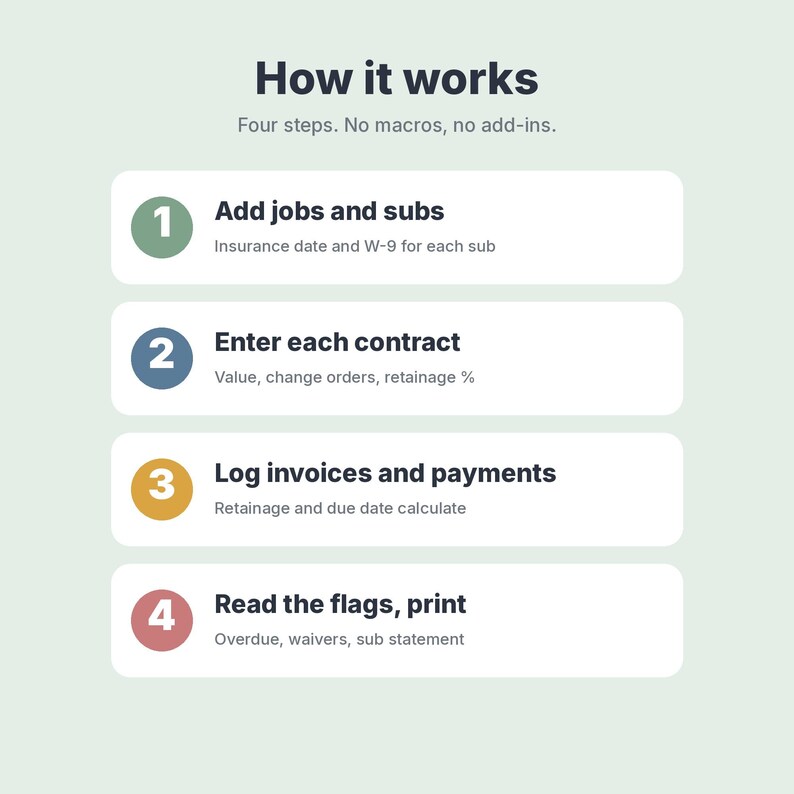
HOW IT WORKS
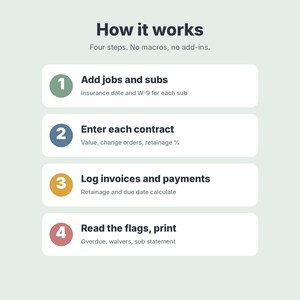
1. Add your jobs and subcontractors (insurance date and W-9 for each).
2. Add one contract row per sub per job.
3. Log each invoice and payment. Retainage, net due and due date calculate.
4. Read the dashboard and flags, release retainage when a sub is done, and print a Sub Statement.
YOU RECEIVE
• NordicPaperCo-Subcontractor-Payment-Tracker.xlsx (1 Excel file, 8 tabs, formulas and drop-downs, no macros)
• NordicPaperCo-Subcontractor-Payment-Tracker-Start-Here.pdf (2 pages, A4: what's inside, first steps, import steps for Excel, Google Sheets and LibreOffice)
Every tab is set to print one page wide (A4 or Letter). Tables print the sample rows plus a few blank ones, so there are no pages of empty rows.
WORKS IN
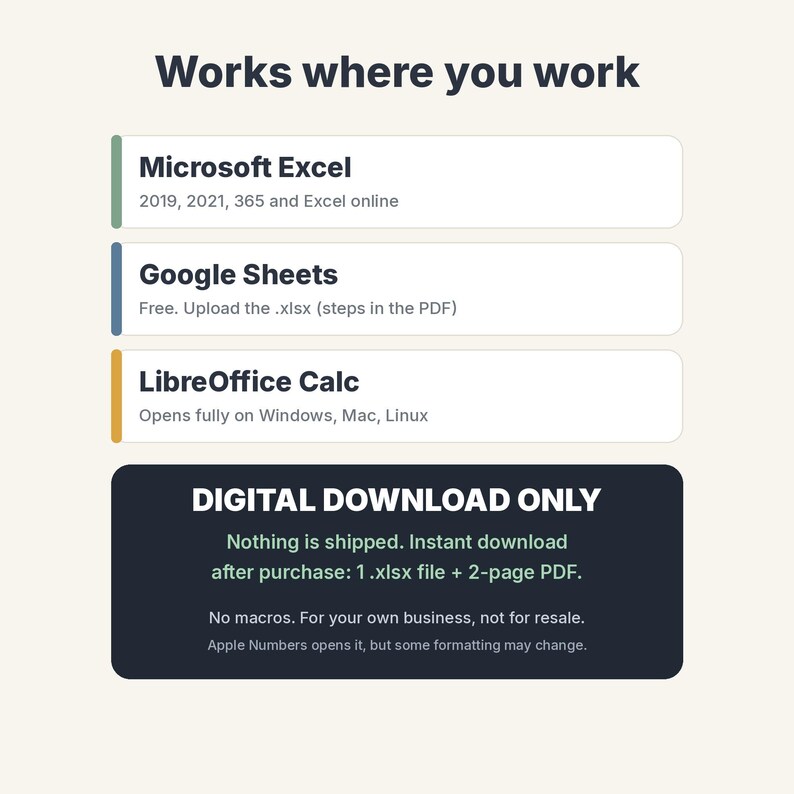
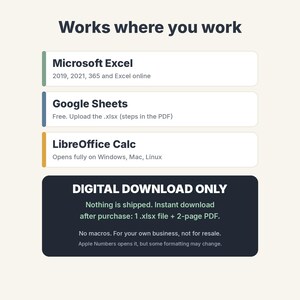
• Microsoft Excel 2019, 2021, 365 and Excel online
• Google Sheets (free): upload the .xlsx and choose Save as Google Sheets. Steps are in the PDF. Colours and the chart may look slightly different
• LibreOffice Calc opens it fully
• Apple Numbers opens it, but some drop-downs or formatting may change, so Excel or Google Sheets is recommended
FAQ
Does it know today's date? The planner date on Settings is set to 21 Oct 2026 for the sample. Clear that cell and the dashboard, due dates and alerts use today.
Can I use another currency or retainage rate? Yes. Set the currency symbol, default retainage % and payment terms on Settings, and a different % per contract on the Contracts tab.
How many rows? 30 contracts, 200 invoices, 25 subs and 12 jobs. Copy a row down to add more.
Can I start with a blank file? Yes. Clear the white sample cells (steps in the PDF) and keep the grey formula columns.
Does it replace my accounting software? No. It tracks what you owe and hold per sub. It does not post to accounting software or send anything.
Does it work with my other contractor sheets? It is a standalone file. It also pairs well with the Nordic Paper Co Contractor Estimate & Invoice, Job Schedule, Timesheet, Punch List & Change Order, Bookkeeping and Construction Daily Log spreadsheets.
Is it legal advice? No. Lien and retainage rules differ by location, so check your local rules and contracts.
PLEASE NOTE
• This is a digital product. Nothing is shipped. You get an instant download after purchase.
• For personal use or your own business. Please do not resell, share or redistribute the file.
• Mockup images show sample data. Colours may look slightly different on your screen.
• Disclaimer: a record-keeping tool. It does not replace contracts, and it does not give legal, tax or accounting advice.
Designed by Nordic Paper Co. AI tools were used to help write the formulas, layout code and this text; every sheet was built, tested and checked by me.
If something goes wrong with an order, we've got your back for all eligible purchases. View program terms
NowPrice:$7.85
Original Price: $10.46
25% off
Sale ends on November 13
You can only make an offer when buying a single item
Delivery
Instant download
Your files will be available to download once payment is confirmed. Here's how.
Instant download items don't accept returns, exchanges or cancellations. Please contact the seller about any problems with your order.
Seller's description
Specifications
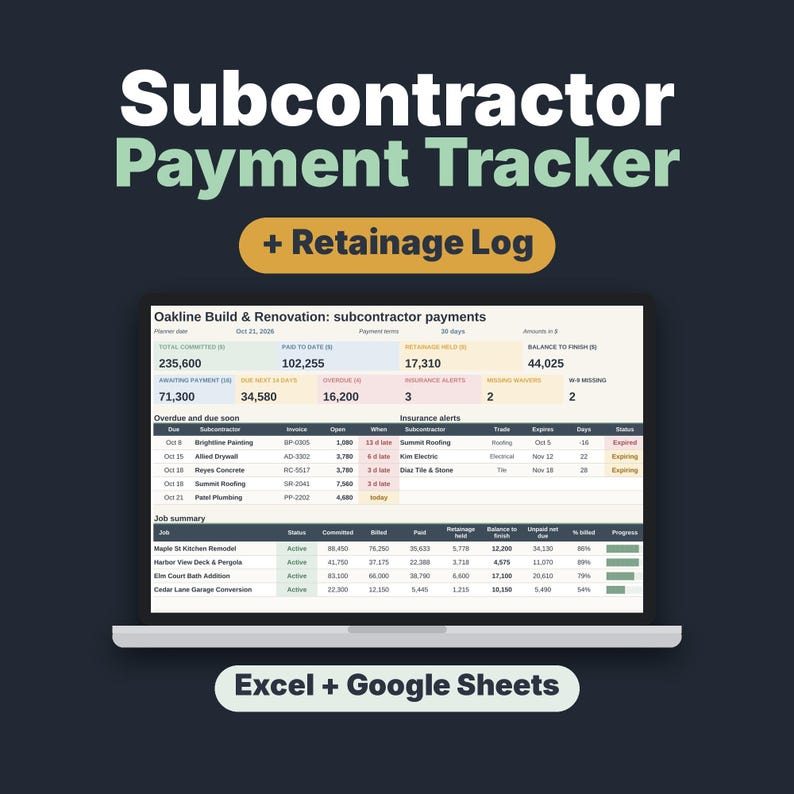
Know exactly what you owe every subcontractor, what you have paid and how much retainage you are holding. This is a digital Subcontractor Payment Tracker & Retainage Log spreadsheet for Excel and Google Sheets: instant download of an .xlsx file with a 2-page Start Here PDF.
Track contracts, change orders, invoices and payments, retainage held and released, balance to finish, insurance expiry, W-9s and lien waivers for every sub on every job. Made for small general contractors, home builders, remodelers and owner-builders who pay 5 to 20 subs per job. Sample data (October 2026) is included. Nothing is shipped.
WHAT'S INSIDE (8 tabs)
• Dashboard: 10 live tiles (total committed, paid to date, retainage held, balance to finish, awaiting payment, due in the next 14 days, overdue, insurance alerts, missing lien waivers, missing W-9s), an overdue and due-soon list, insurance alerts, a job summary with progress bars and a paid-vs-contract chart for your top 10 subs
• Subcontractors: 25 rows with trade, contact, license number, W-9 Y/N and insurance expiry with Valid, Expiring and Expired colour chips
• Contracts: 30 rows, one per sub per job, with original contract, approved change orders, revised contract, retainage %, billed to date, paid to date, retainage held, balance to finish and % billed
• Invoices & Payments: 200 rows for invoices and pay applications. Retainage withheld, net due and due date calculate (payment terms come from Settings). Add paid date, amount, check number and lien waiver (conditional or unconditional). Status chips show Paid, Due or Overdue, and a Check column flags missing waivers or a sub with expired insurance
• Retainage Release: retainage withheld, released and still held per contract, with a Ready to release flag once a contract is fully billed
• Jobs: 12 jobs with committed, billed, paid, retainage and balance totals
• Sub Statement: a one-page printable statement (portrait, A4 or US Letter). Pick a job and a sub: contract summary, 15 payment lines, lien waiver count and signature lines
• Settings: company name, currency symbol, default retainage %, payment terms in days, planner date, alert windows and editable drop-down lists
HOW IT WORKS
1. Add your jobs and subcontractors (insurance date and W-9 for each).
2. Add one contract row per sub per job.
3. Log each invoice and payment. Retainage, net due and due date calculate.
4. Read the dashboard and flags, release retainage when a sub is done, and print a Sub Statement.
YOU RECEIVE
• NordicPaperCo-Subcontractor-Payment-Tracker.xlsx (1 Excel file, 8 tabs, formulas and drop-downs, no macros)
• NordicPaperCo-Subcontractor-Payment-Tracker-Start-Here.pdf (2 pages, A4: what's inside, first steps, import steps for Excel, Google Sheets and LibreOffice)
Every tab is set to print one page wide (A4 or Letter). Tables print the sample rows plus a few blank ones, so there are no pages of empty rows.
WORKS IN
• Microsoft Excel 2019, 2021, 365 and Excel online
• Google Sheets (free): upload the .xlsx and choose Save as Google Sheets. Steps are in the PDF. Colours and the chart may look slightly different
• LibreOffice Calc opens it fully
• Apple Numbers opens it, but some drop-downs or formatting may change, so Excel or Google Sheets is recommended
FAQ
Does it know today's date? The planner date on Settings is set to 21 Oct 2026 for the sample. Clear that cell and the dashboard, due dates and alerts use today.
Can I use another currency or retainage rate? Yes. Set the currency symbol, default retainage % and payment terms on Settings, and a different % per contract on the Contracts tab.
How many rows? 30 contracts, 200 invoices, 25 subs and 12 jobs. Copy a row down to add more.
Can I start with a blank file? Yes. Clear the white sample cells (steps in the PDF) and keep the grey formula columns.
Does it replace my accounting software? No. It tracks what you owe and hold per sub. It does not post to accounting software or send anything.
Does it work with my other contractor sheets? It is a standalone file. It also pairs well with the Nordic Paper Co Contractor Estimate & Invoice, Job Schedule, Timesheet, Punch List & Change Order, Bookkeeping and Construction Daily Log spreadsheets.
Is it legal advice? No. Lien and retainage rules differ by location, so check your local rules and contracts.
PLEASE NOTE
• This is a digital product. Nothing is shipped. You get an instant download after purchase.
• For personal use or your own business. Please do not resell, share or redistribute the file.
• Mockup images show sample data. Colours may look slightly different on your screen.
• Disclaimer: a record-keeping tool. It does not replace contracts, and it does not give legal, tax or accounting advice.
Designed by Nordic Paper Co. AI tools were used to help write the formulas, layout code and this text; every sheet was built, tested and checked by me.
-
Designed by
-
Item typeDigital download
-
Digital file type(s)1 PDF, 1 other file
If something goes wrong with an order, we've got your back on all eligible purchases. View program terms
Meet your seller
More from this shop
-
Digital download
Christmas Scavenger Hunt Printable for Kids, 32 Rhyming Clue Cards, Indoor + Outdoor, Ages 3-12
Sale Price $2.30
Original Price $3.06
-
Digital download
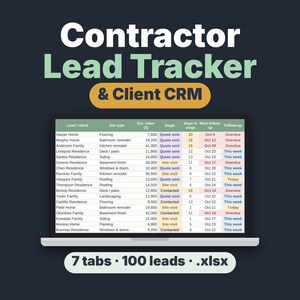
Contractor Lead Tracker & Client CRM Spreadsheet, Excel and Google Sheets Quote Follow-Up Template
Sale Price $6.26
Original Price $8.35
-
Digital download
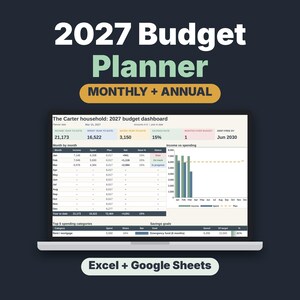
2027 Budget Planner Spreadsheet, Monthly Budget Template with Savings & Debt Tracker
Sale Price $6.26
Original Price $8.35
-
Digital download
Construction Change Order Form & Log Template for Contractors and Remodelers
Sale Price $7.05
Original Price $9.40
-
Digital download
Christmas Would You Rather Game, Printable PDF, 220 Cards for Kids, Family & Adults
Sale Price $2.30
Original Price $3.06
-

Digital download
Christmas Bingo Printable, 50 Unique Picture Bingo Cards for Kids, Adults and Large Groups, Classroom and Family Party Game
Sale Price $2.30
Original Price $3.06