




Meal Planner App for iPhone, Android and PC, Weekly Meal Plan, Grocery List and Recipe Organizer
Item highlights
If something goes wrong with an order, we've got your back for all eligible purchases. View program terms
NowPrice:$6.60
Original Price: $12.00
45% off
Sale ends on November 19
You can only make an offer when buying a single item
Delivery
Instant download
Your files will be available to download once payment is confirmed. Here's how.
Instant download items don't accept returns, exchanges or cancellations. Please contact the seller about any problems with your order.
Seller's description
Specifications
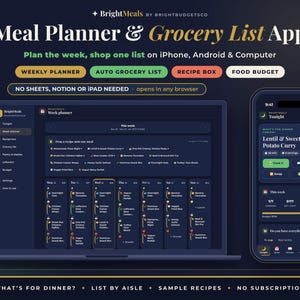
✦ No Google Sheets, Notion or iPad needed: your meal planner app opens right in your phone or computer browser, nothing to install. ✦
✦ A meal planner and grocery list app for iPhone, Android and computer. Plan the week in minutes, get your grocery list made for you, and always know what's for dinner tonight ✦
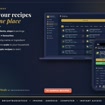
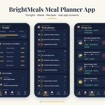
"What's for dinner?" shouldn't be the hardest question of the day. BrightMeals is an elegant navy and gold web app with a fresh herb-green accent that you open from your private link and add to your home screen, where it opens full screen like any other app. Save the recipes you actually cook, tap or drag them onto breakfast, lunch, dinner and snacks for the week, and your grocery list builds itself: scaled to your household, merged into one line per item and grouped by store aisle, so you shop in one trip and tap things off as you go. Tick what's already in your pantry and it stays off the list. Log leftovers so they get eaten, not wasted, and set a weekly food budget to see what the week will cost. Each evening, the Tonight screen shows one thing: what's for dinner, with a big Cook it button. Your data stays private on your own device. No account, no subscription.
━━━━━━━━━━━━━━━━━━
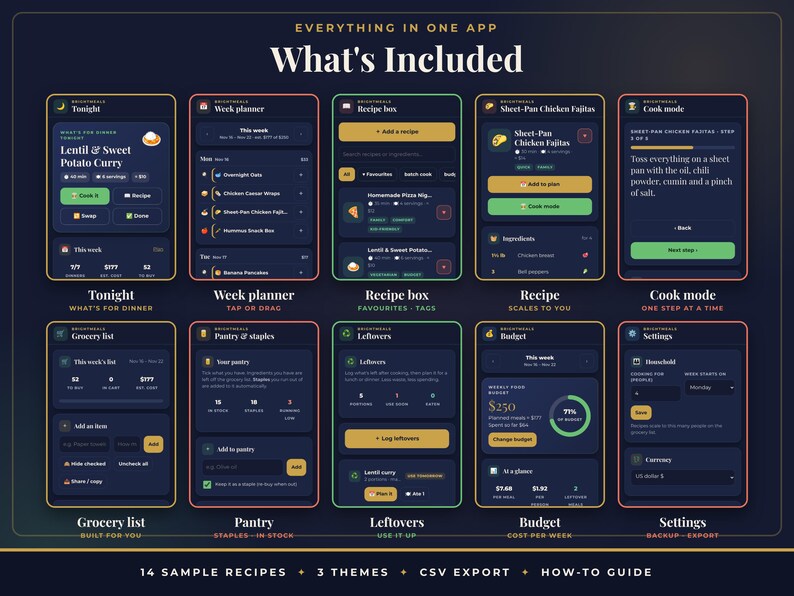
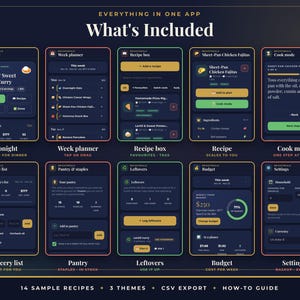
✦ WHAT'S INCLUDED (12 SCREENS)
━━━━━━━━━━━━━━━━━━
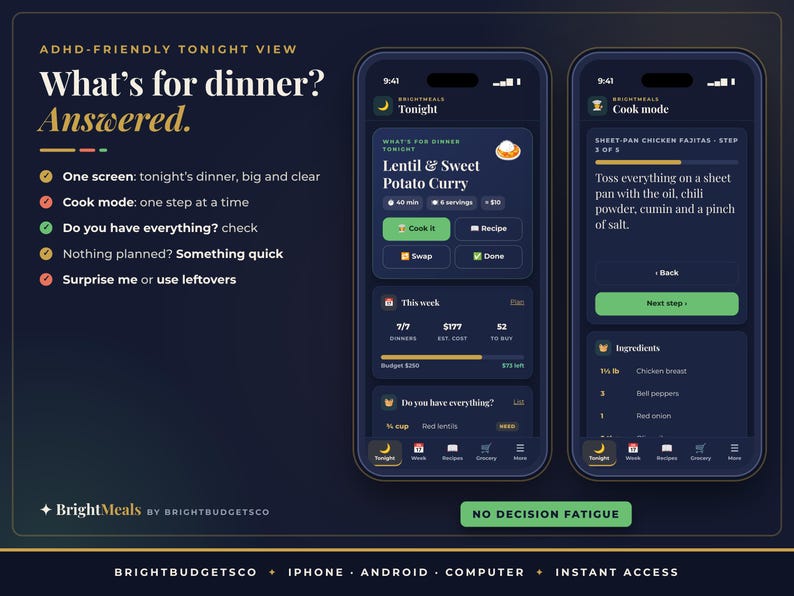
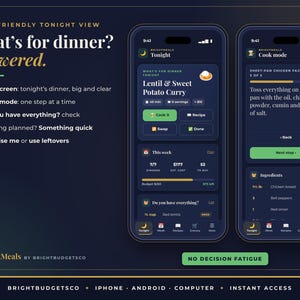
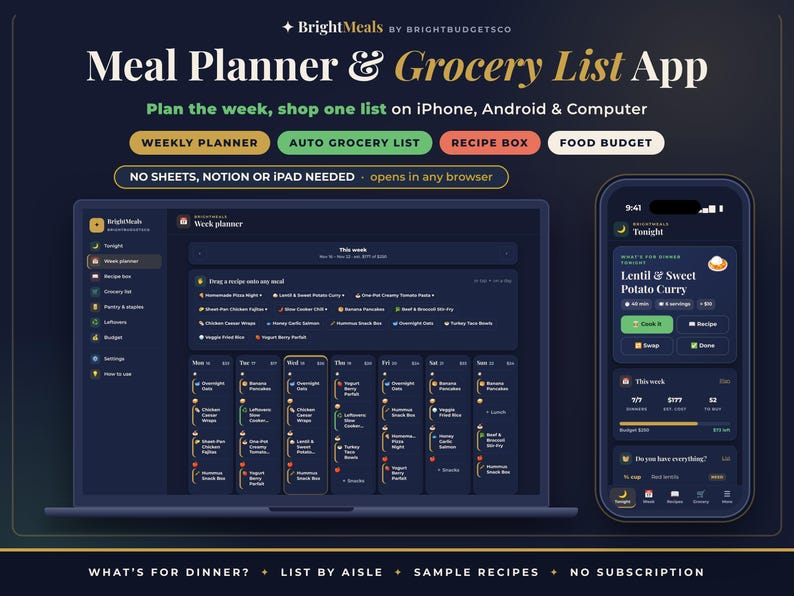
★ TONIGHT: what's for dinner tonight, big and clear, with cook time, servings and cost, a "Do you have everything?" ingredient check and the rest of today's meals. Nothing planned? Tap Something quick, Surprise me or Use leftovers
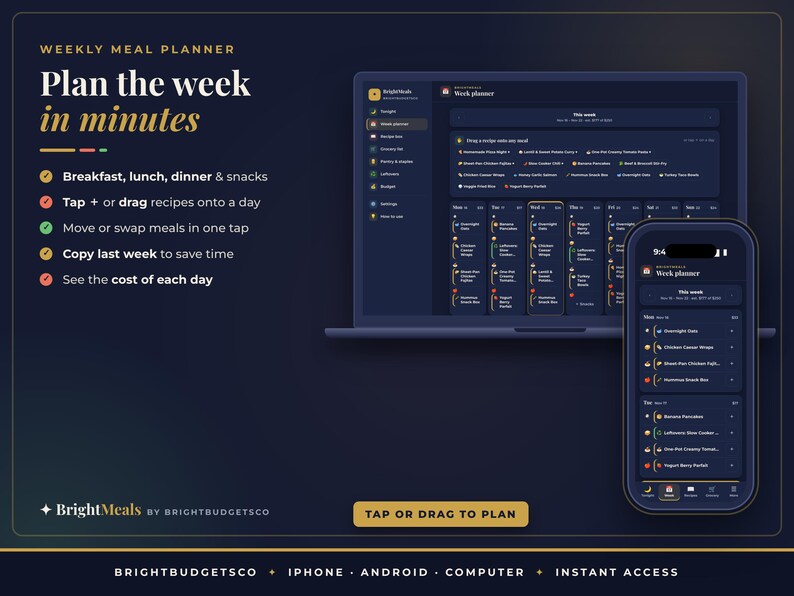
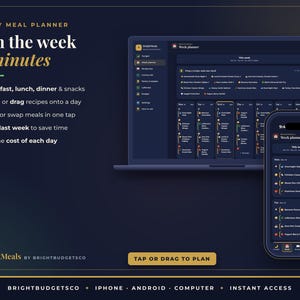
★ WEEK PLANNER: 7 days × breakfast, lunch, dinner and snacks. Tap + to add a recipe, leftovers or a note like "Eat out". On a computer, drag recipes onto any day or drag meals between days. Move, swap or remove in one tap, copy last week, and see the cost of each day
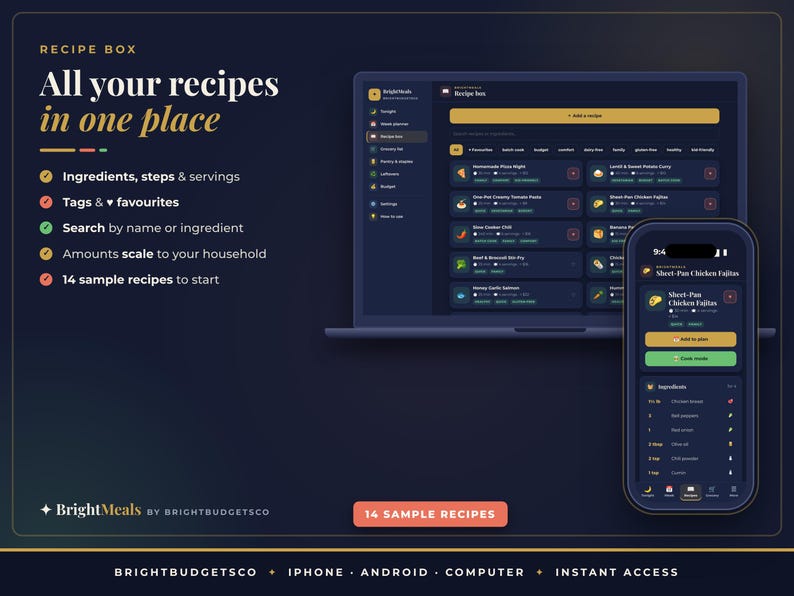
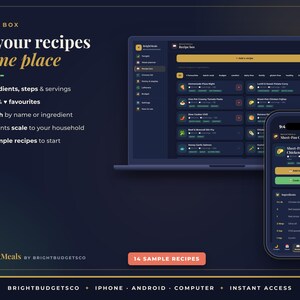
★ RECIPE BOX: ingredients, steps, servings, cook time, estimated cost, tags and ♥ favourites, with search by name or ingredient. 14 sample recipes included
★ RECIPE VIEW: ingredient amounts scale to the number of people you cook for, with a one-tap Add to plan
★ COOK MODE: one step at a time in big, easy-to-read text
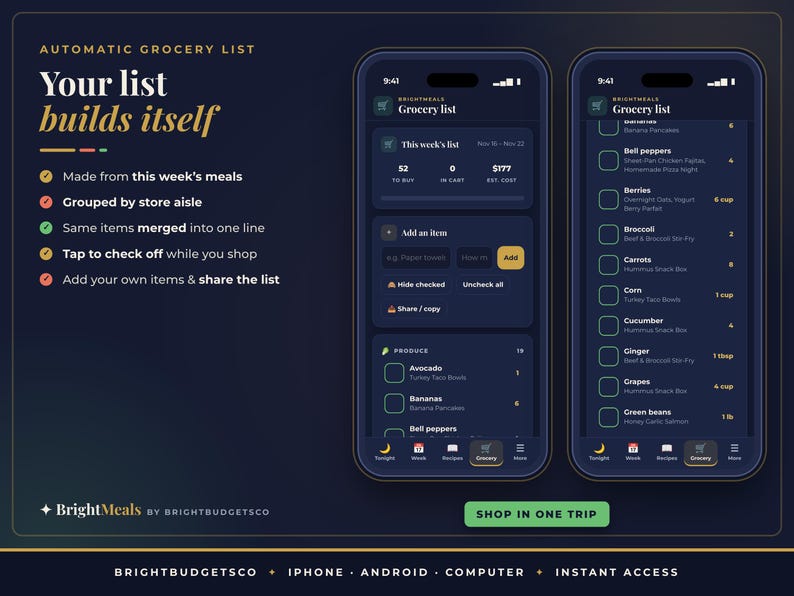
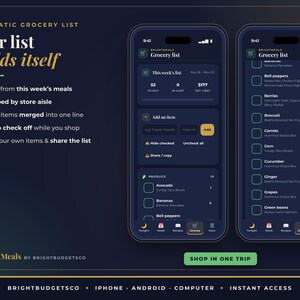
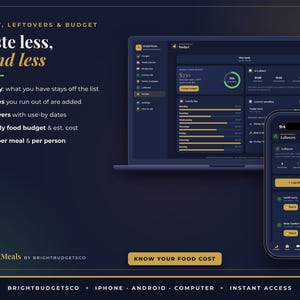
★ GROCERY LIST: built automatically from the week's meals and merged with your own items, grouped by store aisle (produce, meat and fish, dairy, bakery, pantry, spices, frozen, drinks, household). Tap to check off, hide checked items, and share or copy the list
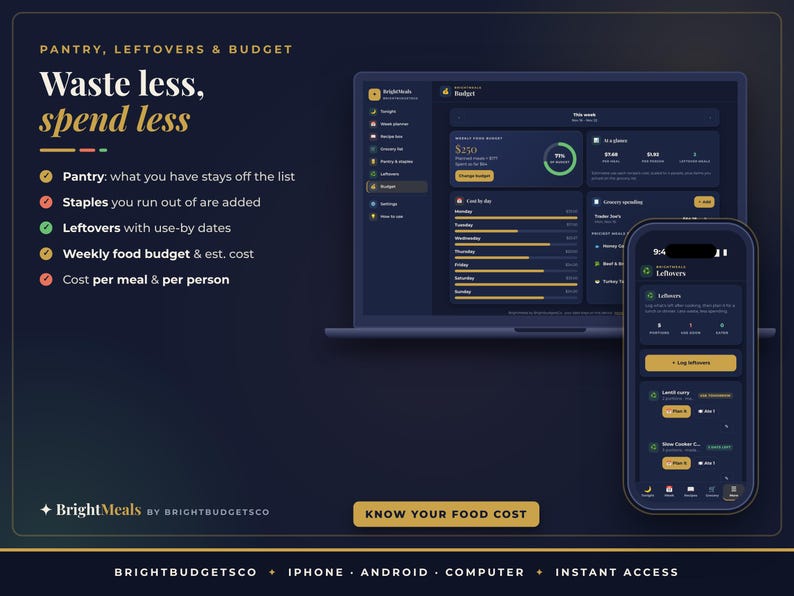
★ PANTRY & STAPLES: tick what you have so it's left off the list. Staples you run out of are added to the list automatically
★ LEFTOVERS: portions and use-by dates, with one tap to plan them for lunch or dinner
★ BUDGET: a weekly food budget, the estimated cost of the plan, cost per meal and per person, cost by day, priciest meals, and a log of your real grocery receipts
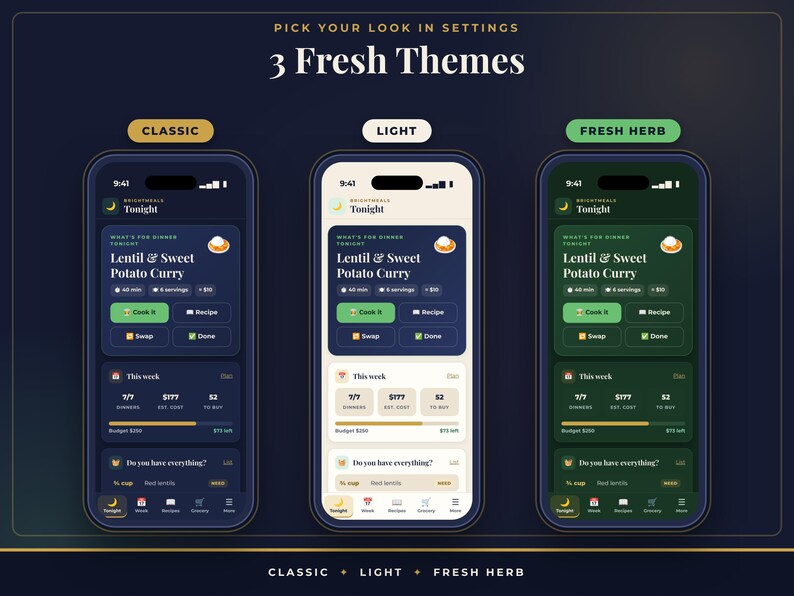
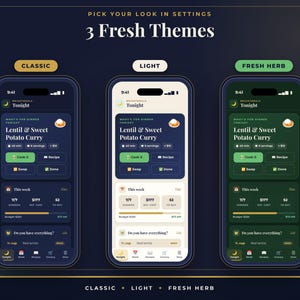
★ SETTINGS: household size, week start day, currency, 3 themes, backup and restore, CSV export, sample recipes and Start fresh
★ HOW TO USE: a quick guide inside the app
★ MORE MENU: every screen one tap away on your phone
━━━━━━━━━━━━━━━━━━
✦ FEATURES
━━━━━━━━━━━━━━━━━━
✓ Elegant and fresh: navy, cream and gold with soft coral and herb-green accents
✓ ADHD-friendly: one clear "what's for dinner" screen, one main button on each screen, big tap targets and no clutter
✓ Your grocery list writes itself from the meals you plan
✓ Same ingredients are merged (two recipes with onions = one line) and amounts round to sensible buying sizes
✓ Recipes scale to your household size
✓ 14 sample recipes and an example week to explore first, cleared with one tap
✓ Pick your currency ($, £, €, ₹, R and more)
✓ 3 themes: Classic, Light and Fresh Herb
✓ Add it to your home screen on iPhone, iPad or Android and it opens full screen like an app
✓ Works offline after the first time you open it
✓ Private: everything is saved only on your device. No account, no login, no ads
✓ Backup and restore (.json) to keep your data safe or move to a new device, plus CSV export for Excel or Google Sheets
✓ A reminder every 14 days to save a backup
✓ BONUS: an offline download version that runs straight from your computer
✓ No subscription. Pay once.
━━━━━━━━━━━━━━━━━━
✦ YOU WILL RECEIVE
━━━━━━━━━━━━━━━━━━
• Meal-Planner-App-Start-Here-and-Link.pdf: your private app link (tap it, or scan the QR code), install steps for iPhone, Android and computer, setup steps and tips for backups
• Meal-Planner-Grocery-App-BrightbudgetsCo.zip: a BONUS offline version of the same app for your computer (unzip and open index.html)
━━━━━━━━━━━━━━━━━━
✦ COMPATIBILITY
━━━━━━━━━━━━━━━━━━
• iPhone and iPad: Safari, or Chrome on iOS 16.4 or newer. Add to Home Screen.
• Android: Chrome. Install app or Add to Home screen.
• Computer: Chrome, Edge, Safari or Firefox on Windows, Mac or Chromebook. Bookmark it, or use the install icon in Chrome and Edge.
• Internet is needed only the first time you open the link. After that it works offline.
• This is a web app you open from a link. It is NOT an App Store or Google Play app, and it doesn't sync between devices (use backup and restore to move your data).
• It doesn't send notifications or reminders to your phone. Keep it on your home screen and open it when you want to plan or shop.
━━━━━━━━━━━━━━━━━━
✦ HOW TO ACCESS
━━━━━━━━━━━━━━━━━━
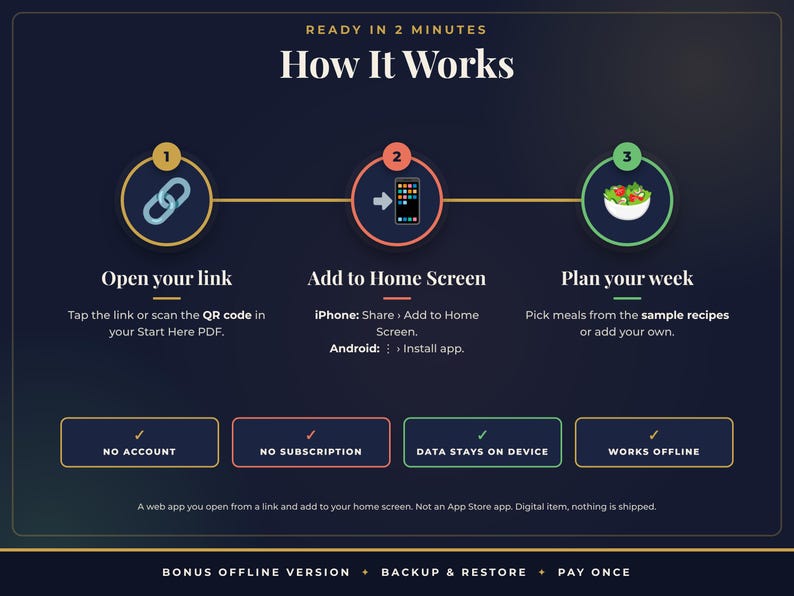
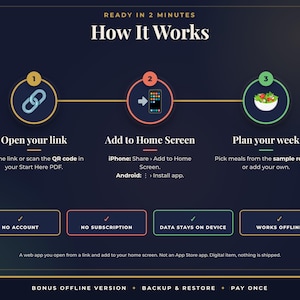
1. After purchase, go to You › Purchases and reviews › Download files. Etsy also emails you a download link.
2. Open the Start Here PDF and tap the app link, or scan the QR code with your phone's camera.
3. iPhone/iPad: tap Share › Add to Home Screen. Android: tap ⋮ › Install app. Computer: bookmark it.
4. Open the app from your new home-screen icon, enter how many people you cook for and start with the sample recipes or your own. Setup takes about 2 minutes.
━━━━━━━━━━━━━━━━━━
✦ FAQ
━━━━━━━━━━━━━━━━━━
Q: Is this an App Store app?
A: No. It's a web app: you open it from a link in Safari or Chrome and add it to your home screen. It then has its own icon and opens full screen like an app. There's nothing to download from the App Store or Google Play.
Q: Do I need an account or a subscription?
A: No. There's no sign-up, no login and no monthly fee. You pay once.
Q: Does it come with recipes?
A: Yes, 14 sample recipes (breakfasts, lunches, dinners and snacks) and an example week so you can see how it works. Keep them, edit them or clear them with one tap. Then add your own family favourites.
Q: How does the grocery list work?
A: Every recipe you plan for the week adds its ingredients, scaled to your household. Matching items are combined into one line and sorted by store aisle. Anything you mark as in your pantry is left off, and you can add your own items like paper towels.
Q: How do I type ingredients?
A: One per line, the way you'd write them: "2 cups rice", "1 lb chicken thighs", "1/2 tsp salt". The app reads the amount and unit and picks the store aisle for you.
Q: Can I use my own currency?
A: Yes. Choose your currency in Settings, including US, Canadian and Australian dollars, pounds, euros, rupees and rand.
Q: Does it send reminders?
A: No, it doesn't send notifications. Keep it on your home screen and open it when you want to plan or shop.
Q: Where is my data stored?
A: Only on your own device, in that browser or home-screen app. Nothing is uploaded.
Q: I'm on iPhone. Anything I should know?
A: Add the app to your home screen first and enter your details there. On iPhone and iPad the home-screen app keeps separate data from a browser tab.
Q: Can my partner use it too?
A: Each device keeps its own data and there's no automatic sync. You can share a copy by exporting a backup in Settings and importing it on the other phone, or share the grocery list as text from the Grocery screen.
Q: Does it work without internet?
A: Yes. After the first time you open it, it works offline, even in the store.
Q: What's the bonus offline version?
A: A copy of the same app in a zip file that runs straight from your computer without the link. It works best on a computer, and its data is separate from the online app.
Q: Will I receive a physical product?
A: No. This is a digital item and nothing will be shipped.
Q: Can I share it?
A: It's for personal use only. Please don't share the link or files, or resell them.
━━━━━━━━━━━━━━━━━━
✦ PLEASE NOTE
━━━━━━━━━━━━━━━━━━
• This app is a personal planning tool. Costs are your own estimates, and it isn't nutrition or dietary advice.
• Your data lives only on your device. Clearing your browser or site data, or deleting the home-screen app, erases it, so please export backups regularly (the app reminds you).
• Because this is a digital item with instant access, returns, exchanges and refunds are not accepted. If something isn't working, please send us a message through Etsy and we'll help you sort it out.
• Colors may look slightly different depending on your screen.
How it's made: I design every BrightbudgetsCo product myself and build it with digital tools, including AI-assisted writing and coding, then test and approve each file before it's listed. Listing images are previews made from the actual files; no AI image generators are used.
✦ More from BrightbudgetsCo: planners, trackers & ADHD-friendly apps for budget, habits, fitness, baby, weddings and holidays
https://brightbudgetsco.etsy.com
© 2026 BrightbudgetsCo. For personal use only.
-
Designed by
-
Item typeDigital download
-
Digital file type(s)1 PDF, 1 ZIP
If something goes wrong with an order, we've got your back on all eligible purchases. View program terms
Meet your seller

More from this shop
-
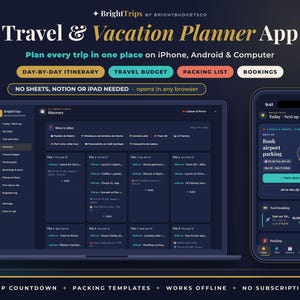
Digital download
Travel Planner App for iPhone, Android and PC, Vacation Itinerary, Packing List and Trip Budget
Sale Price $6.60
Original Price $12.00
-
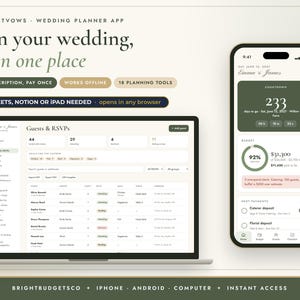
Digital download
Wedding Planner App for iPhone, Android and PC, Digital Wedding Binder with Budget and Guest List
Sale Price $6.60
Original Price $12.00
-
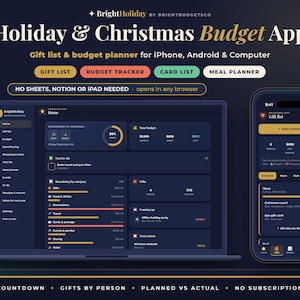
Digital download
Christmas Budget Planner App, Holiday Gift List and Gift Budget Tracker for iPhone, Android and PC
Sale Price $6.60
Original Price $12.00
-
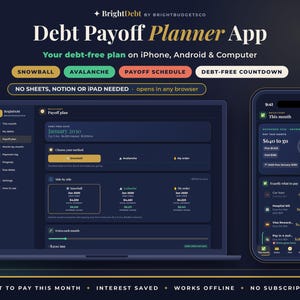
Digital download
Debt Payoff Planner App for iPhone, Android and PC, Debt Snowball and Avalanche Calculator
Sale Price $6.60
Original Price $12.00
-
Digital download
Budget App for iPhone, Android and PC, Expense Tracker and Budget Planner, No Subscription
Sale Price $8.80
Original Price $16.00
-
Digital download
Pet Care Planner App for iPhone, Android and PC, Dog Health Tracker and Vaccination Record
Sale Price $6.60
Original Price $12.00