


3D Print Pricing Calculator Spreadsheet, Filament Cost Calculator, 3D Printing Business, Excel and Google Sheets
Price:$11.99
Here's what's eligible:
- Your order doesn't match the item description or photos
- Your item arrived damaged
- Your item arrived after the estimated arrival window
- Your item didn't arrive or was lost in the mail
You can only make an offer when buying a single item
Highlights
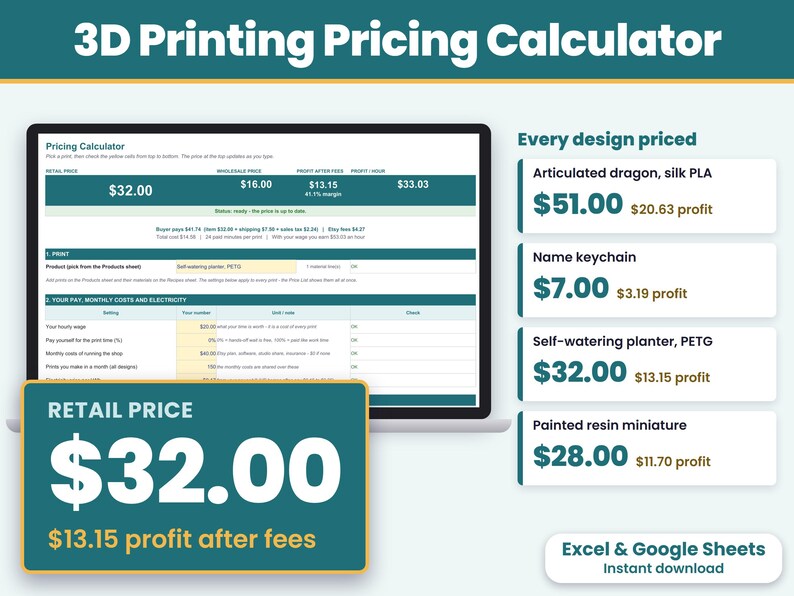
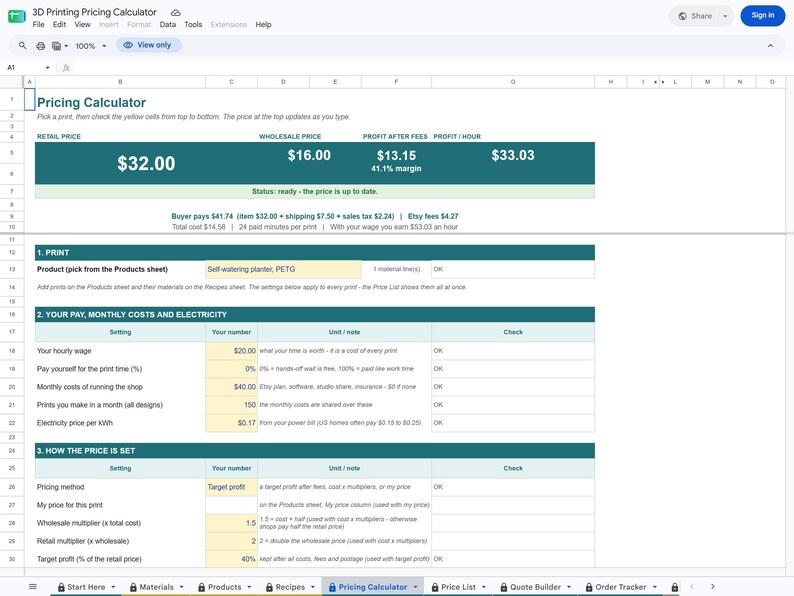
3D Print Pricing Calculator for Microsoft Excel and Google Sheets: a pricing calculator, a quote builder and an order & profit tracker in one instant-download spreadsheet, for FDM and resin prints. Type your filament or resin at the price you paid, the grams your slicer shows and your minutes, and the sheet shows your retail price, wholesale price, profit after Etsy fees and profit per hour at the top. Then quote retail or wholesale orders on one page and keep track of each order, what is paid and what you earned each month.
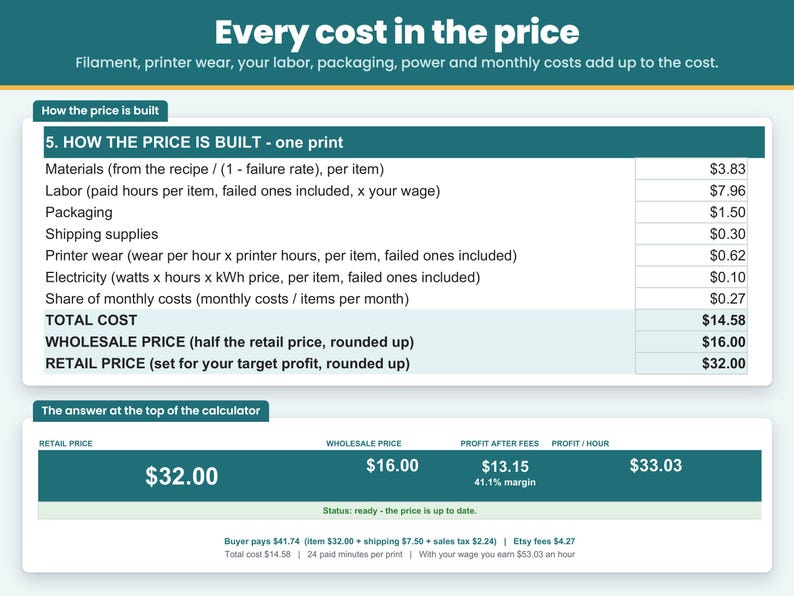
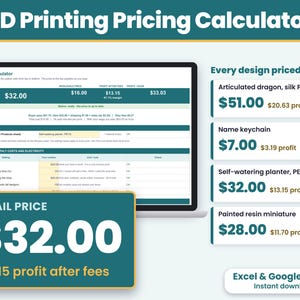
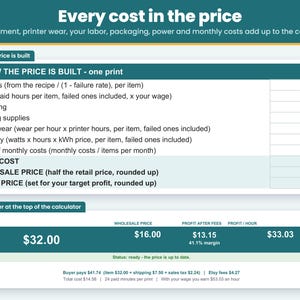
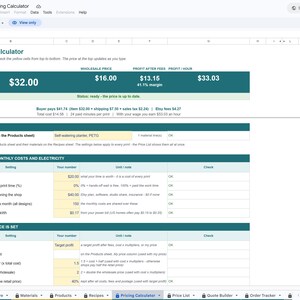
The filled-in example: a self-watering planter in PETG printed two to a plate costs $14.58, including 24 paid minutes at $20 an hour, printer wear, electricity and one in ten failing. It sells for $32.00 retail or $16.00 wholesale (half the retail price, about what shops pay) and keeps $13.15 after Etsy fees and postage. Change any number and the price updates as you type.
Made for 3D printing sellers in the US who sell on Etsy, at craft fairs or from a home print farm. Instant download for Excel and Google Sheets on a computer.
WHAT YOU CAN DO
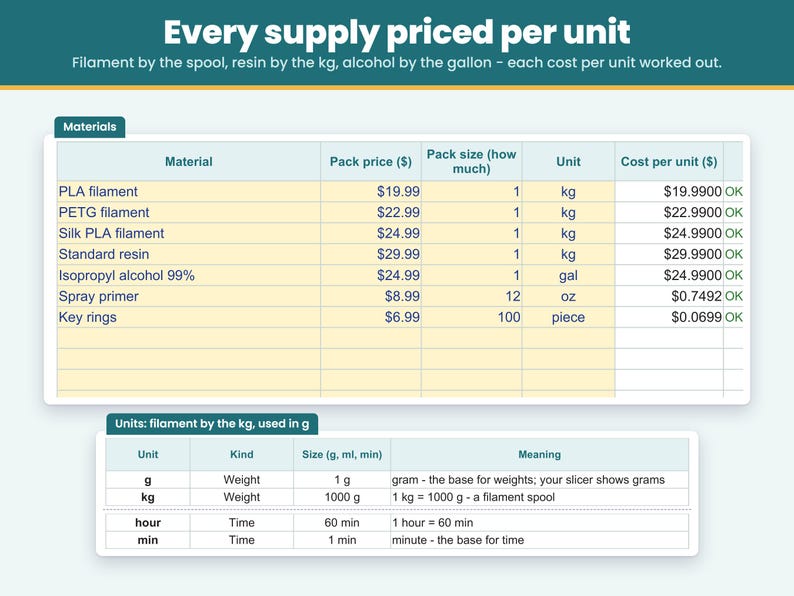
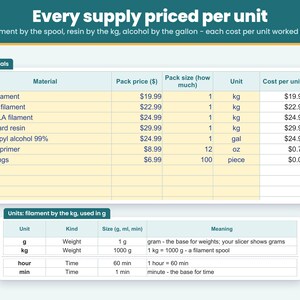
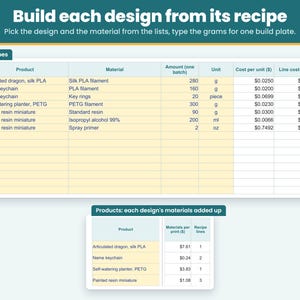
- Price from your real supply costs: type the pack price, how much is in the pack and the unit. A 1 kg spool of PLA for $19.99 becomes $0.02 a gram, so a recipe can use the grams your slicer shows. Resin by the kg, isopropyl alcohol by the gallon (used in ml), primer by the oz, key rings by the piece.
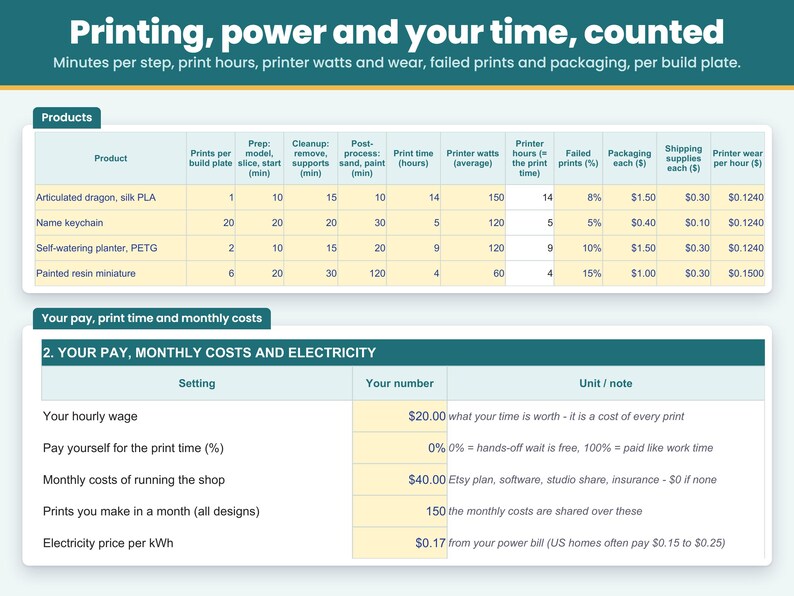
- Price by the build plate: type how many prints of a design fit on one plate, then the minutes, the print hours and the grams for the whole plate. Every cost comes out per print, so 20 keychains on one plate share one print.
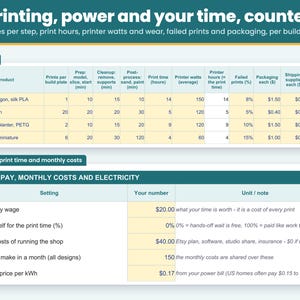
- Count printer wear: type its wear per hour once per design - a printer that cost $600 and lasts about 5,000 hours is $0.12 an hour, $0.124 with nozzles. It is multiplied by the print time for you.
- Count the printer's electricity: type its average watts (from a plug-in meter, or the rough range on the sheet), the hours it prints and your price per kWh. It is shared over the prints on the plate.
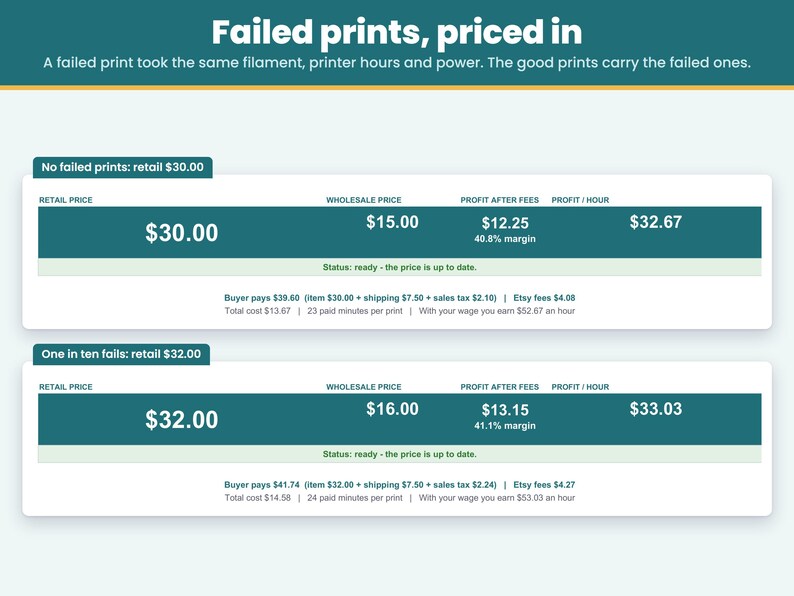
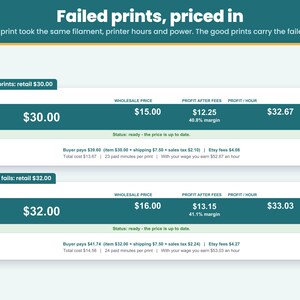
- Price in the prints that fail: type the share you lose (10% = one in ten). The filament, your prep and cleanup time, the printer wear and the power of the failed prints are carried by the good ones - cost / (1 - failure rate). Post-processing is done on the good prints only, so its time is not divided.
- Time in three steps: prep (fix the model, slice, level and start), cleanup (take the prints off, remove supports and brim, wash and cure resin) and post-process (sand, prime, paint, assemble), in minutes.
- Decide whether print time is paid: the printer runs for hours while you do other things. Pay yourself 0% of that time, 100% or anything between - the price shows the difference straight away. Printer wear and power are counted either way.
- Pay yourself: your time x your hourly wage is part of the cost, so any profit is on top of your pay.
- Count every cost: packaging, shipping supplies and a share of your monthly costs (shop fees, software, insurance) spread over the prints you make in a month.
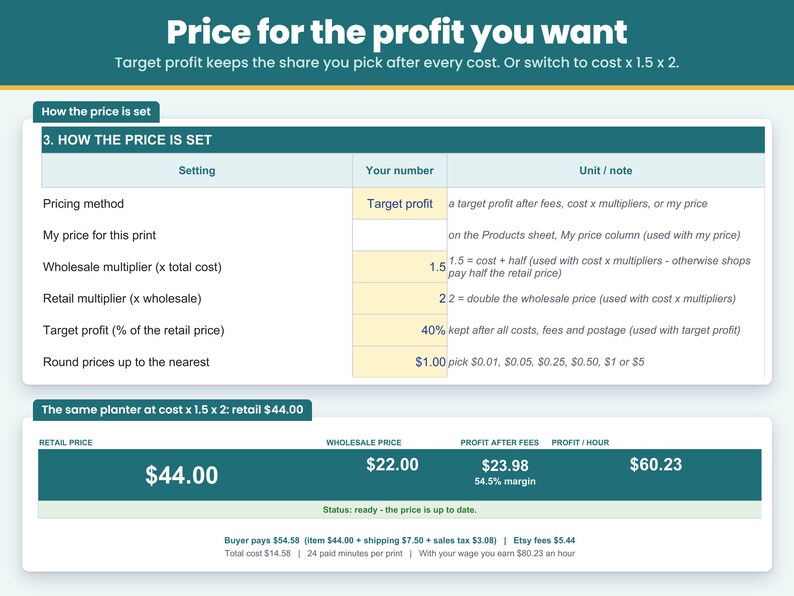
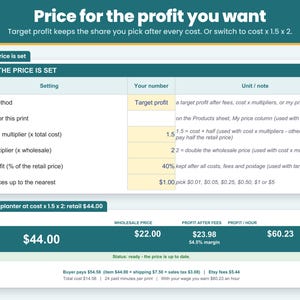
- Price three ways: for a target profit (the share of the price you want to keep, 40% to start), with cost x multipliers (cost x 1.5 = wholesale, wholesale x 2 = retail to start, both yours to change), or check the price you charge now with "My price". With a target profit or My price, the wholesale price is half the retail price - about what shops pay - and a note shows when selling to shops at that price would lose money.
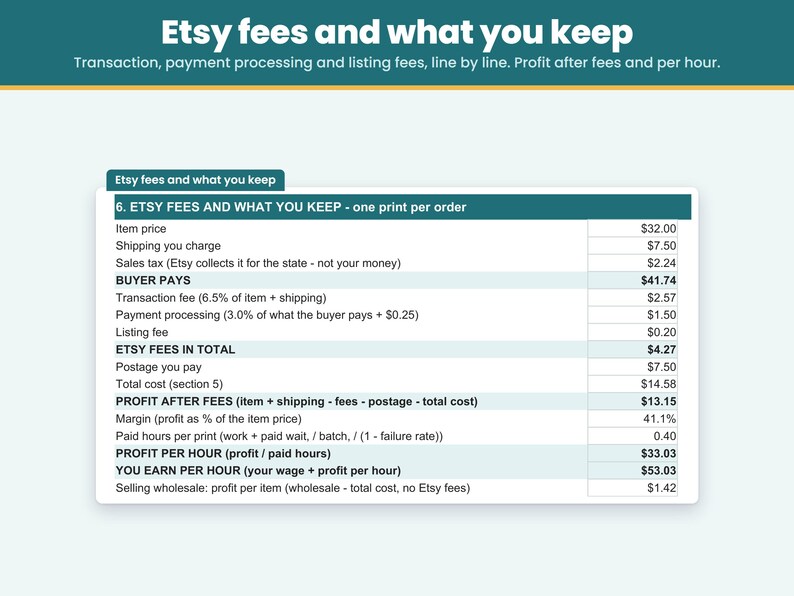
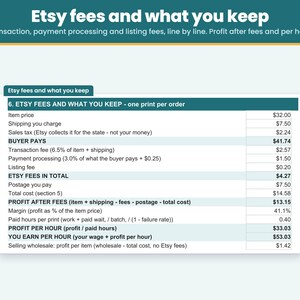
- See your Etsy fees line by line: transaction fee 6.5% of the item and the shipping you charge, payment processing 3% of what the buyer pays (including sales tax) + $0.25, and the $0.20 listing fee. Every rate is yours to change.
- Know your profit and your hourly earnings: profit after fees, profit as a % of the price, profit per hour, what you earn per hour with your wage, and your profit per print when you sell wholesale.
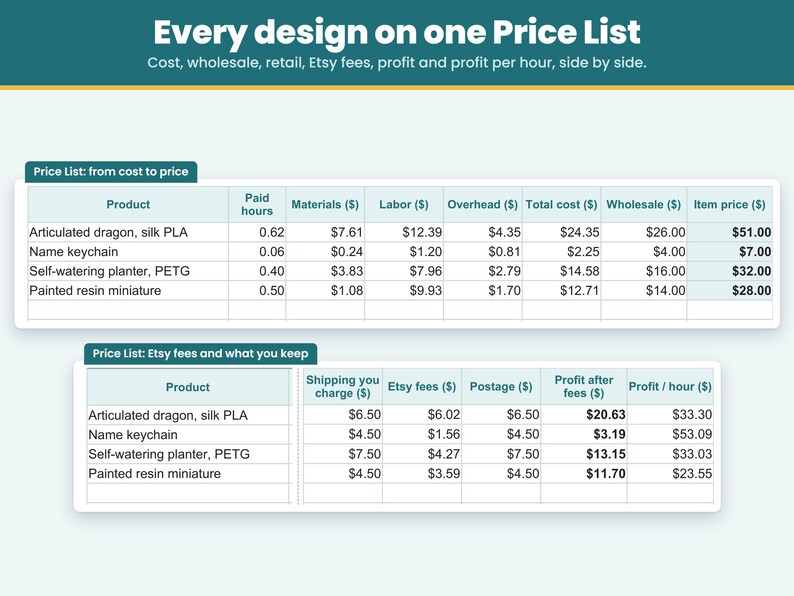
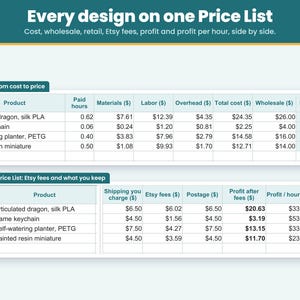
- See every design on one Price List: cost, wholesale, retail, Etsy fees, postage, profit and profit per hour, side by side.
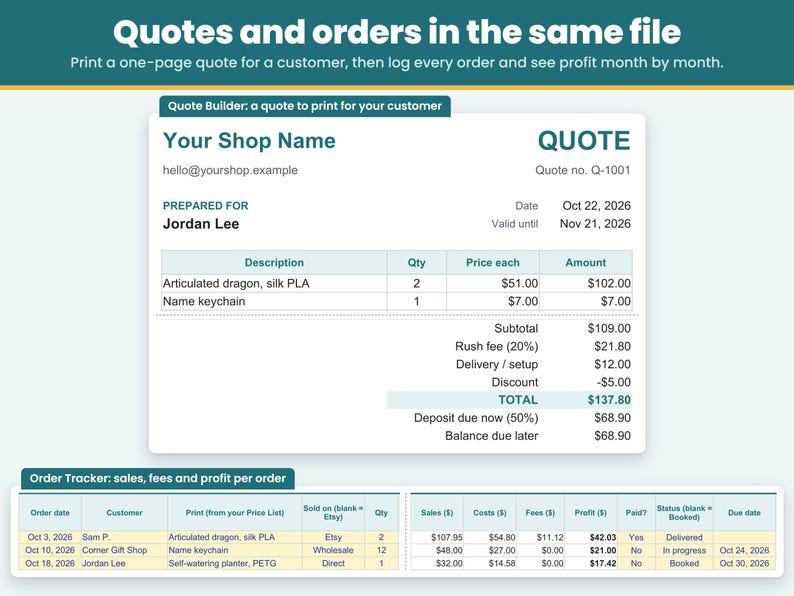
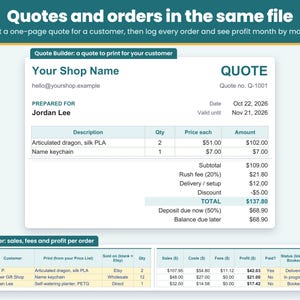
- Build a quote for a customer or a shop: on the Quote Builder, pick designs from your Price List, choose Retail or Wholesale for each line, set the quantity, and add a rush fee, shipping or setup, a discount and a deposit. You get a one-page quote with the total, the deposit due now and the balance due later, ready to print or save as PDF.
- Track orders and profit: the Order Tracker keeps one row per order with the customer, the design, where it sold (Etsy, Direct or Wholesale), the price you charged, shipping, paid or not, status and due date. Cost, Etsy fees and profit fill in for you, and a summary shows orders, sales, costs, fees, profit and money still to collect for each month of the year you pick.
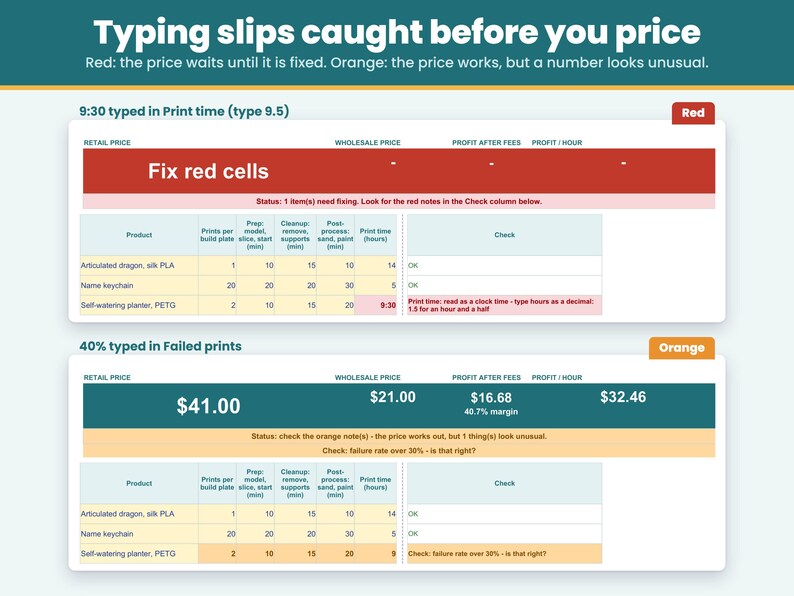
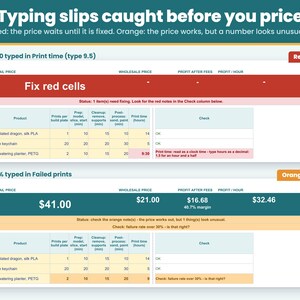
- Catch typing slips before you price: a missing number, text in a number cell, a zero pack size or amount, a number far too large, an hourly wage under $1 or printer watts typed in kW (0.12 instead of 120) turns red, and the price stays hidden until it is fixed. A fraction typed as 1/2 or a time typed as 9:30 turns red and asks for a decimal (0.5, 9.5). These turn orange so you can double-check: over 40 hours of work for one print, a print time over 72 hours, a failure rate over 30%, printer watts over 1,500, printer wear over $5 an hour, one print using more than half of a pack (a spool or a bottle), an item price over $1,000 (a unit or a price typed wrong), and a print that loses money after fees.
- See what each material costs in one print: the Pricing Calculator lists the biggest material lines of the design, biggest cost first, with the amount in one print, its cost and its share, next to the recipe line and the pack as you typed them - so a wrong unit or a batch amount typed for one print stands out. A short note above the Materials and Recipes tables and a tip on the pack price, pack size and amount cells say what to type: the whole pack, and the whole build plate.
WHAT'S INCLUDED
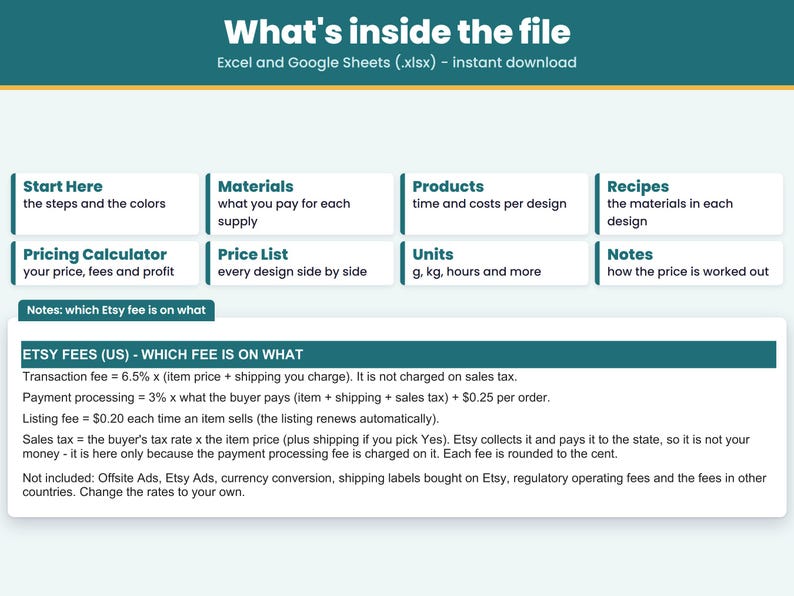
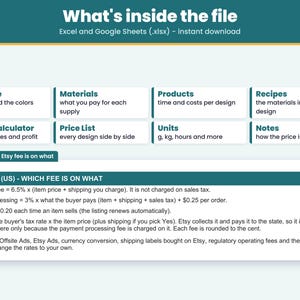
- One spreadsheet file (.xlsx) for Excel, plus a PDF with your link to make your own copy in Google Sheets. Tabs: Start Here, Materials, Products, Recipes, Pricing Calculator, Price List, Quote Builder, Order Tracker, Units, Notes.
- Finished examples already filled in: a self-watering planter in PETG printed two to a plate ($32.00 retail, $16.00 wholesale, $13.15 profit after Etsy fees), an articulated dragon in silk PLA ($51.00 retail, $20.63 profit), name keychains printed 20 to a plate ($7.00 retail, $3.19 profit) and a painted resin miniature ($28.00 retail, $11.70 profit). Replace the example prices with your own.
- Room for 50 materials, 25 designs and 200 recipe lines, with 12 units to pick from (g, kg, oz, lb, ml, l, fl oz, gal, piece, dozen, hour, min).
- Yellow cells are the only cells you fill in. In Excel, formula cells are locked to keep them safe from accidental edits; in your Google Sheets copy, typing over a formula shows a warning first.
HOW TO USE IT
1. Materials: type each supply once - the pack price, how much is in the pack and the unit.
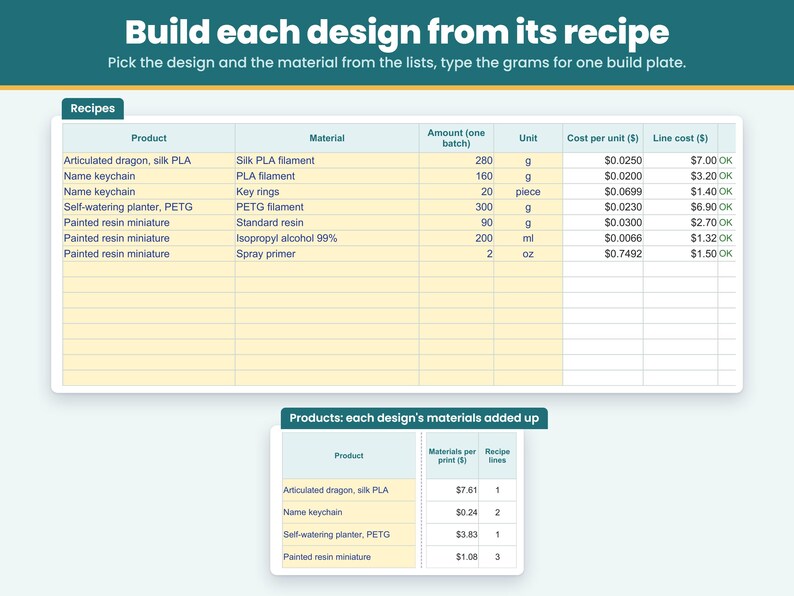
2. Products and Recipes: on Products, one row per design with the prints per build plate, the minutes of each step, the print time, the printer watts and wear per hour, the share that fails, packaging and postage. On Recipes, the grams and other supplies for the whole plate.
3. Pricing Calculator: pick a design and set your hourly wage, how much of the print time you are paid for, monthly costs, electricity price, pricing method and Etsy fees. The retail price, wholesale price, profit after fees and profit per hour show at the top.
4. Quote Builder and Order Tracker: pick designs from your Price List to quote an order or to log an order you made.
FAQ
How much should I charge for a 3D print?
Add up the filament, printer wear, your time at an hourly wage, the printer's electricity, the prints that fail, packaging, a share of your monthly costs and the Etsy fees, then set the price for the profit you want. In the example, a self-watering planter printed two to a plate costs $14.58 (24 paid minutes at $20 an hour and one in ten failing included) and sells for $32.00 retail, priced for a 40% profit after Etsy fees and rounded up to the next dollar: $13.15 per planter.
How do I calculate the filament cost of a print?
Type the spool once ($22.99 for 1 kg of PETG) and the grams your slicer shows for the plate, supports and brim included. In the example, 300 g on a plate of two planters is $6.90, or $3.45 a planter. With one in ten failing, the filament comes to $3.83 per planter.
How much electricity does a 3D print use?
Multiply the printer's average watts by the print hours and your price per kWh, then share it over the prints on the plate. In the example, 120 W for 9 hours at $0.17 per kWh is $0.18 a plate - $0.10 per planter with the failed prints carried. A 14-hour articulated dragon at 150 W comes to $0.39.
How do I include printer wear in my price?
Type its wear per hour on the Products sheet: what it cost divided by the hours you expect it to last, plus nozzles. A $600 printer that lasts about 5,000 hours costs $0.12 an hour, $0.124 with nozzles. It is multiplied by the print time, so a 9-hour plate carries $1.12 of wear - $0.62 per planter with the failed prints carried. Change the print time and the wear, the electricity and any paid print time follow it.
How do I price in failed prints?
Type the share you lose on the Products sheet. A failed print took the same filament, prep and cleanup time and printer hours, so the good prints carry it: cost / (1 - failure rate). Post-processing is only done on the good prints. In the example, the planter is $30.00 when nothing fails and $32.00 when one in ten fails.
Should I charge for print time?
That is your choice, and the calculator shows both. With the print time at 0%, only your hands-on time is paid: the example planter is $32.00. Paying yourself 10% of its 9-hour print time, shared over the two planters on the plate, gives $52.00.
How do I price small prints made 20 to a plate?
Type the number of prints on the plate and the minutes, print hours and grams for the whole plate. In the example, 20 name keychains share 70 minutes of work, a 5-hour print and 160 g of PLA: $2.25 total cost each, $7.00 retail and $3.19 profit after Etsy fees.
How do I price resin prints?
Add the resin by the kg and the isopropyl alcohol for washing, type the grams for the plate and the resin printer's wear per hour on Products. In the example, six painted resin miniatures on a plate with 15% failing sell for $28.00 retail with $11.70 profit after Etsy fees.
What should I charge shops wholesale for 3D prints?
Shops usually pay about half the retail price, so with a target profit or My price the wholesale price is half the retail price. For the example planter, $16.00 wholesale leaves $1.42 over all your costs and your wage when a shop buys it - thin for a big order. If you sell a lot to shops, pick "Cost x multipliers": cost x 1.5 = $22.00 wholesale and wholesale x 2 = $44.00 retail, which leaves $7.42 a planter sold wholesale and $23.98 after Etsy fees sold on Etsy. Both multipliers are yours to change.
How much profit do I make after Etsy fees?
The calculator works out each fee on what it is charged on. For the example planter at $32.00 with $7.50 shipping and 7% sales tax, Etsy fees come to $4.27 and the profit after fees, postage and all costs is $13.15 - $33.03 for each hour of work on top of your $20 wage.
Is the price I charge now high enough?
Type it in the My price column on the Products sheet and pick "My price". You see the profit after fees, the margin and what you earn per hour at that price, and the status line at the top turns orange if the price is below your cost or loses money after fees.
Can I offer free shipping?
Yes. Type $0 for the shipping you charge. The postage you pay stays a cost, and the transaction fee is then only on the item price.
Can I quote several prints on one quote?
Yes. On the Quote Builder tab, type your shop name, contact and the customer once, then pick each design from your Price List, choose Retail or Wholesale and set the quantity. The price each comes from your Price List, or type your own. Add a rush fee percent, shipping or setup, a discount and a deposit percent, and the quote shows the total, the deposit due now and the balance due later, valid until the date you set. The printed quote shows only the lines you filled in and fits on one page. Prices are before sales tax, and your customer sees prices only, never your cost or profit. A line priced below your cost turns orange but still prints, and the quote stays blank until any red typing slip is fixed.
Can I track my orders and profit?
Yes. The Order Tracker has one row per order: order date, customer, design (from your Price List), where it sold (Etsy, Direct or Wholesale), quantity, price each, shipping charged, postage and other costs, paid Yes or No, status and due date. The price each starts at your retail price (your wholesale price for Wholesale orders); type the price you charged if it was different. Cost comes from your Price List, Etsy fees are added for Etsy orders using your fee settings, and profit fills in. At the top, pick a year to see orders, sales, costs, fees, profit and not paid yet for each month, plus the year total. Rows marked Quote sent or Cancelled, and rows with a red check, are not counted. An order that loses money, a due date before the order date, or a delivered order not paid yet turns orange.
Does it work in Google Sheets?
Yes. Your download includes a PDF with a link: click it and Google Sheets makes your own copy, no upload needed. In my checks, with the same numbers typed in, every price and check gave the same result in Google Sheets as in Excel, and the dropdown lists and the red and orange checks carry over. In Google Sheets, fill only the yellow cells and type decimals such as 0.5, not fractions such as 1/2.
HOW TO DOWNLOAD
After you buy, open etsy.com in a web browser (computer recommended), go to Purchases and reviews, and click Download Files. Digital files cannot be downloaded in the Etsy app.
- Microsoft Excel: open the .xlsx file in Excel on a computer.
- Google Sheets: open the PDF in your download, click Make my copy in Google Sheets, then click Make a copy. The copy is saved in your Google Drive. A free Google account is enough. (You can also upload the .xlsx at drive.google.com: New > File upload, then right-click it > Open with > Google Sheets.)
LIMITATIONS
- Instant digital download. Nothing is shipped. No 3D models, STL files or print settings are included - this is a spreadsheet for pricing, quotes and orders.
- Needs Microsoft Excel or Google Sheets on a computer.
- Made in Microsoft Excel and checked in Google Sheets.
- Not tested in Excel on the web, Excel for Mac, Numbers or the Google Sheets phone app.
- In Google Sheets, formula cells are not locked as they are in Excel. The copy from your link warns you before you type over a formula; an uploaded .xlsx does not, so fill only the yellow cells.
- US dollars. Units convert within the same kind (weight, volume, count, time); a weight can't be turned into a volume.
- The printer's power is worked out from its average watts x the print hours. A plug-in meter gives the real number; the range on the sheet is a rough guide.
- Pricing Calculator prices assume one print per order; with several prints in one order, the shipping, the $0.25 fixed fee and the postage are shared, so each print keeps a little more.
- Room for 50 materials, 25 designs and 200 recipe lines.
- The Quote Builder holds up to 10 lines per quote, and the Order Tracker up to 200 orders per file.
- Quote Builder prices are before sales tax.
- It tracks orders and profit, but it is not an inventory or filament stock file, or bookkeeping, accounting or tax software.
- Etsy fees and the sales tax rate in the file are examples (Etsy US fees as published in Oct 2026; Offsite Ads, Etsy Ads, currency conversion, shipping labels and fees in other countries not included). Check your own shop and your local sales tax rate.
- Example supply prices, printer prices and lifetimes, times, watts, failure rates and costs are examples. Replace them with your own.
- Whether you may sell prints of a model depends on that model's license; this file does not check it.
- For use in your own business. Please do not resell or share the file.
- Because this is a digital download, returns and exchanges are not accepted.
Something not working, or a question? Send me a message on Etsy anytime - I'm happy to help.
This spreadsheet was designed by CraftCostSheets and built with the help of AI tools, then checked in Microsoft Excel and Google Sheets.
Instant Download
Your files will be available to download once payment is confirmed. Here's how.
Instant download items don’t accept returns, exchanges or cancellations. Please contact the seller about any problems with your order.
Etsy Purchase Protection
Shop confidently on Etsy knowing if something goes wrong with an order, we've got your back for all eligible purchases —
see program terms

More from this shop
Visit shop-
Digital download
Balloon Garland Pricing Calculator Spreadsheet, Arch Price Per Foot, Balloon Business, Excel and Google Sheets
$19.99
-
Digital download
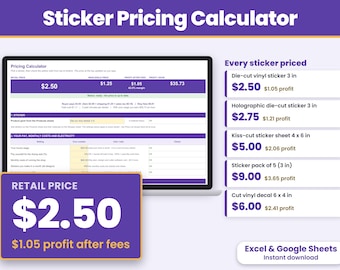
Sticker Pricing Calculator Spreadsheet, Sticker Cost Per Sheet, Sticker Shop Business, Excel and Google Sheets
$13.99
-
Digital download
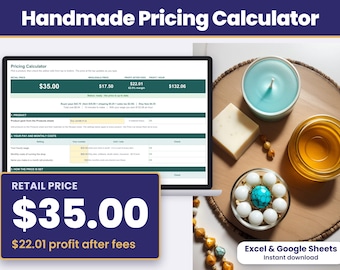
Handmade Pricing Calculator Spreadsheet, Product Cost and Profit Margin, Wholesale Retail Pricing, Excel and Google Sheets
$11.99
-
Digital download
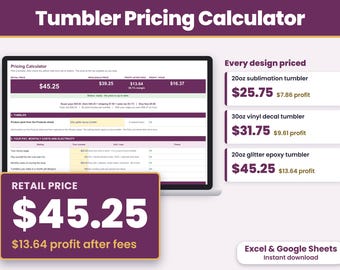
Tumbler Pricing Calculator Spreadsheet, Sublimation Epoxy Vinyl Tumbler Price Sheet, Excel and Google Sheets
$13.99
Be the first to leave a review
Shoppers with similar taste loved these
-
Digital download
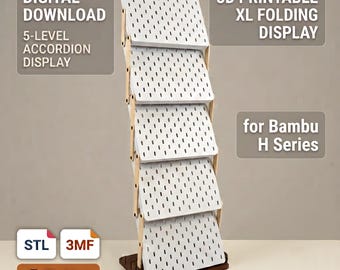
Foldable XL Pegboard Display | 3D Printed STL | Market Display Stand | Bambu Lab H-Series | 3-5 Tiers
Sale Price $8.20
Original Price $11.71
-
Digital download
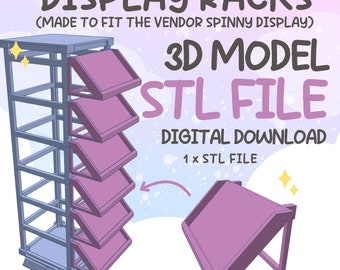
Spinny Display Racks STL File: 3D Model for Vendor Displays (Digital Download)
$3.73
-
Digital download
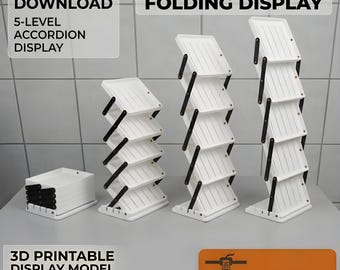
Foldable Vendor Display STL 3MF | Adjustable Market Stand for Stickers Postcards Keychains Jewelry Bookmarks
Sale Price $7.38
Original Price $10.54
-
Digital download
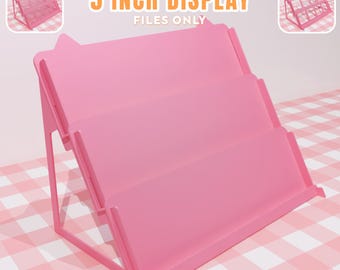
5 Inch Sticker Display Stand Tiered [FILES ONLY]
$6.72
-
Digital download
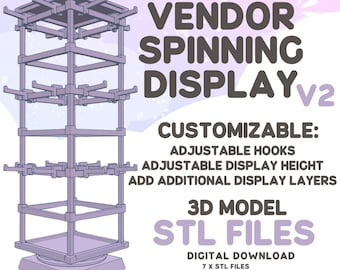
Spinning Tower Vendor Display STL File: Customizable 3D Model (Digital Download)
$16.43
-
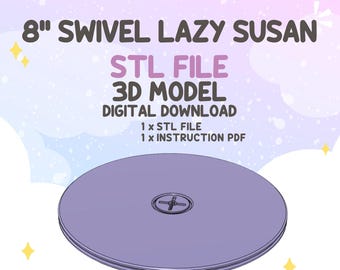
Digital download
8 Inch Swivel Lazy Susan STL File, 3D Print Rotating Display Stand (Digital Download)
$3.73
-

Digital download
100+ Elegant 3D Printable Lamp Designs | STL & 3MF Files Bundle | Print Ready Decor Lamps | Instant Download
Sale Price $1.41
Original Price $5.62
-
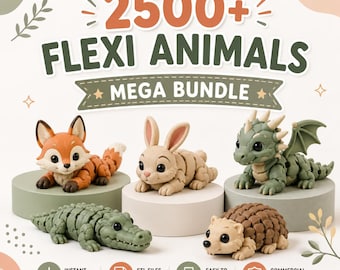
Digital download
2500+ Flexi Animal STL Files | Articulated Animals Bundle | 3D Printable Toys | Commercial Use | Instant Download
Sale Price $2.20
Original Price $5.50
-

Digital download
10,000+ Flexi Animal STL Bundle | Articulated 3D Print Files | Dragons, Dinosaurs, Sea Life, Fantasy Creatures | Commercial License
Sale Price $1.84
Original Price $5.26
-
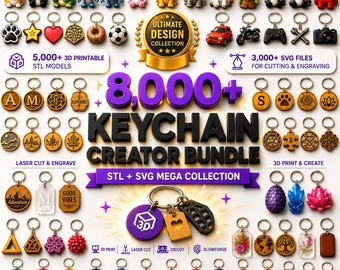
Digital download
8000+ 3D Keychain STL Bundle + SVG Files | 3D Printing Models | Commercial Use | Instant Digital Download | Cricut & Laser Cut
Sale Price $1.89
Original Price $5.38
-

Digital download
3500+ Home Decor STL Bundle, 3D Printable Lampshades, Planters & Vases
Sale Price $1.40
Original Price $4.68
-

Digital download
100 Headphone & Controller Stand STL Bundle, 3MF Files, 3D Print Headset Holder, Game Controller Stand, Mega STL Pack, Digital Download
Sale Price $1.78
Original Price $7.15