


Project Status Report Template | Traffic Light RAG Dashboard, Program Rollup, PMO Report | Excel & Google Sheets
Item highlights
Seller's description
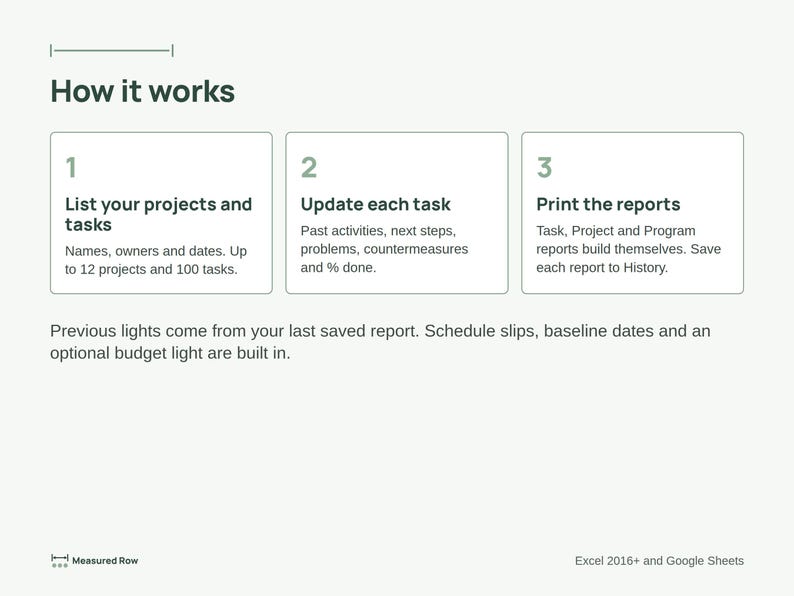
Plan it. Try it. See what grows. Write one short update per task, and your project and program status reports build themselves.
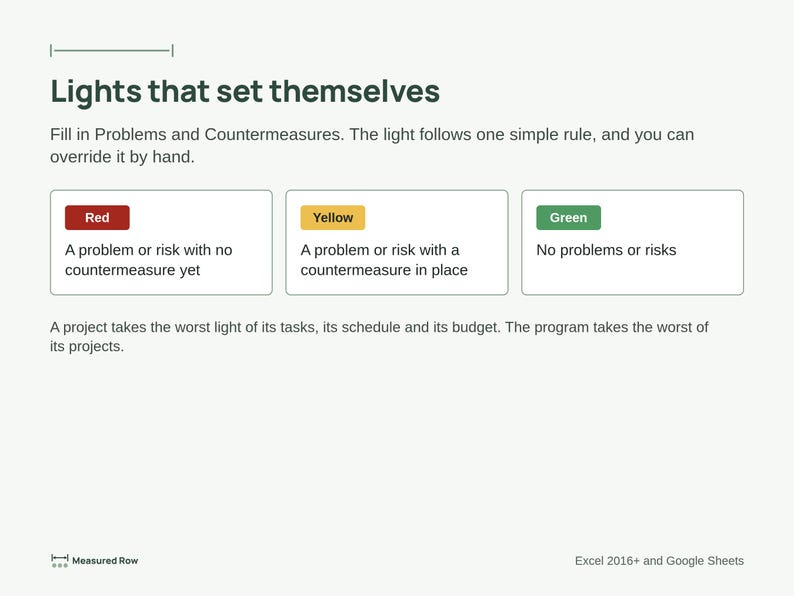
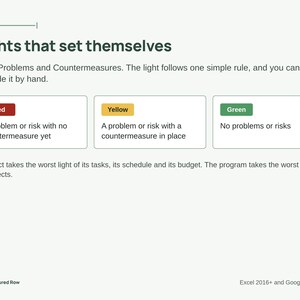
Made by a certified project manager who has written a lot of status reports, for project managers, program managers and program management offices (PMO). The red, yellow and green traffic lights (often called RAG status) follow one clear rule, so nobody argues about the color:
• Red: a problem or risk with no countermeasure yet
• Yellow: a problem or risk with a countermeasure in place
• Green: no problems or risks
WHAT'S INSIDE
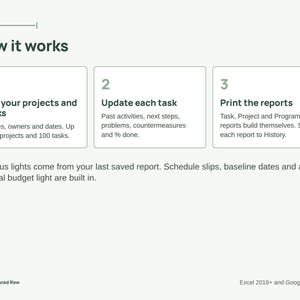
• Projects and Tasks tabs: one row per task with past activities, next steps, problems, countermeasures and % done
• Automatic lights with a manual override, plus Previous, Current and Outlook lights
• Rollup: a project takes the worst light of its tasks, its schedule and its budget; the program takes the worst of its projects
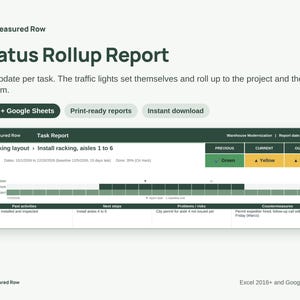
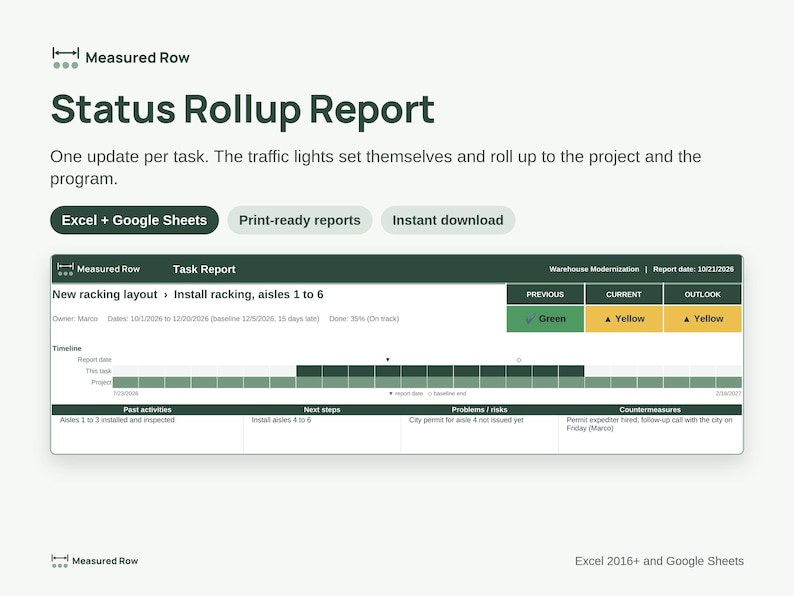
• Task Report: a one-page update with a mini timeline and the four boxes
• Project Report and Project Pack: one project on a page, or one page per task, ready to print
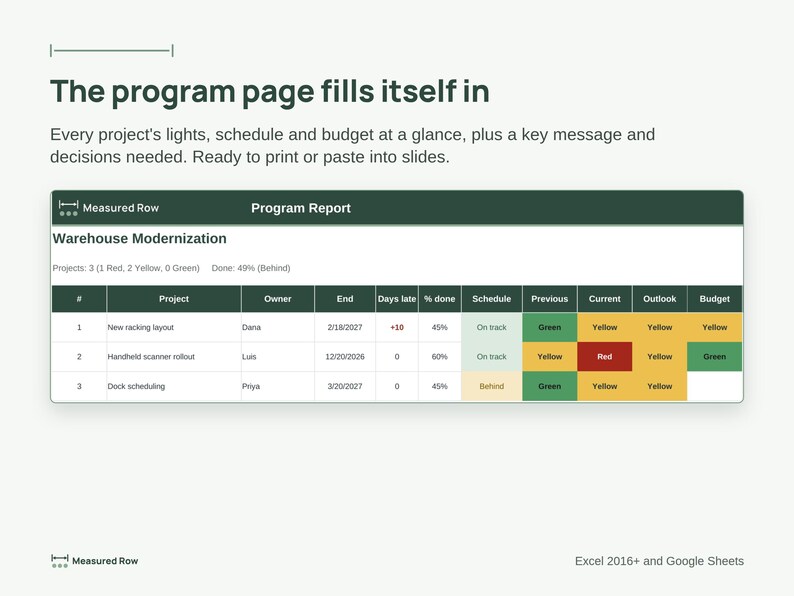
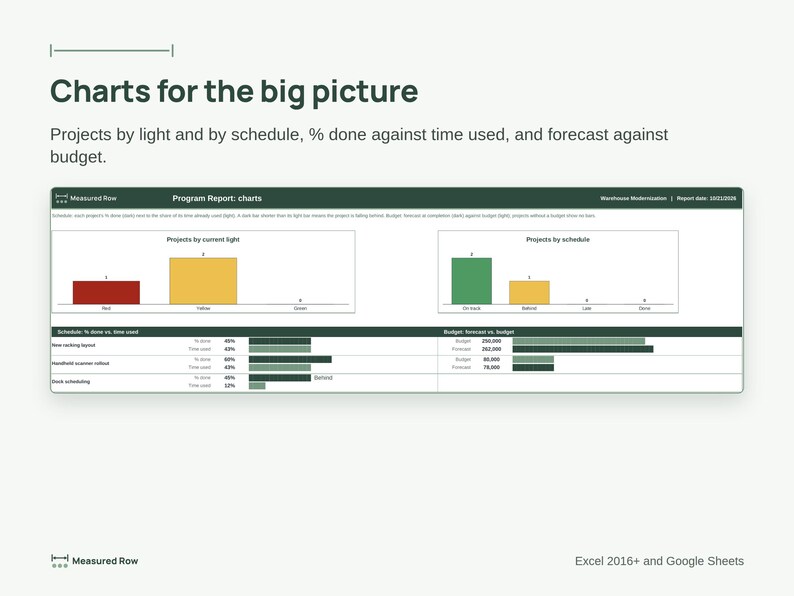
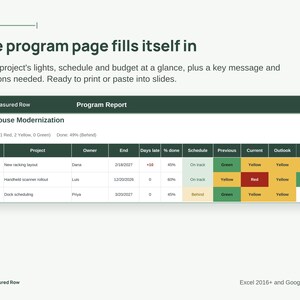
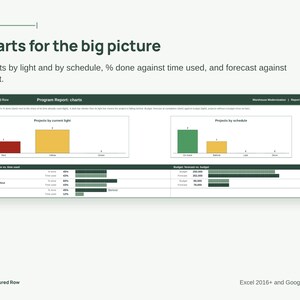
• Program Report: every project's lights, schedule, budget, key message and decisions needed, plus a page of charts
• History tab: save each report so the Previous lights fill in next time
• Schedule status (On track, Behind, Late, Done), baseline end dates with days late, and an optional budget light
WHY IT'S DIFFERENT
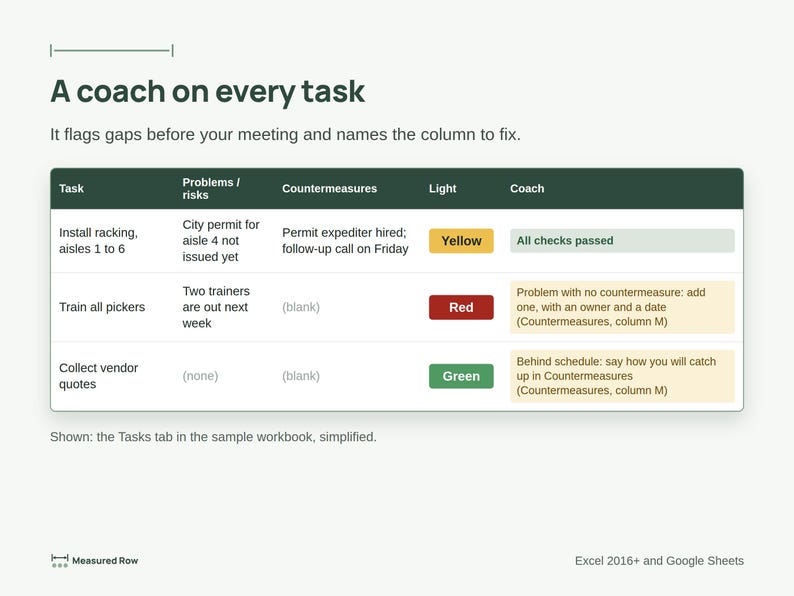
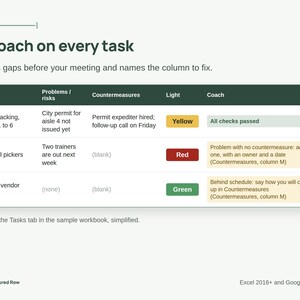
• The coach: every row tells you what still needs attention and exactly which column to fix, or "All checks passed"
• Type once: the reports, lights and charts fill in from your task updates
• Easy: white cells are for typing, green cells calculate for you, grey rows are examples
• Calm, clean pages that print neatly or paste into slides
WORKS IN
Microsoft Excel 2016 or newer and Google Sheets. No macros, add-ins or sign-ups. Holds up to 12 projects and 100 tasks.
WHAT YOU GET
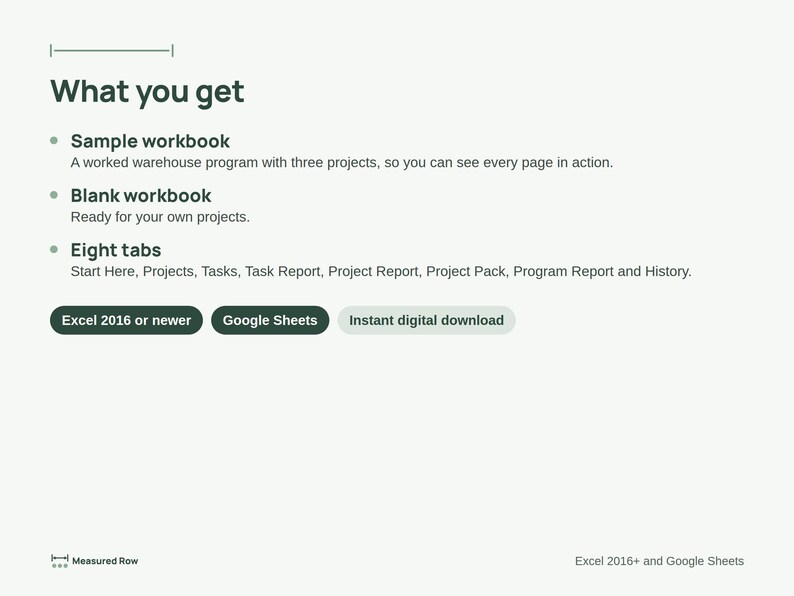
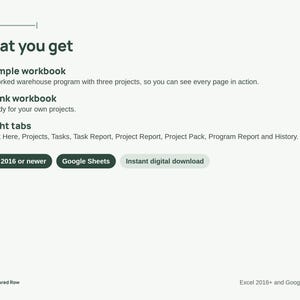
2 Excel workbooks (.xlsx): a sample filled with a worked example and a blank copy for your own program. This is a digital download; nothing will be shipped.
PLEASE NOTE
This is a general planning tool, not professional, legal or financial advice. Licensed for one person, including use at work. Need it for a team or for client work? Message the shop about a team license. Please don't resell or share it publicly.
Designed by me, built with the help of AI tools.
If something goes wrong with an order, we've got your back for all eligible purchases. View program terms
NowPrice:$21.06
Original Price: $27.00
22% off
Sale ends on November 18
You can only make an offer when buying a single item
Delivery
Instant download
Your files will be available to download once payment is confirmed. Here's how.
Instant download items don't accept returns, exchanges or cancellations. Please contact the seller about any problems with your order.
Seller's description
Specifications
Plan it. Try it. See what grows. Write one short update per task, and your project and program status reports build themselves.
Made by a certified project manager who has written a lot of status reports, for project managers, program managers and program management offices (PMO). The red, yellow and green traffic lights (often called RAG status) follow one clear rule, so nobody argues about the color:
• Red: a problem or risk with no countermeasure yet
• Yellow: a problem or risk with a countermeasure in place
• Green: no problems or risks
WHAT'S INSIDE
• Projects and Tasks tabs: one row per task with past activities, next steps, problems, countermeasures and % done
• Automatic lights with a manual override, plus Previous, Current and Outlook lights
• Rollup: a project takes the worst light of its tasks, its schedule and its budget; the program takes the worst of its projects
• Task Report: a one-page update with a mini timeline and the four boxes
• Project Report and Project Pack: one project on a page, or one page per task, ready to print
• Program Report: every project's lights, schedule, budget, key message and decisions needed, plus a page of charts
• History tab: save each report so the Previous lights fill in next time
• Schedule status (On track, Behind, Late, Done), baseline end dates with days late, and an optional budget light
WHY IT'S DIFFERENT
• The coach: every row tells you what still needs attention and exactly which column to fix, or "All checks passed"
• Type once: the reports, lights and charts fill in from your task updates
• Easy: white cells are for typing, green cells calculate for you, grey rows are examples
• Calm, clean pages that print neatly or paste into slides
WORKS IN
Microsoft Excel 2016 or newer and Google Sheets. No macros, add-ins or sign-ups. Holds up to 12 projects and 100 tasks.
WHAT YOU GET
2 Excel workbooks (.xlsx): a sample filled with a worked example and a blank copy for your own program. This is a digital download; nothing will be shipped.
PLEASE NOTE
This is a general planning tool, not professional, legal or financial advice. Licensed for one person, including use at work. Need it for a team or for client work? Message the shop about a team license. Please don't resell or share it publicly.
Designed by me, built with the help of AI tools.
-
Item typeDigital download
-
Digital file type(s)2 Files
If something goes wrong with an order, we've got your back on all eligible purchases. View program terms
Meet your seller


More from this shop
-
Digital download
Garden Planner Spreadsheet | Vegetable Planting Calendar by Zone, Square Foot & Seed Starting Schedule | Google Sheets, Excel
Sale Price $14.82
Original Price $19.00
-
Digital download
Lean Six Sigma Process Improvement Toolkit | FMEA, SIPOC, A3, Fishbone, RACI, Gantt (Digital Download)
Sale Price $28.86
Original Price $37.00
Disclaimer: Button/coin batteries may cause serious injury and even death if swallowed. Items containing button/coin batteries should not be easily accessible without the use of a tool. Sellers are responsible for complying with all applicable labeling, design, testing, packaging, and other safety requirements. Etsy assumes no responsibility for the accuracy or contents of a seller’s listing. If you have questions about button/coin batteries, contact the seller by sending a Message. See Etsy's Terms of Use for more information.