

Small Business Bookkeeping Spreadsheet, Income and Expense Tracker, Profit and Loss, Excel and Google Sheets
Item highlights
Seller's description
Instant digital download: small business bookkeeping spreadsheet for Excel and Google Sheets. You get 2 .xlsx files (blank and filled-in example) and a quick start guide. Nothing physical ships.
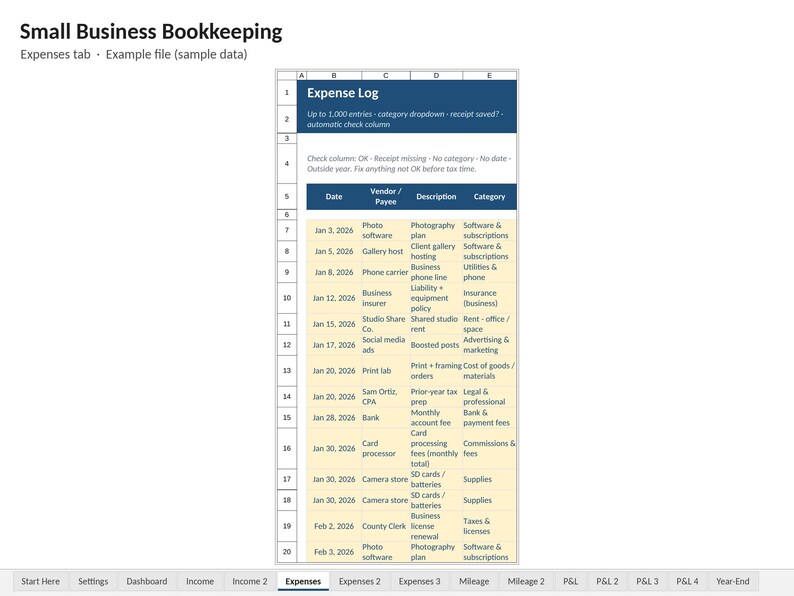
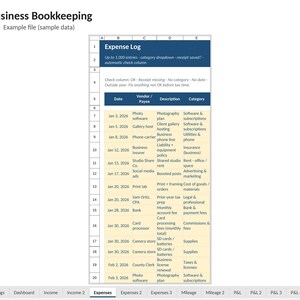
Log your income and expenses; the spreadsheet builds the monthly and annual Profit & Loss, the dashboard and a one-page Year-End Summary. Every expense row also gets an automatic check (OK, Receipt missing, No category, No date or Outside year), so gaps show up while they're still easy to fix.
It's an .xlsx file built to work the same in Microsoft Excel and Google Sheets.
━━━━━━━━━━━━━━━━━━
WHAT'S INSIDE: 15 TABS
━━━━━━━━━━━━━━━━━━
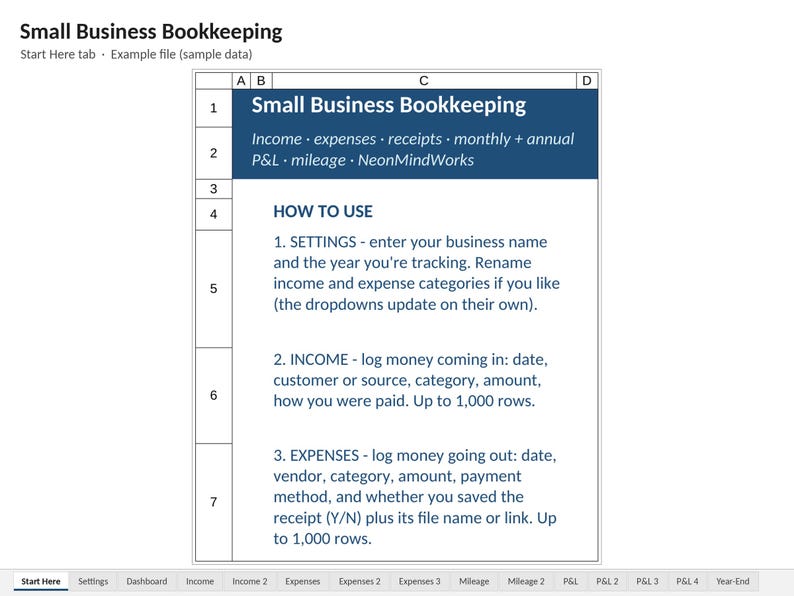
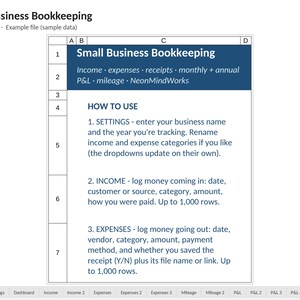
• START HERE – setup steps, Excel and Google Sheets how-to, starting a new year
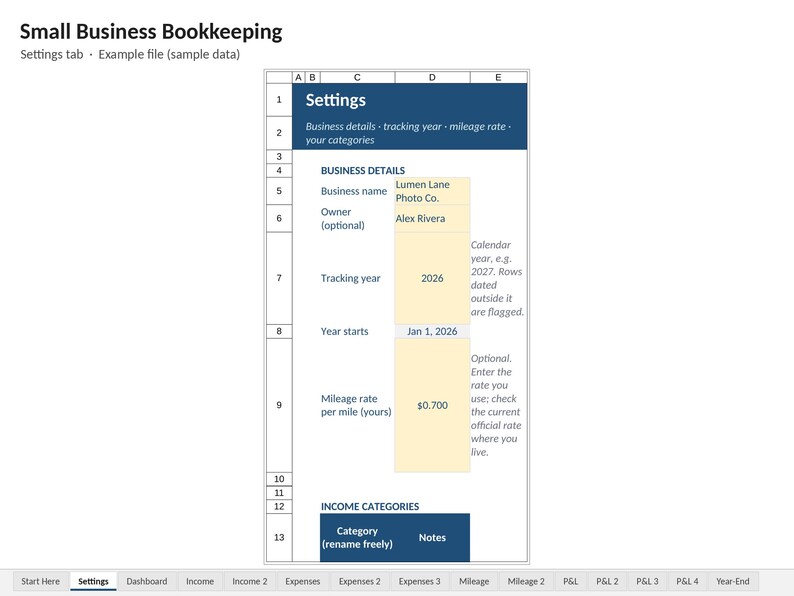
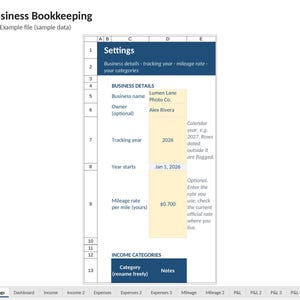
• SETTINGS – business name, tracking year, optional mileage rate, and your own income (8) and expense (25) category names
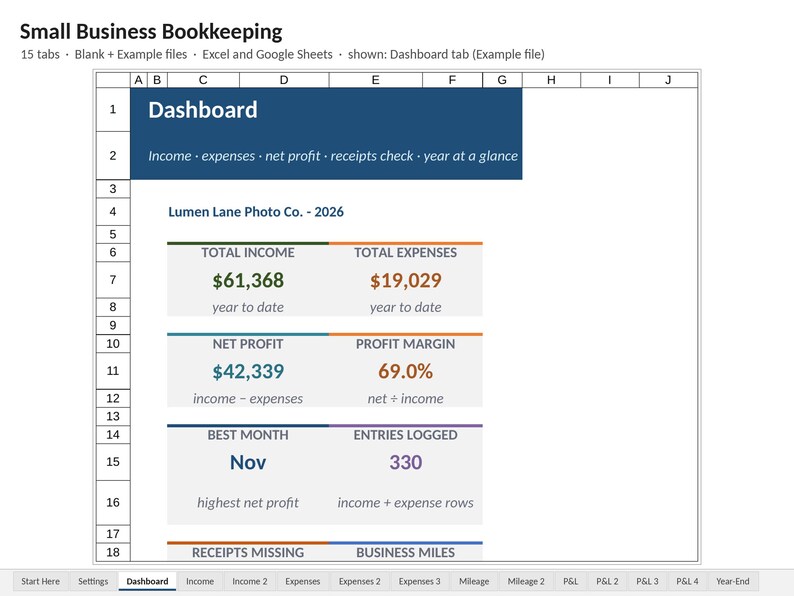
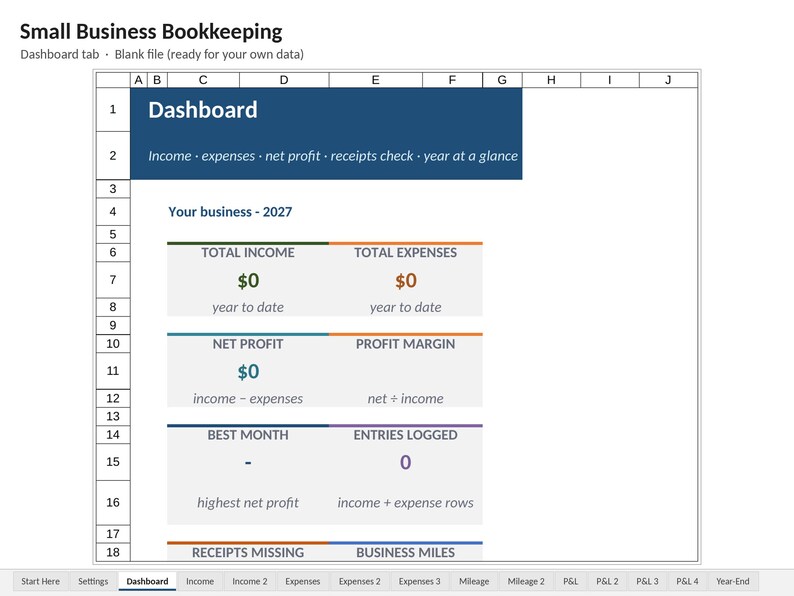
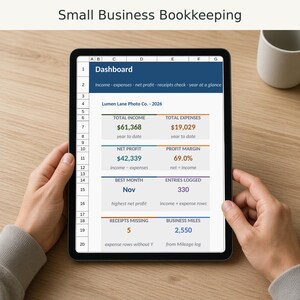
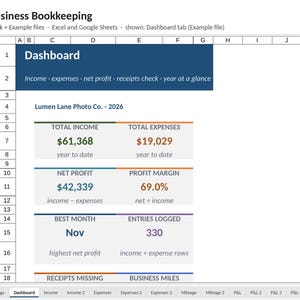
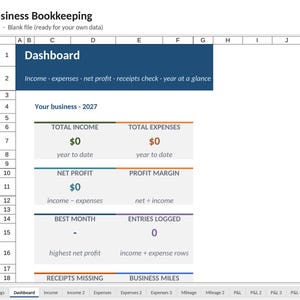
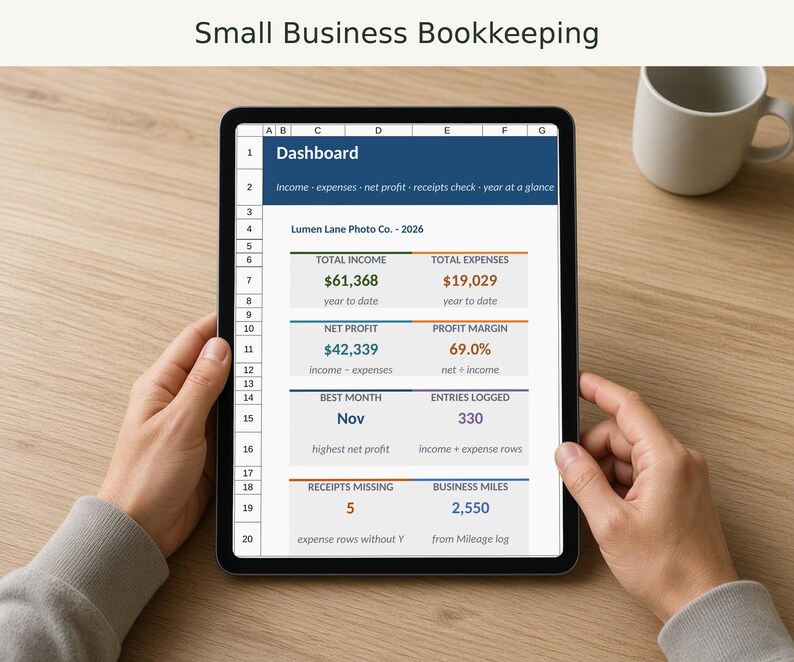
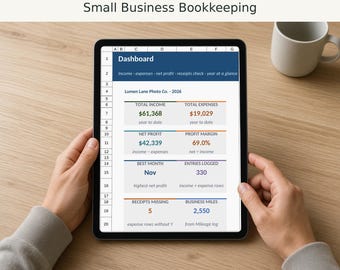
• DASHBOARD – total income, total expenses, net profit, profit margin, best month, entries logged, receipts missing, business miles, month-by-month table, quarter totals, top 5 expense categories, data checks and an income vs expenses chart
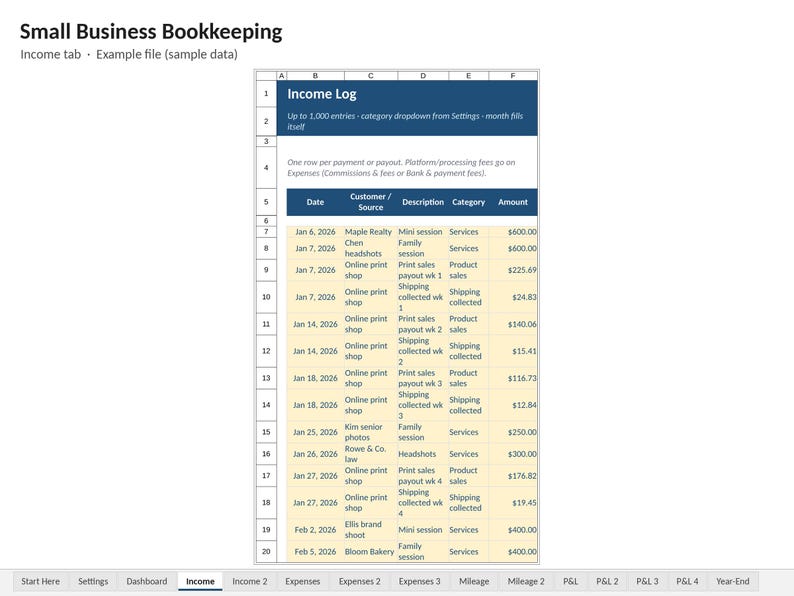
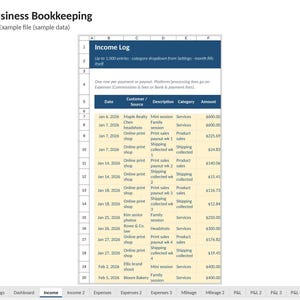
• INCOME – up to 1,000 entries: date, customer/source, description, category, amount, paid via, invoice/ref #, notes (continues on the Income 2 tab)
• EXPENSES – up to 1,000 entries: date, vendor, description, category, amount, paid via, receipt saved (Y/N), receipt file name or link, notes, and the automatic check column (continues on the Expenses 2 and Expenses 3 tabs)
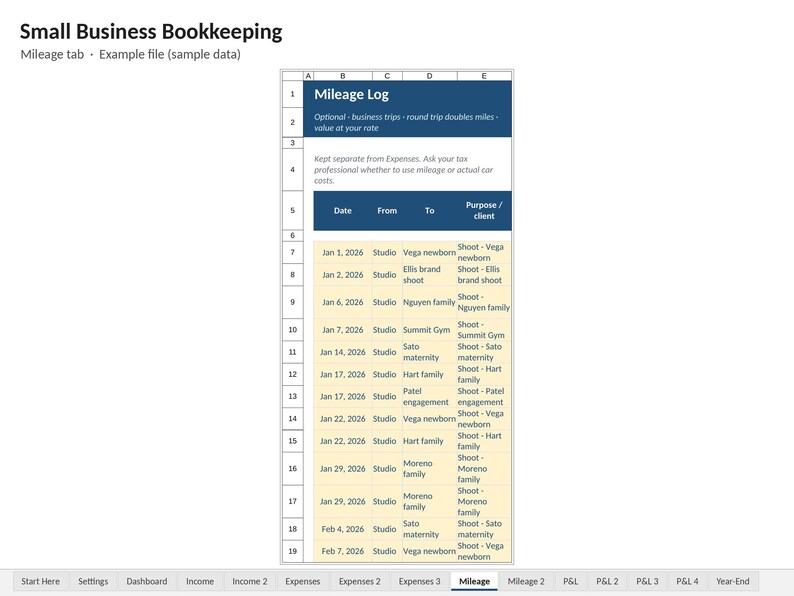
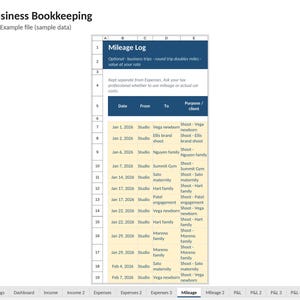
• MILEAGE – optional trip log: from, to, purpose, miles, round trip, total miles, value at the rate you enter (continues on the Mileage 2 tab)
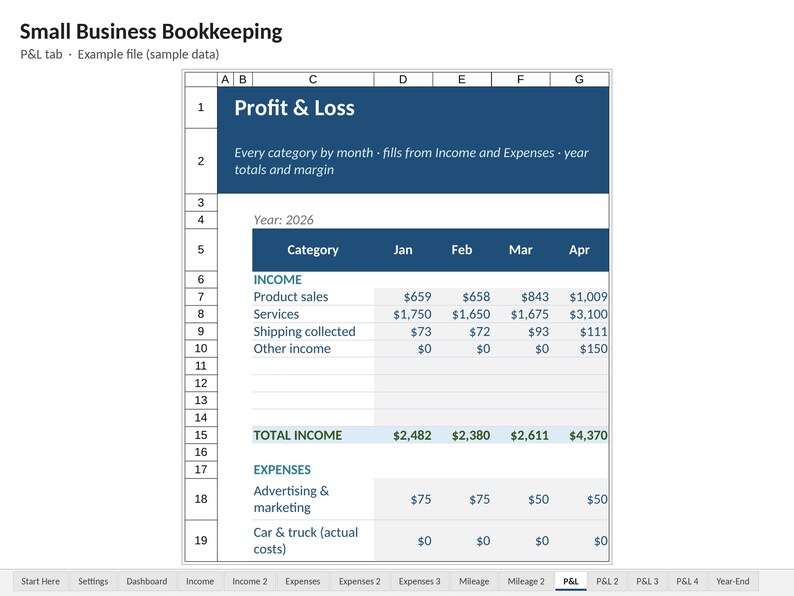
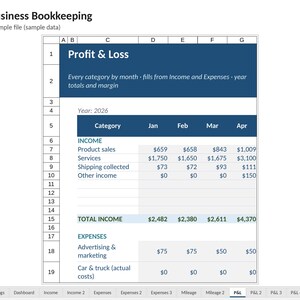
• P&L – every category by month with year totals, % of income, net profit, margin and net profit year-to-date (it continues on P&L 2 to 4, four months per tab)
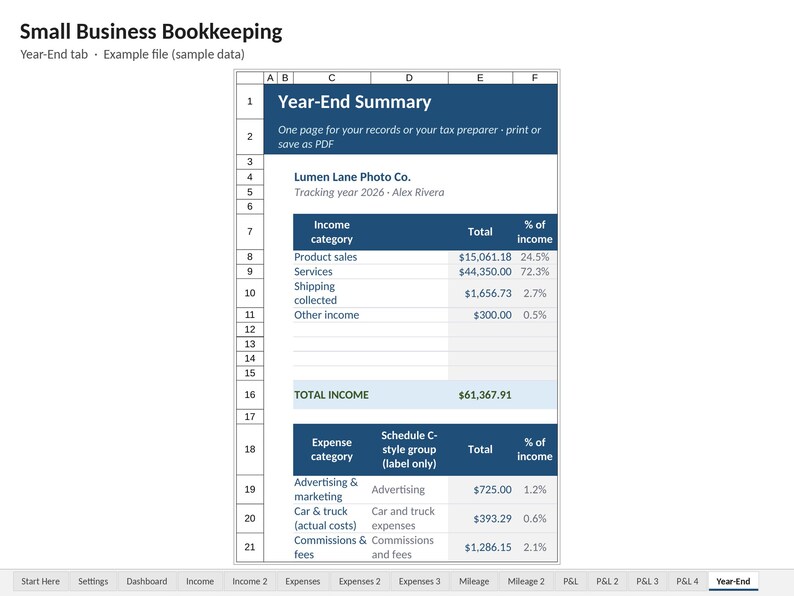
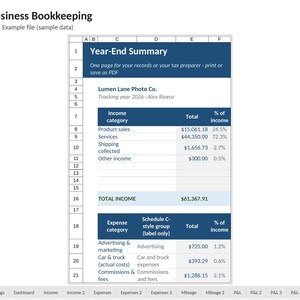
• YEAR-END – one printable page: income and expenses by category, net profit, miles and the receipt check, with a Schedule C-style group label next to each expense category
━━━━━━━━━━━━━━━━━━
FEATURES
━━━━━━━━━━━━━━━━━━
• Receipt check on every expense, counted on the Dashboard and the Year-End page
• Expense categories use familiar Schedule C-style names (Advertising, Supplies, Contract labor, Travel and more); rename any of them and the dropdowns follow
• Year-End Summary to print or save as PDF for your records or your tax preparer
• Data checks catch rows with no category, no date or a date outside your tracking year
• Works in Excel 2016 or newer, including Microsoft 365 (Windows/Mac) and in Google Sheets (free)
• A Blank file plus a filled-in Example (a full sample year for a small photography business)
• No macros. Shaded typing cells. Dropdowns for categories, payment method and receipt Y/N
━━━━━━━━━━━━━━━━━━
WHAT YOU'LL RECEIVE (3 files)
━━━━━━━━━━━━━━━━━━
1. Small-Business-Bookkeeping_Blank.xlsx
2. Small-Business-Bookkeeping_Example.xlsx
3. README.txt (quick start)
━━━━━━━━━━━━━━━━━━
INSTANT DOWNLOAD: HOW IT WORKS
━━━━━━━━━━━━━━━━━━
• After you pay, Etsy emails you a download link. You can also find the files under You ▸ Purchases and reviews.
• EXCEL: open the .xlsx file and click "Enable Editing".
• GOOGLE SHEETS: go to sheets.google.com ▸ File ▸ Import ▸ Upload ▸ choose the file ▸ "Replace spreadsheet". (Or upload it to Google Drive and pick Open with ▸ Google Sheets.)
• Good to know: in Google Sheets, charts and fonts may look slightly different. Formulas, dropdowns and colors carry over.
• Amounts show $. For another currency, change the number format of the money cells.
• Works best on a computer. Phone and tablet apps work for quick entries.
━━━━━━━━━━━━━━━━━━
PLEASE NOTE
━━━━━━━━━━━━━━━━━━
• Manual entry: it does not connect to your bank or import transactions automatically.
• A bookkeeping and organizing tool only: not tax, legal or accounting advice. The Schedule C-style group names are labels for sorting; they don't decide what is deductible. Check with a qualified tax professional.
• Colors may look a little different depending on your screen.
━━━━━━━━━━━━━━━━━━
GOOD TO KNOW
━━━━━━━━━━━━━━━━━━
• Photos: the listing photos are screenshots of the actual file with a short caption, not mockups.
• Digital download: nothing physical ships. You get .xlsx file(s) for Microsoft Excel 2016 or newer, or free Google Sheets.
• Not tax, legal, or accounting advice. Tax rules change, so check IRS.gov or a tax professional.
• Results depend on the numbers you enter. Treat any estimates as rough guides.
• License: personal use in one household (or inside your own single business for business templates). Please don't share, resell, or upload the file.
• Problem with your file? Message me on Etsy and I'll fix it within 2 business days or refund you through Etsy.
— Neon
Designed with the help of AI tools, then reviewed and tested by me.
If something goes wrong with an order, we've got your back for all eligible purchases. View program terms
Price:$11.99
You can only make an offer when buying a single item
Delivery
Instant download
Your files will be available to download once payment is confirmed. Here's how.
Instant download items don't accept returns, exchanges or cancellations. Please contact the seller about any problems with your order.
Seller's description
Specifications
Instant digital download: small business bookkeeping spreadsheet for Excel and Google Sheets. You get 2 .xlsx files (blank and filled-in example) and a quick start guide. Nothing physical ships.
Log your income and expenses; the spreadsheet builds the monthly and annual Profit & Loss, the dashboard and a one-page Year-End Summary. Every expense row also gets an automatic check (OK, Receipt missing, No category, No date or Outside year), so gaps show up while they're still easy to fix.
It's an .xlsx file built to work the same in Microsoft Excel and Google Sheets.
━━━━━━━━━━━━━━━━━━
WHAT'S INSIDE: 15 TABS
━━━━━━━━━━━━━━━━━━
• START HERE – setup steps, Excel and Google Sheets how-to, starting a new year
• SETTINGS – business name, tracking year, optional mileage rate, and your own income (8) and expense (25) category names
• DASHBOARD – total income, total expenses, net profit, profit margin, best month, entries logged, receipts missing, business miles, month-by-month table, quarter totals, top 5 expense categories, data checks and an income vs expenses chart
• INCOME – up to 1,000 entries: date, customer/source, description, category, amount, paid via, invoice/ref #, notes (continues on the Income 2 tab)
• EXPENSES – up to 1,000 entries: date, vendor, description, category, amount, paid via, receipt saved (Y/N), receipt file name or link, notes, and the automatic check column (continues on the Expenses 2 and Expenses 3 tabs)
• MILEAGE – optional trip log: from, to, purpose, miles, round trip, total miles, value at the rate you enter (continues on the Mileage 2 tab)
• P&L – every category by month with year totals, % of income, net profit, margin and net profit year-to-date (it continues on P&L 2 to 4, four months per tab)
• YEAR-END – one printable page: income and expenses by category, net profit, miles and the receipt check, with a Schedule C-style group label next to each expense category
━━━━━━━━━━━━━━━━━━
FEATURES
━━━━━━━━━━━━━━━━━━
• Receipt check on every expense, counted on the Dashboard and the Year-End page
• Expense categories use familiar Schedule C-style names (Advertising, Supplies, Contract labor, Travel and more); rename any of them and the dropdowns follow
• Year-End Summary to print or save as PDF for your records or your tax preparer
• Data checks catch rows with no category, no date or a date outside your tracking year
• Works in Excel 2016 or newer, including Microsoft 365 (Windows/Mac) and in Google Sheets (free)
• A Blank file plus a filled-in Example (a full sample year for a small photography business)
• No macros. Shaded typing cells. Dropdowns for categories, payment method and receipt Y/N
━━━━━━━━━━━━━━━━━━
WHAT YOU'LL RECEIVE (3 files)
━━━━━━━━━━━━━━━━━━
1. Small-Business-Bookkeeping_Blank.xlsx
2. Small-Business-Bookkeeping_Example.xlsx
3. README.txt (quick start)
━━━━━━━━━━━━━━━━━━
INSTANT DOWNLOAD: HOW IT WORKS
━━━━━━━━━━━━━━━━━━
• After you pay, Etsy emails you a download link. You can also find the files under You ▸ Purchases and reviews.
• EXCEL: open the .xlsx file and click "Enable Editing".
• GOOGLE SHEETS: go to sheets.google.com ▸ File ▸ Import ▸ Upload ▸ choose the file ▸ "Replace spreadsheet". (Or upload it to Google Drive and pick Open with ▸ Google Sheets.)
• Good to know: in Google Sheets, charts and fonts may look slightly different. Formulas, dropdowns and colors carry over.
• Amounts show $. For another currency, change the number format of the money cells.
• Works best on a computer. Phone and tablet apps work for quick entries.
━━━━━━━━━━━━━━━━━━
PLEASE NOTE
━━━━━━━━━━━━━━━━━━
• Manual entry: it does not connect to your bank or import transactions automatically.
• A bookkeeping and organizing tool only: not tax, legal or accounting advice. The Schedule C-style group names are labels for sorting; they don't decide what is deductible. Check with a qualified tax professional.
• Colors may look a little different depending on your screen.
━━━━━━━━━━━━━━━━━━
GOOD TO KNOW
━━━━━━━━━━━━━━━━━━
• Photos: the listing photos are screenshots of the actual file with a short caption, not mockups.
• Digital download: nothing physical ships. You get .xlsx file(s) for Microsoft Excel 2016 or newer, or free Google Sheets.
• Not tax, legal, or accounting advice. Tax rules change, so check IRS.gov or a tax professional.
• Results depend on the numbers you enter. Treat any estimates as rough guides.
• License: personal use in one household (or inside your own single business for business templates). Please don't share, resell, or upload the file.
• Problem with your file? Message me on Etsy and I'll fix it within 2 business days or refund you through Etsy.
— Neon
Designed with the help of AI tools, then reviewed and tested by me.
-
Designed by
-
Item typeDigital download
-
Digital file type(s)3 Files
If something goes wrong with an order, we've got your back on all eligible purchases. View program terms
Meet your seller

More from this shop
-

Digital download
Grant Tracker Spreadsheet for Nonprofits, Grant Management Template, Application Deadlines and Award Spending Log
$7.99
-
Digital download
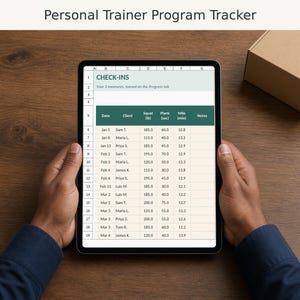
Personal Trainer Template Spreadsheet, Client Workout Program and Tracker, Session Packages, Payments
$11.99
-
Digital download
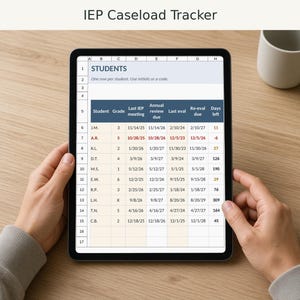
IEP Tracker Spreadsheet, Special Education Caseload Tracker, Annual Review and Re-Evaluation Dates
$6.99
-

Digital download
Cash Flow Spreadsheet for Small Business, 13 Week Cash Flow Forecast, Budget Planner, Low Balance Alert
$12.99
-
Digital download
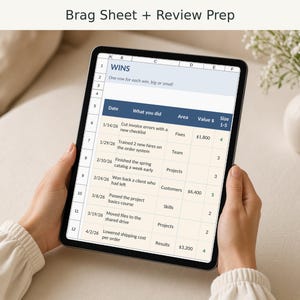
Brag Sheet Spreadsheet, Work Accomplishment Tracker, Performance Review Prep, Career Wins Log
$6.99
-
Digital download
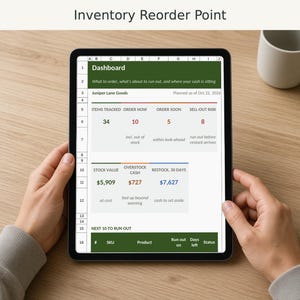
Inventory Tracker Spreadsheet, Reorder Point, Safety Stock and Lead Time Calculator, Excel and Google Sheets
$12.99
 This listing
Small Business Bookkeeping Spreadsheet, Income and Expense Tracker, Profit and Loss, Excel and Google Sheets
Sale Price $10.79
Original Price $11.99
10% off "buy together" offer
Digital Download
-
Digital download
Small Business Bookkeeping Template | Google Sheets Sales & Expense Tracker
Sale Price $5.00
Original Price $10.00
-

Digital download
Small Business Bookkeeping Spreadsheet Income Expense Tracker Tax Tracker Accounting Template Mileage Tracker Business Planner Profit & Loss
Sale Price $9.53
Original Price $19.06
-
Digital download
Small Business Bookkeeping Spreadsheet Income Expense Tracker Tax Tracker Accounting Template Mileage Tracker Business Planner Profit & Loss
Sale Price $9.53
Original Price $19.06
-

Digital download
Small Business Bookkeeping Template Spreadsheet: Easy Income and Expense Tracking | Profit Calculation Spreadsheet | Budget Spreadsheet
Sale Price $5.00
Original Price $10.00
-

Digital download
Easy Bookkeeping Template, Google Sheet, Small Business Bookkeeping, Income and Expense Tracker, Profit and Loss, Accounting Spreadsheet
$10.99
-
Digital download
Easy Bookkeeping Spreadsheet: Small Business Income Tracker (Excel)
$10.49
-

Digital download
Small Business Bookkeeping Spreadsheet Google Sheets | Custom Dashboard | Bookkeeping Template | Business Expense Tracker | Income Tracker
Sale Price $3.00
Original Price $12.00
-

Digital download
Automated Profit and Loss Excel Template: Small Business Bookkeeping
$14.50
-

Digital download
Small Business Bookkeeping Template for tracking Income and Expense | Easy Bookkeeping Excel | Invoice Spreadsheet | Budget
$13.34
-
Digital download
Small Business Bookkeeping Spreadsheet Dark Mode Income Expense Tracker Tax Tracker Dark Accounting Template Business Planner Profit & Loss
Sale Price $9.53
Original Price $19.06
-

Digital download
Ultimate Bookkeeping Spreadsheet Google Sheet Small Business Easy Bookkeeping Template Profit Income Expense Tracker
Sale Price $2.50
Original Price $10.00
-

Digital download
Easy Bookkeeping Template, Excel Template, Small Business Bookkeeping, Income and Expense Tracker, Profit and Loss, Accounting Spreadsheet
$10.99
Shoppers with similar taste loved these
-
Custom Stamps With Business Logo, Business Stamp, Customized Artwork Design, Round or Rectangular Stamp, Personalized Self Inking Stamp
Sale Price $7.49
Original Price $14.98
-
Digital download
Crochet Amigurumi Pricing Guide | Google Sheets
$5.00
-
Digital download
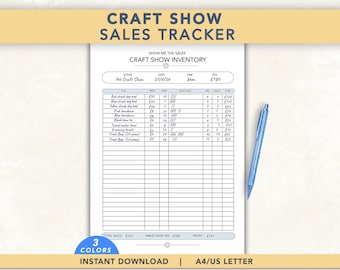
Craft Fair Inventory Tracker, Market Stall Sales Log, Simple Order Sheet
Sale Price $2.03
Original Price $2.91
-

Digital download
Crochet Project Price Calculator | Excel & Google Sheets Template
$6.23
-

Digital download
Pricing Calculator Spreadsheet Small Business Google Sheets Business Tracker Handmade Products Pricing Template Profit Margin Pricing Guide
$6.67
-
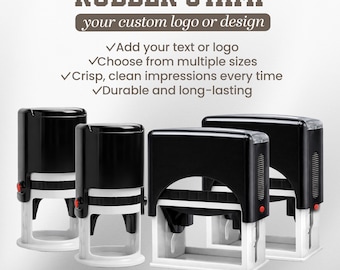
Custom Logo Rubber Stamp, Business Branding, Packaging, Tags, Self-Inking
Sale Price $4.98
Original Price $9.96
-

Custom Logo Stamp, Personalized Stamp, Business Stamp, Self Ink, Branding Stamp, Rubber Stamps
Sale Price $6.76
Original Price $7.95
-

Digital download
Ultimate Crochet Business Tracker | Google Sheets Spreadsheet | Yarn Inventory & Pricing Calculator
$19.90
-

Digital download
Craft Pricing Calculator Template, Google Sheets (Digital Download)
Sale Price $4.79
Original Price $11.98
-

Digital download
Couples Budget Spreadsheet Monthly Couple Budget Template Annual Couples Budget Planner Google Sheets Shared Budget Tracker Expense Tracker
Sale Price $4.12
Original Price $10.31
-
Digital download
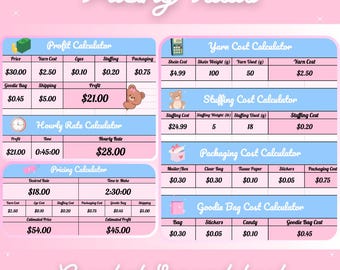
Cute Crochet Pricing Tools Spreadsheet
Sale Price $4.24
Original Price $4.99
-

Digital download
Finance/Tax Tracking Template for Etsy Sellers & Small Businesses
Sale Price $8.80
Original Price $11.00


