




Small Business Bookkeeping Software, Offline Accounting App + Google Sheets, Invoice & Expense Tracker, No Subscription
Item highlights
If something goes wrong with an order, we've got your back for all eligible purchases. View program terms
NowPrice:$23.99
Original Price: $39.99
40% off
Sale ends in 5 days
You can only make an offer when buying a single item
Delivery
Instant download
Your files will be available to download once payment is confirmed. Here's how.
Instant download items don't accept returns, exchanges or cancellations. Please contact the seller about any problems with your order.
Seller's description
Specifications
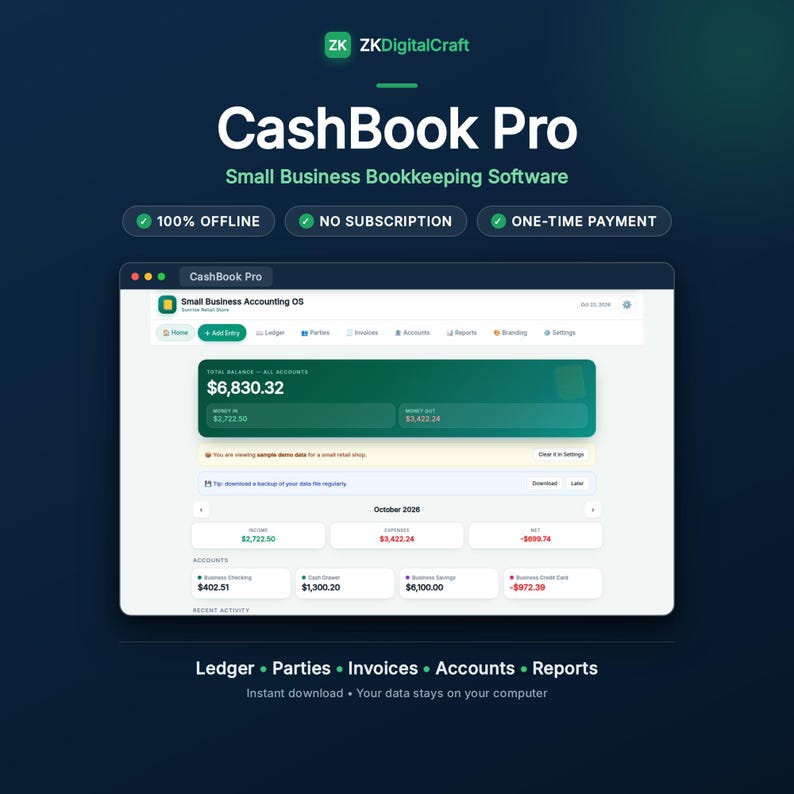
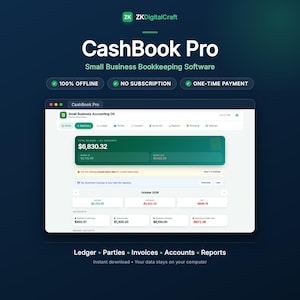
Run your small business books without a monthly bill. Pay once, then track income and expenses, send invoices with your own logo, and see who owes you, all offline on your own computer (Windows, Mac or Chromebook), plus a Google Sheets edition for your phone.
Small Business Accounting OS is a complete accounting app for a small business — and it is ONE file. No installation, no account to create, nothing to renew. Download it, open it in your browser, and run your books: accounts, daily entries, customers and suppliers, invoices with your own logo, and reports you can actually read.
━━━━━━━━━━━━━━━━━━━━━━━━━━━━━━
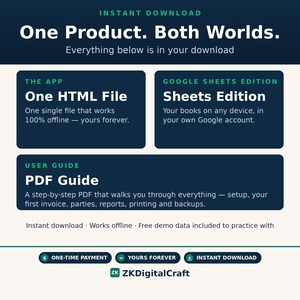
★ ONE PRODUCT. BOTH WORLDS. ★
━━━━━━━━━━━━━━━━━━━━━━━━━━━━━━
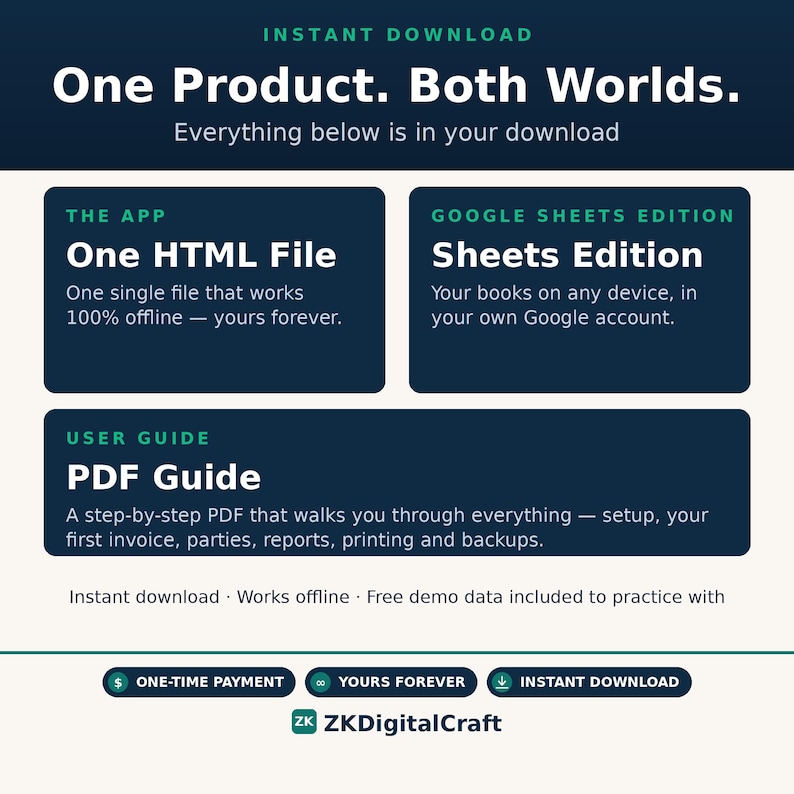
Most accounting tools make you choose: an offline app that lives on your computer, OR a cloud spreadsheet that follows you from device to device.
This purchase includes BOTH — the offline app (100% offline, on your computer, your data stays yours) AND the Google Sheets Edition (the same books in your own Google account, on any device you sign in to).
One price. No subscription. Use whichever fits your day — or use both.
100% Offline · No Subscriptions · One-Time Payment · Yours Forever
━━━━━━━━━━━━━━━━━━━━━━━━━━━━━━
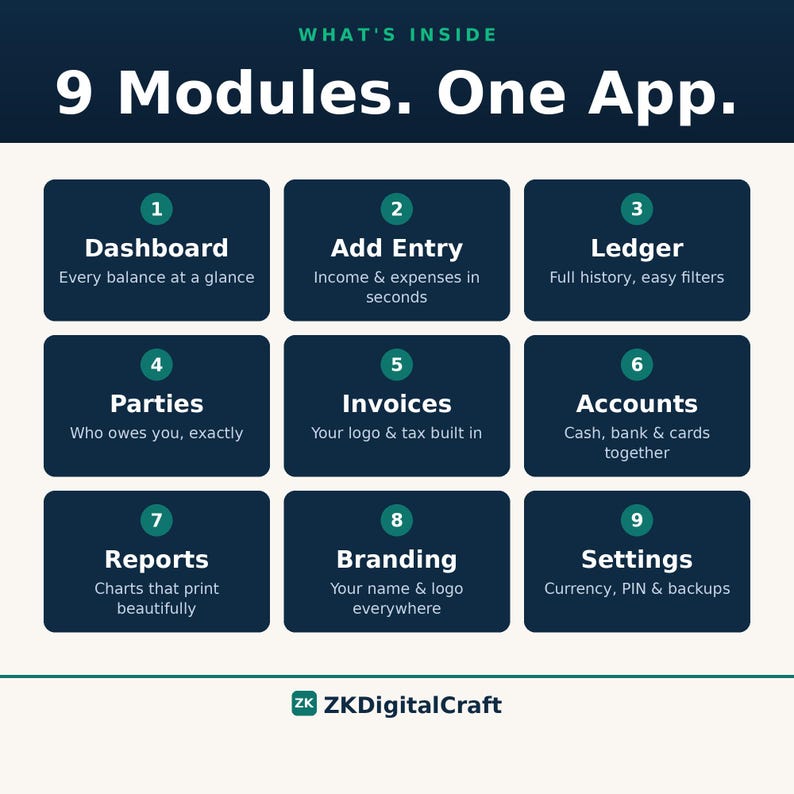
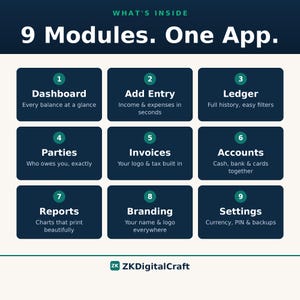
WHAT'S INSIDE — 9 MODULES
━━━━━━━━━━━━━━━━━━━━━━━━━━━━━━
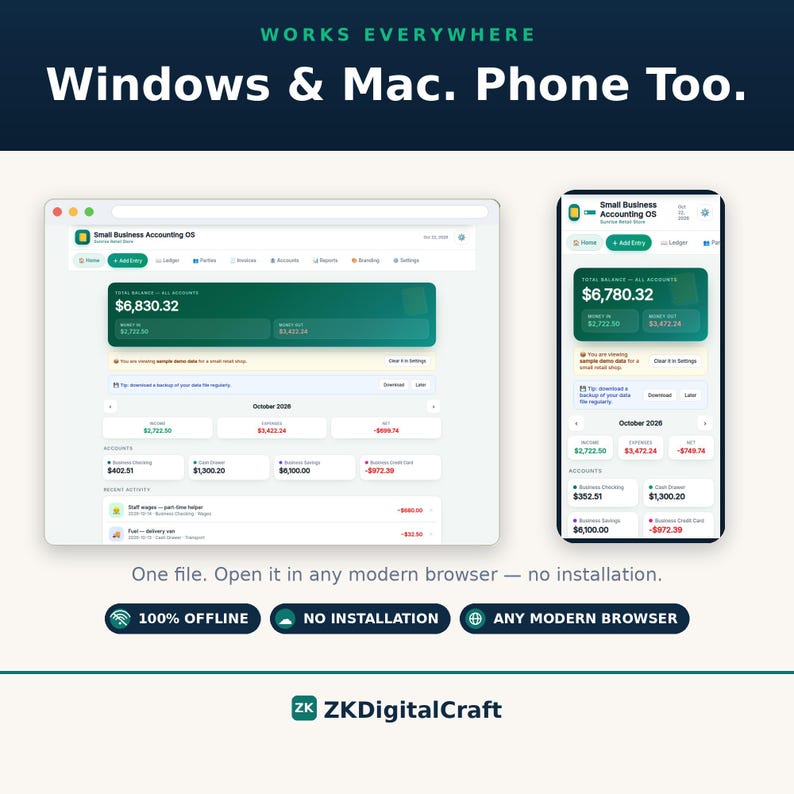
1. DASHBOARD — Your total balance, this month's money in and money out, and every account's balance on one screen.
2. ADD ENTRY — Record income, an expense, or a transfer between accounts in seconds.
3. LEDGER — Every transaction in one clean list, ready to search and review.
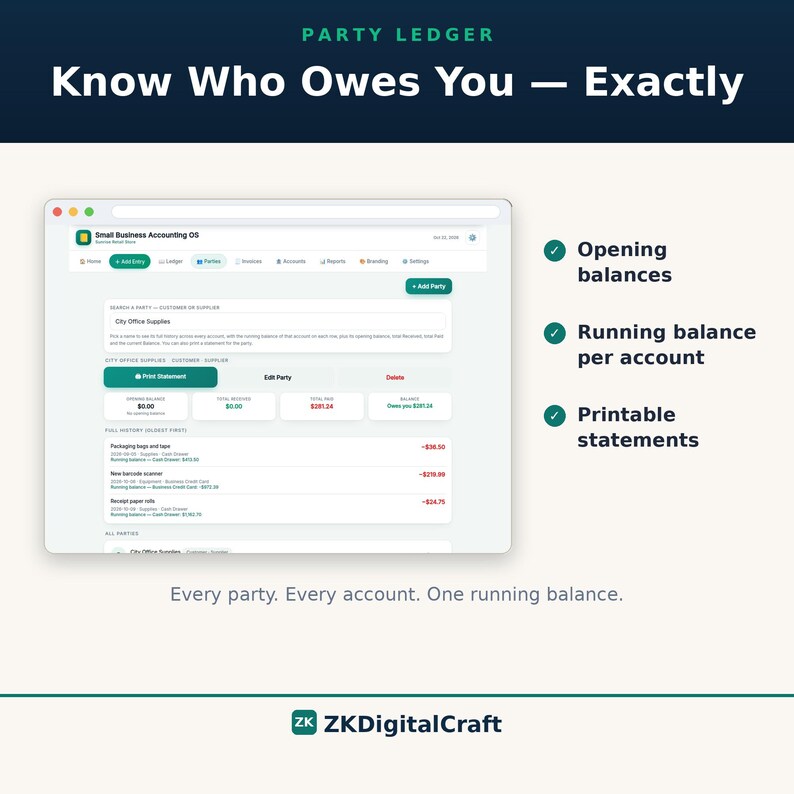
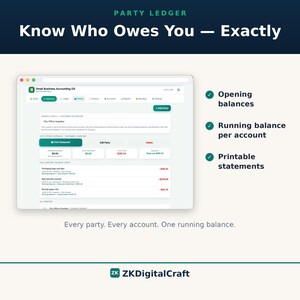
4. PARTIES — A proper record for every customer and supplier: contact details, opening balances, full history, and printable statements.
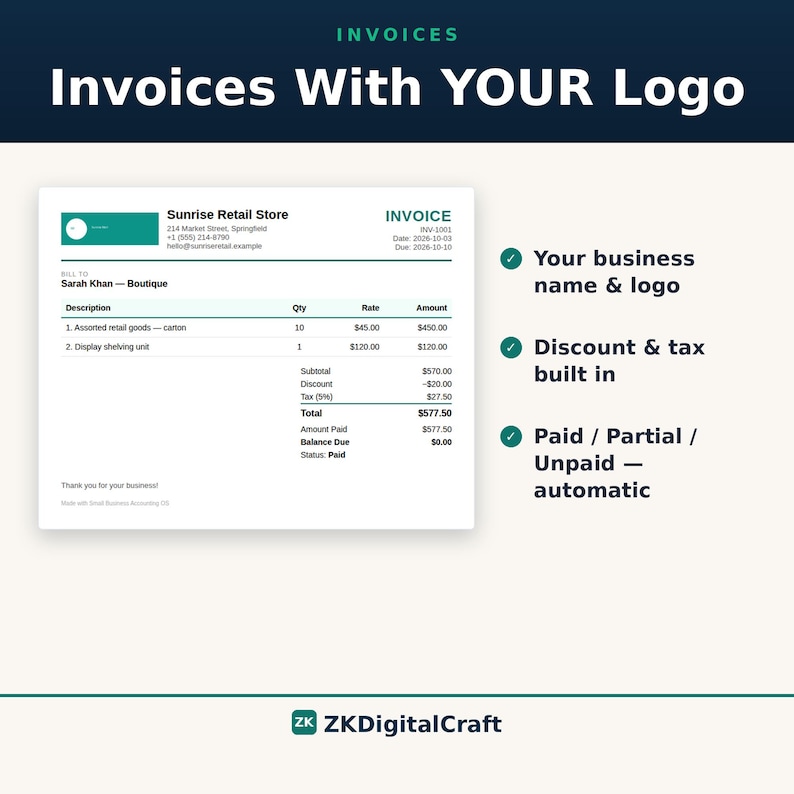
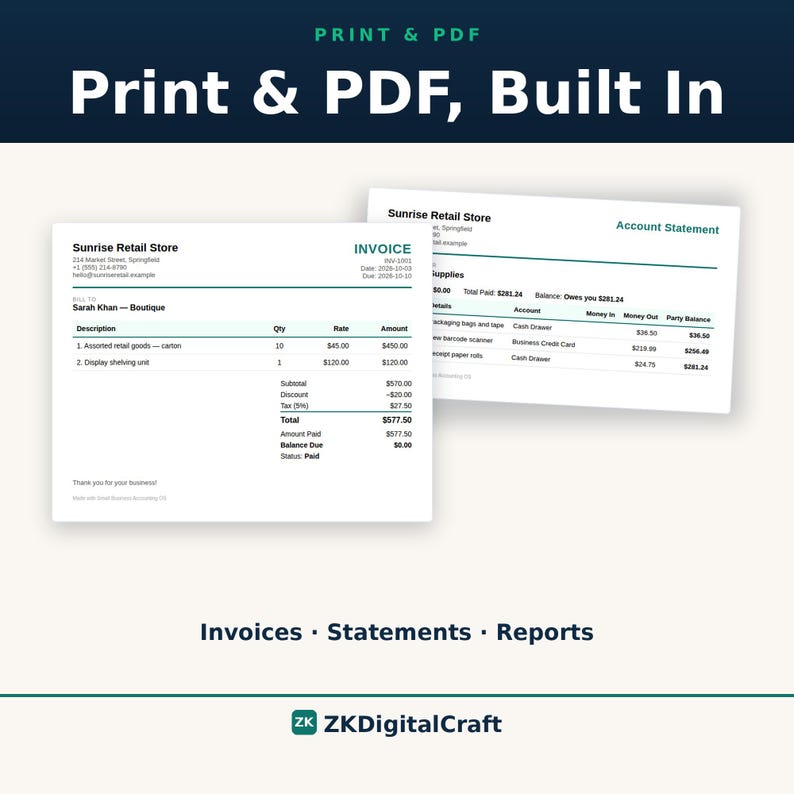
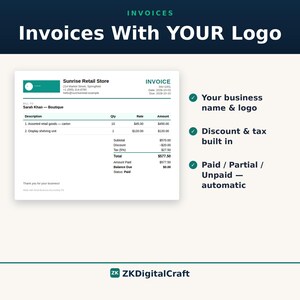
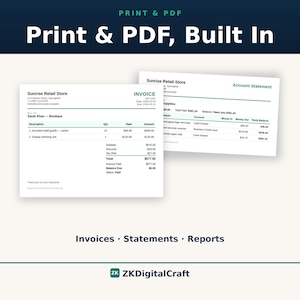
5. INVOICES — Real invoices with line items, discounts, tax, automatic Paid / Partial / Unpaid status, and your logo printed at the top.
6. ACCOUNTS — Keep cash, bank and card accounts side by side, each with its own balance.
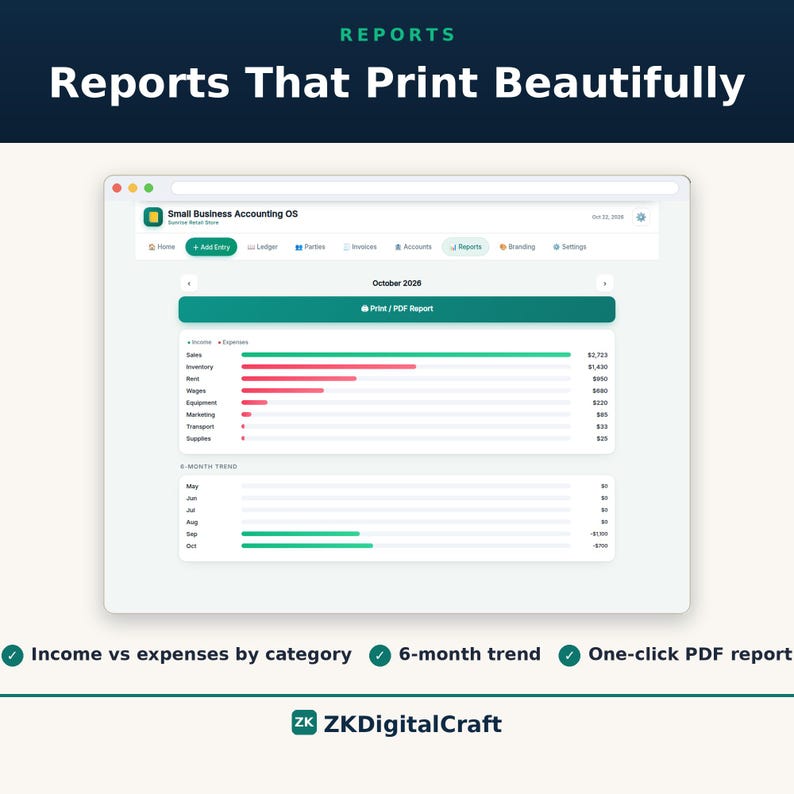
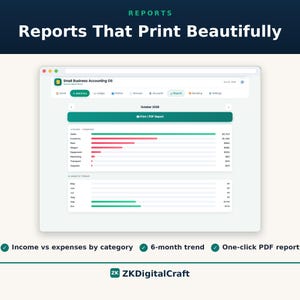
7. REPORTS — See where the money comes from and where it goes: category breakdown and a 6-month trend, printable as PDF.
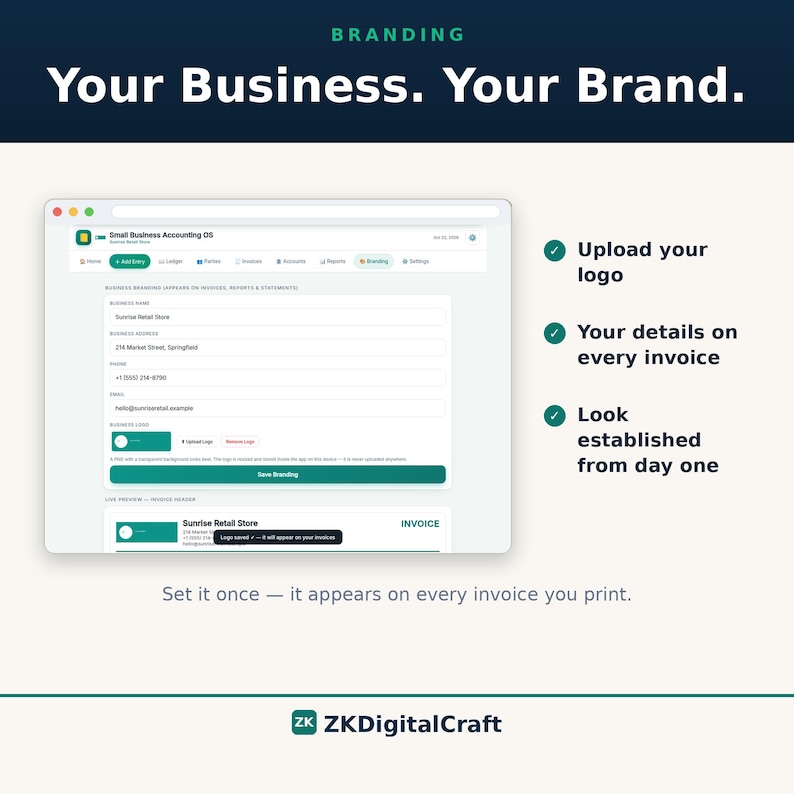
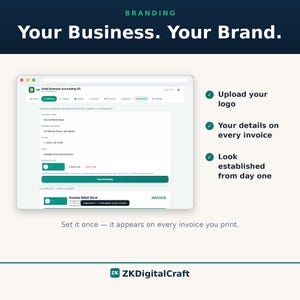
8. BRANDING — Upload your own logo and business details once; they appear in the app and on every invoice you print.
9. SETTINGS — Your categories, your choice of 10 currencies, a 4-digit PIN lock, and one-click backup and restore.
━━━━━━━━━━━━━━━━━━━━━━━━━━━━━━
KEY FEATURES
━━━━━━━━━━━━━━━━━━━━━━━━━━━━━━
— MONEY —
✓ Multiple cash and bank accounts, each tracked separately
✓ Income, expense and transfer entries
✓ A running balance that is always up to date
✓ Dashboard totals: total balance, money in, money out, monthly net
— INVOICES —
✓ Line items with quantity and rate
✓ Discount as a flat amount or a percentage, plus a tax %
✓ Invoice numbers assigned automatically
✓ Status works itself out — Unpaid, Partial or Paid
✓ Record a payment and it writes exactly one linked entry in your ledger — never counted twice
✓ Overpayment is blocked, so an invoice can never be "more than paid" by mistake
✓ Print or save as PDF with your logo and business details on it
— PARTIES (CUSTOMERS & SUPPLIERS) —
✓ A record for each party with name, phone, email and address
✓ Opening balances, so old dues carry in from day one
✓ Full history in date order, with the running balance of the account each entry moved through
✓ Received / Paid / Net summary for every party
✓ A printable account statement for any party, any time
— REPORTS —
✓ Income and expenses broken down by category
✓ 6-month trend, so you can see the direction your business is moving
✓ Print or save reports as PDF
— YOUR BRAND —
✓ Upload your logo once — it shows in the app and on every printed invoice
✓ Your business name, address, phone and email printed on invoices and statements
— SAFETY & DATA —
✓ One single HTML file — no installation, no account, no sign-up
✓ Works 100% offline; nothing you type ever leaves your computer
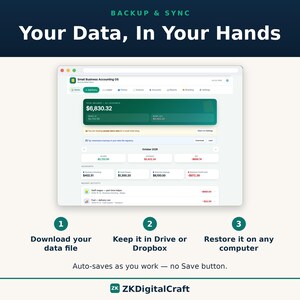
✓ Your data auto-saves in your browser as you work — there is no Save button to forget
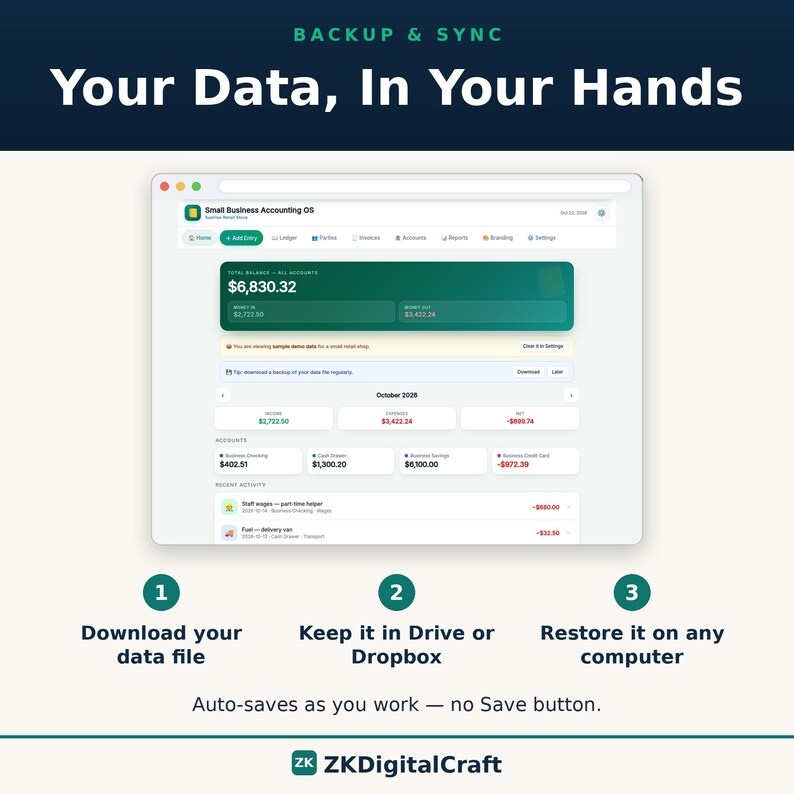
✓ One-click backup to a single file; restore it on another computer in seconds
✓ Keep your backup in Google Drive or Dropbox and your books travel with you
✓ 4-digit PIN lock for privacy
✓ 10 currencies to choose from
✓ Sample data included so you can try everything first — clear it in one click when you are ready
━━━━━━━━━━━━━━━━━━━━━━━━━━━━━━
HOW IT WORKS
━━━━━━━━━━━━━━━━━━━━━━━━━━━━━━
1. DOWNLOAD the ZIP from Etsy and unzip it.
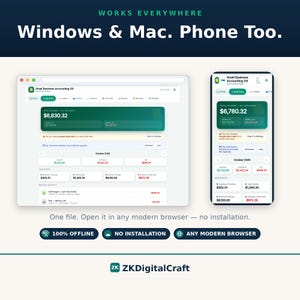
2. OPEN the app file in any modern browser — Chrome, Edge, Firefox or Safari. There is nothing to install.
3. START — look around with the sample data, then clear it and add your own accounts, parties and your first invoice.
Tip: use your browser's "Add to Home Screen" or "Create shortcut" option and the app opens like a normal program, on your computer or your phone.
━━━━━━━━━━━━━━━━━━━━━━━━━━━━━━
WHAT YOU RECEIVE
━━━━━━━━━━━━━━━━━━━━━━━━━━━━━━
✓ Small Business Accounting OS.html — the complete offline app (one file)
✓ Small-Business-Accounting-OS-User-Guide.pdf — a plain-English user guide that walks through every module
✓ Google Sheets Edition — the same bookkeeping system as a Google Sheets workbook, with ledger, parties, invoices and reports. Your data lives in your own Google account, so it opens on any device and auto-saves and syncs through Google. It arrives as a workbook file plus an Access & Setup PDF with the upload-to-Drive steps.
Everything arrives together in the delivery ZIP, ready to use.
━━━━━━━━━━━━━━━━━━━━━━━━━━━━━━
★ SETUP HELP — FREE, STRAIGHT FROM THE SELLER ★
━━━━━━━━━━━━━━━━━━━━━━━━━━━━━━
Setting this up should not be a puzzle — and you do not have to figure it out alone. If anything is unclear while you set up, the app or the Google Sheets edition, just send us a message here on Etsy.
We reply personally, and we walk you through it step by step until you are up and running.
No question is too small. If you are stuck, ask — that is what we are here for.
━━━━━━━━━━━━━━━━━━━━━━━━━━━━━━
ALSO INCLUDED: THE GOOGLE SHEETS EDITION
━━━━━━━━━━━━━━━━━━━━━━━━━━━━━━
One purchase gives you both editions. Choose the HTML app when you want the offline powerhouse on your computer: everything runs locally, with no internet or Google account needed. Choose the Google Sheets Edition when you want the same bookkeeping system — ledger, parties, invoices and reports — on your phone, tablet or another computer through your own Google account. The Sheets edition auto-saves and syncs through Google; the HTML app itself remains fully offline and does not cloud-sync.
━━━━━━━━━━━━━━━━━━━━━━━━━━━━━━
REQUIREMENTS
━━━━━━━━━━━━━━━━━━━━━━━━━━━━━━
✓ Any modern browser, on Windows, Mac, Linux or Chromebook
✓ No internet connection needed after download
✓ No account, no installation, no subscription — ever
━━━━━━━━━━━━━━━━━━━━━━━━━━━━━━
AN HONEST NOTE
━━━━━━━━━━━━━━━━━━━━━━━━━━━━━━
Your data lives in your browser, on your computer. That is exactly how this app stays 100% offline and completely private — there is no server and no cloud account. Two things follow from that, and you should know them before you buy:
• BACKUPS MATTER. If you clear your browser's data, your books go with it unless you have a backup. The app reminds you to download a backup file, and restoring one takes seconds.
• IT DOES NOT SYNC LIKE QUICKBOOKS ONLINE. To work on a second computer, download a backup on the first, carry the file over (Google Drive or Dropbox works well), and restore it on the second. It runs on one computer at a time.
No surprises — that is the whole trade, and for a small business that wants its books private and its costs at zero after day one, it is a good one.
━━━━━━━━━━━━━━━━━━━━━━━━━━━━━━
SUPPORT
━━━━━━━━━━━━━━━━━━━━━━━━━━━━━━
Stuck on something, or a feature is not doing what you expected? Message the shop. Every message is read and answered personally, within 24 hours on business days.
━━━━━━━━━━━━━━━━━━━━━━━━━━━━━━
FREQUENTLY ASKED QUESTIONS
━━━━━━━━━━━━━━━━━━━━━━━━━━━━━━
Q: Is it really a one-time payment?
A: Yes. You pay once, and both editions are yours forever. No monthly fees, no renewal, no features held back behind a plan.
Q: Does it work on a Mac?
A: Yes. It runs on Windows, Mac, Linux and Chromebook, because it opens in the browser you already have. If your device can run Chrome, Edge, Firefox or Safari, it can run this app.
Q: Do I need the internet to use it?
A: Only to download the file from Etsy. After that it works completely offline — in a shop with no connection, on a plane, anywhere.
Q: Where is my data stored?
A: In your browser, on your own computer. There is no account and no server, so your figures are never uploaded anywhere. Your books stay your business.
Q: Can I put my own logo on my invoices?
A: Yes — that is one of its best features. Upload your logo in the Branding section once, add your business name, address, phone and email, and they appear in the app and at the top of every invoice and statement you print.
Q: Can I use it on two computers?
A: Yes. For the HTML app, download a backup on the first computer and restore that file on the second — everything comes across; it works on one computer at a time, and changes made offline in two places do not merge automatically. For regular multi-device use, the included Google Sheets Edition is the built-in route: it lives in your own Google account and opens on your phone, tablet or another computer, with Google handling saving and syncing. The HTML app itself does not cloud-sync.
Q: What if I lose my data?
A: That is what the backup is for. Download a backup regularly (the app reminds you when it has been a while) and keep the file somewhere safe, like Google Drive or Dropbox. If anything ever happens — a cleared browser, a new computer — restore the backup and your books are back in seconds.
Q: What if I have trouble setting it up?
A: Message us through Etsy, any time. Setup help is free, and it comes from a person, not a help desk: we reply personally and walk you through it step by step — the app or the Google Sheets edition — until you are up and running. No question is too small, so please do not sit stuck.
How this was made: I designed and built this product myself. I used AI tools to help build it and design the listing images and video — every screenshot shows the real product, and I reviewed everything before listing it.
-
Designed by
-
Item typeDigital download
-
Digital file type(s)1 ZIP
If something goes wrong with an order, we've got your back on all eligible purchases. View program terms
Meet your seller

More from this shop
-
Digital download
CRM Spreadsheet for Small Business | Google Sheets & Excel Client Tracker, Sales Pipeline, Follow-Up Task Manager — Mac, Windows and iPad
Sale Price $14.99
Original Price $29.99
-
Digital download
Complete Business Setup Kit | Website Templates, CRM Spreadsheet, Business Manager App, Email Templates & Logos
Sale Price $19.99
Original Price $39.99
-
Digital download
POS Software for Small Shops, Offline Point of Sale & Inventory Tracker, Billing and PDF Invoices, Windows, No Subscription
Sale Price $23.99
Original Price $39.99
-
Digital download
Salon Software | Salon Management App with Appointment Booking | Salon POS, Client Tracker & PDF Invoices, No Subscription
Sale Price $17.99
Original Price $29.99
-

Digital download
UGC Portfolio Template Canva, Media Kit for Creators, Brand Deal Portfolio Kit, UGC Creator, Influencer Portfolio, Content Creator Media Kit
$12.99
-
Digital download
Cleaning Business Manager | Offline HTML App for Cleaning Companies — Clients, Jobs, Schedule, Staff, Invoices & Supplies
$29.99
-
Digital download
Bookkeeping + Invoice + Income Statement Templates for Small Business| Auto Income & Expenses Overview Customer/Invoice Trackers| Accounting
$24.99
-

Digital download
Small Business Bookkeeping Template Excel Bookkeeping Spreadsheet Sales Tracker Accounting Template Income Expense Tracker Self Employed
Sale Price $17.32
Original Price $43.30
-

Digital download
Small Business Bookkeeping Template Excel Bookkeeping Spreadsheet Sales Tracker Accounting Template Income Expense Tracker Self Employed
Sale Price $9.12
Original Price $22.80
-

Digital download
Small Business Bookkeeping Spreadsheet, Profit And Loss Excel, Google Sheets Sales Tax Tracker, Accounting Template, Profit Tracker, Invoice
$50.22
-

Digital download
Schedule C Bookkeeping App | Income and Expense Tracker for Small Business | Organizer for Self Employed (Windows Mac)
$29.00
-

Digital download
Easy Bookkeeping and Invoice Template, Small Business Bookkeeping Spreadsheet, Invoice Tracker, Income, Expense, Profit and Loss, Accounting
$28.76
-
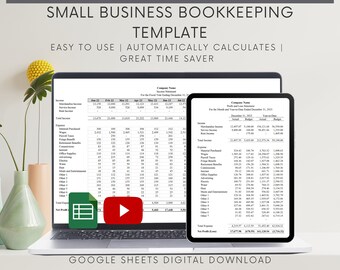
Digital download
Small Business Bookkeeping Template: Profit and Loss Google Sheets
$23.50
-
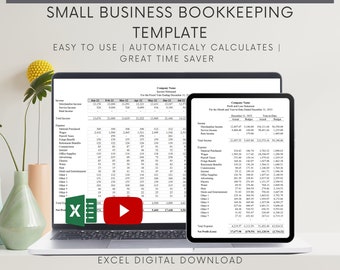
Digital download
Small Business Bookkeeping Excel Template: Profit and Loss, Budget (Digital Download)
$29.50
-
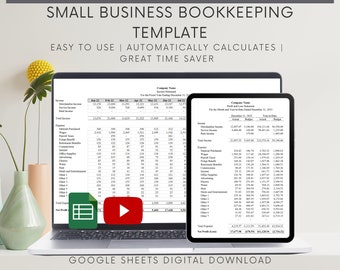
Digital download
Small Business Bookkeeping Template: Profit and Loss Google Sheets (Digital Download)
$24.50
-
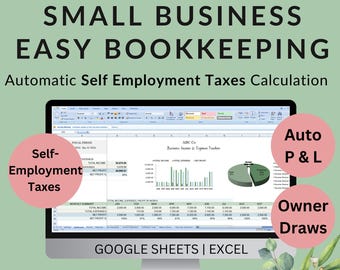
Digital download
Small Business Bookkeeping Template: Income Expenses Taxes Owner Draws (Excel, Google Sheets)
$39.99
-
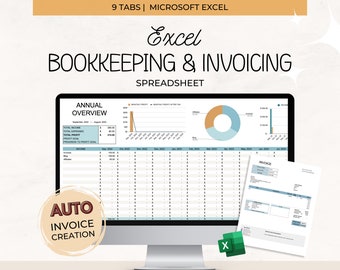
Digital download
Excel Bookkeeping and Invoice Spreadsheet, Small Business Bookkeeping Spreadsheet, Blue Business Expense Tracker and Invoice Template
$28.76
-
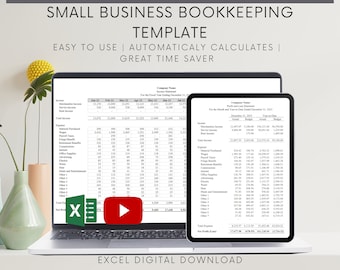
Digital download
Small Business Bookkeeping Excel Template: Profit and Loss, Budget (Digital Download)
$22.50
Shoppers with similar taste loved these
-
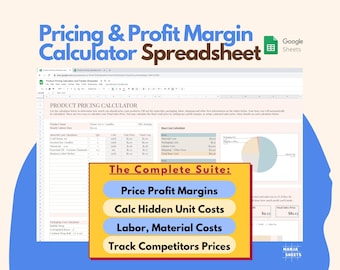
Digital download
Etsy Sellers Pricing Calculator: Small Business Planner, Price List, Handmade products, Spreadsheet template (Google Sheets)
$9.79
-
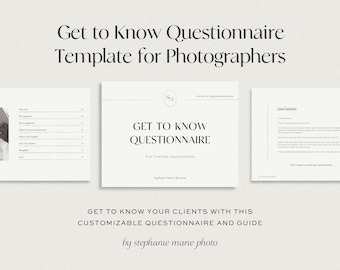
Digital download
Get to Know Your Couples Questionnaire | Wedding + Elopement Photography Form (Digital Download)
$18.00
-

Digital download
Craft Pricing Calculator & Inventory Spreadsheet, Sales Profit Tracker, Invoice and Price List Template for Etsy Sellers, Excel
Sale Price $9.97
Original Price $19.95
-

Digital download
Pink Cake Price List Template: Bakery Menu (A4, 8.5x11")
Sale Price $4.74
Original Price $7.91
-

Digital download
Wedding Photographer Organizer: Shot List Template (Canva)
Sale Price $8.50
Original Price $17.00
-

Digital download
Craft Fair Tracker | Craft Vendor Spreadsheet | Craft Market Kit | Craft Fair Planner | Craft Show Checklist | Inventory Google Sheets
$14.00
-

Digital download
Small Business Spreadsheet Service Business Bookkeeping Client Tracker CRM Payroll Tracker Invoice Tracker Order Tracker Google Sheet Excel
Sale Price $18.40
Original Price $36.80
-

Digital download
Airbnb Income & Expenses Tracker Spreadsheet Excel Vacation Rental Property Bookkeeping Google Sheets Air BNB Host Profit and Loss Template
Sale Price $3.38
Original Price $6.76
-
Digital download
Starting From 0 Financial Literacy Workbook PDF | Budget Planner, Money Mindset Workbook, Investing for Beginners, Wealth Building Guide Pdf
$4.98
-

Digital download
Credit Report Dispute Letter Template: DIY Credit Repair (PDF & Word)
Sale Price $3.96
Original Price $6.00
-
Digital download
Editable Credit Repair Client Intake Form, Client Onboarding Template, New Client Questionnaire, Credit Consulting Forms Canva editable
Sale Price $3.80
Original Price $7.60
-

Digital download
Credit Repair Service Flyer Template: Financial Consultation (Canva Editable, Digital Download)
Sale Price $1.99
Original Price $3.99


