


Production Performance Bundle: Shift Report, OEE, Plan vs Actual, KPI Dashboard (Excel Templates)
Item highlights
Seller's description
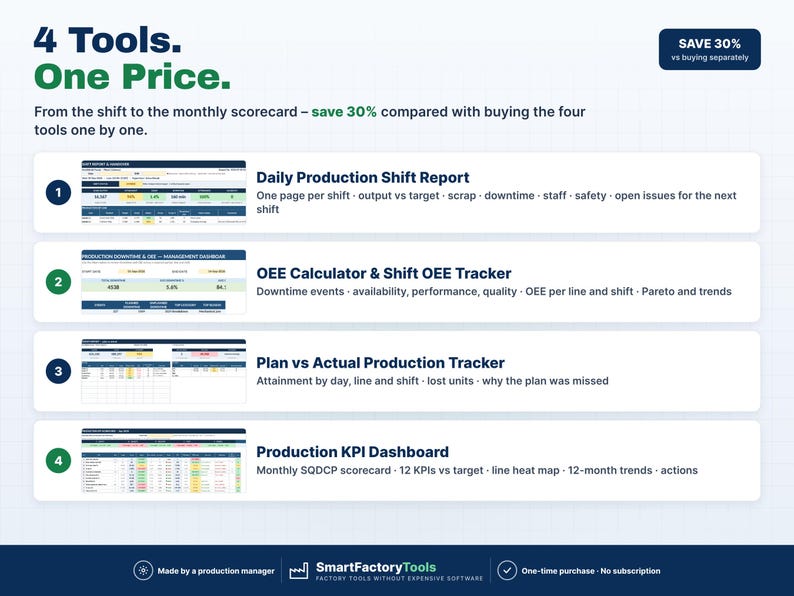
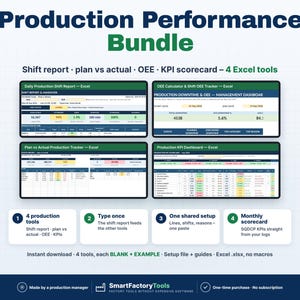
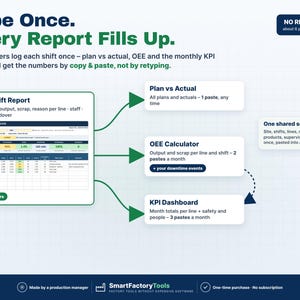
From the shift to the monthly scorecard in one download: shift report, plan vs actual, OEE and the plant KPI dashboard – with one shared setup and no retyping between the tools.
✔ 4 Excel tools: daily shift report, plan vs actual tracker, OEE calculator, monthly KPI dashboard
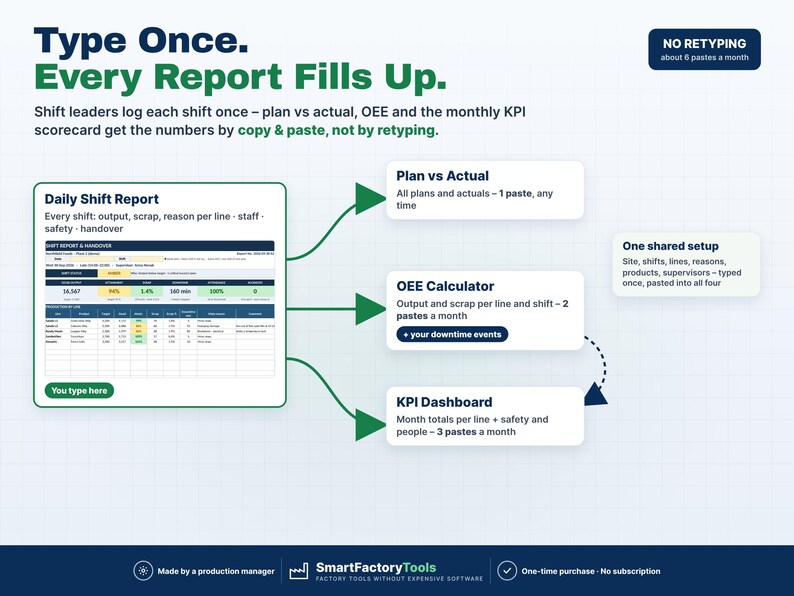
✔ Type each number once – the shift report feeds plan vs actual, OEE and the KPI scorecard by copy & paste
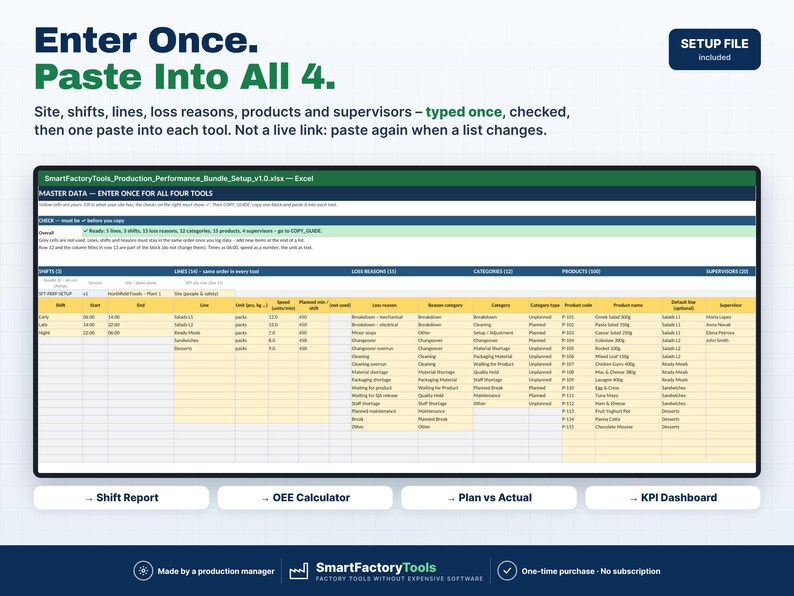
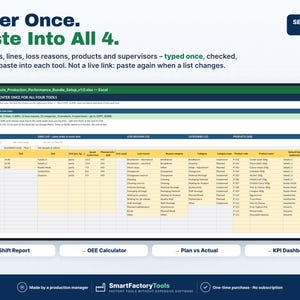
✔ Shared setup file: site, shifts, lines, loss reasons, products and supervisors entered once, one paste per tool
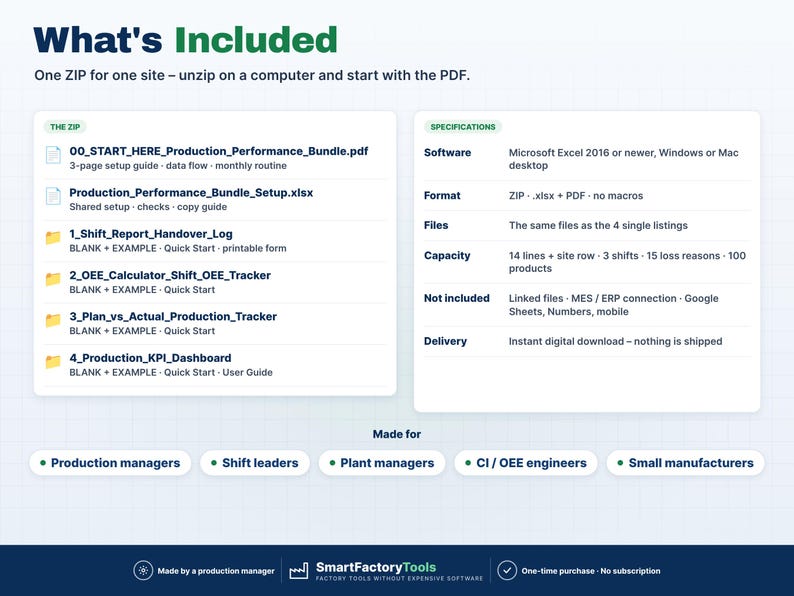
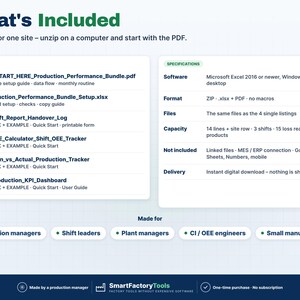
✔ Instant download: 4 × BLANK + EXAMPLE · Setup file · Start Here PDF · 13-page User Guide with pictures · Quick Start guides
✔ Built by a production manager · one-time purchase, no subscription, no macros
▶ Requires Microsoft Excel 2016 or newer on a Windows or Mac computer. Not for Google Sheets, Apple Numbers, Excel Online or mobile apps.
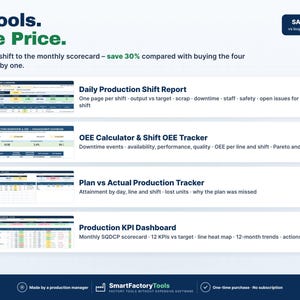
Save 30% compared with buying the four tools separately. They are exactly the same files as the four single listings in our shop.
━━━━━━━━━━━━━━━━━━━━
WHAT'S IN THE BUNDLE
━━━━━━━━━━━━━━━━━━━━
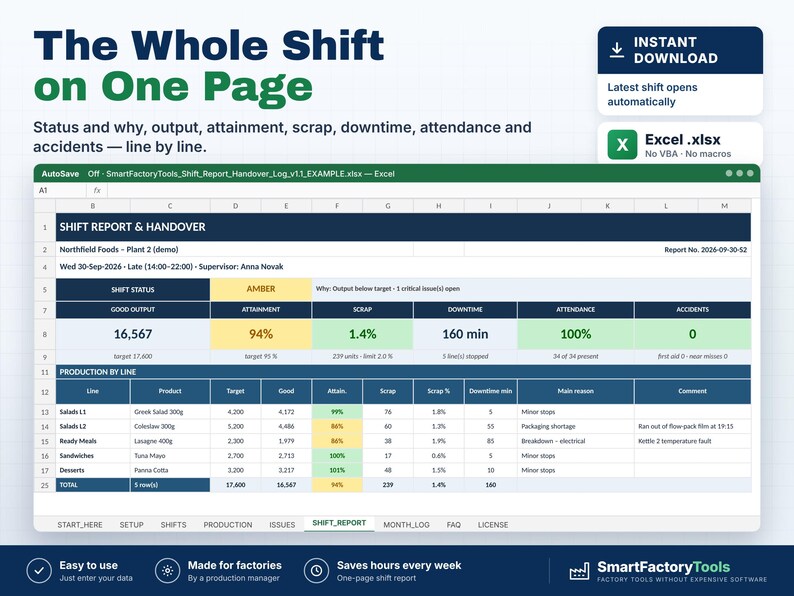
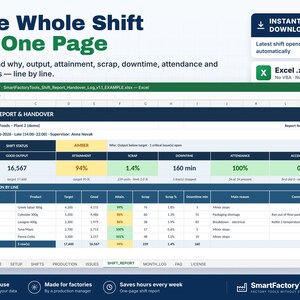
1) DAILY PRODUCTION SHIFT REPORT & HANDOVER LOG
• One page per shift: output vs target, scrap, downtime, staffing, safety and handover notes
• Shift status GREEN / AMBER / RED with the reason
• Open issues carried over to the next shift until someone closes them
• Month log of every shift · printable handover form
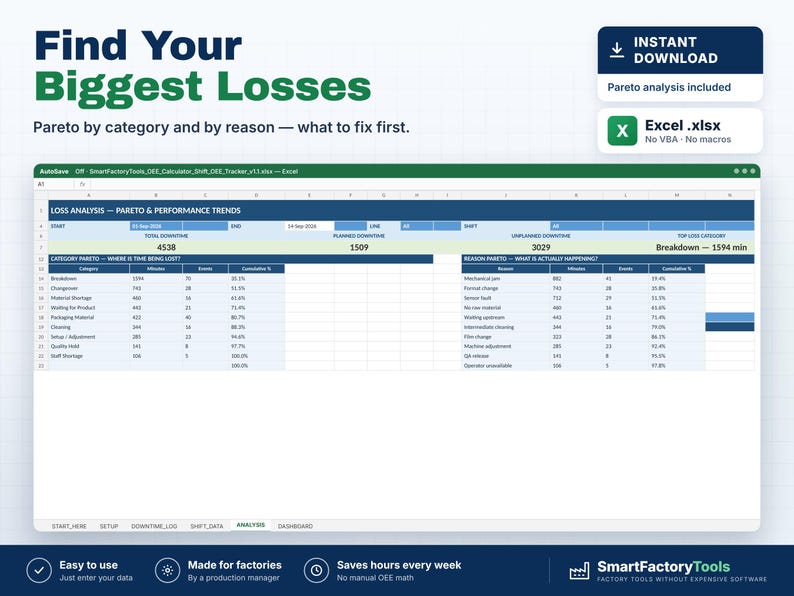
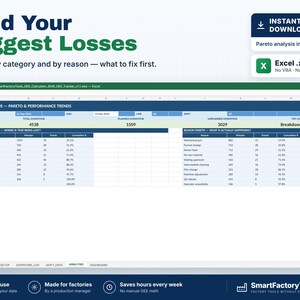
2) OEE CALCULATOR & SHIFT OEE TRACKER
• Downtime log with start / end, line, reason → category, planned / unplanned
• Availability, performance, quality and OEE per line and shift
• Dashboard with filters, Pareto by category and reason, 14-day trend
• One file per month, 60 events a day, up to 50 lines
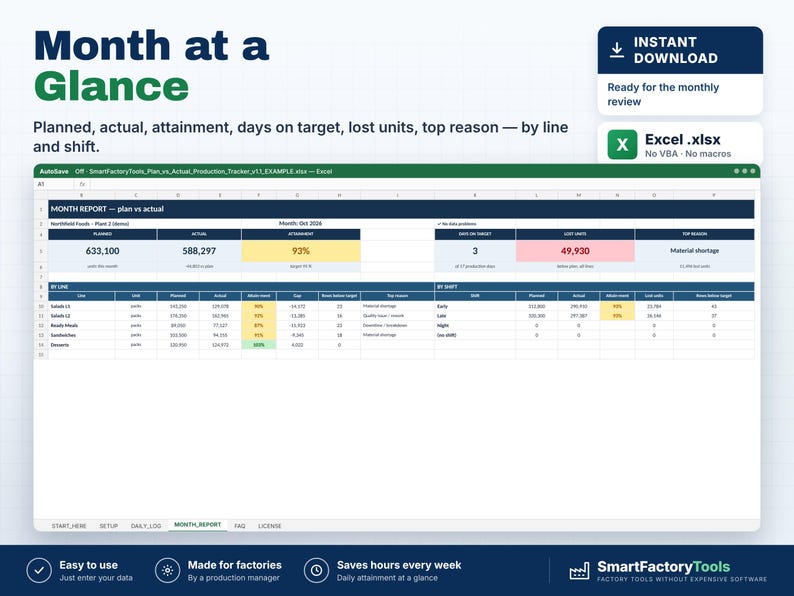
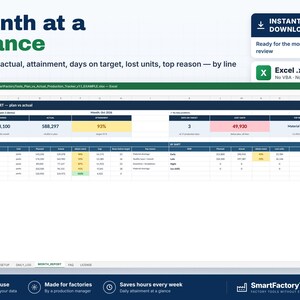
3) PLAN VS ACTUAL PRODUCTION TRACKER
• Attainment by day, line and shift · days on target · lost units
• Why the plan was missed: Pareto of reasons
• Cumulative plan vs actual for the month
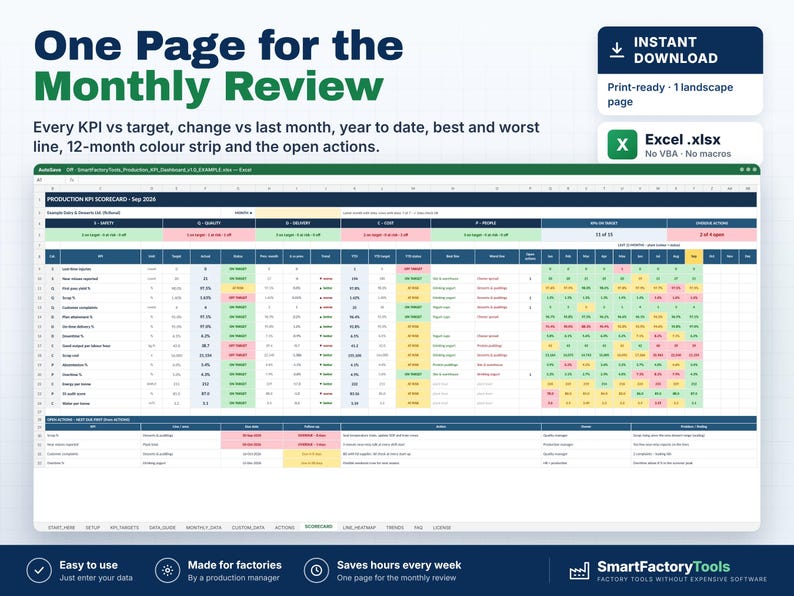
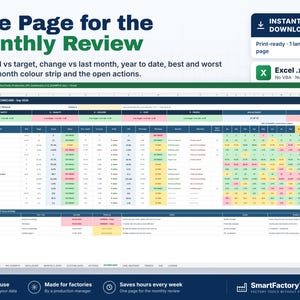
4) PRODUCTION KPI DASHBOARD
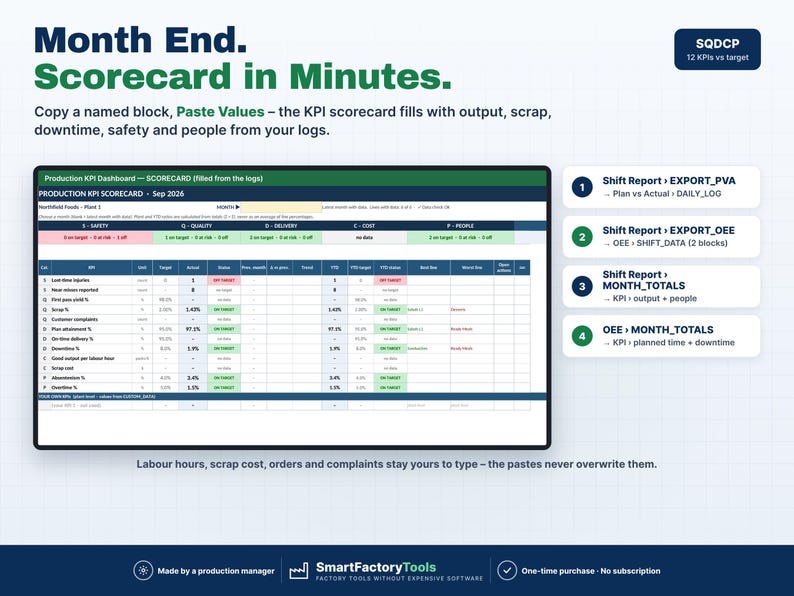
• Monthly SQDCP scorecard: 12 standard KPIs + your own, against target
• Line heat map, 12-month trends, YTD, actions for red KPIs
• Plant ratios from totals – never an average of percentages
━━━━━━━━━━━━━━━━━━━━
TYPE ONCE – HOW THE TOOLS WORK TOGETHER
━━━━━━━━━━━━━━━━━━━━
• Every shift, shift leaders log production, staff and safety once – in the Shift Report.
• Downtime events are logged once – in the OEE Calculator.
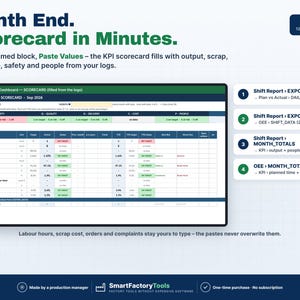
• The Shift Report has ready-made export sheets in the layout of the other tools: copy one named block, Paste Values – Plan vs Actual (1 paste), OEE output and scrap (2 pastes a month), KPI month totals (2 pastes). The OEE Calculator adds planned time and downtime to the KPI Dashboard (1 paste).
• About 6 pastes a month after the setup. Labour hours, scrap cost, orders and complaints stay yours to type in the KPI Dashboard – the pastes never overwrite them.
SHARED SETUP – ENTER ONCE
• MASTER_DATA: site, 3 shifts, up to 14 lines (unit, speed, planned minutes), 15 loss reasons with category, 100 products, 20 supervisors – checked for duplicates, gaps and wrong entries
• One block (BUNDLE_BLOCK) pasted into IMPORT_SETUP of each tool – 4 pastes in total
• COPY_GUIDE: every block, where it comes from and the exact cell to paste into, plus the monthly routine
The tools are NOT linked or synchronised – nothing updates by itself. You decide when numbers move (e.g. weekly and at month end). Separate files on purpose: shift leaders, the OEE file and the monthly KPI file can live in different places, and files can be moved, renamed or e-mailed without broken links or security warnings.
━━━━━━━━━━━━━━━━━━━━
HOW IT WORKS
━━━━━━━━━━━━━━━━━━━━
1. Unzip on a computer and open 00_START_HERE (3-page PDF). Every step, every paste and what to do when something changes is in the Bundle User Guide (13 pages, with pictures)
2. Fill in MASTER_DATA in the setup file and paste one block into each of the four BLANK files
3. Finish each tool's own settings: targets, OEE month, KPI targets
4. Every shift: Shift Report + OEE downtime log. Weekly / month end: the pastes from COPY_GUIDE
━━━━━━━━━━━━━━━━━━━━
WHO IT'S FOR
━━━━━━━━━━━━━━━━━━━━
Production managers, shift leaders, plant managers and CI / OEE engineers in small and medium plants – food and drink, packaging, plastics, assembly, contract packing – who run production in Excel without an MES.
━━━━━━━━━━━━━━━━━━━━
CAPACITY – PLEASE CHECK BEFORE BUYING
━━━━━━━━━━━━━━━━━━━━
• Shared setup: 14 lines + 1 KPI site row · 3 shifts · 15 loss reasons · 12 categories · 100 products · 20 supervisors
• Shift Report: 1,500 shifts · 6,000 production rows · 2,000 issues
• OEE Calculator: one file per month · 60 downtime events per day · 50 line slots · 3 shifts
• Plan vs Actual: 5,000 log rows · KPI Dashboard: 12 months × 15 lines / areas
━━━━━━━━━━━━━━━━━━━━
LIMITS – PLEASE READ
━━━━━━━━━━━━━━━━━━━━
• The four files are not linked: numbers move by copy & paste (Paste Values), shared lists are pasted again when they change.
• No MES / ERP connection, no sensors, no automatic data collection, no macros.
• Keep lines in the same order once data exists – the OEE and KPI rows belong to the line position.
• One site per set of files. Setup time: about 20 minutes for the shared lists, then 15 minutes per tool.
━━━━━━━━━━━━━━━━━━━━
FAQ
━━━━━━━━━━━━━━━━━━━━
Is this the same as buying the four listings?
Yes – the same files, plus the setup workbook, the Start Here guide and the User Guide, at a lower price.
Do I have to use the shared setup and the pastes?
No. Every tool also works on its own with its own SETUP sheet.
Are the files linked or synchronised?
No. You copy a named block and paste values. Nothing breaks when you move or e-mail a file.
Do dates work in my language?
Yes. Dates are real Excel dates and show in your Excel format.
━━━━━━━━━━━━━━━━━━━━
DIGITAL DOWNLOAD
━━━━━━━━━━━━━━━━━━━━
You receive one ZIP file (about 6 MB). Nothing physical is shipped. Download it on a computer, unzip it and open the files in Microsoft Excel.
Related tools from SmartFactoryTools: Machine Downtime Log, OEE Dashboard & Downtime Cost Tracker, Production Schedule & Gantt Planner, Skills Matrix.
━━━━━━━━━━━━━━━━━━━━
LICENSE
━━━━━━━━━━━━━━━━━━━━
For use within your own company or organization (any number of employees). Reselling, sharing or uploading the files elsewhere is not permitted. © SmartFactoryTools
If something goes wrong with an order, we've got your back for all eligible purchases. View program terms
Price:$43.19
You can only make an offer when buying a single item
Delivery
Instant download
Your files will be available to download once payment is confirmed. Here's how.
Instant download items don't accept returns, exchanges or cancellations. Please contact the seller about any problems with your order.
Seller's description
Specifications
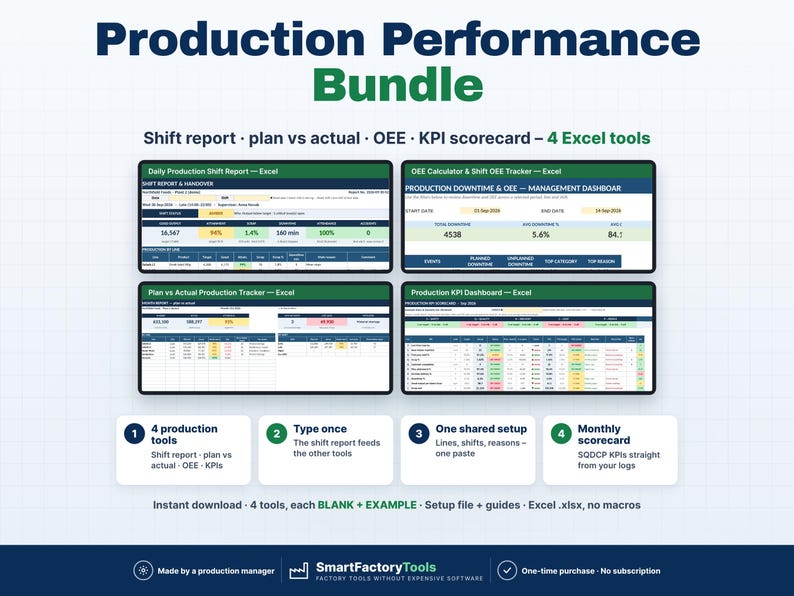
From the shift to the monthly scorecard in one download: shift report, plan vs actual, OEE and the plant KPI dashboard – with one shared setup and no retyping between the tools.
✔ 4 Excel tools: daily shift report, plan vs actual tracker, OEE calculator, monthly KPI dashboard
✔ Type each number once – the shift report feeds plan vs actual, OEE and the KPI scorecard by copy & paste
✔ Shared setup file: site, shifts, lines, loss reasons, products and supervisors entered once, one paste per tool
✔ Instant download: 4 × BLANK + EXAMPLE · Setup file · Start Here PDF · 13-page User Guide with pictures · Quick Start guides
✔ Built by a production manager · one-time purchase, no subscription, no macros
▶ Requires Microsoft Excel 2016 or newer on a Windows or Mac computer. Not for Google Sheets, Apple Numbers, Excel Online or mobile apps.
Save 30% compared with buying the four tools separately. They are exactly the same files as the four single listings in our shop.
━━━━━━━━━━━━━━━━━━━━
WHAT'S IN THE BUNDLE
━━━━━━━━━━━━━━━━━━━━
1) DAILY PRODUCTION SHIFT REPORT & HANDOVER LOG
• One page per shift: output vs target, scrap, downtime, staffing, safety and handover notes
• Shift status GREEN / AMBER / RED with the reason
• Open issues carried over to the next shift until someone closes them
• Month log of every shift · printable handover form
2) OEE CALCULATOR & SHIFT OEE TRACKER
• Downtime log with start / end, line, reason → category, planned / unplanned
• Availability, performance, quality and OEE per line and shift
• Dashboard with filters, Pareto by category and reason, 14-day trend
• One file per month, 60 events a day, up to 50 lines
3) PLAN VS ACTUAL PRODUCTION TRACKER
• Attainment by day, line and shift · days on target · lost units
• Why the plan was missed: Pareto of reasons
• Cumulative plan vs actual for the month
4) PRODUCTION KPI DASHBOARD
• Monthly SQDCP scorecard: 12 standard KPIs + your own, against target
• Line heat map, 12-month trends, YTD, actions for red KPIs
• Plant ratios from totals – never an average of percentages
━━━━━━━━━━━━━━━━━━━━
TYPE ONCE – HOW THE TOOLS WORK TOGETHER
━━━━━━━━━━━━━━━━━━━━
• Every shift, shift leaders log production, staff and safety once – in the Shift Report.
• Downtime events are logged once – in the OEE Calculator.
• The Shift Report has ready-made export sheets in the layout of the other tools: copy one named block, Paste Values – Plan vs Actual (1 paste), OEE output and scrap (2 pastes a month), KPI month totals (2 pastes). The OEE Calculator adds planned time and downtime to the KPI Dashboard (1 paste).
• About 6 pastes a month after the setup. Labour hours, scrap cost, orders and complaints stay yours to type in the KPI Dashboard – the pastes never overwrite them.
SHARED SETUP – ENTER ONCE
• MASTER_DATA: site, 3 shifts, up to 14 lines (unit, speed, planned minutes), 15 loss reasons with category, 100 products, 20 supervisors – checked for duplicates, gaps and wrong entries
• One block (BUNDLE_BLOCK) pasted into IMPORT_SETUP of each tool – 4 pastes in total
• COPY_GUIDE: every block, where it comes from and the exact cell to paste into, plus the monthly routine
The tools are NOT linked or synchronised – nothing updates by itself. You decide when numbers move (e.g. weekly and at month end). Separate files on purpose: shift leaders, the OEE file and the monthly KPI file can live in different places, and files can be moved, renamed or e-mailed without broken links or security warnings.
━━━━━━━━━━━━━━━━━━━━
HOW IT WORKS
━━━━━━━━━━━━━━━━━━━━
1. Unzip on a computer and open 00_START_HERE (3-page PDF). Every step, every paste and what to do when something changes is in the Bundle User Guide (13 pages, with pictures)
2. Fill in MASTER_DATA in the setup file and paste one block into each of the four BLANK files
3. Finish each tool's own settings: targets, OEE month, KPI targets
4. Every shift: Shift Report + OEE downtime log. Weekly / month end: the pastes from COPY_GUIDE
━━━━━━━━━━━━━━━━━━━━
WHO IT'S FOR
━━━━━━━━━━━━━━━━━━━━
Production managers, shift leaders, plant managers and CI / OEE engineers in small and medium plants – food and drink, packaging, plastics, assembly, contract packing – who run production in Excel without an MES.
━━━━━━━━━━━━━━━━━━━━
CAPACITY – PLEASE CHECK BEFORE BUYING
━━━━━━━━━━━━━━━━━━━━
• Shared setup: 14 lines + 1 KPI site row · 3 shifts · 15 loss reasons · 12 categories · 100 products · 20 supervisors
• Shift Report: 1,500 shifts · 6,000 production rows · 2,000 issues
• OEE Calculator: one file per month · 60 downtime events per day · 50 line slots · 3 shifts
• Plan vs Actual: 5,000 log rows · KPI Dashboard: 12 months × 15 lines / areas
━━━━━━━━━━━━━━━━━━━━
LIMITS – PLEASE READ
━━━━━━━━━━━━━━━━━━━━
• The four files are not linked: numbers move by copy & paste (Paste Values), shared lists are pasted again when they change.
• No MES / ERP connection, no sensors, no automatic data collection, no macros.
• Keep lines in the same order once data exists – the OEE and KPI rows belong to the line position.
• One site per set of files. Setup time: about 20 minutes for the shared lists, then 15 minutes per tool.
━━━━━━━━━━━━━━━━━━━━
FAQ
━━━━━━━━━━━━━━━━━━━━
Is this the same as buying the four listings?
Yes – the same files, plus the setup workbook, the Start Here guide and the User Guide, at a lower price.
Do I have to use the shared setup and the pastes?
No. Every tool also works on its own with its own SETUP sheet.
Are the files linked or synchronised?
No. You copy a named block and paste values. Nothing breaks when you move or e-mail a file.
Do dates work in my language?
Yes. Dates are real Excel dates and show in your Excel format.
━━━━━━━━━━━━━━━━━━━━
DIGITAL DOWNLOAD
━━━━━━━━━━━━━━━━━━━━
You receive one ZIP file (about 6 MB). Nothing physical is shipped. Download it on a computer, unzip it and open the files in Microsoft Excel.
Related tools from SmartFactoryTools: Machine Downtime Log, OEE Dashboard & Downtime Cost Tracker, Production Schedule & Gantt Planner, Skills Matrix.
━━━━━━━━━━━━━━━━━━━━
LICENSE
━━━━━━━━━━━━━━━━━━━━
For use within your own company or organization (any number of employees). Reselling, sharing or uploading the files elsewhere is not permitted. © SmartFactoryTools
-
Item typeDigital download
-
Digital file type(s)1 ZIP
If something goes wrong with an order, we've got your back on all eligible purchases. View program terms
Meet your seller

More from this shop
-
Digital download
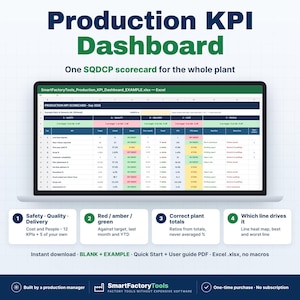
Production KPI Dashboard Excel Template, Monthly SQDCP Scorecard, Plant Performance Report, Line Heat Map
$17.50
-
Digital download
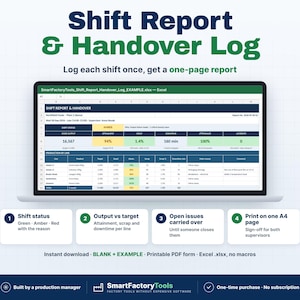
Shift Report Template Excel, Production Handover Log, Supervisor Daily Summary, Issue Tracker, Printable PDF
$11.67
-
Digital download
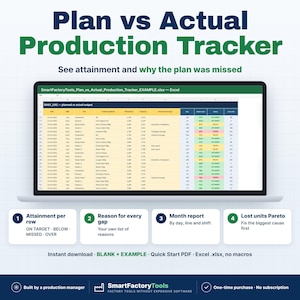
Plan vs Actual Production Tracker Excel, Output Report, Line Attainment Dashboard, Lost Units Pareto
$11.67
-
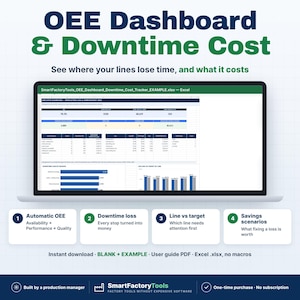
Digital download
OEE Dashboard Excel Template, Downtime Cost Tracker, Pareto, MTTR MTBF
$33.85
-
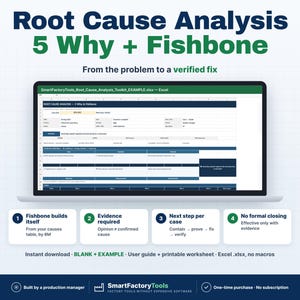
Digital download
Root Cause Analysis Excel, 5 Why, Fishbone Diagram, Ishikawa 6M, RCA Problem Solving Tracker
$15.17
-
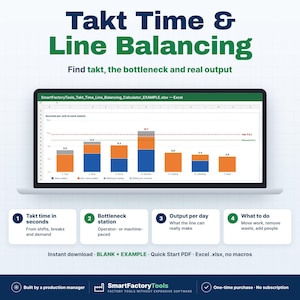
Digital download
Takt Time Calculator Excel, Line Balancing Template, Yamazumi Chart, Bottleneck & Operator Planning, Lean Tool
$9.33
Shoppers with similar taste loved these
-

Digital download
Multi Project Manager | KanBan status board, GANTT timeline, Budget Tracking- Premium Version in Google Sheets
$38.36
-
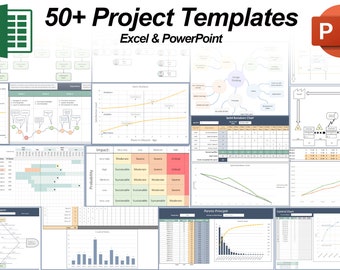
Digital download
50+ Project Management Templates in Excel and PowerPoint
$21.00
-
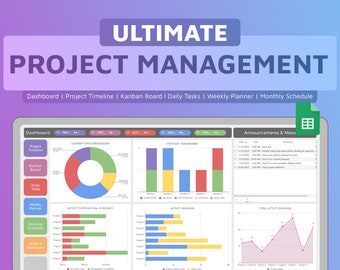
Digital download
Project Management Dashboard | Google Sheets Template | Automatic Dashboard | Timeline | Kanban Board | Planner Spreadsheet
$7.46
-
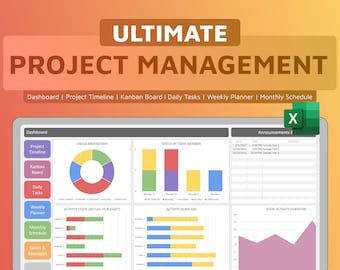
Digital download
Project Management Dashboard | Excel Template | Automatic Dashboard | Gantt Chart Timeline | Kanban Board | Planner Spreadsheet
$7.46
-
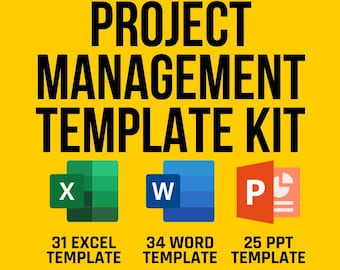
Digital download
Project Management Template Kit, Gantt Chart, SWOT Analysis, Risk Assessment, Team To-Do List, Resource Planning, Kanban, CRM, Project Plan
Sale Price $22.49
Original Price $29.99
-
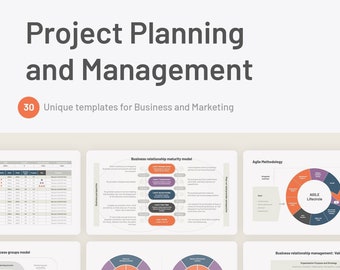
Digital download
Project Planning and Management for PowerPoint
$10.00
-
Digital download
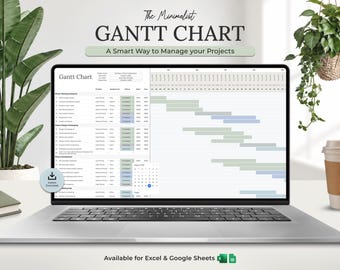
Gantt Chart Project Management Template | Team Task Tracker | Excel | Google Sheets | Project Planner Timeline | Task Management Planner
$4.61
-
Digital download
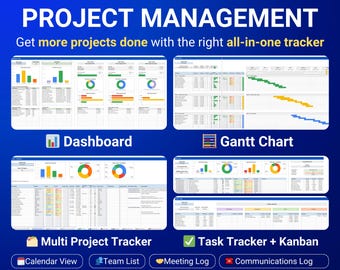
Project Management Template Multi Project Tracker Google Sheets Excel Gantt Chart Kanban Board Task Tracker Planner Small Business Dashboard
$20.00
-
Digital download
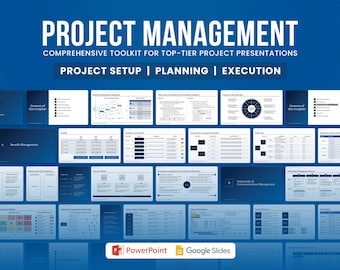
Essential Project Management PowerPoint Template 40+ Editable Slides, Infographics & Consultants, Presentation Marketing Professional Design
$21.02
-
Digital download
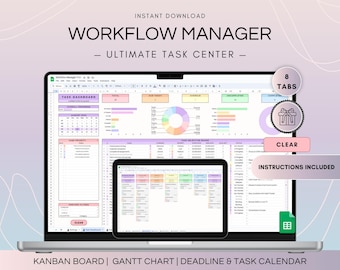
Workflow Project Management Spreadsheet, Google Sheets Kanban Board and Gantt Chart, To Do List Template, Project Plan and Weekly Schedule
$18.83
-
Digital download
Meeting Notes Excel Template | Agenda | Minutes | Action List
Sale Price $9.62
Original Price $17.50
-
Digital download
Multiple Meeting Notes Tracker Template for Google Sheets & Excel | Meeting Minutes | Meeting Agendas | 1-on-1 Reviews | Project Meeting
Sale Price $4.97
Original Price $9.94