


UGC Green Screen Studio, Chroma Key Video Editor, 6 Editable Scenes, Matte Preview & 1080p MP4 Export
NowPrice:$4.20
Original Price: $8.40
50% off
Sale ends on December 11
Here's what's eligible:
- Your order doesn't match the item description or photos
- Your item arrived damaged
- Your item arrived after the estimated arrival window
- Your item didn't arrive or was lost in the mail
You can only make an offer when buying a single item
Highlights
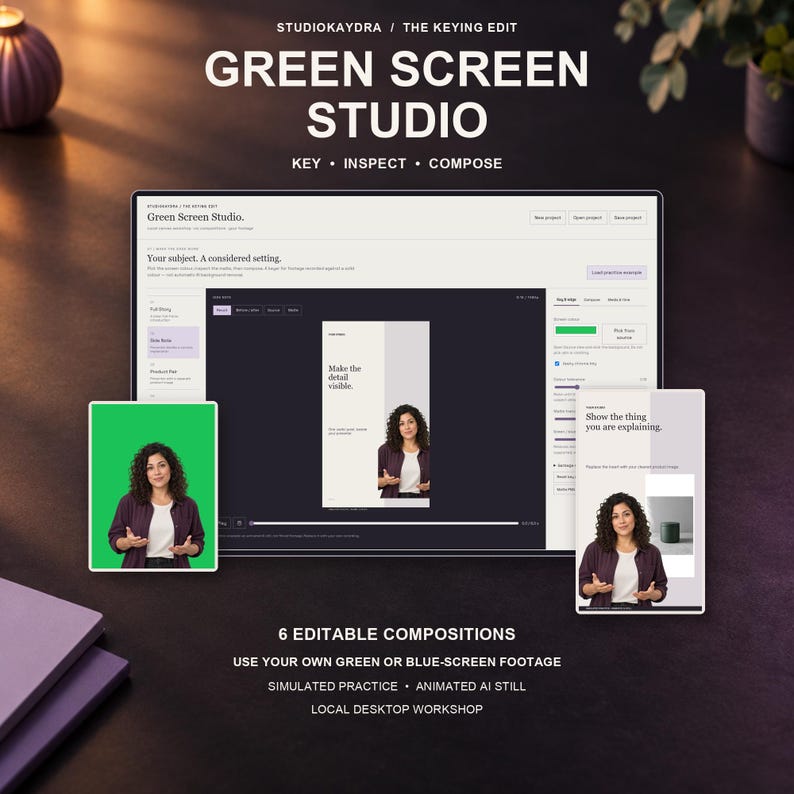
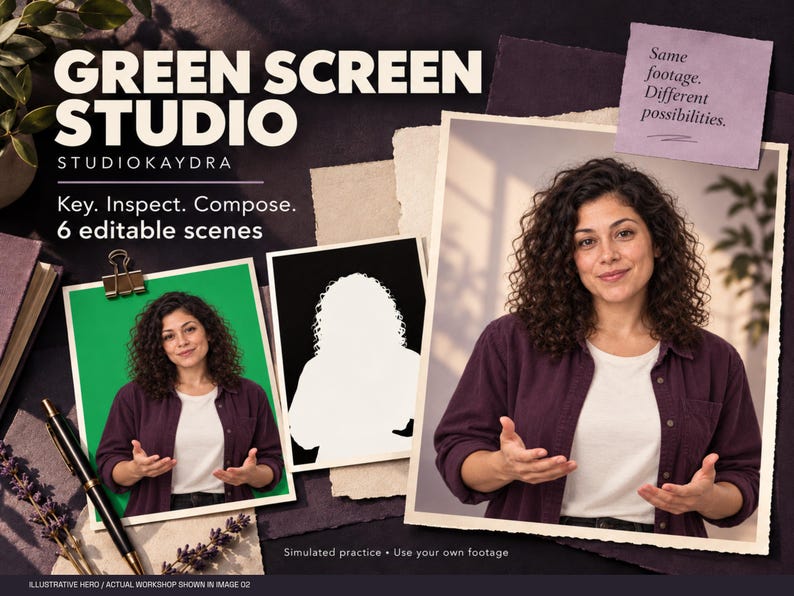
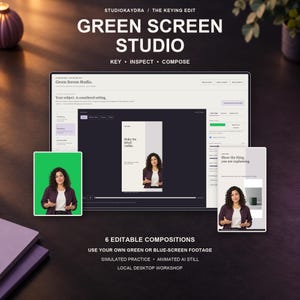
Build a considered video composition from footage you recorded against a solid green or blue screen.
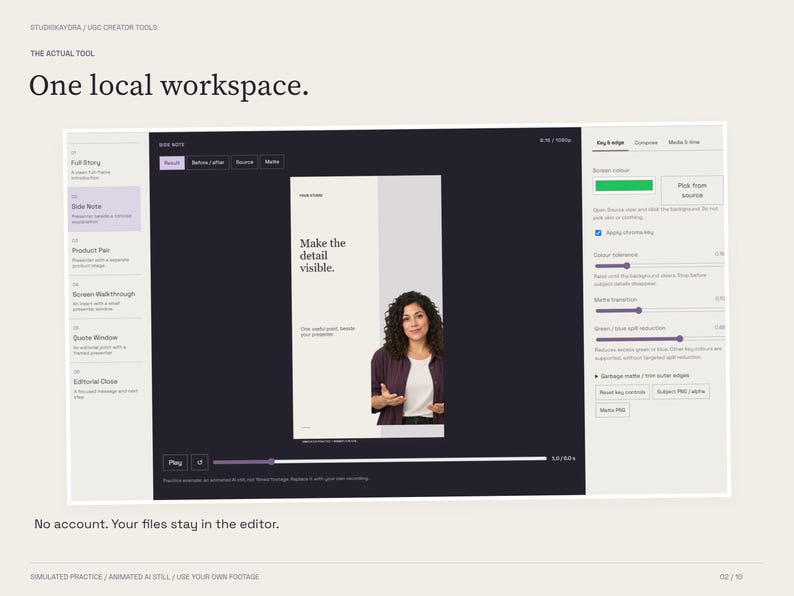
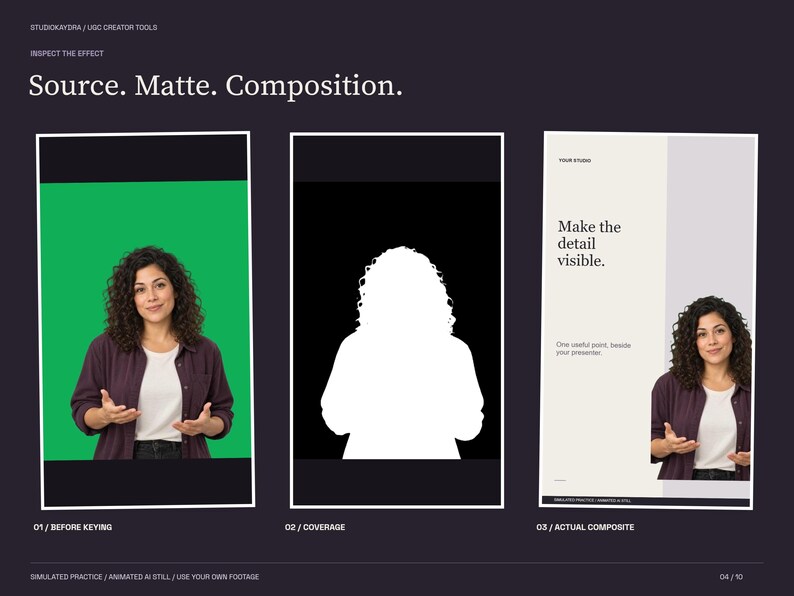
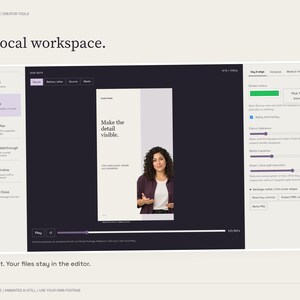
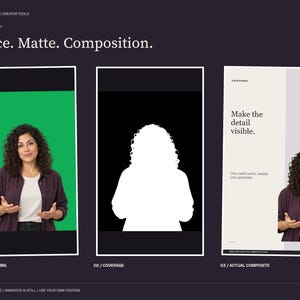
UGC Green Screen Studio is a local browser workshop with six editable compositions, screen-colour sampling, chroma-key controls, a matte preview and optional background or product image. The app is supplied as an HTML file; it is not a Canva, CapCut, Premiere or After Effects project.
WHAT YOU RECEIVE
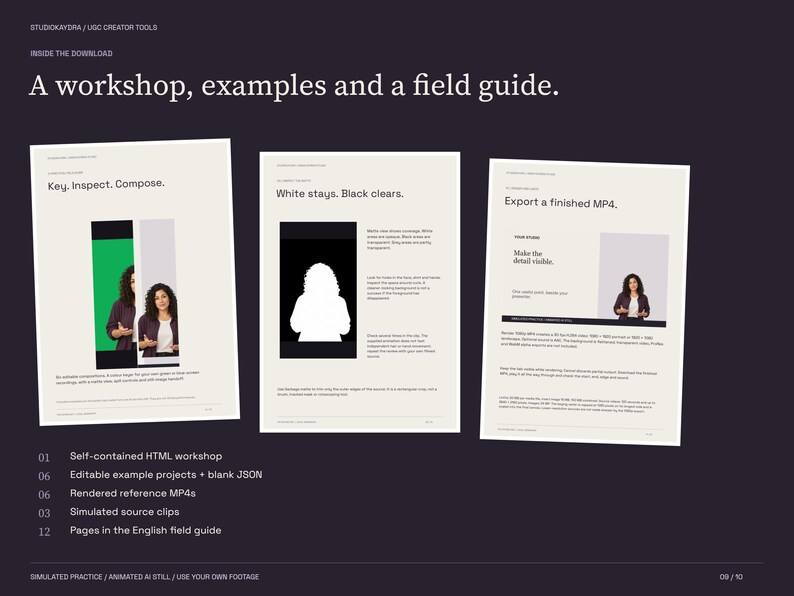
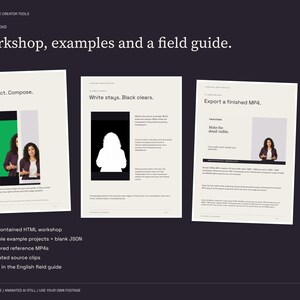
- One self-contained HTML editing workshop
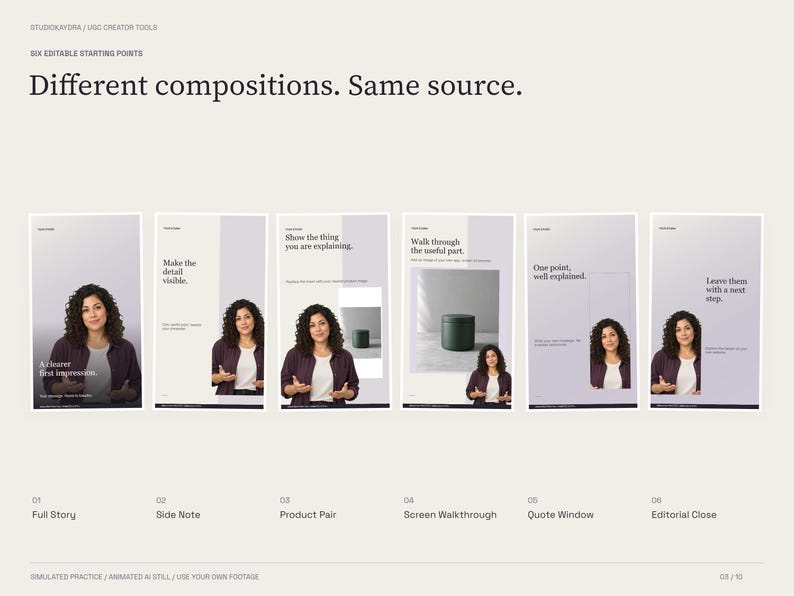
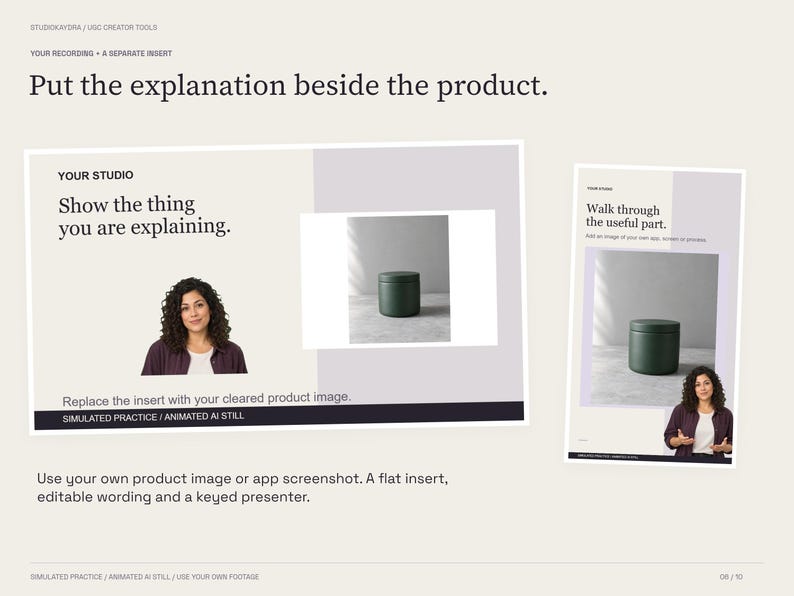
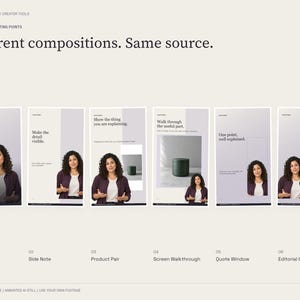
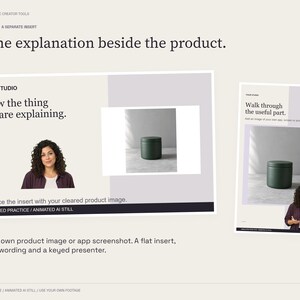
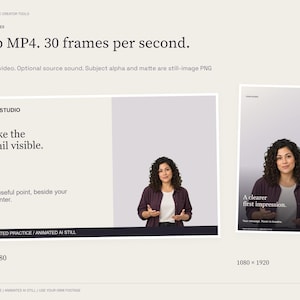
- Six composition presets: Full Story, Side Note, Product Pair, Screen Walkthrough, Quote Window and Editorial Close
- Six editable example JSON projects and six 6-second rendered reference MP4s
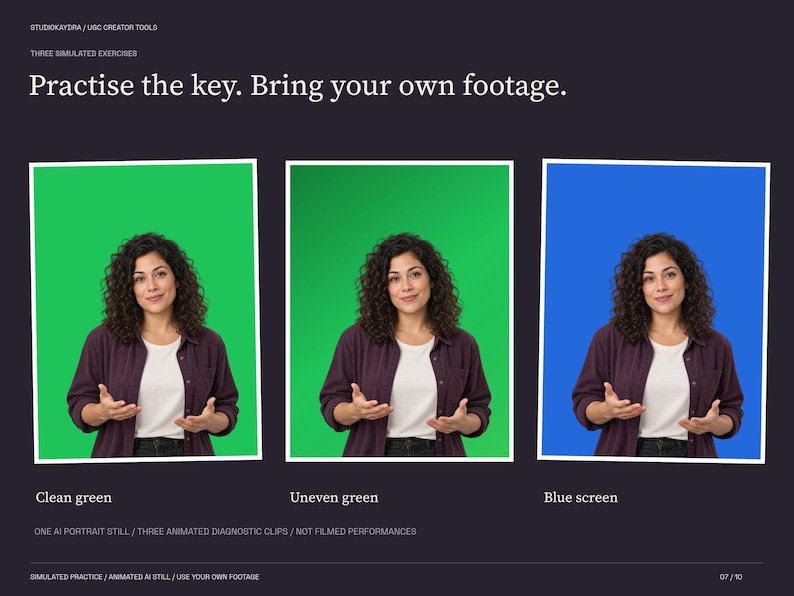
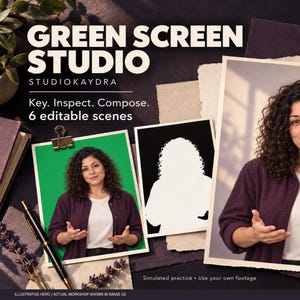
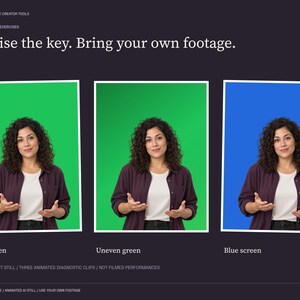
- Three simulated source clips: clean green, uneven green and blue screen
- One illustrative product photograph and provenance notice
- A 12-page English quick-start and field guide
- Third-party software source and licence notices
WHAT YOU CAN CHANGE
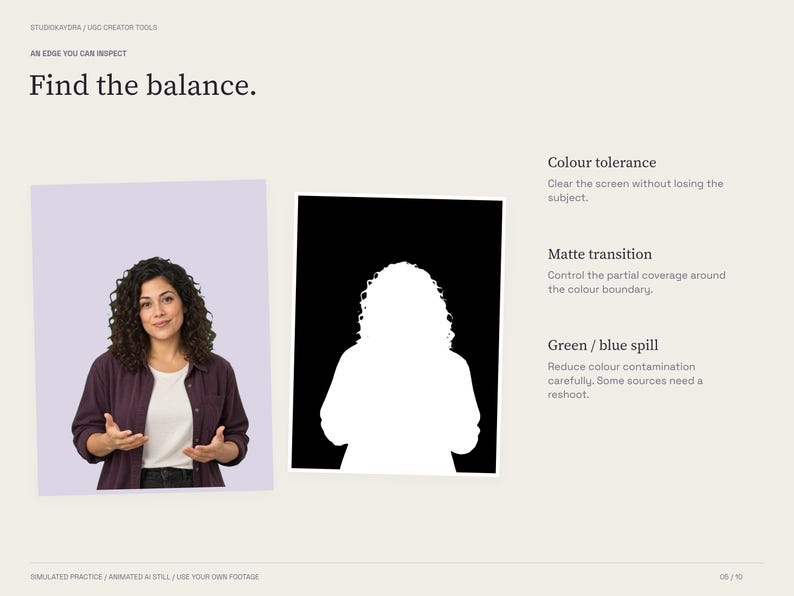
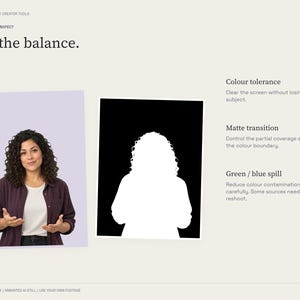
Import your own subject video or still image. Pick the screen colour, adjust colour tolerance, matte transition and green/blue spill reduction, and trim outer edges with a rectangular garbage matte. Change the wording, palette, subject position, height and mirror setting. Add your own background image or video. Product Pair and Screen Walkthrough accept a flat product image or screen capture. Preview Result, Before/After, Source or Matte.
OUTPUTS
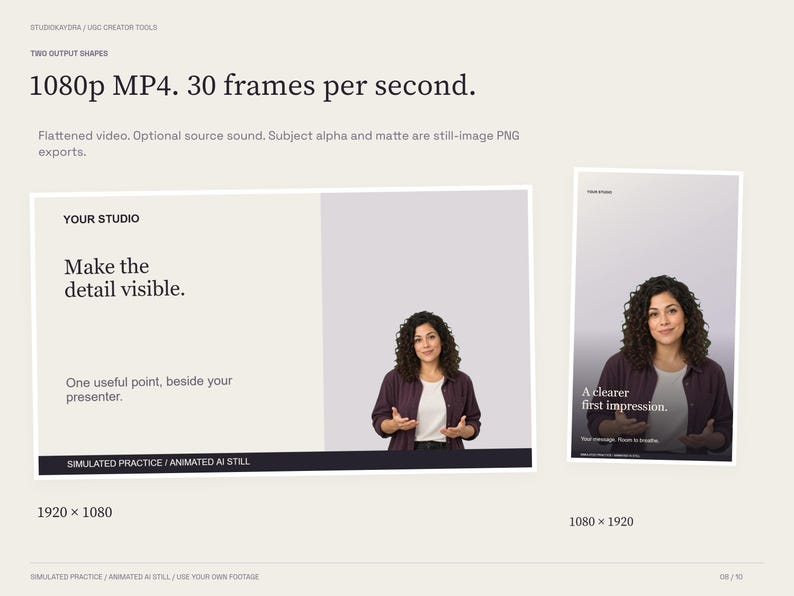
Render a flattened H.264 MP4 at 30 fps in 1080 x 1920 portrait or 1920 x 1080 landscape. Subject sound and background sound are optional, with separate levels; supported audio is exported as AAC. Save a composition PNG, a keyed subject PNG with transparency or a black-and-white matte PNG. The subject PNG excludes composition position, scale and mirror. Transparent video export is not included. Save/open JSON projects with selected media embedded.
HOW TO START
Download and extract the ZIP. Open START_HERE_Guide.pdf and Green_Screen_Studio.html in current desktop Chrome or Edge. Try a simulated example, then import your own recording in Media & time. Pick its screen colour, inspect the matte and check several moments before rendering. Keep the tab visible while rendering and save your project before closing.
REQUIREMENTS AND LIMITS
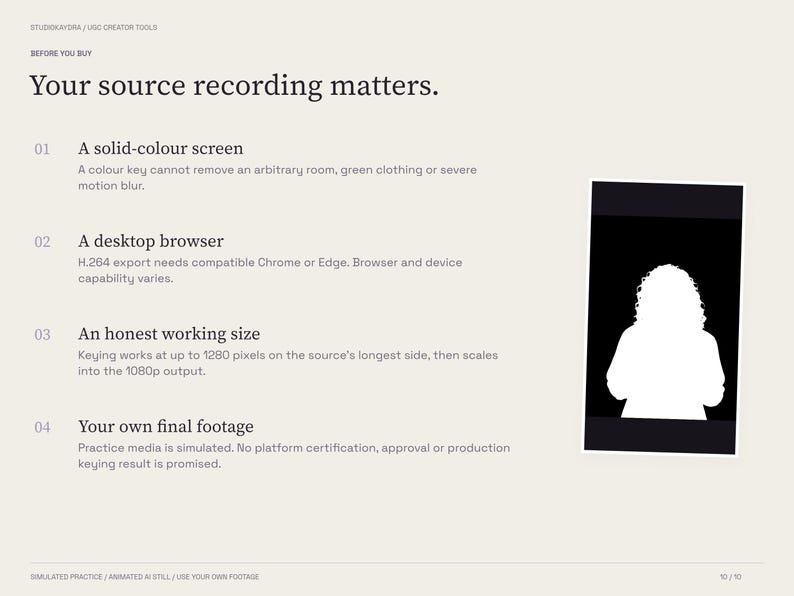
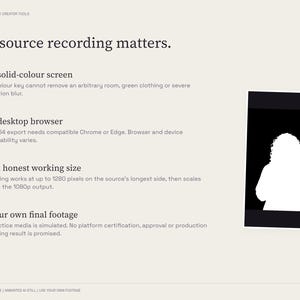
Desktop Chrome or Edge with H.264 WebCodecs is required for MP4 encoding; capability depends on browser, operating system and hardware. Function and export checks were performed in isolated Windows Edge; other browsers and devices are not certified. Direct file opening was checked for loading, not a full export.
Edits: 0.5 to 30 seconds at 30 fps. Source video: up to 120 seconds, up to 3840 x 2160 pixels. Media: 50 MB each, insert image 15 MB, 100 MB combined; images up to 24 MP. The maximum file workload has not been stress-tested. The keying raster is capped at 1280 pixels on its longest side, then scaled into the output. A 1080p file does not add source detail.
Background video starts at zero and freezes at its end; it does not loop. Keying is based on colour, not AI segmentation: it cannot reconstruct green clothing, reflections, missing detail or severely blurred edges. Skin, hair and product edges need review on your own source. It has no camera recorder, tracking, rotoscoping, subtitle transcription, noise reduction or cloud sync.
ABOUT THE EXAMPLES
The three practice videos use ONE original AI-generated portrait still, moved and scaled over different backgrounds. They are simulated exercises, not filmed performances; hair, hands and face do not move independently. The product photograph is also an AI illustration. The six example projects reuse those assets and demonstrate composition, not six original performances. Results on real filmed creator footage have not been certified. Use your own cleared recordings and images for final client work or certification submissions. No platform approval, sales or performance result is promised.
LOCAL AND DIGITAL
The editor uses selected media locally and sends no account forms, telemetry or media uploads. Saved JSON contains your chosen media, so keep it private. No physical item, software subscription or custom editing service is included.
USE
Use the workshop to create finished work for your own or client projects. Do not resell, redistribute or share the StudioKaydra app, editable example projects or sample assets. Third-party Mediabunny software and fonts retain their own licences; source and notices are included. Independent StudioKaydra product with no platform endorsement.
Instant Download
Your files will be available to download once payment is confirmed. Here's how.
Instant download items don’t accept returns, exchanges or cancellations. Please contact the seller about any problems with your order.
Etsy Purchase Protection
Shop confidently on Etsy knowing if something goes wrong with an order, we've got your back for all eligible purchases —
see program terms


More from this shop
Visit shop-
Digital download
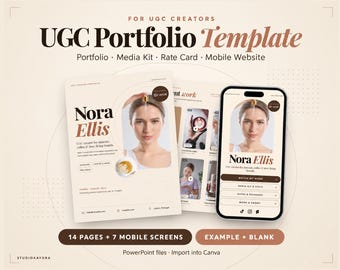
UGC Portfolio Template for Canva, Media Kit, Rate Card & Mobile Website
Sale Price $5.25
Original Price $10.49
-
Digital download
UGC Brand Pitch Email Templates, 31 Scripts & Excel Outreach Tracker
Sale Price $5.25
Original Price $10.49
-
Digital download
UGC Creator Planner, 100 Video Hooks, Script & Storyboard Templates, Excel Tracker
Sale Price $7.87
Original Price $15.74
-
Digital download
YouTube Thumbnail Templates, 24 Editable Designs for Canva and PowerPoint
Sale Price $4.20
Original Price $8.40
Be the first to leave a review
-
Digital download
Green Movie Photo Template | Cinematic PSD | Smart Object Layers
Sale Price $3.89
Original Price $5.56
-
Digital download
YouTube Thumbnail Animation Template | Dark & Light Mode
Sale Price $6.47
Original Price $9.95
-
Digital download
Influencer Video LUTs, One-Click Color Presets (.cube files)
Sale Price $4.58
Original Price $9.17
-

Digital download
100+ Content Creator Templates: CapCut, Canva, Lightroom, Notion (Digital Download)
$14.60
-
Digital download
Text‑to‑Video Storyboard & Prompt Template Pack
$7.99
-

Digital download
video editing service_for youtube, tiktok, instagram, facebook, vlog, podcast, social media_video editing
$9.99
-

Digital download
CapCut Course | Beginner Friendly Video Editing | Step by Step Training Series | Quick Video Workflows | Make Branded Content Masterclass
$8.20
-
Digital download
Videography Website Template | 13 Canva Pages for Creatives
$5.99
-
Digital download
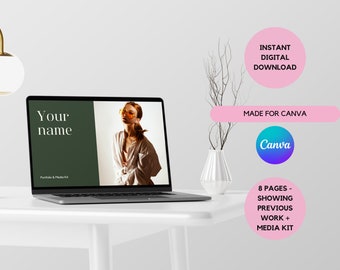
Influencer Portfolio & Media Kit
$7.29
-

Digital download
UGC Portfolio, Content Creator, Canva Website, Ugc Media Kit, Landing Page, Influencer Media Kit, Media Kit, Mountain, Nature, Blue
$7.00
-
Digital download
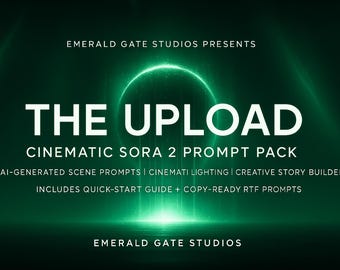
Sora 2 Cinematic Prompt Pack | Anime, Realistic, Cinematic & VFX Prompts | Ready to Paste | Instant Digital Download TXT
$7.77
-
Digital download
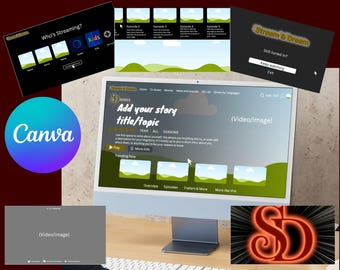
Cinematic Video Reel Template: Birthday, Anniversary, Vlog (Canva Editable Digital Download)
$2.42
Shoppers with similar taste loved these
-

100 pes pink poly mailer ready to ship or custom you design pink shipping bag custom pink postage bag
Sale Price $9.00
Original Price $10.00
-
Digital download
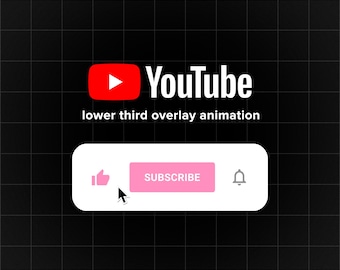
Animated Youtube Subscribe Button Overlay for Intro Videos Digital Download
Sale Price $6.67
Original Price $8.90
-
Digital download
YouTube Subscribe Button Animation, Like Bell Overlay, Custom Subscribe Reminder for Videos, MP4 MOV
$9.00
-
Content Creator Candle, In My Content Creator Era, Creator Card, Funny Influencer Gift for Social Media Manager Blogger T612
Sale Price $6.95
Original Price $13.90
-

Social Media Milestone Award Plaque Sign | Content Creator Instagram and More
$24.75
-

Digital download
Custom Animated Youtube Subscribe notification Button Overlay for Intro Videos
$6.72
-

Digital download
YouTube Subscribe Animated Overlay Pink Like, Bell & Notification Buttons for YouTube Videos – Digital Download
$7.11
-

Digital download
Christmas Personalized Custom Animated Instagram Follow Button Overlay for Youtube Videos
$6.00
-

Digital download
YouTube Thumbnail Kit, Canva Template, YouTube Branding Kit, YouTube thumbnail templates, YouTube vlog thumbnails, aesthetic thumbnails
Sale Price $7.69
Original Price $13.99
-

Digital download
Youtube Branding Kit, YouTube Banner Kit, DIY Video Banner Template, Intro Banner, Outro Banner, Animated Intro, Animated Outro, Thumbnail
Sale Price $4.13
Original Price $13.77
-

Digital download
Trendy Youtube Thumbnails Pack for Canva | YouTube Thumbnail | DIY Youtube BrandKing it | Editable Canva Template
$17.84
-

Digital download
10 Aesthetic YouTube Thumbnails Editable Canva Templates
Sale Price $6.49
Original Price $12.99


