



POS System Offline + Online | Google Sheets Point of Sale, Inventory Management, Receipt Printer, Multi-Location Stock, No Subscription
NowPrice:$59.99
Original Price: $99.99
40% off
Sale ends in 5 days
Here's what's eligible:
- Your order doesn't match the item description or photos
- Your item arrived damaged
- Your item arrived after the estimated arrival window
- Your item didn't arrive or was lost in the mail
You can only make an offer when buying a single item
Highlights
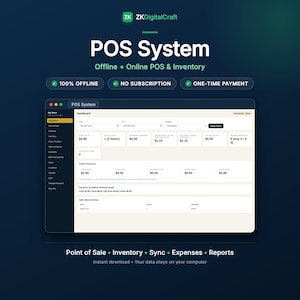
★ ONE PRODUCT. BOTH WORLDS. ★
The internet goes down at the worst possible moment — lunchtime, a queue at the counter. With ordinary online software, you stop selling. With ordinary offline software, you keep selling, but the owner sees nothing until somebody carries the numbers over by hand.
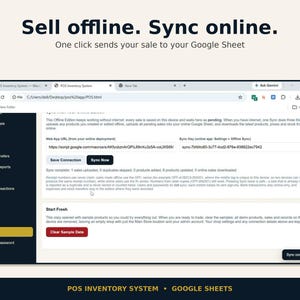
This system ends that trade-off. It is ONE product with TWO editions that talk to each other. The Online Edition runs in your browser from your own Google Sheet — sell from any phone, tablet or computer, and the owner watches the full dashboard live from anywhere in the world. The Offline Edition is the very same app as a single file on your till computer — no internet, no sign-in, it just keeps selling, and every sale waits safely on the device as pending. When the internet comes back, you press one button — Sync Now — and every offline sale lands in your Google Sheet: totals, profit and stock all updated, each sale counted exactly once. The boss never has to phone the shop and ask "how did we do today?" — the answer is already on their screen.
★ A DAY AT THE SHOP ★
Morning: the shop opens, the till is online, everything is live as usual. Midday: the internet drops. Nobody notices at the counter — the cashier keeps ringing up sales on the Offline Edition, printing receipts, exactly as before; not one customer is turned away. Evening: the connection is back (even a phone hotspot for one minute is enough). One click on Sync Now — the whole day's offline sales flow into the Sheet. At home, the owner opens the dashboard and sees the complete day: every sale, the real profit, the stock as it now stands. Nothing retyped, nothing lost, nothing counted twice.
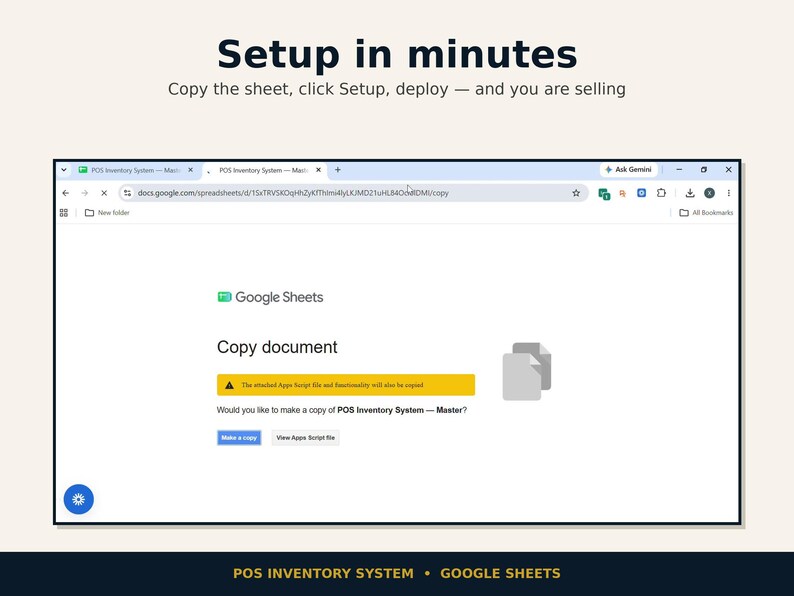
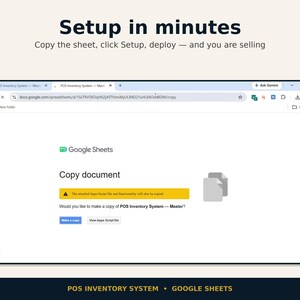
OPEN & USE IN ONLY 3 STEPS — no code to copy and paste. Make a copy, run Setup, deploy. Most shops are selling within minutes.
ONE-TIME PAYMENT — launch price $59.99 (regular $99.99). No subscription, no monthly fees, no per-register charges. Ever.
YOUR WHOLE STORE ON EVERY SCREEN — phone, tablet, laptop and counter computer all open the same web app, with the same live data, because everything runs from your own Google Sheet.
This is a complete point-of-sale and inventory system that lives inside your own Google account. Open the web app link on any device with a browser and you are at your till — the same products, the same stock, the same sales, updated live from your Google Sheet. Start a sale at the counter, check stock from your phone at home, review the day from a tablet. One purchase covers your whole business, including every branch you own.
★ WHAT YOU GET ★
1. The POS Inventory System — a complete Google Sheets web app (point of sale, inventory, reports, expenses, users) delivered as a ready-made master Sheet: the app code is already inside it.
2. The Offline Edition — the same app as a single file for your till computer. It sells with no internet at all, keeps every sale safe on the device, and syncs into your Sheet with one click when you are back online.
3. A one-click copy link — File > Make a copy and the system is yours, in your own Google Drive.
4. A full Setup Guide (3 steps, the offline + sync walkthrough, printer setup, troubleshooting and a day-one checklist).
5. Barcode label printing built in — generate EAN-13 barcodes and print product/shelf labels from inside the app.
6. A lifetime licence for your own business, plus seller support through Etsy messages if you get stuck.
★ HOW IT WORKS — THE REAL 3 STEPS ★
Step 1: Open the delivery link and choose File > Make a copy. The app travels with the copy — nothing to install, nothing to paste.
Step 2: In your copy, click POS Inventory System > 1. Setup Database. One click builds your database, your starter locations (Main Store + Branch) and your first users.
Step 3: Deploy the web app (Deploy > New deployment > Web app — the guide walks you click by click), open your link, sign in as admin, and change the admin password. Done — add your products and start selling.
★ EVERYTHING INSIDE ★
— BOTH WORLDS: OFFLINE + ONLINE + SYNC —
• Works Offline — the Offline Edition is the full till on one device: sell, print receipts and track stock with NO internet and no Google sign-in. Every sale is stored on the device as pending, so an outage costs you nothing
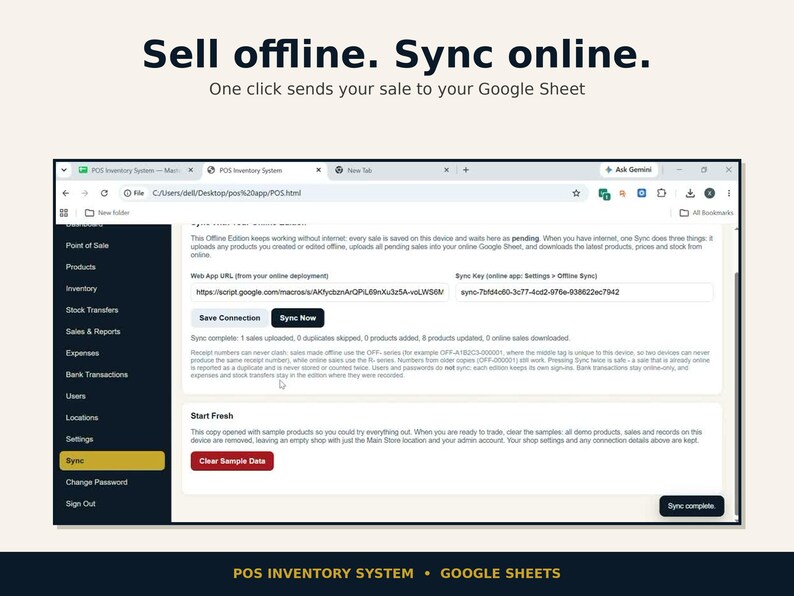
• One-Click Sync — back online, one press of Sync Now uploads every pending sale and every product you created or edited offline into your Google Sheet, and downloads the latest products, prices and stock in return
• Counted exactly once — offline receipts use their own OFF- numbers (online sales use R- numbers), so the two can never clash; press Sync as often as you like, a sale that is already online is reported as a duplicate and is never stored, counted or stock-deducted twice
• The owner sees it all, from anywhere — the moment a sync lands, the online dashboard shows the true day: sales, real profit and stock, on any screen in the world
— SELL —
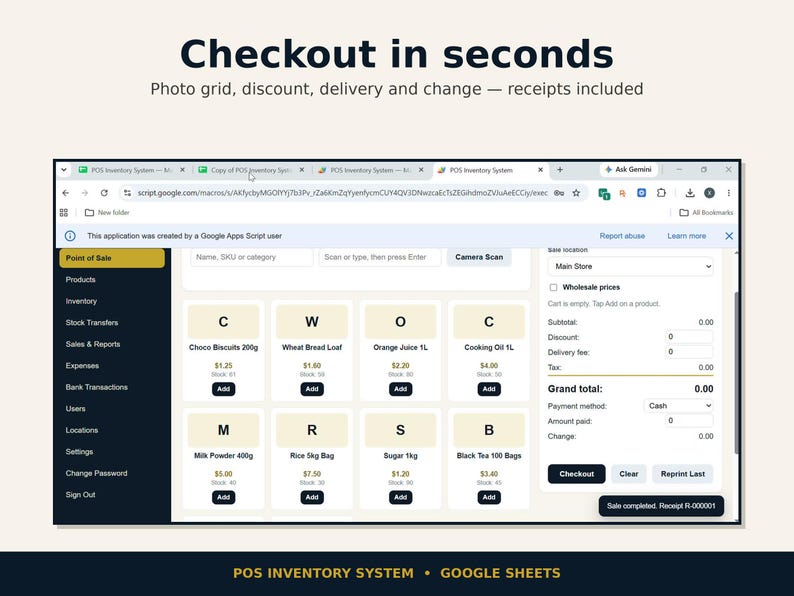
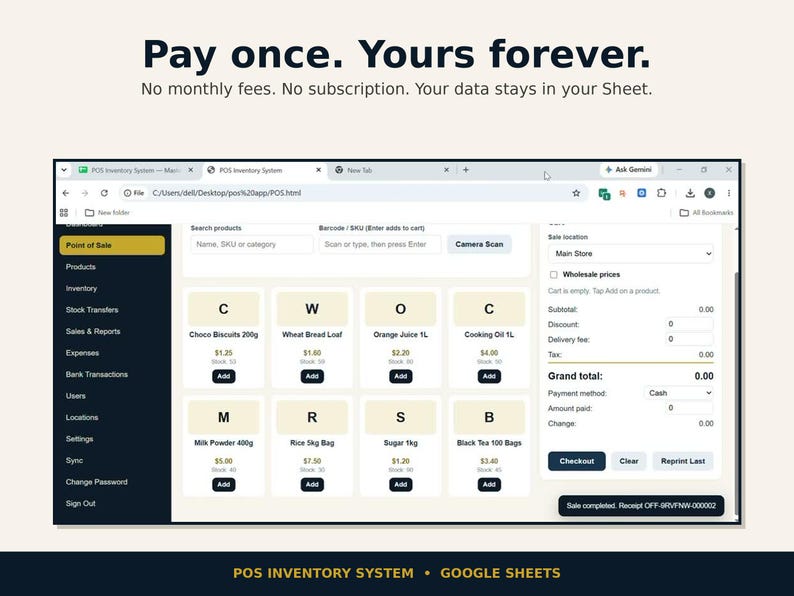
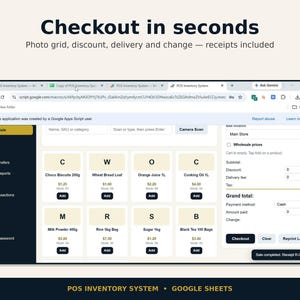
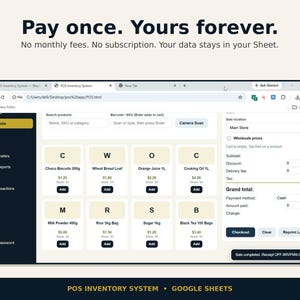
• Fast POS checkout with a photo product grid — tap products or search to build the cart
• Barcode selling three ways: type or scan into the barcode box (any USB/Bluetooth scanner works like a keyboard), or tap Camera Scan on supported phones and tablets
• Retail, sale and wholesale prices on every product — one toggle switches the whole cart to wholesale
• Discounts, delivery fees and automatic change calculation
• Four payment methods on every sale — Cash, Card, QR Scan, Other — and non-cash sales settle in full automatically
• Customer-ready receipts on 58mm or 80mm thermal rolls, or full A4 — reprint any receipt or save it as a PDF
• Your logo on the sign-in screen, in the app, and on every receipt (upload it once in Settings)
— STOCK —
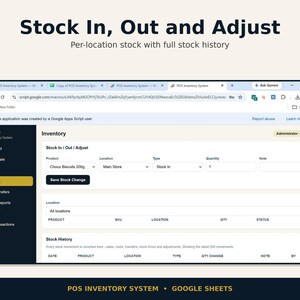
• Real-time stock per location — a sale only deducts from the location that sold it, and stock can never be sold below zero
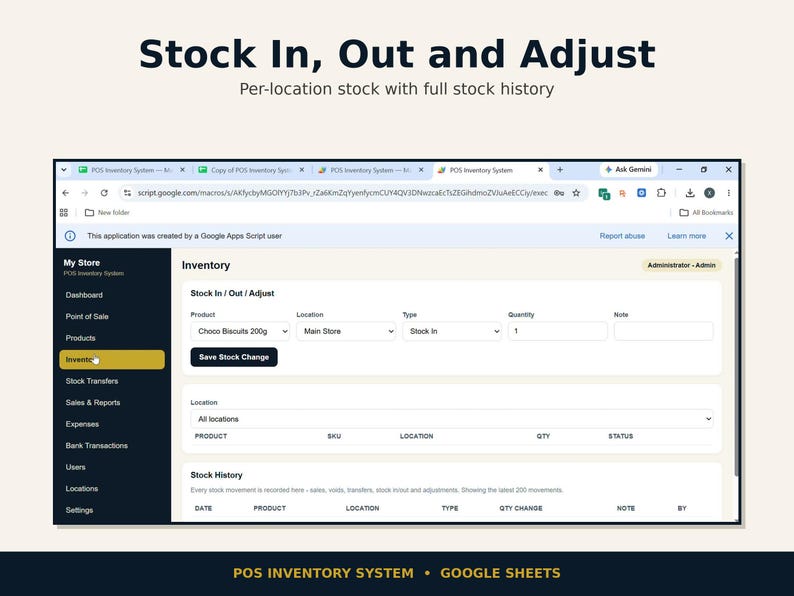
• Stock in, stock out and adjustments, with a full Stock History screen: every movement (sales, voids, transfers, adjustments) traced to who did it
• Multi-location from day one — Main Store and Branch are set up for you; add as many of your own locations as you run
• Stock transfers between branches that move only after an Admin approves them — request, approve or decline, stock moves on approval
• Low-stock warnings based on total stock across all locations (you set the threshold)
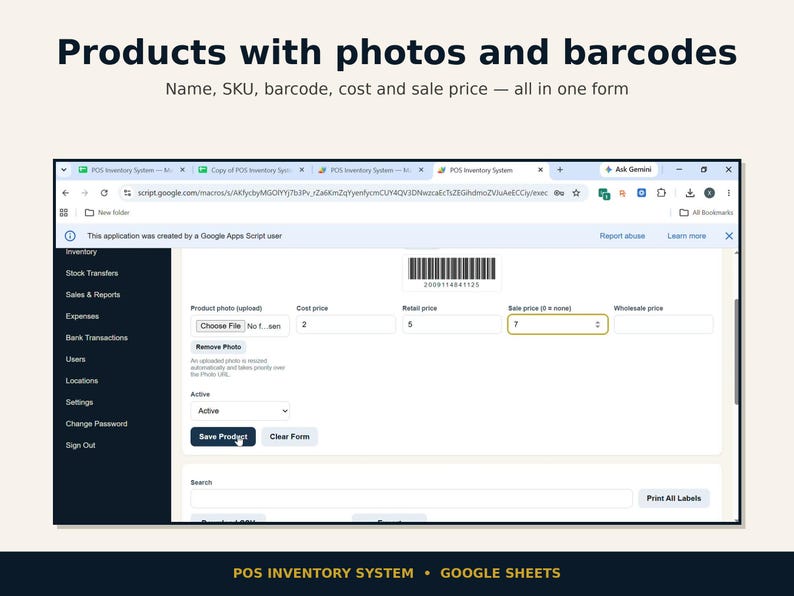
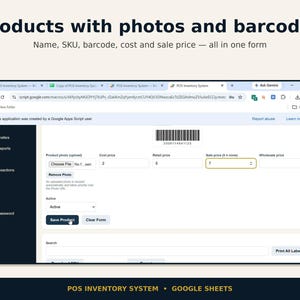
• Barcode Generator — one click creates a valid EAN-13 barcode for any product, with a live preview, then print one label or Print All Labels (store name, product, price and barcode on every label)
— MONEY —
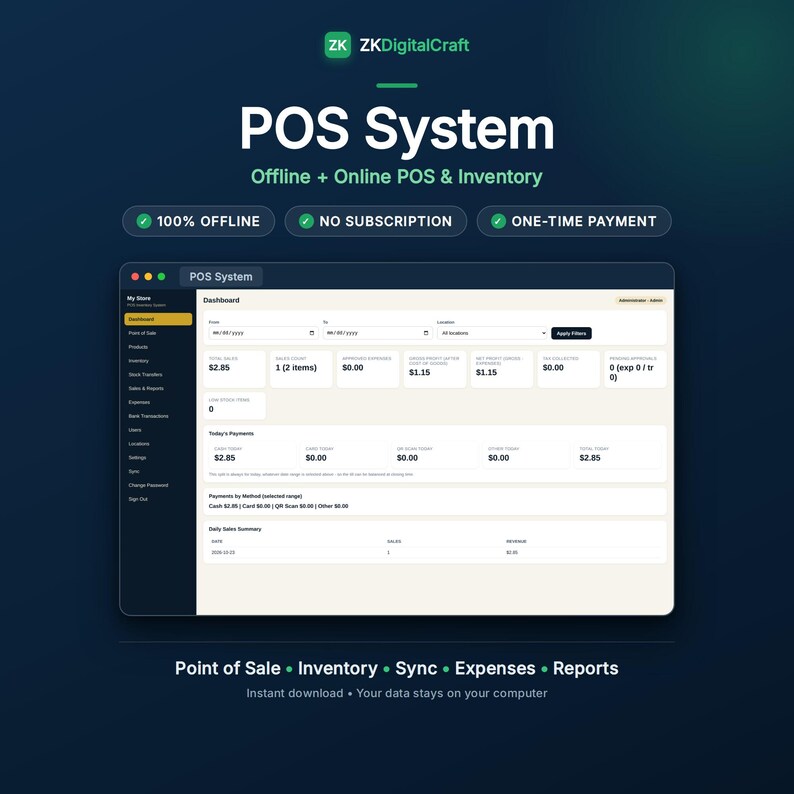
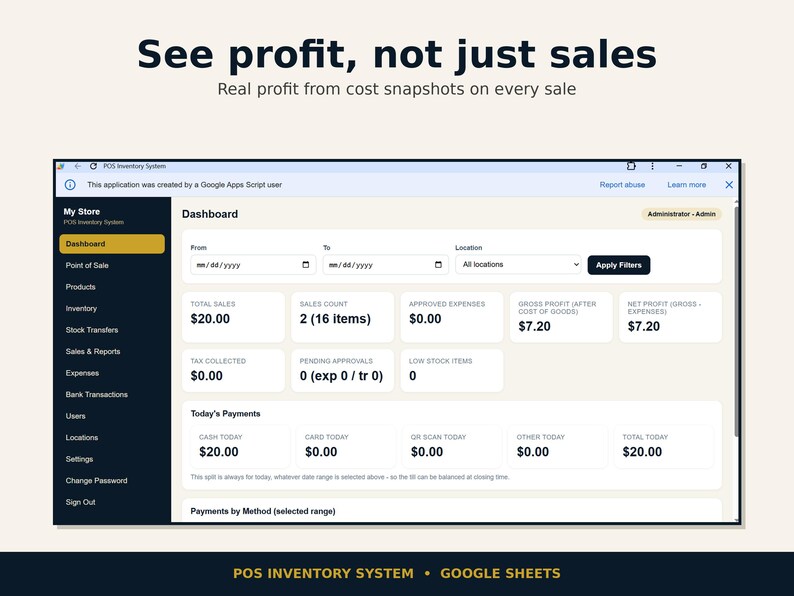
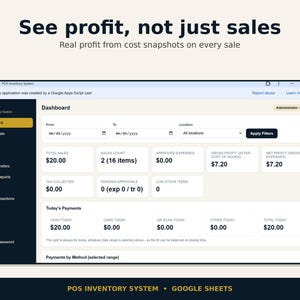
• Dashboard that tells the truth: total sales, items sold, tax collected, and REAL profit — gross profit after the cost of your goods, and net profit after approved expenses. No vanity numbers.
• Today's Payments panel — see exactly how much came in today by Cash, by Card, by QR Scan and by Other
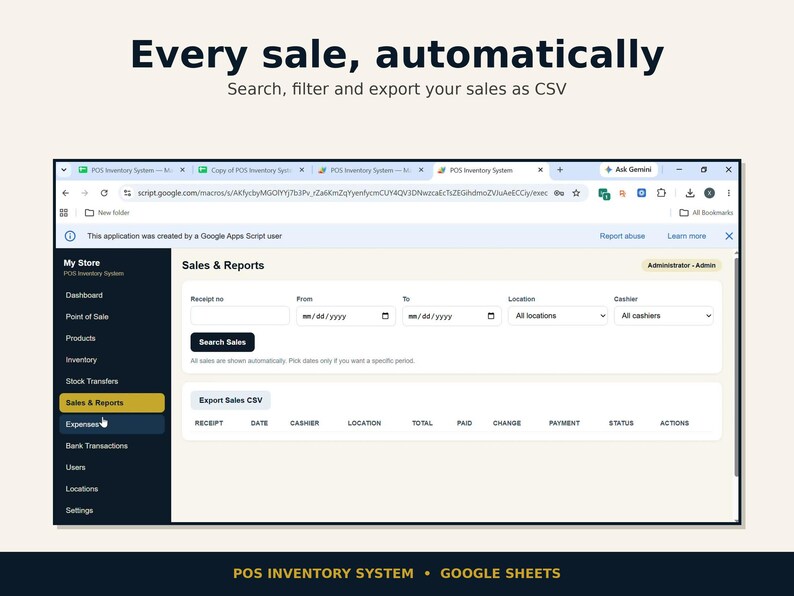
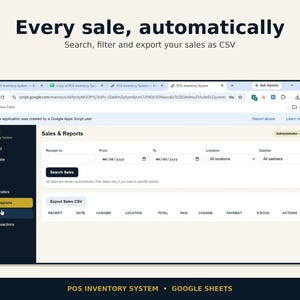
• Sales & Reports opens with all your sales already listed (newest first) — filter by date, location, cashier or receipt number only when you want to; profit and tax are shown per sale and per period
• Sales tax / VAT done properly: set your rate and your label (Tax, VAT, GST…) once in Settings — tax is added at checkout, printed as its own line on the receipt, and totalled on the dashboard
• Expense tracking with an approval flow — Pending, Approved, Declined — only approved expenses touch your profit
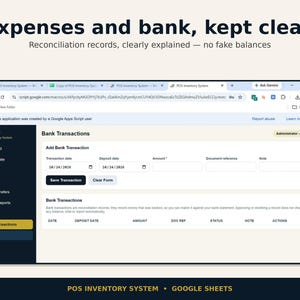
• Bank Transactions — a clean record of money you banked, kept for reconciling against your bank statement (record-keeping, clearly labelled as such)
• CSV import & export — load your whole product catalogue at once from a spreadsheet (template included, duplicates are skipped and reported), export your products, and export filtered sales for your accountant
— CONTROL —
• Admin and Cashier accounts — you decide who sees what
• Cashiers are locked to their own location: they cannot see another branch's stock, sales or reports, ever. Admins see the whole business
• Every user can change their own password from the sidebar; the system protects you from locking out your last admin account
• Your shop timezone is a setting — "today", dates and daily totals follow YOUR shop's clock
• Company name, address, phone, currency symbol and receipt footer are all yours to set — the system prints and displays YOUR brand, not ours
• Product photos: upload a picture on the product form (it is resized automatically) or paste a photo URL — photos appear in the POS grid and product list
★ WHAT YOU NEED ★
For the Online Edition: a free Google account. For the Offline Edition: any computer with a browser — no internet and no Google account needed just to sell. To sync, the till needs an internet connection only for the moment you press Sync Now (a phone hotspot for a minute does the job). No server, no hosting bill, no software to install, no Windows-only program — if a device has a browser, it can run your till.
★ FIRST SIGN-IN (USE THESE) ★
Admin — Username: admin · Password: admin123
Demo cashier — Username: cashier · Password: cashier123
Change the admin password FIRST — before you add real products or hand the link to staff.
★ HONEST NOTES (please read) ★
• The bundle has two editions. The Online Edition is a web app: it runs in the browser, so it needs the internet while you use it. The Offline Edition is a single file that runs entirely on the device — that is the one you sell on when there is no internet.
• Sync is one manual click, on purpose: you press Sync Now when the internet is back. Nothing uploads half-way in the background, and the sync result line tells you exactly what moved (for example "3 sales uploaded, 0 duplicates skipped").
• A few things deliberately do not sync: user accounts and passwords stay separate in each edition (create the till user inside the Offline Edition itself), bank transactions are recorded in the online app only, and expenses and stock transfers stay in the edition where they were recorded. Products, prices, stock and sales DO sync.
• Your data lives in YOUR Google Sheet, in YOUR Google account. We cannot see it, touch it, or hold it hostage; cancel nothing, because there is nothing to cancel.
• Bank Transactions are records for reconciliation — approving one does not move money or change balances automatically.
• Camera barcode scanning uses your browser's built-in barcode support, so it works on supported phones/tablets (recent Chrome); a USB/Bluetooth scanner works everywhere.
• Barcode scanning reads the barcode or SKU saved on each product; the built-in generator creates new EAN-13 codes for products that don't have one.
One purchase. Every branch you own. Every screen in your shop. Set up in 3 steps and sell today.
★ FAQ ★
1. Is it really a one-time payment?
Yes. You pay once ($59.99 at launch, $99.99 regular) and the system is licensed to your business for life. There is no subscription, no monthly fee and no per-user or per-register charge — it runs on your own free Google account.
2. Do I need to install anything, or know any code?
No. Nothing is installed and there is no code to copy and paste. You make a copy of the master Sheet, run one Setup menu item, and deploy the web app — the included Setup Guide walks you through every click, including the printer setup and the offline connection. If you still get stuck, message the shop through Etsy with a screenshot of what you see, and we will help you get running. Support covers the original, unmodified version.
3. How does sync work?
The bundle includes two editions of the same app. The Online Edition lives in your Google Sheet. The Offline Edition is a single file on your till computer: it sells with no internet, and every sale waits on the device as pending. In the online app, open Settings > Offline Sync and copy your Sync Key. In the Offline Edition, open Sync, paste the Web App URL and the Sync Key once, and press Save Connection. From then on, whenever you have internet, one press of Sync Now uploads all pending sales (and any products you created or edited offline) into your Sheet, and downloads the latest products, prices and stock. Offline receipts use OFF- numbers and online sales use R- numbers, so a sale can never be stored or counted twice — pressing Sync twice is safe.
4. Does it sync automatically?
No — and that is deliberate. Sync is one manual press of the Sync Now button when the internet is back. That way nothing ever uploads half-finished in the background, you always know the exact moment your numbers moved, and the result line tells you what happened (for example "3 sales uploaded, 0 duplicates skipped, 1 products added, 24 products updated"). One minute on a phone hotspot at closing time is enough for a whole day of offline sales.
5. What does not sync?
User accounts and passwords: each edition keeps its own sign-ins, so create the till user inside the Offline Edition itself. Bank transactions: record those in the online app only. Expenses and stock transfers stay in the edition where they were recorded. Everything a customer cares about at the till — products, prices, stock levels and every sale — does sync.
6. Does it work on my phone?
Yes. The Online Edition is a web app, so the same link opens on your phone, tablet, laptop and counter computer, with the same live data on every screen. Cashiers can sell from a phone; you can check stock and sales from anywhere. The Offline Edition runs from a file on a computer, for the till that cannot rely on internet.
7. Where is my data stored? Who can see it?
In your own Google Sheet, inside your own Google account. The seller never sees or stores your business data. Your sales, stock and customer totals belong to you — back the Sheet up any time with File > Make a copy.
8. Can I run more than one shop or branch?
Yes. Two locations (Main Store and Branch) are created for you at setup, and you can add more. Stock is tracked per location, branches request transfers from each other, and an Admin approves each transfer before stock moves.
9. Can my cashier see everything?
No — and that is deliberate. Cashiers sign in with their own account and are locked to their assigned location: they only see that location's stock and sales. Admins see the whole business. Each person can also change their own password.
10. Which printers and paper sizes does it support?
Receipts print at 58mm or 80mm on standard thermal receipt printers, or on A4 with any regular printer — you pick the size in Settings. The guide includes a full printer setup section (drivers, default printer, Chrome print settings) and the app has a built-in Test Receipt Print.
11. Can I import my existing products?
Yes. Download the CSV template from the Products page, fill one product per row (name, SKU, barcode, prices, opening stock), and import it — the app previews the rows, skips barcodes/SKUs that already exist, and reports any row it could not import and why. You can also export your products and your sales as CSV files.
How this was made: I designed and built this product myself. I used AI tools to help build it and design the listing images and video — every screenshot shows the real product, and I reviewed everything before listing it.
Instant Download
Your files will be available to download once payment is confirmed. Here's how.
Instant download items don’t accept returns, exchanges or cancellations. Please contact the seller about any problems with your order.
Etsy Purchase Protection
Shop confidently on Etsy knowing if something goes wrong with an order, we've got your back for all eligible purchases —
see program terms


More from this shop
Visit shop-
Digital download
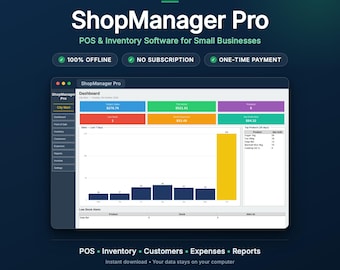
POS Software for Small Shops, Offline Point of Sale & Inventory Tracker, Billing and PDF Invoices, Windows, No Subscription
Sale Price $23.99
Original Price $39.99
-
Digital download
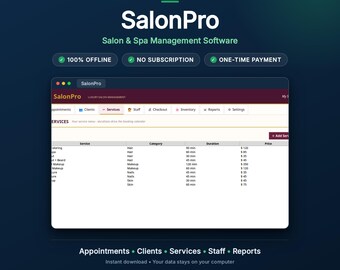
Salon Software | Salon Management App with Appointment Booking | Salon POS, Client Tracker & PDF Invoices, No Subscription
Sale Price $17.99
Original Price $29.99
-
Digital download
Pharmacy Management Software Offline + Online | Multi-Location POS, Inventory, Expiry Alerts, Prescriptions | Sheets + HTML App
Sale Price $19.99
Original Price $39.99
-
Digital download
Auto Repair Shop Software | Repair Orders, Estimates & Invoices | Garage Management App | 28-Point Inspections| No Subscription
Sale Price $23.99
Original Price $39.99
Be the first to leave a review
-

Digital download
Business Ops Suite – Excel Templates for HR, Inventory & Invoice Management | 3-in-1 System | No Subscription
$140.33
-
Digital download
NexStock by Excelloom – All-in-One Inventory, CRM & Billing Software for Windows
$100.00
-
Digital download
Inventory Management Google Sheets Templates Bundle
Sale Price $71.97
Original Price $119.95
-
Digital download
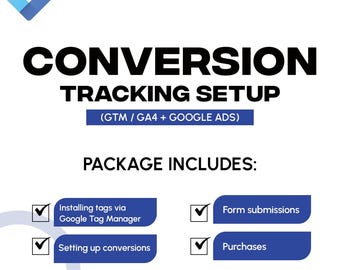
Google Ads Conversion Tracking Setup | GA4 & GTM Integration Service
Sale Price $69.00
Original Price $197.14
-

Digital download
Inventory Management System
$78.05
-
Digital download
Inventory Management Excel Templates Bundle
Sale Price $89.97
Original Price $149.95
-

Digital download
Google Ads Conversion Tracking Setup | Ecommerce & Lead Tracking | Expert Service For Small Businesses
Sale Price $42.00
Original Price $120.00
-

Digital download
Premium House Flipping Spreadsheet Excel, Real Estate Investment, Property Management, ROI Calculator, Fix & Flip Planner, Renovation Tool
$147.99
-

Digital download
Etsy Listing System: Smart Product Generator & Shop Uploads (Digital Download, PDF Guide)
$116.68
-

Digital download
Custom Construction Business Automation, Google Sheets Workflow System
Sale Price $172.76
Original Price $230.34
-

Digital download
Email List Cleaner & Validator Script Pro | Google Sheets Automation | No Subscription | Save Hours
$68.36
-

Digital download
Smart Inventory Management System | Dashboard, Low Stock Alerts, Supplier Automation (Excel Template)
$70.08
Shoppers with similar taste loved these
-

Digital download
Inventory Sales Tracker Spreadsheet: Google Sheets Template (Digital Download)
$1.00
-

Digital download
Reseller BOLO List for Stuffed Animal and Plush - with COMPS and Sell Through Rate - Be on the Look Out Ebay Money Making Thrifting Seller
$10.00
-
Digital download
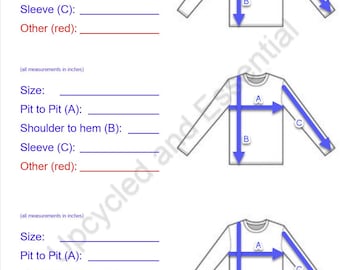
Reseller Listing Sheets - Shirts and Tops - Batch Listing Tool - Size Guide - Poshmark Ebay Etsy Depop Marketplace
$1.50
-
Digital download
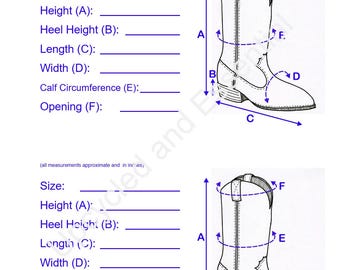
Reseller Listing Sheets - Boots and Shoes - Batch Listing Tool - Size Guide - Poshmark Ebay Etsy Depop Marketplace
$1.50
-
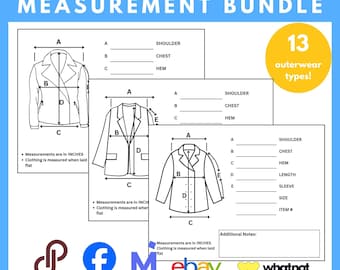
Digital download
13 Jackets Measurement Tool, Coat Measurement Guide, Jacket Measurement Chart, Coat Measurements Guide, Clothes Measurer, Measuring Cloth
$5.88
-

Digital download
Reseller Spreadsheet | All-in-one Reseller Business Manager Spreadsheet Bundle| Reseller template | Bookkeeping | Reseller inventory
$20.00
-

Digital download
The Reseller’s Playbook: The Thrifters E-Guide for Flipping on Facebook Martketplace
$2.99
-

Digital download
How to | Facebook Marketplace Selling Guide – Step-by-Step eBook to Make Money Online & Scale Your Business | Stay-at-home Guide for Moms!
$49.99
-

Digital download
Facebook Unleashed - Step by Step Starter Guide for Beginners, PLR, MRR, Faceless Digital Marketing, Master Resell Rights, Digital Products
Sale Price $4.67
Original Price $9.33
-
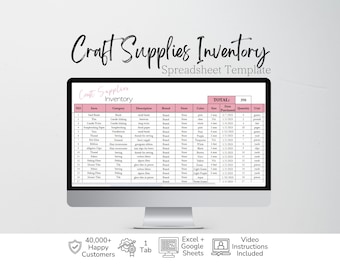
Digital download
Craft Supplies Inventory Tracker Excel Spreadsheet Crafts Organization, Craft Supplies Stash, Craft Business Template Editable Google Sheets
Sale Price $3.67
Original Price $7.35
-

Digital download
Jewelry Inventory Tracker, Jewelry Making Planner List Excel Spreadsheet Log Jewelry Inventory Checklist Home Jewelry Business Google Sheets
Sale Price $3.67
Original Price $7.35
-

Digital download
Digital Business Planner, Business Startup, Business Toolkit, good notes planner, digital planner, Business Plan Template, Business Proposal
$18.22


