

Behavior and Points Tracker | Classroom Management Dashboard | Student Rewards System | Dark & Light Mode | Instant Download
NowPrice:$4.05
Original Price: $5.79
30% off
Sale ends on December 2
Here's what's eligible:
- Your order doesn't match the item description or photos
- Your item arrived damaged
- Your item arrived after the estimated arrival window
- Your item didn't arrive or was lost in the mail
You can only make an offer when buying a single item
Highlights
**⭐ Behavior & Points Tracker — Award Points Live, See Your Whole Class at a Glance**
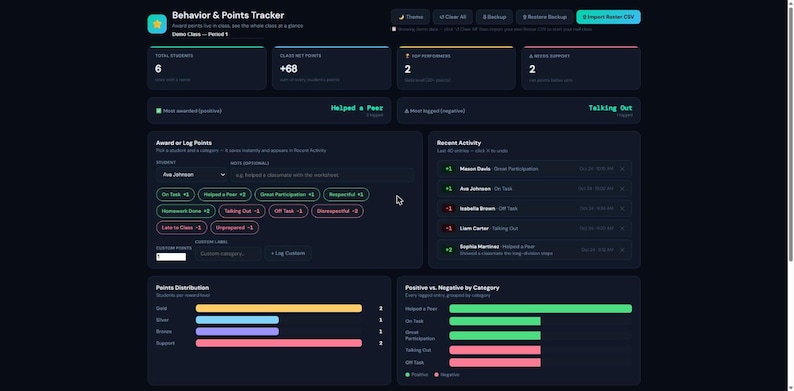
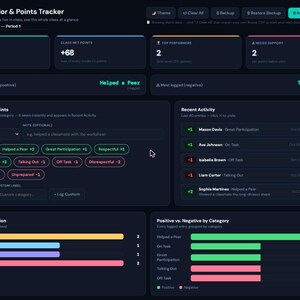
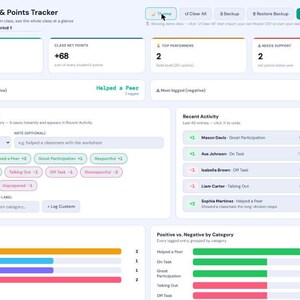
Replace the sticker chart and the paper tally sheet with one click-to-award dashboard: pick a student, tap a category, and the point total, activity log, and class-wide charts update instantly — built for the middle of a lesson, not after school.
---
**✨ WHAT YOU GET**
✅ 6 demo students + sample activity pre-loaded — see it working the second you open it
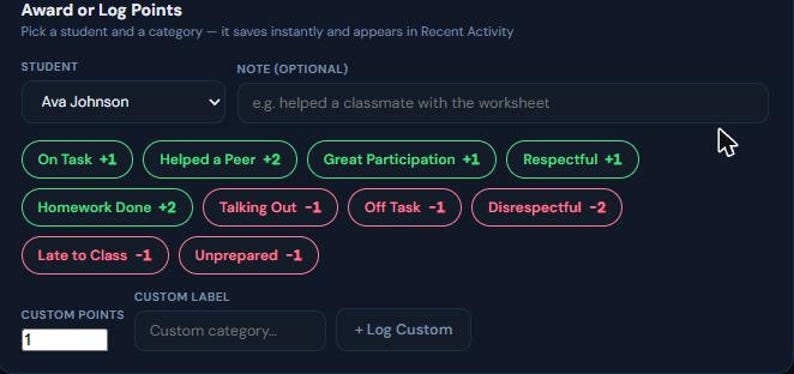
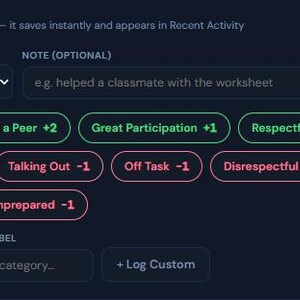
✅ One-click point awarding with 10 built-in categories (5 positive, 5 negative) — or log a custom category on the fly
✅ Blank Excel import template included — bulk-add your whole roster in one import
✅ Live KPI cards: Total Students, Class Net Points, Top Performers, Needs Support
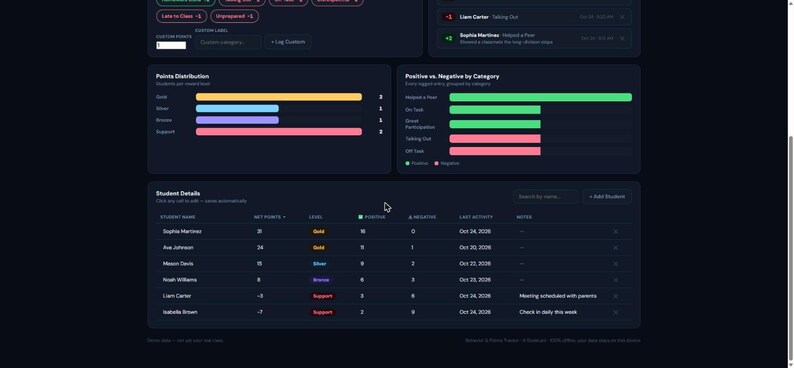
✅ Points Distribution chart (Gold / Silver / Bronze / Support reward levels)
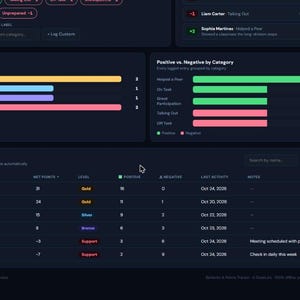
✅ Positive vs. Negative by Category chart, so you can see what's actually happening in class
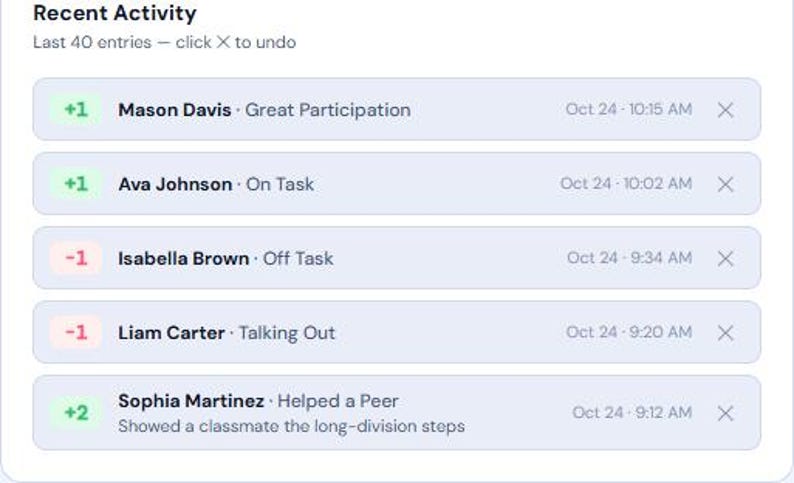
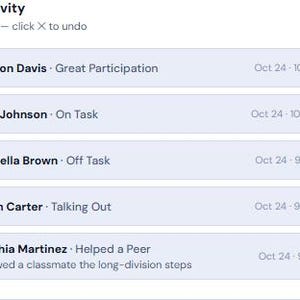
✅ Recent Activity feed with one-click Undo on any entry
✅ Sortable, searchable student table — click any cell to edit points, counts or notes directly
✅ Per-student Notes field for anything the point log doesn't capture
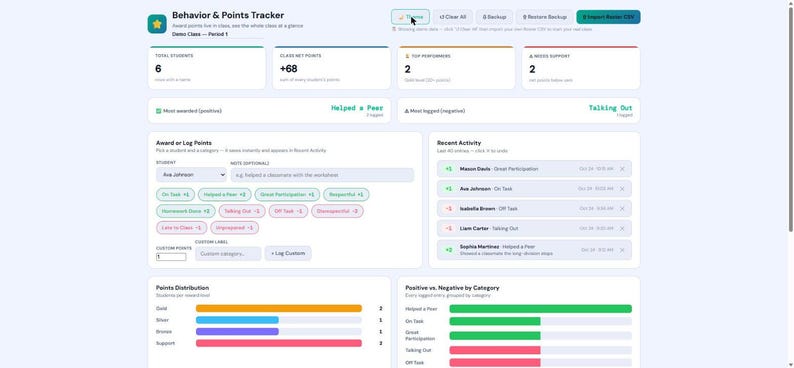
✅ Beautiful dark mode dashboard (+ light mode toggle)
✅ Backup/Restore so you can move your data to another computer or browser
✅ Works in any modern browser — no installation, no account
✅ 100% private — your students' data never leaves your device
---
**📦 FILES INCLUDED**
• BehaviorPointsTracker.html — main dashboard (open in any browser)
• ImportTemplate.xlsx — blank roster spreadsheet for bulk-importing your class in one go
• Instructions.html — full user guide, including browser compatibility notes
---
**🚀 HOW IT WORKS**
1. Download and open the HTML file in Chrome, Firefox, Edge, or Safari
2. 6 demo students and sample activity are pre-loaded so you see every card and chart working immediately
3. Click "↺ Clear All", then add your students manually or import your roster from ImportTemplate.xlsx
4. Pick a student, click a category chip ("On Task +1", "Helped a Peer +2", "Talking Out -1"...) — it logs instantly
5. Watch the KPIs, Points Distribution, and Category charts update live as the day goes on
6. Edit any student's totals or notes directly in the table — everything saves automatically
---
**📊 KEY FEATURES**
• 10 ready-made categories covering common classroom behaviors, plus unlimited custom categories
• Reward levels (Gold / Silver / Bronze / Support) calculated automatically from each student's net points
• One-click Undo on any logged entry — no more "wait, I meant to click the other student"
• Click-to-edit table with inline point overrides and free-text Notes
• Backup button exports your full tracker state (students + complete activity history) as a portable file
• Reads roster CSVs by column name, not position — tolerant of extra columns, and handles accented names correctly whether exported from Google Sheets or Excel
---
**🔒 100% PRIVATE & OFFLINE**
All data is stored locally in your browser. Nothing is sent to any server — no student data touches a third-party service. Works fully offline after first load.
---
**❓ FAQ**
Q: Do I need internet to use it?
A: Only to load the font on first open. After that — fully offline, so it works even if your classroom wifi doesn't.
Q: Does it work on Mac?
A: Yes! Works on any device with Chrome, Firefox, Edge, or Safari.
Q: Can I add my own behavior categories?
A: Yes — the Custom points field lets you log any label with any point value, positive or negative, in addition to the 10 built-in categories.
Q: What happens if I open it on a different computer?
A: Each browser/device keeps its own local data. Use the Backup button to export a file and Restore Backup to load it on the new device — takes under a minute.
Q: Is there a limit on students?
A: No — add as many as your class needs, either manually or via the Import Roster CSV.
Q: Will my data be lost if I close the browser?
A: No — everything saves automatically to your browser's local storage as you go. Still, back up regularly (see Instructions) in case you clear your browser data or switch devices.
---
**⭐ PLEASE LEAVE A REVIEW**
Your review helps other teachers spend less time on paper behavior charts. Thank you! 🙏
---
*Instant digital download — no physical product shipped.*
Instant Download
Your files will be available to download once payment is confirmed. Here's how.
Instant download items don’t accept returns, exchanges or cancellations. Please contact the seller about any problems with your order.
Etsy Purchase Protection
Shop confidently on Etsy knowing if something goes wrong with an order, we've got your back for all eligible purchases —
see program terms

More from this shop
Visit shop-
Digital download
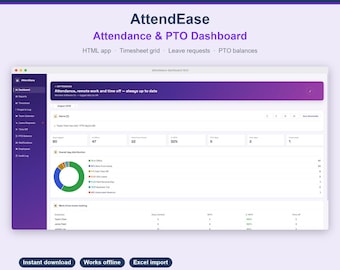
AttendEase - Employee Attendance & PTO Dashboard | Interactive HTML Template | Leave Tracker | No Software Needed
Sale Price $1.61
Original Price $2.31
-
Digital download
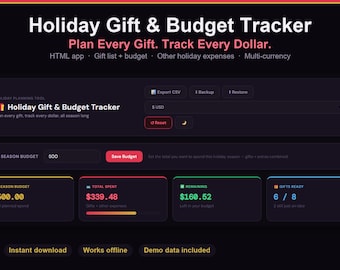
Holiday Gift and Budget Tracker | Christmas Gift List Planner | Holiday Budget App | Dark & Light Mode | Instant Download
Sale Price $3.24
Original Price $4.63
-
Digital download
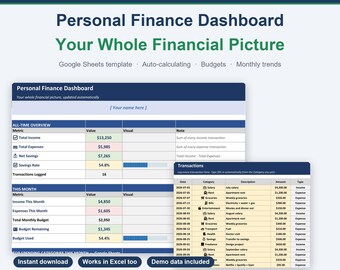
Personal Finance Dashboard Google Sheets | Budget Spreadsheet with Categories & Monthly Summary | Auto-Calculating | Instant Download
Sale Price $2.42
Original Price $3.47
-
Digital download
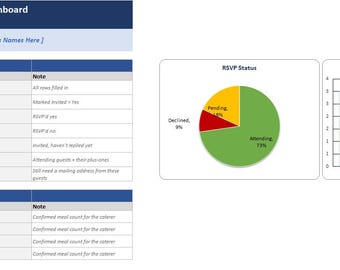
Wedding Guest List & RSVP Tracker | Meal Count, Table Planner (Digital Download)
Sale Price $2.61
Original Price $3.73
Be the first to leave a review
-

Digital download
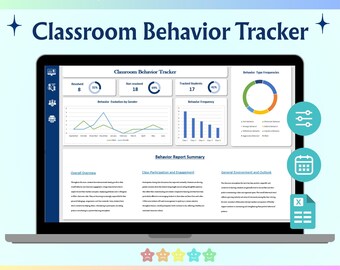
Classroom Behavior Tracker Google Sheets Student Conduct Monitoring Reward System Dashboard Template
Sale Price $7.12
Original Price $8.90
-
Digital download
Behavior chart for kids : classroom management tools ( Excel Template )
Sale Price $4.00
Original Price $8.00
-

Digital download
On Task Off Task Behavior Tracker IEP Classroom Observation Data Spreadsheet Behaviour Specialist Interval Recording Progress Monitor Tool
Sale Price $4.90
Original Price $7.00
-

Digital download
Emoji Student Behavior Tracker | Google Sheets Template (PDF)
$5.80
-
Digital download
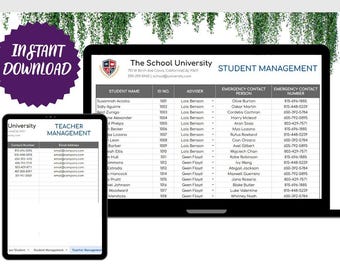
Classroom Behavior Tracker Template Editable Google Sheets, Easy-to-Use Digital Download for Teachers, Student Progress, Behavior Monitoring
Sale Price $2.17
Original Price $6.99
-

Digital download
Student Behavior Tracker for Teachers | Editable Google Sheets Behavior Log | Classroom Management Spreadsheet
Sale Price $2.50
Original Price $6.25
-

Digital download
Digital Student Behavior Tracker, Google Sheets Template (Digital Download)
$6.00
-

Digital download
Student Behavior Log, Classroom Incident Tracker (Excel & Google Sheets)
Sale Price $4.52
Original Price $6.96
-
Digital download
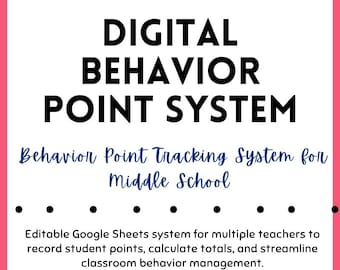
Middle School Digital Behavior Point System – Centralized for Class Teams- Daily Tracking & Weekly Totals
$9.00
-

Digital download
Behavior Frequency Data Tracker Single Student Daily Data Log IEP RTI MTSS Classroom Progress Monitoring Printable Teacher Support Tool Pack
Sale Price $4.90
Original Price $7.00
-

Digital download
Special Education Behavior Data Tracker Google Sheets Daily IEP Goal Progress Monitor Multi Student Behavior Log RTI MTSS Meetings Ready
Sale Price $7.00
Original Price $10.00
-

Digital download
Digital Student Behavior Tracker for Teacher, Google Sheets Bookkeeping Template, Behavior Chart Spreadsheet for Teacher Planner & Classroom
$5.99
Disclaimer: As with all children's products, adult supervision is required. Products that contain small parts may pose a choking hazard and should not be used by children under 3. Sellers are responsible for following applicable laws and regulations, including posting items with accurate labeling and warnings. Etsy assumes no responsibility for the accuracy, labeling, or content of sellers' listings and products. Always read labels, warnings, directions and other information provided with the product before using it. If you have any questions, message the seller. See Etsy's Terms of Use for more information.
Shoppers with similar taste loved these
-

Digital download
Classroom Schedule Cards | Boho Rainbow Classroom Decor | Editable Visual Schedule
$4.00
-
Rooting for You! Keep Trying Teacher Stamp, Self Inking Grading Stamp
$25.99
-
Berry Good Job! Strawberry Teacher Stamp, Self Inking Grading Stamp
$25.99
-

Personalized Rosewood or Light Wood Teacher Lanyard: Gold Accent ID Badge Necklace, Breakaway Clasp
Sale Price $24.71
Original Price $32.95
-
Holy Cow! This is Awesome! Cow Teacher Stamp, Self Inking Grading Stamp
$25.99
-

Digital download
Flip Calendar | Boho Rainbow Classroom Decor | Classroom Calendar
$3.50
-
Digital download
We're all different PNG
$1.75
-

Digital download
Kindergarten Teacher Squad Svg, Teacher Life Svg, Teacher Shirt Svg, Kinder Teacher Svg, Back to School, Teacher Gift Svg, Dxf Png Eps Jpg
$3.00
-

Digital download
I'm Ready for Kindergarten But is it Ready for Me Svg| Back to School Png| 1st Day of Kindergarten Svg for Boys & Girls| Kinder Teacher Gift
$2.50
-

Digital download
Kindergarten Teacher svg, kinder svg, kindergarten svg, first day of kindergarten, School svg Files, Teacher svg, Back to School, Heart kit
$3.45
-

Funny Teacher Graphic T-Shirt, Back to School Tee
Sale Price $8.90
Original Price $17.80
-

Ocean Animal Teacher Shirt: Underwater Sea Turtle Tee
Sale Price $13.95
Original Price $21.46


