





Rhinestone Template SVG Checker, Spacing, Hole Size & Overlap Check for Rhinestone SVG Files, Offline Tool
Item highlights
Seller's description
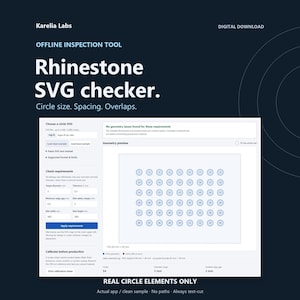
Check circle size, spacing and overlaps in your existing rhinestone SVG with an offline HTML browser tool. Requires real SVG circle elements; path-based designs are not supported. Review physical dimensions and placement against your chosen mat settings before making a physical test cut.
FORMAT LIMIT - PLEASE READ FIRST
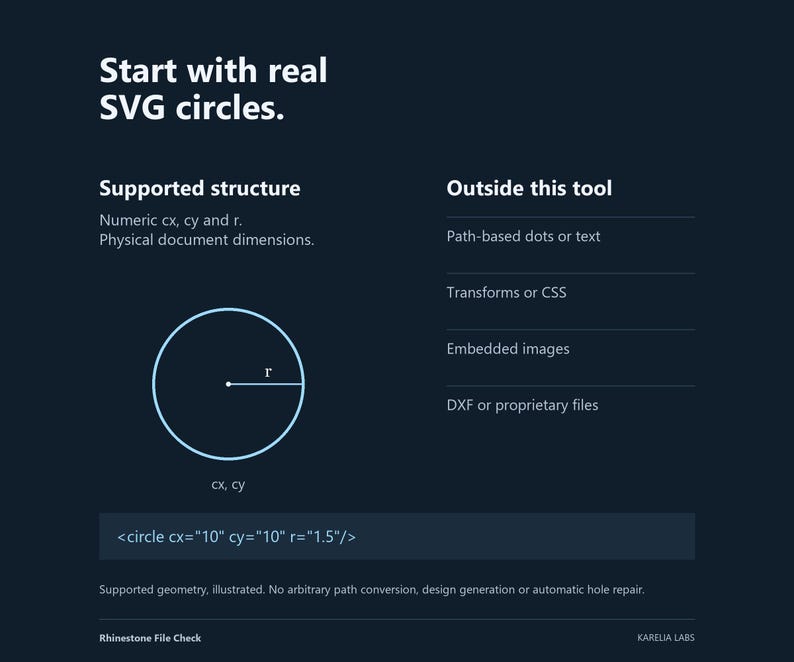
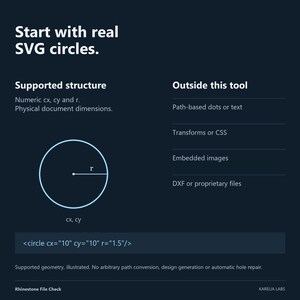
Requires real SVG circle elements with numeric unitless cx/cy/r. Paths, including circles converted to paths, ellipses, text shapes, CSS/style and transforms are not supported and are rejected. This tool does not convert paths into circles or generate rhinestone designs.
INSTANT DIGITAL DOWNLOAD
One ZIP: Karelia-Labs-Rhinestone-File-Check-v1.0.0.zip
Extract it on your computer. No physical item, cutter, stones or template material is shipped.
10 FILES INCLUDED
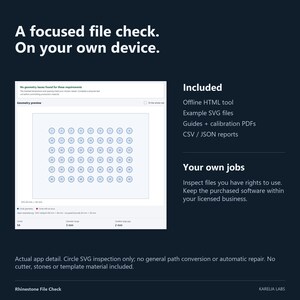
- Rhinestone-File-Check.html - self-contained offline inspection tool
- START-HERE.pdf - 3-page workflow and troubleshooting guide
- PRINT-CALIBRATION-A4.pdf - 1-page physical print reference
- PRINT-CALIBRATION-Letter.pdf - the same 1-page reference on US Letter
- README.txt - exact format boundaries and instructions
- LICENSE.txt - single-business commercial license
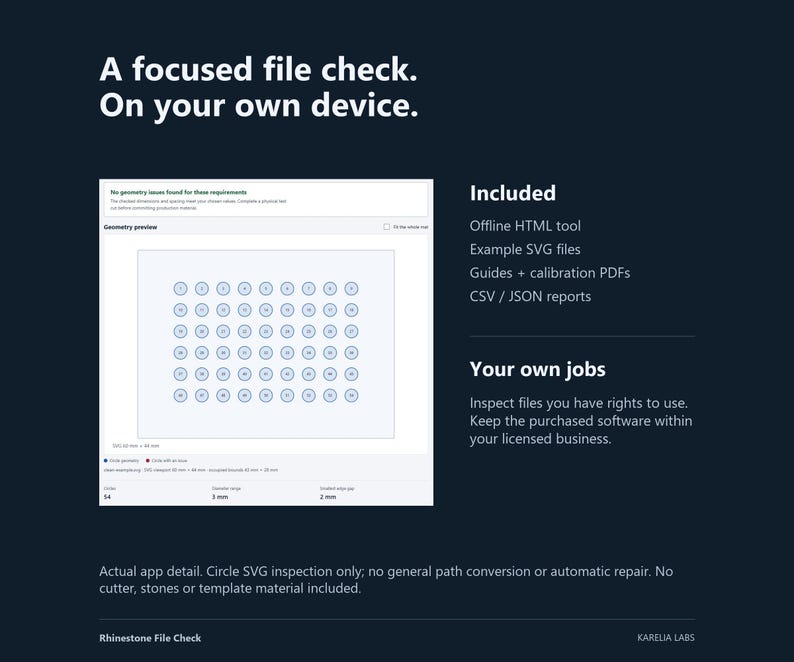
- samples/clean-example.svg - original 54-circle example
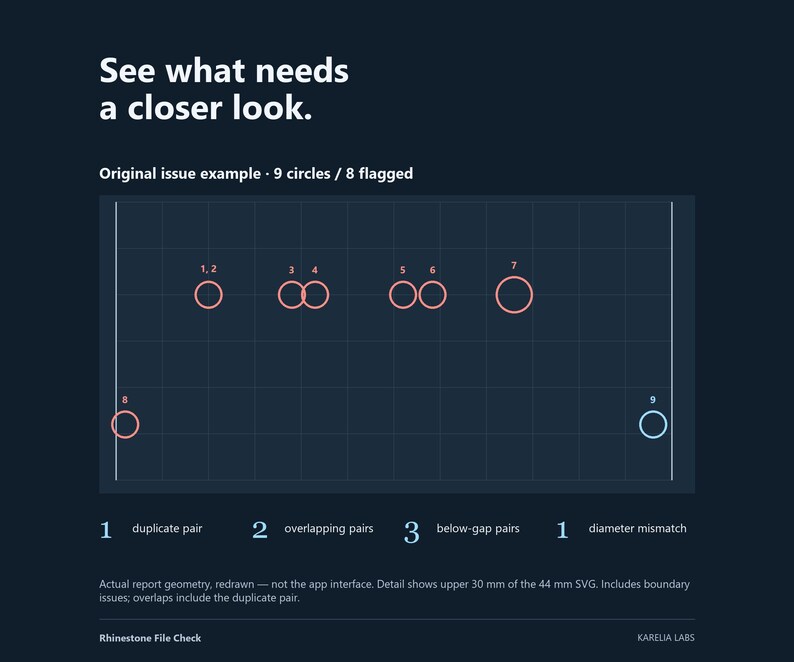
- samples/issue-example.svg - deliberate geometry problems
- samples/inch-example.svg - inch-sized document example
- samples/calibration-cut-strip.svg - seven test holes, 2.50-4.00 mm
WHAT IT CHECKS
- Up to 5,000 actual circle elements and 2 MB of SVG source
- Physical circle diameters and bounds, reported in millimetres
- Diameter against your target and tolerance
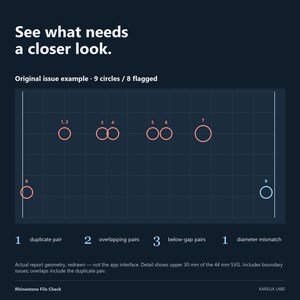
- Duplicate, overlapping and tight-gap pairs
- Placement against your mat dimensions, margin and the original SVG viewport
- Root units mm, cm, in, px, pt, pc or unitless pixels at 96 px/in
- Optional viewBox using default xMidYMid meet scaling
Review the geometry preview and issue summary, then export circle-coordinate CSV, a full JSON record or a new mm circle-only SVG copy. The SVG copy removes styling and metadata. It does not resize, move, repair or deduplicate holes. Pair totals count all detected pairs; the on-screen/JSON pair list is limited to the first 200.
WORKFLOW
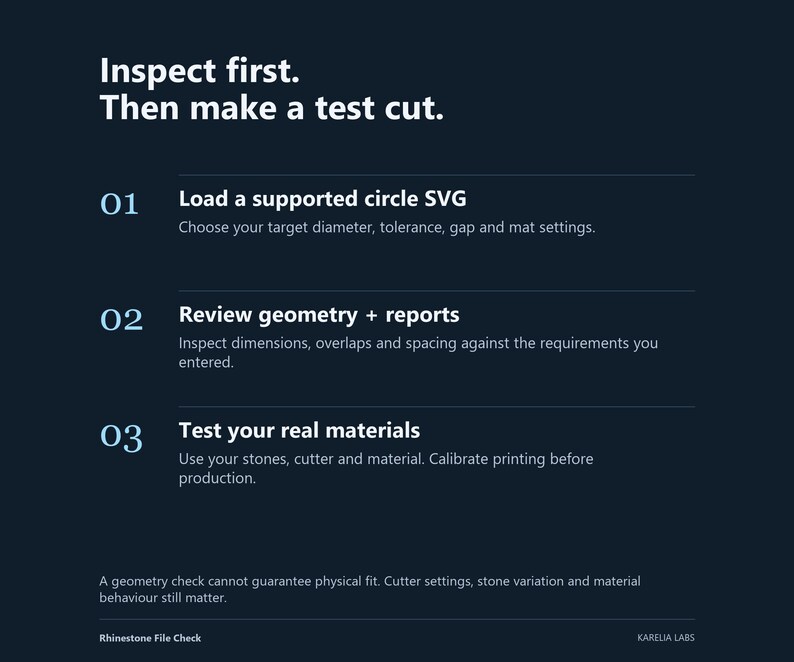
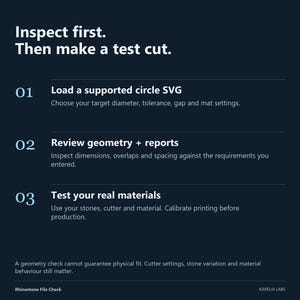
1. Extract the ZIP, read START-HERE.pdf and open the HTML file in a current desktop browser.
2. Load the clean example, then select or paste your supported SVG.
3. Enter your own tested hole diameter, tolerance, gap, usable mat size and margin. Select Apply requirements.
4. Review every issue. Correct the source design in your own software, then check it again.
5. Make a small physical test cut with your own cutter, material and stones before production.
BEFORE BUYING
This is a geometry inspection tool, not a cutter driver, stone-size selector, repair utility or physical-fit certification. It does not support arbitrary SVG artwork, images, fonts, DXF, proprietary design formats, nested viewports, references or clipping. Your source application must export real circles with transforms baked into their coordinates and without CSS. Full boundaries are in README.txt.
Desktop is the recommended production workflow; mobile downloads vary and are not promised. No account, subscription, activation, internet connection or external library is needed after download. Files stay in browser memory; closing/reloading clears the job. Save reports and keep your original design separately.
COMMERCIAL RIGHTS
One buyer/business may use the tool internally for unlimited personal or commercial jobs and deliver its own reports and geometry outputs in client work. Staff and contractors acting for that same business may use its internal copy. You need the rights to every design you load. No per-job royalty. Do not resell, share, host or redistribute the supplied tool, documentation or templates as a standalone product. Full terms are in LICENSE.txt.
AI ASSISTANCE AND SUPPORT
Original Karelia Labs software, sample geometry and documentation were created with AI-assisted development and drafting, then digitally checked. No physical cutting trial, cutter-brand compatibility, stone fit, time saving, sales or earnings is guaranteed. Questions: Etsy messages or karelialabs [!at] outlook.com. Non-waivable consumer rights are unaffected.
If something goes wrong with an order, we've got your back for all eligible purchases. View program terms
NowPrice:$19.38
Original Price: $25.84
25% off
Sale ends in 1 day
You can only make an offer when buying a single item
Delivery
Instant download
Your files will be available to download once payment is confirmed. Here's how.
Instant download items don't accept returns, exchanges or cancellations. Please contact the seller about any problems with your order.
Seller's description
Specifications
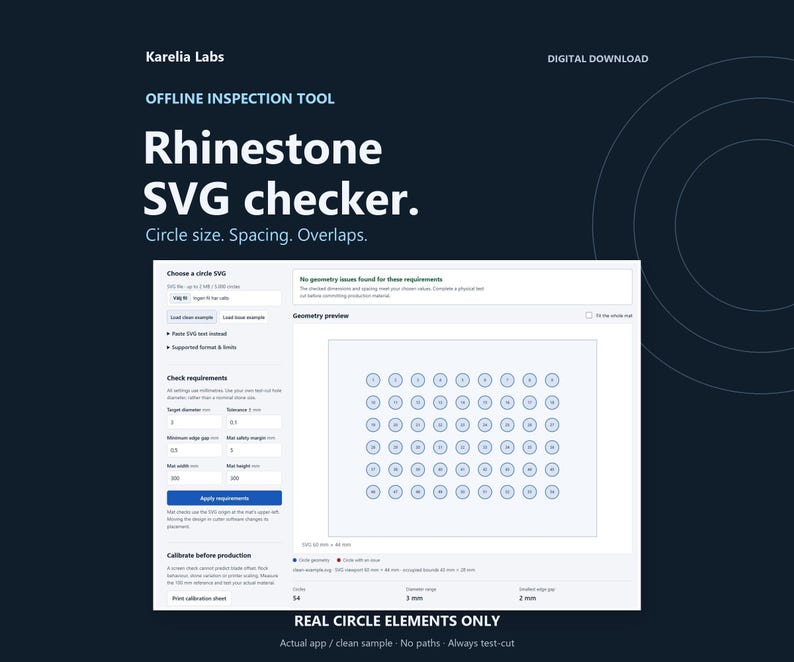
Check circle size, spacing and overlaps in your existing rhinestone SVG with an offline HTML browser tool. Requires real SVG circle elements; path-based designs are not supported. Review physical dimensions and placement against your chosen mat settings before making a physical test cut.
FORMAT LIMIT - PLEASE READ FIRST
Requires real SVG circle elements with numeric unitless cx/cy/r. Paths, including circles converted to paths, ellipses, text shapes, CSS/style and transforms are not supported and are rejected. This tool does not convert paths into circles or generate rhinestone designs.
INSTANT DIGITAL DOWNLOAD
One ZIP: Karelia-Labs-Rhinestone-File-Check-v1.0.0.zip
Extract it on your computer. No physical item, cutter, stones or template material is shipped.
10 FILES INCLUDED
- Rhinestone-File-Check.html - self-contained offline inspection tool
- START-HERE.pdf - 3-page workflow and troubleshooting guide
- PRINT-CALIBRATION-A4.pdf - 1-page physical print reference
- PRINT-CALIBRATION-Letter.pdf - the same 1-page reference on US Letter
- README.txt - exact format boundaries and instructions
- LICENSE.txt - single-business commercial license
- samples/clean-example.svg - original 54-circle example
- samples/issue-example.svg - deliberate geometry problems
- samples/inch-example.svg - inch-sized document example
- samples/calibration-cut-strip.svg - seven test holes, 2.50-4.00 mm
WHAT IT CHECKS
- Up to 5,000 actual circle elements and 2 MB of SVG source
- Physical circle diameters and bounds, reported in millimetres
- Diameter against your target and tolerance
- Duplicate, overlapping and tight-gap pairs
- Placement against your mat dimensions, margin and the original SVG viewport
- Root units mm, cm, in, px, pt, pc or unitless pixels at 96 px/in
- Optional viewBox using default xMidYMid meet scaling
Review the geometry preview and issue summary, then export circle-coordinate CSV, a full JSON record or a new mm circle-only SVG copy. The SVG copy removes styling and metadata. It does not resize, move, repair or deduplicate holes. Pair totals count all detected pairs; the on-screen/JSON pair list is limited to the first 200.
WORKFLOW
1. Extract the ZIP, read START-HERE.pdf and open the HTML file in a current desktop browser.
2. Load the clean example, then select or paste your supported SVG.
3. Enter your own tested hole diameter, tolerance, gap, usable mat size and margin. Select Apply requirements.
4. Review every issue. Correct the source design in your own software, then check it again.
5. Make a small physical test cut with your own cutter, material and stones before production.
BEFORE BUYING
This is a geometry inspection tool, not a cutter driver, stone-size selector, repair utility or physical-fit certification. It does not support arbitrary SVG artwork, images, fonts, DXF, proprietary design formats, nested viewports, references or clipping. Your source application must export real circles with transforms baked into their coordinates and without CSS. Full boundaries are in README.txt.
Desktop is the recommended production workflow; mobile downloads vary and are not promised. No account, subscription, activation, internet connection or external library is needed after download. Files stay in browser memory; closing/reloading clears the job. Save reports and keep your original design separately.
COMMERCIAL RIGHTS
One buyer/business may use the tool internally for unlimited personal or commercial jobs and deliver its own reports and geometry outputs in client work. Staff and contractors acting for that same business may use its internal copy. You need the rights to every design you load. No per-job royalty. Do not resell, share, host or redistribute the supplied tool, documentation or templates as a standalone product. Full terms are in LICENSE.txt.
AI ASSISTANCE AND SUPPORT
Original Karelia Labs software, sample geometry and documentation were created with AI-assisted development and drafting, then digitally checked. No physical cutting trial, cutter-brand compatibility, stone fit, time saving, sales or earnings is guaranteed. Questions: Etsy messages or karelialabs [!at] outlook.com. Non-waivable consumer rights are unaffected.
-
Designed by
-
Item typeDigital download
-
Digital file type(s)1 ZIP
If something goes wrong with an order, we've got your back on all eligible purchases. View program terms
Meet your seller

More from this shop
-
Digital download
Laser Engraving Pricing Calculator Spreadsheet, Laser Business Quote Builder and Cost Sheet, Google Sheets & Excel + Offline App
Sale Price $7.71
Original Price $10.27
-
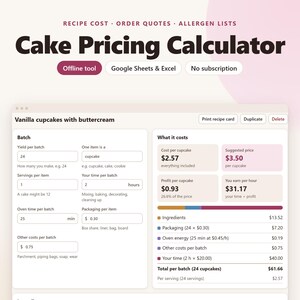
Digital download
Cake Pricing Calculator Spreadsheet, Recipe Cost Calculator, Bakery Order Quote, Google Sheets & Excel + Offline App
Sale Price $6.15
Original Price $8.20
-
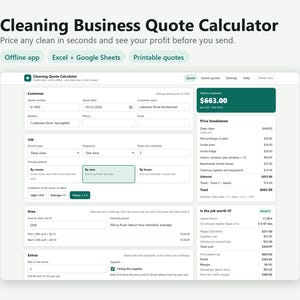
Digital download
Cleaning Business Pricing Calculator Spreadsheet, House Cleaning Quote Template, Google Sheets & Excel + Offline App
Sale Price $6.93
Original Price $9.24
-
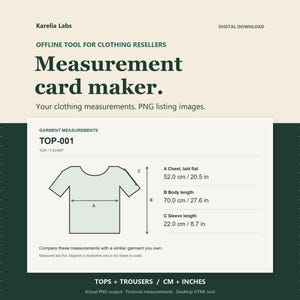
Digital download
Reseller Measurement Chart Maker, Clothing Measurement Cards for Listing Photos, Offline CSV to PNG Tool
Sale Price $15.49
Original Price $20.65
-
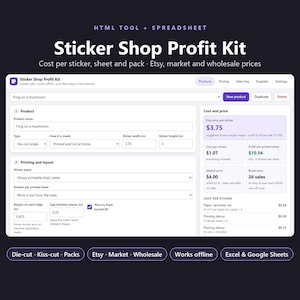
Digital download
Sticker Business Spreadsheet, Sticker Pricing Calculator and Profit Tracker, Cost per Sheet, Sales Log, Google Sheets & Excel
Sale Price $5.37
Original Price $7.16
-
Digital download
Reseller Inventory Spreadsheet, Reseller Profit Tracker for Clothing Resellers and Thrift Flips, Google Sheets & Excel + Offline App
Sale Price $5.37
Original Price $7.16
-

Digital download
BUNDLE 650 Design Rhinestone Template Whole Shop Rhinestone Product and More Rhinestone Design Svg Eps Dxf for Cricut WHOLE STORE Rhinestone
Sale Price $36.55
Original Price $66.46
-

Digital download
For Crafters Only - Custom Rhinestone Digital Design | Rhinestone Template | Rhinestone SVG | Bling File | Customized Rhinestone Template
$24.99
-
Digital download
Bundle Rhinestone, 33 Designs Rhinestone, Bundle Alphabet Rhinestone, Rhinestones, Mouse Rhinestone, Rhinestone Template, Rhinestone Files
Sale Price $24.00
Original Price $40.00
-

Digital download
Mega Bundle Rhinestone template Svg, bundle rhinestone ss10 svg for Cricut, Silhouette, Yid Rhinestone, Instant Download, Digital Download
$29.99
-

Digital download
Rhinestone Template, Diamond Bundle, Ss10 Diamond crystal Bundle Diamond Shape Glitter Crystal Decals Design DOWNLOAD Rhinestone Svg Cricut
Sale Price $3.59
Original Price $5.99
-

Digital download
Checkers Rhinestone Template: SS10 Rhinestone File (Digital Download)
Sale Price $4.84
Original Price $13.83
-

Digital download
Custom Order, Custom Designs Rhinestone, Custom Rhinestone, Rhinestone Template, Rhinestone Shirt, Custom Template, Rhinestone Svg,
Sale Price $28.02
Original Price $46.70
-
Digital download
Cute Rhinestone font Elegant rhinestone alphabet letters svg Rhinestone Template for Cricut rhinestone template material rhinestone 10ss
Sale Price $8.10
Original Price $13.50
-

Digital download
Rhinestone Template Rhinestone Cut File Bundle Cut File Rhinestone Rhinestone Sheet Cricut Cut Silhouette Cut Rhinestone 6ss 10ss 16ss 20ss
$5.49
-

Digital download
Custom Rhinestone Design Size 11inch Rhinestone Template Design Svg Personalization Rhinestone custom rhinestone Template
Sale Price $13.59
Original Price $17.65
-
Digital download
Varsity Font Sports Numbers Rhinestone Template, cricut, silhouette, Rhinestone SVG, Rhinestone File for SS10, PNG, AI, cdr, dxf, eps
Sale Price $3.96
Original Price $6.60
-
Digital download
Michael Jackson Bad Logo SS6 Rhinestone Crystal Diamond Instant Digital Download, svg, dxf, plt, studio, Rhinestone Template for Cricut
$20.75
Shoppers with similar taste loved these
-

Digital download
Cup Care Instructions PNG: Bottom of cup Decal (Digital Download)
$3.79
-
Digital download
Editable Cup Care Card Template, Cup Care Label, Printable Tumbler Care Instructions Card, Washing Instructions, Small Business Packaging
Sale Price $2.40
Original Price $4.00
-

Digital download
Glass Cup Care Printable, Libbey Glass Can Cup Care Png, Cup Care Png, Glass Tumbler Care, Ready to Print and Cut, Printable Cup Care Png
Sale Price $1.65
Original Price $3.30
-
Digital download
Print Ready Cup Care Instructions for Glass Cups | Digital Download 8.5x11
$3.50
-
Digital download
Tumbler cup care Printable care cards for tumblers Care card bundle Washing instructions png Washing care cards Tumbler printable care label
Sale Price $1.13
Original Price $2.83
-

Digital download
Glass can cup care printable, printable care instructions, care card printable, libbey glass can care card, glass tumbler care card png pdf
$1.59
-

Digital download
Printable Cheat Sheets for Cricut Explore Air 2 - Beginners Guide PDF Instant Download
Sale Price $3.80
Original Price $4.75
-

Digital download
Printable Cheat Sheets for Sublimation Heat Press Temperature Settings - Beginners Guide PDF Instant Download
Sale Price $1.56
Original Price $1.95
-

Digital download
Printable Cheat Sheets for Cricut EasyPress - Beginners Guide PDF Instant Download
Sale Price $3.20
Original Price $4.00
-

Digital download
Cricut Design Space Beginners Cheat Sheet Bundle: How to Use Images, SVGS, Shapes on CDS - Tutorial for Maker, Explore or Joy Machines
Sale Price $4.40
Original Price $5.50
-

Digital download
HTV Shirt Decals Placement and Size Chart Printable Cheat Sheet | Heat Transfer Vinyl Size Sheet for Beginner Cricut, Silhouette Users
Sale Price $2.40
Original Price $3.00
-

Digital download
Printable Cheat Sheets for EasyPress2 Heat Temperature Settings - Beginners Guide PDF Instant Download
Sale Price $1.20
Original Price $1.50


